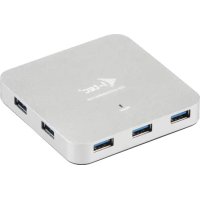
U3HUBMETAL7 - Computer accessory i-TEC - Free user manual and instructions
Find the device manual for free U3HUBMETAL7 i-TEC in PDF.

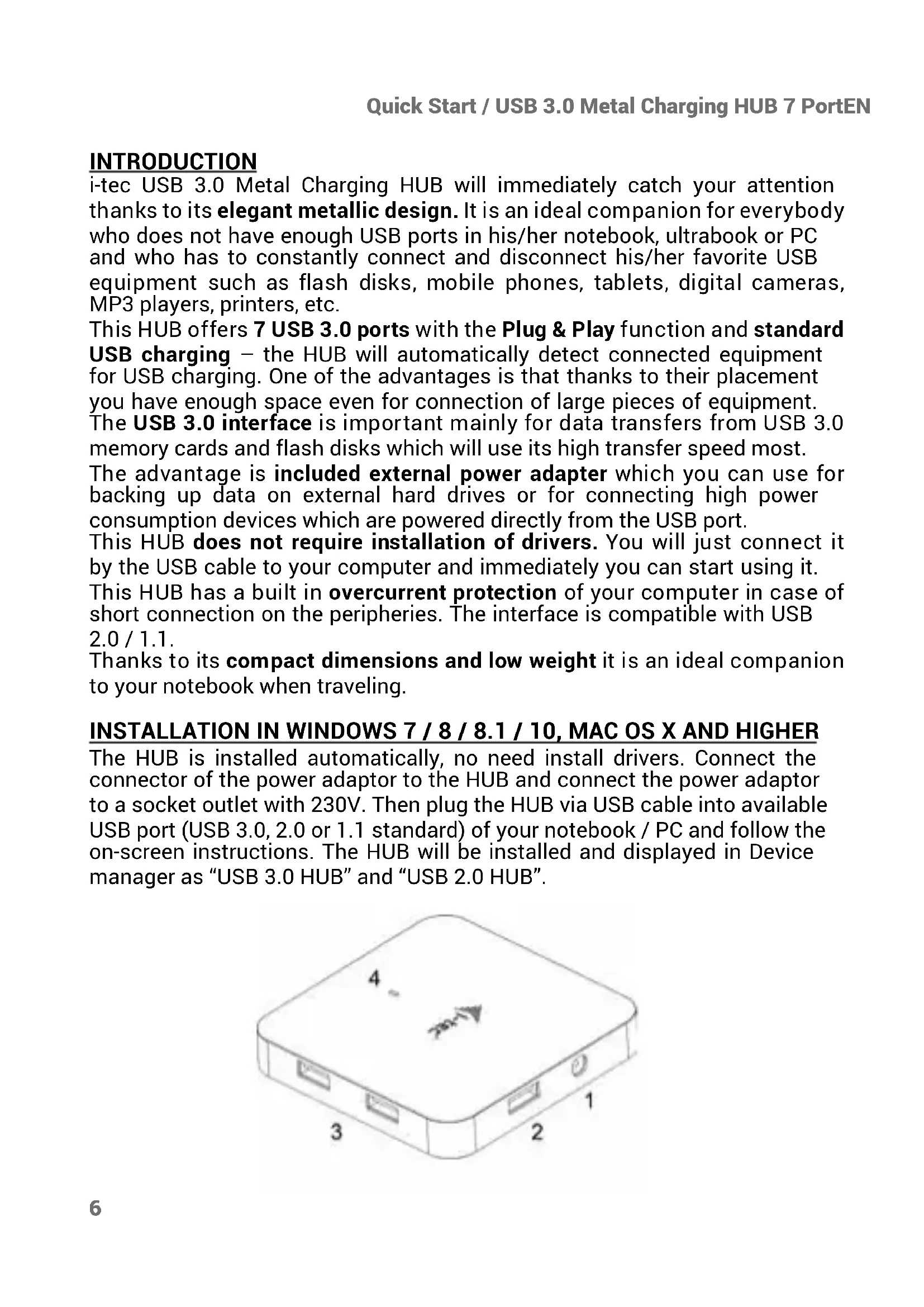


| Product type | 7-port USB 3.0 hub with fast charging |
| Brand | i-TEC |
| Model | U3HUBMETAL7 |
| Dimensions | 86 x 86 x 14 mm |
| Weight | 96 g |
| Power supply | 12 V / 2.5 A power adapter (120 cm cable) |
| Ports | 7 USB 3.0 ports (downstream) + 1 USB 3.0 port (upstream via cable) |
| Main features | Plug & Play, BC 1.2 fast charging, surge protection, USB 2.0/1.1 backward compatibility |
| LED indicator | Blue LED lights up when the hub is connected to the power adapter or USB port |
| Supported operating systems | Windows XP/Vista/7/8/8.1/10, macOS X, Linux, Android, Chrome OS |
| Package contents | Hub, USB 3.0 cable (90 cm), power adapter (120 cm), user guide |
| Care and cleaning | Clean with a dry cloth; do not expose to moisture or extreme temperatures |
| Safety | Built-in surge protection; do not expose to water; use on a flat surface |
Frequently Asked Questions - U3HUBMETAL7 i-TEC
User questions about U3HUBMETAL7 i-TEC
0 question about this device. Answer the ones you know or ask your own.
Ask a new question about this device
Download the instructions for your Computer accessory in PDF format for free! Find your manual U3HUBMETAL7 - i-TEC and take your electronic device back in hand. On this page are published all the documents necessary for the use of your device. U3HUBMETAL7 by i-TEC.
USER MANUAL U3HUBMETAL7 i-TEC
natural_image
White rectangular electronic device with three ports and a logo on the front face (no visible text or symbols on body)User guide • Gebrauchsanweisung • Mode d'emploi Manual de instrucciones • Manuale • Uživatelská príručka Instrukcje obsługi • Užívatel'ská príručka • Vartotojo vadovas Handleiding
P/N: U3HUBMETAL7
EN Please read the entire instruction manual carefully. Detailed manual is available on our website www.i-tec.cz/en/ in the tab „Manuals, drivers“. In case of any issues, please contact our technical support at: support@itecproduct.com
USB 3.0 METAL CHARGING HUB 7 PORT
ENGLISH....06-08
DEUTSCH....09-11
FRANÇAIS....12-14
ESPAÑOL....15-17
ITALIANO....18-20
ČESKY.... 21–23
POLSKI.... 24-26
SLOVENSKY.... 27–29
LIETUVOS.... 30-32
NEDERLANDS.... 33-35
WEEE.... 36-37
Declaration of Conformity.... 38–39
FCC....40
INTRODUCTION
i-tec USB 3.0 Metal Charging HUB will immediately catch your attention thanks to its elegant metallic design. It is an ideal companion for everybody who does not have enough USB ports in his/her notebook, ultrabook or PC and who has to constantly connect and disconnect his/her favorite USB equipment such as flash disks, mobile phones, tablets, digital cameras, MP3 players, printers, etc.
This HUB offers 7 USB 3.0 ports with the Plug & Play function and standard USB charging – the HUB will automatically detect connected equipment for USB charging. One of the advantages is that thanks to their placement you have enough space even for connection of large pieces of equipment.
The USB 3.0 interface is important mainly for data transfers from USB 3.0 memory cards and flash disks which will use its high transfer speed most.
The advantage is included external power adapter which you can use for backing up data on external hard drives or for connecting high power consumption devices which are powered directly from the USB port.
This HUB does not require installation of drivers. You will just connect it by the USB cable to your computer and immediately you can start using it.
This HUB has a built in overcurrent protection of your computer in case of short connection on the peripheries. The interface is compatible with USB 2.0 / 1.1.
Thanks to its compact dimensions and low weight it is an ideal companion to your notebook when traveling.
INSTALLATION IN WINDOWS 7 / 8 / 8.1 / 10, MAC OS X AND HIGHER
The HUB is installed automatically, no need install drivers. Connect the connector of the power adaptor to the HUB and connect the power adaptor to a socket outlet with 230V. Then plug the HUB via USB cable into available USB port (USB 3.0, 2.0 or 1.1 standard) of your notebook / PC and follow the on-screen instructions. The HUB will be installed and displayed in Device manager as "USB 3.0 HUB" and "USB 2.0 HUB".
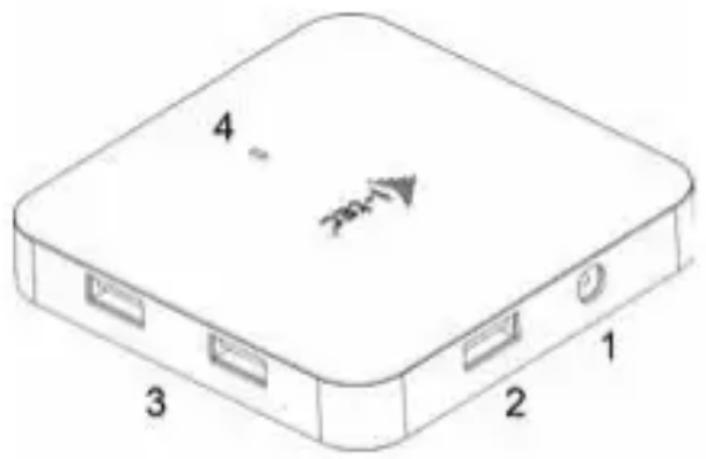
DESCRIPTION
- Input for connecting the power adaptor
- 1x input USB 3.0 port type A for connecting to a notebook / PC
- 7x output USB 3.0 ports for connecting USB equipment
- LED diode – the diode is ON when the HUB is connected to the power adaptor or to a USB port of a notebook / PC
CHARGING
You can use external power adapter, if you connect printer, scanner or other high power consumption devices to USB ports in HUB (power adapter is included). Respect the basic rules while using this power adapter (for ex. do not let in reach of children, if the adapter is in 230 V circuit, do not put it into the water and so on).
CHARGING
The HUB supports charging of the connected USB mobile equipment such as smartphones (including iPhone and Samsung phones), e-book readers, multi-media players, GPS navigators, and tablets (e.g., Asus, Toshiba, GoClever, Prestigio, Emgeton, Sencor). The HUB does not support charging of iPad and Samsung tablets which require special identification circuits.
Using the original cable connect the equipment to be charged to the USB port of the HUB. At the same time the power adaptor needs to be connected to the HUB as well.
Attention: All USB 3.0 ports support quick charging (BC 1.2) but only allow a maximum of 2 mobile phones charged at the same time depending on other connected devices. If other connected devices require a larger amount of energy (e.g. external drives), it is possible that only a single mobile phone can be quick charged.
SYSTEM REQUIREMENTS
Hardware requirements
Notebook / PC with one available USB port
Operating system
Windows 7 / 8 / 8.1 / 10 32/64bit, macOS X 10.x or higher
SPECIFICATION
- 1x USB 3.0 port for connecting to a device
- 7x USB 3.0 port with quick charging support (BC 1.2)
-
1x input for power supply (DC 12 V/2.5 A)
• LED indication (blue LED)
• USB 3.0 cable (90 cm) -
OS: Windows XP / Vista / 7 / 8 / 8.1 /10, macOS X, Linux, Android, Chrome OS
• Product dimensions 86 x 86 x 14 mm - Product weight 96 g
PACKAGE CONTENTS
• i-tec USB 3.0 Metal Charging HUB 7 Port
• USB 3.0 cable (90 cm)
• Power adapter (DC cable 120 cm)
- User Guide
SAFETY INSTRUCTIONS
- Do not expose to extreme temperatures and air humidity.
- Use the device on flat surfaces – you will prevent it from slipping and falling to the ground.
- Save the user manual for a possible use later.
In cooperation with the service department:
- Check functionality after falling to water or to the ground.
- Check functionality when the cover is broken.
- Send the device back if it does not work in accordance with the user manual.
FREQUENTLY ASKED QUESTIONS
Available on our website www.i-tec.cz/en on the "FAQ" tab of this product.
EINLEITUNG
INSTRUCTIONS DE SÛRETÉ
This equipment is marked with the above recycling symbol. It means that at the end of the life of the equipment you must dispose of it separately at an appropriate collection point and not place it in the normal domestic unsorted waste stream. This will benefit the environment for all. (European Union only)
DEUTSCH
This equipment has been tested and found to comply within the limits of a Class B digital device pursuant to Part 15 of the FCC Rules. These limits are designed to provide reasonable protection against harmful interference in a residential installation.
www.i-tec.cz/en
- USB 3.0 METAL CHARGING HUB 7 PORT
- INTRODUCTION
- INSTALLATION IN WINDOWS 7 / 8 / 8.1 / 10, MAC OS X AND HIGHER
- DESCRIPTION
- CHARGING
- SYSTEM REQUIREMENTS
- Hardware requirements
- Operating system
- SPECIFICATION
- PACKAGE CONTENTS
- SAFETY INSTRUCTIONS
- FREQUENTLY ASKED QUESTIONS
- EINLEITUNG
- INSTRUCTIONS DE SÛRETÉ
- DEUTSCH
Brand : i-TEC
Model : U3HUBMETAL7
Category : Computer accessory