
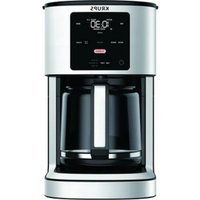
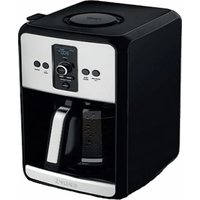
Turbo Savoy EC4120 - Electric coffee maker KRUPS - Free user manual and instructions
Find the device manual for free Turbo Savoy EC4120 KRUPS in PDF.
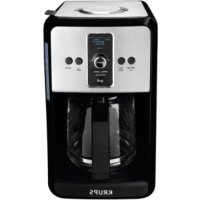



| Product Type | Electric Coffee Maker |
| Brand | Krups |
| Model | Turbo Savoy EC4120 |
| Capacity | 12 cups (maximum of 12 scoops of ground coffee) |
| Power Supply | 120 V |
| Main Functions | Clock programming, delayed start (2 programs), Turbo, Regular/Bold intensity, 1-4 cups, adjustable keep warm (duration 15 min to 4 h, temperature Low/Med/High) |
| Filter Type | Permanent filter included (paper filter #4 optional) + DuoFilter water filter cartridge (reduces chlorine and scale) |
| Carafe | Glass with lid, dishwasher safe |
| Hot Plate | Yes, with keep warm function |
| Cleaning | Removable parts (carafe, filter holder, permanent filter) washable in soapy water; do not immerse base |
| Descaling | CLEAN indicator, recommended once a month; use Krups descaling solution, white vinegar, or citric acid |
| Safety | Automatic shut-off after cycle, hot surfaces, short cord, do not immerse |
| Spare Parts / Repairability | Permanent filter, filter holder, carafe, DuoFilter cartridge available; repairable by Krups during and after warranty |
| Warranty | 2-year manufacturer warranty (Krups International Warranty) |
Frequently Asked Questions - Turbo Savoy EC4120 KRUPS
User questions about Turbo Savoy EC4120 KRUPS
0 question about this device. Answer the ones you know or ask your own.
Ask a new question about this device
Download the instructions for your Electric coffee maker in PDF format for free! Find your manual Turbo Savoy EC4120 - KRUPS and take your electronic device back in hand. On this page are published all the documents necessary for the use of your device. Turbo Savoy EC4120 by KRUPS.
USER MANUAL Turbo Savoy EC4120 KRUPS
6A AUTO START FUNCTION 6B TURBO FUNCTION 6C REGULAR OR BOLD 6D 1-4 CUPS 6E KEEP WARM
7. CLEANING 11 8. DESCALING 11 9. TROUBLESHOOTING 13 10. KRUPS INTERNATIONAL LIMITED WARRANTY 14
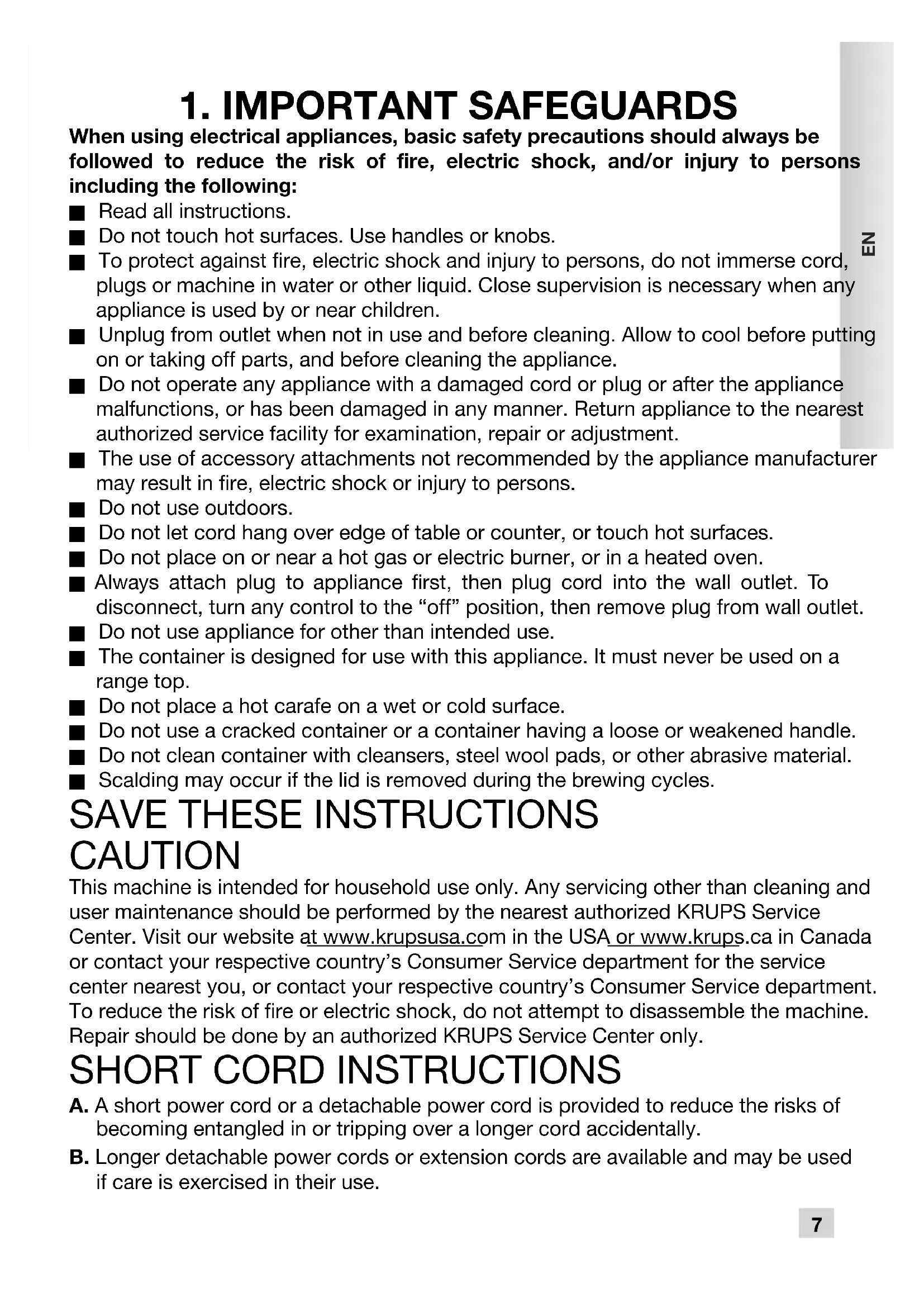
1. IMPORTANT SAFEGUARDS
When using electrical appliances, basic safety precautions should always be followed to reduce the risk of fire, electric shock, and/or injury to persons including the following:
Read all instructions. ■ Do not touch hot surfaces. Use handles or knobs. To protect against fire, electric shock and injury to persons, do not immerse cord, plugs or machine in water or other liquid. Close supervision is necessary when any appliance is used by or near children. Unplug from outlet when not in use and before cleaning. Allow to cool before putting on or taking off parts, and before cleaning the appliance. - Do not operate any appliance with a damaged cord or plug or after the appliance malfunctions, or has been damaged in any manner. Return appliance to the nearest authorized service facility for examination, repair or adjustment. The use of accessory attachments not recommended by the appliance manufacturer may result in fire, electric shock or injury to persons. Do not use outdoors. - Do not let cord hang over edge of table or counter, or touch hot surfaces. Do not place on or near a hot gas or electric burner, or in a heated oven. Always attach plug to appliance first, then plug cord into the wall outlet. To disconnect, turn any control to the "off" position, then remove plug from wall outlet. Do not use appliance for other than intended use. The container is designed for use with this appliance. It must never be used on a range top. Do not place a hot carafe on a wet or cold surface. - Do not use a cracked container or a container having a loose or weakened handle. ■ Do not clean container with cleansers, steel wool pads, or other abrasive material. Scalding may occur if the lid is removed during the brewing cycles.
SAVE THESE INSTRUCTIONS CAUTION
This machine is intended for household use only. Any servicing other than cleaning and user maintenance should be performed by the nearest authorized KRUPS Service Center. Visit our website at www.krupsusa.com in the USA or www.krups.ca in Canada or contact your respective country's Consumer Service department for the service center nearest you, or contact your respective country's Consumer Service department. To reduce the risk of fire or electric shock, do not attempt to disassemble the machine. Repair should be done by an authorized KRUPS Service Center only.
SHORT CORD INSTRUCTIONS
A. A short power cord or a detachable power cord is provided to reduce the risks of becoming entangled in or tripping over a longer cord accidentally. B. Longer detachable power cords or extension cords are available and may be used if care is exercised in their use.
C. If a long detachable power cord or an extension cord is used:
1) The marked electrical rating of the detachable power cord or extension cord should be at least as great as the electrical rating of the appliance. 2) If the appliance is of the grounded type, the extension cord should be a grounding type 3-wire cord. 3) The longer cord should be arranged so that it will not drape over the counter where it can be pulled on by children or tripped over accidentally. The appliance may have a polarized plug (one blade is wider than the other). To reduce the risk of electric shock, this plug is intended to fit into a polarized outlet only one way. If the plug does not fit fully into the outlet, reverse the plug. If it still does not fit, contact a qualified electrician. Do not attempt to modify the plug in any way.
ADDITIONAL SAFETY INSTRUCTIONS
Your appliance is designed for domestic use only. It is not intended to be used in the following applications, and the guarantee will not apply for: staff kitchen areas in shops, offices and other working environments; farm houses; by clients in hotels, motels and other residential type environments; bed and breakfast type environments. This appliance is not designed to be used by children or people without knowledge or experience with the product, unless they are supervised or given prior instructions concerning the use of the appliance by someone responsible for their safety. ■ Burns can occur from touching hot plate, hot water or steam. Exercise caution. All machines are subject to stringent quality control. Practical tests using machines taken at random are conducted and this may explain any slight marks or coffee residue showing prior to use. - Do not pour liquids other than water and descaling solutions specified in this manual into the water tank. - Protect the machine against humidity and freezing. Do not pour water into the appliance if it is still hot. Always place your coffee maker on a flat, stable, heat resistant work surface away from water splashes and any external sources of heat. - Never place your carafe or your insulated pot in a microwave oven, in a dishwasher or on a stove top. Never put your hand inside the insulated pot. Do not use the carafe or the insulated pot without the lid. ■ Do not use the thermal carafe if the glass inner part inside is broken. If the glass inner part of the carafe is broken, pieces of glass can transfer to your cup. In the interest of improving products, KRUPS reserves the right to change specifications without prior notice. A short power supply cord is provided to reduce the hazards resulting from becoming entangled in or tripping over a long cord. This appliance is not intended for use by persons (including children) with reduced physical, sensory or mental capabilities, or lack of experience and knowledge, unless they have been given supervision or instruction concerning use of the appliance by a person responsible for their safety.
Children should be supervised to ensure that they do not play with the appliance.
2. DESCRIPTION
a Body of the appliance b Lid c Water tank d Water level indicator e Carafe lid f Carafe handle g Carafe h Warming plate i Filter holder j Permanent gold tone filter k BREW/ON/OFF control knob l CLOCK button
m REGULAR/BOLD button n 1-4 CUPS button o CLEAN button p AUTO ON button q TURBO button r Filter cartridge holder s Filter cartridge t Keep Warm TEMP Button u Keep Warm TIME button v Spoon w Replacement indicator of the filter cartridge
3. SETTING THE CLOCK
Place the coffee maker on a hard flat surface. Connect the power cord to a 120V wall socket.
1 - When you connect the coffee maker for the first time, "1:00 pm" displays and flashes on screen. Fig. 1. Program the time by turning the BREW/control knob (k) to the right to increase, to the left to decrease. Confirm by pressing the CLOCK button (l) or the BREW/control knob (k). The time is displayed. Fig. 2 and 3. 2 - You may also program or change the time at any other time. Press the CLOCK button (l) and turn the BREW/control knob (k). Set by pressing the CLOCK button (l) or the BREW/control knob (k). The time is displayed.
Note: Your clock is now programmed and will continue to display the time even when your appliance is on standby.
If the appliance is disconnected or there is a power failure, the clock will return to 1:00 PM. The steps above must be repeated to program the clock again.
4. BEFORE FIRST USE
Remove stickers from your coffee maker. Before first use, run your coffee maker without coffee to flush the circuit. Fill the water tank up to the maximum level and begin a cycle by pressing the BREW/control knob (k).
IMPORTANT: Your appliance was designed to operate only with cold or room temperature water.
5. MAKING COFFEE
Open the lid of the coffee maker (b). Fig. 4. Fill the carafe (g) with cold or room temperature water. Pour the water in the water tank (c) Fig. 5. The water level indicator displays the number of cups. Do not exceed 12 cups. Fig. 6. Place the carafe (g) with its lid on the warming plate (h) making sure that it is properly placed to trigger the mechanism that will allow the coffee to flow. Fig. 7. It is best to remove the filter holder with the filter before adding the ground coffee. If ground coffee has accidentally been poured into the water tank, please do not run the cycle; instead clean the water tank. The ground coffee could plug the water circuit. Add 1 KRUPS (v) spoonful of ground coffee per cup. Do not exceed 12 spoons (2 ounces). Fig. 10. Make sure the filter holder (i) is inserted. Fig. 8. Place the permanent filter (j) in the filter holder (i) Fig. 9a or a No. 4 paper filter Fig. 9b. If you use a paper filter, be sure it is fully open and properly positioned in the filter holder.
Close the lid (b). Press the BREW/control knob (k). The control knob lights up to indicate that the coffee maker has begun the BREW cycle. It beeps once when it starts brewing. Fig. 12. ■ When the cycle has ended, the 'keep warm' feature turns on automatically (the countdown showing the time during which it will remain warm is displayed on screen). The BREW/control knob (k) flashes slowly. After the default keep warm time of 2 hours your appliance beeps 3 times and the BREW/control knob (k) switches off. At any time during the brew cycle, you may turn off the coffee maker by pressing the BREW/control knob (k). The light on the BREW/control knob will also go out. It beeps 3 times prior to turning off.
Even if the brew cycle has ended, there is still hot liquid in the filter. Wait a few minutes for the rest of the liquid to flow into the carafe before removing the filter.
Note:
- The amount of coffee in the carafe at the end of the cycle is less than the amount of water poured into the water tank, since the ground coffee and the filter absorb about 10% of it.
- The water tank is equipped with an overflow outlet at the rear of the appliance. If you add too much water, it will come out of this opening.
- Clean the permanent filter in between each use, or use a paper filter.
CAUTION:
- To avoid overflowing, the carafe should be properly placed on the warming plate of the coffee maker, otherwise the hot water or hot coffee may overflow.
- The coffee maker becomes very hot during the brew cycle. Handle it carefully.
6. OTHER FEATURES
6A - AUTO START FUNCTION
Programming the auto-start settings.
■ Your appliance is equipped with two auto-start programs. Check whether the clock is set to the right time. If not, follow the instructions in the SETTING THE CLOCK section. Press the AUTO ON button. An AUTO 1 icon displays on screen. Fig. 13. Turn the BREW/control knob (k) to set the time. Confirm by pressing the BREW/control knob (k). The time is displayed. Fig. 14 and 15. Without validation with the BREW/control knob (k), the time is recorded automatically after about 5 seconds. To set the second program, push the AUTO ON button twice, so that the AUTO 2 icon appears on screen. Fig. 16. Turn the BREW/control knob (k) to set the time. Validate by pressing the BREW/control knob (k). The time is displayed. Fig. 17 and 18. If you do not confirm using the BREW/control knob (k), the time is recorded automatically after about 5 seconds.
Activate a delayed start-up when the time is already pre-set.
■ Select AUTO 1 or AUTO 2 by pressing the AUTO ON button. Press the BREW/control knob (k) to launch auto-start program.
6B - TURBO FUNCTION
This function enables you to brew your coffee faster by reducing the cycle time.
Press the TURBO button. Fig. 11 The TURBO icon will appear on the screen. This function will be saved in the memory of your coffee machine for future cycles. You can stop this function by pressing the TURBO button once more.
6C - REGULAR OR BOLD
This feature allows you to make a coffee that is more or less full-bodied. The BOLD feature increases the time of the cycle for a stronger coffee.
Press the REGULAR or BOLD button to select the intensity of your coffee. Fig. 19. The REG or BOLD icon appears on screen. The feature is stored in the memory for subsequent cycles.
6D - 1-4 CUPS
To activate this feature, press the 1-4 button (n) before starting the cycle. Fig. 20. This feature is especially designed for making small amounts of coffee, i.e. between 2 and 4 cups. It makes it easier to extract optimal aroma and flavor.
6E - KEEP WARM
TIME
The default keep warm duration on your appliance is 2 hours. To cancel the keep warm function, press Time (u) and KEEP WARM will disappear from the screen.
To set the keep warm duration:
If the keep warm function has already been activated, press Time (u) once to deactivate it. If not, press Time (u) and turn the BREW/control knob (k) to select the keep warm duration. The keep warm function may be set from 15 minutes to up to 4 hours in 15 min increments. Fig. 21 and 22. Confirm by pressing BREW/control knob (k). The duration is confirmed automatically after approximately 5 seconds. Fig. 22. KEEP WARM will appear on the screen and the duration is confirmed. To cancel the keep warm function, press Time (u) and KEEP WARM will disappear from the screen. You can change the keep warm duration while it is in operation by turning the BREW/control knob (k).
TEMPERATURE
You may program 3 temperature levels to keep your coffee warm: LOW, MEDIUM or HIGH. Press the TEMP button (t) and turn the BREW/control knob (k) to select the temperature level. Fig. 23 and 24. Set by pushing the BREW/control knob (k) or by default, validation is done automatically after about 5 seconds.
7. CLEANING
To dispose of used ground coffee, remove the filter and the filter holder of the coffee maker. Fig. 25a-b and 26a-b. Do not clean the appliance if it is still hot. ■ Wash the carafe, the removable filter holder and the permanent filter with warm, soapy water. You may place the carafe in the dishwasher.
CAUTION: Do not place the carafe in the microwave.
Do not put other parts of the coffee maker into the dishwasher.
Clean the coffee maker with a damp cloth or sponge. Never use abrasive or strong products on any part of the coffee maker. To clean the stainless steel parts of your coffee maker, dampen a soft cloth or sponge with warm water. Wipe carefully with a dry cloth. For difficult stains, use a cloth with white vinegar. ■ Do not immerse the appliance in water or under the tap.
8. DESCALING
Why descale
- Limestone forms naturally in your coffee maker. Descaling preserves the coffee maker and ensures it will last longer and provide quality coffee over time. Limestone can permanently affect the machine's performance. Malfunctions associated with scaling will not be covered by the warranty if the product is returned.
■When to descale
- When descending is necessary, your machine will tell you and the CLEAN icon will appear on screen.
- However, the descending frequency depends on the hardness of the water and the number of brew cycles. It may be necessary to descale your coffee machine if you notice the following signs, even if the CLEAN message does not appear on the screen: longer cycle time, excessive steaming, more noise at the end of the cycle, stopping mid-cycle; this means that your machine needs to be descaled.
- Descalng should be done about once a month, depending on the hardness of the water.
How to descale your KRUPS coffee maker
■ Remove the filter cartridge. Fig. 27. ■ Use the KRUPS descending solution® or 5 fl. oz of white vinegar diluted in 17 fl. oz of cold or water at room temperature or 1.5 oz of citric acid diluted in 17 fl. oz until the crystals have completely dissolved. Fig. 28. Pour the solution into the water tank (without coffee). Fig. 29. Press the CLEAN button (o) and then the BREW/control knob (k) to start the descending cycle. Fig. 30. The cycle lasts for 30 min. Please wait until the end of the cycle. If the water tank is not empty, please launch another descending cycle by pressing CLEAN button. ■ To rinse the machine, run 2 full 12 cups cycles with water but without coffee. Fig. 31. Repeat the operation if needed. Replace the filter cartridge. Fig. 35 and 36. The warranty does not cover coffee makers that do not work, or do so poorly, due to lack of. descaling.
DUO FILTER CARTRIDGE
Your appliance allows you to filter with the DuoFilter filters: double action filter - reduces chlorine and scaling - based on active plant ingredients. This DuoFilter allows you to enjoy the most delicate aromas of your coffee and reduces the need to descale. In its upper part, the filter cartridge support is equipped with an indicator for replacement of the cartridge. Select the number of the month when you replaced the filter. It will display the month when you should change your filter according to water hardness. Fig. 34. To change the filter, remove the DuoFilter from the tank. Fig. 33. Open it by unlatching and opening the lower part and replacing it. Fig. 35.
IMPORTANT:
The DuoFilter filter must only be used with water.
Your coffee maker operates even if the water filter is not installed.
If you have not used your coffee machine for over a month, rinse the DuoFilter filter under running water.
It is recommended not to leave the DuoFilter water filter in place for over 5 months.
The DuoFilter can cause the water to flow slow, excess steam, high noise level. The filter may need to be replaced.
9. TROUBLESHOOTING
| PROBLEM SOLUTION | |
| The coffee does not brew or the appliance does not turn on. | ■ Make sure the appliance is plugged into a working outlet and the screen flashes. ■ The water tank is empty. ■ There is a power outage. ■ Unplug the machine, then plug it back in. ■ The clock should be reprogrammed after a power outage. ■ The automatic stop feature has turned off the appliance. Turn off the appliance and then turn it back on to make more coffee. For more information, please consult the "Making Coffee" section. |
| The appliance seems to leak. | ■ Make sure the water tank has not been filled beyond the maximum limit. |
| Brewing takes a long time. | ■ It may be time to descale the appliance. ■ Several minerals can accumulate in the coffee maker's circuitry. Regular descaling of the machine is recommended. This may need to be done more often depending on the hardness of your water. For more information, please consult the "Descaling" section. CAUTION: do not take the appliance apart. |
| The filter basket overflows or the coffee flows too slowly. | ■ The coffee maker needs cleaning. ■ There is too much coffee. We recommend using one measuring spoon or one soup spoon of ground coffee per cup. ■ The ground coffee is too fine (Please note that: ground coffee for espresso won't work in a drip coffee maker). ■ There is ground coffee lodged between the paper filter and the filter holder. ■ The paper filter is not opened properly or is not well placed. ■ Rinse the filter holder before inserting the paper filter so it will adhere to the damp walls of the filter basket. ■ Be sure you have not inserted a paper filter at the same time as the permanent filter. ■ There is more than one paper filter in the filter holder. ■ Make sure the filter basket is pushed down all the way. |
| The coffee tastes bad. | ■ Clean the coffee maker. ■ The ground coffee is not right for your coffee maker. ■ The proportion of coffee and water is not sufficient. Adjust to suit your taste. ■ The quality and freshness of the coffee is not the best. ■ The water is of poor quality. |
| The coffee does not flow. | ■ See if there is water in the water tank. ■ The coffee flow system may be obstructed. You may clean it simply by rinsing with water. |
| The time is not correct (there is a time difference). | ■ The timer is synchronized and depends on your electrical network. If there is a time difference, we recommend that you program the time once a week to be sure it is correct. |
If your appliance does not always work properly, call customer service in your country.
KRUPS INTERNATIONAL LIMITED WARRANTY

: www.krups.com
This product is repairable by KRUPS during and after the warranty period. Accessories, consumables and end-user replaceable parts can be purchased, if locally available, as described on the KRUPS internet site www.krups.com.
The Warranty
This product is guaranteed by KRUPS (company address and details included in the country list of the KRUPS International Warranty) against any manufacturing defect in materials or workmanship for a period of 2 years starting from the initial date of purchase.
The international manufacturer's warranty by KRUPS is an extra benefit which does not affect consumer's Statutory Rights.
The international manufacturer's warranty covers all costs related to restoring the proven defective product so that it conforms to its original specifications, through the repair or replacement of any defective part and the necessary labor. At KRUPS's choice, a replacement product may be provided instead of repairing a defective product. KRUPS's sole obligation and your exclusive resolution under this warranty are limited to such repair or replacement.
Conditions & Exclusions
The international KRUPS warranty only applies within the warranty period and for those countries listed in the Country List attached and is valid only on presentation of a proof of purchase. The product can be taken directly in person to an authorized service center or must be adequately packaged and returned, by recorded delivery (or equivalent method of postage), to a KRUPS authorized service center. Full address details for each country's authorized service centers are listed on KRUPS website (www.krups.com) or by calling the appropriate telephone number as set out in the Country List to request the appropriate postal address.
KRUPS shall not be obliged to repair or replace any product which is not accompanied by a valid proof of purchase.
This warranty will not cover any damage which could occur as a result of misuse, negligence, failure to follow KRUPS instructions, use on current or voltage other than as stamped on the product, or a modification or unauthorized repair of the product. It also does not cover normal wear and tear, maintenance or replacement of consumable parts, or the following:
- using the wrong type of water or consumable
- ingress of water, dust or insects into the product
- scaling (any de-scaling must be carried out according to the instructions for use)
- mechanical damages, overloading
- damages or bad results due to wrong voltage or frequency
- accidents including fire, flood, thunderbolt, etc
- professional or commercial use
- damage to any glass or porcelain ware in the product
This warranty does not apply to any product that has been tampered with, or to damages incurred through improper use and care, faulty packaging by the owner or mishandling by any carrier.
The international KRUPS warranty applies only for products purchased in one of the countries listed, and used for domestic purposes only in one of the countries listed on the Country List.
Where a product purchased in one listed country and then used in another listed country:
a) The international KRUPS warranty does not apply in case of non conformity of the purchased product with the local standards, such as voltage, frequency, power plugs, or other local technical specifications. b) The repair process for products purchased outside the country of use may require a longer time if the product is not locally sold by KRUPS. c) In cases where the product is not repairable in the new country, the international KRUPS warranty is limited to a replacement by a similar product or an alternative product at similar cost, where possible.
Consumer Statutory Rights
This international KRUPS warranty does not affect the statutory rights a consumer may have or those rights that cannot be excluded or limited, nor rights against the retailer from which the consumer purchased the product. This warranty gives a consumer specific legal rights, and the consumer may also have other legal rights which vary from State to State or Country to Country. The consumer may assert any such rights at his sole discretion.
TABLE OF CONTENTS
PAGE
- IMPORTANT SAFETY INSTRUCTIONS 17 2. DESCRIPTION 19 3. CLOCK PROGRAMMING 19 4. BEFORE FIRST USE 19
- PREPARING COFFEE 20 6. OTHER FUNCTIONS 20
6A DELAYED START 6B TURBO FUNCTION 6C REGULAR OR BOLD 6D 1-4 CUPS 6E KEEP WARM
- CLEANING 21 8. DESCALING 22 9. TROUBLESHOOTING 23 10. MANUFACTURER'S WARRANTY 24
1. IMPORTANT SAFETY INSTRUCTIONS
- IMPORTANT SAFEGUARDS
- SAVE THESE INSTRUCTIONS CAUTION
- SHORT CORD INSTRUCTIONS
- ADDITIONAL SAFETY INSTRUCTIONS
- DESCRIPTION
- SETTING THE CLOCK
- BEFORE FIRST USE
- MAKING COFFEE
- NOTE
- CAUTION
- OTHER FEATURES
- A - AUTO START FUNCTION
- PROGRAMMING THE AUTO-START SETTINGS
- ACTIVATE A DELAYED START-UP WHEN THE TIME IS ALREADY PRE-SET
- B - TURBO FUNCTION
- C - REGULAR OR BOLD
- D - 1-4 CUPS
- E - KEEP WARM
- TIME
- TO SET THE KEEP WARM DURATION
- TEMPERATURE
- CLEANING
- CAUTION: DO NOT PLACE THE CARAFE IN THE MICROWAVE
- DO NOT PUT OTHER PARTS OF THE COFFEE MAKER INTO THE DISHWASHER
- DESCALING
- WHY DESCALE
- WHEN TO DESCALE
- HOW TO DESCALE YOUR KRUPS COFFEE MAKER
- DUO FILTER CARTRIDGE
- IMPORTANT
- TROUBLESHOOTING
- KRUPS INTERNATIONAL LIMITED WARRANTY
- THE WARRANTY
- CONDITIONS & EXCLUSIONS
- CONSUMER STATUTORY RIGHTS
- TABLE OF CONTENTS
- PAGE
- IMPORTANT SAFETY INSTRUCTIONS
Brand : KRUPS
Model : Turbo Savoy EC4120
Category : Electric coffee maker