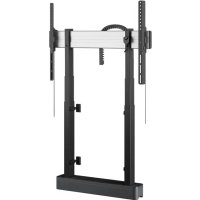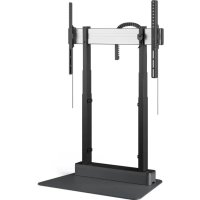
RISE 4105 - Flat screen mount VOGELS - Free user manual and instructions
Find the device manual for free RISE 4105 VOGELS in PDF.


| Product Type | Wall mount or motorized cart for flat screen |
| Brand | VOGELS |
| Model | RISE 4105 |
| Maximum load | 80 kg (estimated) |
| Compatible screen size | 32 to 75 inches (estimated) |
| VESA standard | 200x200 to 600x400 mm (estimated) |
| Electric height adjustment | Yes, motorized |
| Height adjustment range | Approximately 400 mm (estimated) |
| Anti-collision function | Yes, contact detection |
| Power supply | 220-240 V AC, 50/60 Hz |
| Power consumption | Standby: <0.5 W, operation: 50 W (estimated) |
| Net weight of mount | 25 kg (estimated) |
| Dimensions (WxHxD) | 800 x 1200 x 600 mm (estimated) |
| Material | Steel, aluminum |
| Mobility | On casters with brakes |
| Electrical safety | Do not open, risk of electric shock |
| Maintenance and cleaning | Wipe with a dry cloth only |
| Spare parts and repairability | Contact a qualified technician; no user-serviceable parts |
| Operating temperature | 10°C to 40°C (estimated) |
| Manufacturer warranty | 2 years (estimated) |
Frequently Asked Questions - RISE 4105 VOGELS
User questions about RISE 4105 VOGELS
0 question about this device. Answer the ones you know or ask your own.
Ask a new question about this device
Download the instructions for your Flat screen mount in PDF format for free! Find your manual RISE 4105 - VOGELS and take your electronic device back in hand. On this page are published all the documents necessary for the use of your device. RISE 4105 by VOGELS.
USER MANUAL RISE 4105 VOGELS
natural_image
Black mechanical device with vertical supports and a horizontal bar, set against a solid red background (no text or symbols visible)Installation & User Manual
EN Product manual
DE Produkthandbuch
Declaration of Conformity 11
Mounting Instructions 12
User Instructions 21
Product Data Sheet 22
Checklist 23
Contact Details 24

Important safety information for both installer and user
Installer: Before starting the installation read the safety instructions, the mounting regulations and rest of this product manual carefully. Failure to read, thoroughly understand, and follow all instructions can result in serious personal injury, damage to equipment, or voiding of factory warranty! It is the certified installer's responsibility to make sure all mounting systems/accessories are properly assembled and installed using the instructions provided. User: Please carefully read the below safety information and user manual (if included) before using the height adjustable mount or trolley. This ensures a proper working unit and avoids accidents.

Electrical Safety
Connect unit to a properly grounded outlet only. Make sure, the unit can be immediately separated from the power outlet. Only use unit in dry rooms, protected it from water and other liquids. Only wipe unit with dry cloth. Do not open lift unit. RISK OF ELECTRIC SHOCK. There are no serviceable parts inside. In case of dysfunction unplug unit from power outlet and call an authorised technical service person. Do not overrun line cord or damage it in any other way. Replace damaged line cords immediately with new identical ones.

Mechanical safety
Assure installation of unit by authorized service person only. Only use original mounting parts provided with the system and do not use attachments not recommended by the manufacturer. Do not improperly load unit: For the max. load of unit please refer to the page with the specification sheet in this manual. Do not exceed: Use with heavier screens may result in instability causing tipping over resulting in death or serious injury! The height adjustable feature of this unit will not function properly if the weight exceeds the given maximum load. Use this mounting system only for its intended use as described in these instructions. Do not hang on unit. VERY HEAVY UNIT. Severe risk of injury when unit tips over due to improper usage.

The socket connections of the unit and the wall socket must be easily accessible. Disconned mains plug before moving the product.

The unit is not dripping or splash water protected. Do not place objects filled with liquids on or spray the unit. To reduce the risk of electric shock: Always unplug the unit from the electrical outlet before cleaning.

Always keep product's motion path free from obstacles. Before moving the unit up or down assure at least a safety distance of 20 cm/7.9 inch from any part of the unit to any other fitment in order to avoid shear traps or squeezing points. In case of accident please release operating panel. Movement of unit will stop immediately.
Anti-Collision - Function and intended use
Collision detection is a system to detect contact between the display lift system and an object, in order to mitigate the effects of the impact.
This collision detection system is intended for protection of the display lift hardware, however is explicitly not intended as a safety mechanism to prevent personal injury.
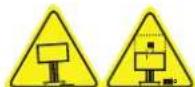
Does your unit have wheels?
Only operate unit on plane and stable floors. Move unit on plane floors only. Risk of tilting when overrunning floorunevennesses, door sills and similar. VERY HEAVY UNIT. Severe risk of injury when unit tips over.
Lock brakes of front wheels when operation unit. Always move your trolley with the screen in the lowest position.

Mounting regulations WARNING
A correct mounting is extremely important and this is not the responsibility of Vogel's Products. Faulty mounting may result in injury to persons or damage to equipment. Vogel's Products will not be responsible in any way if the product has been mounted incorrectly.
Mounting fittings are not included with the product for reasons of safety, since the properties and bearing strength of walls/ceilings are specific for each case. Suitable mounting fittings must be selected based on the material of the wall/ceiling.
Obtain advice from a specialist in the field or from a specialist shop concerning the choice of mounting fittings. It is the responsibility of the installer to ensure that the wall/ceiling can support at least four times the combined weight of the screen/projector and bracket. The maximum load for this product is given in these mounting instructions. The instructions for installation and use of the screen/projector must also be followed with respect to the location and attachment of the screen/projector.
In case of technical issues please contact your installer

ADDITIONAL SAFETY INFORMATION
1. Power rating: Technical guideline
The lifting system is equipped with an Y-cable. The first lead of the Y-cable is used for the internal power supply of the lift system (400W). The installer has the possibility to connect a screen and other peripherals of max 900W to the other lead of the Y-cable.
The total system (lift system + peripherals) can therefore draw a maximum of 900W + 400W = 1300W.
2. Stability of equipment
Never place the equipment in an unstable location. A monitor set may fall, causing serious personal injury or death.
Many injuries, particularly to children, can be avoided by taking simple precautions such as:
- Using stands/ frame recommended by the manufacturer of the motorized display lift/monitor.
- Ensuring the monitor is not overhanging the edge of the supporting frame.
- Educating children about the dangers of climbing on furniture to reach the monitor or its controls.
If the existing set is going to be retained and relocated, the same considerations as above should be applied.
To prevent injury, the equipment set must be securely attached to the floor/wall and the trolley must be in a stable location in accordance with the installation instructions.
3. Caution:
This stand or carrier is intended for use only with a display/monitor of max. 98 inch/120kg. Use with other equipment may result in instability causing injury.
4. Caution while moving the lift
In case only one column moves during operating or reset, stop immediately and contact Vogel's.
EU DECLARATION OF CONFORMITY
(In accordance with EN ISO/IEC 17050-1)
| Name and address of manufacturer / EU-AR: | Vogel'sHondsruglaan 935628 DB EindhovenNetherlands |  |
| THIS DECLARATION OF CONFORMITY IS ISSUED UNDER THE SOLE RESPONSIBILITY OF: | ||
| Name and address of manufacturer: | Vogel'sHondsruglaan 935628 DB EindhovenNetherlandsRISE 4-series, Modular Motorized Lift SystemsSee appendix A for a list of all products covered by this declaration | 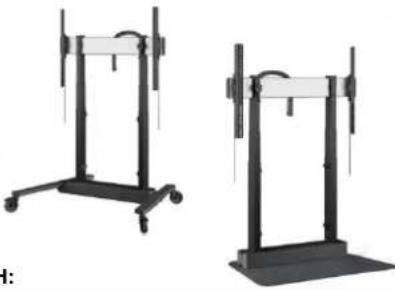 |
| Product identification: | ||
| THE PRODUCTS MENTIONED IN THIS DECLARATION ARE IN CONFORMITY WITH | ||
| EU Community Legislation | Machinery Directive 2006/42/EC [OJEU L157/24-86, 09.06.2006]Restriction of Hazardous Substances (RoHS) Directive 2011/65/EU [OJEU L174/88-110, 01.07.2011]Electromagnetic Compatibility (EMC) Directive 2014/30/EU [OJEU L96/79-106, 29.03.2014] | |
| Harmonised standards | Safety of machineryEN ISO 12100:2010Safety of electrical equipmentEN 60335-1:2012 + A2:2019Electromagnetic Compatibility (EMC)EN 55014-1:2017 + A11:2020EN 55014-2:2015EN IEC 61000-3-2:2019EN 61000-3-3:2013 + A1:2019Restricted substances in electrical productsEN IEC 63000:2018 | |
| Other specifications: | - | |
| Notified Body: | - | |
| Additional information: | Read and fully understand the operator's manual before using this machine! | |
| SIGNED FOR AND ON BEHALF OF: | ||
| Place and date of issue: | Eindhoven, 02 February, 2025 | |
| Signature: | ||
| Name, function: | Gerard KantersManager Quality & Assurance | Emiel de RijkProduct Compliance Specialist |
| APPENDIX A:The following products are covered by this EU declaration of conformity:7341050 - RISE 4105 motorized Floor stand 50 EU7342050 - RISE 4205 Motorized Trolley 50 EU7342054 - RISE 4205 Motorized Trolley 50 UK7342082 - RISE 4208 Motorized Trolley 80 US | 7342052 - RISE 4205 Motorized Trolley 50 US7342080 - RISE 4208 Motorized Trolley 80 EU7342084 - RISE 4208 Motorized Trolley 80 UK | |
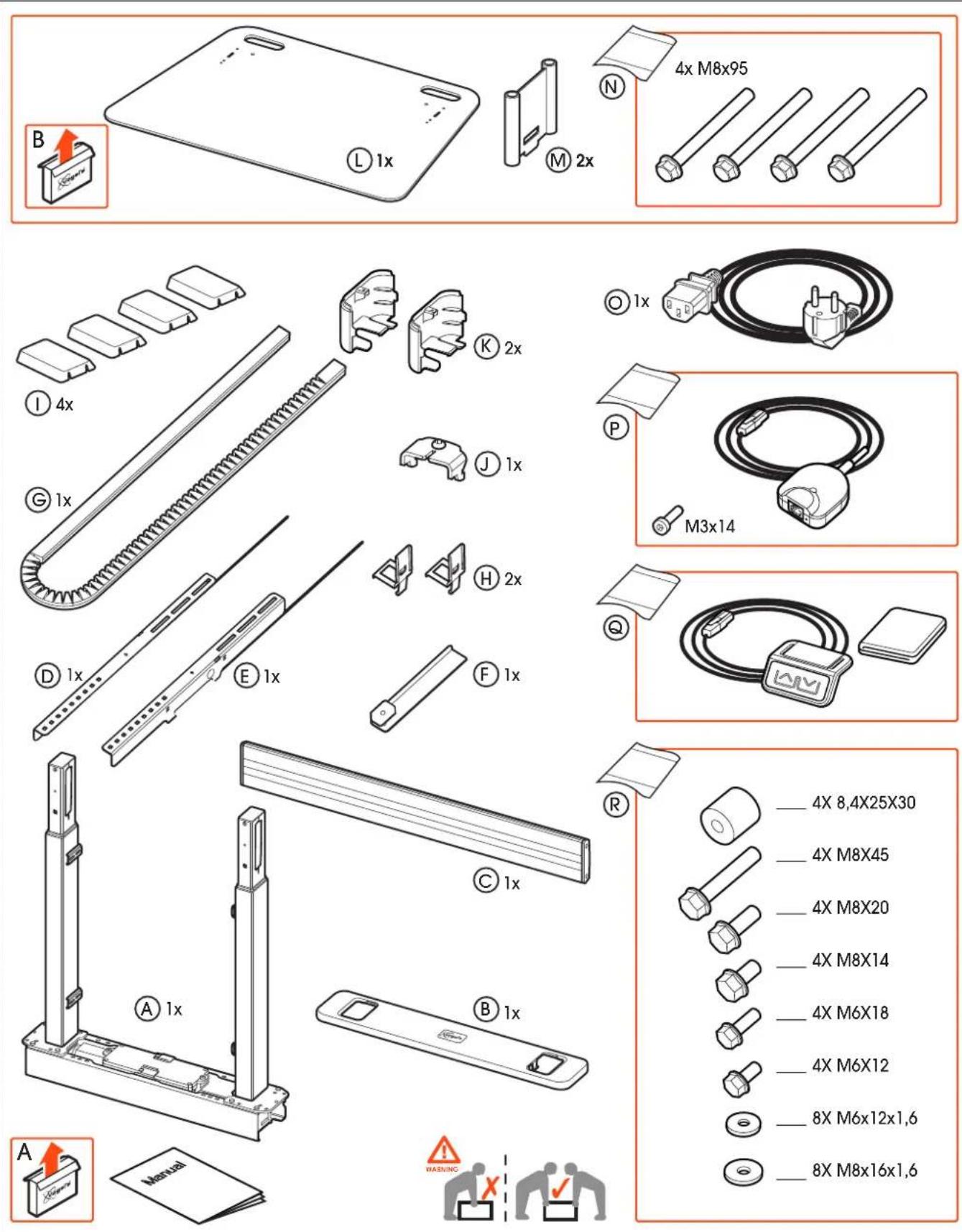
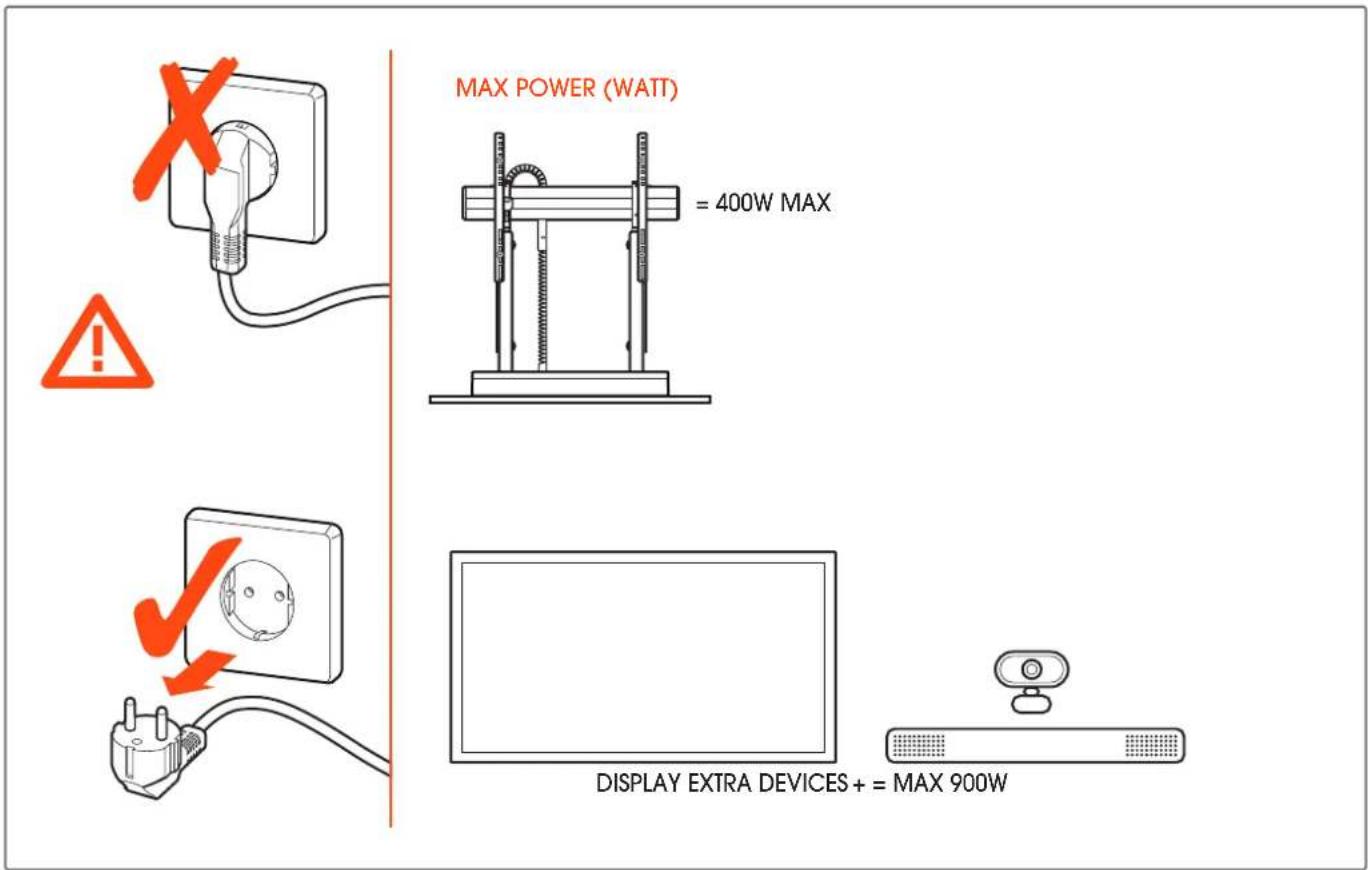
text_image
MAX POWER (WATT) = 400W MAX DISPLAY EXTRA DEVICES + = MAX 900W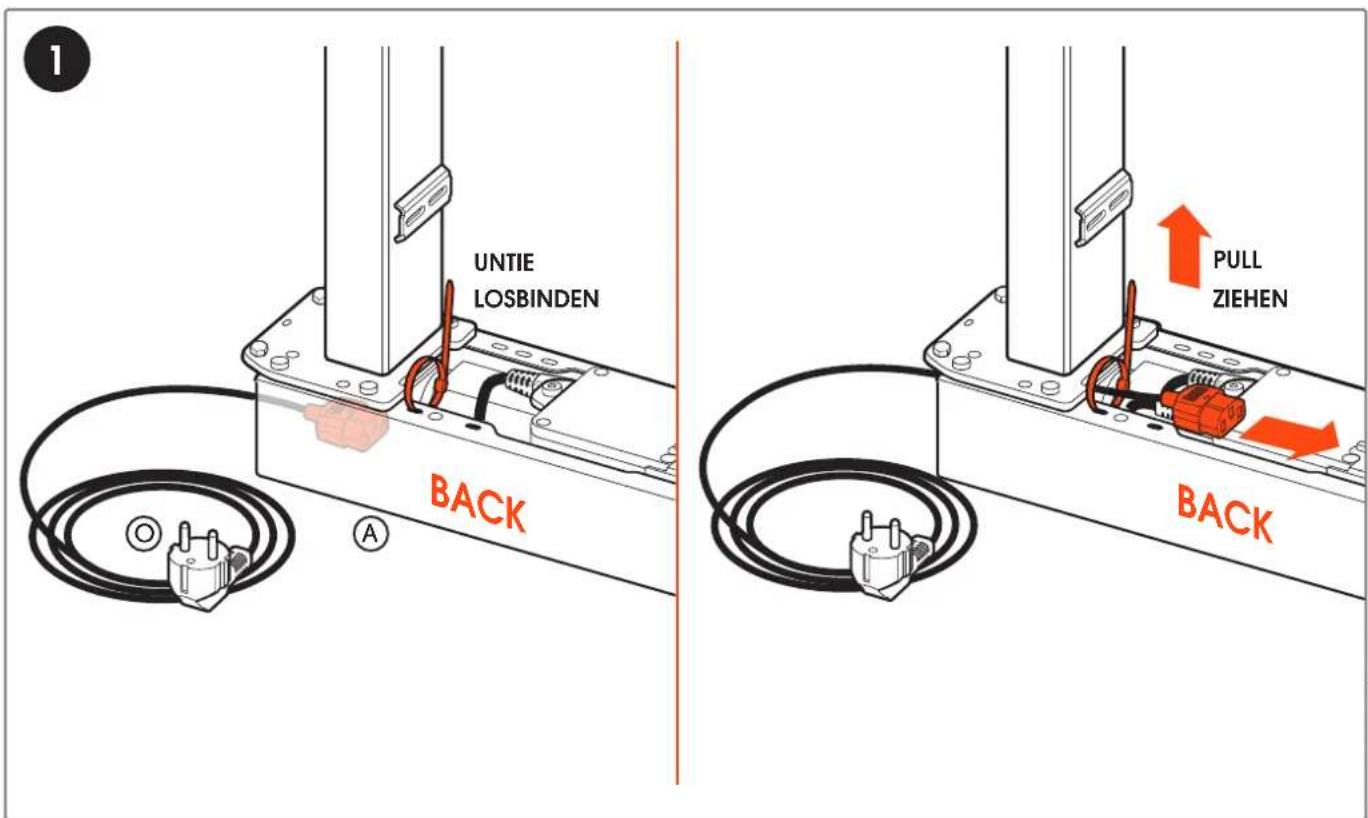
text_image
UNTIE LOSBINDEN BACK A PULL ZIEHEN BACKwww.vogels.com
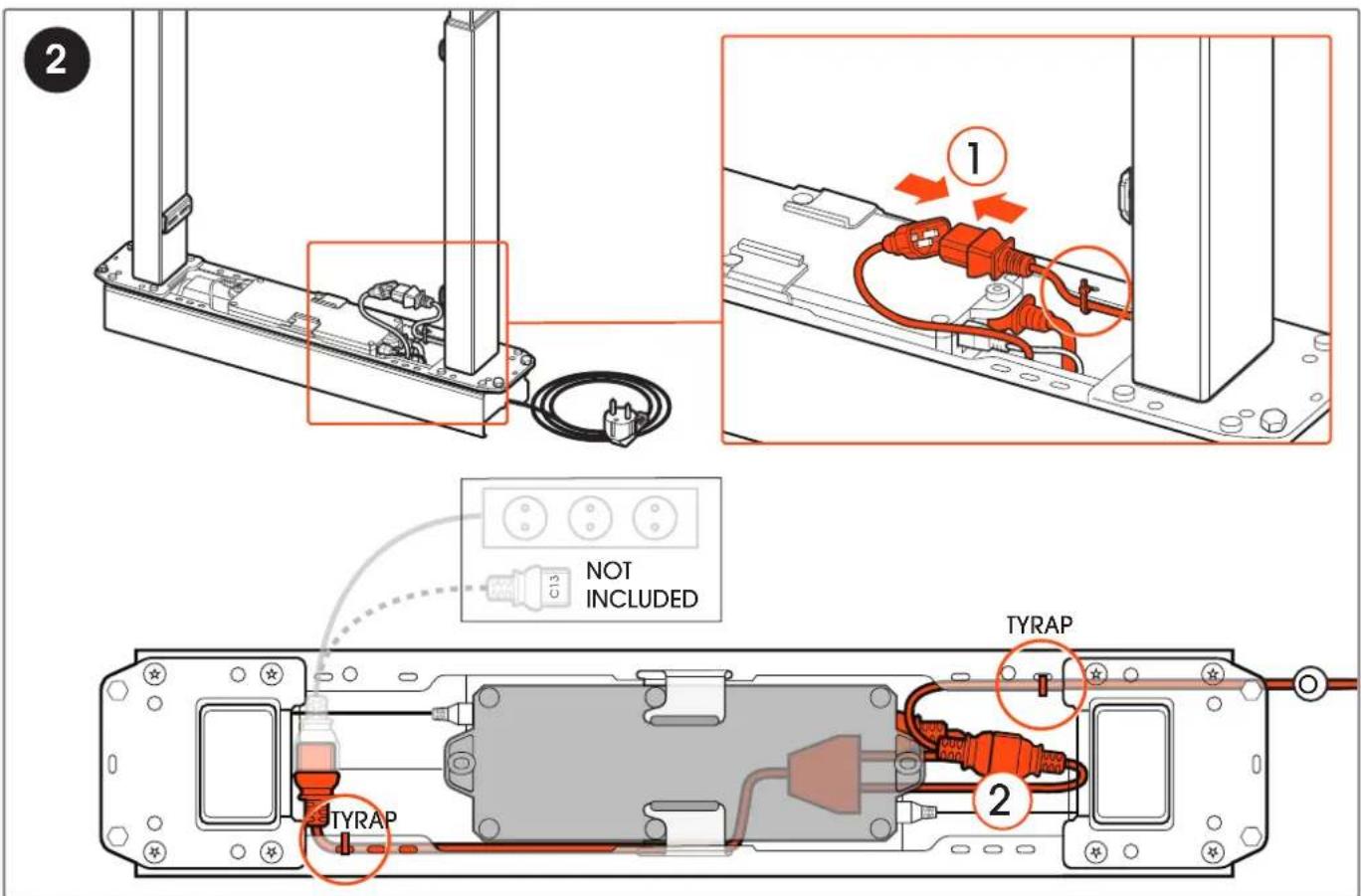
text_image
2 ① C13 NOT INCLUDED TYRAP ② TYRAP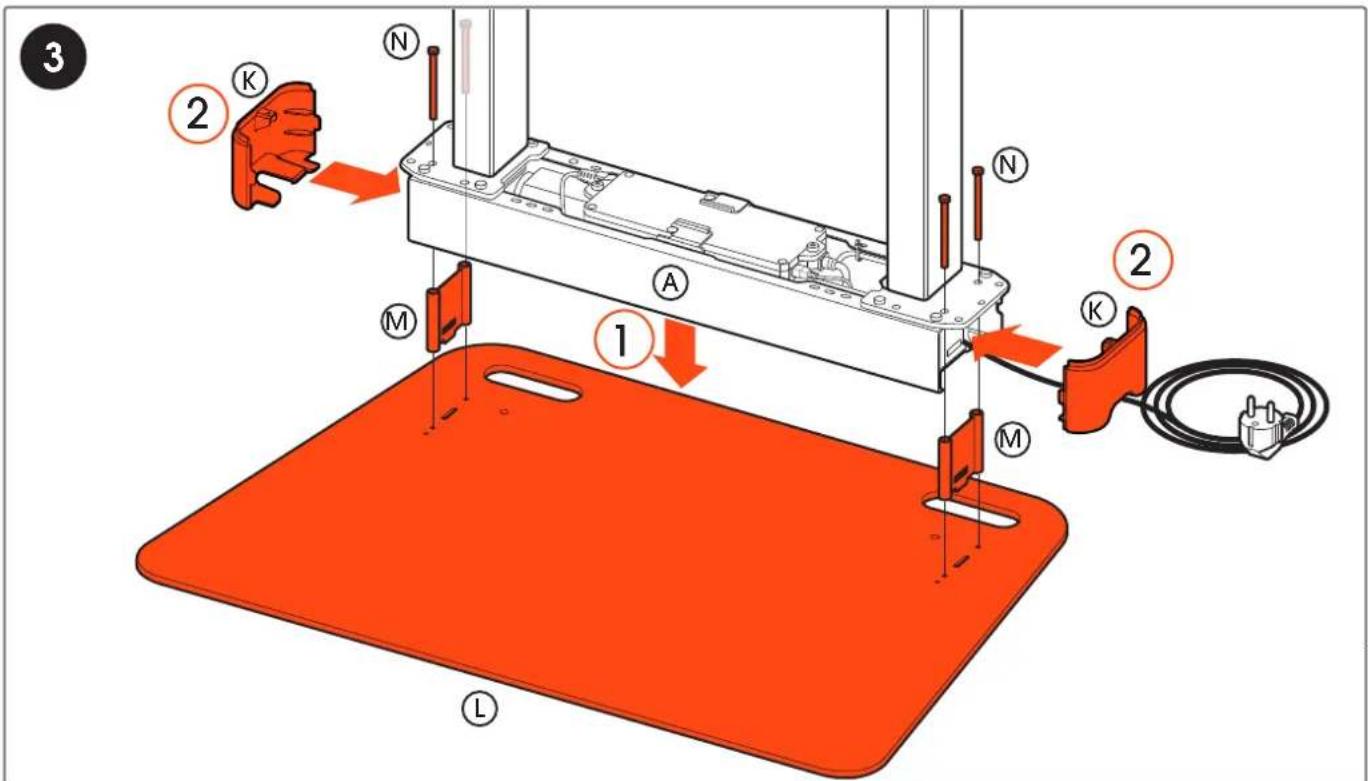
text_image
3 2 K N A M 1 2 K M Lwww.vogels.com
text_image
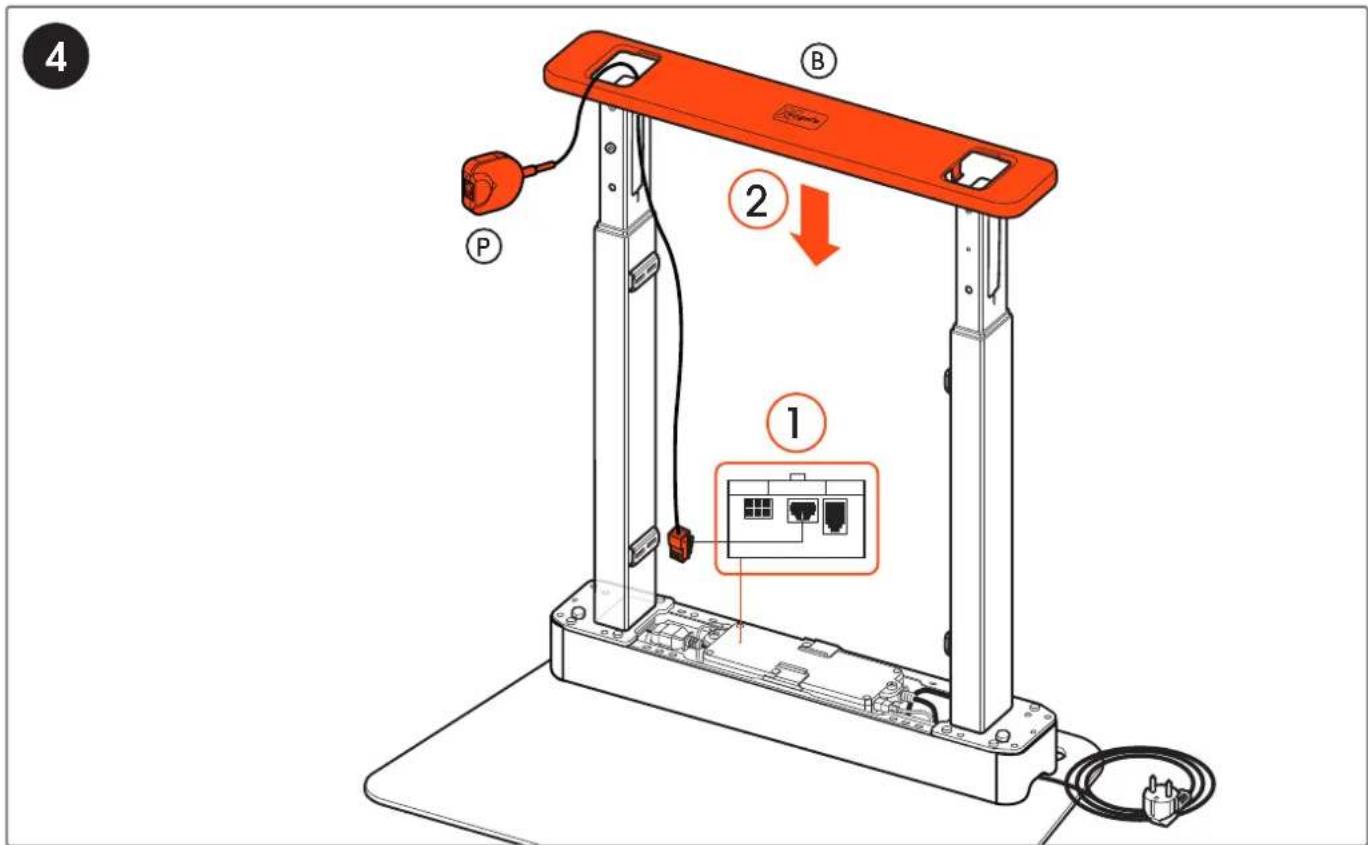
4 ① ② ③ P B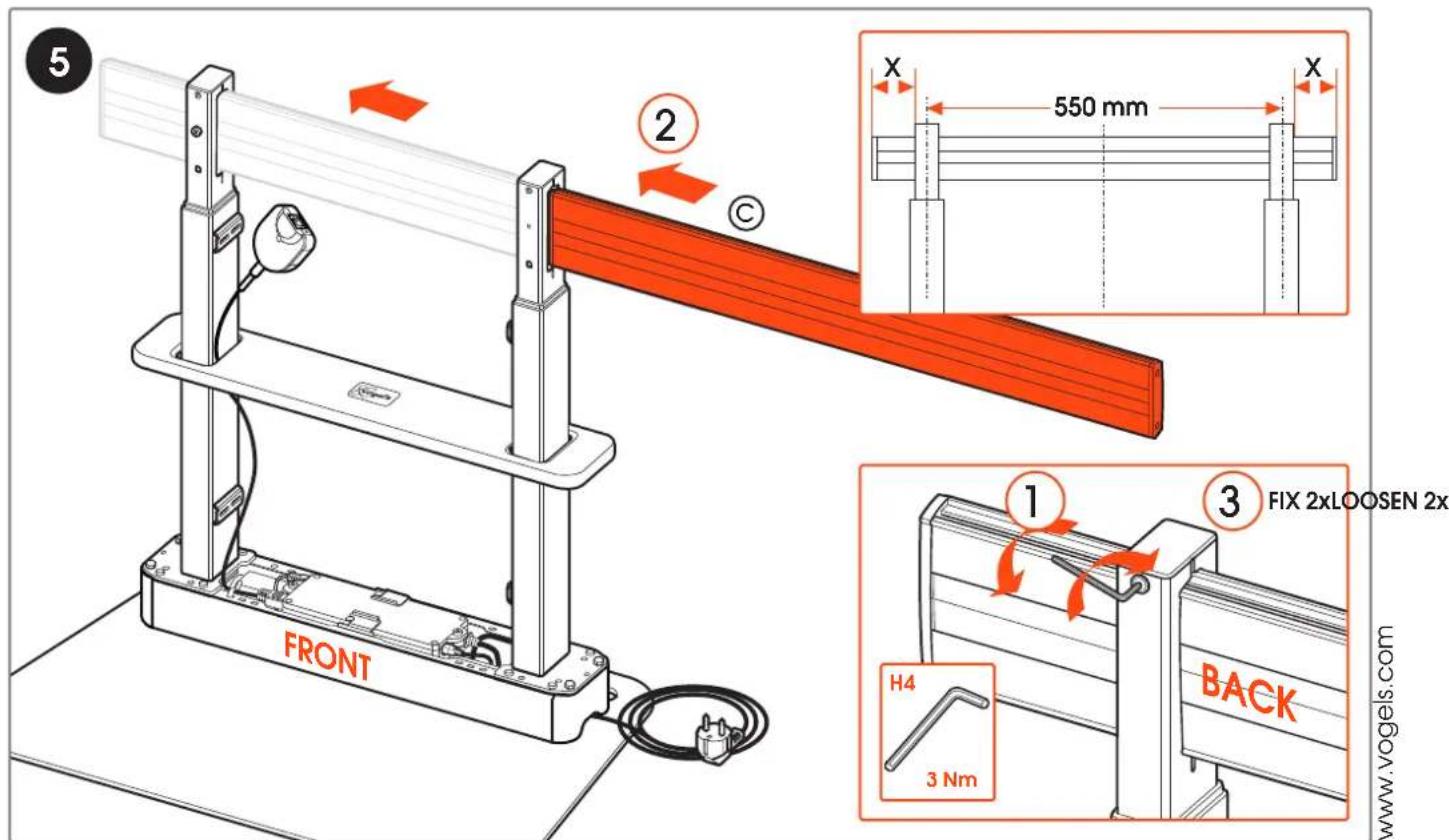
text_image
5 2 C X 550 mm X FRONT 1 3 FIX 2xLOOSEN 2x H4 3 Nm BACK www.vogels.com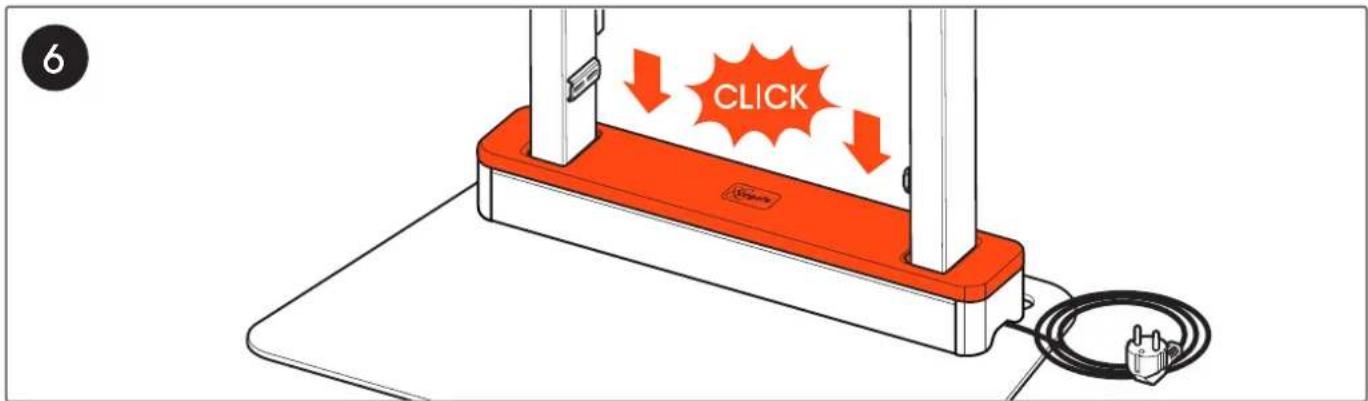
text_image
6 CLICK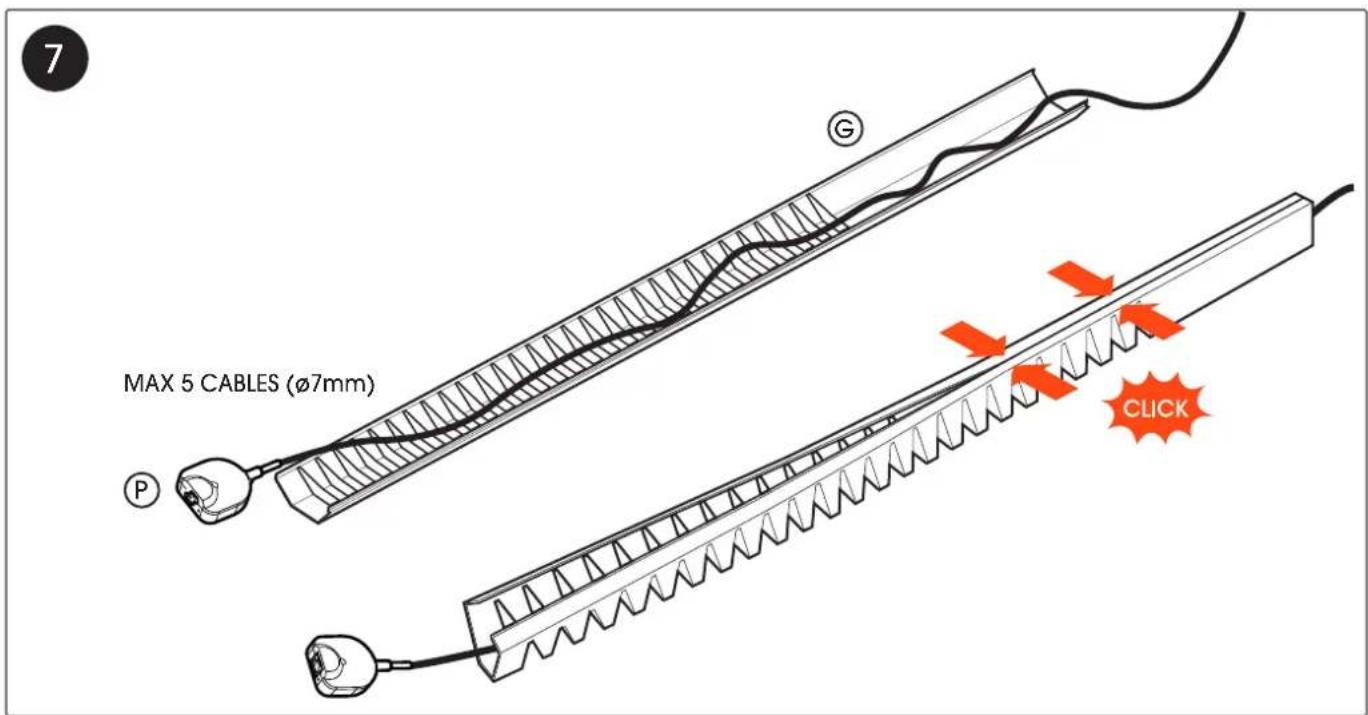
text_image
MAX 5 CABLES (Ø7mm) G P CLICK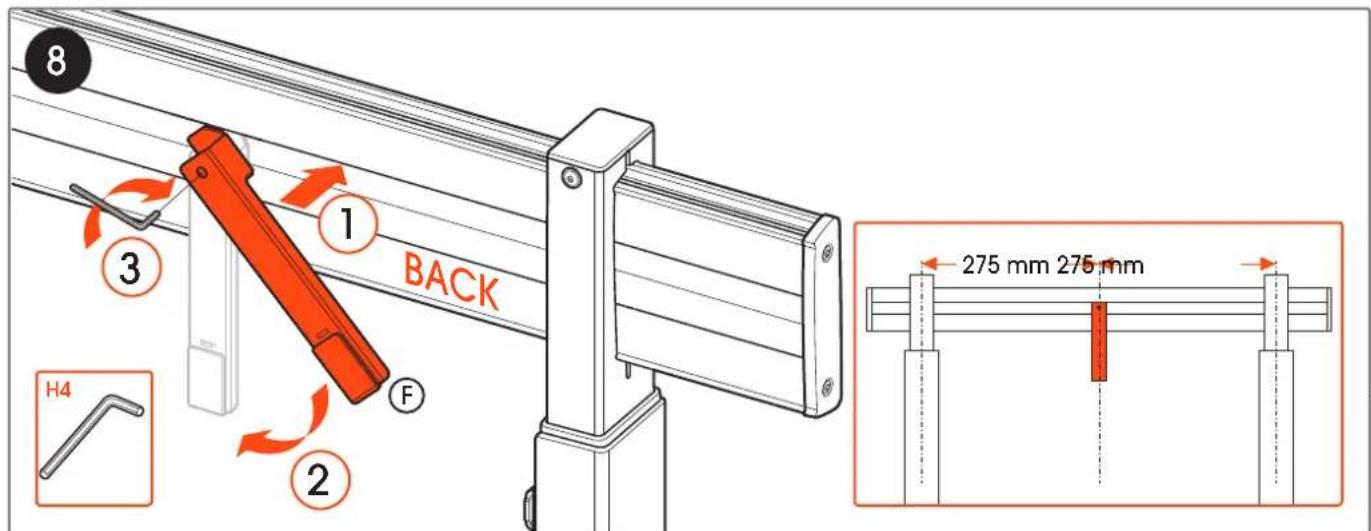
text_image
8 1 BACK 3 F 2 H4 275 mm 275 mmwww.vogels.com
text_image
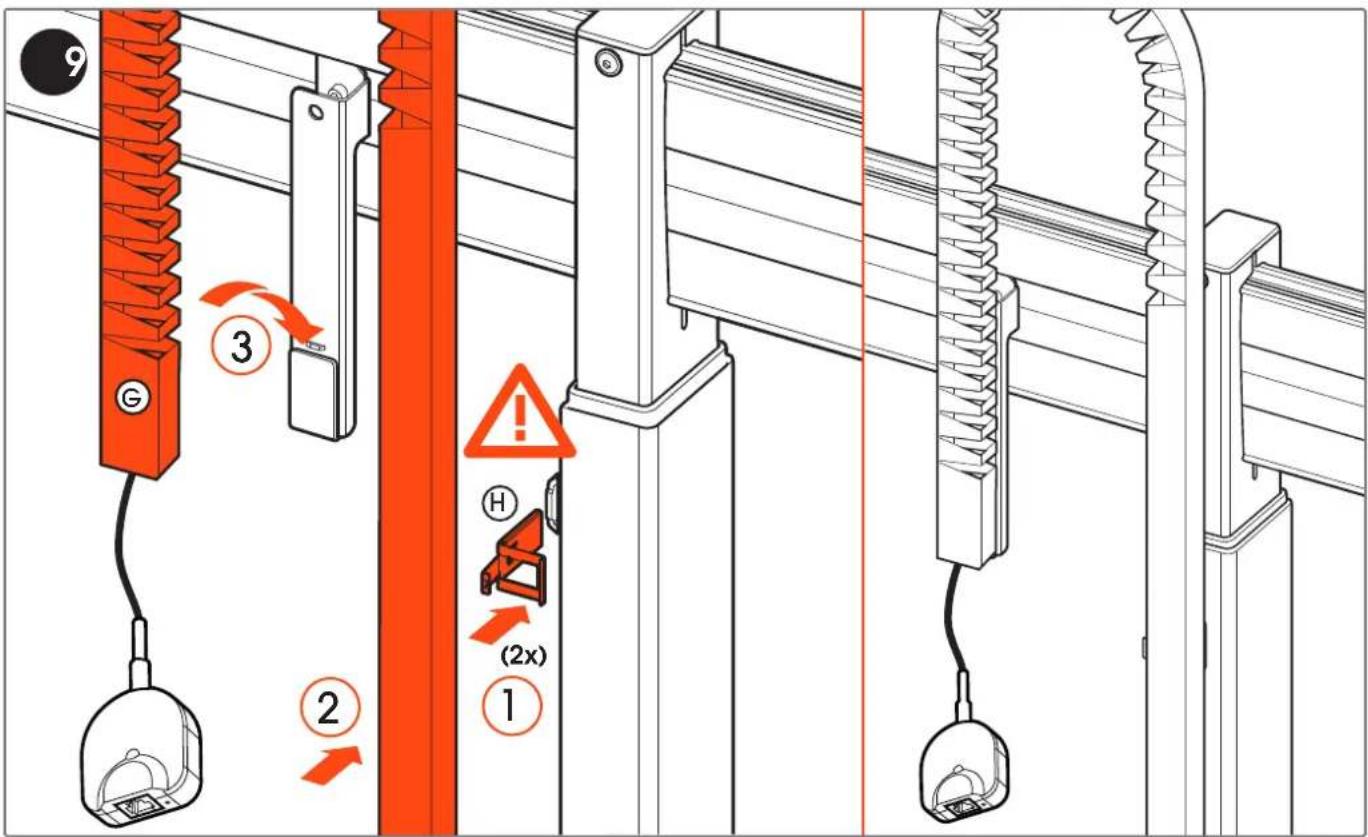
9 G 3 2 H (2x) 110
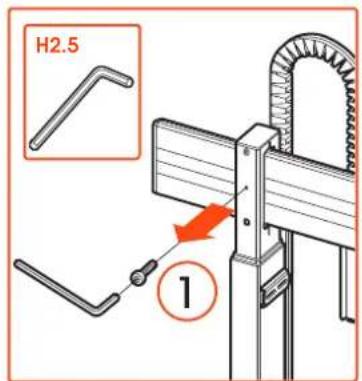
text_image
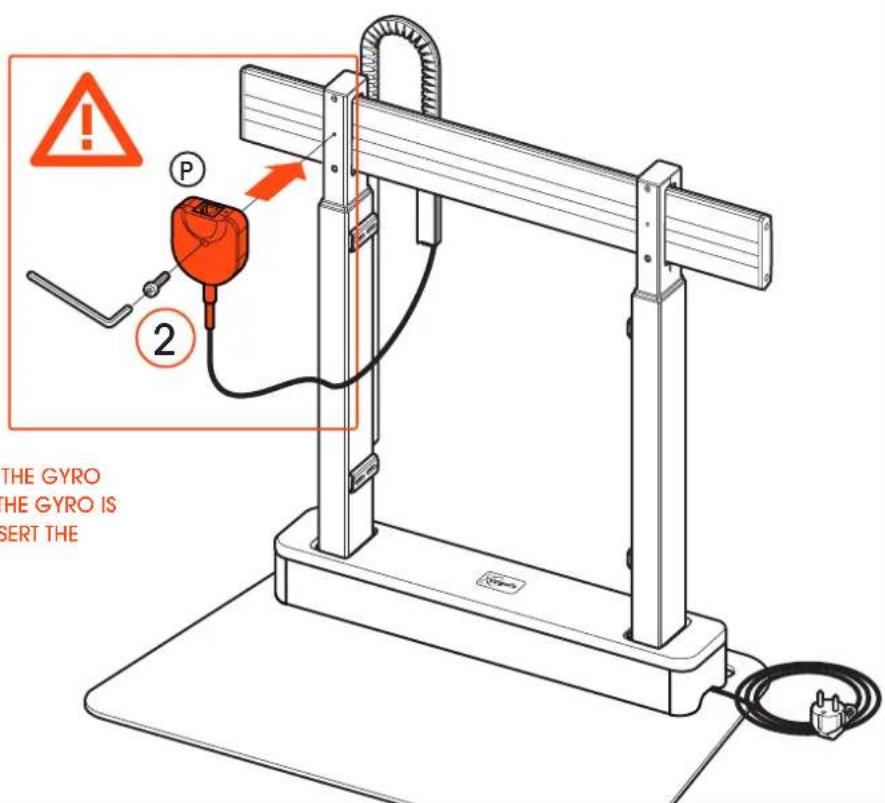
H2.5 1WARNING: THE LIFT DOES NOT FUNCTION IF THE GYRO IS NOT MOUNTED CORRECTLY. MAKE SURE THE GYRO IS MOUNTED FIRMLY TO THE COLUMN AND INSERT THE CONNECTOR INTO THE CONTROL BOX.
ACHTUNG: DER LIFT FUNKTIONIERT NICHT, WENN DER GYRO NICHT RICHTIG MONTIERT IST. STELLEN SIE SICHER, DASS DER GYRO FEST AN DER SÄULE MONTIERT IST UND STECKEN SIE DEN STECKER IN DIE STEUERBOX.
text_image
THE GYRO THE GYRO IS SERT THEwww.vogels.com
text_image
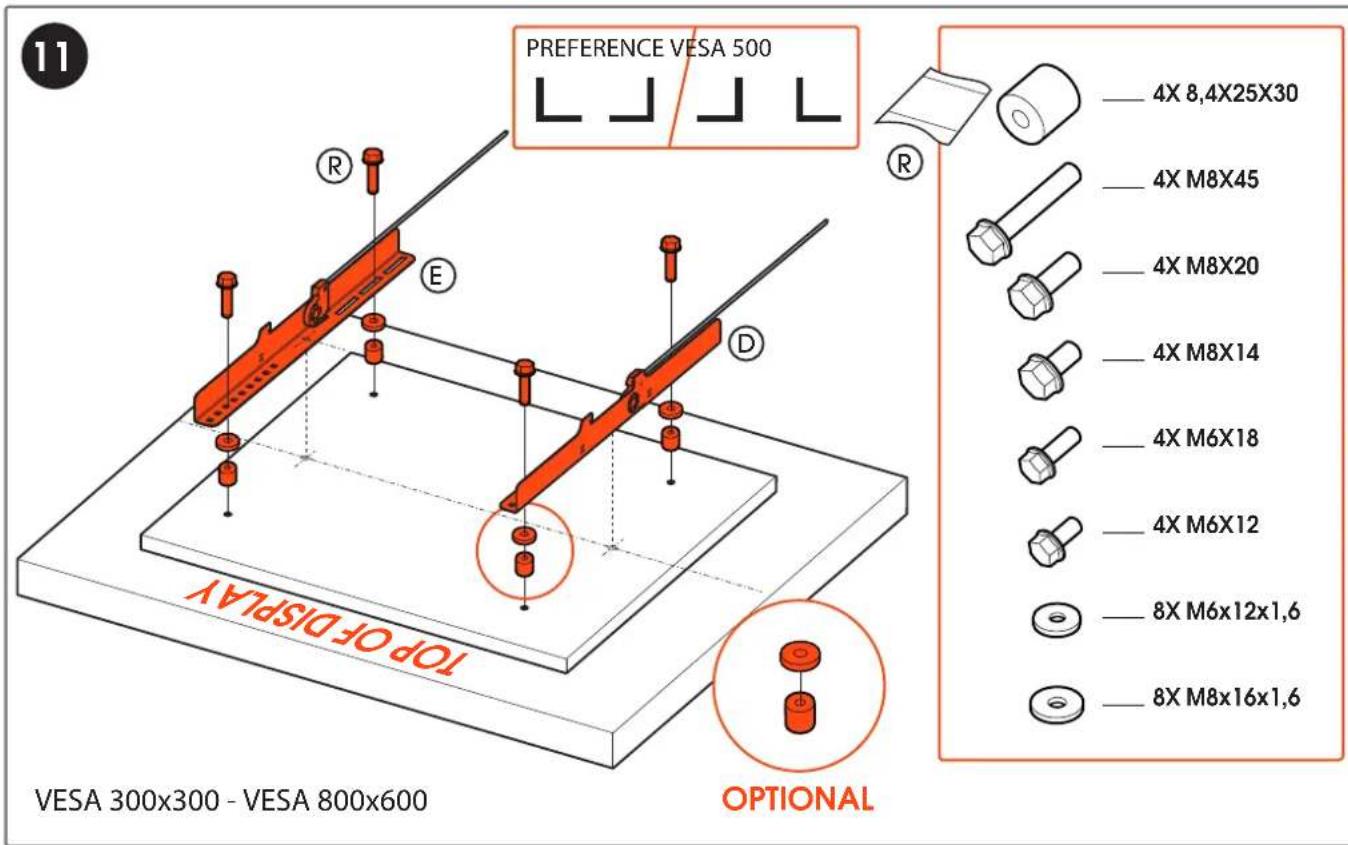
11 PREFERENCE VESA 500 R E D TOP OF DISPLAY OPTIONAL —— 4X 8,4X25X30 —— 4X M8X45 —— 4X M8X20 —— 4X M8X14 —— 4X M6X18 —— 4X M6X12 —— 8X M6x12x1,6 —— 8X M8x16x1,6 VESA 300x300 - VESA 800x600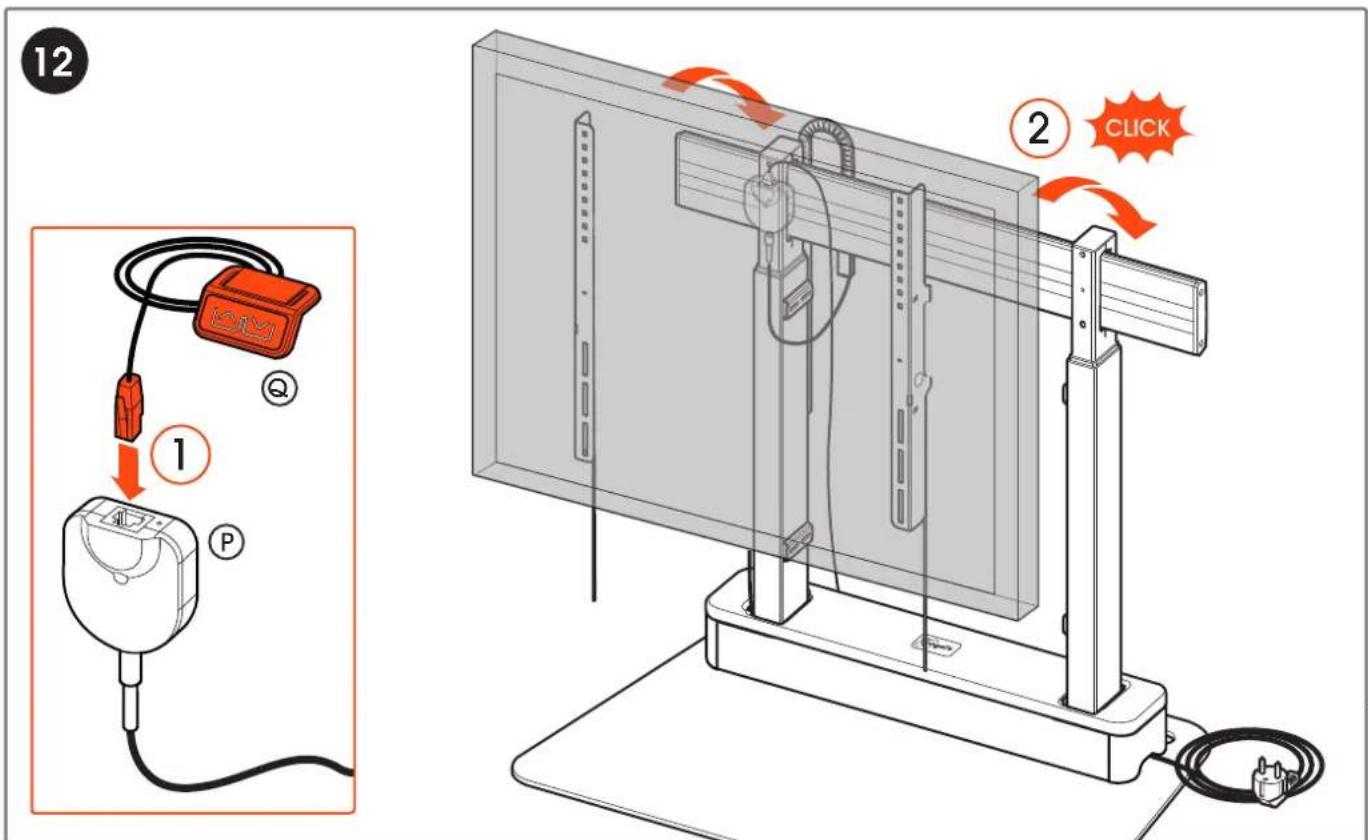
text_image
12 ① P ② CLICKwww.vogels.com
text_image
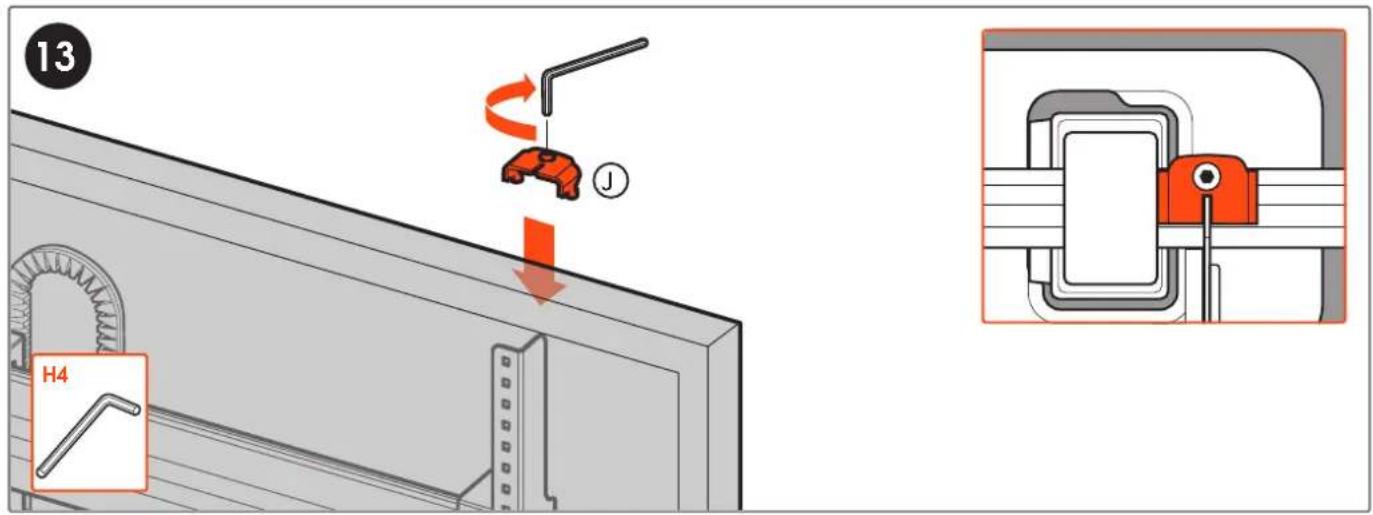
13 H4 J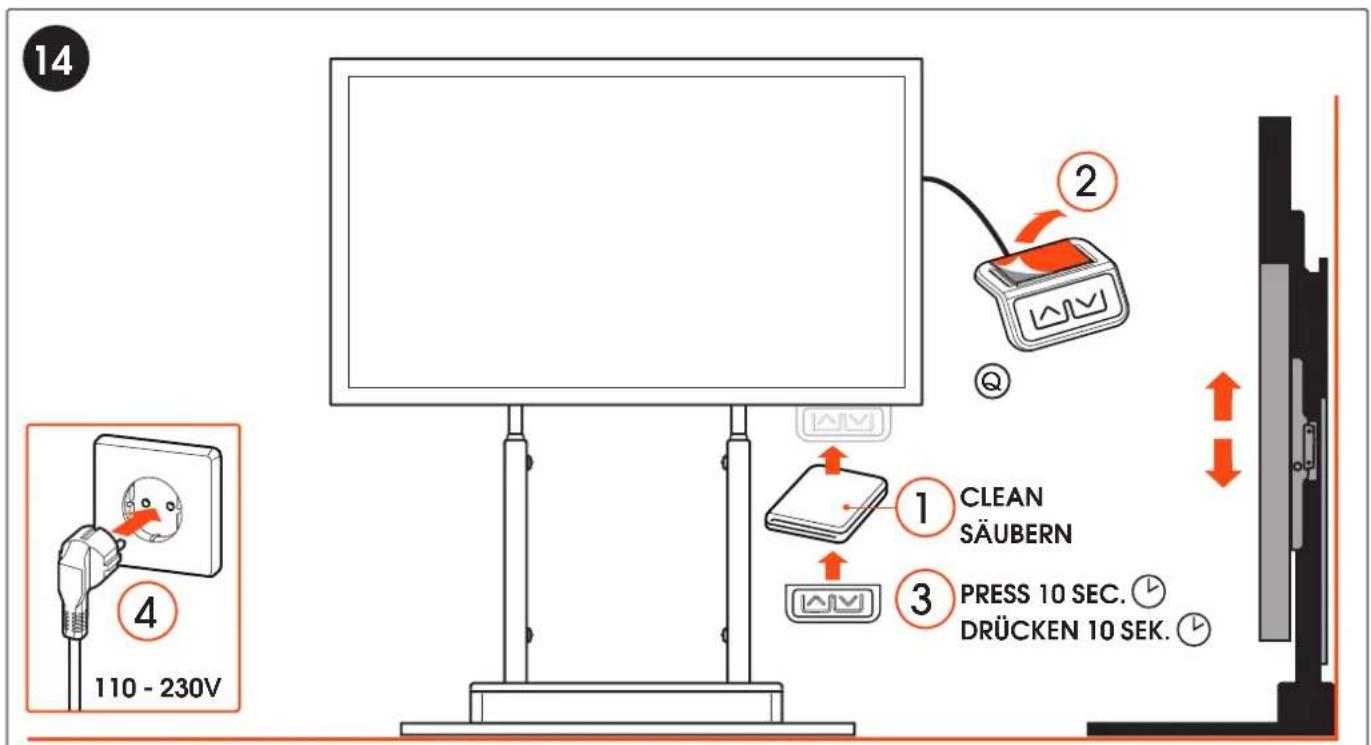
text_image
14 110 - 230V ① CLEAN SÄUBERN ② ③ PRESS 10 SEC. ⏚ DRÜCKEN 10 SEK. ⏚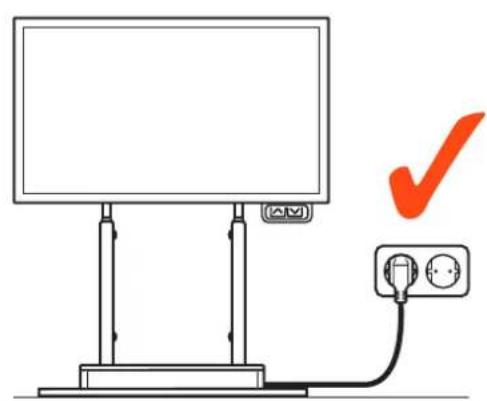
natural_image
Simple line drawing of a monitor mounted on a stand with an electrical outlet, no text or symbols present.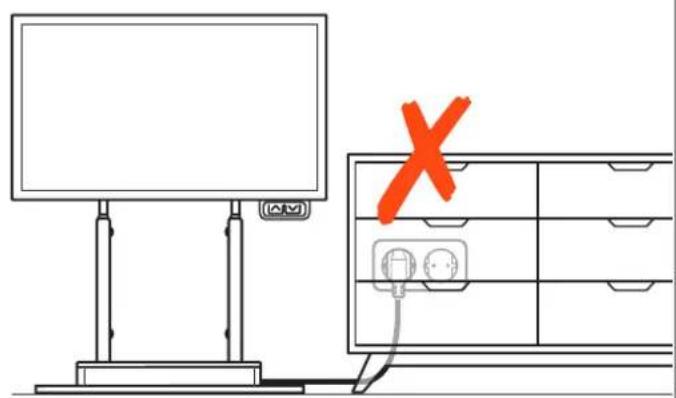
text_image
Diagram showing a monitor and a cabinet with an orange X mark, indicating a warning or failure symbol.www.vogels.com
MAXIMUM LOAD OF THIS PRODUCT IS 120 KG / 265 LBS.
MAXIMALE BELASTUNG FÜR DIESES PRODUKT IST 120 KG / 265 LBS.
natural_image
Line drawing of a flat-screen monitor mounted on a stand with a small logo (no text or symbols)
GB Caution! Risk of crushing
text_image
Diagram showing a hand pressing a button on a computer monitor with warning symbols and red arrows indicating upward and downward trends.2
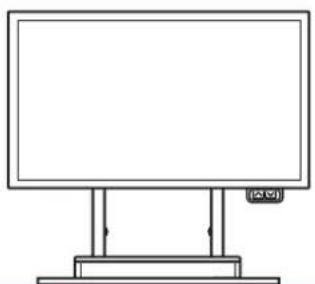
natural_image
Simple line drawing of a blank rectangular board with two vertical supports and a small icon labeled (no text or symbols on the board itself)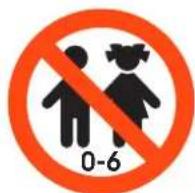

natural_image
Silhouette of a woman holding a child's hand (no text or symbols)natural_image
Simple line drawing of a monitor mounted on a stand with an orange indicator light and a small square symbol nearby (no text or labels)PRESS BOTH BUTTONS 2 SEC.
BEIDE TASTEN 2 SEK. DRÜCKEN
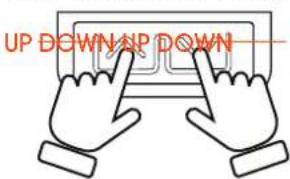
text_image
UP DOWN UP DOWN
UNLOCK CHILD LOCK PERMANENTLY: PRESS BOTH BUTTONS 20 SEC.
natural_image
Illustration of two hands pointing at a circuit board with a lock symbol (no text or labels)
CHILD LOCK AFTER 5 MIN.
KINDERSICHERUNG
NACH 5 MINUTEN


WARNING / WARNUNG
natural_image
Simple line drawing of a blank rectangular board with directional arrows, no text or symbols present
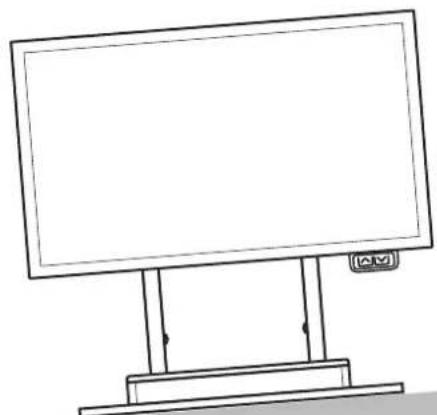
DO NOT USE THE SYSTEM ON A SLOPING SURFACE
Press UP and DOWN button 2 seconds simultaneously
Lock child lock
System automatically locks 5 minutes after the last interaction
Unlock child lock
Press UP and DOWN button 20 seconds simultaneously
permanently
until column movement.
Reset system
-
Move system to lowest position (if possible) If not, start with point 2.
-
Press and hold DOWN button at least 10 seconds.
-
Press and hold DOWN button again and hold until system gives visual feedback
the reset is finished.
Hard System Reset
-
Unplug power cable, and all motor cables for 30+ seconds, then connect all
-
Move system to lowest position (if possible) If not, start with point 3.
-
Press and hold DOWN button at least 10 seconds.
-
Press and hold DOWN button again and hold until system gives visual feedback
the reset is finished.

CAUTION DURING RESET:
IF ONLY ONE COLUMN MOVES DURING RESET, STOP IMMEDIATELY AND CONTACT VOGEL'S
TROUBLE SHOOTING GUIDE:
- Check whether all cables are still connected (power cable, handset cable, gyroscope cable, etc.)
- Check whether the system obstructed by an object (for example: a desk)
- Check if the system's child lock is unlocked. Not sure? Unlock the system.
- If there is no object obstructing the lift, run a system reset.
- If a System Reset, doesn't solve it, try to run a Hard System Reset.
natural_image
Technical line drawing of a mechanical clamp or bracket assembly (no text or symbols)Product data sheet
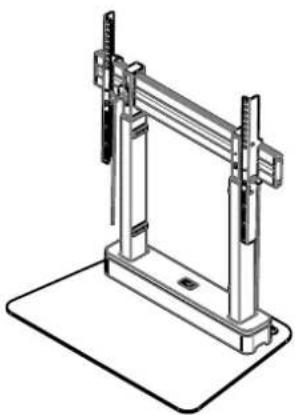
RISE 4105 Motorized display lift floorstand 50 mm/s
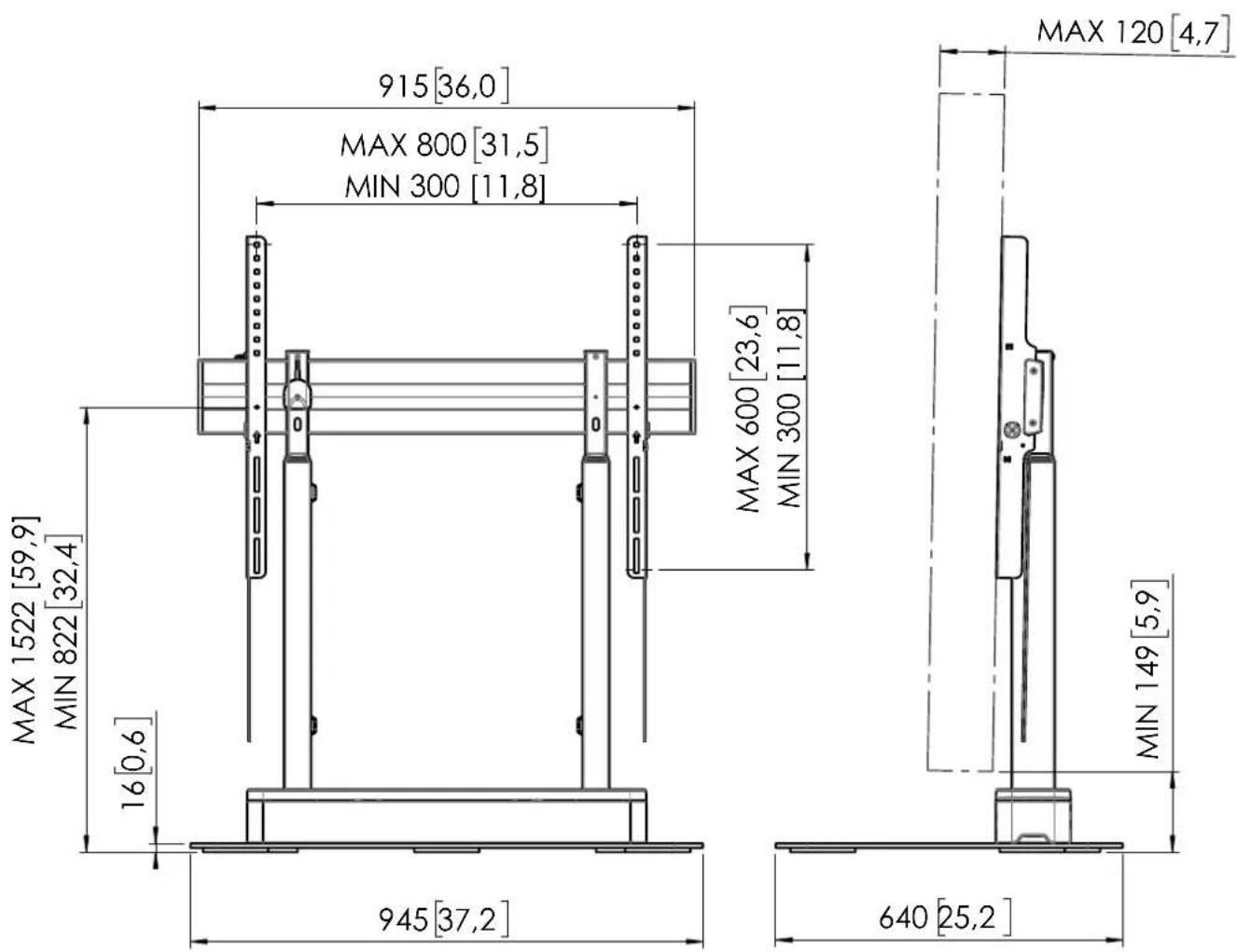
Dimensions in mm [inch]
Screen sizes:
55 inch - 86 inch
Max load:
120 kg / 264,5 lbs
Net weight:
62.8 kg / 138.5 lbs
Gross weight:
69.7 kg / 153.5 lbs
CE
Power supply:
100-240V \~ 50/60Hz
Rated current:
EU/UK: 6A, US/CA: 15A
Power consumption lift system:
400W
Max power external devices:
900W
text_image
MAX 1522 [59,9] MIN 822 [32,4] 16 [0,6] 945 [37,2] 915 [36,0] MAX 800 [31,5] MIN 300 [11,8] MAX 600 [23,6] MIN 300 [11,8] MAX 120 [4,7] MIN 149 [5,9] 640 [25,2]Note: This document and specifications herein are confidential and the exclusive property of Vogel's Products b.v. Neither this design nor any information contained in this drawing may be reproduced or disclosed to others without written consent of Vogel's Products b.v., the design and information will not be reproduced, copied or used, either in part or in its entirety, as the basis for the manufacture or sale of items without written permission. Warning: Please study all instructions and illustrations carefully before initiation. Information in this document is subject to change without further notice.
T505496 00
Product data sheet 22-11-24

text_image
CHECKLISTRISE 410X FLAT FLOOR PLATE:
☐ Check whether maximum total weight of screen + peripherals does not exceed 120kg
☐ Check whether maximum power of screen + peripherals does not exceed 900W
☐ Check whether the power cord has strain relief
☐ Check that all cables are neatly secured, concealed and do not come into contact with sharp edges
☐ Check if the gyroscope is mounted correctly
☐ Check if component F (Figure 15) is attached
☐ Check if the handset is mounted correctly
☐ Check whether the plug is easily accessible
☐ Check that there are no obstacles in the movement area of the product (bottom + top)
☐ Check whether the child lock is functioning correctly
☐ Check whether there is at least a distance of 51mm between floor and screen in the lowest position
□ Check whether the lift can make it's full stroke by operating the system up an down completely, and make sure no cables get stuck
NAME :
DATE : ____
SIGNATURE :
Vogel's Products BV
HONDSRUGLAAN 93,
5628 DB EINDHOVEN,
THE NETHERLANDS
T +31 (0)40 264 74 00
E info@vogels.com
W www.vogels.com
(GB) Subject to printing errors and technical amendments.
(NL) Drukfouten en technische wijzigingen voorbehouden.
(F) Sous réserve de fautes d'impression et de modifications techniques.
(D) Für Druckfehler übernehmen wir keine Verantwortung. Technische Änderungen vorbehalten.
(E) Reservados errores de imprenta y sujete a modificationes.
(I) Con riserva di modifiche techniche e di eventueli errori di stampa.
(P) Reserva-se a ocorrência de gralhas e de modificações técnicas.
(H) Nyomdahibák és technikai változtatások joga fenntartva.
(PL) Zastrzega się możliwość występowania błędów drukarskich i zmian technicznych.
(RUS) Возможны ошибки при печати и технические модификации.