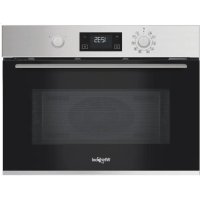
MBP A540 X - Microwave WHIRLPOOL - Free user manual and instructions
Find the device manual for free MBP A540 X WHIRLPOOL in PDF.

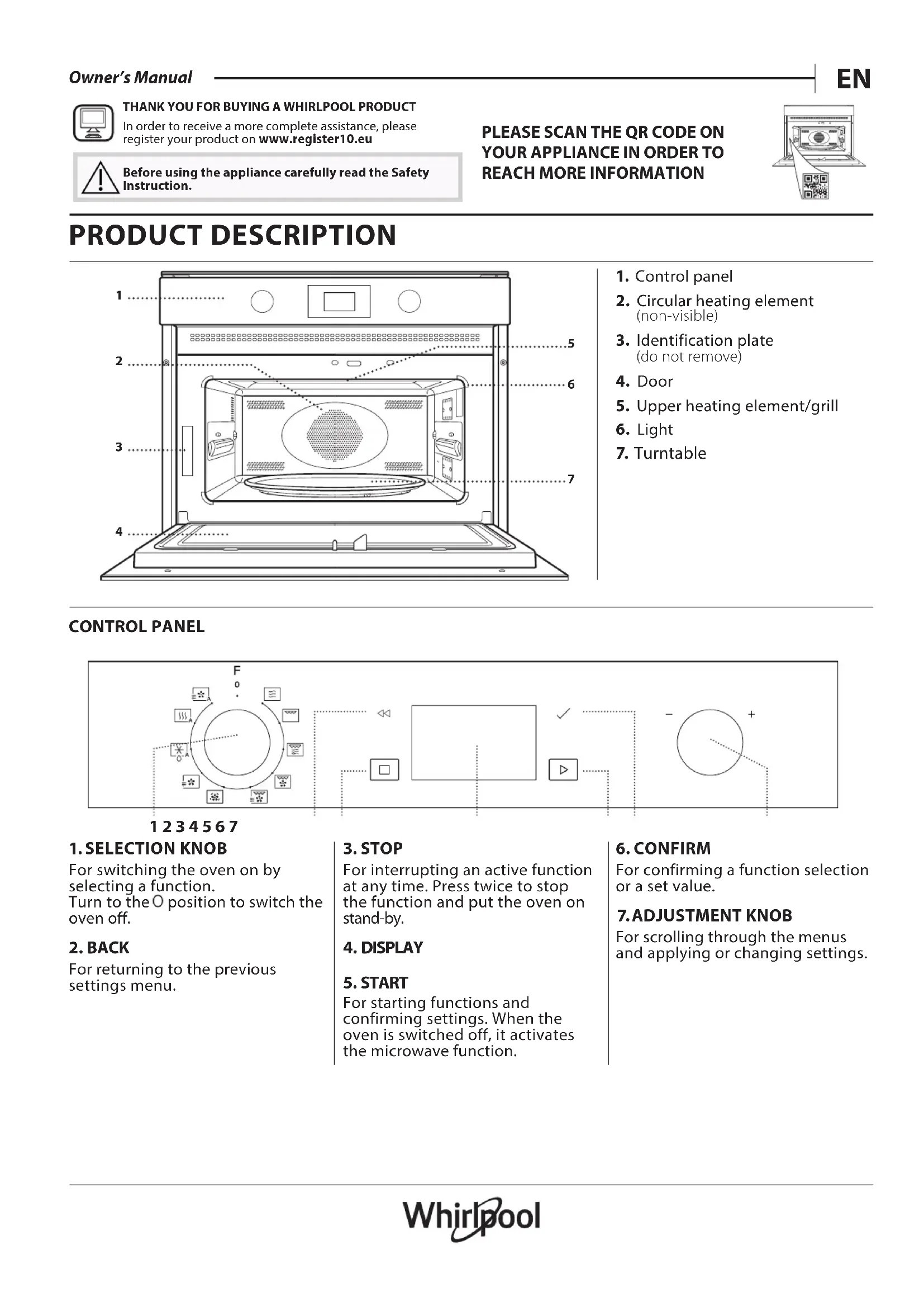


| Brand | Whirlpool |
| Model | MBP A540 X |
| Product type | Combination microwave oven (microwave, grill, convection) |
| Power supply | 230 V, 50 Hz (standard) |
| Microwave power | 900 W (max), adjustable: 900, 750, 650, 500, 350, 160, 90 W |
| Main functions | Microwave, Grill, Grill + MW, Turbo Grill, Turbo Grill + MW, Hot air, Hot air + MW, Auto Defrost, Auto Reheat/Cook, Timer |
| Automatic functions | Auto Defrost (5 categories: meat, poultry, fish, vegetables, bread); Auto Reheat/Cook (10 categories for reheating, 5 for cooking) |
| Grill rack | Upper and lower grill racks included |
| Turntable | Glass turntable, support included |
| Supplied accessories | Glass turntable, support, rectangular baking tray, upper grill rack, lower grill rack, cover (depending on model) |
| Care and cleaning | Clean surfaces with a damp microfibre cloth and neutral pH detergent; do not use steam cleaners, steel wool or abrasives; accessories dishwasher safe |
| Safety | Automatic safety lock; do not use metal containers in microwave; automatic stop if door opened |
| Spare parts and repairability | Contact after-sales service; codes on rating plate; documentation available at docs.whirlpool.eu |
| General information | User manual and instructions available as PDF; registration possible at registereter10.eu |
| Cooking chart | Included in the manual (see full documentation) |
Frequently Asked Questions - MBP A540 X WHIRLPOOL
User questions about MBP A540 X WHIRLPOOL
0 question about this device. Answer the ones you know or ask your own.
Ask a new question about this device
Download the instructions for your Microwave in PDF format for free! Find your manual MBP A540 X - WHIRLPOOL and take your electronic device back in hand. On this page are published all the documents necessary for the use of your device. MBP A540 X by WHIRLPOOL.
USER MANUAL MBP A540 X WHIRLPOOL
THANK YOU FOR BUYING A WHIRLPOOL PRODUCT
In order to receive a more complete assistance, please register your product on www.register10.eu

Before using the appliance carefully read the Safety Instruction.
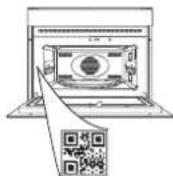
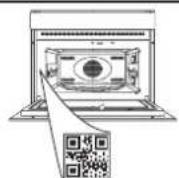
PLEASE SCAN THE QR CODE ON YOUR APPLIANCE IN ORDER TO REACH MORE INFORMATION
PRODUCT DESCRIPTION
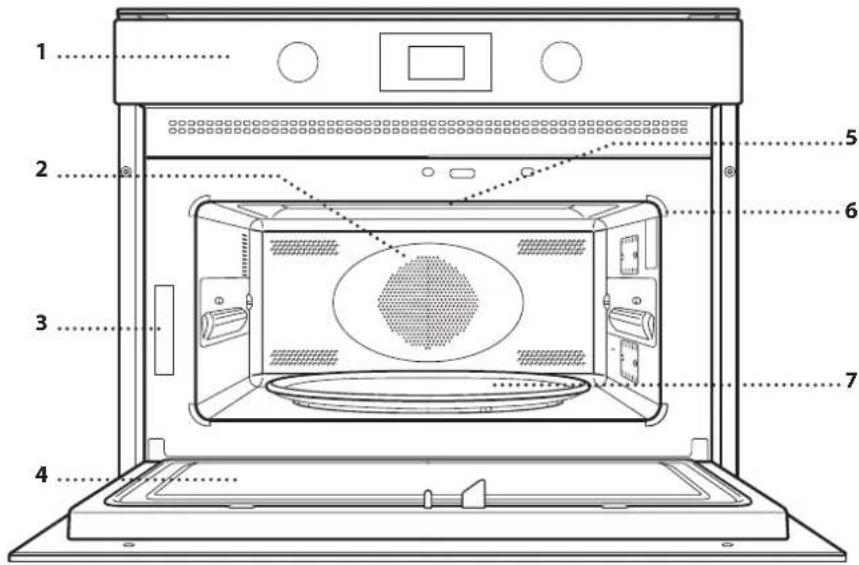
- Control panel
- Circular heating element (non-visible)
- Identification plate (do not remove)
- Door
- Upper heating element/grill
- Light
- Turntable
CONTROL PANEL
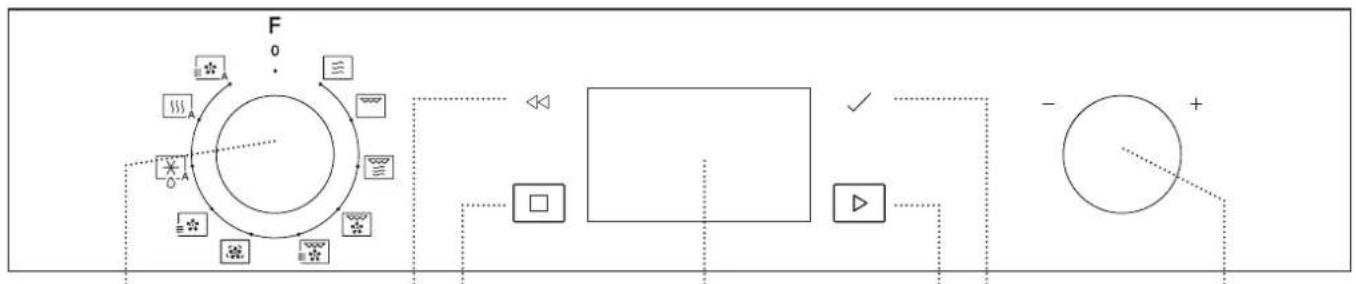
1234567
1. SELECTION KNOB
For switching the oven on by selecting a function.
Turn to the 0 position to switch the oven off.
2. BACK
For returning to the previous settings menu.
3. STOP
For interrupting an active function at any time. Press twice to stop the function and put the oven on stand-by.
4. DISPLAY
5. START
For starting functions and confirming settings. When the oven is switched off, it activates the microwave function.
6. CONFIRM
For confirming a function selection or a set value.
7.ADJUSTMENT KNOB
For scrolling through the menus and applying or changing settings.
GLASS TURNTABLE
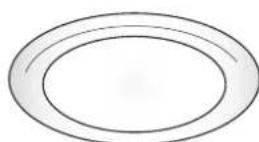
Placed on its support, the glass turntable can be used with all cooking methods.
The turntable must always be used as a base for other containers or accessories, with
the exception of the rectangular baking tray.
TURNTABLE SUPPORT
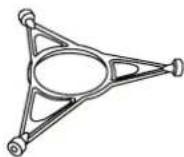
Only use the support for the glass turntable. Do not rest other accessories on the support.
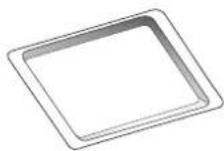
RECTANGULAR BAKING TRAY
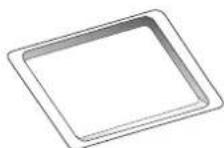
Only use the baking plate with functions that allow for convection cooking; it must never be used in combination with microwaves. Insert the plate horizontally, resting it on the rack
in the cooking compartment. Please note: You do not need to remove the turntable and its support when using the rectangular baking plate.
HIGH WIRE RACK
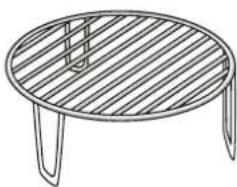
This allows you to place food closer to the grill, for perfectly browning your dish. Place thewire shelf on the turntable.
LOW WIRE RACK
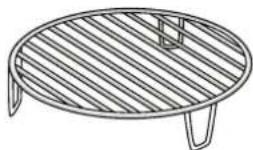
This allows a good hot air circulation, to obtain an optimal cooking of your dish. Place the wire shelf on the turntable.
COVER (IF PRESENT)
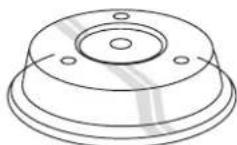
Useful for covering containers during microwave cooking and heating. The cover reduces splashes, keeps foods moist and can also be used to create two cooking levels.
It is not suitable for use in convection cooking or with any of the grill functions.
The number and type of accessories may vary according to which model is purchased. Other accessories that are not supplied can be purchased separately from the After-sales Service.
There are a number of accessories available on the market. Before you buy, ensure they are suitable for microwave use and resistant to oven temperatures.
Metallic containers for food or drink should never be used during microwave cooking.
Always ensure that foods and accessories do not come into contact with the inside walls of the oven.
Always ensure that the turntable is able to turn freely before starting the oven. Take care not to unseat the turntable whilst inserting or removing other accessories.

MICROWAVE
For quickly cooking and reheating food or drinks.
POWER RECOMMENDED FOR
| 900 W | Quickly reheating drinks or other foods with a high water content |
| 750 W | Cooking vegetables |
| 650 W | Cooking meat and fish |
| 500 W | Cooking meaty sauces, or sauces containing cheese or egg. Finishing off meat pies or pasta bakes |
| 350 W | Slow, gently cooking. Perfect for melting butter or chocolate |
| 160 W | Defrosting frozen foods or softening butter and cheese |
| 90 W | Softening ice cream |

GRILL
For browning, grilling and gratins. We recommend turning the food during cooking. For best results, preheat the grill for 3-5 minutes.
Recommended accessories: High wire rack

GRILL + MW
For quickly cooking and gratinating dishes, combining the microwave and grill functions.
Recommended accessories: High wire rack

TURBO GRILL
For perfect results, combining the grill and convection functions. We recommend turning the food during cooking.
Recommended accessories: High wire rack

TURBO GRILL + MW
For quickly cooking and browning your food, combining the microwave, grill and convection oven functions.
Recommended accessories: High wire rack

FORCED AIR
For cooking dishes in a way that achieves similar results to using a conventional oven. The baking plate or other cookware that is suitable for oven use can be used to cook certain foods.
Recommended accessories: Low wire rack / Rectangular baking tray

FORCED AIR + MICROWAVE
To prepare oven dishes in a short time.
Recommended accessories: Low wire rack

AUTO DEFROST*
For quickly defrosting various different types of food simply by specifying their weight. Food should be placed directly on the glass turntable. Turn the food when prompted.
CATEGORY FOD WEIGHT
| 1* | MEAT (mince, cutlets, steaks, roasting joints) | 100 g - 2 kg |
| 2* | POULTRY (whole chicken, pieces, fillets) | 100 g - 2.5 kg |
| 3* | FISH (whole, steaks, fillets) | 100 g - 1.5 kg |
| 4* | VEGETABLES (mixed vegetables, peas, broccoli, etc.) | 100 g - 1.5 kg |
| 5* | BREAD (loaves, buns, rolls) | 100 g - 1 kg |
| CATEGORY FOOD WEIGHT | |
| 1 | DINNER PLATE 250 - 500 g |
| 2* | FROZEN PORTION 250 - 500 g |
| 3* | FROZEN LASAGNA 250 - 500 g |
| 4 | SOUPS 200 - 800 g |
| 5 | BEVERAGES 100 - 500 g |
| 6 | BAKED POTATOES (Turn when prompted) 200 g - 1 kg |
| 7 | FRESH VEGETABLES (Cut into pieces of equal size and add 2 to 4 tablespoons of water. Cover) 200 - 800 g |
| 8* | FROZEN VEGETABLES (Turn when prompted. Cover) 200 - 800 g |
| 9 | CANNED VEGETABLES 200 - 600 g |
| 10 | POPCORN 100 g |
| AUTO FORCED AIR + MW * For oven-cooking foods quickly and achieving optimal results. Use cookware that is suitable for oven cooking and resistant to microwaves. | ||
| CATEGORY FOOD WEIGHT | ||
| 1 | ROAST CHICKEN 800 g - 1.5 kg | |
| 2 | COOKIES 300 g | |
| 3 | WHOLE FISH | 600 g - 1.2 kg |
| 4 | POTATOES GRATIN | 800 g - 2 kg |
| 5 | ROASTBEEF 800 g - 1.5 kg | |
- With the automatic functions, simply select the type and weight or the quantity of the food items to obtain the best results. The oven will automatically calculate the optimum settings and continue to change them as cooking progresses. Turn or stir the food when prompted.
FIRST TIME USE
. SET THE TIME
You will need to set the time when you switch on the appliance for the first time: The two digits for the hour will flash on the display.
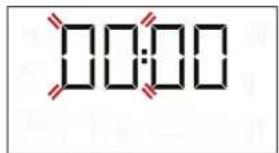
Turn the adjustment knob to set the correct hour and press OK to confirm. The two digits for the minutes will start flashing. Turn the adjustment knob to set the correct hour and press OK to confirm.
Please note: to change the time at a later point, press and hold Shapat least 3 seconds while the oven is off and repeat the steps above. You may need to set the time again following lengthy power outages.
DAILY USE
1. SELECT A FUNCTION
When the oven is off, only the time is shown on the display. Turn the selection knob to select one of the available functions.
2. SET THE FUNCTION
. MANUAL FUNCTIONS
After having selected the function you require, you can change its settings. The display will show the settings that can be changed in sequence.
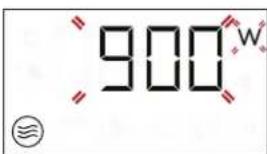
When the Won flashes on the display, turn the adjustment knob to adjust the power setting and then press OK to confirm and continue to alter the settings that follow (if possible).
In the same way the ^ icon flashes on the display, turn the adjustment knob to adjust the temperature setting and then press OK to confirm and continue to alter the settings that follow.
Please note: once the function has been activated, the power can be changed by pressing no times to access the power settings menu, then turning the adjustment knob to change the setting.
DURATION
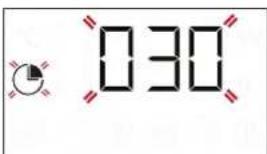
When the icon flashes on the display, turn the adjustment knob to set the desired duration. Once the displayed cooking time corresponds with what you desire, press Start to confirm and start the function.
Please note: During cooking, you can adjust the cooking time by turning the knob; each time you press the cooking time increases by 30 seconds.
. AUTOMATIC FUNCTIONS / AUTO DEFROST
CATEGORIES
Once you have chosen one of the automatic functions, you will need to select a category for the food you are cooking.
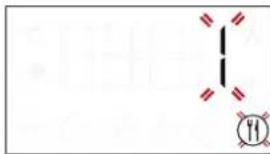
When the icon flashes on the display, turn the adjustment knob to select the digit that corresponds to the desired category, then press OK to confirm.
WEIGHT
To achieve the best results, the automatic functions require you to enter the weight of the food, selecting from amongst the default settings: the oven will calculate the ideal length of time for the function to run for each category of food.
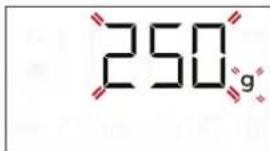
When the default setting appears on the display and the 9 icon flashes, turn the adjustment knob to enter the weight, then press Start to confirm and start the function.
3. ACTIVATE THE FUNCTION
Once you have applied the settings you require, press Start to activate the function.
Every time the Start button is pressed again, the cooking time will be increased by a further 30 seconds (only for manual functions).
Please note: You can press service at any time to stop the function that is currently active.
.JET START
When the oven is switched off, it is possible to press Start to activate cooking with the microwave function set at full power (900W) for 30 seconds.
. SAFETY LOCK
This function is automatically activated to prevent the oven from being switched on accidentally.
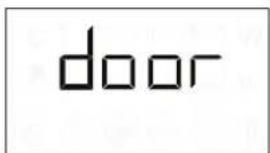
Open and close the door, then press start the function.
4. PAUSE
For pausing an active function, for example to stir or turn the food, simply open the door.
To start it up again, close the door and press Start. It is also possible to temporarily pause cooking by pressing Stop. To resume the cooking process, close the door and press Start.
AUTOMATIC PAUSE
(STIR OR TURN THE FOOD)
Certain functions will pause to allow you to turn or stir the food.
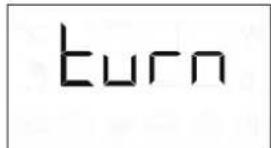
When the oven pauses the cooking and "Turn food" or "Stir Food" appear on the display, open the door to turn or stir the food, then close the door and press Start to start cooking again.
Please note: after 2 minutes, even if the food has not been turned or stirred, the function will start again automatically.
5.END OF COOKING
An audible signal will sound and "End" will appear on the display to indicate that a cooking function is complete.
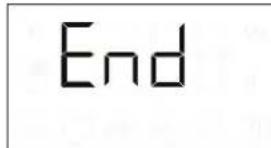
For some functions, it is possible to delay cooking while maintaining previously established settings: turn the adjustment knob to set a new cooking time, then press Start.
. TIMER
When the oven is switched off, the display can be used as a timer. The timer does not activate any of the cooking cycles.
To activate the function and set the cooking time you require, turn the adjustment knob.
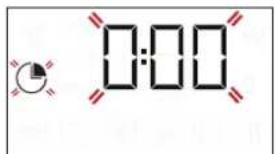
Press 品 activate the timer. An audible signal will sound and the display will indicate once the timer has finished counting down the selected time. To make a change to the timer once it has been activated, turn the adjustment knob, then press OK to confirm.
To interrupt it or return to the current time display, turn the adjustment knob until 0:00 is on the display and press OK.
Please note: Once the timer has been activated, you can activate a function as well: The timer will continue to count down the selected time automatically without having any effect on the function. To go back to viewing the timer, wait for the function to finish or stop the oven function by pressing Stop
COOKING TABLE
| FOOD | FUNCTION | HEATING UP | GRILL LEVEL | POWER (W) | TIME (MIN) | ACCESSORIES |
| Leavened cakes | -160 - | 180 - 30-60 | ||||
| -160 - | 180 90 25-50 | |||||
| Filled pies(chesecake, strudel, apple tart) | Yes | 160-190 | - | 35-70 | ||
| Cookies | Yes | 170-180 | - | 10-20 | ||
| Meringues | Yes | 100-120 | - | 40-50 | ||
| Rolls | Yes | 210-220 | - | 10-12 | ||
| Bread Loaf | Yes | 180-200 | - | 30-35 | ||
| Pizza / Pie | Yes | 190-220 | - | 20-40 | ||
| Savoury pies(vegetable pie, quiche Lorraine) | Yes | 180-190 | - | 40-55 | ||
| Lasagna / Baked pasta | - | 350-500 | 15-40 | |||
| Roast lamb / Veal /Roastbeef(1.3-1.5 kg) | - | 170-180 | - | 70-80* | ||
| - | 160-180 | 160 | 50-70* | |||
| Roastbeef - medium (1.3-1.5 kg) | - | 170-180 | - | 40-60* | ||
| Roast Chicken / Rabbit / Duck(whole 1-1.2 kg) | - | 210-220 | - | 50-70* | ||
| - | 210-220 | 350 | 45-60* | |||
| Chicken / Rabbit / Duck(fillets/pieces 0.4-1 kg) | - | - | 350-500 | 20-40* | ||
| Baked fish (whole) | - | - | 160-350 | 20-40 | ||
| Fish fillets / slices | Yes | - | - | 15-30* | ||
| Stuffed vegetables(tomatoes, courgette, aubergines...) | - | - | 500-650 | 25-50 | ||
| Toast | - | - | - | 3-6 | ||
| Sausages / Kebabs / Spare ribs/Hamburgers | - | - | - | 20-40* | ||
| Baked potatoes | - | - | 350-500 | 20-40* | ||
| Baked fruit | - | - | 160-350 | 15-25 | ||
| Vegetable gratin | - | - | - | 15-25 |
Turn the food halfway through cooking.
* Preheat the Crisp plate for 3-5 minutes.
Download the Use and Care Guide from docs.ingesit.eu for the table of tested recipes, compiled for the certification authorities in accordance with the standards IEC 60705 and IEC 60350.
| FUNCTIONS | Forced air | Forced air + MW | Grill | Turbo Grill | Grill + MW |
| ACCESSORIES | Heatproof plate/container suitable for use in microwaves | High wire rack | Low wire rack | Rectangular baking tray | |
CLEANING
Make sure that the appliance has cooled down before carrying out any maintenance or cleaning. Do not use steam cleaners.
Do not use wire wool, abrasive scourers or abrasive/ corrosive cleaning agents, as these could damage the surfaces of the appliance.
INTERIOR AND EXTERIOR SURFACES
- Clean the surfaces with a damp microfibre cloth. If they are very dirty, add a few drops of pH-neutral detergent. Finish off with a dry cloth.
- Clean the glass in the door with a suitable liquid detergent.
- At regular intervals, or in case of spills, remove the turntable and its support to clean the bottom of the oven, removing all food residue.
- The grill does not need to be cleaned as the intense heat burns away any dirt. Use this function on a regular basis.
ACCESSIONS
All accessories are dishwasher safe.
TROUBLESHOOTING
| Problem Possible cause Solution | ||
| The oven is not working. | Power cut. Disconnection from the mains. | Check for the presence of mains electrical power and whether the oven is connected to the electricity supply. Turn off the oven and restart it to see if the fault persists. |
| The oven makes noises, even when it is switched off. | Cooling fan active. Open the door or wait until the cooling process has finished. | |
| The display shows the letter “F” followed by a number. | Software fault. Contact you nearest Client After-sales Service Centre and state the number following the letter “F”. | |
Policies, standard documentation and additional product information can be found by:
- Using the QR code in your appliance
- Visiting our website docs.whirlpool.eu/docs
- Alternatively, contact our After-sales Service (See phone number in the warranty booklet). When contacting our After-sales Service, please state the codes provided on your product's identification plate.
TM/2024 Whirlpool. Produced under license.

DANKE, DASS SIE SICH FÜR EIN WHIRLPOOL-PRODUKT ENTSCHEDEN HABEN
MERCI D'AVOIR CHOISI UN PRODUIT WHIRLPOOL
. FONCTIONS MANUELLES
RECHTHOEKIGE BAKPLAAT
- THANK YOU FOR BUYING A WHIRLPOOL PRODUCT
- PLEASE SCAN THE QR CODE ON YOUR APPLIANCE IN ORDER TO REACH MORE INFORMATION
- PRODUCT DESCRIPTION
- CONTROL PANEL
- 1234567
- SELECTION KNOB
- BACK
- STOP
- DISPLAY
- START
- CONFIRM
- 7.ADJUSTMENT KNOB
- GLASS TURNTABLE
- TURNTABLE SUPPORT
- RECTANGULAR BAKING TRAY
- HIGH WIRE RACK
- LOW WIRE RACK
- COVER (IF PRESENT)
- MICROWAVE
- GRILL
- GRILL + MW
- TURBO GRILL
- TURBO GRILL + MW
- FORCED AIR
- FORCED AIR + MICROWAVE
- AUTO DEFROST*
- FIRST TIME USE
- SET THE TIME
- DAILY USE
- SELECT A FUNCTION
- SET THE FUNCTION
- MANUAL FUNCTIONS
- DURATION
- AUTOMATIC FUNCTIONS / AUTO DEFROST
- CATEGORIES
- WEIGHT
- ACTIVATE THE FUNCTION
- .JET START
- SAFETY LOCK
- PAUSE
- AUTOMATIC PAUSE
- 5.END OF COOKING
- TIMER
- COOKING TABLE
- CLEANING
- INTERIOR AND EXTERIOR SURFACES
- ACCESSIONS
- TROUBLESHOOTING
- DANKE, DASS SIE SICH FÜR EIN WHIRLPOOL-PRODUKT ENTSCHEDEN HABEN
- MERCI D'AVOIR CHOISI UN PRODUIT WHIRLPOOL
- FONCTIONS MANUELLES
- RECHTHOEKIGE BAKPLAAT
Brand : WHIRLPOOL
Model : MBP A540 X
Category : Microwave