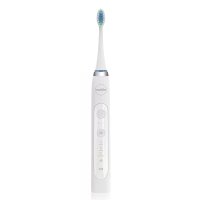
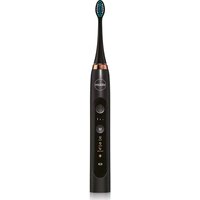
Denta SD210B - Toothbrush Eldom - Free user manual and instructions
Find the device manual for free Denta SD210B Eldom in PDF.

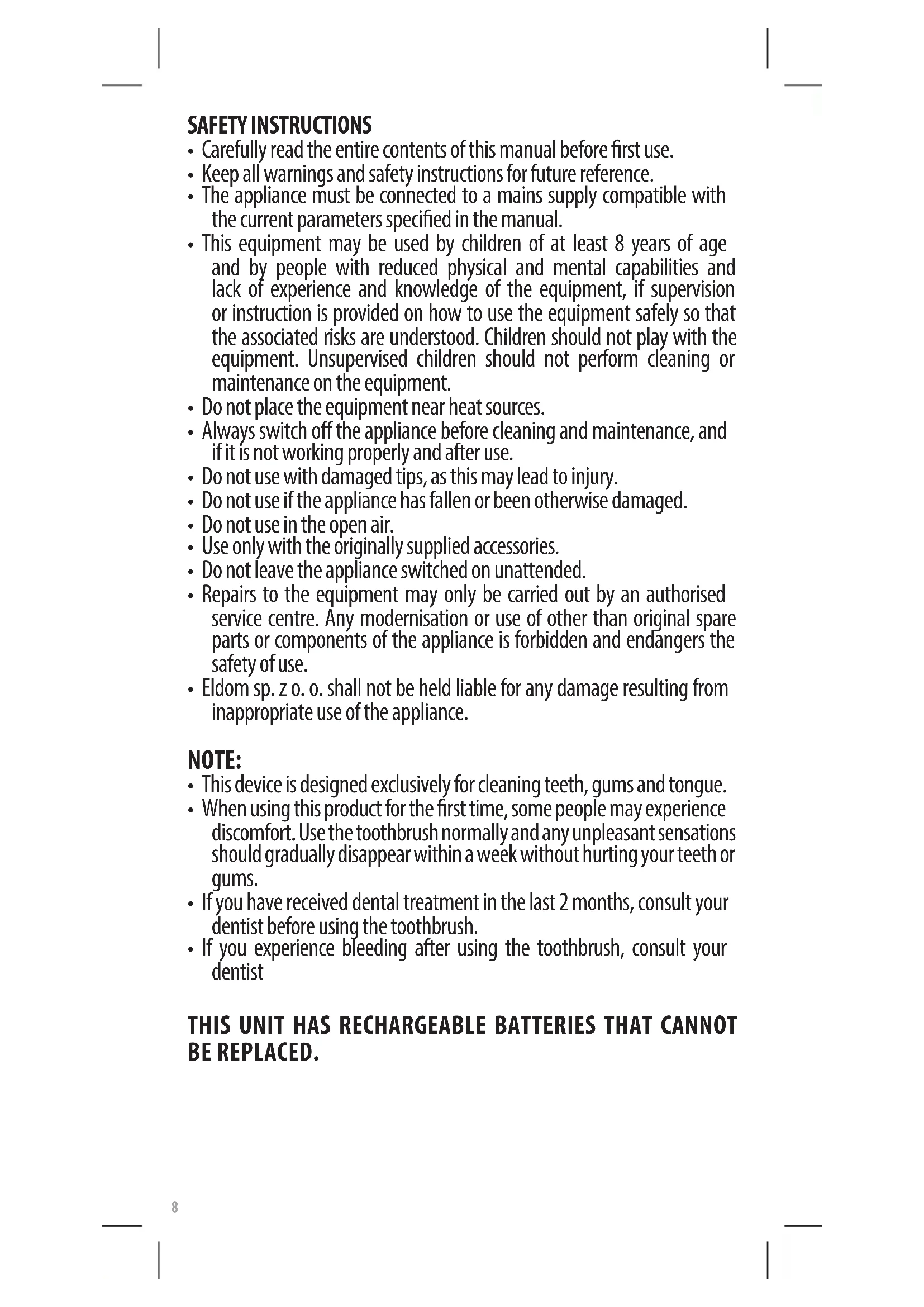


| Product type | Sonic electric toothbrush |
| Brand | Eldom |
| Model | Denta SD210B |
| Vibration speed | 32,000 - 42,000 strokes/min |
| Battery | Rechargeable Li-Ion 3.7 V, 700 mAh |
| Charging time | Approximately 8 hours |
| Battery life | Up to 21 days (2 x 2 min/day) |
| Waterproof rating | IPX7 (toothbrush only) |
| Body material | ABS/TPE |
| Bristle material | Dupont Nylon |
| Charging method | Induction |
| Required power supply | DC 5 V, 2 A adapter (not included) |
| Cleaning modes | Cleaning (CLEAN), Whitening (WHITE), Gum Care (GUM CARE) |
| Built-in timer | 2 minutes with pulse every 30 seconds |
| Head replacement indicator | After 180 uses (approximately 3 months) |
| Included accessories | Replacement brush head, USB charging station, case |
| Intended use | Brushing teeth, gums, and tongue |
| Care and cleaning | Clean after each use; do not immerse charging station |
| Safety | Do not use with damaged attachments; repair only by authorized center |
| Spare parts and repairability | Consumable brush head (ref. SDK200); battery non-replaceable |
Frequently Asked Questions - Denta SD210B Eldom
User questions about Denta SD210B Eldom
0 question about this device. Answer the ones you know or ask your own.
Ask a new question about this device
Download the instructions for your Toothbrush in PDF format for free! Find your manual Denta SD210B - Eldom and take your electronic device back in hand. On this page are published all the documents necessary for the use of your device. Denta SD210B by Eldom.
USER MANUAL Denta SD210B Eldom
/EN/ The disposal of used electrical and electronic equipment (applies to European Union countries and other European countries with separate waste-collection systems).
This symbol on the product or its packaging indicates that it should not be classified as household waste. It should be handed over to an appropriate company dealing with the collection and recycling of electrical and electronic equipment. The correct disposal of the product will prevent potential negative consequences for the environment and human health resulting from hazardous substances present in the product. Electrical devices must be handed over to restrict their re-use and further treatment. If the device contains batteries, remove them, and hand them over to a storage point separately. DO NOT THROW EQUIPMENT INTO THE MUNICIPAL WASTE BIN. Material recycling helps to preserve natural resources. For detailed information on how to recycle this product, please contact your local authority, the recycling company, or the shop where you bought it.
IV
| A | B | C |
 |  |  |
| D | E | F |
 |  |  |
WSKAZÓWKI BEZPIECZEŃSTWA
PROBLEMY I ROZWIAZANIA
- Carefully read the entire contents of this manual before first use.
- Keep all warnings and safety instructions for future reference.
- The appliance must be connected to a mains supply compatible with the current parameters specified in the manual.
- This equipment may be used by children of at least 8 years of age and by people with reduced physical and mental capabilities and lack of experience and knowledge of the equipment, if supervision or instruction is provided on how to use the equipment safely so that the associated risks are understood. Children should not play with the equipment. Unsupervised children should not perform cleaning or maintenance on the equipment.
- Do not place the equipment near heat sources.
• Always switch off the appliance before cleaning and maintenance, and if it is not working properly and after use. - Do not use with damaged tips, as this may lead to injury.
- Do not use if the appliance has fallen or been otherwise damaged.
- Do not use in the open air.
- Use only with the originally supplied accessories.
- Do not leave the appliance switched on unattended.
- Repairs to the equipment may only be carried out by an authorised service centre. Any modernisation or use of other than original spare parts or components of the appliance is forbidden and endangers the safety of use.
- Eldom sp. z o. o. shall not be held liable for any damage resulting from inappropriate use of the appliance.
NOTE:
• This device is designed exclusively for cleaning teeth, gums and tongue.
- When using this product for the first time, some people may experience discomfort. Use the toothbrush normally and any unpleasant sensations should gradually disappear within a week without hurting your teeth or gums.
- If you have received dental treatment in the last 2 months, consult your dentist before using the toothbrush.
- If you experience bleeding after using the toothbrush, consult your dentist
THIS UNIT HAS RECHARGEABLE BATTERIES THAT CANNOT BE REPLACED.
EN
INSTRUCTION MANUAL SONIC TOOTHBRUSH SD210
GENERAL INFORMATION
- Spindle
- Housing
- Power switch
- Vibration indicator
- Multifunction button
- Operating mode indicator
- Brush head replacement indicator
- Empty battery indicator
- Replaceable head
- Charging station (USB)
- Case
TECHNICAL DATA
Speed: 32,000 - 42,000 bpm
Battery: DC 3.7V, 700mAh, Li-Ion
Charging time: 8 hours
Operating time: up to 21 days (2 minutes twice/day)
Toothbrush water-tightness: IPX7
Material
- housing: ABS/TPE
- head bristles: Dupont Nylon
Charging method: induction
Connect the station (10) to a power supply unit with the following parameters: DC 5V, 2A (not included)
INTENDED USE
The SD210 toothbrush has been designed to use sonic technology. During operation, the toothbrush head vibrates at speeds ranging from 32,000 to as many as 42,000 beats per minute, dynamically cleaning teeth and inter-dental spaces. This makes it possible to remove impurities from hard-to-reach areas more accurately.
CHARGING THE DEVICE
The device may only be used after it has been charged.
Switch off the device before placing it on the charging station (10).
- Connect the charging station (10) to the power supply unit (not included) with the parameters provided above, and then to the mains.
- Place the device on the charging station (10).
- When charging, the light (8) will be on and will go off when the device is charged.
• The device cannot be used while charging. - The toothbrush will switch off automatically after placing it on the charging station.
REPLACING THE HEAD (9)
- The brush head (9) is a working part and should be replaced every 3 months for hygienic reasons and whenever its bristles are worn. It is not subject to warranty repair.
• Each time the toothbrush has been used for 180 times, the indicator (7) will flash for approximately 30 seconds to remind the user to replace the brush head (9). The brush head (9) can only be replaced by the original brush head type included in the SDK200 range. - The head can only be replaced when the toothbrush is switched off.
- Replacing the head (9) while the toothbrush is running may cause damage to the spindle (1).
- Attach the head (9) as shown in Fig. 1.
- Keep a small gap between the housing (2) and the head (9) to allow proper device operation Fig. 1.
If there is no gap, the device will be damaged when turned on.
- To select the operating mode, press the button (5) until the corresponding light (6) comes on before switching on the toothbrush.
- You cannot change the mode while the appliance is running.
• To switch on the appliance, press the button (3).
• Once the appliance is switched on, the vibration intensity can be selected using the button (5).
• To switch the device off, press the button (3). - The toothbrush will always start with the last selected mode and intensity level.
| Mode Method of operation Operating time | ||
| Clean Daily plaque | removal | Two minutes, impulse every 30 seconds |
| White | Removes plaque, whitens front teeth and eliminates discolouration | |
| Gum Care Polish and | massage gums | |
USE
- Put the tip (9) on the stem (1) - Fig. 1.
• Wet the bristles on the tip (9). - Apply a small amount of toothpaste to the wet bristles.
- Select the operation mode using the button (5) and switch on the appliance using the button (3).
- Select the vibration intensity using the button (5).
- Insert the toothbrush into the mouth and position it at a suitable angle (Fig. 4) and switch on.
- Brush the teeth in a circular motion, gently moving the brush head over each section of the teeth (Fig. 3) for 10 seconds, including the front, back and gum surfaces.
- Do not press the device too hard against the teeth and gums.
• The cleaning cycle lasts 2 min. The toothbrush will generate a pulse every 30s. - When the set time has elapsed, the device will switch off automatically.
- The device operation can be interrupted at any time using the switch (3).
- Rinse your mouth after brushing is complete. A specialised mouthwash can be used.
- Remove the brush head (9), wash it thoroughly and set aside to dry.
- Wipe off the appliance and place it in a dry place or on the charging station (10).
TEETH CLEANING – RECOMMENDATIONS
- Divide the teeth into 4 areas – Fig. 3.
- Brush each part for approximately 30 seconds
• The toothbrush signals when the time is up. - Apply the head bristles to the teeth correctly – Fig. 4
CLEANING AND MAINTENANCE
- Clean the appliance after each use.
- Before cleaning, make sure the device is turned off.
- Do not immerse the charging station (10) in water.
- Do not use strong agents, cleaning agents or cleaning products which may damage the surface.
- Wipe the charging station (10) and housing (2) with a damp cloth.
- Rinse the head (9) thoroughly. Do not compress or pull the bristles to avoid damage.
PROBLEMS AND SOLUTIONS
| Problem Possible | cause Solution | |
| The head vibrations are too weak | The bristles are too tightly pressed against the teeth | Press the toothbrush gently against the teeth |
| The head vibrations are too weakOperating time is short | The toothbrush is not sufficiently charged:1. It is incorrectly placed on the charging station or not in the proper spot, which causes the charging function to fail2. The charging station is not connected to the mains. | 1. place the toothbrush on the charging station properly,2. check the connection of the charging station to the mains. |
| The toothbrush does not work | 1. The toothbrush is not charged.2. The toothbrush has been damaged. | 1. Charge the toothbrush.2. Contact the manufacturer's maintenance service. |
SICHERHEITSHINWEISE
- /EN/ The disposal of used electrical and electronic equipment (applies to European Union countries and other European countries with separate waste-collection systems).
- WSKAZÓWKI BEZPIECZEŃSTWA
- NOTE:
- THIS UNIT HAS RECHARGEABLE BATTERIES THAT CANNOT BE REPLACED.
- EN
- INSTRUCTION MANUAL SONIC TOOTHBRUSH SD210
- GENERAL INFORMATION
- TECHNICAL DATA
- Material
- INTENDED USE
- CHARGING THE DEVICE
- REPLACING THE HEAD (9)
- USE
- TEETH CLEANING – RECOMMENDATIONS
- CLEANING AND MAINTENANCE
- SICHERHEITSHINWEISE
Brand : Eldom
Model : Denta SD210B
Category : Toothbrush