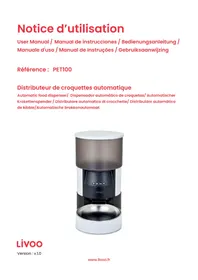
USER MANUAL PET100 LIVOO
Thank you for choosing a Livoo product!
EN
Your blender, your barbecue, and your headphones are not just objects, they are extensions of yourself, allowing you to get closer to your friends and family, to bring them together, to laugh and to share experiences. Livoo's aim is to help you live your life to the fullest, whatever wishes you have throughout the year. Winter raclette, summer barbecue. Or the other way around. It's up to you. Take advantage of this freedom for feel good moments every day.
That's why we're constantly innovating and creating clever products full of zest, but most of all, accessible.
Find our entire collection on our website www.livoo.en.
Livoo, your daily companion till social networks

@Livoo

@livoo_officiel

@Livoo
Safety Instructions
Please, take time to read well the instruction sheet before the first use and keep them for a future use.
A misuse of the appliance can damage it or hurt the user. Assure that you use the appliance for the use for which it is designed. We refuse any responsibilities as for the damages by an incorrect use or a bad manipulation.
- Before use check that the voltage of your wall outlet correspond to the rated voltage manner.
- If the adapter supply cord is damaged, it must be replaced by the manufacturer, its service agent or similarly qualified persons in order to avoid a hazard. (*)
- CAUTION: Unplug the USB power cable and adapter before cleaning the unit.
- The unit should only be operated at the safe extra-low voltage corresponding to the unit's
marking.
- This appliance is for domestic use only.
- Do not immerse in water.
- Do not use the appliance if your hands are wet, otherwise it may cause damage or electric shock.
- This appliance can be used by children aged from 8 years and above and persons with reduced physical, sensory or mental capabilities or lack of experience and knowledge if they have been given supervision or instruction concerning use of the appliance in a safe way and understand the hazards involved.
- Children shall not play with the appliance.
- leaning and user maintenance shall not be made by children without supervision.
- Only use the detachable supply unit TPA-
147K050100VU01 provided with this appliance.
- Always connect the appliance and then the adapter to the power supply. Before unplugging, turn off the unit, remove the adapter from the socket and then remove the cord from the unit.
-
This appliance is intended to be used in household and similar applications such as:
-
staff kitchen areas in shops, offices and other
working environments
- farm houses
- by clients in hotels, motels and other residential type environments
- bed and breakfast type environments
(^*) Competent qualified electrician: after sales department of the producer or importer or any person who is qualified, approved and competent to perform this kind of repairs in order to avoid all danger. In any case you should return the appliance to this electrician
Technical characteristics Product only
Input: 5V +A-
Technical Specifications of adaptor
| Company name and address of manufacturer | DELTA - 1 rue Foch - 67450 Mundolsheim - France |
| Model reference | TPA-147K050100VU01 |
| Input voltage | 100-240V |
| CA Input frequency | 50/60Hz |
| Output voltage | 5.0 V |
| Output current | 1.0 A |
| Output power | 5 W |
| 115 V, 60 Hz | 230V, 50 Hz |
| Average active efficiency | 74.65 % | 74.08 % |
| Efficiency at low load (10 %) | 73.13 % | 64.47 % |
| No-load power consumption | 0.05 W | 0.07 W |
| Frequency band | IEEE 802.11b/g/n
HT20: 2412-2472MHz |
| maximum transmitted power |
| Logo | Description |
| Insulation class logo II. |
| Logo inside use only. |
| The logo indicates the presence of a safety isolation transformer protected against short circuits |
| Identifies an electronic device incorporating one or more transformers and electronic circuits that converts electrical power into one or more power outputs |
| If the pins of the plug are damaged, the plug-in power supply shall be scrapped |
| Energy efficiency logo from the American DOE. |
Drawing of the device
Figure 1 Figure 2
| 1 | Lid |
| 2 | Kibble tank |
| 3 | Control panel |
| 4 | Kibble outlet |
| 5 | Body of the article |
| 6 | Bowl |
| 7 | Speaker |
| 8 | Battery compartment |
| 9 | Connection TYPE C |
Use of the device
Before use, remove the entire package. Do not let your pet chew or swallow the accessories. If you want to protect the power cable, you can use a cable protector. Do not place the kibble dispenser in a place that is too cool (-10^) or too hot (+40^) . Use only solid food. Only kibble between 2 and 12mm can be dispensed. If you want to use batteries to operate your device, do not use the power cable. If you use the power cord, please do not use batteries. Do not move the kibble dispenser if it is plugged in or if it is full.
In order to use the kibble dispenser, you will need to download the "TUYA" application, available on the Apple store and on Android Google Play until 2026.
| ios | Android |
| BT 8.0 or more recent devices | BT 4.3 or more recent devices |
To download the application you can also use the QR CODE (Figure 3).
Without the app, you will only be able to use the manual function of the kibble dispenser with the " button on the device.
Before using the app, make sure you have a working WiFi network. Once the download is complete, open the TUYA Smart app on your phone. Log in with your account or create one by following the instructions in the app. Once you are logged in or your account has been created, you will be taken to the home screen of your application.
Powering up: Turn the power button on the bottom of the device to the "l" position.
App Operation:
Once the TUYA app is installed on your phone, turn on your kibble dispenser by pressing the power button on the bottom of the product.
The app will automatically detect the dispenser. (Image 4). Activate Bluetooth and accept the terms of use. Wait for the application to detect the kibble dispenser.
Once the device has been detected, press "ADD" in the application. Enter the wifi code for your internet connection and the password. Once the device has been added to your TUYA application, it will appear on the application's home page. (Image 9)
On the home page of the application, you can schedule your pet's meals by clicking on "Meal Plan" (Image 10) and following the steps below:
Step 1: choose the time of feeding
Step 2: choose the day of feeding
Step 3: choose the number of portions (One portion is equal to approximately 7 to 12 grams) (Image 10)
You can also dispense up to 12 portions of kibble, unannounced, via the app. To do this, press one of the numbers of your choice (1 to 12), which corresponds to the number of portions, and press "Feed" (Image 12).
Note: if this operation does not work and an error message is displayed, deactivate the wifi of your phone and try again.
Control panel:

Recording a message: press the "Record" button for a few seconds. Once you hear the sound, you can record your message. The recording time is 10 seconds. After this time, you will hear a second sound. This means that the recording is finished. To delete the message, press the "Record" button, wait for a sound, and press the button again briefly. The message will be deleted.

Lock and Unlock: Press and hold. The red light will flash twice to lock the kibble dispenser. Press and hold again. The red light will flash twice to unlock. When the kibble dispenser is locked, the manual feed function will not work but the functions are still usable via the app.
FEED (Manual feeding): press briefly to serve 1 portion. This will not affect meal programming.

SET/RESET (change network configuration mode): When the unit is turned on and the network is not configured, the blue light will flash rapidly. Press and hold until you hear three beeps. The red and blue light will stay on for a few seconds and then change to a slow blink.
Blue light:
- Fast flashing: the device is connected.
- Slow blinking: the device is waiting for connection.
Red light:
- Flashing: abnormal detection of the limit switch (the motor does not turn). In this case, unplug the unit and try again.
- Locking/unlocking: blinks twice
Odor filter: You can add an odor filter in the slot provided on the back of the cover. This anti-odour filter is not sold by Livoo.
Cleaning and maintenance
Before cleaning the unit, make sure it is turned off. Clean the kibble dispenser regularly to ensure the health of your unit.
To clean the kibble container from the inside, open the lid.
Use a soft, damp cloth to clean the base of the feeder and the control panel. Do not get this part wet, or clean it with water.
Do not put the product in the dishwasher, or it will be permanently damaged!
Battery Advice and recycling
Keep the battery out of each of children.
Do not mix old and new batteries, with different compositions or of different brands in order to prevent possible leakage, explosion.
Do not heat or deform the batteries or explore to fire.
Waste batteries should not disposed of with household waste.
Please check with your local authority for battery recycling advice.
Do not dispose of batteries with household waste. To preserve the environment, dispose of batteries according to regulations. Post them in the nearest battery container or bring them into your store. Do not recharge the batteries, do not disassemble, do not throw them into the fire. Do not expose to high temperatures or direct sunlight. Do not incinerate.
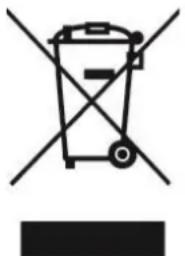
Correct disposal of the unit (Electrical and Electronic Equipment).
(Applicable in the European Union and the rest of Europe that have adopted separate collection systems countries). The European Directive 2012/19/EU on Waste Electrical and Electronic Equipment (WEEE), requires that old household electrical appliances must not be disposed of in the normal household waste stream. Old appliances must be collected separately in order to optimize the recovery and recycling of the materials they contain and reduce the impact on human health and the environment. The symbol of the crossed out dustbin is marked on all products to remind the obligations of separate collection. Consumers should contact their local authority or retailer for information concerning the correct disposal of their product.
Non contractual illustration
- Product information is subject to change without prior notice.