
Intuition Preference EA872A - Coffee machine KRUPS - Free user manual and instructions
Find the device manual for free Intuition Preference EA872A KRUPS in PDF.



| Product type | Automatic coffee machine with built-in grinder |
| Brand | KRUPS |
| Model | Intuition Preference EA872A |
| Dimensions (H x W x D) | 365 x 240 x 400 mm |
| Weight | 8.2 kg |
| Power supply | 220-240 V ~ / 50 Hz |
| Power consumption | 1450 W |
| Pump pressure | 15 bar |
| Coffee bean hopper capacity | 250 g |
| Water tank capacity | 3 L |
| Grinder | Conical metal burrs with grind adjustment |
| Display | Colour touch screen (smartphone type) |
| Light indicator | Intuitive Light Indicator (customisable by colour) |
| Beverages prepared | Ristretto, Espresso, Lungo, Doppio, Long Coffee, Americano, Cappuccino, Latte Macchiato, Caffe Latte, Frothed Milk, Hot Water |
| 2-cup function | Yes, simultaneously |
| Settings | Coffee strength (3 levels), water temperature (3 levels), cup volume, grind fineness |
| Customisable favourites | Up to 8 recipes with volume, strength and Light Indicator colour |
| Milk system | Removable One Touch Cappuccino block |
| Water filter | Claris Aqua Filter System cartridge (included) |
| Maintenance | Rinse, cleaning (tablet), descaling (sachet), milk system cleaning |
| Automatic shut-off | Yes, adjustable |
| Automatic start | Yes, programmable |
| Safety | Safety instructions booklet supplied, automatic shut-off in case of malfunction |
| Spare parts and accessories supplied | Cleaning tablets (x2), descaling sachet, milk tube, cleaning needle, Claris filter cartridge, water hardness stick, brush, milk jug |
Frequently Asked Questions - Intuition Preference EA872A KRUPS
User questions about Intuition Preference EA872A KRUPS
0 question about this device. Answer the ones you know or ask your own.
Ask a new question about this device
Download the instructions for your Coffee machine in PDF format for free! Find your manual Intuition Preference EA872A - KRUPS and take your electronic device back in hand. On this page are published all the documents necessary for the use of your device. Intuition Preference EA872A by KRUPS.
USER MANUAL Intuition Preference EA872A KRUPS
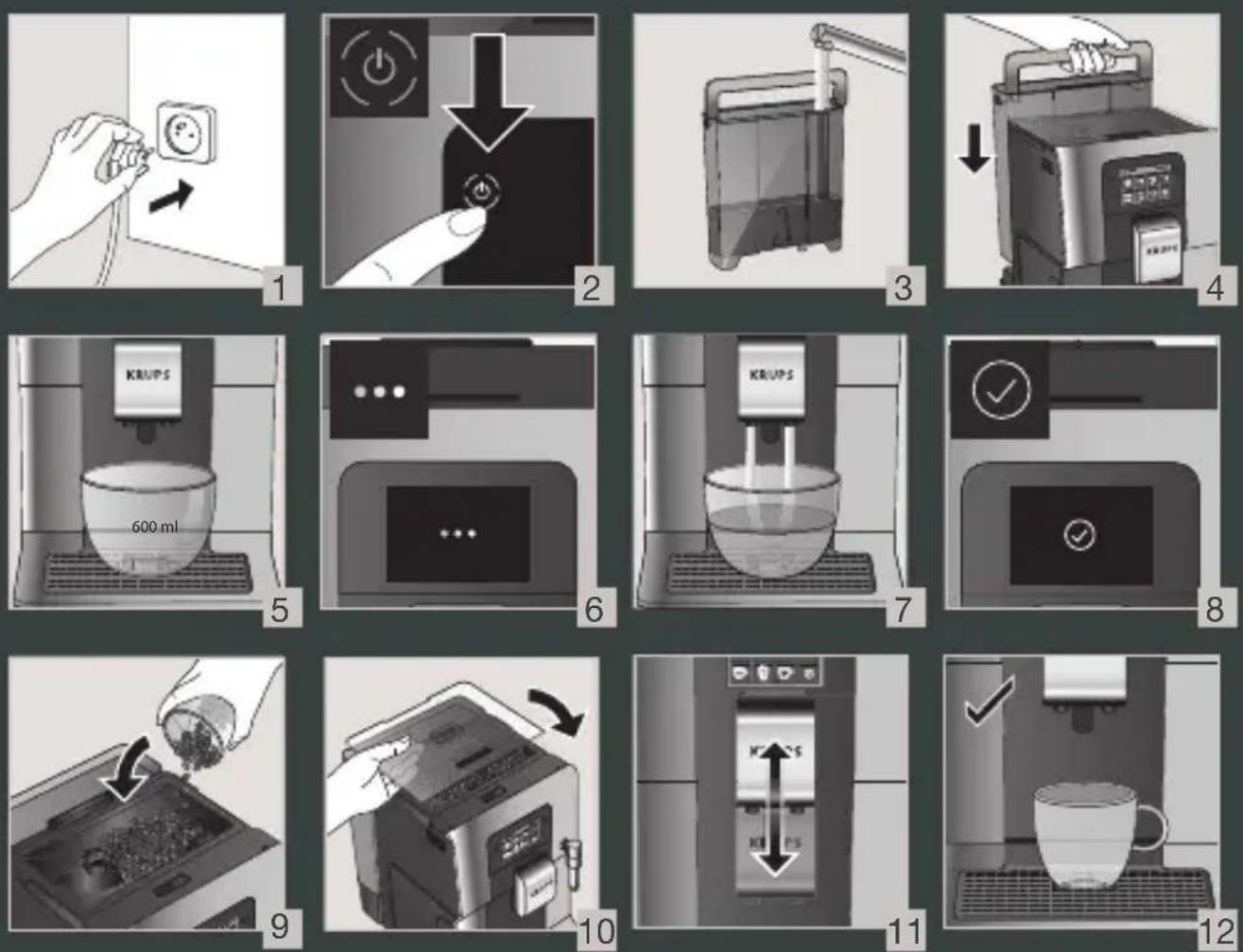
1 1st USE

FIRST USE - ERSTMALIGE BENUTZUNG - 1STE GEBRUIK - FIRST USE - FIRST USE - FIRST USE - FIRST USE - FIRST USE - FIRST USE - FIRST USE - FIRST USE - FIRST USE - FIRST USE - FIRST USE - FIRST USE - FIRST USE - FIRST USE - FIRST USE - FIRST USE - FIRST USE
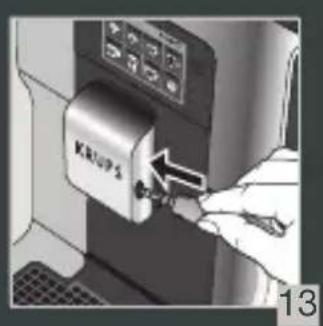
2 MAKE A MILK RECIPE

PREPARING A MILK RECIPE - PREPARING A MILK DRINK - MAKING A MILK RECIPE - MAKE A MILK RECIPE - PREPARE A MILK DRINK - PREPARE A MILK DRINK - MAKE A MILK RECIPE - PREPARING A MILK DRINK RECIPE - PREPARING MILK-BASED DRINKS - PREPARING A MILK-BASED DRINK - PREPARING A MILK-BASED DRINK - PREPARING A MILK-BASED DRINK - PREPARING A MILK-BASED DRINK - CREATE A MILK RECIPE - PREPARE A MILK RECIPE - MAKE A MILK RECIPE - PREPARING MILK DRINKS - PREPARING MILK DRINKS - PREPARING A MILK DRINK - PREPARING A MILK RECIPE - PREPARING A MILK RECIPE - PREPARING A MILK DRINK - PREPARING A MILK DRINK
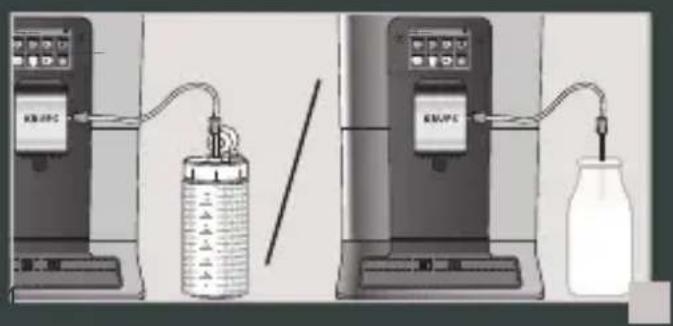
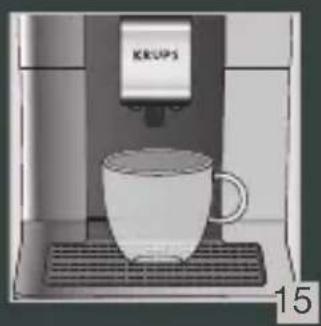
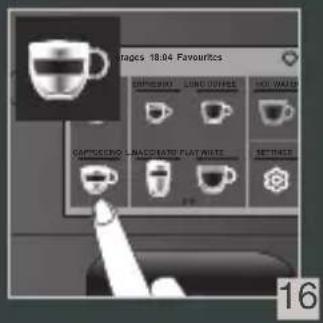
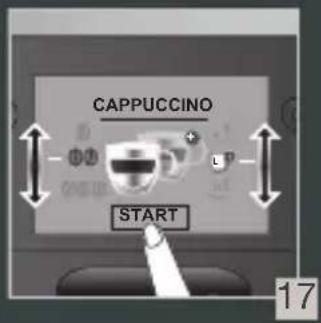
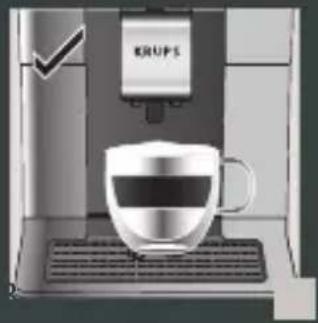
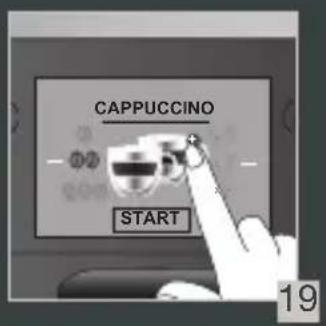
3 MAKE 2 CUPS OF A MILK RECIPE AT ONCE


POUR 2 TASSES INSTANTANÉES D'UNE RECETTE AVEC DU LAIT - 2 TASSEN EINES MILCHREZEPTES AUF EINMAL ZUBEREITEN - MAAK ONMIDDELLIJK 2 KOPJES VAN EEN MELKRECEPT - OPSKRIFT TIL AT LAVE 2 KOPPER MÆLK PÅ SAMME TID - LAG 2 KOPPER MED EN MELKEOPPSKRIFT PÅ EN GANG - TILLAGA 2 KOPPAR AV ETT MJÖLKRECEPT I TAGET - TEE 2 KUPILLISTA MAITOKAHVIA KERRALLA - HAGA 2 TAZAS DE UNA BEBIDA CON LECHE A LA VEZ - PREPARAZIONE DI 2 BEVANDE A BASE DI LATTE CONTEMPORANEAMENTE - PREPARE 2 CHÁVENAS DE UMA RECEITA DE LEITE NUM INSTANTE - ПАРАЗKEYН 2 ФЛІTZANIΩΝ МІАЗ ΣΥΝΤΑΓΗΣ МЕ ГАЛА ΣΤΗ ΣΤІГМН - РŘIPRAVTE NAJEDNOU 2 ŠÁLKY MLÉČNÉ RECEPTURY - PRIPRAVTE NARAZ 2 ŠÁLKY MLIEČNEHO RECEPTU - EGYSZERRE 2 CSÉSZE TEJITALT KÉSZÍTSEN - PRZYGOTOWANIE 2 FILIŽANEK NAPOJU Z MLEKIEM NA RAZ - ГОТОВЬТЕ 2 ЧАШКИ МОЛОЧНОГО НАПИТКА ОДНОВРЕМЕННО - ГОТУЙТЕ 2 ЧАШКИ НАПОЮ 3 МОЛОКОМ ЗА ОДИН РАЗ - PREPARAREA SIMULTANĂ A 2 CEŞTI DE BĂUTURĂ CU LAPTE - ИЗПЪЛНЯВАНЕ НА РЕЦЕПТА С МЛЯКО ЗА 2 ЧАШИ НАВЕДНЬЖ - NAPRAVITE 2 ŠALICE NAPITKA S MLIJEKOM ODJEDNOM
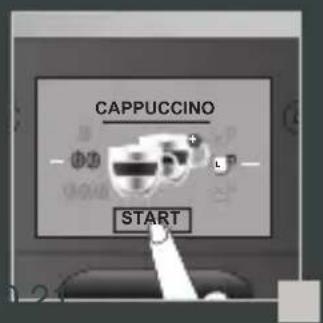
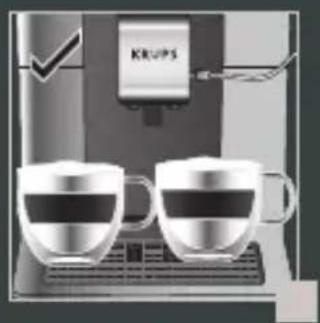
4 QUICK MILK RINSING AFTER A CAPPUCCINO

QUICK RINSE OF MILK AFTER A CAPPUCCINO

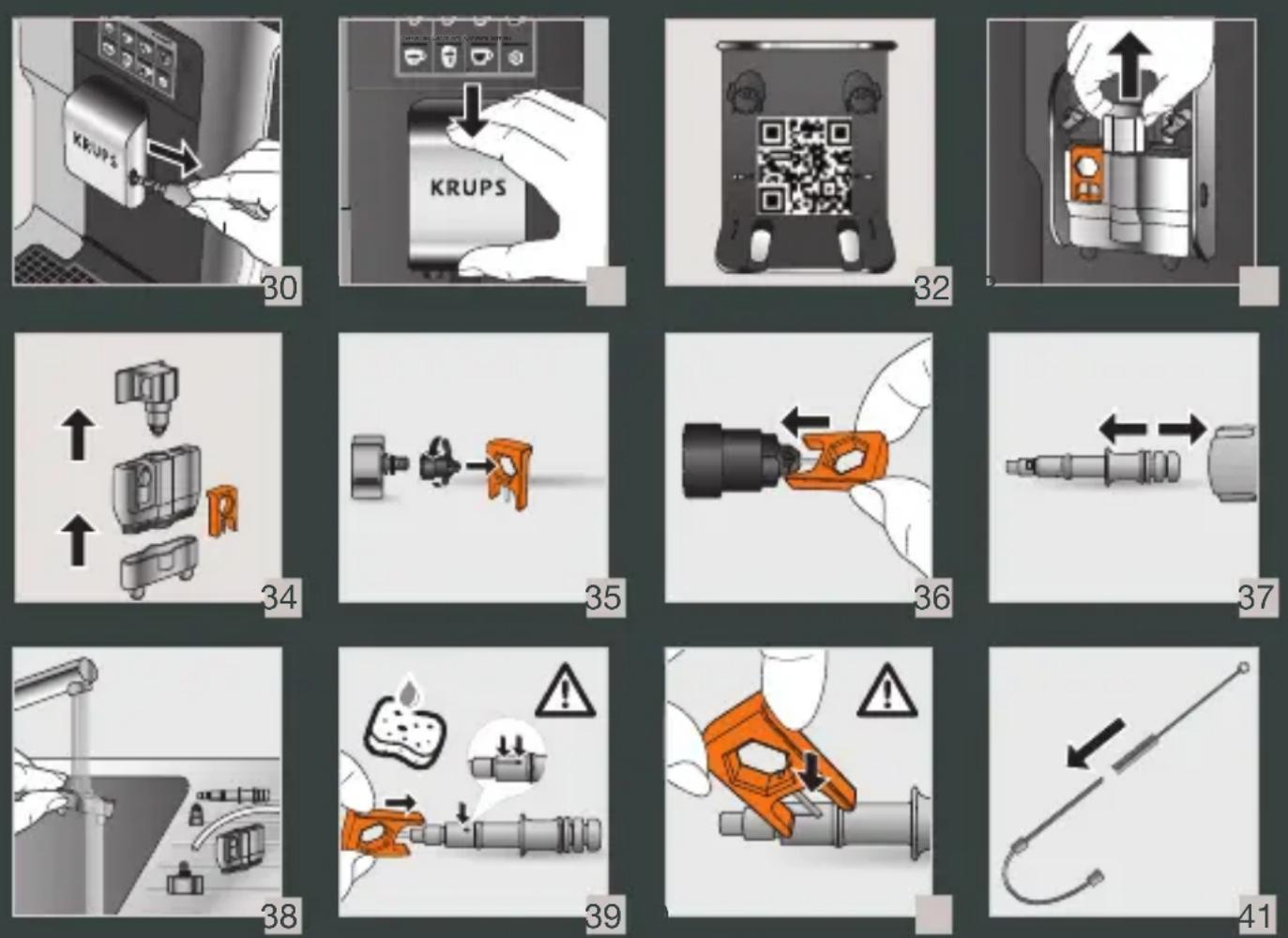
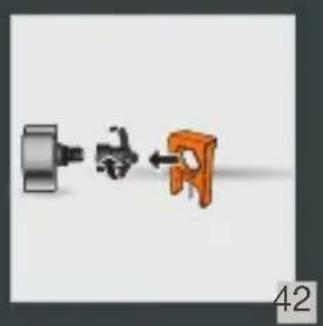
5 MANUAL DEEP CLEANING OF MILK SYSTEM - 5 MIN
DEEP MANUAL CLEANING OF THE MILK SYSTEM - 5 MIN

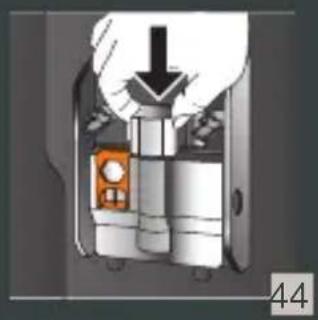
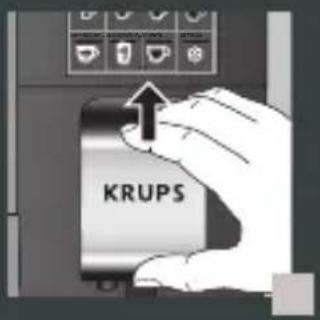

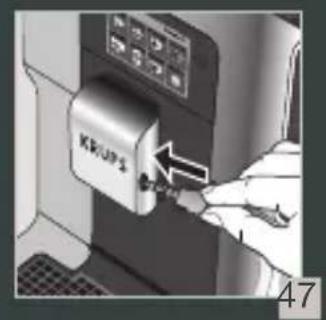

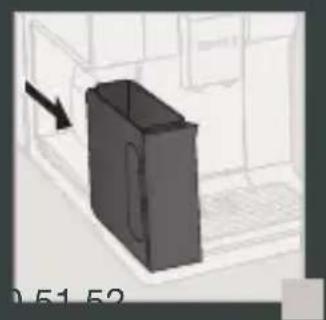
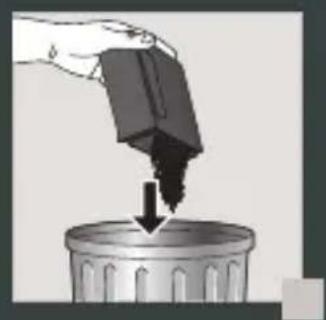
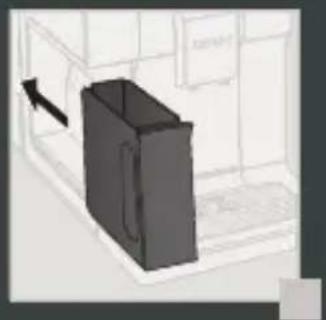
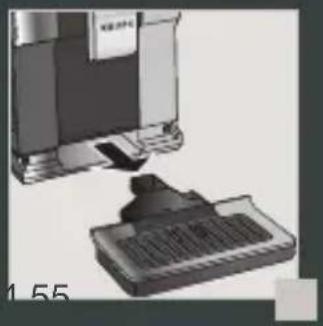
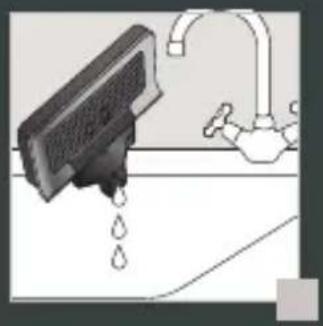
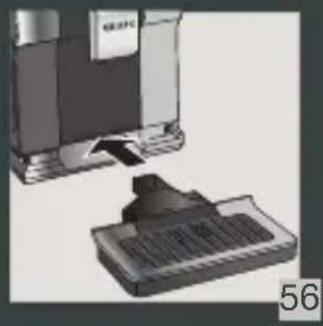
8 COMPLETE AUTOMATIC CLEANING OF THE MACHINE 3 x/YEAR - 13 MIN

FULL AUTOMATIC CLEANING OF THE MACHINE 3 x / YEAR - 13 MIN
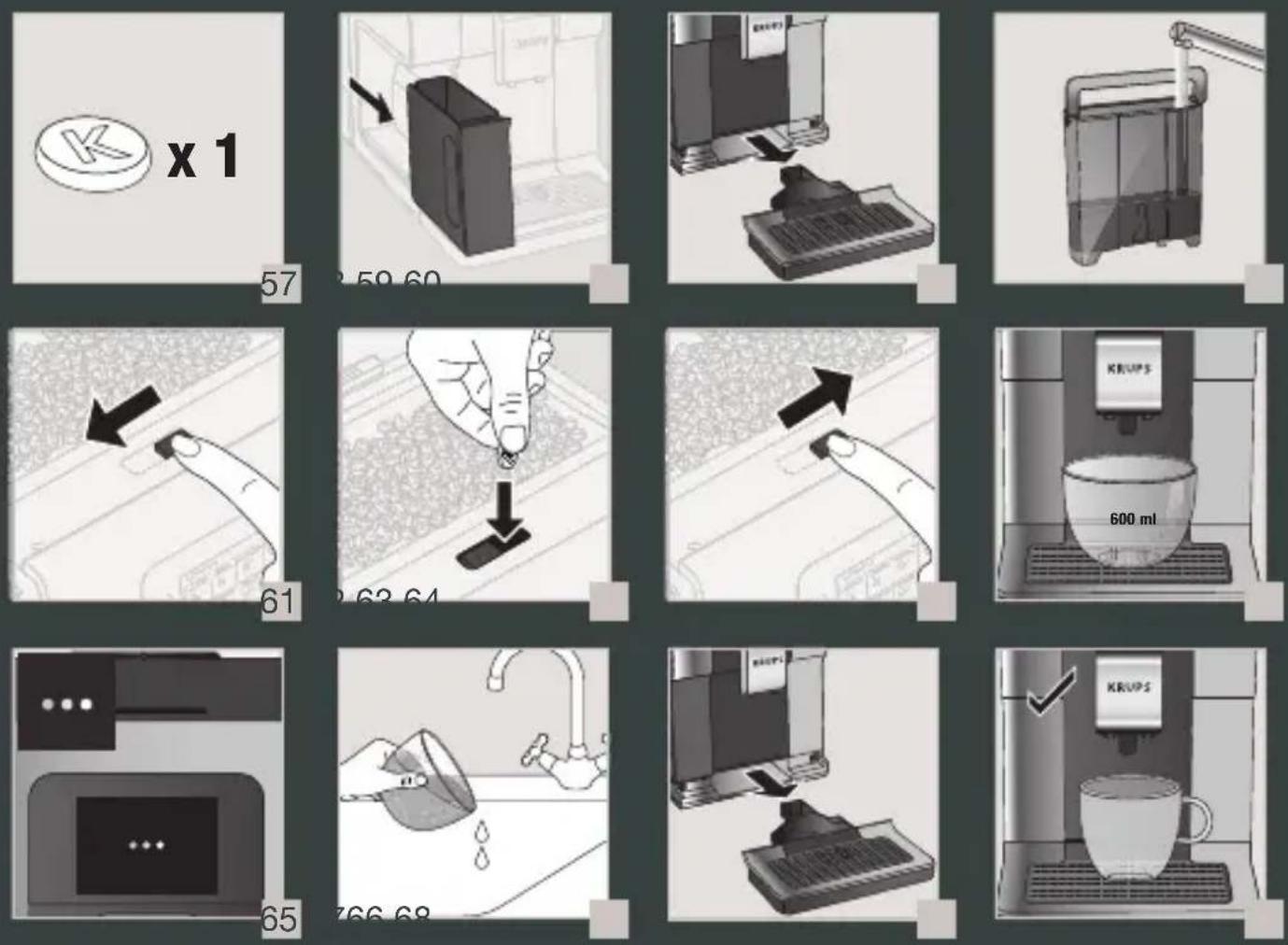
9 DESCALING PROGRAM - 20 MIN

DESCALING PROGRAM - 20 MIN
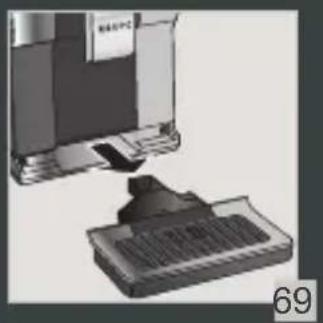
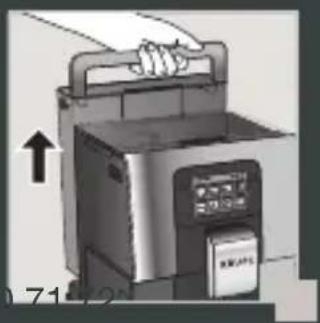





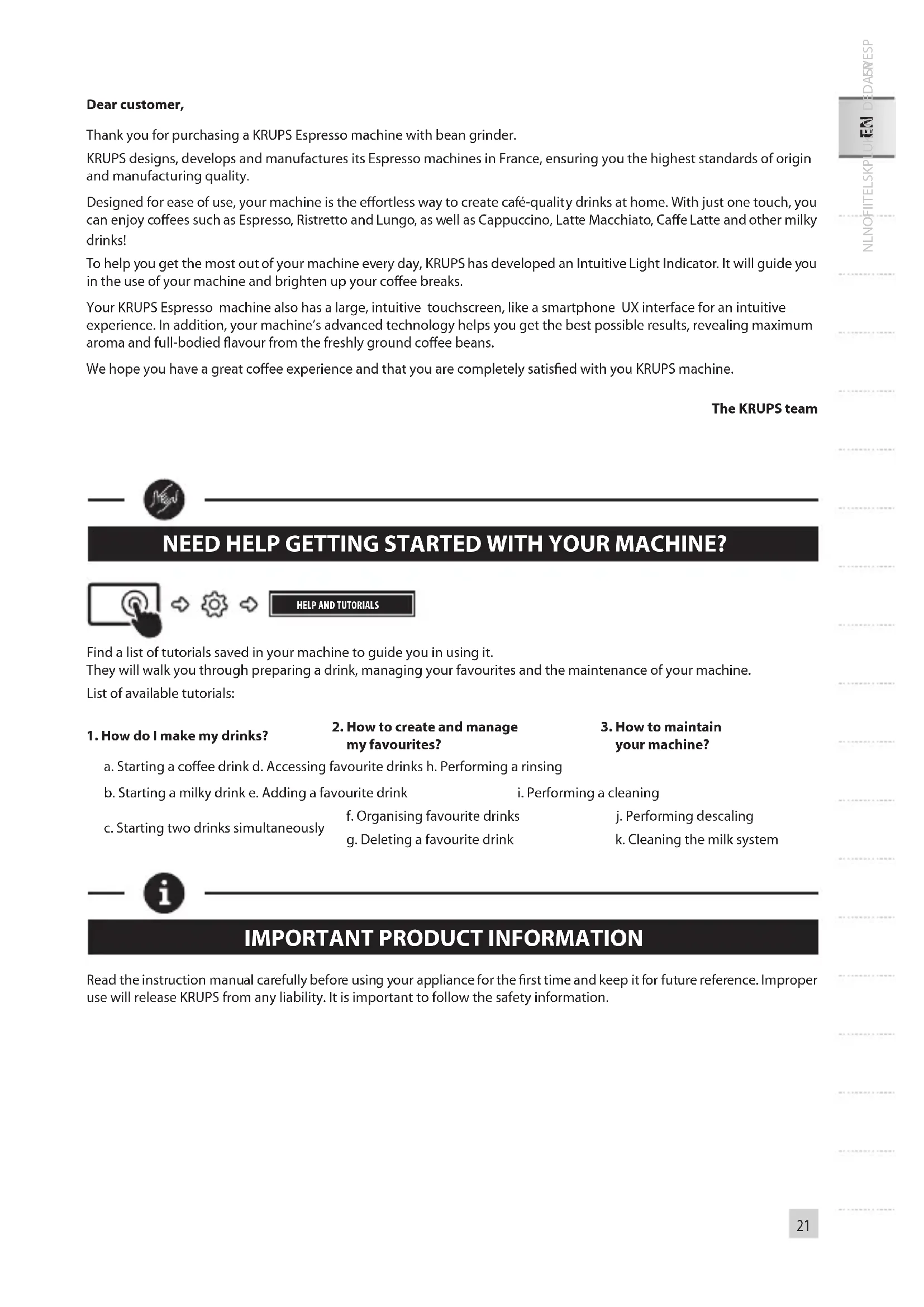
Dear customer,
IMPORTANT PRODUCT INFORMATION
ACCESSORIES SUPPLIED WITH YOUR MACHINE
POWERING ON THE MACHINE

Thank you for purchasing a KRUPS Espresso machine with bean grinder.
KRUPS designs, develops and manufactures its Espresso machines in France, ensuring you the highest standards of origin and manufacturing quality.
Designed for ease of use, your machine is the effortless way to create café-quality drinks at home. With just one touch, you can enjoy coffees such as Espresso, Ristretto and Lungo, as well as Cappuccino, Latte Macchiato, Caffe Latte and other milky drinks!
To help you get the most out of your machine every day, KRUPS has developed an Intuitive Light Indicator. It will guide you in the use of your machine and brighten up your coffee breaks.
Your KRUPS Espresso machine also has a large, intuitive touchscreen, like a smartphone UX interface for an intuitive experience. In addition, your machine's advanced technology helps you get the best possible results, revealing maximum aroma and full-bodied flavour from the freshly ground coffee beans.
We hope you have a great coffee experience and that you are completely satisfied with your KRUPS machine.
The KRUPS team

NEED HELP GETTING STARTED WITH YOUR MACHINE?



HELP AND TUTORIALS
Find a list of tutorials saved in your machine to guide you in using it.
They will walk you through preparing a drink, managing your favourites and the maintenance of your machine.
List of available tutorials:
1. How do I make my drinks?
2. How to create and manage my favourites?
3. How to maintain your machine?
a. Starting a coffee drink d. Accessing favourite drinks h. Performing a rinsing
b. Starting a milky drink e. Adding a favourite drink
i. Performing a cleaning
c. Starting two drinks simultaneously
f. Organising favourite drinks
j. Performing descaling
g. Deleting a favourite drink
k. Cleaning the milk system

IMPORTANT PRODUCT INFORMATION
Read the instruction manual carefully before using your appliance for the first time and keep it for future reference. Improper use will release KRUPS from any liability. It is important to follow the safety information.
GUIDE TO THE SYMBOLS USED IN THE INSTRUCTIONS

Danger: Warning about the risk of serious bodily injury or death.
The lightening symbol alerts you to electricity-related dangers.

Caution: Warning against any possible malfunction, damage or destruction of the appliance.

Important: General or important comment for operating the appliance.

PRODUCTS SUPPLIED WITH YOUR MACHINE
Check the products supplied with your machine. If one of the parts is missing, contact your KRUPS Consumer Service immediately.
| Products supplied | |||
| 1. 2 cleaning tablets | 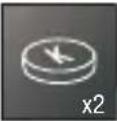 | ||
| 2. 1 descaling sachet | 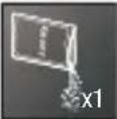 | ||
| 3. Milk tube for the"One Touch Cappuccino" block |  | ||
| 4. Cleaning needle of the steam circuit |  | ||
| 5. 1 Caris – Aqua Filter System cartridge with tightening accessory |  | ||
| 6. 1 water-hardness testing stick |  | ||
| 7. Instructions - Safety precautionsList of approved Krups service centresInternational guarantee |  | ||
| 8. Pipe cleaner |  | ||
| According to model | |||
| 9. Milk pot |  | ||
TECHNICAL DATA
| Appliance Automatic Espresso EA87 | |
| Power supply 220-240V~ / 50 Hz | |
| Pump pressure 15 bar | |
| Coffee bean container 250 g | |
| Energy consumption When operating: 1450 W | |
| Water container 3 L | |
| Getting started and storage | Inside, in a dry place (away from ice) |
| Dimensions (mm) H x l x P | 365 x 240 x 400 |
| Weight EA87 (kg) | 8.2 |
Subject to technical modifications.

APPLIANCE DESCRIPTION
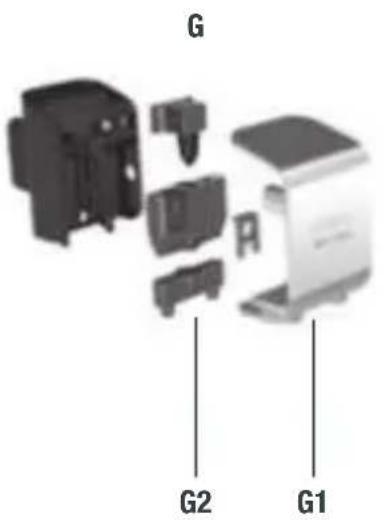
A. Handle for water container cover B. Water container C. Coffee grounds collector D. Height-adjustable coffee nozzles E. Grid and removable drip tray F. Coffee bean container lid G. "OneTouch Cappuccino" block
G1. Accessory for cleaning the milk system,
2 in 1: disassembly tool
+ cleaning needle
G2. Removable one touch cappuccino block
H. Milk tube and connector
I. Water-level floats J. Intuitive Light Indicator
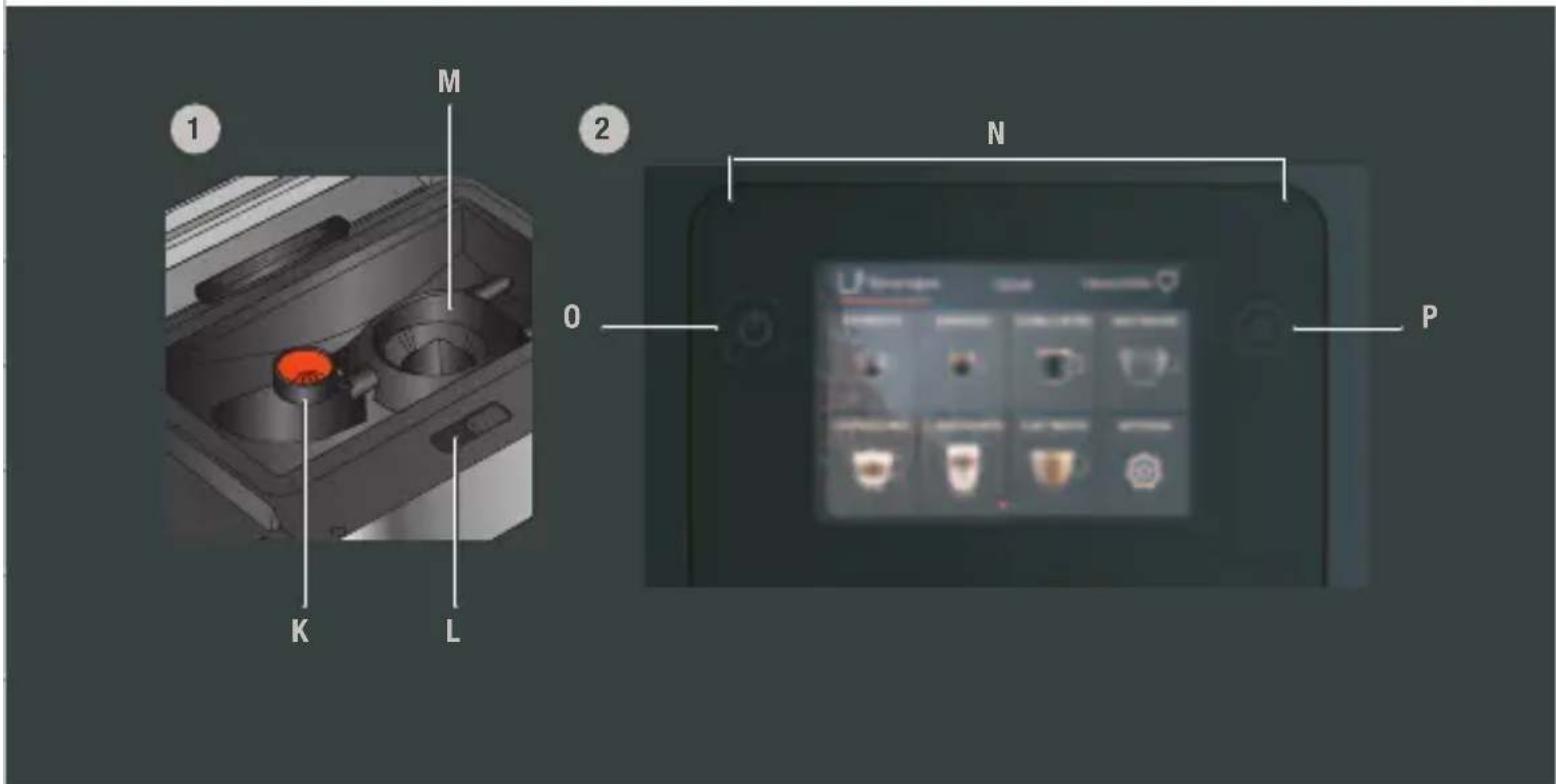
1. Coffee bean container
K. Grinding fineness adjustment button L. Cleaning tablet funnel M. Metal conical grinding mill
2. Display panel
N. Navigation touchscreen 0. ON/OFF P. Home screen shortcut

GETTING STARTED & APPLIANCE SETUP
TURNING THE MACHINE ON

Danger: Connect the appliance to a grounded 230V socket. Not following this instruction puts you at risk of fatal injuries due to the presence of electricity!
Respect the safety information in the "Safety precautions" booklet.
GETTING STARTED (see 1.1 first use)
When using the machine for the first time, you will be asked to select various settings.
Follow the directions that appear on the screen.
Priming the machine allows the water circuits to be filled, so that the machine can operate. Preheating and automatic rinsing will take place.
PUTTING THE MACHINE ON STANDBY
Depending on the preparation, the machine performs automatic rinsing while on standby. The cycle only lasts a few seconds and stops automatically.

TIPS AND TRICKS
Water quality has a strong influence on the quality of the aromas. Limescale and chlorine can alter the taste of coffee. To preserve the aromas of your coffee, we recommend you to use the Claris – Aqua Filter System cartridge, or bottled water with dry residues below 800 mg/L (look on the bottle's label). See the "FILTER AND WATER HARDNESS" section.
When preparing drinks, we recommend using preheated cups (by running them under hot water) of an appropriate size for your desired quantity.
The roasted coffee beans can lose their aroma if they are not protected. We advise that you use an amount of beans equivalent to your consumption over the next 2-3 days and that you choose 250 g bags.
The quality of the coffee beans is variable and tastes are subjective. Arabica will give you fine, floral aromas, while Robusta, which has a higher caffeine content, is more bitter and full-bodied. It is common to mix the two types of coffee to get a more balanced coffee. Contact your roaster for further advice.
We do not recommend using oily and caramelised beans as these can damage the machine.
The fineness of the ground beans influences the strength of the aromas and the quality of the crema. The more finely ground the beans, the smoother the crema. Grinding can also be adapted for the desired drink.

INTUITIVE LIGHT INDICATOR
WHAT DOES THE INTUITIVE LIGHT INDICATOR DO?
Your Intuition machine features smart, bright technology to make your day easier: Intuitive Light Indicator (J). This technology has a dual functionality:
- The machine automatically detects and controls the levels of coffee beans, water and coffee grounds. When you need to fill or empty your containers, or when maintenance is required, the red light alert comes on, signalling you to follow the information on the screen.
- The Intuitive Light Indicator also allows you to customise your experience. By saving or editing your drinks in your favourites, you can assign a colour to each drink. See the "MY FAVOURITES" chapter.
LET YOURSELF BE GUIDED.
| Colour Status Explanation | ||
| Red Fixed Alert | ||
| Other colours and white | Breathing In progress | |
| Fixed Recipe complete |
FILTER AND WATER HARDNESS
WHAT IS THE PURPOSE OF THE WATER HARDNESS SETTING?
In order to avoid scale build-up in your machine and to optimise the quality of your coffee, we advise you to adjust the water hardness setting on your machine.
HOW TO SET THE WATER HARDNESS ON YOUR MACHINE?



SETTINGS
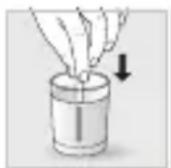
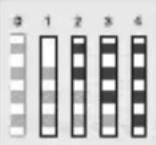
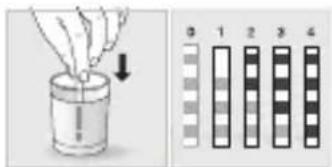
• Fill a glass of water. • Dip the water-hardness testing stick (8) supplied with the machine in your glass of water. - Wait for 1 minute. The squares on the stick will change colour. - Count the number of coloured squares. This indicates the hardness of the water, from 0 to 4. • In the "Water Hardness" menu, press the corresponding number between 0 and 4. • Press OK.
IF YOU RUN OUT OF WATER-HARDNESS TESTING STICKS
If you need to repeat this operation, remember to adjust the water hardness setting according to the location of use or information provided by your local water company, using the table below:
| Degree of hardness | Classe 0 Very soft | Classe 1 Soft | Classe 2 Average hardness | Classe 3 Hard | Classe 4 Very hard |
| ° dH < 3° > 4° > 7° > 14° | >21° | ||||
| ° e | < 3.75° | >5° | >8.75° | >17.5° | >26.25° |
| ° f | < 5.4° | >7.2° | >12.6° | >25.2° | >37.8° |
| Appliance setting | 0 | 1 | 2 | 3 | 4 |
WHY INSTALL A FILTER CARTRIDGE?
The Claris Aqua Filter System cartridge optimises the taste of coffee, and reduces scaling and maintenance.
WHEN SHOULD I CHANGE THE CLARIS AQUA FILTER SYSTEM CARTRIDGE?
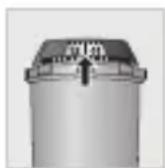
- Two months after set-up or when your machine notifies you.
- When changing the cartridge, we recommend that you turn the grey ring on the top of the filter cartridge to indicate the date + two months.
HOW DO I INSTALL THE CLARIS AQUA FILTER SYSTEM CARTRIDGE?



MAINTENANCE
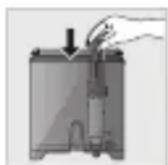
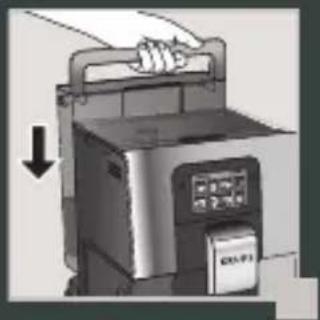
- Place the cartridge in the water container. • Position the cartridge, numbered ring facing up.
- Use the black tightening accessory, supplied with the cartridge, to position and screw the cartridge in place.
GRINDER: ADJUSTING THE FINENESS OF THE GROUND COFFEE
WHY SHOULD I ADJUST THE FINENESS OF THE GROUND COFFEE?
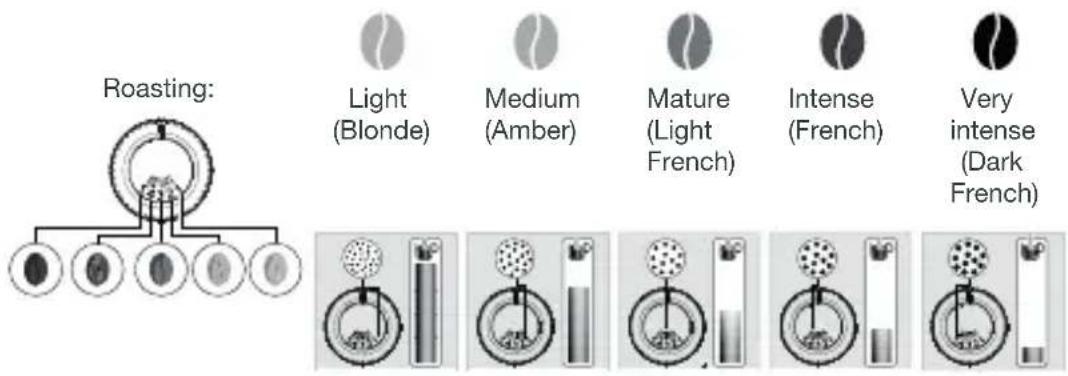
You can choose the strength of your coffee by adjusting how finely the coffee beans are ground.
Varying the fineness of the grinding enables you to adapt to the different types of bean:
. Darkly roasted and oily beans require coarse grinding,
. A more lightly roasted bean will be drier and will require finer grinding.
Note: the more finely the beans are ground, the more powerful the aroma.
HOW DO I ADJUST THE FINENESS OF THE GROUND COFFEE?
Turn the grinding fineness adjustment button (K) located in the bean container, depending on the type of bean and the desired strength of aroma. This adjustment must be performed when the mill is in operation, notch by notch. After three preparations, you will notice a distinct difference in taste.
HOW DO I KNOW WHEN THERE ARE NO MORE BEANS IN THE CONTAINER?
Your Intuition machine has a sensor to warn you when the level of coffee beans in the container is running low. A message will appear on the screen and the Intuitive Light Indicator (J) will display red light.
WHAT IF THE ALERT APPEARS WHILE I'M MAKING A DRINK?
Fill the coffee bean container, press OK and the recipe will resume. So no coffee is wasted!
WHAT DO I DO IF I WANT TO CHANGE MY COFFEE OR IF I HAVE RUN OUT OF COFFEE?
If you press OK without adding coffee beans, the machine will try to restart and alert you again. If you press OK again, the machine will make the recipe using all of the remaining coffee. The grinder will then be empty.

Caution: We do not recommend using oily and caramelised beans that are difficult for the grinder to process. These can damage the machine and prevent the intuitive system from functioning correctly.
If an alert message appears on your screen and the red light comes on when there are enough beans:
• Press the OK button to continue the recipe. Or, turn off the "no bean" alert to prevent detection while there is still coffee in the coffee bean container.




PREPARING OTHER DRINKS
DRINKS THAT CAN BE PREPARED WITH THIS MACHINE:
| Drinks | Approximate size | Possible volumes | Coffee strength | ||
 | RistrettoShort Espresso with body | 25 ml | 20 - 40 ml | √ | √ |
| [BH3A] | EspressoThe full-bodied Espresso with pronounced aromas is covered with a slightly bitter caramel coloured crema | 40 ml | 40 - 70 ml | √ | √ |
 | LungoLong Espresso with caramel crema | 70 ml | 70 - 100 ml | √ | √ |
 | DoppioDouble Espresso with amber crema | 100 ml | 40 - 140 ml | √ | |
 | Long CoffeeHigher in caffeine but lighter on the palate. Very popular in the morning | 120 ml | 80 - 180 ml | √ | √ |
 | AmericanoDouble long Espresso combined with hot water | 120 ml | 90 - 150 ml | √ | |
 | CappuccinoA balance between milk, foam and coffee | M = 120 mlL = 180 mlXL = 240 ml | 120 - 240 ml | √ | √ |
 | Frothed MilkA large dose of milk with its milk froth | M = 120 mlL = 160 mlXL = 200 ml | 120 - 200 ml | √ | |
 | Caffe LatteFoam with a subtle coffee flavour | M = 200 mlL = 280 mlXL = 350 ml | 200 - 350 ml | √ | √ |
 | Latte MacchiatoA gourmet Espresso with milk foam | M = 190 mlL = 250 mlXL = 340 ml | 190 - 240 ml | √ | √ |
 | Hot Water | 200ml 20 - 300 ml | |||
For each recipe, you can change the volume of coffee during the recipe. The milk volume is fixed.
FOR INFORMATION, TO PREPARE YOUR DRINK, YOUR MACHINE AUTOMATICALLY PERFORMS THE FOLLOWING STEPS:
| For coffee recipes | For milky recipes other than Caffe Latte | For Caffe Latte |
| 1. Grinding coffee beans2. Tamping the ground coffee3. Pre-infusion (a few drops may fall into your cup at this point)4. Percolation | 1. Pre-heating phase2. Frothing milk3. Grinding coffee beans4. Tamping the ground coffee5. Pre-infusion (a few drops may fall into your cup at this point)6. Percolation | 1. Grinding coffee beans2. Tamping the ground coffee3. Pre-infusion (a few drops may fall into your cup at this point)4. Percolation5. Pre-heating phase6. Frothing milk |
HOW DO I ADJUST THE HEIGHT OF THE COFFEE NOZZLES?
For all drinks, you can adjust the coffee nozzles according to the size of your cup(s).
HOW DO I PREPARE MY DRINK?
Refer to the "How to make drinks?" tutorial saved in your machine



HELP AND TUTORIALS
DIFFERENT SETTINGS ARE AVAILABLE, DEPENDING ON THE DRINK:
• One or two cups: to start the double recipe, select the drink and press • Coffee strength: to increase or decrease the strength of the coffee by changing the amount of ground coffee, select your drink and choose between 1 and 3 beans, with 1 being the softest and 3 being the most full-bodied. - Cup volume: to increase or decrease the cup volume, scroll up or down the list of volumes and select the one you want. For more information, see the drinks table in the instructions.

TIP
To select the coffee strength and cup volume, you can navigate up/down or press directly on your choice.
HOW DO I STOP A DRINK MID-PREPARATION?
Warning: You can stop the preparation of a drink at any time by pressing the button. When a cycle is interrupted, it does not stop immediately. The machine will be unavailable for a time, as indicated by a message on the screen.
STOP
MILK-BASED DRINKS

TIPS
For frothed milk, use pasteurised UHT milk straight from the fridge (3–5°C). It is possible to use special milks (micro filtered, raw, fermented, enriched) or plant-based milks (rice, oat or almond milk), but this can give less satisfactory results in terms of quality and quantity of the froth.
HOW DO I START THE PREPARATION OF A MILK-BASED DRINK?
Refer to "2 PREPARING A MILK-BASED RECIPE" earlier in the instructions, or see the "Starting a milky drink" tutorial stored in your machine.



HELP AND TUTORIALS
HOT WATER
For teas and infusions, your machine has a "Hot Water" option.
HOW DO I ADJUST THE WATER TEMPERATURE?



SETTINGS
Go to Settings, Adjust, Water temperature. You can set the temperature between T1 and T3, where T1 is the coolest and T3 is the hottest temperature.
MY FAVOURITES
WHAT IS THE PURPOSE OF THE FAVOURITES FEATURE?
The Favourites feature lets you access a menu where all of your custom settings are saved. Fast and ideal for everyday use, your drink is started at the touch of a button without having to adjust your favourite recipes every time.
You can store up to eight custom recipes, adjusting the volume, strength and colour of the Intuitive Light Indicator (J). For a more in-depth explanation of the Intuitive Light Indicator, see the INTUITIVE LIGHT INDICATOR chapter.
HOW DO I START A DRINK THAT IS SAVED IN MY FAVOURITES?
Tap Favourites at the top right of your home screen. Your saved recipes are displayed. Select the recipe you want and it will start automatically. Start your favourite drink with just one touch – it's so quick and easy!
Learn how to access Favourites, add a Favourite, organise Favourites and delete a drink saved in My Favourites by looking at the tutorials stored in your machine, "How do I create and manage my favourites?"



HELP AND TUTORIALS

GENERAL MAINTENANCE
Carrying out proper maintenance will optimise the life of your machine and preserve the authentic taste of your coffee.
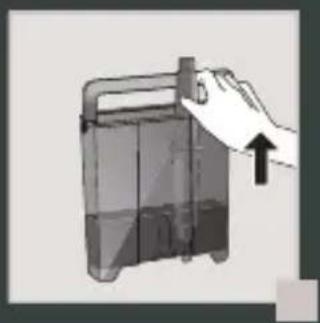
The drip tray collects the used water and the coffee grounds collector collects the used ground coffee.
Important: The drip tray collects any water or coffee that escapes from the appliance during and after drink preparation. It is important to always leave it in place and to empty it regularly.
WHEN SHOULD I EMPTY THE DRIP TRAY?
When the floats are in the raised position, indicating that it is too full.
When the machine notifies you
You can empty it more regularly, before the machine notifies you, but ensure that the machine is switched on so that it can record that the collector has been emptied

Important: Not emptying the coffee grounds collector and drip tray regularly as shown above may damage your machine. Do not put it in the dishwasher.
WHY AND HOW DO I MAINTAIN THE MILK SYSTEM AFTER MAKING MILKY DRINKS?

Important: In order to obtain a consistent foam quality, we recommend that you:
1. After each milky drink:
a. Start the machine's rinsing cycle.
You can start a milk system rinsing at any time. To learn how to do this, see the tutorial stored in your machine: "Performing a rinsing".



HELP AND TUTORIALS
b. Thoroughly clean the tube and nozzle with hot water immediately AFTER EACH USE.
You can use the pipe cleaner inside the metal part of the milk tube.
OTHER MAINTENANCE
| Maintenance When? Explanation | Accessories required | ||
| Milk rinsing30 s / 20 ml | After each milky drink, when the machine notifies you | Allows you to rinse the machine's milk system. You can start a milk system rinsing at any time. | |
| Milk tube and nozzle rinsing30 s | After each milky drink | This rinsing consists of manually cleaning the tube and nozzle with hot water immediately AFTER EACH USE. | Hot water + soap + pipe cleaner |
| Coffee rinsing45 s / 30 ml | At any time | Allows you to rinse the machine's coffee system. This process uses hot water only. It ensures the authentic taste of your coffee. | |
| Tea rinsing30 s - 20 ml | Before the drink starts flowing | Allows you to rinse with hot water to ensure an authentic taste of your tea or infusion. | |
| Milk accessory cleaning5 min | When the machine notifies you or at any time | This involves removing and cleaning the removable "One Touch Cappuccino" block. For optimum milk frothing, clean this regularly. See above in the instructions: 5. MANUAL DEEP CLEANING OF THE MILK DISTRIBUTION SYSTEM – 5 MIN. | Cleaning needle (n°5) |
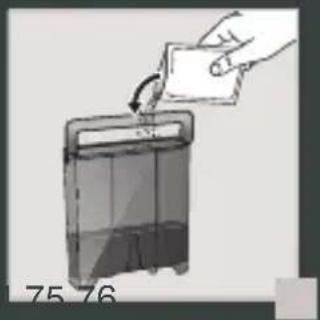
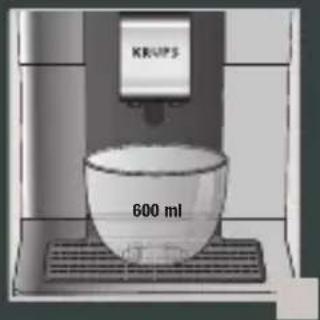
| Coffee system cleaning13 min / 600 ml | When the machine notifies you or at any time | Allows you to clean and degrease the machine's coffee system. It guarantees optimal preservation of your drinks' aromas. | 1 KRUPS cleaning tablet (n°2) |
| Descaling20 min / 600 ml | When the machine notifies you or at any time | Allows you to perform a descaling procedure. Eliminates any limescale or tartar deposits that can affect the taste of the coffee. When the number of drinks is not sufficient to require descaling, this function is not active. | 1 sachet of KRUPS descaler (n°3) |

Important: You do not have to run the cleaning program as soon as the appliance notifies you, but you should do it reasonably soon after. If the cleaning is postponed, the alert message will remain displayed until the operation has been performed.

Important: If you unplug your machine during cleaning or in the event of electrical failure, the cleaning program will restart. It is not possible to postpone this operation: it is mandatory in order to rinse the water system. In this case, a new cleaning tablet may be necessary.
For further explanations, please see the tutorials available in your machine's settings.



HELP AND TUTORIALS

Want to know when you should perform the maintenance operations above?
An alert message will appear on the screen as soon as there is an action you need to take.

OTHER FUNCTIONS
Your KRUPS Intuition machine has a range of settings – check them out! They let you create a more personalised experience.
HOW DO I ACCESS MY MACHINE'S SETTINGS?



SETTINGS
LIST OF SETTINGS:
| Language Select from | 21 languages. |
| Date and time | You must set the date, particularly if using an anti-limescale cartridge. Time setting and 12 or 24 hour clock display. |
| Screen brightness | Adjusts the screen backlight. |
| Light | Turns the Intuitive Light Indicator on and off. |
| Display | Choose whether drink options are displayed as slides or tiles. |
| Auto-stop | Sets the period of time after which your appliance will stop automatically. This function lets you reduce your energy consumption. |
| Auto-start | Turns on the machine and automatically starts preheating the appliance at a chosen time. Do you have your coffee at the same time every day? This function is for you! By setting the auto-start, you can save time and no longer have to manually start your drink. |
| Volume unit | Selects the unit of measurement: ml or oz. |
| Auto-rinsing | You can choose whether or not to activate automatic rinsing of the coffee nozzle when starting the machine. |
| Water hardness | Set the hardness of the water between 0 and 4. For more information, see the “Water hardness measurement” chapter. |
| Coffee temperature | Is your coffee too hot?You can use this function to reduce the temperature.The machine has three temperature settings for your coffee drinks. |
| Water temperature | Do you always drink the same tea and want to set the water temperature? This function is for you! The machine has three temperature settings for your hot water. |
| Type of coffee | Turns off the ‘No beans’ function. This function indicates a lack of coffee beans in the container and resumes a recipe which is in progress. See the GRINDER paragraph. |
| Factory reset | Resetting clears your preferences and settings and restores the default settings.Your favourites will also be deleted. |

TROUBLESHOOTING
OPERATION
- The machine has a fault, the software is frozen OR the machine has a malfunction.
Turn off and unplug the machine, remove the filter cartridge, wait one minute and then restart the machine. Press and hold the ON/OFF button for at least three seconds to start the machine.
- The appliance does not turn on after pressing the ON/OFF button (for at least three seconds).
√ Check the fuses and the electrical power socket. Check that the plug is correctly inserted into the socket.
- A power failure has occurred during a cycle.
√The device will reset automatically when it turns back on.
- The grinder is running empty.
This is normal if it is occasional and there are no or few coffee beans left. It can run empty for up to ten seconds to determine its consumption and ensure that it is working properly. √There are still coffee beans in the container:
. The coffee may be too oily and is not drawn into the machine properly. You can try encouraging the beans to fall and see if it works again. However, we recommend changing the coffee (see the bean type function).
. It is my usual coffee that has worked well up until now: please contact your contact KRUPS Consumer Service.
USE
- The grinder makes an abnormal noise.
There are most probably foreign bodies in the grinder. Try to clear it with a vacuum cleaner, otherwise contact your KRUPS Consumer Service.
- There is water under the appliance.
Before removing the drip tray, wait for 15 seconds after the coffee has flowed so that the machine finishes its cycle correctly. Check that the drip tray is positioned properly on the machine. It must always be in place even when the machine is not in use. Check that the drip tray is not full.
- The adjustment button for the grinding fineness is difficult to turn.
Only turn the grinding fineness adjustment button when the grinder is running.
- The appliance has not produced any coffee.
An incident has been detected during preparation.
The appliance resets automatically and is ready for a new cycle.
- You have used ground coffee instead of coffee beans. Use your vacuum cleaner to clear the ground coffee from the bean container.
- Water flows from the coffee nozzles when the machine is stopped. This is normal. This is an automatic rinse to clean the coffee nozzles and prevent them from getting clogged.
STEAM AND MILK
- The milk flow from your machine appears to be partially or completely blocked.
An alert message will appear on the screen if the nozzle is blocked. Clean the «One Touch Cappuccino» block. Refer to point 5 earlier in the instructions. MANUAL DEEP CLEANING OF THE MILK DISTRIBUTION SYSTEM – 5 MIN, or see the tutorial stored in your machine "Cleaning the milk nozzle".
- No steam comes out.
a. During the first use of a steam cycle, if no steam comes out correctly:
Check that the hole in the tip is not clogged. See section above: "The steam nozzle of your machine appears to be partially or completely clogged". Carry out the following protocol once and only once:
Empty the water tank and temporarily remove the Claris Aqua Filter System cartridge. Fill the tank with mineral water high in calcium (>100 mg/L) and make successive steam cycles (5 to 10 cycles) in a container until a continuous jet of steam is obtained. Put the cartridge back in the tank.
b. The steam nozzle had already worked:
Check that the hole in the tip is not clogged. See section above: "The steam nozzle of your machine appears to be partially or completely clogged".
If after performing the above steps, the steam nozzle still doesn't work, please contact KRUPS Consumer Service.
- Steam escapes from the grid of the drip tray. Depending on the type of preparation, steam may escape from the grid of the drip tray.
- Steam appears under the bean container lid. Check that the cleaning tablet funnel under the cover (L) is closed.
MAINTENANCE
- The machine does not request descaling.
The descaling cycle is requested following preparation of a large number of milky or hot water-based drinks. If you only make coffee, descaling will not be required frequently.
- Some grounds are in the drip tray.
A small amount of ground coffee can get into the drip tray. The machine is designed to clear any excess ground coffee so that the percolation area remains clean.
- The Intuitive Light Indicator remains lit after you have emptied the coffee grounds collector.
Refitting the coffee grounds collector.
- After filling the water container, the Intuitive Light Indicator stays on.
Check the container is positioned correctly in the appliance.
The floats at the bottom of the tank must move freely. Check and dislodge the floats if necessary.
DRINKS
- The coffee flows too slowly.
Turn the grinding fineness button to the right for a coarser grind (depending on the type of coffee used). Perform one or several rinse cycles. Change the Claris Aqua Filter System cartridge.
- The coffee is too light or not full-bodied enough.
Check that the bean container contains coffee and that it is moving down correctly. Avoid using oily, caramelised or flavoured coffees that may not be drawn into the machine correctly. Decrease the preparation volume and increase the strength using the coffee strength function. Turn the grinding fineness button to the left for a finer grind. Make your drink in two cycles using the two-cup function.
- The Espresso or coffee is not hot enough.
Increase the coffee temperature in the machine settings. Heat the cup by rinsing it in hot water before preparing the drink. Perform a coffee system rinse before starting your coffee. A coffee rinse on start function can be activated in settings/auto-rinse.
- Clean water flows through the coffee nozzles before each coffee.
At the start of the recipe, there is a pre-infusion of coffee which can cause a small amount of water to flow from the coffee nozzles.
If one of the problems outlined in the table persists, contact KRUPS Consumer Service.

Important: Manufacturer:
SAS GSM
DESCRIPTION OF THE APPLIANCE
HOW DO I ADJUST THE GRIND SIZE OF THE GROUND COFFEE?
HOW DO I PREPARE MY DRINK?
PRODUCTS INCLUDED WITH THE MACHINE
GETTING STARTED AND SETTING UP THE APPLIANCE
HOW TO TURN ON THE MACHINE
![graph LR A["User Interface"] --> B["User Click Icon"] B --> C["Gear Icon"] C --> D["Connection to HJÆLP OG VEJLEDNINGER"]](/content/2026/03/519138/images/ead18f50d488fd0e729aeb7ce2f6f0e4c77a1e0f355f85b13f11f831a59c1fcc.jpg)
THERE ARE VARIOUS POSSIBLE SETTINGS, DEPENDING ON THE DRINK:
HOT WATER
GENERAL MAINTENANCE
PREPARING OTHER DRINKS
DRINKS THAT CAN BE PREPARED WITH THIS MACHINE:

GENERAL MAINTENANCE
DEPENDING ON THE DRINK, VARIOUS SETTINGS ARE AVAILABLE:
PUT THE MACHINE IN STANDBY
IMPORTANT PRODUCT INFORMATION
PREPARING OTHER DRINKS
DRINKS THAT CAN BE PREPARED WITH THIS DEVICE:
IMPORTANT PRODUCT INFORMATION
IMPORTANT PRODUCT INFORMATION
WHAT IS THE PURPOSE OF SETTING THE WATER HARDNESS?
PREPARING OTHER DRINKS
DRINKS THAT CAN BE PREPARED WITH THIS DEVICE:
PREPARING OTHER DRINKS
DRINKS THAT CAN BE PREPARED WITH THIS DEVICE:
| Napitci | Približna veličina | Moguće količine | Jačina kave | X2 | |
 | Ristretto Kratki Espresso punog okusa | 25 ml | 20 - 40 ml | √ | √ |
 | Espresso Espresso punog okusa s izraženom aromom, pokriven blago gorkom pjenom boje karamela | 40 ml | 40 - 70 ml | √ | √ |
 | Lungo Dugi Espresso s pjenom boje karamela | 70 ml | 70 - 100 ml | √ | √ |
 | Doppio Dupli Espresso s pjenom boje jantara | 100 ml | 40 - 140 ml | √ | |
 | Duga kava Ima više kofeina, ali blaži okus. Vrlo popularna ujutro | 120 ml | 80 - 180 ml | √ | √ |
 | Americano Dupli dugi Espresso u kombinaciji s vrućom vodom | 120 ml | 90 - 150 ml | √ | |
 | Cappuccino Ravnoteža između mlijeka, pjene i kave | M = 120 ml L = 180 ml XL = 240 ml | 120 - 240 ml | √ | √ |
 | Pjena od mlijeka Velika doza mlijeka s mliječnom pjenom | M = 120 ml L = 160 ml XL = 200 ml | 120 - 200 ml | √ | |
 | Caffe Latte Pjena sa suptilnim okusom kave | M = 200 ml L = 280 ml XL = 350 ml | 200 - 350 ml | √ | √ |
 | Latte Macchiato Gurmanski Espresso s pjenom od mlijeka | M = 190 ml L = 250 ml XL = 340 ml | 190 - 240 ml | √ | √ |
 | Vruća voda 200 ml 20 - 300 ml | ||||



- ST USE
- MAKE A MILK RECIPE
- MAKE 2 CUPS OF A MILK RECIPE AT ONCE
- QUICK MILK RINSING AFTER A CAPPUCCINO
- MANUAL DEEP CLEANING OF MILK SYSTEM - 5 MIN
- COMPLETE AUTOMATIC CLEANING OF THE MACHINE 3 X/YEAR - 13 MIN
- DESCALING PROGRAM - 20 MIN
- DEAR CUSTOMER
- IMPORTANT PRODUCT INFORMATION
- ACCESSORIES SUPPLIED WITH YOUR MACHINE
- POWERING ON THE MACHINE
- NEED HELP GETTING STARTED WITH YOUR MACHINE
- HELP AND TUTORIALS
- HOW DO I MAKE MY DRINKS
- HOW TO CREATE AND MANAGE MY FAVOURITES
- HOW TO MAINTAIN YOUR MACHINE
- GUIDE TO THE SYMBOLS USED IN THE INSTRUCTIONS
- PRODUCTS SUPPLIED WITH YOUR MACHINE
- TECHNICAL DATA
- APPLIANCE DESCRIPTION
- COFFEE BEAN CONTAINER
- DISPLAY PANEL
- GETTING STARTED & APPLIANCE SETUP
- TURNING THE MACHINE ON
- GETTING STARTED (SEE 1.1 FIRST USE)
- PUTTING THE MACHINE ON STANDBY
- TIPS AND TRICKS
- INTUITIVE LIGHT INDICATOR
- WHAT DOES THE INTUITIVE LIGHT INDICATOR DO
- FILTER AND WATER HARDNESS
- WHAT IS THE PURPOSE OF THE WATER HARDNESS SETTING
- HOW TO SET THE WATER HARDNESS ON YOUR MACHINE
- SETTINGS
- IF YOU RUN OUT OF WATER-HARDNESS TESTING STICKS
- WHY INSTALL A FILTER CARTRIDGE
- WHEN SHOULD I CHANGE THE CLARIS AQUA FILTER SYSTEM CARTRIDGE
- HOW DO I INSTALL THE CLARIS AQUA FILTER SYSTEM CARTRIDGE
- MAINTENANCE
- GRINDER: ADJUSTING THE FINENESS OF THE GROUND COFFEE
- WHY SHOULD I ADJUST THE FINENESS OF THE GROUND COFFEE
- HOW DO I ADJUST THE FINENESS OF THE GROUND COFFEE
- HOW DO I KNOW WHEN THERE ARE NO MORE BEANS IN THE CONTAINER
- WHAT IF THE ALERT APPEARS WHILE I'M MAKING A DRINK
- WHAT DO I DO IF I WANT TO CHANGE MY COFFEE OR IF I HAVE RUN OUT OF COFFEE
- PREPARING OTHER DRINKS
- HOW DO I ADJUST THE HEIGHT OF THE COFFEE NOZZLES
- HOW DO I PREPARE MY DRINK
- DIFFERENT SETTINGS ARE AVAILABLE, DEPENDING ON THE DRINK
- HOW DO I STOP A DRINK MID-PREPARATION
- MILK-BASED DRINKS
- HOW DO I START THE PREPARATION OF A MILK-BASED DRINK
- HOT WATER
- HOW DO I ADJUST THE WATER TEMPERATURE
- MY FAVOURITES
- WHAT IS THE PURPOSE OF THE FAVOURITES FEATURE
- HOW DO I START A DRINK THAT IS SAVED IN MY FAVOURITES
- GENERAL MAINTENANCE
- WHEN SHOULD I EMPTY THE DRIP TRAY
- WHY AND HOW DO I MAINTAIN THE MILK SYSTEM AFTER MAKING MILKY DRINKS
- AFTER EACH MILKY DRINK
- OTHER FUNCTIONS
- HOW DO I ACCESS MY MACHINE'S SETTINGS
- TROUBLESHOOTING
- OPERATION
- USE
- STEAM AND MILK
- DRINKS
- IMPORTANT: MANUFACTURER
- DESCRIPTION OF THE APPLIANCE
- HOW DO I ADJUST THE GRIND SIZE OF THE GROUND COFFEE
- PRODUCTS INCLUDED WITH THE MACHINE
- GETTING STARTED AND SETTING UP THE APPLIANCE
- HOW TO TURN ON THE MACHINE
- THERE ARE VARIOUS POSSIBLE SETTINGS, DEPENDING ON THE DRINK
- DEPENDING ON THE DRINK, VARIOUS SETTINGS ARE AVAILABLE
- PUT THE MACHINE IN STANDBY
- WHAT IS THE PURPOSE OF SETTING THE WATER HARDNESS
Brand : KRUPS
Model : Intuition Preference EA872A
Category : Coffee machine