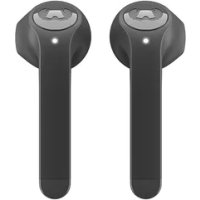
Twins - Earphones FRESH N REBEL - Free user manual and instructions
Find the device manual for free Twins FRESH N REBEL in PDF.



User questions about Twins FRESH N REBEL
0 question about this device. Answer the ones you know or ask your own.
Ask a new question about this device
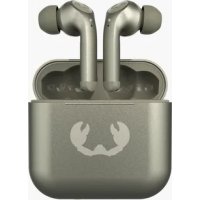
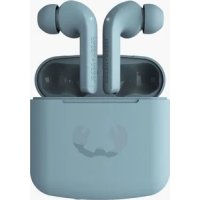
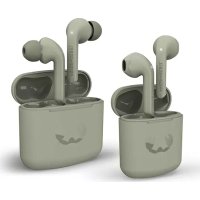
Download the instructions for your Earphones in PDF format for free! Find your manual Twins - FRESH N REBEL and take your electronic device back in hand. On this page are published all the documents necessary for the use of your device. Twins by FRESH N REBEL.
USER MANUAL Twins FRESH N REBEL
We share a genuine and never-ending love for music, fashion and colours, and are bold at heart. We create mobile must-haves that people want to be seen with and really complement someone's style.
Fresh ‘n Rebel was born in Rotterdam and is still based in this creative and raw soul of the Netherlands. Our urban designs are made for those who dare to go for the unknown and want to surround themselves with good quality and the finest details as much as we do.
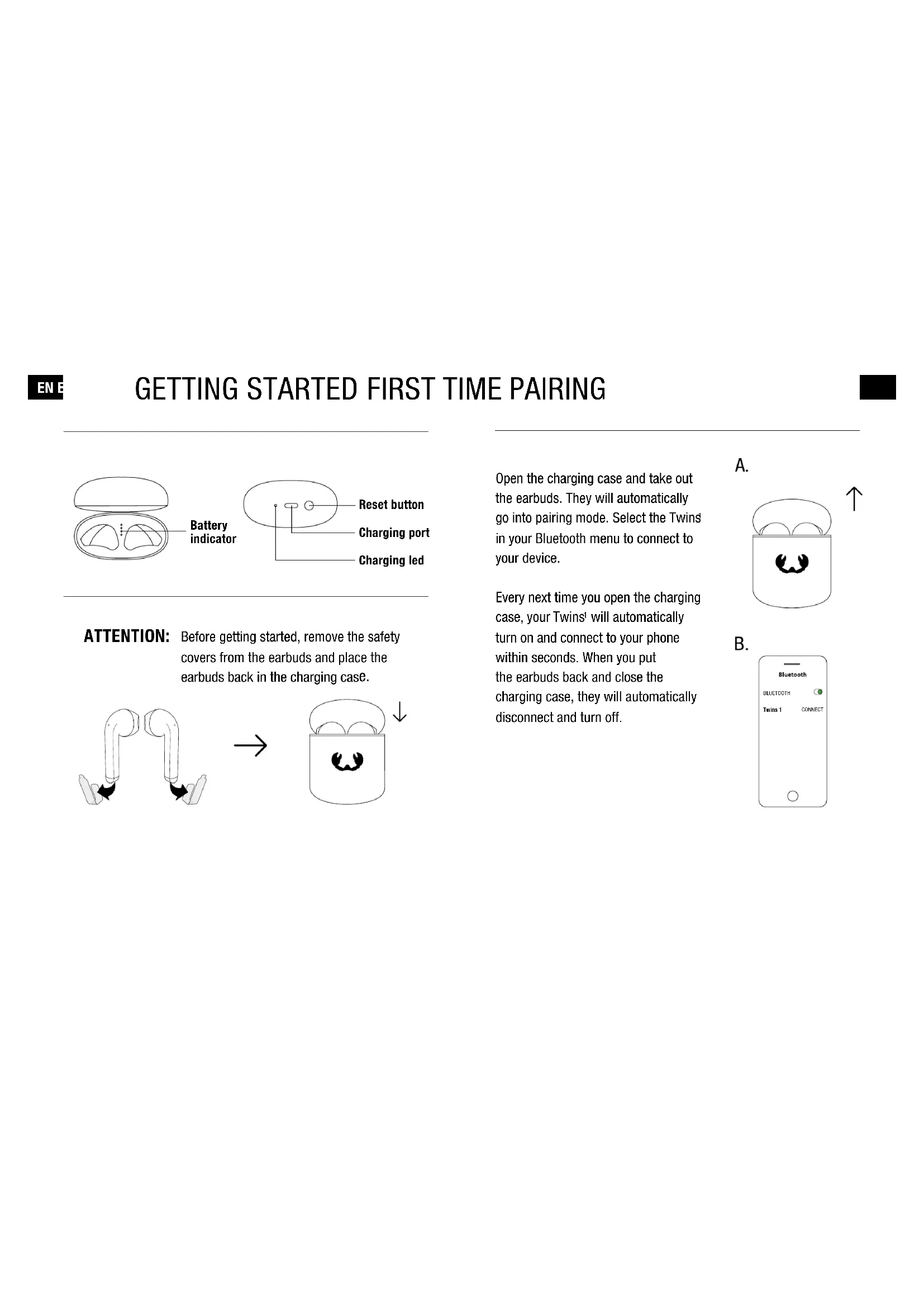
GETTING STARTED FIRST TIME PAIRING
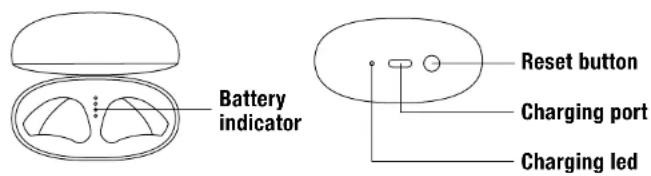
text_image
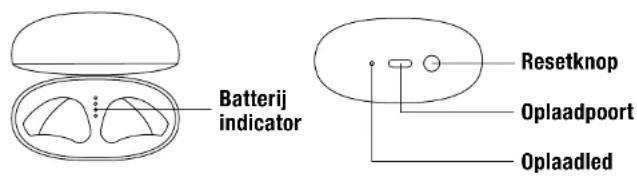
Battery indicator Reset button Charging port Charging ledATTENTION: Before getting started, remove the safety covers from the earbuds and place the earbuds back in the charging case.
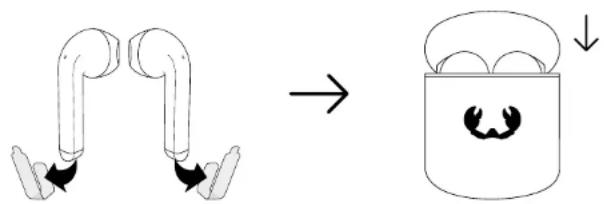
text_image
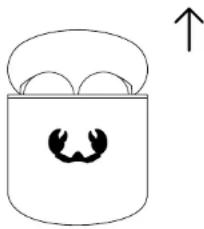
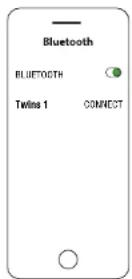
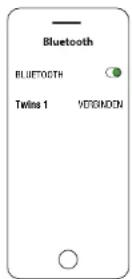
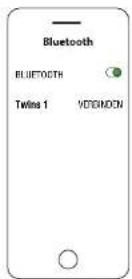
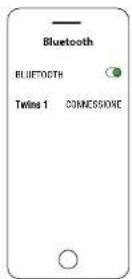
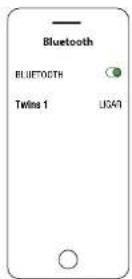
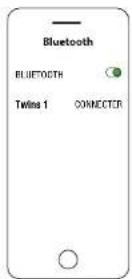
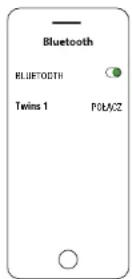
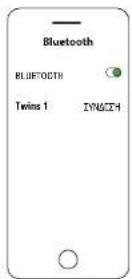
Diagram illustrating a mechanical or fluidic process transformation, showing two pipe ends merging into a container with a smiling face.Open the charging case and take out the earbuds. They will automatically go into pairing mode. Select the Twins in your Bluetooth menu to connect to your device.
Every next time you open the charging case, your Twins ^1 will automatically turn on and connect to your phone within seconds. When you put the earbuds back and close the charging case, they will automatically disconnect and turn off.
A.
natural_image
Simple line drawing of a container with two small objects and an upward arrow, no text or symbols present.B.
EN E
TOUCH CONTROLS
text_image
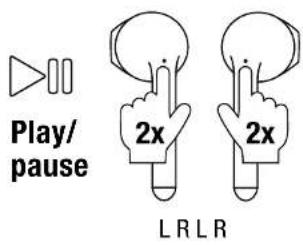
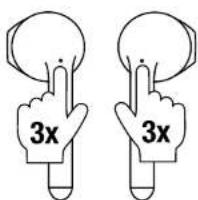
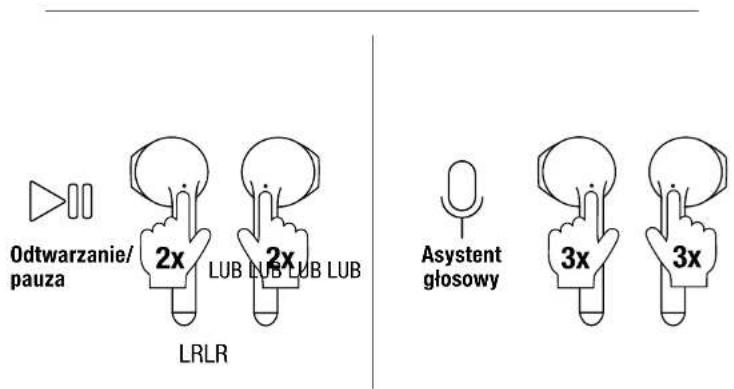
Play/pause 2x 2x LRLRVoice assistant
text_image
3x 3x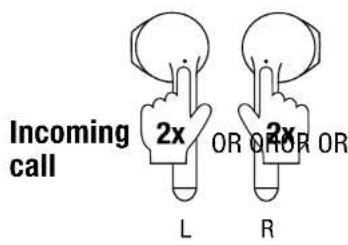
text_image
Incoming call 2x OR OR OR L R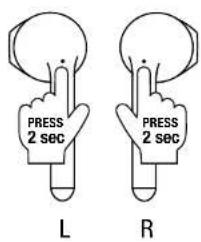
text_image
PRESS 2 sec L PRESS 2 sec R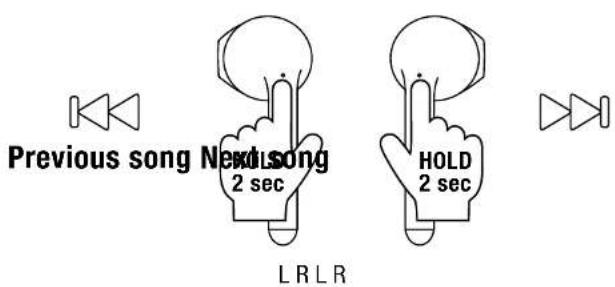
text_image
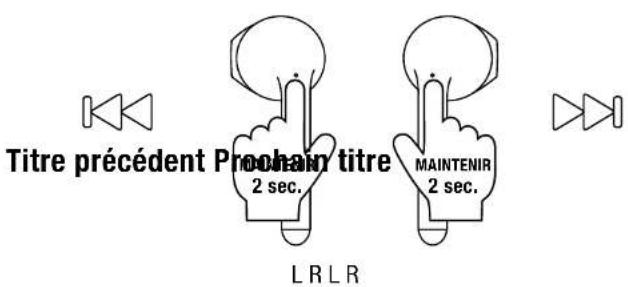
Previous song Next song 2 sec HOLD 2 sec LRLRHang up call
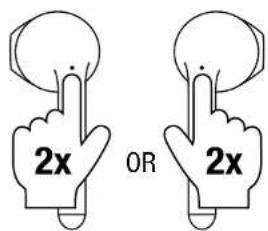
text_image
2x OR 2xDecline call
LED BEHAVIOUR
Earbuds
- Blinking very slowly Connected
- Blinking Earbuds are reconnecting
to each other - Blinking very fast Searching for connection
Case (outside)
- Blinking very slowly Charging with cable
- Off → Not charging
- On → Fully charged
Case (inside)
- Battery indicator:
1 LED blinking Case needs to be charged
1 LED 0-25% Battery remaining in case
2 LEDs 25-50% Battery remaining in case
3 LEDs 50-75% Battery remaining in case
4 LEDs 75-100% Battery remaining in case
FEATURES
Playtime earbuds:
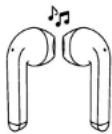
6 HOURS
Recharging earbuds:
1.5 HOURS
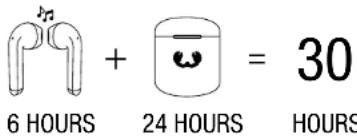
Total playtime:
text_image
6 HOURS + 24 HOURS = 30 HOURSAt average use for music and phone calls at 50% volume.
Double Master:

Use the left and right earbuds separately or together.
FAQ
What is Double Master?
- The Double Master functionality means that both earbuds have a built-in microphone, so you can use the earbuds individually (either the right or the left one) or both of them as a pair for stereo sound.
- Single Master means you can use only the right earbud individually or the right and left earbuds together. You can never use the left earbud separately from the right earbud.
I can't seem to get touch control to work, what should I do?
- Aim for the LED and try touching with a bit more force.
My earbuds don't turn off automatically when I put them back in the charging case, what can I do?
- Is 1 LED blinking inside the charging case? Then the battery level of the case is too low to connect to the earbuds and automatically turns them off. Charge the case and the issue will be solved.
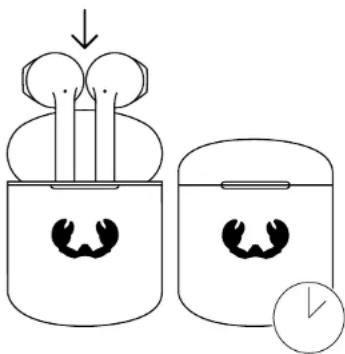
One of my earbuds doesn't work anymore, what can I do?
- Put the earbuds back in the charging case, close the case and wait 10 seconds before trying again.
text_image
Diagram illustrating a biological process with labeled components and directional arrows, showing two stages of a biological setup.sec.10
How do I solve my connection issues?
- Place the earbuds back inside the charging case and leave the lid open.
- Hold the reset button for 5 seconds until the outside LED is blinking 3 times. Your Twins ^1 will reset.
Notice
The information in this document may change without prior notice and in no way constitutes any liability on the part of Sitecom Europe B.V..
No part of this user manual may be reproduced in any form or be broadcasted in any way electronically, mechanically, by photocopy or recording without the written permission of Sitecom Europe B.V.
© Sitecom Europe B.V. - Version 1.0, November 2021
Protecting the environment
Old devices must not be disposed of with household waste!
If the device is no longer operational, every consumer is required by law to dispose of used devices separately from household waste, e.g. at a collection point run by the communal authority/borough. This ensures that old devices are recycled in a professional manner and also rules out negative consequences for the environment.
For this reason, electrical equipment is labelled with the displayed symbol.
Batteries and rechargeable batteries do not belong in the household garbage!
Every consumer is required by law to bring all batteries and rechargeable batteries, regardless whether they contain harmful substances*) or not, to a collection point run by the communal authority or borough or to a retailer, so that they can be disposed of in an environmentally friendly manner. Please only turn in batteries and rechargeable batteries which are empty!
*) labelled with: Cd = cadmium, Hg = mercury, Pb = lead
Trademark
® All trademarks and brand names are the property of their respective owners.
The Bluetooth® word mark and logos are registered trademarks owned by the Bluetooth SIG, Inc. and any use of such marks by Sitecom Europe B.V. is under license.
Safety notes
Danger of suffocation for children!
Make sure that children do not play with the packaging foil, and that they do not pull small parts off the earphones and put them in their mouth. There is a danger of suffocation.
Extended listening at high volumes may lead to hearing loss.
To avoid damage to health, avoid extended listening at high volumes.
Set the volume control of your audio source to a low level before you put on the earphones.
Risk in road traffic!
Your earphones can significantly dampen external noise. Therefore, for reasons of road safety, do not wear your earphones whilst driving vehicles or cycling.
If you are a pedestrian, pay attention to your surroundings while wearing the earphones, especially when crossing the street.
Risk of injury!
Do not use your earphones in environments where there is a risk of explosion.
Risk of explosion/fire!
Lithium rechargeable batteries can explode if handled improperly. Do not heat or burn the rechargeable battery. Only charge the rechargeable battery at an ambient temperature of 10–45 °C. Do not use the earphones in environments where there is a risk of explosion. Do not expose batteries and rechargeable batteries to direct sunlight.
Interference caused by radio waves!
Radio waves could affect the function of other sensitive devices that are not protected.
Only use the earphones in environments where the use of Bluetooth is permitted.
Risk of damage!
These earphones are rated IPX4 meaning they are protected from splashing water (e.g. rain). Ensure that the earphones do not become fully submerged. Protect them from heat (e.g. during the summer in cars) and mechanical influences (e.g. severe shocks, pressure and falling).
text_image
Batterij indicator Resetknop Oplaadpoort Oplaadledtext_image
Diagram illustrating a mechanical or fluidic process transformation, showing two pipe ends merging into a container with a smiling face.natural_image
Simple line drawing of a container with two small objects and an upward arrow, no text or symbols present.B.
NL
TOUCH CONTROLS
text_image
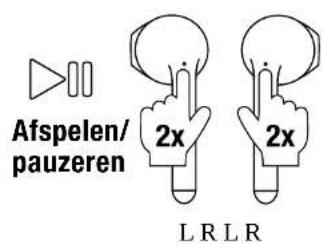
Afspelen/ pauzeren 2x 2x L R L RSprak assistent
text_image
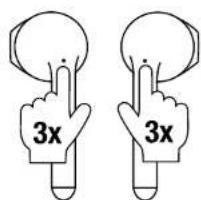
3x 3xInkomende oproep
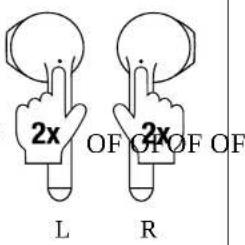
text_image
2x OF OF OF L R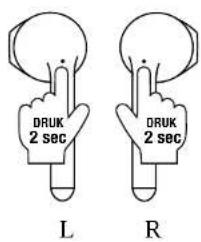
text_image
DRUK 2 sec L DRUK 2 sec ROproep weigeren
Vorig
nummer
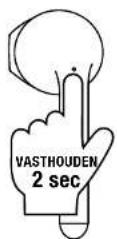
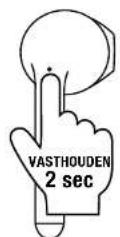
Volgend
nummer
Oproep
beëindigen
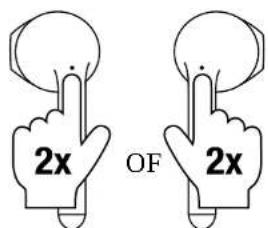
text_image
2x OF 2xLRLR
LED GEDRAG
Oordopjes
Wat is Double Master?
text_image
Diagram illustrating a device with two earbuds and a clock, showing a process from top to bottom.sec.10
© Sitecom Europe B.V. - Versie 1.0, November 2021
text_image
Diagram illustrating a mechanical or fluidic process with two pipe ends and a container with a mouth featuring a smiling face.natural_image
Simple line drawing of a container with two cups and an upward arrow (no text or symbols)B.
text_image
2x L 2x R
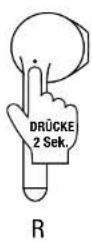
Vorheriger Titel
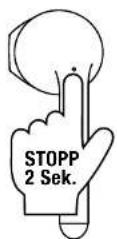
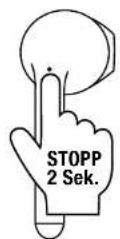
Nächster Titel
Auflegen Anrufs
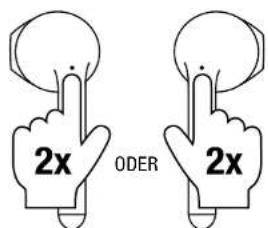
text_image
2x ODER 2xLRLR
LED-VERHALTEN
Ohrhörer
text_image
Diagram illustrating a device with two earbuds and a clock, showing a process from top to bottom.Sek.10
© Sitecom Europe B.V. - Version 1.0, November 2021
Die Umwelt schützen
text_image
Diagram illustrating a mechanical or fluidic process transformation, showing two pipe ends merging into a container with a smiling face.natural_image
Simple line drawing of a container with a smiling face and an upward arrow (no text or symbols)B.
COMANDI TATTILI
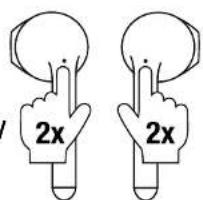
text_image
2x 2xLRLR
Assistente vocale
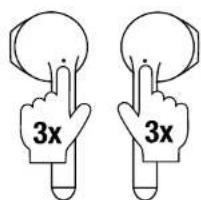
text_image
3x 3xChiamata in arrivo
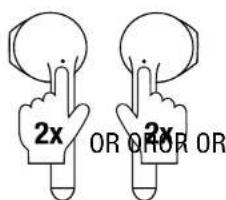
text_image
2x OR OR ORL
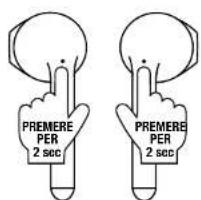
text_image
PREMERE PER 2 sec PREMERE PER 2 secL
Rifiuta
chiamata
Canzone precedente
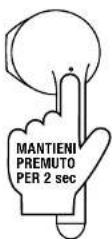
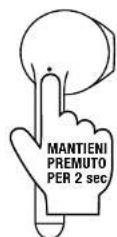
Canzone seguente
text_image
Diagram illustrating a device with two earbuds and a clock, showing a process from top to bottom.sec.10
text_image
Diagram illustrating a mechanical or fluidic process with two pipe ends and a container with a smiling face, showing directional flow.natural_image
Simple line drawing of a container with two cups and an upward arrow (no text or symbols)B.
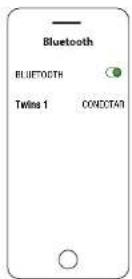
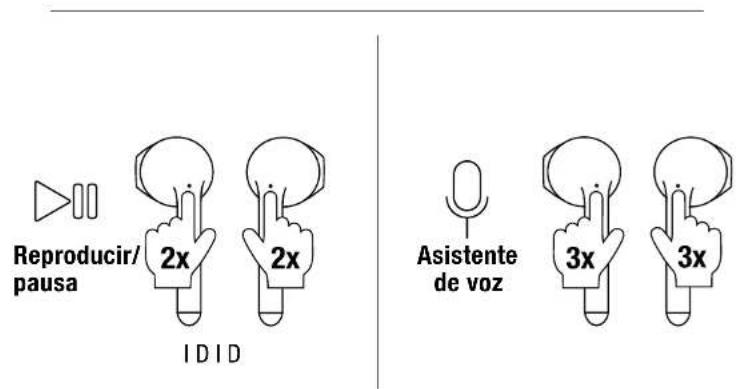
CONTROLES TÁCTILES
text_image
Diagram illustrating a device with two earbuds and a clock, showing a process from top to bottom.seg.10
text_image
Diagram illustrating a mechanical or fluidic process transformation, showing two pipe configurations transforming into a container with a smiling face.natural_image
Simple line drawing of a container with two cups and an upward arrow (no text or symbols)B.
PT P
CONTROLO TÁCTIL
text_image
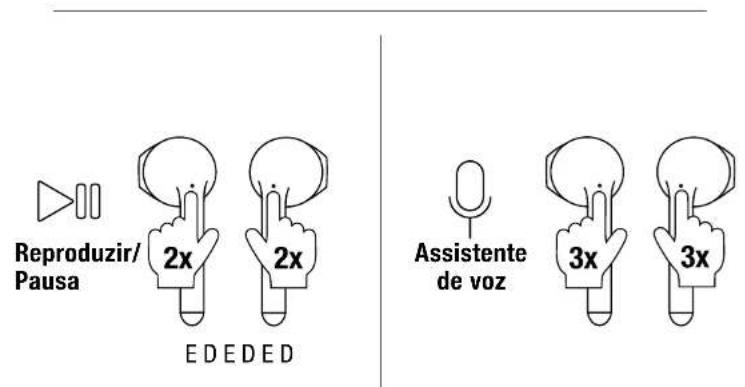
Reproduzir/ Pausa 2x 2x EDEDED Assistente de voz 3x 3x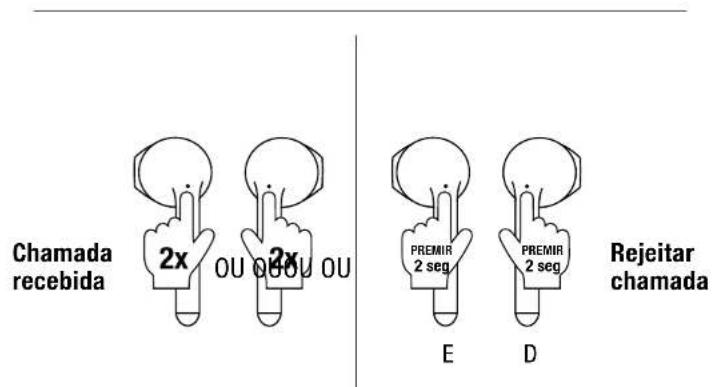
text_image
Desligar chamada 2x OU 2xtext_image
Diagram illustrating a device with two earbuds and a clock, showing a process from top to bottom.seg.10
text_image
Diagram illustrating a mechanical or fluidic process with two pipe ends and a container with a smiling face, showing directional change.natural_image
Simple line drawing of a cup with two cups and an upward arrow, no text or symbols present.B.
FRF
COMMANDE TACTILE
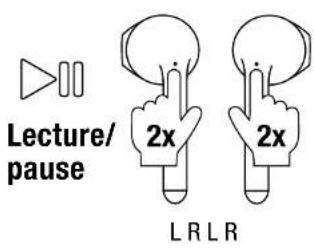
text_image
Lecture/ pause 2x 2x LRLRAssistant vocal
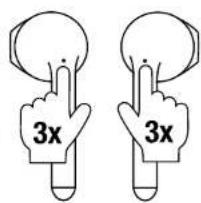
text_image
3x 3xAppel
entrant
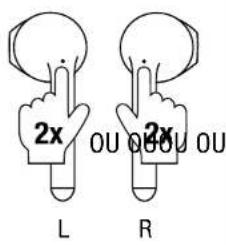
text_image
2x OU OU L R 2x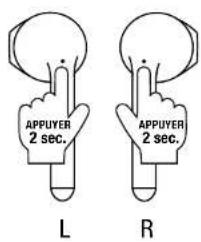
text_image
APPUYER 2 sec. L APPUYER 2 sec. RRefuser l'appel
text_image
Diagram illustrating a biological process with labeled components and directional arrows, showing two stages of a biological setup.sec.10
text_image
Diagram illustrating a mechanical or fluidic process transformation, showing two pipe ends merging into a container with a smiling face.natural_image
Simple line drawing of a container with a smiling face and an upward arrow, no text or symbols present.B.
PLP
STEROWANIE DOTYKOWE
SYGNAŁY KONTROLKI LED
Słuchawki douszne
text_image
Diagram illustrating a mechanical or electrical process with labeled components and directional arrows, showing two containers with circular features.s.10
text_image
Diagram illustrating a mechanical or fluidic process with two pipe ends and a container with a mouth featuring a stylized eye symbol.natural_image
Simple line drawing of a container with a smiling face and an upward arrow (no text or symbols)B.
text_image
Diagram illustrating a device with two earbuds and a clock, showing a process from top to bottom.δευτ.10
© Sitecom Europe B.V. - Version 1.0, November 2021
natural_image
Abstract white symmetrical shape on black background (no text or symbols)FRESH 'N REBEL
freshnrebel.com
freshnrebel
Keep in touch: