HyperX Cloud Stinger Core - Helmet KINGSTON - Free user manual and instructions
Find the device manual for free HyperX Cloud Stinger Core KINGSTON in PDF.



User questions about HyperX Cloud Stinger Core KINGSTON
0 question about this device. Answer the ones you know or ask your own.
Ask a new question about this device
Download the instructions for your Helmet in PDF format for free! Find your manual HyperX Cloud Stinger Core - KINGSTON and take your electronic device back in hand. On this page are published all the documents necessary for the use of your device. HyperX Cloud Stinger Core by KINGSTON.
USER MANUAL HyperX Cloud Stinger Core KINGSTON
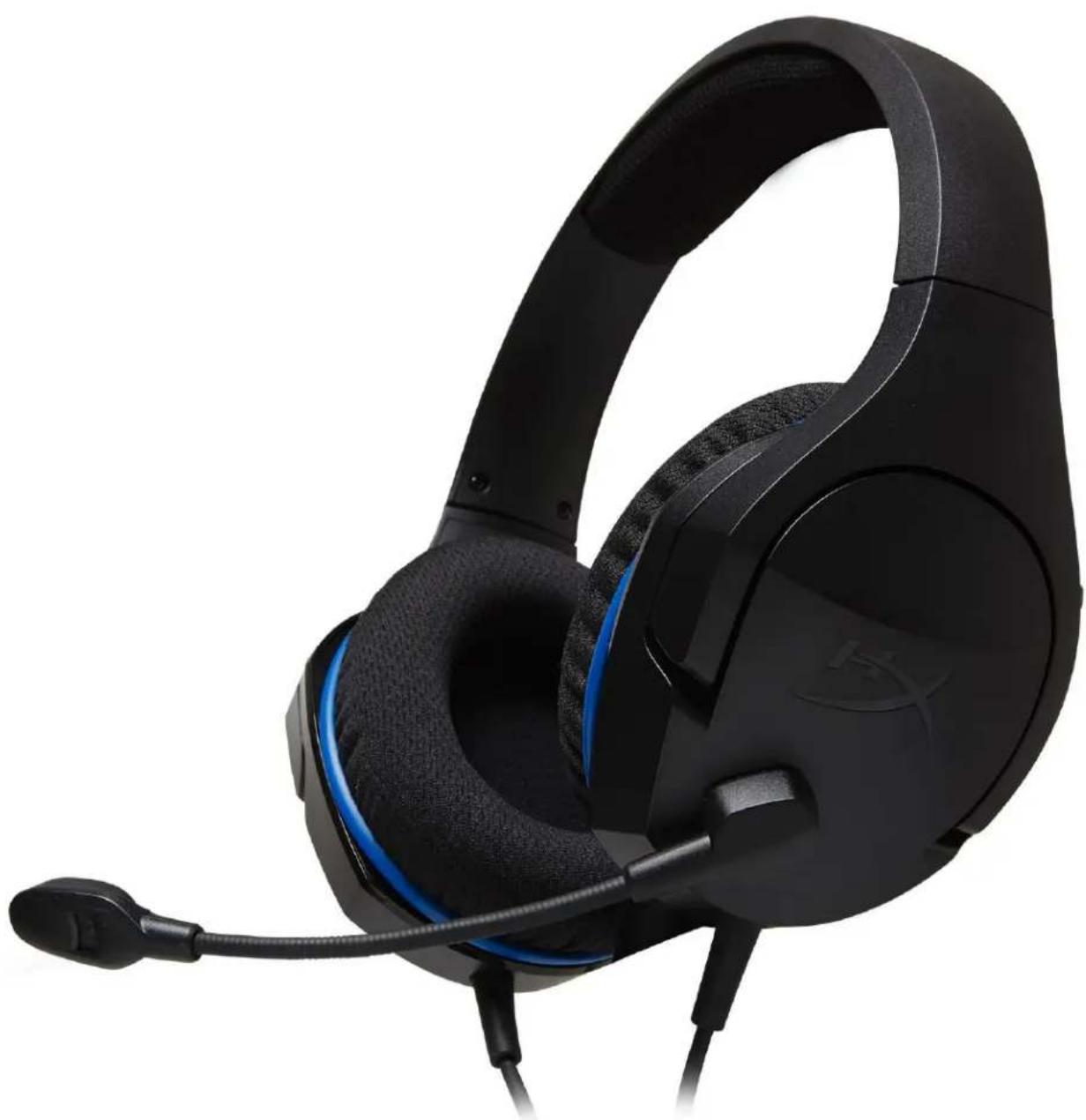
HyperX Cloud Stinger Core Headset
Find the language and latest documentation for your HyperX Cloud Stinger Core Headset here.
HyperX Cloud Stinger Core Headset Installation Guide
For instructions in English
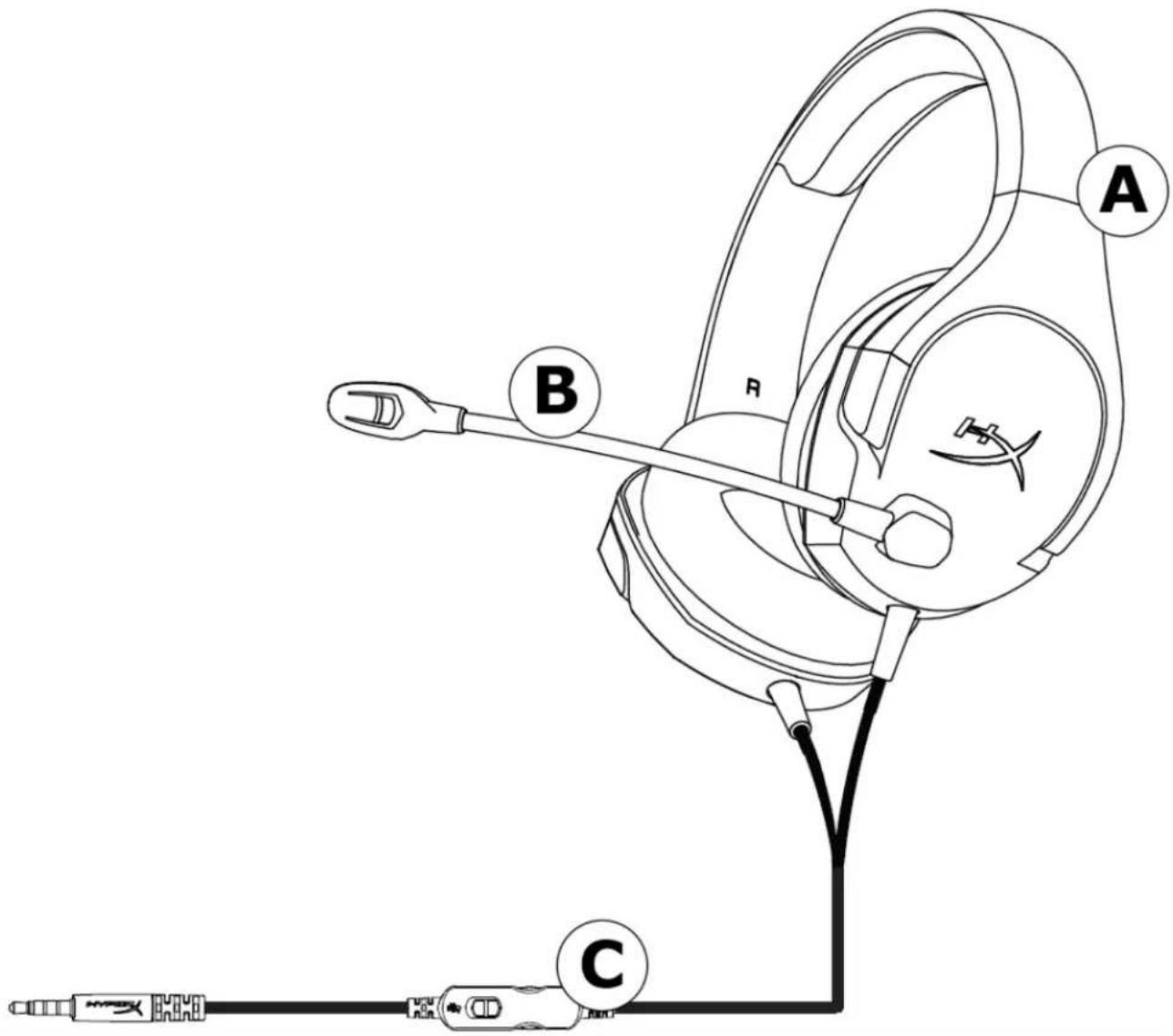
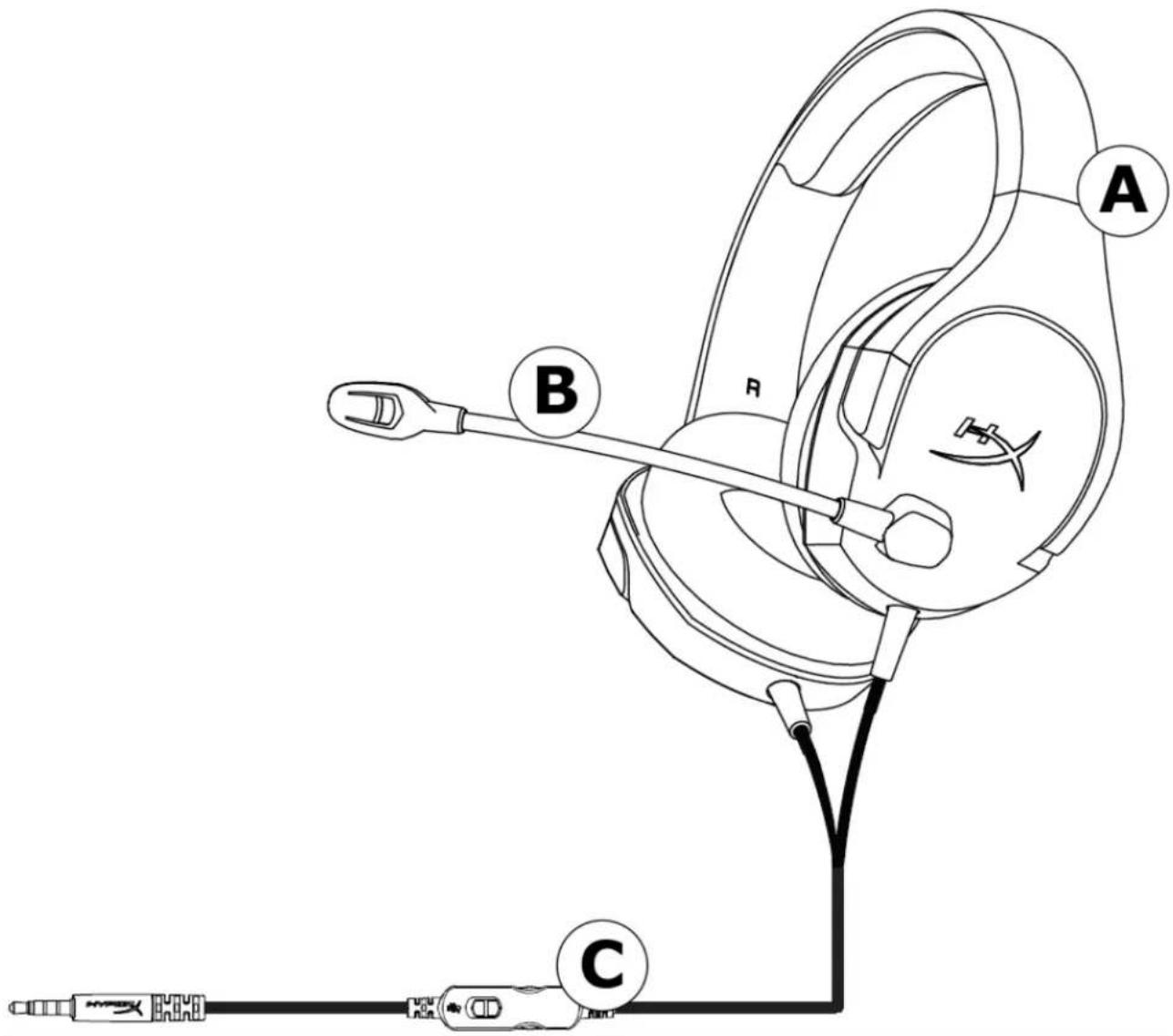
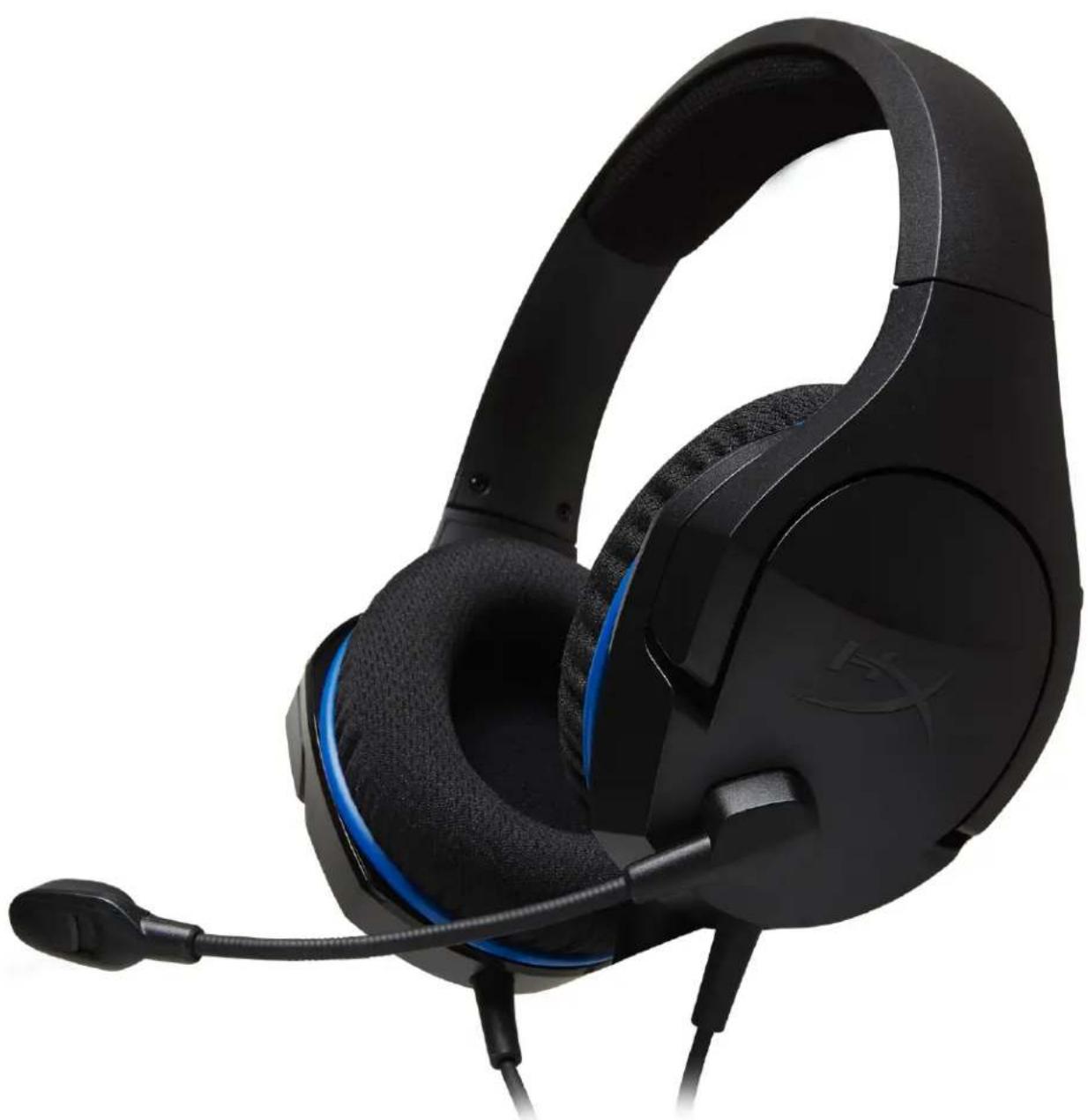
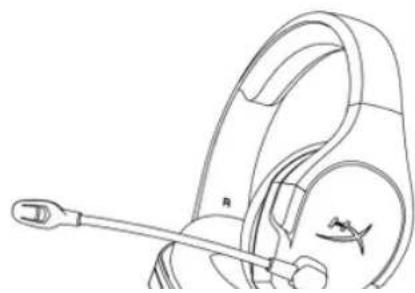
A. Headband adjustment slider
B. Rotating noise cancellation mic
C. In-line audio control
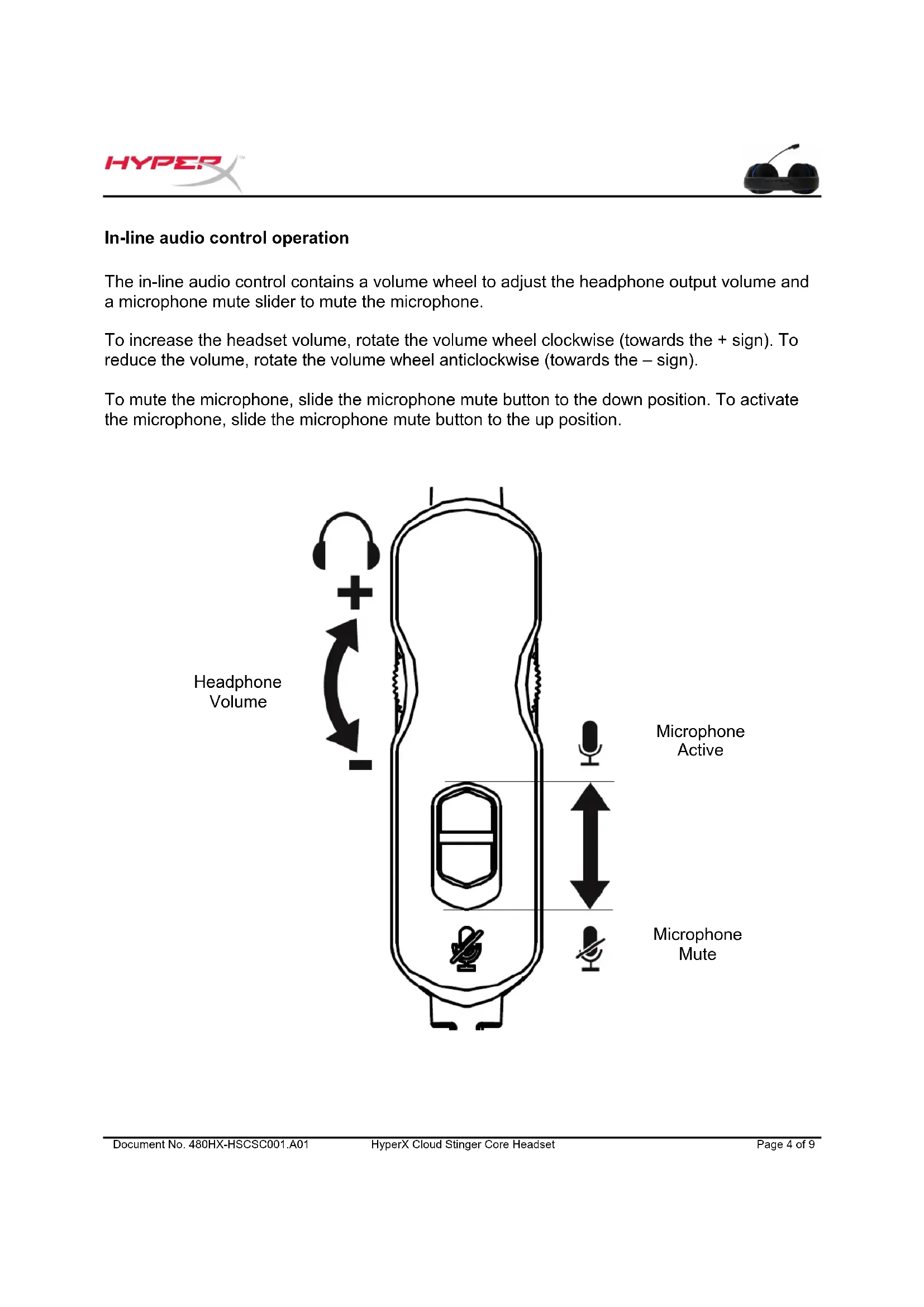
In-line audio control operation
The in-line audio control contains a volume wheel to adjust the headphone output volume and a microphone mute slider to mute the microphone.
To increase the headset volume, rotate the volume wheel clockwise (towards the + sign). To reduce the volume, rotate the volume wheel anticlockwise (towards the - sign).
To mute the microphone, slide the microphone mute button to the down position. To activate the microphone, slide the microphone mute button to the up position.
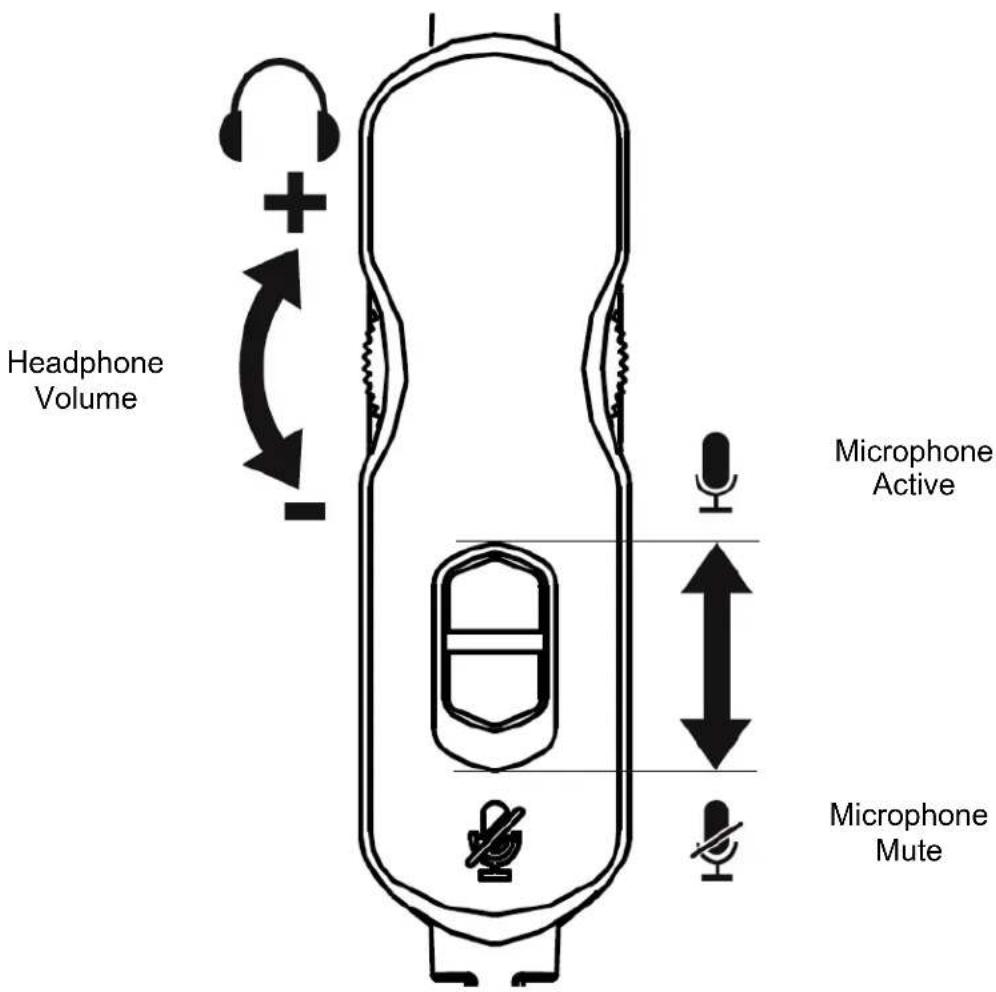
Usage (PS4TM & PS4TM Pro)
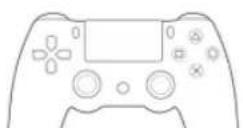
To use the headset with PlayStation™ 4 (PS4™), connect the 3.5mm plug on the headset directly to the PS4™ game controller and follow these steps:
- Turn on your PS4™ game console.
- Navigate to the 'Settings' menu and select it.
- Highlight the 'Devices' menu option and select it.
- Scroll down to 'Audio Devices' and select it.
- Choose 'Output to Headphones' and select 'All Audio'.
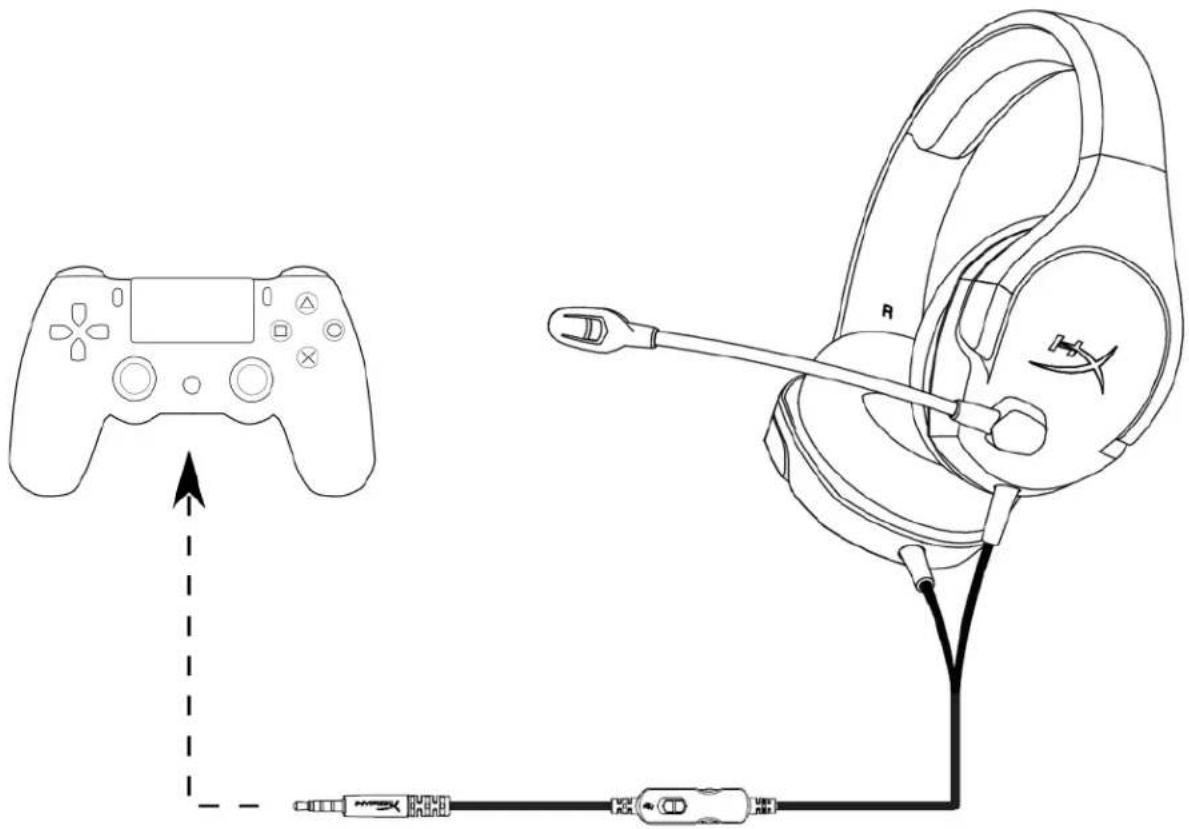
Using with PS4
Usage (Xbox One™)
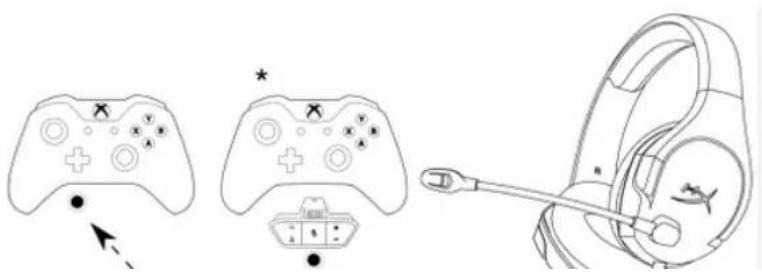
To use the headset with Xbox One™, connect the 3.5mm plug on the headset directly to the 3.5mm jack on the Xbox™ One controller
- If your Xbox One™ controller does not have a 3.5mm jack, you will need the Xbox OnStereo Headset adapter (sold separately) that plugs into the Xbox One™ controller (pictured below).
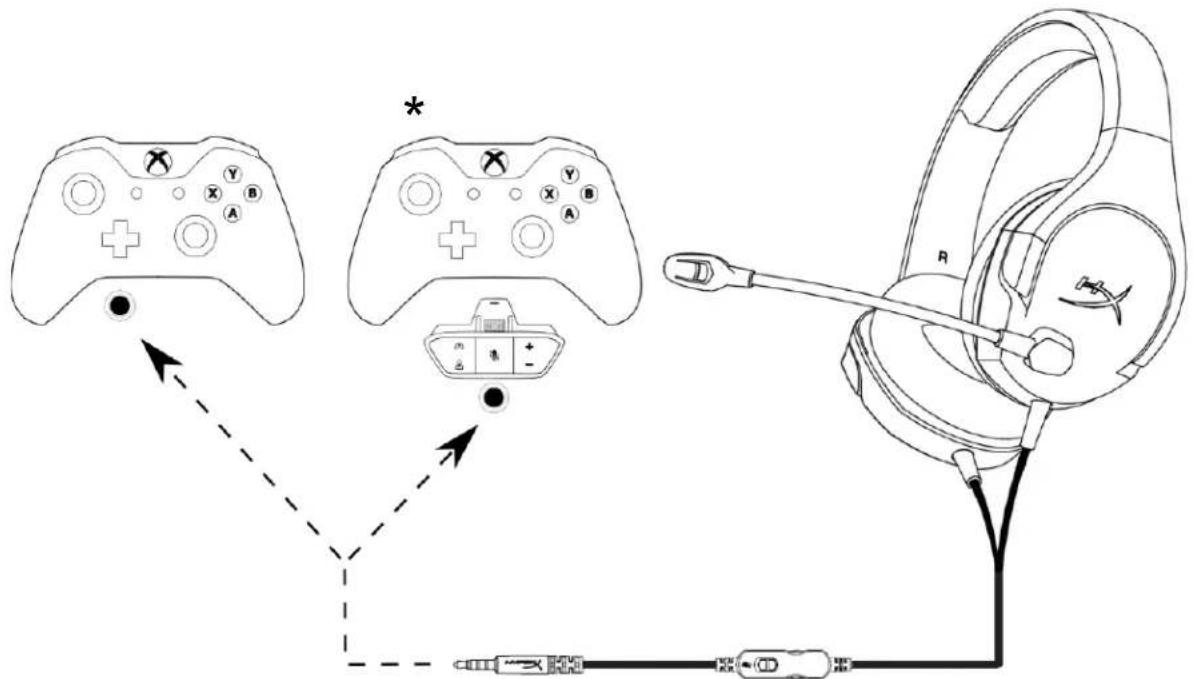
Using with Xbox One
Usage (Nintendo Switch™)
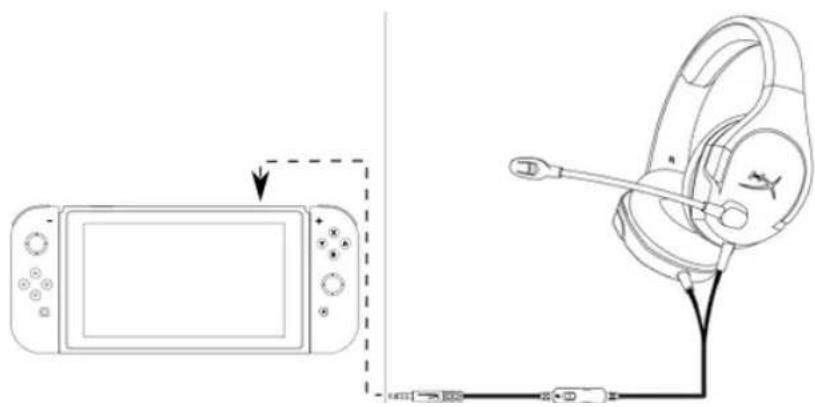
To use the headset with Nintendo Switch™, connect the 3.5mm plug on the headset directly to the 3.5mm jack on the Nintendo Switch™.
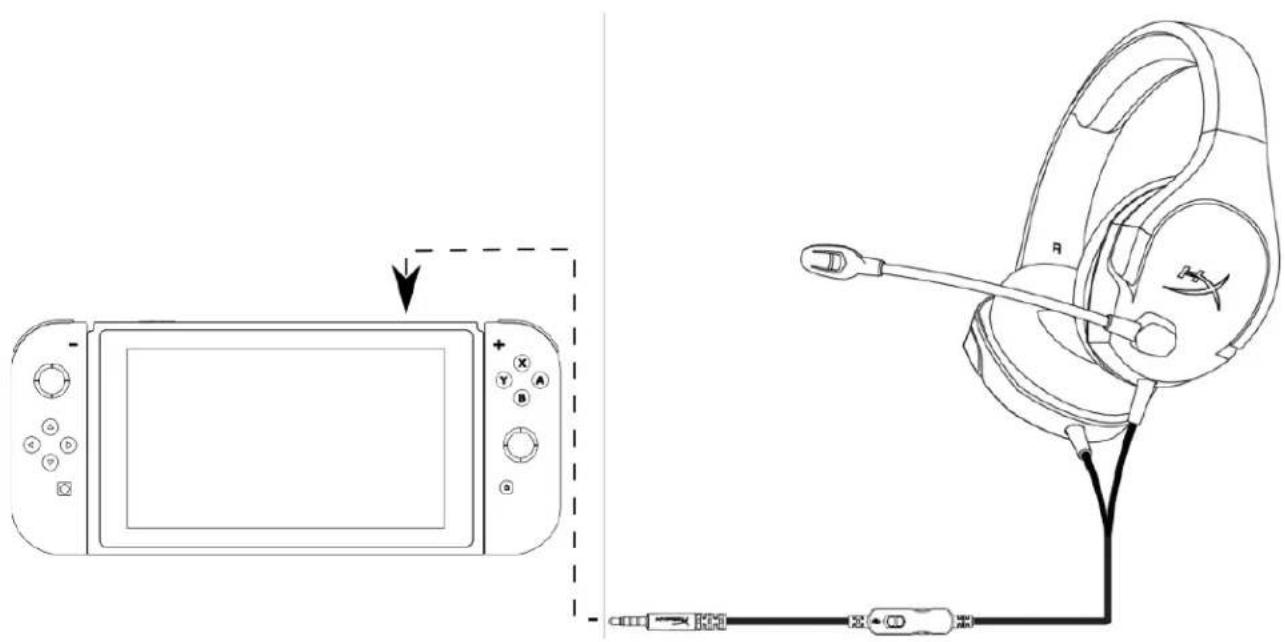
Using with Nintendo SwitchTM
Usage (mobile device)
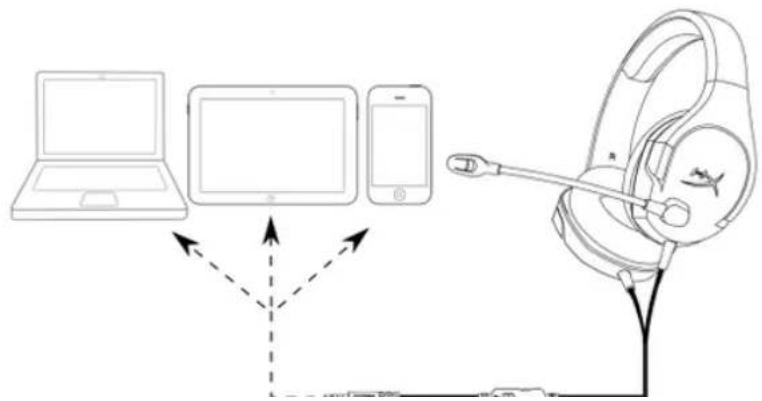
To use the headset with a mobile device (or other device) with a headset jack (4 pole CTIA), connect the 3.5mm plug directly into the headset jack on your device.
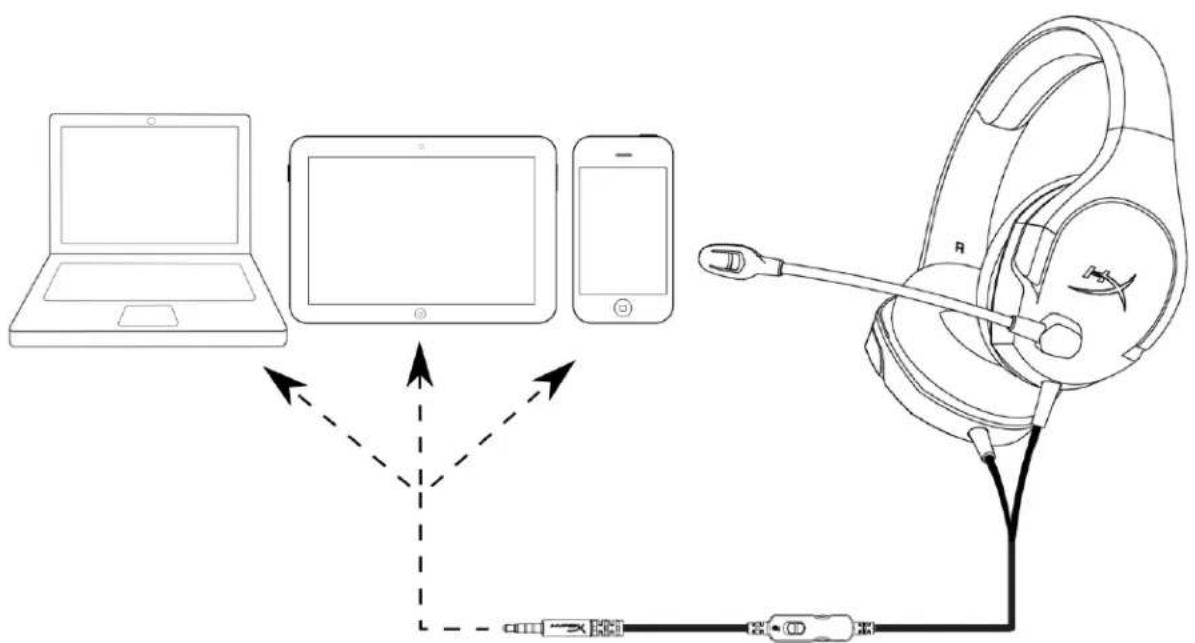
Using with mobile device (phone, tablet or notebook)
Headset Specifications
Headphone
Driver: Dynamic, 40mm with neodymium magnets
Type: Circumaural, closed back
Frequency response: 20Hz - 20,000Hz
Impedance: 16 Ω
Sound pressure level: 99dBSPL/mW at 1kHz
THD: < 2%
Weight: 215g
Cable length and type: Headset (1.3m)
Connection: Headset - 3.5mm plug (4 pole)
Microphone
Element: Electret condenser microphone
Polar pattern: Noise-cancelling
Frequency response: 50Hz - 18,000Hz
Sensitivity: -41.5dBV (0dB=1V/Pa, 1kHz)
Auriculares HyperX Cloud Stinger Core
COIIPOTHBJIeHnC:16OM
YpOBeHb 3ByKOBOrIaBJIeHHr:99Ib SPL/MBTn1 KII
Ko3ΦΦHnUHeHT HeJIHHeHbIX NcKaJKeHN: <2%
Macca: 215 r
nannnnn n in line 15nauuuaaunuus uauuauuauu uauuauu uauu uuuu uuuuuuuuuuuuuuuuuuuuuuuuuuuuuuuuuuuuuuuuuuuuuuuuuuuuuuuuuuuuuuuuuuuuuuuuuuuuuuuuuuuuuuuuuuuuuuuuuuuuuuuuuuuuuuuuuuuuuuuuuuuuuuuuuuuuuuuuuuuuuuuuuuuuuuuuuuuuuuuuuuuuuuuuuuuuuuuuuUU
- 1
- lihuanyu Settings'annuiansumms
- 1
- Audio Devices
- Output to Headphones' All Audio
HYPES

mstfnnu (Xbox OneTM)
Xbox One 3.5 m.
Xbox One" 3.5 u. Xbox One" (mnnnnnnn) Xbox One" (mnnnnn)
HYPES

mntnu (N∫ntendo SwitchTM)
Ntwn Ninteno Swiht 3.5 3.5. Ni nni
HYPES
mtnn (qunnswnnn)

Wnuaaunwwn (waaanu) taunuunuugny (4 nau CTIA) 3.5 m.
Tauuuaaunuuuuaaagaaanrnnnnaa
yuaolaoannuinaaayw
Wu
40 11. 11
Jusinn:uuuunnnn nn
20Hz-20,000Hz
aunu: 16 Ω
99dBSPL/mW 1kHz
T.H.D.: < 2%
unn: 215 n.
nwn: -41.5dBV (0dB=1V/Pa,1kHz)
Tai nghe HyperX Cloud Stinger Core
Mã san phâm: HX-HSCSC-BK
MUC LUC
Gioti thieu. 3
Hoat dong cua bo dieu khien am thanh tren day 4
Srdung (PS4TM & PS4TM Pro) 5
Srdung (Xbox OneTM) 6
Srdung (Nintendo SwitchTM) 7
Sudung (Thiet bi di dong) 8
Thong so ky thai tai nghe 9
Gioti thieu
A. Thanh truot dieu chinh day deo dai
B. Micro khù nhieu có the xoay
C. Bô dieu khien am thanh trenday