36052 - Sander BLACK & DECKER - Free user manual and instructions
Find the device manual for free 36052 BLACK & DECKER in PDF.



| Product Type | Cordless Sander |
| Brand | Black & Decker |
| Model | 36052 |
| Power Source | Lithium-ion battery (12V or 20V max, depending on battery pack used) |
| Battery Type | Rechargeable lithium-ion |
| Compatible Charger | Specified DeWALT charger (e.g., DCB101, DCB102, etc.) |
| Typical Charging Time | 30 to 90 minutes depending on battery and charger |
| Dimensions (L x W x H) | Approximately 25 x 10 x 15 cm (estimated) |
| Weight (without battery) | Approximately 1.2 kg (estimated) |
| Usage | Sanding flat surfaces, paint removal, smoothing |
| Motion Type | Orbital (estimated for a sander) |
| Variable Speed | Not mentioned, likely fixed speed |
| Dust Collection | Not specified, possible via external vacuum (not included) |
| Recommended Charging Temperature | Between 18°C and 24°C |
| Maximum Storage Temperature | 40°C max |
| Maintenance | Clean with a damp cloth and mild soap; do not immerse; unplug charger before cleaning |
| Safety | Read safety instructions before use; do not expose to water; use only with recommended batteries; do not open the battery |
| Available Spare Parts | Batteries (DCB200, DCB201, DCB203, etc.) and compatible DeWALT chargers |
| Repairability | Have it serviced at an authorized repair center; the battery and charger are not user-serviceable |
| Warranty | Not specified in the manual, contact customer service |
| Manual Available in | French, English, Spanish, Portuguese (and other languages upon request) |
Frequently Asked Questions - 36052 BLACK & DECKER
User questions about 36052 BLACK & DECKER
0 question about this device. Answer the ones you know or ask your own.
Ask a new question about this device
Download the instructions for your Sander in PDF format for free! Find your manual 36052 - BLACK & DECKER and take your electronic device back in hand. On this page are published all the documents necessary for the use of your device. 36052 by BLACK & DECKER.
USER MANUAL 36052 BLACK & DECKER
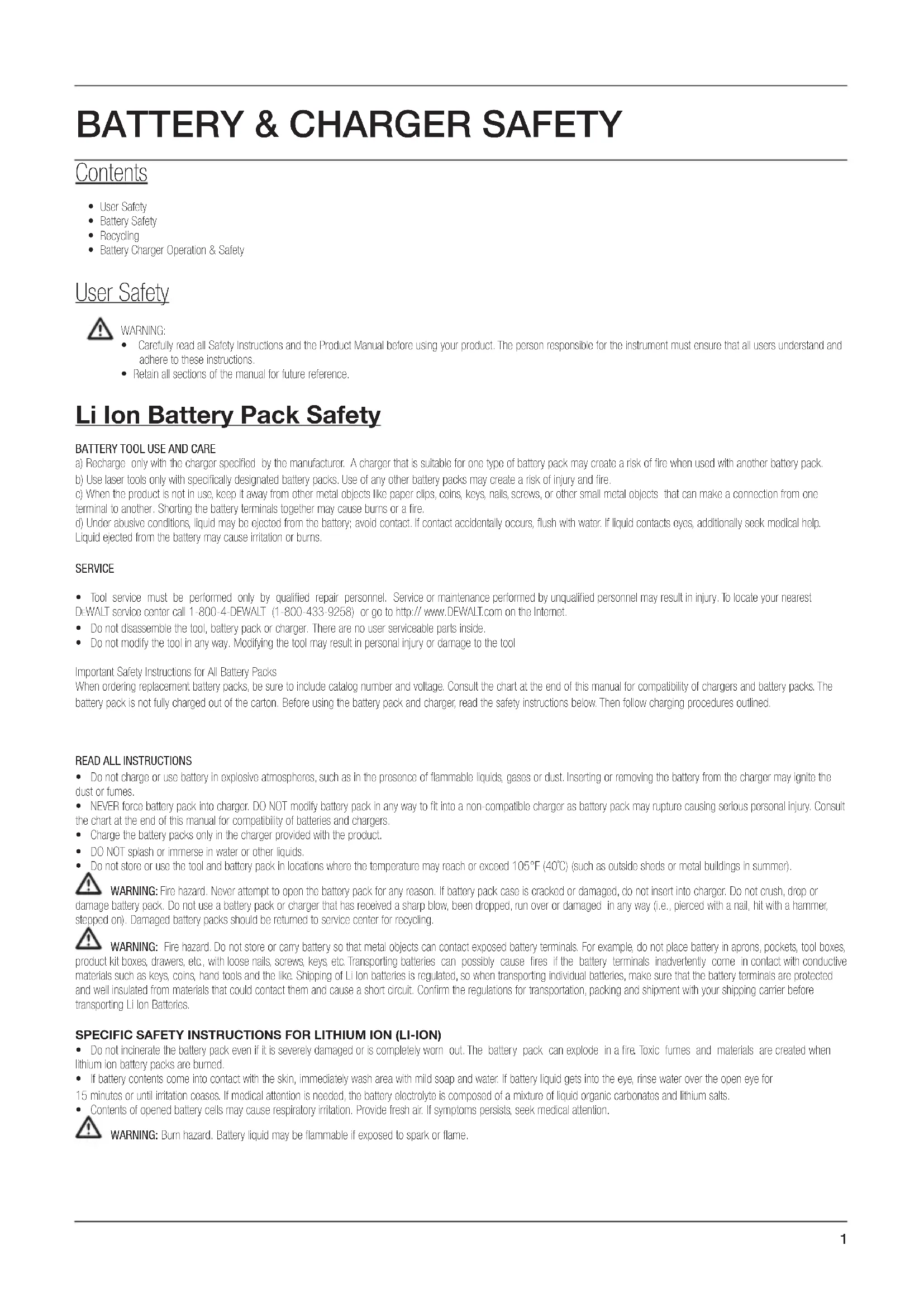
- User Safety
Battery Safely
Recycling - Battery Charger Operation & Safety
User Safety

WARNING:
Carefully read all Safety Instructions and the Product Manual before using your product. The person responsible for the instrument must ensure that all users understand and adhere to these instructions.
- Retain all sections of the manual for future reference.
Li Ion Battery Pack Safety
BATTERY TOOL USE AND CARE
a) Recharge only with the charger specified by the manufacturer. A charger that is suitable for one type of battery pack may create a risk of fire when used with another battery pack.
b) Use laser tools only with specifically designated battery packs. Use of any other battery packs may create a risk of injury and fire.
c) When the product is not in use, keep it away from other metal objects like paper clips, coins, keys, nails, screws, or other small metal objects that can make a connection from one terminal to another. Shorting the battery terminals together may cause burns or a fire.
Liquid ejected from the battery may cause irritation or burns.
SERVICE
- Tool service must be performed only by qualified repair personnel. Service or maintenance performed by unqualified personnel may result in injury. To locate your nearest DEWALT service center call 1-800-4-DEWALT (1-800-433-9258) or go to http://www.DEWALT.com on the Internet.
- Do not disassemble the tool, battery pack or charger. There are no user serviceable parts inside.
- Do not modify the tool in any way. Modifying the tool may result in personal injury or damage to the tool
Important Safety Instructions for All Battery Packs
When ordering replacement battery packs, be sure to include catalog number and voltage. Consult the chart at the end of this manual for compatibility of chargers and battery packs. The battery pack is not fully charged out of the carton. Before using the battery pack and charger, read the safety instructions below. Then follow charging procedures outlined.
READ ALL INSTRUCTIONS
Do not charge or use battery in explosive atmospheres, such as in the presence of flammable liquids, gases or dust. Inserting or removing the battery from the charger may ignite the dust or fumes.
NEVER force battery pack into charger. DO NOT modify battery pack in any way to fit into a non-compatible charger as battery pack may rupture causing serious personal injury. Consult the chart at the end of this manual for compatibility of batteries and chargers.
- Charge the battery packs only in the charger provided with the product
DO NOT splash or immerse in water or other liquids.
Do not store or use the tool and battery pack in locations where the temperature may reach or exceed 105^ (40°C) (such as outside sheds or metal buildings in summer).

WARNING: Fire hazard. Never attempt to open the battery pack for any reason. If battery pack case is cracked or damaged, do not insert into charger. Do not crush, drop or the battery pack. Do not use a battery pack or charger that has received a sharp blow, been dropped, run over or damaged in any way (i.e., pierced with a nail, hit with a hammer, on). Damaged battery packs should be returned to service center for recycling.

WARNING: Fire hazard. Do not store or carry battery so that metal objects can contact exposed battery terminals. For example, do not place battery in aprons, pockets, tool boxes, kit boxes, drawers, etc., with loose nails, screws, keys, etc. Transporting batteries can possibly cause fires if the battery terminals inadvertently come in contact with conductive. Is such as keys, coins, hand tools and the like. Shipping of Li Ion batteries is regulated, so when transporting individual batteries, make sure that the battery terminals are protected insulated from materials that could contact them and cause a short circuit. Confirm the regulations for transportation, packing and shipment with your shipping carrier before.
SPECIFIC SAFETY INSTRUCTIONS FOR LITHIUM ION (LI-ION)
- Do not incinerate the battery pack even if it is severely damaged or is completely worn out. The battery pack can explode in a fire. Toxic fumes and materials are created when lithium ion battery packs are burned.
- If battery contents come into contact with the skin, immediately wash area with mild soap and water. If battery liquid gets into the eye, rinse water over the open eye for 15 minutes or until irritation ceases. If medical attention is needed, the battery electrolyte is composed of a mixture of liquid organic carbonates and lithium salts.
- Contents of opened battery cells may cause respiratory irritation. Provide fresh air. If symptoms persist, seek medical attention.

WARNING: Burn hazard. Battery liquid may be flammable if exposed to spark or flame.
The RBRC™ Seal
The RBRC™ (Rechargeable Battery Recycling Corporation) Seal on the nickel cadmium, nickel metal hydride or lithium ion batteries (or battery packs) indicate that the costs to recycle these batteries (or battery packs) at the end of their useful life have already been paid by DEWALT. In some areas, it is illegal to place spent nickel cadmium, nickel metal hydride or lithium ion batteries in the trash or municipal solid waste stream and the RBRC program provides an environmentally conscious alternative.
RBCCTM in cooperation with DEWALT and other battery users, has established programs in the United States and Canada to facilitate the collection of spent nickel cadmium, nickel metal hydride or lithium ion batteries. Help protect our environment and conserve natural resources by returning the spent nickel cadmium and nickel cadmium, nickel metal hydride or lithium ion batteries to an authorized DEWALT service center or to your local retailer for recycling. You may also contact your local recycling center for information on where to drop off the spent battery. RBCCTM is a registered trademark of the Rechargeable Battery Recycling Corporation.
Battery Charger Safety
Important Safety Instructions for All Battery Chargers
Chargers
SAVE THESE INSTRUCTIONS: This manual contains important safety and operating instructions for battery chargers.
Your tool uses a DEWALT charger. Consult the chart on the back cover of this manual for compatibility of chargers and battery packs.
Before using charger, read all safety instructions and cautionary markings on charger, battery pack, and product using battery pack before using your charger.

WARNING: Shock hazard. Do not allow any liquid to get inside charger. Electric shock may result.
CAUTION: Burn hazard. To reduce the risk of injury, charge only DEWALT rechargeable batteries. Other types of batteries may burst causing personal injury and damage. NOTICE: Under certain conditions, with the charger plugged in to the power supply, the charger can be shorted by foreign material. Foreign materials of a conductive nature such as, but not limited to, grinding dust, metal chips, steel wool, aluminum foil, or any buildup of metallic particles should be kept away from charger cavities. Always unplug the charger from the power supply when there is no battery pack in the cavity. Unplug charger before attempting to clean.
DO NOT attempt to charge the battery pack with any chargers other than the ones in this manual. The charger and battery pack are specifically designed to work together.
These chargers are not intended for any uses other than charging DEWALT rechargeable batteries. Any other uses may result in risk of fire, electric shock or electrocution.
- Do not expose charger to rain or snow.
Pull by plug rather than cord when disconnecting charger. This will reduce risk of damage to electric plug and cord.
Do not place any object on top of charger or place the charger on a soft surface that might block the ventilation slots and result in excessive internal heat. Place the charger in a position away from any heat source. The charger is ventilated through slots in the top and the bottom of the housing.
- Do not operate charger with damaged cord or plug
Do not operate charger if it has received a sharp blow, been dropped, or otherwise damaged in any way Take it to an authorized service center.
Do not disassemble charger; take it to an authorized service center when service or repair is required. Incorrect reassembly may result in a risk of electric shock, electrocution or fire.
- Disconnect the charger from the outlet before attempting any cleaning. This will reduce the risk of electric shock. Removing the battery pack will not reduce this risk.
NEVER attempt to connect 2 chargers together.
The charger is designed to operate on standard 120V/220v household electrical power. Do not attempt to use it on any other voltage. This does not apply to the vehicular charger.
Charging Procedure (Fig. 1)
- Plug the charger into an appropriate outlet before inserting battery pack.
- Insert the battery pack (A) into the charger, as shown in Figure 1, making sure the pack is fully seated in charger. The red (charging) light will blink continuously indicating that the charging process has started.
- The completion of charge will be indicated by the red light remaining ON continuously. The pack is fully charged and may be used at this time or left in the charger.
Charge indicators
Some chargers are designed to detect certain problems that can arise with battery packs. problems are indicated by the red light flashing at a fast rate. If this occurs, re-insert battery pack into the charger. If the problem persists, try a different battery pack to determine if the charger is OK. If the new pack charges correctly, then the original pack is defective and should be returned to a service center or other collection site for recycling. If the new battery pack elicits the same trouble indication as the original, have the charger tested at an authorized service center.
HOT/COLD PACK DELAY
Some chargers have a Hot/ Cold Pack Delay feature: when the charger detects a battery that is hot, it automatically starts a Hot Pack Delay, suspending charging until the battery has cooled. After the battery has cooled, the charger automatically switches to the Pack Charging mode. This feature ensures maximum battery life. The red light flashes long, then short while in the Hot/ Cold Pack Delay mode.
LEAVING THE BATTERY PACK IN THE CHARGER
The charger and battery pack can be left connected with the red light glowing indefinitely. The charger will keep the battery pack fresh and fully charged. NOTE: A battery pack will slowly lose its charge when kept out of the charger. If the battery pack has not been kept on maintenance charge, it may need to be recharged before use. A battery pack may also slowly lose its charge if left in a charger that is not plugged into an appropriate AC source.
WEAK BATTERY PACKS: Chargers can also detect a weak battery pack. Such batteries are still usable but should not be expected to perform as much work. The charger will indicate to replace battery pack.
Important Charging Notes
- Longest life and best performance can be obtained if the battery pack is charged when the air temperature is between 65^ and 75^ (18^ - 24^) . DO NOT charge the battery pack in an air temperature below +40^ (+4.5^) , or above +105^ (+40.5^) . This is important and will prevent serious damage to the battery pack.
- The charger and battery pack may become warm to touch while charging. This is a normal condition, and does not indicate a problem. To facilitate the cooling of the battery pack after use, avoid placing the charger or battery pack in a warm environment such as in a metal shed, or an uninsulated trailer.
- If the battery pack does not charge properly:
a. Check operation of receptacle by plugging in a lamp or other appliance;
b. Check to see if receptacle is connected to a light switch which turns power off when you turn out the lights;
c. Move charger and battery pack to a location where the surrounding air temperature is approximately 65^ - 75^ (18^ - 24^)
d. If charging problems persist, take the tool, battery pack and charger to your local service center - The battery pack should be recharged when it fails to produce sufficient power on jobs which were easily done previously. DO NOT CONTINUE to use under these conditions. Follow the charging procedure. You may also charge a partially used pack whenever you desire with no adverse affect on the battery pack.
- Foreign materials of a conductive nature such as, but not limited to, grinding dust, metal chips, steel wool, aluminum foil, or any buildup of metallic particles should be kept away from charger cavities. Always unplug the charger from the power supply when there is no battery pack in the cavity. Unplug charger before attempting to clean.
- Do not freeze or immerse charger in water or any other liquid.
WARNING: Shock hazard. Don't allow any liquid to get inside charger. Electric shock may result.
CAUTION: Never attempt to open the battery pack for any reason. If the plastic housing of the battery pack breaks or cracks, return to a service center for recycling.
Storage Recommendations
- The best storage place is one that is cool and dry away from direct sunlight and excess heat or cold.
- Long storage will not harm the battery pack or charger. Under proper conditions, they can be stored for 5 years or more.
OPERATION
WARNING: To reduce the risk of serious personal injury, turn tool off and disconnect battery pack before making any adjustments or removing/ installing attachments or accessories.
Installing and Removing the Battery Pack (Fig. 2)
NOTE: Make sure your battery pack is fully charged.
To install the battery pack (A) into the tool, align the battery with the rails and slide it firmly into the unit until you hear the lock snap into place.
To remove the battery pack from the tool, press the release the button and firmly pull the battery pack out of the tool. Insert it into the charger as shown in Fig 1a,1b.
Operating Tips
The DEWALT lithium ion battery can be used with your Red or with the Green Li Ion Lasers to ensure enhanced life.
- Ensure batteries are in good working condition. If the low battery indicator light on the laser is flashing, the batteries need to be recharged.
MAINTENANCE
WARNING: To reduce the risk of serious personal injury, turn tool off and disconnect battery pack before making any adjustments or removing/installing attachments or accessories.
Cleaning
WARNING: Never use solvents or other harsh chemicals for cleaning the tool. These chemicals may weaken the plastic materials used in these parts. Use a cloth dampened only with water and mild soap. Never let any liquid get inside the tool; never immerse any part of the tool into a liquid.
CHARGER CLEANING INSTRUCTIONS
WARNING: Shock hazard. Disconnect the charger from the AC outlet before cleaning. Dirt and grease may be removed from the exterior of the charger using a cloth or soft non-metallic brush. Do not use water or any cleaning solutions.
Accessories
WARNING: Since accessories, other than those offered by DeWALT, have not been tested with this product, use of such accessories with this tool could be hazardous. To reduce the risk of injury, only DeWALT, recommended accessories should be used with this product.
Recommended accessories for use with your tool are available at extra cost from your local dealer or authorized service center. If you need assistance in locating any accessory, please contact DEWALT Industrial Tool Co., 701 East Joppa Road, Baltimore, MD 21286, call 1-800-4-DEWALT (1-800-433-9258) or visit our website www.dewalt.com.
Repairs
The charger and battery and are not user serviceable. To assure product SAFETY and RELIABILITY, repairs, maintenance and adjustment should be performed by a DEWALT factory service center, a DEWALT authorized service center or other qualified service personnel. Always use identical replacement parts.
Charger and Battery Compatibility Charts
| 12V MAX DEWALT Battery and Charger Systems (North America) | |||||||||
| Batteries Chargers/Charge Time (Minutes) | |||||||||
| Battery Cat # | Output Voltage | 120V 12V | |||||||
| DCB101 D | CB102 DCB1 | 03 DCB107 | DCB112 DCB1 | B113 DCB1 | 15 DCB119 | ||||
| DCB120 12V | 30 30 30 60 45 | 35 30 45 | |||||||
| DCB127 12V | 35 35 35 90 60 | 50 35 60 | |||||||
| 20V MAX DEWALT BATTERY AND CHARGER SYSTEMS*** | |||||||||||||||||
| Batteries Chargers/Charge Time (Minutes) | |||||||||||||||||
| Battery Cat | Output Voltage | 120V | 12V | ||||||||||||||
| DC9000 | DC9310 | DC9320 | DCB095 | DCB101 | DCB102 | DCB103 | DCB107 | DCB112 | DCB113 | DCB114 | DCB115 | DCB118 | DCB132 | DCB119 | DW0249 | ||
| DCB606 | 60/20 | X | X | X | X | 100 | 100 | 100 | 272 | 170 | 140 | X | 90 | 60 | 90 | X | X |
| DCB200 | 20 | X | X | X | X | 60 | 60 | 60 | 140 | 90 | 67 | X | 45 | 45/30** | 45 | 90 | X |
| DCB201 | 20 | X | X | X | X | 30 | 30 | 30 | 70 | 45 | 35 | X | 22 | 22 | 22 | 45 | X |
| DCB203 | 20 | X | X | X | X | 35 | 35 | 35 | 90 | 60 | 45 | X | 30 | 30 | 30 | 60 | X |
| DCB203BT* | 20 | X | X | X | X | 35 | 35 | 35 | 90 | 60 | 45 | X | 30 | 30 | 30 | 60 | X |
| DCB204 | 20 | X | X | X | X | 70 | 70 | 70 | 185 | 120 | 90 | X | 60 | 60/40** | 60 | 120 | X |
| DCB204BT* | 20 | X | X | X | X | 70 | 70 | 70 | 185 | 120 | 90 | X | 60 | 60 | 60 | 120 | X |
| DCB205 | 20 | X | X | X | X | 95 | 95 | 95 | 240 | 150 | 112 | X | 75 | 75/47** | 75 | 150 | X |
| DCB207 | 20 | X | X | X | X | 30 | 30 | 30 | 60 | 40 | 30 | X | 22 | 22 | 22 | X | X |
| *BT - Bluetooth® The Bluetooth® word mark and logos are registered trademarks owned by the Bluetooth®, SIG, Inc. and any use of such marks by DEWALT is under license. Other trademarks and trade names are those of their respective owners.**Battery Datecode 201536 or later.*** Maximum initial battery voltage (measured without a workload) is 20 volts. Nominal voltage is 18.X Indicates that the battery pack is not compatible with that specific charger. All charge times are approximate. Actual charge time may vary. Read the instruction manual for more specific information. | |||||||||||||||||
SECURITE DE LA BATTERIE ET DU CHARGEUR
Contenu
O RBRCT émarca registrada da Rechargeable Battery Recycling Corporation.

- User Safety
- WARNING:
- Li Ion Battery Pack Safety
- BATTERY TOOL USE AND CARE
- SERVICE
- READ ALL INSTRUCTIONS
- SPECIFIC SAFETY INSTRUCTIONS FOR LITHIUM ION (LI-ION)
- The RBRC™ Seal
- Battery Charger Safety
- Chargers
- Charging Procedure (Fig. 1)
- HOT/COLD PACK DELAY
- LEAVING THE BATTERY PACK IN THE CHARGER
- Important Charging Notes
- Storage Recommendations
- OPERATION
- Operating Tips
- MAINTENANCE
- Cleaning
- CHARGER CLEANING INSTRUCTIONS
- Accessories
- Repairs
- Charger and Battery Compatibility Charts
- SECURITE DE LA BATTERIE ET DU CHARGEUR
- Contenu
Brand : BLACK & DECKER
Model : 36052
Category : Sander