T821 - Earphones AGPtek - Free user manual and instructions
Find the device manual for free T821 AGPtek in PDF.


| Product Type | Bluetooth Hands-Free Car Kit |
| Brand | AGPtek |
| Model | T821 |
| Bluetooth Version | Bluetooth V4.1 + EDR |
| Bluetooth Profiles | AVRCP 1.5, A2DP 1.2, Hands-Free Profile 1.6, Headset Profile v1.1 |
| Operating Frequency | 2.4 GHz - 2.48 GHz (ISM) |
| Maximum Range | Up to 10 meters (open space) |
| Power Supply | Rechargeable lithium-polymer battery 3.7 V, 1000 mAh |
| Charging Voltage | 5 V, 500 mA (USB interface) |
| Charging Time | Approximately 3 hours |
| Talk Time | Over 17 hours |
| Standby Time | Up to 45 days |
| Charging Indicator | Red light (charging), blue light (charged) |
| Main Functions | Hands-free calls, music playback, simultaneous connection of two phones, motion sensor (auto on/off in car), last number redial, call waiting |
| Volume Control | Volume + and - buttons on the device |
| Supported Languages | Chinese, English, French, Spanish |
| Care and Cleaning | Do not expose to water, extreme humidity, excessive sweat or extreme heat. Avoid corrosive liquids and sharp objects. Do not open the casing. |
| Safety | Audible "Low battery" signal to indicate low battery. Recharge as soon as possible. |
| Spare Parts and Repairability | Not specified. Do not attempt to repair yourself. |
Frequently Asked Questions - T821 AGPtek
User questions about T821 AGPtek
0 question about this device. Answer the ones you know or ask your own.
Ask a new question about this device
Download the instructions for your Earphones in PDF format for free! Find your manual T821 - AGPtek and take your electronic device back in hand. On this page are published all the documents necessary for the use of your device. T821 by AGPtek.
USER MANUAL T821 AGPtek
AGPTEK Portable Bluetooth Speakerphone
User Manual
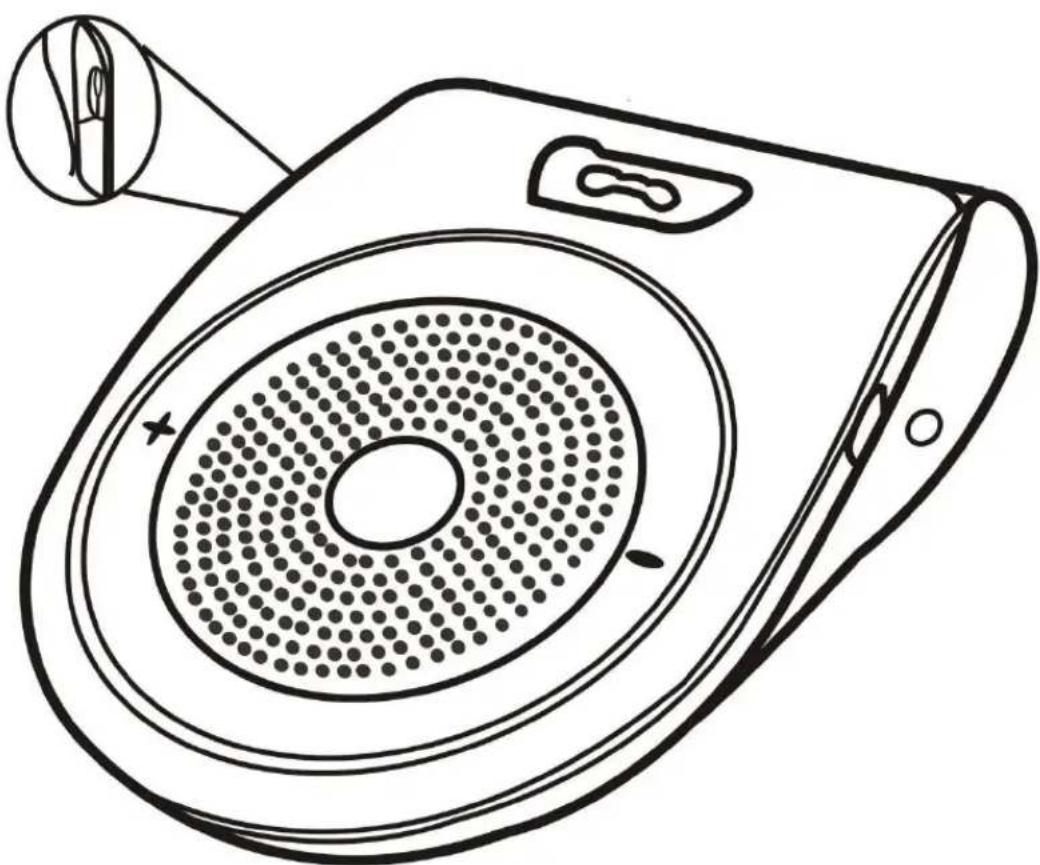
natural_image
Line drawing of a portable electronic device with circular vent and speaker grille (no text or symbols)1-7 AGPTEK Portable Bluetooth Speakerphone
Mobile Phone Pairing.... 3
Connecting of Phone 2....4
Vibration Switch Sensor 4
Speakerphone Operation 5
Device Self-protection with Low-power 6
Specifications....6
Notice and Daily Maintenance .... 7
Safety....7
AGPTEK Portable Bluetooth
Speakerphone
Product structure description
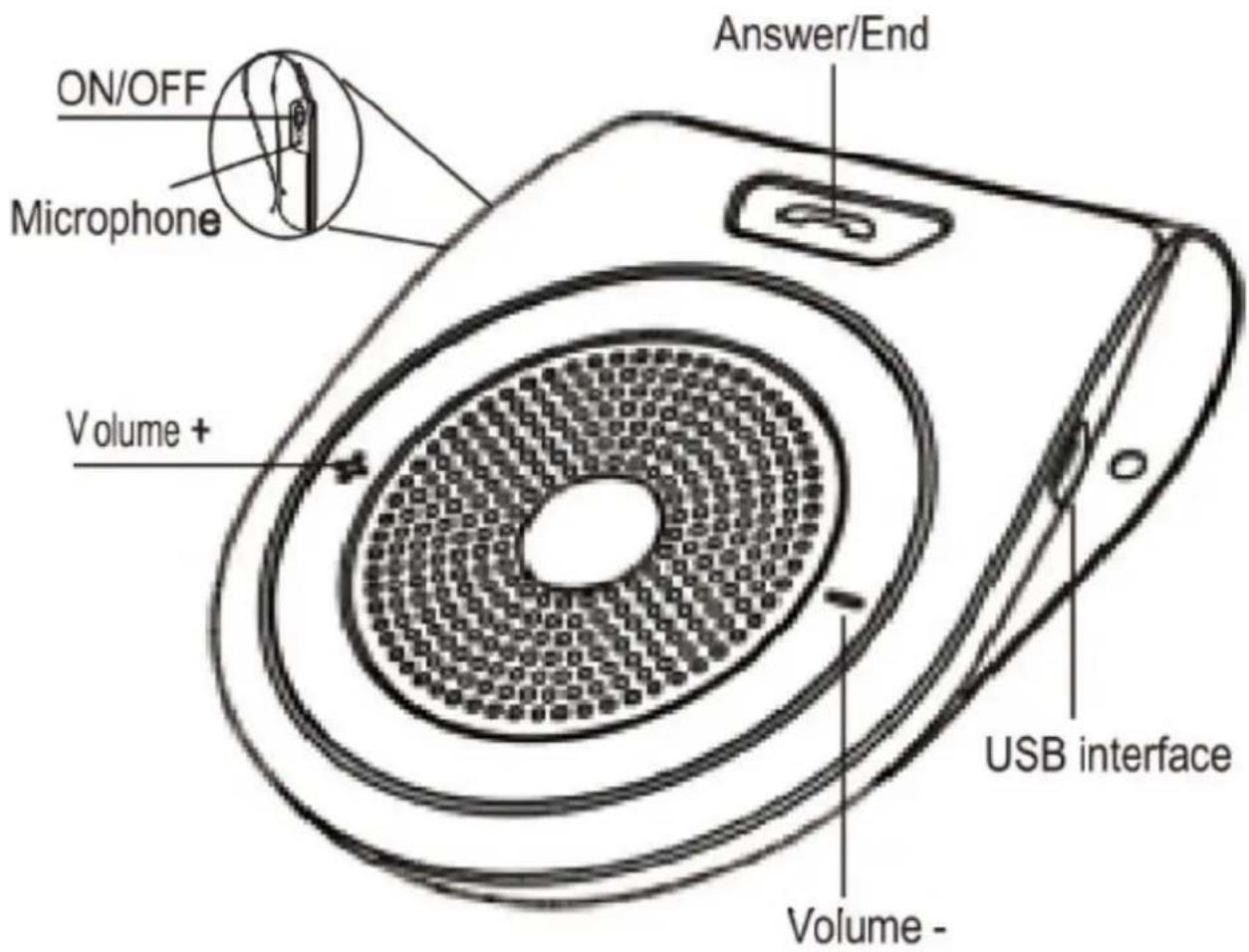
Quick Guide
This portable mini-shape Bluetooth Speakerphone is specially designed for the convenience and freedom of wireless communication.
With the double-functional power adapter, this device can be used as a hands-free kit both in-car or as a conference speakerphone at home or office etc.
With the built-in microphone, which adopts D.S.P for & Noise Cancellation/Suppression, this Speakerphone bring you an outstanding full duplex sound quality.
Charging Your Bluetooth Speakerphone
This device includes a rechargeable battery. It is strongly recommended to fully charge the battery before using the device for the first time. It will need 3 hours to fully charge the device.
Important Note:
1) When the battery is low, the voice prompt "Battery low".
2) In order to extend the lifetime of the battery and ensure the stability of Speakerphone's performance, it's recommended to charge the Speakerphone immediately when the low battery warning appears. The battery durability and device stand-by time will become shorter if device is used when the battery is low, as well as the charging time increasing. The device will shut
down automatically when the battery level becomes very low.
3) While charging, the LED indicator will light up red; this light will go off when charging is complete.
Power ON/OFF
You will hear the voice prompt "Power On" and "Power Off when pressing the ON/OFF key.
Note: while the device is on, press the button+/- at the same time to choose the language. (You can choose among the Chinese, English, Spanish, and French).
Mobile Phone Pairing
Prior to using the hands-free function, you should pair your Bluetooth-enabled mobile phone to the Speakerphone. This device supports simultaneous dual phone connection. When you connect it to only one mobile phone, your will only need to do the pairing process once. If you are pairing two mobile phones simultaneously, you will need to pair for two times.
Note: The LED indicator will flash red every 3 seconds while you are pairing 2 phones to the Speakerphone simultaneously.
Pairing instructions:
1) Make sure distance between your Bluetooth--enabled mobile phone and Bluetooth Speakerphone is less than 1 meter.
2) Turning on the Speakerphone, the Speakerphone will go into pairing mode. When it's ready for the connection, the LED indicator will flash blue.
3) Turn on your mobile phone's Bluetooth and search for Bluetooth devices (refer to User Manual of your phone)
4) Select "T821" from the list of devices, choose to connect to the speakerphone. Some mobile phones will need you to enter the code "0000" to complete pairing. The LED indicator will flash every 3 seconds after paired successfully, and the voice prompt "connected".
5) Hands-free is now activated.
Note: If the Speakerphone fails to pair with your mobile phone after 2 minutes, please turn it off, then repeat the above steps.
Connecting of Phone 2
If you need to connect another Bluetooth-enabled mobile phone, please follow below steps:
1) Turn off Bluetooth of your mobile phone to disconnect.
2) Turn off the speakerphone and then restart it.
3) Follow the connection instructions above.
Vibration Switch Sensor
The vibration switch sensor will detect the vibration of your car's door as you enter. It will power on the Bluetooth speakerphone and re-
connect it to your phone automatically. The Speakerphone will also power off 10 minutes automatically to save the battery life if you leave the car. To connect with the Bluetooth speakerphone automatically, please make sure the Bluetooth of your phone is on and it has been connected with the Bluetooth speaker before.
Speakerphone Operation
1) Answer a call
When a call comes through, the Speakerphone will ring and the voice prompt "incoming call", and display the phone number. Press the answer key to answer the call.
2) Hang up a call
Press 📞 to hang up the phone call.
3) Redial the last phone number
Double press the 📞key to redial the last number when the Speakerphone is in Hands-free mode and there is no calling.
4) Volume Control
Press Volume-(-) or volume+ (+) to adjust the volume.
5) Privacy Protection While Calling
When a call comes in, press the answer key 📄 for 2 times to switch to privacy mode, which means now you are answering the call with your privacy setting (Bluetooth speaker off). You are free to
choose between the Hands free mode and Privacy mode.
6) Play music
In standby mode, press the answer key to play the music in your mobile phone; hold the +/- button to go to the Next/Previous song.
Device Self-protection with Low-power
When the battery is low, the voice prompt "Battery low" and device will turn off automatically.
Note: please charge the device when the battery is low, or the device will power on/off repeatedly.
Specifications
| Bluetooth Standard | Bluetooth Version4.1+EDR |
| Working Frequency | ISM 2.4 Ghz to 2.4 Ghz |
| Transmitted Power | Class2 |
| Wireless Connection | 0-10 meters |
| Charger Output | DC5-6V 400mAh |
| Built-in Rechargeable Battery | 3.7V 1000mAh |
| Charging Time | About 3 hours |
| Hands-free Working Time | About 10-17 hours |
| Stand-by Time | About1080 hours/45 days |
Notice and Daily Maintenance
1) Keep the Speakerphone away from liquid, moisture and high temperature.
2) Keep the Speakerphone away from any corrosive liquids.
3) Keep the Speakerphone away from any sharp objects, to avoid it being scratched or damaged.
4) Do not separate the steel clip from the Speakerphone excessively, or the internal component will be damaged.
5) Keep the Speakerphone away from ultra-high or ultra-low temperature, moisture and dust.
6) Store the Speakerphone in a dry environment if you don't use it for a long time.
Safety
1) Please be aware of your local driving regulations before using this product, concentrate on driving while using the hands-free Speakerphone in your car.
2) Keep the Speakerphone away from children.
3) Never use the device in any areas where electronic devices or wireless communication devices are prohibited.
Any problems, please feel free to contact support@agptek.com.