T826 - Earphones AGPtek - Free user manual and instructions
Find the device manual for free T826 AGPtek in PDF.


| Product Type | Bluetooth Hands-Free Car Speaker |
| Brand | AGPtek |
| Model | T826 |
| Bluetooth Technology | Bluetooth 4.2+EDR |
| Bluetooth Frequency | ISM 2.4 GHz - 2.48 GHz |
| Bluetooth Range | 0 - 10 meters |
| Built-in Battery | Rechargeable Li-ion 3.7V |
| Battery Capacity | 500 mAh |
| Charging Time | About 2 hours |
| Talk Time (Hands-Free) | Up to 10 hours |
| Music Playback Time | Up to 6 hours |
| Power Supply | 5V, 500mA via micro-USB port |
| Connectivity | Bluetooth, Micro SD card |
| Main Functions | Hands-free, music playback, redial, call transfer, voice assistant activation |
| Microphone | Built-in with DSP for echo and noise reduction |
| Controls | Multi-function button (M), +/- buttons, LED indicator |
| LED Indicator | Blue (on/pairing), red (charging) |
| SD Card Player | Yes, for MP3/WMA files |
| Voice Assistant Compatibility | Siri (iOS), Google Assistant (Android) |
| Multipoint Connection | Up to 2 phones simultaneously |
| Maintenance | Keep dry, away from liquids and high temperatures, do not disassemble |
| Safety | Follow traffic laws, do not use where wireless devices are prohibited |
Frequently Asked Questions - T826 AGPtek
User questions about T826 AGPtek
0 question about this device. Answer the ones you know or ask your own.
Ask a new question about this device
Download the instructions for your Earphones in PDF format for free! Find your manual T826 - AGPtek and take your electronic device back in hand. On this page are published all the documents necessary for the use of your device. T826 by AGPtek.
USER MANUAL T826 AGPtek
This portable Multi-function Bluetooth In-Car Speakerphone is specially designed for users to enjoy convenience and freedom of wireless communication. The magnetic basement design is suitable for use in the car, at home, in the office or outdoor. The Speakerphone is powered by a micro-USB cable. Use the USB charger to charge in the car, or use a wall adapter to use as a conference speakerphone at home or in the office. The advanced built-in microphone adopts DSP technology for echo cancellation and noise reduction. This Bluetooth In-Car Speakerphone gives you an outstanding full duplex sound quality.
Specifications
Bluetooth: Bluetooth 4.2+EDR Bluetooth frequency: ISM 2.4 GHz-2.48GHz Bluetooth effective range: 0-10 meters Build-in rechargeable battery:3.7V,500mAh Power output: 5V, 500mAh Charging time: 2 hours Hands-free working time: up to 10 hours Music-play working time: up to 6 hours
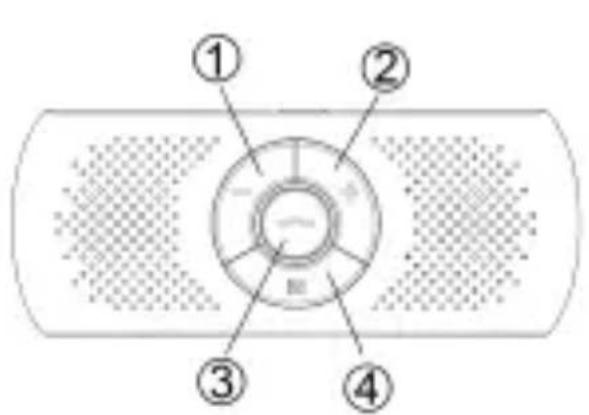
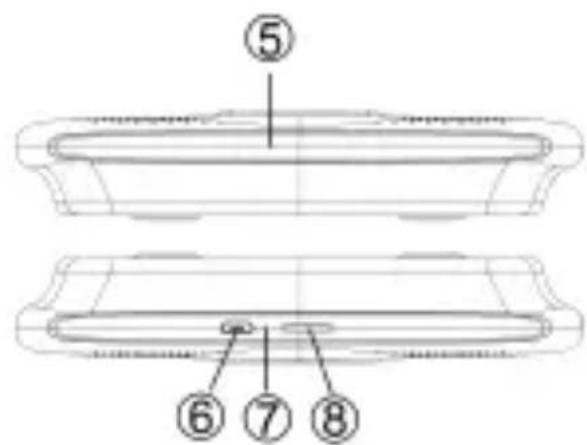
Buttons and Control
-
Vol-/Previous track
-
Vol+/Next track
-
Answer/Reject
-
Multi-function button
-
MIC
-
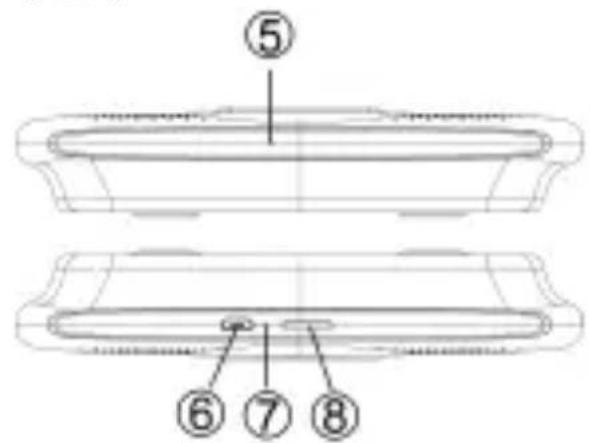
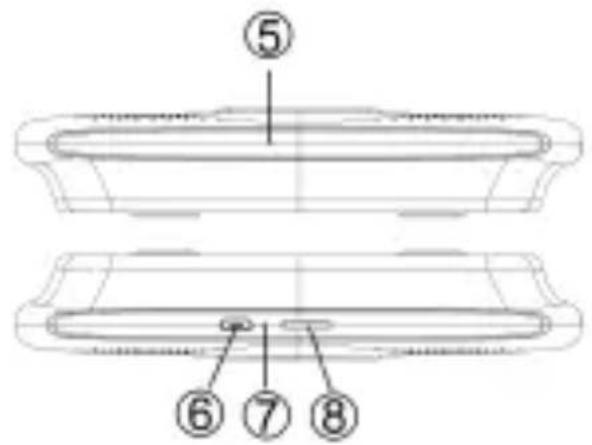
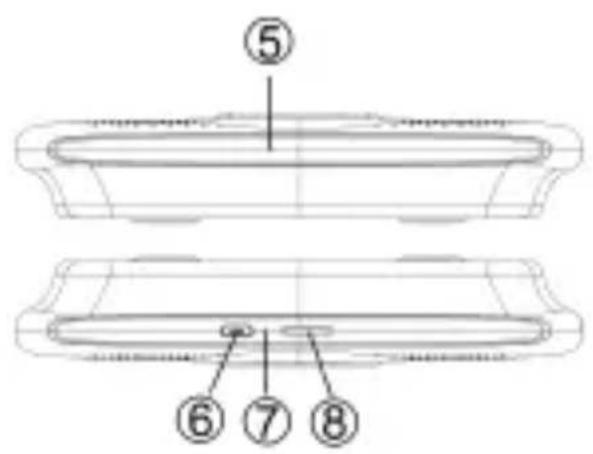
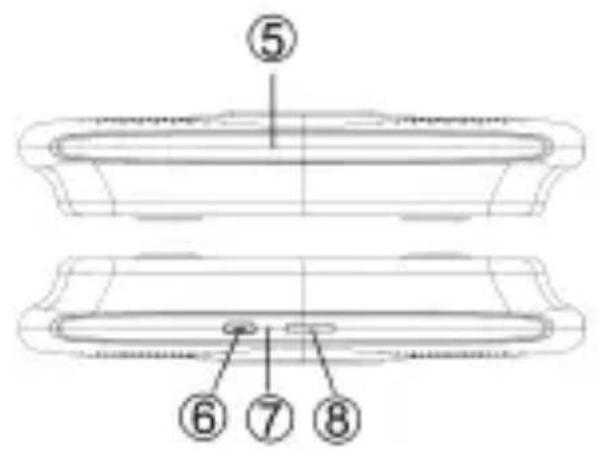
Charging port
-
LED indicator
-
SD card slot
Operation:
- Charge your Bluetooth in-car Speakerphone.
Make sure that your Bluetooth Hands-free Speakerphone is fully charged for the first time. Normal full charging time is 2 hours(approx).
Importance
1) Please use the USB interface no more than 5V to charge the device.
2) Red LED is on when charging and off when charging is completed.
3) The charging indicator will be delayed for
minutes, if the speakerphone has not been used for a long time or the batte is drained.
2. ON/OFF
1) Power on. Press and hold the button "M" for 2-3 seconds until you hear prompt tone. The blue LED flash on quickly.
2) Power off. Press and hold the button "M" until you hear a prompt tone. The blue LED is off.
3. Pairing
When using the Bluetooth Hands-free Speakerphone for the first time, you need pair it with your mobile phone. (Effective range is 3m)
1) Turn on the Bluetooth In-car Speakerphone, the speakerphone has a prompt tone as well as the blue LED flashes on quickly.
2) Activate your mobile phone's Bluetooth function to search for the pairing name of Bluetooth Hands-free Speakerphone.
3) Select the pairing name of Bluetooth Hands-free Speakerphone in your mobile phone, and press it to pair (som
mobile phones require you to enter the password "0000"). After successfully pairing, you will hear a prompt tone.
NOTES: If not paired successfully at the first time, please turn Off/On the speakerphone, repeating the above steps for pairing.
4. Connecting to 2 mobile phones
This devices support to connect 2 mobile phones simultaneously on working. If you are willing to connect it to another Bluetooth enabled phone, please follow the steps below:
1) Turn off the one mobile phone's Bluetooth function.
2) Turn on the other mobile phone's Bluetooth and connect it with speakerphone.
3) Turn on one phone's Bluetooth once again, the speakerphone will connect with the Bluetooth automatically.
5. Hands-free function
1) Answer/Reject call. When receiving a phone call, answer the call by pressing the button ∞. Pressing and hold the button ∞ for 2-3 seconds to reject the call.
2) End call. Press the button to end a call.
3) Redial last dialed phone number.
Double click the button when your Bluetooth Hands-free Speakerphone is working, you can dial the last dialed number.
4) Transferring calls from speakerphone to mobile phone. During a call, if you want to transfer a call from car speakerphone to mobile phone, the call will be routed to your mobile phone by double clicking the button ∞
- Adjust volume.
When you are calling or listening to music, press and hold the button +/- to increase/decrease the volume. When hearing a prompt tone “DuDu”, it means that the speakerphone has reached the maximum volume.
- Music playback from Bluetooth enabled devices/Micro SD card
After connecting with your Bluetooth enabled devices, you can play the music vi Bluetooth In-car Speakerphone. When plugging the Micro SD card into the
speakerphone, the speakerphone will play the MP3/WMA audio file in priority to the card. When playing music, press and hold the button of +/- to adjust the volume. And also you can press the button +/- to choose previous/next song.
NOTES: If there is a incoming call, the speakerphone will switch to hands-free call mode. After ending the call, the speakerphone will play music once again.
8. Power protection
When the battery becomes low, the speakerphone will have a prompt tone "DuDu", which means you should charge the speakerphone to make it work well.
9. Activate Siri or Google assistant of you phone.
Connecting the Hands-free Bluetooth Speakerphone to your phone, double click the button "M" to activate Siri or Google assistant of your phone. If it is activated successfully, a prompt tone "DingDong" will be heard. (Siri for iPhone phones, Google assistant for Android phones.)
10. Maintenance
1) Keep the device away from wet, humid, and high temperature environments.
2) Keep the device away from any corrosiv liquids.
3) Keep the device away from any sharp object to avoid scratches or damage.
4) Do not disassemble the device.
5) Keep the device in a dry environment when not in use.
11. Safety
1) Please use the device in a place consistent with local traffic laws and regulations.
2) Please concentrate on the road while driving and using the device.
3) Keep the device away from children.
4) Never use the device in where electronic or wireless communication is prohibited.
Überblick