
GTX1660TIO6GSI - Graphic card ASUS - Free user manual and instructions
Find the device manual for free GTX1660TIO6GSI ASUS in PDF.
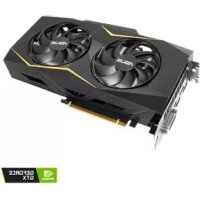



| Product type | Graphics card |
| Brand | ASUS |
| Model | GTX1660TIO6GSI |
| Graphics chipset | NVIDIA GeForce GTX 1660 Ti |
| Video memory | 6 GB GDDR6 |
| Interface | PCI Express 3.0 x16 |
| Dimensions (L x W x H) | 264 x 130 x 55 mm |
| Weight | 1120 g |
| Recommended PSU | 450 W minimum |
| Power consumption | 120 W |
| Power connectors | 1 x PCIe 8-pin connector |
| Video outputs | 1 x HDMI 2.0b, 1 x DisplayPort 1.4, 1 x DVI-D |
| Maximum supported resolution | 7680 x 4320 pixels |
| Supported technologies | DirectX 12, OpenGL 4.6, VR Ready, G-SYNC compatible |
| Management software | ASUS GPU Tweak II |
| Main features | Overclocking, monitoring, silent and gaming profiles, Gaming Booster |
| Cooling | Dual axial fans |
| Maximum noise level | 32 dB |
| Maintenance and cleaning | Disconnect the device, use compressed air for fans, avoid moisture |
| Safety | Install in a PCIe slot, check power supply, do not touch exposed components |
| Spare parts and repairability | User repair limited, contact support for any defect |
| Warranty | 3 years |
Frequently Asked Questions - GTX1660TIO6GSI ASUS
User questions about GTX1660TIO6GSI ASUS
0 question about this device. Answer the ones you know or ask your own.
Ask a new question about this device
Download the instructions for your Graphic card in PDF format for free! Find your manual GTX1660TIO6GSI - ASUS and take your electronic device back in hand. On this page are published all the documents necessary for the use of your device. GTX1660TIO6GSI by ASUS.
USER MANUAL GTX1660TIO6GSI ASUS
ASUS GPU Tweak II User Manual
Q10790
First Edition
August 2015
Contents
English. 3
繁體中文 14
简体中文 25
Francais 36
日本語 47
Italiano 58
Pycckn 69
Čestina. 80
Nederlands 91
Elambdaeta 102
Portuguese 113
Polish 124
Spanish 135
Ukrainian 146
German 157
Knowing GPU Tweak II
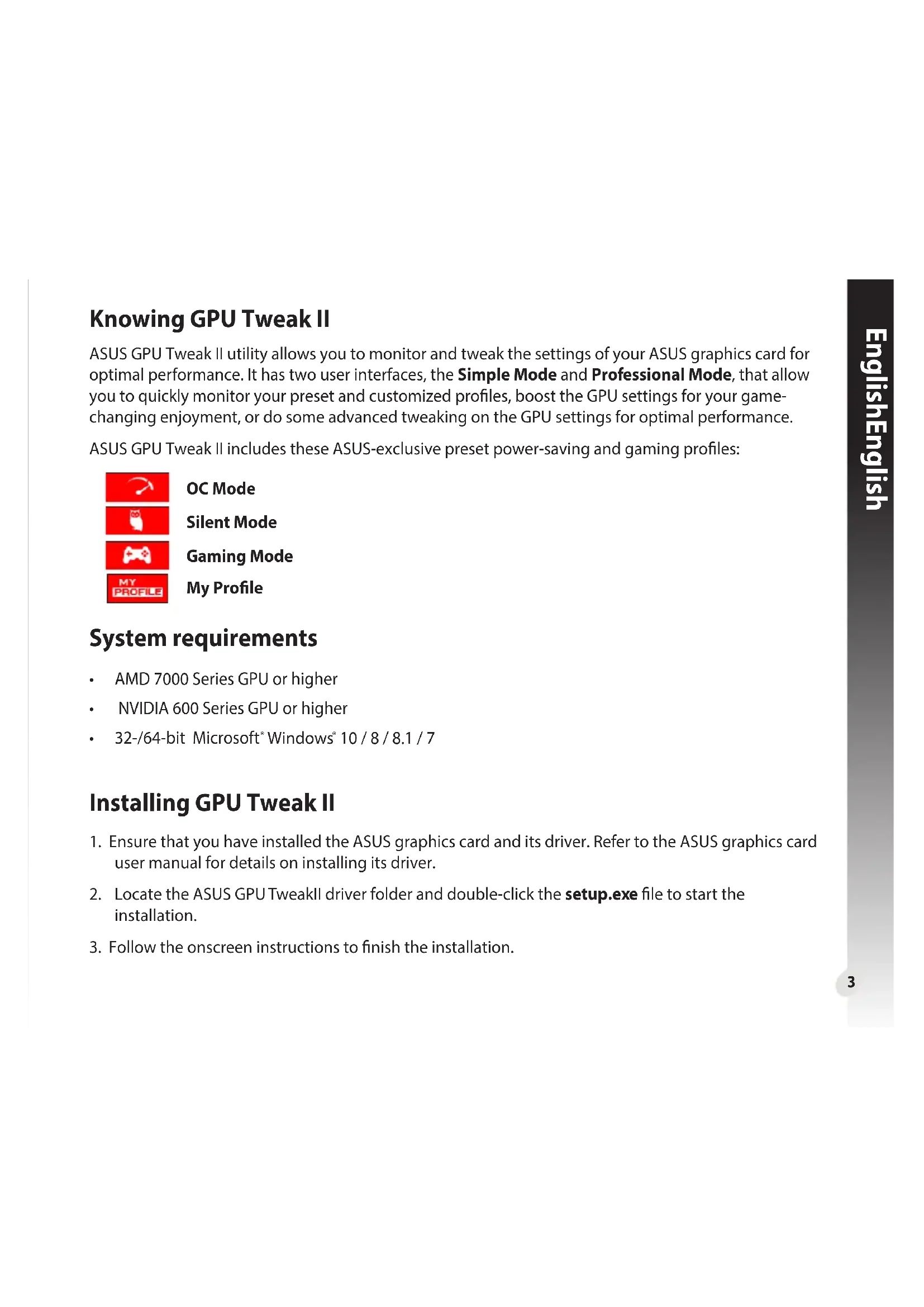
ASUS GPU Tweak II utility allows you to monitor and tweak the settings of your ASUS graphics card for optimal performance. It has two user interfaces, the Simple Mode and Professional Mode, that allow you to quickly monitor your preset and customized profiles, boost the GPU settings for your game-changing enjoyment, or do some advanced tweaking on the GPU settings for optimal performance.
ASUS GPU Tweak II includes these ASUS-exclusive preset power-saving and gaming profiles:

OC Mode
Silent Mode
Gaming Mode
My Profile
System requirements
AMD 7000 Series GPU or higher NVIDIA 600 Series GPU or higher 32-/64-bit Microsoft*Windows 10/8/8.1/7
Installing GPU Tweak II
- Ensure that you have installed the ASUS graphics card and its driver. Refer to the ASUS graphics card user manual for details on installing its driver.
- Locate the ASUS GPU TweakII driver folder and double-click the setup.exe file to start the installation.
- Follow the onscreen instructions to finish the installation.
Launching GPU Tweak II
Double-click the GPU Tweak icon on the desktop. - Click Start > All Programs > ASUS > GPU Tweak II to launch the program.
Simple Mode
Simple Mode provides you with a quick way to monitor your GPU settings in real-time, and tweak some system settings via Gaming Booster for your game-changing enjoyment.
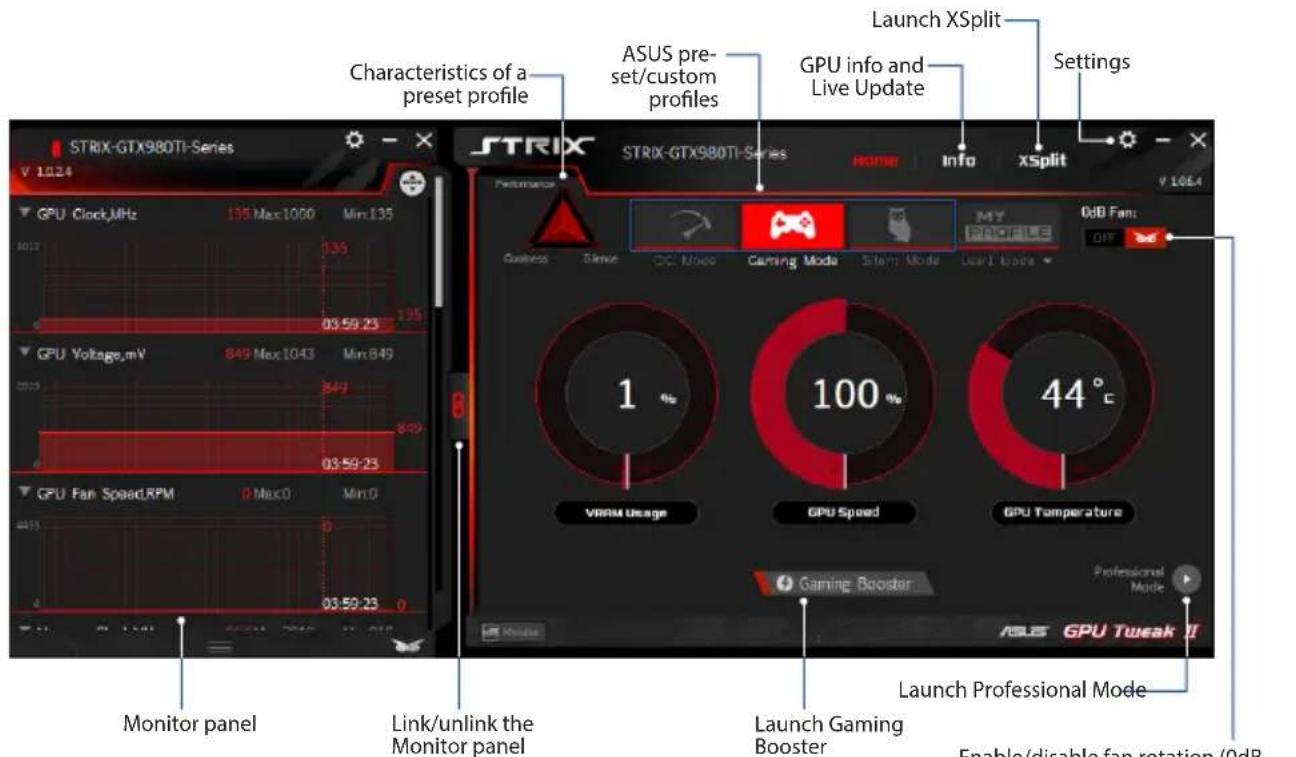
Enable/disable fan rotation (0dB Fan)* * Appears only on an ASUS Graphics card with 0dB Fan function.
Gaming Booster
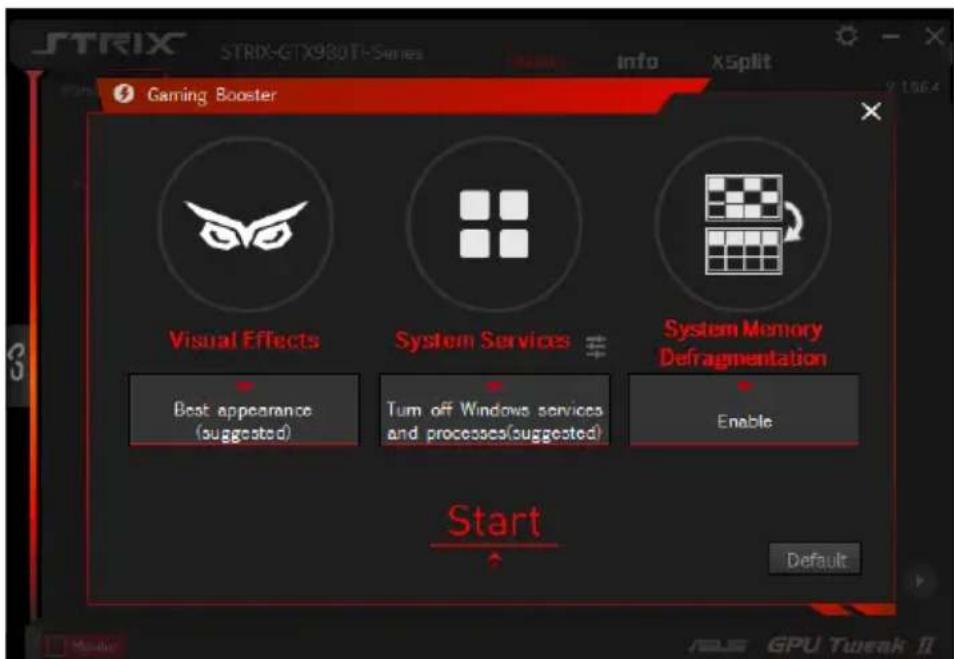
Get that game-changing performance edge with Gaming Booster, which helps optimize your system for a seamless and faster game play in your computer games.
Gaming Booster offers you these three (3) functions:
Visual Effects: Lets you turn off the Windows® visual effects to intensify the processor performance. System Services: Lets you to automatically or manually turn off Windows® services or processes.
- System Services setting: Lets you to manually choose the services or processes that you want to stop.
- System Memory defragmentation: Lets you rearrange and clean your system memory without closing any processes.
Professional Mode
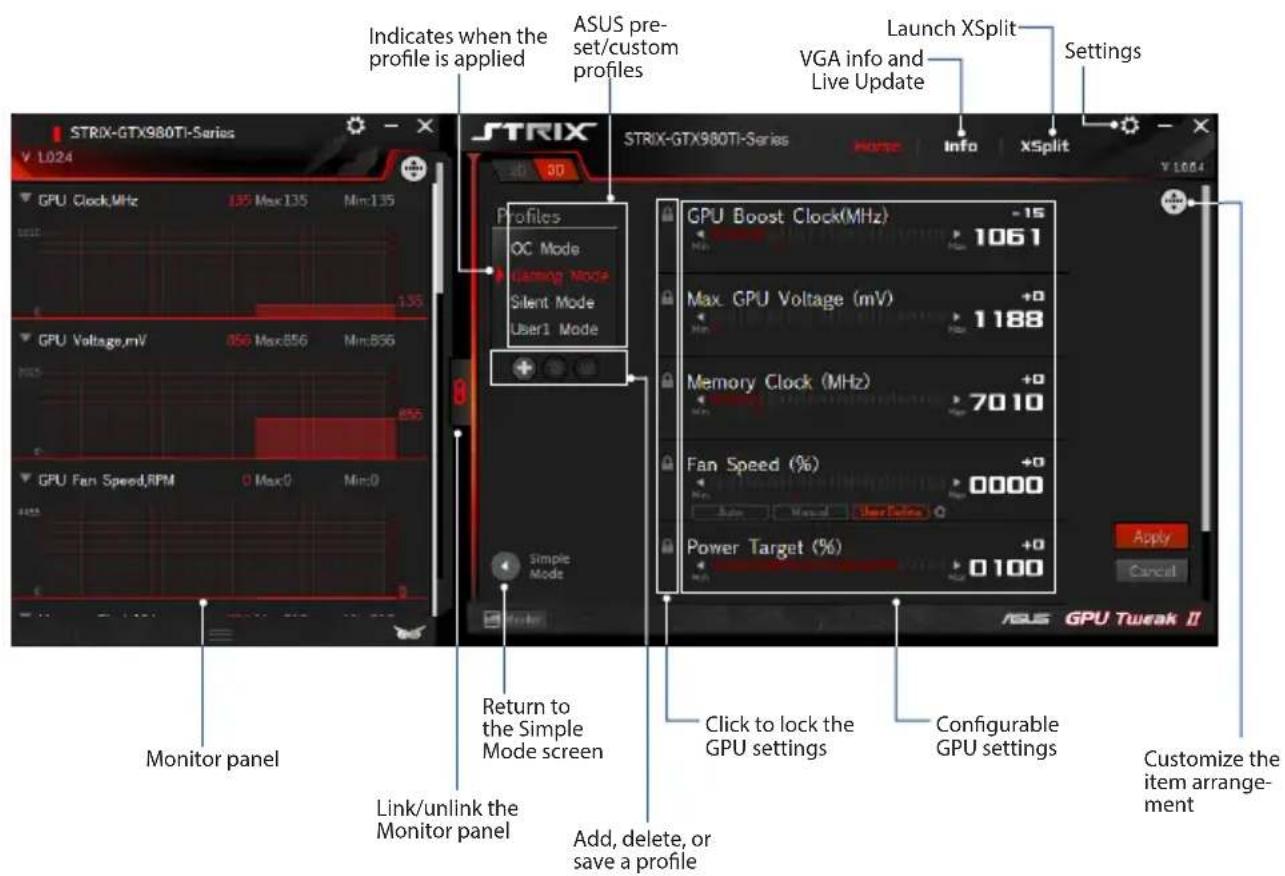
Configure the GPU settings like a pro, and get the optimal performance from your ASUS Graphics card.
Configuring a profile
- Select the profile that you want to configure.
- Select the GPU setting, then key in your preferred value.
- When done, click Apply.
Adding a profile
- Click + then assign the profile name.
- Set your preferred values.
- When done, click save the profile.
Applying a profile
- Select the profile, then click Apply to apply the profile.
Deleting a profile
- Select the profile, then click to delete the profile.
Getting the VGA info and Live Update
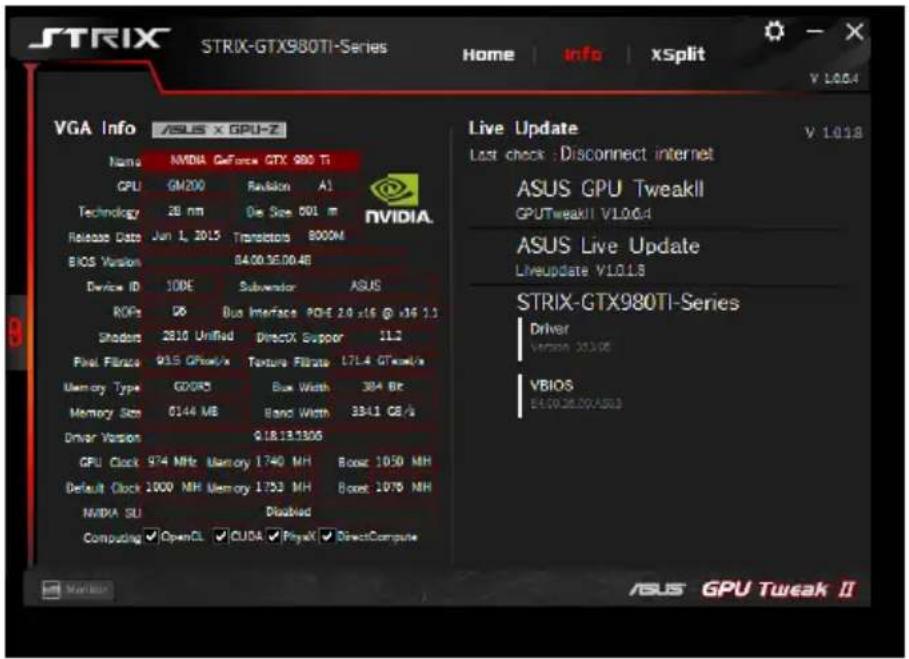
The Info screen provides you with information and live updates about your ASUS VGA card.
NOTE: Ensure that your computer is connected to the Internet to get the Live Update.
Launching XSplit
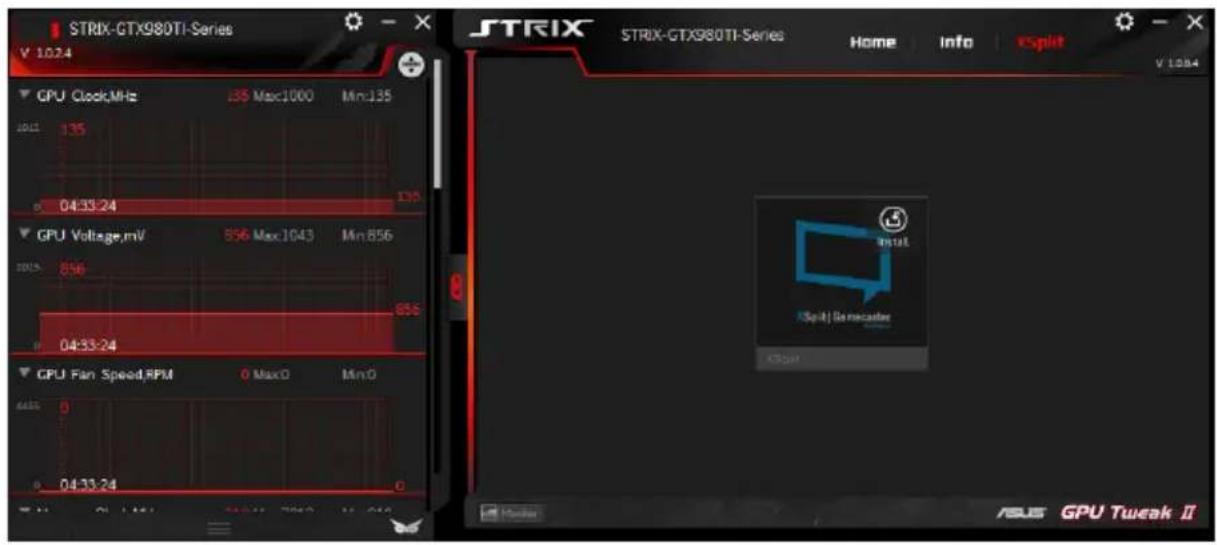
Install and launch XSplit Gamecaster from GPU Tweak II.
Using the Settings screen
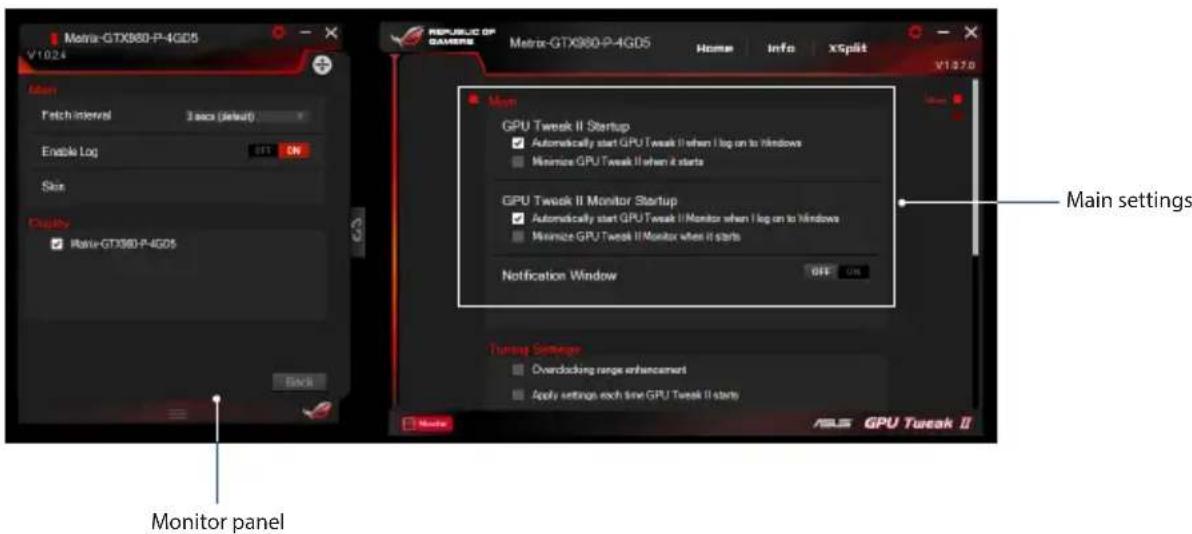
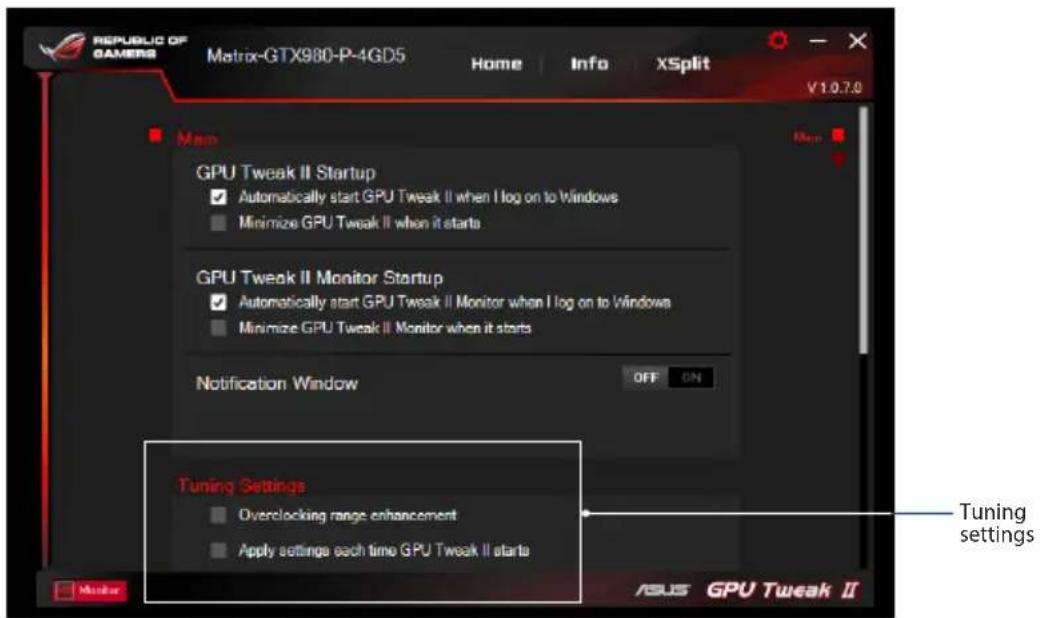
The Settings screen allows you to configure the GPU Tweak II settings such as Main, Tuning Settings, Live Update, and Keyboard Shortcuts.
Main
From the Main settings, you can select any of these options on launching GPU Tweak II:
- Automatically launch GPU Tweak II or its Monitor panel on Windows® startup.
- Minimize GPU Tweak II or its Monitor panel once launched.
- Turn the notification window on/off.
Tuning Settings
From the Tuning Settings, you can select any of these options on applying the GPU Tweak II settings:
- Enhance the overclocking range.
- Apply the settings on GPU Tweak startup.
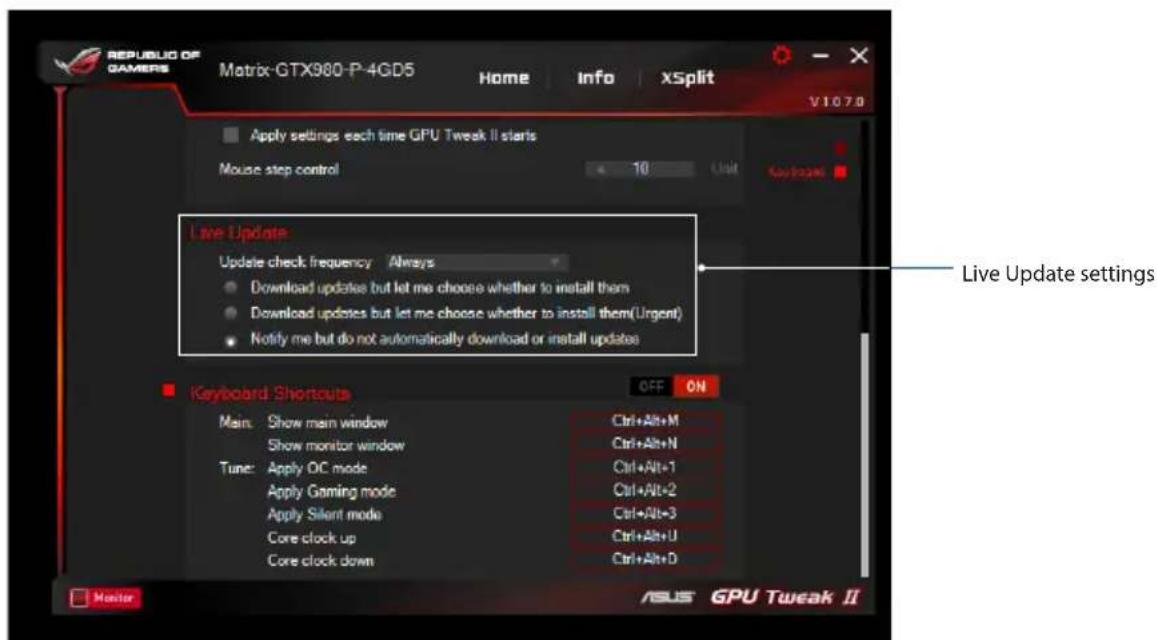
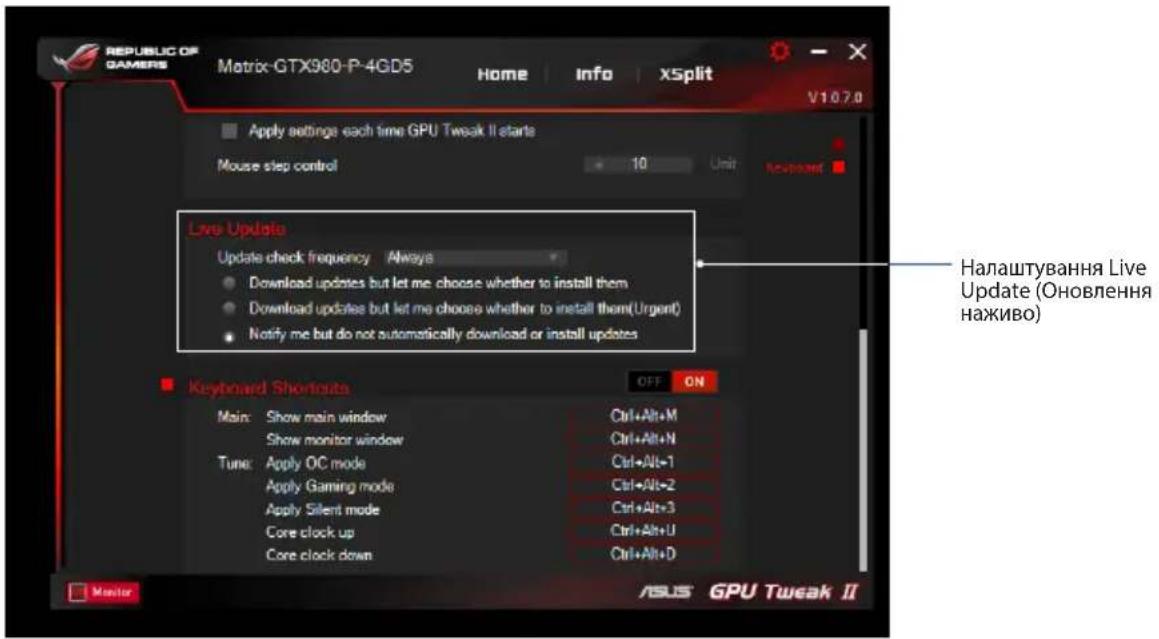
Live Update
Receive notifications on the latest VBIOS and driver updates from Live Update. Configure and select the following Live Update options:
- Set the Update check frequency as to when you want to receive the Live Update.
- Select any of the Live Update options:
- Download updates but let me choose whether to install them: Select this option to automatically download updates, and decide whether to manually install them.
- Download important updates but let me choose whether to install them: Select this option to automatically download critical updates, and decide whether to manually install them.
- Notify me but do not automatically download or install updates: Select this option to receive notifications only, and decide whether to manually download and install the updates.
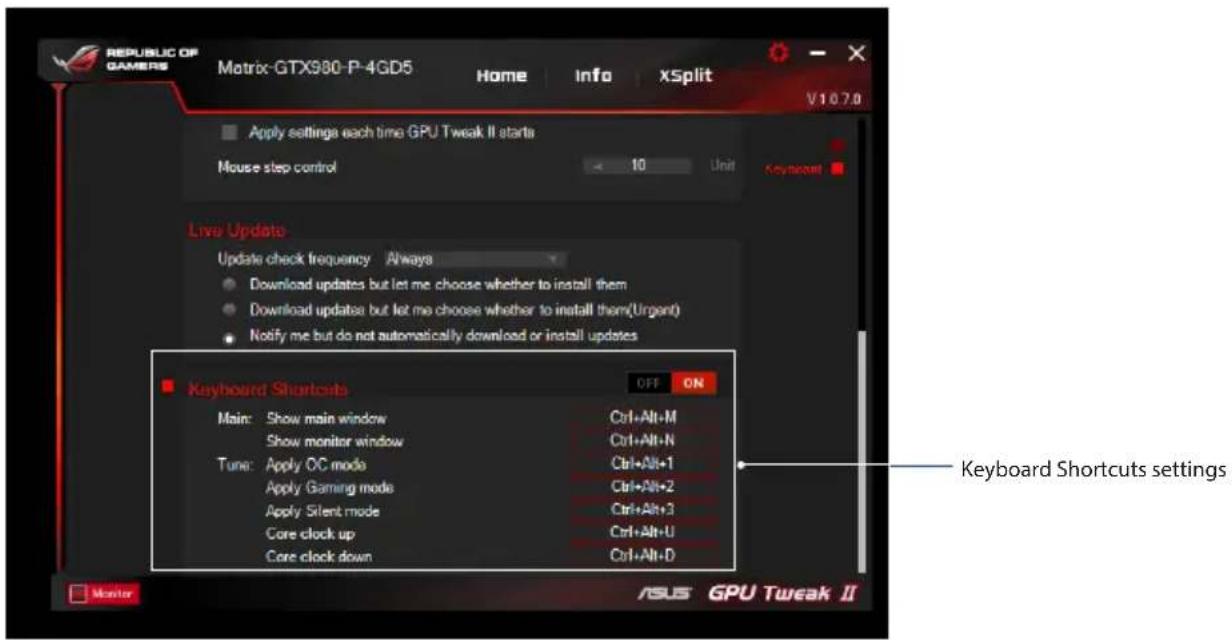
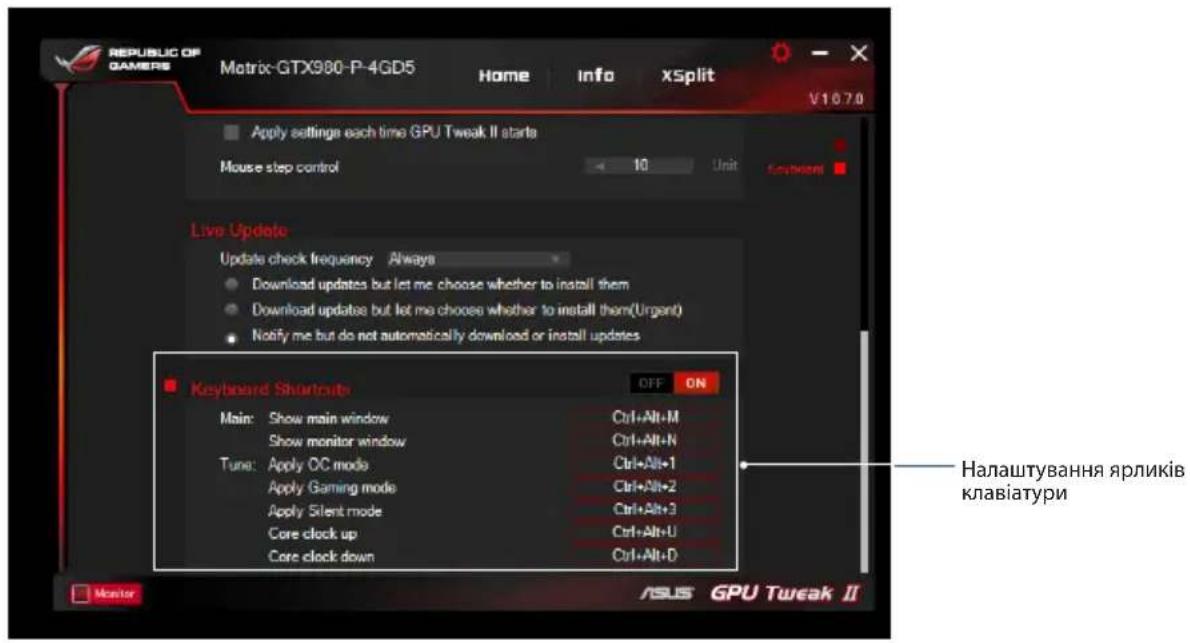
Keyboard Shortcuts
Turn on/off the Keyboard Shortcuts to quickly show the main screen or apply some quick adjustments.
Understanding GPU Tweak II
Gaming Mode
My Profile
System requirements
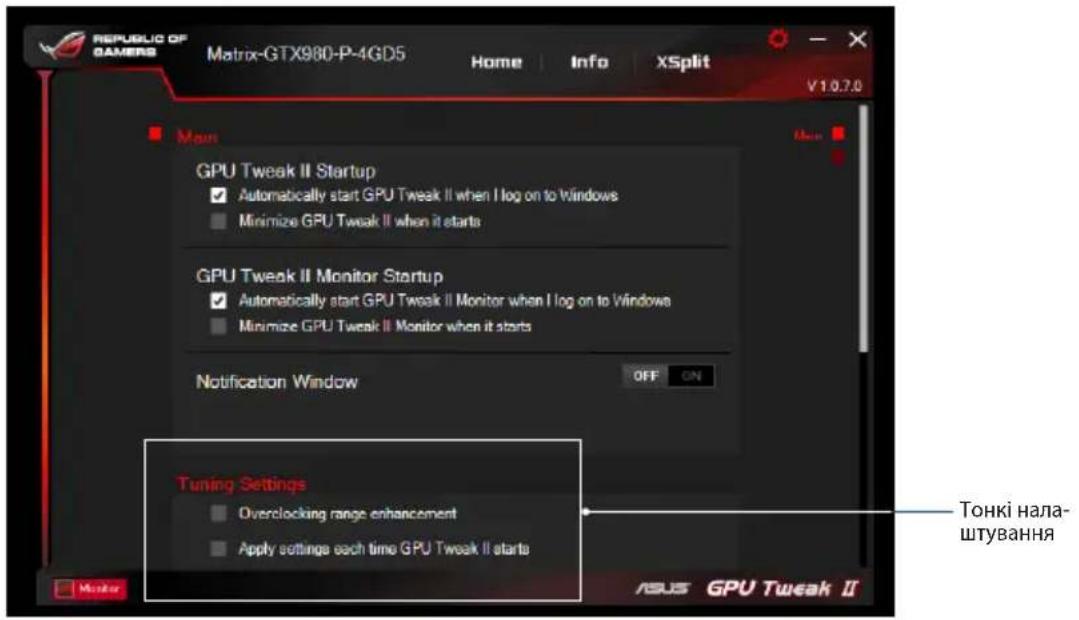
Y Tuning Settings (Tuning Settings) can be selected for any GPU Tweak II application:
Increase the display overclocking range. Apply the setting during GPU Tweak startup.
Update
Receive notifications about the latest VBIOS and driver updates via Live Update (Update). Configure and select the following options in Live Update (Update):
Set the update check frequency to the frequency at which you want to receive Live Update (Update) notifications. Select any Live Update (Update) option, for example:
Download updates, but let me choose whether to install them: Set this option to automatically download updates and let me decide whether to install them manually. Download important updates, but let me choose whether to install them: Set this option to automatically download critical updates and let me decide whether to install them manually. Notify me, but do not download or install updates automatically: Set this option to receive only notifications and let me decide whether to download and install updates manually.
Keyboard shortcuts
Enable/Disable keyboard shortcuts, to show the main screen and to enter certain corrections.



- ASUS GPU TWEAK II USER MANUAL
- CONTENTS
- KNOWING GPU TWEAK II
- SYSTEM REQUIREMENTS
- INSTALLING GPU TWEAK II
- LAUNCHING GPU TWEAK II
- SIMPLE MODE
- GAMING BOOSTER
- PROFESSIONAL MODE
- CONFIGURING A PROFILE
- ADDING A PROFILE
- APPLYING A PROFILE
- DELETING A PROFILE
- GETTING THE VGA INFO AND LIVE UPDATE
- LAUNCHING XSPLIT
- USING THE SETTINGS SCREEN
- MAIN
- TUNING SETTINGS
- LIVE UPDATE
- KEYBOARD SHORTCUTS
- UNDERSTANDING GPU TWEAK II
- UPDATE
Brand : ASUS
Model : GTX1660TIO6GSI
Category : Graphic card