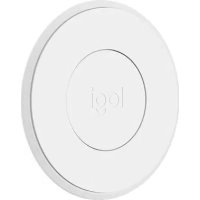
Circle 2 Magnetic Mount - Surveillance Camera LOGITECH - Free user manual and instructions
Find the device manual for free Circle 2 Magnetic Mount LOGITECH in PDF.


| Product Type | Magnetic mount for surveillance camera |
| Brand | Logitech |
| Model | Circle 2 Magnetic Mount |
| Compatibility | Logitech Circle 2 wired and wireless camera |
| Main material | Plastic and neodymium magnet |
| Diameter | Approximately 5 cm |
| Height | Approximately 2 cm |
| Weight | Approximately 50 g |
| Color | White |
| Fixing | Semi-permanent adhesive on smooth surface or magnetic on metal |
| Power supply | None (passive mount) |
| Usage | Indoor and outdoor (with weather-resistant extension) |
| Operating temperature | From 0 °C to 45 °C |
| Protection rating | IP65 (with camera equipped with waterproof extension) |
| Maintenance and cleaning | Clean with a slightly damp soft cloth. Do not use abrasive products. |
| Safety | Strong magnet: keep away from medical devices (pacemakers, etc.). The adhesive may damage the surface upon removal. |
| Spare parts and repairability | Replacement adhesive available. Product not user-serviceable. |
| Package contents | Magnetic mount, adhesive, quick start guide |
| Warranty | Logitech limited hardware warranty (see packaging or website) |
| General information | Designed to easily mount the Circle 2 camera on a metal or smooth surface. Wait 24 hours after applying adhesive before installing the camera. |
Frequently Asked Questions - Circle 2 Magnetic Mount LOGITECH
User questions about Circle 2 Magnetic Mount LOGITECH
0 question about this device. Answer the ones you know or ask your own.
Ask a new question about this device
Download the instructions for your Surveillance Camera in PDF format for free! Find your manual Circle 2 Magnetic Mount - LOGITECH and take your electronic device back in hand. On this page are published all the documents necessary for the use of your device. Circle 2 Magnetic Mount by LOGITECH.
USER MANUAL Circle 2 Magnetic Mount LOGITECH
CIRCLE 2 ACCESSORY ACCESSOIRE CIRCLE 2
MAGNETIC MOUNT SUPPORT MAGNÉTIQUE
SECURITY MADE SIMPLE The Magnetic Mount makes it easy to install Circle 2 Wired and Wire-Free Cameras on any magnetic surface.
3 English
WHAT'S IN THE BOX
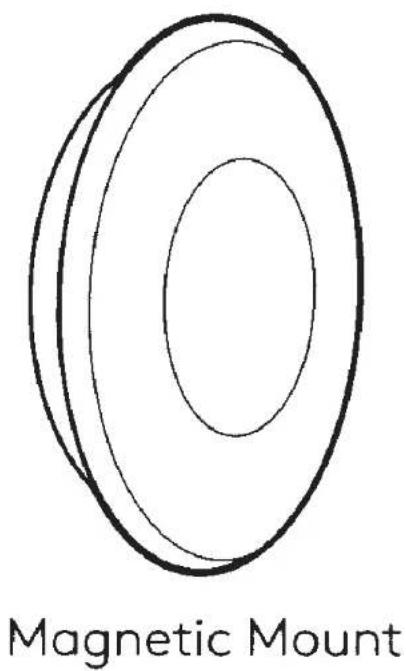
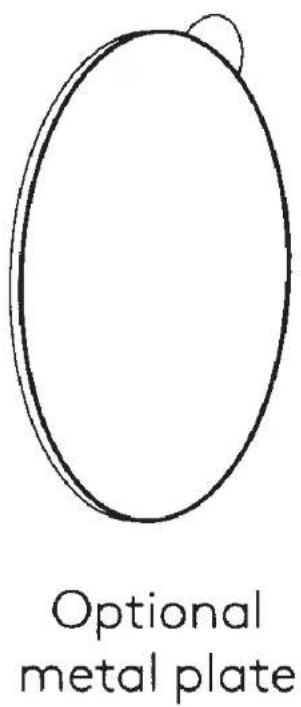
4 English
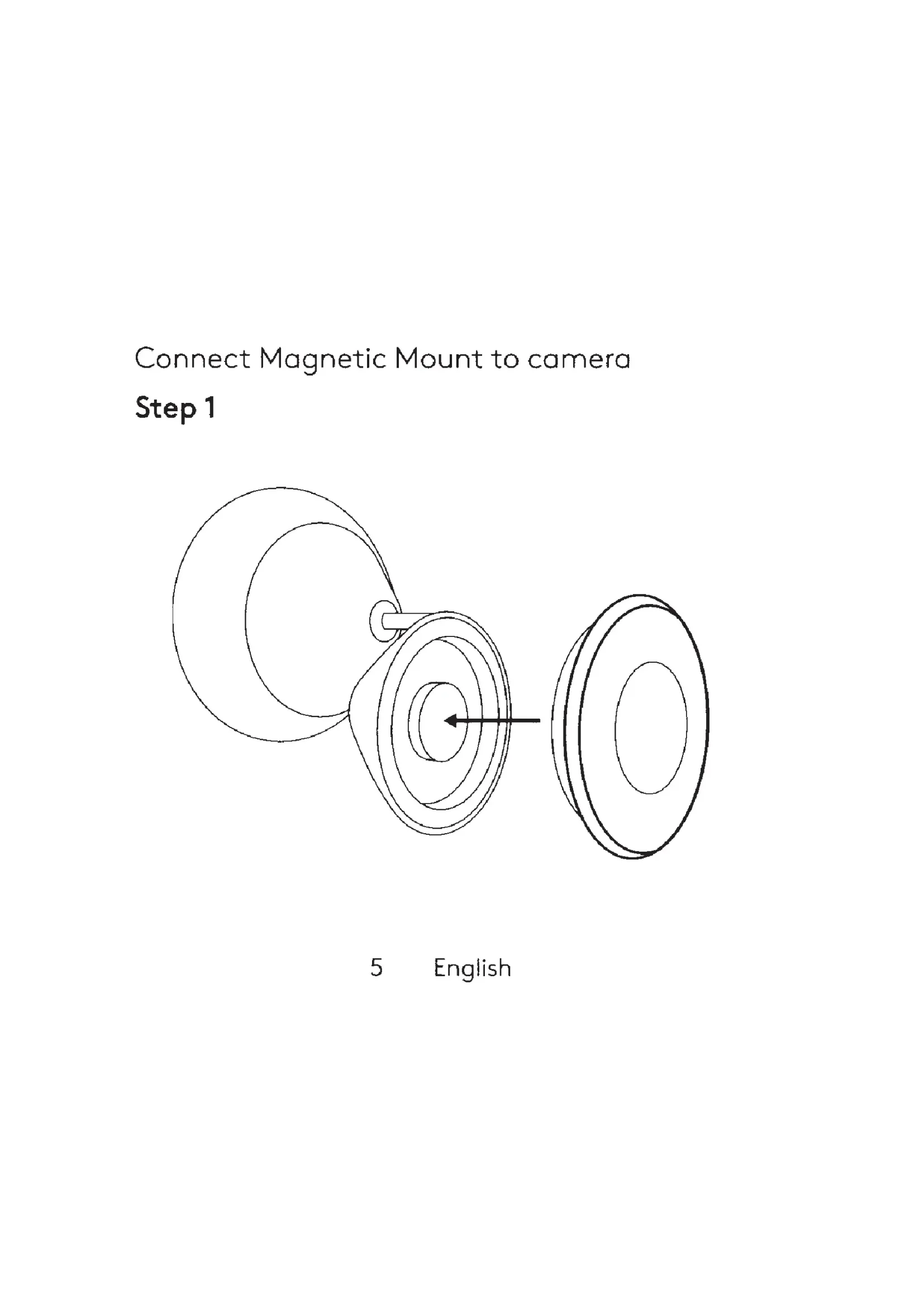
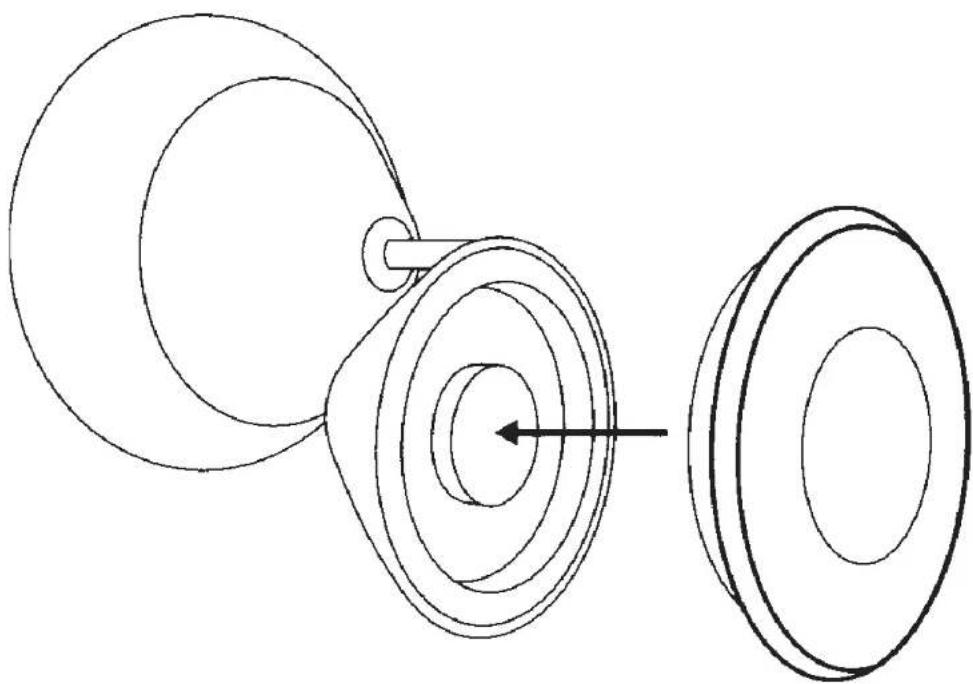
Connect Magnetic Mount to camera
Step 1
natural_image
Pure technical line drawing of a mechanical component with concentric circles and a shaft, no text or symbols present5 English
Step 2
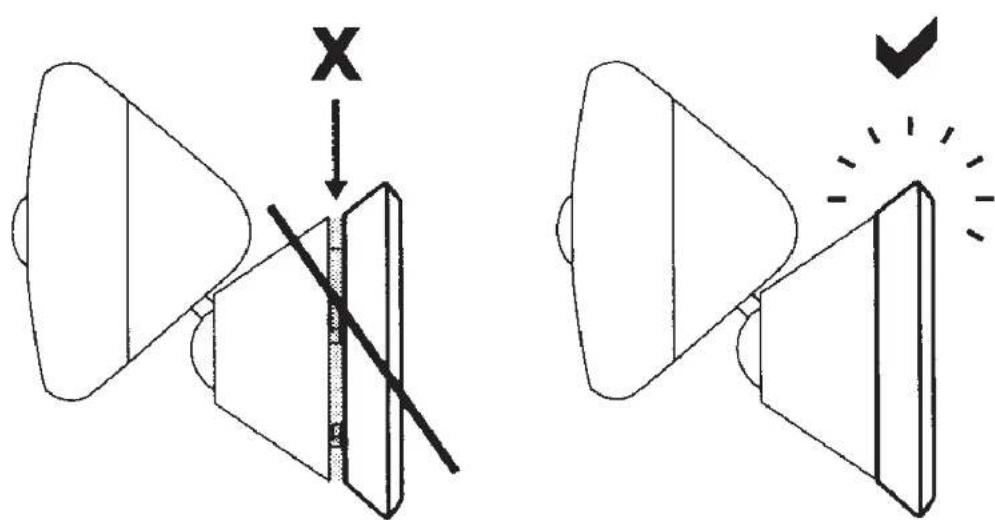
NOTE: Products must be flush together without any gap in between.
6 English
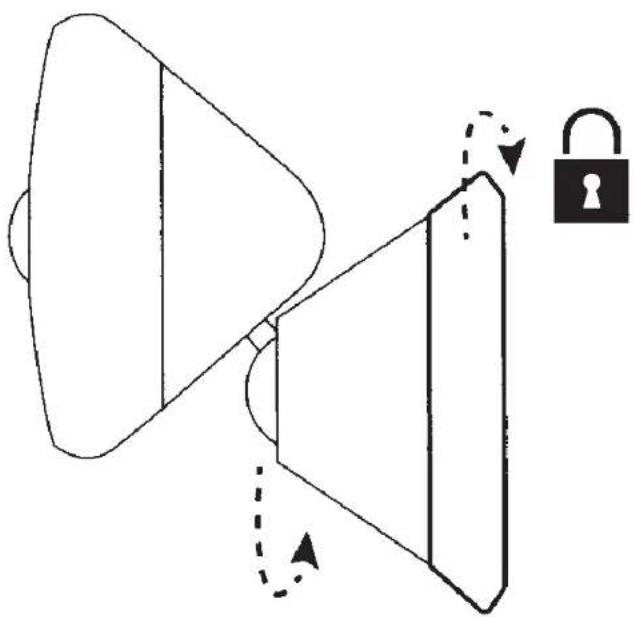
Step 3
natural_image
Diagram of a megaphone emitting sound waves with an open lock icon, no text or symbols presentNOTE: Twist to lock into place.
7 English
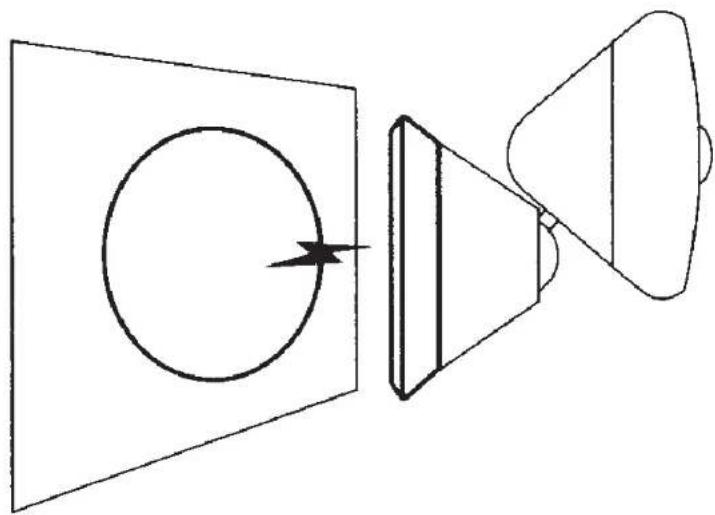
Place Circle 2 with mount on any magnetic surface
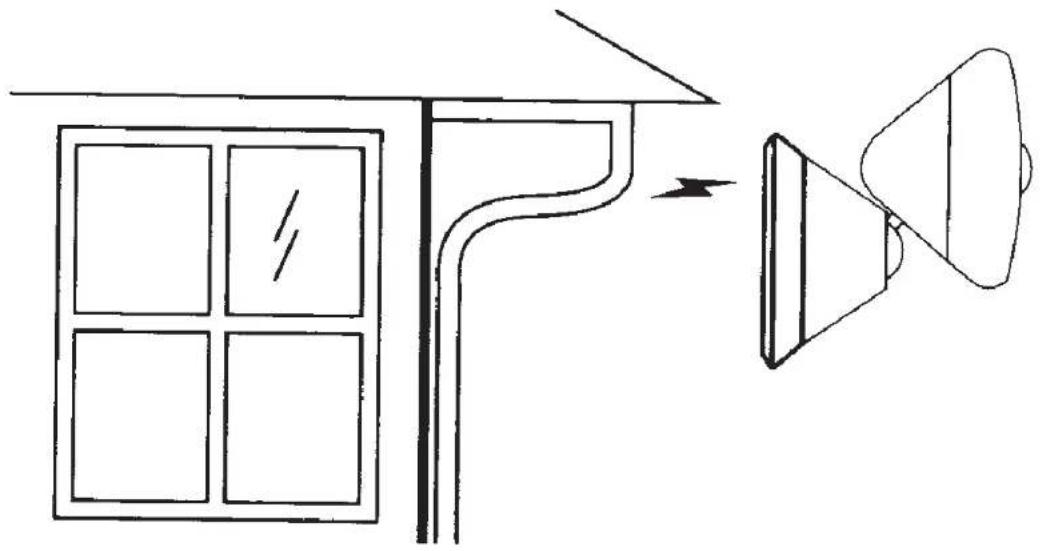
NOTE: Strength of magnetic force depends on the volume of the magnetic surface and the distance between the mount and the surface.
Use optional metal plate for non-magnetic indoor surfaces
natural_image
Diagram showing a speaker emitting sound waves into a circle, with no text or symbols present.NOTE: Wait at least 24hrs for the metal plate to adhere to surface, prior to attaching camera.
9 English
For additional installation tips or support, visit logi.com/circle2/setup
© 2018 Logitech. All rights reserved. Logitech, Logi and other Logitech marks are owned by Logitech and may be registered.
Important Safety, Compliance and Warranty Information
Read Manual Before Product Use.

POWER SUPPLY WARNING! The power supply is for INDOOR USE ONLY. Only use the power supply included with your product. Do not attempt to repair or use a damaged power supply. Do not immerse the power supply in water or subject it to physical abuse. Inspect the power supply regularly for cable, plug, and casing damage.
OUTDOOR USE. For outdoor use, the Circle 2 Indoor/Outdoor Security Camera must be used with the Circle 2 Accessory - Weatherproof Extension. Properly install the Circle 2 Accessory - Weatherproof Extension before using outdoors. For instructions on outdoor installation visit: www.logitech.com/circle2/installation.
For INDOOR USE ONLY:
- Circle 2 Indoor/Outdoor Security Camera WITHOUT Circle 2 Accessory - Weatherproof Extension
- Circle 2 Camera WITH Circle 2 Accessory – Window Mount - Circle 2 Camera WITH Circle 2 Accessory – Plug Mount
BATTERY WARNING: Improperly replaced batteries may present a risk of leak or explosion and personal injury. Mistreated rechargeable batteries may present a risk of fire or chemical burn. Do not disassemble or expose to conducting materials, moisture, liquid, or heat above 54°C (130°F). Do not use or charge the battery if it appears to be leaking, discolored, deformed, or in any way abnormal. Do not leave your battery discharged or unused for extended periods. Do not short circuit. Your device may contain an internal, rechargeable battery that is not replaceable. Battery life varies with usage. Non-operational batteries should be discarded according to local laws. If no laws or regulations govern, dispose of your device in a waste bin for electronics. Keep batteries away from children.
BATTERY CHARGING. Charge battery indoors only. Do not charge the battery outdoors.
Safe Usage Guidelines for Products
• Do not open or modify the product
• Do not disassemble or attempt to service this product.
- This product is safe under normal and reasonably foreseeable operating conditions.
• If product is operating improperly, please contact Logitech support.
• Product must be returned to the manufacturer for any service or repair.
- Plug equipment in an outlet that complies with national/local electrical wiring rules.
- For pluggable equipment, the socket-outlet shall be installed near the equipment and shall be easily accessible.
- This is not a Children's Product and is not intended for use by children under 14 years old.
- Warning: Not suitable for children under 36 months. Small parts. Choking hazard.
- Mount camera properly, improperly mounted camera may fall and cause injury.
- Keep magnet away from devices and objects that could be damaged or impacted by strong magnetic fields. Magnet may interfere with certain medical devices.
IP Rating (per IEC 60529): IP65
- Circle 2 Indoor/Outdoor Security Camera WITH Circle 2 Accessory - Weatherproof Extension
- Circle 2 Indoor/Outdoor Security Camera 100% Wire-free (EXCLUDING power supply and USB cable)
Legal Warning
- Certain uses of camera products and audio devices, such as employee monitoring, surreptitious viewing and recording of images and/or audio, or the use, publication or distribution of image and/or audio recordings, are prohibited or restricted by country, state and local laws.
- Be sure to comply with the laws in your country, state, and locality when using Logitech Alert products and services.
Logitech Compliance. For Product Safety, EMC, RF and Energy information, go to www.logitech.com/compliance. Maintenance is not required for product compliance.
FCC statement
This device complies with Part 15 of the FCC Rules. Operation is subject to the following two conditions: 1) this device may not cause harmful interference, and 2) this device must accept any interference received, including interference that may cause undesired operation.
This equipment has been tested and found to comply with the limits for a Class B digital device, pursuant to part 15 of the FCC Rules. These limits are designed to provide reasonable protection against harmful interference in a residential installation. This equipment generates, uses and can radiate radio frequency energy. And, if not installed and used in accordance with the instructions, may cause harmful interference to radio communications. However, there is no guarantee that interference will not occur in a particular installation. If this equipment does cause harmful interference to radio or television reception, which can be determined by turning the equipment off and on, the user is encouraged to try to correct the interference by one or more of the following measures:
• Reorient or relocate the receiving antenna.
- Increase the separation between the equipment and receiver.
- Connect the equipment into an outlet on a circuit different from that to which the receiver is connected.
- Consult the dealer or an experienced radio/TV technician for help.
Warning: Where shielded interface cables or accessories have been provided with the product or specified additional components or accessories elsewhere defined to be used with the installation of the product, they must be used in order to ensure compliance with FCC. Changes or modifications to product not expressly approved by Logitech, Inc could void your right to use or operate your product by the FCC.
CAN ICES-3 (B) / NMB-3 (B)
This device complies with Industry Canada's licence-exempt RSSs. Operation is subject to the following two conditions: (1) This device may not cause interference; and (2) This device must accept any interference, including interference that may cause undesired operation of the device. Caution: (i) the device for operation in the band 5150-5250 MHz is only for indoor use to reduce the potential for harmful interference to co-channel mobile satellite systems; (ii) high-power radars are allocated as primary users (i.e. priority users) of the bands 5250-5350 MHz and 5650-5850 MHz and that these radars could cause interference and/or damage to LE-LAN devices. Radiation Exposure Statement: This equipment complies with FCC and Industry Canada's RF exposure limits set forth for an uncontrolled environment. This equipment should be installed and operated with minimum distance 20cm between the radiator & your body. This transmitter must not be co-located or operating in conjunction with any other antenna or transmitter.
Logitech Limited Hardware Product Warranty – A Summary
Logitech warrants that its hardware product shall be free from defects in materials and workmanship for the length of time identified on your product package beginning from the date of the original retail purchase. See support.logitech.com for specific warranty information about your product and procedures to act on a warranty claim.
Logitech's entire liability and your exclusive remedy for any breach of warranty shall be, at Logitech's option, to repair or replace a functional equivalent of the product, or to refund the price paid, if the hardware is returned to the point of purchase or such other place as Logitech may direct along with a receipt. Warranty protections are in addition to rights provided under local consumer laws and may vary among countries. See full warranty information to know your consumer rights and the additional protections provided by this product warranty.
Logitech Address: Logitech, Inc., 7700 Gateway Blvd. Newark, California 94560.
Full Warranty Information: support.logitech.com
Français
© 2018 Logitech. Logitech, Logi, and other Logitech marks are owned by Logitech and may be registered. Bluetooth® is a registered trademark of Bluetooth SIG, Inc. All other trademarks are the property of their respective owners. Logitech assumes no responsibility for any errors that may appear in this manual. Information contained herein is subject to change without notice.

- CIRCLE 2 ACCESSORY ACCESSOIRE CIRCLE 2
- MAGNETIC MOUNT SUPPORT MAGNÉTIQUE
- WHAT'S IN THE BOX
- Connect Magnetic Mount to camera
- Step 1
- Step 2
- Step 3
- Important Safety, Compliance and Warranty Information
- For INDOOR USE ONLY:
- Safe Usage Guidelines for Products
- IP Rating (per IEC 60529): IP65
- Legal Warning
- FCC statement
- CAN ICES-3 (B) / NMB-3 (B)
- Logitech Limited Hardware Product Warranty – A Summary
- Français
Brand : LOGITECH
Model : Circle 2 Magnetic Mount
Category : Surveillance Camera