
C505e - Surveillance Camera LOGITECH - Free user manual and instructions
Find the device manual for free C505e LOGITECH in PDF.



| Product type | Surveillance camera |
| Brand | Logitech |
| Model | C505e |
| Resolution | HD 720p |
| Microphone | Built-in |
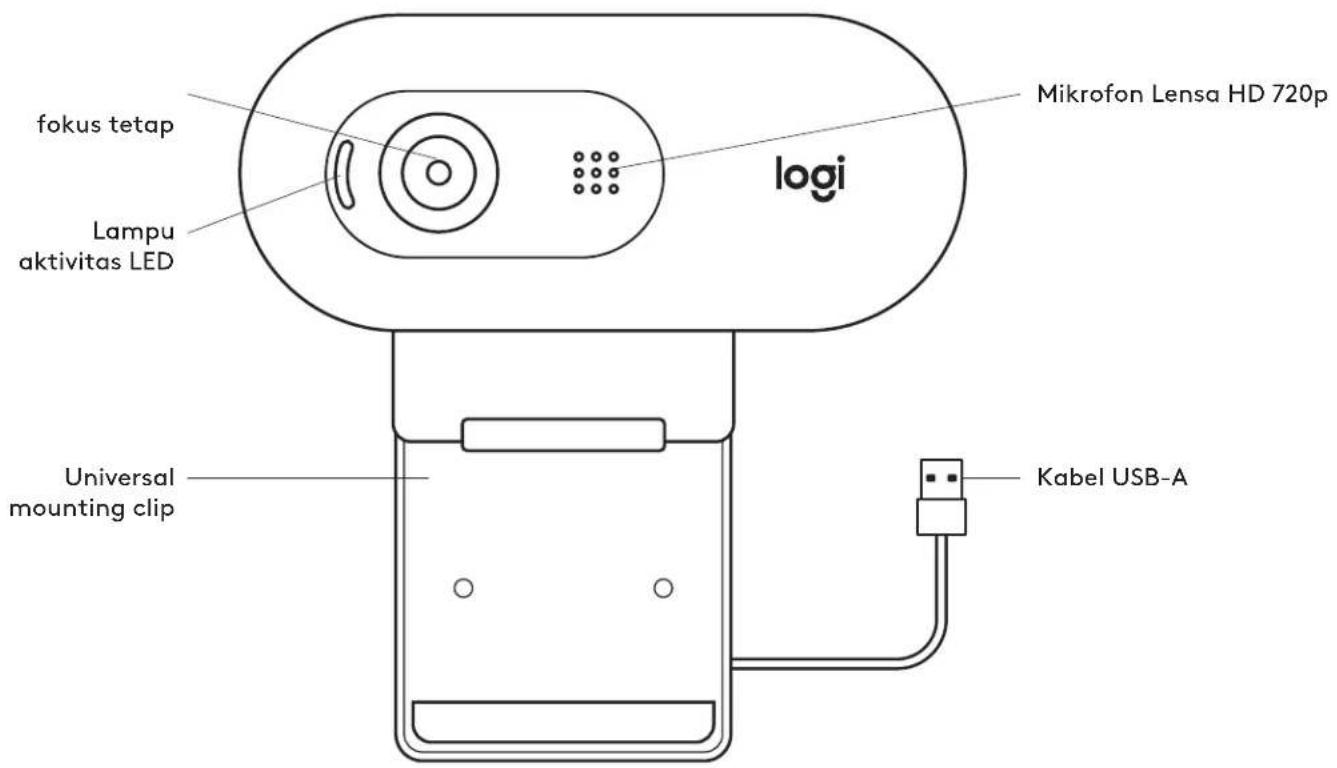
| Activity light | Yes, lights up when in use by an application |
| Mounting | Universal mounting clip |
| Connection type | USB-A |
| Cable length | 2 m (7 ft) |
| Dimensions (with clip) | 31.91 mm (h) x 72.91 mm (w) x 66.64 mm (d) |
| Weight | 75 g (2.65 oz) |
| Power supply | Via computer USB port |
| Focus | Fixed |
| Maintenance | Clean with a soft, dry cloth |
| Box contents | 1 webcam with integrated USB-A cable, user documentation |
Frequently Asked Questions - C505e LOGITECH
User questions about C505e LOGITECH
0 question about this device. Answer the ones you know or ask your own.
Ask a new question about this device
Download the instructions for your Surveillance Camera in PDF format for free! Find your manual C505e - LOGITECH and take your electronic device back in hand. On this page are published all the documents necessary for the use of your device. C505e by LOGITECH.
USER MANUAL C505e LOGITECH
natural_image
Line drawing of a LOGI remote device with no text or symbols on the bodyCONTENTS
English . . . . . . . . . . . . . . . . . . . . . . . . . . . . . . . . . . . . . . . 3
Deutsch 6
Français 9
Italiano....12
Español....15
Português ..... 18
Nederlands 21
Svenska. 24
Dansk. 27
Norsk. 30
Suomi. 33
Ελληνικά. . . . . . . . . . . . . . . . 3 6
По-русски. 39
Po polsku 42
Magyar ..... 4 5
Česká verze. 48
Slovenčina ..... 51
Українська. 54
Eesti 57
Latviski 60
Lietuvių 63
Български. . . . . . . . . . . . . . . . . . 6 6
Hrvatski 69
Srpski 72
Slovenščina. 75
Română 78
Türkçe 81
84 العربية
87.
한국어 93
Indonesia 96
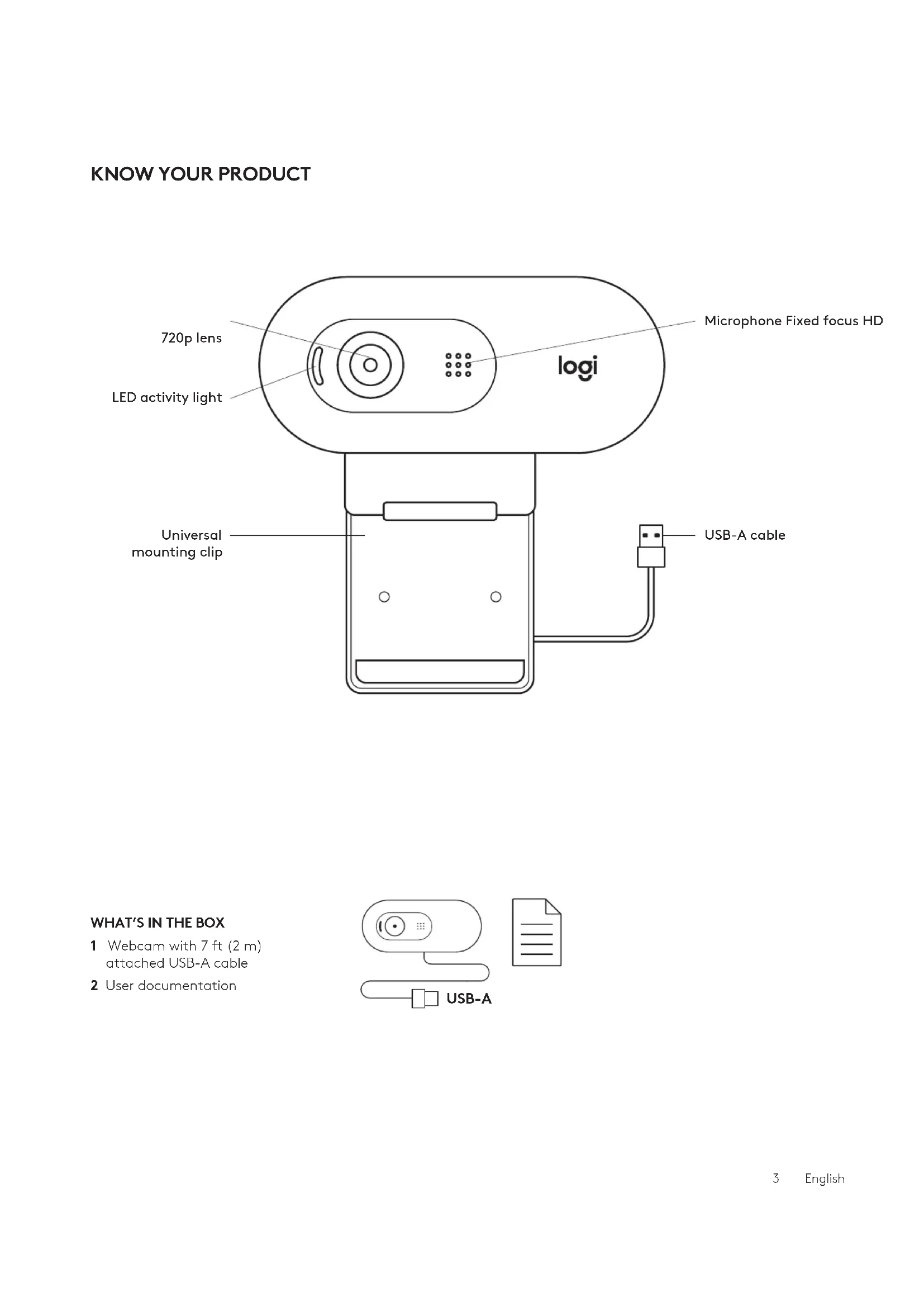
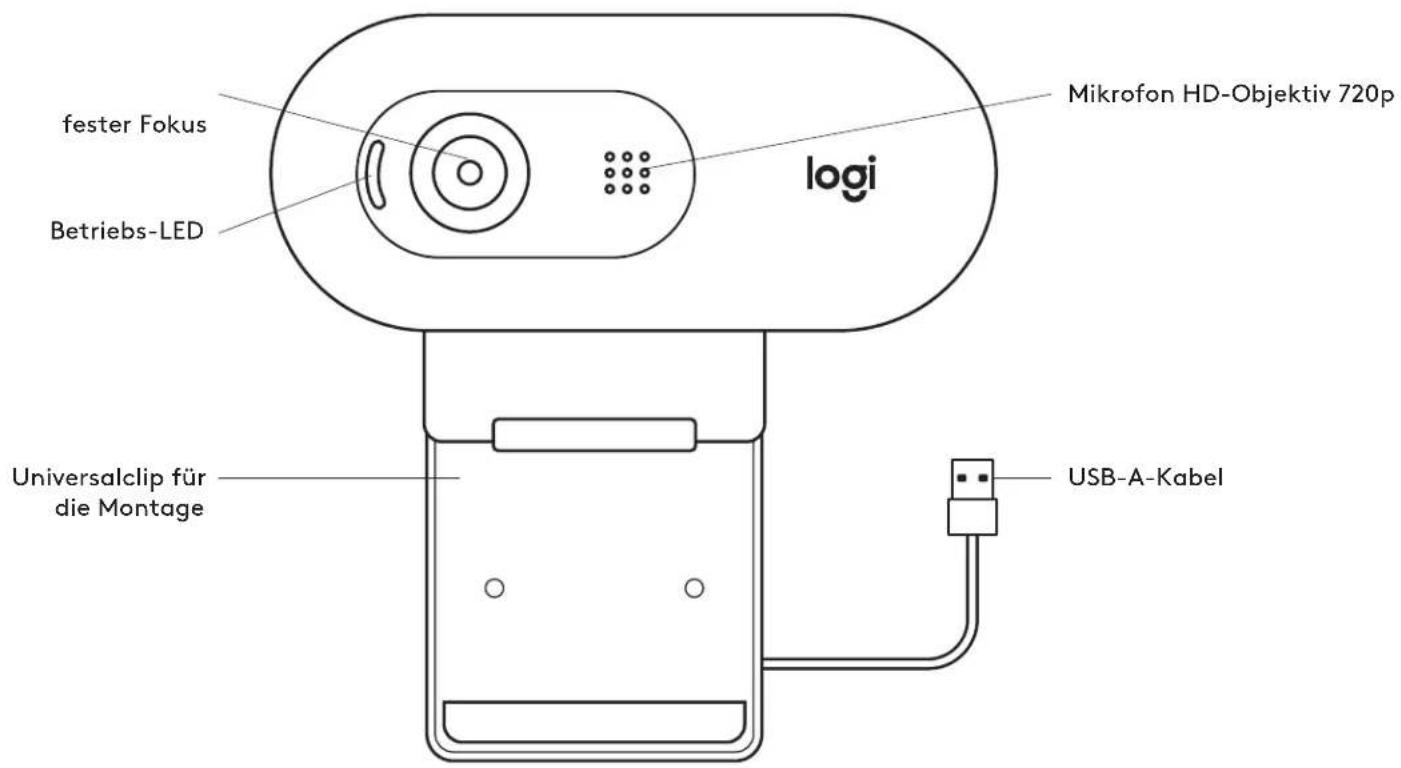
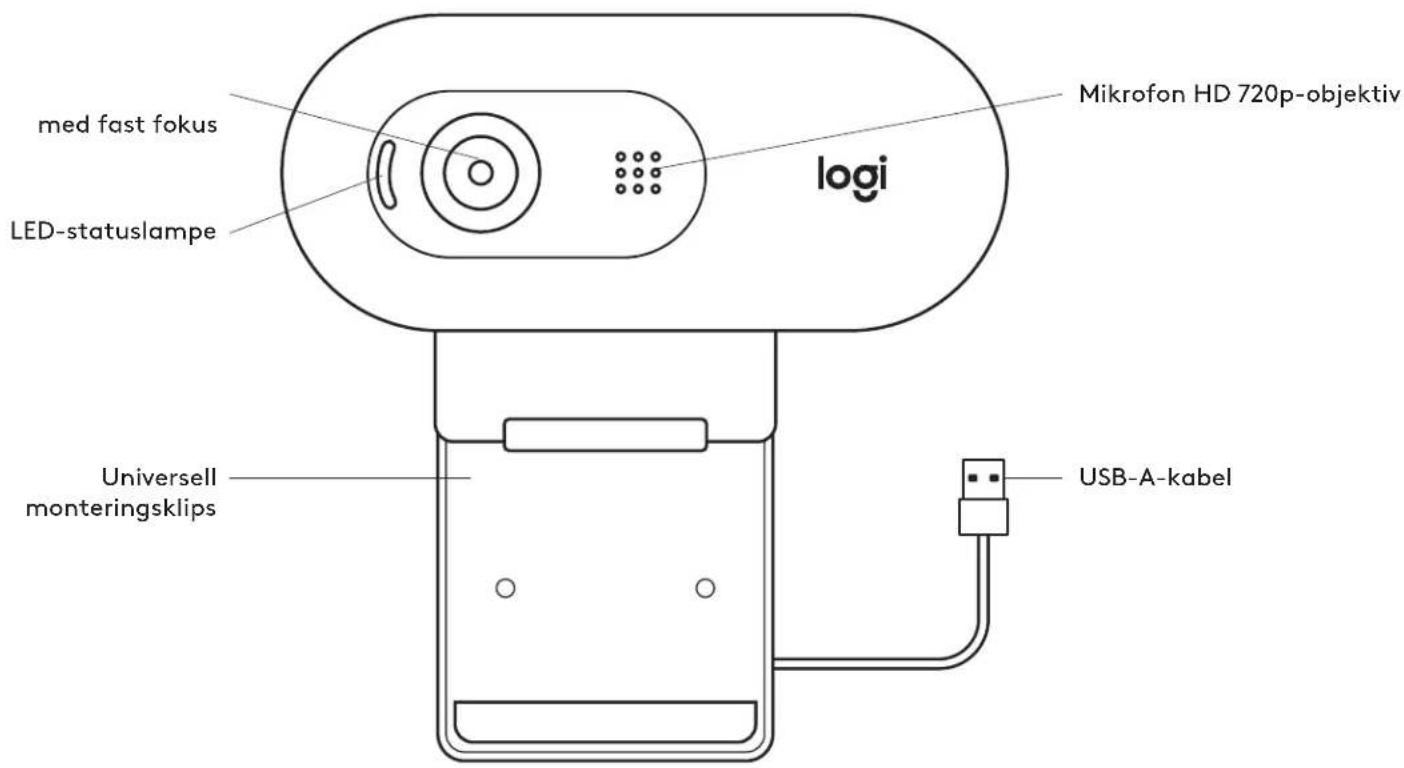
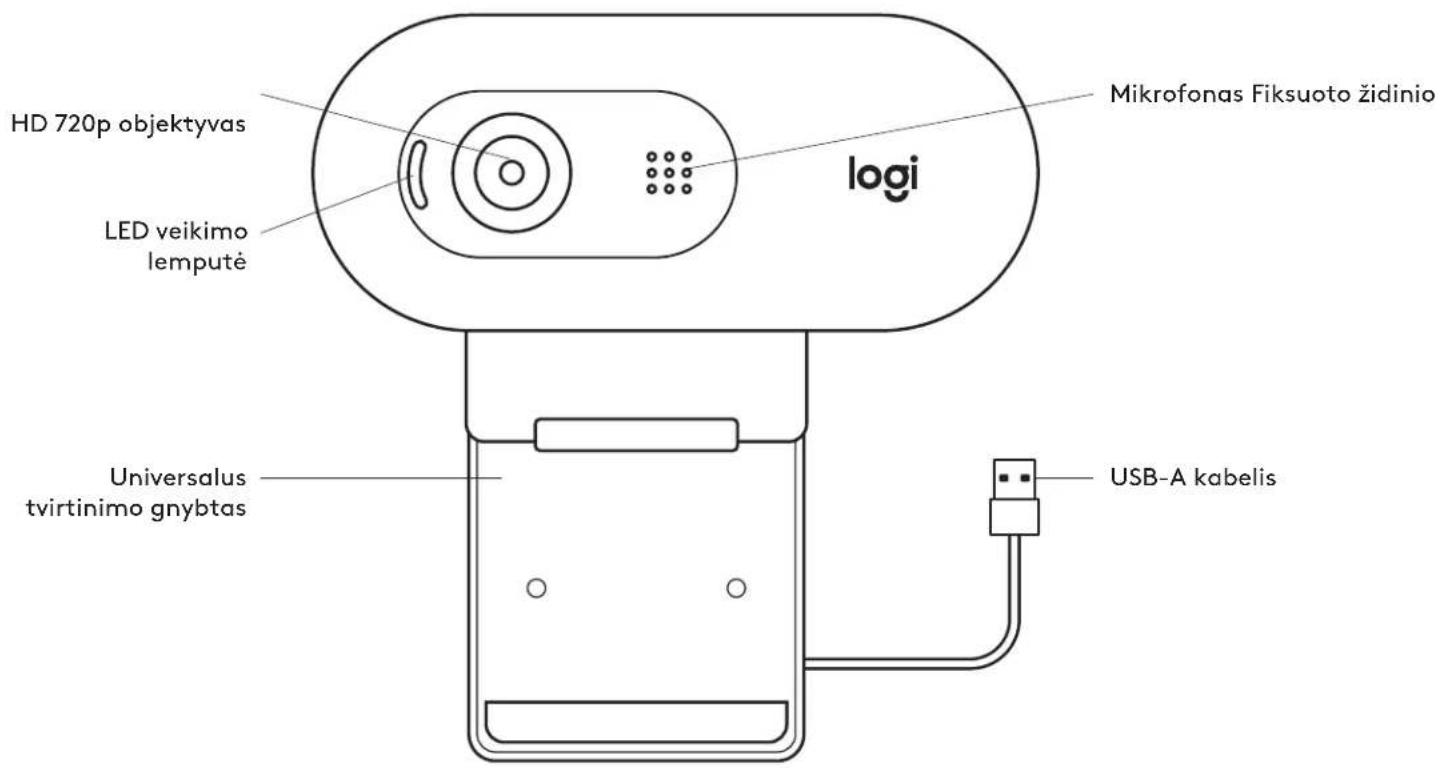
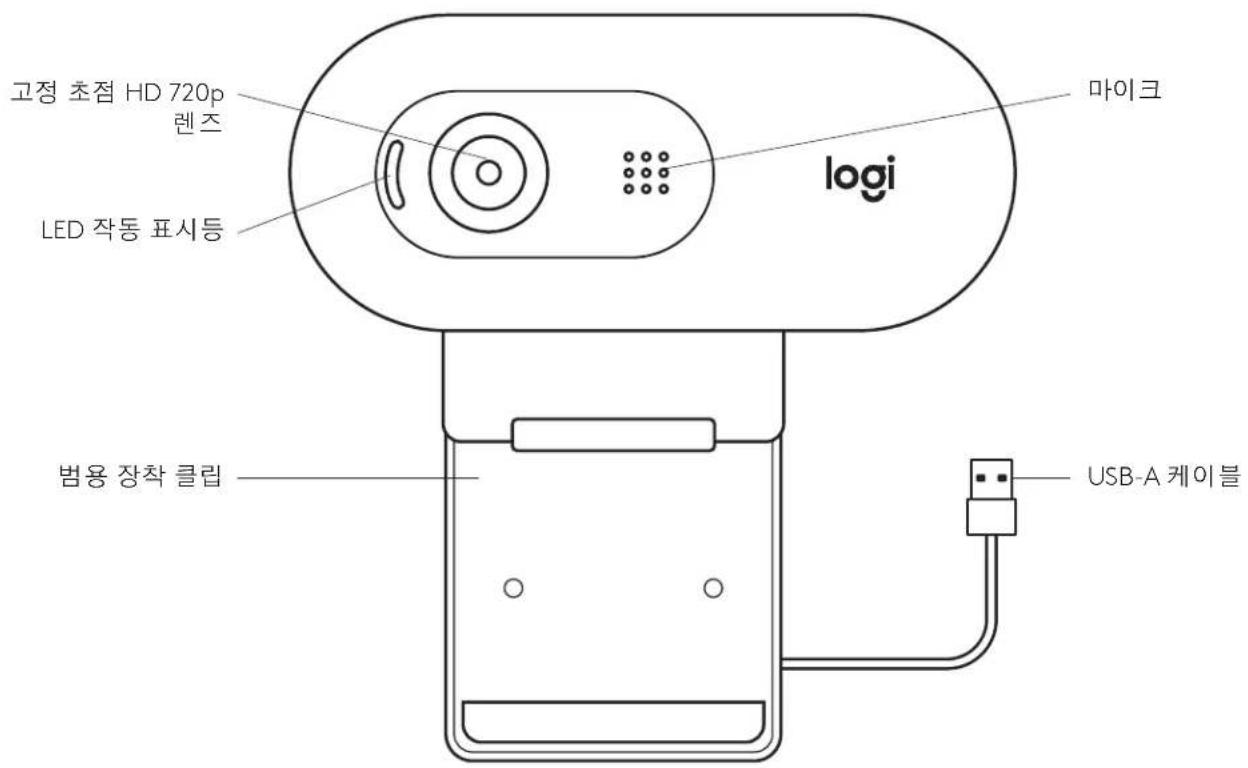
KNOW YOUR PRODUCT
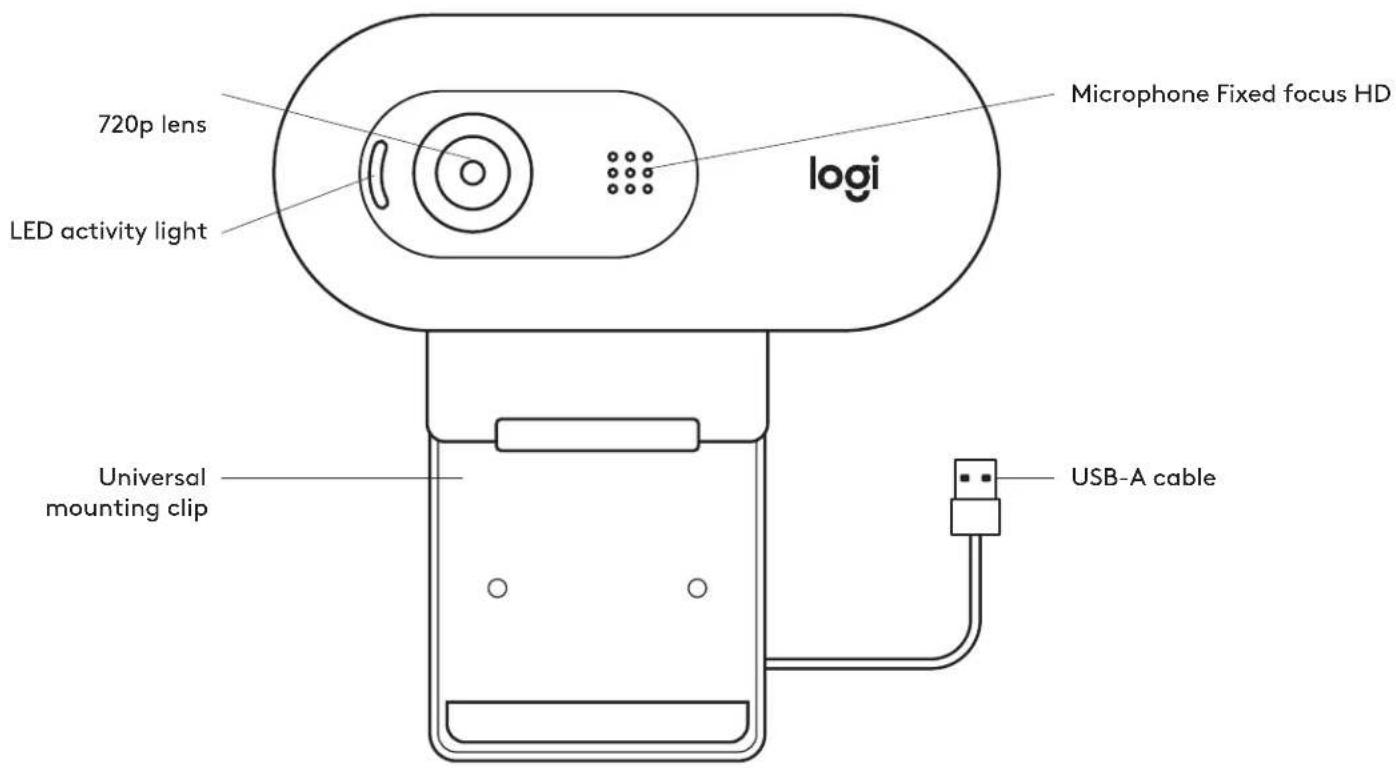
WHAT'S IN THE BOX
1 Webcam with 7 ft (2 m) attached USB-A cable
2 User documentation
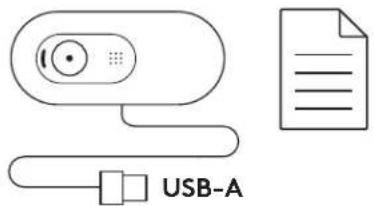
SETTING UP THE WEBCAM
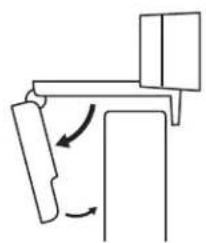
1 Place your webcam on a computer, laptop or monitor at a position or angle you desire.
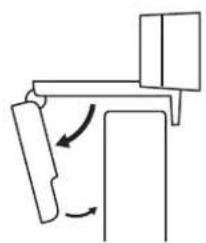
2 Adjust the webcam to make sure the end on the universal mounting clip is flush with the back of your device.
3 Manually adjust the webcam up/down to the best position to frame yourself.
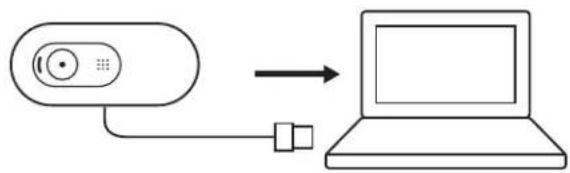
CONNECTING THE WEBCAM VIA USB-A
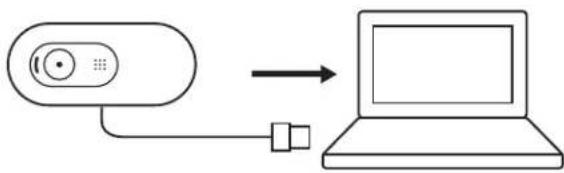
Plug the USB-A connector into the USB-A port on your computer.
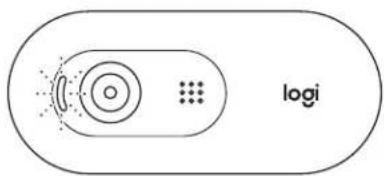
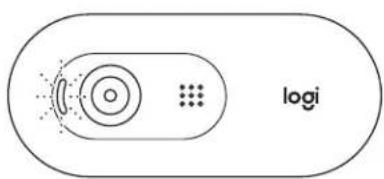
SUCCESSFUL CONNECTION
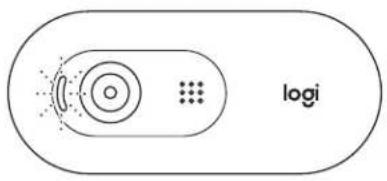
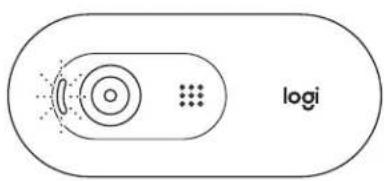
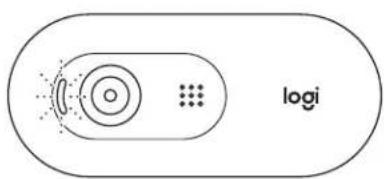
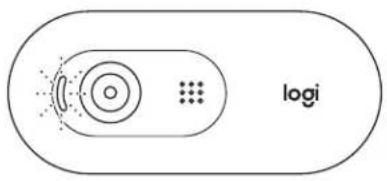
LED activity light will light up when the webcam is in use by an application.
natural_image
Pure mechanical diagram showing a lever mechanism with rotational arrows (no text or symbols)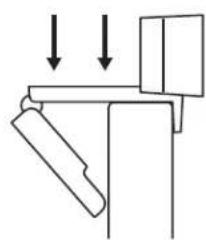
natural_image
Simple line drawing of a mechanical assembly with two downward arrows indicating force or motion (no text or symbols)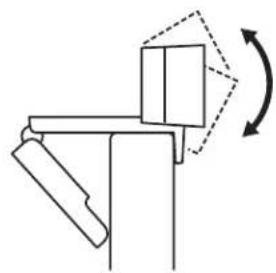
natural_image
Pure mechanical diagram showing a lever mechanism with no text or symbols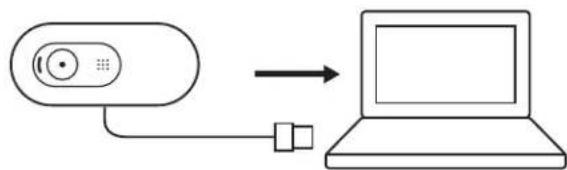
flowchart
graph LR
    A["Remote Device"] --> B["Laptop"]
    style A fill:#f9f,stroke:#333
    style B fill:#ccf,stroke:#333
DIMENSIONS
INCLUDING FIXED MOUNTING CLIP:
Height x Width x Depth:
1.26in (31.91mm) x 2.87in (72.91mm) x 2.62in (66.64mm)
Weight: 2.65oz (75g)
www.logitech.com/support/C505e
PRODUKT AUF EINEN BLICK
natural_image
Simple line drawing of a mechanical assembly with no text or symbolsnatural_image
Pure mechanical diagram showing a lever and pivot with downward arrows indicating force or motion (no text or symbols)natural_image
Pure mechanical diagram showing a lever mechanism with rotational motion indicated by arrows (no text or symbols)natural_image
Simple line drawing of a mechanical assembly with no text or symbolsnatural_image
Pure mechanical diagram showing a lever and pivot with downward arrows indicating force or motion (no text or symbols)natural_image
Pure mechanical diagram showing a lever mechanism with rotational motion indicated by arrows (no text or symbols)CONNEXION DE LA WEBCAM VIA USB-A
natural_image
Pure mechanical diagram showing a lever mechanism with rotational arrows (no text or symbols)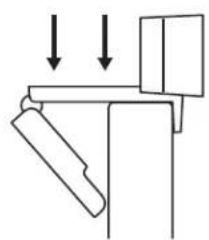
natural_image
Simple line drawing of a mechanical assembly with two downward arrows indicating force or motion (no text or symbols)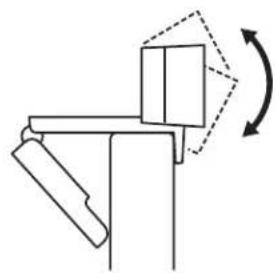
natural_image
Pure mechanical diagram showing a lever mechanism with no text or symbolsCONNESSIONE DELLA WEBCAM TRAMITE USB-A
natural_image
Simple line drawing of a mechanical assembly with no text or symbolsnatural_image
Pure mechanical diagram showing a lever and pivot with downward arrows indicating force or motion (no text or symbols)natural_image
Pure mechanical diagram showing a lever mechanism with rotational motion indicated by arrows (no text or symbols)INSTALAR A CÂMARA WEB
natural_image
Pure mechanical diagram showing a lever mechanism with rotational arrows (no text or symbols)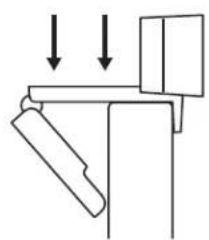
natural_image
Simple line drawing of a mechanical assembly with two downward arrows indicating force or motion (no text or symbols)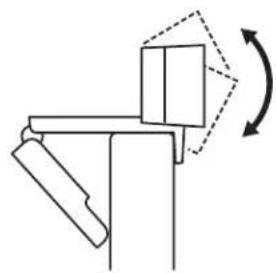
natural_image
Pure mechanical diagram showing a lever mechanism with no text or symbolsLIGAR A CÂMARA WEB POR USB-A
natural_image
Simple line drawing of a mechanical assembly with no text or symbols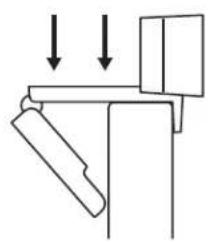
natural_image
Pure mechanical diagram showing a lever and pivot with downward arrows indicating force or motion (no text or symbols)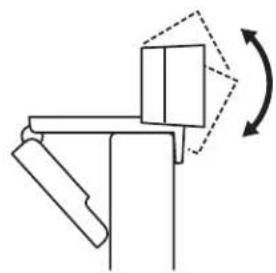
natural_image
Pure mechanical diagram showing a lever mechanism with rotational motion indicated by arrows (no text or symbols)DE WEBCAM VIA USB-A AANSLUITEN
flowchart
graph LR
    A["Device with circular icon"] --> B["Laptop with blank screen"]
flowchart
graph TD
    A[" "] --> B[" "]
    B --> C[" "]
    C --> D["logi"]
    style A fill:#f9f,stroke:#333
    style D fill:#ccf,stroke:#333
AFMETINGEN
MET VASTE BEVESTIGINGSCLIP:
natural_image
Simple line drawing of a mechanical assembly with no text or symbols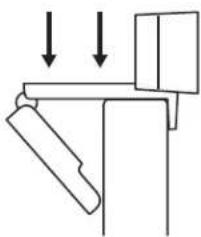
natural_image
Pure mechanical diagram showing a lever and pivot with downward arrows indicating force or motion (no text or symbols)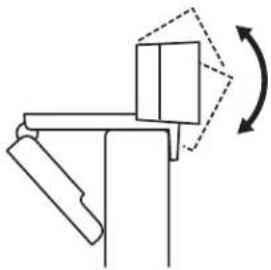
natural_image
Pure mechanical diagram showing a lever mechanism with rotational motion indicated by arrows (no text or symbols)ANSLUTA WEBBKAMERAN VIA USB-A-SLADD
natural_image
Simple line drawing of a mechanical assembly with no text or symbolsnatural_image
Pure mechanical diagram showing a lever and pivot with downward arrows indicating force or motion (no text or symbols)natural_image
Pure mechanical diagram showing a lever mechanism with rotational motion indicated by arrows (no text or symbols)TILSLUTNING AF WEBKAMERAET VIA USB-A
Sæt USB-A-stikket i USB-A-porten på computeren.
flowchart
graph LR
    A["Remote Device"] --> B["Laptop"]
    style A fill:#f9f,stroke:#333
    style B fill:#ccf,stroke:#333
TILSLUTNING
BLI KJENT MED PRODUKTET
natural_image
Simple line drawing of a mechanical assembly with no text or symbols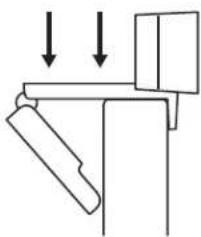
natural_image
Pure mechanical diagram showing a lever and pivot with downward arrows indicating force or motion (no text or symbols)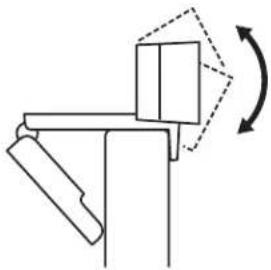
natural_image
Pure mechanical diagram showing a lever mechanism with rotational motion indicated by arrows (no text or symbols)KOBLE TIL WEBKAMERAET VIA USB-A
Koble USB-A-kontakten til en annen USB-A-port på datamaskinen.
TILKOBLING FULLF∅RT
natural_image
Pure mechanical diagram showing a lever mechanism with rotational arrows (no text or symbols)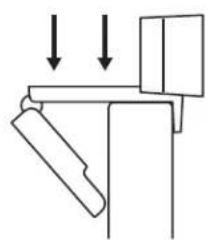
natural_image
Simple line drawing of a mechanical assembly with two downward arrows indicating force or motion (no text or symbols)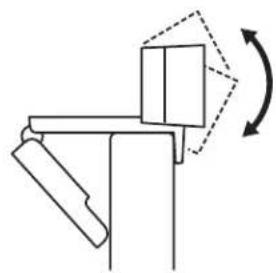
natural_image
Pure mechanical diagram showing a lever mechanism with no text or symbolsnatural_image
Simple line drawing of a mechanical assembly with no text or symbols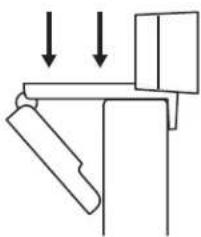
natural_image
Pure mechanical diagram showing a lever and pivot with downward arrows indicating force or motion (no text or symbols)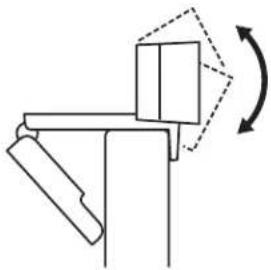
natural_image
Pure mechanical diagram showing a lever mechanism with rotational motion indicated by arrows (no text or symbols)natural_image
Simple line drawing of a mechanical assembly with no text or symbols
natural_image
Pure mechanical diagram showing a lever and pivot with downward arrows indicating force or motion (no text or symbols)
natural_image
Pure mechanical diagram showing a lever mechanism with rotational motion indicated by arrows (no text or symbols)natural_image
Simple line drawing of a mechanical assembly with no text or symbolsnatural_image
Pure mechanical diagram showing a lever and pivot with downward arrows indicating force or motion (no text or symbols)natural_image
Pure mechanical diagram showing a lever mechanism with rotational motion indicated by arrows (no text or symbols)ŁĄCZENIE SIĘ Z KAMERA INTERNETOWA POPRZEZ KABEL USB-A
natural_image
Simple line drawing of a mechanical assembly with no text or symbols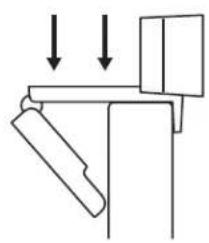
natural_image
Pure mechanical diagram showing a lever and pivot with downward arrows indicating force or motion (no text or symbols)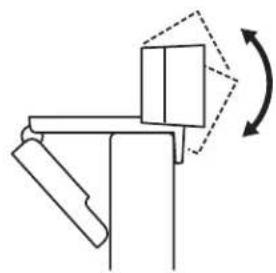
natural_image
Pure mechanical diagram showing a lever mechanism with rotational motion indicated by arrows (no text or symbols)A WEBKAMERA CSATLAKOZTATÁSA USB-A-N KERESZTÜL
natural_image
Simple line drawing of a mechanical assembly with no text or symbolsnatural_image
Pure mechanical diagram showing a lever and pivot with downward arrows indicating force or motion (no text or symbols)natural_image
Pure mechanical diagram showing a lever mechanism with rotational motion indicated by arrows (no text or symbols)PRIPOJENÍ WEBOVÉ KAMERY PROSTŘEDNICTVÍM USB-A
natural_image
Pure mechanical diagram showing a lever mechanism with rotational arrows (no text or symbols)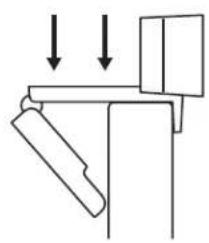
natural_image
Pure mechanical diagram showing a lever and pivot with downward arrows indicating force or motion (no text or symbols)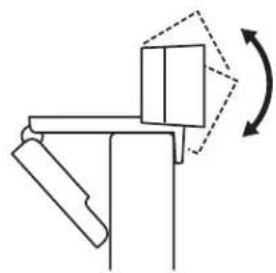
natural_image
Pure mechanical diagram showing a lever mechanism with rotational motion indicated by arrows (no text or symbols)PRIPOJENIE WEBOVEJ KAMERY PROSTREDNÍCTVOM USB-A
Zapojte konektor USB-A do portu USB-A v počitači.
ÚSPEŠNÉ PRIPOJENIE
natural_image
Simple line drawing of a mechanical assembly with no text or symbols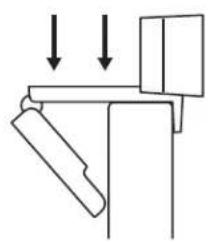
natural_image
Pure mechanical diagram showing a lever and pivot with downward arrows indicating force or motion (no text or symbols)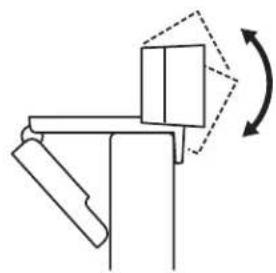
natural_image
Pure mechanical diagram showing a lever mechanism with rotational motion indicated by arrows (no text or symbols)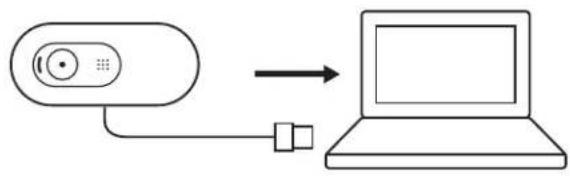
flowchart
graph LR
    A["Device with circular icon"] --> B["Laptop with blank screen"]

РОЗМИРИ
natural_image
Pure mechanical diagram showing a lever mechanism with rotational arrows (no text or symbols)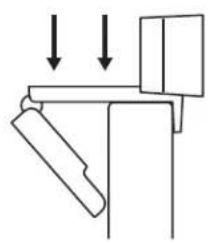
natural_image
Pure mechanical diagram showing a lever and pivot with downward arrows indicating force or motion (no text or symbols)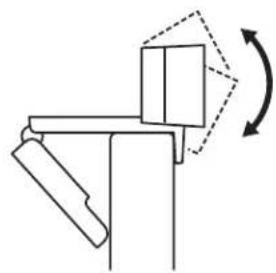
natural_image
Pure mechanical diagram showing a lever mechanism with rotational motion indicated by arrows (no text or symbols)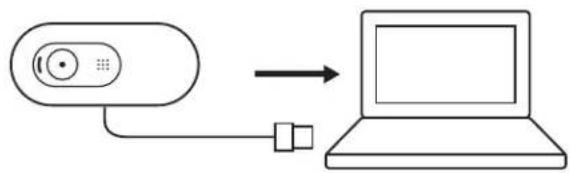
flowchart
graph LR
    A["Remote Device"] --> B["Laptop"]
    style A fill:#f9f,stroke:#333
    style B fill:#ccf,stroke:#333
MÕÕDUD
KOOS FIKSEERITUD KINNITUSKLAMBRIGA:
natural_image
Pure mechanical diagram showing a lever mechanism with rotational arrows (no text or symbols)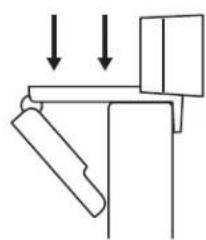
natural_image
Simple line drawing of a mechanical assembly with two downward arrows indicating force or motion (no text or symbols)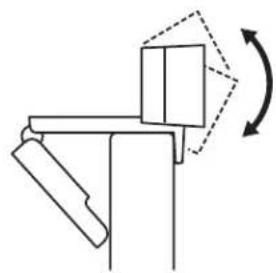
natural_image
Pure mechanical diagram showing a lever mechanism with no text or symbols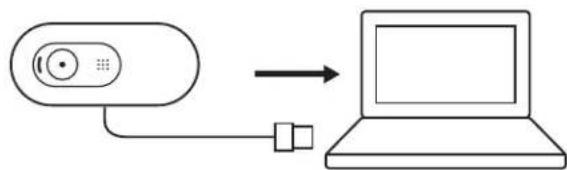
flowchart
graph LR
    A["Remote Device"] --> B["Laptop"]
    style A fill:#f9f,stroke:#333
    style B fill:#ccf,stroke:#333
IZMĚRI
IESKAITOT FIKSETU STIPRINAJUMA SKAVU:
SUSIPAŽINKITE SU SAVO PRODUKTU
natural_image
Simple line drawing of a door mechanism with rotation arrows (no text or symbols)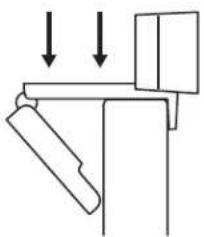
natural_image
Pure mechanical diagram showing a lever and bracket assembly without any text, numbers, or symbols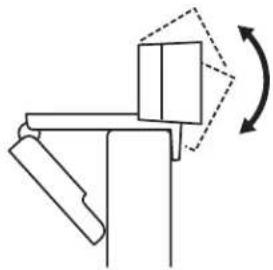
natural_image
Pure mechanical diagram showing a lever mechanism with rotational motion indicated by arrows (no text or symbols)ŽINIATINKLIO KAMEROS PRIJUNGIMAS SU USB-A
natural_image
Simple line drawing of a mechanical assembly with no text or symbols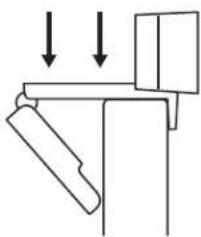
natural_image
Pure mechanical diagram showing a lever and pivot with downward arrows indicating force or motion (no text or symbols)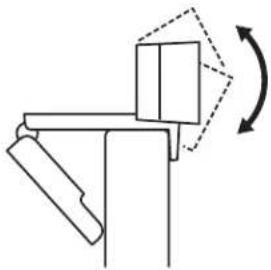
natural_image
Pure mechanical diagram showing a lever mechanism with rotational motion indicated by arrows (no text or symbols)СВЪРЗВАНЕ НА УЕБ КАМЕРАТА ЧРЕЗ USB-А
natural_image
Simple line drawing of a mechanical assembly with no text or symbols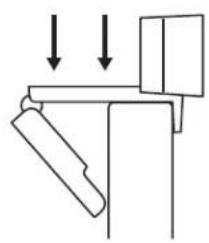
natural_image
Pure mechanical diagram showing a lever and pivot with downward arrows indicating force or motion (no text or symbols)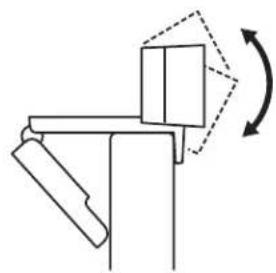
natural_image
Pure mechanical diagram showing a lever mechanism with rotational motion indicated by arrows (no text or symbols)SPAJANJE WEB KAMERE PREKO USB-A PRIKLJUČKA
Priključite USB-A priključak u USB-A utičnicu vašeg računala.
USPJEŠNA VEZA
natural_image
Pure mechanical diagram showing a lever mechanism with rotational arrows (no text or symbols)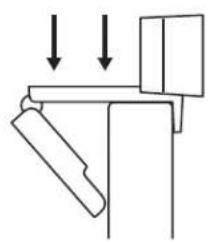
natural_image
Pure mechanical diagram showing a lever and pivot with downward arrows indicating force or motion (no text or symbols)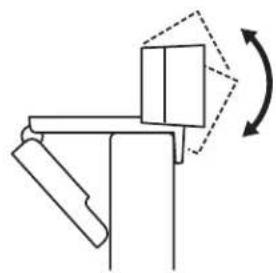
natural_image
Pure mechanical diagram showing a lever mechanism with rotational motion indicated by arrows (no text or symbols)POVEZIVANJE VEB KAMERE UZ USB-A
Povežite USB-A konektor na USB-A port na računaru.
flowchart
graph LR
    A["Remote Device"] --> B["Laptop"]
    style A fill:#f9f,stroke:#333
    style B fill:#ccf,stroke:#333
USPEŠNO POVEZIVANJE
natural_image
Simple line drawing of a mechanical assembly with no text or symbolsnatural_image
Pure mechanical diagram showing a lever and pivot with downward arrows indicating force or motion (no text or symbols)natural_image
Pure mechanical diagram showing a lever mechanism with rotational motion indicated by arrows (no text or symbols)POVEZOVANJE SPLETNE KAMERE PREK USB-A
natural_image
Simple line drawing of a mechanical assembly with no text or symbols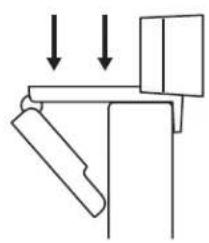
natural_image
Pure mechanical diagram showing a lever and pivot with downward arrows indicating force or motion (no text or symbols)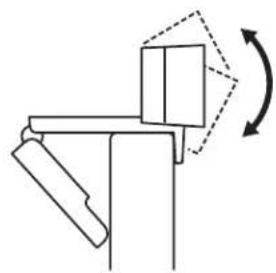
natural_image
Pure mechanical diagram showing a lever mechanism with rotational motion indicated by arrows (no text or symbols)CONECTAREA CAMEREI WEB PRIN USB-A
flowchart
graph LR
    A["Device with circular icon"] --> B["Laptop with blank screen"]
CONEXIUNE REUŞITĂ
natural_image
Simple line drawing of a mechanical assembly with no text or symbolsnatural_image
Pure mechanical diagram showing a lever and pivot with downward arrows indicating force or motion (no text or symbols)natural_image
Pure mechanical diagram showing a lever mechanism with rotational motion indicated by arrows (no text or symbols)natural_image
Simple line drawing of a mechanical assembly with no text or symbols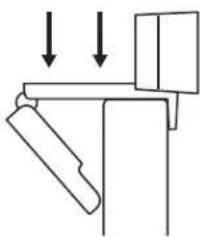
natural_image
Pure mechanical diagram showing a lever and pivot with downward arrows indicating force or motion (no text or symbols)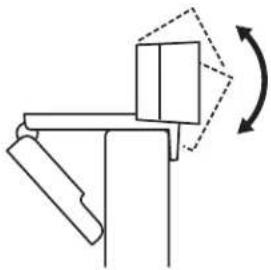
natural_image
Pure mechanical diagram showing a lever mechanism with rotational motion indicated by arrows (no text or symbols)natural_image
Simple line drawing of a mechanical assembly with no text or symbolsnatural_image
Pure mechanical diagram showing a lever mechanism with rotational motion indicated by arrows (no text or symbols)USB-A כרְשׁה
natural_image
Line drawing of a Logi device with ports and cables (no text or symbols on the device itself)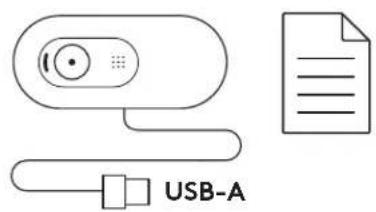
natural_image
Simple line drawing of a mechanical assembly with no text or symbols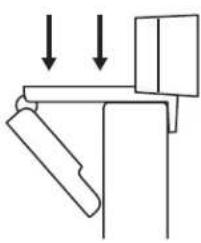
natural_image
Pure mechanical diagram showing a lever and pivot with downward arrows indicating force or motion (no text or symbols)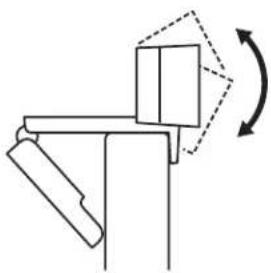
natural_image
Pure mechanical diagram showing a lever mechanism with rotational motion indicated by arrows (no text or symbols)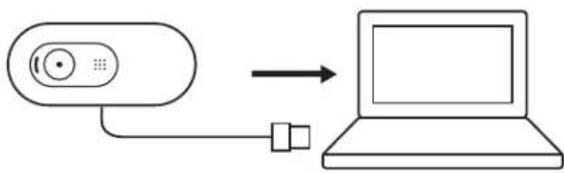
flowchart
graph LR
    A["Device"] --> B["Laptop"]
    style A fill:#f9f,stroke:#333
    style B fill:#ccf,stroke:#333
www.logitech.com/support/C505e
제품 설명
natural_image
Simple line drawing of a mechanical assembly with no text or symbols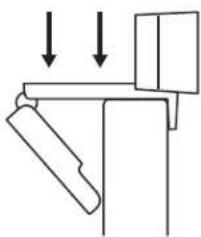
natural_image
Pure mechanical diagram showing a lever and pivot with downward arrows indicating force or motion (no text or symbols)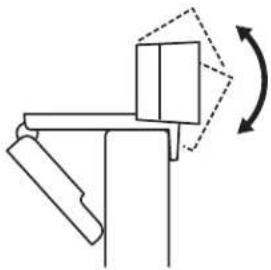
natural_image
Pure mechanical diagram showing a lever mechanism with rotational motion indicated by arrows (no text or symbols)USB-A로 웹캠 연결
1.26in (31.91mm) x 2.87in (72.91mm) x 2.62in (66.64mm)
무게: 2.65oz (75g)
www.logitech.com/support/C505e
MENGENAL PRODUK
ISI KEMASAN
natural_image
Simple line drawing of a mechanical assembly with no text or symbols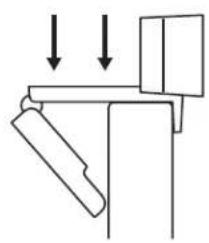
natural_image
Pure mechanical diagram showing a lever and pivot with downward arrows indicating force or motion (no text or symbols)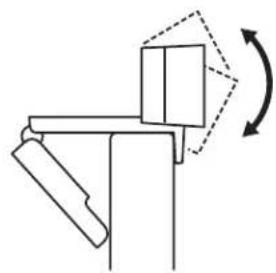
natural_image
Pure mechanical diagram showing a lever mechanism with rotational motion indicated by arrows (no text or symbols)MENGHUBUNGKAN WEBCAM VIA USB-A
Pasangkan konektor USB-A ke port USB-A di komputer Anda.
KONEKSI BERHASIL
flowchart
graph LR
    A["Device with circular icon"] --> B["Laptop with blank screen"]
flowchart
graph TD
    A[" "] --> B[" "]
    B --> C[" "]
    C --> D["logi"]
    style A fill:#f9f,stroke:#333
    style D fill:#ccf,stroke:#333
DIMENSI
TERMASUK FIXED MOUNTING CLIP:

- CONTENTS
- KNOW YOUR PRODUCT
- WHAT'S IN THE BOX
- SETTING UP THE WEBCAM
- CONNECTING THE WEBCAM VIA USB-A
- SUCCESSFUL CONNECTION
- DIMENSIONS
- INCLUDING FIXED MOUNTING CLIP:
- PRODUKT AUF EINEN BLICK
- CONNEXION DE LA WEBCAM VIA USB-A
- CONNESSIONE DELLA WEBCAM TRAMITE USB-A
- INSTALAR A CÂMARA WEB
- LIGAR A CÂMARA WEB POR USB-A
- DE WEBCAM VIA USB-A AANSLUITEN
- AFMETINGEN
- MET VASTE BEVESTIGINGSCLIP:
- ANSLUTA WEBBKAMERAN VIA USB-A-SLADD
- TILSLUTNING AF WEBKAMERAET VIA USB-A
- TILSLUTNING
- BLI KJENT MED PRODUKTET
- KOBLE TIL WEBKAMERAET VIA USB-A
- TILKOBLING FULLF∅RT
- ŁĄCZENIE SIĘ Z KAMERA INTERNETOWA POPRZEZ KABEL USB-A
- A WEBKAMERA CSATLAKOZTATÁSA USB-A-N KERESZTÜL
- PRIPOJENÍ WEBOVÉ KAMERY PROSTŘEDNICTVÍM USB-A
- PRIPOJENIE WEBOVEJ KAMERY PROSTREDNÍCTVOM USB-A
- ÚSPEŠNÉ PRIPOJENIE
- РОЗМИРИ
- MÕÕDUD
- KOOS FIKSEERITUD KINNITUSKLAMBRIGA:
- IZMĚRI
- IESKAITOT FIKSETU STIPRINAJUMA SKAVU:
- SUSIPAŽINKITE SU SAVO PRODUKTU
- ŽINIATINKLIO KAMEROS PRIJUNGIMAS SU USB-A
- СВЪРЗВАНЕ НА УЕБ КАМЕРАТА ЧРЕЗ USB-А
- SPAJANJE WEB KAMERE PREKO USB-A PRIKLJUČKA
- USPJEŠNA VEZA
- POVEZIVANJE VEB KAMERE UZ USB-A
- USPEŠNO POVEZIVANJE
- POVEZOVANJE SPLETNE KAMERE PREK USB-A
- CONECTAREA CAMEREI WEB PRIN USB-A
- CONEXIUNE REUŞITĂ
- USB-A כרְשׁה
- 제품 설명
- USB-A로 웹캠 연결
- MENGENAL PRODUK
- ISI KEMASAN
- MENGHUBUNGKAN WEBCAM VIA USB-A
- KONEKSI BERHASIL
- DIMENSI
- TERMASUK FIXED MOUNTING CLIP:
Brand : LOGITECH
Model : C505e
Category : Surveillance Camera