
ALERT 700I - Surveillance Camera LOGITECH - Free user manual and instructions
Find the device manual for free ALERT 700I LOGITECH in PDF.



| Product type | Indoor surveillance camera |
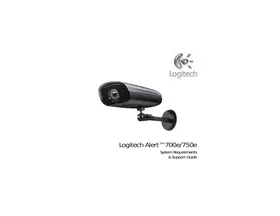
| Brand | Logitech |
| Model | Alert 700i |
| Dimensions (approx.) | Height: 14 cm, Width: 9 cm, Depth: 9 cm |
| Weight (approx.) | 200 g |
| Power | Via mains adapter (HomePlug technology over electrical network) |
| Video resolution | High definition (unspecified) |
| Viewing angle | 130° (wide angle) |
| Night vision | Yes (for outdoor model 700e, not mentioned for 700i) |
| Motion detection | Yes, with customizable zones |
| Recording | On microSD card (2 GB provided) and backup to computer |
| Audio | Built-in microphone (subject to local laws) |
| Zoom | Pan digital |
| Connectivity | Electrical network (HomePlug) and Wi-Fi (unspecified) |
| Alerts | By email and/or mobile notification |
| Remote viewing | Via http://alert.logitech.com or free mobile applications |
| Compatibility | Logitech Alert Commander (Windows, Mac) |
| Extensions | Up to 6 cameras (indoor/outdoor) |
| Maintenance | Clean the lens with a soft, dry cloth |
| Security | Respect laws on audio and video recording |
| Spare parts | microSD cards (up to 32 GB), additional cameras |
| Repairability | Not specified, contact Logitech support |
Frequently Asked Questions - ALERT 700I LOGITECH
User questions about ALERT 700I LOGITECH
0 question about this device. Answer the ones you know or ask your own.
Ask a new question about this device
Download the instructions for your Surveillance Camera in PDF format for free! Find your manual ALERT 700I - LOGITECH and take your electronic device back in hand. On this page are published all the documents necessary for the use of your device. ALERT 700I by LOGITECH.
USER MANUAL ALERT 700I LOGITECH
Logitech Alert™ Video Security System

English Getting Started Guide
Contents 2 Introduction 3 Live Mode Viewing 4 Viewing Recorded Video 5 Motion Detection Zones and Recording 6 Alerts 7 Free Web Viewer 8 Free Mobile Viewer 9 microSD Card 10 Audio 11 Digital Pan-Tilt-Zoom 12 Expand Your System 13 Logitech Alert™ Web Commander 14 Logitech Alert™ Mobile Commander 15
Introduction
Help protect what matters most, even when you can't be there.
Logitech Alert™ Video Security System comes with everything you need to help protect what's important to you—smart cameras, powerful software, and the ability to keep you informed.
Set up is simple and takes just minutes. HomePlug® networking uses your existing electrical wiring and outlets to connect the camera to your network without new wires or configuration hassles.
You can view live video from your system from Internet-connected computers. And if someone or something moves in front of a camera, video is recorded directly to the camera's microSD™ card. You can receive an alert in e-mail, on your mobile phone, or both.
Logitech Alert Video Security System. Set it up yourself, count on it when you need it.
Live Mode Viewing
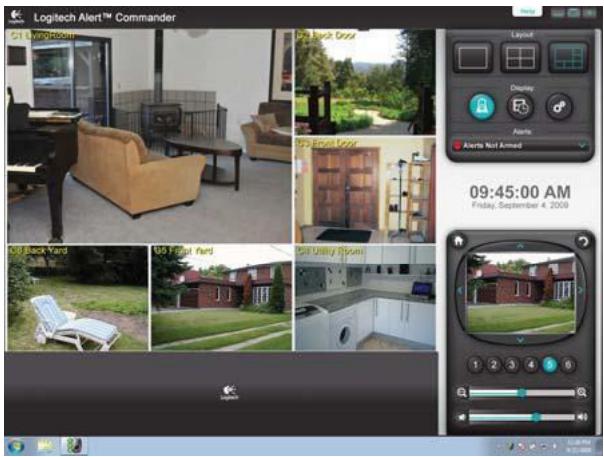
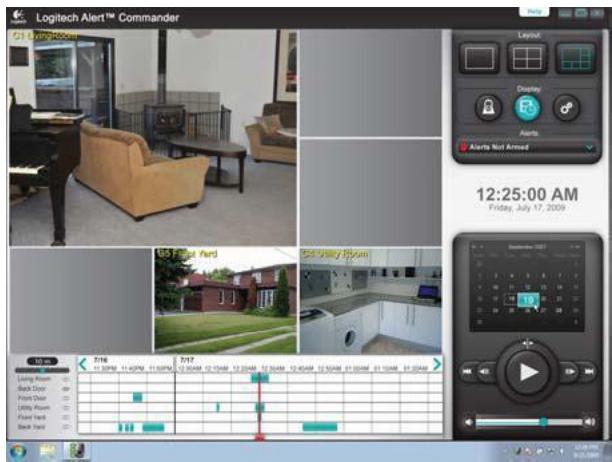
Live Mode is the default viewing screen in Logitech Alert Commander.
You can see what each of your cameras is seeing in real time.
Command Center can display between one and six video windows.
Choose from four viewing modes, including full screen mode. Video feeds are automatically sized to fit in the available display area.
4 English
Viewing Recorded Video
The Video Timeline window gives you fast access to recorded video for all your cameras. Use the calendar to see the recorded camera events for a particular day, week, or even month.
The playback controls let you play, pause, adjust speed, and step through your video segments.
Motion Detection Zones and Recording
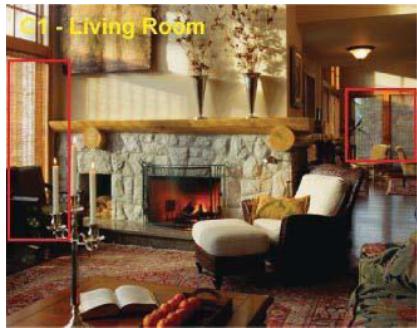
Each camera automatically records video anytime it detects motion.
Plus, Commander allows you to draw motion detection zones on the viewable video. When movement is detected in any of these zones, the camera records the action.
Alerts
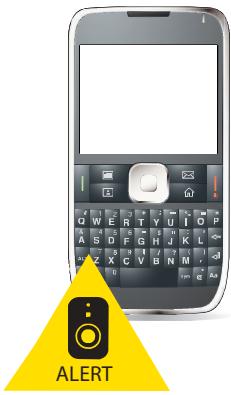
You can set up alerts that will automatically send notifications to your e-mail address and mobile phone whenever a camera detects motion, keeping you informed.
Free Web Viewer
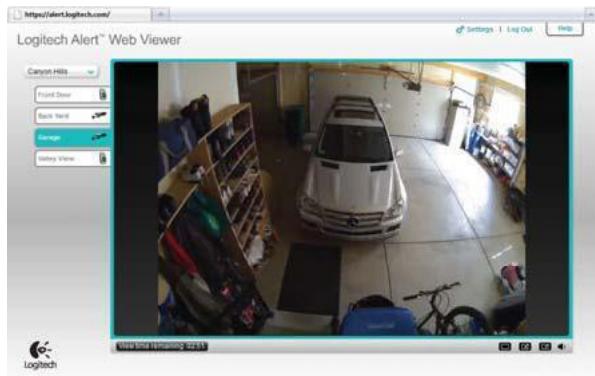
All of our master systems include free remote viewing that allows you to see live video from your cameras. Just log in to http://alert.logitech.com from Internet-connected computers, anywhere in the world.
Free Mobile Viewer
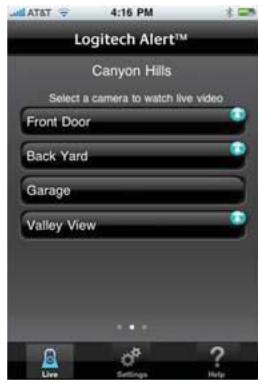
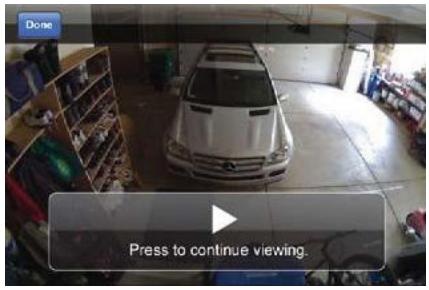
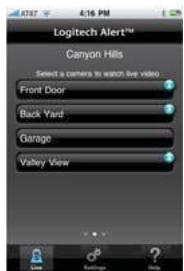
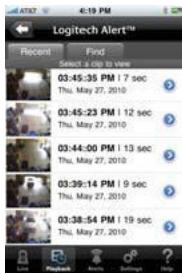
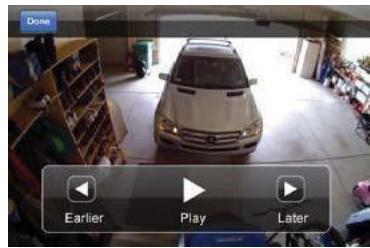
iPhone, Android, and Blackberry users can use our free apps to watch live video from their cameras right on their mobile devices.
Login to http://alert.logitech.com for details.
microSD™ Card
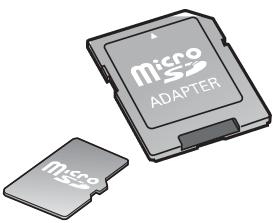
The camera records video to a microSD card—even when your PC is turned off. The included 2 GB card gives you enough space for up to a week of video and audio, or upgrade to a larger microSD card for months of recording time.
All video is backed up to your PC when Commander is connected to your network.
Audio
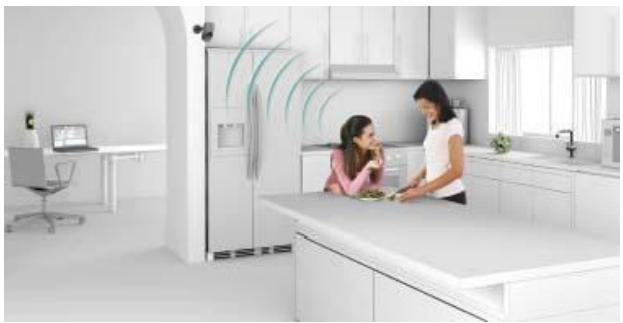
The camera has a built-in microphone to record audio for regions where audio recording is legally permitted. (Be sure to comply with the laws in your country/state/locality when using Logitech Alert products and services.)
Digital Pan-Tilt-Zoom
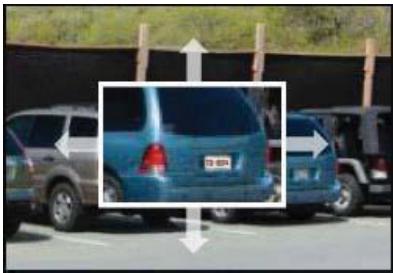
The 130-degree wide-angle lens captures high-quality images, making it easier to recognize people and objects. You can even pan-tilt and zoom into the image for even more detail.
Expand Your System
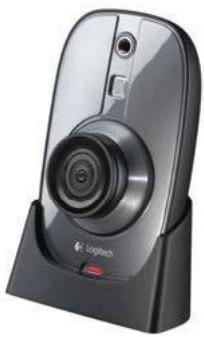
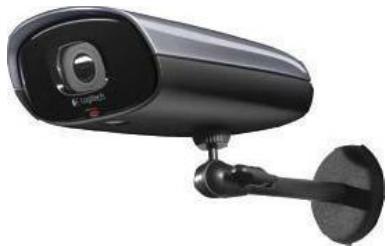
No need to limit your security coverage to a single camera. Your Logitech Alert system is designed to be easily expandable. You can mix and match up to six cameras—indoors and out.
Logitech Alert™ 700i Add-On Camera Expand your Logitech Alert master system and get a more complete picture of what's happening when you aren't around.
Logitech Alert™ 700e Outdoor Add-On Camera
Expand your Logitech Alert master system with a smart camera that's weatherproof and has night vision to see in complete darkness.
Logitech Alert™ Web Commander
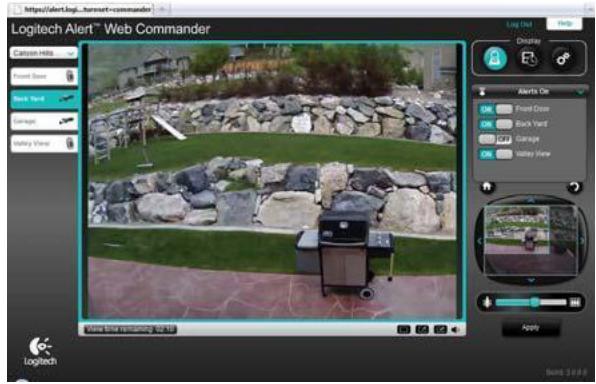
Web Commander turns any Internet-connected computer into a control center for your system. Your paid subscription lets you manage your cameras, review your recorded video, and get notices of system status. Comes bundled with Mobile Commander. Visit http://alert.logitech.com for subscription and availability information. Free trial available.
Logitech Alert™ Mobile Commander
When you can't be at a computer, you can check on your system from iPhone, BlackBerry, or Android phones using Mobile Commander. Your paid subscription lets you manage your cameras, review your recorded video, and get notices of system status. Comes bundled with Web Commander. Visit http://alert.logitech.com for subscription and availability information. Free trial available.
© 2010 Logitech. All rights reserved. Logitech, the Logitech logo, and other Logitech marks are owned by Logitech and may be registered. All other trademarks are the property of their respective owners. Logitech assumes no responsibility for any errors that may appear in this manual. Information contained herein is subject to change without notice.
microSD Logo is a trademark of SD-3C, LLC.
620-002310.006
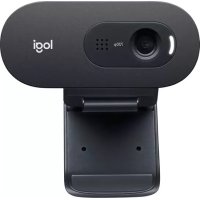

Brand : LOGITECH
Model : ALERT 700I
Category : Surveillance Camera