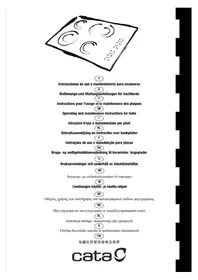
TCT 302 - Cooker CATA - Free user manual and instructions
Find the device manual for free TCT 302 CATA in PDF.



| Product type | Built-in ceramic hob |
| Brand | CATA |
| Model | TCT 302 |
| Power supply | 230 V ~ 50/60 Hz (standard estimate, according to rating plate) |
| Maximum power | Approx. 7,200 W (estimate for 4 zones) |
| Number of zones | 4 radiant zones |
| Types of zones | Double and triple zone on some zones |
| Controls | Capacitive touch keys with LED display |
| Power levels | 9 levels (1 to 9) |
| Special functions | Automatic switch-off, residual heat indicator, child lock, prolonged activation protection |
| Residual heat indicator | Display "H" when surface is hot |
| Child safety | Key lock via key combination |
| Automatic safety shut-off | Yes, after 20 seconds of inactivity without zone selection |
| Surface material | Ceramic glass |
| Cleaning and maintenance | Scraper for residues, mild cleaner, avoid abrasive sponges and harsh chemicals |
| Installation | Built into worktop, electrical connection by qualified professional |
| Disconnecting device | Accessible omnipolar switch after installation |
| Spill protection | Avoid spillovers, reduce power after boiling |
| Utensil compatibility | Flat bottom, diameter equal to or slightly larger than the cooking zone |
Frequently Asked Questions - TCT 302 CATA
User questions about TCT 302 CATA
0 question about this device. Answer the ones you know or ask your own.
Ask a new question about this device
Download the instructions for your Cooker in PDF format for free! Find your manual TCT 302 - CATA and take your electronic device back in hand. On this page are published all the documents necessary for the use of your device. TCT 302 by CATA.
USER MANUAL TCT 302 CATA
Operating and maintenance instructions for hobs
1
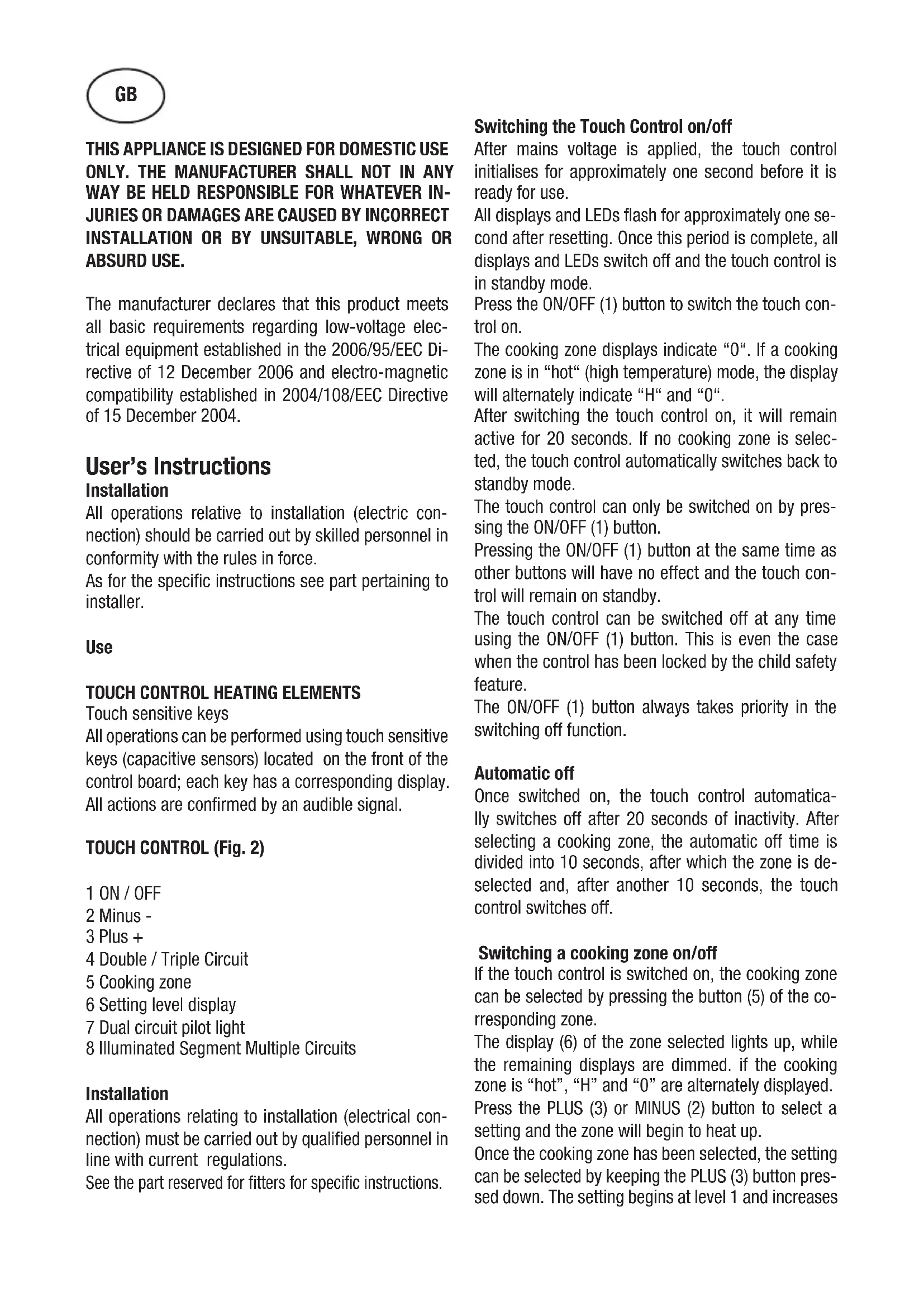
THIS APPLIANCE IS DESIGNED FOR DOMESTIC USE ONLY. THE MANUFACTURER SHALL NOT IN ANY WAY BE HELD RESPONSIBLE FOR WHATEVER INJURIES OR DAMAGES ARE CAUSED BY INCORRECT INSTALLATION OR BY UNSUITABLE, WRONG OR ABSURD USE.
The manufacturer declares that this product meets all basic requirements regarding low-voltage electrical equipment established in the 2006/95/EEC Directive of 12 December 2006 and electro-magnetic compatibility established in 2004/108/EEC Directive of 15 December 2004.
User's Instructions
Installation
All operations relative to installation (electric connection) should be carried out by skilled personnel in conformity with the rules in force.
As for the specific instructions see part pertaining to installer.
Use
Touch sensitive keys
All operations can be performed using touch sensitive keys (capacitive sensors) located on the front of the control board; each key has a corresponding display. All actions are confirmed by an audible signal.
TOUCH CONTROL (Fig. 2)
1 ON/OFF
2 Minus -
3 Plus +
4 Double / Triple Circuit
5 Cooking zone
6 Setting level display
7 Dual circuit pilot light
8 Illuminated Segment Multiple Circuits
Installation
All operations relating to installation (electrical connection) must be carried out by qualified personnel in line with current regulations.
See the part reserved for filters for specific instructions.
Switching the Touch Control on/off
After mains voltage is applied, the touch control initialises for approximately one second before it is ready for use.
All displays and LEDs flash for approximately one second after resetting. Once this period is complete, all displays and LEDs switch off and the touch control is in standby mode.
Press the ON/OFF (1) button to switch the touch control on.
The cooking zone displays indicate "0". If a cooking zone is in "hot" (high temperature) mode, the display will alternately indicate "H" and "0".
After switching the touch control on, it will remain active for 20 seconds. If no cooking zone is selected, the touch control automatically switches back to standby mode.
The touch control can only be switched on by pressing the ON/OFF (1) button.
Pressing the ON/OFF (1) button at the same time as other buttons will have no effect and the touch control will remain on standby.
The touch control can be switched off at any time using the ON/OFF (1) button. This is even the case when the control has been locked by the child safety feature.
The ON/OFF (1) button always takes priority in the switching off function.
Automatic off
Once switched on, the touch control automatically switches off after 20 seconds of inactivity. After selecting a cooking zone, the automatic off time is divided into 10 seconds, after which the zone is deselected and, after another 10 seconds, the touch control switches off.
Switching a cooking zone on/off
If the touch control is switched on, the cooking zone can be selected by pressing the button (5) of the corresponding zone.
The display (6) of the zone selected lights up, while the remaining displays are dimmed. if the cooking zone is "hot", "H" and "0" are alternately displayed.
Press the PLUS (3) or MINUS (2) button to select a setting and the zone will begin to heat up.
Once the cooking zone has been selected, the setting can be selected by keeping the PLUS (3) button pressed down. The setting begins at level 1 and increases
by 1 level every 0.4 seconds. When setting "9" is reached, the setting will not be changed further. If the setting level has been selected using the MINUS (2) button, the start level is "9" (maximum level). Keep the button pressed down to lower the active level by 1 every 0.4 seconds. When setting "0" is reached, there will be no further setting changed. The setting can only be changed by pressing the MINUS (2) or PLUS (3) button again.
Switching a cooking zone off
Select the zone to be switched off using the corresponding button (5). The display (6) of the zone selected lights up, while the remaining displays are dimmed. Press the PLUS (3) and MINUS (2) buttons at the same time and the setting level of the zone is changed to 0. Alternatively, the MINUS button (2) can be used to reduce the setting level to 0. If a cooking zone is "hot", "H" and "0" will be alternately displayed.
Switching all cooking zones off
Press the ON/OFF (1) button to immediately switch off all zones at any time. In standby mode, an "H" is displayed in all cooking zones that are "hot". The remaining displays will be switched off.
Setting level
The cooking zone can be set to 9 levels that are indicated by the numbers "1" to "9" on the seven-segment LED displays (6).
Residual heat indicator
This informs the user that the glass is at a dangerous temperature in the event of touching the area located around the cooking zone. The temperature is determined by a mathematical model and any residual heat is indicated by a "H" on the corresponding 7-segment display.
Heating and cooling are calculated based on:
The selected setting level (between "0" and "9")
The ON/OFF time.
After switching off the cooking zone, the corresponding display will indicate "H" until the temperature in the zone has dropped below the critical level (≤ 60^)
Automatic off function (operating time limitation)
In terms of the setting level, if no operation occurs
each cooking zone switches off after an established maximum time.
Each operation in the cooking zone condition (using the PLUS (3) and MINUS (2) or dual zone) restarts the maximum operating time of the zone by resetting it to its initial value.
Protection against unintended switching on
- If the electronic control detects a button being held down for approx. 10 sec. it will switch off automatically. The control sends out an audible error signal to warn the user that the sensors have detected the presence of an object. The displays indicate error code "ER03". If the cooking zone is in "hot" mode, "H" will be indicated alternately on the display with the error signal.
- If no cooking zone is activated within 20 seconds after switching on the touch control, it will return to standby mode.
- When the control is switched on, the ON/OFF button has priority over all other button and, therefore, the control can be switched off at any time, even when several buttons are pressed at the same time or a button is kept held down.
- In standby mode, no effect will be caused by buttons being kept held down. However, before the electronic control can be switched back on, it has to detect that no button is pressed down.
Button lock (child safety feature)
- Child safety feature:
Button lock:
To activate the child safety feature after having switched on the Touch control, press de rear left cooking zone selection button at the same time as the MINUS button (2) for 3 seconds, followed by just the rear left cooking zone selection button. An "L" standing for LOCKED (child safety feature preventing unintended switch on) will be indicated on all displays. If a cooking zone is in "hot" mode, "L" and "H" will be alternately displayed.
This operation must take place within a 10 successive seconds and no button other than those described must be pressed. Otherwise, the sequence will be interrupted and the hob will not be locked.
The electronic control remains locked until it unlocked by the user, even if it has been switched off and back on meanwhile. Not even touch control resetting
(after a voltage drop) will interrupt the button lock.
Cancelling the button lock:
After switching the touch control on, the child safety feature can be disabled. Press the rear left cooking zone selection button and the MINUS button (2) for 3 seconds, followed by just the MINUS button (2). If all operations are carried out in the right order within 10 seconds, the button lock will be cancelled and the touch control switched off. Otherwise, the sequence will be considered incomplete and the touch control will remain locked and will switch off after 20 seconds.
Switch the touch control back on using the ON/OFF button and all displays will be indicate "0", the decimal points will flash and the touch control will be ready for cooking. If a cooking zone is in "hot" mode, "0" and "H" will be alternately displayed.
Control of multiple circuits
Hobs without double or triple circuit, see Fig. 2A
Hob with double zone. (Fig. 2B)
When a dual cooking zone is activated, the two circuits are switched on at the same time. Activation of the external circuit is indicated by a pilot light (7) in the bottom right corner of the display. If only the internal circuit is to be switched on, the external circuit can be switched off using the dual circuit button (4). Press the dual circuit button (4) again to re-activate the external circuit and the corresponding pilot light (7) will switch on.
Hob with triple zone. (Fig. 2C) / Hob with double and triple zone. (Fig. 2D)
When a dual / triple cooking zone is activated, the 3 circuits are switched on at the same time. The activation/deactivation of each circuit is done with button 4 and it is indicated with an illuminated segment (8).
Sound signal (buzzer)
The following activities are indicated by a buzzer during use:
Normal button pressing by a short sound.
- Buttons kept pressed down for more than 10 sec. by a long, intermittent sound.
Precautions (Fig. 3)
- When one makes use of heating elements, we advise
receptacles with flat bottom having same diameter
or lightly
higher than that of the hot area.
- Avoid overflows of liquid, therefore when boiling has
happened, or in any case when liquid is heated, reduce the
heat supply.
- Don't leave the heating elements on without receptacles on
the top or with void pots and pans.
- If the surface of the hob is damaged, immediately disconnect the appliance from the mains to prevent the
possibility of electric shock.
- Never use a steam cleaner to clean the hob.
- This appliance hood is not designed to be used by people (including children) with reduced physical, sensorial or mental capacity, or who lack experience or knowledge about it, unless they have had supervision or instructions on how to use the appliance by someone who is responsible for their safety.
- Children must be supervised to ensure that they do not play with the appliance.
Maintenance (Fig. 4)
By means of a scraper immediately remove any aluminium foil bits, food spills, grease splashes, sugar marks and other high sugarcontent food from the surface in order to avoid
damaging the hob.
Subsequently clean the surface with some towel and appropriate product, rinse with water and dry by means of a clean cloth. Under no circumstance should sponges or abrasive cloths be used; also avoid using aggressive chemical detergents such as oven sprays and spot removers.
Installer's Instructions
Installation
These Instructions are for the qualified technician, as a guide
to installation, adjustment and maintenance, according to the laws and standards in force. These operations must always be carried out when the appliance has been disconnected from the electric system.
Positioning (Fig. 5)
1 Front view
2 Front side
The appliance can be fitted into a working area as illustrated on the figure. Apply the seal supplied over the whole perimeter of the working area.
I once the appliance is installed there is access to the lower part, a protection panel (wooden or something similar) ought to be placed at the distance indicated in the figure.
Electrical connection
Prior to carrying out the electrical connection, please ensure that:
the plant characteristics are such as to follow what is indicated on the matrix plate placed at the bottom of the working area;
-
that the plant is fitted with an efficient earth connection, following the standards and law provisions in force.
-
The earth connection is compulsory in terms of the law.
Should there be no cable and/or plug on the equipment, use suitable absorption material for the working temperature as well, as indicated on the matrix plate. Under no circumstance must the cable reach a temperature above 50^ of the ambient temperature.
Insert in the fixed wiring a mean for disconnection from the supply mains having a contact separation in all poles that provide full disconnection under over-voltage category III conditions, in accordance with the wiring rules. The plug or omnipolar switch must be easily reached on the installed equipment.
This appliance is not intended to be used via an external timer or a remote control system.
The manufacturers decline any responsibility in the event of non-compliance with what is described above and the accident prevention norms not being respected and followed.
To avoid all risk, if the power cable becomes damaged, it must only be replaced by the manufacturer, by an authorised service centre, or by a qualified electrician.
QUESTO PRODOTTO è STATO CONCEPITO PER UN IMPIEGO DI TIPO DOMESTICO. IL COSTRUTTORE DECLINA OGNI RESPONSABILITA NEL CASO DI EVENTUALI DANNI A COSE O PERSONE DERIVANTI DA UNA NON CORRETTA INSTALLAZIONE O DA USO IMPROPRIO, ERRONEO O ASSURDO.
Knappsparr (sakerhetsmekanism for barn)
- Sakerhetsmekanism for barn:
Knappsparr:
Avtouatn aeepepyooinon
Apoov evpyoio0ei, to πeio xepiouo apncaeevpyoioietai με αvtómuot rpno 1 e t a 20 devtopolnta odpaviaç. Apoov eilayei ma covn mayepaatoc, o xpovoc auotouatns anevvpyooinos uodiapeitai 10 devtopolnta, mta ta onoia akvpovetai n eiovyn ts covns kai enita a noa 10 devtopolnta, to πeio xepiouo avnc aenevpyoioietai.
Evpyoioin/αevpyoioin Σovns μayepμato
ABTOMaTHueCKoe BbIKJIOueHHe
IocJIe BKJIOueHn ycTpoiCTBa ceHCOPHOe ynpaBJIeHHe aBTOMATNueCKn BbIKJIIOuaeTcA Hepe3 20 cekyHn B cJyuae OTCyTCTBn KaKoJIb6o AKTHBHOCTn POJB3ObaTeJI. Hepe3 10 cekyHn IocJIe TORO KaB bI6paHa BapOuHa 3OHa, BB6Op 3OHbI OTMeHReTcA eIe Hepe3 10 cekyHd BbIKJIIOuaeTc CaHCOPHOe ynpaBJIeHHe.
BkJIOueHHe/BBKJIIOueHHe BapOuHOI 30HBI
IpiB KJIIOeHHOM ceHCOPHOM ynpabJIeHHN MOxHO BbI6paTb JIO6yIO BapOHyIO 3OHy HaxaTHEm KHONK NBI6opa COOTBeTCTBYIOuei
3OHb1 (5).
HicIIeBbIpaHHo30Hb63aIopaeTc HJIbHee,aOCTaJIbHbIE HcIIJen rachyT. EcIN 30HaHarpeBaETc,TOIOoopeJeHO OTo6paKaIOTcCmBOJIbIgH>
HaKHMa KHOIIKN «JIIOC» (3) H «MHHYC» (2), MOKHO BbIbpaTb Heo6XOIMbI ypOBeHb MOIHCTH, H 30Ha HaHT HaIpeBaTbc.
Bb6paB BapOHyIO 30Hy, MoKHO HAcTpOHTb yPOBeHb MOIHOCTHn, HaJHMa KHOIIKy
Ipn HacrpoKe yPOBnMoHOCTH IIpn IOMOII KHOIIKN MHHYC> (2) IepBOHaJIbHbIyPOBeHb 6yJeT paBeH 9 (MaKcHMajbHbIyPOBeHb). Ecln yIepKNaBaT bTy KHOIKy HaKaToN, yPOBeHb MOIOHOCTN 6yJeT cHJKAtbcra Ha OINKakDbie 0,4 cekyHdbI. YPOBeHb 0 AIBJareTcMHHMaJIbHbIM yPOBHeM MOIOHOCTN. DpeRyInpOBaHn yPOBn MoIHOCTH Heo6xOJIMO cHOBA HaKaTaB KHOIIKy IJIIOC> (2) HIN MHHYC> (3).
BbIKJIIOUcHHe BApOuHOI 30HbI
Bb6epHTe 30Hy, KOtopyo Heo6xOHNMOOTKJIOHTb, IIpH IOMOIIIN COOTBeTCTBYIOIeIKHOIIKN (5). DnCIIIEe Bb6paHHoN 30HbI (6)3aROpHTcra CHJIbHee, a OCTaJIbHbIe INCIIIEH NOrachyT. IIpH ONDOBpeMeHHOM HaKaTHN KHOIOK «PIIIOC» (3) n «MHHYC» (2) ypoBeHbMOUHOCTNaBbPaHHoN 30HbI yCTaHaBJIINBaETcRaHa «0». B KaueCTBe aJIbTePHaTHBBI MOKHOHCIOJIb3OBA Tb KHOIIKy «MHHYC» (2), YTO6bICHN3HTb yPOBEHb MOUHOCTN IO «0».
EcJn KaKaJ-JH60 H3 BapOuHbIX 3OH rOpJyA, Ha IINJIeE 6yIyT IIIOIIepMeHHO OTO6paKaTbcJ H 0
BbIKJIIOueHHe BcEx BaOpHHbIX 30H
HaKaB KHOIIky BKJIIOueHn (1) MoKHo cpa3y BbIKJIIOHTb BCE BapOCHbIe 3OHbI. B peKHe Me OKnIaHn Ha IINcIIJee BCex TOpRyHX BapOCHbIX 3OH OTO6paKaTeC HMBOJI «H». BCE ocTaJIbHbIe IINcIIJIEN 6yIyT OTKJIIOueHbI.
YpOBeHb MoIuHocTH
JIЯ HAcTpoiKN MOIINHOCTN BApOuHbIX 3OH IIpeIyucMOrpeHbI 9 ypOBHei, KOtOpbIe 06o3HaHaOTcra IINΦpaMn O1 1o 9 Ha 7-cerMeHTHBIX CBeToIOHOHBIX INCIIJExx (6).
HnHKaTop ocTaTOUHOrToENJa
TOT HINKATOP IpeIpypeKdaeT NOJIb3OBaTeJI
06 ONaCHOCTH INPHKOCHOBEHNA K KepaMHueCKO
IOBepxHOCTH BapOuHON 3OHbI, HMeIOUeH
BbICOKyIO TeMnepaTypy. 3HaueHHe TempeaTypbI
OIIpeJElaeTcHxCODN MaTeMaTHueCKO
MOeJIH, H CJIyuae HaJIuHNa OCTaTOUHOro TEJIJa
Ha COOTBETCTBYIOIeM 7-CErMeHTHOM IHCIIJee OTO6paKaTcHMBOJI H
TcHnHaPeBaHOxJaXeHHpaCCHTbIaETCHaOCHOBcJeDyIOuHXIapametPOB:
- BbI6paHHbI ypoBeHb MOIHOCTH (OT 0 IO 9); -BpeMa pa6Otbl.
IocJIe BBIKJIOueHnB BApOuHO30HbHa JINcIIJee 6yJeT OTo6paKaTbcra CnMBOJI «H», Ioka paacYeTHa TEmIIepaTypa 3OHbHe OIIyCTHTcra IO 6e3OIIaChOrO yPoBHra (≤ 60^) B COOTBeTCTBnC MaTeMaTHueCKoM MoJeJIbIO.
Функнь abTomathueckoro OTKJIOUeHHa (orpaHHeHc BpeMeHH pa60TbI)
B 3aBnCHMOCTH OT yCTaHOBJeHHORO yPOBHRA MOIOHOCTH KaJDAra BapOuHa 30Ha OTKJIIOHaETcR IIO HCTeueHHN OIIpeJeJIeHHORo BpeMeHH, ecJIN B TeueHHe 3aJaHHOrO IIpOMeKytKa BpeMeHH 3Ta 30Ha He peRyIINPOBaIIOcb.
KaKdoe H3MeHeHne COcToHHN 30HbI Ipn NOMOIN KHOIOK JIOC (3), MNHUC (2) IN KHOIIKN BKIIOUeHHN IBOHON 30HbI HaRpeBa IPNBOINT K TOMY, YTO IpeJeJIbHOe Bpem pa6OTbI HaUNHaet OTCuHTbIBaTbcr 3aHOBO.
3aHTa ot cJyuaHOro BKIOueHHN
Пп ДЛNTeJIbHOM HaKaTHN Ha KHOIIky (JOJIbIe 10 c) HarpeB 6yJeT aBTOMaTHueCKN OTKJIIOUeH. EcJIN Ha ceHCOPHO KNOpKE HAXOHTcKaKOJIH6O IIpeJMet, yCTPOHCTBO N3dAcT 3BYKOBOCHrHaI OUn6Kn. Iprn 3tOM Ha DnCJIiee OTo6pa3HTc KaOUn6Kn «E R 0 3». EcJIN 3OHa rOpYa, Ha DnCJIiee 6yDyT NOnepeMeHHO OTo6paKaTbcra KaOUn6Kn H CnMBoJI «H».
B cIyuae ecJIN B TeueHne 20 cekyHn IocJIe BKIOUeHnCeHCOPHO yIpaBJeHn He 6yIeT aKTHBnPOBaHa HN OJHa N3 BapOuHbIX 3OH, IIHTa aBTOMaTHueCKn IpeKeJIIOHTcR B peJHM OKHNaHH.
-Прн BKJIIOUeHHOM ceHCOPHOM yIpaBJIeHHN KHOIIKa BKJIIOUeHHЯ HMee T IIpHOpHTeT HaI BCEMH OCTaJIbHBiIMN KHOIIKamn. 3TO IIO3BOJIaET BbIKJIOUHTb IIINTy B JIO60I MOMeHT,JaKe B CJlyae OIHOBpeMeHHOTo HJIN IJIHTeJIbHOrO HaKaTHHa HECKOJIbKHX KHOIIOK.
BpeKHMoeOHNHaHHIIPN IJIHTeJIbHOM HaKaTHN KHOIOK He IIpONCXoJNT HHKaKHX H3MeHeH.N. B JIObOM cJyuae IJIra TOrO YTO6bI CHOBa BKJIOHTb 3JIeKTOPHHOYIIpaBJleHne, yOeINTecb, YTO6bI HN OJHa KHOIIKA He 6blJa HaKaTa.
Блорва Кнок (Зшта от dete)
-Функия 3aIHTbI OT IeTei:
BIOKUPOBKa KHOIIOK
JIY BKJIOUeHnIyHKUH6e3ONaCHOCHTJeTeN, IocJIe BKJIOUeHnIceHCOPHO ynpaBJeHnHaJKMITE KHOIIky BbIbopa JIEBOI 3aIDHe 30HbI npHrTOBJIeHHoDHOHBpeMeHHcKHOKNMI
NUS (MHHyc) (2) B TeueHHe 3 cekyHcpa3y Ke IocJIe KHOIIKN BbI6opa JbeBOJ 3aJIHe 3OHbI IIpHIOTOBJIeHn. Ha BCex IncIIJIeX OTO6pa3HTcR CHMBOJI L , 0603HaauIOHn 6JOKHPOBKy (6JOKHPOBKa OT cIyauHOrO BKIIIOUeHn). EcJIn KaKaJ-JIbO 3OHa rOpYa, 6yUT IIOIIepMeHNO OTO6paKaTbcr CHMBOJIb L H H
BpeMa OIOHOpeMeHHOHaKaTHa He IOJHKHO IIpeBbIiAtb 10 cekyHJI. IIpn 3TOM HeJIb3HaXHMaTB HNKaKHX KHOIIOK, KpOME OINCAHHbIX BIIIE. B IpoTHBHOM cIyae IOCJeIOBaTeJIbHOCTb JeIcTBn 6byET IIpePbaHa H IIHTa He 3a6JOkHyetyTc.
3JIeKTPoHHOyIpaBJIeHHe 6yIeT 3a6JIOKHPoBaHO JaKe IIpN BbIKJIIOueHH N IocJIeIyIOIIeM BKJIIOueHH IO MOMeHTa CHHTN6 JIOKHPOBKN IIOJB3OBATeJIeM. IIOBTOpHOE BKJIIOueHH IIJTbI (IOcJIe OTKJIIOueHHIITaHH) He cHIMaeT 6JIOKHPOBKN yIpaBJIeHH.
CHaTHe 6JIOKHPOBKN KHOHOK ynpabJIeHHN
IocJIe BKJIOUeHnCeHCOPHO ynpaBJIEHHN cyHKnna 3aINTbI OT JeTeH MoKeT 6bITb DeakTHBnPOBaHa. JIA rTOrO Heo6xOJHMO OJHOBPemEHNO HaKaTB H yDcPKNBaTb B TeueHne 3 cekyHKnpaHIOIO JIEByIO KhoNkY Bbl6opa BapouHO 30HbI N KhoNkY MmHyc》 (2), a 3aTeM eIe pa3 HaKATb KhoNkY MmHyc》 (2).EcIIIN BCE 3TN OIepaunn BblIOJIHeHbIB Yka3aHHOM IopAke B TeueHne 10 cekyH, 6IOKnpOBKa KHOIOK 6yDet ChraTa, H ceHCOPHOe ynpaBJIeHne 6yDet BblKJIOUeHo. B IpOTNBOM CJUyae IpoUeCC CHaTnE 6IOKnpOBKn 6yDet IpePBaN KaK He3aBePHEHHBn, 6IOKnpOBKa OCTaHeTcA kTtBHO, H ceHCOPHOe ynpaBJIeHne OKJIOuHTcyepez 20 cekyH.
Ipn IIOcJIeIyIOIIeM BKJIIOueHNN ceHCOPHOYIpaBJIeHNA IIpN IIOMOIIHN KHOIIKN BKJIIOueHNA BaCEX INCIIJIeX OTO6pa3NTc4 3HaueHne 0 , IecrTHnHbIE TOCK HauHyT MInaTb, a IIHTa 6yTeT rOToBA JINHIOJIb3OBaHH. EcJN KaKaJ-JIbO 3OHa rOpqay, Ha INcIIJee 6yUyt IIOIepMeHHO OTO6paKaTbc8 3HaueHnn 0 n H
YIpaBJIeHHe HeCKoJIbKHM KOHTypaMH
KoHΦopKn 6e3 IBOHOrO HJN TpoHOrO KOHTypa, cm. pnc. 2A
KoHΦopKa c IBOHHO3OHOi. (Pnc. 2B)
AKTHBaIIHЯДBOIHOB BApOCHOH 30HbI O3HaUaET, YTO IBA HArpeBaTeJIbHbIX CeMHeTa 6yDyT BKJIIOUeHbI OJHOBpeMeHHo. BKJIIOUeHHe BHeIHIero HArpeBaTeJIbHOrO CeMHeTa OTOpKaAetc CBETOBbIM HNINKAtOPOM (7) BHNKHEM IIpaBOM yIiY IHCIIIEe. EClH HeO6XODHMO BKJIIOHTb TOJIbKO BHYTpEHHHn HArpeBaTeJIbHbI CEMeHT, BHeIHHH CEMeHT MOxHO BbIKJIIOHTb, HaKaB KHOIIKY DBOHOH 3ObHbI HArpeBa (4). IOBTOPHOe HaxaTne KHOIIKN
IBOHIOH 3OHBi HArpeBa (4) cHOBa aKTHBpyeT BHeIHHH HArpeBaTeJIbHbI CErMeHT, IIpH 3TOM KoHΦopKa c TpoHoi 3OHO. (Pnc. 2C) / KoHΦopKa c IBOHoi n TpoHoi 3OHO. (Pnc. 2D)
Ipi aKTHBaHIN IBOHON/TPoHON 3OHbI IipnroTOBJIeHHN 3 KOHTpa BkJIOaOTc8 OHOBPemHeHO. BKJIOueHHe/OTKJIOueHHe KaJIOrO KOHTpa OcyIeCTBJIeTcKHOIIKO4 H IOITBepeKJaetc IIOCBEeHHbIM ceMeHTOM (8).
3BykoBoH chHaJ (3ymMep)
Ipn HcIOJb3OBAHHN IINHTBt 3ByKOBBie CnHaJIbI pa3JaOTcB CJIeDyIOUHX CJYuaX:
KpaTKOBpeMeHHoe HaKaTHe KHOIOK KOPOTKH CNHaJI;
JIHTeJIbHOe HaKaTne KHOJKN (6oJIee 10 ceKyn) -IINHHbI IpepbHbNCTbI CNrHaJI.
MepbI npceIOctOpOxHocTH (Pnc.3)
-
MbI COBetyem Bam HcnoJb3ObaTb Nocuyc c
IIOCKHM dHOM dJa PnHrTOBJIeHNr PNUsC
PiMOUIbIO 3JIeMeHTOB HaPBeBaHH,
PnHcEM dHaMeTp IH DAJKeH 6bITb paBHbIM
HIN HeCKoJIbKO IIpeBbIaTb dHaMeTp, yKa3aHHbIH
Ha cepHrpaΦHH. -
CJIeIHTb 3a TeM, YTO6bI KHNIOKCTb He IPOJINBaJIacb Ha IIINTy.
IIO3TOMy yMeHbHHTe MOUHOCtB HaRpeBaHHn Iprn KInHeHH HJIN NocJIe TORO, KaK XNkOcTB IOCTHJIa HyKHyU Boam TemnepaTpy.
-He ocTaBJIaIe TBKJIIOueHHbIMN 3JIeMeHTbI HaRpeBaHn6e3HX HcNOJIb3OBaHHn IO Ha3HaueHHIO, IN He CTaBBTe Ha HNX NcYCTbIe KAcTpIOJIN HJIN JIO6yIO IocuIy.
-
IIpn pa3JIOMe IOBepxHocTH IJHTbI, cJIeIyET HeMeJIeHHO OTKJIIOHTb aIIIapaT OT cETN IITaHHBO H36eKaHHe 3JIeKtpnueCKOTo IIOKA.
-
3aIIpeIaETcHIOJIb3OBaTb IapOBBIE aIIIapApTbI JJIa ONUCTKN IOBepXHOCTH IIJHTbI.
-ДаHHь aIIIapaT He IpeHa3HaueH JIЯ eRO HcIOJIb3OBAHHaJIHOJbMH (BKJIIOUa JTeH) c ORpaHHueHHbIMn ΦH3NueCKHM, ceHCOPHBIMn JIIN YMCTBeHHbIMn CIOCO6HOCTaMH, JIIN TeMH JIiAmH, y KOTO Het IOCTaTOHOrO OIIbITA HJIN 3HaHH, 3a NCKJIIOUeHHem Tex CJlyuaeB, KOrJa OTBeTCTBeHHbI 3a 6e3OIIaChOCtB IIPOBepNJ IX DeIcTBHn H BbIaJI HM BCE COOTBeTCTBYIOIIHe HHCTpyKIIHN IO HcIOJIb3OBAHHIO aIIIapaTa.
-Heo6xIOHMO cJIeIHTb 3a TEM, YTO6bI JeTn He HrpaJIn C JaHHbIM aIIIapaTOM.
Yxoi(PnC.4)
Ipn IonaaHnHa KOHphiOpKn ocTaTKa aJIOMHHeBOI OJbIg, OCTaTKOB IIuN, KHPbIX PATEH NIN 6pb3r Knpa caxapa HIn OyeHb caxapcTBIX IPOyKTOB, CJIeDyET Hx HemeJIIEHNO ydaJIHTb C BapOuHOI NOBepXHOCTN IocpeJCTBOM CNEUHAJBHO CKpe6Ka BO H36exaHne IapaanHna BapOuHOI NOBepXHOCTN.
IocJe 3TOrO IIpOMbITb IOBepxHOCt bIeUHaJIbHbIM IPOyKTOM C HcIOJb3OBaHHem 6yMaJHO rIOJIoTeHua, 3aTeM cIOJOChyTb BOIOH BBICYuHTb YHCTOn TpAIOuKo. KaTeROpNueeCKn 3aIIpeIaetc HcIOJb3OBaTb a6pa3HBhIE r6KN HJIN UeTKn, a TaKKe 3aIIpeIaETcR IOJb3OBaTbC aIpeCCNBbIMN XHMnueckHMn UHCTraIIMn CpeIcTBaMn HJIN IHTHOBBIOHNTEJAMN.
HctpyKHHIJIaMOHTaKHnKa MoHTaK
HaTOnHHe HnCTpyKuHN IIpeHa3HaueHbI JJI
HCIOJIb3OBAHH
B IIepHOJ MOHTaKa H JJIa MOHTaKHNa, 3TO
pyKOBOCTBO JJI
MOHTaKa, peYJInPOBKn H yXoJa 3a IJIHTOJ B
COOTBeTCTBHe C
cyIeCTByIOUHMn HopMaTHBaAMn. He 3a6bIBaITe
O TOM, YTO
HEo6xOJIMO OTKJIIOUHTb IJIHTy JJIa BBIOJIHeHH
KaKHX-JINBO
ONepaHn.
YcTaHOBka (Phc. 5)
1BnCpeepn
2Переднaya gracь
JaHHbI aIInapaT IpeHa3HaueH JJI yCTaHOBKn B COOTBeTCTByIOUeN 3OHe TaK, KaK 3TO yKa3aHO Ha PnCyHKe.
OueHbBaXHO IIOIROBHTb JJIyYCTaHOBKN BeCb IepnMeTp
IOBepxHOCTH C HCIOJIb3OBaHHEM BOHOHeIPOHNuaeMOIJIeHKN, BXOJaUeB KOMIIJEKT IOCTaBKN.
IocJIe yCTaHOBKn ycTpoiCTBa HMeetcIIOCTyN K eRO HIXKHeJ YAcTn, 3aUHTHyO NaHEJIb (JepeBraHHyIO HJIN H3 IIOIO6HOrO MaTePnaJa) cJeIyET paIOJOKHTb Ha pacCToRHH, yKa3aHHOM Ha pHCyHKe.
3JIeKtpnueckne IIOkJIIOueHHN
IpeEIIIOIKJIOUOHeHHem K ceTH IINTaHn, y6eHTecbBTOM, YTO:
-XapaKTepeHCTNKN yCTaHOBKn COBIIaIOT c XapaKTepeHCTNKAmN, IIpNBeJIeHHbIMN Ha ycTaHOBOUHOI IJIacTHHe, HAXOJIIEcR Ha IHe IIaHEJIN IJIa BapKn;
-Дя yctaHOBKN IIpeIycmOTpeHO IOCTaTOHOMOIIHOE 3a3eMJIeHHe, B COOTBEcTbHn C HOpMaTHBaMn I Tpe6OBaHHm IeHCTBYIOIIeTo 3aKOHOJaTeJIbCTBa. 3a3eMJIeHHe IIpeIycmOTpeHO B yCTaHOBJIeHHbIX HopMaTHBaX.
B TOM cIyuae, ecII nIa aIIIapata He IIpeIycMOtpeH IHHyp H - IJIH PO3eTKa BKJIOUeHHRAHeO6XoHNMO HCIOJIb3OBaTb MaTePnaJI, IIpHOrIDhBI dJIa 3HaueHHN OJIeKTPnueCKOROTOKA, IIpNBBeDEHHbIX Ha ycTaHOBOuHOI pIaCTHHe C XapaKTepHcTHKaMH, H IIJa DAHHo paOoye TemIepaTypbl.
3aIpeIaEraHcnoJIb3ObaTb HHyp B cIlyae ero IepeIpeBaHnI npn IpeBbIiHeHH 50°C TeMIIepaTpybl OkpykaIOuIe CpeIbI.
IIOKJIIOHNTe K cTaIHHOHApHOJ 3JIeKTPoIIPOBOKe 3aIHTHOE yCTPOJCTBO OTKJIIOUeHHN OT IITaIOUeH CETn C IOJIHBIM pa3pbIBOM ueHH, YTO6bI oBecIIeHTb IOJIHOe OTKJIIOUeHHne OT 3JIeKTPoCHA6KeHHN IIpH IIpeBbIWeHH N HOMHaJa HAIIPRAJKeHH N CETn COJIacHO Tpe6OBaHHM KJIACCA III N B COOTBeTcTBHH C Tpe6OBaHHMaN IIpaHJI yCTPOJCTBa 3JIeKTPoYcTAHOBOK. PO3eTKa HIN MHOROIOJIIOCHbI IIpeEKJIIOuHaTeJB DOJIJKHbI 6bITb IIpoCTbI N IOCTyIHbI JJIa IOIKJIIOUeHHN yCTaHOBJEHHO aIIIapata.
JaHHoe yctpoicTBO He IIpeHa3HaueHo IJIa HcIOJIb3OBaHHc BHeIIHHMa TaHMePOM HIN C IIyJBtOM INCTaHIOHOHOrO YIpaBJeHH.
KoHcTpykTop cHMaET c ce6y BCIO OTBeTCTBeHHOCtB B TOM cIyuae, ecJIN BCE BBIIeYKa3aHHbIe Tpe6OBAHHN I O6bUHbIe HOpMbI IIpeIOcTOPOKHOCTn He 6ydyT COJIIOJeHbI.
B cIyue nOBpeKJHn Hhpya NHTaHH, 06paHTecb K fapHKaHTy IJI eTO 3aMeHbI, HIN 06paHTecb B yIOJIHOmOeHHbI IeHTp TexHHuecko IOMOuH, HIN JKe 06paHTecb K TexHHueckomy CNEHaJIncty JIO6oRo IeHTpa c IOIO6HBIMN IOJIHOmOuHHMa, IJI npEIOITbpaIueHn BO3HHKHOBeHHN JIO6oRO BnDa pncOB.
PRODUKT TEN ZAPROJEKTOWANY ZOSTAL DO UZYTKU W GOSPODARSTWIE DOMOWYM. PRODUCENT NIE PONOSI ZADNEJ ODPOWIEDZIALNOŚCI ZEWENTUALNE SZKODY RZECZOWE I OSOBOWE POWSTAŁ E WSKUTEK JEGO NIEPRAWIDŁOWEJ INSTALACJI ORAZ NIEWLAŚCIWEGO, BŁEDNEGOLUB NIEUZASADNIODEG O UZYTKOWANIA.

- User's Instructions
- Installation
- Use
- TOUCH CONTROL (Fig. 2)
- Switching the Touch Control on/off
- Automatic off
- Switching a cooking zone on/off
- Switching a cooking zone off
- Switching all cooking zones off
- Setting level
- Residual heat indicator
- Automatic off function (operating time limitation)
- Protection against unintended switching on
- Button lock (child safety feature)
- - Child safety feature:
- Button lock:
- Cancelling the button lock:
- Control of multiple circuits
- Sound signal (buzzer)
- Precautions (Fig. 3)
- Maintenance (Fig. 4)
- Installer's Instructions
- Positioning (Fig. 5)
- Electrical connection
- QUESTO PRODOTTO è STATO CONCEPITO PER UN IMPIEGO DI TIPO DOMESTICO. IL COSTRUTTORE DECLINA OGNI RESPONSABILITA NEL CASO DI EVENTUALI DANNI A COSE O PERSONE DERIVANTI DA UNA NON CORRETTA INSTALLAZIONE O DA USO IMPROPRIO, ERRONEO O ASSURDO.
- Knappsparr (sakerhetsmekanism for barn)
- - Sakerhetsmekanism for barn:
- Knappsparr:
- Avtouatn aeepepyooinon
- Evpyoioin/αevpyoioin Σovns μayepμato
- ABTOMaTHueCKoe BbIKJIOueHHe
- BkJIOueHHe/BBKJIIOueHHe BapOuHOI 30HBI
- BbIKJIIOUcHHe BApOuHOI 30HbI
- BbIKJIIOueHHe BcEx BaOpHHbIX 30H
- YpOBeHb MoIuHocTH
- HnHKaTop ocTaTOUHOrToENJa
- Функнь abTomathueckoro OTKJIOUeHHa (orpaHHeHc BpeMeHH pa60TbI)
- 3aHTa ot cJyuaHOro BKIOueHHN
- Блорва Кнок (Зшта от dete)
- -Функия 3aIHTbI OT IeTei:
- BIOKUPOBKa KHOIIOK
- CHaTHe 6JIOKHPOBKN KHOHOK ynpabJIeHHN
- YIpaBJIeHHe HeCKoJIbKHM KOHTypaMH
- KoHΦopKa c IBOHHO3OHOi. (Pnc. 2B)
- 3BykoBoH chHaJ (3ymMep)
- MepbI npceIOctOpOxHocTH (Pnc.3)
- Yxoi(PnC.4)
- HctpyKHHIJIaMOHTaKHnKa MoHTaK
- YcTaHOBka (Phc. 5)
- 3JIeKtpnueckne IIOkJIIOueHHN
- PRODUKT TEN ZAPROJEKTOWANY ZOSTAL DO UZYTKU W GOSPODARSTWIE DOMOWYM. PRODUCENT NIE PONOSI ZADNEJ ODPOWIEDZIALNOŚCI ZEWENTUALNE SZKODY RZECZOWE I OSOBOWE POWSTAŁ E WSKUTEK JEGO NIEPRAWIDŁOWEJ INSTALACJI ORAZ NIEWLAŚCIWEGO, BŁEDNEGOLUB NIEUZASADNIODEG O UZYTKOWANIA.
Brand : CATA
Model : TCT 302
Category : Cooker