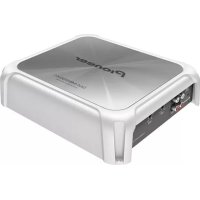
GMME500X1 - Receiver PIONEER - Free user manual and instructions

Find the device manual for free GMME500X1 PIONEER in PDF.

📄 8 pages PDF ⬇️ English EN 💬 AI Question 🖨️ Print
Notice PIONEER GMME500X1 - page 1
View the manual : Français FR English EN
Manual assistant
Powered by ChatGPT
Waiting for your message
Product information

Brand : PIONEER

Model : GMME500X1

Category : Receiver

Download the instructions for your Receiver in PDF format for free! Find your manual GMME500X1 - PIONEER and take your electronic device back in hand. On this page are published all the documents necessary for the use of your device. GMME500X1 by PIONEER.

USER MANUAL GMME500X1 PIONEER

台北市內湖區瑞光路407號8樓 電話: 886-(0)2-2657-3588 先鋒電子(香港)有限公司 香港九龍長沙灣道909號5樓 電話: 852-2848-6488 © 2019 PIONEER CORPORATION. All rights reserved. © 2019 PIONEER CORPORATION. Tous droits de reproduction et de traduction réservés. <5707000013380V> UC <KYTZ19B> <5707000013380V>2 Thank you for purchasing this PIONEER product To ensure proper use, please read through this manual before using this product. It is espe- cially important that you read and observe WARNINGs and CAUTIONs in this manual. Please keep the manual in a safe and accessible place for future reference. Information to User Alteration or modifications carried out without appropriate authorization may invalidate the user’s right to operate the equipment. After-sales service for Pioneer products Please contact the dealer or distributor from where you purchased this unit for after-sales service (including warranty conditions) or any other information. In case the necessary infor- mation is not available, please contact the companies listed below: Please do not ship your unit to the companies at the addresses listed below for repair without advance contact.USA&CANADA Pioneer Electronics (USA) Inc.

CUSTOMER SUPPORT DIVISION

P.O. Box 1760 Long Beach, CA 90801-1760 800-421-1404 For warranty information please see the Lim- ited Warranty sheet included with this unit. If you experience problems Should this product fail to operate properly, please contact your dealer or nearest author- ized Pioneer Service Station. Visit our website http://www.pioneerelectronics.comin Canadahttp://www.pioneerelectronics.ca ! Learn about product updates (such as firm- ware updates) for your product. ! Register your product to receive notices about product updates and to safeguard purchase details in our files in the event of loss or theft. ! Access owner’s manuals, spare parts infor- mation, service information, and much more. The Safety of Your Ears is in Your Hands Get the most out of your equipment by playing it at a safe level—a level that lets the sound come through clearly without annoying blar- ing or distortion and, most importantly, with- out affecting your sensitive hearing. Sound can be deceiving. Over time, your hearing “comfort level” adapts to higher volumes of sound, so what sounds “normal” can actually be loud and harmful to your hearing. Guard against this by setting your equipment at a safe level BEFORE your hearing adapts. ESTABLISH A SAFE LEVEL: ! Set your volume control at a low setting. ! Slowly increase the sound until you can hear it comfortably and clearly, without dis- tortion. ! Once you have established a comfortable sound level, set the dial and leave it there. <5707000013380V>3

GUIDELINES: ! Do not turn up the volume so high that you can’t hear what’s around you. ! Use caution or temporarily discontinue use in potentially hazardous situations. ! Do not use headphones while operating a boat; the use of headphones may create a traffic hazard and is illegal in many area- About This Product This product is a mono amplifier for subwoofer. If both L (left) and R (right) channels are connected to the RCA input of this product, output is mixed because this product is a mono amplifier. Before connecting/ installing the amplifier WARNING ! This product contains chemicals known to the State of California and other governmental en- tities tocause cancer and birth defects or other reproductive harm. Wash hands after handling. ! To prevent fire hazard, the heatsink should never be covered with items (such as papers, cloths). ! This unit is for the boats with a 12 V battery and negative grounding. Before installing, check the battery voltage. ! When installing this unit, make sure to con- nect the ground wire first. Ensure that the ground wire is properly connected to the metal parts of the boat body. The ground wire of the one of this unit must be connected to the boat separately with different screws. If the screw for the ground wire loosens or falls out, it could result in fire, generation of smoke or malfunction. ! Be sure to install the fuse to the battery wire. ! Always use a fuse of the rating prescribed. The use of an improper fuse could result in overheating and smoke, damage to the pro- duct and injury, including burns. ! Check the connections of the power supply and speakers if the fuse of the separately sold battery wire or the amplifier fuse blows. Deter- mine and resolve the cause, then replace the fuse with and identical equivalent. ! Always install the amplifier on a flat surface. Do not install the amplifier on a surface that is not flat or on a surface with a protrusion. Doing so could result in malfunction. ! When installing the amplifier, do not allow parts such as extra screws to get caught be- tween the amplifier and the boat. Doing so could cause malfunction. ! Do not allow this unit to come into contact with liquids. Electrical shock could result. Also, damage to this unit, smoke, and over- heating could result from contact with liquids. The surfaces of the amplifier and any attached speakers may also heat up and cause minor burns. ! In the event of any abnormality, the power supply to the amplifier is cut off to prevent equipment malfunction. If this occurs, switch the system power off and check the power supply and speaker connections. If you are un- able to determine the cause, please contact your dealer. ! Always disconnect the negative * terminal of the battery beforehand to avoid the risk of electric shock or short circuit during installa- tion. ! Do not attempt to disassemble or modify this unit. Doing so may result in fire, electric shock or other malfunction. ! Although this amplifier is designed specially for marine applications, it is not submersible. Do not install it in places that are prone to get- ting wet. ! Do not install in places under direct sunlight, places exposed to extreme heat or high hu- midity, or places that will get wet. <5707000013380V>4

GM-ME500X1 Owner’s Manual Mode d’emploi Thank you for purchasing this PIONEER product To ensure proper use, please read through this manual before using this product. It is espe

cially important that you read and observe WARNINGs and CAUTIONs in this manual. Please keep the manual in a safe and accessible place for future reference. Information to User Alteration or modifications carried out without appropriate authorization may invalidate the user’s right to operate the equipment. Note This equipment has been tested and found to comply with the limits for a Class B digital device, pursuant to Part 15 of the FCC Rules. These limits are designed to provide reason

able protection against harmful interference

n a residential installation. This equipment generates, uses and can radiate radio fre

quency energy and, if not installed and used

n accordance with the instructions, may cause harmful interference to radio commu

nications. However, there is no guarantee

at interference will not occur in a particu- lar installation. If this equipment does cause

armful interference to radio or television reception, which can be determined by turning the equipment off and on, the user is encouraged to try to correct the interference by one or more of the following measures: — Reorient or relocate the receiving antenna. — Increase the separation between the equipment and receiver. — Connect the equipment into an out- let on a circuit different from that to

hich the receiver is connected. — Consult the dealer or an experienced radio/TV technician for help. FEDERAL COMMUNICATIONS

COMMISSION SUPPLIER’S DECLARATION

OF CONFORMITY Product Name: Marine Mono Amplifier Model Number: GM-ME500X1 Responsible Party Name: PIONEER ELECTRONICS (USA) INC.

SERVICE SUPPORT DIVISION

Address: 2050 W. 190TH STREET, SUITE 100, TORRANCE, CA 90504, U.S.A. Phone: 1-800-421-1404 URL: https://www.pioneerelectronics.com/PUSA/ After-sales service for Pioneer products Please contact the dealer or distributor from where you purchased this unit for after-sales service (including warranty conditions) or any other information. In case the necessary infor

mation is not available, please contact the

ompanies listed below: Please do not ship your unit to the companies at the addresses listed below for repair without advance contact. USA & CANADA Pioneer Electronics (USA) Inc.

CUSTOMER SUPPORT DIVISION

P.O. Box 1760 Long Beach, CA 90801-1760 800-421-1404 For warranty information, please see the Limited Warranty sheet included with this unit. If you experience problems Should this product fail to operate properly, please contact your dealer or nearest autho- rized Pioneer Service Station. Visit our website http://www.pioneerelectronics.com in Canada http://www.pioneerelectronics.ca Learn about product updates (such as firmware updates) for your product. Register your product to receive notices about product updates and to safeguard purchase details in our files in the event of loss or theft. Access owner’s manuals, spare parts infor- mation, service information, and much

ore. The Safety of Your Ears is in Your Hands Get the most out of your equipment by playing it at a safe level—a level that lets the sound come through clearly without annoying blar

ing or distortion and, most importantly, with- out affecting your sensitive hearing. Sound

an be deceiving. Over time, your hearing “comfort level” adapts to higher volumes of sound, so what sounds “normal” can actually be loud and harmful to your hearing. Guard against this by setting your equipment at a safe level BEFORE your hearing adapts. ESTABLISH A SAFE LEVEL: Set your volume control at a low setting. Slowly increase the sound until you can hear it comfortably and clearly, without distortion. Once you have established a comfortable sound level, set the dial and leave it there.

BE SURE TO OBSERVE THE FOLLOWING

GUIDELINES: Do not turn up the volume so high that you can’t hear what’s around you. Use caution or temporarily discontinue use in potentially hazardous situations. Do not use headphones while operating a boat; the use of headphones may create a traffic hazard and is illegal in many areas. About This Product This product is a mono amplifier for subwoofer. If both L (left) and R (right) channels are connected to the RCA input of this product, output is mixed because this product is a mono amplifier. Before connecting/ installing the amplier WARNING This product contains chemicals known to the State of California and other governmental entities tocause cancer and birth defects or other reproductive harm. Wash hands after handling. To prevent fire hazard, the heatsink should never be covered with items (such as papers, cloths). This unit is for the boats with a 12 V battery and negative grounding. Before installing, check the battery voltage. When installing this unit, make sure to connect the ground wire first. Ensure that the ground wire is properly connected to the metal parts of the boat body. The ground wire of the one of this unit must be connected to the boat sepa- rately with different screws. If the screw for the ground wire loosens or falls out, it could result in fire, generation of smoke or malfunction. Be sure to install the fuse to the battery wire. Always use a fuse of the rating prescribed. The use of an improper fuse could result in overheating and smoke, damage to the prod- uct, and injury, including burns.

Check the connections of the power supply and speakers if the fuse of the separately sold battery wire or the amplifier fuse blows. Determine and resolve the cause, then replace the fuse with and identical equivalent. Always install the amplifier on a flat surface. Do not install the amplifier on a surface that is not flat or on a surface with a protrusion. Doing so could result in malfunction. When installing the amplifier, do not allow parts such as extra screws to get caught between the amplifier and the boat. Doing so could cause malfunction. Do not allow this unit to come into contact with liquids. Electrical shock could result. Also, dam- age to this unit, smoke, and overheating could result from contact with liquids. The surfaces of the amplifier and any attached speakers may also heat up and cause minor burns. <KNGZ20J> <5707000013381V> UC© 2019-2020 PIONEER CORPORATION.All rights reserved.© 2019-2020 PIONEER CORPORATION.Tous droits de reproduction et de traduction réservés.! Attach a cover or cap to the terminals, and prevent them from getting wet. ! Install the amplifier in a dr y and well-venti- lated environment, where other electrical ap- pliances installed on the boat will not interfere with it. ! When under direct sunlight with the cover on for long hours, the cockpit area may have ex- tremely high temperatures. Allows the area to cool down after cover has been removed be- fore using amplifier. CAUTION ! Always keep the volume low enough to hear outside sounds. ! Extended use of the stereo while the engine is at rest or idling may exhaust the battery. ! This product is evaluated in moderate and tro- pical climate condition under the Audio, video and similar electronic apparatus - Safety re- quirements, IEC 60065. ! The graphical symbol placed on the product means direct current. ! Connect either of three subwoofers to the am- plifier; 1: a subwoofer with a 300 W or larger nominal input and an impedance 4 W, 2: a subwoofer with a 500 W or larger nominal input and an impedance 2 W, or 3: a subwoofer with a 800 W or larger nominal input and an impedance 1 W. If the nominal input and impedance are out of the above ranges, the subwoofer may catch fire, emit smoke or become damaged. About the protection function This product has protection function. When this product detects something abnormal, the follow- ing functions will operate to protect the product and speaker output. ! The POWER/PROTECT indicator will turn red and the amplifier will shut down in the situa- tions outlined below. — If the temperature inside the amplifier gets too high. — If a DC voltage is applied to the speaker output terminal. ! The POWER/PROTECT indicator will turn red and the output will be muted in the situations outlined below. — If the speaker output terminal and speaker wire are short-circuited. Important (Serial number) The serial number is located on the bottom of this unit. For your own security and convenience, be sure to record this number on the enclosed warranty card. <5707000013380V>5

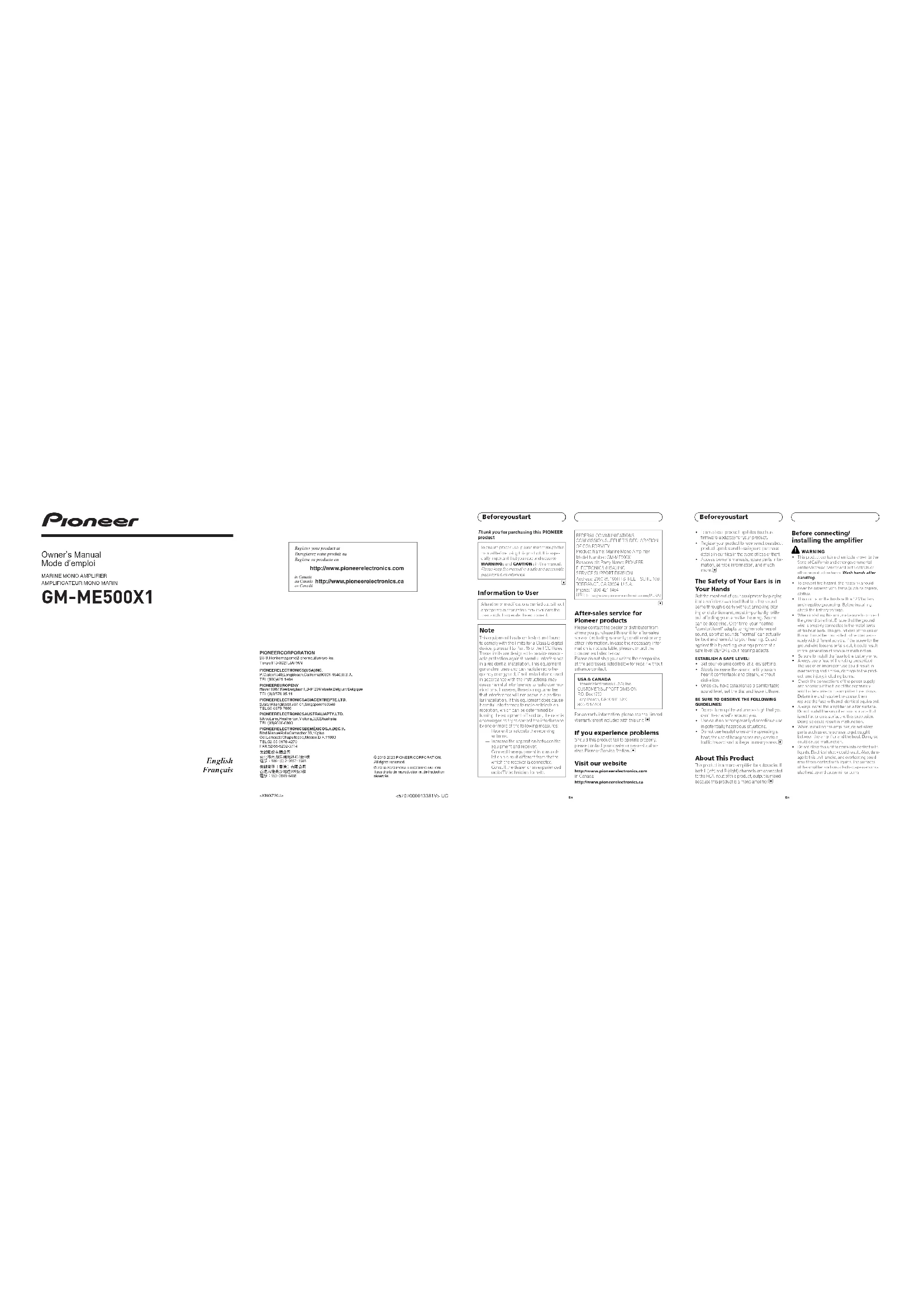
Before you start What’s what Front side21 3 4Rear side To adjust the switch, use a flathead screwdri- ver if needed. 1 POWER/PROTECT indicator The power indicator lights up to indicate power ON. ! If something is not normal, the indicator turns red. 2 GAIN (gain) control If the output remains low, even when the stereo volume is turned up, turn the con- trols to a lower level. If distortion occurs when the stereo volume is turned up, turn these controls to a higher level. ! For use with an RCA equipped stereo (standard output of 500 mV), set to the NORMAL position. For use with an RCA equipped Pioneer stereo, with maximum output of 4 V or more, adjust level to match that of the stereo output. ! For use with an RCA equipped stereo with output of 4 V, set to the H position. ! If you hear too much noise when using the speaker input terminals, turn the gain control to higher level. 3 LPF (low-pass filter) cut off frequency control You can select a cut off frequency from 40 Hz to 240 Hz. 4 SUBSONIC FILTER Switch When turned ON, frequencies of 30 Hz and below are cut. Setting gain properly ! Protective function included to prevent malfunction of the unit and/or speakers due to excessive output, improper use or improper connection. ! When outputting high volume sound etc., this function cuts off the output for a few seconds as a normal function, but output is restored when the volume of the head unit is turned down. ! A cut in sound output may indicate impro- per setting of the gain control. To ensure continuous sound output with the head unit at a high volume, set amplifier gain control to a level appropriate for the preout maximum output level of the head unit, so that volume can remain unchanged and to control excess output. ! Despite correct volume and gain settings, the unit sound still cuts out periodically. In such cases, please contact the nearest authorized Pioneer Service Station. Gain control of this unit Preout level: 2 V (Standard: 500 mV)Preout level: 4 V Above illustration shows NORMAL gain set- ting. <5707000013380V>6

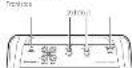
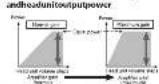
Setting the unit Relationship between amplifier gain and head unit output power If amplifier gain is raised improperly, this will simply increase distortion, with little increase in power. Signal waveform when outputting at high volume using amplifier gain control If the signal waveform is distorted due to high output, even if the amplifier gain is raised, the output power will change only slightly. Connection diagram

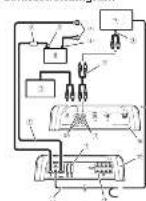
1 Battery wire (sold separately) ! The maximum length of the wire be- tween the fuse and the positive + term- inal of the battery is 30 cm (12 in.). ! For the wire size, refer to Connecting the power terminal. The battery wire, the ground wire and the optional direct ground wire must be same size. After making all other connections at the am- plifier, connect the battery wire terminal of the amplifier to the positive + term- inal of the battery. 2 Fuse (80 A) (sold separately) Each amplifier must be separately fused at 80 A. 3 Positive + terminal 4 Negative (*) terminal 5 Battery (sold separately) 6 Ground wire, Terminal (sold separately) The ground wires must be same size as the battery wire. 7 Stereo with RCA output jacks (sold separately) 8 External output <5707000013380V>7

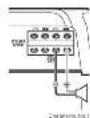
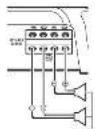
Setting the unit Connecting the units 9 Connecting wire with RCA pin plugs (sold se- parately) a Amplifier with RCA input jacks (sold sepa- rately) b RCA input jack c RCA output jack d System remote control wire (sold separately) e Speaker output terminals Please see the following section for speaker connection instructions. Refer to Connections when using the speaker input wire. f Fuse (40 A) × 2 g Front side h Rear side Before connecting the amplifier WARNING ! Secure the wiring with cable clamps or adhe- sive tape. To protect the wiring, wrap sections in contact with metal parts in adhesive tape. ! Never cut the insulation of the power supply to feed power to other equipment. Current ca- pacity of the wire is limited. CAUTION ! To prevent water from entering the amplifier, attach a cover or cap to each terminal when not in use. ! Never shorten any wires, the protection circuit may malfunction. ! Never wire the speaker negative cable directly to ground. ! Never band together multiple speaker’s nega- tive cables. ! If the system remote control wire of the ampli- fier is connected to the power terminal via the ignition switch (12 V DC), the amplifier will re- main on with the ignition whether the stereo is on or off, which may exhaust battery if the engine is at rest or idling. ! Install and route the separately sold battery wire as far as possible from the speaker wires. Install and route the separately sold battery wire, ground wire, speaker wires and the am- plifier as far away as possible from the anten- na, antenna cable and tuner. Connecting the speakers This amplifier can be connected to two speak- ers in parallel. Connect the speaker leads to suit the mode according to the figure shown below. Precautions for parallel connection ! When wiring two speakers in parallel, make sure that the synthetic impedance is from 1 W to 8 W to prevent the amplifier from catching fire, generating smoke and/or being damaged. ! When connected in parallel with the syn- thetic impedance less than 1 W, as a nor- mal function, this amplifier may automatically be set on mute if outputting high volume sound. Turn down the volume until the mute function is canceled. When connecting to one speaker Speaker output <5707000013380V>8

Connecting the units In the event of any abnormality, the power supply to the amplifier is cut off to prevent equipment malfunction. If this occurs, switch the system power off and check the power supply and speaker connections. If you are unable to deter- mine the cause, please contact your dealer. Always disconnect the negative * terminal of the battery beforehand to avoid the risk of elec- tric shock or short circuit during installation. Do not attempt to disassemble or modify this unit. Doing so may result in fire, electric shock or other malfunction. Although this amplifier is designed specially for marine applications, it is not submersible. Do not install it in places that are prone to getting wet. Do not install in places under direct sunlight, places exposed to extreme heat or high humidity, or places that will get wet. Attach a cover or cap to the terminals, and prevent them from getting wet. Install the amplifier in a dry and well-venti

lated environment, where other electrical

ppliances installed on the boat will not inter

fere with it. When under direct sunlight with the cover on for long hours, the cockpit area may have extremely high temperatures. Allows the area to cool down after cover has been removed before using amplifier. ! Attach a cover or cap to the terminals, and prevent them from getting wet. ! Install the amplifier in a dry and well-venti- lated environment, where other electrical ap- pliances installed on the boat will not interfere with it. ! When under direct sunlight with the cover on for long hours, the cockpit area may have ex- tremely high temperatures. Allows the area to cool down after cover has been removed be- fore using amplifier. CAUTION ! Always keep the volume low enough to hear outside sounds. ! Extended use of the stereo while the engine is at rest or idling may exhaust the battery. ! This product is evaluated in moderate and tro- pical climate condition under the Audio, video and similar electronic apparatus - Safety re- quirements, IEC 60065. ! The graphical symbol placed on the product means direct current. ! Connect either of three subwoofers to the am- plifier; 1: a subwoofer with a 300 W or larger nominal input and an impedance 4 W, 2: a subwoofer with a 500 W or larger nominal input and an impedance 2 W, or 3: a subwoofer with a 800 W or larger nominal input and an impedance 1 W. If the nominal input and impedance are out of the above ranges, the subwoofer may catch fire, emit smoke or become damaged. About the protection function This product has protection function. When this product detects something abnormal, the follow- ing functions will operate to protect the product and speaker output. ! The POWER/PROTECT indicator will turn red and the amplifier will shut down in the situa- tions outlined below. — If the temperature inside the amplifier gets too high. — If a DC voltage is applied to the speaker output terminal. ! The POWER/PROTECT indicator will turn red and the output will be muted in the situations outlined below. — If the speaker output terminal and speaker wire are short-circuited. Important (Serial number) The serial number is located on the bottom of this unit. For your own security and convenience, be sure to record this number on the enclosed warranty card. <5707000013380V>5

Before you start What’s what Front side Rear side To adjust the switch, use a flathead screwdri- ver if needed. 1 POWER/PROTECT indicator The power indicator lights up to indicate power ON. ! If something is not normal, the indicator turns red. 2 GAIN (gain) control If the output remains low, even when the stereo volume is turned up, turn the con- trols to a lower level. If distortion occurs when the stereo volume is turned up, turn these controls to a higher level. ! For use with an RCA equipped stereo (standard output of 500 mV), set to the NORMAL position. For use with an RCA equipped Pioneer stereo, with maximum output of 4 V or more, adjust level to match that of the stereo output. ! For use with an RCA equipped stereo with output of 4 V, set to the H position. ! If you hear too much noise when using the speaker input terminals, turn the gain control to higher level. 3 LPF (low-pass filter) cut off frequency control You can select a cut off frequency from 40 Hz to 240 Hz. 4 SUBSONIC FILTER Switch When turned ON, frequencies of 30 Hz and below are cut. Setting gain properly ! Protective function included to prevent malfunction of the unit and/or speakers due to excessive output, improper use or improper connection. ! When outputting high volume sound etc., this function cuts off the output for a few seconds as a normal function, but output is restored when the volume of the head unit is turned down. ! A cut in sound output may indicate impro- per setting of the gain control. To ensure continuous sound output with the head unit at a high volume, set amplifier gain control to a level appropriate for the preout maximum output level of the head unit, so that volume can remain unchanged and to control excess output. ! Despite correct volume and gain settings, the unit sound still cuts out periodically. In such cases, please contact the nearest authorized Pioneer Service Station. Gain control of this unit Preout level: 2 V (Standard: 500 mV) Preout level: 4 V Above illustration shows NORMAL gain set- ting. <5707000013380V>6

Setting the unit Relationship between amplifier gain and head unit output power If amplifier gain is raised improperly, this will simply increase distortion, with little increase in power. Signal waveform when outputting at high volume using amplifier gain control If the signal waveform is distorted due to high output, even if the amplifier gain is raised, the output power will change only slightly. Connection diagram f2a98673bc5hgde41 1 Battery wire (sold separately) ! The maximum length of the wire be- tween the fuse and the positive + term- inal of the battery is 30 cm (12 in.). ! For the wire size, refer to Connecting the power terminal. The battery wire, the ground wire and the optional direct ground wire must be same size. After making all other connections at the am- plifier, connect the battery wire terminal of the amplifier to the positive + term- inal of the battery. 2 Fuse (80 A) (sold separately) Each amplifier must be separately fused at 80 A. 3 Positive + terminal 4 Negative (*) terminal 5 Battery (sold separately) 6 Ground wire, Terminal (sold separately) The ground wires must be same size as the battery wire. 7 Stereo with RCA output jacks (sold separately) 8 External output <5707000013380V>7

Setting the unit Connecting the units 9 Connecting wire with RCA pin plugs (sold se- parately) a Amplifier with RCA input jacks (sold sepa- rately) b RCA input jack c RCA output jack d System remote control wire (sold separately) e Speaker output terminals Please see the following section for speaker connection instructions. Refer to Connections when using the speaker input wire. f Fuse (40 A) × 2 g Front side h Rear side Before connecting the amplifier WARNING ! Secure the wiring with cable clamps or adhe- sive tape. To protect the wiring, wrap sections in contact with metal parts in adhesive tape. ! Never cut the insulation of the power supply to feed power to other equipment. Current ca- pacity of the wire is limited. CAUTION ! To prevent water from entering the amplifier, attach a cover or cap to each terminal when not in use. ! Never shorten any wires, the protection circuit may malfunction. ! Never wire the speaker negative cable directly to ground. ! Never band together multiple speaker’s nega- tive cables. ! If the system remote control wire of the ampli- fier is connected to the power terminal via the ignition switch (12 V DC), the amplifier will re- main on with the ignition whether the stereo is on or off, which may exhaust battery if the engine is at rest or idling. ! Install and route the separately sold battery wire as far as possible from the speaker wires. Install and route the separately sold battery wire, ground wire, speaker wires and the am- plifier as far away as possible from the anten- na, antenna cable and tuner. Connecting the speakers This amplifier can be connected to two speak- ers in parallel. Connect the speaker leads to suit the mode according to the figure shown below. Precautions for parallel connection ! When wiring two speakers in parallel, make sure that the synthetic impedance is from 1 W to 8 W to prevent the amplifier from catching fire, generating smoke and/or being damaged. ! When connected in parallel with the syn- thetic impedance less than 1 W, as a nor- mal function, this amplifier may automatically be set on mute if outputting high volume sound. Turn down the volume until the mute function is canceled. When connecting to one speaker Speaker output <5707000013380V>8

Connecting the units ! Attach a cover or cap to the terminals, and prevent them from getting wet. ! Install the amplifier in a dry and well-venti- lated environment, where other electrical ap- pliances installed on the boat will not interfere with it. ! When under direct sunlight with the cover on for long hours, the cockpit area may have ex- tremely high temperatures. Allows the area to cool down after cover has been removed be- fore using amplifier. CAUTION ! Always keep the volume low enough to hear outside sounds. ! Extended use of the stereo while the engine is at rest or idling may exhaust the battery. ! This product is evaluated in moderate and tro- pical climate condition under the Audio, video and similar electronic apparatus - Safety re- quirements, IEC 60065. ! The graphical symbol placed on the product means direct current.

Connect either of three subwoofers to the am- plifier; 1: a subwoofer with a 300 W or larger nominal input and an impedance 4 W, 2: a subwoofer with a 500 W or larger nominal input and an impedance 2 W, or 3: a subwoofer with a 800 W or larger nominal input and an impedance 1 W. If the nominal input and impedance are out of the above ranges, the subwoofer may catch fire, emit smoke or become damaged. About the protection function This product has protection function. When this product detects something abnormal, the follow- ing functions will operate to protect the product and speaker output. ! The POWER/PROTECT indicator will turn red and the amplifier will shut down in the situa- tions outlined below. — If the temperature inside the amplifier gets too high. — If a DC voltage is applied to the speaker output terminal. ! The POWER/PROTECT indicator will turn red and the output will be muted in the situations outlined below. — If the speaker output terminal and speaker wire are short-circuited. Important (Serial number) The serial number is located on the bottom of this unit. For your own security and convenience, be sure to record this number on the enclosed warranty card. <5707000013380V>5 Before you start What’s what Front side Rear side To adjust the switch, use a flathead screwdri- ver if needed. 1 POWER/PROTECT indicator The power indicator lights up to indicate power ON. ! If something is not normal, the indicator turns red. 2 GAIN (gain) control If the output remains low, even when the stereo volume is turned up, turn the con- trols to a lower level. If distortion occurs when the stereo volume is turned up, turn these controls to a higher level. ! For use with an RCA equipped stereo (standard output of 500 mV), set to the NORMAL position. For use with an RCA equipped Pioneer stereo, with maximum output of 4 V or more, adjust level to match that of the stereo output. ! For use with an RCA equipped stereo with output of 4 V, set to the H position. ! If you hear too much noise when using the speaker input terminals, turn the gain control to higher level. 3 LPF (low-pass filter) cut off frequency control You can select a cut off frequency from 40 Hz to 240 Hz. 4 SUBSONIC FILTER Switch When turned ON, frequencies of 30 Hz and below are cut. Setting gain properly ! Protective function included to prevent malfunction of the unit and/or speakers due to excessive output, improper use or improper connection. ! When outputting high volume sound etc., this function cuts off the output for a few seconds as a normal function, but output is restored when the volume of the head unit is turned down. ! A cut in sound output may indicate impro- per setting of the gain control. To ensure continuous sound output with the head unit at a high volume, set amplifier gain control to a level appropriate for the preout maximum output level of the head unit, so that volume can remain unchanged and to control excess output. ! Despite correct volume and gain settings, the unit sound still cuts out periodically. In such cases, please contact the nearest authorized Pioneer Service Station. Gain control of this unit Preout level: 2 V (Standard: 500 mV) Preout level: 4 V Above illustration shows NORMAL gain set- ting. <5707000013380V>6

Setting the unit Relationship between amplifier gain and head unit output power If amplifier gain is raised improperly, this will simply increase distortion, with little increase in power. Signal waveform when outputting at high volume using amplifier gain control If the signal waveform is distorted due to high output, even if the amplifier gain is raised, the output power will change only slightly. Connection diagram f2a98673bc5hgde41 1 Battery wire (sold separately) ! The maximum length of the wire be- tween the fuse and the positive + term- inal of the battery is 30 cm (12 in.). ! For the wire size, refer to Connecting the power terminal. The battery wire, the ground wire and the optional direct ground wire must be same size. After making all other connections at the am- plifier, connect the battery wire terminal of the amplifier to the positive + term- inal of the battery. 2 Fuse (80 A) (sold separately) Each amplifier must be separately fused at 80 A. 3 Positive + terminal 4 Negative (*) terminal 5 Battery (sold separately) 6 Ground wire, Terminal (sold separately) The ground wires must be same size as the battery wire. 7 Stereo with RCA output jacks (sold separately) 8 External output <5707000013380V>7

Setting the unit Connecting the units 9 Connecting wire with RCA pin plugs (sold se- parately) a Amplifier with RCA input jacks (sold sepa- rately) b RCA input jack c RCA output jack d System remote control wire (sold separately) e Speaker output terminals Please see the following section for speaker connection instructions. Refer to Connections when using the speaker input wire. f Fuse (40 A) × 2 g Front side h Rear side Before connecting the amplifier WARNING ! Secure the wiring with cable clamps or adhe- sive tape. To protect the wiring, wrap sections in contact with metal parts in adhesive tape. ! Never cut the insulation of the power supply to feed power to other equipment. Current ca- pacity of the wire is limited. CAUTION ! To prevent water from entering the amplifier, attach a cover or cap to each terminal when not in use. ! Never shorten any wires, the protection circuit may malfunction. ! Never wire the speaker negative cable directly to ground. ! Never band together multiple speaker’s nega- tive cables. ! If the system remote control wire of the ampli- fier is connected to the power terminal via the ignition switch (12 V DC), the amplifier will re- main on with the ignition whether the stereo is on or off, which may exhaust battery if the engine is at rest or idling. ! Install and route the separately sold battery wire as far as possible from the speaker wires. Install and route the separately sold battery wire, ground wire, speaker wires and the am- plifier as far away as possible from the anten- na, antenna cable and tuner. Connecting the speakers This amplifier can be connected to two speak- ers in parallel. Connect the speaker leads to suit the mode according to the figure shown below. Precautions for parallel connection ! When wiring two speakers in parallel, make sure that the synthetic impedance is from 1 W to 8 W to prevent the amplifier from catching fire, generating smoke and/or being damaged. ! When connected in parallel with the syn- thetic impedance less than 1 W, as a nor- mal function, this amplifier may automatically be set on mute if outputting high volume sound. Turn down the volume until the mute function is canceled. When connecting to one speaker Speaker output <5707000013380V>8

Connecting the units ! Attach a cover or cap to the terminals, and prevent them from getting wet. ! Install the amplifier in a dry and well-venti- lated environment, where other electrical ap- pliances installed on the boat will not interfere with it. ! When under direct sunlight with the cover on for long hours, the cockpit area may have ex- tremely high temperatures. Allows the area to cool down after cover has been removed be- fore using amplifier. CAUTION ! Always keep the volume low enough to hear outside sounds. ! Extended use of the stereo while the engine is at rest or idling may exhaust the battery. ! This product is evaluated in moderate and tro- pical climate condition under the Audio, video and similar electronic apparatus - Safety re- quirements, IEC 60065. ! The graphical symbol placed on the product means direct current. ! Connect either of three subwoofers to the am- plifier; 1: a subwoofer with a 300 W or larger nominal input and an impedance 4 W, 2: a subwoofer with a 500 W or larger nominal input and an impedance 2 W, or 3: a subwoofer with a 800 W or larger nominal input and an impedance 1 W. If the nominal input and impedance are out of the above ranges, the subwoofer may catch fire, emit smoke or become damaged. About the protection function This product has protection function. When this product detects something abnormal, the follow- ing functions will operate to protect the product and speaker output. ! The POWER/PROTECT indicator will turn red and the amplifier will shut down in the situa- tions outlined below. — If the temperature inside the amplifier gets too high.

If a DC voltage is applied to the speaker output terminal. ! The POWER/PROTECT indicator will turn red and the output will be muted in the situations outlined below. — If the speaker output terminal and speaker wire are short-circuited. Important (Serial number) The serial number is located on the bottom of this unit. For your own security and convenience, be sure to record this number on the enclosed warranty card. <5707000013380V>5 Before you start What’s what Front side Rear side To adjust the switch, use a flathead screwdri- ver if needed. 1 POWER/PROTECT indicator The power indicator lights up to indicate power ON. ! If something is not normal, the indicator turns red. 2 GAIN (gain) control If the output remains low, even when the stereo volume is turned up, turn the con- trols to a lower level. If distortion occurs when the stereo volume is turned up, turn these controls to a higher level. ! For use with an RCA equipped stereo (standard output of 500 mV), set to the NORMAL position. For use with an RCA equipped Pioneer stereo, with maximum output of 4 V or more, adjust level to match that of the stereo output. ! For use with an RCA equipped stereo with output of 4 V, set to the H position. ! If you hear too much noise when using the speaker input terminals, turn the gain control to higher level. 3 LPF (low-pass filter) cut off frequency control You can select a cut off frequency from 40 Hz to 240 Hz. 4 SUBSONIC FILTER Switch When turned ON, frequencies of 30 Hz and below are cut. Setting gain properly ! Protective function included to prevent malfunction of the unit and/or speakers due to excessive output, improper use or improper connection. ! When outputting high volume sound etc., this function cuts off the output for a few seconds as a normal function, but output is restored when the volume of the head unit is turned down. ! A cut in sound output may indicate impro- per setting of the gain control. To ensure continuous sound output with the head unit at a high volume, set amplifier gain control to a level appropriate for the preout maximum output level of the head unit, so that volume can remain unchanged and to control excess output. ! Despite correct volume and gain settings, the unit sound still cuts out periodically. In such cases, please contact the nearest authorized Pioneer Service Station. Gain control of this unit Preout level: 2 V (Standard: 500 mV) Preout level: 4 V Above illustration shows NORMAL gain set- ting. <5707000013380V>6

Setting the unit Relationship between amplifier gain and head unit output power If amplifier gain is raised improperly, this will simply increase distortion, with little increase in power. Signal waveform when outputting at high volume using amplifier gain control If the signal waveform is distorted due to high output, even if the amplifier gain is raised, the output power will change only slightly. Connection diagram f2a98673bc5hgde41 1 Battery wire (sold separately) ! The maximum length of the wire be- tween the fuse and the positive + term- inal of the battery is 30 cm (12 in.). ! For the wire size, refer to Connecting the power terminal. The battery wire, the ground wire and the optional direct ground wire must be same size. After making all other connections at the am- plifier, connect the battery wire terminal of the amplifier to the positive + term- inal of the battery. 2 Fuse (80 A) (sold separately) Each amplifier must be separately fused at 80 A. 3 Positive + terminal 4 Negative (*) terminal 5 Battery (sold separately) 6 Ground wire, Terminal (sold separately) The ground wires must be same size as the battery wire. 7 Stereo with RCA output jacks (sold separately) 8 External output <5707000013380V>7

Setting the unit Connecting the units 9 Connecting wire with RCA pin plugs (sold se- parately) a Amplifier with RCA input jacks (sold sepa- rately) b RCA input jack c RCA output jack d System remote control wire (sold separately) e Speaker output terminals Please see the following section for speaker connection instructions. Refer to Connections when using the speaker input wire. f Fuse (40 A) × 2 g Front side h Rear side Before connecting the amplifier WARNING ! Secure the wiring with cable clamps or adhe- sive tape. To protect the wiring, wrap sections in contact with metal parts in adhesive tape. ! Never cut the insulation of the power supply to feed power to other equipment. Current ca- pacity of the wire is limited. CAUTION ! To prevent water from entering the amplifier, attach a cover or cap to each terminal when not in use. ! Never shorten any wires, the protection circuit may malfunction. ! Never wire the speaker negative cable directly to ground. ! Never band together multiple speaker’s nega- tive cables. ! If the system remote control wire of the ampli- fier is connected to the power terminal via the ignition switch (12 V DC), the amplifier will re- main on with the ignition whether the stereo is on or off, which may exhaust battery if the engine is at rest or idling. ! Install and route the separately sold battery wire as far as possible from the speaker wires. Install and route the separately sold battery wire, ground wire, speaker wires and the am- plifier as far away as possible from the anten- na, antenna cable and tuner. Connecting the speakers This amplifier can be connected to two speak- ers in parallel. Connect the speaker leads to suit the mode according to the figure shown below. Precautions for parallel connection ! When wiring two speakers in parallel, make sure that the synthetic impedance is from 1 W to 8 W to prevent the amplifier from catching fire, generating smoke and/or being damaged. ! When connected in parallel with the syn- thetic impedance less than 1 W, as a nor- mal function, this amplifier may automatically be set on mute if outputting high volume sound. Turn down the volume until the mute function is canceled. When connecting to one speaker Speaker output <5707000013380V>8

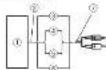
Connecting the unitsWhen connecting to two speakers The output from two speakers is the same as that of one speaker. Speaker output Connections when using the speaker input wire Connect the stereo speaker output wires to the amplifier using the supplied speaker input wire with RCA pin cord. 1 Stereo 2 Speaker output 3 Red: Right + 4 Black: Right * 5 Black: Left * 6 White: Left + 7 Speaker input wire with RCA pin cord To the RCA input jack of this unit Notes ! If speaker input wires from a headunit are connected to this amplifier, the amplifier will automatically turn on when the headunit is turned on. When the headunit is turned off, the amplifier turns off automatically. This function may not work with some headunits. In such cases, please use a system remote control wire (sold separately). If multiple am- plifiers are to be connected together synchro- nously, connect the head unit and all amplifiers via the system remote control wire. ! This amplifier automatically selects an input signal mode between the RCA level and the speaker level by detecting an input signal. Solderless terminal connections ! Since the wire may become loose over time, it must be periodically inspected and tightened as necessary. ! Do not solder or bind the ends of the twisted wires. ! Fasten while making sure to not to clamp the insulating sheath of the wire. ! Use the supplied hexagonal wrench to tighten and loosen the terminal screw of the amplifier and use it to securely fasten the wire. Be careful to avoid excessive tigh- tening of this screw, which may damage the wire. Connecting the power terminal WARNING If the battery wire is not securely fixed to the term- inal using the terminal screws, there is a risk of overheating, malfunction and injury, including minor burns. <5707000013380V>9

Connecting the units ! Always use the recommended battery and ground wire, which is sold separately. Con- nect the battery wire directly to the boat battery positive (+) terminal and the ground wire to the boat body. ! Recommended wires size (AWG: American Wire Gauge) is as follows. The battery wire, the ground wire and the optional direct ground wire must be same size. ! Use a wire of 12 AWG to 16 AWG wire for the speaker wire. 1 Route battery wire from engine com- partment to the boat interior. ! When drilling a cable pass-thru into a bulk head or barrier wall, route the cable through carefully and seal the hole to pre- vent fumes from seeping from engine com- partment to other areas. After completing all other amplifier connec- tions, finally connect the battery wire terminal of the amplifier to the positive + battery term- inal.

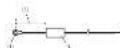
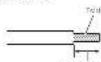
1 Positive + terminal 2 Battery wire (sold separately) The maximum length of the wire between the fuse and the positive + terminal of the battery is 30 cm (12 in.). 3 Fuse (80 A) (sold separately) Each amplifier must be separately fused at 80 A. 2 Use wire cutters or a utility knife to strip the end of the battery wire, ground wire and system remote control wire to ex- pose about 10 mm (3/8 in.) of the end of each of the wires, and then twist the ex- posed ends of the wires. Twist10 mm (3/8 in.) 3 Connect the wires to the terminal. Fix the wires securely with the terminal screws.

Connecting the units Connecting the speaker output terminals 1 Use wire cutters or a utility knife to strip the end of the speaker wires to ex- pose about 10 mm (3/8 in.) of wire and then twist the wire. Twist10 mm (3/8 in.) 2 Connect the speaker wires to the speaker output terminals. Fix the wires securely with the terminal screws.

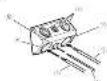
1 Terminal screws 2 Speaker wires 3 Speaker output terminals Before installing the amplifier WARNING ! To ensure proper installation, use the supplied parts in the manner specified. If any parts other than those supplied are used, they may damage internal parts of the amplifier, or be- come loose causing the amplifier to shut down. ! Do not install in: — Places where injury could occur if the boat stops suddenly. — Places where it may interfere with the boat's operator. ! Install tapping screws in such a way that the screw tip does not touch any wire. This is im- portant to prevent wires from being cut by vi- bration of the boat, which can result in fire. ! Make sure that wires do not get caught in the sliding mechanism or touch the legs of a per- son in the boat as short-circuit may result. ! When drilling to install the amplifier, always confirm no parts are behind the panel and protect all cables and important equipment (e.g. cables, wiring, hoses, and modules) from damage. CAUTION ! To ensure proper heat dissipation of the ampli- fier, ensure the following during installation: — Allow adequate space above the amplifier for proper ventilation. — Do not cover the amplifier. ! Place all cables away from hot places, such as near the heater outlet. ! The optimal installation location differs de- pending on the boat model. Secure the ampli- fier at a sufficiently rigid location. ! Check all connections and systems before final installation. <5707000013380V>11

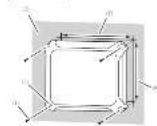
Connecting the units Installation Example of installation on the chassis 1 Place the amplifier in the desired instal- lation location. Insert the supplied tapping screws (4 mm × 18 mm (5/32 in. × 3/4 in.)) into the screw holes and push on the screws with a screwdriver so they make an imprint where the installation holes are to be located. 2 Drill 2.5 mm (3/32 in.) diameter holes in the chassis. 3 Install the amplifier with the use of supplied tapping screws (4 mm × 18 mm (5/32 in. × 3/4 in.)).

1 Tapping-screws (4 mm × 18 mm (5/32 in. × 3/4 in.)) 2 Drill a 2.5 mm (3/32 in.) diameter hole 3 Installation surface 4 Hole-to-hole distance: 229.5 mm (9-1/32 in.) 5 Hole-to-hole distance: 191.5 mm (7-17/32 in.) 4 Attach the fuse cover and panel cover. Attach the panel cover to the amplifier using the supplied machine screws (3 mm × 10 mm (1/8 in. × 3/8 in.)). Machine screws (3 mm × 10 mm (1/8 in. × 3/8 in.)) When installing the amplifier in a place that is prone to getting wet, install it to a wall with the power/speaker output terminals and RCA jacks on the left and right sides. <5707000013380V>12

InstallationSpecifications Power source ............................. 14.4 V DC (10.8 V to 15.1 V allowable) Grounding system ................... Negative type Current consumption ............ 22 A (at continuous power, 4 W) Average current consumption ..................................................... 2.4 A (4 W for one channel)

3.6 A (2 W for one channel)

5.7 A (1 W for one channel)

and ≦ 1 % THD+N) 500 W RMS × 1 Channel (at

14.4 V, 2 W, 100 Hz and ≦ 1%

THD+N) 800 W RMS × 1 Channel (at

14.4 V, 1 W, 100 Hz and ≦ 1%

THD+N) S/N ratio ....................................... 75 dBA (reference: 1 W into 4 W) Accessories Panel cover × 1 Fuse cover × 1 Speaker input wire × 1 Hexagonal wrench × 1 Mounting screw (4 × 18 mm) × 4 Mounting screw (3 × 10 mm) × 3 Notes ! Specifications and the design are subject to modifications without notice. ! The average current consumption is nearly the maximum current consumption by this unit when an audio signal is input. Use this value when working out total current con- sumption by multiple power amplifiers. <5707000013380V>13

Pioneer Electronics (USA) Inc.