ManualGo.com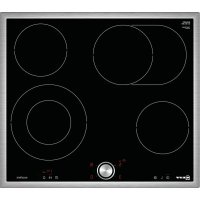
TMK1670 - Cooker NEFF - Free user manual and instructions
Find the device manual for free TMK1670 NEFF in PDF.



Download the instructions for your Cooker in PDF format for free! Find your manual TMK1670 - NEFF and take your electronic device back in hand. On this page are published all the documents necessary for the use of your device. TMK1670 by NEFF.
USER MANUAL TMK1670 NEFF
8Intended use Intended use Read these instructions carefully. Please keep the instruction and installation manual, as well as the appliance certificate, in a safe place for later use or for subsequent owners. Check the appliance for damage after unpacking it. Do not connect the appliance if it has been damaged in transport. Only a licensed professional may connect appliances without plugs. Damage caused by incorrect connection is not covered under warranty. This appliance is intended for private domestic use and the household environment only. The appliance must only be used for the preparation of food and beverages. The cooking process must be supervised. A short cooking process must be supervised without interruption. Only use the appliance in enclosed spaces. This appliance is intended for use up to a maximum height of 2000 metres above sea level. This appliance may be used by children over the age of 8 years old and by persons with reduced physical, sensory or mental capabilities or by persons with a lack of experience or knowledge if they are supervised or are instructed by a person responsible for their safety how to use the appliance safely and have understood the associated hazards. Children must not play with, on, or around the appliance. Children must not clean the appliance or carry out general maintenance unless they are at least 15 years old and are being supervised. Keep children below the age of 8 years old at a safe distance from the appliance and power cable. (Important safety information Impor t ant saf et y informat i on :Warning – Risk of fire! ■ Hot oil and fat can ignite very quickly. Never leave hot fat or oil unattended. Never use water to put out burning oil or fat. Switch off the hotplate. Extinguish flames carefully using a lid, fire blanket or something similar. Risk of fire! ■ The hotplates become very hot. Never place combustible items on the hob. Never place objects on the hob. Risk of fire! ■ The appliance gets hot. Do not keep combustible objects or aerosol cans in drawers directly underneath the hob. Risk of fire! ■ The hob switches off automatically and can no longer be operated. It may switch on unintentionally at a later point. Switch off the circuit breaker in the fuse box. Contact the after-sales service. Risk of burns! ■ Do not use hob covers here.They can cause accidents, for example due to overheating, catching fire or materials shattering. :Warning – Risk of burns! ■ The hotplates and surrounding area (particularly the hob surround, if fitted) become very hot. Never touch the hot surfaces. Keep children at a safe distance. Risk of burns! ■ The hotplate heats up but the display does not work. Switch off the circuit breaker in the fuse box. Contact the after-sales service. Risk of burns! ■ It is only allowed to use safety devices, e.g. hob guards, which have been approved by ourselves. Unsuitable safety devices or hob guards may result in accidents. :Warning – Risk of electric shock! ■ Incorrect repairs are dangerous. Repairs may only be carried out and damaged power cables replaced by one of our trained after-sales technicians. If the appliance is defective, unplug the appliance from the mains or switch off the circuit breaker in the fuse box. Contact the after- sales service. Risk of electric shock! ■ Do not use any high-pressure cleaners or steam cleaners, which can result in an electric shock. Risk of electric shock!Causes of damage en
■ A defective appliance may cause electric shock. Never switch on a defective appliance. Unplug the appliance from the mains or switch off the circuit breaker in the fuse box. Contact the after-sales service. Risk of electric shock! ■ Cracks or fractures in the glass ceramic may cause electric shocks. Switch off the circuit breaker in the fuse box. Contact the after-sales service. :Warning – Hazard due to magnetism! The removable control element is magnetic and may affect electronic implants, e. g. heart pacemakers or insulin pumps. For people with electronic implants: never carry the control element in clothing pockets. The minimum distance to heart pacemaker should be 10 cm. :Warning – Risk of injury! Saucepans may suddenly jump due to liquid between the pan base and the hotplate. Always keep the hotplate and saucepan bases dry. ]Causes of damage Causes of damage Caution! ■ Rough pot and pan bases scratch the ceramic. ■ Avoid boiling pots dry. This may cause damage. ■ Never place hot pots or pans on the control panel, the display area or the surround. This may cause damage. ■ Damage can occur if hard or pointed objects fall on the hob. ■ Aluminium foil and plastic containers melt on hot hotplates. Oven protective foil is not suitable for your hob. Overview You will find the most frequently caused damage in the following table. 7Environmental protection En v i r o n ment al pr ot ect i on In this section, you can find information about saving energy and disposing of the appliance. Energy-saving tips ■ Always place suitable lids on saucepans. When cooking without a lid, considerably more energy is required. A glass lid means that you can see inside without having to lift the lid. ■ Use pots and pans with even bases. Uneven bases increase energy consumption. ■ The diameter of pot and pan bases should be the same size as the hotplate. In particular, small saucepans on the hotplate cause energy losses. Please note: cookware manufacturers often indicate the upper diameter of the saucepan. This is usually bigger than the diameter of the base of the pan. ■ Use a small saucepan for small quantities. A larger, less full saucepan requires a lot of energy. ■ Cook with only a little water. This will save energy. Vitamins and minerals in vegetables are preserved. ■ Always cover as large an area of the hotplate as possible with your saucepan. ■ Switch to a lower heat setting in good time. ■ Select a suitable ongoing cooking setting. You will waste energy by using an ongoing cooking setting which is too high. ■ Use the residual heat of the hob. For longer cooking times, you can switch the hotplate off 5-10 minutes before the end of the cooking time. Environmentally-friendly disposal Dispose of packaging in an environmentally-friendly manner. Damage Cause Measure Stains Boiled over food Remove boiled over food imme- diately with a glass scraper. Unsuitable clean- ing agents Only use cleaning agents that are suitable for glass ceramic. Scratches Salt, sugar and sand Do not use the hob as a work surface or storage space. Rough pot and pan bases scratch the ceramic. Check your cookware. Discolouration Unsuitable clean- ing agents Only use cleaning agents that are suitable for glass ceramic. Pan abrasion (e.g. aluminium) Lift pots and pans when moving them. Blisters Sugar, food with a high sugar con- tent Remove boiled over food imme- diately with a glass scraper. This appliance is labelled in accordance with European Directive 2012/19/EU concerning used electrical and electronic appliances (waste electrical and electronic equipment - WEEE). The guideline determines the framework for the return and recycling of used appliances as applicable throughout the EU. Damage Cause Measureen Getting to know your appliance
*Getting to know your appliance Get t i ng to know your appl i ance The instruction manual is the same for various different hobs. You can find the hob dimensions in the overview of models. ~ Page 2 The control panel Notes■ When you touch a symbol, the respective function is activated.■ Always keep the controls dry. Moisture reduces their effectiveness.■ Do not pull pans close to the displays and sensors. The electronics could overheat. The hotplates Notes■ Any dark areas in the glow pattern of the hotplate are due to technical reasons. The function of the hotplate is not affected.■ Hotplate temperature is regulated by the heat switching on and off.The heat may also switch on and off at the highest setting.This ensures e.g.:– sensitive components are protected from overheating– the appliance is protected from electrical overload– better cooking results are achieved■ With multi-circuit hotplates the heater elements of the inner filament circuits and the heater element of the activations may switch on and off at different times. Residual heat indicator The hob has a two-stage residual heat indicator for each hotplate.If • appears in the display the hob is still hot. It may be used, for example, to keep a small meal warm or to melt cooking chocolate. As the hotplate cools down further, the display changes to œ. The display remains lit until the hotplate has cooled sufficiently.
- /œ Residual heat Keep warm function TimerControls Main switch Keep warm function Automatic zone control Stopwatch function Timer Kitchen timer / Childproof lockHotplate Activating and deactivating Single-circuit hot-plate Dual-circuit hotplateSelect the hotplate and touch the ð symbol Extended cooking zone Select the hotplate and touch the ð symbolWhen the hotplate is activated: the corresponding indicator lights upHotplate Activating and deactivatingTwist-Pad with Twist knob en
jTwist-Pad with Twist knob Twi s t - Pad wi t h Twi s t knob The twistpad is the area in which you can use the twist knob to select the hotplates and set heat settings. The twist knob automatically centres itself in the twistpad area. The twist knob is magnetic and is placed on the twistpad. Tapping the twist knob where there is a marking activates the relevant hotplate. Turning the twist knob selects the heat setting. Note: Always keep the twist knob clean. Soiling may impair its function. Removing twist knob You can remove the touch knob. This makes cleaning easier. You can also remove the twist knob while the hotplate is on. The wipe protection function is activated and the hob switches off after 35 seconds. Notes ■ The main switch is excluded from the wipe protection function. You can switch off the cooktop at any time. ■ If you mount the twist knob again and then turn it, the wipe protection function will be switched off. :Warning – Risk of fire! If you place a metallic object onto the twistpad, the cooktop may continue to heat up. Always switch off the cooktop using the main switch for this reason. Storing the twist knob The twist knob contains a strong magnet. Keep the twist knob away from magnetic data carriers, such as video cassettes, diskettes, credit cards or cards with magnetic strips. Otherwise they may be damaged beyond repair. They can also cause interference in television sets and monitors. :Warning – Hazard due to magnetism! For wearers of electronic implants, e.g. pacemakers or insulin pumps. Implants may be affected by magnetic fields. You should therefore never carry the twist knob in a pocket. They must be kept at least 10 cm from pacemakers. Note: The twist knob is magnetic. Metal particles which stick to the underside can scratch the ceramic hob. Always wipe the twist knob thoroughly. Operation without the twist knob If you have mislaid the twist knob, you can also operate the hob without it:
1. Switch on the hob using the main switch.
2. Touch the œ symbol and U at the same time for 4
seconds. An audible signal sounds.
3. Touch the U symbol repeatedly until the display for
the desired hotplate lights up.
4. Press the œ (-) and (+) x buttons to select the heat
setting required. The hotplate is switched on. Note: You can place the twist knob back on the twistpad at any time. 1Operating the appliance Oper at i ng the appl i anc e In this section, you can find out how to set the hotplates. The table shows heat settings and cooking times for various meals. Switching the hob on and off The main switch is used to switch the hob on and off. Switching on the appliance Touch the # symbol. A signal sounds. The A display above the main switch lights up. The control displays and the heat setting displays ‹ light up. The hob is ready for use. Switching off the appliance Touch the # symbol until the A display above the main switch and the displays goes out. All hotplates are switched off. The residual heat indicator remains on until the hotplates have cooled down sufficiently. Notes ■ The hob will switch itself off automatically once all hotplates have been switched off for a while (10- 60 seconds). ■ The settings remain stored for 4 seconds after the hob has been switched off. If you switch it on again during this time, the hob will operate using the previously stored settings. Setting a hotplate Use the twist knob to set the desired cooking time. Heat setting 1 = lowest setting Heat setting 9 = highest setting There is an intermediate setting between each heat setting. This is identified by a dot. Set the heat setting The hob must be switched on.
1. Select the hotplate. To do this, touch the twist knob
in the appropriate area for the required hotplate.en Operating the appliance
2. Within the next 10 seconds, turn the twist knob until
the desired heat setting appears in the heat setting display. The hotplate is switched on. Changing the heat setting: Select the hotplate and set the new heat setting. Switching off the hotplate: Select the hotplate and set it to ‹. After about 10 seconds, the residual heat indicator appears. Table of cooking times The following table provides some examples. Cooking times and heat settings may vary depending on the type of food, its weight and quality. Deviations are therefore possible. For bringing liquids to the boil, use heat setting 9. Stir thick liquids occasionally. Food that needs to be seared quickly or food which loses a lot of liquid during initial frying is best seared in several small portions. Tips for energy-saving cooking can be found in the Environmental protection section.~ Page 33 Ongoing cooking set- ting Ongoing cook- ing time in min- utes Melting Chocolate coating 1-1. - Butter, honey, gelatine 1-2 - Heating and keeping warm Stew (e.g. lentil stew) 1-2 - Milk** 1.-2. - Heating sausages in water** 3-4 - Defrosting and heating Frozen spinach 2.-3. 10-20 min Frozen goulash 2.-3. 20-30 min Poaching, simmering Dumplings 4.-5.* 20-30 min Fish 4-5* 10-15 min
AChildproof lock Childproof lock You can use the childproof lock to prevent children from switching on the hob. Switching the childproof lock on and off The hob must be switched off. To switch on: Touch the U symbol for 4 seconds. The ‚ display lights up for 10 seconds. The hob is locked. To switch off: Touch the U symbol for 4 seconds. The ‚ display goes out. The lock is released. Automatic childproof lock This function automatically activates the childproof lock every time you switch the hob off. Switching on and off Find out how to switch the automatic childproof lock on and off in the Basic settings section.~ Page 39 OTime-setting options Ti me- set t i ng opt i ons There are 3 different time-setting options: ■ A hotplate should switch off automatically■ Kitchen timer■ Stopwatch Automatic hotplate switch-off Enter a cooking time for the relevant hotplate. When the cooking time has elapsed, the hotplate switches off automatically. Setting the cooking time The cooking position must be switched on.
flashes. ‹‹ min lights up in the timer display.
3. Within the next 10 seconds, set the desired cooking
time with the twist knob. The cooking time counts down. If you have set a cooking time for several cooking positions, the shortest cooking time will be displayed. A üabove the x symbol lights up. The x display for the cooking position lights up. When the time has elapsed When the cooking time has elapsed, the cooking position switches off. ‹ lights up in the cooking position display. An audible signal sounds. ‹‹ flashes for one minute in the timer display. The x display flashes. Touch any control. The displays go out and the audible signal ceases. Changing or cancelling the cooking time Select the hotplate using the twist knob. Touch the x symbol and change the cooking time or set to ‹‹. Deep-fat frying (150-200 g per portion continuously in 1-2 li- tres oil**) Frozen products, e.g. chips, chicken nuggets 8-9 - Croquettes, frozen 7-8 - Meat, e.g. chicken portions 6-7 - Fish, breaded or battered 5-6 - Vegetables, mushrooms, breaded or battered, tempura 5-6 - Small baked items, e.g. ring doughnuts/jam-filled doughnuts, fruit in batter 4-5 - Ongoing cooking set- ting Ongoing cook- ing time in min- utes
- Ongoing cooking without a lid ** Without lid *** Turn frequently PLQ PLQen Automatic safety cut-out
Notes ■ If you want to query the remaining cooking time for a particular hotplate, select the hotplate with the twist knob. The cooking time appears for 10 seconds. ■ You can select a cooking time of up to 99 minutes.■ If the cooking time has counted down to the last minute, the timer display changes from minutes to seconds. Automatic timer You can use this function to preselect a cooking time for all hotplates. Each time a hotplate is switched on, the pre-selected cooking time then counts down. When the cooking time has elapsed, the hotplate switches off automatically. You can find out how to switch on the automatic timer in the Basic settings section.~ Page 39 Note: You can change the cooking time for a hotplate or switch off the automatic timer for the hotplates: Select the hotplate and touch the x symbol. Change the cooking time or set to ‹‹ in the settings range. Kitchen timer You can use the kitchen timer to set a time of up to 99 minutes. It runs independently of all the other settings. Setting the kitchen timer
1. Touch the U symbol. The display A above the U
symbol flashes. ‹‹min lights up in the timer display.
2. Use the twist knob to set the desired cooking time.
The timer starts counting down after a few seconds. When the time has elapsed When the time has elapsed, an audible signal sounds and ‹‹ flashes in the display for one minute. The A display above the U symbol lights up. Touch any symbol. The displays go out and the audible signal ceases. Setting the correct time Touch the U symbol and use the twist knob to change the time. Stopwatch function The stopwatch function displays the time that has passed since activating the function. The stopwatch function only works when the hob is switched on. When the hob is switched off, the stopwatch function is switched off as well. The stopwatch function is switched on by touching the œ symbol. ‹‹ appears in the timer display and timing starts. Seconds are displayed during the first minute, and then minutes. The stopwatch function is switched off by touching the œ symbol again. The timer display goes out. Note: If another time-setting option is selected in addition to the stopwatch function, the setting appears in the timer display for 10 seconds. The stopwatch function is then displayed again. bAutomatic safety cut-out Au t omat i c saf et y cut - out If a hotplate has been switched on for a long time without the setting being changed, the automatic time limit is activated. The hotplate stops heating. ”‰ and the •/œ residual heat indicator flash alternately on the hotplate display. The display goes out when you touch any control. You can make new settings. When the time limit is activated depends on the heat setting selected (1 to 10 hours). zKeep warm function Ke e p wa r m functi on The Keep warm function is suitable for melting chocolate or butter and for warming food and cookware Switching on the Keep warm function
1. Select the hotplate.
2. Touch the – symbol.–lights up on the heat setting
display. The Keep warm function is switched on. Switching off the Keep warm function
1. Select the hotplate.
2. Touch the – symbol. ‹ lights up on the heat setting
display. The Keep warm function is switched off.Energy consumption indicator en
[Energy consumption indicator Ener gy consumpt i on indicator You can use this function to have the total energy consumption between switching the hob on and off displayed. Once switched off, the consumption in kilowatt hours (e.g. 1.87 kWh) is displayed for 10 seconds The accuracy of the display depends, amongst other things, on the voltage quality of the power supply. The display has not been activated. You can find out how to activate the display in the Basic settings section.~ Page 39 QBasic settings Ba s i c set t i ngs Your appliance has various basic settings. You can adapt these settings to suit your own needs. Display screen Function
Manual and automatic childproof lock switched off.
Confirmation signal and operation error signal are switched off (main switch signal always remains).
Only the operation error signal is switched on.
Only the confirmation signal is switched on.
Confirmation signal and operation error signal switched on.*
Energy consumption display (Ask your electricity supply company what the mains voltage is)
Consumption display switched off.*
Consumption display with mains voltage at 230 V.
Consumption display with mains voltage at 400 V.
Consumption display with mains voltage at 220 V.
Consumption display with mains voltage at 240 V.
Switched off.* ‹‚-ŠŠ Cooking time, after which the hotplates switch off.
Duration of the timer end signal
Activation of the heating elements
Last setting before the hotplate was switched off.
Time for selecting the hotplate
Unlimited: The last selected hotplate can always be adjusted without having to select it again.*
Once you select a hotplate, you have 10 seconds to adjust it: After this you will have to select it again in order to be able to adjust it.
Switched on. *Basic settingen Cleaning
Changing the basic settings The hob must be switched off.
1. Switch on the hob.
2. Within the next 10 seconds, touch the U symbol for
4 seconds. ™‚ appears and ‹ lights up in the hotplate display.
3. Touch the U symbol repeatedly until the desired
5. Touch the U symbol for 4 seconds.
The setting is activated. Switching off To exit the basic setting, switch off the hob with the main switch and make new settings. DCleaning Cl e a n i n g Suitable maintenance and cleaning products can be purchased from the after-sales service or in our e-Shop. Ceramic Clean the hob after each use. This will prevent spills from burning onto the ceramic. Only clean the hob when it has cooled down sufficiently. Use only cleaning agents which are suitable for glass ceramic. Follow the cleaning instructions on the packaging. Never use: ■ Undiluted washing-up liquid■ Detergent intended for dishwashers■ Scouring agents ■ Harsh cleaning agents such as oven spray or stain remover ■ Abrasive sponges ■ High-pressure cleaners or steam jet cleaners Ground-in dirt can be best removed with a glass scraper, available from retailers. Please note the manufacturer's instructions. You can also obtain a suitable glass scraper from our after-sales service or from the e-Shop. Using special sponges to clean glass ceramic achieves great cleaning results. Hob surround To prevent damage to the hob surround, observe the following instructions: ■ Use only hot soapy water.■ Wash new sponge cloths thoroughly before use.■ Do not use any sharp or abrasive agents.■ Do not use the glass scraper. Twist knob It is recommended that the touch knob is wiped with lukewarm soapy water only. Do not use harsh or abrasive agents. The twist knob will be damaged if cleaned in the dishwasher or immersed in soapy water.Trouble shooting en
3Trouble shooting Tr oubl e shoot i ng Faults often have simple explanations. Please read the notes in the table before calling the after-sales service. The electronics of your hob are underneath the control panel. For various reasons, the temperature in this area may rise sharply. In order that the electronics do not overheat, the hotplates are switched off as and when necessary. The ”ƒ, ”…, or ”† display appears alternately with the • or œ residual heat indicator. E-report in the displays When an error message with "E" appears in the display, e.g. E0111, switch the appliance off and on again. If it was a one-off error, the display goes out. If the error message appears again, call the after-sales service and quote the exact error message. 4Customer service Cu s t o mer ser vi ce Our after-sales service is there for you if your appliance needs to be repaired. We will always find an appropriate solution, also in order to avoid after-sales personnel having to make unnecessary visits. E number and FD number Please quote the E-number (product number) and the FD number (production number) of your appliance when contacting the after-sales service. The rating plate bearing these numbers can be found on the appliance certificate. Please note that a visit from an after-sales service engineer is not free of charge in the event of misuse of the appliance, even during the warranty period. Please find the contact data of all countries in the enclosed customer service list. To book an engineer visit and product advice Rely on the professionalism of the manufacturer. You can therefore be sure that the repair is carried out by trained service technicians who carry original spare parts for your appliances. Display Fault Measure None The power supply has been disconnected. Check the household fuse for the appliance. Check whether there is a power cut by trying other electronic appliances. All displays flash The touch control is wet or an object is resting on it. Dry the control or remove the object.
Several hotplates have been used over a pro- longed period at high power settings. To pro- tect the electronics, the hotplate has been switched off. Wait a while. Touch any touch control. When ”ƒ goes out, the electronics have cooled down sufficiently. You can continue cooking. ”… Despite the switch-off by ”ƒ, the electronics have become hot again. All hotplates have therefore been switched off. Wait a while. Touch any touch control. When ”… goes out, you can con- tinue cooking. ”†and the heat setting flash alternately. An audible signal can be heard
Warning: There is a hot pan in the area of the
control panel. There is a risk that the electron- ics will overheat. Remove the pan. The fault display goes out shortly afterwards. You can continue cooking. Ӡand audible signal There is a hot pan in the area of the control panel. To protect the electronics, the hotplate has been switched off. Remove the pan. Wait a while. Touch any control. When Ӡ goes out, you can continue cooking.
The hotplate was in operation for too long and has switched itself off. You can switch the hotplate back on again immediately. š“ The hotplates do not heat up Demo mode is switched on Switching off the demo mode: Disconnect the appliance for 30 seconds from the power supply (switch off the household fuse or the circuit breaker in the fuse box). Touch any touch control after 3 minutes. The demo mode is switched off. GB 0344 892 8989 Calls charged at local or mobile rate. IE 01450 2655
0.03 € per minute at peak. Off peak 0.0088 €
ETest dishes Tes t di shes This table has been produced for test institutes to facilitate the testing of our appliances. The data in the table refers to our accessory cookware from Schulte Ufer (4-part induction pot set Z9442X0) with the following dimensions: ■ Saucepan dia.16 cm, 1.2 litres, for 14.5 cm dia. single-circuit hotplate ■ Cooking pot dia. 16 cm, 1.7 litres, for 14.5 cm dia. single-circuit hotplate ■ Cooking pot dia. 22 cm, 4.2 litres, for 18 cm dia. or 17 cm dia. hotplate ■ Frying pan dia. 24 cm, for 18 cm dia. or 17 cm dia. hotplate Test dishes Heating up/bringing to boil Ongoing cooking Heat setting Cooking time (min:sec) Lid Ongoing cooking setting Lid Melting chocolate Cookware: saucepan Chocolate couverture (e.g. Dr. Oetker dark choc- olate, 150 g) on 14.5 cm dia. hotplate - - - 1. No Heating and keeping lentil stew warm Cookware: cooking pot Lentil stew made to DIN 44550 Initial temperature 20° C Amount: 450 g for 14.5 cm dia. hotplate 9 approx. 2:00 without stirring Yes 1. Yes Amount: 800 g for 18 cm dia. or 17 cm dia. hotplate 9 approx. 2:00 without stirring Yes 1. Yes Lentil stew from the tin e.g lentils with Erasco sausages: Initial temperature 20° C Amount 500 g for 14.5 cm dia. hotplate 9 approx. 2:00 (Stir after approx. 1:30) Yes 1. Yes Amount: 1000 g for 18 cm dia. or 17 cm dia. hotplate 9 approx. 2:30 (Stir after approx. 1:30) Yes 1. Yes Simmering Béchamel sauce Cookware: saucepan Milk temperature: 7° C Recipe: 40 g butter, 40 g flour, 0.5 l milk (3.5% fat content) and one pinch of salt for
Melt the butter, stir in the flour and salt, and keep cooking the roux for 3 minutes
Add the milk to the roux and bring to the boil, stirring continuously
After the Béchamel sauce has come to the boil, keep cooking it at setting 1 for a further 2 minutes, stirring all the timeTest dishes en
Cooking rice pudding - Ongoing cooking with lid Cookware: cooking pot Milk temperature: 7° C Recipe: 190 g round grain rice, 90 g sugar, 750 ml milk (3.5% fat content) and 1 g salt for 14.5 cm dia. hotplate 9 approx. 6:45 Heat the milk until it starts to rise up. Switch down to the ongoing cook- ing setting and add the rice, sugar and salt to the milk Total cooking time (incl. bringing to boil) approx. 45 minutes No 2 Yes Stir the rice pudding after 10 minutes Recipe: 250 g round grain rice, 120 g sugar, 1 l milk (3.5% fat content) and 1.5 g salt for 18 cm dia. or 17 cm dia. hotplate 9 approx. 7:20 Heat the milk until it starts to rise up. Switch down to the ongoing cook- ing setting and add the rice, sugar and salt to the milk Total cooking time (incl. bringing to boil) approx. 45 minutes No 2 Yes Stir the rice pudding after 10 minutes Cooking rice pudding - Ongoing cooking without lid Cookware: cooking pot Milk temperature: 7° C Recipe: 190 g round grain rice, 90 g sugar, 750 ml milk (3.5% fat content) and 1 g salt for 14.5 cm dia. hotplate 9 approx. 7:30 Add rice, sugar and salt to the milk and heat the mixture up, stirring continuously. At a milk temperature of approx. 90°C switch down to the ongoing cooking setting. Simmer for approx. 50 minutes No 2 No Recipe: 250 g round grain rice, 120 g sugar, 1 l milk (3.5% fat content) and 1.5 g salt for 18 cm dia. or 17 cm dia. hotplate 9 approx. 8:00 Add rice, sugar and salt to the milk and heat the mixture up, stirring continuously. At a milk temperature of approx. 90°C switch down to the ongoing cooking setting. Simmer for approx. 50 minutes No 2 No Cooking rice Cookware: cooking pot Water temperature 20° C Recipe acc. to DIN 44550: 125 g long grain rice, 300 g water and a pinch of salt for 14.5 cm dia. hotplate 9 approx. 2:48 Yes 2 Yes Recipe acc. to DIN 44550: 250 g long grain rice, 600 g water and a pinch of salt for 18 cm dia. or 17 cm dia. hot- plate 9 approx. 3:15 Yes 2. Yes Test dishes Heating up/bringing to boil Ongoing cooking Heat setting Cooking time (min:sec) Lid Ongoing cooking setting Liden Test dishes
If the tests are carried out with an 18 cm dia. hotplate with a power rating of 1500 W, the boiling time is increased by approx. 20% and the ongoing cooking setting by one ongoing cooking setting. Frying pork loin chops Cookware: frying pan Initial temperature loin chops: 7° C Amount: 3 loin chops (total weight approx. 300 g, about 1 cm thick) 15 g sunflower oil for 18 cm dia. or 17 cm dia. hotplate 9 approx. 2:40 No 7 No Frying pancakes Cookware: frying pan Recipe acc. to DIN EN 60350-2 Amount: 55 ml batter per pancake for 18 cm dia. or 17 cm dia. hotplate 9 approx. 2:40 No 6 or 6. depending on browning level
Deep-fat frying frozen chips Cookware: cooking pot Amount: 1.8 kg sunflower oil, per portion: 200 g frozen chips (e.g. McCain 123 Original fries) for 18 cm dia. or 17 cm dia. hotplate 9 Until oil temperature reaches 180
No 9 No Test dishes Heating up/bringing to boil Ongoing cooking Heat setting Cooking time (min:sec) Lid Ongoing cooking setting Lidnl