FP5050SC - Food Processor BLACK & DECKER - Free user manual and instructions
Find the device manual for free FP5050SC BLACK & DECKER in PDF.


| Brand | Black & Decker |
| Model | FP5050SC |
| Product Type | Food Processor |
| Large Bowl Capacity | 3 liters (12 cups) |
| Small Bowl Capacity | 1 liter (4 cups) |
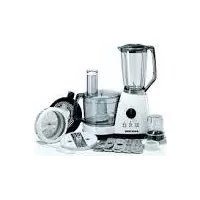
| Included Accessories | Large stainless steel chopping blade, small stainless steel chopping blade, kneading blade, slicing/shredding disc, drive shaft, food pusher, multifunction hopper, 3L bowl, 1L bowl, lids |
| Blade Material | Stainless steel |
| Main Functions | Chopping, slicing, shredding, kneading, mixing, pureeing |
| Controls | 3 buttons: Low (continuous), High (continuous), 0/⏸ (off/pulse) |
| Safety Locking System | Bowl and lid locking; the appliance only operates if the lid and hopper are properly locked |
| Plug Type | Polarized plug (120 V only) |
| Cleaning Removable Parts | Hand wash or dishwasher (top rack) |
| Cleaning the Base | Wipe with a damp cloth; never immerse |
| Replacement Parts Available | Yes, user-replaceable/removable parts (part numbers FP5050-01 to FP5050-09) |
| Warranty | 2-year limited (USA and Canada) |
| Customer Service | USA: 1-800-231-9786, Canada: 1-800-231-9786, Canada Parts: 1-800-738-0245 |
| Intended Use | Household use only |
Frequently Asked Questions - FP5050SC BLACK & DECKER
User questions about FP5050SC BLACK & DECKER
0 question about this device. Answer the ones you know or ask your own.
Ask a new question about this device
Download the instructions for your Food Processor in PDF format for free! Find your manual FP5050SC - BLACK & DECKER and take your electronic device back in hand. On this page are published all the documents necessary for the use of your device. FP5050SC by BLACK & DECKER.
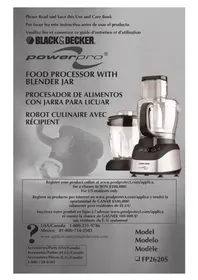
USER MANUAL FP5050SC BLACK & DECKER
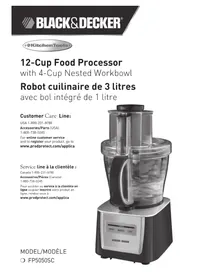
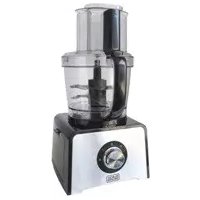
12-Cup Food Processor
with 4-Cup Nested Workbowl
Accessories/Parts (USA)
1-800-738-0245
For online customer service
and to register your product, go to
www.prodprotect.com/applica
natural_image
Black and Decker kitchen blender with control panel and food inside (no visible text or symbols)MODEL/MODÈLE
○ FP5050SC
Please Read and Save this Use and Care Book.
IMPORTANT SAFEGUARDS
When using electrical appliances, basic safety precautions should always be followed including the following:
○ Read all instructions.
To protect against risk of electrical shock do not immerse cord, plugs or appliance in water or other liquid.
○ Close supervision is necessary when any appliance is used by or near children.
○ Unplug from outlet when not in use, before putting on or taking off parts and before cleaning.
○ Avoid contacting moving parts.
Do not operate any appliance with a damaged cord or plug or after the appliance malfunctions, or is dropped damaged in any manner. Return appliance to the nearest authorized service facility for examination, repair or electrical or mechanical adjustment.
- The use of attachments, including canning jars, not recommended by the manufacturer may cause fire, electric shock or injury.
○ Do not use outdoors.
○ Do not let cord hang over edge of table or counter.
Keep hands and utensils away from moving blades or discs while processing food to reduce the risk of severe injury to persons or damage to the food processor. A scraper may be used, but must be used only when the food processor is not running.
○ Blades are sharp. Handle carefully.
To reduce the risk of injury, never place cutting blade or discs on base without first putting bowl properly in place.
○ Be certain cover is securely locked in place before operating appliance.
- Remove the chute/cover before removing the bowl from the base.
○ Never feed food by hand. Always use food pusher.
○ Do not attempt to defeat the cover interlock mechanism.
○ Do not use appliance for other than intended use.
The maximum rated wattage for this product was obtained with the dough-blade. Other recommended attachments may draw significantly less power or current.
SAVE THESE INSTRUCTIONS.
This product is for household use only.
POLARIZED PLUG (120V Models Only)
This appliance has a polarized plug (one blade is wider than the other). To reduce the risk of electric shock, this plug is intended to fit into a polarized outlet only one way. If the plug does not fit fully into the outlet, reverse the plug. If it still does not fit, contact a qualified electrician. Do not attempt to modify the plug in any way.
TAMPER-RESISTANT SCREW
Warning: This appliance is equipped with a tamper-resistant screw to prevent removal of the outer cover. To reduce the risk of fire or electric shock, do not attempt to remove the outer cover. There are no user-serviceable parts inside. Repair should be done only by authorized service personnel.
ELECTRICAL CORD
a) A short power-supply cord (or detachable power-supply cord) is to be provided to reduce the risk resulting from becoming entangled in or tripping over a longer cord.
b) Longer detachable power-supply cords or extension cords are available and may be used if care is exercised in their use.
c) If a long detachable power-supply cord or extension cord is used,
1) The marked electrical rating of the detachable power-supply cord or extension cord should be at least as great as the electrical rating of the appliance,
2) If the appliance is of the grounded type, the extension cord should be a grounding-type 3-wire cord, and
3) The longer cord should be arranged so that it will not drape over the countertop or tabletop where it can be pulled on by children or tripped over.
Note: If the power supply cord is damaged, it should be replaced by qualified personnel.
Product may vary slightly from what is illustrated.
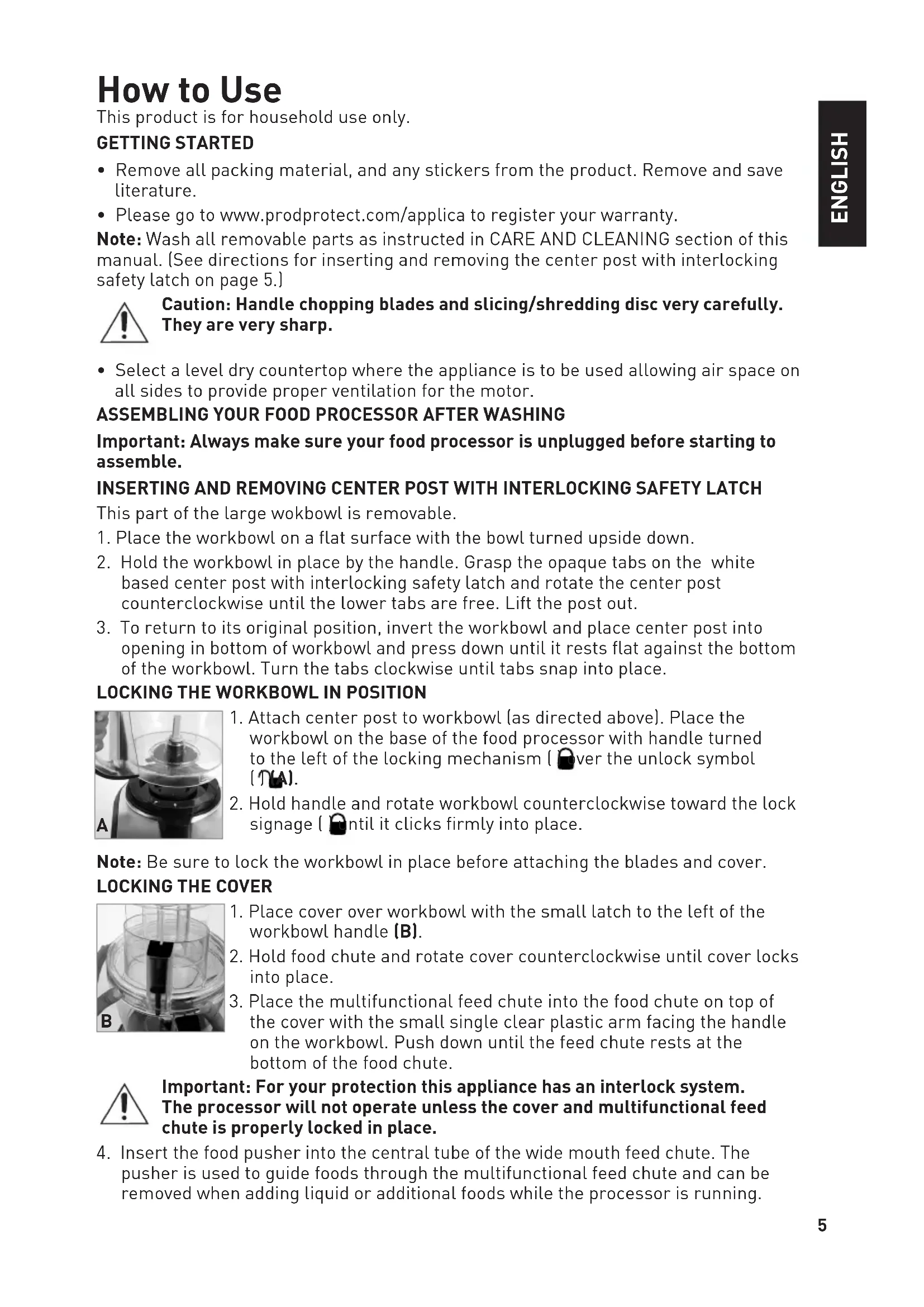
- Food chute
- Multifunctional feed chute
† 3. 12-cup workbowl cover (Part # FP5050-01)
† 4. 12-cup workbowl (Part # FP5050-02) - Base
† 6. 4-cup workbowl (Part # FP5050-03)
† 7. Food pusher (Part # FP5050-04)
† 8. Reversible slicing/shredding disc (Part # FP5050-05) - Center post
† 10. Dough blade (Part # FP5050-06)
† 11. Large stainless steel chopping blade (12-cup workbowl) (Part # FP5050-07)
† 12. Small stainless steel chopping blade (4-cup workbowl) (Part # FP5050-08)
† 13. Skid-resistant feet (Part # FP5050-09)
14. Control panel
Note: indicates consumer replaceable/removable parts
How to Use
This product is for household use only.
GETTING STARTED
- Remove all packing material, and any stickers from the product. Remove and save literature.
- Please go to www.prodprotect.com/applica to register your warranty.
Note: Wash all removable parts as instructed in CARE AND CLEANING section of this manual. (See directions for inserting and removing the center post with interlocking safety latch on page 5.)

Caution: Handle chopping blades and slicing/shredding disc very carefully. They are very sharp.
- Select a level dry countertop where the appliance is to be used allowing air space on all sides to provide proper ventilation for the motor.
ASSEMBLING YOUR FOOD PROCESSOR AFTER WASHING
Important: Always make sure your food processor is unplugged before starting to assemble.
INSERTING AND REMOVING CENTER POST WITH INTERLOCKING SAFETY LATCH
This part of the large wokbowl is removable.
- Place the workbowl on a flat surface with the bowl turned upside down.
- Hold the workbowl in place by the handle. Grasp the opaque tabs on the white based center post with interlocking safety latch and rotate the center post counterclockwise until the lower tabs are free. Lift the post out.
- To return to its original position, invert the workbowl and place center post into opening in bottom of workbowl and press down until it rests flat against the bottom of the workbowl. Turn the tabs clockwise until tabs snap into place.
natural_image
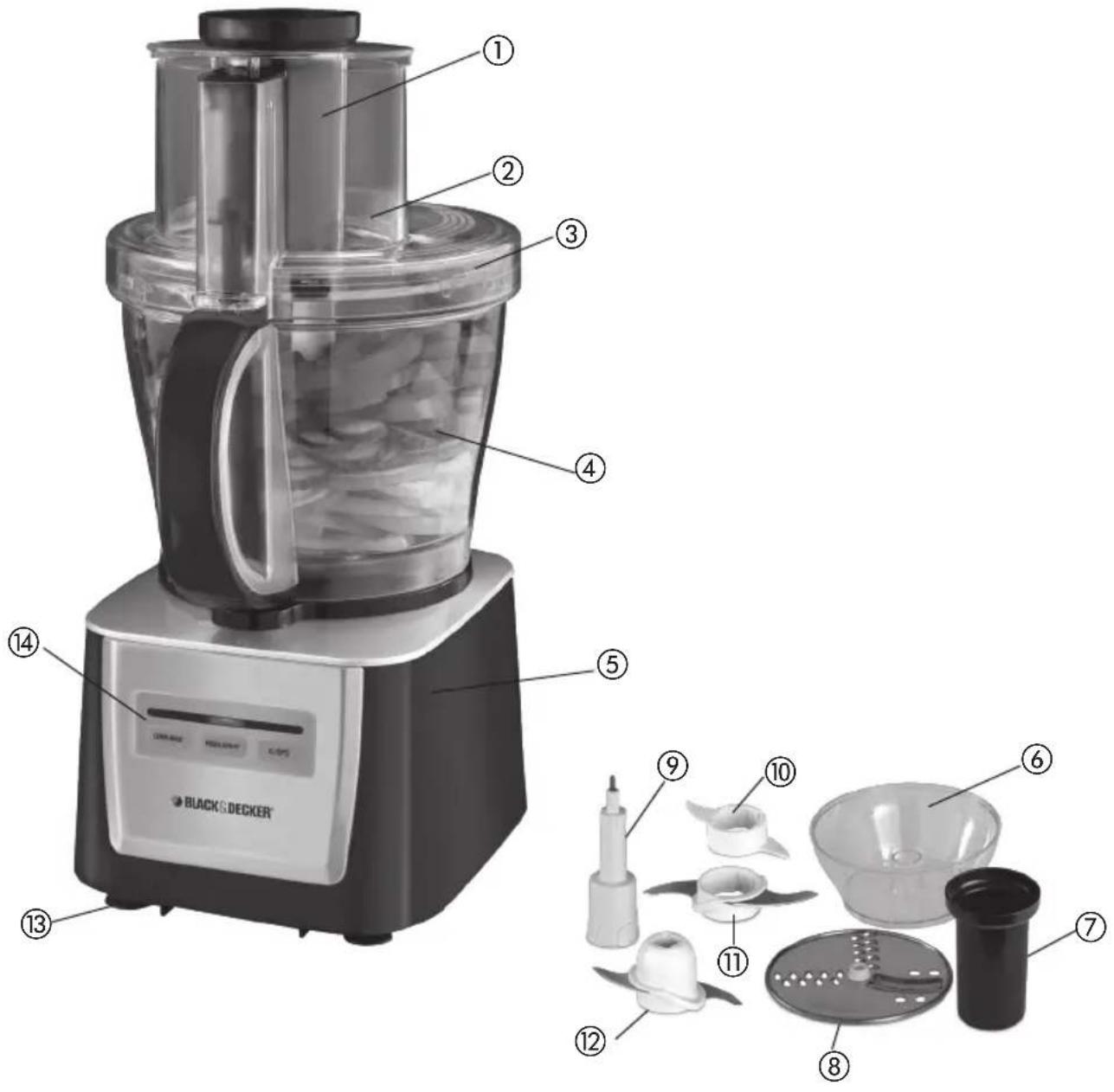
Close-up of a laboratory apparatus with a glassware and a pipette (no visible text or symbols)- Attach center post to workbowl (as directed above). Place the workbowl on the base of the food processor with handle turned to the left of the locking mechanism (over the unlock symbol (T)A).
- Hold handle and rotate workbowl counterclockwise toward the lock signage ( ) until it clicks firmly into place.
Note: Be sure to lock the workbowl in place before attaching the blades and cover. LOCKING THE COVER
natural_image
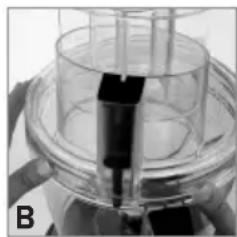
Close-up of a laboratory apparatus with transparent glass and black components (no visible text or symbols)- Place cover over workbowl with the small latch to the left of the workbowl handle (B).
- Hold food chute and rotate cover counterclockwise until cover locks into place.
- Place the multifunctional feed chute into the food chute on top of the cover with the small single clear plastic arm facing the handle on the workbowl. Push down until the feed chute rests at the bottom of the food chute.

Important: For your protection this appliance has an interlock system. The processor will not operate unless the cover and multifunctional feed chute is properly locked in place.
-
Insert the food pusher into the central tube of the wide mouth feed chute. The pusher is used to guide foods through the multifunctional feed chute and can be removed when adding liquid or additional foods while the processor is running.
-
To use the large food chute place the foods to be processed into the large opening of the food chute. Place the multifunctional feed chute with the food pusher in place over the food and guide the food through the chute.
Important: The large food chute is best used with the slicing/shredding disc in place. CONTROLS
The controls are located on the front of the base. Press LOW, HIGH or 0/(P) to select a function. (See directions below.)
0/(P) (STOP/PULSE)
- Processor should be stored in 0/(P) position and unplugged when not in use.
- Use 0/(P) for short processing tasks.
- The 0/(P) button must be pressed and held for the appliance to operate. When released the appliance will stop. Do not use the 0/(P) (stop/pulse) button longer than 2 minutes.
- The motor of the processor runs as long as this button is held down. Press the button down and then release; allow the blades to stop running and the food to fall to the bottom of the workbowl before pressing again.
- Pulsing gives better control when chopping, mincing, mixing and blending foods. You can control the size of the foods from coarse to fine.
LOW OR HIGH
- When these functions are selected the processor runs continuously until the 0/(P) button is pressed.
- These speeds are used for chopping, blending, dressings, sauces and making batters and doughs.
HOW TO CHOP IN THE LARGE WORKBOWL
The chopping blade is used to coarsely or finely chop, mince, mix and puree foods to a smooth consistency. Use the workbowl to chop fresh and cooked fruits and vegetables, cooked and raw meats, fish and poultry; to make sauces, dressings and salsas; to make pastry, cookie and cracker crumbs.
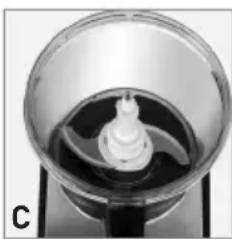
- Lock workbowl with post with interlocking safety latch in place into position (see Illustration A).
natural_image
Close-up of a glass bowl containing a white cylindrical object with a spout, mounted on a dark base (no text or symbols visible)- Hold large chopping blade by center shaft and insert onto center post Note (this side up) on blade attachment (C).
Note: The blade attachments are very sharp. Use caution when handling and storing.
- Place food in workbowl.
-
Place cover on workbowl and lock into place by rotating cover clockwise (See Illustration B).
-
Place the multifunctional feed chute and food pusher in place in food chute. Never use your fingers to direct food through chute.
-
Press LOW or HIGH button.
Note: Process foods no more than a few seconds at a time. Pulsing produces excellent results and offers greater control.
- To add food or liquid while processor is running, remove food pusher and insert through the multifunctional feed chute. Replace food pusher in chute.

Important: Be sure chopping blade has completely stopped spinning before removing cover from processor.
-
When finished, press the O/(P) button and allow blades to stop revolving before removing cover. Twist cover to remove.
-
To unlock workbowl, turn it clockwise and lift off base.
Note: Remove workbowl from appliance before removing blade to prevent food from leaking through the center opening of the workbowl.
- Carefully remove chopping blade and empty workbowl.
- Unplug appliance when not in use.
HOW TO CHOP IN THE SMALL WORKBOWL
The small workbowl is perfect for small chopping and blending.
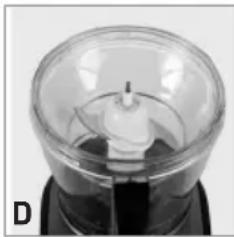
- With the large bowl in place (see steps 1 and 2 under HOW TO CHOP IN THE LARGE WORKBOWL) without the large cutting blade, insert the small bowl onto the center post fitting the 3 tabs on the outside of the bowl into the notches on the large bowl that will hold the small bowl firmly in place.
natural_image
Close-up of a transparent dome-shaped object with internal structure, possibly a scientific instrument or sensor (no visible text or symbols)- Holding the small cutting blade by the white plastic top and keeping fingers away from the cutting blades, firmly press the blades over the center post until the lower blade rests on the bottom of the bowl. (The notches on the center post should match the openings on the blade handle.) (D).
HELPFUL TIPS FOR CHOPPING AND BLENDING
- The processor works very quickly.
- Watch carefully to avoid over-processing foods.
- The 0/P (stop/pulse) button offers the best control and results.
- For best results, process foods that are about the same size.
- Do not overload the bowl.
- Never walk away from the processor while it is on.
- Use hot but never boiling liquids.
- Do not process more than 3 cups liquid in the large workbowl at one time.
- To process meat, use no more than 2 cups of 34 -inch cubes and process using 0/(P) in 5-second intervals.
- The large workbowl has a capacity of 18 oz for liquid and 8 cups for dry foods; the small workbowl can process up to 3 cups..
- Use a funnel inserted into the feed chute when adding ingredients such as, oil, flour and sugar.
USING THE DOUGH BLADE
This blade makes preparing dough efficient and time saving.
- This blade does not extend to the outside rim of the workbowl so it cannot incorporate flour when very small amounts of flour are being processed.
Note: Use the metal blade for pastry and mixtures that contain less 2 cups of flour.
- Push dough blade down onto center post into workbowl as far as it will go. Note (this side up) on blade attachment.
- Insert all the dry ingredients into the workbowl.
- Place cover on workbowl. Add multi-functional food chute and food pusher. Process to blend using the LOW or HIGH button.
- With appliance running, add ingredients through the small food chute
- When finished, press the 0/(P) button and allow blades to stop revolving before removing cover. Twist cover to remove.
- To unlock workbowl, turn it clockwise and lift off base.
Note: Remove workbowl from appliance before removing blade to prevent food from leaking through the center opening of the workbowl.
-
Carefully remove chopping blade and empty workbowl.
-
Unplug appliance when not in use.
HELPFUL TIPS WHEN USING THE DOUGH BLADE
- For best results do not prepare recipes using more than 3 12 cups flour.
- Begin with 1 cup less than the maximum amount of flour and add additional flour, as needed, once mixture is well blended.
- Pour liquid through food chute in a slow steady stream.
- Knead dough no longer than 1 minute.
- Do not leave processor unattended during operation.
SLICING OR SHREDDING INTO LARGE WORKBOWL
Remove cutting blade from workbowl when using slicing/shredding disc.
- Lock large workbowl into position (see Illustration A).
- Inserting your fingers into the 3 large holes on the disc with desired side up, place disc stem onto center post in workbowl.
- Carefully place the slicing/shredding disc on stem with appropriate side up for work to be done. Place disc with shredding or slicing blade just to the left of the food chute to allow the disc one full rotation before coming in contact with the food.
- Place cover on workbowl and lock into place by rotating cover counterclockwise (see Illustration B).
- For larger foods, place food in food chute and cover with multifunctional feed chute with food pusher in place. For smaller foods, place multifunctional food chute in place and feed food through the center opening using the food pusher to guide the food through the chute.
- Press LOW or HIGH button; press lightly but firmly on multifunctional feed chute or food pusher to guide food through processor.
Note: Heavy pressure on the pusher does not speed the work; use the pusher only as a guide. Let the processor do the work.
- When finished, press the O/(P) button and allow disc to stop revolving before removing cover. Twist cover to remove.
- Carefully remove slicing/shredding disc, unlock workbowl by turning it clockwise and lift off base.
- Empty workbowl.
- Unplug appliance when not in use.
SLICING OR SHREDDING INTO SMALL WORKBOWL
Use the SLICE/SHRED function to slice and shred cheese, vegetables and fruit.
- Lock large workbowl into position (see Illustration A).
- Place disc stem onto center post in workbowl.
- Insert the small bowl onto the center post fitting the 3 tabs on the outside of the bowl into the notches on the large bowl that will hold the small bowl firmly in place.
- Carefully place the slice/shred disc on stem with appropriate side up for work to be done. Place disc with shredding or slicing blade just to the left of the food chute to allow the disc one full rotation before coming in contact with the food.
- Place cover on workbowl and lock into place by rotating cover counterclockwise (see Illustration B).
- Follow steps 6 through 10 for slicing and shredding in the large workbowl.
HELPFUL TIPS WHEN SLICING AND SHREDDING
- Before slicing round fruits and vegetables through the processor cut a thin slice from the bottom so food will be more stable. Place food cut side down in feed chute.
- Always remove seeds, core and pits before processing.
-
Select foods that are firm and not over ripe.
-
Remove the core from hard vegetables, such as cabbage.
- When slicing thinner vegetables cut them just short of the length of the small food chute; this will allow the pusher to engage the interlock mechanism on the processor. Stand them vertically in the food chute so they are solidly packed and cannot turn or tilt.
- Soft and semi hard cheeses should be well chilled before shredding.
- After food has been processed, remove the cover and invert on countertop.
- Remove the slicing/shredding disc before removing the workbowl from the processor. Place the disc on top of the inverted workbowl cover.
Care and Cleaning
This product contains no user serviceable parts. Refer service to qualified service personnel.

Important: Always press PULSE /STOP button then unplug your food processor from the outlet before cleaning.
CLEANING
- Completely disassemble processor parts before washing.
- Rinse parts immediately after processing for easy cleaning.
- Wipe base and feet with a damp cloth and dry thoroughly. Stubborn spots can be removed by rubbing with a damp cloth and a mild, nonabrasive cleaner. Do not immerse base in liquid.
- All removable parts can be washed by hand or in dishwasher. Hand-washing of plastic parts parts will help to maintain the food processor's appearance.
- If washing by hand, fill workbowl with hot soapy water and rapidly raise and lower cutting blades and discs up and down on the center shaft.
- If washing in a dishwasher, place removable parts on top rack only—not in or near utensil basket.
- Some stainings of parts may occur. If so, make a paste of 2 tablespoons of baking soda and 1 tablespoon of water. Apply to stains and let stand overnight. Rinse and dry.
- Do not use rough scouring pads or cleansers on any plastic or metal parts to clean.
- Do not allow blades or discs to soak in water for long periods of time.
- Remember to clean the internal shaft of the chopping blade; use a baby bottle brush to remove any clogged food particles.
- If you are having trouble closing the cover over the workbowl, apply a small amount of vegetable oil to the rim of the cover and workbowl. This should make the pieces work smoother when attaching the cover to the bowl.
NEED HELP?
For service, repair or any questions regarding your appliance, call the appropriate 800 number on cover of this book. Please DO NOT return the product to the place of purchase. Also, please DO NOT mail product back to manufacturer, nor bring it to a service center. You may also want to consult the website listed on the cover of this manual.
Three-Year Limited Warranty
(Applies only in the United States and Canada)
What does it cover?
- Any defect in material or workmanship provided; however, Applica's liability will not exceed the purchase price of product.
For how long?
- Three years from the date of original purchase with proof of such purchase.
What will we do to help you?
- Provide you with a reasonably similar replacement product that is either new or factory refurbished.
How do you get service?
- Save your receipt as proof of date of sale.
- Check our on-line service site at www.prodprotect.com/applica, or call our toll-free number, 1-800-231-9786, for general warranty service.
- If you need parts or accessories, please call 1-800-738-0245.
What does your warranty not cover?
- Damage from commercial use
- Damage from misuse, abuse or neglect
- Products that have been modified in any way
- Products used or serviced outside the country of purchase
- Glass parts and other accessory items that are packed with the unit
- Shipping and handling costs associated with the replacement of the unit
- Consequential or incidental damages (Please note, however, that some states do not allow the exclusion or limitation of consequential or incidental damages, so this limitation may not apply to you.)
How does state law relate to this warranty?
- This warranty gives you specific legal rights, and you may also have other rights that vary from state to state or province to province.
BLACK&DECKER
is a registered trademark of The Black & Decker Corporation, Towson, Maryland, USA
Made and Printed in People's Republic of China
natural_image
Close-up of a laboratory apparatus with a glass container and a rod inserted, labeled 'A' in the corner (no visible text or symbols on the device itself)natural_image
Close-up of a laboratory apparatus with glassware and a black component, no visible text or symbolsFONCTION D'IMPULSION/ARRÊT (0/P)
natural_image
Close-up of a glass bowl with a central white object, possibly a mechanical or electronic component (no visible text or symbols)natural_image
Close-up of a transparent dome-shaped object with internal structure, possibly a scientific instrument or sensor component (no visible text or symbols)
- 12-Cup Food Processor
- Please Read and Save this Use and Care Book.
- IMPORTANT SAFEGUARDS
- SAVE THESE INSTRUCTIONS.
- This product is for household use only.
- POLARIZED PLUG (120V Models Only)
- TAMPER-RESISTANT SCREW
- ELECTRICAL CORD
- How to Use
- GETTING STARTED
- ASSEMBLING YOUR FOOD PROCESSOR AFTER WASHING
- INSERTING AND REMOVING CENTER POST WITH INTERLOCKING SAFETY LATCH
- Important: The large food chute is best used with the slicing/shredding disc in place. CONTROLS
- 0/(P) (STOP/PULSE)
- LOW OR HIGH
- HOW TO CHOP IN THE LARGE WORKBOWL
- Important: Be sure chopping blade has completely stopped spinning before removing cover from processor.
- HOW TO CHOP IN THE SMALL WORKBOWL
- HELPFUL TIPS FOR CHOPPING AND BLENDING
- USING THE DOUGH BLADE
- HELPFUL TIPS WHEN USING THE DOUGH BLADE
- SLICING OR SHREDDING INTO LARGE WORKBOWL
- SLICING OR SHREDDING INTO SMALL WORKBOWL
- HELPFUL TIPS WHEN SLICING AND SHREDDING
- Care and Cleaning
- CLEANING
- NEED HELP?
- Three-Year Limited Warranty
- (Applies only in the United States and Canada)
- What does it cover?
- For how long?
- What will we do to help you?
- How do you get service?
- What does your warranty not cover?
- How does state law relate to this warranty?
- BLACK&DECKER
- FONCTION D'IMPULSION/ARRÊT (0/P)
Brand : BLACK & DECKER
Model : FP5050SC
Category : Food Processor