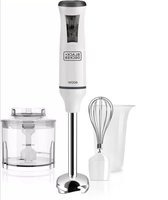
MX40 - Hand blender BLACK & DECKER - Free user manual and instructions
Find the device manual for free MX40 BLACK & DECKER in PDF.


| Product Type | Electric Hand Mixer |
| Brand | Black & Decker |
| Model | MX40 |
| Power Source | Electric, polarized plug |
| Power | Not specified (estimate: 250 W) |
| Dimensions (approx.) | 20 x 10 x 15 cm |
| Weight (approx.) | 1.2 kg |
| Included Accessories | 2 metal beaters, 1 built-in spatula, beater ejector |
| Main Functions | Beat, mix, whip, fold, puree |
| Speeds | 4 speeds (Fold, Stir, Mix, Whip) |
| Beater Material | Chrome-plated metal |
| Built-in Spatula | Yes, plastic, attaches to beaters |
| Cleaning | Beaters and spatula are dishwasher safe |
| Safety | Polarized plug, shock protection, do not immerse motor body |
| Warranty | 2 years against defects in material and workmanship |
| After-sales Service | Authorized Black & Decker service centers (phone: 1-800-231-9786 (US), 1-800-465-6070 (Canada)) |
| Recommended Use | Household use only |
Frequently Asked Questions - MX40 BLACK & DECKER
User questions about MX40 BLACK & DECKER
0 question about this device. Answer the ones you know or ask your own.
Ask a new question about this device
Download the instructions for your Hand blender in PDF format for free! Find your manual MX40 - BLACK & DECKER and take your electronic device back in hand. On this page are published all the documents necessary for the use of your device. MX40 by BLACK & DECKER.
USER MANUAL MX40 BLACK & DECKER
SAVE THIS USE AND CARE BOOK
Mixer (English, see pg. 2)
natural_image
Line drawing of a black-and-white electric hand mixer with 'Spatula Smart' branding (no additional text or symbols)U.S.A 1-800-231-9786 QUESTIONS?
When using electrical appliances, basic safety precautions should always be followed, including the following:
■Please read all instructions.
■To protect against risk of electrical shock, do not put mixer, cord, or plug in water or other liquid.
■Close supervision is necessary when any appliance is used by or near children.
■Turn unit off and unplug from outlet when not in use, before putting on or taking off parts, and before cleaning.
■Avoid contacting moving parts. Keep hands, hair, clothing, as well as handheld spatulas and other utensils, away from beaters during operation to prevent injury and/or damage to the mixer.
■Do not operate any appliance with a damaged cord or plug or after the appliance malfunctions or is dropped or damaged in any manner. Return the appliance to an authorized service facility for examination, repair, or adjustment.
■The use of attachments not recommended or sold by the appliance manufacturer may cause fire, electric shock, or injury.
■Do not use outdoors.
■Do not let cord hang over edge of table or counter or touch hot surfaces.
■Remove beaters and spatula attachment from mixer before washing.
■Mixing flammable non-food substances may be hazardous.
■Do not operate this appliance in the presence of explosive and/or flammable fumes.
■This appliance is intended for household use only and not for commercial or industrial use.
■Do not abuse the cord. Never carry the mixer by the cord or yank it to disconnect from an outlet; instead, grasp the plug firmly and pull to disconnect.
SAVE THESE INSTRUCTIONS
POLARIZED PLUG
This appliance has a polarized plug—one blade is wider than the other. To reduce the risk of electric shock, this plug will fit into a polarized outlet only one way. If the plug does not fit fully into the outlet, reverse it. If it still does not fit, contact a qualified electrician. Do not attempt to defeat this safety feature by modifying the plug in any way.
How To Use
- Be sure the unit is "Off" and unplugged before inserting or removing the Beaters or Spatula or before plugging in to begin mixing.
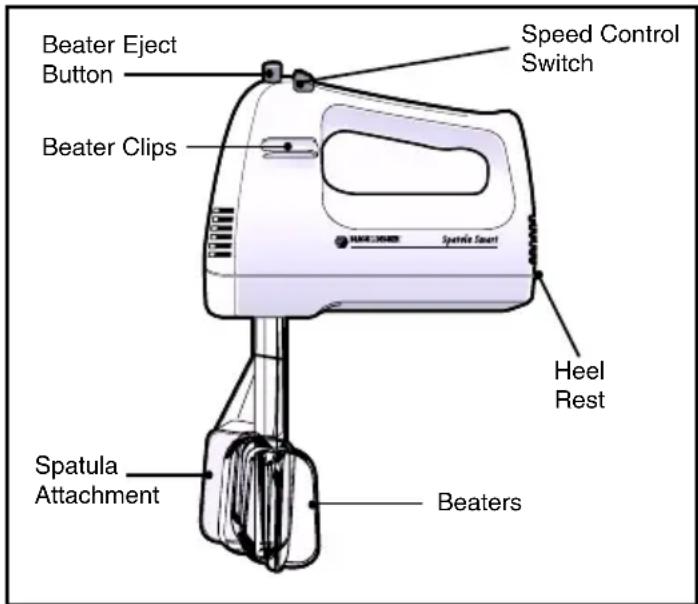
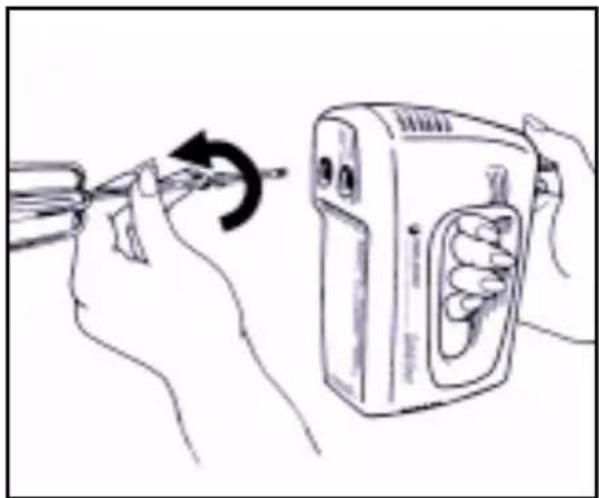
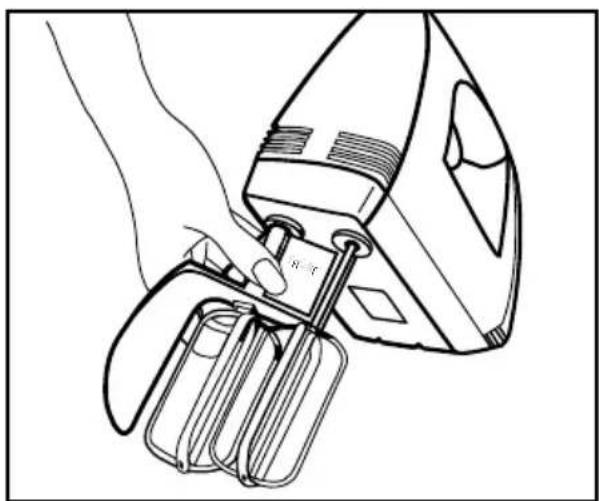
- Holding the Mixer with one hand and the Beater Stem with the other, insert the Beater Stem into one opening, rotating slightly until it locks into place. (Figure A) Repeat to attach the other Beater.
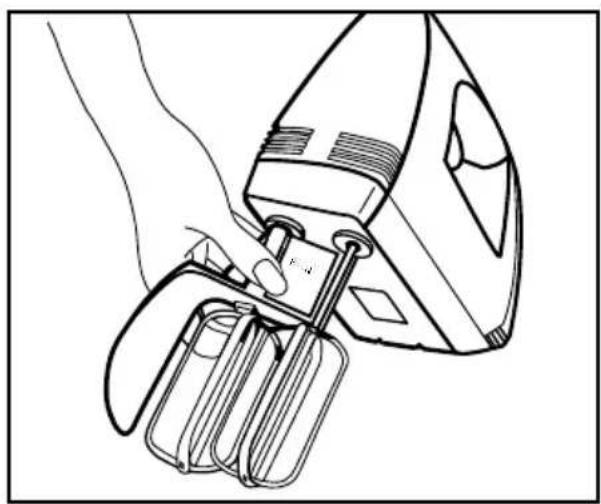
- Position the Spatula so it is to the right of the Beaters. Weave the top of the Spatula Attachment under the left Beater shaft and over the right one. The word "Front" on the Attachment should face out. (Figure B) Snap the Spatula onto the Beater shafts.
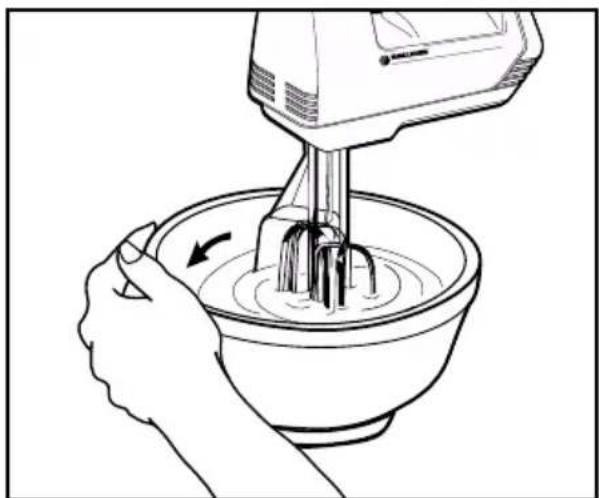
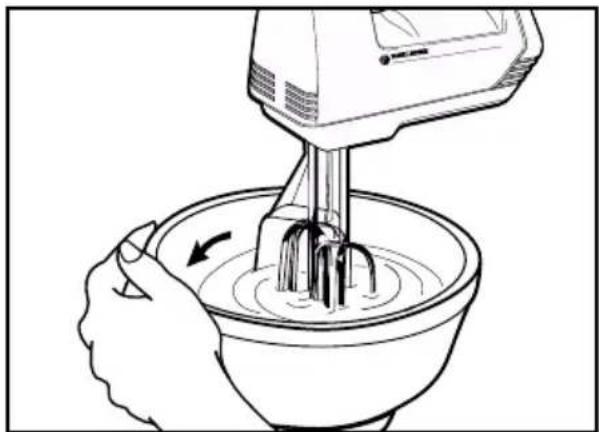
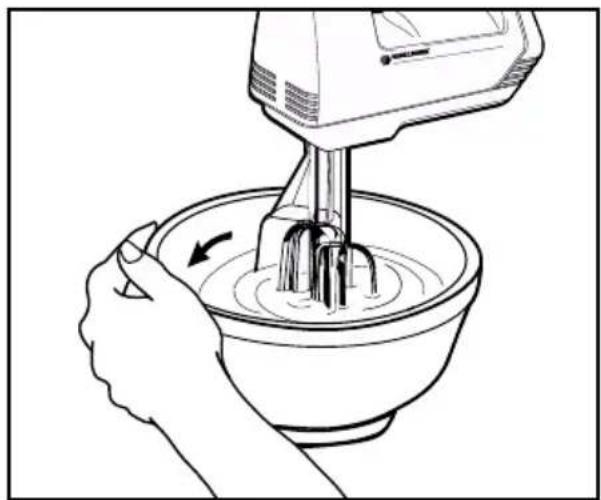
- As you mix, place the front edge of the Spatula against the side of the bowl and move it forward along the side to scrape dry ingredients and batter. (Figure C)
- Use the Spatula Attachment when mixing thin (puddings, pancake mix) to medium batters (cake mixes, muffins, frostings) and for mashing potatoes. It is not recommended when beating egg whites or whipping cream as it reduces volume. Do not use when mixing thick cookie dough.
NOTE: If the Spatula comes off during use, turn the unit "Off" before attempting to reattach the Spatula to the Beaters.
natural_image
Illustration of hands using a tool to adjust a device with an arrow indicating rotation (no text or symbols present)Figure A
natural_image
Line drawing of a hand using a handheld electric shaver to adjust internal components (no text or symbols)Figure B
natural_image
Line drawing of a hand using a mixing bowl to brush into a bowl with a hand mixer (no text or symbols)Figure C
-
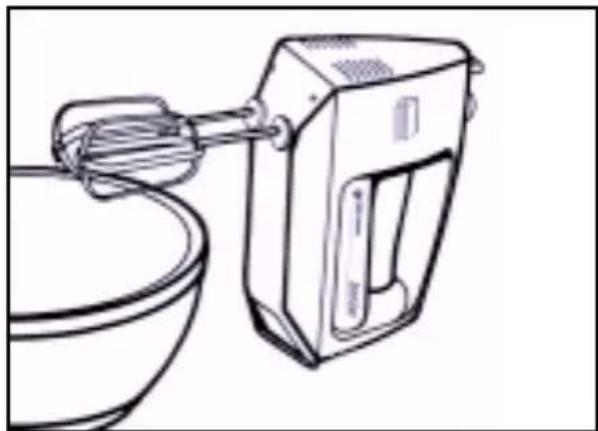
To scrape the sides and bottom of the bowl when using a handheld utensil, turn the unit "Off" and place the Mixer on its Heel Rest so the Beaters can drain into the bowl. (Figure D)
-
Remove the Beaters by gripping the Mixer and pressing the Beater Eject Button.

natural_image
Line drawing of a kitchen mixer with a bowl and handle (no text or symbols)Figure D
Mixing Guide
NOTE: Start mixing at the lowest speed and gradually increase as needed.
| SETTING SPEED MIXING | TASK | |
| 1 BLEND | Combine liquids, mix dry ingredients, fold one ingredient into another. | |
| 2 STIR To prepare sauces, puddings, quick breads, and muffins. | ||
| 3 MIX To prepare cake mixes, cake batters; to cream butter and sugar. | ||
| 4 WHIP | To make light fluffy textures, whipped cream, and egg whites. | |
Care And Cleaning
GENERAL CLEANING
-
Before cleaning turn the unit "Off", unplug the cord, and eject the Beaters. Detach the Spatula if used.
-
Beaters and Spatula may be washed in hot, sudsy water or in a dishwasher. Wipe with a clean cloth. Do not use any abrasive cleanser or material to clean any part of the Mixer.
natural_image
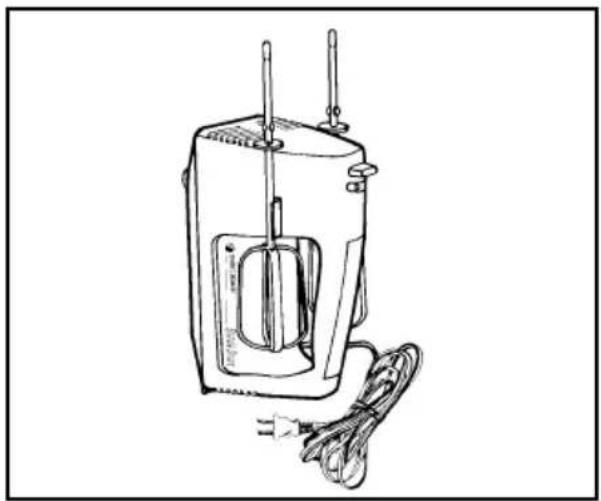
Line drawing of a portable electrical device with wires and power cord (no text or symbols)Figure E
STORING THE MIXER
- To store, coil the cord loosely and secure it in loops with a twist tie. Do not wrap the cord around the Mixer for storage.
- The Beaters may be stored by snapping them into the Beater Clips on the sides of the Mixer. (Figure E)
NEED SERVICE?
Service, if necessary, must be performed by a Black & Decker, Household Appliance Company-Owned or Authorized Service Center. The Service Center nearest you can be found in the yellow pages of your phone book under "Appliances-Small-Repairing" or you may call the appropriate toll-free number on the cover of this manual.
If mailing or shipping your Mixer, pack it carefully in its original carton or any sturdy carton with enough packing material to prevent damage. Include a note describing the problem to our Service Center and be sure to give your return address. We also suggest that you insure the package for your protection.
FULL TWO-YEAR WARRANTY
Black & Decker warrants this product against any defects that are due to faulty material or workmanship for a two-year period after the original date of consumer purchase or receipt as a gift. This warranty does not include damage to the product resulting from accident or misuse.
If the product should become defective within the warranty period, we will repair it or elect to replace it free of charge. We will return your product, transportation charges prepaid, provided it is delivered prepaid to any Black & Decker Household Appliance Company-Owned or Authorized Service Center.
This warranty gives you specific legal rights and you may also have other rights which vary from state to state or province to province.
Answers to any questions regarding warranty or service locations may be obtained by calling toll free, in the U.S.: 1-800-231-9786; in Canada: 1-800-465-6070 or by writing to Consumer Assistance and Information:
For the U.S.A: For Canada:
Black & Decker (U.S.) Inc. Black & Decker
6 Armstrong Road 626 Hanover Pike
Shelton, CT 06484-4797 Hampstead, MD 21074-0618
natural_image
Illustration of hands using a pen to adjust a device with a curved arrow indicating rotation (no text or symbols)llus. A
natural_image
Line drawing of a hand using a tool to adjust or install a device (no text or symbols visible)llus. B
natural_image
Line drawing of a hand using a hand mixer to mix ingredients in a bowl (no text or symbols)llus. C
natural_image
Line drawing of a kitchen mixer with a bowl and whisk (no text or symbols)llus. D
Guia Para Mexclar
natural_image
Line drawing of a sewing machine with attached cable and power plug (no text or symbols)Ilus. E
COMO GUARDAR LA BATIDORA
natural_image
Illustration of hands using a tool to adjust a device with a curved arrow indicating rotation (no text or symbols present)Fig. A
natural_image
Line drawing of a hand using a handheld electric shaver to handle a motor handle (no text or symbols present)Fig. B
natural_image
Line drawing of a hand using a mixing bowl to brush the batter, with no text or symbols present.Fig. C
natural_image
Line drawing of a kitchen mixer with a bowl and handle (no text or symbols)Fig. D
Guide de mélange
natural_image
Line drawing of a small electric shaver with power cord and cable (no text or symbols)Fig. E
RANGEMENT
Listed by Underwriters Laboratories, Inc.
Copyright © 1996 Black & Decker
Pub No. 168633-32-RV00
Printed in People's Republic of China