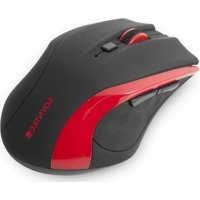
R5 Wireless - Mouse Soyntec - Free user manual and instructions
Find the device manual for free R5 Wireless Soyntec in PDF.


| Product type | Wireless mouse |
| Brand | Soyntec |
| Model | R5 Wireless |
| Dimensions (mouse) | 101 x 71 x 3.55 mm |
| Dimensions (receiver) | 18 x 14 x 6 mm |
| Net weight | 68 g |
| Power supply | 1 AA battery (included) |
| Wireless technology | 2.4 GHz with 32 channels |
| Range | Approximately 10 m |
| Optical resolution | 800 / 1600 DPI (switchable) |
| Number of buttons | 5 buttons + scroll wheel |
| Receiver | Nano USB receiver, storable in the mouse |
| Installation | Plug & Play, driver not required |
| Power saving function | Automatic standby |
| Package contents | Mouse, nano receiver, 1 AA battery, manual |
| Warranty | 36 months (European Union) |
| Maintenance and cleaning | Soft dry cloth; do not use abrasive products |
| Safety | Do not expose to moisture, shocks, dust, or extreme temperatures |
| Spare parts and repairability | AA battery and nano receiver replaceable; repair by qualified personnel only |
Frequently Asked Questions - R5 Wireless Soyntec
User questions about R5 Wireless Soyntec
0 question about this device. Answer the ones you know or ask your own.
Ask a new question about this device
Download the instructions for your Mouse in PDF format for free! Find your manual R5 Wireless - Soyntec and take your electronic device back in hand. On this page are published all the documents necessary for the use of your device. R5 Wireless by Soyntec.
USER MANUAL R5 Wireless Soyntec
ES
Manual de usuario
EN
User manual
FR

Manual de usuario
Fig. 1 Fig. 2
Fig. 6 Fig. 7
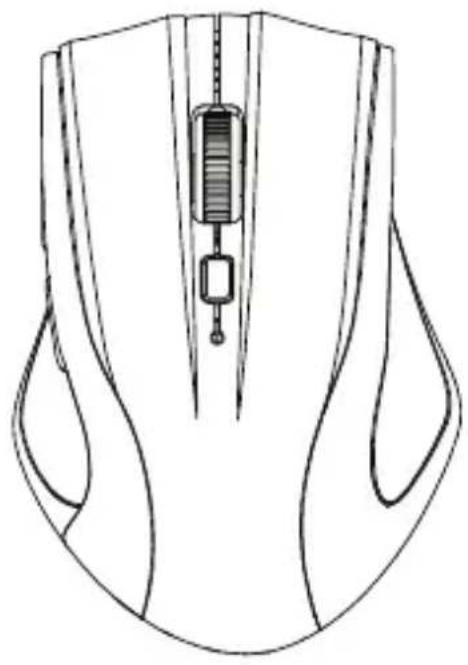
Fig. 8

User manual
Enjoy the advanced features of this technological product that we have developed with maximum guarantees for you.
R5 Wireless Series
Wireless mouse
1. INTRODUCTION
Soyntec™ give you thanks for buying Soyntec Mouse R5 Wireless. We wish you enjoy using it.
Wireless long range technology mouse. High precision with 1.600 dpi that provide superior smooth movement. Integrates a small sized nano-receiver which can be either stored in the mouse or integrate inside your laptop.
We recommend to read this user manual in order to enjoy the product in a safe way and with the best features.
2. CARE AND MAINTENANCE
- Do not expose your R5 Wireless to shakes, dust, direct sun light, moisture or extreme temperatures.
- Do not use abrasive or corrosive cleaners.
- Keep the device clean and without dust with a soft and dry cloth.
Do not disassemble the device. Any repair work must be performed by qualified Energy Sistem Soyntec's personnel. - Keep distance to water or moisture which could be harmful to the device.
- Avoid to look directly to the sensor light in the bottom of the mouse.
3. MAIN FEATURES
▶ Commutable optical sensor: 800 \~ 1600 dpi.
▶ 2.4 GHz wireless technology.
- Micro sized USB nano-receiver.
▶ You can store the nano-receiver inside the mouse built-in slot.
- 5 functional buttons and scroll wheel.
▶ 32 channels to avoid interferences.
▶ Plug & Play: No need for drivers.
▶ Only needs one AA battery to operate.
▶ Mouse size: 101 x 71 x 37,5 mm.
▶ Nano-receiver size: 18 x 14 x 6 mm.
Net weight: 68 grs.
4. PRODUCT CONTENT
▶ R5 Wireless mouse.
USB nano-receiver.
▶ 1 AA battery.
▶ User manual.
5. INSTALLATION
-
Insert the battery in the Mouse.
-
Connect the nano-receiver with a free USB hub of your computer.
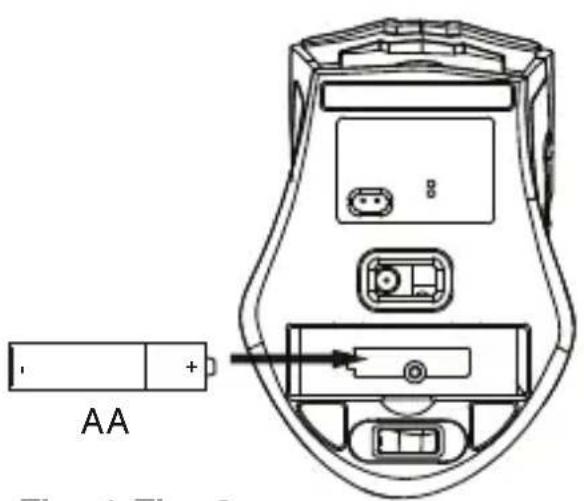
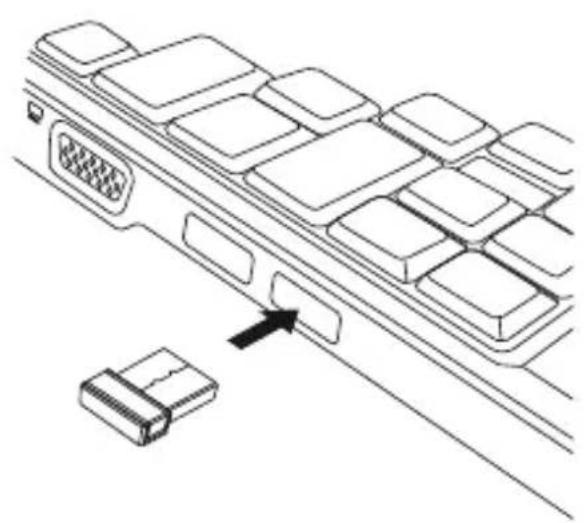
Fig. 1 Fig. 2
-
Wait until the automatic installation complete.
-
Click the right or left mouse button in order to activate it.
-
You can start to use it.
6. USE INFORMATION
▶ You can store the nano-receiver inside the mouse built-in slot as showed in the Figure 6.
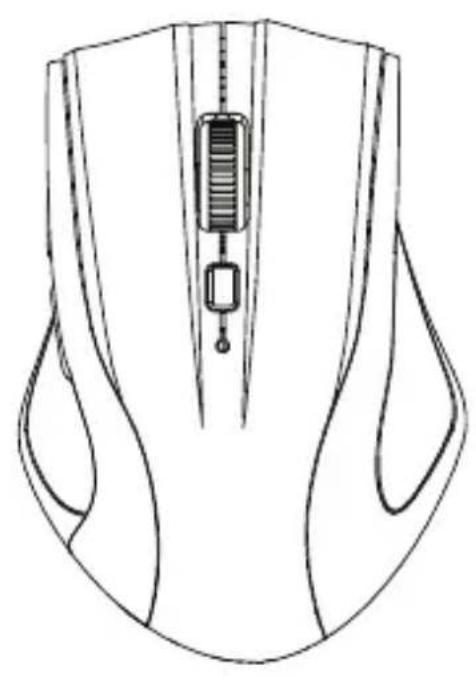
- Click the DPI switch to select between 800 DPI and 1600 DPI.
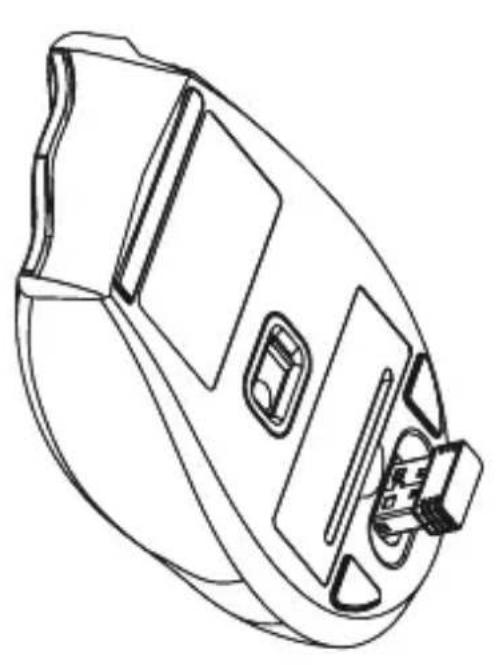
Fig. 6 Fig. 7
▶ Use the forward and backward lateral buttons for folders or internet navigation. They are very useful for games as well.
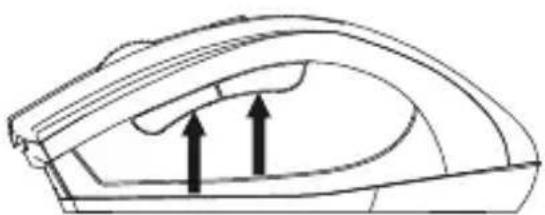
Fig. 8
▶ Energy save function: mouse will be inactive after sometime without use. Click the right or left mouse button to activate it.
7. SUGGESTIONS AND ADVERTISING
If there is any metal object close to the nano-receiver, please remove it, as it may obstruct the wireless transmission.
If there are any other wireless device close to the nano-receiver please remove the receiver and reconnect it to get a different communication ID.
- Do not leave nano-receiver next to Bluetooth dongle.
- Do not use mouse on very shiny surface or transparent surface.
8. WARRANTY
Energy Sistem Soyntec SA is liable for any lack of conformity which exists at the time the goods were purchased during a period of 36 months.
This warranty covers any defects in workmanship or materials. This warranty doesn't cover any failure of the product due to accidents, misuse or alteration made by an unauthorized person.
The special 36-months warranty is valid for the European Union. For other countries, please refer to your specific legislation or your local distributor.
9. WARRANTY PROCEDURE
1) Visit the Support section at http://support.soyntec.com and select your product to view the FAQ (Frequently Asked Questions).
The solution to your problem is very likely to have been already published there. You will also be able to download user manuals, user guides, drivers and updates. You can check the availability of the user manual in your language at
http://www.soyntec.com/en-en/support/manuals
2) If you cannot find an appropriate solution in the Support section, you may send us your enquiry or warranty service request by email: support@soyntec.com
3) Alternatively, you may prefer to contact the distributor from which you purchased the product, presenting the purchase receipt or invoice.
Trademarks. All company, brand and product names are trademarks or registered trademarks of their respective companies.
© 2013 by Energy Sistem Soyntec S.A. All rights reserved.
CE
10.AGREEMENT DECLARATION
26/03/2013
Manufacturer Name: Energy Sistem Soyntec S. A.
Address: Pol. Ind. Finestrat, C/. Calpe, 1 - 03509, Finestrat Alicante (Spain)
Tel: 902 388 388
Fax: 902 119 034
NIF: A53107488
We declare under our own exclusive responsibility that the product:
Soyntec™ Wireless Mouse R5 Wireless Series
Manufacturing country: China
Is in compliance with the essential norms and standards of the Directive 2004/108/EC of the European Parliament and of the Council of December 15th 2004.
SOYNTEC

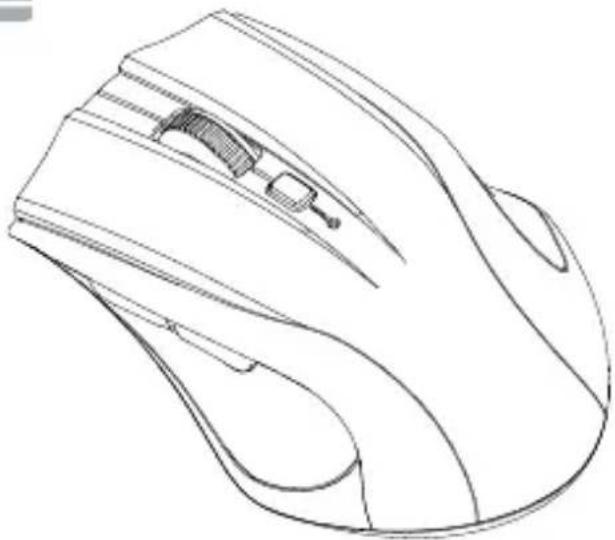

Fig. 1 Fig. 2
Fig. 6 Fig. 7
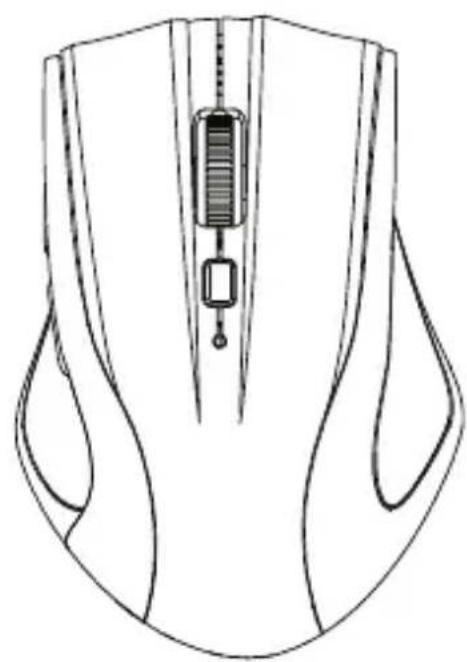
Fig. 8


- MANUAL DE USUARIO
- USER MANUAL
- R5 WIRELESS SERIES
- INTRODUCTION
- CARE AND MAINTENANCE
- MAIN FEATURES
- PRODUCT CONTENT
- INSTALLATION
- USE INFORMATION
- SUGGESTIONS AND ADVERTISING
- WARRANTY
- WARRANTY PROCEDURE
- HTTP://WWW.SOYNTEC.COM/EN-EN/SUPPORT/MANUALS
- CE
- 10.AGREEMENT DECLARATION
- SOYNTEC™ WIRELESS MOUSE R5 WIRELESS SERIES
- MANUFACTURING COUNTRY: CHINA
- SOYNTEC
Brand : Soyntec
Model : R5 Wireless
Category : Mouse