EasyManual
HDP 2LO36W - Dishwasher HOOVER - Free user manual and instructions
Find the device manual for free HDP 2LO36W HOOVER in PDF.



Questions des utilisateurs sur HDP 2LO36W HOOVER
0 question sur cet appareil. Repondez a celles que vous connaissez ou posez la votre.
Poser une nouvelle question sur cet appareil
Download the instructions for your Dishwasher in PDF format for free! Find your manual HDP 2LO36W - HOOVER and take your electronic device back in hand. On this page are published all the documents necessary for the use of your device. HDP 2LO36W by HOOVER.
USER MANUAL HDP 2LO36W HOOVER
"START"/"RESET" button (start/cancelling programme) G "SALT EMPTY" light H "OPTION SELECTION" light I "PROGRAMME STATUS" lights/ "DELAY START" time lights L "PROGRAMME SELECTION" lights M Programme guide M ONE TOUCH Area DIMENSIONS TECHNICAL DATA CONSUMPTION (main programmes)* Programme Energy (kWh) Water (L) INTENSIVE UNIVERSAL ECO RAPID 29' Width x Height x Depth (cm) 60 x 85 x 60 Depth with door open (cm) 120 EN 50242 place load Capacity with pans and dishes Water supply pressure (MPa) Fuse / Power input / Supply voltage 8 persons Min. 0,08 - Max. 0,8 See rating plate Power consumption of the off-mode and of the left-on mode: 0,45 W / 0,45 W *Values are measured in a laboratory according to European Standard EN 50242 (consumption may vary according to conditions of usage). 59,8 x 82 x 57,3
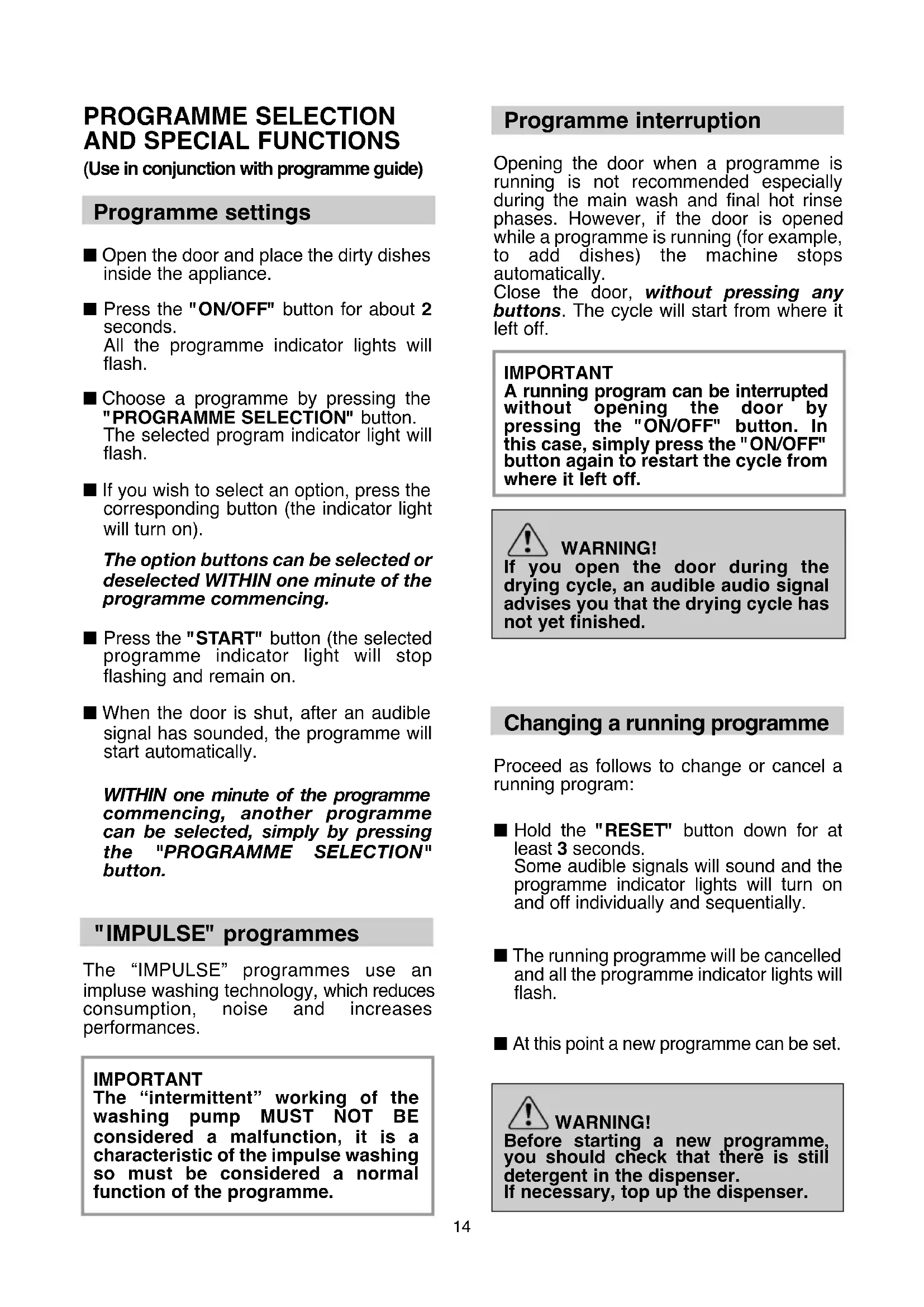
Programme interruption Opening the door when a programme is running is not recommended especially during the main wash and final hot rinse phases. However, if the door is opened while a programme is running (for example, to add dishes) the machine stops automatically. Close the door, without pressing any buttons. The cycle will start from where it left off. IMPORTANT A running program can be interrupted without opening the door by pressing the "ON/OFF" button. In this case, simply press the "ON/OFF" button again to restart the cycle from where it left off. WARNING! If you open the door during the drying cycle, an audible audio signal advises you that the drying cycle has not yet finished. Changing a running programme Proceed as follows to change or cancel a running program: ■ Hold the "RESET" button down for at least 3 seconds. Some audible signals will sound and the programme indicator lights will turn on and off individually and sequentially. ■ The running programme will be cancelled and all the programme indicator lights will flash. ■ At this point a new programme can be set. WARNING! Before starting a new programme, you should check that there is still detergent in the dispenser. If necessary, top up the dispenser. PROGRAMME SELECTION
AND SPECIAL FUNCTIONS
(Use in conjunction with programme guide) Programme settings ■ Open the door and place the dirty dishes inside the appliance. ■ Press the "ON/OFF" button for about 2 seconds. All the programme indicator lights will flash. ■ Choose a programme by pressing the "PROGRAMME SELECTION" button. The selected program indicator light will flash. ■ If you wish to select an option, press the corresponding button (the indicator light will turn on). The option buttons can be selected or deselected WITHIN one minute of the programme commencing. ■ Press the "START" button (the selected programme indicator light will stop flashing and remain on. ■ When the door is shut, after an audible signal has sounded, the programme will start automatically. WITHIN one minute of the programme commencing, another programme can be selected, simply by pressing the "PROGRAMME SELECTION" button. "IMPULSE" programmes The “IMPULSE” programmes use an impluse washing technology, which reduces consumption, noise and increases performances. IMPORTANT The “intermittent” working of the washing pump MUST NOT BE considered a malfunction, it is a characteristic of the impulse washing so must be considered a normal function of the programme.15 Programme operations When a programme is running the relevant indicator light will remain on and the 3 “PROGRAMME STATUS” indicator lights ("WASH" , "RINSE" , and "DRY" ) will light singularly and in sequence to indicate the current phase. If there is any break in the power supply while the dishwasher is operating, a special memory stores the selected programme and, when the power is restored, it continues where it left off. Programme end A 5 second alarm will sound (if not muted) 3 times at 30 second intervals and the programme indicator light will flash to indicate that the washing programme has finished. The dishwasher will automatically switch off. Option buttons "SUPER ECO" button This button provides an energy and time saving of 25% on average (according to the select cycle) reducing the wash water temperature and the drying time during the final rinse. This programme is recommended for light soil washes, and for slightly wet dishes that are not fully dry, & improved drying results. We advise you to leave the door of the Dishwasher half-open at the end of the cycle, to allow for a natural circulation of air inside the dishwasher. Salt empty indicator This model is provided with an indicator light on the control panel which will light up when it is necessary to reload the salt container. The appearance of white stains on dishes is generally a warning sign that the salt container needs filling. "RESET" button for "SALT EMPTY" light After filling the salt container, you should press this button for a few seconds, until the corresponding indicator light switches off. WARNING! If you press the reset button without filling the salt container, this will interfere with the correct functioning of the salt indicator light. IMPORTANT In order to guarantee the correct functioning of the salt indicator light, YOU MUST ALWAYS FULLY REPLENISH THE SALT CONTAINER. "DELAY START" button The dishwasher start time can be set with this button, delaying the start by 3, 6 or 9 hours. Proceed as follows to set a delayed start: ■ Choose a programme by pressing the "PROGRAMME SELECTION" button. ■ Press the "DELAY START" button (each time the button is pressed the start will be delayed by 3, 6 or 9 hours respectively and the corresponding time indicator light will illuminate). ■ To start the countdown, press the "START" button (the set time indicator light will start to flash). If a 9 hour delay is set, countdown will be displayed by the 6h indicator light after 3 hours and the 3h indicator light after 6 hours. At the end of the last 3 hours (at the end of countdown) the 3h indicator light will stop flashing and remain on to indicate the washing phase and the programme will start automatically.16 If countdown has not ended, whereby the programme has not yet started, it is possible to change or cancel the delayed start and select another programme or to select/deselect the option button, proceeding as follows: ■ Hold the "RESET" button down for at least 3 seconds. Some audible signals will sound and the programme indicator lights will turn on and off individually and sequentially. ■ The delayed start and the selected programme will be cancelled. The programme indicator lights will flash. ■ Press the "DELAY START" button to set another delayed start time (the corresponding indicator light will turn on). ■ A new programme can be set after a delayed time has been changed or cancelled or an option button can be selected or deselected. Alarm mute for the PROGRAMME END The alarm for the programme end may be muted as follows: IMPORTANT The dishwasher must ALWAYS be off before start of this procedure.
1. Hold down the "PROGRAMME
SELECTION" button and at the same time switch on the dishwasher by pressing the "ON/OFF" button (a brief audible signal will sound).
2. Keep the "PROGRAMME SELECTION"
button pressed for at least 15 seconds (during this time, 2 audible signals will sound).
3. Release the button when the second
indicator lights (which indicate that the alarm is activated) will start flashing (to indicate that the alarm is off).
5. Turn off the dishwasher by pressing the
"ON/OFF" button to confirm the new setting. To turn the alarm on again, follow the same procedure. Memorization of the last programme used The last programme used can be memorized by following the below: IMPORTANT The dishwasher must ALWAYS be off before start of this procedure.
1. Hold down the "PROGRAMME
SELECTION" button and at the same time switch on the dishwasher by pressing the "ON/OFF" button (a brief audible signal will sound).
2. Keep the "PROGRAMME SELECTION"
button pressed for at least 30 seconds (during this time, 3 audible signals will sound).
3. Release the button when the THIRD
audible signal sounds (all the indicator lights will flash).
4. Press the same button again: the
flashing indicator light (memorization off) will stop flashing and remain on (memorization on).
5. Turn off the dishwasher by pressing the
"ON/OFF" button to confirm the new setting. To disable the memorization, follow the same procedure.Fault signals If malfunctions or faults occur when a programme is running the indicator light that corresponds to the selected cycle will flash rapidly and the alarm sounds. In this event, turn the dishwasher off by pressing the "ON/OFF" button. After checking to make sure the water inlet hose tap is open, that the drain hose is not bent and that the siphon or filters are not clogged, set the selected programme again. If the anomaly persists, contact Customer Service Department. IMPORTANT This dishwasher is equipped with an anti-overflow safety device which will automatically discharge any excess water should a problem occur. WARNING! To ensure the correct operation of the anti-overflow safety device, we recommend that the dishwasher is not moved or tilted during operation. If however it is necessary to tilt or move the dishwasher, please ensure that the washing cycle is complete and that there is no remaining water inside the dishwasher.
ONE TOUCH This appliance is equipped with One Touch technology that allows you to interact, via the App, with smartphones based on Android operating system and equipped with NFC (Near Field Communication) function. ■ Download on your smartphone the Hoover Wizard App. The Hoover Wizard App is available for devices running both Android and iOS, both for tablets and for smartphones. However, you can interact with the machine and take advantage of the potential offered by One Touch only with Android smartphones equipped with NFC technology, according to following functional scheme: FUNCTIONS The main functions available using the App are: ■ Voice Coach – A guide to help you choose the ideal cycle with only three voice inputs (dishes, load level, stain level). ■ Programmes – To select and launch new additional washing programmes. ■ Clever Care – Advanced settings, Water Hardness, "Clever Check-up", Filter-Clean and a troubleshooting guide. ■ Reports – Washing statistics and tips for a more efficient use of your machine. Get all the details of the One Touch functions, browsing the App in DEMO mode or go to: www.hooveronetouch.com
HOW TO USE ONE TOUCH
FIRST TIME - Machine registration ■ Enter the "Settings" menu of your Android smartphone and activate the NFC function inside the "Wireless & Networks" menu. Depending on the smartphone model and its Android OS version, the process of the NFC activation may be different. Refer to the smartphone manual for more details. ■ Switch the appliance on, then enable the One Touch mode by selecting the programme "P3", then pressing the “SUPER ECO” button. ■ Open the App, create the user profile and register the appliance following the instructions on the phone display or the "Quick Guide" attached on the machine. More information, F.A.Q. and the video for an easy registration are available on: www.hooveronetouch.com/how-to Android smartphone with NFC technology Android smartphone without NFC technology Android Tablet Apple iPhone Apple iPad Interaction with the machine + contents Contents only Contents only Contents only Contents only19 NEXT TIME – Regular usage ■ Every time you want to manage the machine through the App, first you have to enable the One Touch mode by switching the appliance on, then selecting the programme "P3", then pressing the “SUPER ECO” button. ■ Make sure you have unlocked your phone (from stand-by mode) and you have activated the NFC function; then, follow the steps mentioned earlier. ■ If you want to start a washing cycle, load the dishes and the detergent. ■ Close the door of the appliance. ■ Select the desired function in the App (e.g.: starting a programme, the "Clever Check-up" cycle, update statistics, etc…). ■ Follow the instructions on the phone display, KEEPING IT ON the One Touch logo on the machine dashboard, when requested to do so by the App. NOTES: Place your smartphone so that the NFC antenna on its back matches the position of the One Touch logo on the appliance (as illustred below). If you do not know the position of your NFC antenna, slightly move the smartphone in a circular motion over the One Touch logo until the App confirms the connection. In order for the data transfer to be successful, it is essential TO KEEP
FEW SECONDS OF THE PROCEDURE; a message on the device will inform about the correct outcome of the operation and advise you when it is possible to move the smartphone away. Thick cases or metallic stickers on your smartphone could affect or prevent the transmission of data between machine and telephone. If necessary, remove them. The replacement of some components of the smartphone (e.g. back cover, battery, etc...) with non-original ones, could result in the NFC antenna removal, preventing the full use of the App. The management and the control of the machine via App is only possible "by proximity": it is therefore not possible to perform remote operations (e.g.: from another room; outside of the house).Intensive Universal Eco Rapid 29’ Refresh Once a day - for heavily soiled pans and any other items that have been left all day for washing. Once a day - for normal soiled pans and any other items that have been left all day for washing. Programme for normally soiled tableware (the most efficient in terms of its combined energy and water consumption for that type of tableware). Programme standardised to EN 50242. Quick wash for dishes which are to be washed immediately after the meal. Wash load of 6 persons. Short cold pre-wash for items that are stored in the dishwasher until you are ready to wash a full load. Activation of One Touch mode, to enable the interaction between the appliance and the Hoover Wizard App. Before the first use with the App, this position will be occupied by Intensive program.
Wash with prewash For wash programmes with prewash, it is advisable to add a second dose of detergent (max. 10 g) directly in the machine. Description PROGRAMME GUIDE Programme = "IMPULSE" programmes21
YES YES YES YES YES YES YES YES Check list Avaragedurationin minutesSpecial functionbuttons availableDetergent for soaking(Prewash)Detergent for washingClean filterCheck rinse aid dispenserCheck salt containerHot pre-washCold pre-washMain washFirst cold rinseSecond cold rinseHot rinse with rinse aidWith cold water (15°C)-Tolerance ± 10%-"DELAY START" button“SUPER ECO” button Programme contents N/A= OPTION NOT AVAILABLE* The water softener unit is set in the factory at level 3, as this is suitable for the majority of users. According to the degree of hardness of your water, regulate the softener unit in the following way: IMPORTANT The dishwasher must ALWAYS be off before start of this procedure.
1. Hold down the "PROGRAMME
SELECTION" button and at the same time switch on the dishwasher by pressing the "ON/OFF" button (a brief audible signal will sound).
2. Keep the "PROGRAMME SELECTION"
button pressed for at least 5 seconds, UNTIL an audible signal sounds. Some "PROGRAMME SELECTION" indicator lights will come on to indicate the current water softener setting level.
3. Press the same button again to select
the required water softener level: each time the button is pressed, one indicator light will come on (the water softener level is indicated by the number of lights on). For level 0 all lights will be off.
4. Turn off the dishwasher by pressing the
"ON/OFF" button to confirm the new setting. WARNING! If any problem occurs, turn the dishwasher off by pressing the "ON/OFF" button and start the procedure again from the beginning (STEP 1).
Depending on the source of the supply, water contains varying amounts of limestone and minerals which are deposited on the dishes leaving whitish stains and marks. The higher the level of these minerals present in the water, the harder the water is. The dishwasher is fitted with a water softener unit which, through the use of special regenerating salt, supplies softened water for washing the dishes. The degree of hardness of your water can be obtained from your water supply company. Regulating the water softener The softener unit can treat water with a hardness of up to 90°fH (French grading) or 50°dH (German grading) through 6 different settings. The table below lists different degrees of water hardness with the corresponding setting for the softener unit. Level ºfH (French grading) ºdH (German grading)