Sin and Punishment Star Successor (Wii) - Game NINTENDO - Free user manual and instructions
Find the device manual for free Sin and Punishment Star Successor (Wii) NINTENDO in PDF.

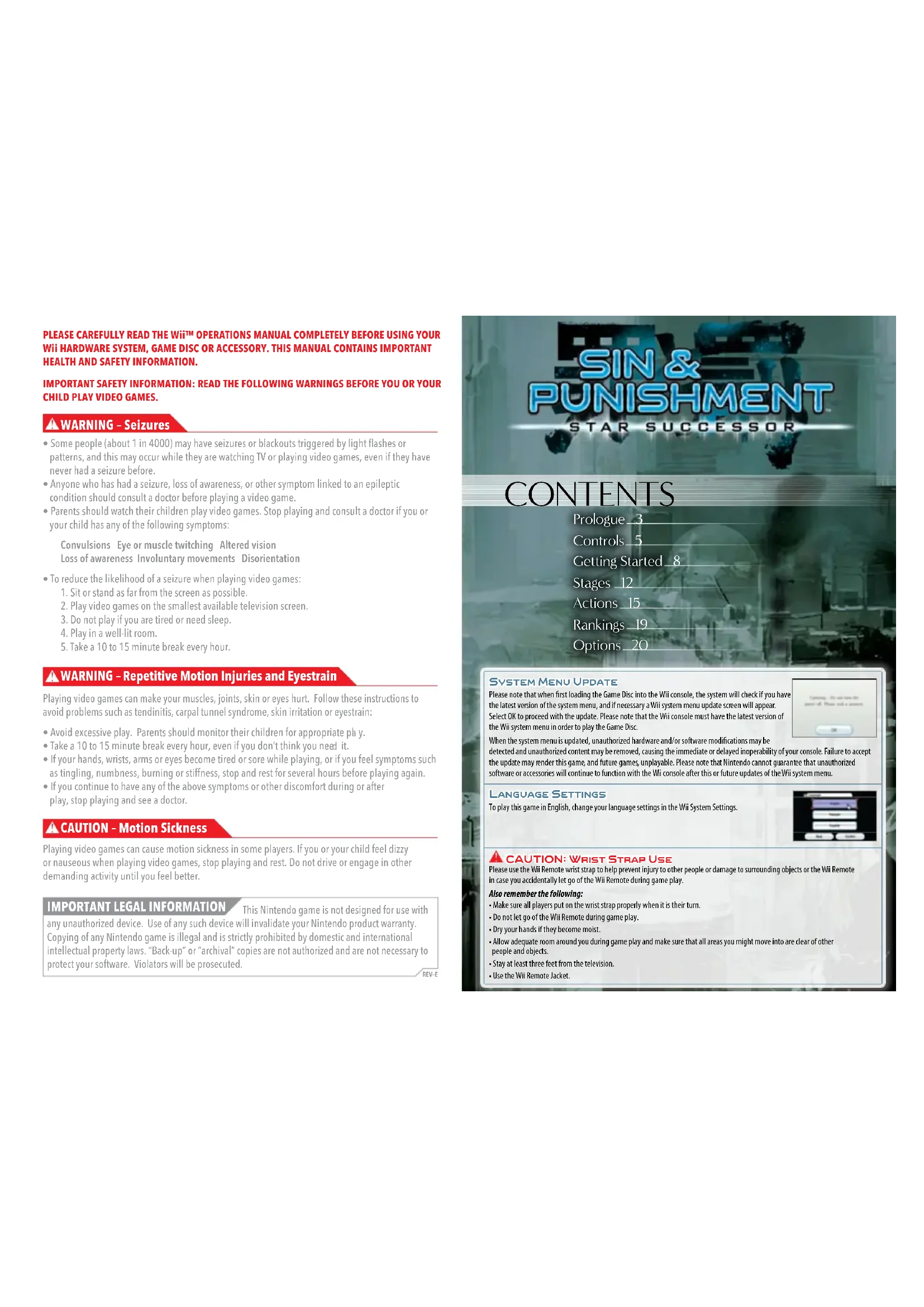


| Product Type | Wii disc video game |
| Platform | Nintendo Wii |
| Genre | Action, Shooting |
| Number of players | 1 or 2 (cooperative) |
| Game language | French, English (according to Wii settings) |
| System requirements | Wii console, Wii Remote and Nunchuk (or Classic Controller, GameCube, Wii Zapper) |
| Save game | Automatic at checkpoints; manual possible; requires Wii Memory |
| Primary functions | Shooting, melee, dodge, float, charged shots, counter-attacks, lock-on |
| Maintenance and cleaning | Clean the disc with a soft dry cloth; avoid solvents or liquids |
| Safety | Risk of epilepsy (flashing lights); use the wrist strap; take breaks every hour |
| Spare parts and repairability | No detachable parts; contact Nintendo for repair |
| General information | 3-month warranty for the game; customer service: 1 800 255-3700; support.nintendo.com |
Frequently Asked Questions - Sin and Punishment Star Successor (Wii) NINTENDO
User questions about Sin and Punishment Star Successor (Wii) NINTENDO
0 question about this device. Answer the ones you know or ask your own.
Ask a new question about this device
Download the instructions for your Game in PDF format for free! Find your manual Sin and Punishment Star Successor (Wii) - NINTENDO and take your electronic device back in hand. On this page are published all the documents necessary for the use of your device. Sin and Punishment Star Successor (Wii) by NINTENDO.
USER MANUAL Sin and Punishment Star Successor (Wii) NINTENDO
natural_image
Two anime-style characters in dynamic action poses, one in purple shorts and the other in blue vest, with industrial background (no visible text or symbols)NEED HELP WITH INSTALLATION, MAINTENANCE OR SERVICE?
Nintendo Customer Service
SUPPORT.NINTENDO.COM or call 1-800-255-3700
NEED HELP PLAYING A GAME? Recorded tips for many titles are available on Nintendo's Power Line at (425) 885-7529. This may be a long-distance call, so please ask permission from whoever pays the phone bill. If the information you need is not on the Power Line, you may want to try using your favorite Internet search engine to find tips for the game you are playing. Some helpful words to include in the search, along with the game's title, are "walk through," "FAQ," "codes," and "tips."
BESOIN D'AIDE POUR L'INSTALLATION, L'ENTRETIEN OU LA RÉPARATION?
The Official Seal is your assurance that this product is licensed or manufactured by Nintendo. Always look for this seal when buying video game systems, accessories, games and related products.
- Some people (about 1 in 4000) may have seizures or blackouts triggered by light flashes or patterns, and this may occur while they are watching TV or playing video games, even if they have never had a seizure before.
- Anyone who has had a seizure, loss of awareness, or other symptom linked to an epileptic condition should consult a doctor before playing a video game.
- Parents should watch their children play video games. Stop playing and consult a doctor if you or your child has any of the following symptoms:
Convulsions Eye or muscle twitching Altered vision Loss of awareness Involuntary movements Disorientation
• To reduce the likelihood of a seizure when playing video games:
- Sit or stand as far from the screen as possible.
- Play video games on the smallest available television screen.
- Do not play if you are tired or need sleep.
- Play in a well-lit room.
- Take a 10 to 15 minute break every hour.
WARNING - Repetitive Motion Injuries and Eyestrain
Playing video games can make your muscles, joints, skin or eyes hurt. Follow these instructions to avoid problems such as tendinitis, carpal tunnel syndrome, skin irritation or eyestrain:
- Avoid excessive play. Parents should monitor their children for appropriate play.
• Take a 10 to 15 minute break every hour, even if you don't think you need it. - If your hands, wrists, arms or eyes become tired or sore while playing, or if you feel symptoms such as tingling, numbness, burning or stiffness, stop and rest for several hours before playing again.
- If you continue to have any of the above symptoms or other discomfort during or after play, stop playing and see a doctor.
CAUTION - Motion Sickness
Playing video games can cause motion sickness in some players. If you or your child feel dizzy or nauseous when playing video games, stop playing and rest. Do not drive or engage in other demanding activity until you feel better.
IMPORTANT LEGAL INFORMATION
This Nintendo game is not designed for use with any unauthorized device. Use of any such device will invalidate your Nintendo product warranty. Copying of any Nintendo game is illegal and is strictly prohibited by domestic and international intellectual property laws, "Back-up" or "archival" copies are not authorized and are not necessary to protect your software. Violators will be prosecuted.
REV-E
SIN & PUNISHMENT
STAR SUCCESSOR
CONTENTS
Prologue 3
Controls 5
Getting Started_8
Stages 12
Actions 15
Rankings 19
Options 20
SYSTEM MENU UPDATE
Please note that when first loading the Game Disc into the Wii console, the system will check if you have the latest version of the system menu, and if necessary a Wii system menu update screen will appear. Select OK to proceed with the update. Please note that the Wii console must have the latest version of the Wii system menu in order to play the Game Disc.
When the system menu is updated, unauthorized hardware and/or software modifications may be detected and unauthorized content may be removed, causing the immediate or delayed inoperability of your console. Failure to accept the update may render this game, and future games, unplayable. Please note that Nintendo cannot guarantee that unauthorized software or accessories will continue to function with the Wii console after this or future updates of the Wii system menu.
LANGUAGE SETTINGS
To play this game in English, change your language settings in the Wii System Settings.
CAUTION: WRIST STRAP USE
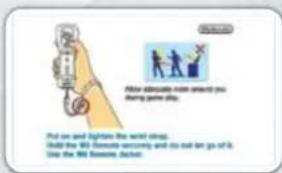
Please use the Wii Remote wrist strap to help prevent injury to other people or damage to surrounding objects or the Wii Remote in case you accidentally let go of the Wii Remote during game play.
Also remember the following:
• Make sure all players put on the wrist strap properly when it is their turn.
- Do not let go of the Wii Remote during game play.
• Dry your hands if they become moist.
- Allow adequate room around you during game play and make sure that all areas you might move into are clear of other people and objects.
- Stay at least three feet from the television.
- Use the Wii Remote Jacket.
PROLOGUE
Our universe is divided into two dimensions—inner space and outer space—that are locked in an eternal power struggle. In order to defend against outer space, the leaders of inner space have created several planets known as “earths” where they cultivate aggressive life-forms called humans. Humans act as inner space’s defensive front line.
However, the inherent emotional instability of humans is the cause of much concern for the leaders of inner space, who are known as the "creators." Every so often, humans will overcome their natural desire to destroy beings different from themselves and choose instead to live in peace.
Each time humans stray from their intended purpose, the creators wipe the planet of its human population. They then create a new earth and cultivate humanity anew. In wiping out their defensive front line, however, they give outer space an opportunity to launch an assault.
Isa Jo
A soldier from inner space. Within Isa's veins runs the blood of an outer-space being, which he inherited from his father, Saki.
Sensing an opening in inner space's defenses, outer space sent a reconnaissance unit disguised as a human to inner space. The girl landed on the planet E, which had been wiped
However, during the process of infiltrating inner space, the recon unit lost her memory. Her directive to investigate and document the weaknesses of humans grew vague, leaving her merely with a curiosity toward them. She drifted through the desolate ruins of Earth-4, knowing only that she felt compelled to learn more about the human race.
Inner space soon detected the spy from outer space. They sent a rookie operative, Isa Jo, to Earth-4 to destroy the recon unit. This decision sparked much controversy within the ranks of inner space's defense forces, as Isa's father's blood had been tainted by that of outer space, making Isa something not entirely human.
SIN & PUN LSH MENT
PROLOGUE
Kachi
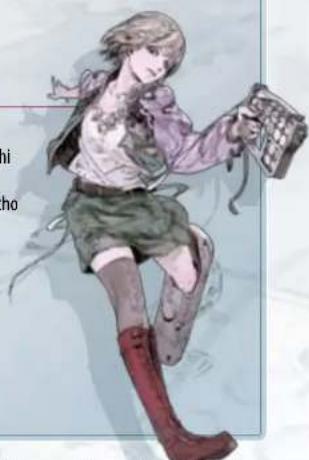
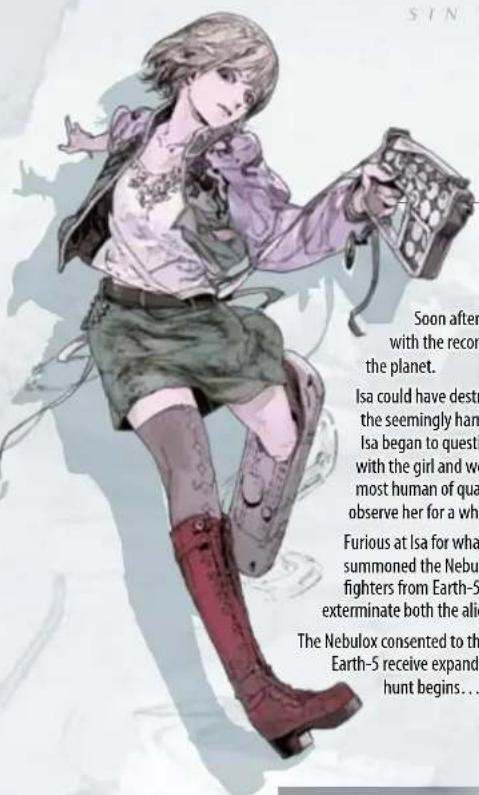
A recon unit from outer space with no memory of her past. She is very curious about Isa, the first human she's ever encountered.
Soon after landing on Earth-4, Isa came face-to-face with the recon unit amid the devastated remains of the planet.
Isa could have destroyed her then and there, but after watching the seemingly harmless girl indulge her curiosity about humans, Isa began to question his task. He sensed a strange connection with the girl and wondered if her natural impulses might be the most human of qualities. Instead of killing her, Isa decided to observe her for a while.
Furious at Isa for what they perceived as betrayal, the creators summoned the Nebulox, an elite group of highly trained human fighters from Earth-5. The creators ordered the Nebulox to exterminate both the alien recon unit and Isa.
The Nebulox consented to this task on the condition that the humans of Earth-5 receive expanded rights and privileges. And so the hunt begins...
Commander Deko
The Nebulox
Earth-5 Combat Specialists
Who is most worthy of being called human?
• The alien life-form with an insatiable curiosity about humans.
• The young fighter struggling to define his own humanity.
• The fighters who wish to end the oppression of humans on Earth-5.
Orion Tsang
Ariana Shami
Armon Ritter
Hibaru Yaju
CONTROLS
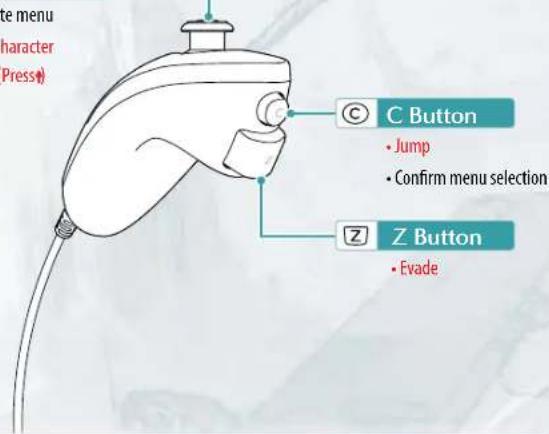
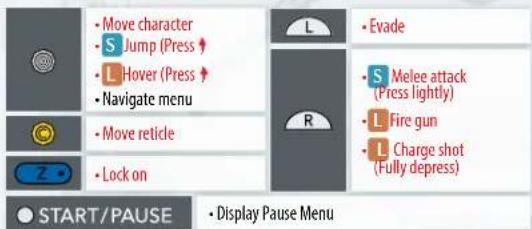
Sin & Punishment: Star Successor can be played using the Wii Remote™ and Nunchuk™ controller (Nunchuk style), Classic Controller™ (including Classic Controller Pro), Nintendo GameCube™ Controller, or Wii Zapper™. This instruction booklet will explain the controls for using the Wii Remote and Nunchuk.
Wii Remote and Nunchuk (Nunchuk Style)
Menu navigation controls appear in black. In-game controls appear in red.
Commands marked with S require a short button press.
Commands marked with L require a long button press.
For detailed controls of every action, see PG 15\~18.
Control Stick
- Navigate menu
- Move character
- Hover (Press)
POINTING
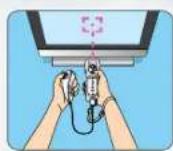
Aiming the Wii Remote controller's pointer at the screen is known as pointing. You can select menu options and move your targeting reticle by pointing.
SIN & PUNISHMENT
CONTROLS

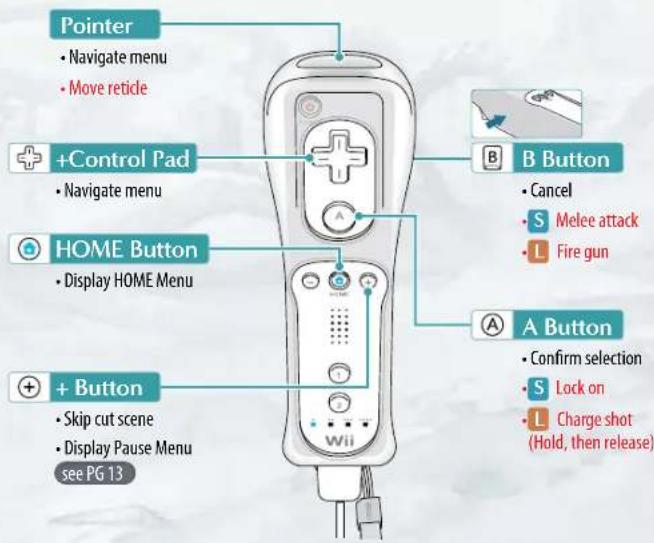
Controls can be reconfigured on the Controller Settings screen in the Options menu see PG 20.
TWO-PLAYER CO-OP
This game supports two-player cooperative play. To use this mode, each player will need a controller (sold separately). Player 1 controls the character and a reticle, while Player 2 controls a second reticle.
Note: Player 2 can play using a Wii Remote by itself. No Nunchuk is necessary. Player 2's character does not appear on the screen.
Additional Control Schemes
The chart below offers a glance at the additional control options available. The settings for each controller can be adjusted in the Options menu see PG 20.
CLASSIC CONTROLLER (AND CLASSIC CONTROLLER PROTM)
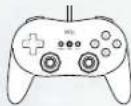
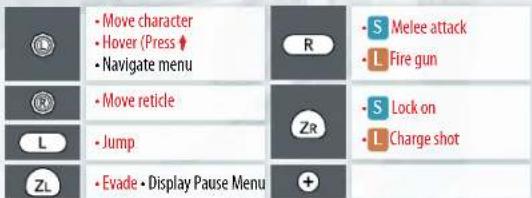
You can also navigate menus with ✝. Confirm menu selections with ⓐ. Press Ⓧ to cancel.
GAMECUBE CONTROLLER
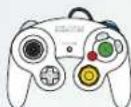
You can also navigate menus with confirm menu selections with Press B to cancel.
Wii ZAPPER

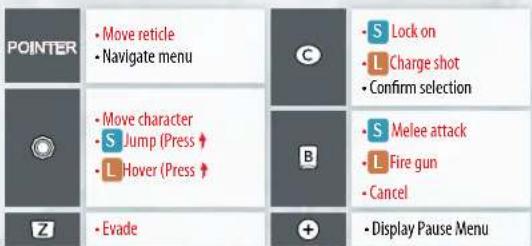
You can also navigate menus with ✕. Confirm menu selections with Ⓐ
For details on how to connect each controller type to your Wii console, refer to the controller's instruction booklet or the Wii Operations Manual.
Note: If Player 2 is using a Nintendo GameCube Controller, the controller must be connected to the Player 2 control port.
GETTING STARTED
Correctly insert the Sin & Punishment: Star Successor Game Disc into the disc slot of the Wii Console.
1 When the screen to the right appears, read it and press Ⓐ.

2 Use your pointer to highlight the Disc Channel on the Wii Menu, then pressⒶ.
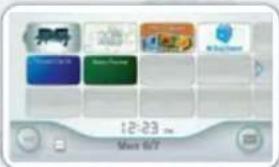
3 When you see the Channel Preview Screen, highlight Start and then press Ⓐ.
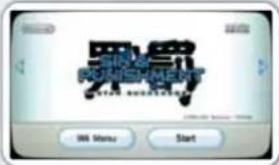
4 Read the Wrist Strap usage screen, then press Ⓐ. After that, read the Wii Zapper Usage Screen, and press Ⓐ once more to go to the title screen.
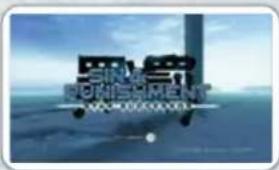
5 Press ④o continue to the game-file-selection screen.
SIN & PUNISHMENT
GETTING STARTED

Select a File
At the screen on the right, select a game file to use. If it's your first time playing the game, select New File and press A to create your new file. If you choose to load a previously created file, you will be taken to the game menu.
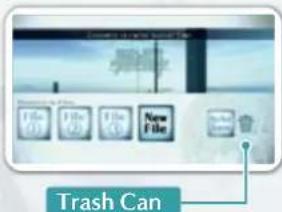
DO NOT SAVE
Select this to play without saving your progress.
TRASH CAN
Select this to delete the save data of a chosen file. Note: Once deleted, save data cannot be restored.
STARTING A NEW FILE
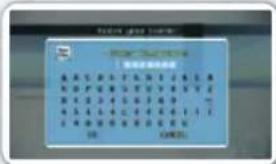
Enter a name and create new save data. When naming your file, enter characters one at a time by pointing at them and pressing Ⓐ. When you've finished naming your file, select OK to finalize the name. The name you enter here will be used in Rankings
see PG 19.
ABOUT SAVING
This game's autosave feature is enabled by default. Your progress through a stage is recorded as you pass through checkpoints see PG 13, and your scores are automatically saved when you clear a stage or reach the Game Over screen see PG 14. Settings on the Options menu see PG 20 are saved when changes are made.
Note: • You can turn off autosave in the Save Settings menu found in the Options menu.
- At least one empty block in the Wii system memory is required in order to save.
- Do not turn off or reset the Wii console while data is being saved.
• Data cannot be saved to an SD Card. - For information on how to delete data saved from the Wii system memory, please see the Wii Settings and Data Management section of the Wii Operations Manual – Channels and Settings.
Game Menu
Choose from four options. Select 1P Start or 2P Start to advance to the Select an Option screen.
Back
Return to the previous screen.
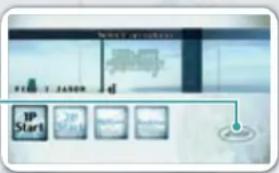
1P START
Single-player mode. Advance through the game by yourself.
2P START
Two-player mode. Advance through the game with a partner.
Note: Only Player 1 controls the character. Player 2 can only aim and shoot.
OPTIONS
Configure options for controls and save data see PG 20.
RANKINGS
Check your best scores and access the online leaderboards using Nintendo® Wi-Fi Connection, see PG 19.
Select an Option
Select from the following three options. Your game will begin once you have confirmed your selections.
CONTINUE
Continue the game from where you last left off.
NEW GAME
Start from the beginning of the game after choosing from the following settings.
DiFFiculty – Select the difficulty of the game.
cCharacter – Select the character you want to play as.
Note: Isa and Kachi have different aiming systems, see PG 18 and charge shots see PG 16\~18.
STAGE SELECT
Jump straight to any stage you've already played. Your progress won't be saved in this game mode. The game ends once you clear the stage.
Note: Should you set a new high score for your selected stage on your play through, only your score will be saved.
SIN & PUNISHMENT
STAGES

STAGES
A variety of enemies and obstacles await you on each stage. Destroy enemies while avoiding enemy fire to advance to the next stage.
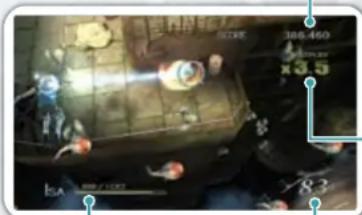
Game Screen
natural_image
Game scene with character, score, and UI elements (no readable text or symbols)Health Bar
Displays the player's health. It goes down when you take damage, and your game will end when it reaches zero, see PG 14.
Score
The amount of points you have earned. Causing damage to enemies or obstacles will raise your score.
Multiplier
The multiplier applied to your score. It goes up when you destroy enemies or obstacles, but goes down each time you take damage.
Destroyed
The number of enemies or obstacles you have destroyed.
ITEMS
Items may appear when you defeat enemies.
HEALTH BOXES
COINS
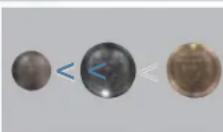
MEDALS

Restores a fixed amount of life. The color of the item indicates how much life it will restore.
Raises your score. The color of coin corresponds to its point value.
Note: Enemies will always drop coins when you defeat them with a counterattack,

Appears when you fulfill certain conditions. Medals give you bonus points upon completion of a stage.
Checkpoints
Passing a checkpoint will automatically save your game and allow you to restart from that point. Note: If you disable the autosave feature see PG 20, your game will not save automatically.
Bosses
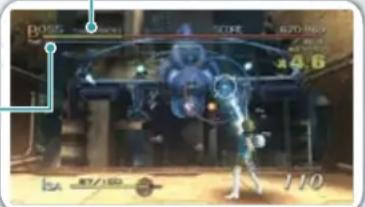
Each stage has multiple bosses that you must defeat to advance. When you defeat a boss, you will receive bonus points based on the amount of time remaining. Defeat the main boss at the end of each stage to clear that stage.
Boss Health Bar
Displays the boss's health.
Time
Shows how much time is remaining. When the timer reaches zero, your multiplier will decrease.
Pause Menu
Press ☐to pause the game and display the Pause Menu.
OPTIONS
Change settings related to controls or saving, see PG 20.
SAVE & QUIT
Save your progress and exit the game. When you resume play, you will continue from the most recent saved checkpoint, but your score will not be saved.
Note: This option is not displayed when playing a stage selected via Stage Select, see PG 11.
QUIT
Exit the game and return to the game menu.
SIN & PUNISHMENT
STAGES

Stage Results
The Stage Results appear when you complete a stage. At this screen, you'll receive bonuses for the feats you accomplished during the stage.
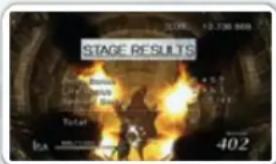
BOSS BONUS
Awards points based on how quickly you beat the main boss.
LIFE BONUS
Awards points based on your remaining health.
SPECIAL BONUS
Awards points based on how many medals you acquired.
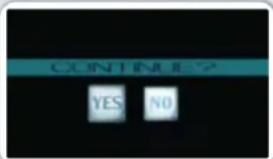
Game Over
When your health reaches zero, you will be presented with the option to continue. Select Yes to resume your game from the last checkpoint reached. Select No to review your scores for your last play through.
SCORE UPLOAD
If you score a personal best during a stage, you'll be asked to update your score on the online leaderboards, see PG 19 via Nintendo Wi-Fi Connection. Your best scores may also be uploaded afterward from the Personal Bests screen, see PG 19.
ACTIONS
Isa and Kachi are capable of a variety of actions, which are explained below. Their basic maneuvers are identical.

Move
Tilt Ⓞ to move your character in the corresponding direction.

Jump
Press to jump.
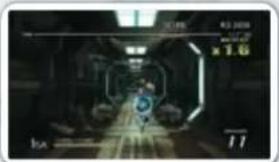

Evade
Press to evade. Tilt in any direction, and press Z to evade in that direction. Your character is invincible while evading.
natural_image
Interior view of a futuristic sci-fi game with glowing elements and no visible text or symbols
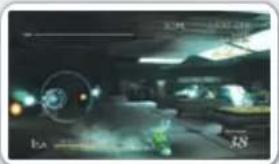
Hover
Tilt ◎ up to start hovering. While hovering, you can move in all directions with ◎.
SIN & PUNISHMENT
ACTIONS

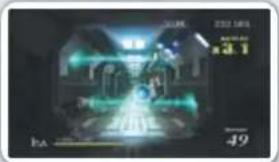
Aim
Point the Wii Remote at a location on the screen to move your reticle to that location.
Reticle
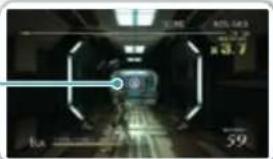
Shoot
Press to fire your weapon. You will continue firing for as long as you hold down the button.
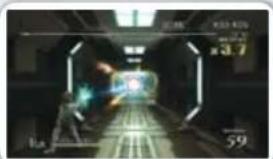
Lock On
With your reticle placed over a target, tap A0 lock on to the target. Press A once more to cancel the lock-on.
Shots fired while locked will automatically track the target's movement, but they are less powerful than normal shots.
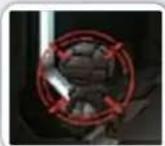
AIMING SYSTEMS
Isa and Kachi have different aiming systems. When playing as Isa, locking on to a target must be performed manually. When playing as Kachi, the reticle will automatically lock on to the first target it makes contact with while you're firing.
Melee Attack
Quickly tap 📄 unleash a powerful, close-range blow. You can link up to three melee attacks into a powerful combo by repeatedly pressing B. Each successive strike in the combo deals more damage, but takes more time to recover from.
natural_image
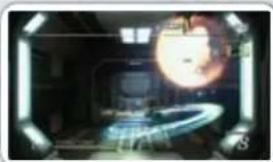
Interior view of a spacecraft with a glowing orb and control panel (no visible text or symbols)COUNTERING PROJECTILES
You can redirect certain enemy projectiles by hitting them with your melee attack. Projectiles you redirect will fly toward the area where your reticle is positioned at the moment of contact. Lock on to a target before countering an incoming projectile to send the projectile at that target.
natural_image
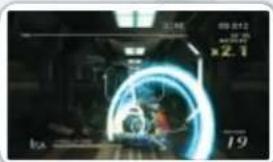
Nighttime action scene with a glowing blue circular light source and a figure in motion (no readable text or symbols)Charge Shot
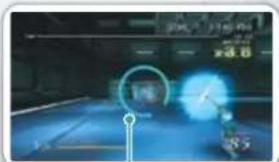
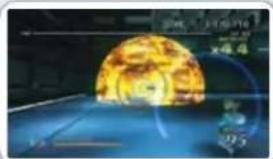
Press and hold to fill the gauge around your reticle. Once the gauge is full, release to fire off a high-powered charge shot.

natural_image
Digital illustration of a glowing celestial body with a blue background and faint digital overlays (no readable text or symbols)Charge Shot Gauge
Charge shots are extremely powerful, but they need to recharge between each use. You must wait until the gauge, shown in red, resets before you can unleash another blast.
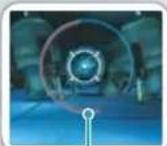
Gauge Cooling Down
SIN & PUNISHMENT
ACTIONS

natural_image
Illustration of a character in dynamic pose, wearing casual outfit with dynamic motion lines (no text or symbols)CHARGE SHOT VARIATIONS
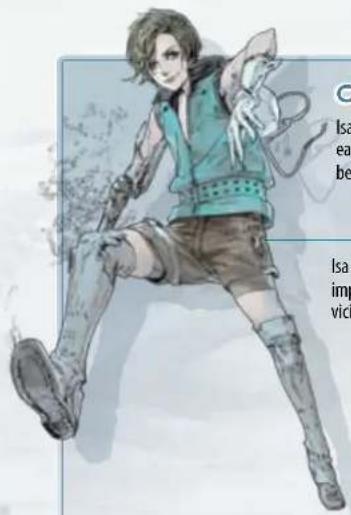
Isa Jo's and Kachi's charge shots differ greatly from each other. Use the strengths of each to achieve the best results in battle.
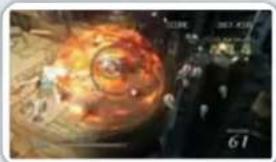
Isa Jo
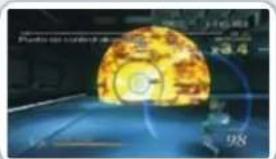
Isa Jo's charge shot explodes at the moment of impact. Both the target aimed at and targets in the vicinity will be damaged by the massive explosion.
natural_image
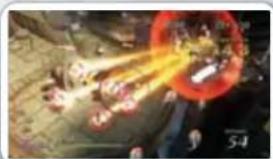
Illustration of a futuristic explosion or sci-fi scene with glowing elements and a dark background (no readable text or symbols)Kachi
Kachi's charge shot has homing capabilities and can lock on to multiple targets at once. Kachi's charge-shot gauge will fill as she locks on to a maximum of eight targets. You can choose to lock on to eight separate targets or lock on to a single target multiple times.
natural_image
Illustration of a glowing explosion or explosion with smoke and flame effects (no text or symbols)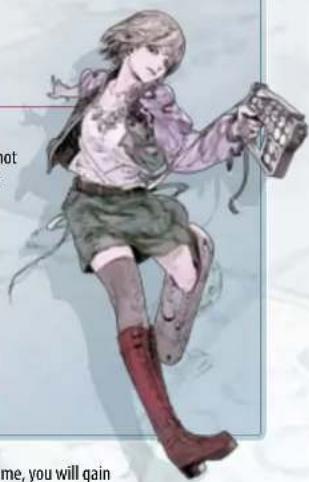
natural_image
Illustration of a female character in casual attire holding a book, with no visible text or symbolsOnce you've fulfilled a certain set of conditions in the game, you will gain the option to switch between Isa and Kachi midgame. Once this option is available, press (for the Wii Remote and Nunchuk and Classic Controller control schemes) to switch characters. If playing with the Nintendo GameCube Controller or the Wii Zapper, you can switch characters by pressing Ⓐ.
RANKINGS
Log on to Nintendo Wi-Fi Connection to view online leaderboards* and upload your own scores. *Broadband Internet connection is required to access online features/data.
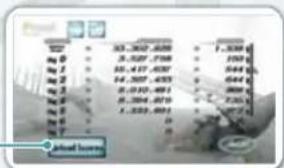
Personal Bests
Review your best scores for each stage and difficulty here. Select the Upload Scores option to post your scores to the online leaderboard.
Upload Scores
This icon will only appear when you have a new high score that you haven't uploaded to the online leaderboards.
Online Leaderboard
Select this option to log on to Nintendo Wi-Fi Connection and access the latest leaderboard data. Choose the stage, character, difficulty, and location, and then choose View Rankings to see the top scores.
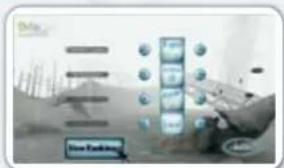
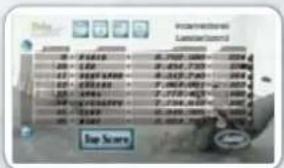
LEADERBOARD DATA
After accessing the leaderboard data, you can see the best scores for your chosen settings, as well as where your score slots within the rankings.
bar
| Category | Top Score | |---|---| | 1 | 8.564 | | 2 | 7.50 | | 3 | 9.564 | | 4 | 8.564 | | 5 | 7.50 | | 6 | 9.564 | | 7 | 7.50 | | 8 | 9.564 | | 9 | 7.50 | | 10 | 9.564 | | 11 | 7.50 | | 12 | 9.564 | | 13 | 7.50 | | 14 | 9.564 | | 15 | 7.50 | | 16 | 9.564 | | 17 | 7.50 | | 18 | 9.564 | | 19 | 7.50 | | 20 | 9.564 | | 21 | 7.50 | | 22 | 9.564 | | 23 | 7.50 | | 24 | 9.564 | | 25 | 7.50 | | 26 | 9.564 | | 27 | 7.50 | | 28 | 9.564 | | 29 | 7.50 | | 30 | 9.564 | | 31 | 7.50 | | 32 | 9.564 | | 33 | 7.50 | | 34 | 9.564 | | 35 | 7.50 | | 36 | 9.564 | | 37 | 7.50 | | 38 | 9.564 | | 39 | 7.50 | | 40 | 9.564 | | 41 | 7.50 | | 42 | 9.564 | | 43 | 7.50 | | 44 | 9.564 | | 45 | 7.50 | | 46 | 9.564 | | 47 | 7.50 | | 48 | 9.564 | | 49 | 7.50 | | 50 | 9.564 | | 51 | 7.50 | | 52 | 9.564 | | 53 | 7.50 | | 54 | 9.564 | | 55 | 7.50 | | 56 | 9.564 | | 57 | 7.50 | | 58 | 9.564 | | 59 | 7.50 | | 60 | 9.564 | | 61 | 7.50 | | 62 | 9.564 | | 63 | 7.50 | | 64 | 9.564 | | 65 | 7.50 | | 66 | 9.564 | | 67 | 7.50 | | 68 | 9.564 | | 69 | 7.50 | | 70 | 9.564 | | 71 | 7.50 | | 72 | 9.564 | | 73 | 7.50 | | 74 | 9.564 | | 75 | 7.50 | | 76 | 9.564 | | 77 | 7.50 | | 78 | 9.564 | | 79 | 7.50 | | 80 | 9.564 | | 81 | 7.50 | | 82 | 9.564 | | 83 | 7.50 | | 84 | 9.564 | | 85 | 7.50 | | 86 | 9.564 | | 87 | 7.50 | | 88 | 9.564 | | 89 | 7.50 | | 90 | 9.564 | | 91 | 7.50 | | 92 | 9.564 | | 93 | 7.50 | | 94 | 9.564 | | 95 | 7.50 | | 96 | 9.564 | | 97 | 7.50 | | 98 | 9.564 | | 99 | 7.50 | |100 |100NINTENDO WI-FI CONNECTION
IMPORTANT: To protect your privacy, do not give out personal information such as last name, phone number, birth date, age, school, e-mail, or home address when communicating with others.
The End User License Agreement that governs Wii online game play and sets forth the Wii Privacy Policy is available in the Wii console's System Settings and online at support.nintendo.com/wiipr Privacy.jsp.
SIN & PUNISHMENT
RANKING & OPTIONS

OPTIONS
You can adjust various settings related to game play in the Options menu.

Player 1 Controller Settings

Adjust controller settings for Player 1. You can customize your controls for each control scheme and set which controller you want the game to give priority to.

Player 2 Controller Settings

Adjust controller settings for Player 2.

Display Settings

Adjust settings related to display, such as the size and position of on-screen game info. You can also change the language of subtitles.

Sound Settings

Adjust the volume for the game's cutscenes, sound effects, and music. You can also switch the voice language between English and Japanese.

Save Data

Adjust options related to saving data.
AUTOSAVE
MANUAL SAVE
When enabled, the autosave function saves your game each time you reach a checkpoint, complete a stage, arrive at the Game Over screen, or adjust settings.
Select this to manually save your current settings and game progress.
*If you disable the autosave feature, you must manually save your game to record your progress.

SIN & PUNISHMENT
CREDITS
Main Programming Atsutomo Nakagawa
Enemy Programming
Atsutomo Nakagawa
Natsuki Nishimura
Masaki Ukyo
Syun Kinbara
Soichiro Takahashi
Yuuki Mibu
Hiroto Matsuura
Support Programming
Kazuhiko Ishida
Katsuhiro Sanjyo
Art Direction
Yasushi Suzuki
Background Design
Tsutomu Adachi
Mitsunobu Ochi
Model Design
Yasushi Suzuki
Yuhei Fujita
Tsutomu Adachi
Naoki Kitagawa
Makoto Ogino
Nobuaki Ebihara
Effects Design
Makoto Ogino
Motion Direction
Hideyuki Takehana
Motion Design
Hideyuki Takehana
Yoshihiro Komatsu
Mutsuo Oomiya
Satoshi Tetsuka
Yuhei Fujita
Music Composition
Norio Hanzawa
Sound Effects
Satoshi Murata
"Kinder Days"
Lyrics/Composition
Eiji Mazawa
Arrangement
Eiji Mazawa
Yasushi Koseki
Vocals
Ayumi (version A)
"Kinder Days"
Lyrics/Composition
Eiji Mazawa
Arrangement
Eiji Mazawa
Yasushi Koseki
Vocals
Localization Management
Jeff Miller
Leslie Swan
Nate Bihldorff
Reiko Ninomiya
Tim O'Leary
Localization
Julian Chunovic
Eric M. Smith
Joanie Grenader
César Pérez
NOA Product Testing
NOA Design
Special Thanks
Release Universal Network Co., Ltd.
Peace Co., Ltd.
ATTIC Co., Ltd.
ASORA Co., Ltd
MAUSU PROMOTION Co., Ltd.
Director
Atsutomo Nakagawa
Illustration
Yasushi Suzuki
Planning
Atsutomo Nakagawa
Yasushi Suzuki
Hideyuki Suganami
Supervisors
Yurie Hattori
Shingo Matsushita
Producers
Masato Maegawa
Hitoshi Yamagami
Executive Producer
Satoru Iwata
All Rights, including the copyrights of
Game, Scenario, Music and Program,
reserved by NINTENDO and TREASURE.
WARRANTY & SERVICE INFORMATION
REV-R
You may need only simple instructions to correct a problem with your product. Try our website at support.nintendo.com or call our Consumer Assistance Hotline at 1-800-255-3700, rather than going to your retailer. Hours of operation are 6 a.m. to 7 p.m., Pacific Time, Monday - Sunday (times subject to change). If the problem cannot be solved with the troubleshooting information available online or over the telephone, you will be offered express factory service through Nintendo. Please do not send any products to Nintendo without contacting us first.
HARDWARE WARRANTY
Nintendo of America Inc. ("Nintendo") warrants to the original purchaser that the hardware product shall be free from defects in material and workmanship for twelve (12) months from the date of purchase. If a defect covered by this warranty occurs during this warranty period, Nintendo will repair or replace the defective hardware product or component, free of charge.* The original purchaser is entitled to this warranty only if the date of purchase is registered at point of sale or the consumer can demonstrate, to Nintendo's satisfaction, that the product was purchased within the last 12 months.
GAME & ACCESSORY WARRANTY
Nintendo warrants to the original purchaser that the product (games and accessories) shall be free from defects in material and workmanship for a period of three (3) months from the date of purchase. If a defect covered by this warranty occurs during this three (3) month warranty period, Nintendo will repair or replace the defective product, free of charge.*
SERVICE AFTER EXPIRATION OF WARRANTY
Please try our website at support.nintendo.com or call the Consumer Assistance Hotline at 1-800-255-3700 for troubleshooting information and repair or replacement options and pricing.*
*In some instances, it may be necessary for you to ship the complete product, FREIGHT PREPAID AND INSURED FOR LOSS OR DAMAGE, to Nintendo. Please do not send any products to Nintendo without contacting us first.
WARRANTY LIMITATIONS
THIS WARRANTY SHALL NOT APPLY IF THIS PRODUCT: (a) IS USED WITH PRODUCTS NOT SOLD OR LICENSED BY NINTENDO (INCLUDING, BUT NOT LIMITED TO, NON-LICENSED GAME ENHANCEMENT AND COPIER DEVICES, ADAPTERS, SOFTWARE, AND POWER SUPPLIES); (b) IS USED FOR COMMERCIAL PURPOSES (INCLUDING RENTAL); (c) IS MODIFIED OR TAMPERED WITH; (d) IS DAMAGED BY NEGLIGENCE, ACCIDENT, UNREASONABLE USE, OR BY OTHER CAUSES UNRELATED TO DEFECTIVE MATERIALS OR WORKMANSHIP; OR (e) HAS HAD THE SERIAL NUMBER ALTERED, DEFACED OR REMOVED.
ANY APPLICABLE IMPLIED WARRANTIES, INCLUDING WARRANTIES OF MERCHANTABILITY AND FITNESS FOR A PARTICULAR PURPOSE, ARE HEREBY LIMITED IN DURATION TO THE WARRANTY PERIODS DESCRIBED ABOVE (12 MONTHS OR 3 MONTHS, AS APPLICABLE). IN NO EVENT SHALL NINTENDO BE LIABLE FOR CONSEQUENTIAL OR INCIDENTAL DAMAGES RESULTING FROM THE BREACH OF ANY IMPLIED OR EXPRESS WARRANTIES. SOME STATES DO NOT ALLOW LIMITATIONS ON HOW LONG AN IMPLIED WARRANTY LASTS OR EXCLUSION OF CONSEQUENTIAL OR INCIDENTAL DAMAGES, SO THE ABOVE LIMITATIONS MAY NOT APPLY TO YOU.
This warranty gives you specific legal rights. You may also have other rights which vary from state to state or province to province.
Nintendo's address is: Nintendo of America Inc., P.O. Box 957, Redmond, WA 98073-0957 U.S.A.
This warranty is only valid in the United States and Canada.

© 2009 - 2010 Nintendo/TREASURE. TM, ^* and the Wii logo are trademarks of Nintendo. © 2010 Nintendo.
VEUILLEZ LIRE ATTENTIVEMENT L'INTÉGRALITÉ DU MODE D'EMPLOI DE LA Wii™ AVANT D'UTILISER VOTRE CONSOLE, VOTRE DISQUE DE JEU OU VOS ACCESSOIRES Wii. CE MODE D'EMPLOI CONTIENT D'IMPORTANTES INFORMATIONS SUR VOTRE SANTÉ ET VOTRE SÉCURITÉ.
INFORMATIONS IMPORTANTES CONCERNANT VOTRE SÉCURITÉ : VEUILLEZ LIRE LES PRÉCAUTIONS SUIVANTES AVANT QUE VOUS OU QUE VOTRE ENFANT NE JOUIEZ À DES JEUX VIDÉO.
AUCUNE SAUVEGARDE
POUBELLE
UN JOUEUR
natural_image
Top-down view of a character in a circular arena with glowing elements and a numbered marker (no readable text or symbols)Jauge d'énergie
natural_image
Interior view of a futuristic sci-fi game corridor with glowing elements and no visible text or symbols
Esquiver
natural_image
Interior view of a dimly lit room with visible furniture and lighting (no readable text or symbols)
Flotter
natural_image
Interior view of a futuristic corridor with glowing blue light trails and control panels (no readable text or symbols)SIN & PUNTISHMENT
ACTIONS

Viser

Tirer

natural_image
Futuristic digital interface with glowing green elements and a central screen (no readable text or symbols)Tir chargé
natural_image
Digital game interface showing a blue circular speedometer and a glowing object (no readable text or symbols)

natural_image
Digital illustration of a futuristic spacecraft with a large yellow orbital path and blue trajectory lines (no text or symbols)Jauge du tir chargé
natural_image
Illustration of a character in dynamic pose, wearing casual outfit with dynamic elements like shoes and boots (no text or symbols)DIFFÉRENTS TIRS CHARGÉS
natural_image
Aerial view of a chaotic scene with a central figure, smoke, and surrounding figures (no readable text or symbols)Kachi
natural_image
Illustration of a glowing, futuristic scene with a circular object and surrounding figures (no visible text or symbols)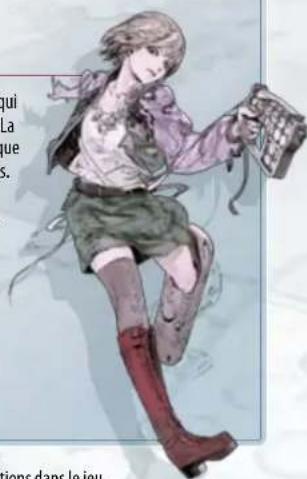
natural_image
Illustration of a female character in a skirt holding a device, with no visible text or symbols.DONNÉES DES CLASSEMENTS EN LIGNE
CLASSEMENTS & OPTIONS

OPTIONS
1 JUGADOR
Barra de vitalidad
Menú de pausa
Esquivar
natural_image
Nighttime action scene with glowing green characters and a vehicle in the background (no readable text or symbols)Moverse en el aire
natural_image
Dark scene with a glowing green object and blue circular elements, no readable text or symbolsCargar un tiro

natural_image
Illustration of a yellow spherical object with glowing elements, possibly a mechanical or electronic component, against a dark blue background (no readable text or symbols)natural_image
Illustration of a character in dynamic pose, wearing casual outfit with boots and a sleeveless shirt (no text or symbols)TIPOS DE DISPARO CARGADO
natural_image
Illustration of a celestial body with a spiral galaxy and surrounding stars (no text or symbols)Kachi
natural_image
Illustration of a chaotic battle scene with explosions and soldiers (no visible text or symbols)