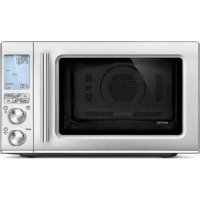
The Combi Wave 3 in 1 BMO870 - Microwave Oven BREVILLE - Free user manual and instructions
Find the device manual for free The Combi Wave 3 in 1 BMO870 BREVILLE in PDF.


| Product Type | 3-in-1 Combination Microwave Oven (microwave, convection, grill, air fry) |
| Brand | Breville |
| Model | The Combi Wave 3 in 1 BMO870 |
| External Dimensions (H x W x D) | 316 mm x 519 mm x 513 mm (with handle) / 490 mm (without handle) |
| Net Weight | Approximately 15.4 kg |
| Oven Capacity | 32 L / 1.1 cu ft |
| Turntable Diameter | 315 mm |
| Power Supply | 120 V~ 60 Hz, 1,400 W (total input) |
| Microwave Input Power | 1,200 W |
| Microwave Output Power | 1,100 W, 2,450 MHz |
| Convection Input Power | 1,400 W |
| Grill Input Power | 1,100 W |
| Main Functions | Quick Combo, Already Frozen, Air Fry, Oven, Microwave, Grill, Smart Cook, Smart Reheat, Smart Defrost, Food Menu, A BIT MORE™, Keep Warm, Favorite |
| Microwave Power Levels | 10 levels (10% to 100%) |
| Maximum Timer | 95 minutes |
| Display | LCD with backlight |
| Included Accessories | Glass turntable, turntable tray, combined crisper pan with legs, wire rack |
| Safety | Child lock, stop/pause, sealing surfaces, door lock |
| Care and Cleaning | Wipe with a damp cloth and mild detergent; turntable dishwasher safe (top rack); combined crisper pan and rack dishwasher safe |
| Spare Parts and Repairability | Contact an authorized Breville service center for repairs; oven lamp replaceable by a professional |
| General Information | Household use only; do not install in a cabinet; minimum 20 cm clearance around and above |
Frequently Asked Questions - The Combi Wave 3 in 1 BMO870 BREVILLE
User questions about The Combi Wave 3 in 1 BMO870 BREVILLE
0 question about this device. Answer the ones you know or ask your own.
Ask a new question about this device
Download the instructions for your Microwave Oven in PDF format for free! Find your manual The Combi Wave 3 in 1 BMO870 - BREVILLE and take your electronic device back in hand. On this page are published all the documents necessary for the use of your device. The Combi Wave 3 in 1 BMO870 by BREVILLE.
USER MANUAL The Combi Wave 3 in 1 BMO870 BREVILLE
the Combi Wave ^m 3 in 1
EN INSTRUCTION BOOK FR-CA MANUEL D'INSTRUCTIONS ES-MX MANUAL DE INSTRUCCIONES
Contents
2 Breville Recommends Safety First
14 Components
15 Assembly
17 Functions
23 Cooking Functions
-FAST COMBI 23
-FROM FROZEN 23
-AIRFRY 24
-OVEN 25
-MICROWAVE 25
-GRILL 26
-SMARTCOOK 26
-SMART REHEAT 30
-SMARTDEFROST31
34 Hints & Tips
35 Care & Cleaning
36 Troubleshooting
BREVILLE RECOMMENDS SAFETY FIRST
At Breville we are very safety conscious. We design and manufacture consumer products with the safety of you, our valued customer, foremost in mind. In addition we ask that you exercise a degree of care when using any electrical appliance and adhere to the following precautions.
IMPORTANT SAFETY INSTRUCTIO

When using electrical appliances basic safety precautions should be followed, including the following:

WARNING
- To reduce the risk of burns, explosion, electric shock, or to prevent damage to property, personal injury, or loss of life, or exposure to excessive microwave energy:
READ ALL INSTRUCTIONS BEFORE USE AND SAVE FOR FUTURE REFERENCE
- Do not remove the microwave guide cover placed on the right panel inside the cavity. This sheet is not part of the packaging and needs to remain inside the microwave cavity. Please refer to the BMO870 Components on page 14.
-
Remove and safely discard any packaging material and promotional labels before using the Breville microwave oven for the first time.
-
Read and follow the specific "PRECAUTIONS TO AVOID POSSIBLE EXPOSURE TO EXCESSIVE MICROWAVE ENERGY" found on page 10.
- This appliance must be grounded. Connect only to properly grounded outlet. See "GROUNDING INSTRUCTIONS" found on page 12.
- Microwave oven is not intended to be mounted below a height of 3ft (916mm) above the floor level.
- The outer housing of the oven may be hot during and after cooking. Please do not touch hot surfaces. Always keep the power cord of this oven, and those of other appliances near the oven, clear from the oven housing.
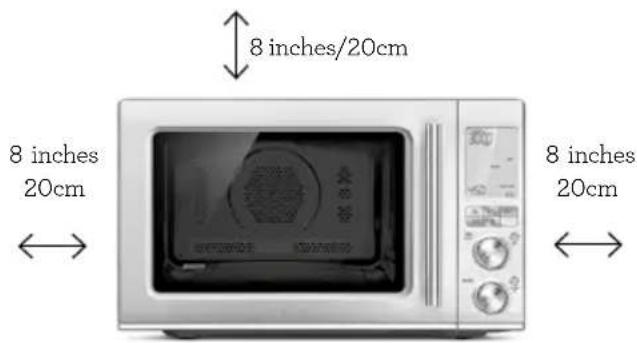
- The oven is not suitable to be used in a small appliance enclosure. Ensure to leave adequate space all around the oven. Minimum space of 8 inches/20cm is recommended.
- Install and locate this appliance only in accordance with the supplied installation instructions on page 15.

WARNING
- Some products such as whole eggs and sealed containers
(for example, closed glass jars), have the potential to explode and should not be heated in this oven.
- Use this appliance only for its intended use as described in the manual. Do not use corrosive chemicals or vapors in this appliance. This type of oven is specifically designed to heat, cook, or dry food. It is not designed for industrial or laboratory use.
- As with any appliance, close supervision is required when used by children.
Children should be supervised to ensure that they do not play with the appliance.

WARNING
- This appliance is not intended for use by persons (including children) with reduced physical, sensory or mental capabilities, or lack of experience and knowledge, unless they have been given supervision or instruction concerning use of the appliance by a person responsible for their safety.
- Regularly inspect the power cord. Do not operate this appliance if it has a damaged cord or plug, when it is not working properly, or when it has been damaged or dropped.
Immediately stop using the appliance and contact Breville Consumer Support.

WARNING
- This appliance shall be serviced only by qualified personnel. Contact Breville Consumer Support or the nearest Breville Authorized Servicer for examination, repair or adjustment.
- Do not cover or block any openings on the appliance.
- Do not store this appliance outdoors.
- Do not use this product near water, for example, near a kitchen sink, in a wet basement, near a swimming pool, or similar location.
- Do not immerse cord or plug in water.
- Keep cord away from heated surfaces.
- Do not let cord hang over edge of table or counter, touch hot surfaces or become knotted.
- To reduce the risk of fire in the oven cavity:
i) Do not overcook food. Carefully attend appliance when paper, plastic, or other combustible materials are placed inside the oven to facilitate cooking.
ii) Remove wire twist-ties from paper or plastic bags before placing bag in oven.
iii) In the event materials inside the oven ignite, keep oven door closed, turn oven off, and disconnect the power cord, or shut off power at the fuse or circuit breaker panel.
iv) Do not use the cavity for storage purpose. Do not leave paper products, cooking utensils, or food in the cavity when not in use.
- Always operate the microwave oven on a heat-resistant surface. Do not use on a cloth-covered surface, near curtains or other flammable materials.
- Do not use the oven without the turntable roller and glass turntable in place. Ensure the glass turntable is positioned correctly into the indents on the turntable roller.
- Never use the microwave oven without food or water in the oven cavity. Operating the microwave oven when empty could cause damage to the appliance.
- Do not leave the microwave oven unattended when in use.
-
Do not touch hot surfaces. Allow the microwave oven to cool entirely before moving or cleaning any parts.
-
Always press the STOP/CLEAR button and return to the default screen prior to unplugging the unit from the wall outlet before:
- The appliance is to be left unattended.
-If not in use. - Before moving or assembly.
-When storing the appliance.
-Cleaning (see page 35). - Keep the appliance clean. Follow the cleaning instructions provided in this book.
- The appliance shall not be cleaned with a steam cleaner.
- Do not operate this appliance when it has a damaged cord or plug, when it is not working properly, or when it has been damaged or dropped.
- When cleaning surfaces of door and oven that come together on closing the door, use only mild, non-abrasive soaps, or detergents applied with a sponge or soft cloth. The use of corrosive chemicals in cleaning will damage the appliance and may result in radiation leaks.
-
Do not place the microwave oven near the edge of a bench or table during operation. Ensure all surfaces are level, clean and free of water or any other substances.
-
Do not place the microwave oven on or near a hot gas or electric burner, or where it could touch a heated oven.
- When using the microwave oven, provide adequate air space above and on all sides for air circulation (see page 15, Installation point 2).
- Microwave oven is to be used as free-standing unit. Do not build in or enclose microwave oven in a cabinet or confined space as it will cause overheating. (Refer to Installation section on page 15).
- Do not use the microwave oven on a metal surface, for example a sink drain board.
- The microwave oven is not intended to be operated by means of external timer or separate remote-control system.
- Liquids, such as water, coffee or tea are able to be overheated beyond the boiling point without appearing to be boiling. Visible bubbling or boiling when the container is removed from the microwave oven is not always present.
THIS COULD RESULT IN VERY HOT LIQUIDS SUDDENLY BOILING OVER WHEN THE CONTAINER IS DISTURBED OR A UTENSIL IS INSERTED INTO THE LIQUID.
IMPORTANT SAFEGUARDS FOR ALL ELECTRICAL APPLIANCES
- This appliance is for household use only. Do not use the appliance for anything other than its intended purposes as described in this manual. Do not use outdoors. Do not use in moving vehicles, boats or planes.
- Fully unwind the power cord before use.
- We recommend a separate circuit dedicated to serving only this microwave oven.
- A short power cord is supplied to reduce the risks resulting from becoming entangled in or tripping over a longer cord.
- To protect against electric shock do not immerse the power cord, power plug or appliance in water or any other liquid.
- Do not disconnect or tamper with the power cord or the
power outlet while the unit is operating.
- When storing the microwave oven, loosely wind the cord. Do not wrap the cord around the microwave oven.
- The glass window has been specially treated to make it stronger, more durable and safer than ordinary glass, however it is not unbreakable. If dropped or struck extremely hard, it may break or weaken, and could at a later time shatter into many small pieces without apparent cause.
- Regularly inspect the power cord and actual appliance for any damage. Do not operate if damaged in any way, or if it is not working properly, or if it has been dropped. Immediately stop using the appliance, unplug or disconnect power and call Breville Consumer Support.
- For any maintenance other than cleaning, contact Breville Consumer Support.
-
Position the appliance at a minimum distance 8 inches /20cm away from side walls and 8 inches from top, curtains and other heat or steam sensitive materials and provide adequate space above and on all sides for air circulation.
-
Do not disconnect the microwave oven from the power supply by pulling on the cord.
- The installation of a residual current device (safety switch) is recommended to provide additional safety protection when using electrical appliances. It is advisable that a safety switch with a rated residual operating current not exceeding 30mA be installed in the electrical circuit supplying the appliance. See your electrician for professional advice.
- The appliance must be used on a properly grounded outlet. If you are not sure if the power outlets are properly grounded, please consult your electrician.
- Do not, under any circumstances, modify the power plug or use an adapter.
SPECIAL SAFETY INSTRUCTIONS FOR YOUR MICROWAVE OVEN
-
The microwave oven is intended for heating food and beverages. Drying of food or clothing and heating of warming pads, slippers, sponges, damp cloths and similar may lead to risk of injury, ignition or fire.
-
Ensure all food containers and/or plates are suitable for use in the microwave oven. This should be done prior to preparing food for heating or cooking in the microwave oven. Monitor foods and liquids heating or cooking in the microwave oven at all times due to the possibility of containers igniting.
- All suitable glass or plastic food containers should be used in strict compliance with the cookware manufacturer's recommendations.
- Food and/or liquids should not be heated or cooked directly on the glass turntable.
They must be placed into a suitable microwave-proof container before placing onto the glass turntable.
- Food and/or liquids should not be heated or cooked in plastic or paper containers or bags, unless specified as suitable for use by the manufacturer, due to the possibility of containers exploding or igniting.
Metal clips or twist ties should be removed from the packaging as these could cause sparking and/or fire. - Do not use recycled paper or paper towels when cooking.
Recycled paper may contain small metal or other impurities which could cause sparking and/or fire.
- Do not use metal containers or utensils in the microwave oven as these could cause sparking and/or fire except the accessories provided with this microwave oven.
- Food grade foil should not be used in the microwave oven as this could cause sparking and/or fire.
- Ensure that lids and caps covering containers are removed prior to placing liquids and/or foods into the microwave oven.
- Feeding bottles and baby food jars should have lids and caps removed before warming or heating in the microwave oven. To avoid burns or scalding after heating, the contents should be stirred or shaken and the temperature checked before serving.
Always ensure the temperature of food or drink which has been heated or cooked in the microwave oven has been tested before eating, drinking or serving. - Some containers and/or plates may appear suitable for use in the microwave oven but
may be coated in a glaze that will absorb the microwave energy, overheat and cause the container to crack. The glaze may also prevent the food from heating/cooking.
- Utensils should be checked to ensure that they are suitable for use in microwave ovens.
- Allow proper cool down time for heated food or drink before handling or serving from the microwave oven. Always test before eating, drinking or serving to others, especially children, disabled or elderly.
- If cooking meat, poultry or fish, always make sure they are cooked thoroughly and measured with an appropriate temperature registering device to help protect against foodborne illness.
- Do not heat popcorn in the microwave oven unless it has been commercially packaged for microwave oven use. There may be a number of un-popped kernels that may overcook and burn when popping popcorn.
-
Do not cook any food surrounded by a membrane (such as potatoes, chicken liver, egg yolks, oysters, etc) without first piercing the membrane several times with a fork or similar utensil.
-
"Boilable" cooking pouches, bags or containers should always be slit, pierced or vented as directed by the package. If they are not, plastic or packaging could burst resulting in burns and injury.
Always allow items to cool down before opening or handling. Use caution when opening or handling. - Use caution when opening bags, pouches, lids or containers as hot steam, food or liquid can escape causing burns or injury.
- Eggs in the shell and whole hard-boiled eggs should not be cooked or heated in the microwave oven as they may explode during cooking, at the end of cooking or after removing from microwave oven.
- Caution should be taken when toasting and grilling high oil content foods, such as pine nuts and walnuts. They may catch fire. If this occurs, please keep the oven door closed and switch off and unplug oven until flame has extinguished.
-
Do not heat oil or fat in the microwave oven. Doing so may cause the microwave oven and/or the oil to overheat and/or ignite.
-
If smoke is observed, switch off and unplug the microwave oven at the power outlet. Keep the door closed to stifle any flames.
- If you see any sparks, arcing or flashing within the microwave oven, press the STOP/CLEAR button and correct the problem or contact Breville Consumer Support for assistance.
- Wipe the oven cavity with a soft, damp cloth after each use. Leaving food residue, grease or fat in the cavity could cause the microwave oven cavity to overheat and may cause the microwave oven to smoke or catch fire.
- Allow glass turntable to cool down to room temperature before washing or placing in cold water.
- The microwave oven should be cleaned regularly and any food splattering inside the cavity should be removed. Failure to maintain the microwave oven in a clean condition could lead to deterioration of the surface, adversely affecting the life of the microwave oven and possibly resulting in a hazardous situation.
- Do no attempt to operate the microwave oven by any method other than those
described in this instruction book.
- When heating food in plastic or paper containers, keep an eye on the oven due to the possibility of ignition.

WARNING
- Liquids and other foods must not be heated in sealed containers since they are liable to explode.
COMBINATION MICROWAVE OVENS
- Oversized food or oversized metal utensils should not be inserted in a microwave oven as they may create fire or risk of electric shock.
- Do not store any materials, other than manufacturer's recommended accessories, in this microwave oven when not in use.
- Do not cover racks or any other part of the oven with metal foil. This will cause overheating of the microwave oven.
- Do not clean with metal scouring pads. Pieces can burn off the pad and touch electrical parts involving a risk of electric shock.
- Do not use paper products when appliance is operated in combination mode.
PRECAUTIONS TO AVOID POSSIBLE EXPOSURE TO EXCESSIVE MICROWAVE ENERGY
- Do not attempt to operate this oven with the door open since open-door operation can result in harmful exposure to microwave energy. It is important not to defeat or tamper with the safety interlocks.
- Do not place any object between the oven front face and the door or allow soil or cleaner residue to accumulate on sealing surfaces.

WARNING
- If the door or door seals are damaged, the oven must not be operated. Immediately cease use and call Breville Consumer Support for examination, repair or adjustment. It is particularly important that the oven door close properly and that there is no damage to the:
(1) Door (bent), (2) Hinges and latches (broken or loosened), (3) Door seals and sealing surfaces.
- Do not put any foreign material between the door and door jamb of the microwave oven
SUPERHEATED LIQUIDS
To reduce this risk of injury to persons:
- Liquids, such as water, coffee or tea can become heated above their boiling points without the appearance of boiling or bubbling. THIS COULD RESULT IN VERY HOT LIQUIDS SUDDENLY BOILING OVER WHEN THE CONTAINER OR LIQUID SURFACE IS DISTURBED OR WHEN A SPOON OR UTENSIL IS INSERTED INTO THE LIQUID.
- Do not overheat the liquid.
- Stir the liquid both before and halfway through heating it.
- Do not use straight-sided containers with narrow necks.
After heating, allow the container to stand in the microwave oven for a short time before removing the container. - Use extreme care when inserting a spoon or other utensil into the container.
RADIO INTERFERENCE
This device complies with part 15 of the FCC Rules. Operation is subject to the following two conditions: (1) This device may not cause harmful interference, and (2) this device must accept
any interference received, including interference that may cause undesired operation.

CAUTION
Changes or modifications not expressly approved by the party responsible for compliance could void the user's authority to operate the product. This device complies with Part 18 of the FCC Rules.

NOTE
This equipment has been tested and found to comply with the limits for a Class B digital device, pursuant to part 15 of the FCC Rules. These limits are designed to provide reasonable protection against harmful interference in a residential installation. This equipment generates, uses and can radiate radio frequency energy and, if not installed and used in accordance with the instructions, may cause harmful interference to radio communications. However, there is no guarantee that interference will not occur in a particular installation. If this equipment does cause harmful interference to radio or television reception, which can be determined by turning the equipment off and on, the user is encouraged to try
and correct the interference by one or more of the following measures:
- Reorient or relocate the receiving antenna.
- Increase the separation between the equipment and receiver.
- Connect the equipment into an outlet on a circuit different from that to which the receiver is connected.
- Consult the deal or an experienced radio/TC technician for help.
GROUNDING INSTRUCTIONS

WARNING
Improper use of the grounding can result in a risk of electric shock.
-
This appliance must be grounded. In the event of an electrical short circuit, grounding reduces the risk of electric shock by providing an escape wire for the electric current. This appliance is equipped with a cord having a grounding wire and grounding plug. The plug must be plugged into an outlet that is properly installed and grounded.
-
Consult a qualified electrician if the grounding instructions are not completely understood, or if doubt exists as to whether the appliance is properly grounded.
- Do not use an extension cord. If the power supply cord is too short, have a qualified electrician or serviceman install an outlet near the appliance.

NOTE
Do not use an adapter plug with this appliance. (Adapter plugs are not permitted in Canada).
SPECIFICATIONS
| Power Input | 120V~60Hz 1400W Microwave Input Power: 1 200 W Convection Input Power: 1 400W Grill Input Power: 1 100 W |
| Power Output | Microwave Output Power: 1 100 W 2 450MHz |
| Outside Dimensions | 12.5 inches/316mm (H) 20.4 inches/519mm (W) 20.2 inches/513mm (D) with handle 19.3 inches/490mm (D) without handle |
| Glass | |
| Turntable | 12.4 inches/315mm |
| Diameter | |
| Net Weight Approx. 33.9 lb (15.4kg) | |
| Oven Capacity 1.1 cu.ft./32 L | |
These specifications may change without notice.
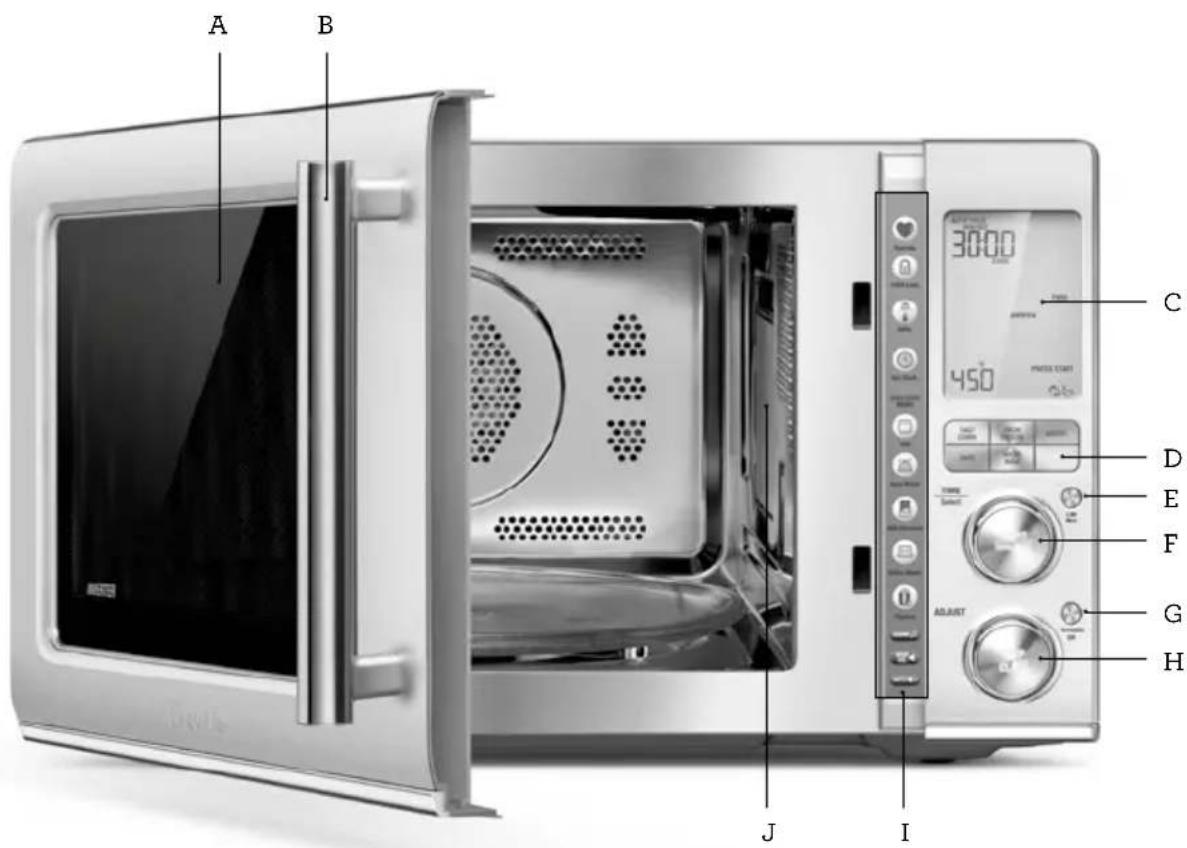
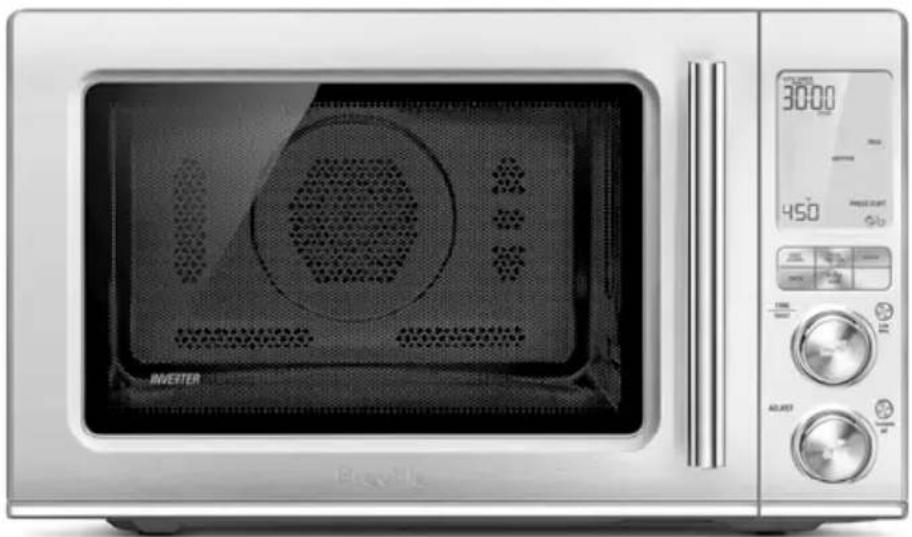
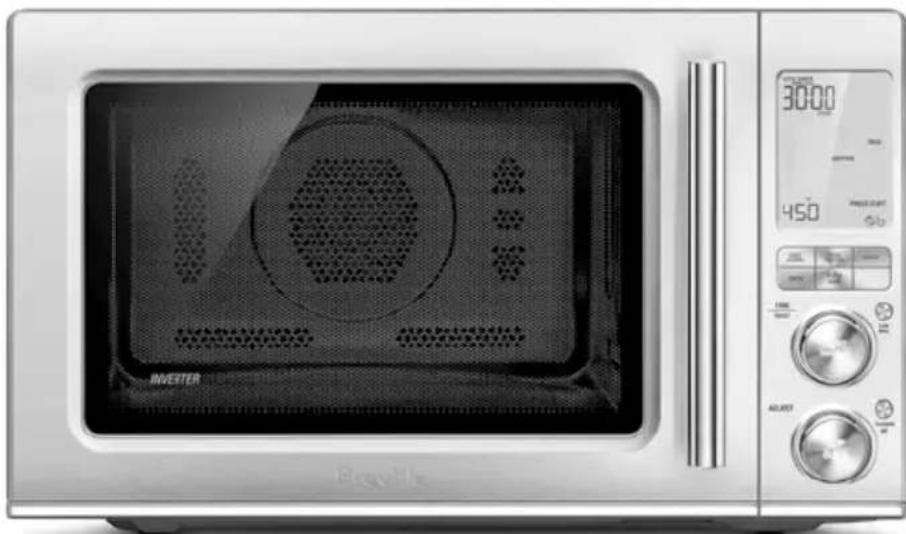
A. Viewing window
B. Door handle Pull handle to open.
C. LCD screen
D. Function buttons FAST COMBI, FROM FROZEN, AIRFRY, OVEN, MICROWAVE, FOOD MENU
E. A BIT MORE
F. Instant +30/START button & TIME/Select dial Each press adds 30 second increments at 100% power.
G. TURNTABLE OFF button Press once to stop the turntable from rotating during cooking. Press again to reactivate the turntable.
H. ADJUST dial & STOP/CLEAR button Turn dial to adjust the power level, weight & quantity that corresponds with the food type selected. Press once to pause without canceling the program. Press twice (or more if necessary) to clear the display.
I. Shortcuts panel Refer to operation section for detailed explanation.
J. Microwave Guide Cover Do not remove to ensure a safe operation.
Assembly
BEFORE FIRST USE
Before first use remove all promotional stickers and packaging material. Carefully unpack the microwave oven and keep all the packing material until all the parts of the microwave oven have been found and the appliance has been assembled. It is recommended to keep all the packing material in a safe place in case you wish to repack the product for shipping purposes.
To remove any dust that may have accumulated during packing, wash the turntable roller and glass turntable in warm soapy water, rinse in clean water then dry thoroughly. Wipe the interior and exterior of the microwave oven with a soft, damp cloth then dry thoroughly.
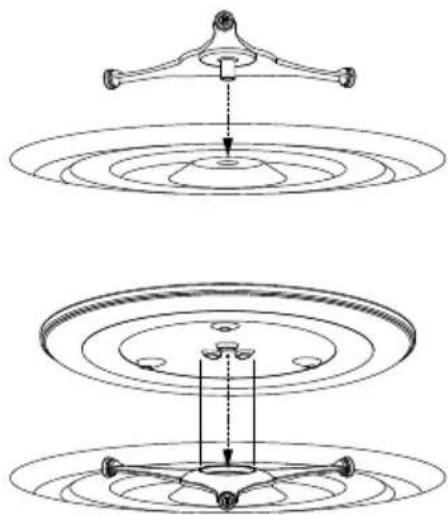
ASSEMBLING THE GLASS TURNTABLE
- Insert the turntable roller into position in the intended space in the oven cavity base.
- Place the glass turntable on top of the turntable roller, matching the indents of turntable roller at the center area.
- Select a level surface that provides enough open space for the intake and/or outlet vents.
-
A minimum clearance of 8 inches (20cm) is required between the microwave and any adjacent walls.
-
Leave a minimum clearance 8 inches (20cm) above the microwave.
-
Do not remove the legs from the bottom of the microwave.
-
Blocking the intake and/or outlet openings can damage the microwave.
- Place the microwave as far away from radios and TV as possible.
Operation of microwave may cause interference to your radio or TV reception. - Plug your microwave into a standard household outlet. Be sure the voltage and the frequency is the same as the voltage and the frequency on the rating label.
- The microwave must not be placed in a cabinet.

WARNING
- To avoid an electrical circuit overload, it is recommended that no other appliances are plugged into the same circuit as your microwave oven (or other products) when it is in use.
- Do not install oven over a range cooktop or other heat-producing appliances. If installed near or over a heat source, the oven could be damaged and the warranty would be void.
- Check the oven for any damage, such as misaligned or bent door, sealing surface, broken or loose door hinges and latches and dents inside the cavity or on the door. If there is any damage, do not operate the oven and contact a Breville service center.
- Do not immerse the microwave oven, power cord or plug in water or any other liquid.
USING THE COMBI CRISP PAN
- The Combi Crisp pan is ideal for crisping up items that can become soggy in the microwave, such as pizza, chicken nuggets and fries. The Combi Crisp Pan can be used in either the High or Low position depending on the size of the food or how much browning is desired. To reduce the risk of injury or causing damage to the microwave oven, always place the Combi Crisp Pan securely in the center of the turntable.
-
Do not place plates or dishes of any kind on the Combi Crisp pan as they may overheat and become damaged.
-
When the use of the Combi Crisp pan is required for the selected cooking function, the words 'USE PAN' or 'USE PAN LEGS' will appear on the screen.
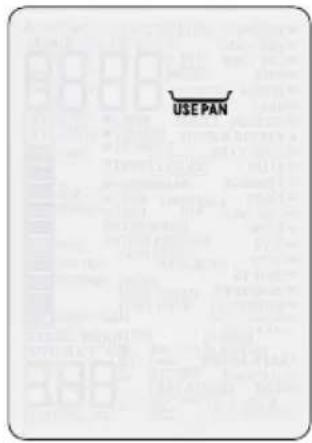
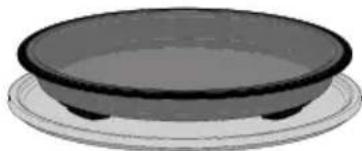
Screen displays 'USE PAN'
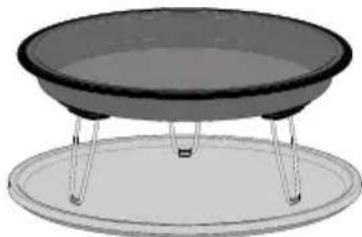
Screen displays 'USE PAN LEGS'

CAUTION
The Combi Crisp pan surfaces and legs are hot during and after operation. This accessory is only to be used with the BMO870.

Functions
SETTING THE CLOCK- 12 OR 24-HOUR CLOCK DISPLAY
Press SET CLOCK on shortcuts panel The clock can be set as 12- or 24-hour clock display. When entering the SET CLOCK setting, '12' will flash. To select a 12-hour clock display, press START to confirm the selection.
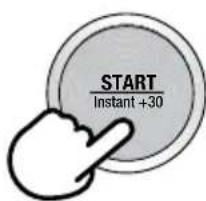
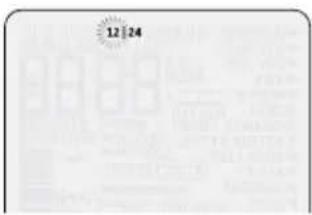
To select a 24-hour clock display, turn the START/TIME or ADJUST dials clockwise. The number '24' will flash. Press the START button to confirm the selection.
The default time is 12:00. The highlighted digits will flash to show it can be adjusted.
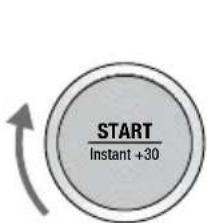
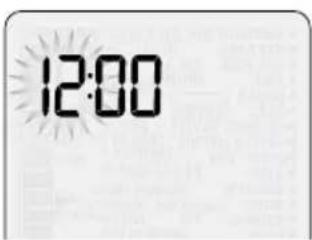
Turn TIME dial to adjust hours and press START button to confirm.
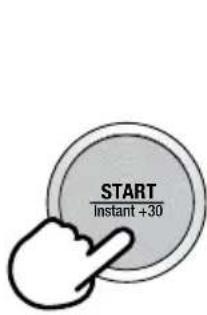
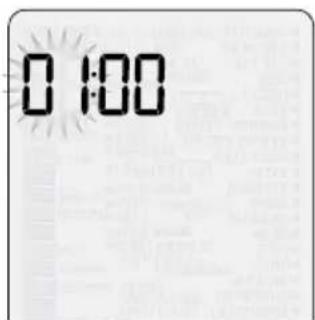
Minutes now flash to show they can be adjusted.
Turn TIME dial to adjust minutes and press START button to confirm.
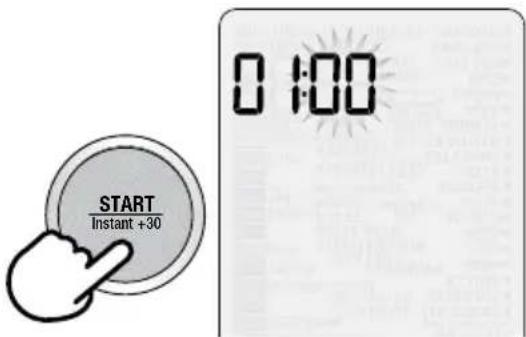

NOTE
If you forget to press START to confirm hours or minutes, after 1 minute the microwave will automatically cancel your selection.
SETTING THE BEEP VOLUME REFP VOL
This setting allows you to choose the beep volume of your microwave oven.
Press BEEP VOL on shortcuts panel. BEEP VOL
The default beep volume is LOW.
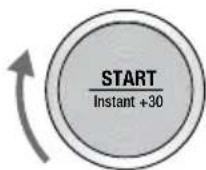
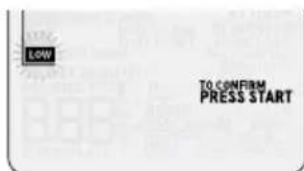
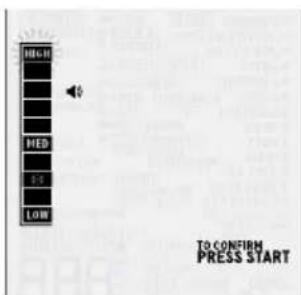
Turn START or ADJUST dials to toggle between LOW, MEDIUM and HIGH volume. Each selection will sound the BEEP VOL selected.

NOTE
If you forget to press START to confirm BEEP VOL, after 1 minute the microwave will automatically confirm your selection.
SOUND
This program allows you to choose between the new or the traditional sound suite when using the microwave oven.
By default, the microwave oven will play the new Breville designated sound profile. If you wish to change, follow the below instructions:
Open door and press SOUND button sound on shortcuts panel.
Turn the START/TIME or ADJUST dials to switch between the sound selections. Press START/TIME to confirm your selection, or press STOP/CANCEL dial to cancel your selection.
To go back on the Breville designated sound profile, simply press once again on the SOUND button.
MUTE MUTE
This program allows you to mute the sound of the microwave oven during operation.
When the MUTE program is selected, no tone will sound.
Open door and press MUTE button on shortcuts panel.
To return to the previous volume setting, press the MUTE button a second time OR press the BIP VOL button BEEP on shortcuts panel.
SETTING THE UNIT MEASURE
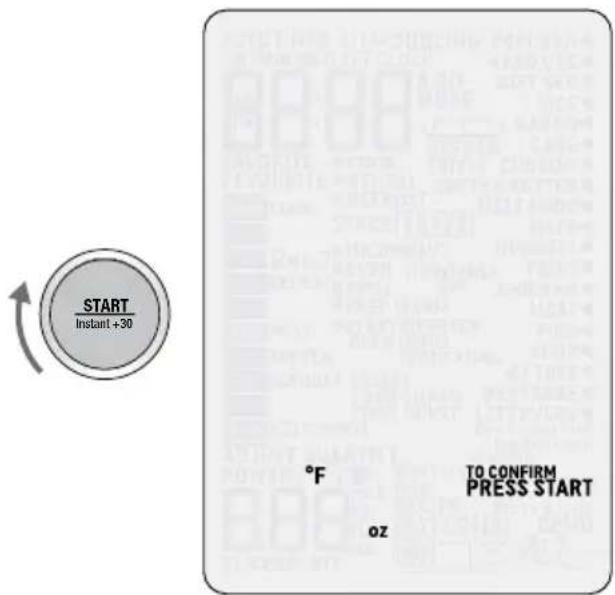
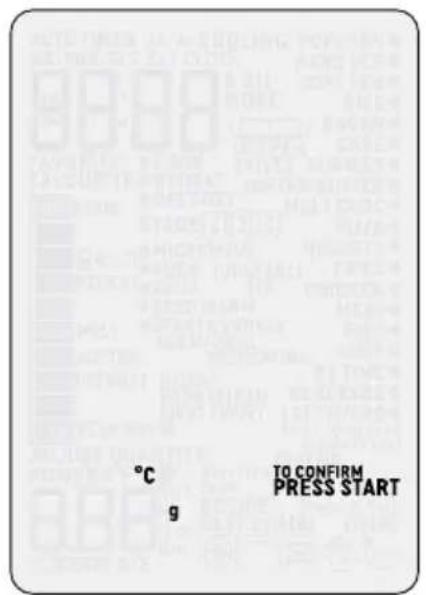
Press UNITS on shortcuts panel.
You can change from grams (g) to ounces (oz) and from Fahrenheit (^) to Celsius (^) . The default UNITS is ounces (oz) and Fahrenheit (^) . The highlighted ounces (oz) will flash to show it can be adjusted. Turn START or ADJUST dial to toggle between grams (g) and ounces (oz). Press START button to confirm.
SETTING CHILD LOCK
This setting allows you to lock the interface of the microwave oven.
Press CHILD LOCK on shortcuts panel.
The CHILD LOCK symbol will be displayed on the LCD screen
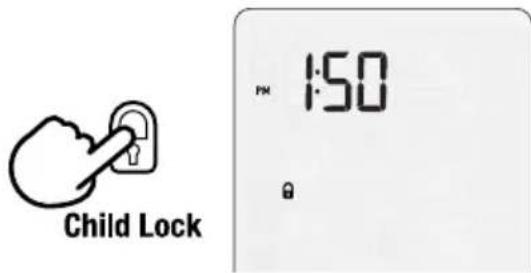
To deselect CHILD LOCK, press the CHILD LOCK button again.
The CHILD LOCK symbol will disappear from the LCD screen and you will have full functionality of your microwave.
STANDBY
When the microwave has been idle for 1 minute, STANDBY mode will be activated. The backlight of the LCD screen will turn off and buttons will no longer be illuminated.
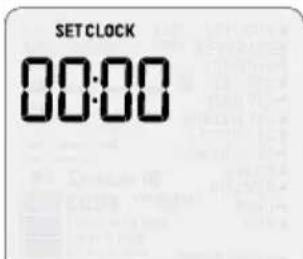
Stand by mode when the time is not set.
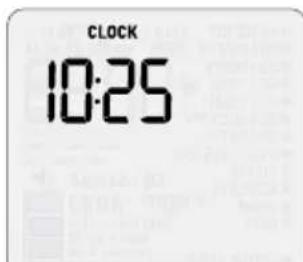
Stand by mode when the time is set.
To activate the microwave:
- Open the door OR;
- Press START OR;
- Turn any dial OR;
Press any button
TURNTABLE OFF
The TURNTABLE OFF button allows you to stop the turntable rotation while cooking in the microwave. This setting is useful if using square dish that will constrain the rotation.
In order to activate the TURNTABLE OFF setting, press once on the button. 'Turntable off' will be displayed on the LCD screen.
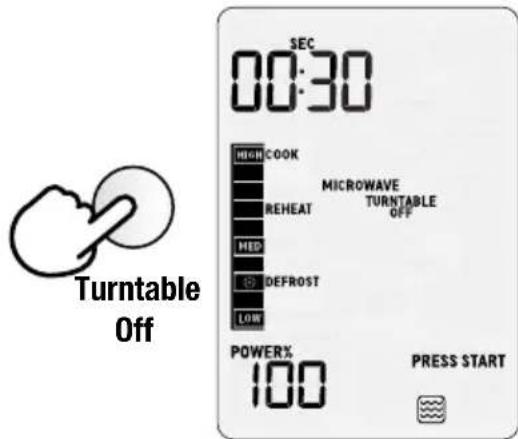
Press once again to enable the turntable to rotate again.
At the end of the cooking cycle, the TURNTABLE OFF setting will automatically cancel itself.
TIME & POWER LEVEL ADJUSTMENT
Select different times and microwave power levels by simply turning the TIME and ADJUST dials.
The maximum microwave cooking time is 95 minutes (95:00).
There are 10 power levels available.
Turning the TIME Dial
Turn TIME dial to adjust the time.
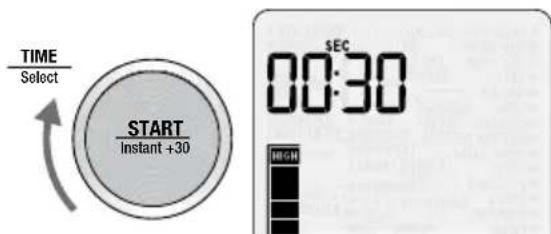
The default time will be 30 seconds.
Turning The ADJUST Dial
When the ADJUST dial is turned clockwise HIGH will flash and 100% will be displayed.
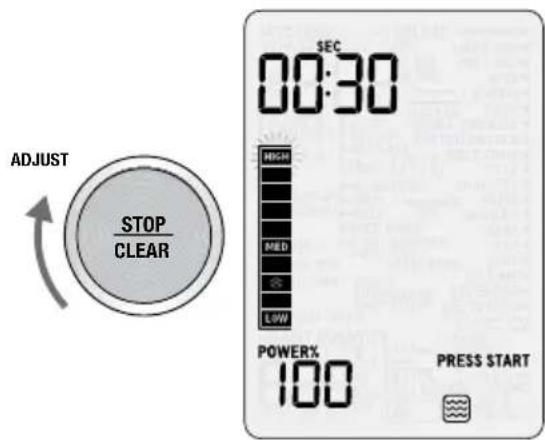
When the ADJUST dial is turned counterclockwise the POWER LEVEL % will start to decrease from 100% to 10%, in 10% increments.
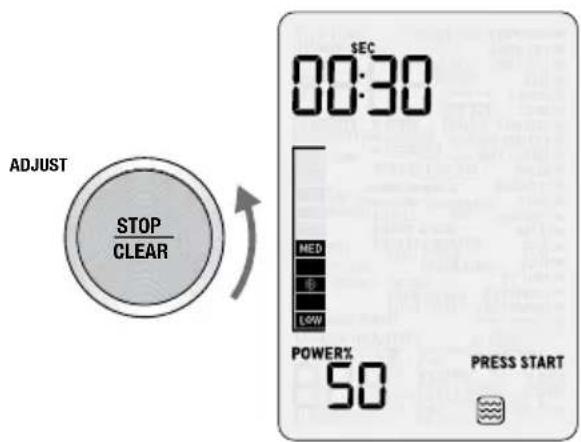
DYNAMIC POWER ADJUSTMENT
To suit your personal preference, adjustment of both time and power is available when using the microwave in manual setting.
Dynamic power adjustment cannot be used on all SMART COOK settings or on SMART DEFROST setting (except when using DEFROST BY TIME).
An example of dynamic power adjustment can be seen below while using a SMART COOK function. Press FOOD MENU button and select COOK on the menu. The microwave will beep once.
Turn TIME/Select dial to select food type.
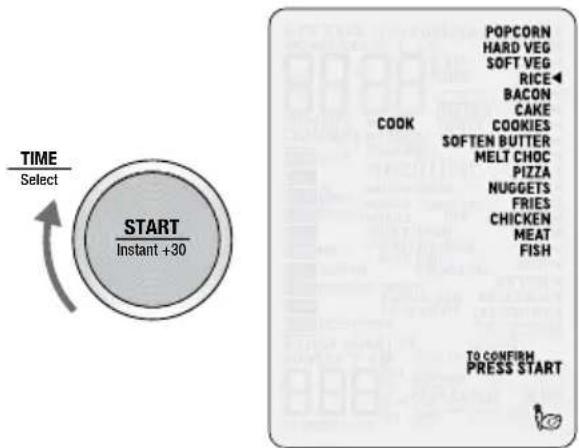
As the TIME/Select dial is turned the arrow shifts and points to what food type is selected. In this case RICE is selected.
Once you have chosen FOOD TYPE, turn the ADJUST dial to adjust quantity or weight.
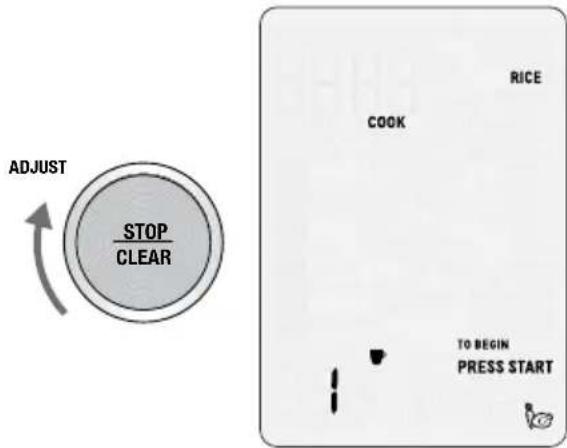
Press START to begin cooking.
Using the ADJUST dial the power level can be increased or decreased at any time during the cooking program.
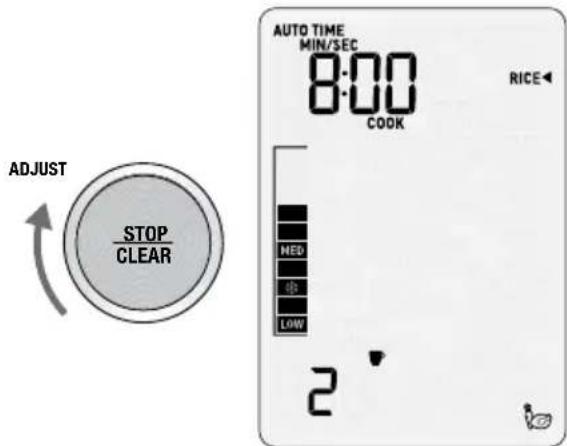

NOTE
Adjusting the power level while heating does not affect the time.
+30 SEC INSTANT START
Press START/Instant +30 button to begin cooking instantly for 30 seconds with 100% microwave power. Each additional press will increase the cooking time by 30 seconds.
WHEN COOKING IS FINISHED
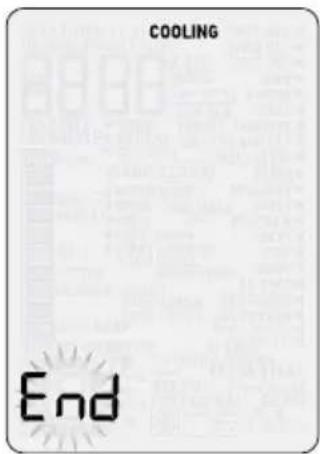
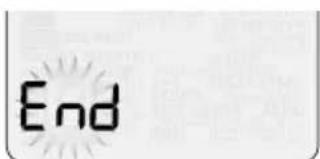
At the end of any cooking cycle, the microwave will play the designed cycle finish tone, and the word End will flash on the screen.
The word End will stay flashing on the screen for 5 minutes or until the door is opened.
STOP/CLEAR
Press STOP/CLEAR once to pause the current function.
Press twice to clear and return to default screen.
When in the default screen, press STOP/CLEAR to show the clock.
To return to the default screen press any button, turn any dial or open the door.
A BIT MORE™ BUTTON
Use A BIT MORE™ when cooking is finished and your food is not quite cooked or hot enough.

For example:
Press the FOOD MENU button.
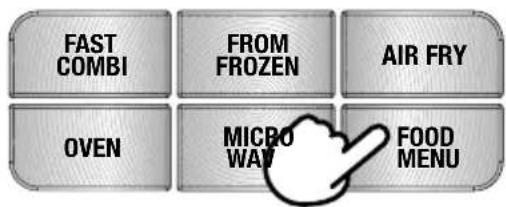
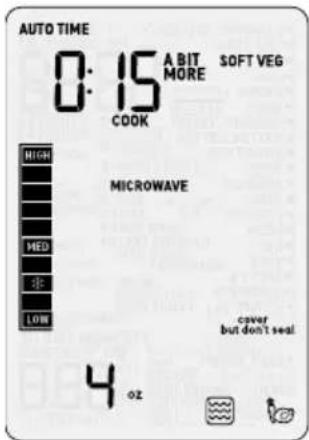
Turn the TIME/Select dial to select SOFT VEG.
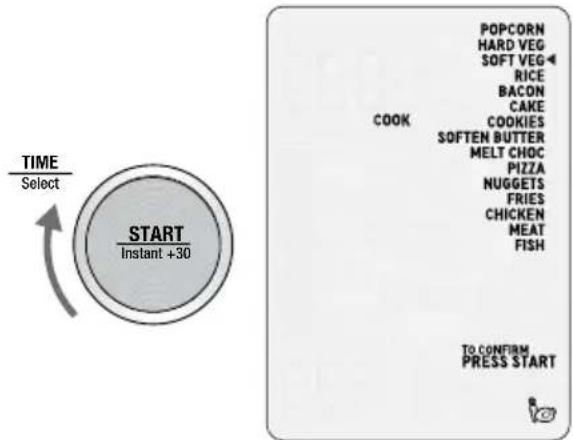
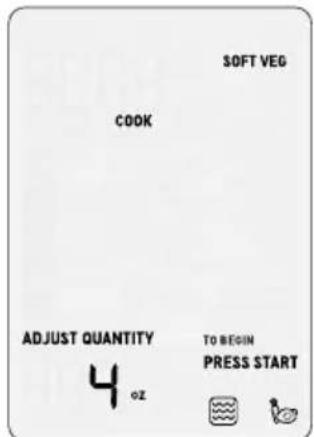
Press START to begin cooking.
Cooking process ends
At the end of the cooking process, if you think the food requires additional cooking time, you can select the 'A BIT MORE™ setting. Close the microwave door and press the A BIT MORE™ button to add A BIT MORE™ cooking time. The timer will start to count down.


NOTE
The microwave will save this setting for future use. Pressing FAVORITE button next time will display your saved FAVORITE setting on the shortcuts panel. To change your FAVORITE setting at any time, repeat steps 1 and 2 above.

NOTE
As soon as A BIT MORE™ button is pressed the microwave will start cooking.
If A BIT MORE™ is pressed and there is no previous food menu or SHORTCUT setting selected, the microwave will default to the basic mode and add 20 seconds at 100% power.
KEEP WARM

Keep Warm allows you to stop food going cold while completing other tasks. This program operates the oven at 160^ / 70^ , from 5 minutes to 2 hours. The default time is 10 minutes.
To use the Keep Warm setting, open the door and the press KEEP WARM button on shortcuts panel.
FAVORITE

The FAVORITE setting will save your most used and favorite cook, reheat or defrost setting.
At the press of a button, your favorite program can be duplicated time after time.
To set the microwave to your favorite setting, open the door and press and hold FAVORITE button on shortcuts panel for 2 seconds.
Press START to begin your favorite setting.

Cooking Functions
Depending on the FUNCTION and the FOOD TYPES selected, the MICROWAVE, OVEN, GRILL, AIRFRY or FAST COMBI icons will be displayed on the LCD SCREEN.

Oven

Grill

Microwave

Airfry
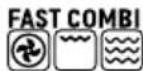
Fast Combi

NOTE
Go to our website breville.com to discover many recipes created for the Combi Wave™ 3-in-1 Microwave oven.
FAST COMBI
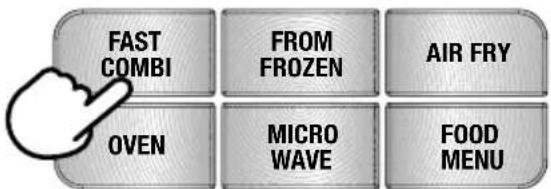
The FAST COMBI function is designed to cook your favorite dishes faster than in a traditional oven. The FAST COMBI function will alternatively use the microwave, the convection oven and the grill in order to reach the selected cooking temperature. This combination of the three functions helps the microwave reach the cooking temperature more quickly than a traditional oven, and maintain the temperature inside the cavity, for an optimal food result.
The FAST COMBI setting is ideal for cooking gratins, bake dishes, roast vegetables or different types of meat. Refer to the Instructions & Tips' sticker on the microwave.
For best results, it is recommended to use the provided Combi Crisp pan except when cooking foods that require a specific baking dish or pan. Place other dishes or pans on the provided trivet for best results. Depending on the amount of food being cooked, use the Combi Crisp Pan in low or high position.
Press 'FAST COMBI' button on the main interface to enter FAST COMBI function. Turn the START/TIME dial to select the cooking time, from 1 to 90 minutes. Then turn the ADJUST to select the cooking temperature, from 300^ to 450^ .
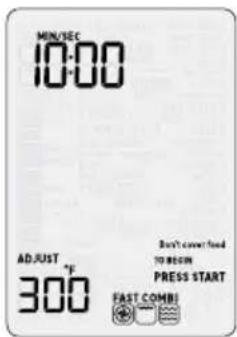
At the end of the cooking program, allow the food items to stand for 5 minutes before removing and serving.
FROM FROZEN
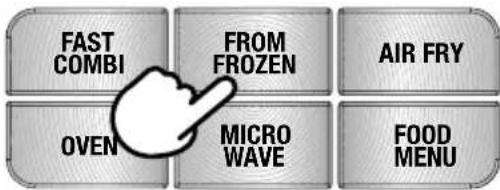
The FROM FROZEN function is designed to perfectly cook different types of meat, from frozen to a perfectly cooked result. The function is using the microwave, the convection and the grill alternately in two different cooking stages.

NOTE
To use this function, it is recommended to season and marinate the meat before freezing. Place the food item into the Combi Crisp pan, in the low position.
Press FROM FROZEN button on the main interface to enter FROM FROZEN function. Select the desired type of meat between chicken, meat and fish by turning the START/ TIME or the ADJUST dials. Press Start to select.
Turn the ADJUST dial to adjust quantity or weight. Minimum amount is 8oz (225g) and maximum amount is 2 lb. (900g). Press START to begin cooking.
Halfway through the cook program, the oven will beep and STIR/TURN will flash (except for the FISH setting). Open door or press STOP/CLEAR button once to pause. Turn the food items OVER and press START to continue.
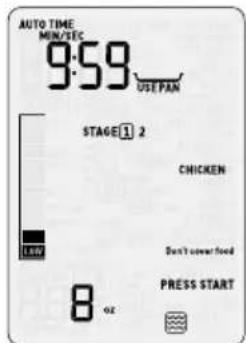
During FROM FROZEN, the different cooking stages will be displayed on the screen.
The first stage is designed to defrost the food, by using microwave only.
The second stage is designed to cook food using the suitable function for the food type.
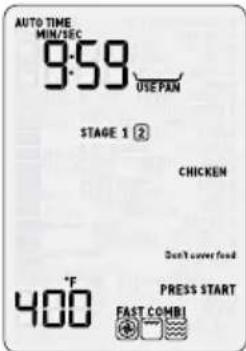
Depending on the amount/weight selected, the final cooking time will vary from 16 to 60 minutes.
AIRFRY
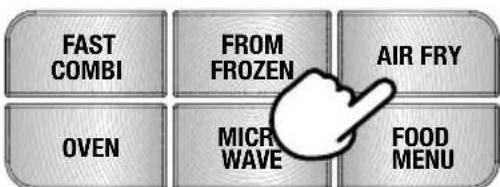
The AIRFRY function is designed to air fry food items and get crispy golden results in the microwave oven, thanks to the Element IQ system. Refer to the 'Instructions & Tips' sticker on the microwave.
Press AIRFRY button on the main interface to enter the AIRFRY function. The LCD screen will show 'AIRFRYER WILL PREHEAT INSERT PAN'. Place the Combi Crisp pan in high position inside the microwave for the preheating cycle.
Turn the START/TIME dial to select the cooking time, from 1 to 60 minutes. Then turn the ADJUST to select the cooking temperature, from 400^ to 450^ .
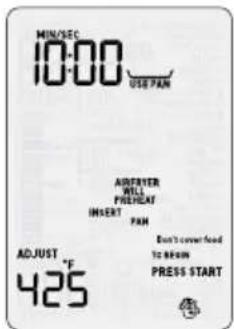
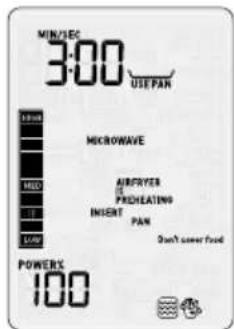
At the end of the 3-minute preheating cycle, an alert tone will sound and the screen will indicate 'INSERT FOOD ON PAN'. Open the door to place the food on pan, and press START to continue.
Lay the food items flat in a single layer.
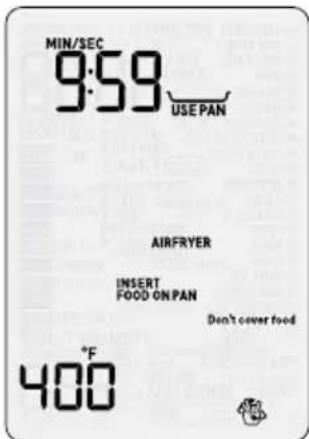
Halfway through the cook program, the oven will beep and STIR/TURN will flash. Open door or press STOP/CLEAR button once the pause. Turn the food items and press START to continue.
OVEN
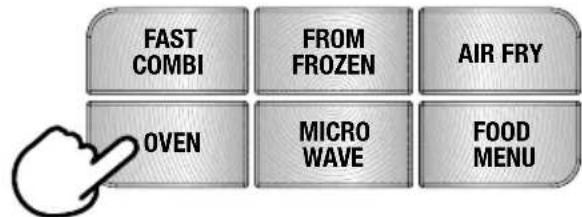
The OVEN function is designed to cook food items using the convection oven.
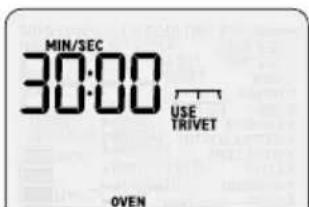
The food needs to be placed in an oven-safe dish. Use the trivet to elevate the dish for better cooking results.

NOTE
It is highly recommended to use the trivet for this function, in order to allow the convection to circulate around the food while being cooked.
Press OVEN button on the main interface to enter the OVEN function. Turn the START/ TIME dial to select the cooking time, from 1 to 120 minutes. Then turn the ADJUST to select the cooking temperature, from 100^ to 450^ . Press the START/TIME dial to confirm the selection.
After confirming, the microwave oven will start preheating. The LCD screen will show 'OVEN IS PREHEATING.'
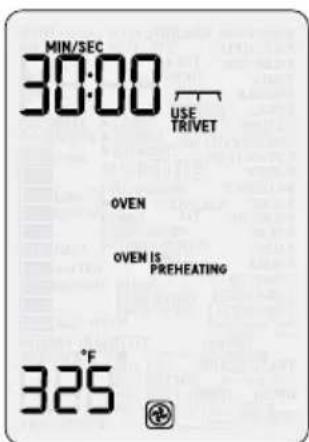
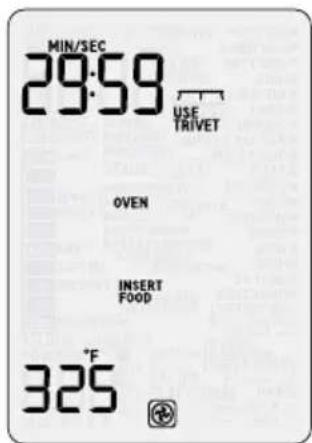
At the end of the preheating cycle, an alert tone will sound and the screen will indicate 'INSERT FOOD'. Open the door to place the food in the cavity, and press START to continue.
MICROWAVE
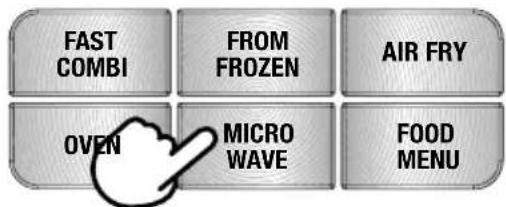
The MICROWAVE setting is designed to operate as a classic microwave function by adjusting the time and the power level. This is also the default function when activating the microwave oven.
Always use a microwave-safe dish or bowl when using the microwave function.
Press MICROWAVE button on the main interface to enter the MICROWAVE function. Turn the START/TIME dial to select the cooking time, from 1 second to 95 minutes. Then turn the ADJUST to select the power level, from 10% to 100% Press the START/ TIME dial to confirm the selection.
GRILL
The grill function is designed to gently brown your food item, by using the top heating elements.
Open the door and press the GRILL button on the shortcut panel to select the GRILL function.
Place the food item on the Combi Crisp pan, in high position.
Turn the START/TIME dial to select the cooking time, from 1 minute to 20 minutes. Press START to begin cooking.
FOOD MENU
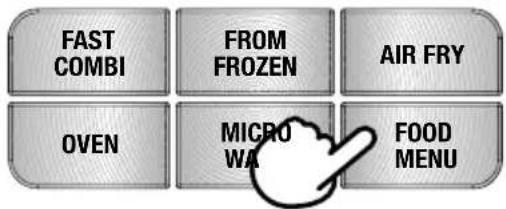
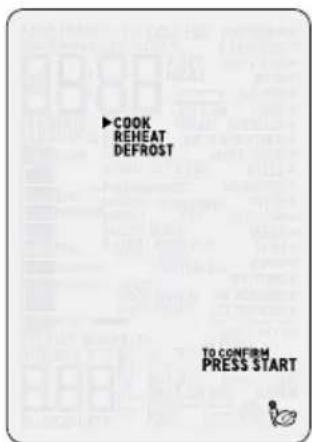
In the FOOD MENU, choose between the SMART SETTINGS:COOK, REHEAT or DEFROST.
Then select from a list of most commonly used food types and press START. The microwave oven will automatically set the time and power level or temperature for the selected food types so no need to program this.
SMART COOK
The SMART COOK setting is designed to automatically cook at the correct power or temperature for the correct time.
Press FOOD MENU button, then select COOK with the START dial. Press START to confirm your selection.
Turn TIME/Select dial to select food type. As the TIME/Select dial is turned the arrow shifts and points to what food type is selected.
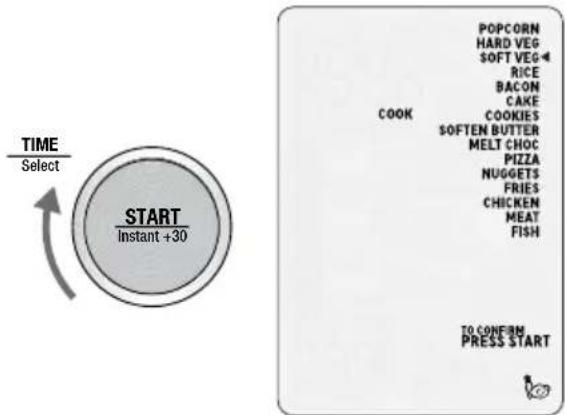
Once you have chosen FOOD TYPE, turn ADJUST dial to adjust quantity or weight.
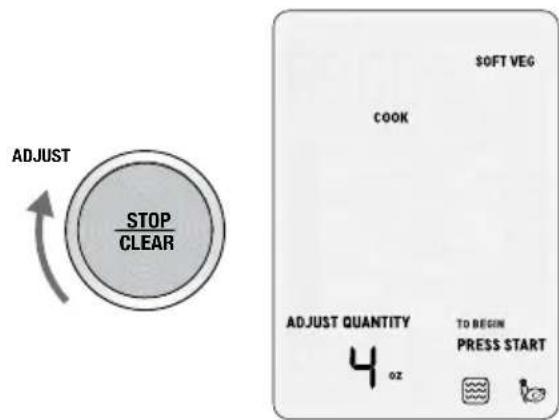
Press START to begin cooking.
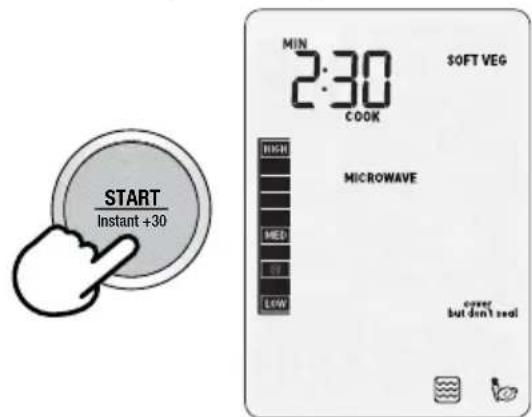
FOR BEST RESULTS
- Foods should be cooked in a microwave safe container, either plastic, pyrex or ceramic.
- Moist foods will cook more evenly because microwave energy heats water molecules very efficiently. Add approximately 1 tablespoon of water per 4oz. (115g) of food when cooking soft and hard vegetables.
- For optimal results, arrange larger and thicker foods such as broccoli or the thick end of a chicken drumstick around the edges of the turntable. This allows maximum penetration of the microwaves through the food during cooking.
- Stir foods such as casseroles and soups from the outside to the center to distribute heat more evenly. Constant stirring is not necessary.
- Small pieces of food cook faster than large ones. Pieces similar in size and shape will cook more evenly when cooked together.
- Be careful when removing lids or plastic wrap from your microwave cooked foods. Steam can build up and cause serious burns on face or hands.
Popcorn
The SMART COOK POPCORN setting is designed to pop the maximum number of kernels in a 3.2oz (90g) bag by using the microwave function.
Place the bag in the center of the turntable.
Press START to begin cooking.
Hard Vegetables
The SMART COOK HARD VEGETABLES setting is suitable for vegetables such as carrot, corn, sweet potato and beets. This setting uses the microwave function.
Cook times are based on vegetables from the refrigerator (approx. 40^ / 5^
Minimum amount of hard vegetables cooked is 4oz (115g) and maximum is 1lb (450g).
Cut into even size pieces of 12 to 34 inch pieces (1.2 to 2cm) size to ensure even cooking throughout. Add 1 tablespoon of water per 4oz (115g) of hard vegetables.
Cover with a vented microwave-safe plastic lid or vented microwave-safe plastic wrap.
Halfway through the cook program, an alert tone will sound and STIR/TURN will flash.
Open door or press STOP/CLEAR button once to pause. Stir vegetables, close door and press START button to continue the cooking program.
Soft Vegetables
The SMART COOK SOFT VEGETABLES setting is suitable for vegetables such as broccoli, green beans, cauliflower, zucchini and peas. This setting uses the microwave function.
Cook time is based on vegetables from the refrigerator (approx. 40^ / 5^
Minimum amount of vegetables cooked is 4oz (115g) and maximum is 1lb (450g).
Cut into even size pieces to ensure even cooking throughout. Add 1 tablespoon of water per 4oz (115g) of soft vegetables.
Cover with a vented microwave-safe lid or vented microwave-safe plastic wrap.
Halfway through the cook program, an alert tone will sound and STIR/TURN will flash.
Open door or press STOP/CLEAR button once to pause. Stir vegetables, close door and press START button to continue the cooking program.
Rice
The SMART COOK RICE setting is suitable for white rice such as long grain rice, jasmine and basmati, by using the microwave function.
Always use a deep microwave-safe bowl. Do not cover the bowl.
Minimum amount of rice is 1 cup (8oz/225g) and maximum is 2 cups (1lb /450g). Rinse rice with cold water until it runs clear before cooking. Add a 2:1 ratio of water to rice.
Allow rice to stand for 5 minutes before serving.
Bacon
The SMART COOK BACON setting is designed to cook bacon slices until crisp, by using the microwave function.
Cook times are based on the bacon directly from the refrigerator (approx. 40^ / 5^ ).
Arrange bacon slices in a single layer on a plate. Turn the ADJUST dial to select number of slices and press START to begin cooking. You can select between 2 to 4 regular slices of bacon. If cooking thick-cut bacon, add another minute to the cooking time.
Halfway through the cook program, an alert tone will sound and STIR/TURN will flash. Open door or press STOP/CLEAR button once to pause. Turn bacon over and press START to continue the cooking program. If cooking more than 2 slices, move the center slices to the outside of the plate when turning them over to ensure even cooking.
Cake
The SMART COOK CAKE setting is designed to cook different types of cakes using the convection oven.
Use bakeware suitable for a convection oven. For best results use a 9-inch cake pan and approximately 1lb (450g) of batter. For packaged cake mixes, split batter into two cake pans, and cook in batches.
Place the bakeware on the trivet to bake the cake. Do not cover the food.
Press START to begin the cooking program. Once cooking has finished, allow the cake to stand for 5 minutes.
Cookies
The SMART COOK COOKIES setting is designed to cook different types of cookies using the convection oven.
Place the cookies into the provided Combi Crisp pan in low position to bake the cookies. Do not cover the food.
Press START to start the cooking program. Once cooking has finished, allow the cookies to stand for 5 minutes.
Melt chocolate
At the press of a button, the SMART COOK MELT CHOCOLATE setting is designed to melt chocolate without overheating and seizing of the chocolate, using the microwave.

NOTE
The SMART COOK MELT CHOCOLATE setting was tested with dark chocolate. If using other types of chocolate, check at short intervals to prevent possible seizing of chocolate.
Choose a suitable glass bowl and do not cover. If using a block of chocolate, cut into 12 inch (1cm) pieces.
Turn ADJUST dial to select weight and press START button to commence melting. Minimum amount of chocolate is 2oz (60g) and maximum is 1 lb. (450g).
Halfway through the program, an alert tone will sound and STIR/TURN will flash. Open door or press STOP/CLEAR button once to pause. Stir chocolate, close door and press START button to finish melting.
At the end, some of the chocolate may still hold their shape. Stir until completely melted and smooth.
The SMART COOK MELT CHOCOLATE setting can also be selected from the SHORTCUTS panel.
Soften butter
The SMART COOK SOFTEN BUTTER setting is perfectly designed to soften butter suitable to cream immediately in a mixer, using the microwave.
The soften butter setting will soften butter that has been taken directly from the refrigerator (approx. 40^ / 5^ ).
The butter should be cut as a whole piece and placed onto a plate. Do not cover.
Turn ADJUST dial to select weight and press START button to commence softening. Minimum amount of butter is 4oz (115g) and maximum is 1 lb. (450g).

NOTE
The butter should be soft enough to push your finger easily into the center. The butter should not be melted.
The SMART COOK SOFTEN BUTTER setting can also be selected from the SHORTCUTS panel.
Pizza
The SMART COOK PIZZA setting is designed to cook whole frozen pizzas, using both microwave and grill.
The cook time is based on pizza that has been taken directly from the freezer (approx. 0^/ -18^)
Place the pizza or the pizza slices into the provided Combi Crisp pan in high position to bake the pizza. Do not cover the food.
Press START to start the cooking program.
Once cooking has finished, allow the pizza to stand for 5 minutes.

NOTE
Pizzas smaller than 10" requires less cooking time.
Chicken Nuggets
The SMART COOK CHICKEN NUGGETS setting is designed to air fry chicken nuggets in the microwave oven.
The cook time is based on chicken nuggets that have been taken directly from the freezer (approx. 0^ / -18^ ).
Turn the ADJUST dial to select the amount of chicken nuggets to air fry and press START to begin cooking. You can select from 8oz (225g) to 1lb. (450g) of nuggets.
When selecting the SMART COOK CHICKEN NUGGETS setting, the LCD screen will show 'AIRFRYER IS PREHEATING. INSERT PAN'. Place the Combi Crisp pan in high position inside the microwave for the preheating program.
At the end of the 3-minute preheating program, an alert tone will sound and the screen will indicate 'INSERT FOOD ON PAN'. Open the door to place the food on pan, and press START
to continue. Lay the chicken nuggets flat in a single layer.
Halfway through the cook program, an alert tone will sound and STIR/TURN will flash. Open door or press STOP/CLEAR button once to pause. Turn the chicken nuggets and press START to continue the cooking program.
Fries
The SMART COOK FRIES setting is designed to air fry French fries in the microwave oven.
The cook time is based on fries that have been taken directly from the freezer (approx. 0^/ -18^)
Turn the ADJUST dial to select the amount of fries to air fry and press START to begin cooking. You can select from 8oz (225g) to 1lb (450g) of fries.
When selecting the SMART COOK FRIES setting, the LCD screen will show 'AIRFRYER IS PREHEATING. INSERT PAN'. Place the Combi Crisp pan in high position inside the microwave for the preheating program.
At the end of the 3-minute preheating program, an alert tone will sound and the screen will indicate 'INSERT FOOD ON PAN'. Open the door to place the food on pan, and press START to continue. Lay the fries flat in a single layer.
Halfway through the cook program, an alert tone will sound and STIR/TURN will flash. Open door or press STOP/CLEAR button once to pause. Turn the fries and press START to continue the cooking program.
At the end of the cooking program, allow the fries to stand for 5 minutes before removing and serving.
Chicken
The SMART COOK CHICKEN setting is suitable for fresh chicken pieces as well as cooking whole chickens. This setting is using both convection and grill, as well as microwave when cooking a whole chicken.
Cook times are based on chicken directly from the refrigerator (approx. 40^ / 5^ ).
Minimum amount of chicken to be cooked is 8oz (225g) and maximum is 4.5lb. (2kg).
Use the provided Combi Crisp pan to cook the chicken. For chicken pieces, use the Combi Crisp pan in high position. For whole chicken, use the Combi Crisp pan in low position.
Halfway through the cook program, an alert tone will sound and STIR/TURN will flash. Open door or press STOP/CLEAR button once to pause. Turn the chicken pieces (not necessary when cooking a whole chicken) and press START to continue the cooking program. Once cooking has finished, allow chicken to stand for 5 minutes.
Meat
The SMART COOK MEAT setting is designed to cook different type of meat. This setting is using both microwave and grill when cooking less than 1lb., and both convection and grill when cooking over 1lb.
Cook times are based on meat directly from the refrigerator (approx. 40^ / 5^ ).
Minimum amount of meat to be cooked is 8oz (225g) and maximum is 4lb (1.8kg).
Use the provided Combi Crisp pan to cook the meat. For 8oz - 1lb, use the Combi Crisp pan in high position. For 1.5lb - 4lb, use the Combi Crisp pan in low position.
Halfway through the cook program, an alert tone will sound and STIR/TURN will flash.
Open door or press STOP/CLEAR button once to pause. Turn the meat over and press START to continue the cooking program.
Once cooking has finished, allow the meat to stand for 5 minutes.
Fish
The SMART COOK FISH setting is designed to cook your fish without dry and overcooked edges, using the microwave, convection oven and grill.
Cook times are based on the fish directly from the refrigerator (approx. 40^ / 5^ ).
Minimum amount of fish should not be less than 8oz (225g) and not more than 2lb (900g).
Suitable for white fish fillets and salmon fillets; arrange in a single layer in the Combi Crisp
pan in low position. Fold over the thin tail end of the fillets to prevent overcooking.
Once cooking has finished, allow fish to stand for 5 minutes.
SMART REHEAT
The SMART REHEAT setting uses lower power levels to gently reheat food without drying or overcooking.

NOTE
While the microwave is reheating, time can be increased or decreased. Adjusting the reheating time does not affect selected weight or quantity.
Beverage
The SMART REHEAT BEVERAGE setting is suitable to reheat hot drinks such as coffee and tea that may have become cold. The BEVERAGE setting will warm your drink to approx. 140 - 150^ (60 - 65^) which is suitable to drink right away.
Position cups around the outside of the turntable. Turn the ADJUST dial to select the number of cups and press START to begin reheating. You can select the amount of beverage from 1 cup (8 fl. oz/250mL) to 4 cups (32fl. oz/1L).
At the end of the reheat program, stir heated drinks and allow to stand for 1-2 minutes before consuming. Be aware, that overheating may scald or burn drinks.
Leftovers
The SMART REHEAT LEFTOVERS setting is suitable for reheating a plate of leftovers from the refrigerator (approx. 40^ / 5^ ).
For even reheating, place food onto a microwave-safe plate or into a bowl. Cover food with a vented microwave-safe lid or vented microwave-safe plastic wrap (do not seal).
Turn the ADJUST dial to select the number of plates and press START to begin cooking. You can select the amount from 1 to 2 plates/bowls. When using 2 plates, use the trivet to place the plates on top of each other.
Halfway through the cook program, an alert tone will sound and STIR/TURN will flash. Open door or press STOP/CLEAR button once to pause. Stir the food in the plate and press START to continue the reheating program. When reheating 2 plates, it is recommended to switch the plates position (from top to bottom, and vice-versa) to ensure even reheating.
At the end of the reheat program, stir heated food and allow to stand for 1-2 minutes before consuming.
By time
The SMART REHEAT setting also enables you to select the reheat time, from a range to 1 minute to 95 minutes.
When reheating any food item, place the food onto a microwave-safe bowl or plate. Cover food with a vented microwave-safe lid or vented microwave-safe plastic wrap (do not seal).
Halfway through the cook program, an alert tone will sound and STIR/TURN will flash. Open door or press STOP/CLEAR button once to pause. Stir/turn the food item and press START to continue the reheating program.
SMART DEFROST
The SMART DEFROST setting is designed to gently defrost food without overheating and drying out of edges.
Press the FOOD MENU button, then select COOK with the START dial. Press START to confirm your selection. An alert tone will sound. Turn TIME/Select dial to select the food type. As the TIME/Select dial is turned the arrow shifts and points to what food type is selected
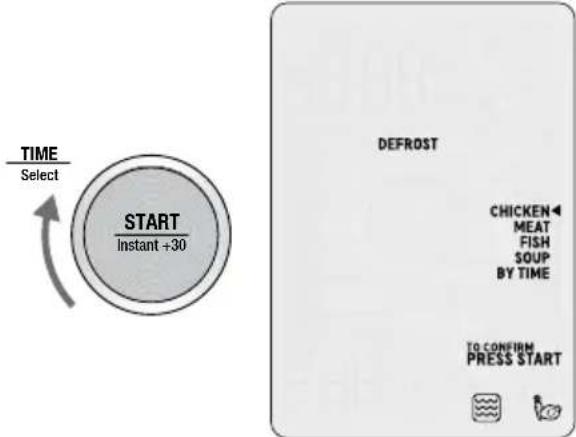
Once you have chosen FOOD TYPE, turn ADJUST dial to adjust quantity or weight.
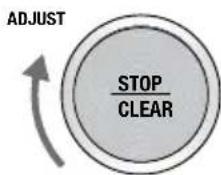
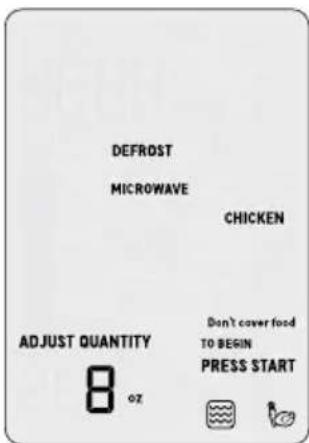
Press START to commence defrosting. All unselected FOOD TYPES, the PRESS START and INPUT QUANTITY prompts are no longer displayed on the LCD screen. The TIME appears and begins to countdown.

NOTE
While the microwave is defrosting time can be increased or decreased. Adjusting the defrosting time does not affect selected weight or quantity.
FOR BEST RESULTS
- Defrost times are for thoroughly frozen foods that have been in the freezer for at least 24 hours and maintained at temperatures of 0^ / -18^ or lower.
- When freezing meats, poultry and fish, use good quality plastic wrap, bags and containers.
To separate meat, such as chicken pieces or steak, place wax paper or plastic film between each layer. - Ensure that all air has been removed and packaging has been sealed securely.
Label the packs with type and cut of meat, date and weight.
After the defrost cycle, most foods will still be somewhat icy in the center when removed from the microwave. Stand food for 5-15 minutes until completely thawed. -
Position foods in a single layer with thinner parts in the center and thicker ends around the outside of the turntable.
-
Remove any packaging and bags from frozen meats. If packaging is too frozen to remove, defrost for 3 minutes using the TIME DEFROST setting; remove packaging and continue with the SMART DEFROST setting.
Chicken
The SMART DEFROST CHICKEN setting is suitable to defrost either chicken pieces (legs, breasts) or a whole chicken. Minimum amount of chicken to defrost is 8oz (225g) and maximum is 4.5 lb. (2.2kg).
For chicken pieces, position chicken pieces in a single layer in a microwave-safe dish, plate or container. Arrange thicker ends around the outside of the plate/container. Shield thinner pieces such as wings with foil to prevent overheating and cooking.
Halfway through the defrost setting, an alert tone will sound and STIR/TURN will flash. Open door or press STOP/CLEAR button once to pause. Turn over chicken pieces and press START button to continue the defrost program.
Once program has finished, remove chicken from microwave and stand 5-15 minutes to thaw completely.
For whole chickens, remove from original packaging. Place chicken, breast side down onto a in a microwave-safe dish, plate or container.
Halfway through the defrost setting, an alert tone will sound and STIR/TURN will flash. Open door or press STOP/CLEAR button once to pause. Turn chicken oven and press START button to continue the defrosting program.
After defrost program has ended, remove the chicken from the microwave. Rinse under tap water, making sure to wash the cavity well to loosen the icy core.
Place onto a clean plate and pat dry. Cover with cling film and refrigerate for 1-2 hours until completely thawed.
Meat
The SMART DEFROST MEAT setting is suitable to defrost any type of ground or diced meat such as beef, lamb and pork, as well as steaks and chops. Minimum amount of meat to defrost is 8oz (225g) and maximum is 2 lb. (900g).
Remove any packaging, foam trays and absorbent pads from the meat. Place directly onto a microwave-safe plate or shallow dish.
Halfway through the defrost setting, an alert tone will sound and STIR/TURN will flash.
Open door or press STOP/CLEAR button once to pause. Remove any defrosted meat and set aside in the refrigerator. If some ground meat is still thawed, remove from the microwave oven as well. Turn the frozen meat over and return to the microwave oven. Press START button to continue the defrost program.
At the end of the program, remove meat and stand 5-15 minutes to thaw completely.
Fish
The SMART DEFROST FISH setting is programmed to gently thaw delicate fish fillets without cooking and heating the edges. Minimum amount of fish to defrost is 8oz (225g) and maximum is 2 lb. (900g).
For best results, place frozen fillets in a single layer into a microwave-safe shallow dish.
Halfway through the defrost setting, an alert tone will sound and STIR/TURN will flash. Open door or press STOP/CLEAR button once to pause. Turn fish pieces oven. Cover thin ends of fish fillets with a small strip of foil and return to oven. Press START button to continue the defrost program.
At the end of the program, the fish will still be somewhat icy in the center. Remove from the microwave and stand for 5-15 minutes until completely thawed.
Soup
The SMART DEFROST SOUP is suitable for defrosting frozen prepared soups directly from the freezer (approx. 0^ / -18^ ). Minimum amount of fish to defrost is 8 fl. oz (250mL) and maximum is 64 fl. oz (2L).
Remove soup from any packaging and place into a microwave-safe bowl. Do not cover food.
Halfway through the defrost setting, an alert tone will sound and STIR/TURN will flash. Open door or press STOP/CLEAR button once to pause. Break up any frozen pieces and press START button to continue the defrost program.
By time
The SMART DEFROST setting also enables you to select the defrost time, from a range to 1 minute to 95 minutes.
When defrosting any food item, place the food onto a microwave-safe bowl or plate, and do not cover.
Halfway through the defrost program, an alert tone will sound and will flash Stir/turn food. Pause program and stir/turn the food item. Press START button.

Hints & Tips
SOME IMPORTANT TIPS FOR MICROWAVE COOKING
To help equalize energy in the food so that it cooks evenly follow these helpful tips.
- Arrange foods with varying size ends, such as chicken drumsticks and broccoli with the thicker or tougher part positioned to the outside of the dish. This ensures the parts that require more cooking will receive more energy, so the food will cook evenly.
- Covering the dish during cooking holds in the heat and steam to speed up cooking time. Use a microwave safe lid or plastic wrap that has been vented by turning back one edge at the side of the dish to form a narrow vent to release excess steam.
- Choose cooking dishes that are shallow and preferably have straight sides. Shallow dishes enable the food to cook faster and straight edges prevent the edges from being overcooked.
- Arrange individual items such as ramekins or whole potatoes around the outside of the turntable. Make sure to leave space between items so the energy can penetrate from all sides.
- Use round shaped microwave dishes. Round shapes cook more evenly than square or rectangle dishes which absorb most of the energy in the corners causing food to overcook and toughen.
- Stir foods from the outside to center of the dish once or twice during cooking to equalize heat and speed up microwaving.
- Turn medium to large food items over twice during microwaving. This enables even exposure to microwaves.
- Elevating some types of food such as cakes, roast vegetables and dough products can be advantageous. It allows more energy to penetrate the food from all sides, base and top. Use a microwave safe plastic or ceramic
rack. If a rack is unavailable, use an upturned bowl or cup to elevate plates of food.
- Do not elevate any special browning dishes, jugs of sauce or custard, small quantities of food or mugs of beverages.
- Internal temperatures of foods continue to rise so that they continue cooking even after they have been removed from the microwave oven. It is better to undercook food as it will continue to cook once removed from the microwave.
MICROWAVE UTENSILS
- Containers, plates, dishes, etc. used in the microwave oven should always be microwave-safe. Check if stated on the underside of the utensil or contact the manufacturer.
- To test if a container, plate or dish is microwave-safe, place it into the microwave oven with 1 cup of cold water (in a microwave-safe cup) and heat on High (100%) Power for 1 minute. If the container is hot and the water is cold, the container is not suitable for microwave oven use. If the container is cold and the water is hot, then the container is suitable for microwave oven use.
- Microwave-safe cookware will not become hot by the microwave energy, but it will become hot from contact with hot food. When the food becomes hot, some of this heat is transferred to the dish. Always use oven mitts or clothes to remove hot dishes from the microwave.
- Metal containers and utensils should not be used in the microwave oven.
Care & Cleaning
- Remove the plug from the power outlet before cleaning.
- Keep the inside of the microwave oven clean. When food splatters or spilled liquids adhere to the microwave oven internal walls, wipe with a damp cloth. Mild detergent may be used if the cavity gets very dirty. Avoid the use of spray and other harsh cleaners as they may stain, streak or dull the door surface.
- The outside surfaces should be cleaned with a damp cloth. To prevent damage to the operating parts inside the microwave oven cavity, water should not be allowed to seep into the ventilation openings.
- Wipe the door and window on both sides of the door seals and adjacent parts frequently with a damp cloth to remove any spills or spatters. Do not use an abrasive cleaner.
- Do not allow the control panel to become wet. Clean with a soft, damp cloth. When cleaning the control panel, leave the microwave oven door open to prevent it from accidentally turning on.
- If steam accumulates inside or around the outside of the oven door, wipe with a soft dry cloth. This may occur when cooking foods high in moisture or if the microwave oven is operated under high humidity conditions, this is normal.
-
It is occasionally necessary to remove the glass turntable for cleaning. Wash the glass turntable in warm soapy water, rinse in clean water and dry thoroughly.
-
The turntable roller and microwave oven floor should be cleaned regularly to ensure the glass turntable rotates correctly and avoids making excessive noise. Simply wipe the bottom surface of the microwave with a soft damp cloth. The turntable roller may be washed in mild soapy water, rinse in clean water and dry thoroughly. When removing the turntable roller from the cavity floor for cleaning, be sure to replace in the proper position.
- Remove odors from your microwave oven by combining a cup of water with the juice of one lemon in a deep microwave-safe bowl, microwave on High for 5 minutes. Wipe the microwave oven cavity thoroughly and dry with a soft cloth.
- When it becomes necessary to replace the oven light, please consult your Breville Service Center to have it replaced.
- Please do not dispose this appliance with domestic rubbish; it should be taken to the appropriate disposal center provided by the local council municipalities.
- If storing the microwave oven, press the STOP/CLEAR button, switch off at the power outlet then unplug the power cord. Ensure the microwave oven is completely cool, clean and dry. Secure the roller ring and glass turntable and close the door. Do not place heavy objects on top. Store the microwave oven upright.
- Wash the Combi Crisp Pan and Trivet in the top rack of the dishwasher. Alternatively, wash with warm soapy water, rinse with clean water and dry thoroughly. If required, remove Combi Crisp Pan legs by pinching inwards to detach them from base of pan.
PROBLEM EASY SOLUTION
| Microwave oven interfering with radio, TV or similar equipment. | ·Clean door and sealing surface of the oven. ·Reorient the receiving antenna of radio or television. ·Relocate the microwave oven with respect to the receiver. ·Move the microwave oven away from the receiver. ·Plug the microwave oven into a different outlet so that microwave oven and receiver are on different branch circuits. |
| Dim microwave oven light. | ·When operating on low power levels, the microwave oven light may be dimmer. |
| Steam accumulating on door and hot air coming out from vents. | ·During operation, steam may be produced. Most will exit through the vents, however some may accumulate around the oven door. |
POSSIBLE PROBLEM POSSIBLE REASON EASY SOLUTION
| Microwave oven will not start. | • Power cord not plugged in properly or switched on. • Fuse blown or circuit breaker problem. • Trouble with outlet. | • Unplug, put the plug in again and switch on. • Replace the fuse or reset circuit breaker. • Have a professional check that the outlet is not faulty. |
| Microwave oven does not heat. | • Door not closed properly. | • Ensure door is shut properly. |
| Glass turntable makes noise during operation. | • Turntable roller not assembled properly or needs to be cleaned. | • Reset and clean if necessary. |
| LCD time digit shows EA1A then V1:00 or similar information then goes to default mode. | • Both STOP/CLEAR and A BIT MORE™ button are pressed at the same time under the default mode. | • No action required. This is normal and LCD just shows the model type and software version. |
Notes
Notes
the Combi Wave ^3 in 1
FR-CA MANUEL D'INSTRUCTIONS
Breville
Table des matières
the Combi Wave ^m 3 in 1
Breville Consumer Support
USA Mail: Breville USA 19400 S. Western Ave, Torrance CA 90501-1119 Phone: 1-866-273-8455 1-866-BREVILLE Web: breville.com/us/support
Canada
Mail: Breville Canada
9800 Boulevard Cavendish, Suite 250, Saint-Laurent
Québec, H4M 2V9
Phone: 1-855-683-3535
Web: breville.ca/support
Breville is a registered trademark of Breville Pty. Ltd. A.B.N. 98 000 092 928. Copyright Breville Pty. Ltd. 2021.