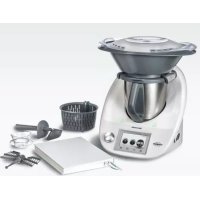
TM5 - Food Processor Thermomix - Free user manual and instructions
Find the device manual for free TM5 Thermomix in PDF.


| Brand | Thermomix |
| Model | TM5 |
| Category | Food processor |
| Product type | Multi-function cooking robot |
| Dimensions (without Varoma) | 34,1 x 32,6 x 32,6 cm |
| Dimensions (with Varoma) | 47,2 x 38,3 x 27,5 cm |
| Weight (motor unit + mixing bowl) | 7,95 kg |
| Weight (Varoma) | 0,8 kg |
| Power supply | 220 V – 240 V ~ 50/60 Hz |
| Total power | 1 500 W (motor 500 W + heating 1 000 W) |
| Bowl capacity | 2,2 L |
| Rotation speed | 40 to 10 700 rpm (simmering speed 40 rpm) |
| Temperature | 37 °C to 120 °C (Varoma up to 120 °C) |
| Integrated scale | 5 g to 6 kg (in 5 g increments) |
| Main functions | Blend, chop, cook, simmer, knead, steam, weigh, Turbo mode, reverse |
| Screen | Color touch |
| Included accessories | Stainless steel bowl, lid, measuring cup, steaming basket, whisk, spatula, Varoma (lid + tray), recipe key |
| Materials | Stainless steel bowl, high-quality food-grade plastic |
| Cleaning | Bowl, lid and accessories dishwasher safe; wipe motor unit with a damp cloth |
| Safety | Automatic lid locking, automatic shutdown, electronic motor protection, child lock via PIN code |
| Warranty | Refer to the purchase agreement |
| Customer service | Contact your Thermomix advisor or www.thermomix.com |
Frequently Asked Questions - TM5 Thermomix
User questions about TM5 Thermomix
0 question about this device. Answer the ones you know or ask your own.
Ask a new question about this device
Download the instructions for your Food Processor in PDF format for free! Find your manual TM5 - Thermomix and take your electronic device back in hand. On this page are published all the documents necessary for the use of your device. TM5 by Thermomix.
USER MANUAL TM5 Thermomix
Notes for your safety 5
Technical data 10
Introduction 11
Your ThermomixTM TM5 12
Before you start 14
How to insert the mixing bowl correctly 14
How to remove the mixing knife 15
How to insert the mixing knife 16
Accessories 17
Mixing bowl, mixing bowl base 17
Mixing bowl lid, measuring cup 18
Simmering basket 19
Spatula 20
Butterfly Whisk (Stirring attachment) 21
Varoma 22
How to combine the Varoma parts 22
How to use the Varoma 23
Practical work with the Varoma 26
Working with the ThermomixTM 27
Starting the ThermomixTM 27
Switching the ThermomixTM off 28
Security measures 28
Weighing ingredients with the ThermomixTM 29
Further information about weighing 29
Operating the ThermomixTM from the Home screen 30
Time dial 31
Temperature dial 32
Soft heating at speeds 2 and 3 32
Varoma temperature setting 33
Speed dial 33
Gentle stir setting 33
Stirring 33
Mixing/blending 34
Turbo mode 34
Forward/reverse knife movement operation 35
Dough mode 35
Connecting a ThermomixTM recipe chip 36
ThermomixTM Menu 36
Favourite recipes 36
Recipes 36
By category 37
From A to Z 37
Recently cooked 37
Cooking a recipe from a ThermomixTM recipe chip
using the "guided cooking function" 38
Parallel Steps 38
Automated recipes 39
Transportation mode 40
Settings 40
Recipe management 40
Language 41
About ThermomixTM 41
Reset to factory settings 42
Display colour 42
Locking your ThermomixTM 43
Contact 44
Things to remember 45
Sleep mode 45
Electronic motor protection 45
First time use and high loads 45
Cleaning 46
How to clean the mixing bowl and its lid 46
How to clean the mixing knife 47
How to clean the Varoma 47
How to clean the main ThermomixTM 48
Additional information for cleaning 48
Changing the protection grid 49
Changing the protection grid at the back 49
Changing the protection grid on the bottom 50
Notes for your own recipes 51
Troubleshooting 52
Legal regulations/Copyright 53
Warranty/Customer service 54
NOTES FOR YOU SaFETY
The ThermomixTM TM5 is intended for domestic food use or similar areas of application. It complies with the most advanced safety standards. The ThermomixTM TM5 has a number of safety features however it is still a cooking appliance and ordinary and sensible cooking safety precautions should be taken. Always take care when cooking and handle the ThermomixTM TM5 in accordance with this manual. For your own safety, please read this instruction manual carefully before using your ThermomixTM TM5 for the first time and be sure to pay particular attention to the notes for your safety. Retain the instruction manual for future reference. This instruction manual is part of the ThermomixTM TM5. Always provide this instruction manual with the ThermomixTM TM5 when a new person uses it. Key safety instructions are also available on the ThermomixTM TM5 operating menu (see page 28 also).
The ThermomixTM TM5 is not intended for users (including children) with reduced physical, sensory or mental capabilities, or lack of experience and knowledge, unless they are given supervision or instruction concerning the use of the ThermomixTM TM5 by a person responsible for their safety. Children
should be supervised to ensure that they do not play with the ThermomixTM TM5.
The ThermomixTM TM5 complies with the safety standards of the countries in which it is sold by an authorised Vorwerk organisation. Compliance with the local safety standards cannot be guaranteed should the ThermomixTM TM5 be used in any other country. Vorwerk therefore accepts no liability for any damages that may arise as a consequence.
Danger of electric shock
- Disconnect the Thermomix™ TM5 from the mains power supply before cleaning and if the Thermomix™ TM5 is not to be used for a prolonged period of time.
- Do not immerse the Thermomix™ TM5 in water. Clean with a damp cloth only. No water or dirt must be allowed to enter the housing. This includes all food residue or debris whether liquid or solid.
-
Regularly inspect your Thermomix™ TM5 and its accessories (including the mixing bowl and the connecting cable) for possible damage. If damage does occur, do not use the Thermomix™ TM5 and contact Vorwerk customer service or an authorised Vorwerk repairer.
-
The Thermomix™ TM5 (including the connecting cable) must only be repaired by the responsible Vorwerk customer service or an authorised Vorwerk repairer. Improper repair works or improper handling may result in serious risks for the user. Vorwerk accepts no liability for any damages that may arise as a consequence of using a non-authorised repairer.
Danger of injury from the sharp mixing knife
- Do not touch the blades of the mixing knife. They are very sharp. Hold the upper part of the mixing knife when removing or re-inserting it.
- Do not reach into the hole in the mixing bowl lid or touch the mixing knife when the Thermomix™ TM5 is in operation.
Danger of scalding by splashing hot food
- Place a maximum quantity of 2.2 litres of ingredients into mixing bowl.
- Observe the fill level marks on the mixing bowl.
- Only use your Thermomix™ TM5 with a clean mixing bowl lid and sealing ring. Ensure that the brim of the mixing bowl is clean at all times. Inspect the sealing ring regularly for possible damage. Be aware that the sealing ring is not removable and attempting to
do so may result in damage. In case of damage or leakage exchange the lid immediately. Do not use your ThermomixTM TM5 until you have exchanged the lid.
- Never try to force the mixing bowl lid open. Only open the mixing bowl lid when the speed is set to "0" and the locking mechanism has released it.
- Never use the turbo mode or abruptly increase the speed when processing hot food (temperature above 60^ ), especially if the food has not been heated in the Thermomix™ TM5.
- Never hold or touch the measuring cup when processing hot food (temperature above 60^ ).
- Be aware of hot food escaping from the hole in the mixing bowl lid. Place the measuring cup correctly into the hole and leave it in place when processing hot food (e.g. jam, soup) especially at medium (3-6) and higher (7-10) speed levels.
- Do not use Varoma temperature to heat or cook large quantities of food.
- Use only low speed levels (4 - 6) when selecting Varoma temperature. Higher speed levels can lead to splashing of hot food or frothing up of liquid.
- Be sure to place your Thermomix™ TM5 on a clean, solid, even and non-heatable surface, particularly when using the Varoma.
- Remove the mixing bowl carefully to prevent any spillage, especially when the mixing bowl contents are hot.
Danger of scalding by hot steam and hot condensed liquid
- Be sure to position the Varoma correctly onto the mixing bowl and Thermomix™ TM5.
- Be aware that hot steam escapes at the sides and from the top of the Varoma lid during operation.
- Touch only the handles on the sides of the Varoma.
- Never use the Varoma without the Varomalid.
- When removing the Varoma lid hold it in such a way that the escaping steam or hot dripping liquid cannot come into contact with you.
- Be aware that hot steam will continue to rise up through the hole in the mixing bowl lid when removing the entire Varoma.
- Keep children away from Thermomix™ TM5 when using the Varoma and warn them about the danger of hot steam and hot condensed liquid.
- Ensure that the hole in the mixing bowl lid and some slots of the Varoma dish and tray remain free of food to avoid an uncontrolled escape of steam.
Danger of injury by contact with hot parts
- Always keep the Thermomix™ TM5 out of children's reach and warn children that the mixing bowl and Varoma will heat up.
Measuring cup - cold food - danger of injury by escaping cold food
- When processing cold food at medium (3-6) and higher (7-10) speed levels or when activating the turbo mode to chop or purée cold food, hold the measuring cup to prevent cold food from escaping. (But never hold the measuring cup when processing hot food.)
Measuring cup - hot food - danger of burn injury
- When processing hot food (temperature above 60^ ) do not touch the measuring cup or activate turbo mode.
Danger of injury from sharp edges
- The Thermomix™ TM5 touch screen display is made from glass and can shatter if handled incorrectly.
Danger of injury by improper use
- Only use the Thermomix™ TM5 in accordance with this instruction manual.
- Never touch the locking arms or mixing bowl lid when opening or closing the Thermomix™ TM5. Do not attempt to remove the mixing bowl or the mixing bowl lid with force.
-
Never heat up the mixing bowl when it is empty.
-
When using the stirring attachment (butterfly whisk) switch on the speed only after the butterfly whisk is correctly in place.
- Do not select a speed higher than level 4 when using the butterfly whisk.
- Never use the spatula when the butterfly whisk is fitted.
- Do not add ingredients that might damage or block the butterfly whisk when it is attached to the mixing knife and the motor is running.
Danger of injury by usage of non intended items or equipment
- Use only parts provided with the Thermomix™ TM5 (page 12-13) or original spare parts from Vorwerk Thermomix™ which have been specifically approved for use with Thermomix™ TM5.
- Never use the Thermomix™ TM5 in combination with parts or equipment not provided by Vorwerk Thermomix™.
- Never use the Thermomix™ TM5 in combination with parts or equipment designed for older generations of Thermomix™.
- Use only the lid provided to close the mixing bowl.
- Use only the Thermomix™ TM5 measuring cup to close the hole in the mixing bowl lid. Do not cover the mixing bowl lid with any item including towels or dish cloths.
- Use only the Thermomix™ TM5 spatula with safety disk for stirring food in
the mixing bowl. Never use other items or utensils such as spoons, whisks or knives for stirring. These might get caught in the rotating mixing knife, and could result in injury.
- Lock the mixing bowl lid before inserting the Thermomix™ TM5 spatula through the hole in the mixing bowl lid.
Risk for people wearing pacemakers
- The Thermomix™ Recipe Chip and the Thermomix™ Recipe Chip interface of the Thermomix™ TM5 contain magnets. If you wear a pacemaker be sure to maintain a sufficient distance. Warn people with pacemakers respectively.
Property damage
ThermomixTM TM5 can move
- Place your Thermomix™ TM5 on a clean, solid, even and non-heatable surface so that it cannot slip.
- Keep the Thermomix™ TM5 at a sufficient distance from the edge of the surface to prevent it from falling off.
- Be aware that occasionally when kneading dough or chopping food, an imbalance can develop in the mixing bowl which, under certain circumstances, may cause the whole Thermomix™ TM5 to move. Do not leave the Thermomix™ TM5 unattended while it is kneading dough or chopping food.
Risk of damage
- By hot steam: Ensure that there is a sufficient clearance above and around the Thermomix™ TM5 and Varoma (for example below suspended cupboards or shelving) to prevent damage from hot escaping steam.
- By external heat source: Keep a sufficient distance between the Thermomix™ TM5 and external heat sources such as radiators, hot plates, ovens, hobs, etc. Do not place the Thermomix™ TM5 or its connecting cable on any heat source as this may cause damage to the Thermomix™ TM5. Do not place the Thermomix™ TM5 on hot surfaces.
- By leaking out ingredients: Ensure that the sealing ring of the mixing knife is fitted to the knife bearing. If there is no sealing ring the ingredients may leak out and damage the Thermomix™ TM5. Ensure that the mixing knife is locked into the bowl base correctly.
-
By insufficient cooling of Thermomix™ TM5: Ensure that the ventilation openings on the rear side and on the bottom of the Thermomix™ TM5 are always free from splashes of fat, food, leftovers and other substances, and are not covered. Otherwise damage to the Thermomix™ TM5 may occur. This is especially important if the ventilation openings of your Thermomix™ TM5 are covered with protection grids. Be sure to remove the protection grids during every cleaning process.
-
By improper power supply: Only use the Thermomix™ TM5 with alternating current and a mains power supply duly installed by an electrician. The mains power supply voltage and mains frequency must correspond with the type plate on the bottom of the main Thermomix™ TM5.
- Bycorrosion: Ensure that you thoroughly dry the contact pins of the mixing bowl after cleaning the mixing bowl, so no moisture can enter the Thermomix™ TM5 via the contact pins.
- By short-circuiting the Thermomix™ TM5 recipe chip interface: Never touch the Thermomix™ Recipe chip interface contacts with metal objets, e.g. spoons. You could damage your Thermomix™TM5.
TECHNICAL DATA
Symbol of conformity/ Mark of conformity


| Motor Maintenance-free Vorwerk reluctance motor 500 W rated power. Speed continuously adjustable from 100 to 10,700 revolutions per minute (Gentle stir 40 rpm). Special speed setting (alternating mode) for dough preparation. Electronic motor protection to prevent overload. | |||
| Heating system 1,000 W power consumption. Protected against overheating. | |||
| Integrated scales Measuring range from 5 to 3000 g in 5 g increments (to max. 6.0 kg); -5 to -3000 g in 5 g increments (to max. -6.0 kg). | |||
| Housing High-quality plastic material. | |||
| Mixing bowl Stainless steel, with heating system and temperature sensor integrated. Maximum capacity 2.2 litres. | |||
| Connected load Only for 220 ... 240 V 50/60 Hz (TM5-1). Maximum power consumption 1,500 W. Pull-out power cord, 1 m long. | |||
| Dimensions and weight | excl. Varoma Varoma | ||
| Thermomix™ TM5 | height 34.1 cm | height 13.1 cm | |
| width 32.6 cm | width 38.3 cm | ||
| depth 32.6 cm | depth 27.5 cm | ||
| weight 7.95 kg | weight 0.8 kg | ||
Dear Customer,
Congratulations on your purchase of the ThermomixTM TM5!
During a ThermomixTM TM5 demonstration, you experienced and tested with your five senses the benefits of your new ThermomixTM TM5. An experienced ThermomixTM advisor helped you optimize the usage of all possible functions to your individual needs.
Now you are ready to start enjoying the advantages of your own Thermomix™ TM5. Preparing tasty and healthy food becomes fast and easy. Cooking with Thermomix™ TM5 saves you time for other activities.
This instruction manual will familiarize you step by step with your new Thermomix™ TM5. Please read it carefully. With each step you will experience that we have considered your interests and needs when we designed this high qualityproduct.
The easy to understand step by step design of our recipes will enable you to prepare your meals and dishes with great success.
We wish you, your family and your friends a lot of fun with your new Thermomix™ TM5!
Vorwerk ThermomixTM
After opening the package please check that all
ThermomixTM TM5 components are included. These are:
- ThermomixTM TM5 including mixing bowl and mixing bowl lid
- Simmering basket
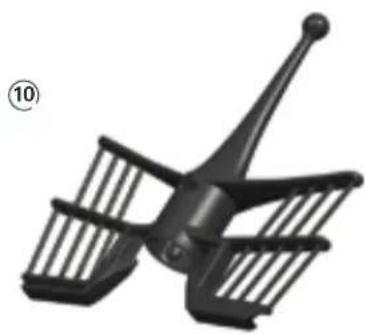
- Butterfly whisk (Stirring attachment)
- Measuring cup
- Spatula
- Varoma
Cookbook - Instruction Manual
- ThermomixTM Recipe Chip
(3)
(4)
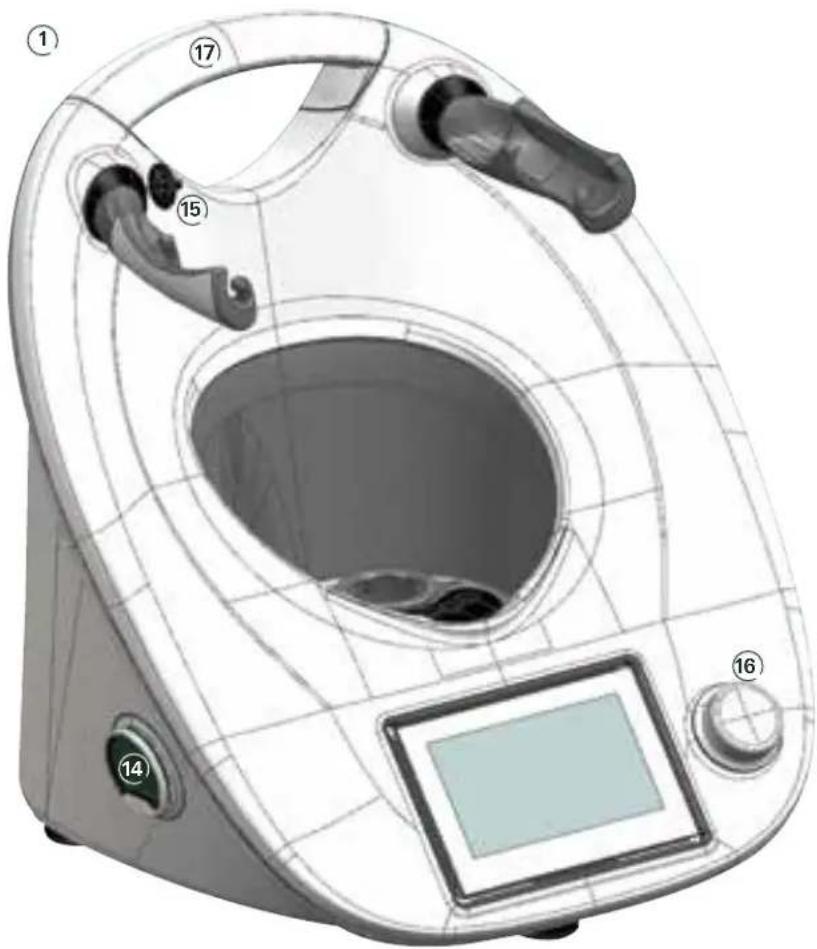
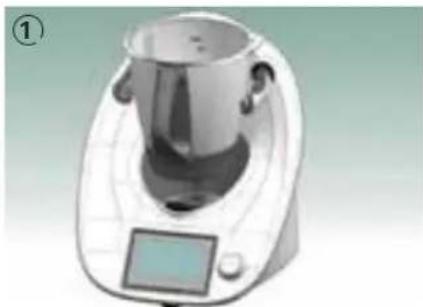
① ThermomixTM TM5
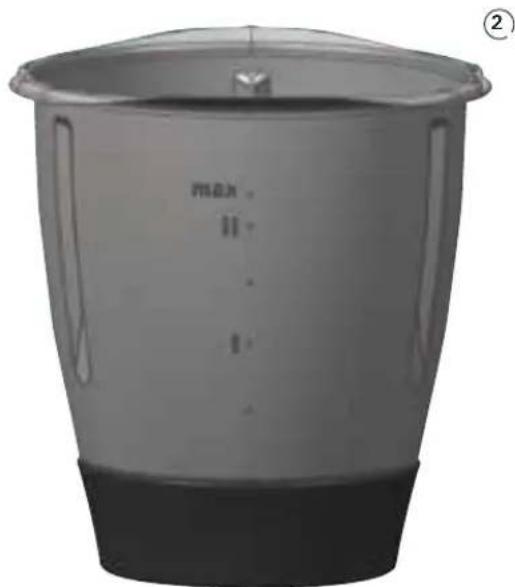
② Mixing bowl
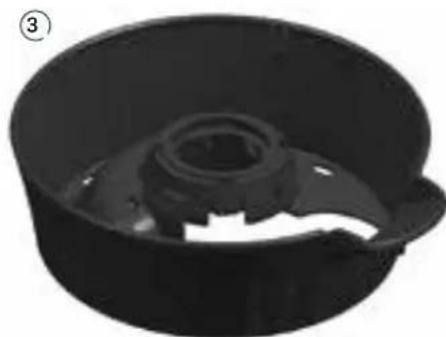
③ Mixing bowl base
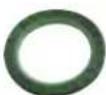
④ Seal ring for mixing knife
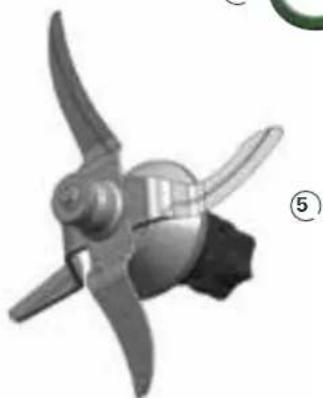
⑤ Mixing knife
13
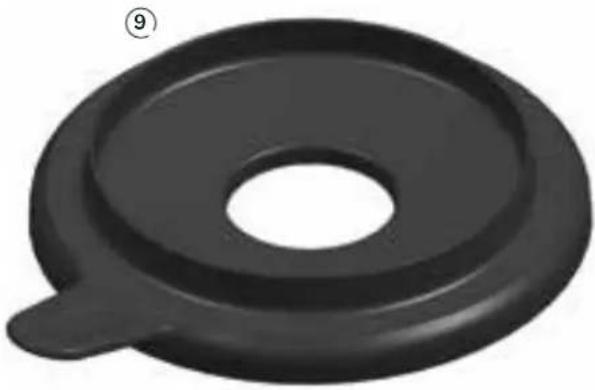
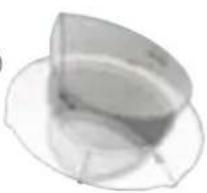
⑨ Mixing bowl lid
10Butterfly whisk
(Stirring attachment)
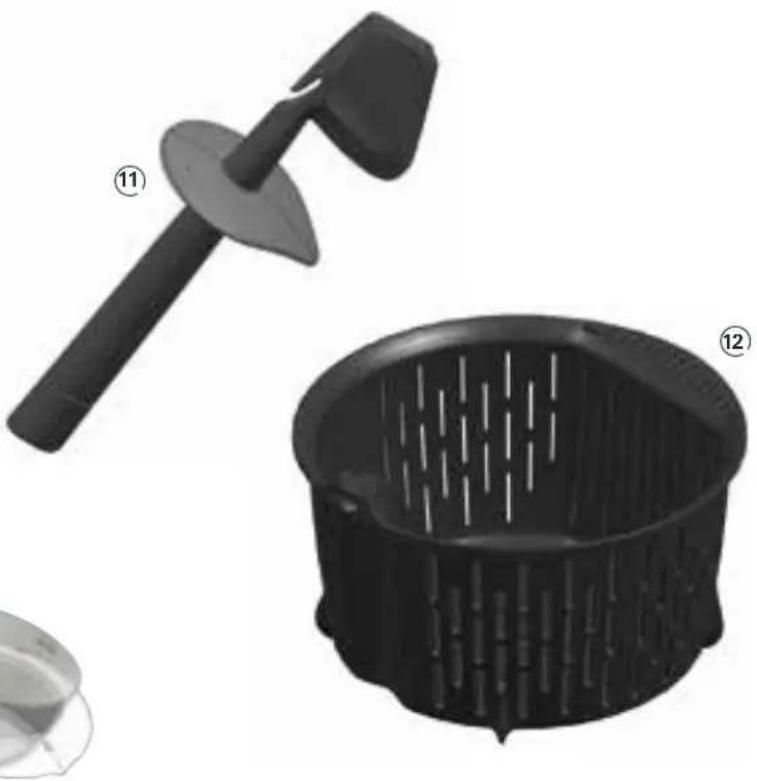
11 Spatula with safety disk
⑫ Simmering basket
13 Measuring cup
ThermomixTM Recipe Chip
15 Lid sensor
16 Selector
17 Handle
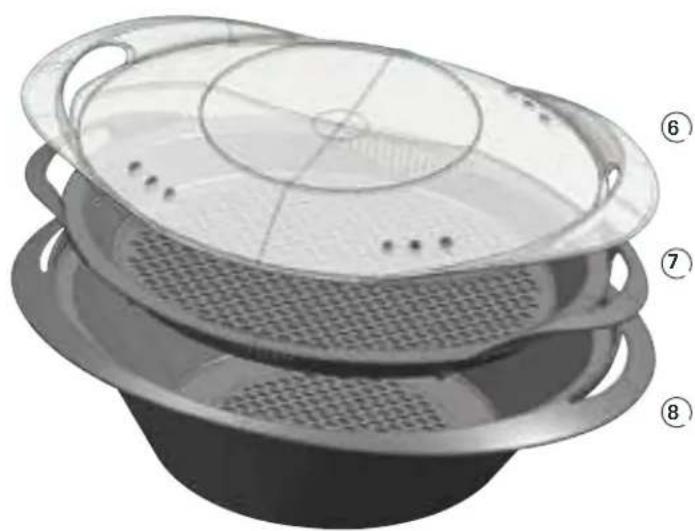
Varoma
⑥ Varoma lid
⑦ Varoma tray
⑧ Varoma dish
BEFORE YOUSTART
Congratulations on purchasing the Thermomix™TM5!
Before using your Thermomix™ TM5 (In the following simply called "Thermomix") for the first time attend a demonstration with a qualified Thermomix™ advisor. Familiarize yourself with using your Thermomix™.
Before you start
Be sure to place your Thermomix™ on a clean, solid and even surface so that it cannot slip. It is recommended to keep your Thermomix™ in a permanent position in your kitchen so that you can operate it easily. Remove the Foil from the Touchscreen. Clean your Thermomix™ thoroughly before using it for the first time. Follow the instructions in the chapter on cleaning (page 46).
How to insert the mixing bowl correctly
Insert the mixing bowl with the handle pointing to the front and place it gently into position①.
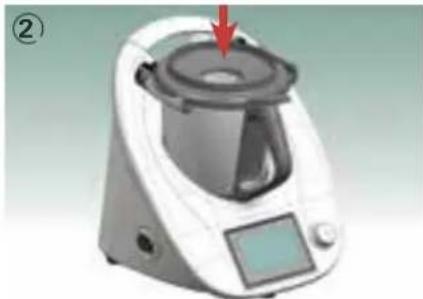
The mixing bowl has been inserted correctly if its handle is at the front, as shown in picture ① and if the bowl itself is securely fixed in the Thermomix™. To close the mixing bowl place the mixing bowl lid vertically onto the mixing bowl ②. The lid will lock automatically when the motor is active.
CAUTION
Danger of scalding by splashing hot food
- Never try to force the mixing bowl lid open. Only open the mixing bowl lid when the speed is set to "0" and the locking mechanism has released it.
- Never touch the locking arms or mixing bowl lid when opening or closing the Thermomix™. Do not attempt to remove the mixing bowl or the mixing bowl lid with force.
How to remove the mixing knife
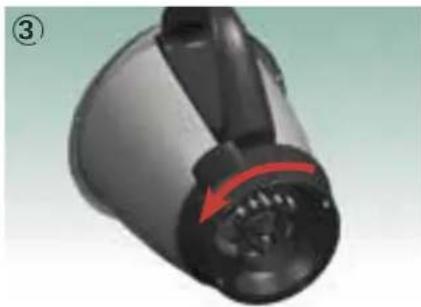
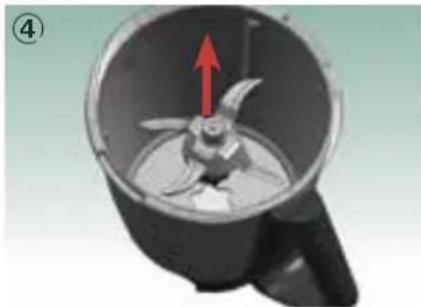
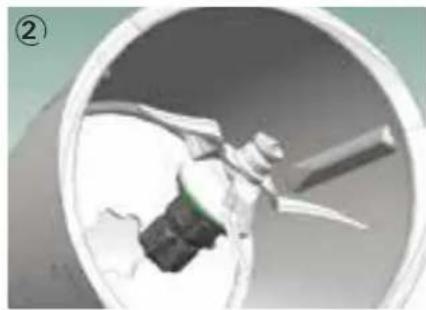
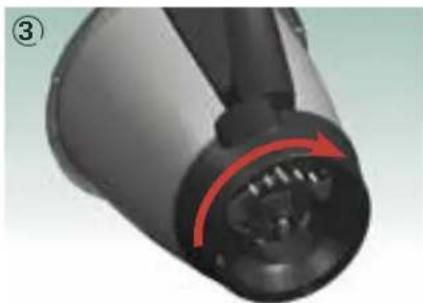
To remove the mixing knife: Hold the mixing bowl with one hand so that it's opening points upwards. With your other hand turn the mixing bowl base 30 degrees clockwise and pull the mixing bowl base off downwards ③. Carefully hold the upper part of the mixing knife and remove it together with its seal ring ④.
CAUTION
Danger of injury from the sharp mixing knife
Do not touch the blades of mixing knife. They are very sharp. Hold the upper part of mixing knife when removing or re-inserting it.
IMPORTANT:
Take precautions to prevent the mixing knife from falling out accidentally.
How to insert the mixing knife
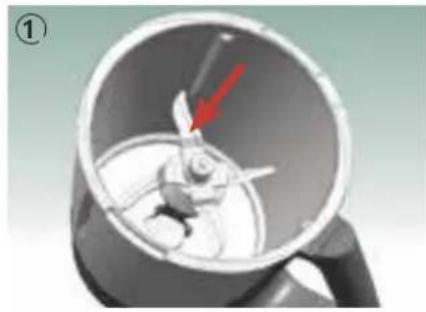
To re-insert the mixing knife place the mixing bowl base on an even and clean surface, place the mixing bowl on top of it and hold its handle firmly. Now push the mixing knife through the hole in the bottom of the mixing bowl ① ② until it's sealing ring touches the bottom of the mixing bowl. Then turn the mixing bowl base 30 degrees counter-clockwise to lock the knife in place ③.
CAUTION
Risk of damage by leaking out ingredients
Ensure that the sealing ring of the mixing knife is fitted to the knife bearing. If the sealing ring is damaged the ingredients may leak out and damage the Thermomix™. Ensure that the mixing knife is locked into the bowl base correctly.
ACCESSIONS
Before you start using your Thermomix™ we would like to present its accessories in more detail. They are proof of a well thought out design. Every part has been designed intelligently and serves several purposes.
Mixing bowl
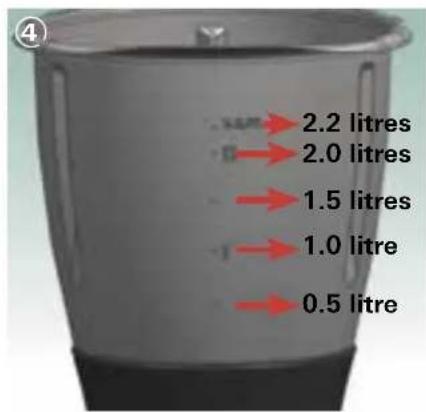
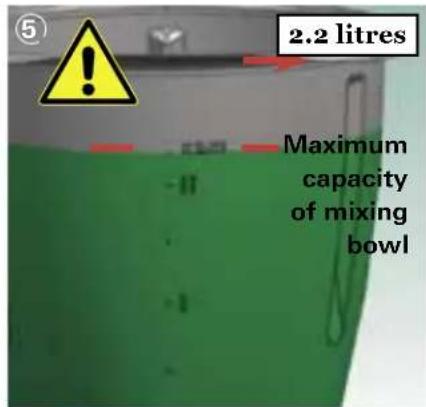
On the inside and on the outside of the mixing bowl there are marks indicating the filling level (4). The mixing bowl has a maximum capacity of 2.2 litres (5).
CAUTION
Danger of scalding by splashing hot food
- Place a maximum filling quantity of 2.2 litres of food and/or liquid into mixing bowl.
- Observe the fill level marks of mixing bowl.
Mixing bowl base
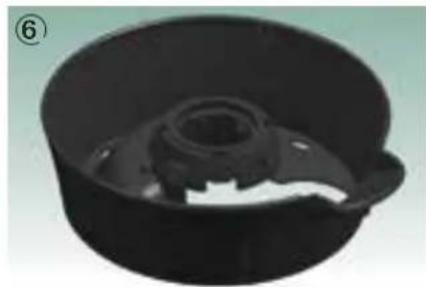
The mixing bowl base 6 is used to fasten and loosen the mixing knife within the mixing bowl. The whole mixing bowl may be placed on any work surface.
IMPORTANT:
The mixing bowl base must be turned as far as it will go and locked. Failure to fit the mixing bowl base and mixing knife correctly may result in damage to other parts of the ThermomixTM.
Mixing bowl lid
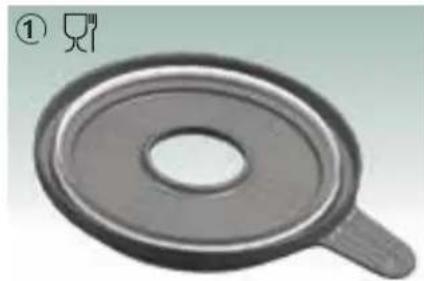
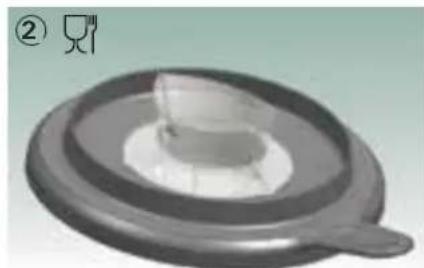
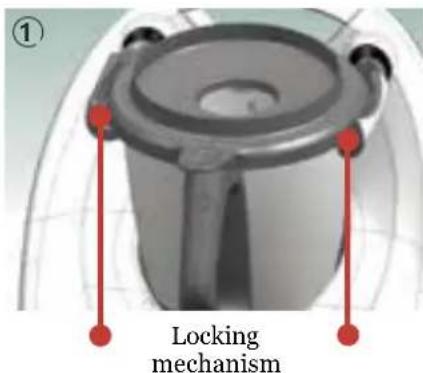
The mixing bowl lid 1 is used to close the mixing bowl. For safety reasons your ThermomixTM will not operate unless the lid has been positioned and locked correctly. Never try to force the lid open when the ThermomixTM is locked. The mixing bowl lid is being secured by the automatic locking mechanism. It consists of two locking arms securing the lid and a sensor located on the upper housing between the locking arms. Be sure to keep this sensor clean at all times. Please note the delay between setting the motor speed to zero and the release of the locking mechanism. It is dependent on the motor speed to prevent spillage of ingredients, if the mixing bowl is filled to the maximum indicator.
CAUTION
Danger of injury by improper use
- Use only the lid provided to close the mixing bowl.
- Only use your Thermomix™ with a clean mixing bowl lid and sealing ring. Ensure that the brim of the mixing bowl is clean at all times. Inspect the sealing ring regularly for possible damage. Be aware that the sealing ring is not removable and attempting to do so may result in damage. In case of damage or leakage exchange the lid immediately. Do not use your Thermomix™ until you have exchanged the lid.
Danger of injury
- Never touch the locking arms or mixing bowl lid when opening or closing the Thermomix™. Do not attempt to remove the mixing bowl or the mixing bowl lid with force.
Measuring cup
CAUTION
Danger of scalding by splashing hot food
- Be aware of hot food escaping from the hole in the mixing bowl lid. Place the measuring cup correctly into the hole and leave it in place when processing hot food (e.g. jam, soup) especially at medium (3-6) and higher (7-10) speed levels.
- Use only the ThermomixTM measuring cup to close the hole in the mixing bowl lid. Do not cover the mixing bowl lid with any item including towels or dish cloths.
- Never hold or touch the measuring cup when processing hot food (Temperature above 60^ ).
Measuring cup - cold food - danger of injury by escaping cold food
- When processing cold food at medium (3-6) and higher (7-10) speed levels or when activating the turbo mode to chop or puree cold food, hold the measuring cup to prevent cold food from escaping. (But never hold the measuring cup when processing hot food.)
Measuring cup - hot food - danger of burn injury
- When processing hot food (temperature above 60^ ) do not touch the measuring cup or activate turbo mode.
CauTION
- Always place the measuring cup correctly in the hole in mixing bowl lid and ensure that it is not being pushed up by the contents of the simmering basket. If the hole in the mixing bowl lid is blocked with food and the heating is active, an overpressure can build up in the mixing bowl and the hot contents might escape explosively. In this case there is a high risk of burns and injuries.
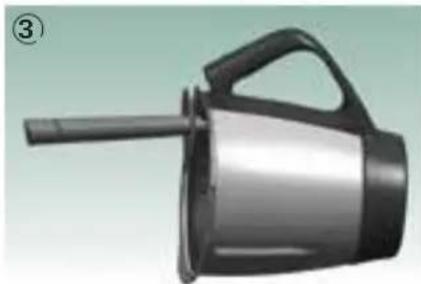
The measuring cup is a multi-purpose item: it is a closing cap for the hole in the mixing bowl lid to avoid heat loss and it prevents ingredients from escaping. The measuring cup can be used to measure ingredients. Besides the 100ml mark please note that a measuring cup holds up to 100ml , and 50ml when filled to the notch. Place the measuring cup into the hole in the mixing bowl lid with its opening showing upwards (2).
If you wish to add some liquid there is no need to remove the measuring cup. Simply pour the liquid onto the lid. It will gradually trickle into the mixing bowl. To add ingredients through the hole in the mixing bowl lid lift the measuring cup and add them into the mixing bowl.
Simmering basket
The simmering basket for the ThermomixTM is made of high-quality plastic. It is a multi-purpose item:
- Filtering of fruit and vegetable juices. Chop and make a puree in the Thermomix™, then insert the simmering basket into the mixing bowl and use it as a filter when pouring the juice out. When pouring the juice use the spatula to hold the simmering basket ③.
- Delicate food such as meatballs or fishballs that are not suited to be prepared in the mixing bowl as a whole should be put into the simmering basket.
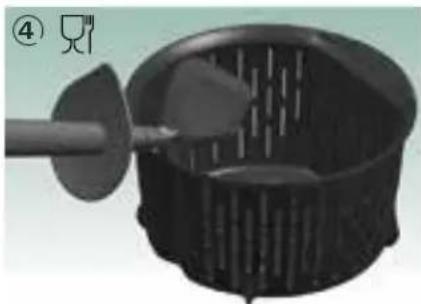
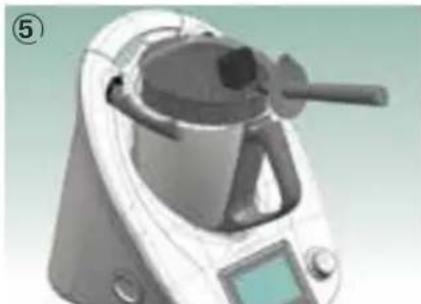
To remove the simmering basket: place the hook of the spatula into the notch of the simmering basket (4) and lift the basket (5). The spatula can be removed at any time.
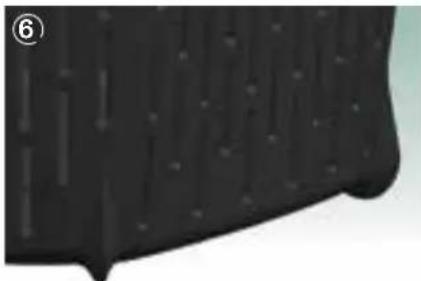
- The feet at the bottom of the simmering basket (6) allow liquid to drip off the food in the basket.
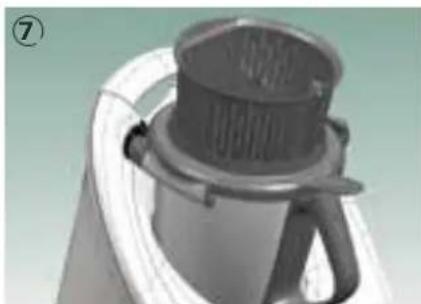
- In case of wanting to reduce the liquid in the food (e.g. sauce) place the simmering basket as a cover onto the mixing bowl lid ⑦ instead of the measuring cup.
CauTION
Never overfill the simmering basket. Content must never protude over the top rim of the simmering basket. Ensure that the hole in the mixing bowl lid remains free of food. If the hole in the mixing bowl lid is blocked with food and the heating is active, an overpressure can build up in the mixing bowl and the hot contents might escape explosively. In this case there is a high risk of burns and injuries.
Spatula
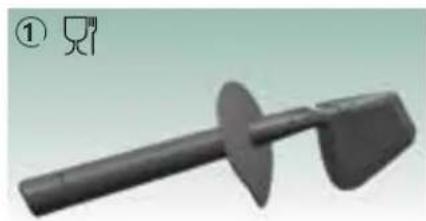
The spatula (1) is another example of the intelligent design of the ThermomixTM.
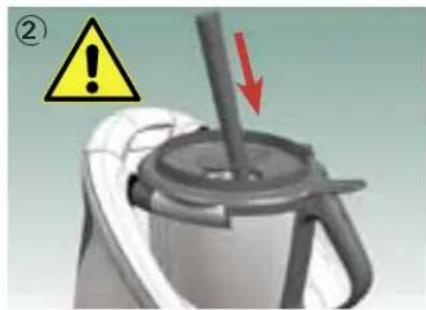
- The Thermomix™ spatula is the only accessory you may use to mix or stir the ingredients in the mixing bowl ②. Push it from above into the bowl through the hole in the mixing bowl lid. The safety disk ensures that the spatula is not caught by the mixing knife. This means that you can use the spatula during chopping, cooking or simmering.
- The spatula should be used to scrape all ingredients from the mixing bowl. The tip of the spatula is shaped to fit exactly between the mixing knife assembly and the wall of the mixing bowl.
- The spatula has a specially shaped safety disk to make sure that it does not roll off the work surface.
- When filtering fruit or vegetable juices use the spatula to hold the simmering basket in place.
- Removing the simmering basket is effortless with the spatula (see page 19, photo 4).
CAUTION
Danger of injury by usage of not intended items
- Use only the Thermomix™ spatula with safety disk for stirring food in the mixing bowl.
- Never use other items or utensils such as spoons, whisks or knives for stirring. These might get caught in the rotating mixing knife, and could result in injury.
- Lock the mixing bowl lid before inserting the Thermomix™ spatula through the hole in the mixing bowl lid.
Butterfly Whisk (Stirring attachment)
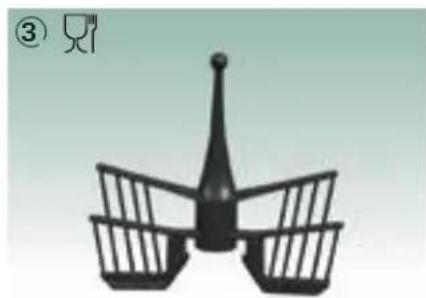
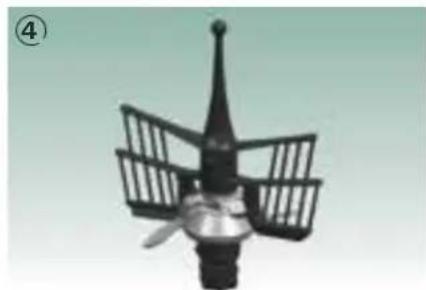
- The butterfly whisk ③ (here positioned on the mixing knife ④) will help you to achieve best results when whipping cream or beating egg whites. It is also the perfect accessory for the preparation of creamy puddings or cream mixtures.
- When boiling milk or preparing puddings or sauces the butterfly whisk allows a constant movement of ingredients. This will help prevent the food from sticking.
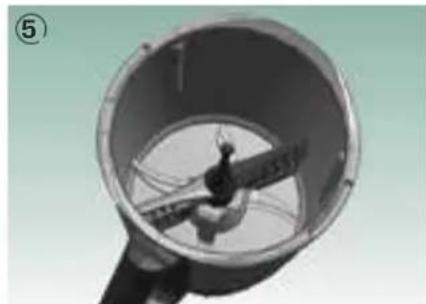
It is easy to insert and remove the butterfly whisk: Insert the butterfly whisk as shown in picture ⑤ and slightly turn it against the intended rotation of the mixing knife. It should be hooked under the knife now and not be possible to pull it off vertically. Its ball-shaped end ensures that it can be removed easily. To remove the butterfly whisk hold the ball-shaped end and pull it out with rotations in both directions.
CauTlON
- When using the stirring attachment (butterfly whisk) switch on the speed only after the butterfly whisk is correctly in place.
- Do not select a speed higher than level 4 when using the butterfly whisk.
- Never use the spatula when the butterfly whisk is fitted.
- Do not add ingredients that might damage or block the butterfly whisk when it is attached to the mixing knife and the motor is running.
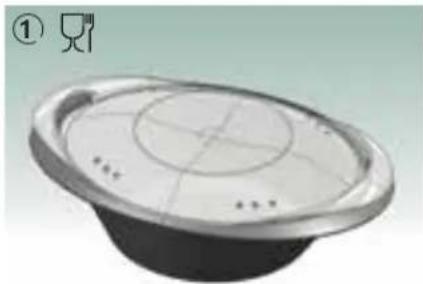
Varoma
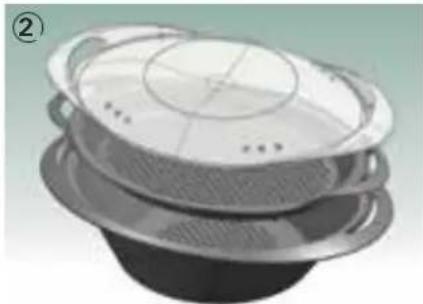
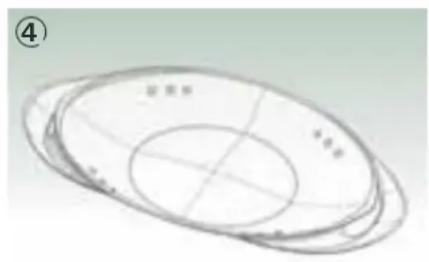
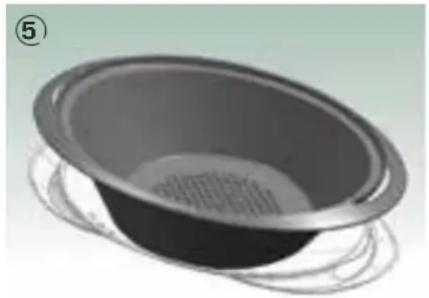
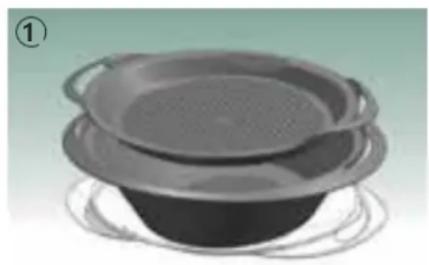
The Varoma (1) consists of three parts (2) :
- Varoma dish (bottom)
- Varoma tray (middle)
- Varoma lid (top)
All parts are made of high-quality, food compatible plastic.
NOTICE
While cooking, always keep the Varoma lid on top of the Varoma ①.
- Use the Varoma only with the Thermomix™ (The Varoma is not suitable for use with microwave, ovens or other appliances).
How to combine the Varoma parts
You can use your Varoma in either of the following two combinations:
Combination 1:
Varoma dish plus Varoma tray and lid ②
Use this combination for cooking different foods, e.g. vegetables with meat or fish, or a larger amount of the same food, e.g. yeast dumplings.
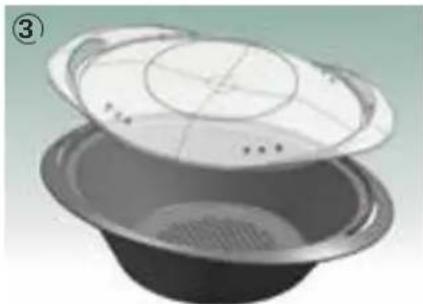
Combination 2:
Varoma dish plus Varoma lid ③.
Use this combination for cooking large amounts of the same food, e.g. vegetables, potatoes or large pieces of meat or sausages.

CAUTION
Danger of scalding by hot steam and hot condensed water
Never use the Varoma without the Varoma lid.
IMPORTANT:
If the Varoma lid is not positioned properly, the steam will escape and the food inside the Varoma will not cook properly.
How to use the Varoma
Your Varoma is an accessory designed for the ThermomixTM and can only be used with the ThermomixTM. Before you can start steaming with the Varoma you will need to set up your ThermomixTM correctly:
Step 1: Set up ThermomixTM
Place the mixing bowl into position. Pour at least 0.5 litre (500g) of water into the mixing bowl for up to 30 minutes steaming. If you steam with the simmering basket, insert the simmering basket and fill it with ingredients, e.g. potatoes or rice. Close the mixing bowl with the mixing bowl lid.
For a flavoursome variation you can use a vegetable broth or water-wine-mix instead of water.
Step 2: Filling the Varoma
Place Varoma lid upside down on your work surface 4 and position Varoma dish on top - it fits precisely into the groove. Now loosely fill the Varoma dish with food 5. Make sure that some slots remain unobstructed so that the steam can spread evenly. As you fill the Varoma, put the food requiring longer cooking at the bottom, and food requiring shorter cooking at the top.
The Varoma lid underneath the Varoma dish will stop the liquid from washed vegetables, ripe fruit, raw meat or fish from wetting your work surface.
CAUTION
Danger of scalding by hot steam and hot condensed water
- Ensure that the hole in the mixing bowl lid and some slots of the Varoma dish and tray remain free of food to avoid an uncontrolled escape of steam.
- Be sure to position the Varoma correctly onto the mixing bowl and ThermomixTM.
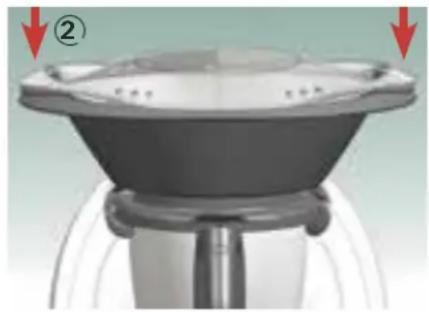
When using the Varoma tray, insert it into the Varoma dish. Make sure the Varoma tray is positioned loosely and evenly. Then place food onto it ①. Place the Varoma upright into position onto the locked mixing bowl lid (without the measuring cup) in such a way that it sits level ②.
Place the Varoma lid on top. It should be positioned loosely and evenly so that it seals the Varoma well, allowing no steam to escape.
IMPORTANT:
Never leave the measuring cup in the mixing bowl lid when using the Varoma.
If the Varoma lid is not positioned properly, not enough steam will stay in the Varoma. This will slow down the cooking process.
CAUTION
Danger of scalding by hot steam and hot condensed water
- Be aware that hot steam escapes at the sides and from the top of the Varoma lid during operation.
- Keep children away from the Thermomix™ when using the Varoma and warn them about the danger of hot steam and hot condensed water.
Danger of scalding by splashing hot food
- Use only low speed levels (3 - 6) when selecting Varoma temperature. Higher speed levels can lead to splashing of hot food or frothing up of liquid.
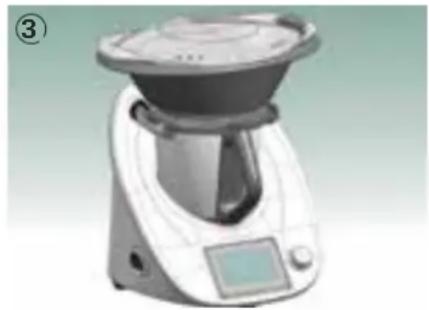
Step 3: Steaming with Varoma (3)
All you need to do is select the time and Varoma temperature using the time dial and the temperature dial. The steaming process begins when you set the speed to a low speed setting ( - 6) . The timer starts to count down. Water or water-based liquid in the mixing bowl is brought to the boil, producing 250g of steam per quarter hour for steam cooking or reducing the liquid. The steam rises through the hole in the mixing bowl lid of the Thermomix™ into the Varoma. The food is cooked gently in the hot steam. Please note that the maximum Varoma temperature is 120^ , depending on what ingredients you are using, e.g. oil.
CAUTION
Danger of scalding by hot steam and hot condensed water
- Touch only the handles on the sides of the Varoma.
- When removing the Varoma lid hold it in such a way that the escaping steam or hot dripping liquid cannot come into contact with you.
- Be aware that hot steam will continue to rise up through the hole in the mixing bowl lid when removing the entire Varoma.
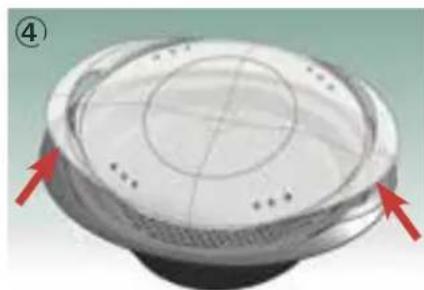
When the ingredients are cooked or if you want to check whether they are cooked, set speed to zero by tapping on the speed dial on the home screen and turning the selector counter clockwise. In order to open the Varoma, slightly incline the Varoma lid carefully to the front so that the steam can escape from the back (4). Take care to let the condensation water drip into the Varoma dish and tray by holding the Varoma lid above them. Then carefully remove the Varoma lid and place it upside down on the work surface.
Lift the Varoma dish and tray up, wait some seconds so that the condensed water drips onto the mixing bowl lid. Then place the Varoma dish and tray onto Varoma lid.
Practical work with the Varoma
This description explains clearly how easy it is to use the Varoma. Observe the following basic rules for using the Varoma:
- Place enough water in the mixing bowl.
IMpORTanT:
30 minutes steam cooking requires 0.5 litre (500g) of water, for every additional 15 minutes an additional 250g of water is required.
- The bottom of the Varoma dish and tray are both designed with an even pattern of small slots to guarantee an even distribution of steam in the Varoma.
- The food should always be positioned so that as many slots as possible remain unobstructed. Laying the food in "loosely" is usually enough to ensure this.
- You can cook foods of different consistency and hardness at the same time. Place food requiring longer cooking at the bottom and food requiring less cooking at the top, e.g. vegetables in the Varoma dish and fish on the Varoma tray.
- The vegetables will be evenly cooked if you cut them into similar-sized pieces. The cooking times stated are approximate. Cooking time varies depending on quality, ripeness and size of the ingredients as well as your personal preferences.
- Grease the Varoma dish and tray to make sure that ingredients such as meat, fish or dough do not stick.
- Do not thicken your sauces and soups until the steaming process is finished. Thickeners may prevent steam from forming evenly in the mixing bowl and slow down the overall cooking process.
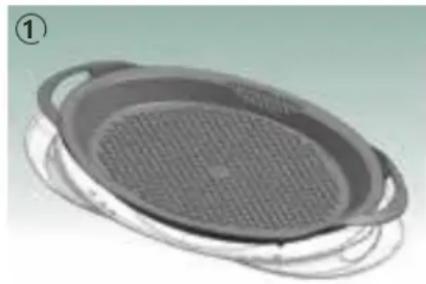
- You can also turn the Varoma lid upside down and use it as a drip collector for the Varoma dish and the Varoma tray (1). It can also be used as a tray to serve food directly from the Varoma.
WORKING WITH THE THERMOMIX™
Starting the ThermomixTM
Pull the power cord lightly from the housing and connect it to the mains power supply. You can choose whatever length of power cord you need, up to 1m . If you do not need the whole length of the power cord the remaining length can be kept inside the ThermomixTM. Make sure that there is no strain on the cable so that the scales can work properly. Do not place the ThermomixTM on the power cord. If you do, the ThermomixTM will not sit evenly on the surface and the scales will not weigh accurately. Now the ThermomixTM is ready to operate.
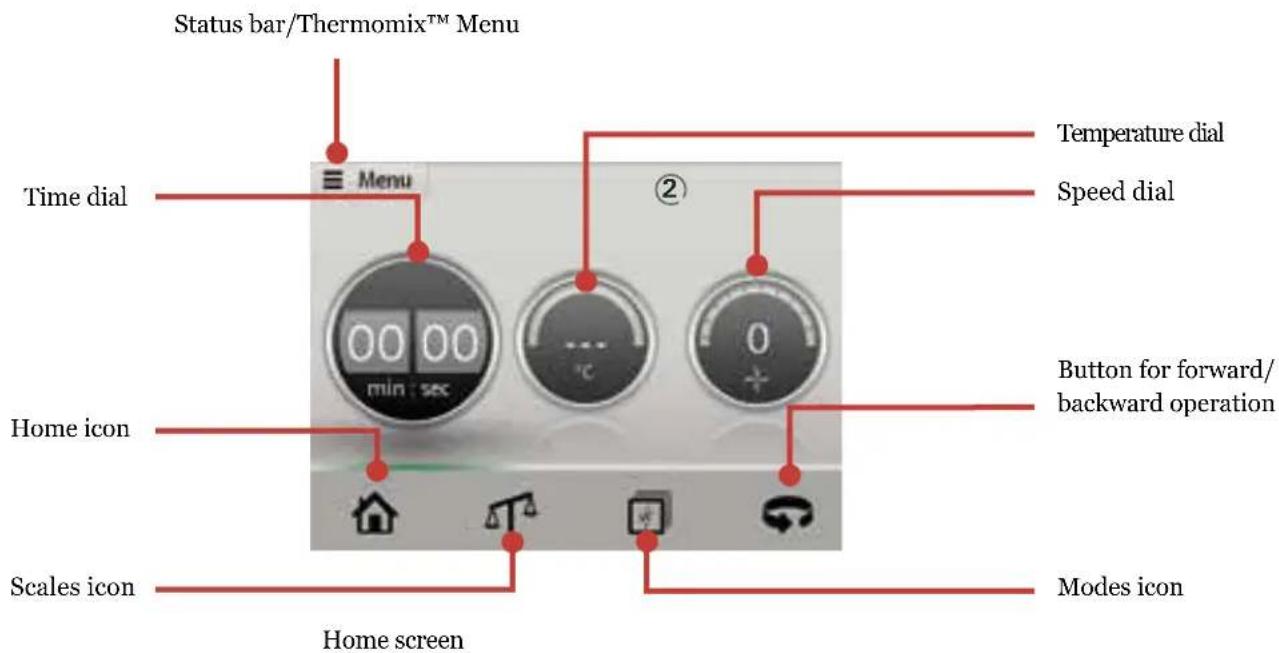
Switch the ThermomixTM on by pressing the selector. The Home screen ② will then appear.
Press the Home icon to return to the Home screen from the various menu options. On the Home screen, you can reset the dials by touching and holding the home icon. Find a permanent place in your kitchen for your Thermomix™ right from the start so that it is ready to use whenever you need it.
CAUTION
Thermomix™ can move
Place your ThermomixTM on a clean, solid, even and non-heatable surface so that it cannot slip. Keep the ThermomixTM at a sufficient distance from the edge of the surface to prevent it from falling off.
Risk of damage by hot steam
Ensure that there is a sufficient clearance above and around the Thermomix™ and Varoma (for example below suspended cupboards or shelving) to prevent damage from hot escaping steam.
Switching the ThermomixTM off
To switch off your Thermomix™, press and hold the selector until a message appears that the Thermomix™ is switching off. You can then release the selector.
CAUTION
Danger of injury from sharp edges
The Thermomix™ display is made from glass and can shatter if handled incorrectly.
Safety measures
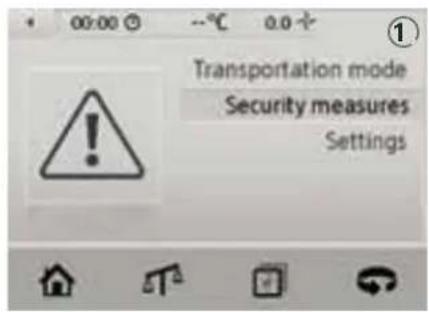
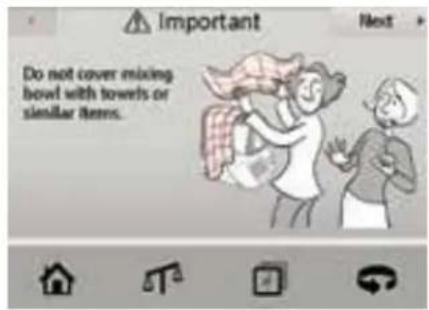
Please read the safety measures carefully when using the ThermomixTM for the first time. To review what you need to take into account, simply select "Security measures" in the ThermomixTM Menu ①.
Weighing ingredients with the Thermomix™
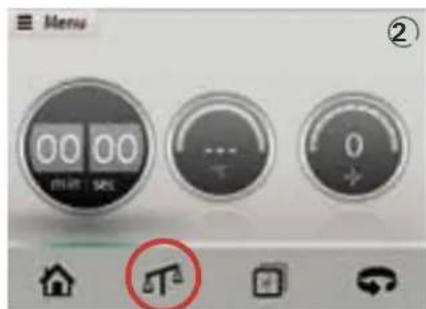
Press the scales icon to activate your Thermomix™'s integrated scales function (2).
You can weigh ingredients directly into the mixing bowl and Varoma.
Proceed as follows to use the scales:
Step 1: Insert mixing bowl.
Step 2: Tap on the scales icon.
Step 3: Put in the first ingredient (3.0 kg max.) and check the quantity on the display.
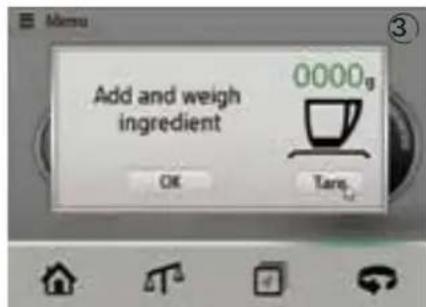
Step 4: If you wish to add more ingredients tap on the tare button and add the next ingredient (3).
Repeat these steps as often as required to the maximum weight (6kg) The variation for up to 3.0kg is + / - 30g
IMpORTanT:
When weighing do not touch or lean anything against the Thermomix™ and make sure that there is nothing underneath the Thermomix™. Also make sure the power cord is without tension.
Further information about weighing
The scales function works from 5g to 6.0kg in steps of 2 times 3kg . When weighing and adding ingredients with the help of the scales function always add ingredients slowly because two to three seconds are needed before the scales show the correct weight.
If you remove an ingredient from the mixing bowl, the scales will indicate a negative value according to the weight of the ingredient removed.
When using the scales function to add ingredients, do not add more than 3.0kg at a time. If you add more than 3.0kg at a time, an overload message will appear.
Always tap on the scales icon first before weighing or using the scales function. This will increase the accuracy of the scales. Please be careful not to move the Thermomix™ during the weighing process.
When the scales function is not being used for more than 15 minutes the ThermomixTM will switch off automatically. If you tap on the scales icon again before this time out the 15 minutes will start again.
Weighing while stirring function: You may weigh in ingredients while the motor is running up to speed 4. Please note that this function only works when the contents of your Thermomix™ allow a smooth, shake-free operation.
Operating the ThermomixTM from the Home screen
Step 1: Set the timer
Tap the timer display and use the selector to set an operating time of up to 99 minutes.
Select a time between 0-1 minute in 1 second increments,
1-5 minutes in 10 second increments,
5-20 minutes in 30 second increments,
20-99 minutes in 60 second increments.
Step 2: Set the temperature
Tap the temperature dial and use the selector to set the desired temperature to heat or cook the ingredients in the mixing bowl. If the dish should not be heated, skip this step. Please note that the heating function of the Thermomix™ will remain inactive until a time is set.
Step 3: Start the ThermomixTM
Tap the speed dial and use the selector to set the desired speed. Once the speed has been set, the locking mechanism ① will secure the lid and the preset time will begin counting down to 00:00 in one second increments. In the cold mixing mode, the mixing speed will switch off once the preset time has expired.
A sound will indicate the end of the process and that the lid can be removed. Depending on the preset speed, the locking mechanism will only unlock the lid after a few seconds to ensure that no liquid spills out.
In the warm mixing mode after heating and simmering, you will experience a different behaviour of the ThermomixTM than in cold mixing mode.
Once the preset time has expired, the mixing knife continues to stir gently for 8 seconds to help prevent burning on the mixing bowl base. After the additional 8 seconds have expired, the Thermomix motor will stop, a sound will indicate the end of the process and that the lid can be removed. Please note that it is not required to wait these 8 seconds but you may also stop your Thermomix manually any time before the 8 seconds have expired.
IMpORTanT:
Heating and cooking are only possible if a time period has been set.
CauTION
Never touch the locking arms or mixing bowl lid when opening or closing the Thermomix™. Do not attempt to remove the mixing bowl or the mixing bowl lid with force.
Time dial
The preset time can be changed at any time during preparation. Tap the time dial (if it is not yet active) and turn the selector clockwise to increase the time or counter-clockwise to decrease it. If the mixing knife is stopped before the preset time has expired – for example, to add an ingredient – the timer will be paused. The countdown will resume once a new speed has been selected. To stop the mixing process before the preset time has expired, press the time dial and turn the selector counter-clockwise until the time is set to 00:00 or press the selector.
If no time has been preset and the motor is activated the Thermomix™ will automatically stop after a maximum time of 99 minutes. After this time, a buzzer will sound.
Temperature dial
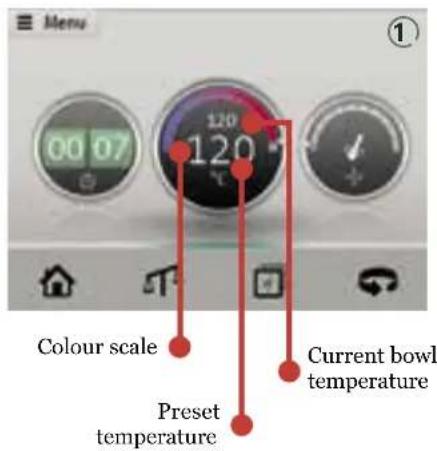
The temperature can be set to between 37^ and 120^ . The desired temperature will be indicated in the middle of the temperature dial in large numbers. The temperature of the bowl will be indicated along the top edge of the temperature dial on a colour scale from blue to red. The current bowl temperature will also be displayed in smaller writing between the desired temperature and colour scale ①. While the heating is active you will also notice the "oC" pulsing inside the temperature dial.
The preset and current temperatures indicated are approximate values only. Always ensure that the value for the preset temperature is set to "---" if you do not wish to heat or cook food! Alternatively, switch off the heating function by tapping on the temperature dial and turning the selector counter-clockwise to "---". This will prevent unwanted heating of the ingredients in the mixing bowl if a time has been preset. The heating function will only be switched on if a time is preset on the time dial.
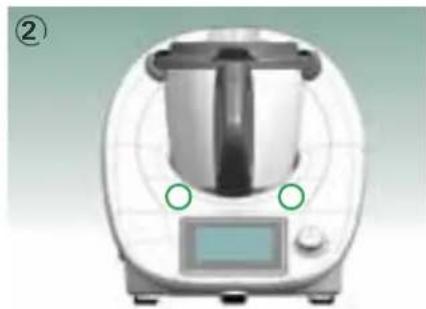
The ThermomixTM also uses LEDs on the housing to indicate whether it is preparing cold dishes (flashing green) or hot dishes (flashing red as soon as the mixing bowl has reached a temperature of 55^ - 60^) 2
Soft heating at speeds 2 and 3
Speeds 2 and 3 are designed for soft heating. When these speeds are selected, the temperature will be increased slower than at the other speeds. This allows for the gradual heating of sensitive ingredients (e.g. zabaglione).
Soft start (above 60^ / 140^ )
If the Turbo mode is activated or the motor is started when the temperature in the mixing bowl is 60^ or higher, an electronic system will prevent food from escaping by delaying the speed increase. This soft start will only work if the food has been heated in the Thermomix™. Only then can the temperature sensor correctly gauge the current temperature and trigger the soft start accordingly.
If you want to use the Thermomix™ to process food that has not been heated in the Thermomix™ (e.g. preparing a gravy from hot meat juices), you should only increase the speed slowly and gradually.
Varoma temperature setting
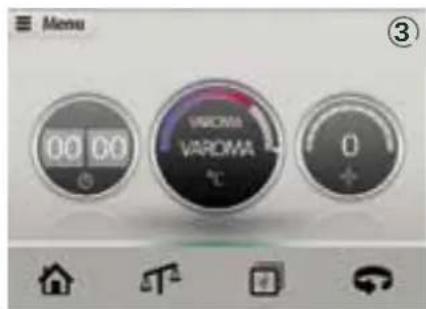
If the Varoma temperature setting 3 is selected, temperatures of up to 120^ (248^) may be reached, depending on what ingredients you are using, e.g. oil. Please note that the value for the current temperature will switch to "Varoma" as soon as the mixing bowl has reached a temperature of 100^ , which is needed for steaming. The colour scale will continue to show the current mixing bowl temperature (100^ - 120^) . During 15 minutes at Varoma temperature setting 250g water or waterbased liquids evaporate. The Varoma temperature setting is used for steam cooking (see page 22-26) and reducing water based liquids. For sauteing ingredients the temperature setting of 120^ is recommended. Be aware that 120^ can only be reached after most of the water content of the ingredients has evaporated.
CAUTION
Never heat up the mixing bowl when it is empty.
Speed dial
Tap on the speed dial and turn the selector to start the ThermomixTM. The following speeds are available:
Designation Speed / mode Revolutions/min.
| Gentle stir 40 | ||
| Stirring 1-3 100-500 | ||
| Mixing/blending 4-10 110- | 0-10200 | |
| Turbo mixing Turbo 10700 |
Gentle stir setting
The gentle stir setting 4 can be selected using the speed dial. At this setting, the food is stirred slowly in the same way as if you periodically stirred some food in a saucepan. If this setting is selected, the food is not chopped and large chunks remain.
Stirring
Use the lower speeds 1-3 for gentle stirring. This lower speed range is ideally suited for delicious stews.
Mixing/blending
Use the speed range from 4 to 10 for coarse, fine and very fine chopping, mixing and blending. Always be sure to adjust the speed slowly to the desired value with the measuring cup inserted into the hole in the mixing bowl lid. This will prevent the food to be chopped from escaping.

CAUTION
Do not reach into the hole in the mixing bowl lid or touch the mixing knife when the Thermomix™ is in operation.
Turbo mode
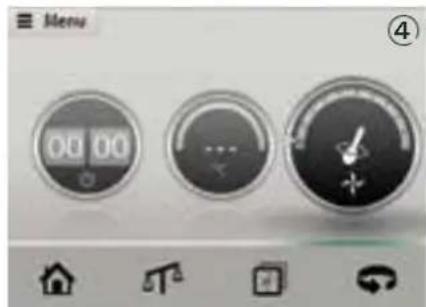
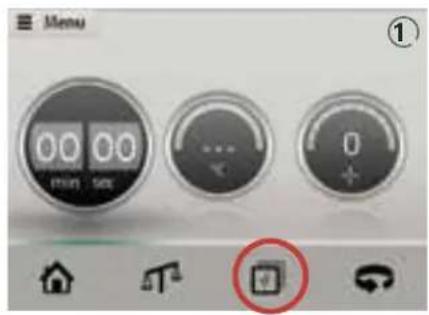
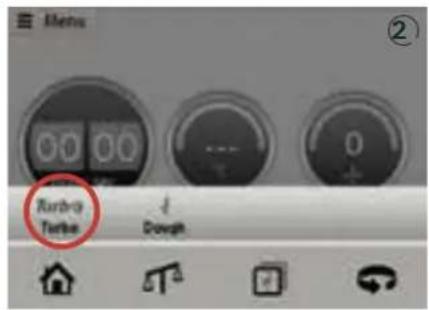
Use the Turbo mode to operate the ThermomixTM at maximum speed. To activate the Turbo mode, tap on the modes icon 1 and select Turbo 2. On the Turbo screen 3 select the desired blending time of 0.5 to 2 seconds by tapping on respective touch area and turning the selector. For example, if you want to coarsely chop larger quantities of food, activate the Turbo button 3 to 4 times for 0.5 seconds (repeat as necessary). The outcome will be evenly chopped food. The Turbo mode is also available while the motor is running already; it is automatically deactivated when the temperature in the bowl exceeds 60^ or the dough mode is activated.

CAUTION
Danger of scalding by hot steam and hot condensed water
- Never use the turbo mode or abruptly increase the speed when processing hot food (temperature above 60^ ), especially if the food has not been heated in the Thermomix™.
- Never hold or touch the measuring cup when processing hot food (temperature above 60^ ).
- Remove the mixing bowl carefully to prevent any spillage, especially when the mixing bowl contents are hot.
IMPORTANT:
To blend the ingredients at a temperature higher than 60^ (e.g. when preparing a gravy from hot meat juices), increase the speed slowly and gradually by tapping on the speed dial and turning the selector.
Forward/reverse knife movement
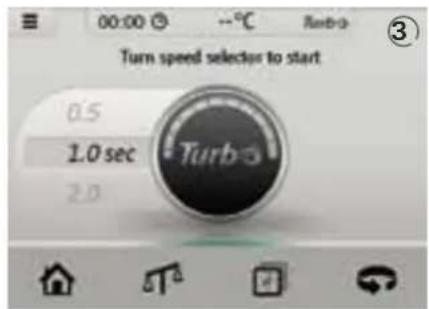
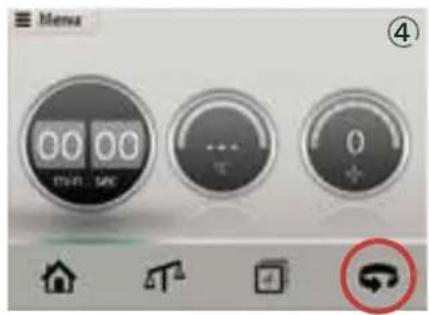
Touch to reverse the rotating direction of the mixing knife from forward (clockwise) to reverse (counter-clockwise) 4. You can reverse the direction of the mixing knife at any speed. Counter-clockwise operation is indicated by the according symbol on the speed dial. To revert to clockwise operation, simply tap on again, or wait until the set time has expired and the rotation is automatically set back to forward knife movement. Reverse operation is intended for gently stirring delicate food which is not to be chopped.
Dough mode
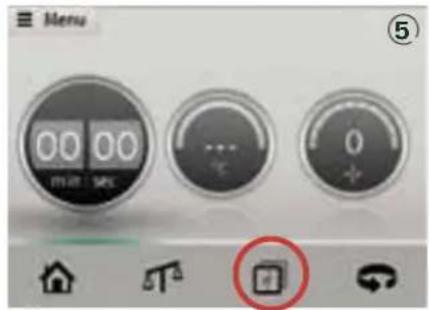
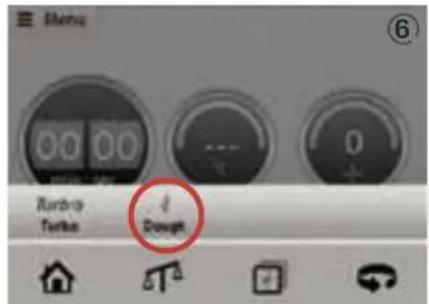
Use the dough mode to make heavy yeast dough or bread dough. To select the dough mode, tap on the modes icon ⑤ on the display and select the dough mode icon ⑥. A message will appear at the top of the screen confirming your selection. An ear of corn will now be displayed on the speed dial, indicating that the dough mode has been selected. You can activate the dough mode by pressing on the speed dial and turning the selector with or without presetting the time.
The alternating operation during which the dough is mixed clockwise and counter-clockwise ensures even processing of the dough in the mixing bowl. To deactivate the dough mode, tap on the modes icon again. A message will appear at the top of the screen confirming your selection.
The dough mode is only available if the mixing bowl has cooled down after cooking to a temperature below 60^ (140^) . If the temperature is higher, the dough mode cannot be started and an error message will appear. Please note that while the dough mode is active the heating system, the turbo mode and the reverse mode are deactivated.
IMPORTANT:
ThermomixTM can move
- Place your Thermomix™ on a clean, solid, even and non-heatable surface so that it cannot slip.
- Keep the Thermomix™ at a sufficient distance from the edge of the surface to prevent it from falling off.
- Be aware that occasionally when kneading dough or chopping food, an imbalance can develop in the mixing bowl which, under certain circumstances, may cause the whole Thermomix™ to move. Do not leave the Thermomix™ unattended while it is kneading dough or chopping food.
Connecting a ThermomixTM recipe chip
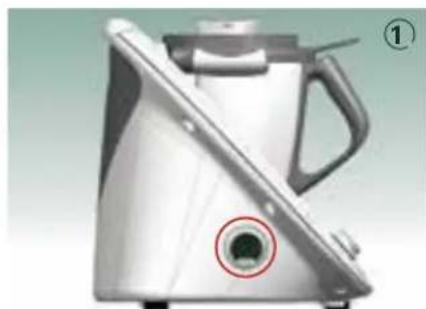
To connect a ThermomixTM recipe chip to your ThermomixTM, attach it to the port at the side of the ThermomixTM. It will lock into place as soon as the magnet is sufficiently close①.
The display will indicate which Thermomix™ recipe chip has been attached. A Thermomix™ recipe chip icon will appear in front of the "Recipes" menu entry in the main menu. The recipes on the Thermomix™ recipe chip may now be selected and cooked from the "Recipes" and "Favorite recipes" submenu.
CAUTION
Risk for people wearing pacemakers
The ThermomixTM Recipe Chip and the ThermomixTM Recipe Chip interface of the ThermomixTM TM5 contain magnets. If you wear a pacemaker be sure to maintain a sufficient distance. Warn people with pacemakers respectively.
ThermomixTM Menu
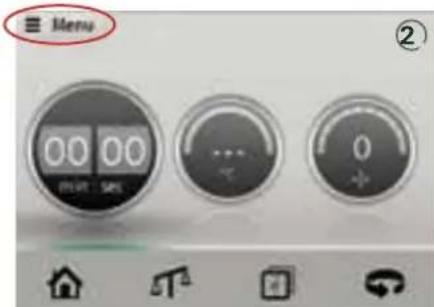
When you tap on "Menu", it features a list of further useful ThermomixTM functions ②.
Favourite recipes
Selecting "Favourite recipes" is the quickest way to access the recipes that you have tagged as favourites.
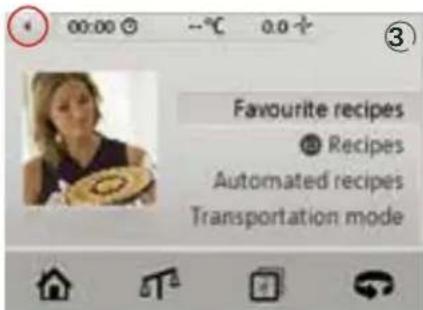
Important: Use the left arrow in the top left-hand corner of the screen to return to the ThermomixTM menu step-by-step ③.
In case a menu entry exceeds the line space three dots at the end of the line indicate that swiping the text will make the hidden characters visible.
Recipes
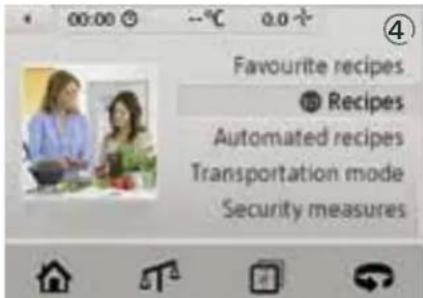
Select "Recipes" from the list to search through all the recipes 4. There are four different ways to search for your desired recipe: by category, recipe name, favorite recipes or recently cooked recipes
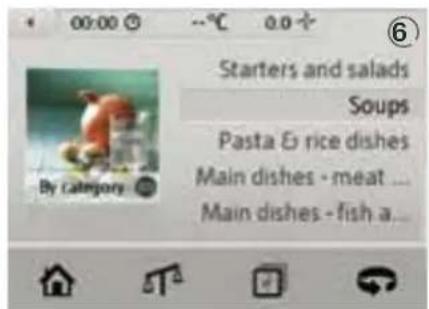
By category
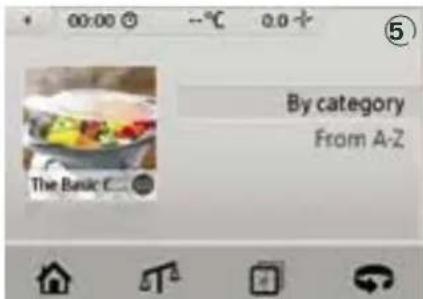
When you search by category, the ThermomixTM will suggest different categories such as starters or main meat courses.
The recipes are ordered alphabetically within the category 6
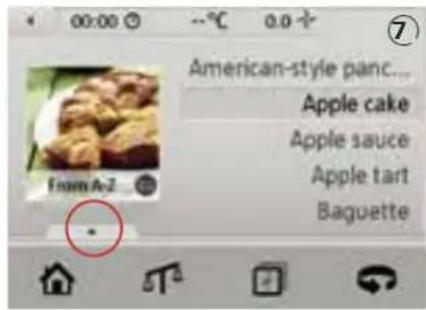
From A to Z
You can search for the recipe name in the alphabetical list. You can scroll through the list by swiping vertically over the screen or by using the scroll bar on the right side of the screen. Use the tab with the up arrow to enter a first letter ⑦.
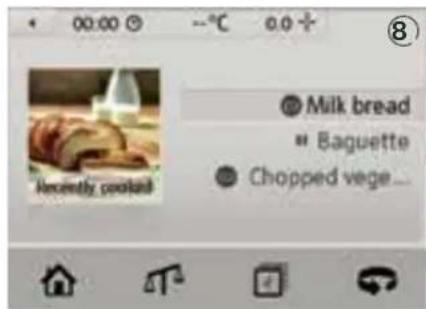
Recently cooked
Have you cooked something tasty recently and want to repeat this success? The recipes prepared recently are displayed here (8).
Before the menu enters you will find symbols indicating the status of the recipes when they where left. A pause icon indicates that the recipe had been left during preparation. An ThermomixTM recipe chip icon indicates that the recipe was finished. A transparent ThermomixTM recipe chip icon indicates that the ThermomixTM recipe chip containing the recipe is not attached to the ThermomixTM.
Cooking a recipe from a Thermomix™ recipe chip using the "guided cooking function"
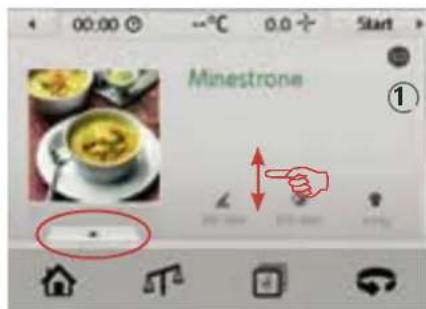
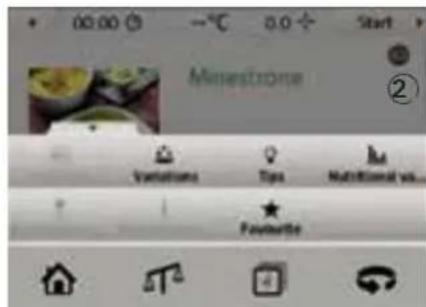
Tap on "Menu" on the home screen and select a recipe from the "Favourite recipes" menu or "Recipes" menu and it's sub-menus. Once you have selected a recipe, it will be displayed in full view mode, allowing you to scroll up and down, and to read the entire recipe and list of ingredients 1 A tab can be found at the bottom of the screen. A further menu featuring more detailed information on the recipe will appear when you select this 2
Favourite recipe
Tag the recipe as a favourite
Nutritional value
View the recipe's nutritional value.
Tips
Recipe tips.
Variations
Ideas for personal twists to the recipe.
Beverage recommendations
Suggestions for drinks to complement the dish.
Full view
Various different views can be selected for some dishes.
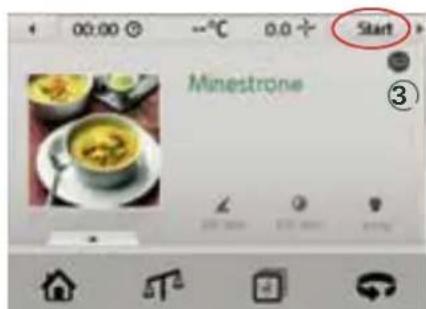
If you want to cook the recipe, you can either switch between the reading mode and main menu screen, or tap on "Start" in the top right-hand corner of the display and follow the instructions that then appear on the screen ③.
Parallel steps
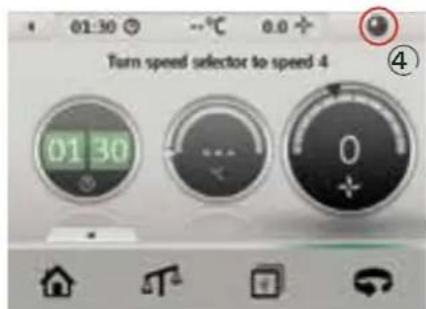
Some recipes feature steps parallel to cooking or stirring processes to shorten the overall preparation time of the recipe. In these cases you will find the "next"-icon replaced by a "parrallel step"-icon in the top right corner of the screen ④. Tap on it right after starting the motor.
Automated recipes
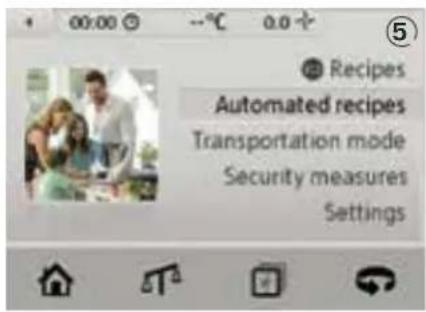
Find recipe programs here, which take care of even more preparation steps. The Thermomix™ uses its built-in sensors to determine the state of the cooked food and reacts accordingly. The program guides you through the cooking procedure, step by step.
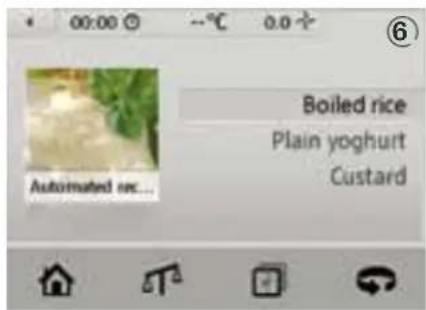
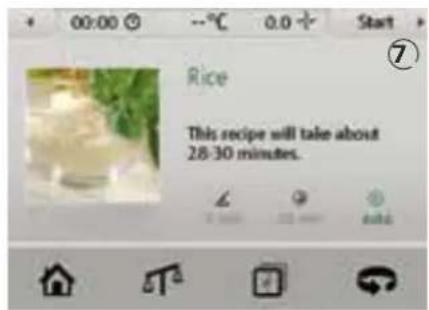
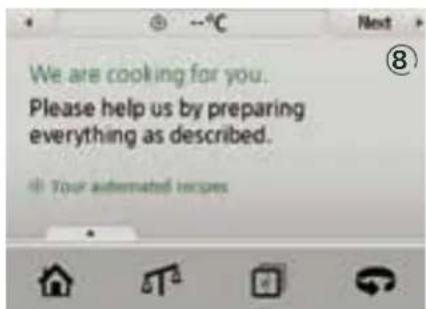
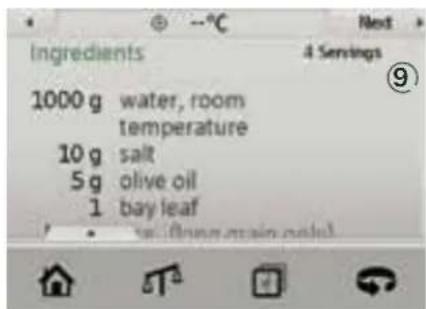
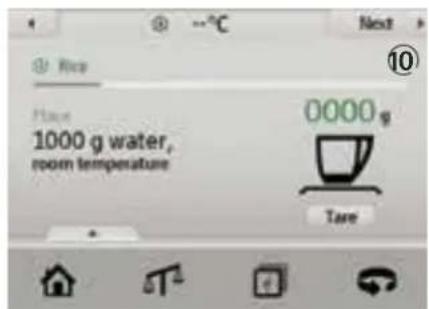
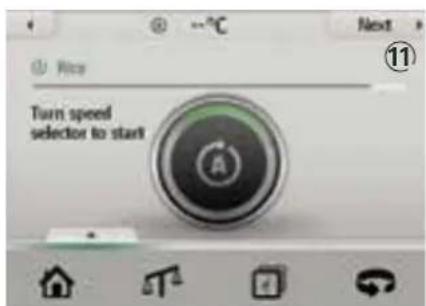
Select the "Automated recipes" option ⑤. Choose your desired recipe ⑥. The Thermomix™ will advise the required preparation and cooking times ⑦. The recipe will start when you tap on "Start" ⑧. Prepare the ingredients according to the list shown ⑨. Once you have all the ingredients, you can start cooking. Follow the instructions on the screen. As you complete each step select "Next" ⑩. Picture ⑪ shows the recipe state in which the Thermomix™ processes through the automatic routine. Please note that the time given is only approximate as it depends on the quality of the ingredients and on the environment you are cooking in.
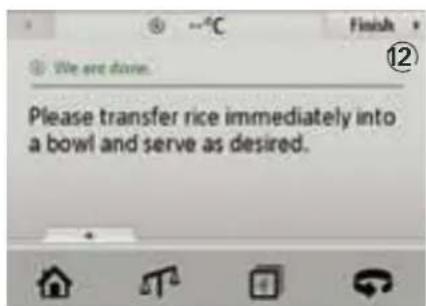
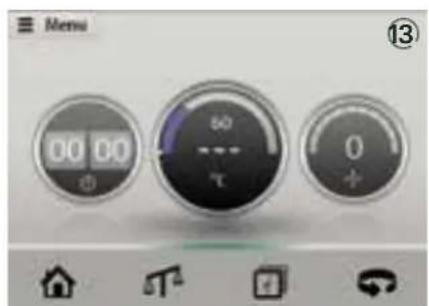
When "Finish" appears in the top right corner, the dish is ready and can be served 12. After the recipe is finished the home screen is shown indicating the temperature of the mixing bowl. For your safety, the screen will then inform you about the temperature of the mixing bowl 13.
Transportation mode
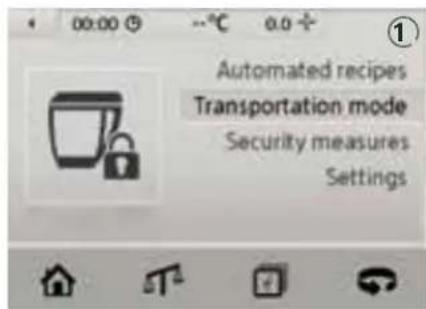
If you need to transport the Thermomix™, you should first lock the mixing bowl. Select "Transportation mode" to do so ①.
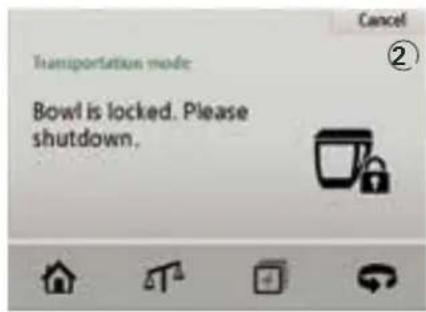
A message explaining how to release the transportation mode will be displayed ②.
Never carry or lift the Thermomix™ by the locking arms. Never push, pull or press the locking arms. This could result in damage that may cause the Thermomix™ to become inoperable.
Settings
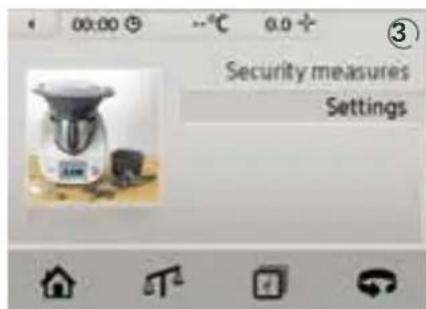
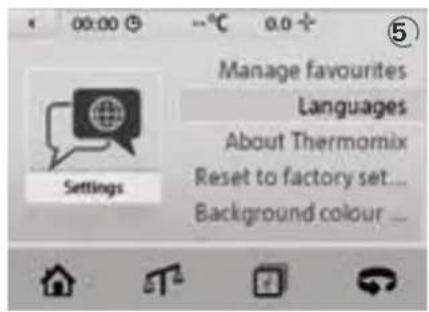
When selecting "Settings", you will find a list of the functions to further customize your ThermomixTM. ③ These are:
- Manage favourites
language selection - information about Thermomix™
the background colour - resetting your Thermomix™ to factory settings
- locking your appliance
Manage favourites
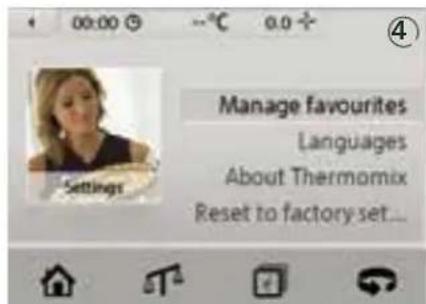
In "Manage favourites", you will find the options to remove recipes from your list of favourites (4).
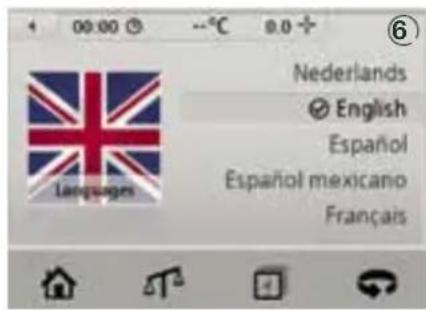
Languages
Set your preferred display language here ⑤.
As soon as you have made your selection, all information will appear on the screen in your chosen language (6).
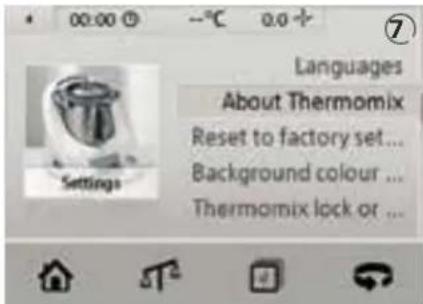
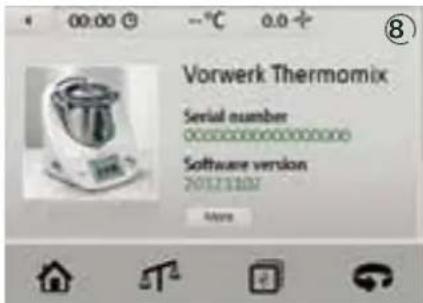
About ThermomixTM
Information on your ThermomixTM's serial number and the current software version is available under the About ThermomixTM option (7) (8).
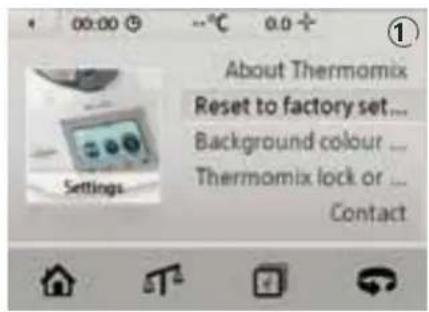
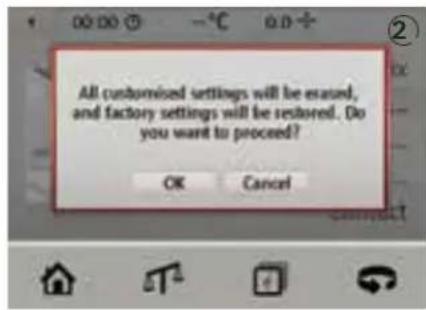
Reset to factory settings
Use the "Reset to factory settings" option to revert to the original ThermomixTM manufacturer settings ①.
Please note that your personal settings will be lost ②.
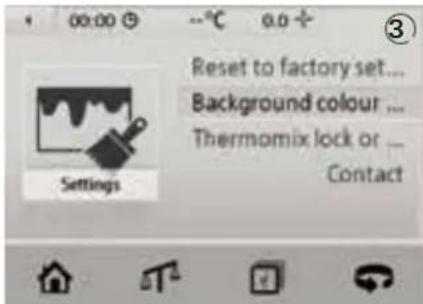
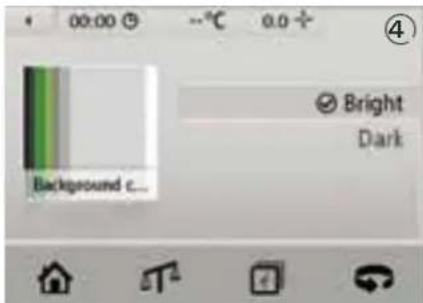
Background colour
Choose between light text on a dark background and black text on a light background ③ ④.
Locking your Thermomix™
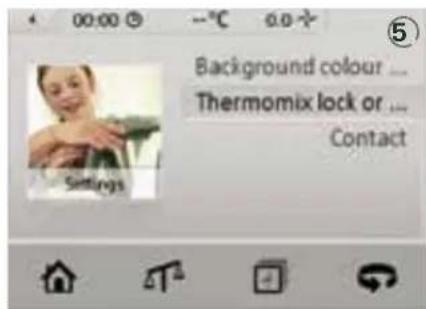
- Protect your Thermomix™ from children or other unauthorised users. Select "Thermomix lock or unlock" for two locking options ⑤.
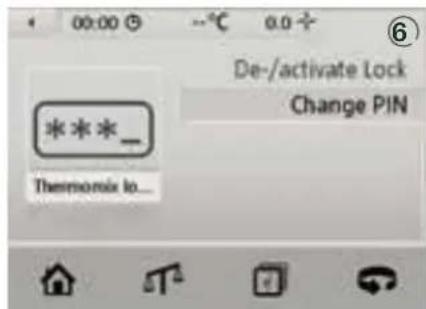
- Activate and deactivate the lock as desired. You can also change your personal identification number (PIN) (6).
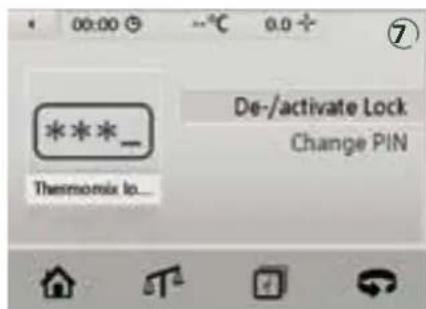
- When you press "De-/activate lock" for the first time, the lock will be inactive (7).
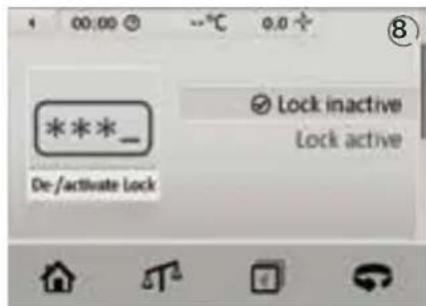
- Select "Lock active" (8).
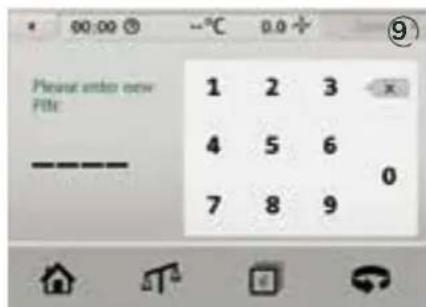
- A number pad will appear and you will be asked to enter a personal identification number (PIN). Enter a 4-digit code of your choosing (9).
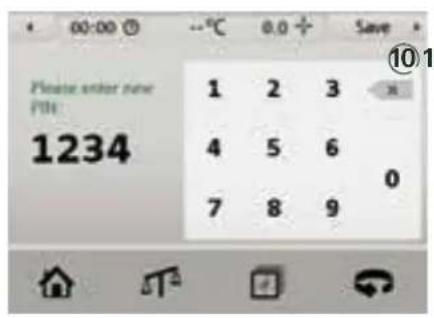
- When you have entered your pin, press "Save" ⑩.
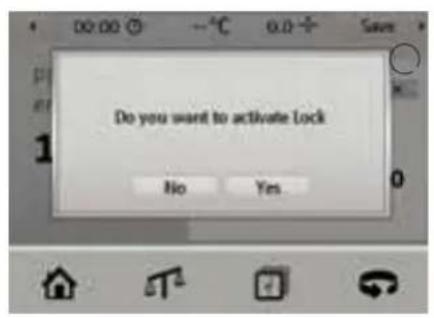
- A security message will appear. Select "Yes" to confirm your new PIN (1).
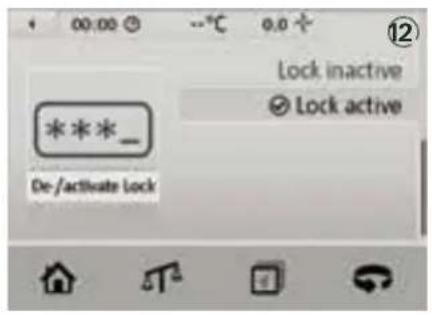
- Your Thermomix™ is now locked and you can switch it off (12).
-
The next time you switch your Thermomix™ on, it will first request your PIN.
-
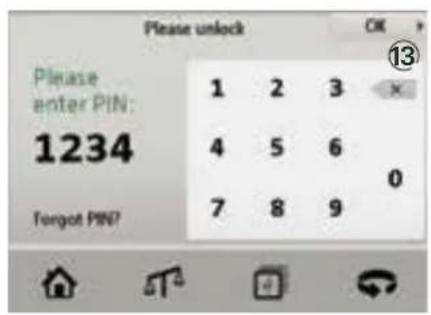
If you have forgotten your PIN, select "Forgot PIN?". You will then be able to unlock the Thermomix™ using the master PIN 62742766 13.
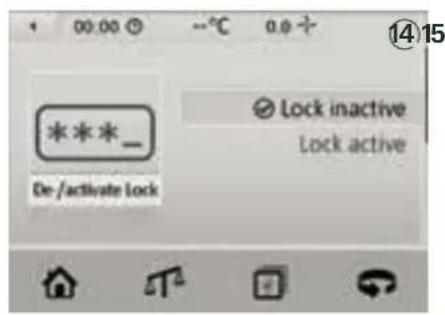
- When you have entered your PIN, you can deactivate the lock again. Select "De-/activate lock" under the Settings option in the Thermomix™ Menu and select "Lock inactive" (14).
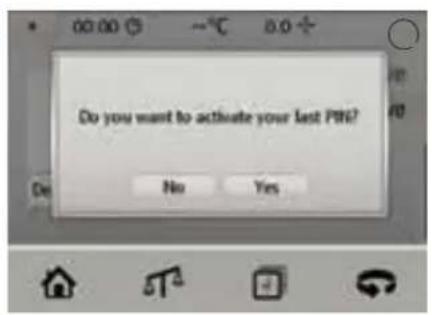
- If you wish to activate the lock again, the Thermomix™ will request whether you wish to use the same PIN again. If you select "Yes", the Thermomix™ will be locked immediately. If you select "No", you will be asked to enter a new PIN and the Thermomix™ will then be locked once this has been saved 15.
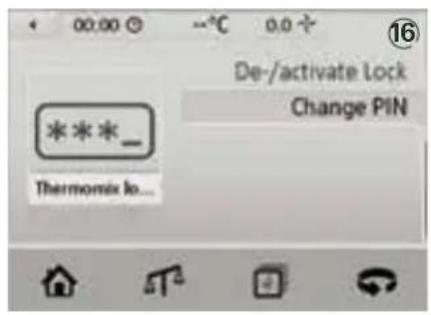
- Alternatively, you can enter a new PIN at any time under the "Change PIN" option 16.
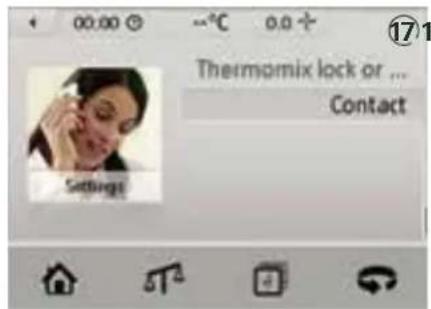
Contact
You can find your customer service local contact as
follows:
Select "Contact" in the Settings menu 17
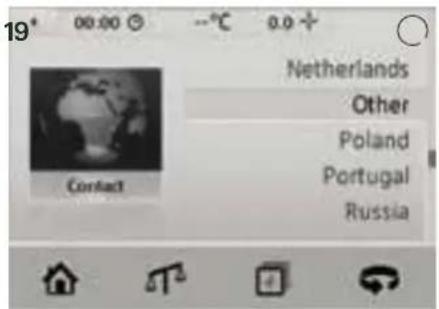
Select your country from the list 18.
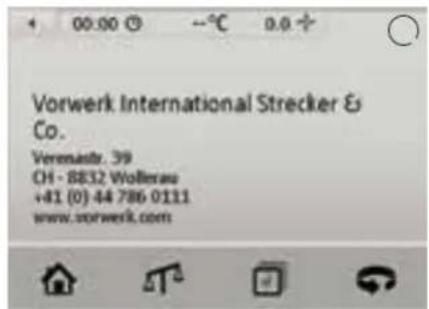
The full contact details will be displayed 19.
THInGSTO REMEMBER
Automatic shutdown
The ThermomixTM automatically switches off after 15 minutes. A message appears for the last 30 seconds giving you the opportunity to cancel the automatic shut down.
Electronic motor protection
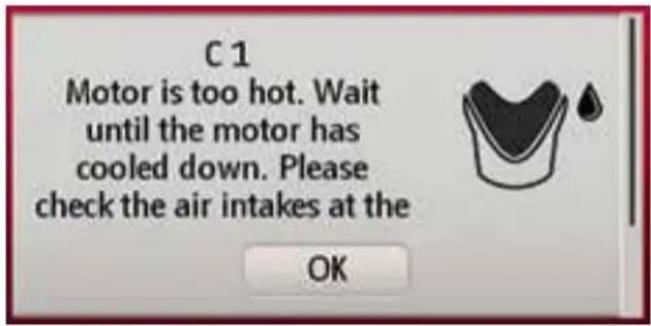
First time use and high loads
When the ThermomixTM is used for the first time it may emit an odor.
If the motor is subjected to a high load during food preparation, the motor may overheat and start smelling. The appliance might shut down automatically. This is completely harmless and after the cooling-down time indicated above, the ThermomixTM will again be in perfect working order.
If the motor has turned off:
- Remove the mixing bowl from the Thermomix™.
- Reduce the quantity contained in the bowl and/or add some liquid, as appropriate for the recipe.
- Wait for approx. 5 minutes (cooling down time).
- Re-insert the mixing bowl
- Check that the air intakes at the back of the unit are unobstructed.
- Re-start the ThermomixTM.
If the error message is still displayed after the cooling time please call Customer Service.
CLEANING
As with all kitchen appliances or tableware you should clean all parts of your Thermomix™ - especially the mixing knife, the mixing bowl, the mixing bowl lid and its seal ring - thoroughly before using it for the first time and after every usage.
How to clean the mixing bowl and its lid
Remove the mixing bowl from the ThermomixTM and remove the mixing knife (see pages 14-16).
CAUTION
Danger of injury from the mixing knife
Do not touch the blades of the mixing knife. They are very sharp. Hold the upper part of the mixing knife when removing or re-inserting it.
Now clean the inside and outside of the mixing bowl (without the mixing knife) either in hot water with cleansing agent and a soft cloth or in the dishwasher; the mixing knife, spatula, butterfly whisk, simmering basket, measuring cup, mixing bowl lid and Varoma can be cleaned in the same way.
If food is sticking in the mixing bowl use a special cleansing agent for stainlesssteel.
Ensure that the contact pins at the bottom of the mixing bowl are always clean and dry before you insert the mixing bowl. If necessary wipe them off. We recommend that you dismantle the mixing bowl for cleaning, especially when you clean it in the dishwasher.
IMPORTANT:
Never use pointed or sharp objects for cleaning as this may damage functional parts or affect the safety of the Thermomix™.
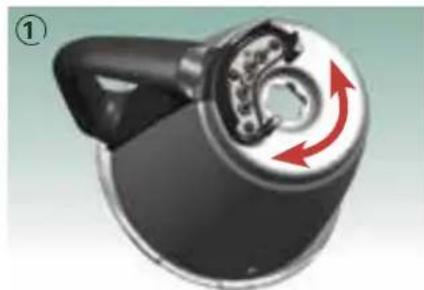
How to clean the mixing knife
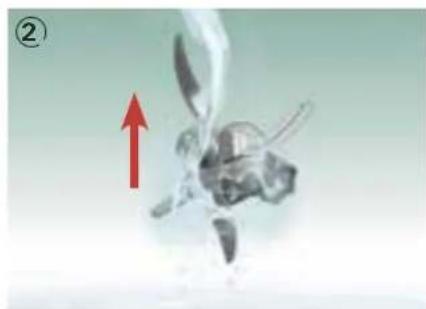
To clean the mixing knife hold it under running water with the mixing knife pointing upwards, as shown in picture ②. In order to facilitate the cleaning, use a brush or clean it in the dishwasher.
IMpORTanT:
Do not leave the mixing knife in water for a long time as this may damage the gasket system of the knife bearing.
Please be aware that leaving the mixing knife in food residues or using a very aggressive dishwasher agent may result in the development of rust.
This is harmless and may be removed easily with a brush or a soft vinegar solution.
Carefully re-assemble the mixing bowl and mixing knife (incl. seal ring).
How to clean the Varoma
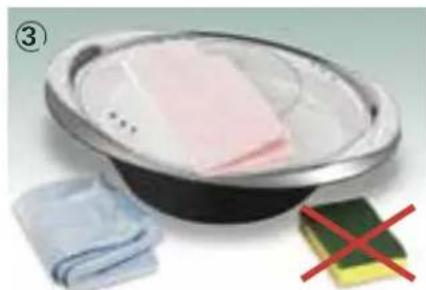
To clean the Varoma wash dish, tray and lid carefully in warm, soapy water or in the dishwasher. Use a soft, clean cloth and gentle cleansing agents for cleaning ③ . Avoid using sharp objects or metal scouring pads, as these will cause scratches.
IMpORTanT:
All components are dishwasher-safe. Place plastic parts, in particular the mixing bowl lid, into the top rack of the dishwasher in order to avoid deformation resulting from exposure to higher temperatures and pressure from items above.
Some foodstuffs such as curry, carrot juice, and those with citric acid content may cause staining. Wipe such substances off the mixing bowl lid, its seal ring, the spatula, the simmering basket, Butterfly Whisk and and all Varoma parts as quickly as possible. Any residual staining will disappear in time and does not affect your health or how the parts function.
How to clean the main ThermomixTM
Disconnect the Thermomix™ from mains power supply before cleaning.
WARNING
Danger of electric shock
- Disconnect the Thermomix™ from the mains power supply before cleaning and if Thermomix™ is not to be used for a prolonged period of time.
- Do not immerse the Thermomix™ in water. Clean with a damp cloth only. No water or dirt must be allowed to enter the housing. This includes all food residue or debris whether liquid or solid.
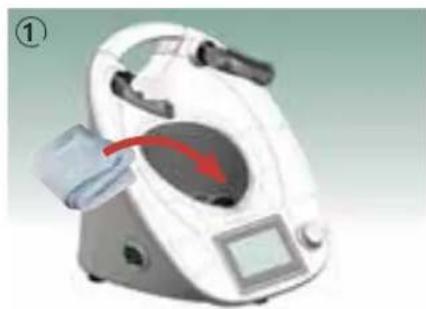
Wipe the main Thermomix™ with a damp soft cloth and a gentle cleansing agent (1). Use water sparingly to prevent moisture from entering the Thermomix™.
Additional information for cleaning
Some of the plastic parts may become slightly discoloured but this does not affect your health or how the parts function.
If the mixing bowl with mixing knife, mixing bowl lid and measuring cup are only slightly soiled it is sufficient to perform a short mixing operation to clean them. Therefore place approx. 1 litre of water and a few drops of cleansing agent into the mixing bowl, select speed 5 or 6 and tap on the reverse icon several times. Follow this operation by thoroughly rinsing with water and if necessary use a soft cloth as well.
To improve ventilation during storage, leave the measuring cup off the mixing bowl lid.
CAUTION
Danger of damage by corrosion
Ensure that you thoroughly dry the contact pins of the mixing bowl after cleaning the mixing bowl, so no moisture can enter the Thermomix™ via the contact pins.
ChanGInGTHE pROTECTION GRID
Accessory in selected countries
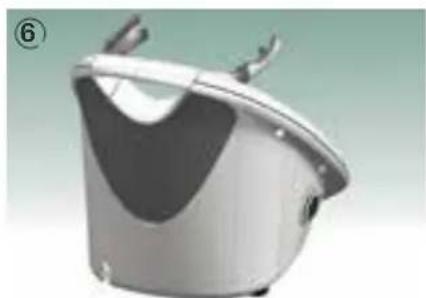
Changing the protection grid at the back
Disconnect the ThermomixTM from the mains. Remove the ventilation grille by lifting it from the clips at the recessed grip 2. You will now see the back of the ThermomixTM with the ventilation slits 3). Take the protection grid for the back 4 and insert it. It fits snugly over the ventilation slits 5. The ventilation grille can now be reattached. Carefully press it into the clips until it locks entirely in place. Never operate your ThermomixTM without the ventilation grille 6. Check the protection grids for stains every time you clean your ThermomixTM from the outside.
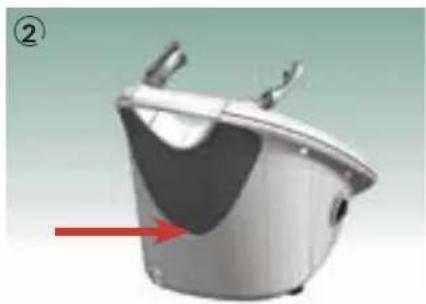
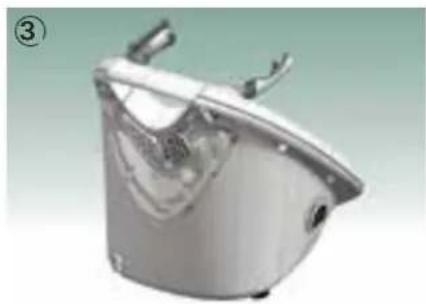
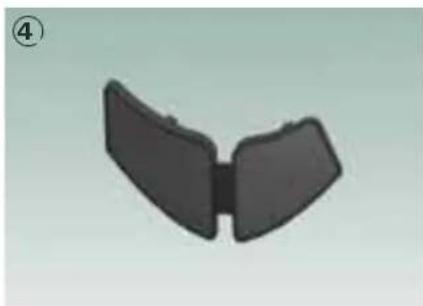
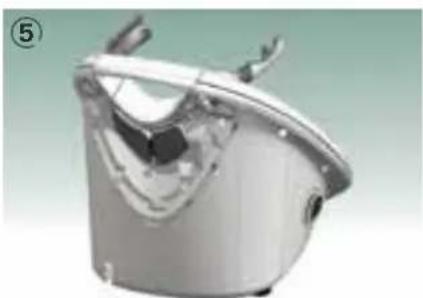
Changing the protection grid on the bottom
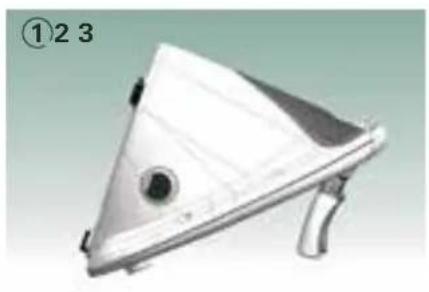
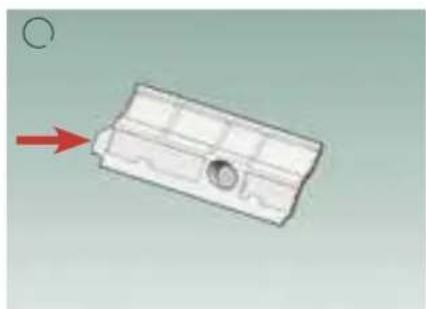
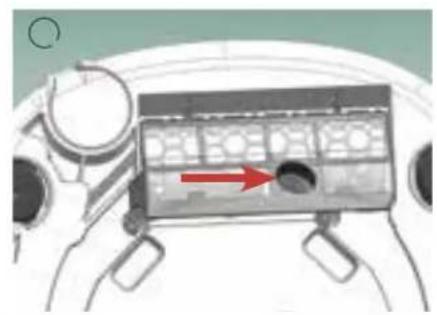
To install the protection grid on the bottom of the ThermomixTM, disconnect the ThermomixTM from the mains power supply. Remove the mixing bowl and tilt the ThermomixTM as shown ①. Take the protection grid for the bottom ②. It has an oval bump that must face the bottom of the ThermomixTM ③.
Lay the protection grid under the upper ridges, then press down until you hear that the grid has locked in place (4).
To remove the protection grid, disconnect the Thermomix™ from the mains power supply first. Remove the mixing bowl and tilt the Thermomix™ in the same way as when you inserted the grid. There is a tab at the left of the protection grid. Pull on this to remove the protection grid.
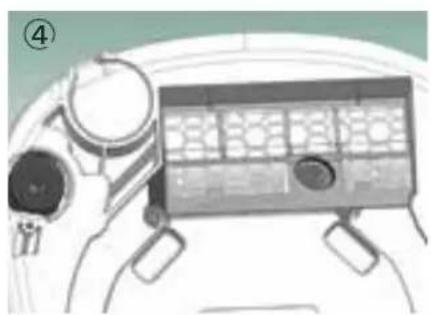
NOTES FOR YOU RownRECIpES
Use similar recipes in the ThermomixTM cookbooks as a guide for adapting your own recipes. The easy to understand step by step design of our recipes enables you to prepare your own recipes with your ThermomixTM.
Order of ingredients
When preparing food according to your own recipes consider the order of the steps, e.g. prepare dry ingredients first.
Weighing the ingredients
Before weighing each ingredient tap on the scales icon and the scales will show 0.000. Add your ingredient.
Attention: Never exceed the maximum capacity of the mixing bowl and Varoma.
Setting time, temperature and speed
You will achieve best results by following the suggested order in the following examples:
Example: Normal heating
Settings: 5min / 100^/ speed 1:
① set timer to 5 minutes
(2) set temperature to 100^
(3) set speed to 1
Example: Cooking delicate food
Settings: 5min / 90^/ speed 1:
① set timer to 5 minutes
② press 90^ temperature button
(3) select
(4) set speed 1
Example: Chopping vegetables
Settings: 7 sec/speed 5:
① set timer to 7 seconds
② set speed 5
Example: Kneading dough
Settings: 2min / g
①set timer to 2 minutes
2)select the dough mode
③ turn the selector clockwise
Chopping and blending
When chopping ingredients or blending preset first a short time and check the result. If the result you want to achieve is not reached prolong the time.
Heating time
Heating time is dependent on the following:
Starting temperature of the ingredients to be heated
Quantity, weight and volume of ingredients
Attention: Never exceed the maximum capacity of the mixing bowl or Varoma!
Heating conductivity of the food to be prepared
Chosen temperature
Speed
f Use of accessories
(with/without simmering basket/Varoma)
TROUBLESHOOTING
Error: Action:
The ThermomixTM cannot be switched on. Check if the power cord has been properly plugged in. Check if the ThermomixTM is still in "sleep mode".
The ThermomixTM does not heat. Check if a heating time and temperature have been preset.
The Thermomix™ stops during operation. See section entitled "Electronic motor protection" on page 45.
Trouble with scales. Check: while pressing tare button do not touch the
ThermomixTM; nothing is leaning against ThermomixTM; there is no tension on the power cord; ThermomixTM "feet" are clean; work surface is clean, solid, even and not vibrating; do not slide ThermomixTM over the worktop.
CAUTION
Danger of electric shock
Regularly inspect your Thermomix™ and its accessories (including the mixing bowl and the connecting cable) for possible damage. If damage does occur, do not use the Thermomix™ and contact Vorwerk customer service or an authorised Vorwerk repairer.
IEGaREGulaTIOnS/ COpYRIGHT
For customers living in EU-Member States:

As an owner of an electrical or electronic product, you are not allowed by law (according to EU-Directive 2002/96/EC of 27 January 2003 on waste electrical and electronic equipment and the particular national laws of the EU-Member States transforming this Directive) to dispose of this product or its electrical/electronic accessories as unsorted domestic waste. You should use the designated gratis possibilities for return instead. Please contact your city or municipal authorities for information.
Registration number: WEEE reg. no. DE 86265910.
Copyright© 2014 by Vorwerk International Strecker & Co.
Text, design, photography, illustrations by Vorwerk International Strecker & Co., Switzerland. All rights reserved. This publication may not – in part or in whole – be reproduced, stored in a retrieval system, transmitted or distributed in any form or by any means, electronic, mechanical, photocopying, recording or otherwise, without the prior permission of Vorwerk International Strecker & Co.
Directions regarding the US market
Please note that, to date, the ThermomixTM TM5 (the appliance) has and is only being produced, marketed, sold and distributed by Vorwerk International Strecker & Co. ("Vorwerk").
The appliance has neither been developed/designed for the US market, nor has it been approved for or released in the US market. Accordingly, the appliance is purposely not being sold or promoted in any way whatsoever by Vorwerk or any other authorised third party in the USA, and no customer service is being provided in relation to the appliance by Vorwerk or any authorised third party in the USA.
Vorwerk does not and will not accept any liability what oever for any damages and/or losses whatsoever (including, but not limited to any direct, indirect, special, incidental, punitive or consequential damages or losses, any loss of profits or loss of business, and any damages in respect of damage, injury or death) in any way arising from or in connection with, or caused by or as a result of the use of the Appliance in the USA (including damages and/or losses due to different voltages being utilized in the USA). Persons utilizing the Appliance in the USA do so entirely at their own risk.
WaRRanTY/
CuSTOMERSERVICE
Warranty
For the warranty period, please refer to your purchase contract.
The ThermomixTM may only be repaired by Vorwerk Thermomix customer service or an authorized Vorwerk repairer.
Use only parts provided with the ThermomixTM TM5 (page 12-13) or original spare parts from Vorwerk ThermomixTM. Never use the ThermomixTM in combination with parts or equipment not provided by Vorwerk ThermomixTM. Otherwise your warranty is rendered void.
Customer service
For details of your local customer service centre please contact your Thermomix™ advisor, the sales company in your country, or refer to www.thermomix.com.
Produced by
Your ThermomixTM advisor:
Telephone
Fax
Mobile phone
This instruction manual is available in other languages at www.thermomix.com
Inhalt
Premiereutilisationetsurcharge 45
Chere cliente, cher client,
Involucro High-quality plastic material.
Favorite receptor 36
Recepten 36
Op categorie 37
Van A tot Z 37
Foutmelding: Oplossing: