Granite 4x4 Mega RTR - Remote control toy ARRMA - Free user manual and instructions
Find the device manual for free Granite 4x4 Mega RTR ARRMA in PDF.


User questions about Granite 4x4 Mega RTR ARRMA
0 question about this device. Answer the ones you know or ask your own.
Ask a new question about this device
Download the instructions for your Remote control toy in PDF format for free! Find your manual Granite 4x4 Mega RTR - ARRMA and take your electronic device back in hand. On this page are published all the documents necessary for the use of your device. Granite 4x4 Mega RTR by ARRMA.
USER MANUAL Granite 4x4 Mega RTR ARRMA
All instructions, warranties and other collateral documents are subject to change at the sole discretion of Horizon Hobby, LLC. For up-to-date product literature, visit www.horizonhobby.com or www.towerhobbies.com and click on the support or resources tab for this product.
MEANING OF SPECIAL LANGUAGE
The following terms are used throughout the product literature to indicate various levels of potential harm when operating this product:
WARNING: Procedures, which if not properly followed, create the probability of property damage, collateral damage, and serious injury OR create a high probability of superficial injury.
CAUTION: Procedures, which if not properly followed, create the probability of physical property damage AND a possibility of serious injury.
NOTICE: Procedures, which if not properly followed, create a possibility of physical property damage AND little or no possibility of injury.

WARNING: Read the ENTIRE instruction manual to become familiar with the features of the product before operating. Failure to operate the product correctly can result in damage to the product, personal property and cause serious injury.
This is a sophisticated hobby product and NOT a toy. It must be operated with caution and common sense and requires some basic mechanical ability. Failure to operate this product in a safe and responsible manner could result in injury or damage to the product or other property. This product is not intended for use by children without direct adult supervision. Do not use with incompatible components or alter this product in any way outside of the instructions provided by Horizon Hobby, LLC. This manual contains instructions for safety, operation and maintenance. It is essential to read and follow all the instructions and warnings in the manual, prior to assembly, setup or use, in order to operate correctly and avoid damage or serious injury.
Age Recommendation: Not for children under 14 years. This is not a toy.
SAFETY PRECAUTIONS AND WARNINGS
As the user of this product, you are solely responsible for operating in a manner that does not endanger yourself and others or result in damage to the product or property of others.
This model is controlled by a radio signal subject to interference from many sources outside your control. This interference can cause momentary loss of control, so it is advisable to always keep a safe distance in all directions around your model as this margin will help avoid collisions or injury.
- Never operate your model with low transmitter batteries.
• Always operate your model in open spaces away from full-size vehicles, traffic and people. - Never operate the model in the street or in populated areas for any reason.
- Carefully follow the directions and warnings for this and any optional support equipment (chargers, rechargeable battery packs, etc.) you use.
- Keep all chemicals, small parts and anything electrical out of
the reach of children.
- Never lick or place any portion of the model in your mouth as it could cause serious injury or even death.
• Exercise caution when using tools and sharp instruments.
• Take care during maintenance as some parts may have sharp edges. - Do NOT touch equipment such as the motor, electronic speed control and battery immediately after using your model. They generate high temperatures. You may seriously burn yourself by touching them.
- Do not put fingers or any objects inside rotating and moving parts, as this may cause damage or serious injury.
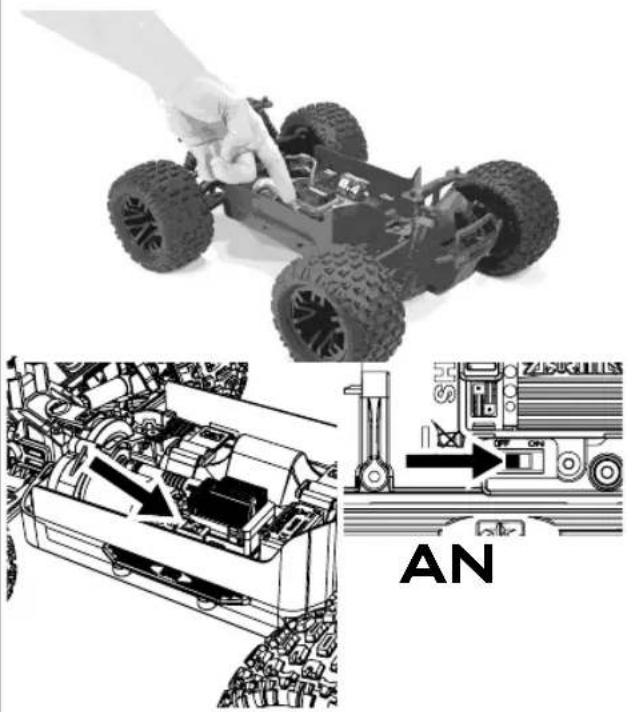
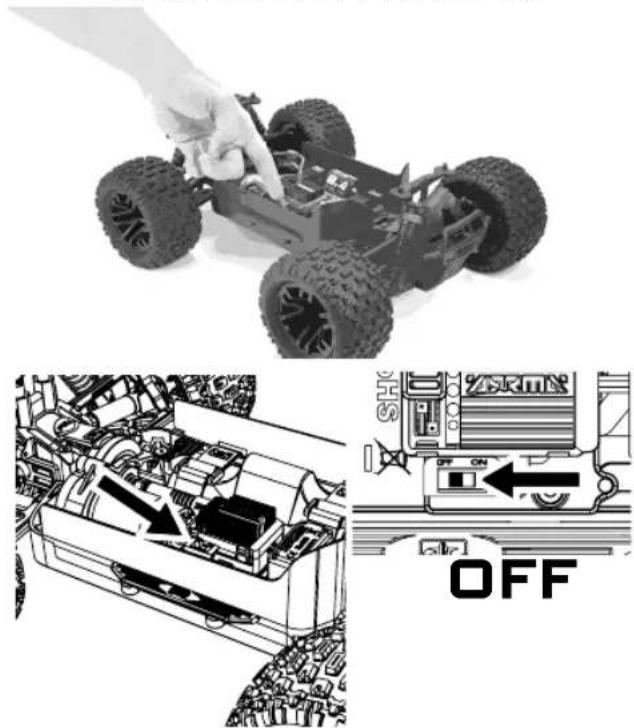
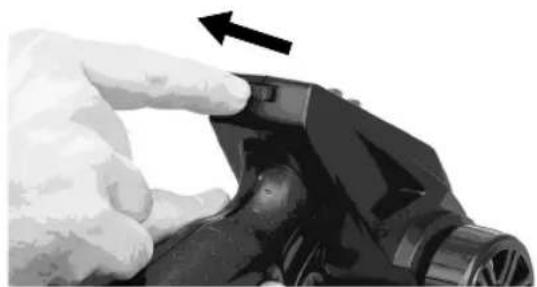
- Always turn on your transmitter before you turn on the car. Always turn off the car before turning your transmitter off.
- Keep the wheels of the model off the ground when checking the operation of the radio equipment.
WARNING AGAINST COUNTERFEIT PRODUCTS: Always purchase from a Horizon Hobby, LLC authorized dealer to ensure authentic high-quality Spektrum product. Horizon Hobby, LLC disclaims all support and warranty with regards, but not limited to, compatibility and performance of counterfeit products or products claiming compatibility with DSM or Spektrum technology.
WATER-RESISTANT VEHICLE WITH WATERPROOF ELECTRONICS
Your new Horizon Hobby vehicle has been designed and built with a combination of waterproof and water-resistant components to allow you to operate the product in many "wet conditions" including puddles, creeks, wet grass, snow and even rain.
While the entire vehicle is highly water-resistant, it is not completely waterproof and your vehicle should NOT be treated like a submarine. The various electronic components used in the vehicle, such as the Electronic Speed Control (ESC) and servo(s) are waterproof, however, most of the mechanical components are water-resistant and should not be submerged.
Metal parts, including the bearings, hinge pins, screws and nuts, as well as the contacts in the electrical cables, will be susceptible to corrosion if additional maintenance is not performed after running in wet conditions. To maximize the long-term performance of your vehicle and to keep the warranty intact, the procedures described in the "Wet Conditions Maintenance" section below must be performed regularly if you choose to run in wet conditions. If you are not willing to perform the additional care and maintenance required, then you should not operate the vehicle in those conditions.

CAUTION: Failure to exercise caution while using this product and complying with the following tions could result in product malfunction and/or void rranty.
General Precautions
- Read through the wet conditions maintenance procedures and make sure that you have all the tools you will need to properly maintain your vehicle.
- Not all batteries can be used in wet conditions. Consult the battery manufacturer before use. Do not use Li-Po batteries in wet conditions.
- The included transmitter is not waterproof or water-resistant. If using a different transmitter than the one included, consult your transmitter's manual or the manufacturer before operation.
-
Never operate your transmitter or vehicle where lightning may be present.
-
Do not operate your vehicle where it could come in contact with salt water (ocean water or water on salt-covered roads), contaminated or polluted water. Salt water is very conductive and highly corrosive, so use caution.
- Even minimal water contact can reduce the life of your motor if it has not been certified as water-resistant or waterproof. If the motor becomes excessively wet, apply very light throttle until the water is mostly removed from the motor. Running a wet motor at high speeds may rapidly damage the motor.
- Driving in wet conditions can reduce the life of the motor. The additional resistance of operating in water causes excess strain. Alter the gear ratio by using a smaller pinion or larger spur gear. This will increase torque (and motor life) when running in mud, deeper puddles, or any wet conditions that will increase the load on the motor for an extended period of time.
Wet Conditions Maintenance
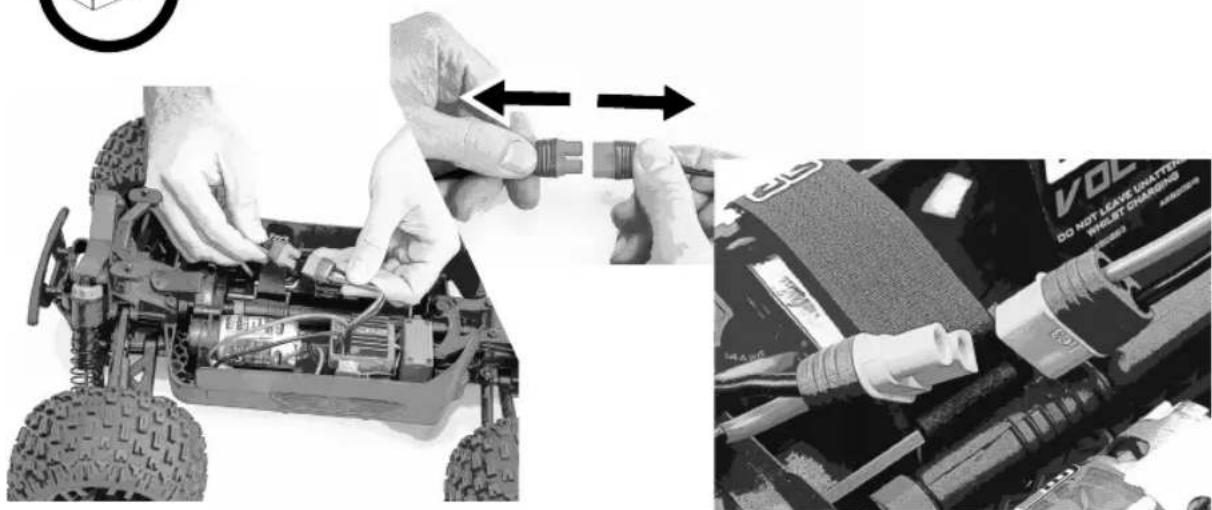
- Remove the battery pack(s) and dry the contacts. If you have an air compressor or a can of compressed air, blow out any water that may be inside the recessed connector housing.
- Remove the tires/wheels from the vehicle and gently rinse the mud and dirt off with a garden hose. Avoid rinsing the bearings and transmission.
NOTICE: Never use a pressure washer to clean your vehicle.
- Use an air compressor or a can of compressed air to dry the vehicle and help remove any water that may have gotten into small crevices or corners.
- Spray the bearings, drive train, fasteners and other metal parts with a water-displacing light oil or lubricant. Do not spray the motor.
- Let the vehicle air dry before you store it. Water (and oil) may continue to drip for a few hours.
-
Increase the frequency of disassembly, inspection and lubrication of the following:
-
Front and rear axle hub assembly bearings.
- All transmission cases, gears and differentials.
- Motor—clean with an aerosol motor cleaner and re-oil the bushings with lightweight motor oil.

WARNUNG
HINWEIS
At ARRMA we want you to love running your kit and make owning a high performance RC car as simple as possible. If you have any questions about running, maintaining, tuning or repairing your ARRMA product there are two options for you to use to get help and advice. Visit ARRMA-RC.com for support, parts and upgrades for your kit. If you can't find what you're looking for then you can always email us at supportUSA@ARRMA-RC (USA) or support@ARRMA-RC.com (ROW) 24hrs a day and we will do our best to help you with your query.

Hilfestellung
| Quick Start Guide | 10 |
| How to Drive 13 | |
| Electronic Speed Controller (ESC) 16 | |
| Radio Gear 18 | |
| Troubleshooting 21 | |
| Warranty Information 50 |

INHALT
natural_image
Black-and-white photo of a toy car with five large tires and warning symbols on the front wheel (no text or labels visible)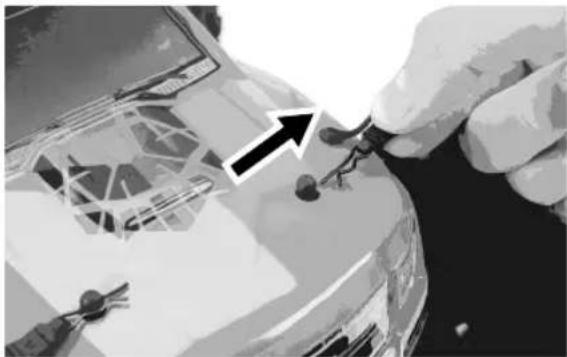
natural_image
Close-up of hands installing or adjusting a car interior panel with tools (no visible text or symbols)
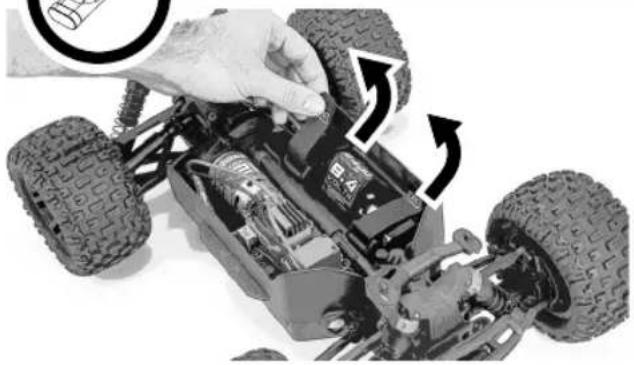
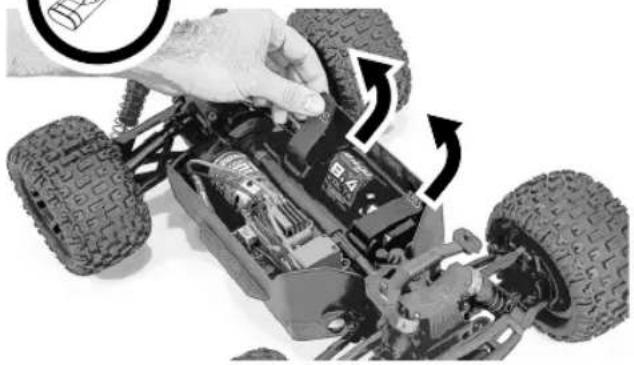
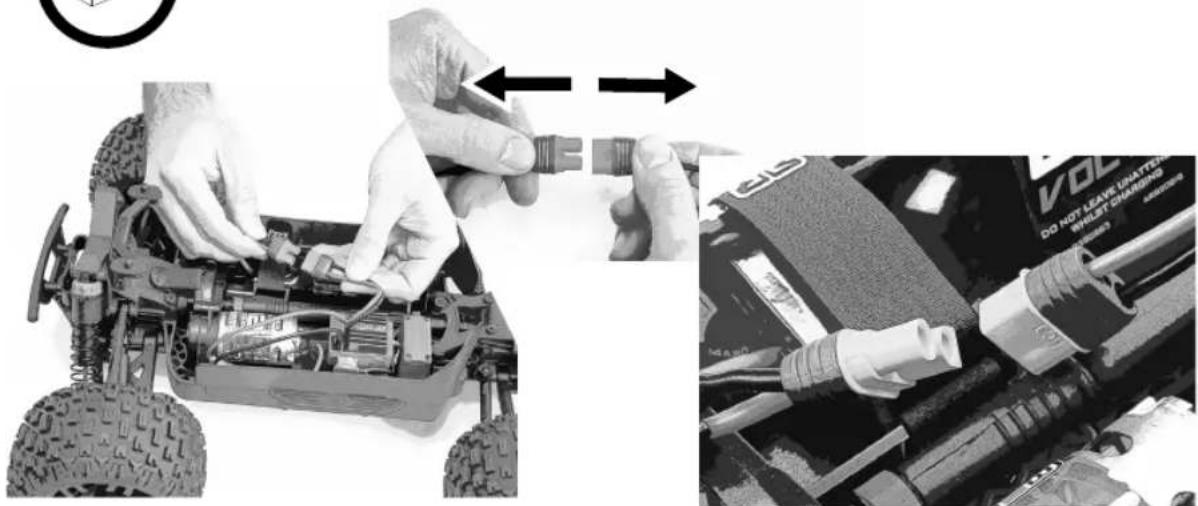
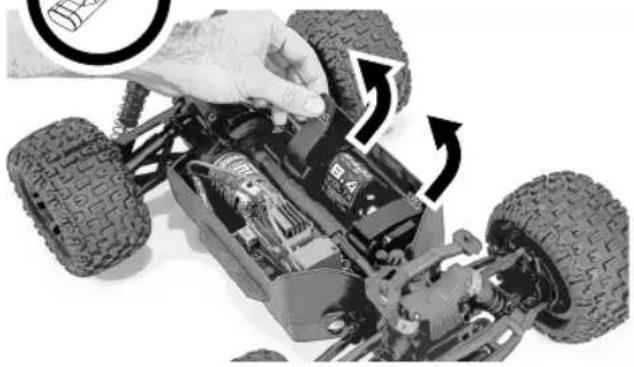
REMOVE CAR BATTERIES
natural_image
Close-up of a toy car's internal components with visible tire tracks and battery pack (no text or symbols)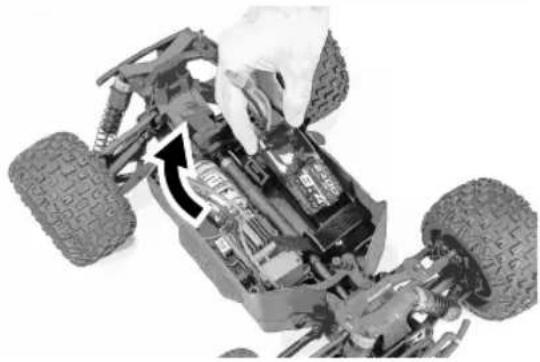
natural_image
Close-up of a toy car's internal components, showing tire tracks and engine compartment (no text or symbols visible)
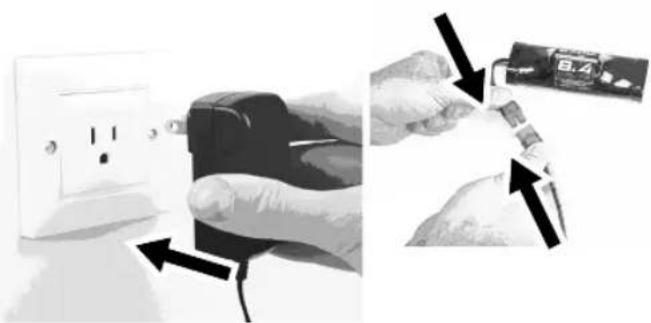
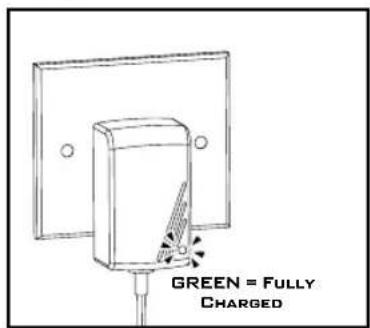
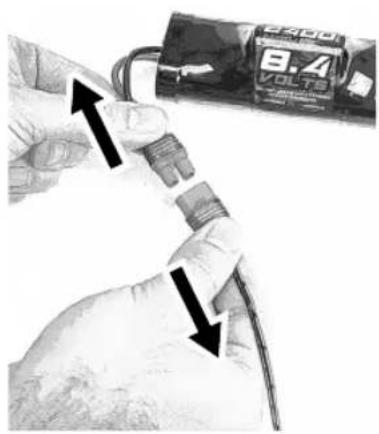
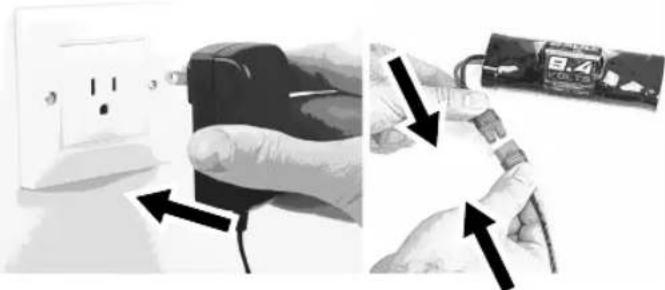
CHARGE CAR BATTERIES
natural_image
Two-step diagram showing hand holding a black electrical socket connected to a battery pack, with arrows indicating the process (no text or symbols present)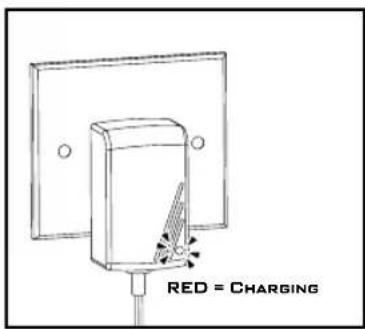

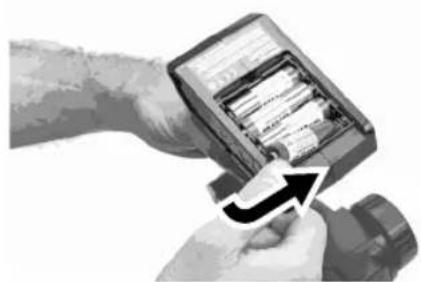
INSTALL AA BATTERIES IN CONTROLLER
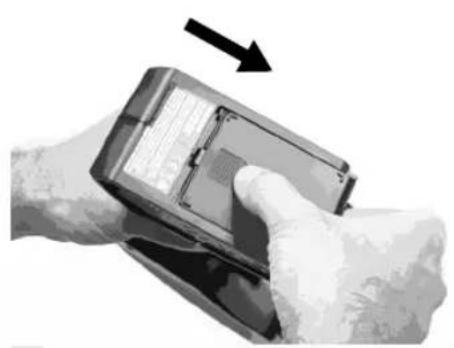
natural_image
Close-up of a hand holding a handheld electronic device with a black arrow pointing to the screen (no visible text or symbols)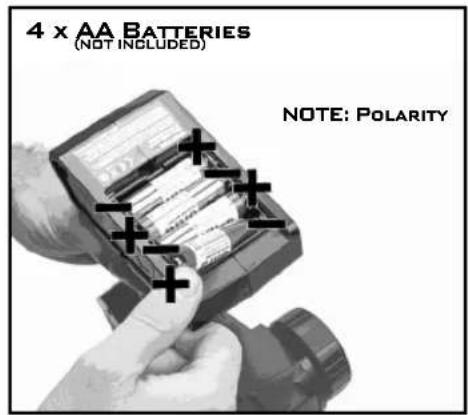
natural_image
Close-up of hands inserting a device into a memory card (no visible text or symbols)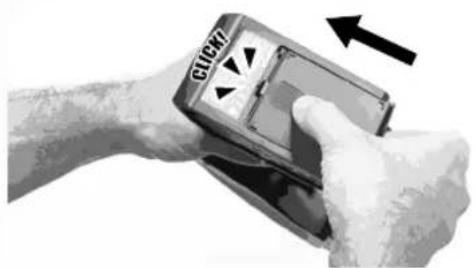
natural_image
Close-up of a hand holding a handheld electronic device with a scroll, showing a black arrow indicating rotation (no text or symbols visible)
CAUTION: Only charge rechargeable batteries. Charging non-rechargeable batteries may cause the batteries to burst, resulting in injury to persons and/or damage to property.

CAUTION: Risk of explosion if battery is replaced by an incorrect type. Dispose of used batteries according to national regulations.
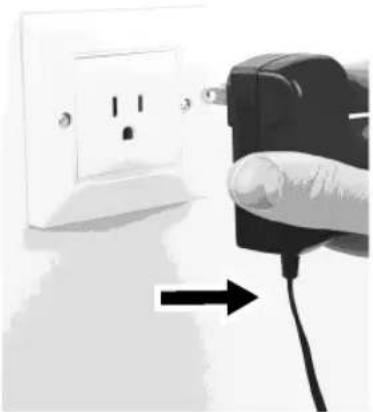
FULLY CHARGED BATTERIES
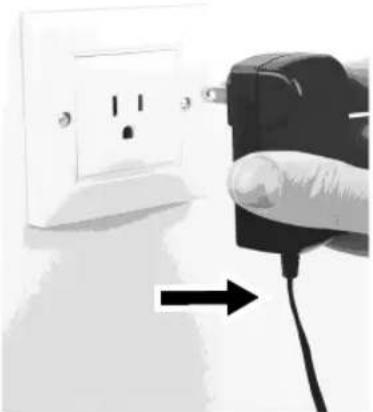
natural_image
Hand inserting a plug into an electrical outlet, with a black plug inserted (no text or symbols visible)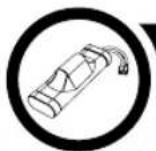
INSTALL CHARGED BATTERIES IN CAR
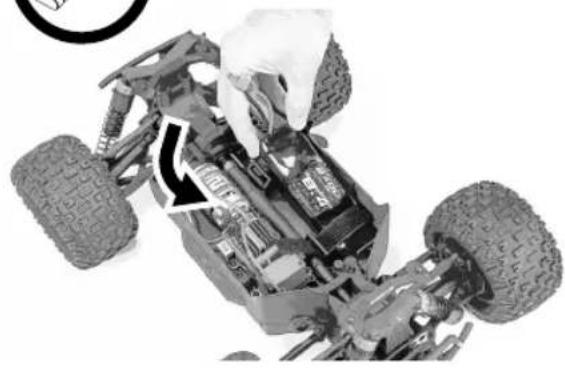
natural_image
Close-up of a toy car's internal components with a hand adjusting the wheel (no visible text or symbols)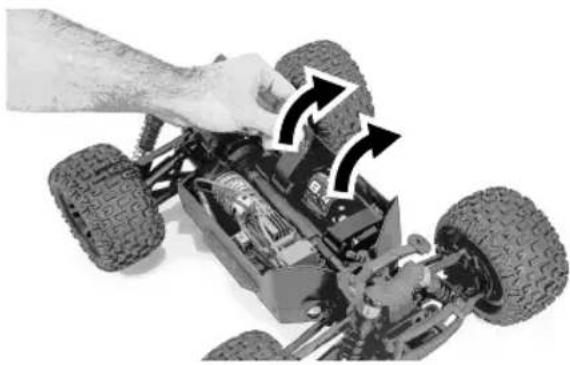
natural_image
Close-up of a toy car chassis with visible tire tracks and mechanical components, no text or symbols present.
STEERING NEUTRAL

How to Drive
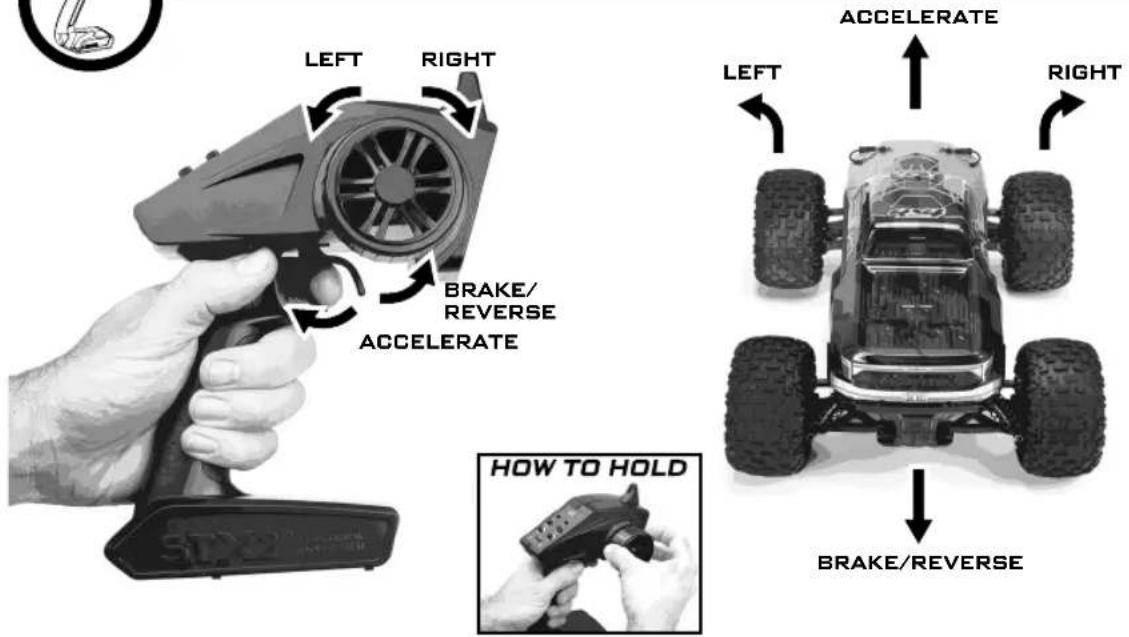
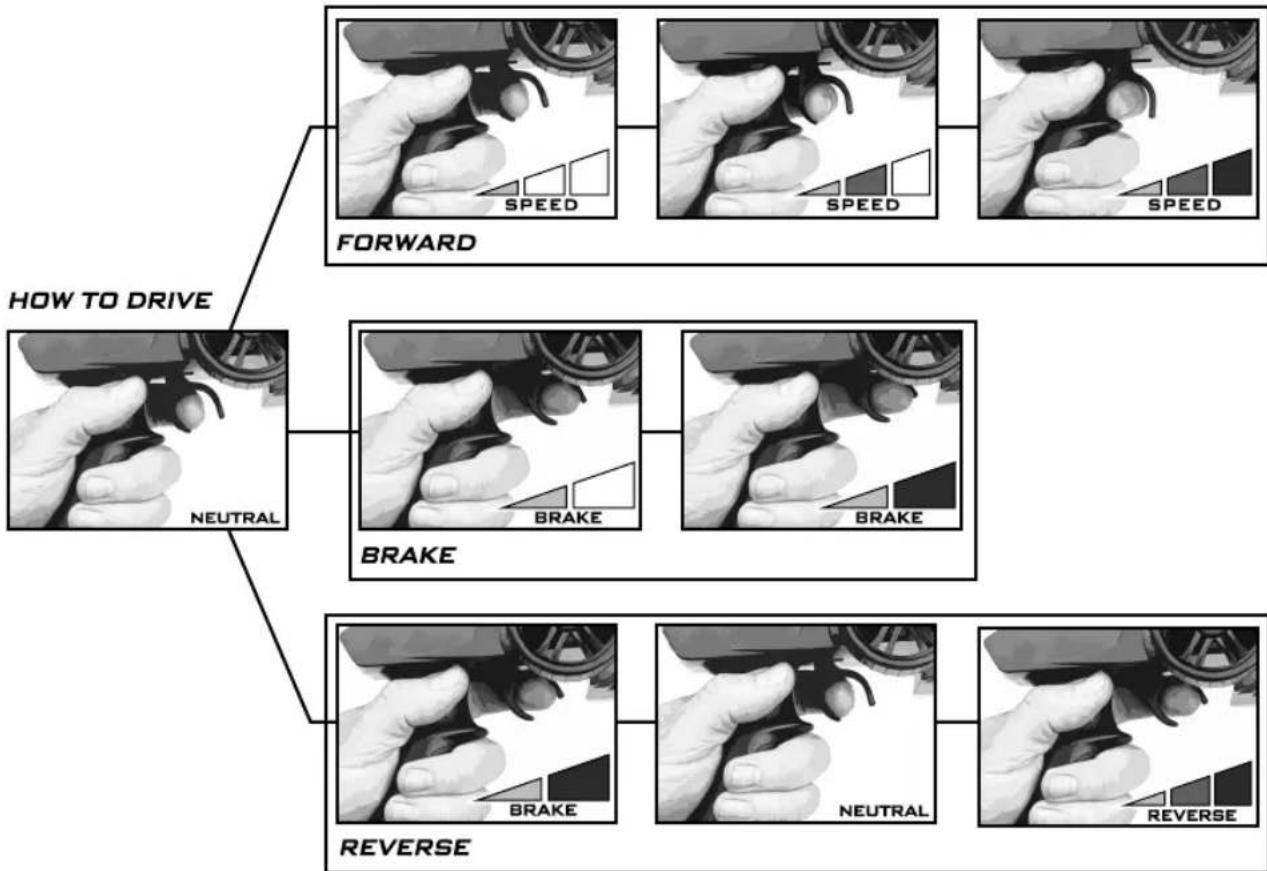
flowchart
graph TD
    A["HOW TO DRIVE"] --> B["NEUTRAL"]
    B --> C["FORWARD"]
    C --> D["BRAKE"]
    D --> E["REVERSE"]
CONTROLLER ON FIRST CAR ON SECOND
ON
ON
NOW GET SHREDDING!

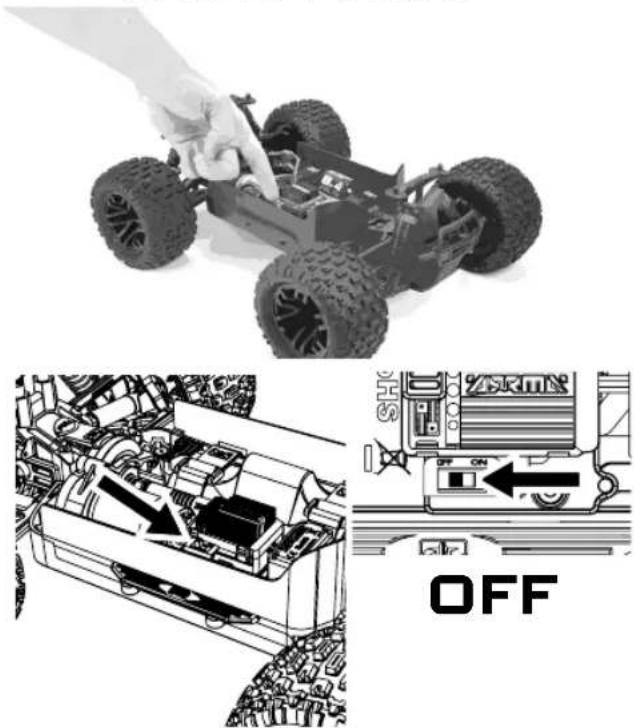
POWER OFF
CAR OFF FIRST
natural_image
Top: Top-down view of a small off-road vehicle with a hand adjusting it; Bottom: Internal engine assembly diagram showing internal components and a 'OFF' button (no text or symbols on the diagram itself)natural_image
Close-up of a hand pressing a button on a device component, with an arrow indicating the action (no text or symbols visible)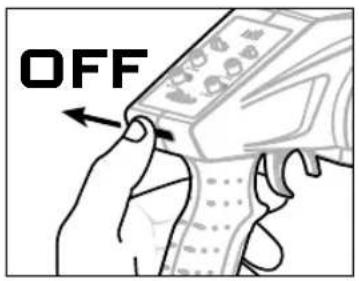

STORAGE
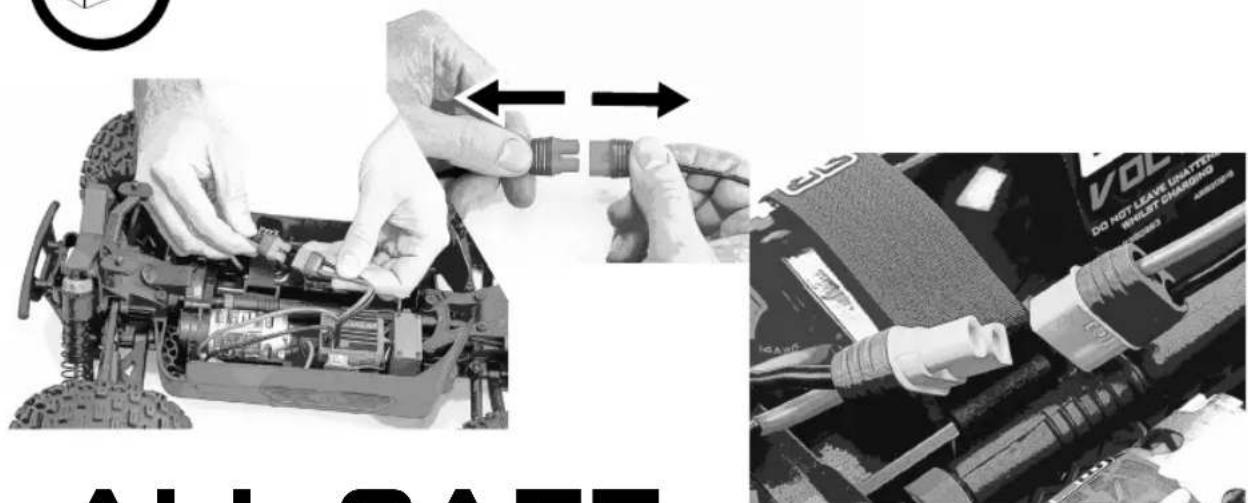
ALL SAFE... UNTIL NEXT TIME!

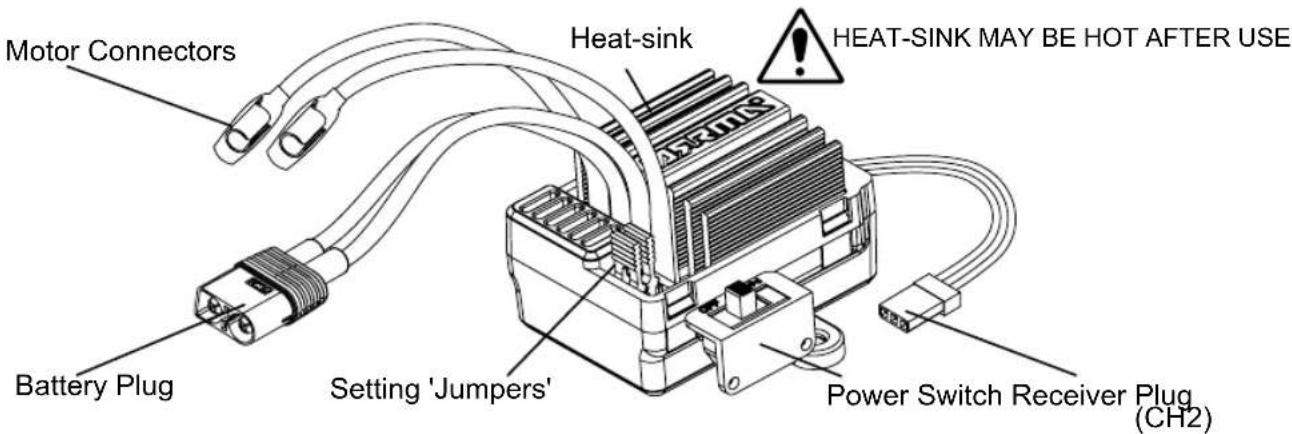
ELECTRONIC SPEED CONTROLLER (ESC)

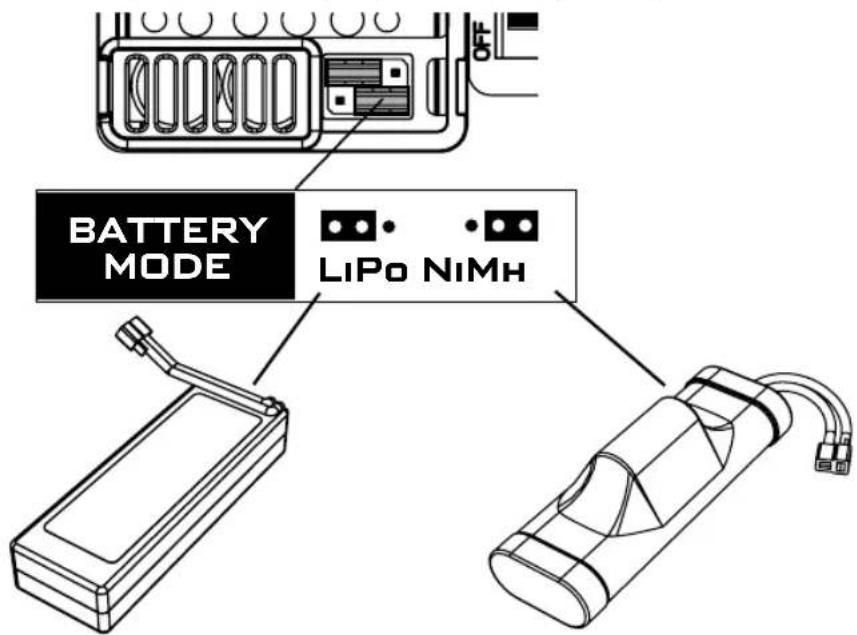
If using LiPo batteries you must set the correct battery mode on the ESC (electronic speed controller) to prevent battery damage.
Throttle Setup
Do not move the throttle when switching the model on as the ESC will automatically set the throttle neutral. A long beep will sound to confirm setup.
ESC Specifications
| Input Voltage | 6-7 NiMh (7.2-8.4v) / 2S Lipo (7.4v) | BEC Output | 6.0v/2A Max |
ESC Status LED
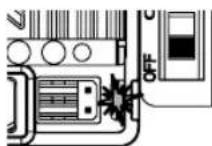
LED off: Neutral throttle
LED blinking slowly: Partial Forward/Reverse/Brake
LED solidly on: Full Forward/Reverse/Brake
Low Voltage Cut Off
| Battery ModeCut-off Voltage | NiMh LiPo | |
| 4.5v 6.4v |
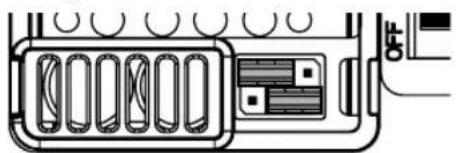
Factory Defaults
natural_image
Diagram of an electronic device rear panel with ports and connectors (no text or symbols)Battery Mode: NiMh
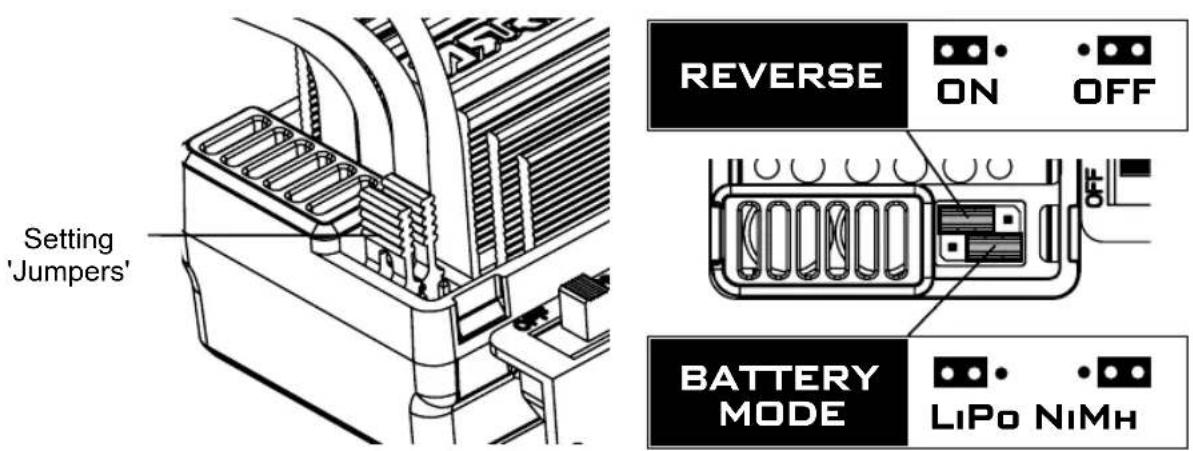
Reverse: On
ESC Tuning Options
The MEGA brushed ESC has two tuning options - battery mode and reverse lock out. The setting of these modes can be changed by moving the position of the setting 'jumpers'

Temperature Protection
If the ESC temperature exceeds 80 degrees Celsius, the ESC will enter temperature protection mode and the red status LED will blink. Once the ESC has cooled down it will resume normal operation.

BATTERY MODES
If using LiPo batteries you must set the correct battery mode on the ESC (electronic speed controller) to prevent battery damage.

RADIO GEAR
SPEKTRUM STX2 2.4GHz


2.4GHZ DIGITAL RADIO SYSTEM
SPEKTRUM®
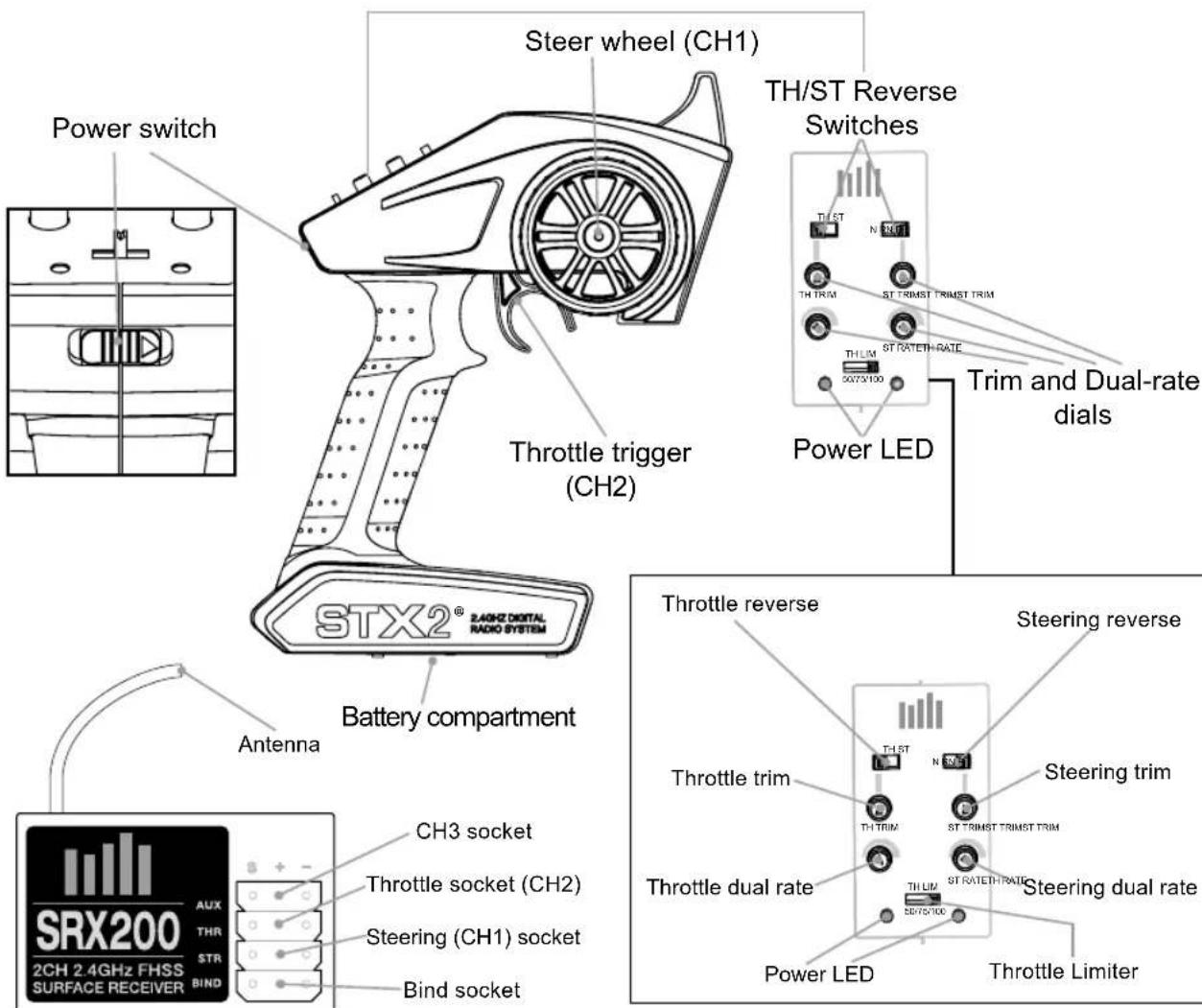
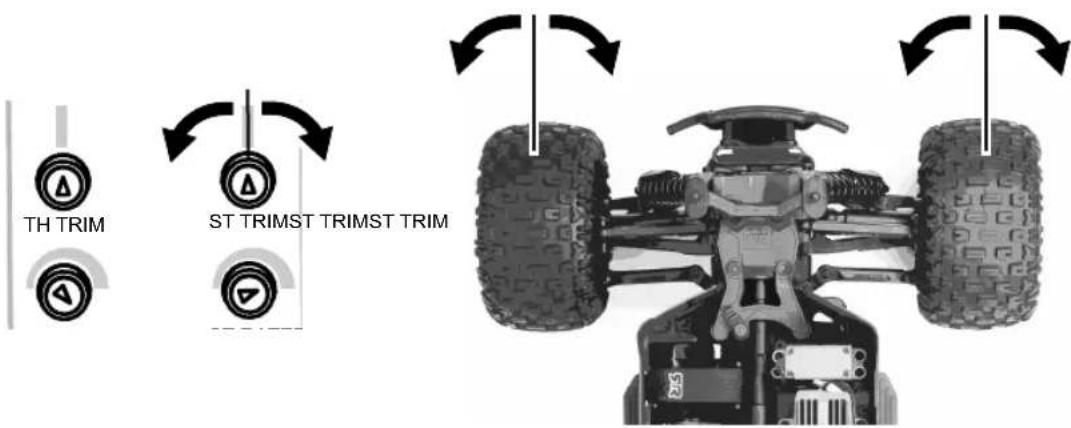
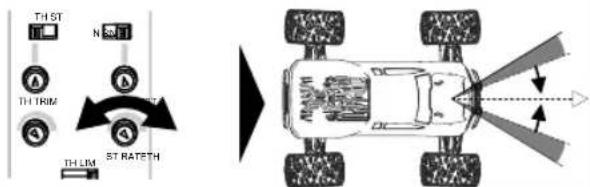
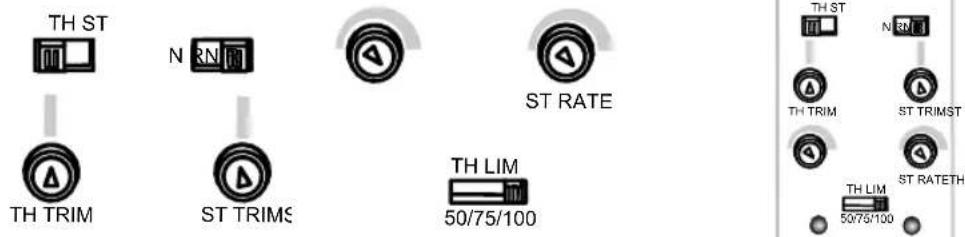
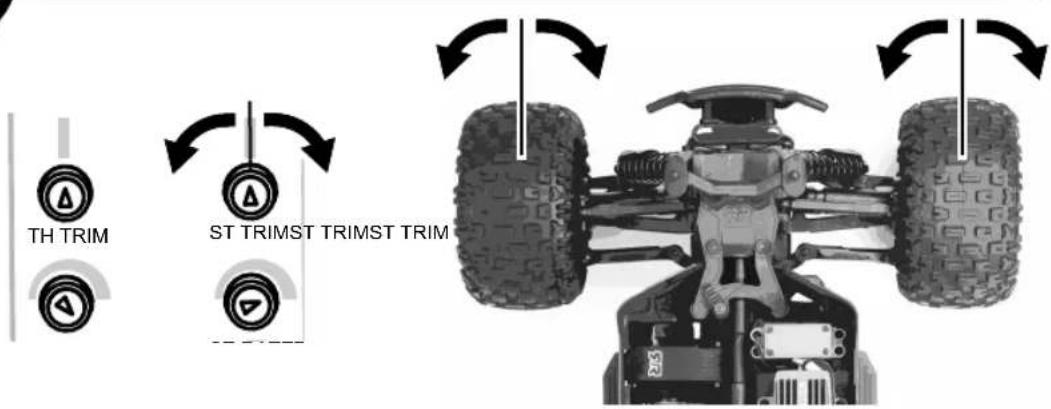
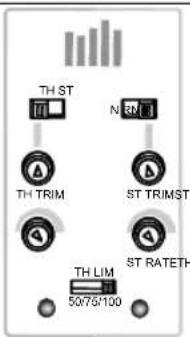
STEERING TRIM ST RATE
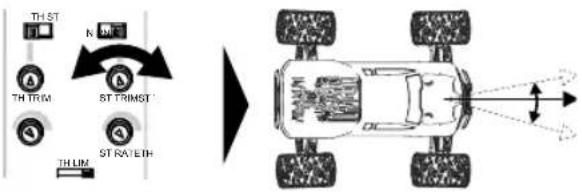
flowchart
graph TD
    A["THST"] --> B["THTRM"]
    B --> C["STRATEH"]
    C --> D["THLIN"]
    style A fill:#f9f,stroke:#333
    style B fill:#ccf,stroke:#333
    style C fill:#cfc,stroke:#333
    style D fill:#fcc,stroke:#333
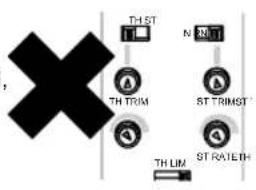
THROTTLE TRIM
Throttle Trim: factory default neutral, adjustment is not necessary.
BATTERY STATUS
If battery status LED is flashing, the batteries need to be replaced.
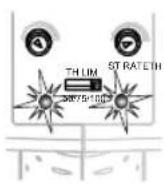
FACTORY DEFAULTS
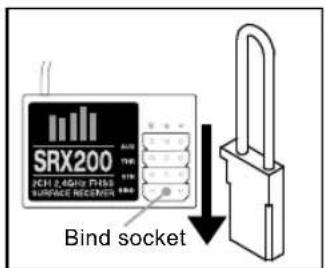
BINDING
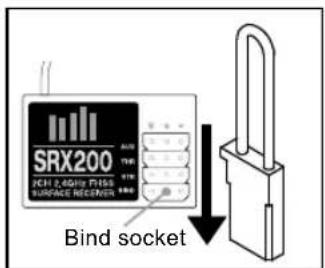
Insert the Bind Plug in the BIND port on the receiver.
natural_image
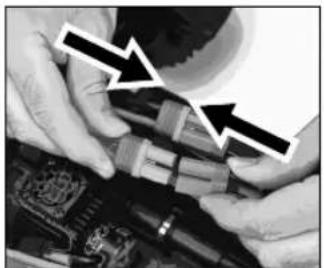
Close-up of hands assembling electronic components with arrows pointing to specific parts (no visible text or symbols)Connect a fully charged battery pack to the ESC.
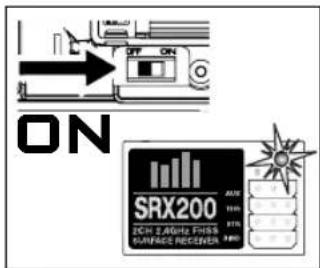
Power on the ESC. The red LED flashes, indicating the receiver is in bind mode.
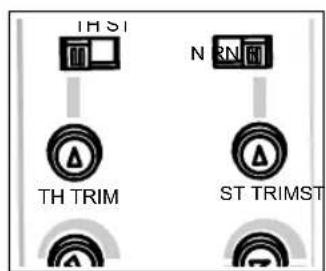
Center the ST TRIM and TH TRIM dials on the transmitter.
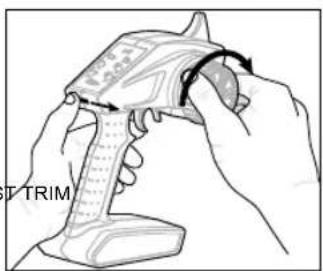
Turn the steering wheel to full right. Power the transmitter on while holding the steering wheel to the right.
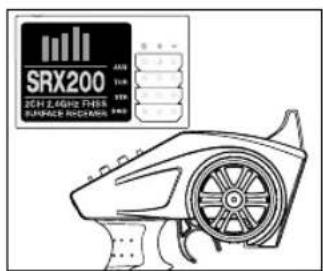
Release the steering wheel when the receiver LED stops flashing.
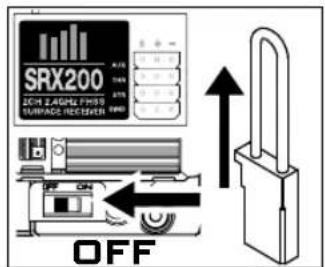
Remove the Bind Plug, then power off the ESC to save the settings.
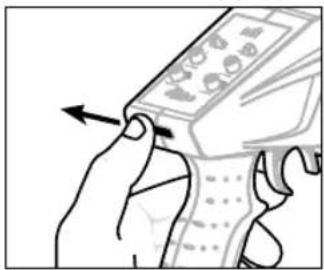
natural_image
Illustration of a hand holding a mobile phone with an arrow indicating left-hand rule (no text or symbols present)Power off the transmitter.

FCC ID: 2AI3D-SS0001.
This device complies with part 15 of the FCC Rules. Operation is subject to the following two conditions: (1) This device may not cause harmful interference, and (2) this device must accept any interference received, including interference that may cause undesired operation.
CAUTION: THE MANUFACTURER IS NOT RESPONSIBLE FOR ANY RADIO OR TV INTERFERENCE CAUSED BY UNAUTHORISED MODIFICATIONS TO THIS EQUIPMENT. SUCH MODIFICATIONS COULD VOID THE USER'S AUTHORITY TO OPERATE THE EQUIPMENT.

E328

Horizon Hobby, LLC hereby declares that this product is in compliance with the essential requirements and other relevant provisions of the RED and EMC Directives.
A copy of the EU Declaration of Conformity is available online at: http://www.horizonhobby.com/content/support-render-compliance.
Industry Canada Notice: IC: 21682-SSTC9202:
This device complies with Industry Canada license-exempt RSS standard(s). 1. Operation is subject to the following two conditions: (1) this device may not cause interference, and (2) this device must accept any interference, including interference that may cause undesired operation of the device. 2. Changes or modifications not expressly approved by the party responsible for compliance could void the user's authority to operate the equipment.
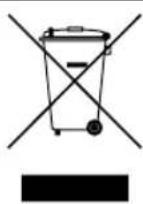
INSTRUCTIONS FOR DISPOSAL OF WASTE EQUIPMENT BY PRIVATE USERS IN THE EUROPEAN UNION: This symbol on the product or its packaging indicates this product must not be disposed of with other household waste. Instead, it is the user's responsibility to dispose of their waste equipment by handing it over to a designated collection point for the recycling of waster electrical and electronic equipment. The separate collection and recycling of your waste equipment at time of disposal will help to conserve natural resources and ensure that it is recycled in a manner that protects human health and the environment. For more information about where you can drop off your waste equipment for recycling, please contact your local city office, your household waste disposal service or location where you purchased the product.
TROUBLESHOOTING
| Problem Possible Cause Solution | ||
| Vehicle does not move | Batteries are incorrectly installed in transmitter | Check transmitter batteries and refit - see model/transmitter manual |
| Weak, damaged or no drive battery in model Install fresh, charged batteries | ||
| Frayed or broken motor or ESC wires | Check condition, reconnect and insulate | |
| ESC has shut down due to overheating | Stop driving and allow ESC or motor to cool down | |
| Electric motor is damaged | Replace with new unit - visit ARRMA-RC.com for advice and upgrades! | |
| Waterproof ESC is damaged | Replace with new unit - visit ARRMA-RC.com for advice and upgrades! | |
| Possible damage to transmission/drive-line | Check components and replace - visit ARRMA-RC.com for advice | |
| ESC low voltage cutoff has activated to protect batteries | Remove drive battery, leave to cool down if necessary, and re-charge | |
| Vehicle does not reverse | Waterproof ESC is damaged | Replace with new unit - visit ARRMA-RC.com for advice and upgrades |
| Vehicle drives without input | Transmitter throttle trim incorrectly set | Throttle trim needs to be set to zero/neutral - see model/transmitter manual |
| Neutral throttle position of ESC Unit incorrect Re calibrate the ESC | ||
| Short runtime | Battery damaged or not fully charged Check condition, replace or recharge | |
| Electric motor dirty or damaged | Clean, check condition and/or replace - visit ARRMA-RC.com for more information | |
| Incorrect ESC battery mode - voltage cutoff too high for the battery you are using | Adjust the battery mode of the unit | |
| Sluggish performance | Battery damaged or not fully charged Check condition, replace or recharge | |
| Transmitter throttle trim incorrectly set | Throttle trim needs to be set to zero/neutral - see model/transmitter manual | |
| Electric motor dirty or damaged | Clean, check condition and/or replace - visit ARRMA-RC.com for more information | |
| Drivetrain dirty or damaged | Clean, check condition and/or replace - visit ARRMA-RC.com for more information | |
| No control of vehicle or short range | Transmitter batteries are weak or fitted incorrectly | Check transmitter batteries and refit - see model/transmitter manual |
| Servo wires to receiver loose or connected incor-rectly | Reinstall signal wires to receiver | |
| Transmitter and receiver unit are not 'bound' cor-rectly | Transmitter and receiver need to be bound - see model/transmitter manual | |
| Steering/Throttle operation intermittent | ESC has shut down due to overheating | Stop driving and allow ESC or motor to cool down |
| Transmitter and receiver unit are not 'bound' cor-rectly | Check for sources of interference and re-bind transmitter/receiver - see transmitter manual | |
| Vehicle wanders left/right without steering input | Steering trim setting out | Adjust steering trim - see model/ transmitter manual |
| Damaged steering components | Check components and replace - visit ARRMA-RC.com for advice | |
| Drivetrain dirty or damaged | Clean, check condition and/or replace - visit ARRMA-RC.com for more information | |
| Steering/Throttle operation reversed | Relevant channel of transmitter is reversed | Reverse relevant channel on transmitter - see model/ transmitter manual |
| Check that the wires from the ESC to the motor are connected correctly | Reconnect in the correct orientation (red to red and black to black) ensuring fit is tight; if not pinch female connector with pliers | |
| Limited steering angle | Transmitter steering dual-rate set incorrectly | Adjust transmitter dual-rate - see transmitter manual |
| Damaged steering components | Check components and replace - visit ARRMA-RC.com for advice | |
natural_image
Black-and-white photo of a toy car with five large tires and visible tire tracks, marked with warning symbols (no text or labels)
natural_image
Close-up of hands installing or adjusting a car interior panel with tools (no visible text or symbols)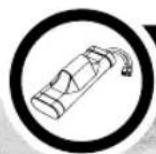
ENTFERNEN SIE DIE FAHRZEUGBATTERIE
natural_image
Close-up of a toy car's front wheel assembly with visible tire tracks and battery pack (no text or symbols)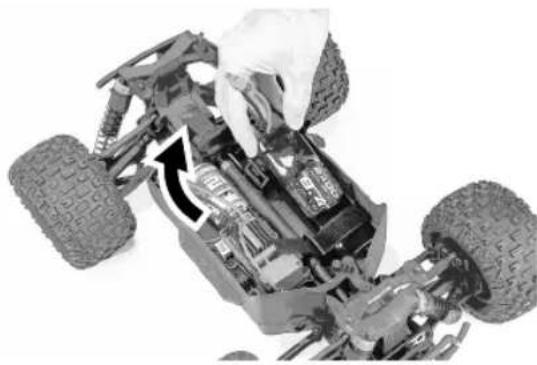
natural_image
Close-up of a toy car's internal components, showing tire tracks and engine compartment (no text or symbols visible)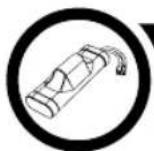
FAHRZEUGBATTERIE LADEN
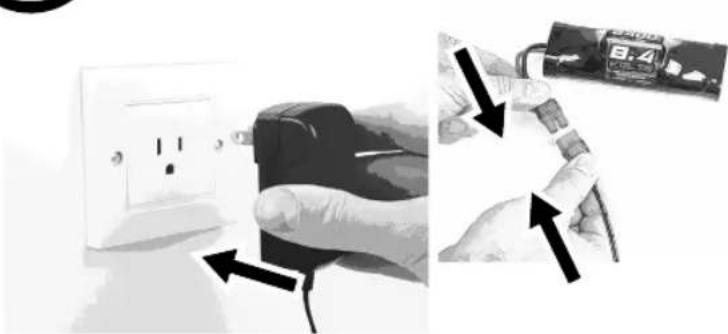
natural_image
Two-panel image showing hands installing a wall socket and connecting wires to a battery pack (no text or symbols visible)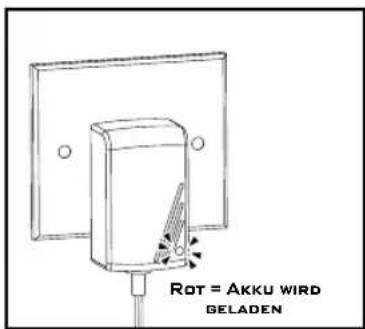

LEGEN SIE DIE AA BATTERIEN IN DAS STEUERGERÄT EIN
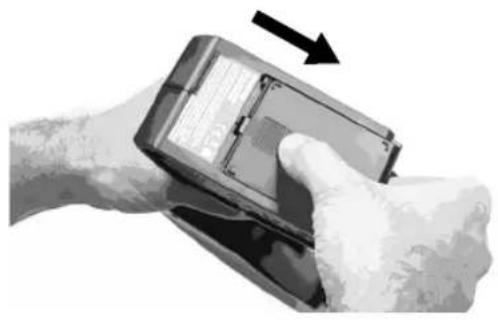
natural_image
Hand holding a payment terminal with a hand pointing to it, no visible text or symbols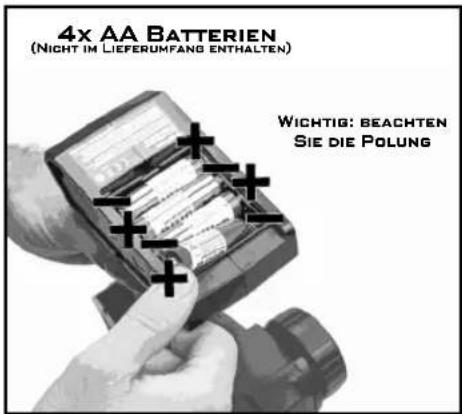
natural_image
Close-up of hands holding a device with an arrow pointing to the screen (no visible text or symbols)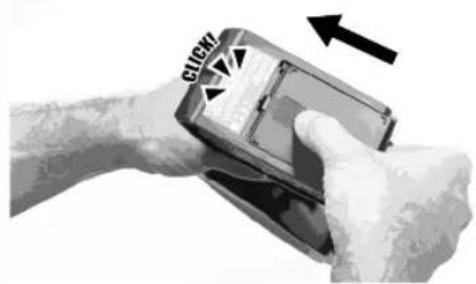
natural_image
Close-up of a hand holding a smartphone with a circular arrow indicating rotation (no text or symbols visible)
natural_image
Hand inserting a plug into an electrical outlet (no text or symbols visible)natural_image
Close-up of a mechanical assembly showing a hand adjusting the engine compartment, with no visible text or symbols.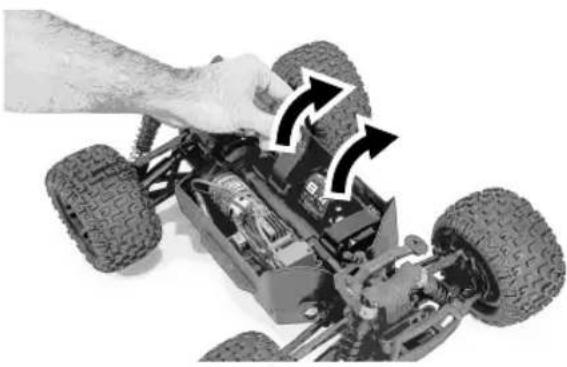
natural_image
Close-up of a hand adjusting a toy car chassis with visible tire tracks and battery pack (no text or symbols)
LENKUNG NEUTRALPOSITION

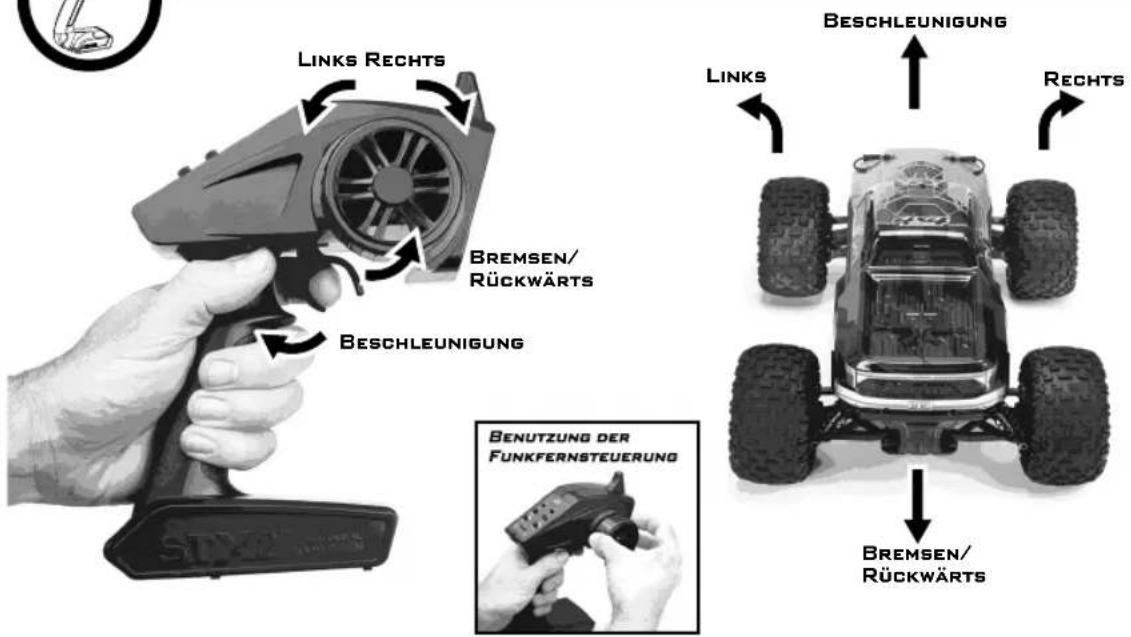
WIE MAN FÄHRT
natural_image
Close-up of hands assembling a small toy vehicle with visible wiring and components (no text or symbols)natural_image
Close-up of a hand pressing a button on a mechanical component, with an arrow indicating the action (no text or symbols visible)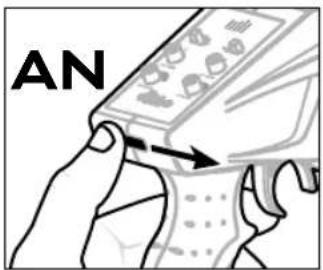
natural_image
Composite image showing a toy car with a hand adjusting the chassis, and an open vehicle interior with arrows indicating engine components (no text or symbols)
natural_image
Close-up of a hand holding a small electronic component with an arrow pointing to it, no visible text or symbols.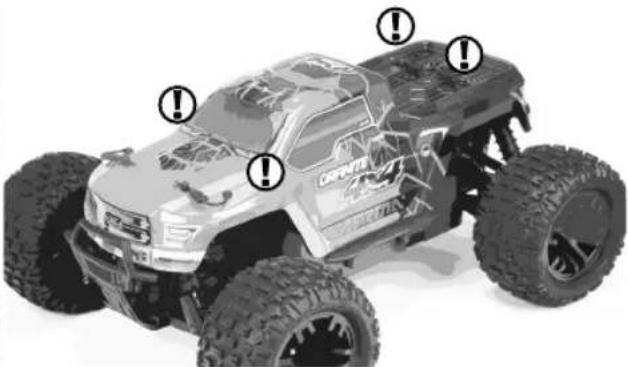
natural_image
Top-down view of a CRRC GoRVS 3.0 electric vehicle with visible tires and front suspension (no text or symbols)NUN KANN ES LOSGEHEN!

AUSSCHALTEN
natural_image
Composite image showing a remote-controlled toy car with a hand adjusting the chassis, and its internal engine assembly diagram with no visible text or symbols.natural_image
Close-up of a hand pressing a button on a mechanical component with an arrow indicating the action (no text or symbols visible)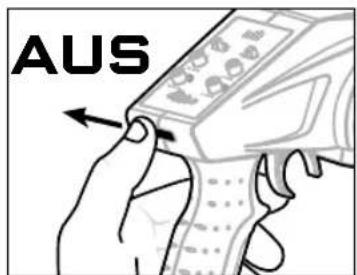

LAGERN
natural_image
Two-panel image showing a hand adjusting a small mechanical component and a close-up of a Velo EV10 charging cable (no visible text or symbols)natural_image
Diagram of an electronic device rear panel with internal connectors and labeled ports (no text or symbols)Batteriemodus: NiMH
Rückwärtsgang: ein
Reglerabstimmung
GASTRIMMUNG
VERBINDEN
natural_image
Close-up of hands assembling or adjusting mechanical components with arrows pointing to specific parts (no visible text or symbols)natural_image
Illustration of a hand holding a mobile phone with an arrow pointing to the screen (no text or symbols visible)natural_image
Black-and-white photo of a toy car with five large tires and warning symbols on the front wheel (no text or labels visible)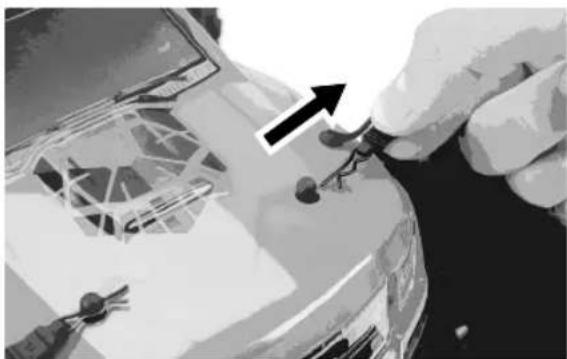
natural_image
Close-up of hands installing or adjusting a car interior panel with tools (no visible text or symbols)
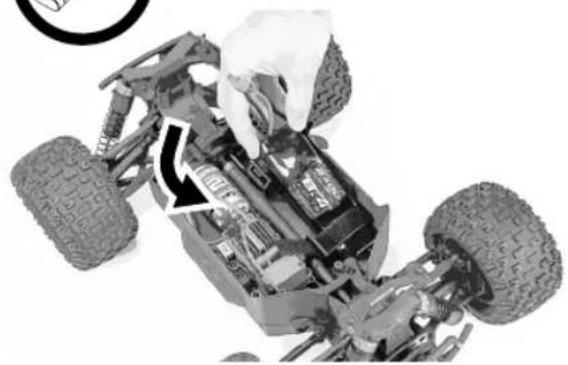
ENLEVER LES BATTERIES DE LA VOITURE
natural_image
Close-up of a toy car's front wheel assembly with visible tire tracks and mechanical components (no text or symbols)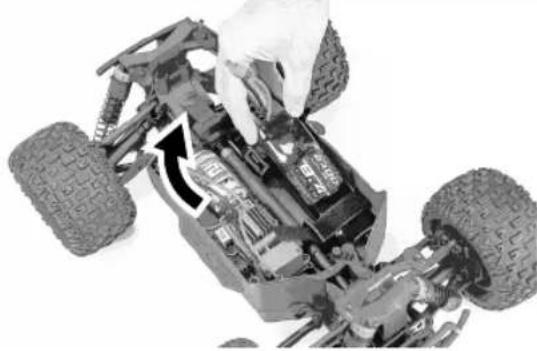
natural_image
Close-up of a toy car chassis showing internal components and tire tracks (no visible text or symbols)
CHARGEZ LES BATTERIES DE LA VOITURE
natural_image
Two-panel illustration showing hands holding a power outlet and connecting wires to a device (no text or symbols visible)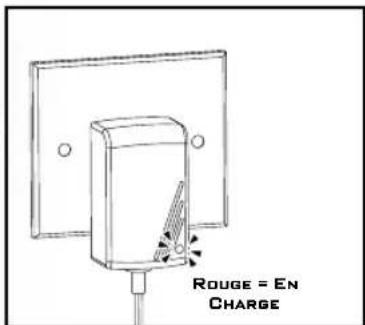

INSTALLER LES PILES AA DANS LA RADIOCOMMANDE
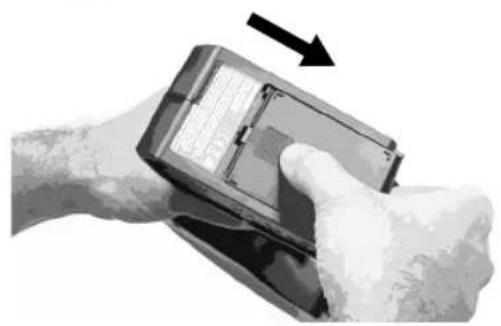
natural_image
Close-up of a hand holding a payment terminal with a black arrow indicating direction (no visible text or symbols)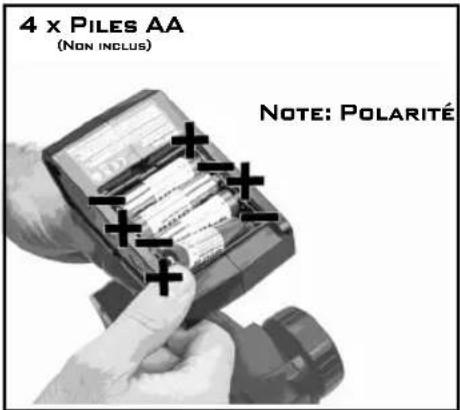
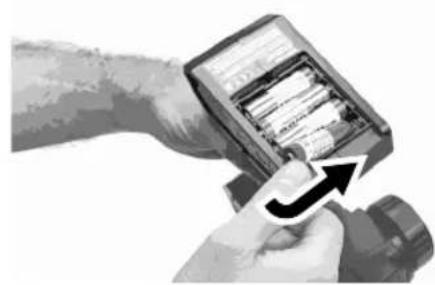
natural_image
Close-up of hands holding a smartwatch with an arrow indicating the change (no visible text or symbols)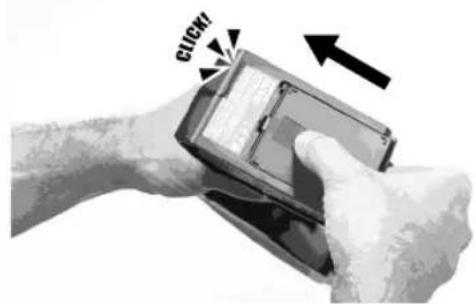

natural_image
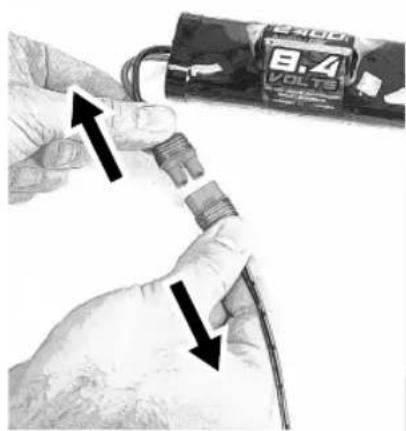
Close-up of hands holding a small electronic component with two arrows indicating direction (no text or symbols visible)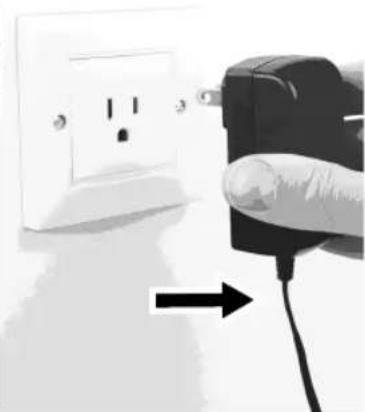
natural_image
Hand inserting a plug into an electrical outlet, with a black cable being inserted (no text or symbols visible)
INSTALLER LES BATTERIES CHARGÉES DANS LA VOITURE
natural_image
Close-up of a toy car chassis with visible tire, suspension, and wheel (no text or symbols)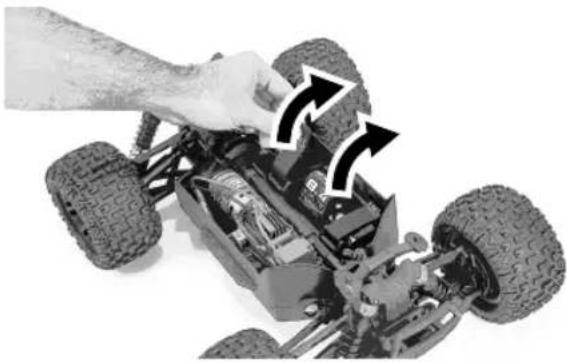
natural_image
Close-up of a hand adjusting a toy car chassis with visible tire tracks and mechanical components (no text or symbols)
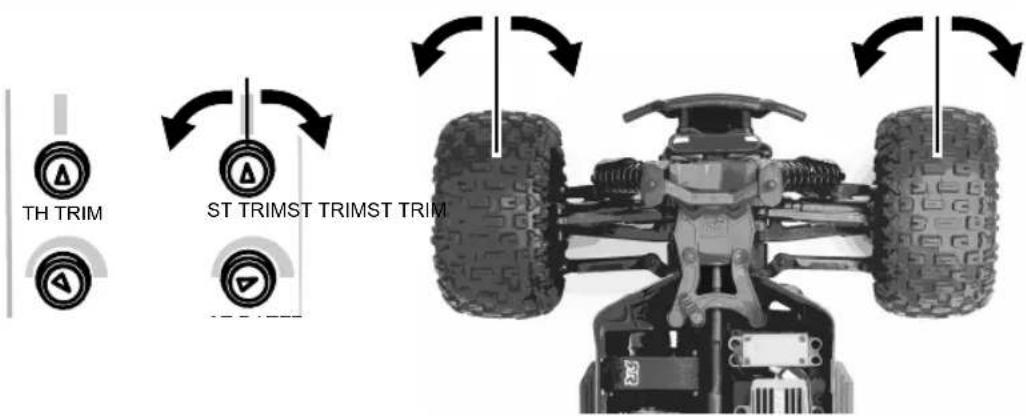
NEUTRE DE DIRECTION

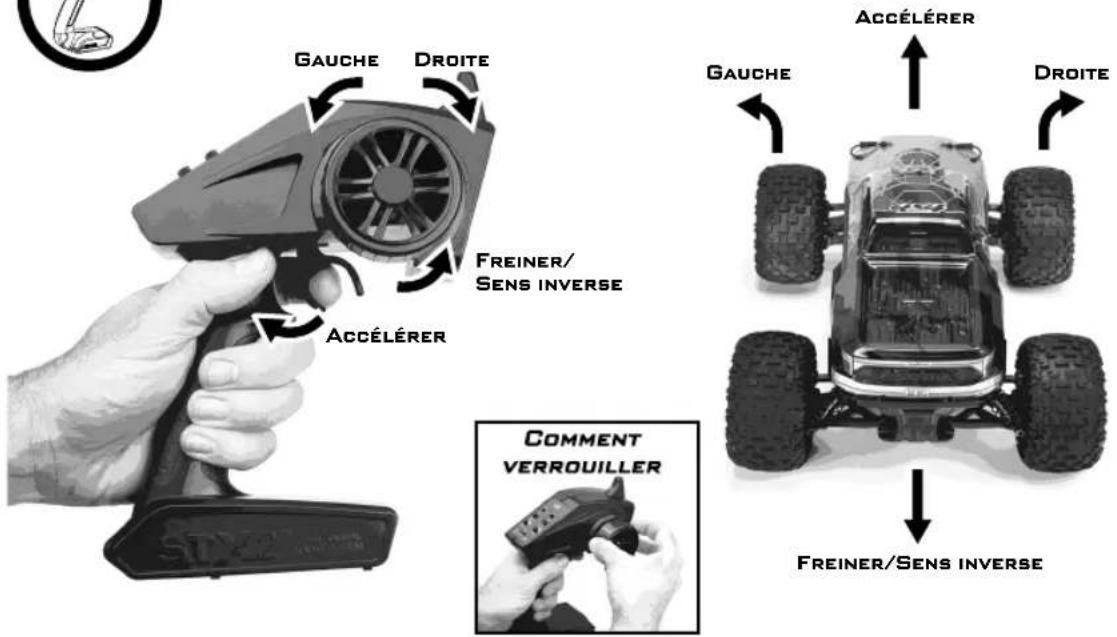
COMMENT CONDUIRE
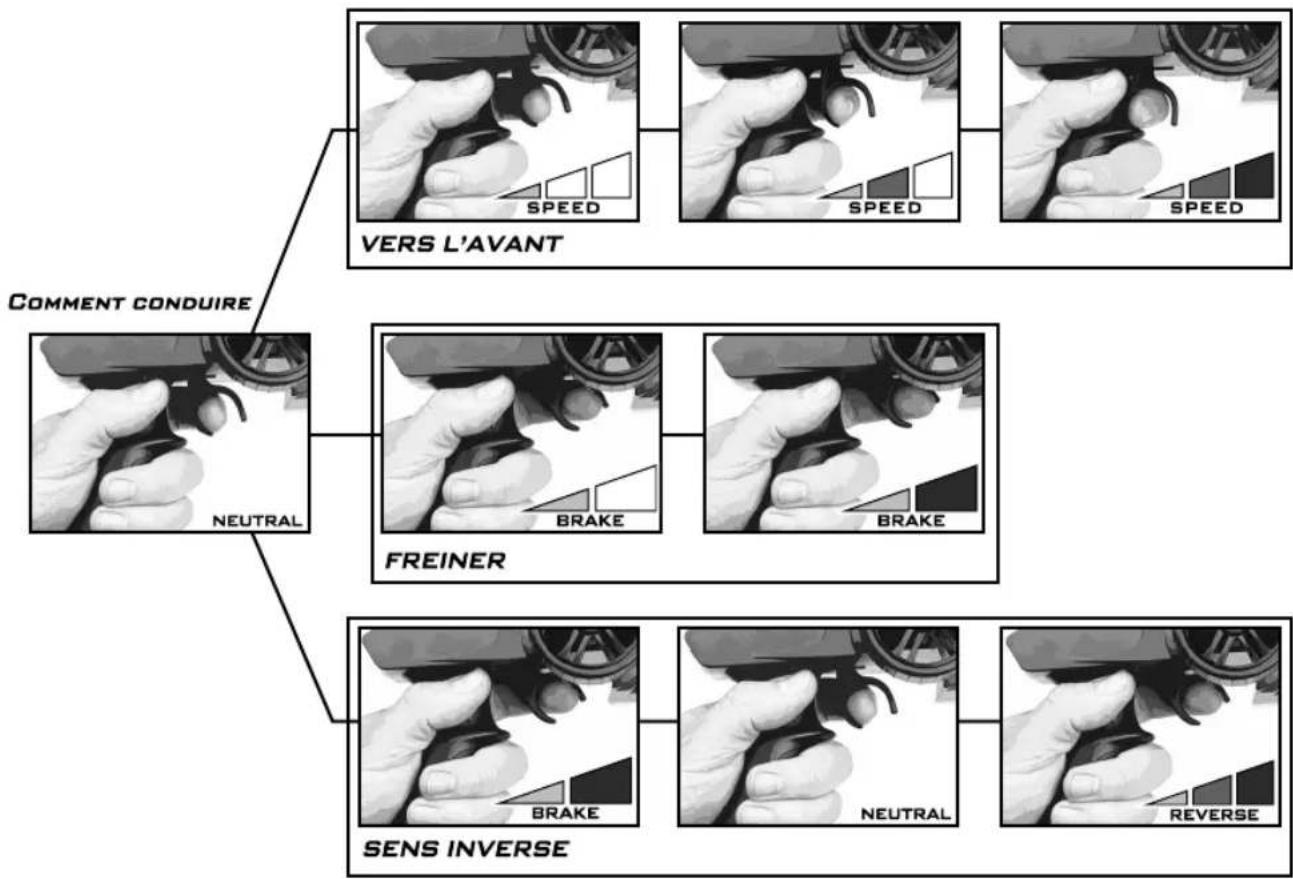
flowchart
graph TD
    A["COMMENT CONDUIRE"] --> B["NEUTRAL"]
    B --> C["FREINER"]
    C --> D["SENS INVERSE"]
    D --> E["VER S L'AVANT"]
natural_image
Close-up of hands installing or adjusting a small electronic vehicle chassis, showing mechanical components and wiring (no text or symbols visible)RADIOCOMMANDE EN PREMIER
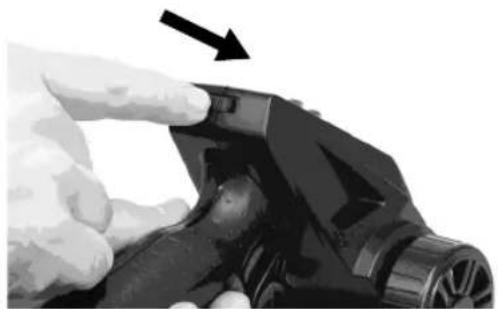
natural_image
Close-up of a hand holding a black mechanical component with an arrow pointing to it (no text or symbols visible)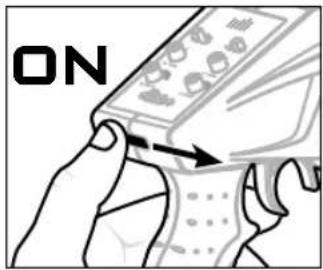
VOITURE EN SECOND
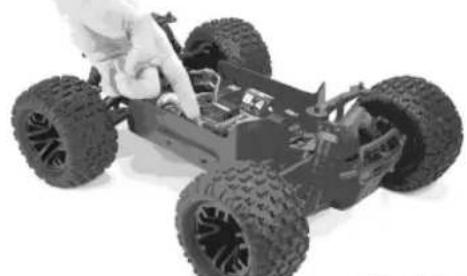
natural_image
Close-up of a hand inspecting a small off-road vehicle chassis (no visible text or symbols)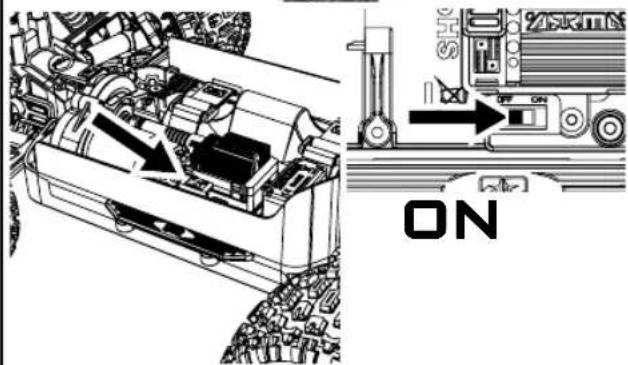
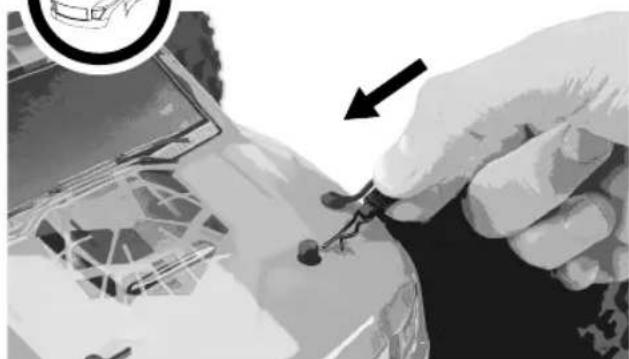
INSTALLER LA CARROSSERIE DE LA VOITURE
natural_image
Close-up of a hand holding a small electronic component with an arrow pointing to it, no visible text or symbols.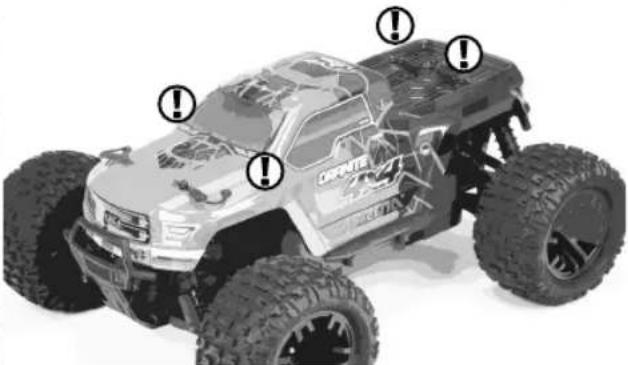
natural_image
Top-down view of a Honda 3.0km electric vehicle with visible tires and front suspension (no text or symbols)MAINTENANT, COMMENCEZ À VOUS AMUSER !

ÉTEINDRE
VOITURE EN PREMIER
natural_image
Top: Top-down view of a small toy car being adjusted for assembly; Bottom: Internal engine compartment with visible circuit breakers and control buttons (no text or symbols on the car itself)RADIOCOMMANDE EN SECOND
natural_image
Close-up of a gloved hand holding a mechanical component with an arrow pointing to it (no visible text or symbols)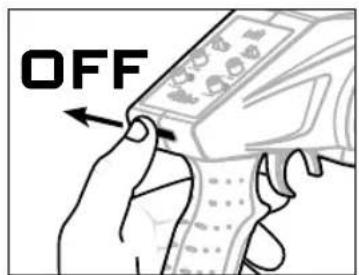

STOCKAGE
natural_image
Two-panel image showing a hand adjusting a small cable component and a close-up of a vehicle's electrical wiring (no visible text or symbols)TOUT EN SÉCURITÉ ...
JUSQU'À LA PROCHAINE FOIS

Coupure Basse Tension
natural_image
Diagram of an electronic component with labeled ports (no text or symbols present)GARNITURE D'ACCÉLÉRATEUR
natural_image
Close-up of hands assembling electronic components with arrows pointing to specific parts (no visible text or symbols)natural_image
Illustration of a hand holding a mobile phone with an arrow pointing to the screen (no text or symbols visible)What this Warranty Covers
Horizon Hobby, LLC, (Horizon) warrants to the original purchaser that the product purchased (the "Product") will be free from defects in materials and workmanship for a period of 2 years from the date of purchase.
What is Not Covered
This warranty is not transferable and does not cover (i) cosmetic damage, (ii) damage due to acts of God, accident, misuse, abuse, negligence, commercial use, or due to improper use, installation, operation or maintenance, (iii) modification of or to any part of the Product, (iv) attempted service by anyone other than a Horizon Hobby authorized service center, (v) Product not purchased from an authorized Horizon dealer, (vi) Product not compliant with applicable technical regulations, or (vii) use that violates any applicable laws, rules, or regulations.
OTHER THAN THE EXPRESS WARRANTY ABOVE, HORIZON MAKES NO OTHER WARRANTY OR REPRESENTATION, AND HEREBY DISCLAIMS ANY AND ALL IMPLIED WARRANTIES, INCLUDING, WITHOUT LIMITATION, THE IMPLIED WARRANTIES OF NON-INFRINGEMENT, MERCHANTABILITY AND FITNESS FOR A PARTICULAR PURPOSE. THE PURCHASER ACKNOWLEDGES THAT THEY ALONE HAVE DETERMINED THAT THE PRODUCT WILL SUITABLY MEET THE REQUIREMENTS OF THE PURCHASER'S INTENDED USE.
Purchaser's Remedy
Horizon's sole obligation and purchaser's sole and exclusive remedy shall be that Horizon will, at its option, either (i) service, or (ii) replace, any Product determined by Horizon to be defective. Horizon reserves the right to inspect any and all Product(s) involved in a warranty claim. Service or replacement decisions are at the sole discretion of Horizon. Proof of purchase is required for all warranty claims. SERVICE OR REPLACEMENT AS PROVIDED UNDER THIS WARRANTY IS THE PURCHASER'S SOLE AND EXCLUSIVE REMEDY.
Limitation of Liability
HORIZON SHALL NOT BE LIABLE FOR SPECIAL, INDIRECT, INCIDENTAL OR CONSEQUENTIAL DAMAGES, LOSS OF PROFITS OR PRODUCTION OR COMMERCIAL LOSS IN ANY WAY, REGARDLESS OF WHETHER SUCH CLAIM IS BASED IN CONTRACT, WARRANTY, TORT, NEGLIGENCE, STRICT LIABILITY OR ANY OTHER THEORY OF LIABILITY, EVEN IF HORIZON HAS BEEN ADVISED OF THE POSSIBILITY OF SUCH DAMAGES. Further, in no event shall the liability of Horizon exceed the individual price of the Product on which liability is asserted. As Horizon has no control over use, setup, final assembly, modification or misuse, no liability shall be assumed nor accepted for any resulting damage or injury. By the act of use, setup or assembly, the user accepts all resulting liability. If you as the purchaser or user are not prepared to accept the liability associated with the use of the Product, purchaser is advised to return the Product immediately in new and unused condition to the place of purchase.
Law
These terms are governed by Illinois law (without regard to conflict of law principals). This warranty gives you specific legal rights, and you may also have other rights which vary from state to state. Horizon reserves the right to change or modify this warranty at any time without notice.
WARRANTY SERVICES
Questions, Assistance, and Services
Your local hobby store and/or place of purchase cannot provide warranty support or service. Once assembly, setup or use of the Product has been started, you must contact your local distributor or Horizon directly. This will enable Horizon to better answer your questions and service you in the event that you may need any assistance. For questions or assistance, please visit our website at www.horizonhobby.com, submit a Product Support Inquiry, or call the toll free telephone number referenced in the Warranty and Service Contact Information section to speak with a Product Support representative.
Inspection or Services
If this Product needs to be inspected or serviced and is compliant in the country you live and use the Product in, please use the Horizon Online Service Request submission process found on our website or call Horizon to obtain a Return Merchandise Authorization (RMA) number. Pack the Product securely using a shipping carton. Please note that original boxes may be included, but are not designed to withstand the rigors of shipping without additional protection. Ship via a carrier that provides tracking and insurance for lost or damaged parcels, as Horizon is not responsible for merchandise until it arrives and is accepted at our facility. An Online Service Request is available at http://www.horizonhobby.com/content/_service-centerRender-service-center. If you do not have internet access, please contact Horizon Product Support to obtain a RMA number along with instructions for submitting your product for service. When calling Horizon, you will be asked to provide your complete name, street address, email address and phone number where you can be reached during business hours. When sending product into Horizon, please include your RMA number, a list of the included items, and a brief summary of the problem. A copy of your original sales receipt must be included for warranty consideration. Be sure your name, address, and RMA number are clearly written on the outside of the shipping carton.
NOTICE: Do not ship LiPo batteries to Horizon. If you have any issue with a LiPo battery, please contact the appropriate Horizon Product Support office.
Warranty Requirements
For Warranty consideration, you must include your original sales receipt verifying the proof-of-purchase date. Provided warranty conditions have been met, your Product will be serviced or replaced free of charge. Service or replacement decisions are at the sole discretion of Horizon.
Non-Warranty Service
Should your service not be covered by warranty, service will be completed and payment will be required without notification or estimate of the expense unless the expense exceeds 50% of the retail purchase cost. By submitting the item for service you are agreeing to payment of the service without notification. Service estimates are available upon request. You must include this request with your item submitted for service. Non-warranty service estimates will be billed a minimum of 12 hour of labor. In addition you will be billed for return freight. Horizon accepts money orders and cashier's checks, as well as Visa, MasterCard, American Express, and Discover cards. By submitting any item to Horizon for service, you are agreeing to Horizon's Terms and Conditions found on our website
http://www.horizonhobby.com/content/_service-center_render-service-center.
ATTENTION: Horizon service is limited to Product compliant in the country of use and ownership. If received, a non-compliant Product will not be serviced. Further, the sender will be responsible for arranging return shipment of the un-serviced Product, through a carrier of the sender's choice and at the sender's expense. Horizon will hold non-compliant Product for a period of 60 days from notification, after which it will be discarded.

GARANTIEINFORMATIONEN
Warnung
INFORMATIONS DE GARANTIE

natural_image
Empty white square frame with gray border and corner markers, no text or symbols presentJOIN OUR GLOBAL ARRMA COMMUNITY

natural_image
Facebook logo icon (no text or symbols present)


natural_image
Simple gray icon of a vintage television with antenna (no text or symbols)





natural_image
Silhouette of a bird in flight (no text or symbols)

natural_image
Gray play button icon with white triangle (no text or symbols)


ARB10440
ARRMA-RC.COM
©2019 Horizon Hobby, LLC. ARRMA RC is a trade name of Horizon Hobby Ltd. Horizon Hobby Ltd is a subsidiary of Horizon Hobby, LLC. ARRMA, the ARRMA logo, STX2, and IC3 are trademarks or registered trademarks of Horizon Hobby, LLC. The Spektrum trademark is used with permission of Bachmann Industries, Inc. All other trademarks, service marks and logos are property of their respective owners.