ManualGo.com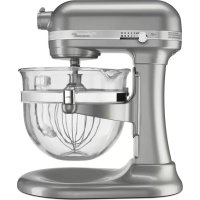
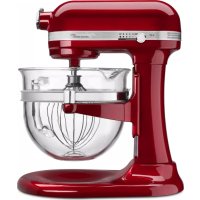
KSM6521XSR - Hand blender KITCHENAID - Free user manual and instructions
Find the device manual for free KSM6521XSR KITCHENAID in PDF.




Download the instructions for your Hand blender in PDF format for free! Find your manual KSM6521XSR - KITCHENAID and take your electronic device back in hand. On this page are published all the documents necessary for the use of your device. KSM6521XSR by KITCHENAID.
USER MANUAL KSM6521XSR KITCHENAID
We’re committed to helping you create a lifetime of delicious meals for family and friends. To help ensure the longevity and performance of your appliance, keep this guide handy. It will empower you with the best way to use and care for your product. Your satisfaction is our #1 goal. Remember to register your product online at www.kitchenaid.com, or by mail using the attached Product Registration Card. W10410027A_.indd 2 12/15/11 11:40 AMEnglish Find recipes and more at www.kitchenaid.com Table of Contents
W10410027A_.indd 3 12/15/11 11:40 AM4 Stand Mixer Safety When using electrical appliances, basic safety precautions should always be followed, including the following:
1. Read all instructions.
2. To avoid risk of electrical shock, do not put Stand Mixer in water or other liquid.
3. Close supervision is necessary when any appliance is used by or near children.
4. Unplug Stand Mixer from outlet when not in use, before putting on or taking
off parts, and before cleaning.
5. Avoid contacting moving parts. Keep hands, hair, and clothing, as well as spatulas
and other utensils away from beater during operation to reduce the risk of injury to persons and/or damage to the Stand Mixer.
6. Do not operate Stand Mixer with a damaged cord or plug or after the Stand
Mixer malfunctions, or is dropped or damaged in any manner. Call the KitchenAid
Customer Satisfaction Center at 1-800-541-6390 for more information.
7. The use of attachments not recommended or sold by KitchenAid may cause re,
electrical shock, or injury.
8. Do not use the Stand Mixer outdoors.
9. Do not let the cord hang over edge of table or counter.
10. Remove Flat Beater, Stainless Steel Whip, or Spiral Dough Hook from Stand Mixer
before washing. IMPORTANT SAFEGUARDS
SAVE THESE INSTRUCTIONS
THIS PRODUCT IS DESIGNED FOR HOUSEHOLD
USE ONLY. W10410027A_.indd 4 12/15/11 11:40 AM5 English Stand Mixer Safety Volts: 120 A.C. Hertz: 60 Hz NOTE: The power rating for your Stand Mixer is printed on the serial plate. Do not use an extension cord. If the power supply cord is too short, have a qualied electrician or serviceman install an outlet near the appliance. The maximum rating is based on the attachment that draws the greatest load (power). Other recommended attachments may draw signicantly less power. Electrical Requirements Proof of Purchase & Product Registration Always keep a copy of the itemized sales receipt showing the date of purchase of your Stand Mixer. Proof of purchase will assure you of in-warranty service. Before you use your Stand Mixer, please ll out and mail your product registration card packed with the unit. This card will enable us to contact you in the unlikely event of a product safety notication and assist us in complying with the provisions of the Consumer Product Safety Act. This card does not verify your warranty. Please complete the following for your personal records: Model Number ________________________________________________________ Serial Number ________________________________________________________ Date Purchased _______________________________________________________ Store Name __________________________________________________________ W10410027A_.indd 5 12/15/11 11:40 AM6 Parts and Features Speed Control Lever Bowl Lift Lever (not shown) Beater Shaft Stainless Steel Whip Stainless Steel Bowl Spiral Dough Hook Flat Beater Locating Pins Bowl Support Beater Height Adjustment Screw Motor Head Bowl Handle (style may vary depending on model) Attachment Hub (see the “Attachments and Accessories” section) Attachment Knob Pouring Shield (available on some models) W10410027A_.indd 6 12/15/11 11:40 AM7 English Setting up your Stand Mixer Getting Started with your new Bowl-Lift Stand Mixer IMPORTANT SET-UP INFORMATION: For best performance, please go through these quick steps before using your Stand Mixer Fig. 1 Locating PinSpring Latch Pin Fig. 2 Fig. 3 Step 1: Make sure Stand Mixer is turned to the OFF position and is unplugged. Step 2: Attach the Stainless Steel Bowl to the Stand Mixer. Fit Bowl Supports over Locating Pins and press down on back of the bowl until Bowl Pin snaps into Spring Latch. (Fig. 1). IMPORTANT: If bowl is not securely snapped into place, it will be unstable and wobble during use. Step 3: Attach Flat Beater. Slip Flat Beater onto the Shaft. Turn left, hooking beater over the Pin. (Fig. 2) Step 4: Raise Bowl to mixing position. Rotate Bowl Lift Lever counterclockwise to the straight up position. (Fig. 3) The bowl must always be in the raised position when mixing. W10410027A_.indd 7 12/15/11 11:40 AM8 Setting up your Stand Mixer Raise Bowl Fig. 4 Lower Bowl IMPORTANT: The Stand Mixer may become warm during use. Under heavy loads with extended mixing time periods, you may not be able to comfortably touch the top of the Stand Mixer. This is normal. The Stand Mixer motor may emit a pungent odor during initial operation. This is common with electric motors. Step 5: Test Beater to Bowl Clearance. Check the proximity of the Flat Beater to the bowl. The beater should just clear the bottom of the bowl but should not touch it. Plug Stand Mixer in. Turn Stand Mixer ON and test each speed making sure the beater does not touch the bowl during operation. If the beater is too far away from the bottom, or is hitting the bowl, proceed to step 6 to make the necessary adjustments. Step 6: Adjusting your Beater to Bowl Clearance. Unplug Stand Mixer. Lower the bowl to the down position. Adjust the Beater Height Adjustment Screw to lower or raise the bowl, (Fig 4). Repeat Steps 2-5 with the Stainless Steel Whip and Spiral Dough Hook. Congratulations! Your Stand Mixer is now set up and ready for use. W10410027A_.indd 8 12/15/11 11:40 AM9 English Using your Stand Mixer Speed Control Guide - 10 Speed Stand Mixers All speeds have the Soft Start
feature that automatically starts the Stand Mixer at a lower speed to help avoid ingredient splash- out and “our puff” at start-up, then quickly increases to the selected speed for optimal performance. Speed Used for Attachment Description Stir Stirring For slow stirring, combining, mashing, starting all mixing procedures. Use to add our and dry ingredients to batter, and add liquids to dry ingredients. Do not use STIR speed to mix or knead yeast doughs. 2 Slow Mixing, For slow mixing, mashing, faster stirring. Kneading Use to mix and knead yeast doughs, heavy batters, and candies; start mashing potatoes or other vegetables; cut shortening into our; mix thin or splashy batters. 4 Mixing, For mixing semi-heavy batters, such as Beating cookies. Use to combine sugar and shortening and to add sugar to egg whites for meringues. Medium speed for cake mixes. Use with: Food Grinder, Rotor Slicer/Shredder, Pasta Roller, and Fruit/Vegetable Strainer. 6 Beating, For medium-fast beating (creaming) or Creaming whipping. Use to nish mixing cake, doughnut, and other batters. High speed for cake mixes. 8-10 Fast Beating, For whipping cream, egg whites, and Fast Whipping, boiled frostings. For whipping small Whipping amounts of cream, egg whites or for nal whipping of mashed potatoes. NOTE: Use Speed 2 to mix or knead yeast doughs. Use of any other speed creates high potential for Stand Mixer failure. The PowerKnead™ Spiral Dough Hook efciently kneads most yeast dough within 4 minutes. 6-6.5 Quart (5.67-6.15 L) 5-5.5 Quart (4.73-5.20 L) Flour Bread Cookies Mashed Potatoes 13-14 cups
loaves 13 dozen 8 lbs 10-12 cups 6 loaves 9 dozen
lbs Capacity Chart W10410027A_.indd 9 12/15/11 11:40 AM10 Attachments and Accessories General Information KitchenAid
Attachments are designed to assure long life. The Attachment Power Shaft and Hub Socket are of a square design, to eliminate any possibility of slipping during the transmission of power to the attachment. The hub and shaft housings are tapered to assure a snug t, even after prolonged use and wear. KitchenAid
Attachments require no extra power unit to operate them; the power unit is built-in. Hinged Hub Cover Attachment Knob Attachment Housing Attachment Shaft Housing Pin Notch Attachment Hub Socket Attachment Power Shaft The Stainless Steel Bowl, Coated Metal Flat Beater, Stainless Steel Wire Whip, and Coated Metal Spiral Dough Hook may be washed in an automatic dishwasher. Or, clean them thoroughly in hot sudsy water and rinse completely before drying. Do not store beaters on shaft. NOTE: Always be sure to unplug Stand Mixer before cleaning. Wipe Stand Mixer with a soft, damp cloth. Do not use household/commercial cleaners. Do not immerse in water. Wipe off Beater Shaft frequently, removing any residue that may accumulate. Care and Cleaning Accessories Burnished Metal Coated Metal Stainless Steel White or silver coated metal beaters are dishwasher-safe. (Available on most models) Not applicable Not applicable All metal bowls are stainless steel and dishwasher-safe. (Available on all bowl-lift models) Not applicable Burnished metal beater and dough hook should be hand washed. May discolor if used in dishwasher. All wire whips are stainless steel and should be hand washed only. Not applicable Not applicable W10410027A_.indd 10 12/15/11 11:40 AM11 English Tips for Great Results Adding Ingredients Always add ingredients as close to side of bowl as possible, not directly into moving beater. The Pouring Shield can be used to simplify adding ingredients. NOTE: If ingredients in very bottom of bowl are not thoroughly mixed, then the beater is not far enough into the bowl. See the “Setting Up Your Stand Mixer” section. Adding Nuts, Raisins, or Candied Fruits Follow individual recipes for guidelines on including these ingredients. In general, solid materials should be folded in the last few seconds of mixing on STIR Speed. The batter should be thick enough to keep the fruit or nuts from sinking to the bottom of the pan during baking. Sticky fruits should be dusted with our for better distribution in the batter. Liquid Mixtures Mixtures containing large amounts of liquid ingredients should be mixed at lower speeds to avoid splashing. Increase speed only after mixture has thickened. Mixing Time Your KitchenAid
Stand Mixer will mix faster and more thoroughly than most other electric stand mixers. Therefore, the mixing time in most recipes must be adjusted to avoid over beating. With cakes, for example, beating time may be half as long as with other stand mixers. To help determine the ideal mixing time, observe the batter or dough and mix only until it has the desired appearance described in your recipe, such as “smooth and creamy.” To select the best mixing speeds, use the “Speed Control Guide” section. Mixer Use NOTE: Do not scrape bowl while Stand Mixer is operating. All wire whips are stainless steel and should be hand washed only. W10410027A_.indd 11 12/15/11 11:40 AM12 Tips for Great Results Whipping Tips for Egg Whites Place room temperature egg whites in clean, dry bowl. Attach Stainless Steel Bowl and Stainless Steel Whip. To avoid splashing, gradually turn to designated speed and whip to desired stage. See chart below. AMOUNT SPEED 1 egg white ................ GRADUALLY to 10 2-4 egg whites ...............GRADUALLY to 8 6 or more egg whites .....GRADUALLY to 8 Whipping Stages With your KitchenAid
Stand Mixer, egg whites whip quickly. So watch to avoid over whipping. This list tells you what to expect. Frothy Large, uneven air bubbles.
Begins to Hold Shape Air bubbles are ne and compact; product is white. Soft Peak Tips of peaks fall over when wire whip is removed. Almost Stiff Sharp peaks form when Stainless Steel Whip is removed, but whites are actually soft. Stiff but not Dry Sharp, stiff peaks form when wire whip is removed. Whites are uniform in color and glisten. Stiff and Dry Sharp, stiff peaks form when wire whip is removed. Whites are speckled and dull in appearance. Whipping Tips for Whipped Cream Pour cold whipping cream into chilled bowl. Attach Stainlesss Steel Bowl and Stainless Steel Whip. To avoid splashing, gradually turn to designated speed and whip to desired stage. See chart below. AMOUNT SPEED 1/4 cup (50 mL) ...............GRADUALLY to 10 1/2 cup (125 mL) .............GRADUALLY to 10 1 cup (250 mL) ................GRADUALLY to 8 1 pint (500 mL) ................GRADUALLY to 8 Whipping Stages Watch cream closely during whipping. Because your KitchenAid
Stand Mixer whips so quickly, there are just a few seconds between whipping stages. Look for these characteristics: Begins to Thicken Cream is thick and custard-like. Holds its Shape Cream forms soft peaks when Stainless Steel Whip is removed. Can be folded into other ingredients when making desserts and sauces. Stiff Cream stands in stiff, sharp peaks when Stainless Steel Whip is removed. Use for topping on cakes or desserts, or lling for cream puffs. W10410027A_.indd 12 12/15/11 11:40 AM13 English Tips for Great Results Bread Making Tips Making bread with a mixer is quite different from making bread by hand. Therefore, it will take some practice before you are completely comfortable with the new process. For your convenience, we offer these tips to help you become accustomed to bread-making the KitchenAid
- Always use the PowerKnead™ Spiral Dough Hook to mix and knead yeast doughs.
- Use Speed 2 to mix or knead yeast dough. Use of any other speed with heavy doughs may cause mixer to stop rotating to limit mixer damage. This is normal operation. If this occurs, turn the speed selector to off, and then turn back on to a lower speed.
- Use a candy or other kitchen thermometer to assure that liquids are at temperature specied in the recipe. Liquids at higher temperature can kill yeast, while liquids at lower temperatures will retard yeast growth.
- Warm all ingredients to room temperature to ensure proper rising of dough. If yeast is to be dissolved in bowl, always warm bowl rst by rinsing with warm water to avoid cooling of liquids.
- Allow bread to rise in a warm place, 80°F to 85°F, free from draft, unless otherwise specied in recipe. *For models with Pouring Shield. W10410027A_.indd 13 12/15/11 11:40 AM14 Warranty KitchenAid
Stand Mixer Warranty for the 50 United States, the District of Columbia, Puerto Rico, and Canada This warranty extends to the purchaser and any succeeding owner for Stand Mixers operated in the 50 United States, the District of Columbia, Puerto Rico, and Canada. Length of Warranty: One Year Full Warranty from date of purchase. KitchenAid Will Pay Hassle-Free Replacement of your Stand Mixer. for Your Choice of: See the next page for details on how to arrange for service, or call the Customer Satisfaction Center toll-free at 1-800-541-6390.
The replacement parts and repair labor costs to correct defects in materials and workmanship. Service must be provided by an Authorized KitchenAid Service Center. KitchenAid Will A. Repairs when Stand Mixer is used in other than Not Pay for: normal single family home use. B. Damage resulting from accident, alteration, misuse or abuse. C. Any shipping or handling costs to deliver your Stand Mixer to an Authorized Service Center. D. Replacement parts or repair labor costs for Stand Mixers operated outside the 50 United States, District of Columbia, Puerto Rico, and Canada. DISCLAIMER OF IMPLIED WARRANTIES; LIMITATION OF REMEDIES IMPLIED WARRANTIES, INCLUDING TO THE EXTENT APPLICABLE WARRANTIES OF MERCHANTABILITY OR FITNESS FOR A PARTICULAR PURPOSE, ARE EXCLUDED TO THE EXTENT LEGALLY PERMISSIBLE. ANY IMPLIED WARRANTIES THAT MAY BE IMPOSED BY LAW ARE LIMITED TO ONE YEAR, OR THE SHORTEST PERIOD ALLOWED BY LAW. SOME STATES AND PROVINCES DO NOT ALLOW LIMITATIONS OR EXCLUSIONS ON HOW LONG AN IMPLIED WARRANTY OF MERCHANTABILITY OR FITNESS LASTS, SO THE ABOVE LIMITATIONS OR EXCLUSIONS MAY NOT APPLY TO YOU. IF THIS PRODUCT FAILS TO WORK AS WARRANTED, CUSTOMER’S SOLE AND EXCLUSIVE REMEDY SHALL BE REPAIR OR REPLACEMENT ACCORDING TO THE TERMS OF THIS LIMITED WARRANTY. KITCHENAID AND KITCHENAID CANADA DO NOT ASSUME ANY RESPONSIBILITY FOR INCIDENTAL OR CONSEQUENTIAL DAMAGES. This warranty gives you specic legal rights and you may also have other rights which vary from state to state or province to province. W10410027A_.indd 14 12/15/11 11:40 AM15 English Warranty Arranging for Service after the Warranty Expires, or Ordering Accessories and Replacement Parts In the United States and Puerto Rico: For service information, , or to order accessories or replacement parts, call toll- free at 1-800-541-6390 or write to: Customer Satisfaction Center, KitchenAid Portable Appliances, P.O. Box 218, St. Joseph, MI 49085-0218 Outside the United States and Puerto Rico: Consult your local KitchenAid dealer or the store where you purchased the Stand Mixer for information on how to obtain service. For service information in Canada: Call toll-free 1-800-807-6777. Or write to: Customer eXperience Centre KitchenAid Canada
200 - 6750 Century Ave.
Mississauga, ON L5N 0B7 1 Year Hassle-Free Replacement Warranty – 50 United States, District of Columbia, and Puerto Rico We’re so condent the quality of our products meets the exacting standards of KitchenAid that, if your Stand Mixer should fail within the rst year of ownership, KitchenAid will arrange to deliver an identical or comparable replacement to your door free of charge and arrange to have your original Stand Mixer returned to us. Your replacement unit will also be covered by our one year limited warranty. Please follow these instructions to receive this quality service. If your Stand Mixer should fail within the rst year of ownership, simply call our toll-free Customer Satisfaction Center at 1-800-541-6390 Monday through Saturday. Please have your original sales receipt available when you call. Proof of purchase will be required to initiate the claim. Give the consultant your complete shipping address. (No P.O. Box numbers, please.) When you receive your replacement Stand Mixer, use the carton and packing materials to pack up your original Stand Mixer. In the carton, include your name and address on a sheet of paper along with a copy of the proof of purchase (register receipt, credit card slip, etc.). Hassle-Free Replacement Warranty – Canada We’re so condent the quality of our products meets the exacting standards of the KitchenAid
brand that, if your Stand Mixer should fail within the rst year of ownership, KitchenAid Canada will replace your Stand Mixer with an identical or comparable replacement. Your replacement unit will also be covered by our one year limited warranty. Please follow these instructions to receive this quality service. If your Stand Mixer should fail within the rst year of ownership, take the Stand Mixer or ship collect to an Authorized KitchenAid Service Centre. In the carton include your name and complete shipping address along with a copy of the proof of purchase (register receipt, credit card slip, etc.). Your replacement Stand Mixer will be returned prepaid and insured. If you are unable to obtain satisfactory service in this manner call our toll-free Customer Interaction Centre at 1-800-807-6777. Or write to us at: Customer eXperience Centre KitchenAid Canada
Registered trademark/™ Trademark/The shape of the mixer is a registered trademark of KitchenAid, U.S.A.