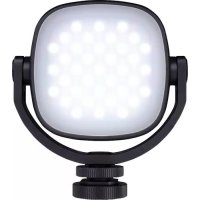
LED Slim Video Light SVL112 - Lamp Dörr - Free user manual and instructions
Find the device manual for free LED Slim Video Light SVL112 Dörr in PDF.



| Product type | Compact LED lighting system for video |
| Brand | Dörr |
| Model | LED Slim Video Light SVL112 |
| Number of LEDs | 112 |
| Maximum power | 9 W |
| Adjustable color temperature | 3200 - 5600 K (±300 K) |
| Adjustable brightness | 5 - 100% in 5% steps |
| Color Rendering Index (CRI) | > 96 Ra |
| Power supply | Lithium polymer battery 3.85 V / 2470 mAh |
| Battery life at full power | Approximately 1.5 hours |
| Charging time | Approximately 2h30 (via USB 5V 1-2A) |
| Connector | USB-C (charging only) |
| Dimensions | 12.5 x 7 x 1 cm |
| Weight | Approx. 130 g |
| Housing material | High-quality aluminum |
| Mounting | Universal flash foot with 1/4" tripod thread |
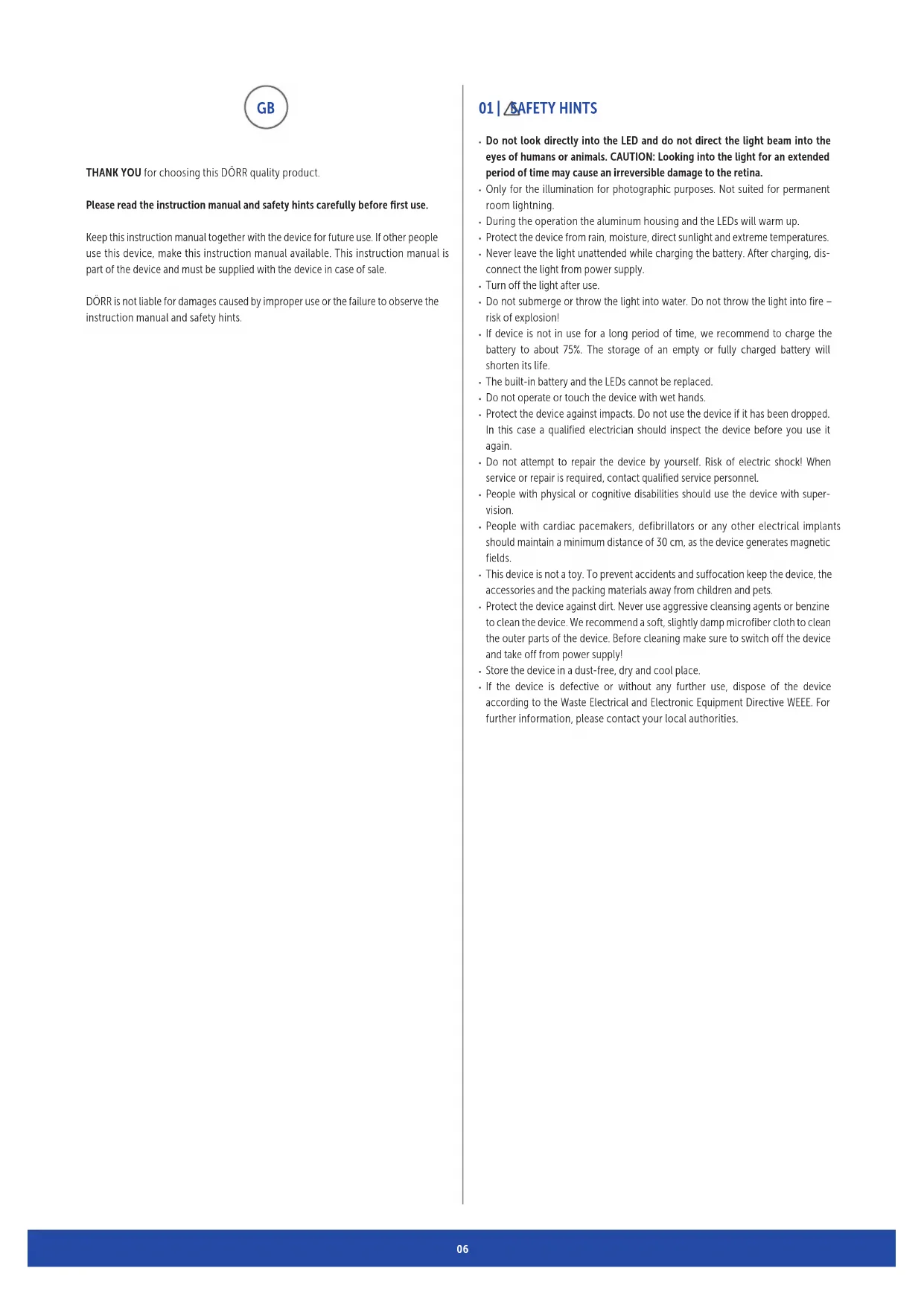
| Package contents | Lamp, universal foot, USB-C cable, diffuser disc, storage bag |
| Safety instructions | Do not look directly at the LEDs; do not expose to moisture; recharge under supervision; do not open or repair yourself |
| Cleaning and maintenance | Slightly damp microfiber cloth; do not use harsh solvents |
| Recycling | Compliant with WEEE; do not dispose of with household waste |
Frequently Asked Questions - LED Slim Video Light SVL112 Dörr
User questions about LED Slim Video Light SVL112 Dörr
0 question about this device. Answer the ones you know or ask your own.
Ask a new question about this device
Download the instructions for your Lamp in PDF format for free! Find your manual LED Slim Video Light SVL112 - Dörr and take your electronic device back in hand. On this page are published all the documents necessary for the use of your device. LED Slim Video Light SVL112 by Dörr.
USER MANUAL LED Slim Video Light SVL112 Dörr
THANK YOU for choosing this DORR quality product.
Please read the instruction manual and safety hints carefully before first use.
Keep this instruction manual together with the device for future use. If other people use this device, make this instruction manual available. This instruction manual is part of the device and must be supplied with the device in case of sale.
DORR is not liable for damages caused by improper use or the failure to observe the instruction manual and safety hints.
01 SAFETY HINTS
- Do not look directly into the LED and do not direct the light beam into the eyes of humans or animals. CAUTION: Looking into the light for an extended period of time may cause an irreversible damage to the retina.
- Only for the illumination for photographic purposes. Not suited for permanent room lightning.
- During the operation the aluminum housing and the LEDs will warm up.
- Protect the device from rain, moisture, direct sunlight and extreme temperatures.
- Never leave the light unattended while charging the battery. After charging, disconnect the light from power supply.
- Turn off the light after use.
- Do not submerge or throw the light into water. Do not throw the light into fire - risk of explosion!
If device is not in use for a long period of time, we recommend to charge the battery to about 75% . The storage of an empty or fully charged battery will shorten its life. - The built-in battery and the LEDs cannot be replaced.
- Do not operate or touch the device with wet hands.
- Protect the device against impacts. Do not use the device if it has been dropped. In this case a qualified electrician should inspect the device before you use it again.
- Do not attempt to repair the device by yourself. Risk of electric shock! When service or repair is required, contact qualified service personnel.
People with physical or cognitive disabilities should use the device with supervision. - People with cardiac pacemakers, defibrillators or any other electrical implants should maintain a minimum distance of 30~cm , as the device generates magnetic fields.
- This device is not a toy. To prevent accidents and suffocation keep the device, the accessories and the packing materials away from children and pets.
- Protect the device against dirt. Never use aggressive cleansing agents or benzine to clean the device. We recommend a soft, slightly damp microfiber cloth to clean the outer parts of the device. Before cleaning make sure to switch off the device and take off from power supply!
- Store the device in a dust-free, dry and cool place.
If the device is defective or without any further use, dispose of the device according to the Waste Electrical and Electronic Equipment Directive WEEE. For further information, please contact your local authorities.
02 | PRODUCT DESCRIPTION
- Ultra-fi at LED continuous light for photo and video recordings
For DSLR, DSLM & camcorder with hot shoe mount - Brightness dimmable in 5% steps
High-grade aluminum housing, with clear structured LED display
Colour temperature adjustable from 3200 - 5600 K - Supplied with universal flash shoe with 14 tripod socket, USB-C charging cable, diffusor plate, storage pouch
03|NOMENCLATURE
1 1 / 4 connection thread
2 LCD display
3 On/Off /Menu button
4 Toggle switch +/- for adjustments
5 USB-C '5V in' charging socket
6 112 high power LEDs
7 Diff usor plate
7a) Holder for diffusor plate
8 USB-C charging cable
9 Universal flash hot shoe
9a) Locking screw
10 Storage pouch
04 | BUILT-IN LI-POLYMER BATTERY
04.1 BEFORE FIRST USE, PLEASE FULY CHARGE THE BUILT-IN LI-PO BATTERY:
Connect the USB-C charging cable (8) with the USB-C 'SV in' charging socket (5) of the video light. While charging you will see the actual charging status on the LCD display (2).
After charging, remove the USB-C charging cable (8) from the video light and the USB charging source. When the battery is totally empty, the charging time by PC is about 2 12 hours.
04.2 BATTERY CAPACITY LEVEL
While charging the battery charging status indicator and the symbol will be shown in the display (2).
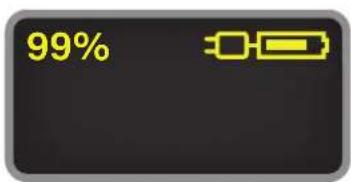
If LED video light is not in use for a long period of time, we recommend to charge the battery to about 75% to avoid deep-discharge of battery.
05|OPERATION
Press On/Off /Menu button (3) for about 3 seconds in order to turn on the LED video light.
Press On/Off /Menu button (3) shortly to switch from brightness to colour temperature and back. The arrow symbol shows the selected menu point.
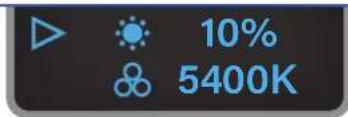
The toggle switch for adjustments (4) increases brightness and colour temperature when moved upwards (+).
The toggle switch for adjustments (4) decreases brightness and colour temperature when moved downwards (-).
Brightness is adjustable in 5% steps, while colour temperature is adjusted in 100^ steps.
During operation the display (2) show the remaining battery power in h (hours) or m (minutes).
The battery symbol shows the battery capacity graphically.

Press On/Off/Menu button (3) for approximately 3 seconds in order to turn off the video light.
NOTE
- During operation the housing and LEDs will warm up.
- Turn off the device after usage by using On/Off/Menu button (3)
- Let the device cool down completely, before placing it in the storage pouch.
06 | MOUNTING
06.1 MOUNTING ON A CAMERA/CAMCORDER WITH FLASH HOT SHOE
Screw the universal flash hot shoe (9) into the 14 connection thread (1) of the video light. Then slide the universal flash hot shoe (9) into the hot shoe mount of your camera or your camcorder. Tighten the locking screw (9a).
06.2 MOUNTING/UNMOUNTING THE DIFFUSOR PLATE
The white diff user plate provides soft light and reduces harsh shadows.
Place the diff usor plate (7) onto LED panel on the front side of the video light. Press all 4 corners gently until the 4 holder (7a) for diff usor plate snap in the notches of the video light.
In order to remove the diffusor plate (7) loosen the 4 holders (7a) of the diffusor plate first.
07 | CLEANING AND STORAGE
Never use aggressive cleansing agents or benzine to clean the device. We recommend a soft, slightly damp microfiber cloth to clean the outer parts of the device. Before cleaning make sure to switch off the device and take off from power supply! Store the device in a dust-free, dry and cool place. This device is not a toy - keep it out of reach of children. Keep away from pets.
08 | TECHNICAL SPECIFICATIONS
| SVL-112 | |
| Number of LEDs 112 | |
| LED Power max. 9 W | |
| Colour temperature 3200 - 5600 K (± 300 K) | |
| Illumination power approx. 800 Lux/1 m | |
| Dimmer 5 - 100% | |
| Colour Rendering Index (CRI) > 96 R | a |
| Power supply | 3.85 V, 2470 mAh Built-in Lithium Polymer battery |
| Runtime full power (with fully charged battery) | approx. 1,5 hours |
| Charging current 5V 1A / 5V 2A | |
| Port USB-C | |
| Dimensions 12.5 x 7 x 1 cm | |
| Weight approx. 130 g | |
09 | CONTENT
1x SLIM LED Video Light SVL-112
1x Universal flash hot shoe
1x USB-C charging cable
1x Diffusor plate white
1x Storage pouch
1x Safety hints
10 | DISPOSAL, CE MARKING

10.1 DISPOSAL OF BATTERIES/ACCUMULATORS
Batteries are marked with the symbol of a crossed out bin. This symbol indicates that empty batteries or accumulators which can no longer be charged should not be disposed of with household waste. Waste batteries may contain harmful substances that can cause damage to health and to the environment. Please use the return and collection systems available in your country for the disposal of the waste batteries.

10.2 WEEE INFORMATION
The Waste Electrical and Electronic Equipment Directive (WEEE Directive) is the European community directive on waste electrical and electronic equipment, which became European law in February 2003. The main purpose of this directive is to prevent electronic waste. Recycling and other forms of waste recovery should be encouraged to reduce waste. The symbol (trash can) on the product and on the packing means that used electrical and electronic products should not be disposed of with general household waste. It is your responsibility to dispose of all your electronic or electrical waste at designated collection points. Disposing of this product correctly will help to save valuable resources and it is a significant contribution to protect our environment as well as human health. For more information about the correct disposal of electrical and electronic equipment, recycling and collection points please contact your local authorities, waste management companies, your retailer or the manufacturer of this device.
10.3 ROHS CONFORMITY
This product is compliant with the European RoHS directive for the restriction of use of certain hazardous substances in electrical and electronic equipment and its amendments.

10.4 CE MARKING
The CE marking complies with the European standards and indicates that the product meets the requirements of the applicable EU directives.

10 | GESTION, MARCA CE