Connects SF400S - Smoke detector ELRO - Free user manual and instructions
Find the device manual for free Connects SF400S ELRO in PDF.



| Product Type | Wireless connected smoke detector |
| Brand | ELRO |
| Model | Connects SF400S |
| Power Supply | 2x AA 1.5V batteries (non-replaceable, included) |
| Detection Technology | Optical (smoke detection) |
| Wireless Communication | RF 868 MHz |
| RF Range | ≥ 100 m in open field |
| Connectivity | Requires ELRO K1 Connector (WiFi/RF hub) |
| Mobile App | ELRO Connects (iOS and Android) |
| Safety Standard | EN 14604:2005 + AC:2008 |
| Operating Temperature | -10°C to +50°C |
| Operating Humidity | ≤ 95% RH (non-condensing) |
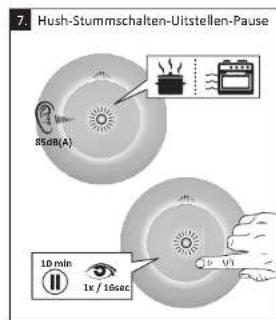
| Pause / Daytime Function | Yes (to avoid false alarms) |
| Low Battery Alert | Yes (app notification) |
| Mounting Type | Ceiling mount (mounting hardware included) |
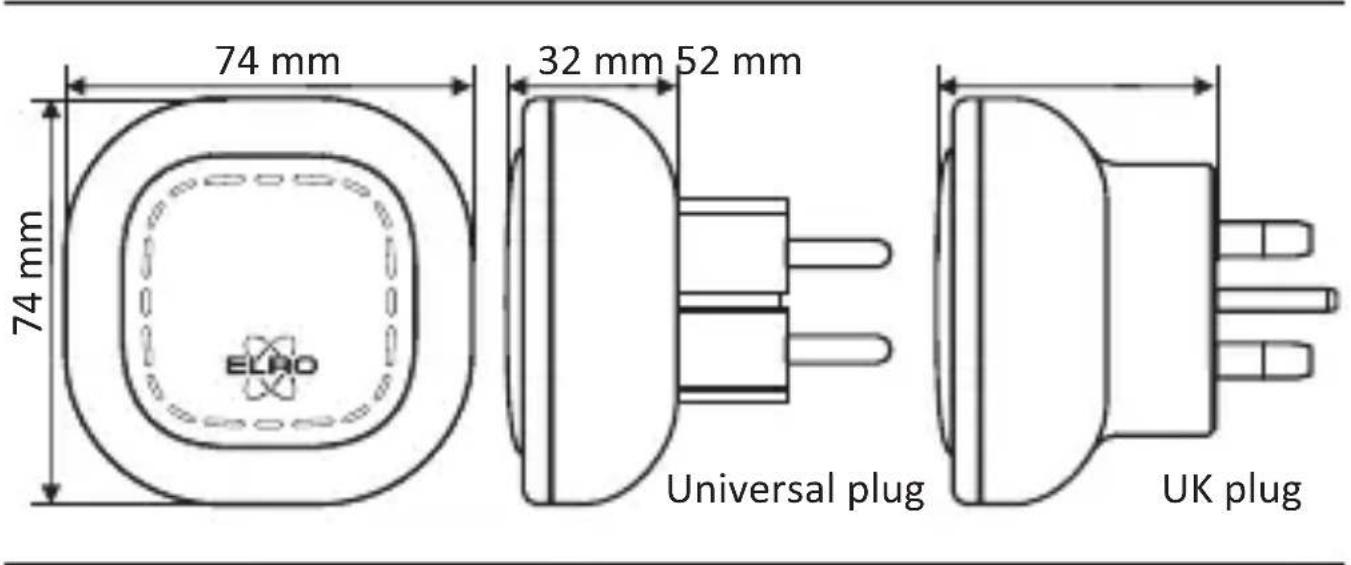
| Dimensions (approx) | Diameter 10 cm, height 4 cm |
| Weight (approx) | 150 g (with batteries) |
| Warranty | 2 years |
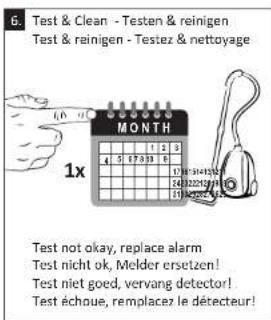
| Maintenance | Clean with a soft cloth; monthly test |
| Recycling | Do not dispose of with household waste (WEEE directive) |
Frequently Asked Questions - Connects SF400S ELRO
User questions about Connects SF400S ELRO
0 question about this device. Answer the ones you know or ask your own.
Ask a new question about this device
Download the instructions for your Smoke detector in PDF format for free! Find your manual Connects SF400S - ELRO and take your electronic device back in hand. On this page are published all the documents necessary for the use of your device. Connects SF400S by ELRO.
USER MANUAL Connects SF400S ELRO
SF40GA11 Home is not a place, it's a feeling
EXPLANATION
The ELRO K1 Connector is the centre of your ELRO Connects system. It connects all your ELRO Connects products to the free ELRO Connects App. With the ELRO Connects App you get full control of your home, making it a more comfortable and safe environment for you and your family. ELRO Connects is a plug & play system, developed for anyone to use and enjoy.
3 step installation
1. Download the ELRO Connects App
Download the "ELRO Connects" app from the Apple App Store or Google Play Store. To enjoy all the functions of the ELRO Connects system, make sure to allow the app to send push notifications and use your current location.
2. Register an Account
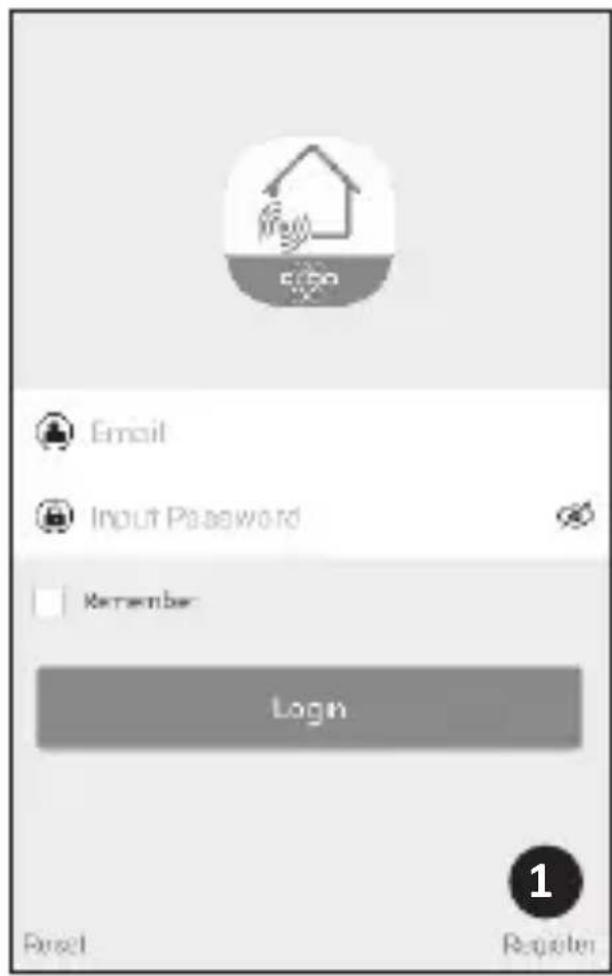
When opening the app for the first time, the login screen will pop-up. Please click the "Register" button (1) on the bottom right corner of the app. In the new screen, type in your e-mail address (2).
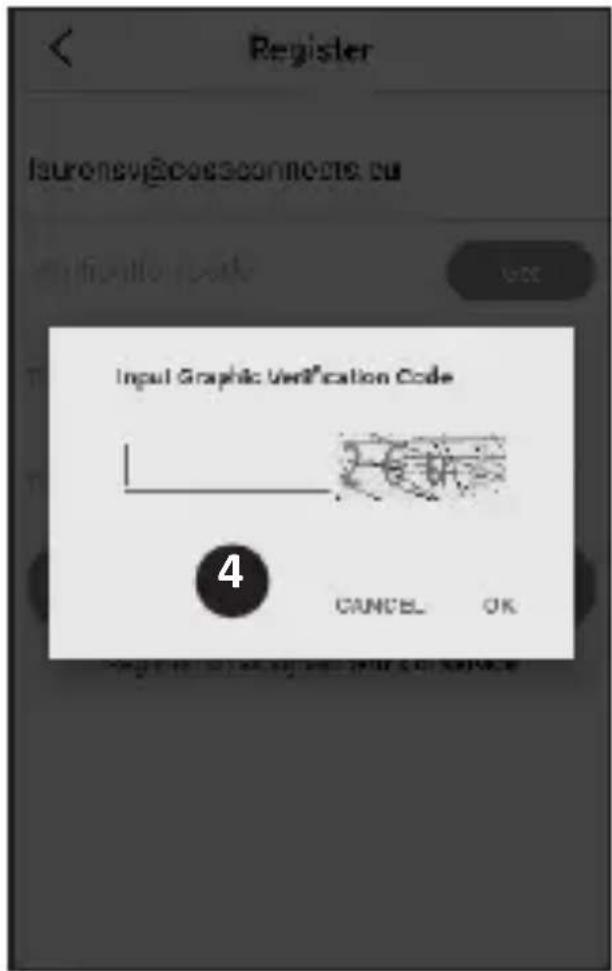
To verify your e-mail address, please tap the "Get" button (3). Now a pop-up will appear in which you need to fill in the displayed graphic verification code (4). (Be aware of Capital and Lower case!)
After you've entered the graphic's verification code, you'll receive an e-mail from the ELRO Connects App.
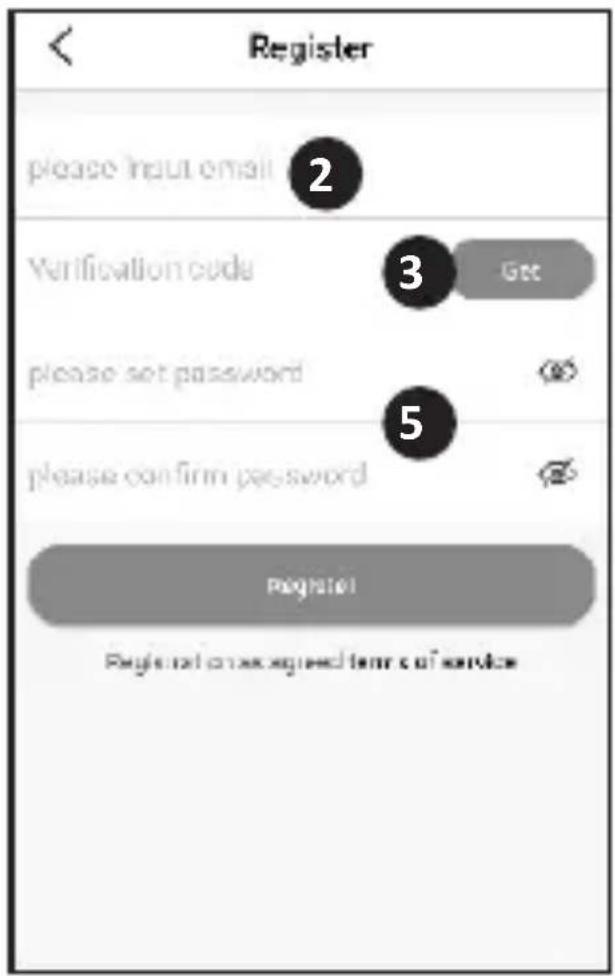
If you check the email on your phone you will have to re-open the ELRO Connects App again, fill in your e-mail address again and. the verification code you received in your e-mail needs to be filled in in the app left from the "Get" button (3).
-English 2-
Next, type in the password (5) you want to use (at least 8 digits, a mix of upper/ lower case letters and numbers and/or special characters). Re-enter the password in the field underneath and tap the "Register" button. You can check the password by pressing on the eye! Confirm by pressing registration. The login screen will appear. Now you can login to the app using the information the e-mail address and password you just provided.
3. Connect the K1 Connector to the app
Now you'll be taken to the "Add Gateway" screen. Plugin the K1 Connector into a wall socket, wait for the LED indicator to turn green.
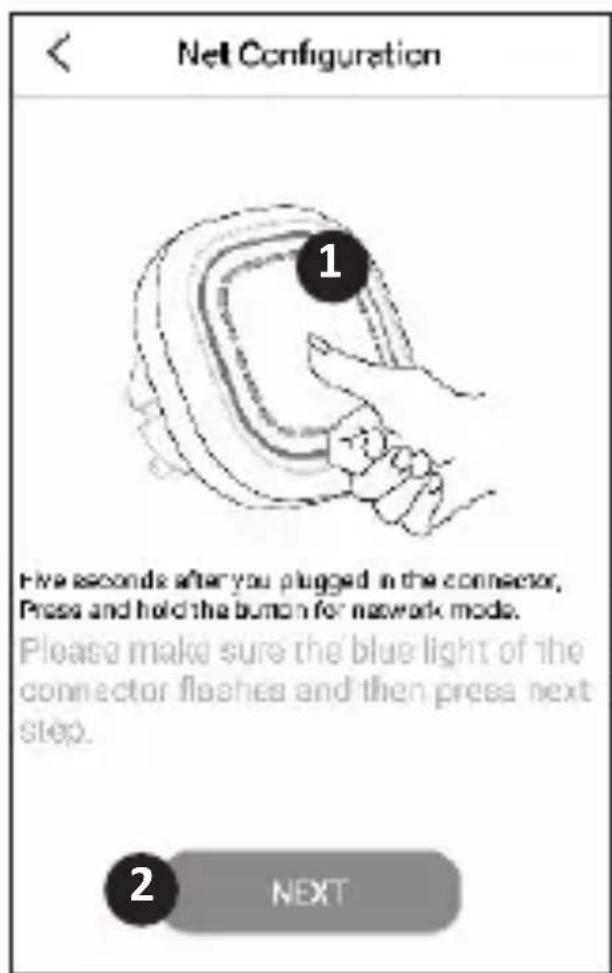
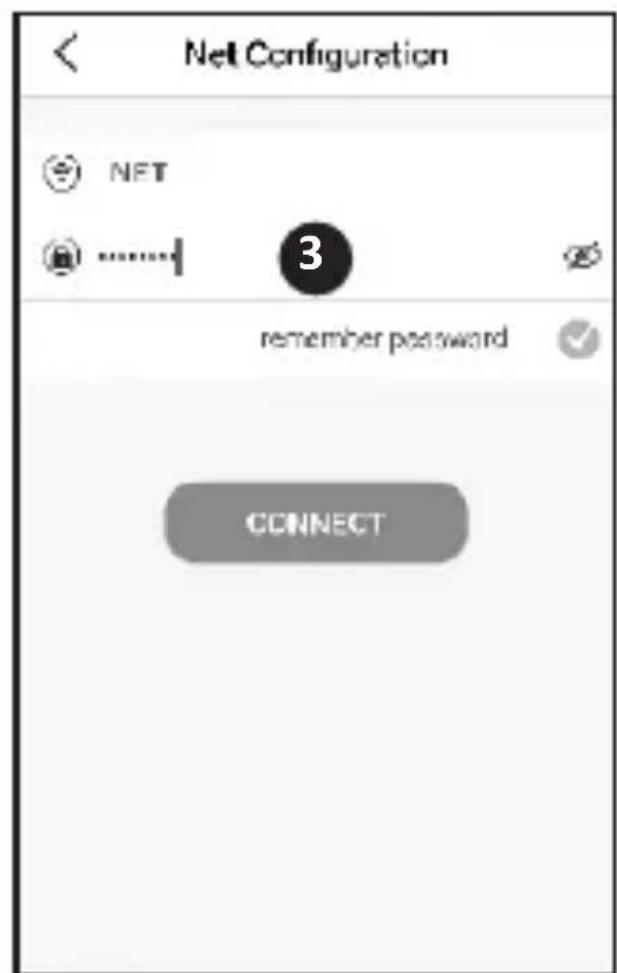
Next, press the K1 Connector's button (1) for min. 3 seconds until the blue LED light flashes slowly. Then, tap the "NEXT" button (2). In the next screen, type in your Wifi network password (3) and tap "CONNECT". Now the app will search your network for the K1 Connector and connect it to the app. This will take approximately 1 minute. Afterwards you'll be informed that the connection was a success.
Connect ELRO Connects products to the app
Connecting the different ELRO Connects products to your app is very easy and will take you very little time.
First, go to the Device List by tapping the "Device" button (1) at the bottom right corner of your Home screen. Next, tap the "+" on the upper right corner (2).
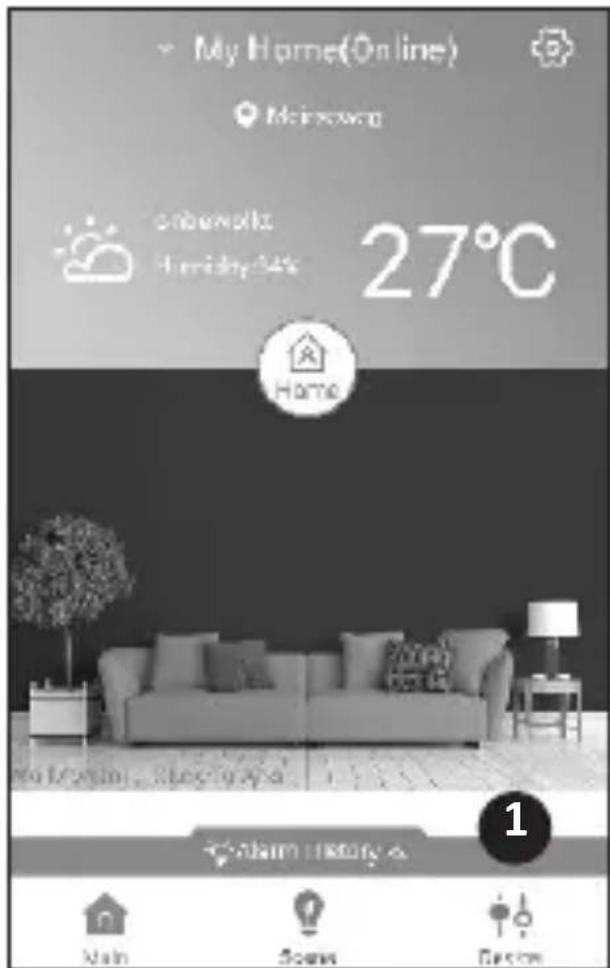
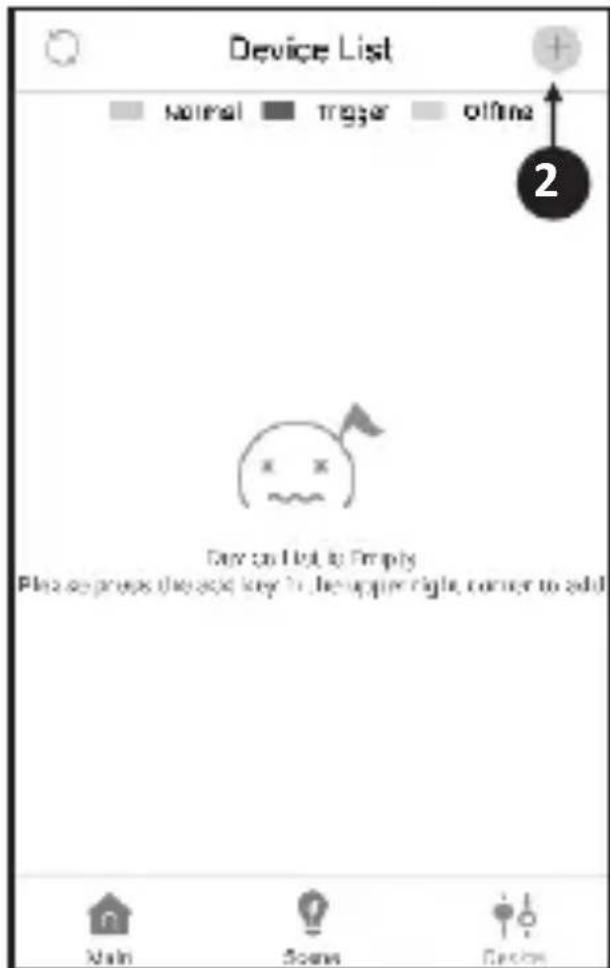
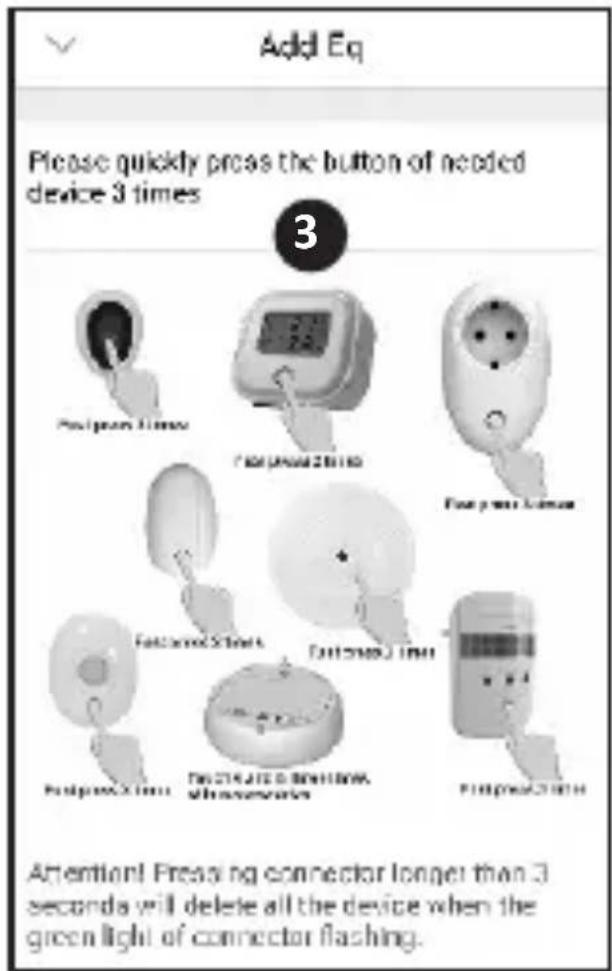
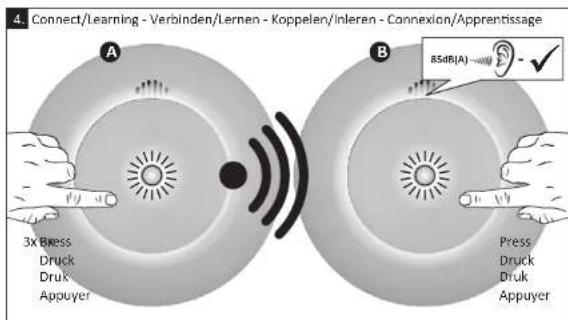
Now quickly press the button on your ELRO Connects device 3 times (3). When the connection with the ELRO Connects device is successful the LED of the K1 Connector will quickly blink 10 times and you'll receive a notice in the app.
Please note
The ELRO Connects Water Detector (FW3801R) doesn't have a button. Use a screwdriver to touch both sensors 3 times in the connection process.
Congratulations!
You successfully connected an ELRO Connects product to your app. You can now name the product and use it in your app to control with your smartphone, use in scenes etc.
If you have any questions or when you require more information on the ELRO Connects system and/or ELRO Connects products, please visit our website at www.elro.eu.
Operation Modes
Your ELRO Connects app has 3 pre-installed operation modes "Home, "Away" and "Sleep". You can switch between these operation modes by tapping the button in the middle of your Home screen and select the desired mode.
Scenes
On the Home screen, please tap the "Scene" button at bottom of this screen. Here you can set up different scenes for your ELRO Connects system. When making a scene you can make certain sensors or conditions trigger actions from connected products. For example, you can make a motion sensor turn on a light connected to your plugin unit. To create a scene, simply tap the "+" in the "automating list". Here a screen pops up in which you can add conditions and link them to an action that you want to follow from it.
Timers
On the Home screen, please tap the "Scene" button at bottom of this screen. To set a timer, tap the "Timer" button on the top left corner of your screen. Here you can set a time at which an operation mode automatically starts. For example, you can set the "Sleep" mode to be activated each day at 23:00.
For more information regarding Scenes, Timers, Modes and the latest updates, please visit our website at www.elro.eu.
Disposal of the device The adjacent symbol of a crossed-out wheelie bin means that this device is subject to Directive
2012/19/EU. This directive states that this device may not be disposed of in normal household waste at the end of its usable life, but must be handed over to specially set-up collection locations, recycling depots or disposal companies. This disposal is free of charge for the user. Protect the environment and dispose of this device properly. You can obtain further information from your local disposal company or the city or local authority.
| SF40GA11 K1 Connector | |
| Power Input : AC 240V, 50/60Hz | |
| Power consumption : ≤ 1W (Standby) | |
| Networking : WiFi | 802.11n/g/b, WPA/WPA2 | |
| : RF | 868MHz | |
| Wireless distance : WiFi | Refer to Router for instructions | |
| : RF | ≥ 100 m | |
| Environment : -10°C ~ +50°C <95% RH (Non-condensate) |
ELRO Europe | www.elro.eu
Postbus 9607 - Box E800
1006 GC Amsterdam - The Netherlands

GUARANTEE


Deutsch 08 - 14

Nederlands 15 - 21

Français 22 - 28

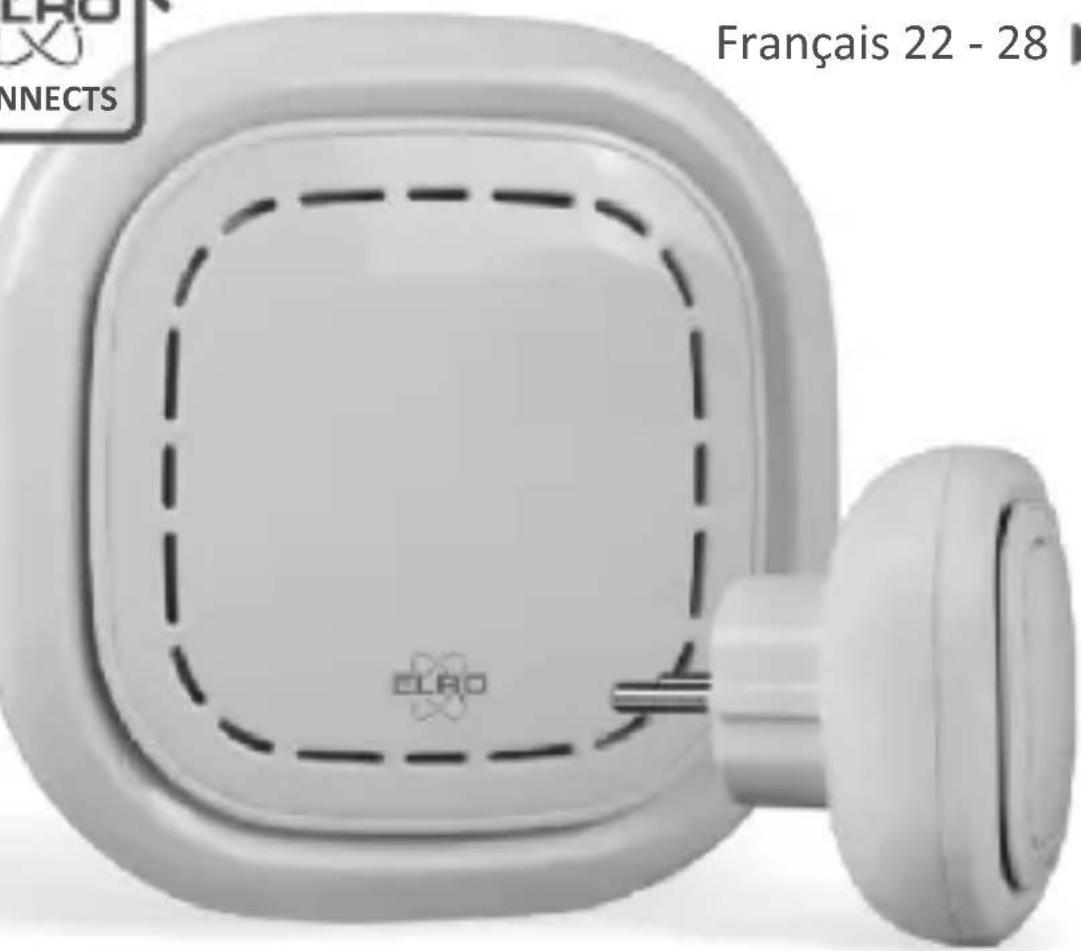
K1 CONNECTOR
ELRO CONNECTS
ERKLÄRUNG
SF40GA11 K1 Connector
SF40GA11 Home is not a place, it's a feeling
UITLEG
SF40GA11 Home is not a place, it's a feeling
EXPLICATION
EN 2 years, replaceable (included)
EN Operating temperature

Manufacturer
Sinterwell Electronics Co., Ltd., Singapore
Tongji Industrial Research & Development, Ningbo, Zhejiang Province, China 31506-4
Importer:
ELIO Europe | www.elio.eu
Postbus 5607 - Box 8600
1006 CC Amsterdam The Netherlands
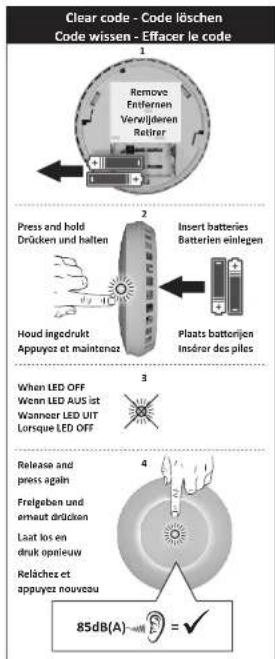
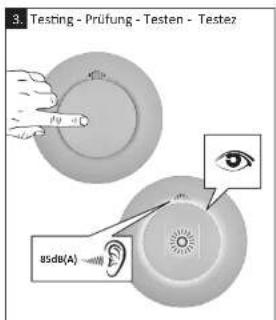
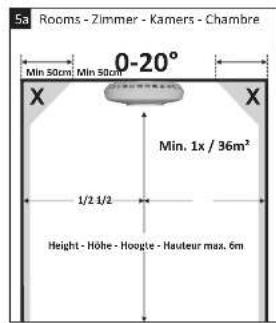
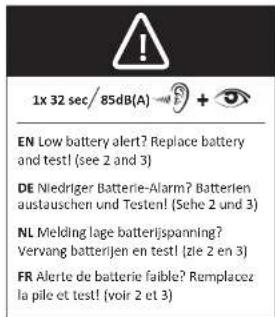
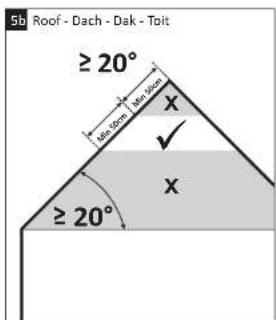
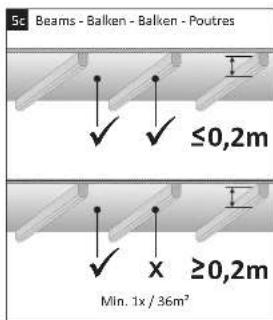
EN - Symbols: Recycling and disposal: The WEeB symbol [a] means that this product and batteries must be disposed separately from other household waste. When it reaches its end of life, fate II is a designated waste collection point in your area to guarantee a safe disposal or recycling. Protect the environment, human health and natural resources! Read the manual [b] before use and store it in a safe place for future use and maintenance. Download [c] Declaration of Performance (DP) at www.eric.aq.ca. Warning: To prevent injury, this apparatus must be securely attached to the ceiling in accordance with the installation instructions. Batteries shall not be exposed to excessive heat such as sunscreens and fire. Battery lifetime shortens without monthly test. Keep away from all conditioning ventilation. Do not paint or cover alarm. Consent to use in conjunction with installation. Troubleshooting. Fuse alarm is often caused by dust or steam. An oven can cool. Leave the building and take additional Additional mounting instructions: Corridor max width 3m . Max 15m between 2 alarms. Max 7m from front side and alarms at step/step crossings of corridors. Length: Width: >2m and >16m . Additional alarms below ceiling. Partial roof slopes. Flaccating at 1m wide, consider as roof/slope. Flat covering: >1m oxide, consider as flat ceiling.
DE - Symbore: Recycling and Encorangung. Das WEEF-TSymbore (a) (b) beutel, das dem Produkt und seine Bauten erfassten an Eachahs Maishra entstellt wird manuall. Wenende Erdes der Producibesdauer nicht ermitteligt. In bringan Sie das Produkt zur kommandarums-Sammladonne um eine sichere Encorangung oder Recycling zu gewährteisen. Schulden Sie Umwelt und menschen Gesamtbar und denen sie Verantwortlich mit nachrichtigen Resecursen um lessen Sie vor Gerachna des Anleitungshandbuch (b) und haben sie das auf, um eine scherche Mutterung und Waring zu gewährten. [Le] Leistungszinärung (DoP) führte Sonn e Suw www.Sau: Warming: Um Verzinsungsehren zuzahlen muscien des Gelda sichere nach Anleitungshandbuch der Deine monlert werden. Batterien darben keier starren Hitze ausgewiesen; werden, wie 2.B. durch die direkte Sonnen einreihanung. Feuer, eto. Batterie-aktienherzu verkaufen; ohne mehrstens fest. Vom Klimasage-Bauhaupten bilanziert. Ein bis zum Beispiel der Gelda abzehnten. Biele besichften. Die此种 Vorzeitungen prozentiv waren mehr durch Staube, oder Oat, ausgemek. Im Zwischenfall: Verlassen das Gesmaal und Malzinsen erweitert Zusätzliche Montagehinweise. Flue mit maxm. Breite 3m. Max. 15m zwischen 2 Mieten. Max. 75m zur Stärknehe des Flusses und Meister in Kruangs, Ermittlungn, und Eddocherechen von Fluar. Garleinen: Länge und Breite >1&>8m', freiherer Raudwassermodell unterhalb Garleine. Anteiligten Gastrichzangen: Horizonte Dacke 1m brell, was bei Dachshundzins. Horizonte Dacke 3m brücke, was bei horizontale Deckten.
NL - Symbols: Recycling en aefor. Het WETE-Symbol: (a) tekefert diel protocur in ballerian geschotenen van huischoutek akaf muskrn wonte alvegont. As dl protocu dei ciec nolo 21 vien kuroder bire, breu i hui naar mas gongwzau konzernamprint du buraom en um veilge afow of recycling ie garantien. Beschemmiu uv kugzuzharnckia, ge varavonotik et metsukjia hupbrumn o? Lasa de handeck (b) vor becruin. be homar haop on veilge piek vor kusikem gubekr on oonrachd. Dcaowid (c) Verlaing van Pledestis (DCP) op www.euro. Wauschwirting: Om verwacnnt le voorkorn, mol all apicers stong; am het safra bavegstig zim viogens de installerkorterschmitt. Bauter jemn in lnoogeteiglcn an anextile lixtse zoalnicht zu Leve. Leuvensborater venvict der mandeljliktie teetner. Nuit moncleren in ce naibluid v houkne. De warkt houkne houten, neat apparent. Raaploeg de laika inochcrattion. Problemooplagang: Vals word alarm vask vorezaskad ocro f sloon. By ilfeit. Verkaet het pad en encomene acte Aunvullende Installatientechniques: Gagen met max. breze 3M; Max. 15m lessen 2 delectoren. Max 7M altanci lat voraeite en detectors In freuen an krueger van gingen. Caler Jai lang teae zre 2x m + 16m34 extercior da ceragit, Gaddeeljki dlatreir. Vals safpind 5 m berod, hesthucu at hellenk disk. Pafvat 5m bred, beschwassls vak safpind.
FR - Symbols: Recyclage et mixe au rebut. Le symbole WEEE [a] signifie que ce préduit et ballierie ne doivent pas être jolie avec les ordres. Une ras de préduit annulé en ce vide, espérée à un nombre de l'el plus précise de chez nous, une lasse misère sans rebut et recyclée de toute étendile. Prégioser l'environnement, la santé des personnes et ces reconnues naturelles ou Voulez le atthommement du monat, est sur le urément et le consorment à un autorité S. Decaoction de Performance [c] (CIP) relate à s.c.v.d. Auerismetisse: Pour couche lhybrasse, cet appariet doit être considéré fini au plafond conformément aux instructions d'chastisation. Les peuples ne doivent pas excèder an une chaleur excessive comme l'attitudinéau plafond. Suive sur la baseurite, la baseurite des clients indusmanifaux, Tert à l'actif ci-dessus le remboursement. Non se parradiant qu'on coupsant un appariet, Conquête les réglements liés aux lacunes. Dépannage: Fau râme à l'actif est souvenu dans ce parle perlocssaire ou la vapre. En commande brute, Cuilletz le brûlement et préférent ces mesures Instructions de montage supprimétaires; Coeuricar max, largeur 3m. Max 15mm/24décourants; Max 7,5m/àlongue et cêteurs aux bocks brûtenes de couiliers. Gétries: Longue et aiguèz >2m et >16m, octeurs supprimétaires en dressus de la pelige. Indineares partielles du Toit plafond plat. Si m'large, considérées comme une pâme du volat. Plafond >1m-longe, consolides comme un plafond plat.

raadloos koppelbaar
Home is not a place, it's a feeling
INTENDED USE: FIRE SAFETY
ESSENTIAL CHARACTERISTICS: PASSED
Nominal Sensitization conditions / sensitivity, Response delay (Response time) and Performance under fire condition / operational reliability
Tolerance to supply voltage - Durability of operational reliability at
response delay, temperature resistance, vibration resistance, humidity resistance,
corrosion resistance, electrical stability
Document nr.: FZ5002R_MNL_V3 Revision: V3
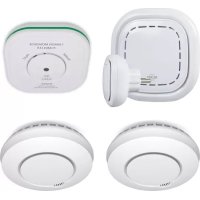
Brand : ELRO
Model : Connects SF400S
Category : Smoke detector