AS80SR11A - Alarm system ELRO - Free user manual and instructions
Find the device manual for free AS80SR11A ELRO in PDF.


Pick your language and provide your email: we'll send you a specifically translated version.
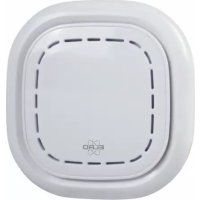
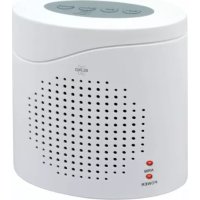
| Type of product | Wireless Alarm System |
| Brand | Elro |
| Model | AS80SR11A |
| Dimensions | Main control panel: approximately 145 x 95 x 32 mm |
| Weight | Main control panel: approximately 180 g |
| Power supply | AC adapter (6V) with backup batteries (AA x 3) |
| Wireless frequency | 868 MHz |
| Wireless range | Up to 100 m in open field |
| Detection zones | Multiple, expandable |
| Detection method | PIR motion sensor, door/window contact |
| Alarm siren | Built-in siren, adjustable volume |
| Controls | Remote control, keypad on main unit |
| Low battery warning | Indicated on display or via LED |
| Tamper protection | Anti-tamper switch on main unit |
| Memory | Retains settings during power loss |
| Maintenance | Test weekly, clean sensors monthly |
| Cleaning | Use a soft dry cloth; avoid water |
| Safety features | Overheat protection, encrypted wireless signal |
| Spare parts availability | Sensors and remote controls available separately |
| Repairability | Modular design, replaceable components |
| General information | This system is designed for indoor residential or small office use |
Frequently Asked Questions - AS80SR11A ELRO
How do I set up the ELRO AS80SR11A alarm system?
Connect the AC adapter to the main control panel and insert the backup batteries. Then pair the included sensors and remote controls by following the installation guide. The system will prompt you to set your personal security code.
What is the wireless range of the AS80SR11A?
The wireless range is up to 100 meters in an open field. Indoor range may be shorter due to walls and obstacles. For reliable operation, keep sensors within this range of the main unit.
How do I replace the batteries in the sensors?
Open the sensor housing using a small screwdriver. Replace the old batteries with new AA or CR123A batteries (depending on the sensor type). Reattach the housing and test the sensor by triggering it.
Can I add more sensors to this alarm system?
Yes, the system supports up to 20 wireless devices. You can purchase additional Elro sensors such as PIR detectors, door/window contacts, or remote controls and pair them with the main unit.
How do I silence a false alarm?
Enter your security code on the keypad or press the designated button on the remote control. The siren will stop immediately. If the alarm was triggered by a faulty sensor, remove that sensor from the system and reset it.
What happens during a power outage?
The AS80SR11A has a built-in backup battery system. The main unit will continue to operate for up to 8 hours on battery power, ensuring protection even when mains electricity is unavailable.
How often should I test the alarm system?
Elro recommends testing the system once a week. Press the test button on the main unit or use the remote control to trigger a test alarm. Verify that the siren sounds and you receive any configured notifications.
Where should I mount the motion detector?
Install the motion detector in a corner or along a wall at a height of 2 to 2.5 meters. It should face the area you want to monitor, ideally across the main path of entry. Avoid direct sunlight, heat sources, and moving curtains.
Does this alarm system support smartphone app control?
The AS80SR11A does not have built-in Wi-Fi or app support. It is a stand-alone system with remote controls and a keypad. For remote smartphone access, consider Elro's smart alarm models with Wi-Fi connectivity.
How do I reset the AS80SR11A to factory default?
Locate the reset button on the bottom of the main unit. Press and hold it for 10 seconds until you hear a beep. This will erase all paired sensors and restore factory settings. You will need to pair everything again.
User questions about AS80SR11A ELRO
0 question about this device. Answer the ones you know or ask your own.
Ask a new question about this device
No questions yet. Be the first to ask one.
Download the instructions for your Alarm system in PDF format for free! Find your manual AS80SR11A - ELRO and take your electronic device back in hand. On this page are published all the documents necessary for the use of your device. AS80SR11A by ELRO.
USER MANUAL AS80SR11A ELRO
Manual assistant
Powered by Anthropic
Waiting for your message
Product information
Brand : ELRO
Model : AS80SR11A
Category : Alarm system