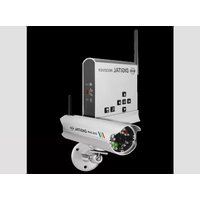
C910USB - Security Camera ELRO - Free user manual and instructions
Find the device manual for free C910USB ELRO in PDF.


Pick your language and provide your email: we'll send you a specifically translated version.
| Product Type | Security Camera |
| Brand | ELRO |
| Model | C910USB |
| Connectivity | USB 2.0 |
| Video Resolution | 1080p Full HD |
| Field of View | 120° |
| Night Vision | Yes, IR LEDs up to 10 meters |
| Motion Detection | Yes, with alerts |
| Audio | Built-in microphone and speaker |
| Power Source | USB 5V / 1A |
| Dimensions (W x H x D) | 7.5 x 7.5 x 10.5 cm |
| Weight | 140 g |
| Storage | microSD card slot (up to 128GB) |
| Operating Temperature | -10°C to 50°C |
| Mounting | Tabletop or wall mount |
| App Support | Works with ELRO app for iOS and Android |
| Care and Cleaning | Wipe with dry soft cloth; avoid liquids |
| Safety | Use certified USB adapter; keep away from water |
| Spare Parts | Not user-replaceable; contact support |
| General Information | Indoor use only |
Frequently Asked Questions - C910USB ELRO
How do I set up the ELRO C910USB camera?
Connect the camera to your computer or USB power adapter using a USB cable. Then download the ELRO app, create an account, and follow the in-app instructions to pair the camera with your Wi-Fi network.
Does the camera have night vision?
Yes, the C910USB is equipped with infrared LEDs that provide clear black-and-white video in low-light or complete darkness up to 10 meters.
How do I store recorded footage?
You can insert a microSD card (up to 128GB) into the camera for local storage. Alternatively, the camera supports cloud storage through the ELRO app for remote access.
Can I access the camera remotely?
Yes, when connected to the internet, you can view live footage and receive motion alerts from anywhere using the ELRO app on your smartphone or tablet.
What power supply do I need?
The camera is powered via a USB 5V/1A connection. Use the included USB cable with a certified power adapter or any standard USB port.
How do I mount the camera?
The camera can be placed on a flat surface using its stand or mounted on a wall using the provided mounting bracket and screws. Adjust the angle for optimal coverage.
Is the camera weatherproof?
No, the ELRO C910USB is designed for indoor use only. Avoid exposing it to rain, humidity, or extreme temperatures.
How do I reset the camera?
To reset, press and hold the reset button on the camera for about 10 seconds until you hear a beep. This restores factory settings and clears all configurations.
Can I use the camera with a computer?
Yes, the camera can be used as a USB webcam on a computer. Plug it in and select it as your video source in apps like Zoom, Skype, or other video conferencing software.
How do I clean the camera lens?
Use a soft, dry microfiber cloth to gently wipe the lens and body. Do not use water, solvents, or abrasive cleaners, as they may damage the camera.
User questions about C910USB ELRO
0 question about this device. Answer the ones you know or ask your own.
Ask a new question about this device
No questions yet. Be the first to ask one.
Download the instructions for your Security Camera in PDF format for free! Find your manual C910USB - ELRO and take your electronic device back in hand. On this page are published all the documents necessary for the use of your device. C910USB by ELRO.
USER MANUAL C910USB ELRO

Manual assistant
Powered by Anthropic
Waiting for your message
Product information
Brand : ELRO
Model : C910USB
Category : Security Camera