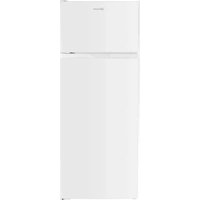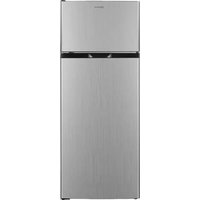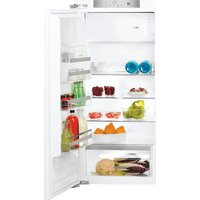
KG StopFrost 172 IN - Fridge BAUKNECHT - Free user manual and instructions
Find the device manual for free KG StopFrost 172 IN BAUKNECHT in PDF.



User questions about KG StopFrost 172 IN BAUKNECHT
0 question about this device. Answer the ones you know or ask your own.
Ask a new question about this device
Download the instructions for your Fridge in PDF format for free! Find your manual KG StopFrost 172 IN - BAUKNECHT and take your electronic device back in hand. On this page are published all the documents necessary for the use of your device. KG StopFrost 172 IN by BAUKNECHT.
USER MANUAL KG StopFrost 172 IN BAUKNECHT
natural_image
Simple line drawing of a door with a handle and base, no text or symbols presentnatural_image
Diagram of a refrigerator interior layout with compartments and drawers (no text or labels)THANK YOU FOR BUYING A BAUKNECHT PRODUCT
In order to receive a more complete assistance, please register your product on www.bauknecht.eu/register

Before using the appliance carefully read the Safety Instruction.
PRODUCT DESCRIPTION
FIRST TIME USE
Wait at least two hours, after the installation, before connecting the appliance to the power supply. Connect the appliance to the power supply it starts the operation automatically. The ideal storage temperatures for the food are preset in the factory.
After turning the appliance on, you must wait for 4-6 hours for the correct storage temperature to be reached for a normally filled appliance.
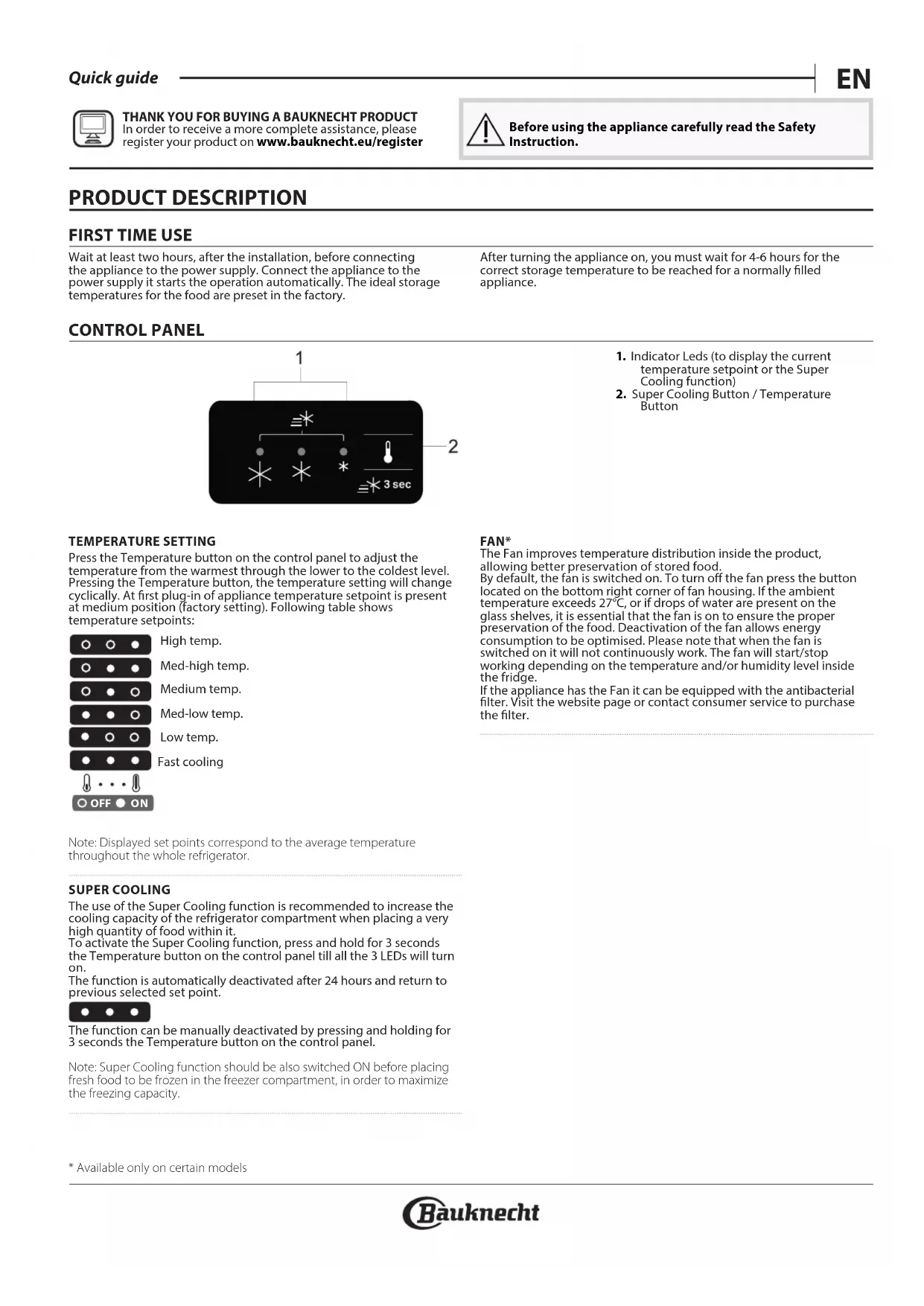
CONTROL PANEL

flowchart
graph TD
    A["1"] --> B["★"]
    A --> C["★"]
    A --> D["*"]
    B --> E["★"]
    C --> F["★"]
    D --> G["★"]
    H["2"] --> I["3 sec"]
- Indicator Leds (to display the current temperature setpoint or the Super Cooling function)
- Super Cooling Button / Temperature Button
TEMPERATURE SETTING
Press the Temperature button on the control panel to adjust the temperature from the warmest through the lower to the coldest level. Pressing the Temperature button, the temperature setting will change cyclically. At first plug-in of appliance temperature setpoint is present at medium position (factory setting). Following table shows temperature setpoints:
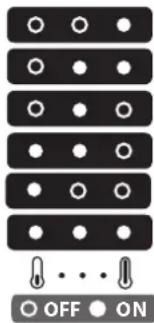
text_image
OFF ONHigh temp.
Med-high temp.
Medium temp.
Med-low temp.
Low temp.
Fast cooling
Note: Displayed set points correspond to the average temperature throughout the whole refrigerator.
SUPER COOLING
The use of the Super Cooling function is recommended to increase the cooling capacity of the refrigerator compartment when placing a very high quantity of food within it.
To activate the Super Cooling function, press and hold for 3 seconds the Temperature button on the control panel till all the 3 LEDs will turn on.
The function is automatically deactivated after 24 hours and return to previous selected set point.
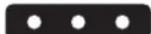
The function can be manually deactivated by pressing and holding for 3 seconds the Temperature button on the control panel.
Note: Super Cooling function should be also switched ON before placing fresh food to be frozen in the freezer compartment, in order to maximize the freezing capacity.
FAN\*
The Fan improves temperature distribution inside the product, allowing better preservation of stored food. By default, the fan is switched on. To turn off the fan press the button located on the bottom right corner of fan housing. If the ambient temperature exceeds 27^ C, or if drops of water are present on the glass shelves, it is essential that the fan is on to ensure the proper preservation of the food. Deactivation of the fan allows energy consumption to be optimised. Please note that when the fan is switched on it will not continuously work. The fan will start/stop working depending on the temperature and/or humidity level inside the fridge.
If the appliance has the Fan it can be equipped with the antibacterial filter. Visit the website page or contact consumer service to purchase the filter.
LED LIGHT
If the LED light system does not work, please contact the Service to replace it. Important: The refrigerator compartment light switches on when the
refrigerator door is opened. If the door is kept open for more than 8 minutes the light will be automatically switched off.
HUMIDITY CONTROL \*
Open the humidity regulator (position B) if you want to store food in a less humid environment like fruit, or close it (position A) to store food in a more humid environment like vegetable.
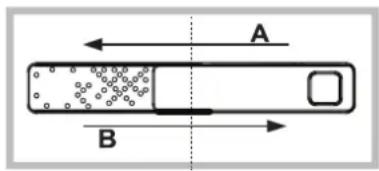
text_image
A BTUCK SHELF \*
Thanks to the rail system, this shelf allows you to slide under the front part, creating an extra space for storing tall bottles or pitchers.
NO-FROST REFRIGERATOR COMPARTMENT
Refrigerator compartment defrosting is completely automatic. Droplets of water on the rear wall inside the refrigerator compartment indicate that the automatic defrost phase is in progress.
The defrost water is automatically run into a drain hole and collected in a container, where it evaporates.
DEFROSTING THE FREEZER COMPARTMENT
The freezer should be defrosted once or twice a year or when excessive frost is present (3 mm thickness). The formation of frost is normal. The amount and rate at which frost accumulates depends on room conditions and how often the door is open. To defrost the unit, switch off the product and take out all food. Leave the freezer door open to allow the frost to melt. Use the box under the bottom front of the appliance to collect water (showed on the figure).
Clean the inside of the freezer. Rinse and dry thoroughly. Switch the appliance back on and store the food inside.
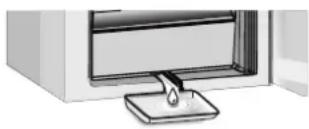
natural_image
Illustration of a door with a handle and base, showing interior space (no text or symbols)STOP FROST ACCESSORY
The STOP FROST accessory is designed to collect some of the frost that forms in the freezer compartment and it is easy to remove and clean, therefore reducing the time needed to defrost the inside of the freezer compartment.
HOW TO USE THE APPLIANCE
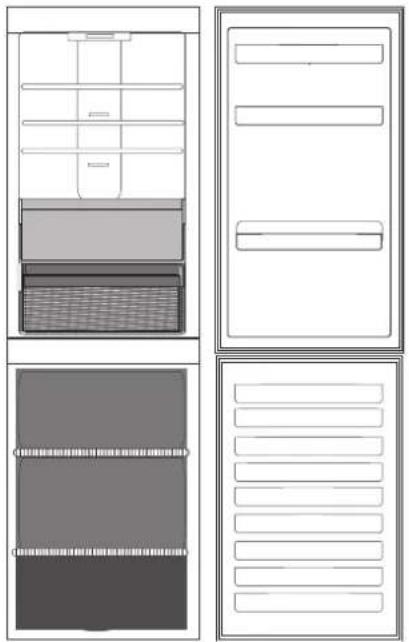
natural_image
Diagram of a refrigerator interior layout with drawers, storage compartments, and door frame (no text or labels)Legend
TEMPERATE ZONE
Suggested for storage of tropical fruit, cans, drinks, eggs, sauces, pickles, butter, jam
COOL ZONE
Suggested for the storage of cheese, milk, daily food, delicatessen, yogurt
FRUIT AND VEGETABLE DRAWER
FREEZING ZONE DRAWER
(Max cool zone)
Suggested to freeze fresh / cooked food.
FREEZER DRAWERS
ALARM TABLE
Alarm type Signal Cause Cure
| Door open alarm Refrigerator Light blinks. The door has remained open for | more than 5 minutes. | Close the door. | |
| Door open alarm. | Refrigerator Light OFF. The door has remained open for more than 8 minutes. | Close the door. | |
| Malfunction. | Any temperature indicators blinks. | Product malfunction. Contact the After-sales Service. | |
TROUBLESHOOTING
What to do if... Possible reasons Solutions
| The appliance is not working. | There may be an appliance power supply problem. | ·Check if power cable plugged into a live socket with the proper voltage.·Check if the protection devices and fuses of the electrical system in your home |
| There is water in the defrost pan. | This is normal in hot, damp weather. The pan can even be half full. | ·Make sure the appliance is level so that·the water does not overflow. |
| The edges of the appliance cabinet, which come in contact with the door seal, are warm to the touch. | This is not a defect. This is normal in hot weather and when the compressor is running. | |
| The light does not work. The light may need replacing. The appliance may be in On/ Stand-by model. | ·Make sure if the protection devices and fuses of the electrical system in your home work well.·Check if the power cable is plugged into a live socket with the proper voltage.·In case the LEDs are broken the user must call the Service for exchange of the same type available only at our Aftersales Service Centers or authorized dealers. | |
| The motor seems to run too much. | Motor running time depends on different things: number of dooropenings, amount of food stored, temperature of the room, setting of the temperature controls. | ·Make sure that the appliance controls are correctly set.·Check if there is not a large amount of food been added to the appliance.·Check that the door is not opened too often.·Check that the door close properly. |
| The appliance temperature is too high. | There could be various causes (see "Solutions"). | ·Make sure that the condenser (back the appliance) is free of dust and fluff.·Make sure that the door properly closed.·Make sure that the door seals properly fitted.·On hot days or if the room is warm, the motor naturally runs longer.·If the appliance door has been left open for a while or if large amounts of food have been stored, the motor will run longer in order to cool down the interior of the appliance. |
| The doors do not open and close properly. | There could be various causes (see "Solutions"). | ·Check that food packages are not blocking the door.·Check that the internal parts or automatic ice maker are not out of position.·Check that the door seals are not dirty or sticky.·Ensure the appliance is level. |
* Available only on certain models
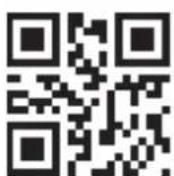
You can download the Safety Instructions, User Manual, Product Fiche and Energy data by:
- Visiting our website docs.bauknecht.eu
- Using QR Code
• Alternatively, contact our After-sales Service (See phone number in the warranty booklet). When contacting our After-sales Service, please state the codes provided on your product's identification plate.

natural_image
Simple line drawing of a door with a handle and base, no text or symbols presentSYSTÈME ANTIGIVRE
natural_image
Diagram of a refrigerator interior layout with drawers, storage compartments, and door frame (no text or labels)Légende

ZONE TEMPÉRÉE
IJSVRIJ KOELKASTCOMPARTIMENT
natural_image
Diagram of a refrigerator interior layout with drawers, storage compartments, and door frame (no text or labels)Legenda
GEMATIGDE ZONE
natural_image
Four-panel diagram showing front, top, side, and side views of a refrigerator or oven with no text or symbols.Legenda
ZONA TEMPERATA
natural_image
Simple line drawing of a door with a handle and base, no text or symbols presentACESSÓRIO STOP FROST
natural_image
Four-panel diagram showing front, top, side, and side views of a refrigerator or oven with no text or symbols.Legenda
ZONA TEMPERATURA
Recomendada para o armazenamento de frutas tropicais, latas, bebidas, ovos, molhos, picles, manteiga e compotas

ZONA FRESCA
natural_image
Four-panel diagram showing front, top, side, and side views of a refrigerator or appliance layout (no text or symbols)Legenda
STREFA UMIARKOWANEJ TEMPERATURY
natural_image
Simple line drawing of a door with a handle and base, no text or symbols presentACCESORIUL STOPFROST
natural_image
Four-panel diagram showing front, top, side, and side views of a refrigerator or oven with no text or symbols.Legendă