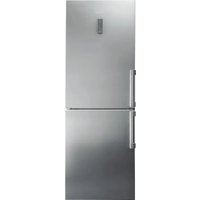
KGNXL 19 A3+ IN - Fridge BAUKNECHT - Free user manual and instructions
Find the device manual for free KGNXL 19 A3+ IN BAUKNECHT in PDF.


| Brand | Bauknecht |
| Model | KGNXL 19 A3+ IN |
| Product type | Combined refrigerator with freezer compartment |
| Control panel | Indicators and touch keys for temperature, modes and alarms |
| Refrigerator temperature setting | From +2°C to +8°C, with fast cooling function (6h) |
| Freezer temperature setting | From -16°C to -24°C, with fast freezing function (48h) |
| Evening Mode function | Fast cooling of drinks in freezer with alarm after 30 min |
| Smart display | Energy saving option, temporarily disables display |
| Open door alarm | Triggers after 2 minutes, with audible and visual signal |
| Temperature alarm | In case of inadequate temperature in the freezer |
| Extended power failure alarm | Indicates if temperature exceeded 0°C after a power outage |
| Interior lighting | LED, replacement by after-sales service only |
| Refrigerator compartments | Fruit and vegetable bin with humidity regulator, 0°C freshness zone/defrosting, removable shelves, bottle holder |
| Freezer compartment | Bins for storage and ice cubes, freezing capacity indicated on rating plate |
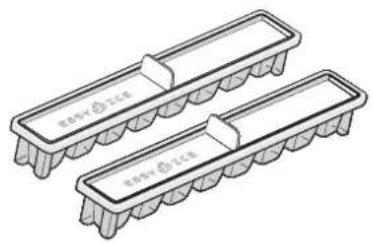
| Accessories | Ice cube tray, bottle holder, adjustment support |
| 0°C freshness zone | For meat, fish, safe thawing (up to 1 week) |
| Vegetable bin | With humidity regulator closed (A) for vegetables, open (B) for fruits |
| Recommended storage | Use closed containers, separate ethylene-producing foods |
| Maintenance and cleaning | Refer to the user manual for cleaning and defrosting instructions |
| Safety | Read safety instructions before use, register the appliance at www.bauknecht.eu/register |
| After-sales service | Contact after-sales service with the codes on the rating plate |
Frequently Asked Questions - KGNXL 19 A3+ IN BAUKNECHT
User questions about KGNXL 19 A3+ IN BAUKNECHT
0 question about this device. Answer the ones you know or ask your own.
Ask a new question about this device
Download the instructions for your Fridge in PDF format for free! Find your manual KGNXL 19 A3+ IN - BAUKNECHT and take your electronic device back in hand. On this page are published all the documents necessary for the use of your device. KGNXL 19 A3+ IN by BAUKNECHT.
USER MANUAL KGNXL 19 A3+ IN BAUKNECHT
natural_image
Two identical 3D rectangular electronic components with metallic leads, no text or symbols visible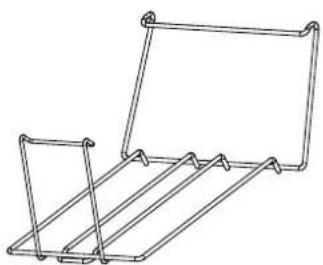
natural_image
Line drawing of a metal rack structure with no text or symbolsERSTER GEBRAUCH
natural_image
Illustration of three objects: a tree with 'Brrrr' label, a globe-like structure, and a refrigerator with a bag (no text or symbols on objects)natural_image
Three simple electrical circuit components: a wall-mounted switch, a refrigerator, and a hanging device with a dial indicator (no text or symbols)AUFBEWAHREN VON LEBENSMITTELN UND GETRÄNKEN
natural_image
Technical line drawing of a refrigerator interior showing front, side, and top views with no text or symbolsLegende
KÜHLER BEREICH

Gedruckt in Italien
DAILY REFERENCE
GUIDE

THANK YOU FOR PURCHASING A BAUKNECHT PRODUCT
To receive more comprehensive help and support, please register your product at www.bauknecht.eu/register

You can download the Safety Instructions and the Use and Care Guide by visiting our website docs.bauknecht.eu and following the instructions on the back of this booklet.

Before using the appliance carefully read the Health and Safety guide.
PRODUCT DESCRIPTION
APPLIANCE
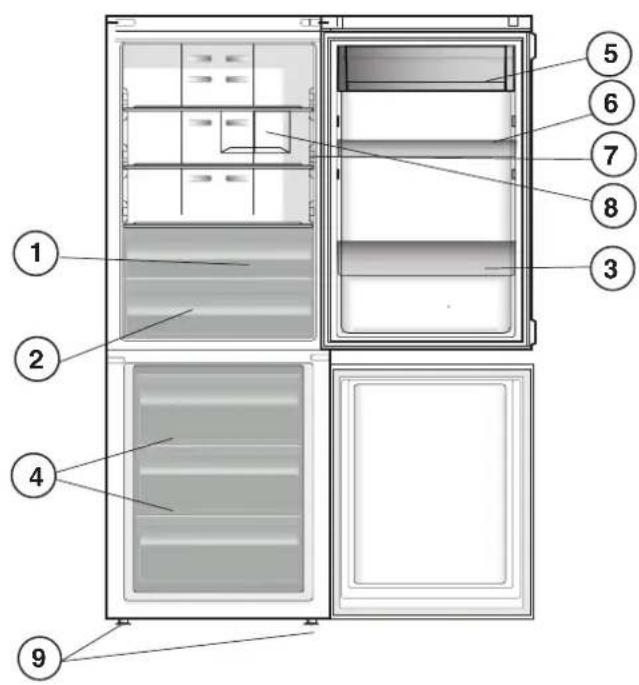
- Fruit and vegetable bin *
- Food Care Zone 0 °C / Safe Defrost *
- Bottle shelf *
- Freezer and storage compartment
- Dairy Shelf *
- Movable shelves *
- Temperature indicator *
- Bottle rack *
- Levelling feet
* Varies by number and/or position, available only on certain models.
CONTROL PANEL
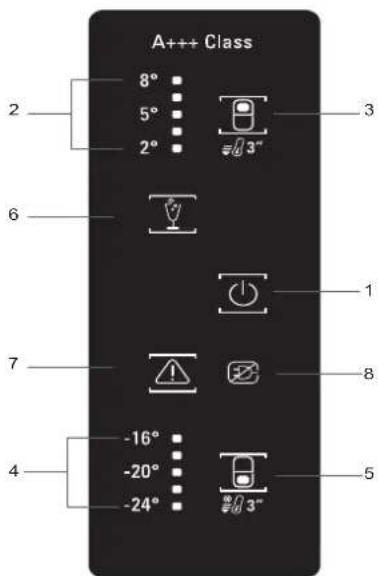
- ON/STANDBY Indicator and Button
- Fridge Temperature Indicator
- Fridge Temperature / Fast Cool Button
- Freezer Temperature Indicator
- Freezer Temperature / Fast Freeze Button
- Party Mode Indicator
- Stop Alarm Button (see the below Alarm Table)
- Black Out Alarm Long Black-Out Alarm Indicator (see the Instructions for Use)
ACCESSORIES
EASY ICE BOTTLE RACK
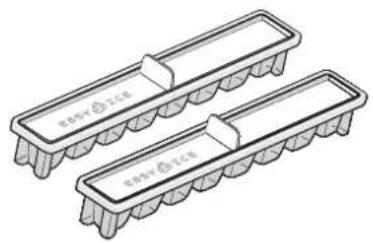
natural_image
Two identical 3D rectangular electronic components with metallic leads, no text or symbols visible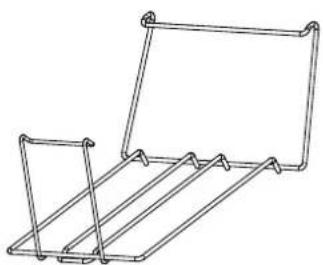
natural_image
Line drawing of a metal rack structure with no text or symbolsFIRST TIME USE
HOW TO START THE APPLIANCE
After plugging the appliance to the mains, it starts the operation automatically. After starting the appliance, wait at least 4-6 hours before placing food into the fridge and into the freezer compartment.
When the appliance is connected to the power supply, the display lights up and all the icons appear on the display for approximately 1 second. The default (factory) values of the fridge - freezer compartment settings light-up.
DAILY USE
See Use and Care Guide for more details on functions / see last page for information on how to obtain the Use and Care Guide
FUNCTIONS
ON/STANDBY INDICATOR /BUTTON
To put the product in Stand-by, press and hold for 3 seconds. All the icons turn off except On/Standby indicator. To reactivate the appliance press once (briefly) this button.
FRIDGE TEMPERATURE SETTING
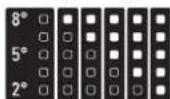
To adjust the Fridge Temperature, press the ☐ Fridge °C button. The Fridge Temperature can be adjusted between +2°C and +8°C, as shown by the Fridge Temperature LEDs.
FAST COOL
Using Fast Cool function it is possible to increase the cooling in the refrigerator compartment. The use of this function is recommended when placing a very high quantity of food in the refrigerator compartment. Press & hold for 3 sec. the Fridge °C button to activate Fast Cool function. When activated, the Fast Cool indication will be displayed by the Fridge Temperature LEDs as shown in the beside sequence. The function is automatically disabled after 6 hours, or can be manually disabled by pressing Fridge °C button.
FREEZER TEMPERATURE SETTING
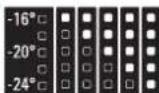
The appliance is normally factory-set for operation at the recommended temperature of -18°C. To adjust the Freezer Temperature, press the ☑ Freezer °C button. The Freezer Temperature can be adjusted between -16°C and -24°C, as shown by the Freezer Temperature LEDs.
FAST FREEZE
The use of this function is recommended when placing a very high quantity of food to be frozen in the freezer compartment. 24 hours before freezing fresh food, press & hold for 3 sec. the Freezer button to activate the Fast Freeze function. When activated, the Fast Freeze indication will be displayed by the Freezer Temperature LEDs as shown in beside sequence.
After 24 hours place the food to be frozen in the upper basket of freezer compartment. The function is automatically disabled after 48 hours, or can be manually disabled by pressing Freezer °C button.
REFRIGERATOR LIGHT
The light system inside the refrigerator compartment uses LEDs light, allowing a better lightning as well as a very low energy consumption. If the LED light system does not work, please contact the Service to replace it.
PARTY MODE
Use this function to chill drinks inside the freezer compartment. Press the Party Mode button to activate/deactivate this function.
Once the Party mode has been activated, after 30 minutes an acoustic alarm will remind you to remove drink/bottle from the freezer compartment. To mute the alarm press the Stop alarm button, or deactivate the function pressing the Party mode button.
Important: do not leave the bottle inside the freezer compartment longer than the function is active (30 minutes).

BLACK OUT ALARM
In the event of an interruption in electricity, your product is designed to automatically monitor the temperature in the freezer when electricity is resupplied. If the temperature in the freezer rises above freezing level, the Black Out icon lit, & the Alarm Icon blinks and the acoustical alarm sounds when electricity is re-supplied. To reset the alarm press the Reset button just once.
SMART DISPLAY
This optional function can be used to save energy. To activate the Smart Display, press ☐ Fridge °C and ☑ Freezer °C buttons at the same time for 3 seconds until an audible signal sounds. To deactivate this function repeat the same procedure. Remember that this function does not disconnect the appliance from the power supply, but only reduce the power consumed by external display.
TEMPERATURE INDICATOR \*
Temperature indicator informs you if the temperature in this cavity is cold enough for storage with the word "OK".
- Check that OK appears clearly on the indicator light (see the picture below).
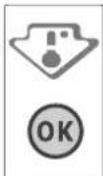
- If the word "OK" does not appear it means that the temperature is too high: set a lower temperature and wait approximately 10 hours until the temperature has been stabilised.
- Check the indicator light again: if necessary, readjust it following the initial process. If large quantities of food have been added or if the refrigerator door has been opened frequently, it is normal for the indicator not to show OK. Wait at least 10 hours before adjusting the REFRIGERATOR OPERATION knob to a higher setting.
FOOD CARE ZONE 0 °C / SAFE DEFROST \*
A compartment designed to keep delicate food such as meat and fish fresh. The low temperature in the compartment makes it possible to store the food for up to one week - tests performed on meat products - without changing its nutrients, appearance and flavour. The compartment is also very suitable for healthy food defrosting, as low-temperature defrosting prevents any proliferation of microorganisms, while protecting its taste and organoleptic properties. It is not suitable for fruit, vegetables and green salad. But it can be used for stuffed fresh pasta and even cooked food or leftovers.
FRUIT AND VEGETABLE BIN \*
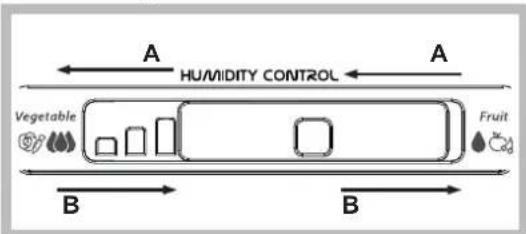
The salad crispers fitted inside the fridge have been specially designed for the purpose of keeping fruit and vegetables fresh and crisp. Open the humidity regulator (position B) if you want to store food in a less humid environment like fruit, or close it (position A) to store food in a more humid environment like vegetable.
flowchart
graph LR
    A["Household"] -->|A HUMIDITY CONTROL| B["Vegetable"]
    B --> C["Fruit"]
    style A fill:#f9f,stroke:#333
    style B fill:#ccf,stroke:#333
SHELVES \*
Due to the special guides the shelves are removable and the height is adjustable, allowing easy storage of large containers and food.
ALARM TABLE
| ALARM TYPE SIGNAL CAUSE SOLUTION | |||
| Door open alarm The acoustical alarm is activated and the Alarm Indicator blinks. | The door has remained open for more than 2 minutes. | Close the door or press the Stop Alarm to mute the acoustical alarm. | |
| Temperature Alarm The Temperature display blinks (°C) and the Alarm Indicator remains on. | The inside temperature is not adequate. | Press the Stop Alarm button; the acoustical alarm stops, the Temperature Display (°C) blinks and the Alarm Indicator remains on until a temperature < -10°C is reached. | |
| Party Mode Alarm The Party Mode Indicator blinks and the acoustical alarm is activated. | 30 min. elapsed since Party Mode function has been activated. It is time to take out the bottle from the freezer (see Instructions for Use for more details). | Press the Stop Alarm button and remove the bottle from the freezer. | |
| Long Black-Out alarm The Black Out Alarm icon remains on, the Alarm indicator blinks and the Temperature display (°C) blinks. | Prolonged power failure, able to cause the inside temperature to increase to 0°C. | Press the Stop Alarm button; the acoustical alarm stops, the Temperature Display (°C) blinks and the Alarm Indicator remains on until a temperature < -10°C is reached. | |
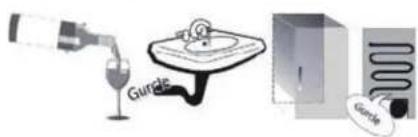
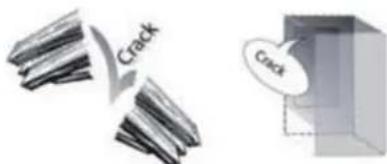
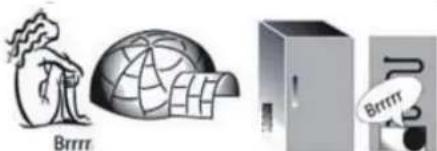
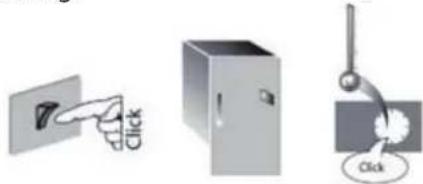
SOME OF THE FUNCTIONAL SOUNDS YOU MIGHT HEAR
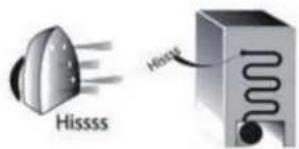
A hissing sound when switching on the appliance for the first time or after a long pause.
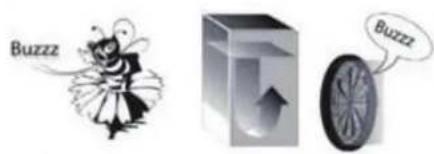
Buzzing sound when water valve or fan start working.
A gurgling sound when refrigerant fluid enters into the pipes.
A cracking sound when compressor starts.
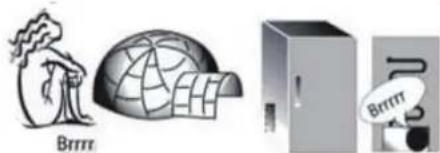
BRRR sound is from the compressor running.
natural_image
Illustration of three objects: a tree with 'Brrm' label, a globe with a dome, and an open refrigerator with a 'Brrm' sign (no text or symbols on objects)The CLICK is from the thermostat which adjusts how often the compressor is running.
natural_image
Three grayscale illustrations showing a door, a refrigerator, and a hanging button with 'Click' labels (no text or symbols on objects)HOW TO STORE FOOD AND BEVERAGE
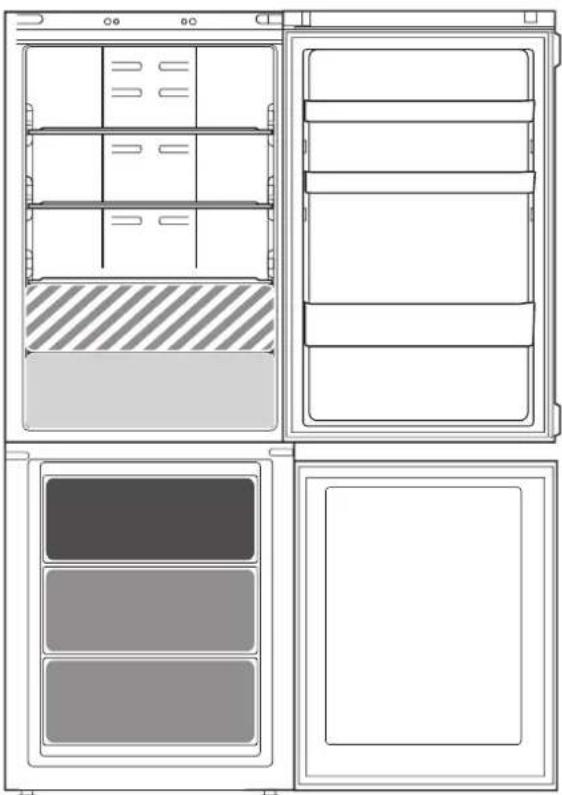
natural_image
Technical line drawing of a refrigerator interior showing front, side, and top views with no text or symbolsLegend
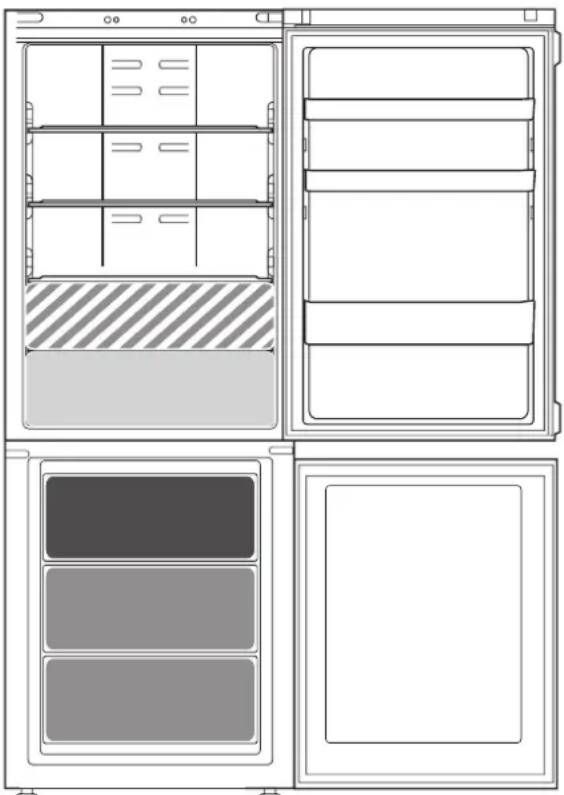
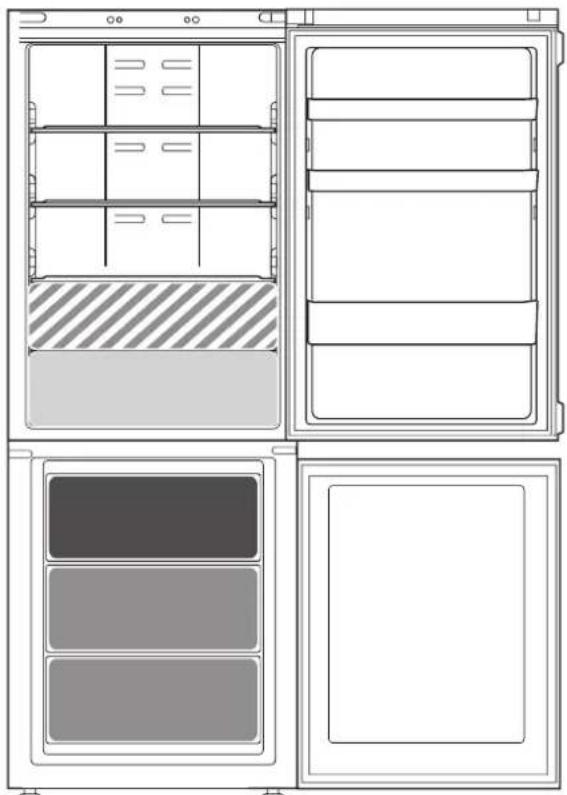
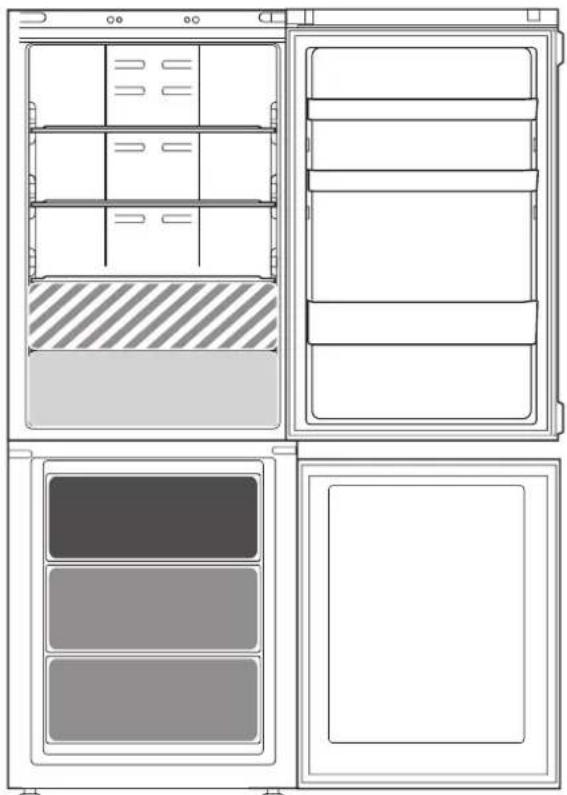
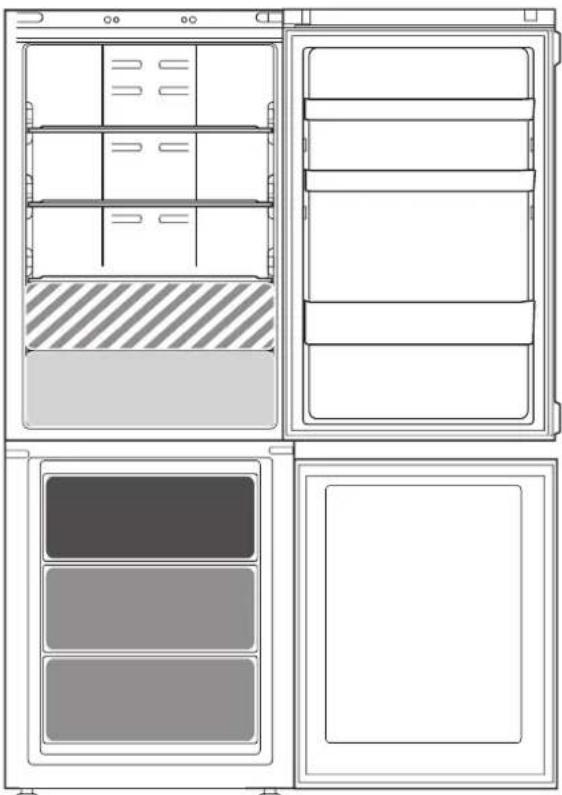
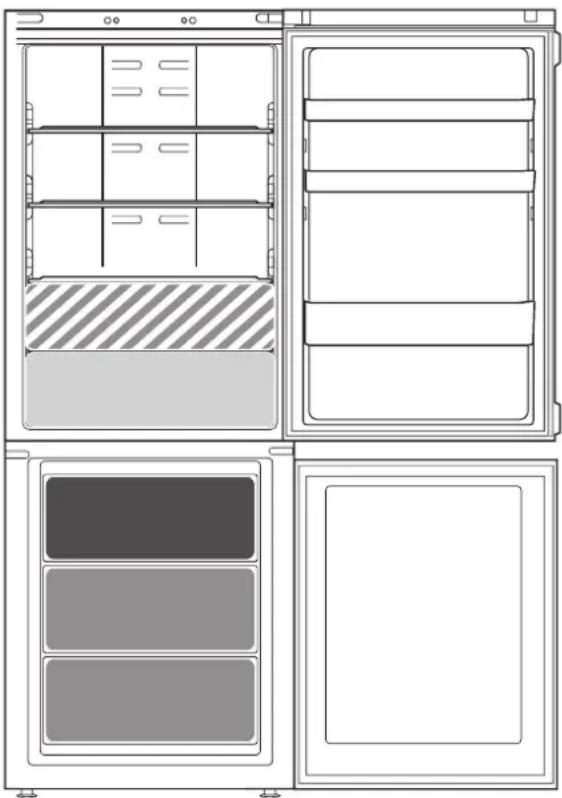
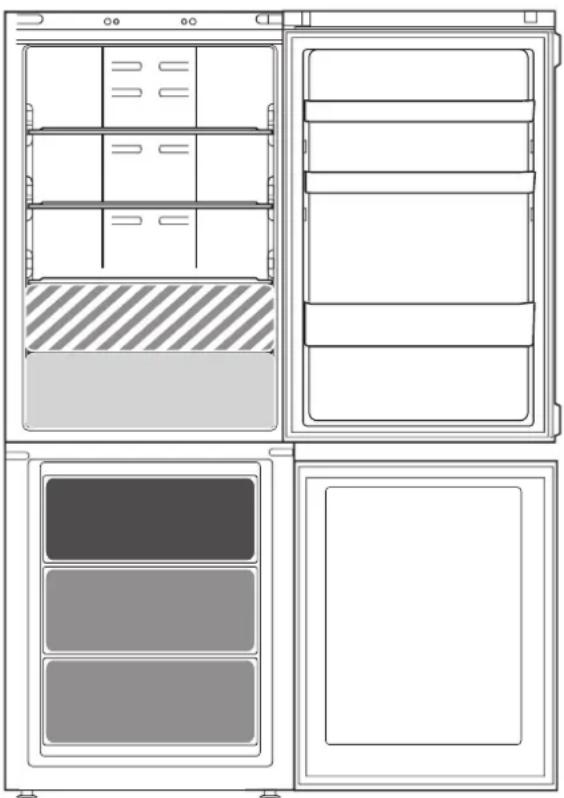
COOL ZONE
Suggested for the storage of beverage, milk and food as dairy food, delicatessen, yogurt, eggs, butter, sauces, pickles, desserts

FRUIT & VEGETABLE DRAWER

COOLER ZONE:
FOOD CARE ZONE 0 °C / SAFE DEFROST \*
Suggested for the storage of meat, fish, cold cuts, stuffed fresh pasta, cooked food, leftovers. This zone is also suggested for food defrosting.

FAST FREEZING ZONE DRAWER
Max cool zone suggested to freeze fresh food and cooked food.

NORMAL FREEZER DRAWERS
Suggested for the storage of frozen food and ice cream.
Note: The Grey tone of the legend doesn't match with the color of drawers
FRIDGE COMPARTMENT
Use recyclable plastic, metal, aluminum and glass containers and cling film to wrap foods.
Always use closed containers for liquids and for food that may give off or be tainted by odor or flavor transfer or cover them.
If you have a little quantity of food to store in the refrigerator, we recommend to use the shelves above the crisper for fruits and vegetables since this is the coolest area of the compartment.
Foods which give off a large amount ethylene gas and those that are sensitive to this gas, such as fruit, vegetables and salad, should always be separated or wrapped so as not to reduce the storage life; for example do not store tomatoes together with kiwi fruits or cabbage.
To avoid bottles falling over, you can use the bottle holder (available on selected models).
Do not store food too close together to enable sufficient air circulation.
FREEZER COMPARTMENT
The freezer is the ideal storage location for store frozen food, make ice cubes and freeze fresh food in the freezer compartment.
The maximum number of kilograms of fresh food that can be frozen within a 24-hour period is indicated on the rating plate (...kg/24h).
If you have a little quantity of food to store in the freezer, we recommend to use the coldest areas of your freezer compartment, corresponding to the middle area.
PRODUCT FICHE
www The product fiche with energy data of this appliance can be downloaded from Bauknecht website docs.bauknecht.eu
HOW TO OBTAIN THE USE AND CARE GUIDE
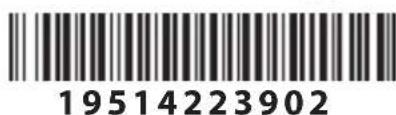
www Download the Use and Care Guide from our website docs.bauknecht.eu (you can use this QR Code), specifying the product's commercial code.
Alternatively, contact our Client After-sales Service.

CONTACTING AFTER-SALES SERVICE
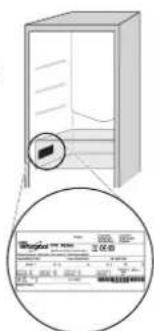
You can find our contact details in the warranty manual. When contacting our Client After-sales Service, please state the codes provided on your product's identification plate.
Printed in Italy
GUIDE
D'UTILISATION QUOTIDIENNE

MERCI D'AVOIR CHOISI UN PRODUIT BAUKNECHT
natural_image
Two identical 3D rectangular electronic components with metallic leads, no text or symbols visible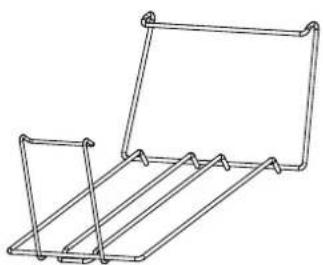
natural_image
Line drawing of a metal rack structure with no text or symbolsPREMIÈRE UTILISATION
MISE EN MARCHE DE L'APPAREIL
natural_image
Illustration of three objects: a person with a tree, a globe-like structure, and a refrigerator (no text or symbols)COMMENT CONSERVER LES ALIMENTS ET LES BOISSONS
natural_image
Line drawing of a refrigerator interior showing front and side views with no text or symbolsLégende
ZONE FROIDE
Imprimé en Italie
SNELLE REFERENTIE
GIDS

DANK U WEL VOOR UW AANKOOP VAN EEN BAUKNECHT PRODUCT
natural_image
Two identical 3D rectangular electronic components with metallic leads, no text or symbols visible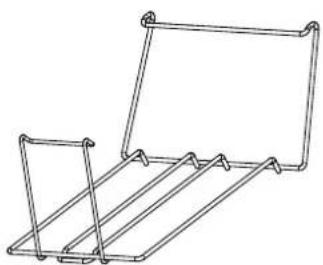
natural_image
Line drawing of a metal rack structure with no text or symbolsEERSTE GEBRUIK
IN WERKING STELLEN VAN HET APPARAAT
BRRR geluid van de compressor die loopt.
natural_image
Illustration of three objects: a globe with 'Brntr' label, a dome-shaped structure, and a refrigerator with 'Brntr' label (no text or symbols on objects)natural_image
Three simple icons showing a door, a cabinet, and a hanging device with a 'Click' button (no text or symbols beyond basic symbols)OPSLAAN VAN ETENSWAAR EN DRANKEN
natural_image
Technical line drawing of a refrigerator interior showing front, side, and top views with no text or symbolsLegenda
KOUDE ZONE
NORMALE DIEPVRIESLADEN
Gedrukt in Italië

GRAZIE PER AVERE ACQUISTATO UN PRODOTTO BAUKNECHT
natural_image
Two identical 3D rectangular electronic components with wavy top tabs and segmented side by side (no text or symbols visible)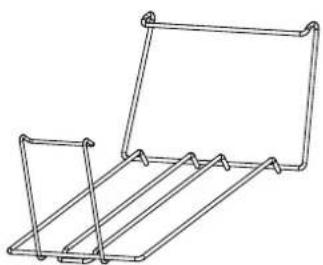
natural_image
Line drawing of a metal rack structure with no text or symbolsPRIMO UTILIZZO
ACCENSIONE DELL'APPARECCHIO
natural_image
Illustration of three objects: a tree with 'Brntr' label, a globe-like structure, and a server unit (no text or symbols on objects)natural_image
Line drawing of a refrigerator interior showing front, side, and top views with no text or symbolsLegenda
ZONA FREDDA
Stampato in Italia
КРАТКОЕ СПРАВОЧНОЕ
РУКОВОДСТВО

natural_image
Two identical 3D rectangular electronic components with wavy top tabs and segmented side panels, no text or symbols visible.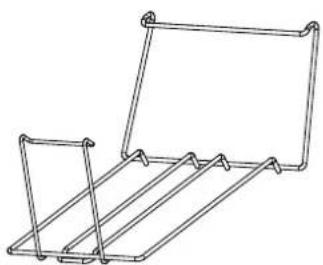
natural_image
Line drawing of a metal rack structure with no text or symbolsnatural_image
Illustration of three objects: a tree with 'Brrrr' label, a globe, and a server unit (no text or symbols on objects)natural_image
Three simple icons showing a door, a refrigerator, and a hanging button with a 'Click' label (no text or symbols beyond basic icons)natural_image
Technical line drawing of a refrigerator interior showing front, side, and top views with no text or symbolsОбозначения
ХОЛОДНАЯ ЗОНА
Напечатано в Италии
لوحة التحكم
natural_image
Line drawing of a metal rack structure with no text or symbols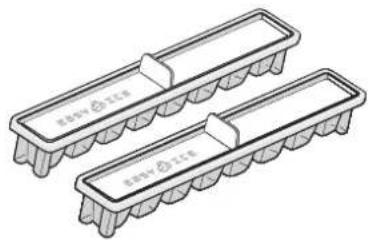
natural_image
Illustration of two rectangular electronic components with internal fins and labeled 'nov' (no text or symbols on the components themselves)الاستخدام لأول مرة
natural_image
Illustration of three objects: a tree with 'Brrrr' label, a globe-like structure, and a server unit (no text or symbols on objects)natural_image
Three simple icons showing a pointing hand, a safe, and a hanging lamp with a 'Click' button (no text or symbols beyond basic icons)natural_image
Technical line drawing of a refrigerator interior showing front, side, and top views with no text or symbolsحيز التجميد
natural_image
Two identical 3D rectangular electronic components with metallic leads, no text or symbols visible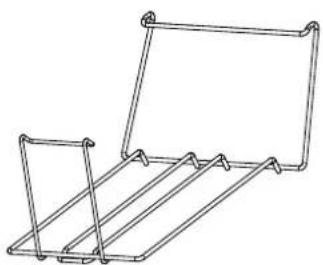
natural_image
Line drawing of a metal rack structure with no text or symbolsnatural_image
Illustration of three objects: a tree with a globe, a globe-like structure, and a server unit (no text or symbols)КАК ДА СЕ СЪХРАНЯВАТ ХРАНИ И НАПИТКИ
natural_image
Technical line drawing of a refrigerator interior showing front, side, and top views with no text or symbolsЛегенда
ХЛАДНА ЗОНА
Отпечатано в Италия
PŘÍRUČKA
PRO KAŽDODENNÍ POUŽITÍ

DĚKUJEME VÁM, ŽE JSTE SI ZAKOUPILI VÝROBEK ZNAČKY BAUKNECHT
natural_image
Illustration of two rectangular electronic components with internal fuses and connectors (no text or symbols)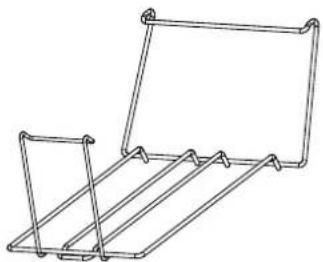
natural_image
Line drawing of a metal rack or cage structure with no text or symbolsPŘED PRVNÍM POUŽITÍM
ZAPNUTÍ SPOTŘEBIČE
NASTAVENÍ TEPLOTY CHLADNIČKY
NASTAVENÍ TEPLOTY MRAZNIČKY
natural_image
Illustration of a wine bottle pouring liquid into a glass bowl, next to a refrigerator with a 100 mm label (no text or symbols on objects)natural_image
Illustration of three industrial or infrastructure components: tree, globe, and server unit (no text or symbols)natural_image
Technical line drawing of a refrigerator interior showing front, side, and top views with no text or symbolsVysvětlivky
CHLADNÁ ZÓNA
Vytištěno v Itálii
MINDENNAPI HASZNÁLATI
ÚTMUTATÓ

KÖSZÖNJÜK, HOGY A BAUKNECHT TERMÉKÉT VÁLASZTOTTA!
natural_image
Two identical 3D rectangular electronic components with wavy top tabs and segmented side panels, no text or symbols visible.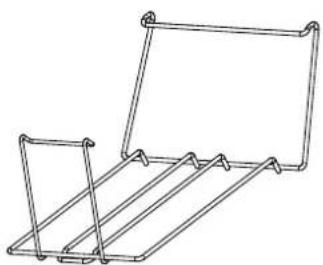
natural_image
Line drawing of a metal rack structure with no text or symbolsELSŐ HASZNÁLAT
A KÉSZÜLÉK BEKAPCSOLÁSA
natural_image
Illustration of three objects: a tree with 'Brmm' label, a globe-like structure, and a server unit (no text or symbols on objects)natural_image
Three simple electrical circuit components: a door, a cabinet, and a hanging lamp (no text or symbols)natural_image
Line drawing of a refrigerator interior showing front, side, and top views with no text or symbolsJelmagyarázat
HIDEG ZÓNA
natural_image
Two identical 3D rectangular electronic components with internal fins, no text or symbols visible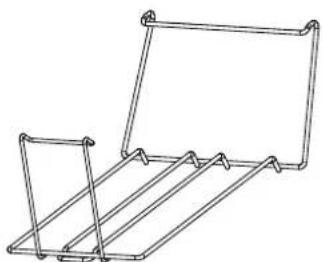
natural_image
Line drawing of a metal rack or holder structure with no text or symbolsnatural_image
Illustration of three industrial or ecological objects: a tree with 'Brrrr' label, a globe-like structure, and a cabinet with 'Brrrr' speech bubble (no text or symbols on objects)ТАFАМДАР МЕН СУСЫНДАРДЫ САКТАУ
natural_image
Technical line drawing of a refrigerator interior showing front, side, and top views with no text or symbolsШартты белгілер
САЛКЫНДАТУ АЙМАФЫ

19514223902
Италияда басылган
PRZEWODNIK
UŻYTKOWNIKA

DZIEKUJEMY ZA ZAKUP PRODUKTU BAUKNECHT
natural_image
Two identical 3D rectangular electronic components with internal fins, no text or symbols visible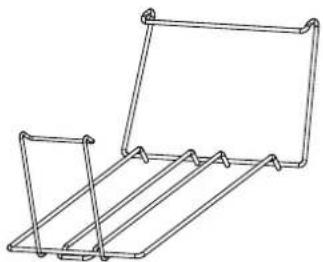
natural_image
Line drawing of a metal rack or cage structure with no text or symbolsPIERWSZE UŻYCIE
URUCHOMIENIE URZĄDZENIA
natural_image
Illustration of three objects: a tree with 'Brrrr' label, a globe with a dome, and a server unit with 'Brrrr' label (no text or symbols on objects)natural_image
Three simple diagrams showing a hand pressing a panel, a refrigerator, and a hanging device with a 'Click' button (no text or symbols beyond basic icons)natural_image
Line drawing of a refrigerator interior showing front, side, and top views with no text or symbolsLegenda
STREFA NISKIEJ TEMPERATURY
TĂVITĂ PENTRU CUBURI DE GHEAȚĂ RAFT PENTRU STICLE
natural_image
Two identical 3D rectangular electronic components with metallic leads, no text or symbols visible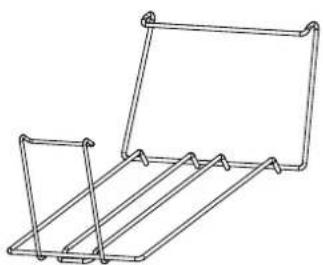
natural_image
Line drawing of a metal rack structure with no text or symbolsPRIMA UTILIZARE
PUNEREA ÎN FUNCTIUNE A APARATULUI
natural_image
Illustration of three objects: a tree-like figure labeled 'Brrrr', a globe-like structure, and a refrigerator with a speech bubble containing 'Brrrr' (no text or symbols on objects)natural_image
Technical line drawing of a refrigerator interior showing front, side, and top views with no text or symbolsLegendă

ZONA RECE
Tipärit in Italia
PRÍRUČKA NA KAŽDODENNÉ
POUŽÍVANIE

ĎAKUJEME, ŽE STE SI ZAKÚPILI VÝROBOK ZNAČKY BAUKNECHT
- Nádoba na ovocie a zeleninu *
- Zásuvka na uchovávanie čerstvých potravín pri 0 °C / Bezpečné rozmrazovanie*
- Priehradka na flaše
- Mraznička a skladovací priestor
- Polička na mliečne výrobky*
- Posúvatelné police*
- Ukazovatel'teploty*
- Polica na fl'aše*
- Vyrovnávacie nožičky
natural_image
Illustration of two rectangular electronic components with coiled leads and a central shaft (no text or symbols)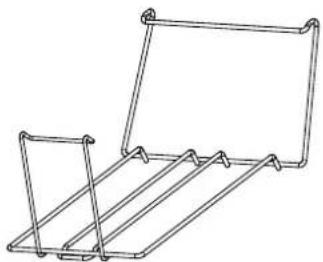
natural_image
Line drawing of a metal rack or cage structure with no text or symbolsPRVÉ POUŽITIE
ZAPNUTIE SPOTREBIČA
NASTAVENIE TEPLOTY CHLADNIČKY
NASTAVENIE TEPLOTY MRAZNIČKY
INDIKÁTOR TEPLOTY \*
natural_image
Illustration of three objects: a globe with a tree, a dome-shaped container, and a refrigerator (no text or symbols)natural_image
Three simple icons: a door with a click, a refrigerator, and a hanging clock with 'Click' label (no text or symbols beyond basic icons)AKO USKLADŇOVAŤ POTRAVINY A NÁPOJE
natural_image
Technical line drawing of a refrigerator interior showing front, side, and top views with no text or symbolsLegenda
CHLADNÁ OBLAST

natural_image
Two identical 3D rectangular electronic components with wavy top tabs and segmented side by side (no text or symbols visible)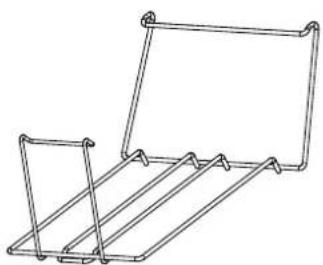
natural_image
Line drawing of a metal rack or cage structure with no text or symbolsnatural_image
Illustration of three industrial or network-related icons: a tree with 'Brrrr' label, a globe-like dome, and a server unit (no text or symbols on icons)natural_image
Three grayscale icons showing a door, a refrigerator, and a hanging device with a 'Click' button (no text or symbols beyond basic icons)natural_image
Technical line drawing of a refrigerator interior showing front, side, and top views with no text or symbolsУмовні позначки
ЗОНА ОХОЛОДЖЕННЯ

- ERSTER GEBRAUCH
- AUFBEWAHREN VON LEBENSMITTELN UND GETRÄNKEN
- Legende
- KÜHLER BEREICH
- DAILY REFERENCE
- GUIDE
- THANK YOU FOR PURCHASING A BAUKNECHT PRODUCT
- PRODUCT DESCRIPTION
- ACCESSORIES
- FIRST TIME USE
- HOW TO START THE APPLIANCE
- DAILY USE
- FUNCTIONS
- ON/STANDBY INDICATOR /BUTTON
- FRIDGE TEMPERATURE SETTING
- FAST COOL
- FREEZER TEMPERATURE SETTING
- FAST FREEZE
- REFRIGERATOR LIGHT
- PARTY MODE
- BLACK OUT ALARM
- SMART DISPLAY
- TEMPERATURE INDICATOR \*
- FOOD CARE ZONE 0 °C / SAFE DEFROST \*
- FRUIT AND VEGETABLE BIN \*
- SHELVES \*
- ALARM TABLE
- SOME OF THE FUNCTIONAL SOUNDS YOU MIGHT HEAR
- HOW TO STORE FOOD AND BEVERAGE
- Legend
- COOL ZONE
- FRUIT & VEGETABLE DRAWER
- COOLER ZONE:
- FAST FREEZING ZONE DRAWER
- NORMAL FREEZER DRAWERS
- FRIDGE COMPARTMENT
- FREEZER COMPARTMENT
- PRODUCT FICHE
- HOW TO OBTAIN THE USE AND CARE GUIDE
- CONTACTING AFTER-SALES SERVICE
- D'UTILISATION QUOTIDIENNE
- MERCI D'AVOIR CHOISI UN PRODUIT BAUKNECHT
- PREMIÈRE UTILISATION
- MISE EN MARCHE DE L'APPAREIL
- COMMENT CONSERVER LES ALIMENTS ET LES BOISSONS
- Légende
- ZONE FROIDE
- SNELLE REFERENTIE
- GIDS
- DANK U WEL VOOR UW AANKOOP VAN EEN BAUKNECHT PRODUCT
- EERSTE GEBRUIK
- IN WERKING STELLEN VAN HET APPARAAT
- OPSLAAN VAN ETENSWAAR EN DRANKEN
- Legenda
- KOUDE ZONE
- NORMALE DIEPVRIESLADEN
- GRAZIE PER AVERE ACQUISTATO UN PRODOTTO BAUKNECHT
- PRIMO UTILIZZO
- ACCENSIONE DELL'APPARECCHIO
- ZONA FREDDA
- КРАТКОЕ СПРАВОЧНОЕ
- РУКОВОДСТВО
- Обозначения
- ХОЛОДНАЯ ЗОНА
- الاستخدام لأول مرة
- حيز التجميد
- КАК ДА СЕ СЪХРАНЯВАТ ХРАНИ И НАПИТКИ
- Легенда
- ХЛАДНА ЗОНА
- PŘÍRUČKA
- PRO KAŽDODENNÍ POUŽITÍ
- DĚKUJEME VÁM, ŽE JSTE SI ZAKOUPILI VÝROBEK ZNAČKY BAUKNECHT
- PŘED PRVNÍM POUŽITÍM
- ZAPNUTÍ SPOTŘEBIČE
- NASTAVENÍ TEPLOTY CHLADNIČKY
- NASTAVENÍ TEPLOTY MRAZNIČKY
- Vysvětlivky
- CHLADNÁ ZÓNA
- MINDENNAPI HASZNÁLATI
- ÚTMUTATÓ
- KÖSZÖNJÜK, HOGY A BAUKNECHT TERMÉKÉT VÁLASZTOTTA!
- ELSŐ HASZNÁLAT
- A KÉSZÜLÉK BEKAPCSOLÁSA
- Jelmagyarázat
- HIDEG ZÓNA
- ТАFАМДАР МЕН СУСЫНДАРДЫ САКТАУ
- Шартты белгілер
- САЛКЫНДАТУ АЙМАФЫ
- PRZEWODNIK
- UŻYTKOWNIKA
- DZIEKUJEMY ZA ZAKUP PRODUKTU BAUKNECHT
- PIERWSZE UŻYCIE
- URUCHOMIENIE URZĄDZENIA
- STREFA NISKIEJ TEMPERATURY
- PRIMA UTILIZARE
- PUNEREA ÎN FUNCTIUNE A APARATULUI
- ZONA RECE
- PRÍRUČKA NA KAŽDODENNÉ
- POUŽÍVANIE
- ĎAKUJEME, ŽE STE SI ZAKÚPILI VÝROBOK ZNAČKY BAUKNECHT
- PRVÉ POUŽITIE
- ZAPNUTIE SPOTREBIČA
- NASTAVENIE TEPLOTY CHLADNIČKY
- NASTAVENIE TEPLOTY MRAZNIČKY
- INDIKÁTOR TEPLOTY \*
- AKO USKLADŇOVAŤ POTRAVINY A NÁPOJE
- CHLADNÁ OBLAST
- Умовні позначки
- ЗОНА ОХОЛОДЖЕННЯ
Brand : BAUKNECHT
Model : KGNXL 19 A3+ IN
Category : Fridge