ManualGo.com
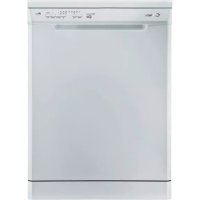
LS CI 7950 X - Dishwasher CANDY - Free user manual and instructions
Find the device manual for free LS CI 7950 X CANDY in PDF.



Download the instructions for your Dishwasher in PDF format for free! Find your manual LS CI 7950 X - CANDY and take your electronic device back in hand. On this page are published all the documents necessary for the use of your device. LS CI 7950 X by CANDY.
USER MANUAL LS CI 7950 X CANDY
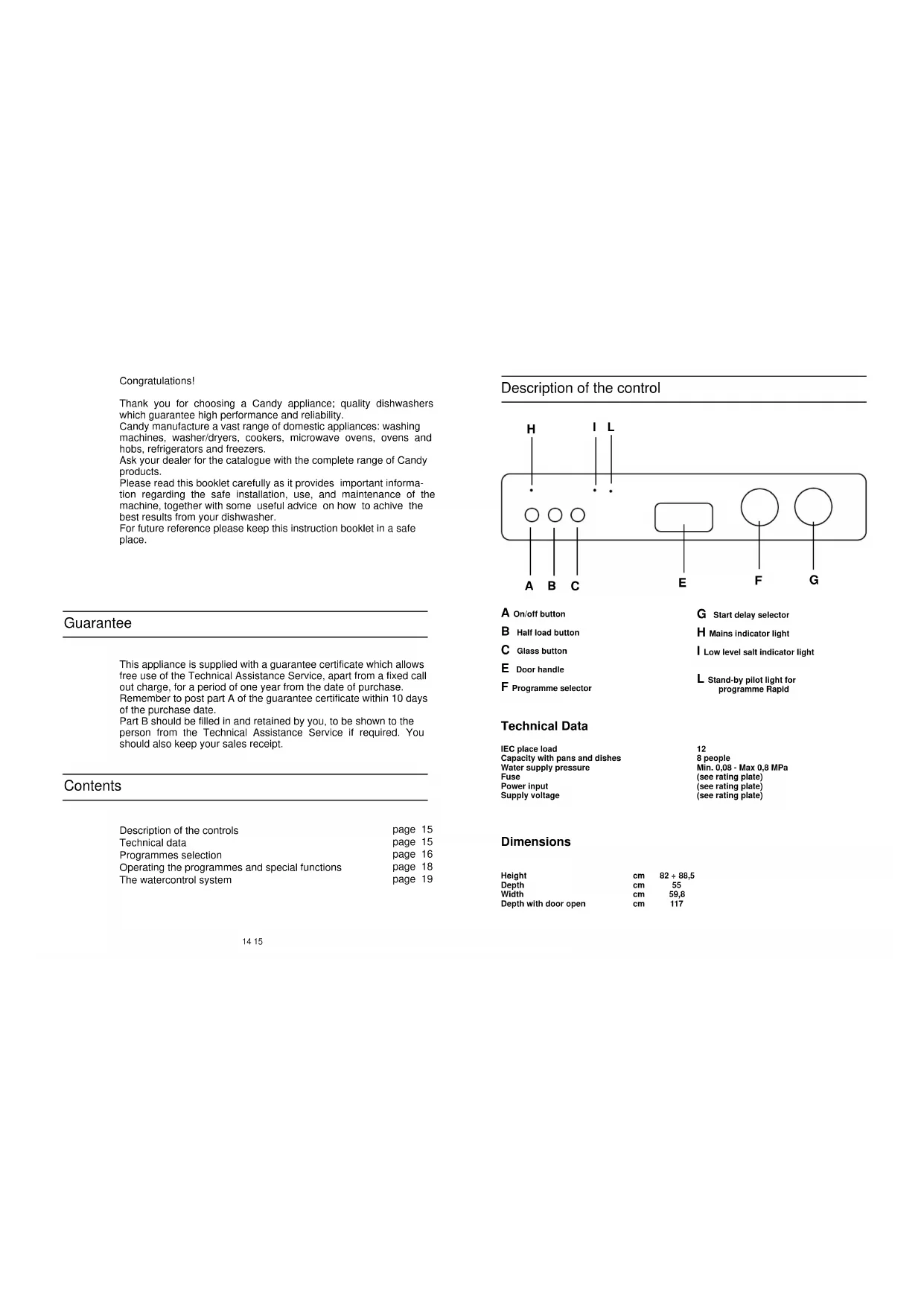
Congratulations! Thank you for choosing a Candy appliance; quality dishwashers which guarantee high performance and reliability. Candy manufacture a vast range of domestic appliances: washing machines, washer/dryers, cookers, microwave ovens, ovens and hobs, refrigerators and freezers. Ask your dealer for the catalogue with the complete range of Candy products. Please read this booklet carefully as it provides important informa- tion regarding the safe installation, use, and maintenance of the machine, together with some useful advice on how to achive the best results from your dishwasher. For future reference please keep this instruction booklet in a safe place. This appliance is supplied with a guarantee certificate which allows free use of the Technical Assistance Service, apart from a fixed call out charge, for a period of one year from the date of purchase. Remember to post part A of the guarantee certificate within 10 days of the purchase date. Part B should be filled in and retained by you, to be shown to the person from the Technical Assistance Service if required. You should also keep your sales receipt. Description of the controls Technical data Programmes selection Operating the programmes and special functions The watercontrol system page 15 page 15 page 16 page 18 page 19 Guarantee Contents
PROGRAMMES SELECTION Energetic and delicate programmesProgramme Description Rapid programmesIntensiveUniversalDailyEco 55°CDelicatePre-heating18 minutes rapidCold pre-washSuitable for pans and all other items in dailyuse which are very dirty.Suitable for your daily wash of normal dirtydishes and pans. Programme standardisedto IEC 436.Suitable for pans and dishes which are to bewashed straight after a meal.Suitable for normal soiled daily pans and kit-chenware. Using detergents with enzyme.Programme standardised to EN 50242.Suitable for delicate dishes and glassware.Also for slightly dirty daily dishes, excludingpans.Water is heated before the machine is loa-ded with dishes.Extra quick wash for dishes which are to bewashed immediately after the meal. Washload of 4/6 persons.Short cold pre-wash for breakfast and lunchdishes which can then remain in the dishwa-sher until after the evening meal. 65°C 65°C 65°C 55°C 55°C 60°C
- •••• •• ••••18 19 Attention This dishwasher is equipped with an anti-overflow safety device which works even when power is switched off and closes off the water flow if, due to a possible malfunction, it exceeds the normal level. Important To prevent an inopportune release of the anti- overflow safety device, it is recommended not to move or to tilt the dishwasher during operation. If it is necessary to move or to tilt the dishwasher, first make sure the washing cycle is finished and that no water is left in the tank. Selecting the programme and special functions To set the programme, turn the dial clockwise until the pointer indicates the symbol of the required programme on the control panel. Then press the On/Off button . Ensure that the water supply is turned on and the door is closed properly. Half load button By pressing this button it is possible to wash a small quantity of crockery using just the upper basket for dishes and wash the cutlery only in the bottom basket. This reduces water and energy consumption and requires a smaller quantity of detergent as well. Glass button By pressing this button in conjunction of the programme N° 5, your dishwasher operate the wash at 45°C. Recommended for delicate glass. Start Delay Control Start Delay is available on all programmes and is used to postpone the start of programmes by up to 12 hours. Each one hour period is marked. If you wish to delay the start, simply load the machine, load the dispenser with detergent, and turn the programme control knob clockwise to the number of hours you wish the programme to be delayed. For example if it is 8pm and you want the machine to start at midnight, turn the start delay knob to
4. Press the On/Off button. The red pilot light
will come on to show that the machine is switched on. The start of the programme will then be delayed according to the selected time. N.B.: When setting very short delay times (1 or 2 hours) it is advisable to turn the knob to the last position and then move it back to the required times. Pre-heating for rapid wash For rapid wash, the water must be pre-heated. Turn the knob to the symbol and press the button. This should be done 15 minutes before you actually load the dishwasher. While you are finishing your meal, your dishwasher will automatically fill with water and then bring it to the correct temperature. So when the dial wash is on stop position, the pilot light comes on and the machine is ready to be loaded with dishes. Switch it off by pressing the button. Open the door, put the detergent in the dispenser and load the dishes carefully in the two baskets. One convenient way of doing this is to put the dishes in alternate grooves of the basket. 18' rapid wash Turn the knob to the Rapid wash symbol and press the button. After approximately 18' the wash will be completed. Switch off by pressing the button and open the door leaving it slightly ajar to aid the natural drying process. The water-stop device protects against water damages caused by leaks on the fill hose which could develop due to natural ageing of the hose. In the water-stop system the leaking water fills the corrugated hose and activates a stop valve which cuts off the water supply to the machine. This fault is shown by a red sector on the window «A». Would this occur, please refer to your Service Agent. If the hose is not long enough for correct connection, it must be replaced with a longer one. The hose can be obtained from your Service Agent. Watercontrol-system Red button blocked valve indicator Safety antitwist device (press and twist to remove the washer) A20 21