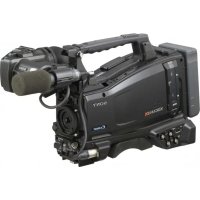
PMW350L - Camcorder SONY - Free user manual and instructions
Find the device manual for free PMW350L SONY in PDF.


| Feature | Details |
|---|---|
| Camcorder type | Professional camcorder |
| Sensor | 3 Exmor CMOS sensors |
| Video resolution | Full HD 1920 x 1080 |
| Recording format | XDCAM EX, MPEG-2 |
| Optical zoom | 14x |
| Screen | 8.4-inch LCD screen |
| Connectivity | HDMI, SDI, USB |
| Power supply | Lithium-ion battery |
| Weight | Approximately 2.5 kg |
| Usage | Ideal for professional video production, documentaries, live events |
| Maintenance | Regular sensor cleaning, firmware updates |
| Safety | Use certified accessories, avoid exposure to moisture |
| General information | Check memory card compatibility, available accessories |
Frequently Asked Questions - PMW350L SONY
How do I turn on the SONY PMW350L?
To turn on the SONY PMW350L, press the power button located on the top panel of the device. Make sure the battery is fully charged or the device is connected to a power source.
Why does the screen stay black when I turn on the camcorder?
If the screen stays black, check that the battery is properly inserted and charged. Also ensure the camcorder is not in sleep mode. If the problem persists, try resetting the device.
How do I transfer videos from the SONY PMW350L to a computer?
To transfer videos, connect the camcorder to the computer using a USB cable. Make sure the camcorder is in 'PC' or 'USB' mode. Then access the files in your computer's file explorer to copy the videos.
What should I do if the sound is low or absent during recording?
Check that the microphone is properly connected and that the gain level is correctly set in the audio settings. Also test with another microphone if possible.
How do I change the recording resolution on the SONY PMW350L?
To change the recording resolution, go to the main menu, select 'Recording format', then choose the desired resolution from the available options.
The camcorder does not recognize my memory card. What should I do?
Make sure the memory card is properly inserted and compatible with the SONY PMW350L. Format the card in the camcorder if necessary. If the problem persists, try another card.
How do I clean the lens of the SONY PMW350L?
Use a soft microfiber cloth and a lens cleaner to wipe the lens. Avoid using harsh chemicals that could damage the lens.
How do I reset the SONY PMW350L to factory settings?
To reset to factory settings, go to the menu, select 'Settings', then 'Reset'. Confirm your choice and wait for the camcorder to restart.
User questions about PMW350L SONY
0 question about this device. Answer the ones you know or ask your own.
Ask a new question about this device
No questions yet. Be the first to ask one.
Download the instructions for your Camcorder in PDF format for free! Find your manual PMW350L - SONY and take your electronic device back in hand. On this page are published all the documents necessary for the use of your device. PMW350L by SONY.
USER MANUAL PMW350L SONY
Solid-State Memory Camcorder
Mode d'emploi
text_image
Technical diagram of a digital camera with numbered parts labeled 1 to 51 Commutateur LIGHT
text_image
Technical diagram of a camera module with numbered parts labeled 1 through 66 Commande MIC (microphone) LEVEL
text_image
1 2 3 4 5 NDF EXTLK COUNTER TC U-BIT 01:23:34:15 H M S F HOLD MEDIA A: ▶ MEDIA B: ▶ BATTERY E F CH-1 CH-2 CH-3 CH-4 6 7 8Indication Signification
Indication Signification
text_image
1 2 3 4 5 6 7 8 9 EX Z99 135m HQ 19 20/23 9.9 P 10 80 +4.3K LCS 1 MF* REC2 ● REC RHDV 5 600 ▶▶▶ 20 ATW 18 dB U2000 10G 00:00:00:00 High Light ND2 A: 60min B: 120min 17 18 19 10 11 12 13 14 15 16 S&Q REC W11121 3H44 74% 120 min DC IN S&Q Motion 29/24 fps EXIT HDV1 Mode de commande de diaphragme TLCS
Indication Signification
natural_image
Technical line drawing of a mechanical assembly with no visible text or symbolsRetrait du viseur
natural_image
Mechanical assembly diagram showing a rotating component with directional arrows indicating motion (no text or symbols)text_image
Ecran LCDtext_image
Diagram of a camera module with labeled parts and directional arrows indicating motion or movement.text_image
Technical diagram showing a camera assembly with numbered components and directional arrows indicating motion or movement.natural_image
Technical line drawing of a camera with an arrow indicating motion, showing no text or symbolsnatural_image
Line drawing of a person aiming a camera with no visible text or symbolsnatural_image
Technical line drawing of a mechanical assembly with no visible text or symbolsnatural_image
Technical line drawing of a mechanical assembly with no visible text or symbolstext_image
INITIAL SETTING Country : NTSC Area NTSC(J) Area PAL Areatext_image
Date/Time 2011/03/01 11:57:24 AM SETtext_image
Technical diagram showing mechanical assembly with numbered components and directional arrows indicating motion or movementtext_image
Technical diagram of a vehicle engine showing labeled parts and motion arrows indicating rotational flow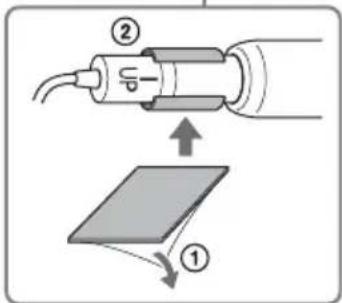
text_image
Diagram showing a device with labeled parts and an arrow indicating direction, likely illustrating a process or assembly.natural_image
Technical line drawing of a mechanical assembly with hoses and components (no text or symbols)text_image
Microphone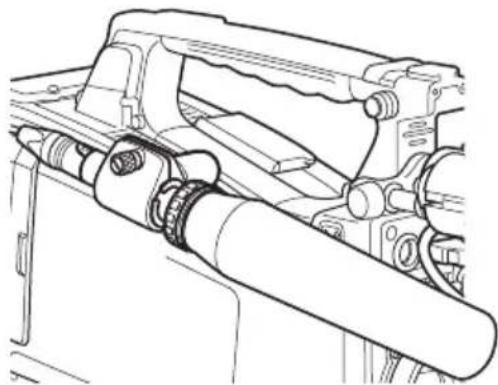
natural_image
Technical line drawing of a mechanical assembly with no visible text or symbolsnatural_image
Technical line drawing of a mechanical assembly with an upward arrow indicating motion (no text or symbols present)natural_image
Technical line drawing of a mechanical assembly with no visible text or symbolsnatural_image
Technical line drawing showing a mechanical assembly with a tool inserted into a component (no text or symbols present)Monture de caméra
natural_image
Line drawing of a professional video camera with a close-up view of its internal components (no text or symbols)natural_image
Technical line drawing of a mechanical bracket assembly (no text or symbols)natural_image
Mechanical assembly diagram showing a valve mechanism before and after assembly (no text or symbols)flowchart
graph TD
    A[" "] --> B[" "]
Remarque
Mode ECS (Extended Clear Scan)
2, 3, 4, 5, 6, 7, 8, 16, 32, 64
Remarques
text_image
AUDIO 2/5 Front MIC : Stereo Wind Filter CH-1 Front CH-2 Front CH-3 WRR CH-4 Rear On On 0 000cmtext_image
BATTERY/MEDIA Battery □ □ □ Charge Count 55 HDD A □ □ □ □ □ □ HDD B □ □ □ □ □ □ 0 50 100% Media A □ □ □ □ □ □ □ 120min Life 100% Media B □ □ □ □ □ □ □ 50min Life 33% 0 50 100%text_image
Technical diagram showing a mechanical component with labeled parts and directional arrows indicating movement or force.natural_image
Diagram of a mechanical component with a double-headed arrow indicating rotation or movement (no text or symbols)text_image
WP WP WP WPRemarque
natural_image
Technical line drawing of a mechanical device with directional arrows indicating movement or force (no text or symbols)natural_image
Mechanical component diagram showing a lever mechanism with no visible text or symbolsnatural_image
Technical line drawing of a mechanical component with a highlighted internal section (no text or symbols)Remarque
flowchart
graph TD
    A["Plan 1"] --> B["REC START"]
    A --> C["REC STOP/RECT START"]
    D["Plan 2"] --> E["REC STOP/RECT START"]
    D --> F["REC STOP/RECT STOP"]
    G["Plan 3"] --> H["REC STOP"]