
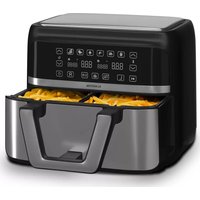
10028290 - Deep fryer Klarstein - Free user manual and instructions
Find the device manual for free 10028290 Klarstein in PDF.


| Product Type | Air fryer |
| Brand | Klarstein |
| Model | 10028290 (also 10028288, 10028289) |
| Power supply | 220-240 V ~ 50/60 Hz |
| Power | 1200 W - 1400 W |
| Dimensions (approx.) | Approximately 30 x 30 x 35 cm |
| Weight (approx.) | Approximately 5 kg |
| Maximum recommended capacity | 5 kg |
| Cooking modes | Turbo, Grill, Fry, Bake, Pizza, Defrost |
| Rotation function | Yes, can be activated/deactivated |
| Included accessories | Metal rack |
| Optional accessories | Steak cage, Rotisserie spit support |
| Bowl material | Non-stick coating |
| Cleaning | Accessories washable with hot water and dish soap, non-abrasive sponge |
| Interior cleaning | Non-abrasive sponge, brush for heating element |
| Safety | Automatic shut-off, overheat protection, safety handle on lid |
| Indoor use only | Yes |
| Recycling | Deposit at a collection point for electrical and electronic appliances |
Frequently Asked Questions - 10028290 Klarstein
User questions about 10028290 Klarstein
0 question about this device. Answer the ones you know or ask your own.
Ask a new question about this device
Download the instructions for your Deep fryer in PDF format for free! Find your manual 10028290 - Klarstein and take your electronic device back in hand. On this page are published all the documents necessary for the use of your device. 10028290 by Klarstein.
USER MANUAL 10028290 Klarstein
INHALTSVERZEICHNIS
natural_image
Circular black plastic dish with concentric rings (no text or symbols visible)Pfanne
natural_image
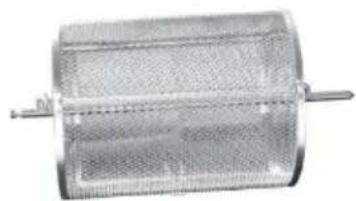
Metallic cylindrical device with mesh pattern and two protruding pins (no visible text or symbols)3-D-Grillkäfig
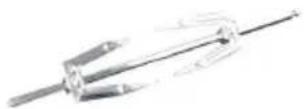
Hähnchenspieß
natural_image
Mechanical assembly with interlocking gears and rods (no visible text or symbols)Spießgestell
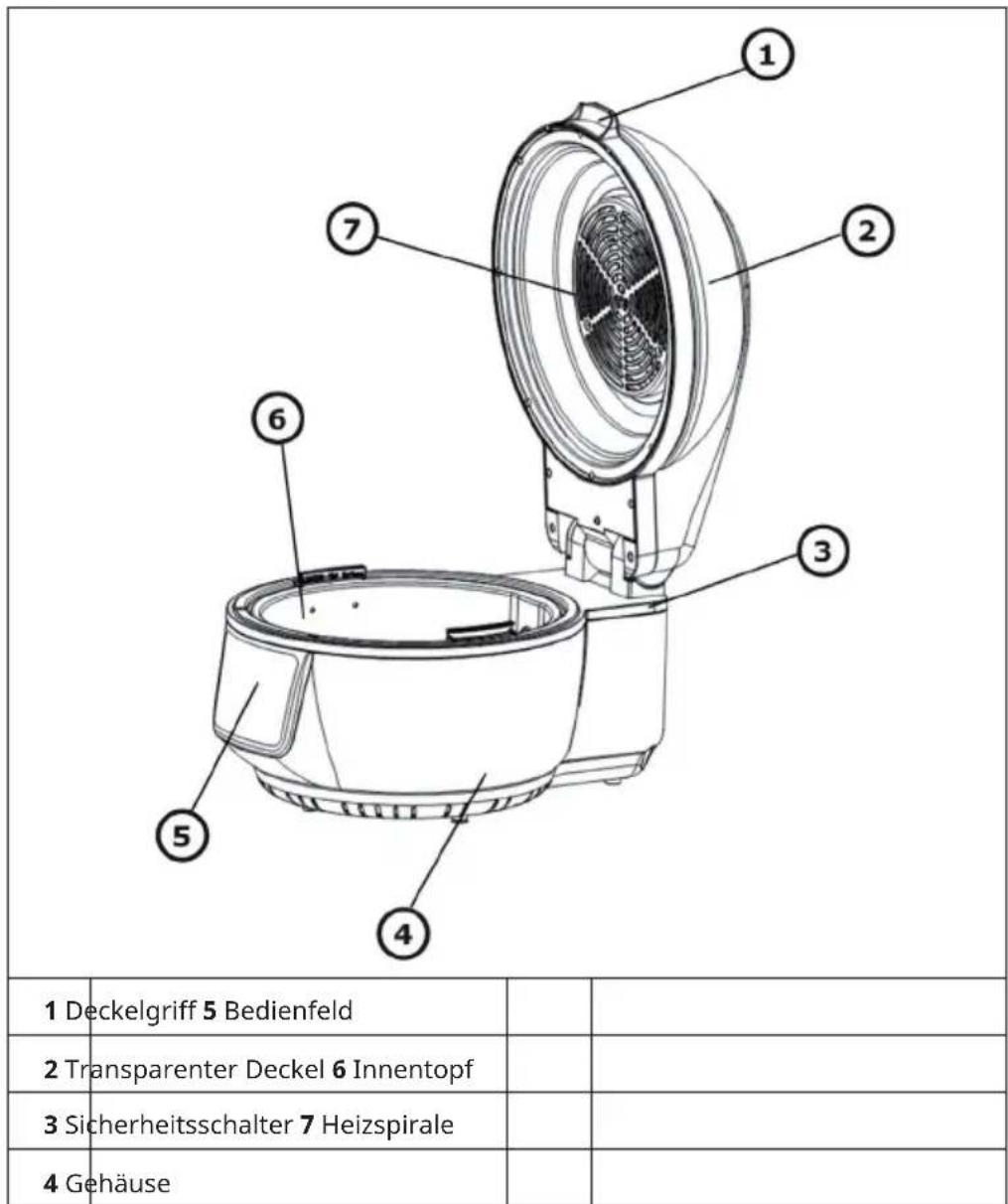
GERÄTEÜBERSICHT
natural_image
Line drawing of a simple outdoor table with a circular top and four legs (no text or symbols)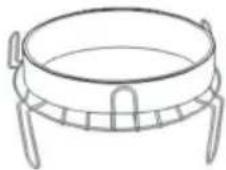
Hähnchenspieß
flowchart
graph TD
    A["Tool"] --> B["Rock"]
    C["Arrow"] --> D["Rock"]
    E["Arrow"] --> F["Rock"]
    G["Arrow"] --> H["Rock"]
Backkäfig

flowchart
graph TD
    A["Material with grid pattern"] --> B["Processing Unit"]
    B --> C["Product with circular end caps"]
natural_image
Three technical line drawings of mechanical components: a dumbbell, a circular component with internal ring, and a basket-like structure (no text or symbols)natural_image
Symbol of a trash bin crossed with a diagonal line, no text or numbers presentBerlin Brands Group UK Limited
PO Box 42
272 Kensington High Street
London, W8 6ND
United Kingdom
Dear Customer,
Congratulations on purchasing this device. Please read the following instructions carefully and follow them to prevent possible damages. We assume no liability for damage caused by disregard of the instructions and improper use. Scan the QR code to get access to the latest user manual and more product information.

CONTENT
Safety Instructions 18
Accessories 20
Device Overview 21
Operation 23
Usage of the Accessories 25
Cleaning and Care 27
Disposal Considerations 28
Manufacturer & Importer (UK) 28
TECHNICAL DATA
| Item number 10028288, 10028289, 10028290 | |
| Power supply 220-240 V ~ 50/60 Hz | |
| Power 1200 W - 1400 W | |
SAFETY INSTRUCTIONS
- Before using for the first time, check that the voltage of your power outlet matches the specified voltage.
- To avoid electric shock, do not immerse the power cord or the device itself in water or other liquids.
- Keep children and pets away from the device during operation.
- After use, switch off the appliance and disconnect the mains plug from the socket.
- The unit should be operated separately from other units on a separate circuit. If the circuit is overloaded by other devices, this device may not work properly.
• Take extreme care when moving a container containing hot food. - Do not let the power cord hang over the edge of tables or work surfaces, and be careful not to allow the power cord to come into contact with the hot surfaces of the equipment.
• Always place the unit securely in the center of the table or worktop. - Do not touch hot device surfaces. Use the handles to move or lift.
- The device must not be used by children.
- Use of accessories not expressly recommended by the manufacturer may result in injury.
- Do not place or use the unit on heat-sensitive glass surfaces, wooden surfaces or tablecloths. Be sure to place a heat-resistant plate with thermal protection under the unit on these surfaces.
- Never use the device if the power cord is damaged, if the device malfunctions or has been damaged in any other way.
- Before cleaning or when not in use, switch off the device and disconnect the power plug from the socket. Allow the device to cool down before removing or adding any parts.
- Do not place the device in the immediate vicinity of hot gas or electric ovens or in a heated oven.
- If the power plug does not fit properly, always contact a qualified electrician to minimize the potential for electrical shock. Never try to manipulate the power plug in any way.
- Do not clean the device with metallic scouring pads. Small metal parts could break off and short out the electrical components of the device, which could result in electric shock or damage the device.
-
To minimize the risk of electric shock, only prepare food in the supplied, coated, non-stick container.
-
This device is designed for indoor use only.
- Use the device only for its intended purpose.
- Keep this manual for future reference.
- This device may be only used by children 8 years old or older and persons with limited physical, sensory and mental capabilities and / or lack of experience and knowledge, provided that they have been instructed in use of the device by a responsible person who understands the associated risks.

CAUTION
Risk of burns! During hot air frying, hot steam is released through the air outlets. Keep your hands and face at a safe distance from the steam and from the air outlets. Also be careful of hot steam and air when you remove appliance parts from the appliance.
ACCESSORIES
Supplied Accessories
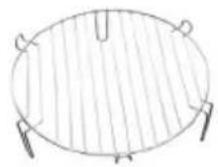
Dual rack
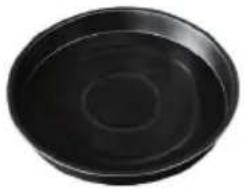
natural_image
Circular black object with concentric rings, resembling a petri dish or container (no text or symbols visible)Frying pan

natural_image
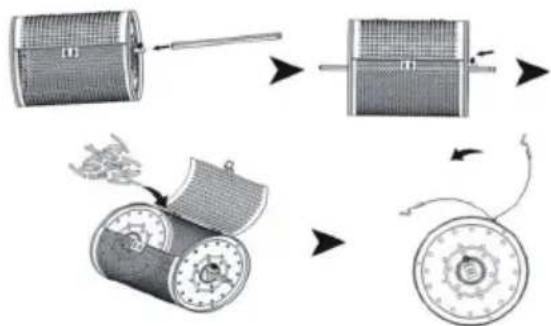
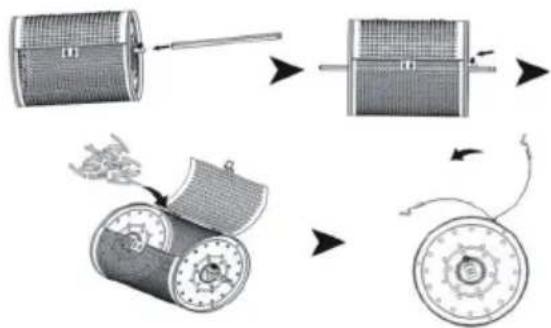
Metallic cylindrical device with mesh pattern and two metal pins (no visible text or symbols)Baking cage
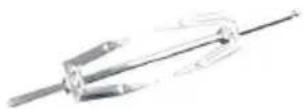
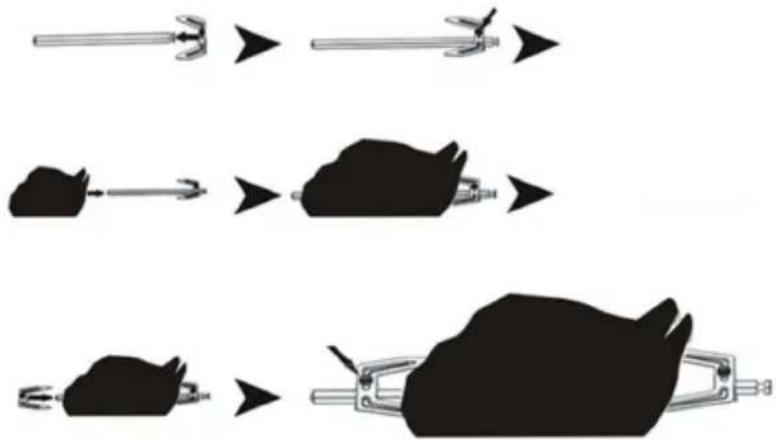
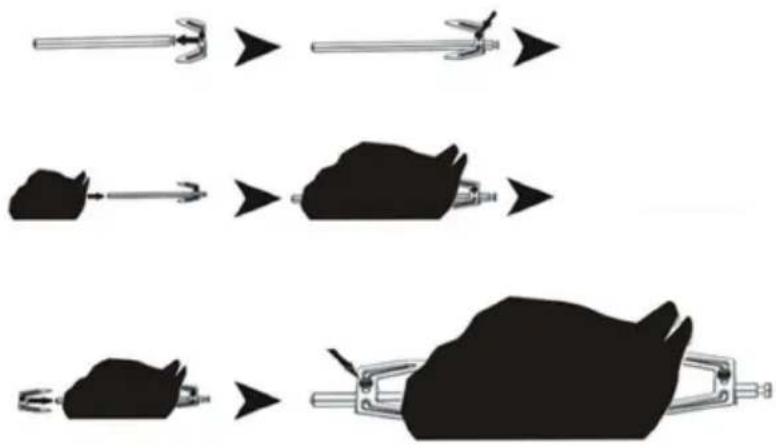
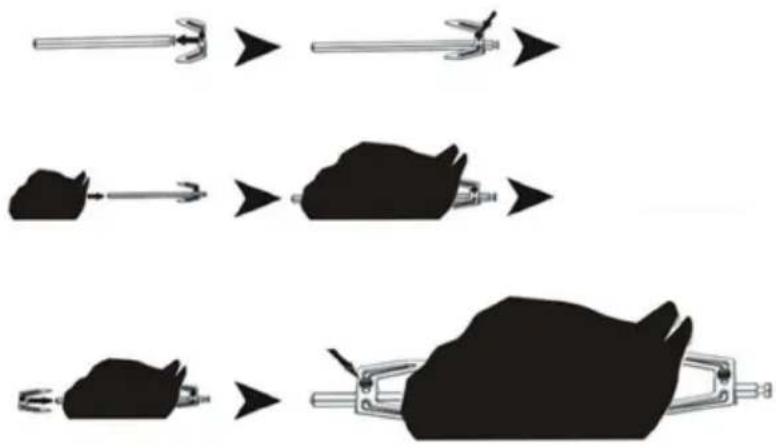
Chicken fork
Optional Accessories (not included)
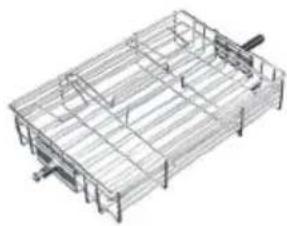
natural_image
3D wireframe model of a rectangular metal cage or container (no text or symbols)Steak cage
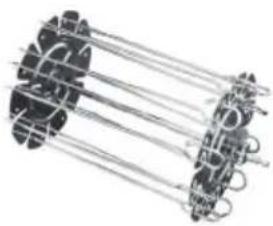
natural_image
Mechanical assembly diagram showing interconnected components (no text or symbols visible)Skewer rack
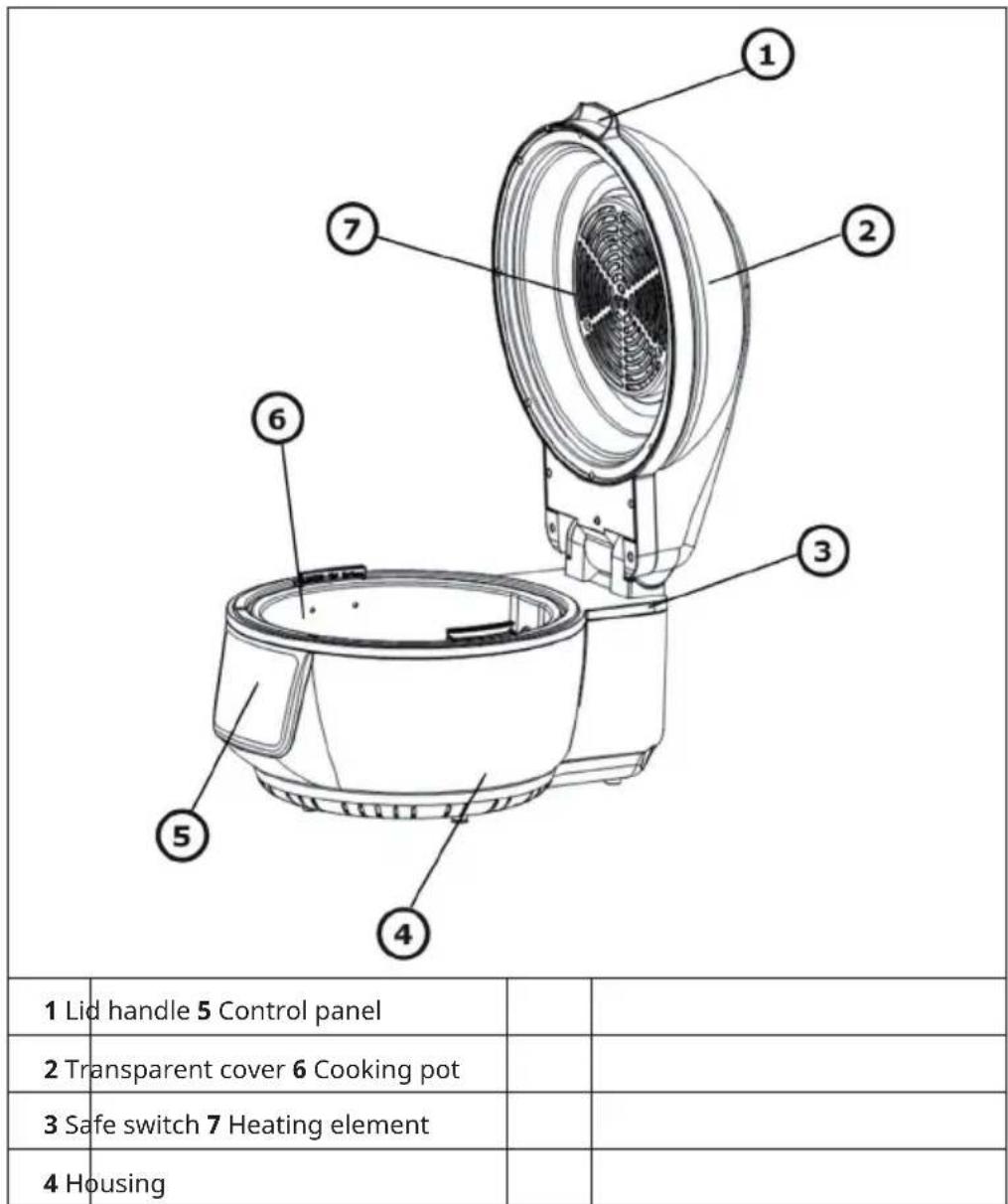
DEVICE OVERVIEW
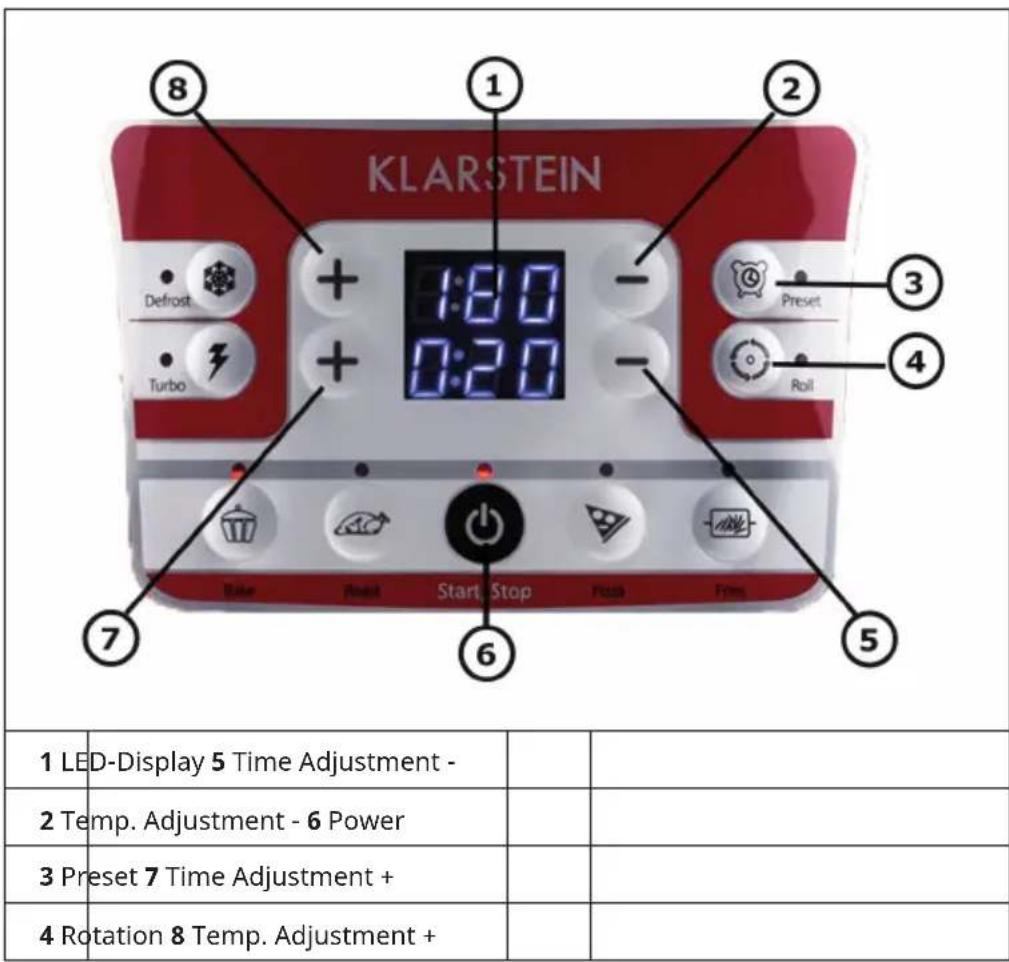
Controls
OPERATION
| Warning: Risk of burning Caution | ||
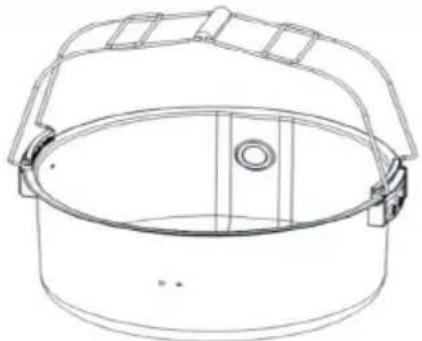 | 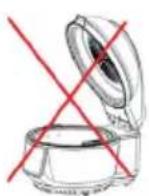 | 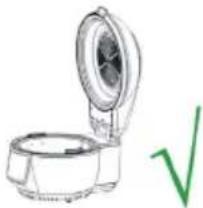 |
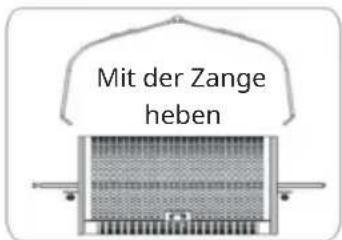
| Do not touch the surface of the pot handle when finish cooking. It is hot! You may take out the cooking pot with the tongs. | Don’t release the lid when it is not in the correct position. | |
Basic Procedures
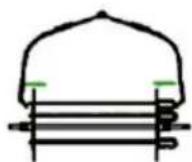
- Pull up the lid to the designated angle by holding the lid handle. You will hear a sound to confirm the correct position.
- Put in the cooking pot and the accessories (if required) and the food to be cooked.
- If rotation is available for the chosen mode, please make sure that the fork has been connected properly.
- Do not stack the food close to the heating element or the food may get charred.
- Close the lid properly.
- Connect the product to the power supply.
- Press the Start key once, and the product enters stand-by mode.
- Press the Start key to select appropriate mode, the corresponding default time and temperature will be shown on the LED display screen.
-
The time and temperature may be set to the individual need.(If no mode setting is assigned, the product still can operate if the time and temperature setting is made.)
-
Press the start key and the machine starts operation.
- When a certain temperature is reached, the heating element may pause. The heating element will restart after the temperature has dropped. The process repeats until the set time is reached.
- If other food is to be added during cooking, switch the lid release and pull up the lid, the product will stop heating immediately (but the rotation continues). Close the lid after the food is added and the process will continue.
- When the set time is reached, the product will give an indicating sound. Remove the plug and take out the food. Handle the hot items with care to avoid scald. Place the hot lid and pot one an insulating pad to avoid causing damage to the table top.
Reference table for different modes
| Mode Default Temp. | (°C) Default Time | (Minutes) | Suggested Accessories | Rotation |
| Turbo 230 15 all | ||||
| Roast 200 30 chicken | fork x | |||
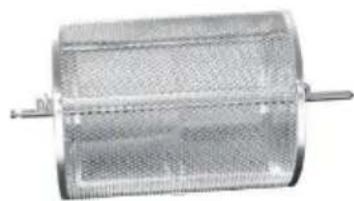
| Fries 230 25 | baking cage/skewerrack | x | ||
| Bake 180 20 frying pan/dual rack | ||||
| Pizza 210 15 frying pan/dual rack | ||||
| Defrost 60 15 all |
It is recommended that the total weight of food should not exceed 5kg. Roast & Fries modes are operated with rotation in default setting. Press Rotation key once to cancel, the rotation indicator shown on the LED screen goes o☐. Other modes are operated without rotation in default setting. Press Rotation key once to start rotation.
USAGE OF THE ACCESSORIES
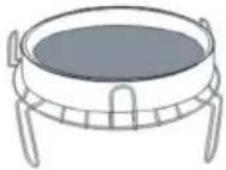
Dual rack and frying pan
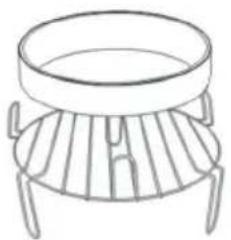
natural_image
Line drawing of a simple outdoor table with a circular top and four legs (no text or symbols)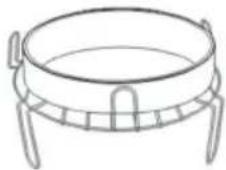
natural_image
Line drawing of a cylindrical object with four legs and a central circular top (no text or symbols)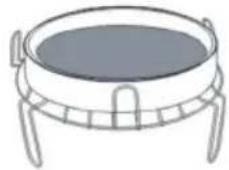
natural_image
Line drawing of a four-legged container with a lid (no text or symbols)Chicken fork
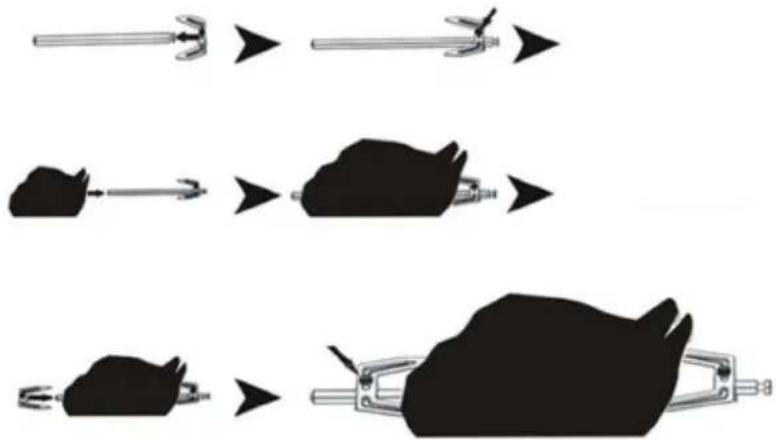
flowchart
graph TD
    A["Tool"] --> B["Mouse"]
    B --> C["Final Product"]
Baking cage
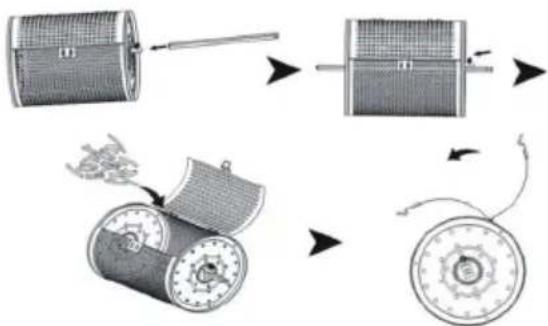
flowchart
graph TD
    A["Initial motor with grid pattern"] --> B["Move motor into motor"]
    B --> C["Rotate motor with rotating wheel"]
    C --> D["Rotating wheel with clockwise arrow"]
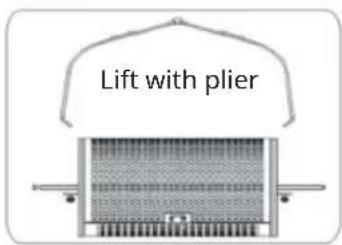
Steak cage (optional)
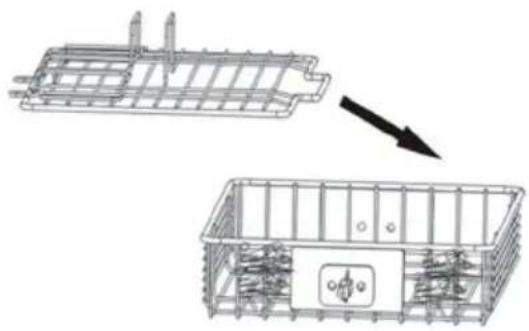
natural_image
Technical line drawing of a structural frame with internal components, showing an arrow indicating transformation (no text or symbols present)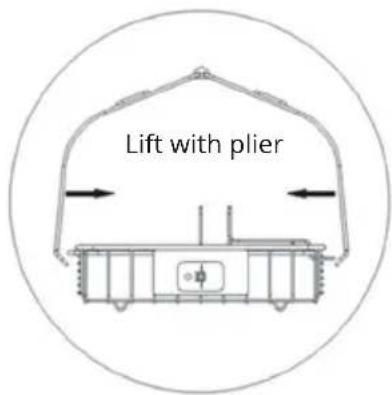
Skewer rack (optional)
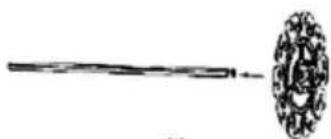
natural_image
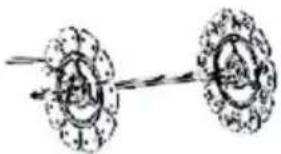
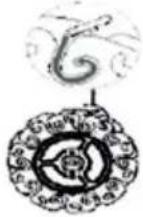
Simple line drawing of a long rod with a circular decorative element on the right (no text or symbols)(1)
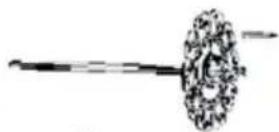
(2)
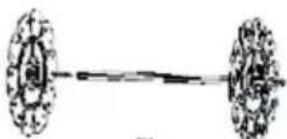
natural_image
Simple line drawing of a dumbbell with two circular components (no text or symbols)(3)
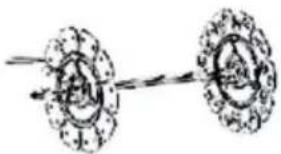
natural_image
Simple line drawing of two circular objects with a connecting rod, no text or symbols present(4)

(5)
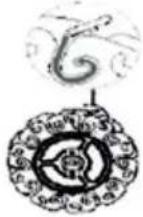
(6)
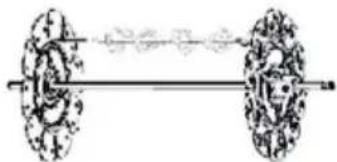
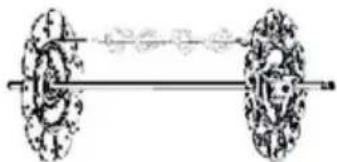
natural_image
Diagram of a dumbbell with two wheels and a connecting rod (no text or labels)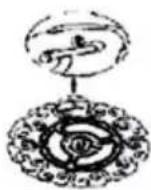
CLEANING AND CARE
- Unplug the appliance from the wall outlet and allow it to cool for at least 30 minutes.
- Remove the accessories.
- Clean the unit after each use. Do not use pointed or sharp kitchen utensils or abrasive cleaners to clean the accessories and the inside of the appliance, as these will damage the coating.
- Wipe the outside of the appliance with a damp cloth.
- Clean the accessories with hot water, a little dishwashing detergent and a non-abrasive sponge.
- Remove stubborn grease residues with a degreasing liquid.
- Clean the inside of the unit with a non-abrasive sponge.
- Clean the heating element with a cleaning brush to remove food residue.
- If you will not be using the unit for a long time, clean it before storing it.
DISPOSAL CONSIDERATIONS
natural_image
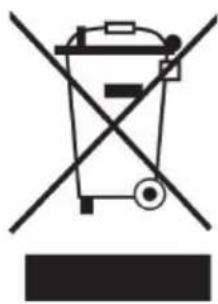
Symbol of a trash bin crossed with a diagonal line, no text or numbers presentIf there is a legal regulation for the disposal of electrical and electronic devices in your country, this symbol on the product or on the packaging indicates that this product must not be disposed of with household waste. Instead, it must be taken to a collection point for the recycling of electrical and electronic equipment. By disposing of it in accordance with the rules, you are protecting the environment and the health of your fellow human beings from negative consequences. For information about the recycling and disposal of this product, please contact your local authority or your household waste disposal service.
MANUFACTURER & IMPORTER (UK)
Manufacturer:
Chal-Tec GmbH, Wallstrasse 16, 10179 Berlin, Germany.
Importer for Great Britain:
Berlin Brands Group UK Limited
PO Box 42
272 Kensington High Street
London, W8 6ND
United Kingdom
Estimado cliente:
ÍNDICE DE CONTENIDOS
natural_image
Black circular plate with concentric rings, no text or symbols visibleSartén para freír
natural_image
Metallic cylindrical device with mesh pattern and two protruding pins (no visible text or symbols)Armazón para hornear
natural_image
Mechanical assembly diagram showing interconnected components (no text or symbols)natural_image
Line drawing of a simple fire extinguisher with a circular top and four legs (no text or symbols)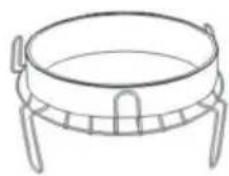
natural_image
Line drawing of a cylindrical object with four legs and a central rim (no text or symbols)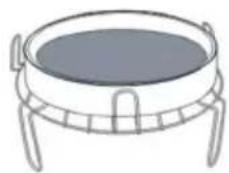
natural_image
Line drawing of a circular container with handles and legs (no text or symbols)flowchart
graph TD
    A["Tool"] --> B["Component"]
    B --> C["Rotated Wheel Component"]
    C --> D["Rotated Wheel Component"]
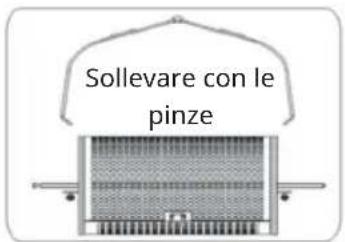
Griglia (optionales)
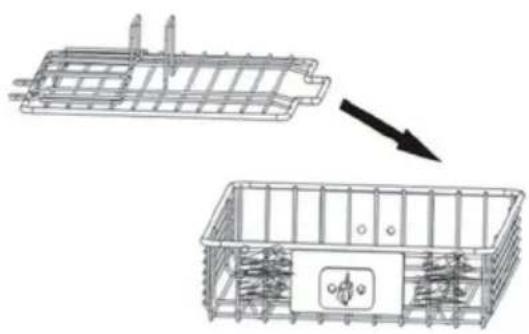
natural_image
Technical line drawing of a structural frame with internal components, showing an arrow indicating transformation (no text or symbols present)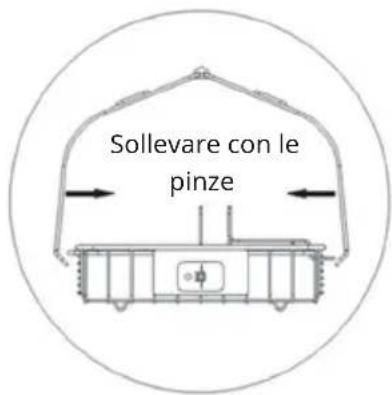
natural_image
Simple line drawing of a long rod with a circular decorative element on the right (no text or symbols)(1)

(2)
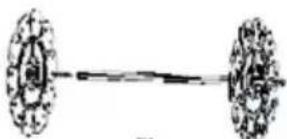
natural_image
Simple line drawing of a dumbbell with two circular components (no text or symbols)(3)

natural_image
Simple line drawing of two circular objects with a connecting rod, no text or symbols present(4)

(5)
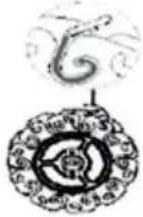
(6)
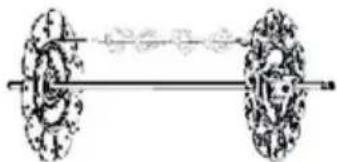
natural_image
Diagram of a dumbbell with two wheels and a connecting rod (no text or labels)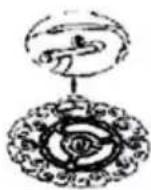
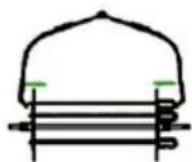
LIMPIEZA Y MANTENIMIENTO
natural_image
Symbol of a trash bin crossed with a diagonal line, no text or numbers presentBerlin Brands Group UK Limited
PO Box 42
272 Kensington High Street
London, W8 6ND
United Kingdom
Chère cliente, cher client,
SOMMAIRE
natural_image
Black circular plate with concentric rings, no text or symbols visiblePlat amovible
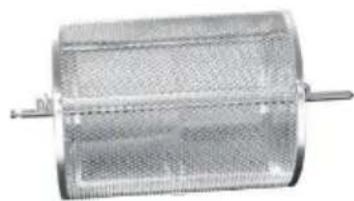
natural_image
Metallic cylindrical device with mesh pattern and two protruding pins (no visible text or symbols)Cage à cuisson
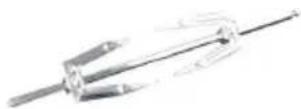
Broche à volaille
natural_image
Mechanical assembly diagram showing interconnected components (no text or symbols visible)Support tourne-broche
APERÇU DE L'APPAREIL
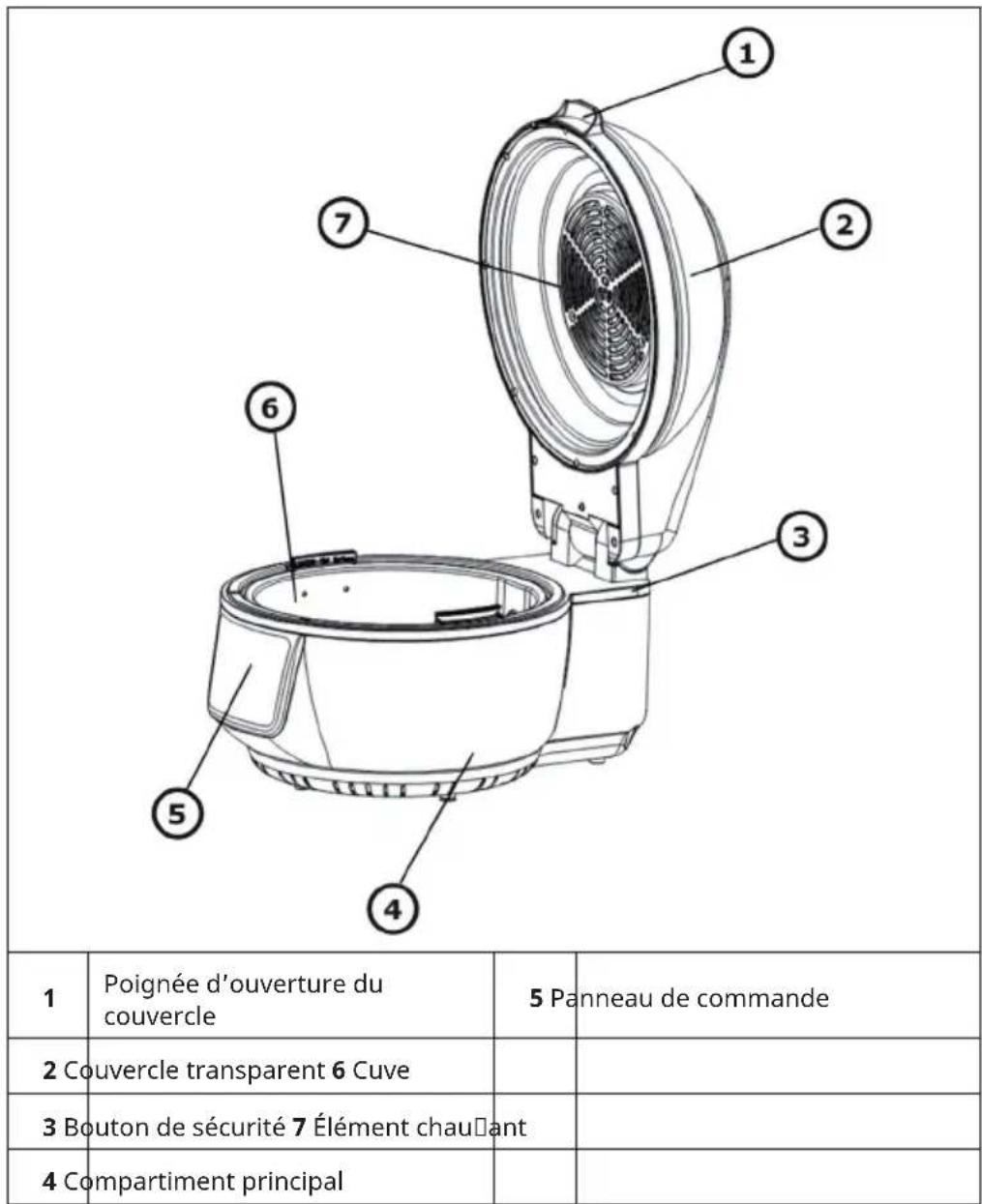
natural_image
Line drawing of a simple outdoor table with a round pan and four legs (no text or symbols)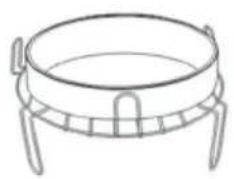
natural_image
Line drawing of a four-legged pot with a circular top and side handles (no text or symbols)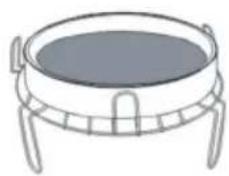
natural_image
Line drawing of a circular fire extinguisher with four legs (no text or symbols)Broche à volaille
flowchart
graph TD
    A["Tool"] --> B["Gear"]
    B --> C["Clamping Device"]
    C --> D["Final Clamping"]
Cage à cuisson
flowchart
graph TD
    A["Initial component"] --> B["Intermediate component"]
    B --> C["Final component with rotating parts"]
    C --> D["Rotated circular component with curved arrow indicating rotation path"]
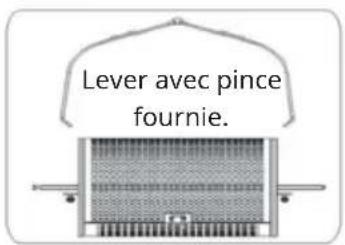
natural_image
Technical line drawing of a mechanical housing assembly with internal components, showing a transformation from a rectangular frame to a smaller enclosed unit (no text or symbols present)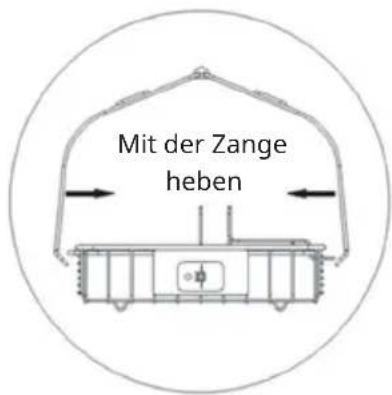
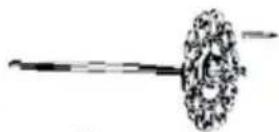
natural_image
Simple line drawing of a long rod with a circular decorative element on the right (no text or symbols)(1)
(2)
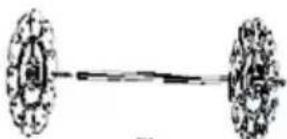
natural_image
Simple line drawing of a dumbbell with two circular components (no text or symbols)(3)
natural_image
Simple line drawing of two circular objects with a connecting rod, no text or symbols present(4)

(5)
(6)
natural_image
Diagram of a dumbbell with two wheels and a connecting rod (no text or labels)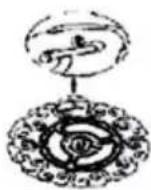
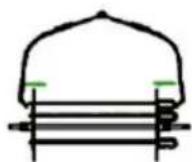
NETTOYAGE ET ENTRETIEN
natural_image
Symbol of a trash bin crossed with a diagonal line, no text or numbers presentBerlin Brands Group UK Limited
PO Box 42
272 Kensington High Street
London, W8 6ND
United Kingdom
Gentile cliente,
INDICE
natural_image
Black circular plate with concentric rings, no text or symbols visibleVassoio di metallo
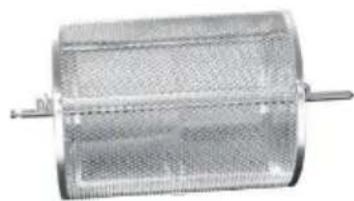
natural_image
Metallic cylindrical device with mesh pattern and two protruding pins (no visible text or symbols)Cestello griglia
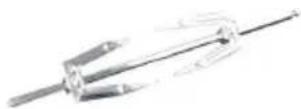
Spiedo per pollo
natural_image
Mechanical assembly diagram showing interconnected components (no text or symbols)Spiedini rotanti
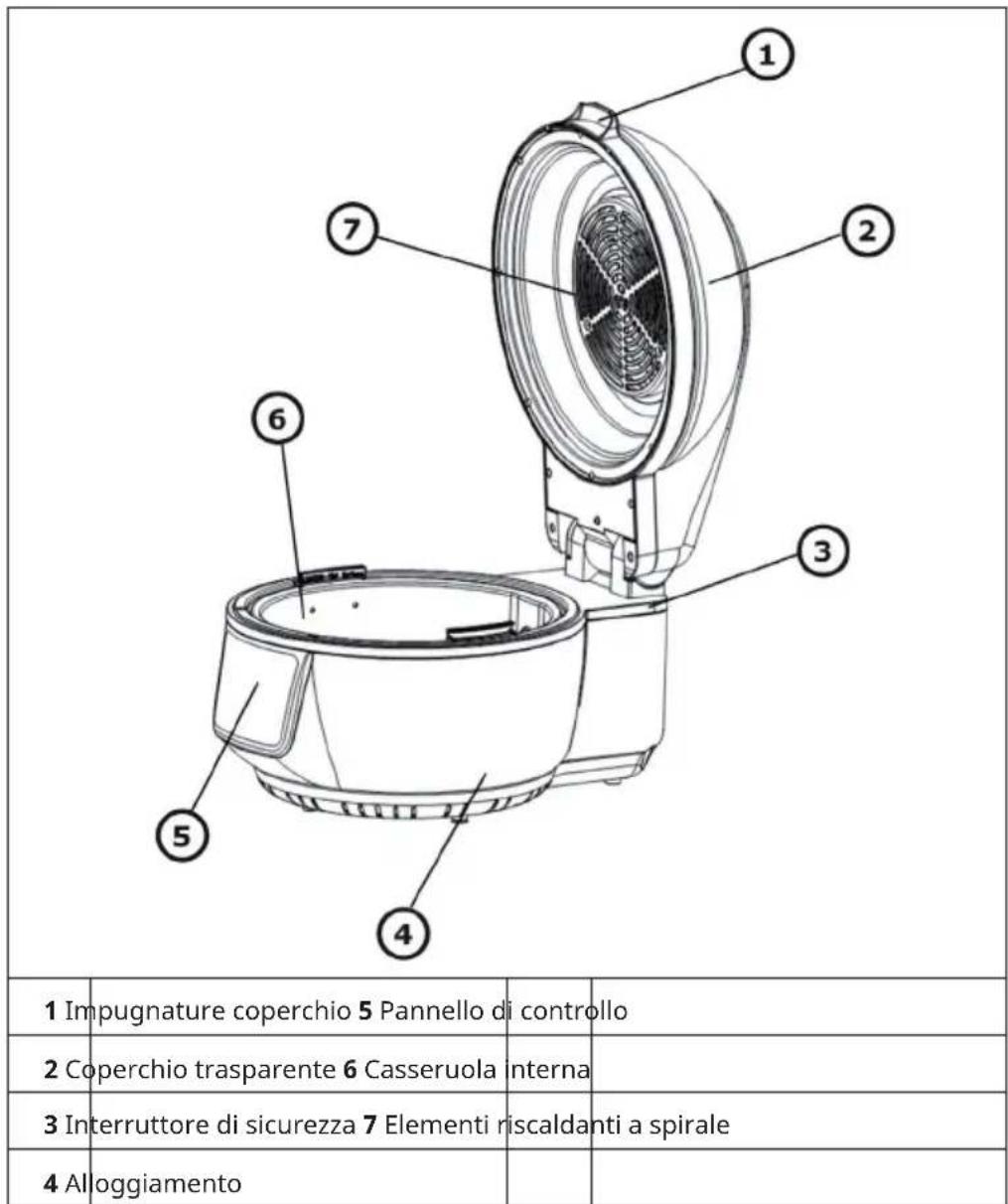
QUADRO GENERALE
natural_image
Line drawing of a simple outdoor table with a round pan and four legs (no text or symbols)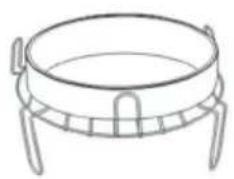
natural_image
Line drawing of a four-legged pot with a circular top and side handles (no text or symbols)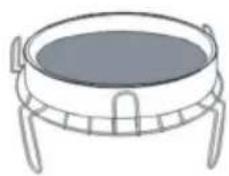
natural_image
Line drawing of a circular fire extinguisher with four legs (no text or symbols)Spiedo per pollo
flowchart
graph TD
    A["Tool"] --> B["Material"]
    B --> C["Final Product"]
Cestello Griglia
flowchart
graph TD
    A["Material with grid pattern"] --> B["Processing Unit"]
    B --> C["Product with circular component"]
    C --> D["Final Product"]
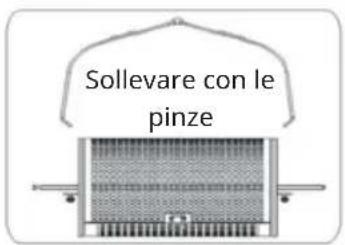
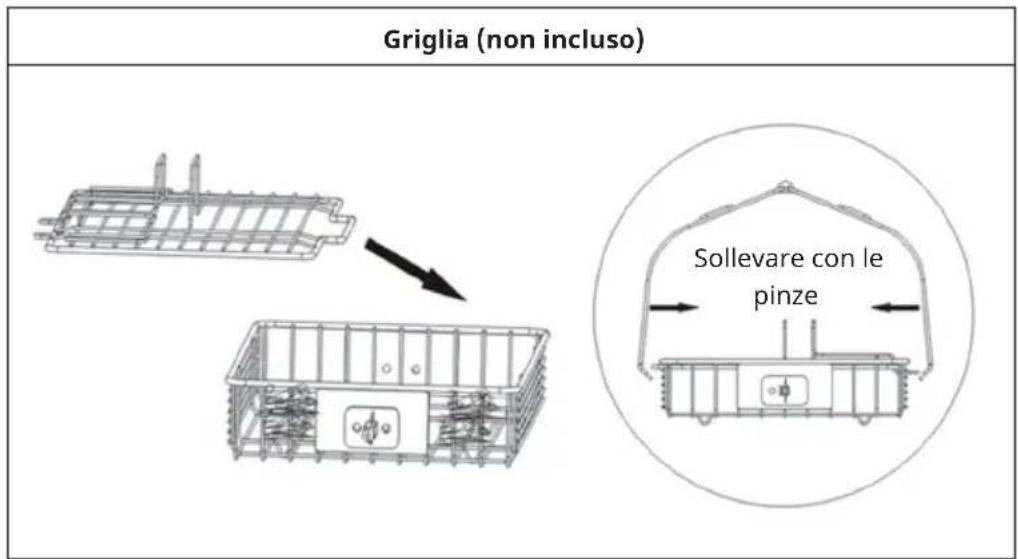
natural_image
Symbol of a trash bin crossed with a diagonal line, no text or numbers presentPRODUTTORE E IMPORTATORE (UK)
Produttore:
Chal-Tec GmbH, Wallstraße 16, 10179 Berlino, Germania.
Berlin Brands Group UK Limited
PO Box 42
272 Kensington High Street
London, W8 6ND
United Kingdom

area
| Category | Value | |---|---| | 1 | 100 | | 2 | 100 | | 3 | 100 | | 4 | 100 | | 5 | 100 | | 6 | 100 | | 7 | 100 | | 8 | 100 | | 9 | 100 | | 10 | 100 | | 11 | 100 | | 12 | 100 | | 13 | 100 | | 14 | 100 | | 15 | 100 | | 16 | 100 | | 17 | 100 | | 18 | 100 | | 19 | 100 | | 20 | 100 | | 21 | 100 | | 22 | 100 | | 23 | 100 | | 24 | 100 | | 25 | 100 | | 26 | 100 | | 27 | 100 | | 28 | 100 | | 29 | 100 | | 30 | 100 | | 31 | 100 | | 32 | 100 | | 33 | 100 | | 34 | 100 | | 35 | 100 | | 36 | 100 | | 37 | 100 | | 38 | 100 | | 39 | 100 | | 40 | 100 | | 41 | 100 | | 42 | 100 | | 43 | 100 | | 44 | 100 | | 45 | 100 | | 46 | 100 | | 47 | 100 | | 48 | 100 | | 49 | 100 | | 50 | 100 | | 51 | 100 | | 52 | 100 | | 53 | 100 | | 54 | 100 | | 55 | 100 | | 56 | 100 | | 57 | 100 | | 58 | 100 | | 59 | 100 | | 60 | 100 | | 61 | 100 | | 62 | 100 | | 63 | 100 | | 64 | 100 | | 65 | 100 | | 66 | 100 | | 67 | 100 | | 68 | 100 | | 69 | 100 | | 70 | 100 | | 71 | 100 | | 72 | 100 | | 73 | 100 | | 74 | 100 | | 75 | 100 | | 76 | 100 | | 77 | 100 | | 78 | 100 | | 79 | 100 | | 80 | 100 | | 81 | 100 | | 82 | 100 | | 83 | 100 | | 84 | 100 | | 85 | 100 | | 86 | 100 | | 87 | 100 | | 88 | 100 | | 89 | 100 | | 90 | 100 | | 91 | 100 | | 92 | 100 | | 93 | 100 | | 94 | 100 | | 95 | 100 | | 96 | 100 | | 97 | 100 | | 98 | 100 | | 99 | 100 | | Note: The actual values in the 'Value' column are not provided in the code. I have used the label 'The Region' to represent the 'Region'. The values are estimated based on the provided code.
KLARSTEIN


- INHALTSVERZEICHNIS
- GERÄTEÜBERSICHT
- Dear Customer,
- CONTENT
- TECHNICAL DATA
- SAFETY INSTRUCTIONS
- CAUTION
- ACCESSORIES
- DEVICE OVERVIEW
- OPERATION
- Basic Procedures
- USAGE OF THE ACCESSORIES
- CLEANING AND CARE
- DISPOSAL CONSIDERATIONS
- MANUFACTURER & IMPORTER (UK)
- Manufacturer:
- Importer for Great Britain:
- Estimado cliente:
- ÍNDICE DE CONTENIDOS
- LIMPIEZA Y MANTENIMIENTO
- SOMMAIRE
- APERÇU DE L'APPAREIL
- NETTOYAGE ET ENTRETIEN
- Gentile cliente,
- INDICE
- QUADRO GENERALE
- PRODUTTORE E IMPORTATORE (UK)
- Produttore:
- KLARSTEIN
Brand : Klarstein
Model : 10028290
Category : Deep fryer