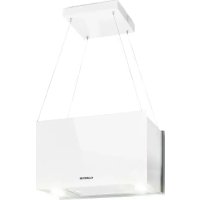
USER MANUAL 10033107 Klarstein
| L1 = weiß L2 = rot L3 =�� | | |
| L4 = blau L5 = geltb L6 = lila | | |
| L7 = orange L8 = Türkis L9 = | Grün-gelb | |
Member of Berlin Brands Group
Handwerkerstr. 11
15366 Dahlwitz-Hoppegarten
Deutschland
Berlin Brands Group UK Ltd
PO Box 1145
Oxford,OX1 9UW
United Kingdom
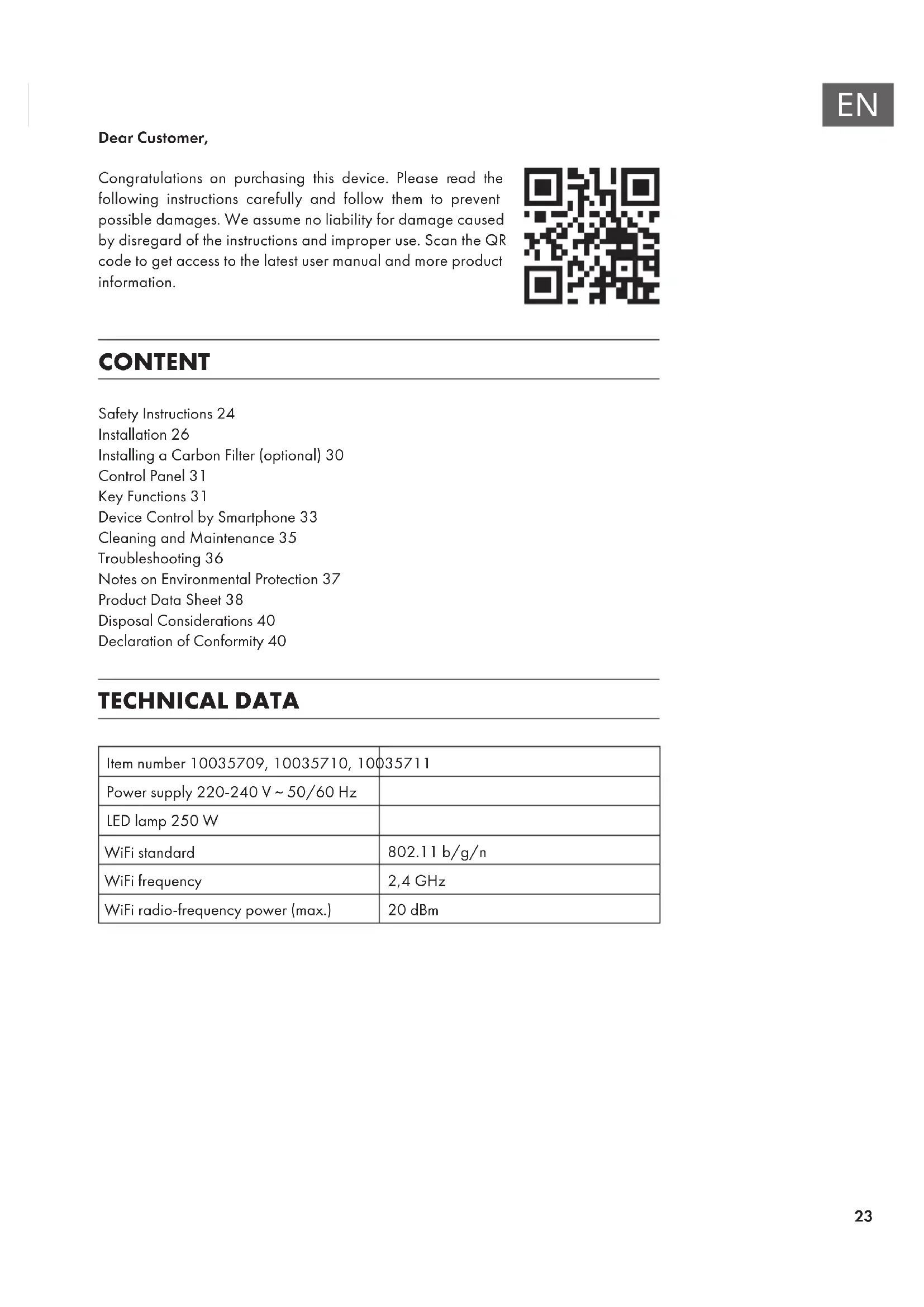
Congratulations on purchasing this device. Please read the following instructions carefully and follow them to prevent possible damages. We assume no liability for damage caused by disregard of the instructions and improper use. Scan the QR code to get access to the latest user manual and more product information.

CONTENT
Safety Instructions 24
Installation 26
Installing a Carbon Filter (optional) 30
Control Panel 31
Key Functions 31
Device Control by Smartphone 33
Cleaning and Maintenance 35
Troubleshooting 36
Notes on Environmental Protection 37
Product Data Sheet 38
Disposal Considerations 40
Declaration of Conformity 40
TECHNICAL DATA
| Item number 10035709, 10035710, 10035711 |
| Power supply 220-240 V ~ 50/60 Hz | |
| LED lamp 250 W | |
| WiFi standard | 802.11 b/g/n |
| WiFi frequency | 2,4 GHz |
| WiFi radio-frequency power (max.) | 20 dBm |
SAFETY INSTRUCTIONS
- Thank you for purchasing this cooker hood. Please read the instruction manual carefully before you use the cooker hood, and keep it in a safe place.
- The installation work must be carried out by a qualified electrician or competent person. Before you use the cooker hood, make sure that the voltage (V) and the frequency (Hz) indicated on the cooker hood are exactly the same as the voltage and the frequency in your home.
- The manufacturer and the agent will not bear any responsibility for the damage caused by inappropriate installation and usage.
Children under the age of 8 must not use the cooker hood.
- The appliance is not intended for commercial use, but only for household and similar environments.
- The cooker hood and its filter mesh should be cleaned regularly in order to keep it in good working order.
- Before cleaning, switch the power off at the main supply.
- Clean the cooker hood according to the instruction manual and keep the cooker hood from the danger of burning.
- Prohibit putting the cooker hood by fire.
- If the appliance does not function normally, contact the manufacturer or a specialist company.
- This device may be only used by children 8 years old or older and persons with limited physical, sensory and mental capabilities and / or lack of experience and knowledge, provided that they have been instructed in use of the device by a responsible person who understands the associated risks.
- If the supply cord is damaged, it must be replaced by the manufacturer, its service agent or similarly qualified persons in order to avoid a hazard.
- If the range hood is used at the same time as appliances burning gas or other fuels, the room must be adequately ventilated.
- Do not flambé under the range hood. Accessible parts may become hot when used with cooking appliances.
Important hints on installation
- The air must not be discharged into a flue that is used for exhausting fumes from appliances burning gas or other fuels (not applicable to appliances that only discharge the air back into the room).
- Regulations concerning the discharge of air have to be fulfilled.

WARNING
Risk of poisoning from exhaust gases sucked back. Never operate the device in extraction mode simultaneously with an open flue appliance when there is not adequate airflow guaranteed.
Open flue combustion equipment (for example, gas, oil, wood or coal-fired heaters, tankless water heaters, water heaters) pulls combustion air from the room and runs it through an exhaust pipe or chimney to the outside. In the extraction mode, indoor air is removed from the kitchen and the adjacent rooms - without sufficient air intake this creates a vacuum. Toxic gases from the chimney or extraction flue can thereby be sucked back into the living spaces.
- Always ensure that a sufficient supply of fresh air is guaranteed and that the air can circulate.
- An air supply / extractor box alone does not ensure compliance with the limit value.
Safe operation is only possible when the negative pressure in the room where the appliance is located does not exceed 4 Pa (0.04 mbar). This can be achieved when the air required for combustion can flow through openings that are not closable, for example in doors, windows, in conjunction with an air supply / extractor box or through other technical measures. In any case, consult a qualified chimney sweep who can assess the entire ventilation of your house and propose appropriate measures for adequate ventilation.
If the hood is used exclusively in the recirculation mode, unrestricted operation is possible.
Important note on disassembly of the device
- Disassembly is similar to installation/assembly in reverse order.
Take a second person to help you during disassembly to avoid injuries.
INSTALLATION
Installation (Vent outside)
Note: When the range hood and appliance supplied with energy other than electricity are simultaneously in operation, the negative pressure in the room must be not exceed 4Pa (4× 10^-5Bar)
Installation (Vent inside)
If you do not have an outlet to the outside, exhaust pipe is not required and the installation is similar to the one show in section "Installation (Vent outside)".
The following rules must be strictly observed to ensure optimum air extraction. Failure to follow these instructions will reduce performance and increase the noise level of the cooker hood.
- Lay the exhaust pipe as short and straight as possible.
- Do not use a smaller exhaust duct and do not confine it.
- If flexible ducts are used, the duct must always be mounted tightly in order to minimise pressure loss.
- All installation work may only be carried out by a qualified electrician or a qualified person.
- Do not connect the exhaust duct of the cooker hood to an existing ventilation system used for another appliance, such as a chimney.
- The angle of the exhaust pipe bend should not be less than 120^ . Align the pipe horizontally. Alternatively, the duct should go up from the starting point and be led to an outer wall.
- After installation, make sure that the cooker hood is level to prevent grease from accumulating on one side.
- Make sure that the exhaust duct selected for the installation complies with the relevant standards and is fire-resistant.
Preparation
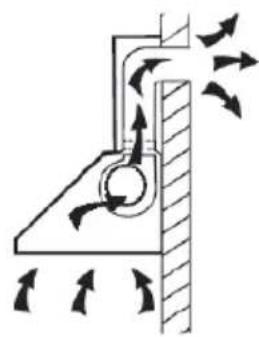
If you have an outlet to the outside, your cooker hood can be connected as below picture by means of an extraction duct (enamel, aluminium, flexible pipe or inflammable material with an interior diameter of 150mm ).
- Before installation, turn the unit off and unplug it from the outlet.
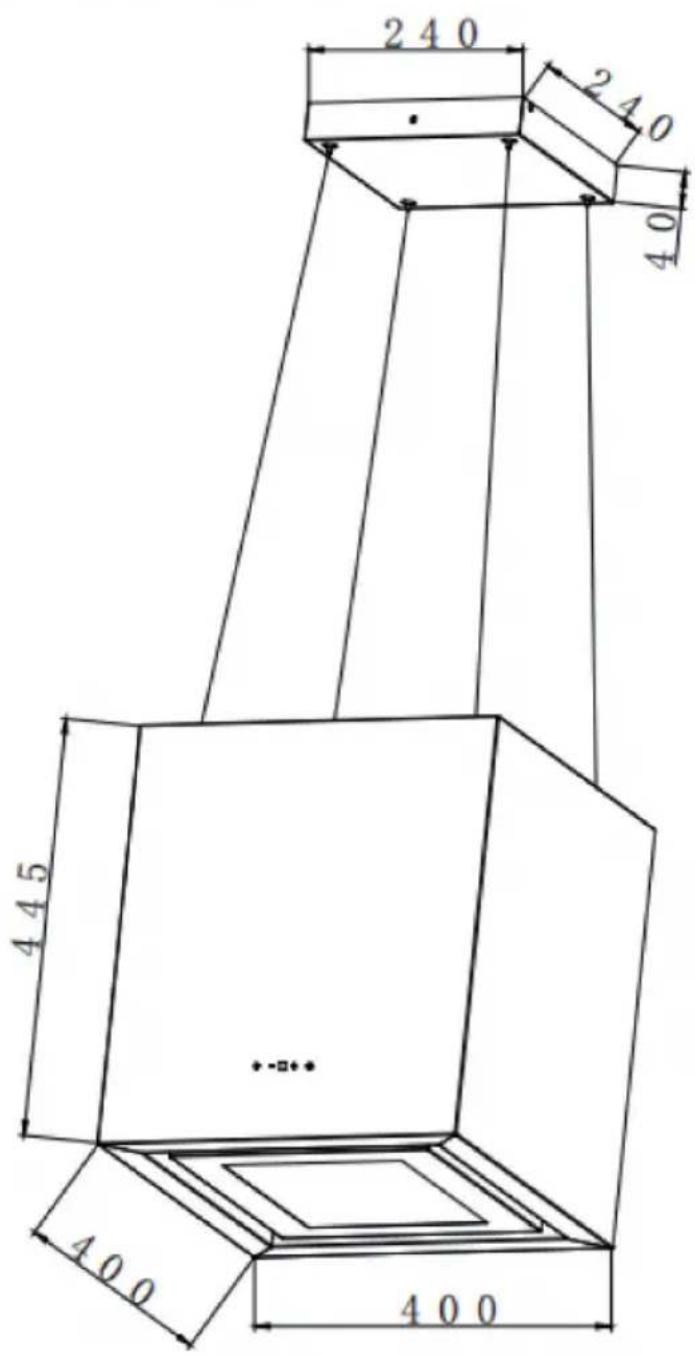
The cooker hood should be placed at a distance of 65 75~cm above the cooking plane for best effect.
Mounting on the ceiling
| 1 |
| Position the mounting plate of the cooker hood on the ceiling and mark the position of the drill holes. | |
| 2 |
| Once you have placed the appropriate fastening material (dowels, anchors) in the ceiling and fastened it securely, screw the mounting plate tight. | |
| 3 |
| Fasten the decor plate to the mounting plate using 2 ST4*8 mm screws. | ST4 x 8 |
| 4 |
| Lift the cooker hood upwards with another person. Attach the retaining ropes to the corresponding brackets on the top of the cooker hood.
Adjust the length of the holding ropes before attaching the body of the cooker hood to the holding ropes. | |
INSTALLING A CARBON FILTER (OPTIONAL)
| 1 | 2 |
| Activated carbon filter can be used to trap odours. | In order to install the activated carbon filter, the grease filter should be detached first. Press the lock and pull it downward. |
| 3 |
| Plug the activated carbon filter into the unit and turn it in clockwise direction. Repeat the same on the other side. Make sure the filter is securely locked. Otherwise, it would loosen and cause dangerous. When activated carbon filter attached, the suction power will be lower. |
CONTROL PANEL
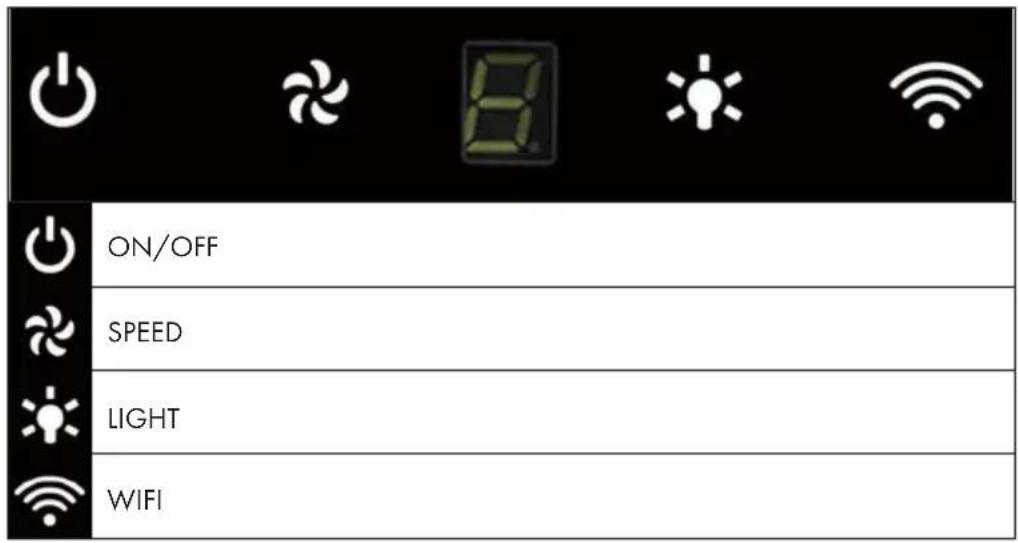
KEY FUNCTIONS
On/Off
Press the ON/OFF button briefly to switch on the cooker hood. When you switch on the unit for the first time, the fan runs at speed 1. When you switch off the unit, it remembers the last speed set.
Setting the speed
- Briefly press the SPEED button several times to set the desired speed: Level 1 (low) > Level 2 (medium) > Level 3 (high).
- Press the SPEED key once for a long time to set the highest speed. In the display, [b] flashes for the Booster function. After 5 minutes, the speed automatically changes to level 3.
Setting the switch-off delay
When the unit is in standby mode, press and hold the SPEED + LIGHT keys simultaneously to set the fan to turn off with a 5 minute delay. The current speed flashes in the display and the time is counted down. After the time has elapsed, all keys will dim down while the display continues to flash and a signal sounds. Press any key or wait 5 seconds to switch to standby mode. To cancel the delay, press and hold the SPEED + LIGHT keys simultaneously during the countdown.
Light on/off
Briefly press the LIGHT key to switch the light on. Press the key again to switch the light off.
Setting the light color
Press and hold the light key to set the light color. The display shows [0]. Now briefly press the speed key several times to adjust the light color from [L1] to [L9]:
| L1 = white L2 = red L3 = green | | |
| L4 = blue L5 = yellow L6 = purple | | |
| L7 = orange L8 = cyan L9 = green-yellow | | |
After setting the desired color, long press the LIGHT button again to complete the setting.
Enable WIFI
In standby mode, long press the WIFI button to activate the WIFI function. The WIFI icon will start flashing. Set up the connection as described in the chapter „Device Control by Smartphone". As soon as the connection is successful, the WIFI symbol lights up continuously. If no connection is established within 3 minutes, the WIFI icon stops flashing and the device automatically switches to standby mode.
DEVICE CONTROL BY SMARTPHONE
If you integrate the device into your home WiFi, you can conveniently operate it via the associated Klarstein app. The app not only allows you to remotely control the device via your smartphone, but also gives you access to recipes and additional information.
Follow these steps to connect your smartphone to your Klarstein device:
1 Download the Klarstein app first by scanning the QR code with your smartphone (see below), or download it directly from App Store or Google Play.
2 Make sure your smartphone is connected to the same WiFi network that your Klarstein device is to be connected to.
3 Open the Klarstein app.
4 Sign in to your account. If you do not have an account, sign up in the Klarstein app.
5 Follow the instructions from the app.
App Download
Use the scan function of your smartphone to scan the QR code and save the app on your smartphone.
Note: The app provides further information on how to use the app and help on how to connect to your device as soon as you open it for the first time.

iOS Android

Troubleshooting connection problems
If your Klarstein device cannot be found in the WLAN, check the following:
Is the device plugged in?
- Is the WiFi feature of my phone enabled?
- Is the WiFi function of the Klarstein device activated? (Follow the instructions in the app)
- Has the WLAN password been entered correctly?
- Are the router, Klarstein device and smartphone in the immediate vicinity during the connection attempt? (Ideally no more than 5 m apart)
- If you have deactivated the 2.4 GHz band in the settings of your wireless router, activate it in your router settings.
Note: For further help, follow the instructions in the app when setting up the connection.
CLEANING AND MAINTENANCE
Turn off the cooker hood before cleaning and maintenance and unplug the appliance from the wall outlet. The exterior surfaces are susceptible to scratches and stains.
Therefore, do not use abrasive cleaners and wipe away any alkaline or acidic residue (lemon juice, vinegar) immediately after cleaning.
Stainless Steel Surfaces
The stainless steel must be cleaned regularly to ensure a long service life. Use stainless steel cleaner. Always wipe along the grain of the stainless steel to prevent scratching.
Control Panel
The control panel can be cleaned with a damp cloth and a mild dishwashing detergent. Before cleaning, make sure the cloth is clean and well wrung. Use a dry, soft cloth to remove excess moisture after cleaning.
Monthly Cleaning for Grease Filter
Clean the filter every month can prevent any risk of fire. The filter collects grease, smoke and dust, so the filter is directly affecting the efficiency of the cooker hood. If not cleaned, the grease residue (potential flammable) will saturate on the filter. Clean it with household cleaning detergent.
TROUBLESHOOTING
| Fault Possible Cause Solution | | |
| Light on, but motor does not work. | The leaf blocked. Get rid of | the blocking. |
| The capacitor damaged. Replace capacitor. |
| The motor jammed bearing damaged. | Replace motor. |
| The internal with of motor off or a bad smell from the motor. | Replace motor. |
| Light does not work, motor does not work. | Light damaged. Replace lights. |
| Power cord looses. Connect | the wires as per the electric diagram. |
| Shake of the body. The leaf | damaged and causes shaking. | Replace the leaf. |
| The motor is not tightly hanged. | Lock the motor tightly. |
| The body is not tightly hanged. | Fixed the body tightly. |
| Insufficient suction. The distance between the body and the gas top too long. | Readjust the distance. |
| Too much ventilation from open doors or windows. | Choose a new place and resemble the machine. |
NOTES ON ENVIRONMENTAL PROTECTION
- During cooking, make sure that there is sufficient air supply so that the cooker hood can operate efficiently and with low operating noise.
- Adjust the fan speed to the amount of steam produced during cooking. Use the intensive mode only when necessary. The lower the fan speed, the less energy is consumed.
- If large amounts of steam are produced during cooking, select a higher fan speed in good time. If the cooking steam has already dispersed in the kitchen, the cooker hood must be operated longer.
- Switch off the cooker hood when you no longer need it.
- Switch off the lighting when you no longer need it.
- Clean the filter at regular intervals and replace it if necessary to increase the effectiveness of the ventilation system and prevent fire hazards.
Always put the lid on when cooking to reduce cooking steam and condensation.
PRODUCT DATA SHEET
Measurement and calculation methods according to EN 61591:1997+A1:2006+A2:20 11+A11:2014+A12:2015
| Item number | 10035709, 10035710, 10035711 |
| Description Symbol Value Unit | | | |
| Annual Energy Consumption AEC | hood | 44,3 kWh/Year | |
| Energy Efficiency class A | | | |
| Fluid Dynamic Efficiency FDE | hood | 29,7 | |
| Fluid Dynamic Efficiency class B | | | |
| Lighting Efficiency LE | hood | 9 Lux/W | |
| Lighting Efficiency class | | E | |
| Grease Filtering Efficiency | GFBlood | 55,7 % | |
| Grease Filtering Efficiency class | | E | |
| air flow at minimum and maximum speed in normal use, intensive or boost excluded | | 243,2/498,9 | m³/h |
| air flow at intensive or boost setting | | 595,5 | |
| airborne acoustical A-weighted sound power emissions at minimum and maximum speed available in normal use | | 46/64 | dB |
| airborne acoustical A-weighted sound power emissions at intensive or boost setting | | 67 | dB |
| power consumption in off mode | Po | 0,37 | W |
| power consumption in standby mode | Ps | - | W |
| Contact details | Chal-Tec GmbH, Wallstraße 16, 10179, Berlin, Germany |
Measurement and calculation methods according to EN 61591:1997+A1:2006+A2:20
11+A11:2014+A12:2015
| Item number | 10035709, 10035710, 10035711 |
| Description Symbol Value Unit | | | |
| Annual Energy Consumption AEC | hood | 44,3 kWh/Year | |
| Time increase factor f 0,9 | | | |
| Fluid Dynamic Efficiency FDE | hood | 29,7 | |
| Energy Efficiency Index EEI | hood | 54,8 | |
| Measured air flow rate at best efficiency point | QBEP | 282 m³/h | |
| Measured air pressure at best efficiency point | PBEP | 403 Pa | |
| Maximum air flow Q | max | 498,9 m³/h | |
| Measured electric power input at best efficiency point | WBEP | 106,4 W | |
| Nominal power of the lighting system | WL | 10 | W |
| Average illumination of the lighting system on the cooking surface | Emiddle | 114 | Lux |
| Measured power consumption in standby mode | Po | - | W |
| Measured power consumption off mode | Ps | 0,37 | W |
| Sound power level | LWA | 64 | dB |
| Contact details | Chal-Tec GmbH, Wallstraße 16, 10179, Berlin, Germany |
DISPOSAL CONSIDERATIONS
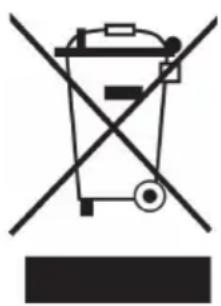
If there is a legal regulation for the disposal of electrical and electronic devices in your country, this symbol on the product or on the packaging indicates that this product must not be disposed of with household waste. Instead, it must be taken to a collection point for the recycling of electrical and electronic equipment. By disposing of it in accordance with the rules, you are protecting the environment and the health of your fellow human beings from negative consequences. For information about the recycling and disposal of this product, please contact your local authority or your household waste disposal service.
This product contains batteries. If there is a legal regulation for the disposal of batteries in your country, the batteries must not be disposed of with household waste. Find out about local regulations for disposing of batteries. By disposing of them in accordance with the rules, you are protecting the environment and the health of your fellow human beings from negative consequences.

Manufacturer:
Chal-Tec GmbH, Wallstrasse 16, 10179 Berlin, Germany.
Importer for Great Britain:
Berlin Brands Group UK Ltd
PO Box 1145
Oxford,OX19UW
United Kingdom
Hereby, Chal-Tec GmbH declares that the radio equipment type Kronleuchter Smart is in compliance with Directive 2014/53/EU. The full text of the EU declaration of conformity is available at the following internet address: use.berlin/10035709
For Great Britain: Hereby, Chal-Tec GmbH declares that the radio equipment type Kronleuchter Smart is in compliance with the relevant statutory requirements. The full text of the declaration of conformity is available at the following internet address: use. Berlin/10035709
Estimado cliente,
Berlin Brands Group UK Ltd
PO Box 1145
Oxford, OX1 9UW
United Kingdom
Chere cliente, cher client,
FICHE DE DONNÉES PRODUIT
Berlin Brands Group UK Ltd
PO Box 1145
Oxford,OX1 9UW
United Kingdom
Berlin Brands Group UK Ltd
PO Box 1145
Oxford, OX1 9UW
United Kingdom