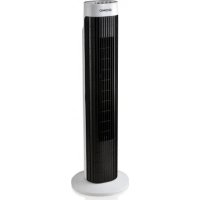
DO8125 - Fan DOMO - Free user manual and instructions
Find the device manual for free DO8125 DOMO in PDF.



| Brand | DOMO |
| Model | DO8125 |
| Product type | Pedestal fan |
| Power supply | 220-240 V ~ 50 Hz |
| Rated power | 45 W |
| Number of speeds | 3 speeds (LOW, MID, HIGH) |
| Built-in timer | Yes, from 1 to 120 minutes |
| Oscillation | Yes, controlled by SWING button |
| Reset function | Yes, RESET button |
| Housing material | ABS plastic |
| Color | White and grey |
| Dimensions (height x width x depth) | 50 x 30 x 30 cm |
| Net weight | 2.2 kg |
| Maintenance and cleaning | Clean with a damp cloth and soapy water. Do not use solvents. |
| Safety | Unplug before cleaning; do not immerse; do not use outdoors. |
| Warranty | 2 years (accessories: 6 months) |
| Customer service | +32 14 21 71 91, info@linea2000.be |
| Spare parts and repairability | Contact customer service for original parts. Repairs by approved professional. |
| Domestic use | Yes, in dry indoor rooms |
| Included accessories | Base to fix, instruction manual |
Frequently Asked Questions - DO8125 DOMO
User questions about DO8125 DOMO
0 question about this device. Answer the ones you know or ask your own.
Ask a new question about this device
Download the instructions for your Fan in PDF format for free! Find your manual DO8125 - DOMO and take your electronic device back in hand. On this page are published all the documents necessary for the use of your device. DO8125 by DOMO.
USER MANUAL DO8125 DOMO
natural_image
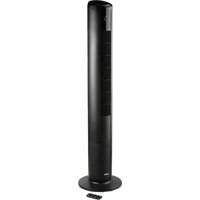
Black and white vertical tower with grid pattern, labeled 'DOMO' on top (no other text or symbols visible)DO8125
natural_image
Two black-and-white icons: a triangular warning symbol with an exclamation mark and an open book (no text or symbols present)natural_image
Recycling symbol icon with three chasing arrows inside a rounded square (no text or labels)AVANT LA PREMIÈRE UTILISATION
natural_image
Recycling symbol icon with three chasing arrows forming a triangle (no text or labels)natural_image
Recycling symbol icon with three chasing arrows forming a triangle (no text or labels)All of our products are always submitted to a strict quality control before they are sold to you. Should you nevertheless experience problems with your device, we sincerely regret this.
In that case, we kindly request you to contact our customer service.
Our staff will gladly assist you.

+32 14 21 71 91

info@linea2000.be
Monday – Thursday: 8.30 – 12.00 and 13.00 – 17.00
Friday: 8.30 – 12.00 and 13.00 – 16.30
This appliance has a two year warranty period. During this period the manufacturer is responsible for any failures that are the direct result of construction failure. When these failures occur the appliance will be repaired or replaced if necessary. The warranty will not be valid when the damage to the appliance is caused by wrong use, not following the instructions or repairs executed by a third party. The guarantee is issued with the original till receipt. All parts, which are subject to wear, are excluded from the warranty.
If your device breaks down within the 2-year warranty period, you can return the device together with your receipt to the shop where you purchased it.
The guarantee on accessories and components that are liable to wear-and-tear is only 6 months.
The guarantee and responsibility of the supplier and manufacturer lapse automatically in the following cases:
· If the instructions in this manual have not been followed.
· In case of incorrect connection, e.g., electrical voltage that is too high.
· In case of incorrect, rough or abnormal use.
· In case of insufficient or incorrect maintenance.
- In case of repairs or alterations to the device by the consumer or non-authorised third parties.
- If the customer used parts or accessories that are not recommended or provided by the supplier / manufacturer.
SAFETY INSTRUCTIONS
- This appliance may be used by children from the age of 16 and up, and also by persons with a physical or sensory limitation, as well as mentally limited persons or persons with a lack of experience and knowledge. But only on the condition that these persons have received the necessary instructions on how to use this appliance in a safe way and know the dangers that can occur by using this appliance.
- Children cannot be allowed to play with the appliance.
- Maintenance and cleaning of the appliance may not be done by children, unless they are older than 16 years old and are under supervision. Keep the appliance out of reach of children younger than 16 years old.
- This appliance is suitable to be used in a household environment and in similar surroundings such as:
· Kitchen for personnel of shops, offices or other similar professional surroundings
· Farms
· Hotel or motel rooms and other surroundings with a residential character
· Guest rooms or similar
- Attention: This appliance cannot be used with an external timer or a separate remote control.
- Read all instructions before use.
- Before use, check if the voltage stated on the appliance corresponds with the voltage of the power net at your home.
- Do not let the cord hang on a hot surface or on the edge of a table or counter top.
- Never use the appliance when the cord or plug is damaged, after malfunction or when the appliance itself is damaged. In that case, take the appliance to the nearest qualified service center for check-up and repair.
- Close supervision is necessary when the appliance is used near or by children.
- The use of accessories that are not recommended or sold by the manufacturer can cause fire, electrical shock or injuries.
- Unplug the appliance when it is not in use, before assembling or disassembling any parts and before cleaning the appliance. Put all buttons and knobs into the 'off' position and unplug the appliance by grasping the plug. Never unplug by pulling the cord.
· Do not leave a working appliance unattended. - Never place this appliance near a gas stove or electrical stove or in a place where it may come into contact with a warm appliance.
- Do not use the appliance outdoors.
- Only use the appliance for its intended use.
· Always use the appliance on a steady, dry and level surface. - Only use the appliance for domestic use. The manufacturer can not be held responsible for accidents that result from improper use of the appliance or not following the instructions described in this manual.
· All repairs should be carried out by the manufacturer or its aftersales service.
· Never immerse the appliance, the cord or the plug in water or any other liquid.
· Make sure that children do not touch the cord or appliance.
- Keep the cord away from sharp edges and hot parts or other heat sources.
· Before use, remove all packaging materials and any promotional stickers.
- Do not insert any objects into the fan, as this may cause electric shock, injuries or damage to the appliance. Do not block or tamper with the fan when it is operating.
- Do not use this fan in any wet or humid areas. Do not place the fan too close to a bath tub or any other water container.
PARTS
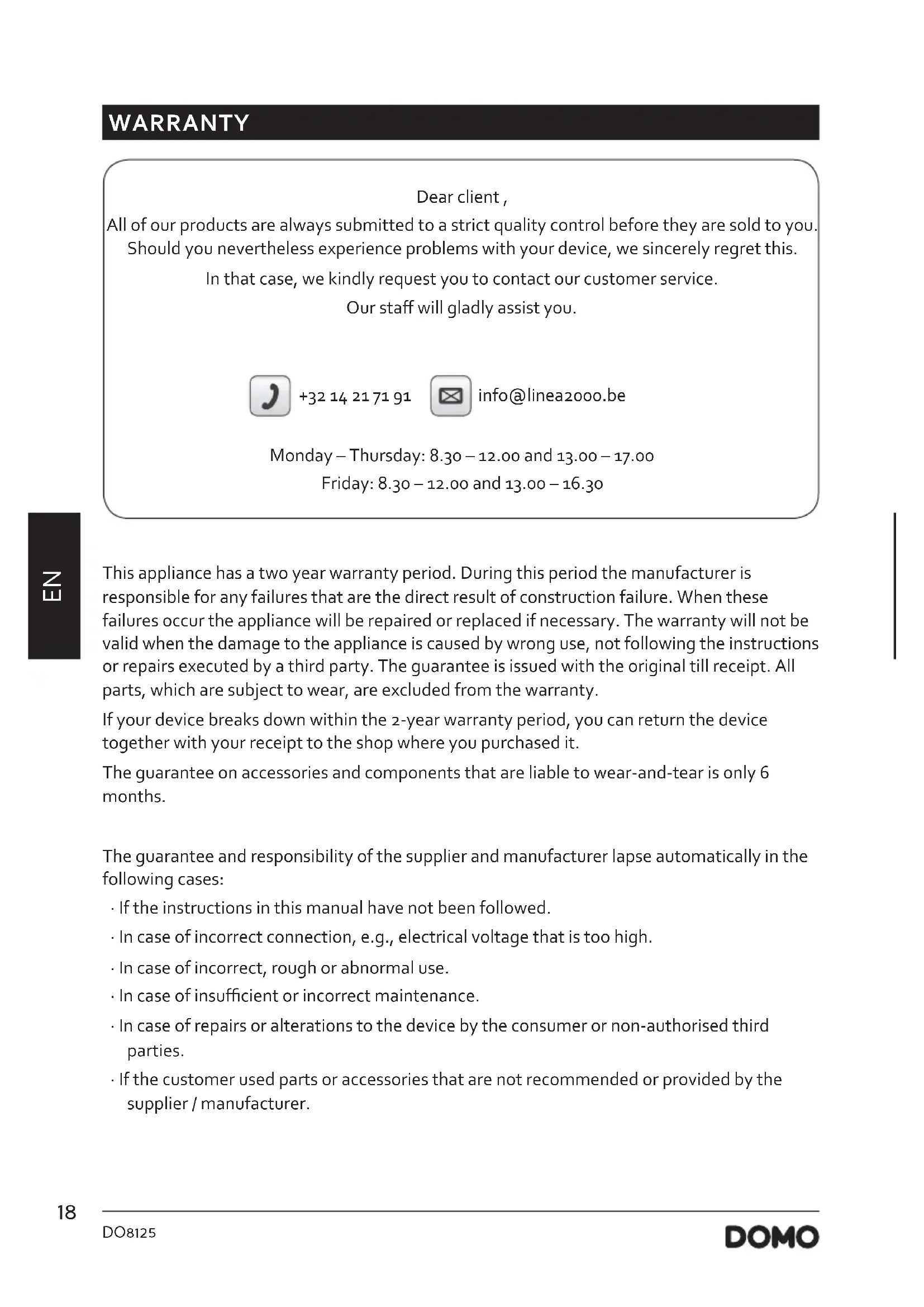
- Air outlet
- Air inlet
- Base
- Control panel
- Timer
- Reset button (RESET)
- Speed control (HIGH-MID-LOW)
- Oscillation (SWING)
BEFORE THE FIRST USE
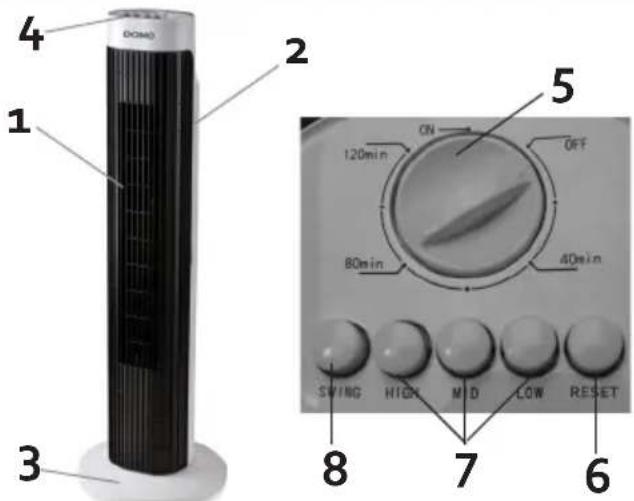
By following these steps, you can attach the base of the appliance:
- Feed the electric lead through the central opening in the back (A) of the base.
- Place the front side of the base (B) on the back of the base.
- Slide the whole thing onto the appliance and fasten the base with the accompanying screw plug.
USE
- To turn the appliance on, set the timer to ON and set the desired speed. HIGH is the highest speed, LOW the lowest and MID is in between.
· To reset the speed, press the RESET button. Then you can choose another speed.
· To switch the appliance off, turn the knob to OFF. - TIMER: You can set the time for a time period between 1 and 120 minutes. To set the time, turn the knob clockwise to the desired time. When the set time has passed, the appliance will stop working.
Caution: never turn the timer counter-clockwise from ON to 120 min.
- SWING: to have the appliance oscillate, press the SWING button. This is only possible if the appliance is turned on. To stop the oscillation, press this button once again.
CLEANING AND MAINTENANCE
- Use a soft tissue or cloth to clean. In case dirt or grime does not come off easily, use soapy water.
- Do not use benzine thinner or other solvents.
- Note: Prior to cleaning the appliance, it is best to remove the plug from the mains.
ENVIRONMENTAL GUIDELINES
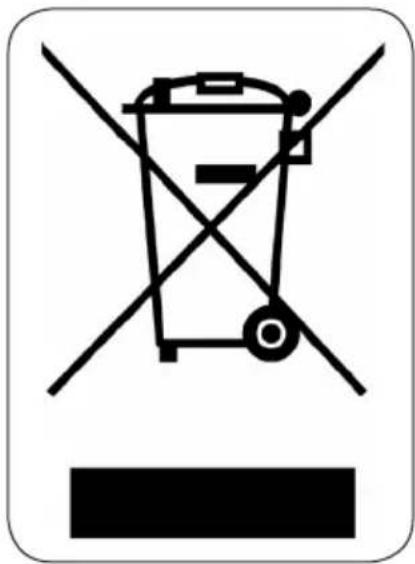
This symbol on the product or on its packaging indicates that this product may not be treated as household waste. Instead it must be brought to the applicable collection point for recycling of electrical and electronic equipment. By ensuring this product is disposed of correctly, you will help prevent potential negative consequences for the environment and human health, which could otherwise be caused by inappropriate waste handling of this product. For more detailed information about recycling of this product, please contact your local city office, your household waste disposal service or the shop where you purchased the product.
natural_image
Recycling symbol icon with three chasing arrows inside a rounded square (no text or labels)The packaging is recyclable. Please treat the packaging ecologically.
GARANTIA
natural_image
Recycling symbol icon with three chasing arrows inside a rounded square (no text or labels)PŘED PRVNÍM POUŽITÍM
OHLED NA ŽÍVOTNÍ PROSTŘEDÍ
natural_image
Recycling symbol icon with three chasing arrows forming a triangle (no text or labels)PRED PRVÝM POUŽITÍM
natural_image
Recycling symbol icon with three chasing arrows forming a triangle (no text or labels)
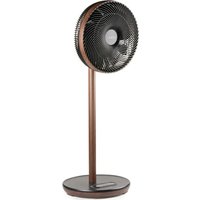
Brand : DOMO
Model : DO8125
Category : Fan