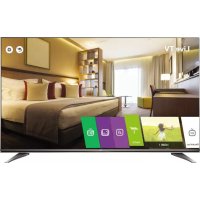
43UW950H - Television LG - Free user manual and instructions
Find the device manual for free 43UW950H LG in PDF.



| Product type | 4K Ultra HD LED TV |
| Brand | LG |
| Model | 43UW950H |
| Screen size | 43 inches (109 cm) |
| Resolution | 3840 x 2160 (4K UHD) |
| Backlight | LED |
| Dimensions without stand (W x H x D) | Approx. 967 x 563 x 56 mm |
| Dimensions with stand (W x H x D) | Approx. 967 x 622 x 228 mm |
| Net weight | Approx. 10.5 kg (with stand) |
| Power supply | AC 100-240 V, 50/60 Hz |
| Power consumption (typical) | Approx. 95 W |
| Standby power consumption | Less than 0.5 W |
| Connectors | 3 x HDMI, 2 x USB, 1 x LAN, 1 x optical audio output, 1 x headphone jack, 1 x RF antenna, 1 x CI+ |
| Key features | Smart TV, built-in Wi-Fi, Bluetooth, Magic Remote (model dependent), 3D (model dependent), program guide, USB recording |
| Supported audio formats | MP3, WMA, AAC, Dolby Digital, DTS |
| Supported video formats | MPEG-2/4, H.264, H.265 (HEVC), VP9, up to 4K |
| VESA standard (wall mount) | 200 x 200 mm (M6 screws, 4 screws) |
| Operating temperature | 0 °C to 40 °C |
| Operating humidity | Less than 80% |
| Maintenance and cleaning | Unplug before cleaning. Use a soft, dry cloth. Do not spray water directly onto the screen. |
| Safety | Do not expose to rain, moisture, or heat sources. Secure firmly to prevent falls. Keep out of reach of children. |
| Spare parts and repairability | Optional wall mount, remote control (model AN-MR650), AAA batteries. For repairs, contact an LG authorized service center. |
| General information | User manual available for download (PDF, 320 pages). Dolby Digital Plus and HDMI license. |
Frequently Asked Questions - 43UW950H LG
User questions about 43UW950H LG
0 question about this device. Answer the ones you know or ask your own.
Ask a new question about this device
Download the instructions for your Television in PDF format for free! Find your manual 43UW950H - LG and take your electronic device back in hand. On this page are published all the documents necessary for the use of your device. 43UW950H by LG.
USER MANUAL 43UW950H LG
Safety and Reference
LED TV*
- LG LED TV applies LCD screen with LED backlights.
Please read this manual carefully before operating your set and retain it for future reference.
Safety instructions
Please read these safety precautions carefully before using the product.

WARNING
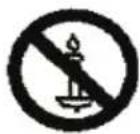
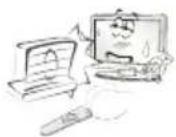
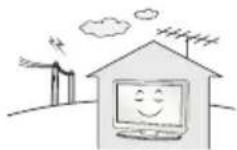
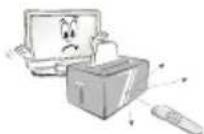
Do not place the TV and/or remote control in the following environments:
A location exposed to direct sunlight
An area with high humidity such as a bathroom
Near any heat source such as stoves and other devices that produce heat
Near kitchen counters or humidifiers where they can easily be exposed to steam or oil
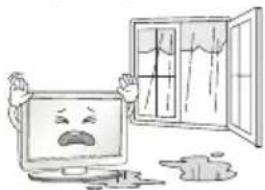
An area exposed to rain or wind
Near containers of water such as vases
Otherwise, this may result in fire, electric shock, malfunction or product deformation.
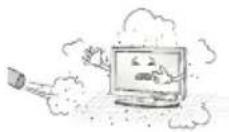
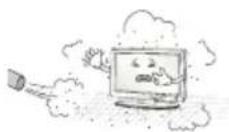
Do not place the product where it might be exposed to dust. This may cause a fire hazard.
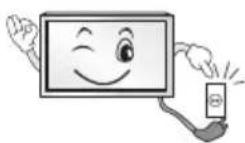
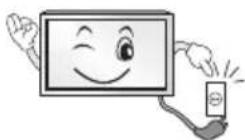
Mains Plug is the TV connecting/disconnecting device to AC mains electric supply. This plug must remain readily attached and operable when TV is in use.
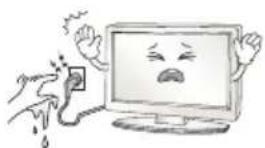
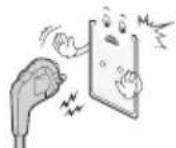
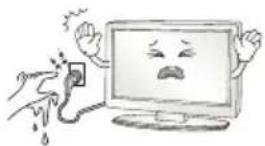
Do not touch the power plug with wet hands. Additionally, if the cord pin is wet or covered with dust, dry the power plug completely or wipe dust off. You may be electrocuted due to excess moisture.
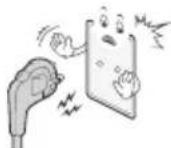
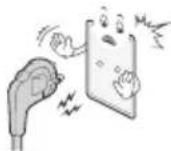
Make sure to connect Mains cable to compliant AC mains socket with Grounded earth pin. (Except for devices which are not grounded on earth.) Otherwise possibility you may be electrocuted or injured.
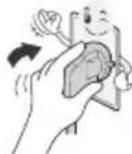
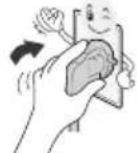
Insert power cable plug completely into wall socket otherwise if not secured completely into socket, fire ignition may break out.
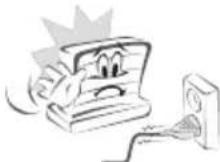
Ensure the power cord does not come into contact with hot objects such as a heater. This may cause a fire or an electric shock hazard.
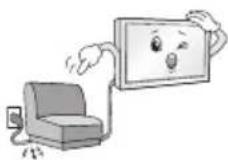
Do not place a heavy object, or the product itself, on power cables. Otherwise, this may result in fire or electric shock.
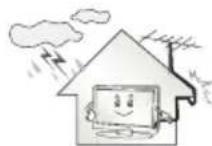
Bend antenna cable between inside and outside building to prevent rain from flowing in. This may cause water damaged inside the Product and could give an electric shock.
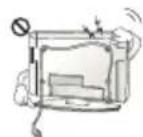
When mounting TV onto wall make sure to neatly install and isolate cabling from rear of TV as to not create possibility of electric shock / fire hazard.
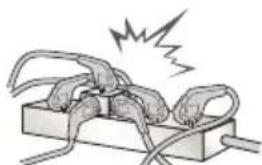
Do not plug too many electrical devices into a single multiple electrical outlet. Otherwise, this may result in fire due to over-heating.
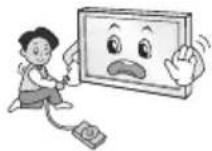
Do not drop the product or let it fall over when connecting external devices. Otherwise, this may result in injury or damage to the product.
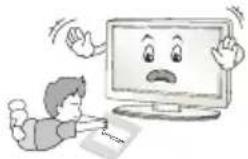
Keep the anti-moisture packing material or vinyl packing out of the reach of children. Anti-moisture material is harmful if swallowed. If swallowed by mistake, force the patient to vomit and visit the nearest hospital. Additionally, vinyl packing can cause suffocation. Keep it out of the reach of children.
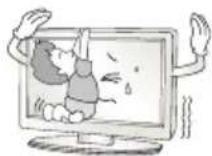
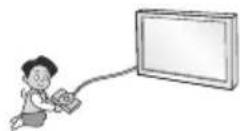
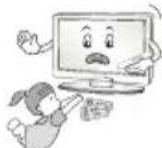
Do not let your children climb or cling onto the TV. Otherwise, the TV may fall over, which may cause serious injury.
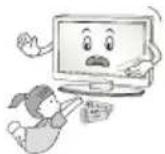
Dispose of used batteries carefully to ensure that a small child does not consume them. Please seek Doctor- Medical Attention immediately if child consumes batteries.
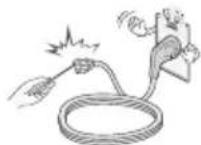
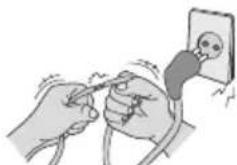
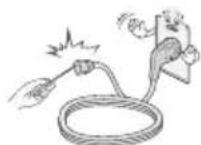
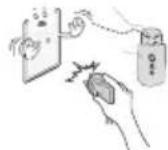
Do not insert any metal objects/conductors (like a metal chopstick/ cutlery/screwdriver) between power cable plug and input Wall Socket while it is connected to the input terminal on the wall. Additionally, do not touch the power cable right after plugging into the wall input terminal. You may be electrocuted. (Depending on model)
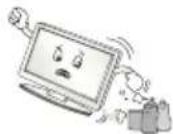
Do not put or store inflammable substances near the product. There is a danger of combustion/explosion or fire due to careless handling of the inflammable substances.

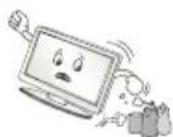
Do not drop metallic objects such as coins, hair pins, chopsticks or wire into the product, or inflammable objects such as paper and matches. Children must pay particular attention. Electrical shock, fire or injury can occur. If a foreign object is dropped into the product, unplug the power cord and contact the service centre.
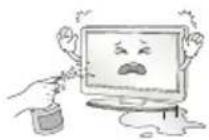
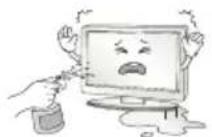
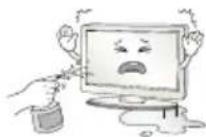
Do not spray water on the product or scrub with an inflammable substance (thinner or benzene). Fire or electric shock accident can occur.
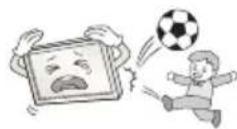
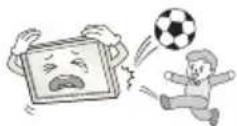
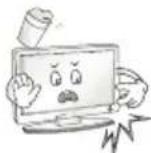
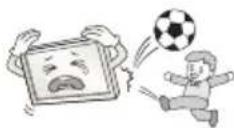
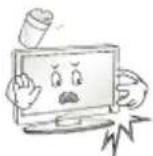
Do not allow any impact, shock or any objects to fall into the unit, and do not drop anything onto the screen. You may be injured or the product can be damaged.
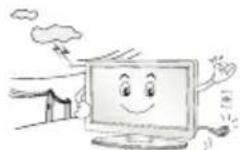
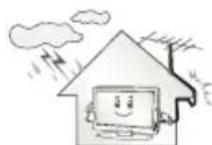
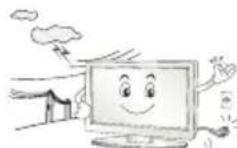
Never touch this product or antenna during a thunder or lighting storm. You may be electrocuted.
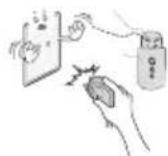
Never touch the wall outlet when there is leakage of gas, open the windows and ventilate. It may cause a fire or a burn by a spark.
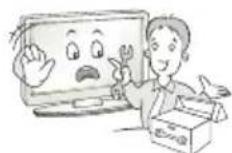
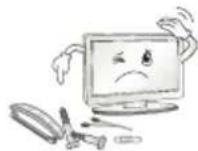
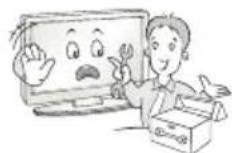
Do not disassemble, repair or modify the product at your own discretion. Fire or electric shock accident can occur. Contact the service centre for check, calibration or repair.

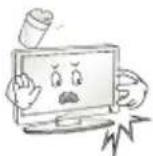
If any of the following occur, unplug the product immediately and contact your local service centre.
The product has been impacted by shock
The product has been damaged
Foreign objects have entered the product
The product produced smoke or a strange smell
This may result in fire or electric shock.
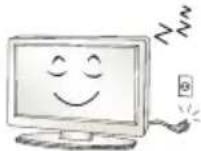
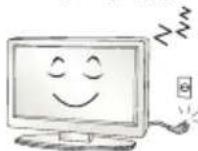
Unplug the TV from AC mains wall socket if you do not intend to use the TV for a long period of time. Accumulated dust can cause fire hazard and insulation deterioration can cause electric leakage/shock/fire.
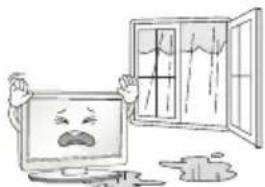
Apparatus shall not be exposed to dripping or splashing and no objects filled with liquids, such as vases, shall be placed on the apparatus.
Do not install this product on a wall if it could be exposed to oil or oil mist. This may damage the product and cause it to fall.
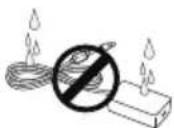
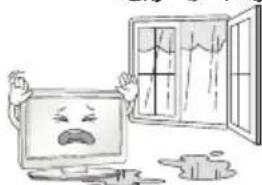
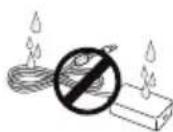
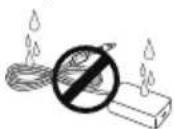
If water enters or comes into contact with TV, AC adapter or power cord please disconnect the power cord and contact service centre immediately. Otherwise, this may result in electric shock or fire.
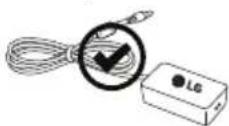
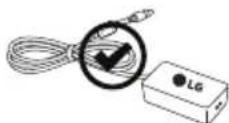
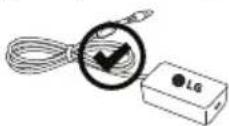
Only use an authorized AC adapter and power cord approved by LG Electronics. Otherwise, this may result in fire, electric shock, malfunction or product deformation.

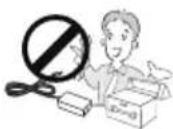
Never Disassemble the AC adapter or power cord. This may result in fire or electric shock.
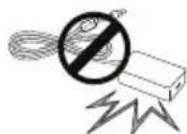
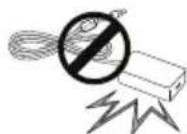
Be careful in handling the adapter to prevent any external shocks to it. An external shock may cause damage to the adapter.
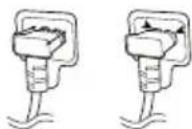
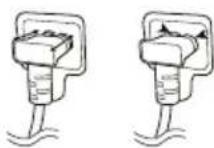
Make sure the power cord is connected securely to the power plug on the TV. (Depending on model)

CAUTION
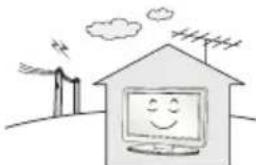
Install the product where no radio wave occurs.
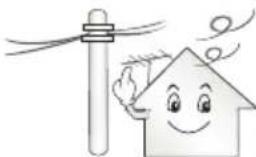
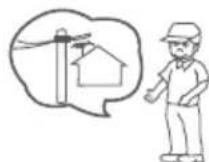
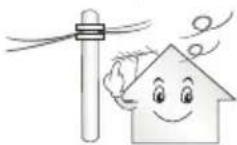
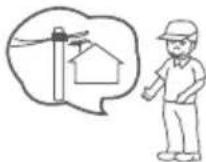
There should be enough distance between an outside antenna and power lines to keep the former from touching the latter even when the antenna falls. This may cause an electric shock.
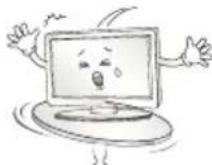
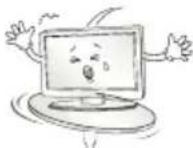
Do not install the product on places such as unstable shelves or inclined surfaces. Also avoid places where there is vibration or where the product cannot be fully supported. Otherwise, the product may fall or flip over, which may cause injury or damage to the product.
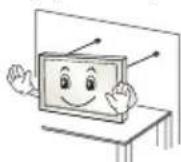
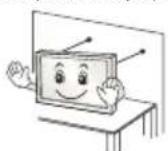
If you install the TV on a stand, you need to take actions to prevent the product from overturning. Otherwise, the product may fall over, which may cause injury.
If you intend to mount the product to a wall, attach VESA standard mounting interface (optional parts) to the back of the product. When you install the set to use the wall mounting bracket (optional parts), fix it carefully so as not to drop.
Only use the attachments / accessories specified by the manufacturer.
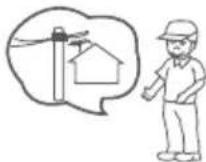
When installing the antenna, consult with a qualified service technician. If not installed by a qualified technician, this may create a fire hazard or an electric shock hazard.
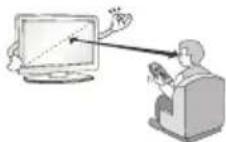
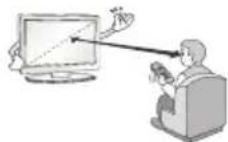
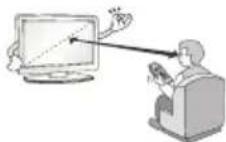
We recommend that you maintain a distance of at least 2 to 7 times the diagonal screen size when watching TV. If you watch TV for a long period of time, this may cause blurred vision.
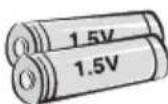
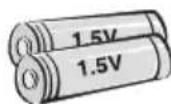
Only use the specified type of battery. This could cause damage to the remote control.
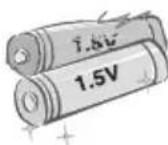
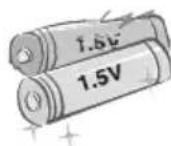
Do not mix new batteries with old batteries. This may cause the batteries to overheat and leak.
Batteries should not be exposed to excessive heat. For example, keep away from direct Sunlight, open fireplace and electric heaters.
Do not place non-rechargeable batteries in charging device.
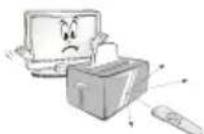
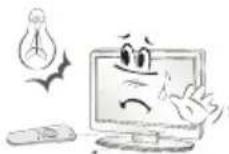
Make sure there are no objects between the remote control and its sensor.
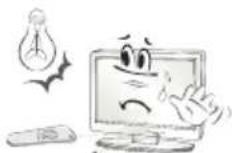
Signal from Remote Control can be interrupted due to external/internal lighting eg Sunlight, fluorescent lighting. If this occurs turn off lighting or darken viewing area.
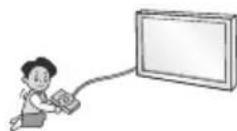
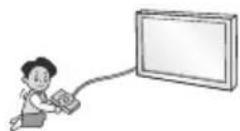
When connecting external devices such as video game consoles, make sure the connecting cables are long enough. Otherwise, the product may fall over, which may cause injury or damage the product.
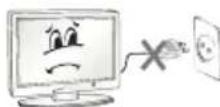
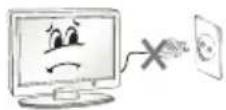
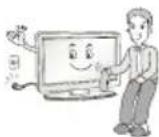
Do not turn the product On/Off by plugging-in or unplugging the power plug to the wall outlet. (Do not use the power plug for switch.) It may cause mechanical failure or could give an electric shock.
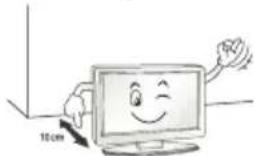
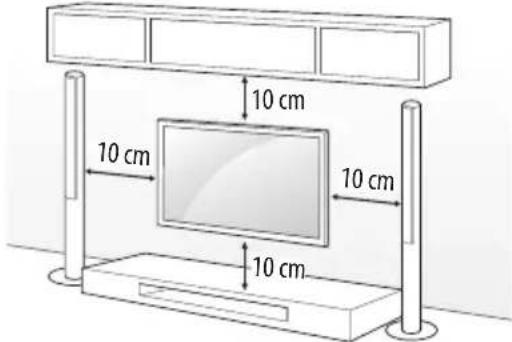
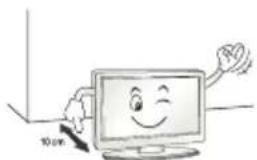
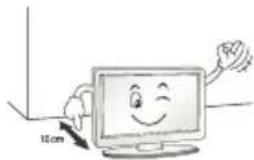
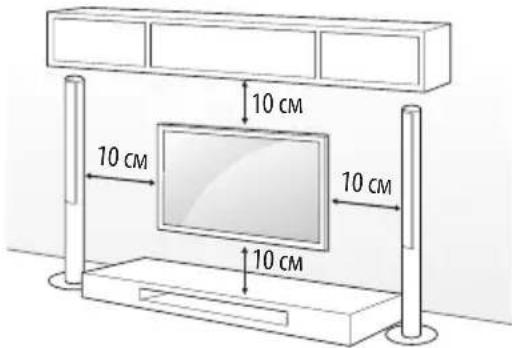
Please follow the installation instructions below to prevent the product from overheating.
The distance between the product and the wall should be more than 10cm
-
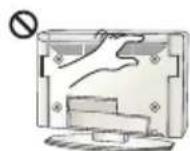
Do not install the product in a place with no ventilation (e.g., on a bookshelf or in a cupboard).
-
Do not install the product on a carpet or cushion.
Make sure the air vent is not blocked by a tablecloth or curtain. Otherwise, this may result in fire.
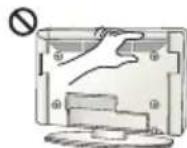
Take care not to touch the ventilation openings when watching the TV for long periods as the ventilation openings may become hot. This does not affect the operation or performance of the product.
Periodically examine the cord of your appliance, and if its appearance indicates damage or deterioration, unplug it, discontinue use of the appliance, and have the cord replaced with an exact replacement part by an Authorized Service agent.
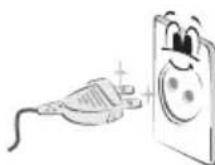
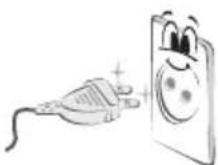
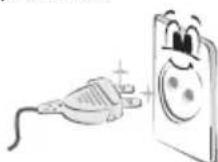
Prevent dust collecting on the power plug pins or outlet. This may cause a fire hazard.

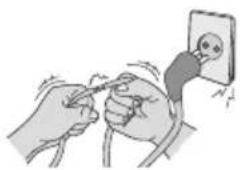
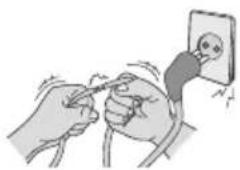
Protect the power cord from physical or mechanical abuse, such as being twisted, kinked, pinched, closed in a door, or walked upon. Pay particular attention to plugs, wall outlets, and the point where the cord exits the appliance.
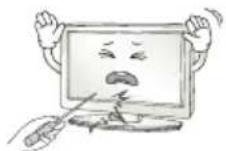
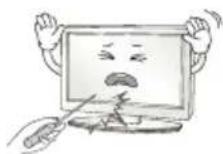
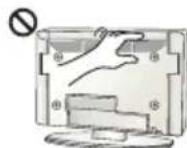
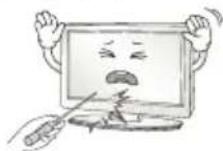
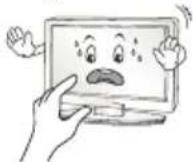
Do not press strongly upon the panel with a hand or sharp object such as nail, pencil or pen, or make a scratch on it, as it may cause damage to screen.
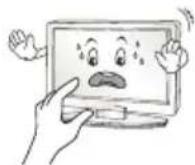
Avoid touching the screen or holding your finger(s) against it for long periods of time. Doing so may produce some temporary or permanent distortion/damage to screen.
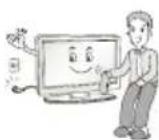
When cleaning the product and its components, unplug the power first and wipe it with a soft cloth. Applying excessive force may cause scratches or discolouration. Do not spray with water or wipe with a wet cloth. Never use glass cleaner, car or industrial shiner, abrasives or wax, benzene, alcohol etc., which can damage the product and its panel. Otherwise, this may result in fire, electric shock or product damage (deformation, corrosion or breakage).
As long as this unit is connected to the AC wall outlet, it is not disconnected from the AC power source even if you turn off this unit by SWITCH.
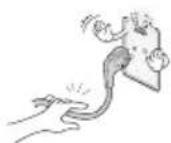
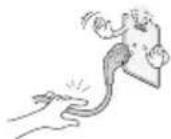
When unplugging the cable, grab the plug and unplug it, by pulling at the plug.
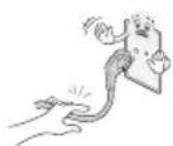
Don't pull at the cord to unplug the power cord from the power board, as this could be hazardous.
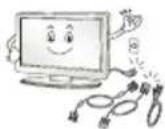
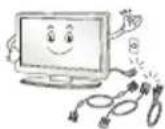
When moving the product, make sure you turn the power off first. Then, unplug the power cables, antenna cables and all connecting cables. The TV set or power cord may be damaged, which may create a fire hazard or cause electric shock.
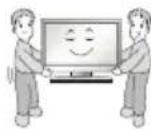
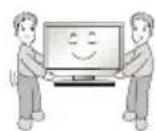
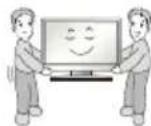
When moving or unpacking the product, work in pairs because the product is heavy. Otherwise, this may result in injury.
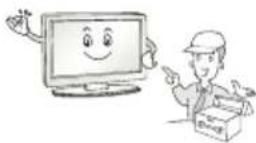
Refer all servicing to qualified service personnel. Servicing is required when the apparatus has been damaged in any way, such as power supply cord or plug is damaged, liquid has been spilled or objects have fallen into the apparatus, the apparatus has been exposed to rain or moisture, does not operate normally, or has been dropped.
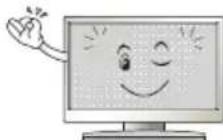
If the product feels cold to the touch, there may be a small "flicker" when it is turned on. This is normal, there is nothing wrong with product.
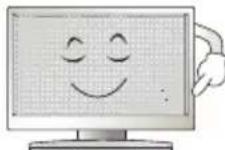
This panel is an advanced product that contains millions of pixels. You may see tiny black dots and/or brightly coloured dots (red, blue or green) at a size of 1 ppm on the panel. This does not indicate a malfunction and does not affect the performance and reliability of the product.
This phenomenon also occurs in third-party products and is not subject to exchange or refund.
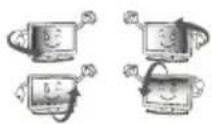
You may find different brightness and color of the panel depending on your viewing position(left/right/top/down).
This phenomenon occurs due to the characteristic of the panel. It is not related with the product performance, and it is not malfunction.
Displaying a still image for a prolonged period of time may cause image sticking. Avoid displaying a fixed image on the TV screen for a long period of time.
Generated Sound
"Cracking" noise: A cracking noise that occurs when watching or turning off the TV is generated by plastic thermal contraction due to temperature and humidity. This noise is common for products where thermal deformation is required. Electrical circuit humming/panel buzzing: A low level noise is generated from a high-speed switching circuit, which supplies a large amount of current to operate a product. It varies depending on the product.
This generated sound does not affect the performance and reliability of the product.
Do not use high voltage electrical goods near the TV (e.g. electric mosquito-swatter). This may result in product malfunction.
Viewing 3D imaging (Only 3D models)

CAUTION
Children should be supervised by an adult when viewing 3D video. If a child experiences eye fatigue, headaches or blurred vision while watching 3D, they should take a break, before they resume watching 3D content.
- When viewing a 3D video, some may experience discomfort such as a headache, dizziness, fatigue, or blurred vision. In this case, stop watching the 3D video and take a rest.
If you watch a 3D video for a long time, you may experience eye fatigue. In this case, stop watching the 3D video and take a rest.
Only use LG 3D glasses. Otherwise, you may not be able to view 3D videos properly.
- Do not use 3D glasses instead of your normal glasses, sunglasses, or protective goggles.
- Do not keep your 3D glasses in extremely high or low temperatures. It will cause deformation.
- Do not use 3D glasses while walking or moving around. It may cause an accident or injury.
- Be careful not to poke your eye with the frames of the 3D glasses.
- Do not watch 3D content if you have photosensitive seizures, epilepsy, or heart disease.
Preparing

NOTE
If the TV is turned on for the first time after it was shipped from the factory, initialization of the TV may take a few minutes.
- Image shown may differ from your TV.
- Your TV's OSD (On Screen Display) may differ slightly from that shown in this manual.
- The available menus and options may differ from the input source or product model that you are using.
New features may be added to this TV in the future.
- The items supplied with your product may vary depending on the model.
Product specifications or contents of this manual may be changed without prior notice due to upgrade of product functions.
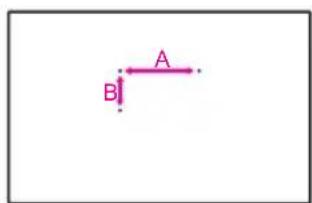
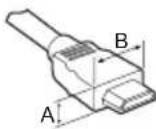
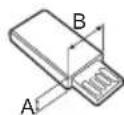
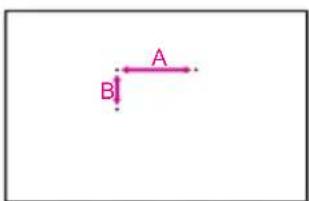
- For an optimal connection, HDMI cables and USB devices should have bezels less than 10mm thick and 18mm width. Use an extension cable that supports USB 2.0 if the USB cable or USB memory stick does not fit into your TV's USB port.
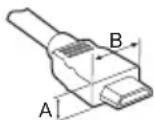
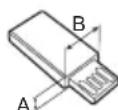
$$ ^ {*} A \leq 1 0 m m $$
$$ ^ {*} B \leq 1 8 m m $$
Use a certified cable with the HDMI logo attached.
If you do not use a certified HDMI cable, the screen may not display or a connection error may occur. (Recommended HDMI Cable Types)
- High-Speed HDMI™ cable (3 m or less)
- High-Speed HDMI™ cable with Ethernet (3 m or less)

CAUTION
- Do not use any unapproved items to ensure the safety and product life span.
- Any damage or injuries caused by using unapproved items are not covered by the warranty.
Some models have a thin film attached on to the screen and this must not be removed. - When attaching the stand to the TV set, place the screen facing down on a cushioned table or flat surface to protect the screen from scratches.
Make sure that the screws are inserted correctly and fastened securely. (If they are not fastened securely enough, the TV may tilt forward after being installed.) Do not use too much force and over tighten the screws; otherwise screw may be damaged and not tighten correctly.
Make sure to wring any excess water or cleaner from the cloth. - Do not spray water or cleaner directly onto the TV screen.
Make sure to spray just enough of water or cleaner onto a dry cloth to wipe the screen. - When cleaning the product, be careful not to allow any liquid or foreign objects to enter the gap between the upper, left or right side of the panel and the guide panel. (Depending on model)
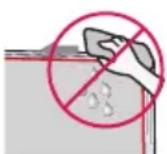
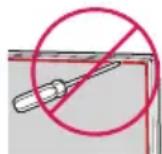
Separate purchase
Separate purchase items can be changed or modified for quality improvement without any notification. Contact your dealer to buy these items. These devices only work with certain models. The model name or design may be changed depending on the upgrade of product functions, manufacturer's circumstances or policies.
Depending on model)
| LEC-003 LED Clock | LEC-004 LED Clock |
| AG-F*** | AN-MR650 |
| Cinema 3D Glasses | Magic Remote |
Lifting and moving the TV
Using the button
Please note the following advice to prevent the TV from being scratched or damaged and for safe transportation regardless of its type and size.
It is recommended to move the TV in the box or packing material that the TV originally came in.
- Before moving or lifting the TV, disconnect the power cord and all cables.
- When holding the TV, the screen should face away from you to avoid damage.
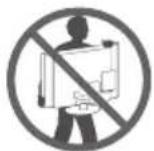
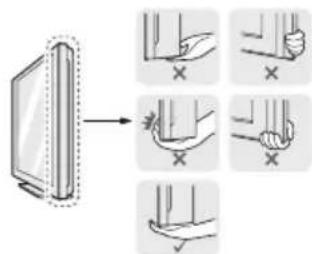
- Hold the top and bottom of the TV frame firmly. Make sure not to hold the transparent part, speaker, or speaker grill area.
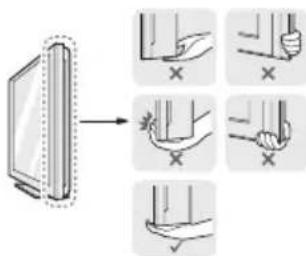
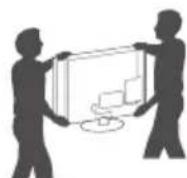
- When transporting a large TV, there should be at least 2 people.
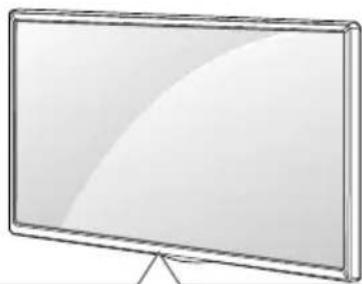
- When transporting the TV by hand, hold the TV as shown in the following illustration.
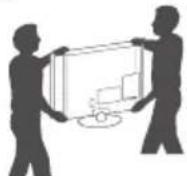
- When transporting the TV, do not expose the TV to jolts or excessive vibration.
- When transporting the TV, keep the TV upright, never turn the TV on its side or tilt towards the left or right.
- Do not apply excessive pressure to cause flexing / bending of frame chassis as it may damage screen.
- When handling the TV, be careful not to damage the protruding buttons.

CAUTION
- Avoid touching the screen at all times, as this may result in damage to the screen.
- Do not move the TV by holding the cable holders, as the cable holders may break, and injuries and damage to the TV may occur.
Depending on model)
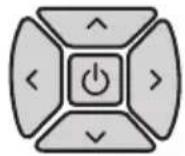
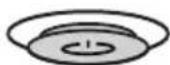
You can simply operate the TV functions, pressing or moving the button.
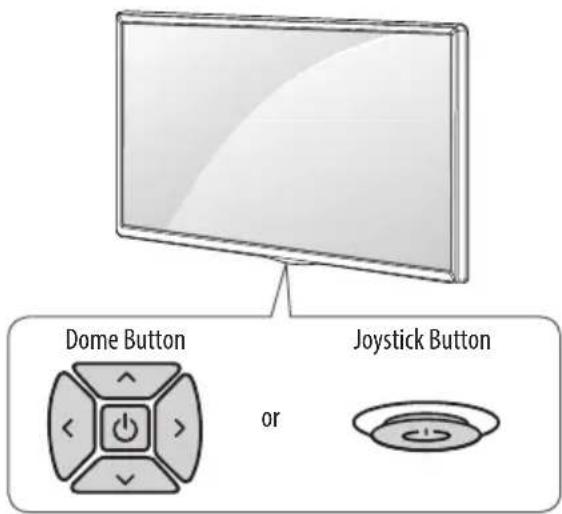
Basic functions
| Power On (Press) Power Off (Press and hold) | ||
| Volume Control | ||
| Programmes Control |
1 All running apps will close, and any recording in progress will stop.
Adjusting the menu
When the TV is turned on, press the button one time. You can adjust the Menu items pressing or moving the buttons.
| Turns the power off. | |
| × | Clears on-screen displays and returns to TV viewing. |
| ← | Changes the input source. |
| → | Accesses the settings menu. |
Mounting on a table
1 Lift and tilt the TV into its upright position on a table.
- Leave a 10cm (minimum) space from the wall for proper ventilation.
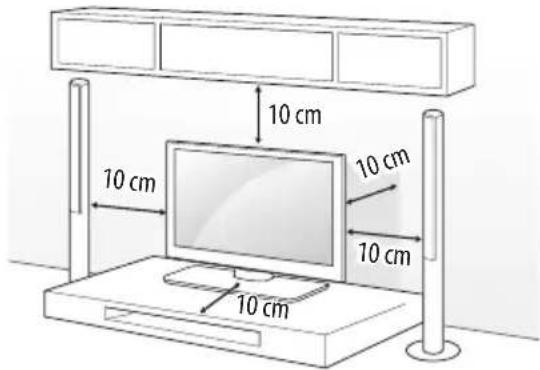
2 Connect the power cord to a wall outlet.

CAUTION
- Do not place the TV near or on sources of heat, as this may result in fire or other damage.
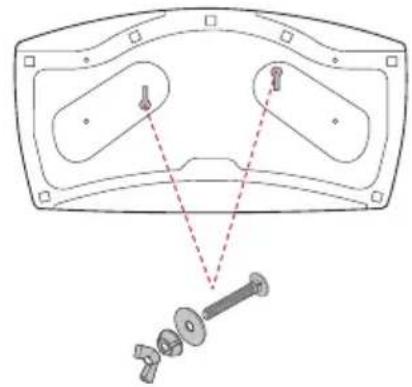
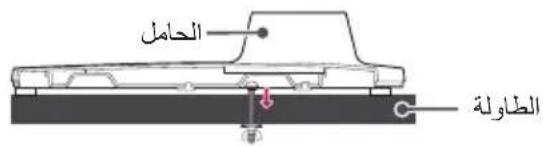
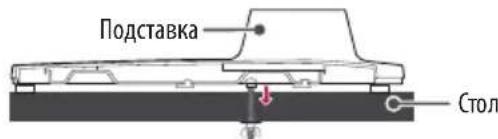
Attaching the TV to a desk
(This feature is not available for all models.)
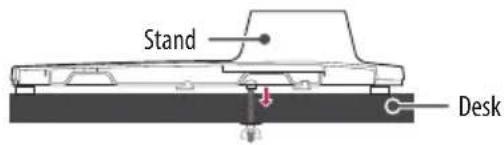
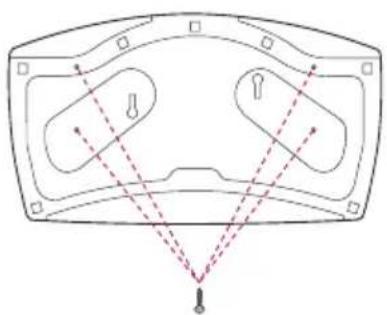
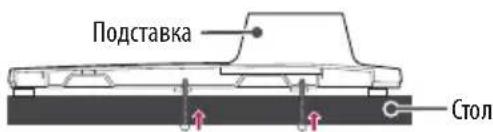
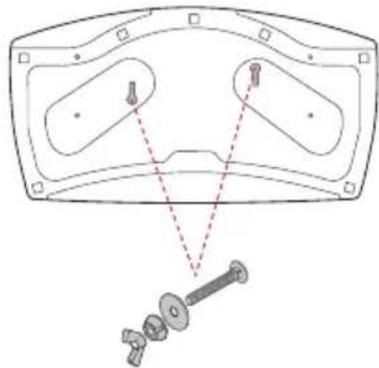
The TV should be attached to a desk so it cannot be pulled in a forward/ backward direction, potentially causing injury or damaging the product.
A type)
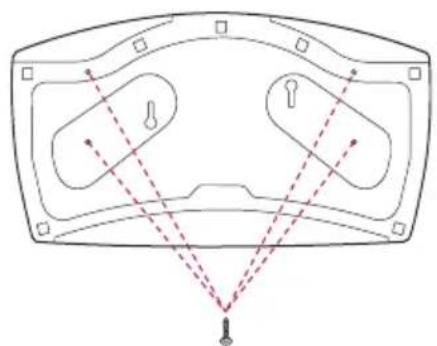
4-Screws
Not supplied with TV
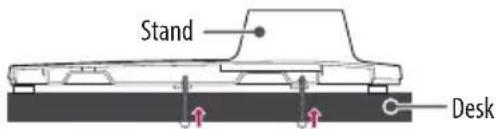

NOTE
- Screw: M5 x L (*L: Table depth + 8~10 mm) ex) Table depth: 15 mm, Screw: M5 x L25
B type)
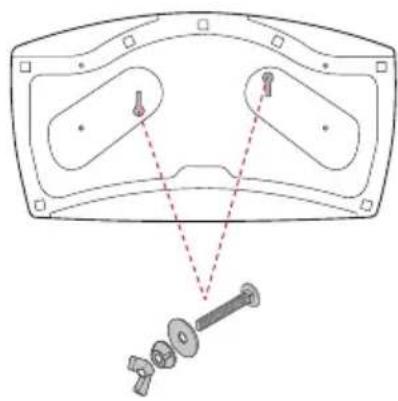
2-Screws for Stand Fixing,
2-Washers for Stand Fixing,
2-Nuts for Stand Fixing
(Supplied with TV)
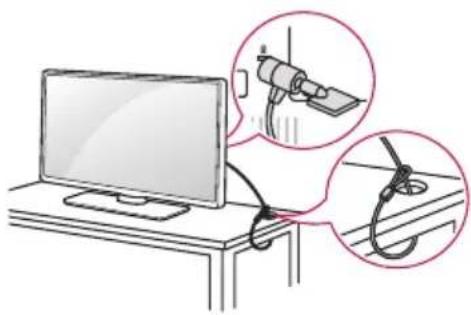
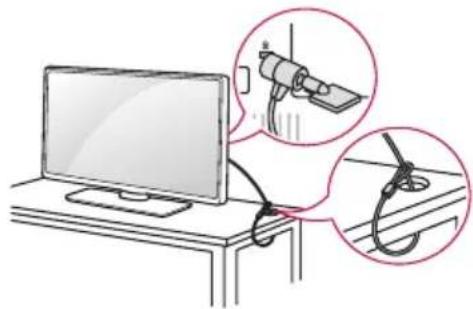
Using the kensington security system
(This feature is not available for all models.)
The Kensington security system connector is located at the rear of the TV. For more information of installation and using, refer to the manual provided with the Kensington security system or visit http://www.kensington.com. Connect the Kensington security system cable between the TV and a table.
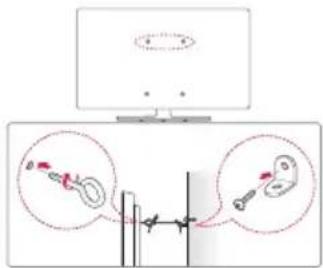
Securing the TV to a wall
(This feature is not available for all models.)
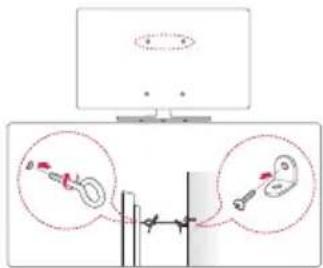
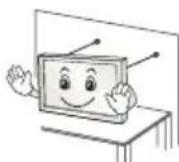
1 Insert and tighten the eye-bolts, or TV brackets and bolts on the back of the TV.
If there are bolts inserted at the eye-bolts position, remove the bolts first.
2 Mount the wall brackets with the bolts to the wall. Match the location of the wall bracket and the eye-bolts on the rear of the TV.
3 Connect the eye-bolts and wall brackets tightly with a sturdy rope. Make sure to keep the rope horizontal with the flat surface.

CAUTION
Make sure that children do not climb on or hang on the TV.

NOTE
Use a platform or cabinet that is strong and large enough to support the TV securely.
- Brackets, bolts and ropes are not provided. You can obtain additional accessories from your local dealer.
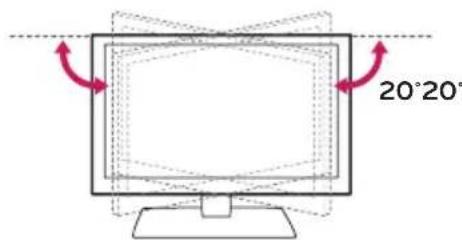
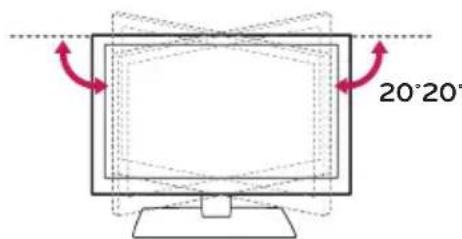
Adjusting the angle of the TV to suit view
(This feature is not available for all models.)
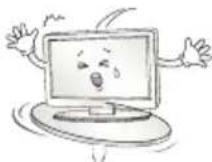
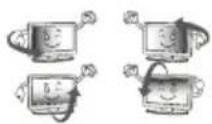
Swivel 20 degrees to the left or right and adjust the angle of the TV to suit your view.

CAUTION
-
When adjusting the angle of the product, watch out for your fingers.
-
Personal injury may occur if hands or fingers are pinched. If the product is tilted too much, it may fall, causing damage or injury.
Mounting on a wall
Attach an optional wall mount bracket at the rear of the TV carefully and install the wall mount bracket on a solid wall perpendicular to the floor. When you attach the TV to other building materials, please contact qualified personnel. LG recommends that wall mounting be performed by a qualified professional installer. We recommend the use of LG's wall mount bracket. LG's wall mount bracket is easy to move with cables connected. When you do not use LG's wall mount bracket, please use a wall mount bracket where the device is adequately secured to the wall with enough space to allow connectivity to external devices. It is advised to connect all the cables before installing fixed wall mounts.
Make sure to use screws and wall mount bracket that meet the VESA standard. Standard dimensions for the wall mount kits are described in the following table.
Separate purchase(Wall Mounting Bracket)
| Model | 43UW76**32/43LW64**43UW95** | 49/55UW76**49/55UW96** |
| VESA (A x B) (mm) | 200 x 200 300 x 300 | |
| Standard screw M6 | M6 | |
| Number of screws | 44 | |
| Wall mount bracket | LSW240BMSW240 | LSW350BMSW240 |
| Model 65UW96** 75UW34** | ||
| VESA (A x B) (mm) | 300 x 300 600 x 400 | |
| Standard screw M6 | M6 | |
| Number of screws | 44 | |
| Wall mount bracket | LSW350B | LSW640B |


CAUTION
- Remove the stand before installing the TV on a wall mount by performing the stand attachment in reverse.

NOTE
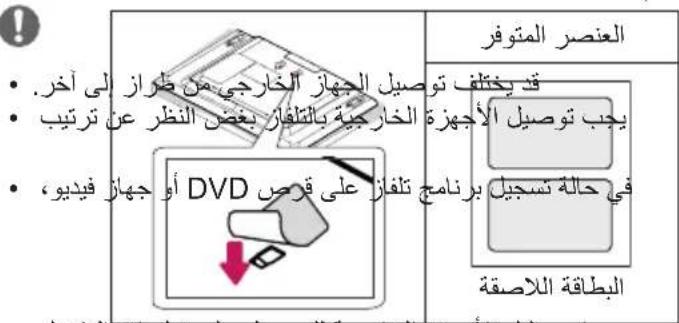
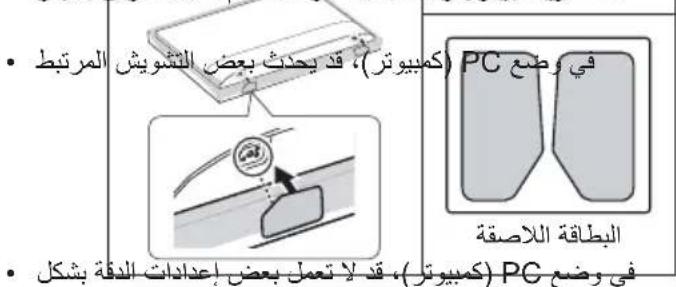
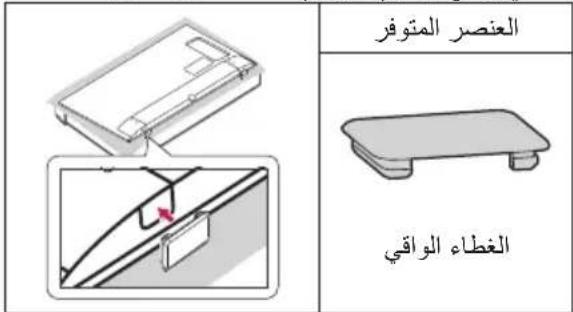
- When installing the wall mounting bracket, use the adhesive label or protective cover provided. The adhesive label or protective cover will protect the opening from accumulating dust and dirt. (Only when the label or cover is provided)
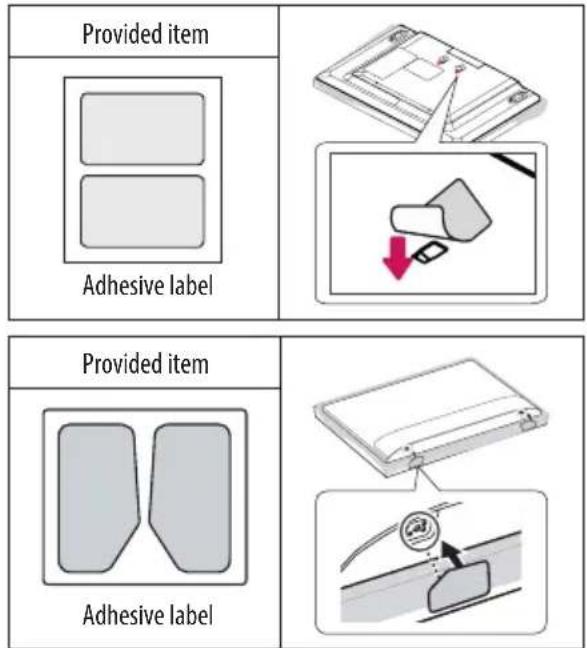
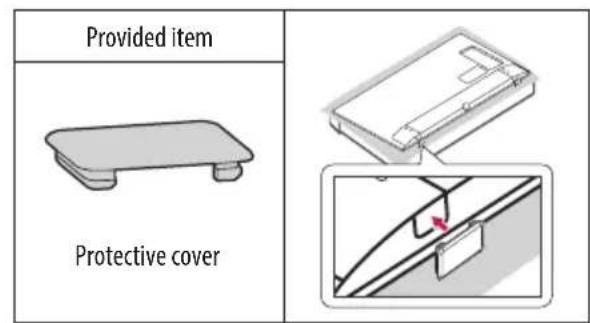
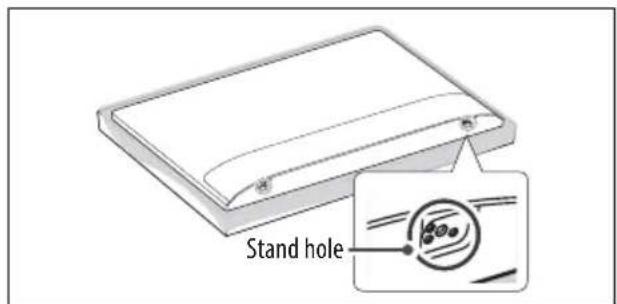
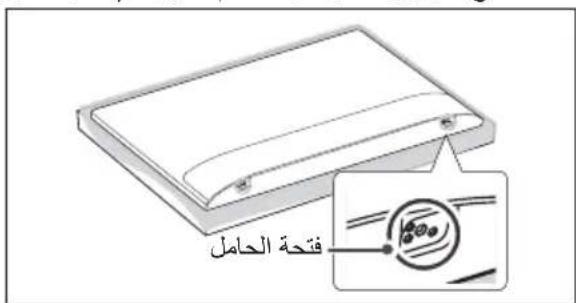
- When installing the wall mounting bracket, it is recommended to cover the stand hole using tape, in order to prevent the influx of dust and insects. (Depending on model)
Connections (notifications)
Connect various external devices to the TV and switch input modes to select an external device. For more information of external device's connection, refer to the manual provided with each device.
Available external devices are: HD receivers, DVD players, VCRs, audio systems, USB storage devices, PC, gaming devices, and other external devices.

NOTE
- The external device connection may differ from the model.
- Connect external devices to the TV regardless of the order of the TV port.
If you record a TV program on a DVD recorder or VCR, make sure to connect the TV signal input cable to the TV through a DVD recorder or VCR. For more information of recording, refer to the manual provided with the connected device.
Refer to the external equipment's manual for operating instructions.
If you connect a gaming device to the TV, use the cable supplied with the gaming device.
In PC mode, there may be noise associated with the resolution, vertical pattern, contrast or brightness. If noise is present, change the PC output to another resolution, change the refresh rate to another rate or adjust the brightness and contrast on the PICTURE menu until the picture is clear.
In PC mode, some resolution settings may not work properly depending on the graphics card.
If ULTRA HD content is played on your PC, video or audio may become disrupted intermittently depending on your PC's performance. (Depending on model)
Antenna connection
Connect the TV to a wall antenna socket with an RF cable (75Ω).
Use a signal splitter to use more than 2 TVs.
If the image quality is poor, install a signal amplifier properly to improve the image quality.
If the image quality is poor with an antenna connected, try to realign the antenna in the correct direction.
An antenna cable and converter are not supplied.
Supported DTV Audio: MPEG, Dolby Digital, Dolby Digital Plus, HE-AAC
For a location that is not supported with ULTRA HD broadcasting, this TV cannot receive ULTRA HD broadcasts directly. (Depending on model)
Satellite dish connection
(Only satellite models)
Connect the TV to a satellite dish to a satellite socket with a satellite RF cable (75Ω).
CI module connection
Depending on model)
View the encrypted (pay) services in digital TV mode.
- Check if the CI module is inserted into the PCMCIA card slot in the right direction. If the module is not inserted properly, this can cause damage to the TV and the PCMCIA card slot.
If the TV does not display any video and audio when Cl + CAM is connected, please contact to the Terrestrial/Cable/Satellite Service Operator.
USB connection
Some USB Hubs may not work. If a USB device connected through a USB Hub is not detected, connect it directly to the USB port on the TV.
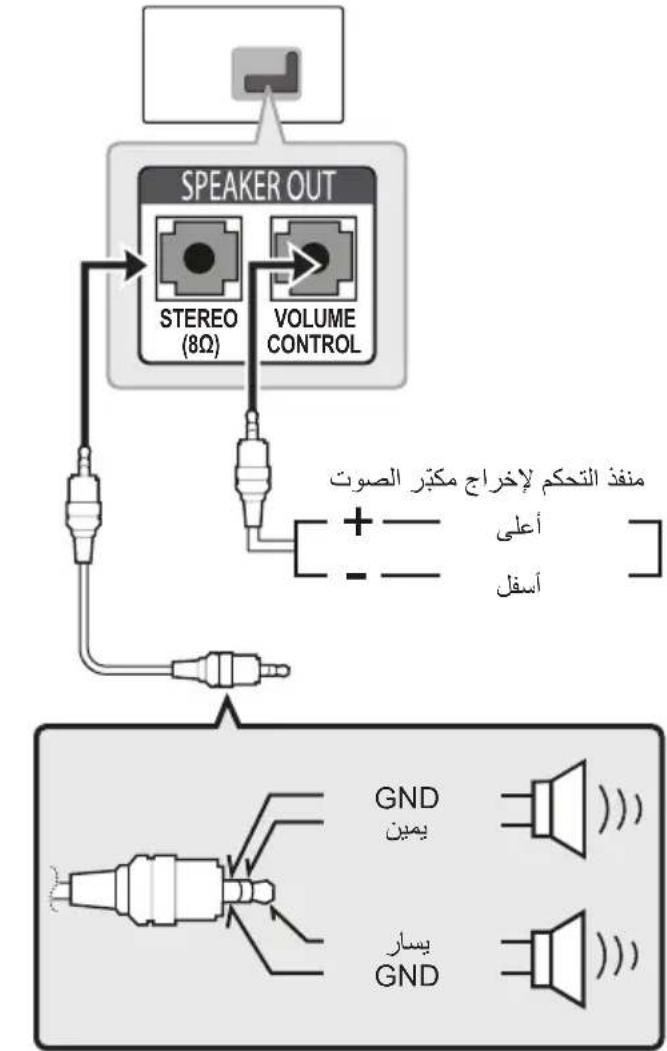
Speaker Output Setup
Depending on model)
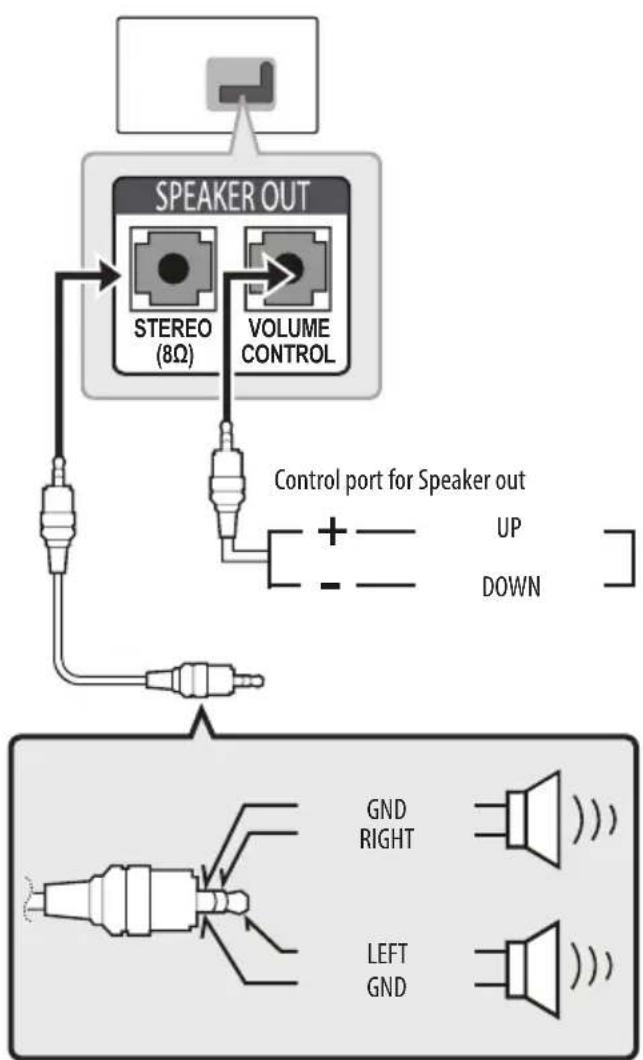

NOTE
Use only with the 3 Pole 3.5mm Stereo Jack.
- Do not connect your headphones or earphones to the port for connecting an external speaker.
Method of Volume control port
Cable Spec.
| GND / UP / DOWN | Each Up / Down pin is pulled to 3.3V with CPU GPIO. |
| CPU detects transition from 3.3V to GND level for volume control. |
Network Setup
Wired network connection
Depending on model)
This TV can be connected to a Pro:Centric server via the LAN port. After making the physical connection, the TV needs to be set up for network communication.
Connect the LAN port of the Modem or Router from Pro:Centric server to the LAN port on the TV.
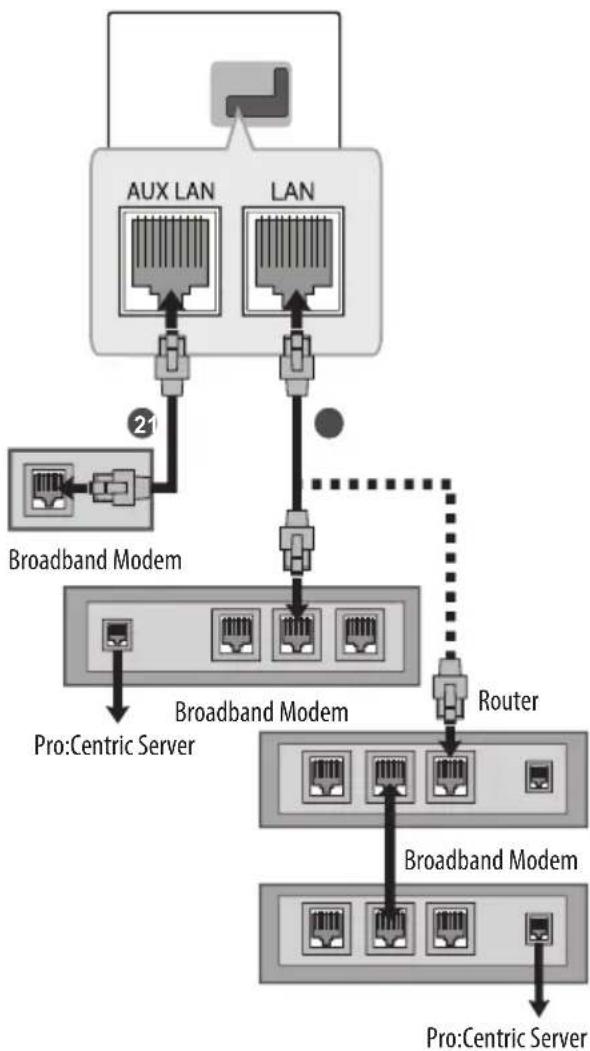
1 Connect the LAN port of the Modem or Router to the LAN port on the TV.
Connect the LAN port of the PC to the AUX LAN port on the TV. (Depending on model)

CAUTION
- Do not connect a modular phone cable to the LAN port.
- Since there are various connection methods, please follow the specifications of your telecommunication carrier or internet service provider.
Other connections
Connect your TV to external devices. For the best picture and audio quality, connect the external device and the TV with the HDMI cable. Some separate cable is not provided.
SMART General-HDMI ULTRA HD Deep Colour
- On: Support 4K @ 50/60 Hz (4:4:4, 4:2:2, 4:2:0)
- Off: Support 4K @ 50/60 Hz 8 bit (4:2:0)
If the device connected to Input Port also supports ULTRA HD Deep Colour, your picture may be clearer. However, if the device doesn't support it, it may not work properly. In that case, connect the device to a different HDMI port or change the TV's HDMI ULTRA HD Deep Colour setting to Off.
(This feature is available on certain models which are supported ULTRA HD Deep Colour only.)
Remote control
Depending on model)
The descriptions in this manual are based on the buttons on the remote control. Please read this manual carefully and use the TV correctly.
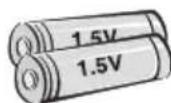
To replace batteries, open the battery cover, replace batteries (1.5 V AAA) matching the and ends to the label inside the compartment, and close the battery cover. To remove the batteries, perform the installation actions in reverse.
Make sure to point the remote control toward the remote control sensor on the TV.
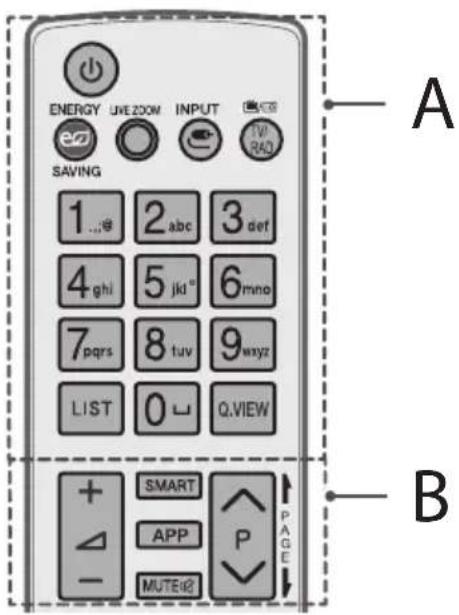
A
(POWER) Turns the TV on or off.
EMERGYSAVINGness of the screen to reduce energy consumption.
OLBEZOMg in on the selected area, you can view it in full screen.
C INPARges the input source.
TV/RAD Selects Radio, TV and DTV programme.
Number buttons Enters numbers.
LIST Accesses the saved programme list.
(Space) Opens an empty space on the screen keyboard.
Q.VIEW Returns to the previously viewed programme.
B
+Δ Adjusts the volume level.
SMART Accesses the Home menu.
APP Shows the previous history.
MUTE all sounds.
P Scrol1s through the saved programmes.
PAGEES to the previous or next screen.
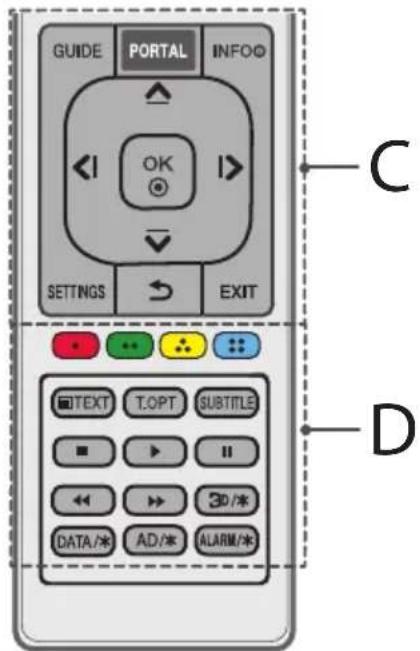
C
GUIDE Shows programme guide.
PORTAL Displays and removes hotel interactive menu.
INFO ① Views the information of the current programme and screen.
Navigation buttons (up/down/left/right) Scrolls through menus or options.
OK Selects menus or options and confirms your input.
SETTINGs Accesses the Quick Settings.
(BACK) Returns to the previous level.
EXIT Clears on-screen displays and return to TV viewing.
D
Coloured buttons These access special functions in some menus.
Red,Green,Yellow,Blue
Teletext buttons (TEXT/ORise) buttons are used for teletext.
SUBTITLE Recalls your preferred subtitle in digital mode.
Control buttons , , ,) Controls media contents.
3D/* Used for viewing 3D video. (depending on model)
DATA 水 Selects the MHP TV menu source. (depending on model)
AD 喜 By pressing the AD button, audio descriptions function will be enabled. (depending on model)
ALARM Sets the alarm function. (depending on model)
Licenses
Supported licenses may differ by model. For more information about licenses, visit www.lg.com.

DOLBY.
DIGITALPLUS
Manufactured under license from Dolby Laboratories. Dolby and the double-D symbol are trademarks of Dolby Laboratories.

The terms HDMI and HDMI High-Definition Multimedia interface, and the HDMI logo are trademarks or registered trademarks of HDMI Licensing LLC in the United States and other countries.

dts-HD
For DTS patents, see http://patents.dts.com. Manufactured under license from DTS Licensing Limited. DTS, DTS-HD, the Symbol, & DTS or DTS-HD and the Symbol together are registered trademarks of DTS, Inc. © DTS, Inc. All Rights Reserved.
Open source software notice information
To obtain the source code under GPL, LGPL, MPL and other open source licenses, that is contained in this product, please visit http://opensource. lge.com.
In addition to the source code, all referred license terms, warranty disclaimers and copyright notices are available for download.
LG Electronics will also provide open source code to you on CD-ROM for a charge covering the cost of performing such distribution (such as the cost of media, shipping, and handling) upon email request to opensource@lge.com. This offer is valid for three (3) years from the date on which you purchased the product.
Troubleshooting
The software version can be updated for improvement in performance. Customer needs to ensure the compatibility of customer's equipment with LGE software. If needed, please consult with LGE and upload revised software version according to the guidance provided by LGE.
Cannot control the TV with the remote control.
- Check the remote control sensor on the product and try again.
- Check if there is any obstacle between the product and the remote control.
- Check if the batteries are still working and properly installed to to.
No image display and no sound is produced.
Check if the product is turned on.
- Check if the power cord is connected to a wall outlet.
- Check if there is a problem in the wall outlet by connecting other products.
The TV turns off suddenly.
- Check the power control settings. The power supply may be interrupted.
- Check if the Auto Power Off (Depending on model) / Sleep Timer / Timer Power Off is activated in the Timers settings.
If there is no signal while the TV is on, the TV will turn off automatically after 15 minutes of inactivity.
When connecting to the PC (HDMI), 'No signal' or 'Invalid Format' is displayed.
- Turn the TV off/on using the remote control.
- Reconnect the HDMI cable.
- Restart the PC with the TV on.
Specifications
Wireless module specification
- As band channels can vary per country, the user cannot change or adjust the operating frequency. This product is configured for the regional frequency table.
- For consideration of the user, this device should be installed and operated with a minimum distance of 20cm between the device and the body.
(Only UW761, UW961, UW950, UW341)
| Wireless module (LGSBWAC61) specifications | |
| Wireless LAN (IEEE 802.11a/b/g/n/ac) | |
| Frequency Range Output Power (Max.) | |
| 2400 to 2483.5 MHz | 15.5 dBm |
| 5150 to 5725 MHz | 17.5 dBm |
| 5725 to 5850 MHz (Not for EU) | 8.0 dBm |
| Bluetooth | |
| Frequency Range Output Power (Max.) | |
| 2400 to 2483.5 MHz 10 dBm | |
- "IEEE802.11ac" is not available in all countries.
(Only LW641*)
| Wireless module (LGSBW41) specifications | |
| Wireless LAN (IEEE 802.11a/b/g/n) | |
| Frequency Range Output Power (Max.) | |
| 2400 to 2483.5 MHz | 16 dBm |
| 5150 to 5250 MHz | 16 dBm |
| 5725 to 5850 MHz (Not for EU) | 11.5 dBm |
| Bluetooth | |
| Frequency Range Output Power (Max.) | |
| 2400 to 2483.5 MHz 10 dBm | |
| CI Module (W x H x D) 100.0 mm x 55.0 mm x 5.0 mm | ||
| Environment condition | Operating Temperature 0 °C to 40 °C | |
| Operating Humidity Less than 80 % | ||
| Storage Temperature -20 °C to 60 °C | ||
| Storage Humidity Less than 85 % | ||
Depending on country
| Digital TV Analogue TV | ||||
| Satellite Terrestrial Cable Terrestrial / Cable | ||||
| Television system | DVB-S/S2* | DVB-T DVB-T2* | DVB-C | PAL/SECAM B/G, D/K, I, SECAM L |
| Channel coverage (Band) | 950 ~ 2150 Mhz | VHFIII: 174 ~ 230 Mhz UHFIV: 470 ~ 606 Mhz UHFV: 606 ~ 862 Mhz S Band II: 230 ~ 300 Mhz S Band III: 300 ~ 470 Mhz | 46 ~ 862 Mhz 46 ~ 862 Mhz | |
| Maximum number of storable programmes | 6,000 3,000 | |||
| External antenna impedance | 75 Ω | |||
*Only DVB-T2/C/S2 support models.
HDMI-DTV supported mode
| Resolution | Horizontal Frequency (kHz) | Vertical Frequency (Hz) |
| 720 x 480 | 31.47 | 59.94 |
| 31.50 | 60.00 | |
| 720 x 576 31.25 | 50.00 | |
| 1280 x 720 | 44.96 | 59.94 |
| 45.00 | 60.00 | |
| 37.50 | 50.00 | |
| 1920 x 1080 | 28.12 | 50.00 |
| 33.72 | 59.94 | |
| 33.75 | 60.00 | |
| 26.97 | 23.97 | |
| 27.00 | 24.00 | |
| 33.71 | 29.97 | |
| 33.75 | 30.00 | |
| 56.25 | 50.00 | |
| 67.43 | 59.94 | |
| 67.50 | 60.00 | |
| 3840 x 2160 | 53.95 | 23.98 |
| 54.00 | 24.00 | |
| 56.25 | 25.00 | |
| 61.43 | 29.97 | |
| 67.50 | 30.00 | |
| 112.50 | 50.00 | |
| 135.00 | 59.94 | |
| 135.00 | 60.00 | |
| 4096 x 2160 | 53.95 | 23.98 |
| 54.00 | 24.00 | |
| 56.25 | 25.00 | |
| 61.43 | 29.97 | |
| 67.50 | 30.00 | |
| 112.50 | 50.00 | |
| 125.00 | 59.94 | |
| 135.00 | 60.00 |
1:Only UW761*,UW961*,UW950*,UW341*
RGB-PC supported mode
(Only UW341*)
| Resolution | Horizontal Frequency (kHz) | Vertical Frequency (Hz) |
| 640 x 350 31.468 | 70.09 | |
| 720 x 400 31.469 | 70.08 | |
| 640 x 480 31.469 | 59.94 | |
| 800 x 600 37.879 | 60.31 | |
| 1024 x 768 48.363 | 60.00 | |
| 1152 x 864 54.348 | 60.053 | |
| 1280 x 1024 63.981 | 60.020 | |
| 1360 x 768 47.712 | 60.015 | |
| 1920 x 1080 | 66.587 59.934 | |
| 67.50 60.00 |
HDMI-PC supported Mode
PC audio is not supported
Use HDMI IN 1 for PC mode (Depending on model)
| Resolution | Horizontal Frequency (kHz) | Vertical Frequency (Hz) |
| 640 x 350 31.46 | 70.09 | |
| 720 x 400 31.46 | 70.08 | |
| 640 x 480 31.46 | 59.94 | |
| 800 x 600 37.87 | 60.31 | |
| 1024 x 768 | 48.36 | 60.00 |
| 1152 x 864 | 54.34 | 60.05 |
| 1280 x 1024 63.98 | 60.02 | |
| 1360 x 768 | 47.71 | 60.01 |
| 1920 x 1080 67.50 | 60.00 | |
| 3840 x 2160 | 67.50 | 30.00 |
| 56.25 | 25.00 | |
| 54.00 | 24.00 | |
| 4096 x 2160 | 53.95 | 23.97 |
| 54.00 | 24.00 |
1:Only UW761*,UW961*,UW950*,UW341*

NOTE
The optimal display resolution
- 3840X2160(Only UW761, UW961, UW950, UW341)
- 1920 x 1080 (Only LW641*)
Component port connecting information
| Component ports on the TV | Y | PB | PR |
| Video output ports onDVD player | Y | PB | PR |
| Y | B-Y | R-Y | |
| Y | Cb | Cr | |
| Y | Pb | Pr | |
| Signal | Component |
| 480i / 576i | 0 |
| 480p / 576p | 0 |
| 720p / 1080i | 0 |
| 1080p | 0 (Only 50 Hz / 60 Hz) |
3D supported mode (Only 3D models)
Video, which is input as below media contents is switched into the 3D screen automatically. The method for 3D digital broadcast may differ depending on the signal environment. If video is not switched automatically into 3D, manually convert the settings to view 3D images. For models supporting Miracast / Intel WiDi, you can set the 3D mode.
| 3D supported mode automatically | ||||
| Input Signal | Horizontal Frequency (kHz) | Vertical Frequency (Hz) | Playable 3D video format | |
| RF | 1280 x 720 37 | 500 50 | 2D to 3D, Side by Side, Top & Bottom | |
| 1920 x 1080 28 | .125 50 | |||
| HDMI | 640 x 480 | 31.47 / 31.50 | 59.94 / 60.00 | Top & Bottom, Side by Side(Half), Side by Side(Full) |
| 62.94 / 63.00 Frame Packing, Line Alternative | ||||
| 720 x 480 | 31.47 / 31.50 | 59.94 / 60.00 | Top & Bottom, Side by Side (Half), Side by Side (Full) | |
| 62.94 / 63.00 Frame Packing, Line Alternative | ||||
| 720 x 576 | 15.63 | 50.00 | Top & Bottom, Side by Side (Half), Side by Side (Full), Frame Packing | |
| 31.25 Top & Bottom, Side by Side (Half), Side by Side (Full) | ||||
| 62.50 Frame | Packing, Line Alternative | |||
| 1280 x 720 | 37.50 50.00 | Top & Bottom, Side by Side (Half), Side by Side (Full) | ||
| 44.96 / 45.00 59.94 / 60.00 | ||||
| 75.00 50.00 | Frame Packing, Line Alternative | |||
| 89.91/90.00 59.94 / 60.00 | ||||
| 1920 x 1080 | 28.13 50.00 | Top & Bottom, Side by Side (Half), Side by Side (Full) | ||
| 33.72 / 33.75 59.94 / 60.00 | ||||
| 56.25 50.00 | Frame Packing | |||
| 67.43/67.50 59.94 / 60.00 | ||||
| 26.97 / 27.00 23.97 / 24.00 | Top & Bottom, Side by Side (Half), Side by Side (Full) | |||
| 28.12 25.00 | ||||
| 33.72 / 33.75 29.98 / 30.00 | ||||
| 43.94 / 54.00 23.97 / 24.00 | Frame Packing, Line Alternative | |||
| 56.25 25.00 | ||||
| 67.43 / 67.5 | 29.98 / 30.00 | |||
| 56.25 50.00 | Top & Bottom, Side by Side (Half) | |||
| 67.43 / 67.50 59.94 / 60.00 | ||||
| USB | 1080p | 33.75 30.00 | Side by Side (Half), Top & Bottom, Side by Side (Full), Frame Sequential, MPO (Photo), JPS (Photo) | |
| 2160p | 67.50 30.00 | |||
| 3D supported mode manually | ||||
| Input | Signal | Playable 3D video format | ||
| Resolution | Horizontal Frequency (kHz) | Vertical Frequency (Hz) | ||
| HDMI-PC | 1024 x 768 48.36 | 60.00 | 2D to 3D, Side by Side(half), Top & Bottom | |
| 1920 x 1080 67.50 | ||||
| 3840 x 2160 | 54.00 24.00 | |||
| 56.25 25.00 | ||||
| 67.50 30.00 | ||||
| 4096 x 2160 54.00 | 24.00 | |||
| Others -- | ||||
| HDMI | 720 x 480 31.50 | 60.00 | 2D to 3D, Side by Side(Half), Top & Bottom | |
| 720 x 576 31.25 | 50.00 | |||
| 1280 x 720 | 45.00 60.00 | |||
| 37.50 50.00 | ||||
| 1920 x 1080i | 33.75 60.00 | |||
| 28.13 50.00 | ||||
| 1920 x 1080p | 27.00 24.00 | |||
| 28.12 25.00 | ||||
| 33.75 30.00 | ||||
| 67.50 60.00 | ||||
| 56.25 50.00 | ||||
| 3840 x 2160 | 53.95 23.98 | |||
| 4096 x 2160 | 54.00 24.00 | |||
| 56.25 25.00 | ||||
| 61.43 29.97 | ||||
| 67.50 30.00 | ||||
| 112.50 50.00 | 2D to 3D, Top & Bottom(half), Side by Side(half) (8 bit, YCbCr 4:2:0) | |||
| 135.00 60.00 | ||||

| 3D supported mode manually | ||||
| Input | Signal | Playable 3D video format | ||
| Resolution | Horizontal Frequency (kHz) | Vertical Frequency (Hz) | ||
| Component | 1280 x 720 | 37.50 50.00 | 2D to 3D, Side by Side(half), Top & Bottom | |
| 45.00 60.00 | ||||
| 44.96 59.94 | ||||
| 1920 x 1080i | 33.75 60.00 | |||
| 33.72 59.94 | ||||
| 28.12 50.00 | ||||
| 1920 x 1080p | 67.50 60.00 | |||
| 67.43 59.94 | ||||
| 27.00 24.00 | ||||
| 28.12 25.00 | ||||
| 56.25 50.00 | ||||
| 26.97 23.98 | ||||
| 33.75 30.00 | ||||
| 33.71 29.97 | ||||
| USB (Movie) | Under 704 x 480 -- | 2D to 3D | ||
| Over 704 x 480 under 1080p interlaced | - | - | 2D to 3D, Side by Side(Half), Top & Bottom | |
| Over 704 x 480 under 1080p progressive | - 50 / 60 | |||
| - Others | ||||
| Over 2160p - 24/25/30/50/60 | ||||
| USB (Photo) | Under 320 x 240 -- | 2D to 3D | ||
| Over 320 x 240 -- | 2D to 3D, Side by Side(Half), Top & Bottom | |||
| Miracast/Intel® WiDi | 1024 x 768p - | 30 / 60 | 2D to 3D | |
| 1280 x 720p - | ||||
| 1920 x 1080p - | ||||
| Others -- | ||||
Photo format
| File Format | Format Resolution |
| .jpeg, jpg, jpe | JPEG |
| . | Minimum: 64 (W) x 64 (H) Maximum: 15,360 (W) x 8,640 (H) / Progressive Type: 1,920 (W) x 1,440 (H) |
| .png PNG | |
| .bmp BMP | |
| .jps JPS | |
| .mpo MPO |
1:Only3Dmode
Audio format
| File Format | Item Info | |
| .mp3 | Bit rate 32 Kbps - 320 Kbps | |
| Sample freq. 16 kHz - 48 kHz | ||
| Support MPEG1, MPEG2 | ||
| Channels Mono, stereo | ||
| .wav | Bit rate - | |
| Sample freq. 8 kHz ~ 48 kHz | ||
| Support PCM | ||
| Channels Mono, stereo | ||
| .ogg | Bit rate 64 Kbps ~ 320 Kbps | |
| Sample freq. 8 kHz - 48 kHz | ||
| Support | Vorbis | |
| Channels Mono, stereo | ||
| .wma | Bit rate | 128 Kbps ~ 320 Kbps |
| Sample freq. 8 kHz ~ 48 kHz | ||
| Support | WMA | |
| Channels | up to 6 ch |
- The number of supported programmes may vary depending on the sample frequency.
Video codec
| Extension | Codec | |
| .asf .wmv | Video | VC-1 Advanced Profile (WMVA excluded), VC-1 Simple and Main Profiles |
| Audio | WMA Standard (WMA v1/WMA Speech excluded) | |
| .avi | Video | XViD(except 3 warp-point GMC), H.264/AVC, Motion Jpeg, MPEG-4 |
| Audio | MPEG-1 Layer I, II, MPEG-1 Layer III (MP3), Dolby Digital, LPCM, ADPCM, DTS | |
| .mp4 .m4v .mov | Video | H.264/AVC, MPEG-4, HEVC |
| Audio | Dolby Digital, Dolby Digital Plus, AAC, MPEG-1 Layer III (MP3) | |
| .3gp .3g2 | Video | H.264/AVC, MPEG-4 |
| Audio | AAC, AMR-NB, AMR-WB | |
| .mkv | Video | MPEG-2, MPEG-4, H.264/AVC, VP8, VP9, HEVC |
| Audio | Dolby Digital, Dolby Digital Plus, AAC, PCM, DTS, MPEG-1 Layer I, II, MPEG-1 Layer III (MP3) | |
| .ts .trp .tp .mts | Video | H.264/AVC, MPEG-2, HEVC |
| Audio | MPEG-1 Layer I, II, MPEG-1 Layer III (MP3), Dolby Digital, Dolby Digital Plus, AAC, PCM | |
| .mpg .mpeg .dat | Video MPEG-1, MPEG-2 | |
| Audio | MPEG-1 Layer I, II, MPEG-1 Layer III (MP3) | |
| .vob | Video MPEG-1, MPEG-2 | |
| Audio | Dolby Digital, MPEG-1 Layer I, II, DVD-LPCM | |
| .mkv .mp4 .ts | Video | H.264/AVC, H.265(HEVC) |
| Audio | Dolby Digital, Dolby Digital Plus, AAC | |
| The optimal display resolution: 3840 x 2160. | ||
| .rm .rmvb | Video | RV30, RV40 |
| Audio | Realaudio6(cook), AAC LC, HE-AAC | |
| This feature is available in certain countries only. | ||
1 :Only UW761*,UW961*,UW950*,UW341*

LG
Life's Good
Record the model number and serial number of the TV. Refer to the label on the back cover and quote this information to your dealer when requiring any service.
MODEL
SERIAL
g j 1
Jaiwai
a 1
J 1 J 1 J 1 J 1 J 1 J 1 J 1 J 1 J 1 J 1 J 1 J 1 J 1 J 1 J 1 J 1 J 1 J 1 J 1 J 1 J 1 J 1 J 1 J 1 J 1 J 1 J 1 J 1 J 1 J 1 J 1 J 1 J 1 J 1 J
Jaiyia Jaiyao 100000000000000000000000000000000000000000000000000000000000
aalbll bgsg jglgall gell nnnn nn nnnn nnnn nnnn nnnn nnnn nnnn nnnn nnnn nnnn nnnn nnnn nnnn nnnn nnnn nnnn nnnn nnnn nnnn nnnn nnnn nnnn nnnn nnnn nnnn nnnn nnnn nnnn nnnn nnnn nnnn nnnn nnnn nnnn nnnn
1 1 1 1 1 1 1 1 1 1 1 1 1 1 1 1 1 1 1 1 1 1 1 1 1 1 1 1 1 1 1 1 1 1 1 1
y 1
C 11111111111111111111111111111111111111111111
aaii
J 1
- iiall
a
J 15
g 1000000000000000000000000000000000000000000000000000000
a 1234567890123456789012345678901234567890123456789012345678901234567890123456789012345678901234567890123456789
22jll j0000) 1111111111111111111111111111111111
LG Jn nn nnnnnae aelb g dnnn Jn Jnnaa Baa nnnnnae

y 1

1 1 1 1 1 1 1 1 1 1 1 1 1 1 1 1 1 1 1 1 1 1 1 1 1 1 1 1 1 1 1 1 1 1 1 1
aalll Jus Jus jn 1111111111111111111111111111111
aaii i 1
10 bilall jiall lal
()
g
i jai i jaiil 0alina sic ay gill ciaa aao xpe ie jai
ei jie e i jy y. aiLw ay gill ciaa aee iay g b
aillg aal 1y jj gll lssaae
aaiall gaj jglal jiai iie jgi aiil
ySll jll lalbll 1jbl jl j j
Jgolal aai 1y jgl gll 5j 10
aill 72 jy jai aai yai bll yai i
ai jai jai jai sall aal . jai sall sall sii jai all
ai gao ay r
aal 111 111 111 111 111 111 111 111
b > 0
()4y
a 1
ylll ylll lgl gglgglgglgglgglgglgglgglgglgglgglgglgglgglgglgglgglgglgglgglgglgglgglgglgglgglgglgglgglgglgglgglgglgglgglgglgglgglgglgglgglgglgglgglgglgglgglgglgglgglggl
L 155 Jnaiy p a 5 y alai i 50 51 52 53 54 55 56 57 58 59 60 61 62 63 64 65 66 67 68 69 70
iial 12al 1 jaiy jaiu cai yj g iial yj sic
Joc jss, Jgall aolll gaiall gaoill Joc Jg 1
jusis, jia jglal aoay Looic ayall aolll aolll
le cog g g jilw wkwl g yall alldy all
Kai aiee pae g aygdl g jall jagl .
aiee ie iiee eae ee eae eae eae eae eae eae eae eae eae eae eae eae eae eae eae eae eae eae eae eae eae eae eae eae eae eae eae eae eae eae eae eae eae eae eae eae eae eae eae eae eae eae eae eae eae eae
Jusll 1220n Jy jy 1 yjgai iia a gill o 1
gl y) a blaa ay glalai jg rnae sglai j
y.2g.2gall no n jall g j 1 p (al jg j
aagag gaaiallege y g lbc g g
IiJ Kg y g jl caii g oalbdo IiJ
.
yolall plaii y 100n no aalll all aylae yle 100n n 100n n 100n n 100n n 100n n 100n n 100n n 100n n 100n n 100n n 100n n 100n n 100n n 100n n 100n n 100n n 100n n 10
y blll g 22 jll jll jll aia oia oia cills laa
aii iia g iia ii jial l lal y juae ie laai ay
J 151 151 151 151 151 151 151 151 151 151 151 151 151 151 151 151 151 151 151 151 151 151 151 151 151
y j 111111111111111111111111111111111111111111111111
Lg 2y Lg 1 y 1 1 1 1 1 1 1 1 1 1 1 1 1 1 1 1 1 1 1 1 1 1 1 1 1 1 1 1 1 1 1 1 1 1 1
aal jai j 1 1
15 15
1 2
jali jaiall gall
J 1 1 1 1 1 1 1 1 1 1 1 1 1 1 1 1 1 1 1 1 1 1 1 1 1 1 1 1
i 1
y
jbiokl jiaoi jiaoi jai
aill gai jil yail
dd = 2a
aall jlll 2j y
joliljolll jssjjie
gina 1000
·
a
Jaiy 1
Jalll lla gaa aagac lac bnu Kjil
a
a jaii 1
Jg 1 Jy j 2 (A
y
4112
a 100
iia aiiil
jaiilai jie o jiao jaii 1gao jolal
g 1000
aaiiie iae 1
jgllll lil, a jgi jgjj jilbl
18 10 USB HDMI
USB 2.0 2 USB USB
10 ≥ A^*
18≥B*
aen ene
HDMI
HDMI
HDMI 1
② / T M
-()3)
② / T M
- ) Ethernet
()
j jll jie baiall jiall lalb jiaaably ksls
g
a
Aaiaaiy aaii jay aaiy aaiy
山
S ACD = S COD + S_ BDO
.
·
aillll
P⏜ = ( 12,0) .
ailll b
alj 0 jll le baiol Jlil l jil
y j 1j j 1e biaically aiei yie bia id kay
2j = 1
4
- 勾结: | x - 1| = | x + 2|
a_i = 70%
y
jiall j
(Bgill
Jalal Cui 2 Jai 2 Jai 2 Jai 2 Jai 2 (jai jai)
Kensington
()
glll lal 1 ylaal alal aal gaiall glll lal lal lal all jgiic)
42
joliljolio
J 1 J 1 J 1 J 1 J 1 J 1 J 1 J 1 J 1 J 1 J 1 J 1 J 1 J 1 J 1 J 1 J 1 J 1 J 1 J 1 J 1 J 1 J 1 J 1 J 1 J 1 J 1 J 1 J 1 J 1 J 1 J 1 J 1 J 1
1
a 1 a 1 a 1 a 1 a 1 a 1 a 1 a 1 a 1 a 1 a 1 a 1 a 1 a 1 a 1 a 1 a 1 a 1 a 1 a 1 a 1 a 1 a 1 a 1 a 1 a 1 a 1 a 1 a 1 a 1 a 1 a 1 a 1 a 1 a
Jusulululululululululululululululululululululululululululululululululululululululululululululululululululululululululululululululululululululululululululululul
-
- a : 12 a^3 + 1 = - 1 ( p - q) = 0
jss jss siiis jilil jil
- a : 12 a^3 + 1 = - 1 ( p - q) = 0
·
(jjll) jil

G
()
g
RF 1s i aily bailll gic y jalil l
(75)
eall
(baa (gclll)Satellite gag jaiy 111111111111111111111111111111
CI
(j)
For DTS patents, see http://patents.dts.
- loom (Manufactured under license from DTS Licensing Limited. DTS, DTS-HD, the Symbol,
- jilil &DTs or DTsHd and the Symboltogether are registered trademarks of DTS, Inc. © DTS, Inc. All Rights Reserved.
Jau
HDMI
. Jilill Mrlil LGPlics GRI ll jyssll jolll .jlll lal g y jll . jall a gao j j j j j j j j j j j j j j j j j j j j j j j j j j j j j j j j j j j j j j j j j j j j j j j j j j j j j j
j jill j g jil j g jil j g jil j g jil j g jil j g jil j g jil j g jil j g jil j g jil j g jil j g jil j g jil j g jil j g jil j g jil j g jil j g jil j g jil j g jil j g jil j g jil j g jil j g jil j g jil j g jili j g jil j g jil j g jil j g jil j g jil j g jil j g jil j g jil j g jil j g jil j g jil j g jil j g

4.5L 111 111 111 111
S ADB = S COD + S BDO - S CDO
123 124 125 126 127
a
aasll jie jie 20
(UW341*UW950*UW961*UW761*
| (LGSBWAC61) مصاني صبعه نهشامالی پوره کانی پوره نهشامالی پوره کانی پوره نهشامالی پوره کانی پوره نهشامالی پوره کانی پوره نهشامالی پوره کانی پوره نهشامالی پوره کانی پوره نهشامالی پوره کانی پوره نهشامالی پورhee نهشامالی پوره نهشامالی پوره نهشامالی پوره نهشامالی پوره نهشامالی پوره نهشامالی پوره نهشامالی پوره نهشامالی پوره نهشامالی پوره نهشامالی پوره نهشامالی پوره نهشامالی پوره nes |
| (IEEE 802.11a/b/g/n/ac) مصاني صبعه نهشامالی پوره نهشامالی پوره نهشامالی پوره نهشامالی پوره nes |
| (الله الحرفdalر ازامبم بوره نهشامالی پوره نهشامالی پوره نهشامالی پوره نهشامالی پوره نهشامالی پوره nes |
| (الله الحرفdalر ازامبم بوره نهشامالی پوره نهشامالی پوره نهشامالی پوره نهشامالی پوره nes |
| (الله الح,…م,…م,…م,…م,…m,…m,…m,…m,…m,…m,…m,…m,…m,…m,…m,…m,…m,…m,…m,…m,…m,…m,…m,…m,…m,…m,…m,…m,…m,…m,…m,…m,…m,…m,…m,…m,…m,…m,…m,…m,…m,…m,…m,…m,…m,…m,…m,…m,…m,…m,…m,…m,…m,…m,… m,… m,… m,… m,… m,… m,… m,… m,… m,… m,… m,… m,… m,… m,… m,… m,… m,… m,… m,… m,… m,… m,… m,… m,… m,… m,… m,… m,… m,… m,… m,… m,… m,… m,… m,… m,… m,… m,… m,… m,… m,… m,… m,… m,… m,… m,… m,… m,… m,… m,…m,… m,… m,… m,… m,… m,… m,… m,… m,… m,… m,… m,… m,… m,… m,… m,… m,… m,… m,… m,… m,… m,… m,… m,… m,… m,… m,… m,… m,… m,… m,… m,… m,… m,… m,… m,… m,… m,… m,… m,… m,… m,… m,… m,… m,… m,… m,… m,… m,…m,…m,… m,… m,… m,… m,… m,… m,… m,… m,… m,… m,… m,… m,… m,… m,… m,… m,… m,… m,… m,… m,… m,… m,… m,… m,… m,… m,… m,… m,… m,… m,… m,… m,… m,… m,… m,… m,… m,… m,… m,… m,… m,… m,… m,… m,… m,… m,… m,…m,… m,…m,… m,… m,… m,… m,… m,… m,… m,… m,… m,… m,… m,… m,… m,… m,… m,… m,… m,… m,… m,… m,… m,… m,… m,… m,… m,… m,… m,… m,… m,… m,… m,… m,… m,… m,… m,… m,… m,… m,… m,… m,… m,… m,… m,… m,… m,… m,… m,…m,…m,…m,… m,… m,… m,… m,… m,… m,… m,… m,… m,… m,… m,… m,… m,… m,… m,… m,… m,… m,… m,… m,… m,… m,… m,… m,… m,… m,… m,… m,… m,… m,… m,… m,… m,… m,… m,… m,… m,… m,… m,… m,… m,… m,… m,… m,… m,… m,…m,… m,… m,…m,… m,… m,… m,… m,… m,… m,… m,… m,… m,… m,… m,… m,… m,… m,… m,… m,… m,… m,… m,… m,… m,… m,… m,… m,… m,… m,… m,… m,… m,… m,… m,… m,… m,… m,… m,… m,… m,… m,… m,… m,… m,… m,… m,… m,… m,… m,…m,… m,…m,…m,…m,…m,…m,…m,…m,…m,…m,…m,…m,…m,…m,…m,…m,…m,…m,…m,…m,…m,…m,…m,…m,…m,…m,…m,…m,…m,…m,…m,…m,…m,…m,…m,…m,…m,…m,…m,…m,…m,…m,…m,…m,…m,…m,…m,…m,…m,…m,…n………n………n………n………n………n………n………n………n………n………n………n………n………n………n………n………n………n………n………n………n………n………n………n………n………n………n………n………n………n………n………n………n………n……… n……… n……… n……… n……… n……… n……… n……… n……… n……… n……… n……… n……… n……… n……… n……… n……… n……… n……… n……… n……… n……… n……… n……… n……… n……… n……… n……… n……… n……… n……… n……… n……… n……… n ………… n ………… n ………… n ………… n ………… n ………… n ………… n ………… n ………… n ………… n ………… n ………… n ………… n ………… n ………… n ………… n ………… n ………… n ………… n ………… n ………… n ………… n ………… n ………… n ………… n ·········································································································································································································. (الله الح,…م,…م,…م,…م,…m,…m,…m,…m,…m,…m,…m,…m,…m,…m,…m,…m,…m,…m,…m,…m,…m,…m,…m,…m,…m,…m,…m,…m,…m,…m,…m,…m,…m,…m,…m,…m,…m,…m,…m,…m,…m,…m,…m,…m,…m,…m,…m,…n………n………n………n……… n……… n……… n……… n……… n……… n……… n……… n……… n……… n……… n……… n……… n……… n……… n……… n……… n……… n……… n……… n……… n……… n……… n……… n……… n……… n……… n……… n……… n………n……… n……… n……… n……… n……… n……… n……… n……… n……… n……… n……… n……… n……… n……… n……… n……… n……… n……… n……… n……… n……… n……… n……… n……… n……… n……… n……… n……… n……… n……… n……… n……… n …………n ………… n ………… n ………… n ………… n ………… n ………… n ………… n ………… n ………… n ………… n ………… n ………… n ………… n ………… n ………… n ………… n ………… n ………… n ………… n ………… n ………… n ………… n ………… n ………… n …………n ………… n ………… n ………… n ………… n ………… n ………… n ………… n ………… n ………… n ………… n ………… n ………… n ………… n ………… n ………… n ………… n ………… n ………… n ………… n ………… n ………… n ………… n ………… n ·············. (الله الح,…م,…m,…m,…m,…m,…m,…m,…m,…m,…m,…m,…m,…m,…m,…m,…m,…m,…m,…m,…m,…m,…m,…m,…m,…m,…m,…m,…m,…m,…m,…m,…m,…m,…m,…m,…m,…m,…m,…m,…m,…m,…m,…m,…m,…m,…m,…m,…m,…m,…n……… ·.. · · · · · · · · · · · · · · · · · · · · · · · · · · |
.
(LW641*
a a a a a a a a a a a a a a a a a a a a a a a a
Miracast / Intel® WiDi
aagaaal gol jll icgaiy


Life's Good
Cervene, :Lene, :Zlute: Modre
Tlacitka teletextu (TEXT/0.000 tlacitka se pouzivaj pro teletext.
For DTS patents, see http://patents.dts.com. Manufactured under license from DTS Licensing Limited. DTS, DTS-HD, the Symbol, & DTS or DTS-HD and the Symbol together are registered trademarks of DTS, Inc. © DTS, Inc. All Rights Reserved.
For DTS patents, see http://patents.dts.com. Manufactured under license from DTS Licensing Limited. DTS, DTS-HD, the Symbol, & DTS or DTS-HD and the Symbol together are registered trademarks of DTS, Inc. © DTS, Inc. All Rights Reserved.
For DTS patents, see http://patents.dts.com. Manufactured under license from DTS Licensing Limited. DTS, DTS-HD, the Symbol, & DTS or DTS-HD and the Symbol together are registered trademarks of DTS, Inc. © DTS, Inc. All Rights Reserved.
Kouma teletext (TEXT/0.0Ta ta koumu xpoaonoiovta iia to teletext.
SUBTITLE Enavaopopa twv unotitawv nou npotiate otynnpiakn Aertoupyia.
Kouma 2eYxou II, Eeyx1 npieXoEv a nouetoov.
30/* Xpnoiopoioietai yia npoBoa h BivTeo 3D. (Avaoya m to oovtE)
DATA/* EAnoyn Tnc npoeAevonc tou evou MHP TV. (Avaoya to oov
AD*Iatovtac to koupi AD, evpyoioeirai n aeitoupyia nepiyapnqnc npou. (Avaoya to povrlo)
ALARM*PuOmuCεI Tn λειToupyia aφUπvionc. (Avaloya με to o t o)
Aδειες χρήσος
OuooTnpioevesc adieec xphonc evdexetai va diaqepouv, avaloya me to oovteo. Tia neipoootepe c npoopoeic oxetikae tic adiec xphonc, eiokephiite tn dieubuvon www.lg.com.

DOLBY.
DIGITALPLUS
a D o l b y Laboratories.
To Dolby kai to ouBoLo δinλou D anotελouv εμnopiKa oμata nC Dolby Laboratories.

HIGHODEFINITION MULTIMEDIA INTERFACE
For DTS patents, see http://patents.dts.com. Manufactured under license from DTS Licensing Limited. DTS, DTS-HD, the Symbol, & DTS or DTS-HD and the Symbol together are registered trademarks of DTS, Inc. © DTS, Inc. All Rights Reserved.
For DTS patents, see http://patents.dts.com. Manufactured under license from DTS Licensing Limited. DTS, DTS-HD, the Symbol, & DTS or DTS-HD and the Symbol together are registered trademarks of DTS, Inc. © DTS, Inc. All Rights Reserved.
For DTS patents, see http://patents.dts.com. Manufactured under license from DTS Licensing Limited. DTS, DTS-HD, the Symbol, & DTS or DTS-HD and the Symbol together are registered trademarks of DTS, Inc. © DTS, Inc. All Rights Reserved.
For DTS patents, see http://patents.dts.com. Manufactured under license from DTS Licensing Limited. DTS, DTS-HD, the Symbol, & DTS or DTS-HD and the Symbol together are registered trademarks of DTS, Inc. © DTS, Inc. All Rights Reserved.
PYKOBODCTBO NOIb3OBATEJIa
PykoBoDCTBO NO TEXHnKe 6e30paCHOCTN
LED TV*
*BLED-TeeneBn3ope LG yctaHOBneH KK-dncnne co cBeToNOdHO NOcCBeTKoJ.
Ipeed hauanom ekcnnyatauyn yctpoicTBA BHIMaTeNbHO npOHTte HactoJee pyKOBoDCTBO n COxpaHnte erO dnyeero nCnoJb3OBaHn.
ПразвILA NOTEXHnKe 6e30napCHOCTN
Ipejde yem noIb30BaTbc8yCTpOInCTBOM, BHIMaTeIbHO IpOuTIte DaHHble IHCTpyKcNn NO TexHnke 6e3oNaCHOCTN.

NPEdUnPExKDeHNE!
Hepa3Meuata TeleBn3Op npnybT yB cneyioxnx MeCTax:
PoiB Bo3eJCTBnEM pRmBix COJIHeuHbIx Lyuei
B MeCTaX C NOBbIeHHoB BJIaXHOCTbH, HApPIMep, B BaHHoKOMHaTe;
B6n3n HcToHKnOB Tennla, HanpMep, neeu, o6orpeBaTeJeN np;
B6Jn3KyXOHbIX CTONOB NnYBnaXHnteJe, rHe Ha Hnx JERKO MOKETNONACTb nap nnn MaNo;
B MeCTax, He 3aunuHbIX OT DOxRn Nn BETpa;
B6m3n cocyOB C BOIO, HApumep, Ba3.
Heco6nIOHeHye yKa3aHHbIX MEP npeIOCTOpOXHOCTM MOKeT pINBECTN K BO3rOpaHmIO, NopaxHeHIO 3JIeKTPuYeCKM TOKOM, HcICpABHOCTM IIN DeOpMauny UcTPOCTBa.
He pa3MeaIte yctpoIcTBO MecTx, rIe OHO MoKet NIOBeprHybCBAO3dECTBnIO PbIIN. 3TO MOKET npNBecT K NOxApy.
CetBaBnKa CnyKIT nIg BKnIOUeHn/OTKnIOUeHn yCtPoIcTBa K cTeN nepemehHoro TOka. BnKa DoJnxHa oCTaBaTcNcnpaBHO.
He npikacaiTecb K BUNke MOKpbIMn pykam. Kpome TOrO, ecnn Hyp BnaJHbI Nn NOKpbIT nbInbIO, KaC cneDyET npocuWnte BUNky n COtpNTe co WnHpya nbInb. N36blTOHNA BnAra NnbMoTy npNBecTu K nopajekHIO 3JIeKTPnuueCKMn TOKOM.
Po3eTka, K KOTopoI NOKIIIOUaTeC yCTpoiCTBO, DOJXHa 6bITb 3a3eMJIeHa (KpOme He3a3eMJIaEMbIX yCTpoiCTB). B IpOToHBOM Clyuae, BO3MOxHNo IopaxKeHHe 3NeKTPnueCKIM TOKOM ININ INHA TpaBMa.
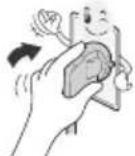
IIOHO BCTABJIaTe Ka6eJIb NITAHINB PO3ETKy.EcNI Ka6eJIb NITAHINBCTABJIeH HENIOTHO,MOKeT Bo3HNKHTb NoJap.
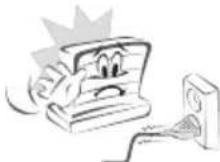
Ka6enb nTuHaHHe DoJxHcOpnKacatbca C TaKMM npEaMeTAM, KaHarpeBaTeH.3To MoKeT npBecTu K NoXapy NnnpaXeHHo 3NeKtpnueckm TokOM.
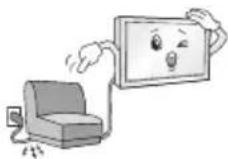
He cIeNyET CTABITb TRAKEnIbe npEIMTebl IIN CAM TELEBn3Op Ha shHyp nHTAHy. 3To MoKET pNBeCTN K NOXApay NIN NopaxKeHIO 3JIeKTPuueCKM TOKOM.
Bo n36eKaHHe I nonaHaHn DoXBeB0 B0dbI no aHTEHOMy Ka6eIO, erO cIeDyET BBoInb ChapxN 3daHnB N oMeueHne CHN3y BBepx. InonaHaHne BObI BHytpb yctpoCTBa MOKET pNBECTN Kero NOBpeKeHHIO I npaKeHHIO 3JIeKTPuYeCKM TOKOM.

IpnMOHTaKe TeneBn3opaHa CTeHy CTeNyETy6eDntbC, YTO TeneBn3Op He BnCT Ha Ka6ene NtAHm IN CnHAnhBbIX Ka6enX. 3To MoKcT cTaB npuHnO nOxapa nn nopaxehn EneKtpueckm TOkOM.
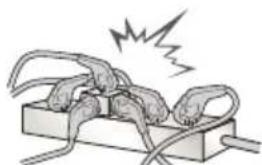
He noKnouaTe CNuKOM MHOro 3NeKtpueckx yCTpoiCTB K OndH o3eTke Ha HeckonbKO nTope6nteJe. 3To MoKeT npNBecTu BO3ropaHIO NO npuHne neperpeBa.
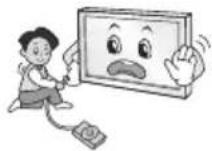
PnnoKIOueHn BHeuHX yCTPOCTB CneIte 3a Tem, TTo6bl TeEbn3Op He yna Hne OnpOKnHync. To MoKet npNBecTI K HaHeceHb Bam TpaBMbl NIO NobpeXdeHIO TeEBN3opa.
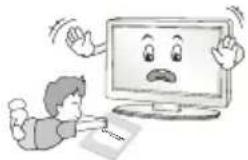
ДерхитЕ BlaRoHEnPoHnuaeMbI yNAKOBOчнь MATEpnaI n BHNIOBByO yNAKOBky B MeCTe, HeNoCTyNHom ДЯдETeI.
Bnaoronrnoaohm MaepnAn MoKet Haectn Bpe npn nporntbHaHm. Pnp nonadHm MaepnAa BHTpb opraH3Ma, cneyET BblBaTb y noctpaabWero pBOTy n o6patntbC B 6nnKaJWee MeDyUpeKdHeHne. KpOme TOro, BuHnIOBaY naKOBKa MoKet npuBeCTN KdyUeHnIO. DePKeTe eB HeNoCTynHom dIeTei MeCe.
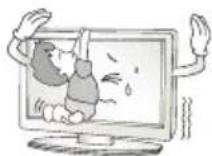
He papeuatae TdA 3a6upatbcaa nnepkaTbca 3a TeBn3Op. TeneBn3Op MoKet ynaCTb, YTO MOKeT npUBecNT K TaKeNbIM TpaBMam.
Ytun3nyte nCOnb3OBAHHble 6aTapeu DonxHbIM 06pa3OM n CneIte 3a Tem, YTo6bl DeTu He nporlotnIn ux. Ecn tTo npou3oNo, HEmdienho 06paTntecb 3a MeduHckoi NMOUIO.
Korda Ka6ebnb NtAHn BcTaBnE H po3eTKy, He BCTaBnIte npoBOHnK (HaNPmep, MetaJIneCkyo Cnuy) B pyroN KOHeu Ka6eN. KpOme TORo, He pRkacaiTecb KpyrOmy KOUY Ka6eN NtAHn, Korda OH BcTaBnE H po3eTKy. Bo3MOxHO npaJKeHne 3NeKTpuYeCKM TOKOM. (B 3aBNCMOCTN OT MoDeni)
He pa3MeaIte n He xpaHnte roPouHne BeUeCTBa OKoNo yCtpoNCTBa.
IV-3a HeocToPOxHOrO 6paueHnC rOpHmN BeUeCTBaM N MoXET
B03HNKHyTB B3pbIB WnnoXap.
He poHnIte BHytpb yCtpoiCTBa MeTaNlueckne npEmdTeB (MOHcbl, 3aKoIKN dIy BOIOc, CmUcbl, KcCKn IPOBOda n T.I.) a TaKKe IeRKOBCnIaMeHIOuIeCSa npEmdTeB (HaNPIMep, bMyary nn cNtK). CneNyET BHMAteJIbHO cIeNTb 3a DeTbMn, KorDa OHn HaxOJaTcB 6bn3u yCtpoiCTBa. Bo3MoXHo nopAkeHne 3JeKTpNUeCKIM TOkOM, Noxap NIN NIIbte TpaBMbl. EcnB yCtpoiCTBO nonan noCTopoHHn npEmdT, OTcoEHNHTe Ka6JIb NITAHn i O6paTIteCb B cepBnChbl ueHTp.
He paCbIaIe BoDy Ha yCTpoIcTBo H He OUYIaIe erO rOpUHMN BeueCTBaMn (6eH3HOM IIN paCTBOPITeM).Bo3MOxHO npaxKeHne 3NeKTPuueckm TOKOM IIN IOXap.
He donyckaIte ynapOB no yctpoiCTBy n nonaHaHnnoctopoHHnx npEmToB BHytpb yctpoiCTBa, He cTyuHTe n 3KpaHy. Hec6bnOdeHne 3THx MEP npEOCTOPOXHOCTMOXET pINBEcTn K HaHeceHIO Bam TpaBMblnn NOBpeJDeHNIO yctpoiCTBa.
He npKacaiTecb KcTpoiCTBy nAHTeHBe BO BpeM rpo3bl. Bo3MOxHNO nopaxKeHne 3NEkTpueckm TOKOM.
He npikacaiTeCb K cteHHoH po3eTke B clyae yTeuKn r3a. OTKpoiTe OKHa n pOBeTpIe NOMEueHne. NcKpa MoKet Bb3BaTb NoXkap, N Bbl MoXeTe NOJyUHTb OXor.
He cneyuT cmoctoTeBHO pa3bnpaTb, pemOHtnpoBaTb mOuHnupoBaTb yCtpoiCTBO.Bo3MoXHo nopaxKeHne 3NeKtpueckm TOKOM uIN noxap.
ДяnpOBepkn,KaIb6pOBKn nnnpeMOHTa yCTpoiCTBa o6pauaTecb B cepBnchbI ueHtp.
Ecn npon3oienTTO-Jn60 n3 nepeuCNEHNO HNKe, HEmeJEnHO OKJIOnHTye cTPOCTBO O TJEKNTPocETn N o6paTNTecB B cepBNCHb CEHTP:
YctpoictBO6bIIO NOBBePHyTO 3eKtPrueckomy pa3pyd.
- yctpoictbo6bilo NOBpekdeHo.
ByctpoiCTBO nonanno nocToPOHHne npedMebl.
V3yCTPOINCTBaIeINDbIMNINCTpaHHb3aNAx.
3To moKTeT npMBeCTN K noXapay nI I npaXeHnIO 3JIeKTPuYeCKIM TOKOM.

EcnBbI He cObpaTeecb Nb30BaTcBcYCTPOINCTBOM B TeueHne DnITeBHO BpemHe,OTcoeHNHTe OT Hero Ka6bNtAHNA.
PiNb BNARa MOrYT CTb PnUHNOy TEuKm TOKa HApUWeHn H3OJcM,
TO MoKET pNBEcN K NoXkapy NnnpaKeHIO 3NEKTPnuCeKM TOKOM.
Ha yctpoCTBO He donxHb I nonadaTb Kaan JxNkoCTn nn 6pb3n. Henb3a TAKKc CTaBtB Ha Hero npedMeTb, HaponHeHHbIe KxNkoCTbO (HapnpMep, Ba3bl).
He yctaHaBnBaIte yCTPOIcTB0 Ha CTeHy, rKe OHO MoXeT 6bITb NODBePKeHO BO3dEiCTBnIO MaCIIbHbIX napOB (HaNPIMep, HAc KxHc, PAnOM cPiNTo).3TO MoXeT NOBpeNTb YCTPOIcTB0 IN PpNBecTI Kero NaDeHIO.
EcnB yctpoCTBO (HapnMep, aanTep nepemehHOTo KA6eNb nTuHaN, TeneBn3Op) nonaET BOa nn pyroe BeuecTBo, OTKIOUHTe Ka6eNb nTuHaN HemeJeHHo 6paTneB B cepBncbI ueTp. B npotNBom Cnyae 3TO MoXET PnBecTN K Noxapy Nn NopaxKeHNO 3NeKtpueckm TOKOM.
IcnoIb3yIte TOnkO Odo6peHbIe KOMnHaHnei LG Electronics aadantep nepemehoro ToKa n Ka6JIb NITaHn. B IpOTNBHom Cnyae 3To MOKet npBecTH K NOxApy, nopaxeHnIO eNKeTpueckm TOKOM, NOBpeXdEHNO HJN deOpmaun yCtpoCTBa.
Hikorda He pa36upaTe aadTep nepemehnro ToKa n Ka6enb nntAHNA. B npotubHom clyuae 3TO MOKet npBecTu K NOkApy NnnpaKeHHIO 3NeKTpuueckm TOKOM.
He noDBepraTe yIapam aIaIaTep nITaTHnI npI erO HCNoJIb30BaHm. BHeUHee Bo3dEiCTBne MoKeT npIBeCTn K nobpeXJeHIO aIaIaTepa.
y6eHtecb,yTO Ka6eBnPiTaHnHaJeKHO NOkKnIOueH K pa3BeMy NiTaHnHa TeLEBnOpe. (B 3aBcunMoCTn OT MoEJI)

BHIMAHHE!
UCTAHOBuTe UcTPOiCtBO BMeCe, rIe HET padHONOMEX.
CneNyET o6eNeHTb DOCTaTOHoe paCCToHMe MExdy HApyKHO aHTEHNO KabeIEM NITAHN BO N36ExKaHHe IM COpNIKOCHOBEnHa DaKe B Clyae Naehn aHTEHb. 3To MOKeT pINBecNT K NopaxHeHIO 3NEKTPuueCKM TOKOM.
He yctaHaBnBaIte yctpoiCTBO Ha HeyctOuNBbIe NOLKIN HAKOHHbIe NOBepxHocTH. TaKKe CneMyET H6eTaB MeT, rJe yctpoiCTBO NOBepraTeCB N6paunM, INI MeC C HenONHOn ONOpO.
HecobnOeHne yka3aHHbIX MEP npedeocTopoXHOCT MoKet npNBecT N K TOMy, YTO yCTpOcTB0 ynaTeN INI nepeBepHeTcA, YTO MOKet NOBneY 3a cO60 HaeceHne Bam TpaBMbl INI NobpeXdeHne yCTpOcTBa.
Pn yctaHOBKe TeneB3Opa Ha noCTaBky HxKHO npeIpnHbMepblno npTeDBpaueHIO ero onpOKNbIBaHn. Pn HecobIOeHn Yka3AHbIX MEP npEOCTOPOXHOCTN UcTPOIcTB MoXeT yNaCTb, YTO MOXeTI pNBECTK HAHeCEHIO BAM TpaBMbl.
Ecn Tpe6yeTc3aKpenntb yctpoCTBO Ha CTHe, yCTaHOBtte CTaHdAPTHbI KPOHTeH dHa HAcTeHHOrO KpENNeHn (DOnONHTeHbHae Detalb) Ha er0 3aHne nHaen. Ppr YCTaHOBKe yCTpoCTBa Ha CTHe C NOMoCbIO KPOHTeHa dHa HAcTeHHOrO KpENNeHn (DOnONHTeHbHae Detalb) HAdExHo 3aKpeNTe erO Bo n36exAHne naDeHn yCTpoCTBa.
IcnoJIb3yIte pekOMeHIOBaHHIe I3rTOBtTeIeM KpeJIeHnA n akCEccyapbl.
IyctaHOBKa aHTeHHbI 6paTnTeCb K KBaHnΦuNPOBaHHOMcneuaHCTy.CamocToTebHa yCTaHOBka MoXeT npVBecTu K NoXapuynnnpaxKeHHo 3NeKTPnueCKM TOKOM.
Pn npocmtpe TeneB3opa peKoMeHnyTcra co6nOaTa b pacctoHne, paBHOe 2-7 nArOHaJMa EKpaHa TeNEB3opa. PpocmTp TeneB3opa B TeueHHe nnTeNBHO BpeMeHN MoKeT npuBeCTN K CHNXeHNO OCTpoTb 3peHn.
UcnoIb3yIte TOnIbKO yKa3aHHb TnI 6aTapeH. HecO6JIoDeHne EToTO Tpe6OBaHmMoKet npBecTe K NOBpeXeHnIO nyIbTa DY.
He nCnoB3yIte HOBIIe 6aTapeu BMeCTe CO CTapbIMN. To MoKET npMBecrN K nepepeBy u npoteukam 6aTapeu.
3JIeMeHTbI NITaHnHE DoJXHbI NOBepraTcHArpeBy OT npMbx COINHeYbIX Lyuei,OrHr nnEKeTpuecknx 60rpeBaTeen.
He BCTaBJIte Henepe3apJkaembIe 3JIeMeHTbI NITaHnB 3apJdHoe yCTpOCTBO.
Meky npbTom y n daTukom He dOJxHO 6bITb HnKaKnx npedMetOB.
CnHAn OI NybTa DY MoKcET 6bITb NODaBHeN CONHeYbIM CBETOM INN DpyTm NCTOuHkOM APKoRO CBETA. B3OM Cnyae B KOMHaTe CneNyET CdelaTb CBet MeHee APKM.
PnnoKIOHnBHeHnXyCTPOIcTB,TaKHXKaNrpoBBie KOHCOII, y6eINTecbTOM,YTO NOKIOaEMbIE KaEBINMMeOT DOCTaOHTHyO dHHy. HNaue yCTPOIcTBo MOKeTynactb,YTO npNBEdET KHaHeCEHIO TpaMBblnn NobpeKDeHNIOyCTPOIcTBa.

He cneyET BKIOaTb/BbIKIOaTb TeneBn3Op, NOcOeINHry INN OTOeINHRA BUNKy OT HACTEHNO p03eKN (He nCnONb3yIte BUNKy dR BKNIOUeHNA). 3TO MOxET CTaTb npuHOM MexAHueCKORO OTKa3a INN nopaxHen 3NeKTPnuECKIM TOKOM.
Co6IIOdaTe INCTpyKcnn no yCTAHOBKe, npBBeEHbIe daJIee, YTO6bl npedOTbpaTntb nepepeBvycptoiCTBa:
PacctoHne MeKdy TeJeBn3Opom n CTeHOJdoNkHO 6bITb He MeHee 10 cm.
He yctahabnbaute yctpoietBO MeCTax 6e3 BEHTnlau (Hapmep,Ha KHNXHOI NOJIke NIN B cepBaHTe).
He yctaHaBnBaIte ycTpoCtBO Ha KOBep mnn noDyuky.
- y6eHNTecb B TOM, qTO BEHTNIAUHOHHbIe OTBepCTnR He 3aKpbITbCKaTePTbIO NII UTOPOI.
B npotNBHOM cnyae, moKet npon30Tu Bo3ropaHne.
He npikacaiTecb K BeHTnIaHIOHHbIM OTBepCTNm npnpocmotpe TeleBu3Opa B TeueHne DOIroTO BpemeHN, NOCKoJIbKy OH N MOryt CInbHO Harpetbcra. 3To He BnAeT Ha pa60Tu NN pOn3BOJNTelbHOcT bYCTPOCTBa.
IepnoDnueckn OcMaTpnaBaiTe Ka6eB yCtpoiCTBa n B Cnyae BuIMoTO H3HocA mNIOBpeXDeHn BbInbTe erO n3 po3ETKn 3aMeHHe Ha Ka6eB, peKoMeHDoBAHHbA BTOpN3OBaHHbIM CneuaJIACTOM NO 06CnyJBAHHO.
He onnyckaiTe cKoJIeHnIbIIN Ha KOHTaKTax pa3beMOB IIN HA pO3eTke. 3To MOKeT npUBeCTN K NoXkapy.

He donnyckaIte fni3nueckoro nnn MexaHueckoro BO3deIcTBna Ha shyp 3neKtpoNTaHn, a mMeHHo nepeKpyuBaHn, 3aBra3bHaHn, nepeRbAHH uHypa. He 3axmamTe shyp dBepbU n He hactynaiTe Ha Hero. 06paauTe oc6oe BHMMaHne Ha BUNK, HAcTeHHbIe po3eTKn I TOOK CoEINHeHn PpOBoDA cyCTPOIcTBOM.
He haxmuTe cnIbHO Ha naHEnb pyKo nnOCTpbIM npEmdToM (rbo3dEm, kapaHaDaWOM nnpyko). He cepapanaTe naHEnb.
CTapaTecb He npKacatbcra K ekpaHy n He depKaTb Ha HEM paBcBi TeueHne npOdoJxHtBHor nepNoa BpeMeHn. 3To MoKeT BblBaTb BpeMeHHbe NCKaXeHnHa 3KpaHe.
Ipy ouHCTke yctpoiCTBa u erO KOMnoHEHTOB, cHaayana,
OTcoeHNHTe BNkUy UHypa NITAHnA O TPO3eTKu, a 3aTeM npoTpnte
yCTPOI CTBO MRAK KO TKAHBIO. IpIMHeHne N36bIToCHbIX ycNnIN MOKET npNBecTN K NOBAAHEnIO capaNN IN NIO oEcbueYBaHHIO
NOBepxHOCTn. He paCblnIte BDOy Hne npOTnpaTE yCTPOICTBO
MOKPOI TKAHBIO. HIKORDA He NOLb3yItec b ouHCTIeTENAMIN DIA
CTeKoI, ABTOMObIBHBIMN INN pONMbIHJeHHbIMN NIIPOPONAMN,
abpaNBbIMn CpeCDTBAMN INN BOCOM, 6EH30lOM, CNIPTOM IN T. IN,
KOTOpBIE MOrYT NOBPeDITb YcTPOICTBO IN ERO NaHeJB. HecO6JIIODeHne
Yka3aHHbIX MEP npeDcSTOPoXHOCTm MOKET npNBecTN K BO3rOpAHIO,
NOPaKeHIO 3JNEKTPnueCKMn TOKOM INN NOBpeXdEHNO yCTPOICTBA (deOpMaunn, KoppOznn nn noomke).
Ecn yctpoCTBO NOkIIOyeHO K po3eKe nepemehoro ToKa, OHO He OTKIOaETcR O NTOUHnKa PHTAHNNEpemehHOro ToKa, DaXe npBbIKIOeHH C NOMOsbIO nepeKIOuataTnITAHN.
OTKnIOUa np6Op OT 3JIeKtpuYeCKo pO3eTKn, 6epNTecb pyKo 3a BuNKy.
OToeHHeHne npoBOOB BHyTpN Ka6eN MaKeT npBecn K Bo3rpaHIO.
Pn nepemeuen yctpoCTBa cchaana y6eintecb TOM,TO OHO OTKIOUeHOOTcTNI.3aTeMOTcoeHNHTe Ka6eIN NITAHN, aHTEHbIe Ka6eIN N OCTaJIbHbIe PNOKIIOuaemblc Ka6eIN.
TeneBn3op nI KabeIb nITaHnM OryT 6bITb NOBpeXdeHb, YTO MoKet CO3DaTb ONaCHOCTb BO3rOpAHN IIN NopaxHeN 3JIeKTPuYeCKIM TOKOM.
IpeMeueHne nn pacnakOBky yctpoCTBa cneDyET npOn3BODNTb DBYMIOAM,T.K.OHO TAgKeNoE.NHaue BO3MOXHO NOpUyeHne TpaBMbl.
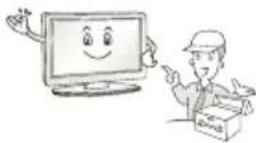
IIO6oe 06cnyxHBHne OJONKbI IpnO3BOJNTb KBaIIuΦnUPOBaHHbIe CNEuaJIncTb. 06cnyxHBHne Tpe6yEtC, KOrda yCTpoiCTBO 6blIO NOBpeXJEHO KaKM-IMo 6bpa3OM (NOBpeXJEH Ka6bI NITAHIN INN BnIKA, npOIHTa XnIKoCTb, BHYtpb IOnaI NOCTOPOHNI pPeIMET, YCTPOICTBO NOCTpadaNo OT DoXJa IIN BnAIn, yCTpoiCTBO He pa6oTaET DOJKNHbIM 6bpa3OM, INI erO yPoHNII).
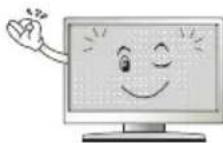
Ecn yctpoCTBO KaKETcXoJIOHbIM Ha Ouynb, npn erO BKIOUeHN BO3MOxHO He6oBbOoe MepaHne. 3To HopMaIbHoe ABLenHe, C yctpoCTBOM BCE BnpAKe.
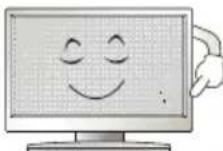
JaHHa NaHeIb ABnIeTcYcoBepWeHCTBOBaHHoM MoeIbIO NIMeET pa3peWeHne B HeckOblbKO MmIIInHOB NIKCeIe. Ha NaHeI MOrTy NOBtBCa MEKKe YepHbIe TOUKN/INN rPKNe ZBeTHbIe TOuKN (KpaCHbIe, CnHne INN 3eJIeHbIe) pa3MePOM 1 ppm. 3TO He ABnIeTc HcnpabHOCTbIO H He BnIeT HApOn3BOdntelbHOCTb NHaDeXHOCTb yCTPOCTBa.
3Ta np6bnema TaKke BCTpeaetcB CTOpOHnX npOyKTax N He ABnEeTc NOBOOM IIN O6MeHa INI DeHKeHOrO Bo3MeueHn (DeHekHO KOMnHcauu).
B 3aBcHmocnO t Mecta npocmotpa (CneBa/cnpaba/Cbepxy/chn3y) npKoCTb uCBETHOCb NaHeH M0KeT N3MeHrTbCra.
3To npOnCXoNT BnDy Oco6eHHocTe CTpoEHn NaHEn. DaHbIe H3MeHeHn He CBa3aHbI C npOn3BODntbHOCtBIO yCTpoiCTBa N He ABnEeTc HncnPabHOCTbIO.
OTo6paXeHHe CTaTHoHO N3o6paXeHn JINTeNbHOE BpEm MoKet npBecT K NOABNeHIO OCTaTOHOro N3o6paXeHn. N36eraIte OTo6paXeHn HenoDBNXHOrO N3o6paXeHn B TeHuHne DInTeNbHO repNoDa BpeMeHn Ha TeneBu3ope.
3Bykn, n3daBaemble yCTpoiCTBOM
Tpeck KOtOpbIM MOxHO yCblBAtb npn npocMOTpe mN BbIKNoueHn TeneBn3Opa, BblBaH TeNIOBbIM CkATmE MnnCTnKa B pe3yIbTaTe n3MeHeHn TEMpepAtpb IN BlaxHoCTn. DaHbI Iwym RAIBaETc06bUHbIM ABlneHm npn NcONb3OBaHm IpOdyKTOB, NOdBepKeHHbIX TEMpepAtpHoi DeOpMaun.
IydeHne 3eKtpuecko cenJxKKaHne naHEn: n3 BbICOKOaCTOTHO KOMMyTaUHOHcXeMbI yCTpOcTBa MoKet IcxOaNTb Tuxm Wym, 6pa30BaHHbI npn npoxKeHm 60JIbWoTO kA, Heo6xoDMoro dJa paobTbI yCTpOcTBa. 3To 3aBNCt OT yCTpOcTBa. DaHHbI 3Byk He BnnaeHa pa6Otu HaJeXHoCTb npOdykTA.
He mncno3ynte 3nEKTpon3dennBaBcOKoRo HapxKeHn B6n3n TebeN3opa (HanpMep, nEKTpueeckyo MxO60ky). B pe3ynbTaTe yctpoCTBO MOKet 6bItb nobpeXdeHo.
(B3aBnHMoCTNOTMOeIN)
(3TOT KOMNHOENT IOCTUEN He DnB BCEX MoJeJ.)
3akpenTe TeneBn3Op Ha CTOne InpedOBpaueHnaKNoHa Bnepei, nobpekdeHn noTeHuaNbHO rpaBMPOBaHn. Inla 3akpenHeHn TeneBn3Opa Ha CTOle BCTaBBte N 3aTAHTE KOMNKeTHbI BNHT Ha 3adHne NaHEn NiOCTabKn.
TunA)
4 BnHTa (He BXoJrB KOMJIeKTaunO)

PIMMEUHNE
BnHT:M5xL L:toIuHa cTOna +8 - 10Mm HapnMpE,ToIuHa cTOna:15MM,BnHT:M5xL25
TunB)
2BnHTaIgKpennneHNOCTABKN, 2Wai6blIgKpennneHNOCTABKN, 2TaNKnIgKpennneHNOCTABKN (noCTabNIOCTCBMecTe n3dienem)
(3TOT KOMNOHEHT DOCTyneH He IINBCEX MOeJeN.)
Pa3bem CNTEmbl 6e3oNaCHOCTN Kensington HaxoHTcH Ha 3aHHe KpbIke TeneBnOpa. IOnoJIHInTeNbHa INΦOpMaunO bYctAHOBKe mCNoJIb3OBAHN pIuBeDHa B pyKOBoODCTBE K CNTeMe 6e3oNaCHOCTN Kensington nHa caiTe http://www.kensington.com. IpoJeHbTe Ka6eMb CNTEmbl 6e3oNaCHOCTN Kensington uepe3 TeneBnOp n OTBepCTne B CTone.
3aKpeHne TeneBn3opa Ha cTeHe
(3TOT KOMNHOENT IOCTUEN He IINBCEX MODeJeI.)
1 BCTaBbTe n 3aTnHte 6oTbI c yuKaAMn uNn 6oTbI kPoHtTeHOB TB Ha 3aDHe n aHeIn TeneBu30pa.
ECINB MecTAXIg 60NTOB C yUkAMN yXe yCTaHOBHeHb Ipyrne 60NTbI,TO CHaHaB BbIKpyTIne INX.
2 3aKpeHnTe KPOHHTeHbI Ha CTHe C NOMOuB 6oTOB. CoBMeCTHe KPOHHTeH N 6oTbI CyUkAmN Ha 3aDne NaHenn TeneBu3opa.
3 KpenKIM Hypom HaedxHo npBaxte 6ontb cyuKaMn K KpoHHTeHAM. y6eHNTecb B TOM, qTo SHyp pacnoJoxeh TOpN30HTaIbHO.

BHUMAHNE!
CneJeTe 3a Tem, yTo6bI DeTn He 3a6upanncb N He BuceJin Ha TeneBn3ope.

PIMMEUHNE
IcnoB3yEma nIgKpIeHnIOBepxHOCTb DoJXHa 6bITb DOCTaTOHO yCTOuHBOH npOHO.
KpoHHTeHbI, BnHTbI uHypbI He BXoJrT B KOMJIeKT NOCTABKn. DOnOJIHHTeHbIe akceccyapbl MoXHO npNo6peTrn y MeCTHO nnepa.
PerynilpoBka yrna 063opa
TeJeBn30pa
(3TOT KOMNHOENT DOCTYNEH He IaB BcEx MoJeIe.)
IobepHnTe TeneBn3Op Ha 20 rpaDycoB BneBO nnn BnpaBo, YTO6bl ynyuHTb BNIMOCt C MecTa npocMOTpa.

BHUMAHNE!
Pn perynpOBKe yrna 063opa yctpoiCTBa 6yDbTe octopoKHbI, TTO6bl He npuCEMUTb naBbI.
He donyckaTe 3aemJeHnpyk nn nnaBueb,T.K.30 MoKet npBecTu K TpaBMe.Ipn Cmukom 6oIbwoHn HKnOHe TeNEu3Op MOKeT yNaCTb,HTo pNBeET Kero NOBpeXdeHIO.
KpenenneHa cTeHe
Octopoxno npnKpene TKe KPOHTeHH nHa HAcTeHHORo KpeNHeHna (npno6peTaembI OtdenbHO) K3aHne NOBepxHOCTu TeNEBn3Opa nK CTHe BbIPOBHB NO yPBOHIO.ДЯ MOHTaKa Ha CTeHy,ИЗ HEnpoUhBix MaTePnAIOB, 683aTeNbHO 6oPaTNTcB K KBaIIHmPPOBaHHOMy CneuaJIACTy no MOnTAky u CTponTeMbCTBy. KomNaHnLG peKomeHdyET Bb3bBA Tb KBaIIHmPPOBaHHoMaCTepa Ia KpeNHeHraTEBEH3Opa K CTHe. PekomeHdyetca INcNoB30Ba Tb KPOHSteHH dJa HAcTeHHORo KpeNHeHg LG KOTobI obecneuBaET ydo6Hoe noKnIOueHne Ka6BeNe. Ecn BbI NCNoB3yete KPOHSeTHdIHaCTeHHORo KpeNHeHpyrTO npOn3BODHTeHL, peKomeHdyETcNcNoB30Ba Tb KPOHTeHH, KOtobI obecneuBaET HaedXHoe KpeNHeHyeCTpoiCTBa Ha CTHe I HAInuYe DOCTaTOHOrO MeCTa 3a YCTpoiCTBOM, dJa yDoBHOro nOcOeDInHeHry Bcex BHeuHNx UCTPOIcTB. PekomeHdyETc nOdknOHTb BCE Ka6eNl Do yCTaHOBKn FHKCnPOBaHHOrO KoPHHTeHa dJa HAcTeHHOrO KpeNHeHya
Y6eNTecb B TOM, YTO BNHTbI N HAcTeHHbI KpOHHTeH OTBeaIO TcAndaptam VESA.B Cnedyuoue Ta6nue npBedeHbI cTaNdapThbI ra6apntbI dN KOMnEKTOB HAcTeHHoro KpeNHeHra.
PpHnAdIeXHoCTn, npNo6peTaembIe OTdIeNbHO (KPOHtEIN DnHaCteHHoro KpenneHna)
| Мо德尔 | 43UW76** 32/43LW64** 43UW95** | 49/55UW76** 49/55UW96** |
| VESA (A x B) (MM) 200 x 200 | 300 x 300 | |
| Стоандэртыний ВИNT M6 M6 | ||
| КолочECTBO BИNTOB | 4 | 4 |
| Крочтейн ддяпостenv Horo Крочпения | LSW240B MSW240 | LSW350B MSW240 |
| Мо德尔 65UW96** 75UW34** | ||
| VESA (A x B) (MM) 300 x 300 | 600 x 400 | |
| Стоандэртыний ВИNT M6 M6 | ||
| КолочECTBO BИNTOB | 4 | 4 |
| Крочтейн ддяпостenv Horo Крочпения | LSW350B LSW640B |

BHIMAHHE!
OTcoeHInHe NoCTaBky neped yctahOBko KpoHHTeHa dIhaCTeHHOrO KpePHeHn, BbINOJIHB npoeDpyoNDcoEINHeHnNoCTaBKn B o6paTHOM npRdKe.

ПИМЕЧАНЕ
cHOB3yIte 3aunTHyo 3arLyuKy IIN 3aunTHyo KpbIwky, NdyuO B KOMnEKeTe. 3aunTHaY 3aunTHaK PbIwka Oececnyat 3aunTy OTBepCTN oT cKaIIBaHn Nblnn M 3arpa3HeHn. (ToIbKO ecIn 3aun LyuKa IIN KpbIwka NdyT B KOMnEKeTe)
(B3aBcMooCTNOTMOeJI)
PpOcMoTp 3aKoDnpoBaHHbIX (nlaTHbIX) KaHaNoB B pexKmE LioΦpOBOro TB.
IpoBepbTe, npaBnBHO n yctaHOBHeh CAM (CI) - moynb B pa3bem PCMCIA. HenpaBnBnaY cTahOBKa moynma MoKet npnbecTu K noBpeXeHnO CAM (CI) - moynu npa3bema PCMCIA.
EcnB TeJIeBn3ope OTCyTCTBYOT BnIeON3o6paXeHne N 3ByK npN IOkIIOUeHHOM Cl+ CAM-MOdyne, CBxITecb cOnepaTOpm KIneHTCKOI CnyK6bl HaemHO/KabEnbHOr/OcNYTHIKOBOr BOuHaHn.
PoioknIOUcHne USB
HeKOTOpbIe KOHcEHTpaTOpbI USB MoTy He pa6oTaB. EcIn USB -yCTpOiCTBO, NOdKnIOUeHHoe C NmOuBIO KOHcEHTpaTOpa USB, He 0bHApYKeHO, NOdCoEIMHnTe erO HEnocpeIcTBeHHO K NopTy USB Ha TeJIeBu3Ope.
Повлочене ВсшнхДиHamNKOB KaydnoBbIXOу
(B3aBcIMoCTnOTMoJeN)
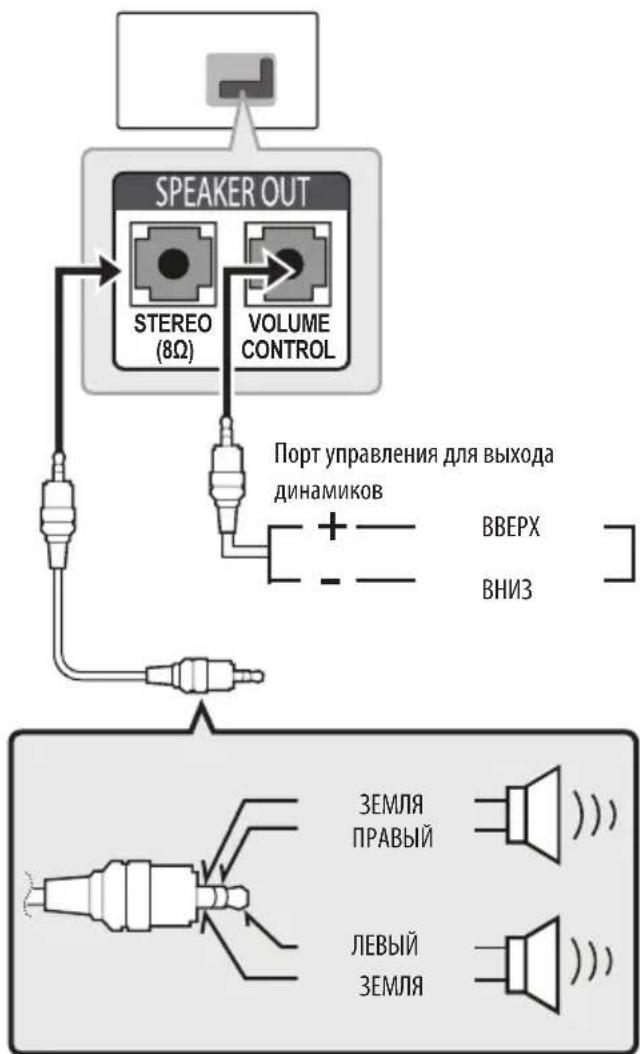
I PUNMEYAHNE
Icnoj3yTeToJbKoC3-KoHTaKTHbIMpa3beMOMCTepeo3,5MM.
He noDcoeINHnIe HauHHNKn K npTy dna noKIOueHnBHeuHero DNHaMnKa.
YnpabneHne rpoMkoctbU Ope3 npT
XapaKTePnCTnKn Ka6eJia
(B3aBnHMoCTnOT moEJI)
OncnBBAaHOMpyKOBOCTBEOTHOCTKKHONkAMHaNyIbTe Dv.BHMATEbHo npouHTaTe Hactouee pyKOBOCTBO nPpABNbHO mOnb3yTe NybTdy CteBn3Opom.
T06b3aMeHntb 6aTapeo,OTKpoTe KpbIuKy 6aTapeHoro OTEKa, 3aMeHnTe 6aTapeo (1,5BAAA) cyetom+ u Ka3aHHbx Ha MapKnPOBKe B OTEKe, n 3aKpOte KpbIuKy OTEKa. IIn N3BLeueHn8 6aTapeo BbINONHnTe DeNCTBnI IO IN yCTaHOBKe B o6paTHOM NopRdKe.
HaKmJa KHONKn, HAnpaBnIe npbT Dy Ha ceHcOp dNCTaHNoHHoro ynpabEnHa TeneBu3opa.
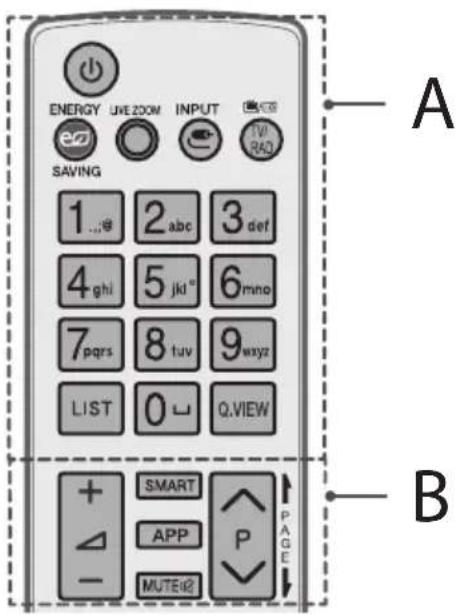
A
(NTAHNE) BkIIOueHne I BbIKIOueHne TeneBn3opa.
EENERGYPAHNGpKoCTn3KpaHaДЯCHHXKeHNAeHepronotpe6neHn.
OLWZOMaBbIbpaHHyIOO6nactb,MOxHO npocMOTpeTbe BO Becb 3KpaH.
IMBHTHeHHe NCTOChNkBAxOdHOro CMHaHa.
TV/RAD PipekeKIOUeHne peKIMoB:paIIO-/uIp. TB/ aHaIor.TB.
UΦpObIe KhoIKn BvoD Hoomepa KaHana (BVOD uCen).
LIST Bb3bBaetCNICOK KaHaIOB.
L(Ipo6en)Bbo npo6ena Ha ekpaHno KnaBnatype.
Q.VIEW Bo3BpaT Kapee npocMaTpnaEmo nporpamme.
B
+HaCtpoIka rpoMkoCTN.
SMART DocTyKDOMaunHe nHaenmCMAPT TB.
APP OTo6paKHeHne npdeIbIyuxn DeIcTBn.
MUTE KJ./0TKJ.3Byka.
PocneBObaTeIbHoe nepeKIOueHne KaHaIOB.
PAGE1TpaHnHHeIpoNnCTbBaHne CnCKOB.
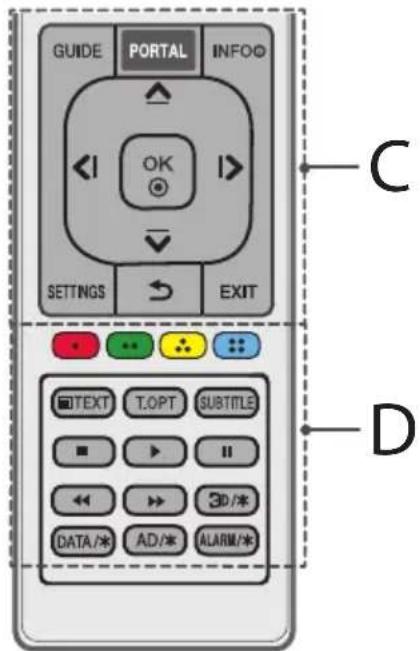
C
GUIDE OTo6paXeHne npOrpamMbI nepea.
PORTAL OTo6paXeHne n cKpbITNe roCTnHmUHO rHTepaKTNBHO r MeHIO.
INFO ① OTo6paXeHHe INHΦOpMaun O TeKyuuei nporpamme nnBxOJe.
KhoNkHabnraaun(BBepx/Bn3/BneBo/Bnpabo)
IocneBObaTeJIbHaH HABITauN B MeHIO B BB6paHOM HAnpaBHeHIM.
OK BbI6Op MeHIO IIN npaMetPoB IOITBePckJeHne BBOda.
SETTINGSDoctynK6bICTpbIMHaCTpoiKaM.
(SHA3AД) Bo3Bpa Hnpebduuyn ypoBeH MeHIO.
EXIT 3aKpbTHe OKOH npocMToPa Ha 3KpaHe N BO3BpaT K npocMTopy TB.
D
UBeTHbIe KnaBmN IOCTyn K CneuaNbHbIM yHKnA M HEKOTOpbIX MEHO.
For DTS patents, see http://patents.dts.com. Manufactured under license from DTS Licensing Limited. DTS, DTS-HD, the Symbol, & DTS or DTS-HD and the Symbol together are registered trademarks of DTS, Inc. © DTS, Inc. All Rights Reserved.
YBeOmIeHne O nporpaMMHom o6ecpeHnC OTKpbITbIM ICXoHbIM KOdOM
YcTpaHHe HeNCnPaBHOCTeI
TeneBn3Op He pearnpyET Ha KOMaHdbI NylbTa DnCTaHnOHHoro ynpaBneHn (nylbTa DY).
IpoBepbTe DaTnK D'Ha TeneBn3ope n NobTopnte noBtKy.
- Y6eIITecb BOTCYCTBm npenTCTBm MeKdy TepeBu3Opom INyIbTom dy.
- y6eDntecb, yto 6atapeH haoJrTaB pa6ooyem coCTOHHn npabunbo yctahOBHeHb(+K+K)
TB He BkIIOaTeTcA:OTcyTCTByIoT N3O6paXeHne H 3ByK.
Y6eNTecbBTOM,HTOTeJIeBn3OpBKNIOHcN
- Y6eIHTecb B TOM, UTO WHyp NITaHn POKnIOueH K po3TeK.
- Y6eIITecb B TOM,чTo po3eTKa pa6oTaE,TnoKJIIOuHb K Hei dpyrHe yCTpoIcTba.
TeNeBn3Op cAmOnpOn3BOIbHbBbIKIHOaTcA.
PpOBepeTepaMeTpby npapBneHn3HepronOTpe6NeHem Bo3MOxHO, pON30wEn C6oB B CETn 3eKtpOnNTAHn.
IpoBepTe, BkHoueHa JIN yHKunA ABTomaTuYeCKoe OTKluOeHne NHTAHN (B3aBcUMoCTN OT MoeJI) / TaMep Cha /OTKluOeHne TB no TaMepy B MeHIO TaMepbl.
- EcnI TeLEBn3IOHbI CNrHaJI OTCyTCTByET B TeueHne 15 MNHyT, TeLEBn3Op BbIKIOUaETcA ABTOMaTIuYeCKN. np NoCDoeINHeHH N K KomNbIoTepy (HDMI), oTo6paXkaETcOoo6eHne "HeT CnHaJa" uIN "HeBepHbI FOpmAt".
BbIKIOUeHHe/BKIOUeHHe TENEBU3Opa c NOMOuIbu NyIbTa DY.
- Nobtophoe noikJIOUeHne ka6eHn HDMI.
- Ipe3anyctnte KOMnIbIOpTe, noka TeJIeBn3Op BKnIOueH.
TexHnueckme xapaKTepeNCTnKN
BecnpoBDoHmMoDyIb:TexHnueCKeX xaPakTepeCTNk
IocKobky dHaana30Hb MoYr OTnUaTbcB Pa3HbIX CtpaHax, Nolb3OBaTeN He MoXeT N3MeHrT bnn HAcTpaNBaT bp6Ouyu 4actOTy. TOT npOdyKT HaCTpoEH B COOTBeTcTBm C Ta6nuei YactOT B perNoHax.
Дябз�acHOTи NOIb30BaTeЯ yCTpoiCTBO Heo6xOIMO yCTaHaBnBaTb NcNoJIb30BaTb Ha paCtOAHm MInHMym 20 CM OT NOJIb30BaTeЯ.
(TonboknJUW761*,UW961*,UW950*,UW341*)
- Ctahdapt "IEEE802.11ac" HeoocTyneB HeKoTOpbix CtpaHax.
(Tonbko dny LW641*)
(B3aBcIMoCTHOTCTpaHB)
| Цфровоe TB Аhalorовoe TB | ||||
| Спунниковoe эфироe Kaбельhoe | Зфирhoe / Kaбельhoe | |||
| Стандат veanzaю DVB-S/S2* | DVB-T DVB-T2* | DVB-C | PAL/SECAM B/G, D/K, I, SECAM L | |
| Диапазон частот 950 ~ 2150 MГц | VHF III:174~230 MГц UHF IV:470~606 MГц UHF V:606~862 MГц S посяа II:230~300 MГц S посяа III:300~470 MГц | 46~862 MГц 46~ | 862 MГц | |
| Мakсималhoe К olочевто В списе | 6000 3000 | |||
| Волноoe сорotiвлене ртtenны | 75Ω | |||
- Tônbkö對於 moDénei c noDépckko DVB-T2/C/S2.
IopdepxnBaembIe pexmbi HDMILcnp. npucTabka
| Разрешие | Частota торнозонтailingно развертук(кг.) | Частota Вертукаль碍 развертук(Г.) |
| 720 x 480 | 31,47 31,50 | 59,94 60,00 |
| 720 x 576 31,25 | 50,00 | |
| 1280 x 720 | 44,96 45,00 37,50 | 59,94 60,00 50,00 |
| 1920 x 1080 | 28,12 33,72 33,75 26,97 27,00 33,71 33,75 56,25 67,43 67,50 | 50,00 59,94 60,00 23,97 24,00 29,97 30,00 50,00 59,94 60,00 |
| 3840 x 2160 | 53,95 54,00 56,25 61,43 67,50 112,50 135,00 135,00 | 23,98 24,00 25,00 29,97 30,00 50,00 59,94 60,00 |
| 4096 x 2160 | 53,95 54,00 56,25 61,43 67,50 112,50 135,00 135,00 | 23,98 24,00 25,00 29,97 30,00 50,00 59,94 |
1:TolbkoДЯ UW761*, UW961*, UW950*, UW341*
PoiDepKInBaemblpe peximbl RGB- INk npncTabka
(TonbkoДи UW341*)
| Разрешие | Частota гориконынов развертук (КГц) | Частota Вертукалынов развертук (Гц) |
| 640 x 350 31,468 | 70,09 | |
| 720 x 400 31,469 | 70,08 | |
| 640 x 480 31,469 | 59,94 | |
| 800 x 600 37,879 | 60,31 | |
| 1024 x 768 48,363 | 60,00 | |
| 1152 x 864 54,348 | 60,053 | |
| 1280 x 1024 63,981 | 60,020 | |
| 1360 x 768 47,712 | 60,015 | |
| 1920 x 1080 | 66,587 59,934 | |
| 67,50 60,00 |
PIK ayDnO He noDnepKnBaeTcA.
IcnoB3yTeHDMl IN 1 nla PC (Nk) (B 3aBmocnOT moen)
ПовдерхиВаembie рекимblHDMI-нК
| Разрешие | Частota горизонтailingно разверък(nФц) | Частota Вертукалъно разверък(nФц) |
| 640 x 350 31,46 | 70,09 | |
| 720 x 400 31,46 | 70,08 | |
| 640 x 480 31,46 | 59,94 | |
| 800 x 600 37,87 | 60,31 | |
| 1024 x 768 | 48,36 | 60,00 |
| 1152 x 864 | 54,34 | 60,05 |
| 1280 x 1024 63,98 | 60,02 | |
| 1360 x 768 | 47,71 | 60,01 |
| 1920 x 1080 67,50 | 60,00 | |
| 3840 x 2160 | 67,50 | 30,00 |
| 56,25 | 25,00 | |
| 54,00 | 24,00 | |
| 4096 x 2160 | 53,95 | 23,97 |
| 54,00 | 24,00 |
1:ToIbkoIyUW761*,UW961*,UW950*,UW341*
I IPNMEYAHNE
0ttmaJIbHoe pa3peWeHne 3KpaHa
-
3840X2160(TonbkoДЯ UW761*, UW961*, UW950*, UW341*)
-
1920 x 1080 (Toько дя LW641*)
CbeHnO nokluoynn K KomnoeHTHomy pa3bemy
For DTS patents, see http://patents.dts.com. Manufactured under license from DTS Licensing Limited. DTS, DTS-HD, the Symbol, & DTS or DTS-HD and the Symbol together are registered trademarks of DTS, Inc. © DTS, Inc. All Rights Reserved.
For DTS patents, see http://patents.dts.com. Manufactured under license from DTS Licensing Limited. DTS, DTS-HD, the Symbol, & DTS or DTS-HD and the Symbol together are registered trademarks of DTS, Inc. © DTS, Inc. All Rights Reserved.
LG Electronics Mlawa Sp. z o.o. (Ltd.)
LG Electronics 7 street
06-500 Mlawa, Poland
Tel.: +48 23 654 74 17
Fax:+48236545947
LG Electronics Wroclaw Sp. 20.o
UI. LG Electronics 1-2
Biskupice Podgone
55-040 Kobierzyce, Poland
Tel:+48717929400
Fax:+48717929405
LG Electronics Inc.
77, Sanho-daero, Gumi-si, Gyeongsangbuk-do, 39381, Rep. of KOREA
Tel:+82-54-460-7114
Fax:+82-54-460-7930
Yetkili Servisler
Degerli Musterimiz,
He CTaBTe TeneB13Op iynbT DnCTaHuiHoro KepyBaHHA:
Ymuci,Ke3a3HaBnBBypPmNxCOHnHINpOmeHB;
YMiCi3BucOKoHO BONiCrTIO,HaPnKNaIyBaHHI KIMHAtI;
Iopn3y dkepen tenna, ta npncptpoB rki BnuinjnoTb tenno
No6n3ykyxOHnxpo6OuNX cTOniB a60 3BOOnOxyBaiv Nobitpa, De BOH NERKO MOxTyb KOHTaK TyBaTu 3napoU OH OniEIO;
Y Miciui, JKe 3a3Hae BnNBy Dooyu Nn Bitpy;
No6n3y cHMOCTeN 3 BOIOHO, HApnKnad, Ba3.
B iHwOMy BnnaKy, ce MoKe npu3BeCTn Do BUNHKHeHH noKexi, ypaKeHH eJektpnHm cTpyMOM, 3601 y pO6oTI Bpu6y a6o Ioro deOpMaui.
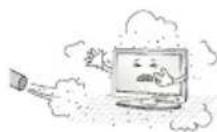
He bCTAOBIOHTe Bnpi6 y Micx, De Ha Hboro MoXe ocidaTn 6arato nny. Lc moXe cnpuHHnT noKexy.
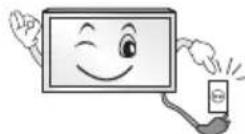
MepexeBn wTekep Ka6enIO e npctpoem, 0o 3a6e3neye BiD'edHaHb BID dKepeLa KINBHeHry. DocTyI Do HbOr He MaE 6yTu ycknaDHeHm.
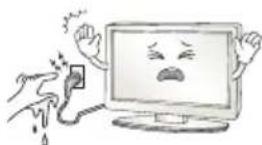
He TopkaTec8Itekepa Ka6eHIO MOKpHMpykAMn. TaKoX, JaKIo KOHTaK T Ka6eHIO MOKpM a60 3a6pydHeHn, NOro cNlD hAcYxo I UcTo BntepTN. HAdMipHa BONOrICTb MoKe pN3BecT Do ypaXeHHa EneKTpUHNM CTpymOM.
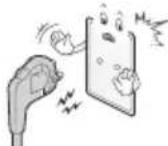
Ka6eNb KxNBHeHHeo 6xHnO nID'cHyBaTu Nnue Do 3a3EmneHX p03eTOK (Kpim npncTroB, kI He 3a3EmleHo). IHaKUe BN pN3NkyTe TpaBMyBatncra 6bTy npaxKeHm eEKeTpnuHm CTpyMOM.
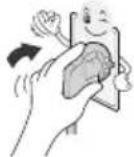
Ka6eJI KMBHeHHMaE 6yTu 3aΦIKCOBaHO HaJIeXHM YHOM. IHaKWe MoXe BUNHKHTN NOKeJa.
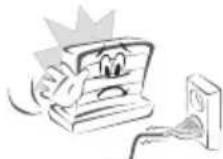
CTeKTe,IO6 Ka6eIb KINBHeH He TOpKaBCra rapaHx npEdMeTIB, HApnKnlaH HarpBaHa. Ce MoKe cnpuHHn noKexy a6o ypaXeHHreEeKTPuHMM CTpyMOM.
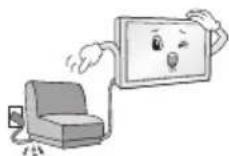
He cTaBte BaXKi npEIMeTu Cu Cam Bnpi6 Ha Ka6eni KxNBneHHa. HeDoTPMaHHe LiEi BmOrn MoKe CtaTn PnpuHNOI NOKExi YUpaXeHHN ENEKTPuHMM CTpyMOM.
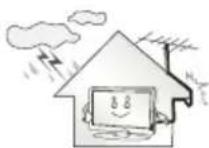
3irHtB ka6eIb aHTEH MIX BHYtpiUHbOIO 3OBHIuHbOIO qactnHAMM 6ydiBNI dIa 3anobirAHra 3atikAHIO BOIN iD cac onaID. Boga MoKe noKoHTN Bpi6 BCEpeHNi Ta cnpuHHTN ypaKeHHA eKeTpnuHM CTpymOM.
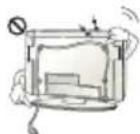
Ypa3i KpinIeHHaTeIeBizopaO CTIN CNIKyIte, 0o6 He nIIBICHTn Ioro 3a Ka6eni XmBHeHnHa I nepeaui CnIHany Ha 3aHi nnHeni. Lc MoKe cnpuHnTu NoKexy Ta ypaKeHH eNeKtpuHm CTpyMOM.
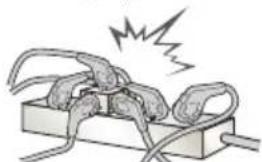
He BCTaBnIe B Odn npOoBkyBaH hATo 6aT0 eKeTpnuHx npCtpoIB. HeOpTuMaHaH NciBmOrn MoKe CTaN npuHNO noXekxipe3 neperpiBaHH.
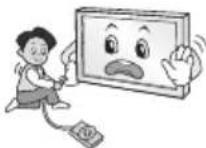
CniKyIte, 06 niq uac nid'cHaHHa 3OBHihix npncptpoB TeneBi3Op He Bnab i He nepeBepHyBcA. HeDToPmAmHna ciE BmOrn MoKe npn3BecTn Do TpaBMyBaHH a6o NooKoJKeHH Bnp6y.
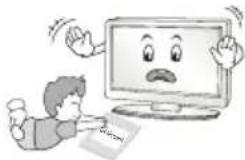
TpmaTe BONORONHnHaOuH MaTePian i BiHIOBE naKyBaHH y Micx, HeoocxHnx dnn diTei. BonoronOrnHaOuH MaTePian cTaHOBnTb 3arpo3y 3doob'io, kuo no rno npokOBTHyn. Kaoo nHTnHa BuNaKOBO KOBTHyna Ioro, cnIc npoBOKyBatn 6hOBOTy i HeraiHo 3BepHTncd o NikapA. BiHIOBe naKyBaHH MoKe cnpunHHTn ydyueHH. TpmaTe NOro B Micax, HeoocxHnx dnn diTei.
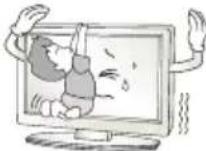
Cnikkyte, 06 nHa Bnna3nn Ha TeneBisop i He yinnaenca 3a Hb0r.
IHaKHe TeneBi3Op MoKe NepeBepHyTuC, 10 MoKe npu3BeCTn Do cepno3Hnx TpaBM.
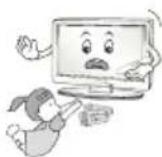
YBaXHO yTnI3yIte BnKOpIcTaHi 6aTapei, 0o6 dITn ix He npokOBTHyn. y pa3i nopTpanHnH 6aTapei B opraHIm M heraiHo 3BepHITbCdo Nikapra.
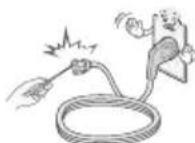
He BCTABHnTe npntpoiB, 0o E npoBiHNKAMn (HanpNKlaI, CTOnoi npnilaDi, BNkpyTk) BoINH KIneCb Ka6eIO, TOni Aki Hmni NiEcHaHO Do eNeKTpopo3eTK. KpIM TorO, He TopKaInTeCg Ka6eIO KINBHeHH Opa3y NiCn NIDcHAnHn Do eNeKTpopo3eTK. Ce MoKe npN3BeCTn Do ypaXeHHr EneKTpnuHm Ctpymom. (3aJeXHo BiD MoDeni)
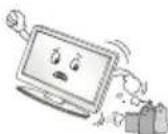
He knaitb i he 36epiraTe nerko3aMnCTi peoBuHn no6n3y Bnpo6y. He6aJe NOBdoXeHHI 3 Nerko3aMMCTUM peoBuHaM MoKe cnpuHNHT Bu6yx a60 noxexy.
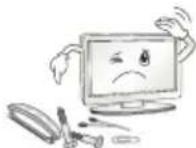
He KndaIte Bcepeiny Bnp6y dpi6Hi metanei npedmetn, Taki JK MOHeTn, WnIbKn, Ta WmATKn DpoTy, a6o JERKo3aMMCTi npedmetn, Taki JK nanip Ta cipHKn. OcoNBO yBaXHHM CNiD 6ytN dITAM. Lc MoKe npzBecTN Do ypaXeHH EneKTPuHMM CTpyMOM, BHNKHeHH NoXeKXI a6o TpaBMvBAHH. RaIO y Bnpi6 NotpanNB CTOpOHNI npEMeT, Bi'EDHaHTe Ka6JIb XINBHeHH BiD eNEKTPomepexi Ta 3BepHITbc DO cepBichoro ceHTpy.
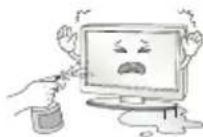
He 6puzkaaTe BOy Ha Bupi6 i He npotupaTe NOro lerko3aMnCTMN peOBUHAMn (po3HHNKOM qN 6eH30JOM).Ce MoXe cPpUHNHTn noxKExy a6o ypaXeHH eEKeTpnuHM CTpyMOM.
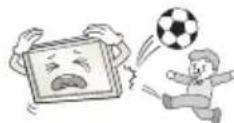
06epiraTe Bnpi6 BiD ydpB Ta noTpannHnBcepeuHy HbOrO cToPOHHix npEmdTI. IHaKwe MoXHa TpaBMyBaTuCra a6o NOnIKoNDn Bnpi6.
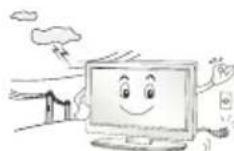
YxOJHOMy pa3i He TopkaTeca DaHOro Bnpo6y NnNoro aHTeHn iD qac rpo3n 6nnckabKn. Ce MoKe np3BecTu Do ypaXeHHra EJIeKTPuHMM CTpyMOM.
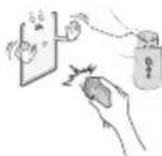
Y pa3i BnToKy r3ay hikOnn He TopkaTecra eNeKTpopo3eTK. BiKpnIte BIKHa i npOBiTpItb npMiuHHe. TopKaHHa pO3eTK MoKe cnpuHHTn noXeky a60 oniK icKpo.
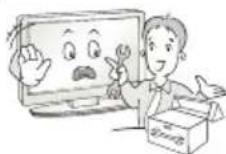
He po36bnpaIte, He peMOHTyTe i He MoDnOphiKyTe Bnpi6 caMoCTiHIO.
Le MoKe cPnPHHTn POKExy a60 ypaXeHH eNEKtpuHm CTpyMOM.
IIn nepeBipKn, KaJIbpyBaHH a60 peMOHTy Bnpo6y 3BepHiTbcn Do
cepBicHOro ceHTpy.
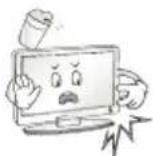
HeraHbBicDHyBte BnpiBicEneKtpomepeKt Ta3BepTaeTcA DIO MICeBOrO cepBICHOrO ueHTpy B TaNX BnAdkax, KOI:
Bupi63a3HaBydpy;
Bupio6yno nouKoJKeHo;
YBupio notpannI CTOPOHNI pEmtn;
3Bnpo6y nde dIm a60 yTuH He3BnuHn 3aIax.
Lc moKe cSta n npuHIO IOKeki ypaKaHHe eKeTpnuHMM cTpyMOM.
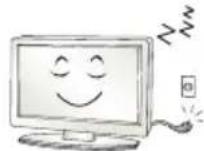
Kuio Bn He PnaHyTe BnKOpNCbOByBaTN Buip6 ynpoDBK Tpnbano Oucy, BiD'cHnate Kaebb XnBneHH BiE neKtpomepeki.
HaKoNueHn nnly moKe cnpuHHn 3aMaHn, a noripueHH pIBH 10raui - Bntik cTpyM, ypaKeHH cTpyMOM abo noKeJy.
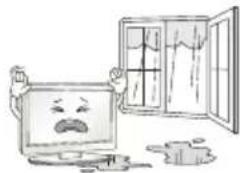
06epiraTe Bpi6 BiN noTpannHnK paneB a6o 6pni3ok piuHn; He CTaTE Ha HbO rpeMm, 3anOBHei piuHO, HanpknlaD Ba.
He BCTaHOBIOIe Bnpi6 Ha CTiHi y Micu, De Ha HbO MoXe NOTpaHITN KInp Ta XnpoBI Bnnap. BOHN MOxytb NOnKoDHTN Bnpi6 i CnpuHHTN naHHA.

Kyu y Bpi6 (HapnKnad, BaanTep 3mHoro ctpmy, Kaebj KMBeHHa YI TeneBisOp) notpanntb Boda qu IHua peOboHa, Bi'ednaite Kaebj KMBeHHa I HeraiHO 3BepHITcR y ceHTp 0cbnyroBaHHa. HeoTpmAHHa iEiBUMrMOKe CTaN pnuHIO 3aMaHHa YU ypaKeHHa eekTpunHM ctpymom.
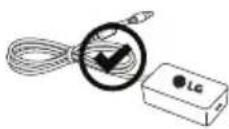
Bukopctobyte Nne aadantep 3minHoro ctpmy i ka6enb XNBHeHH, CXBaenei Komnaiieo LG Electronics. HeodtpmaHH uci Bmorm moKe np3BecT no 3aMaHH, ypaXeHH eNEKtpnHIM ctpyMOM, 36010 y po60ti Bnp60y abo noor deOpmaii.
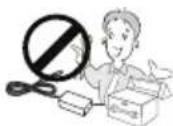
He po36npaIte aanTep 3miHoro ctpMy qu KaebIb XnBneHH. HexTyBaHH zuio BmoroIO MOKe npu3BeCTo 03aMaHHy uypaeHH eNEKTPuHMM ctpymom.
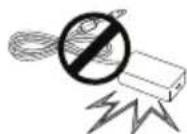
bdyte o6epehhi, kopctyouncb aanterpom; yHkaite 6yb-akx 30BHIhix yapib Bnp6y. 30BHiHni ynap MOke npn3BeCTn do nowkOJKeHHa anTepa.
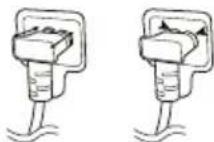
Ipebeipte, uHaNiHo NiKIOueHO Ka6eJIb KINBHeHHa DO pO3'Emy TeneBi3opa. (3aJExHb iD Moeni)

YBAGA
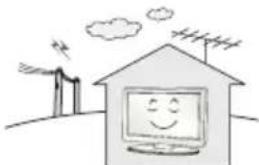
BctaHOBIOHTe Bupi6 y Micx, de HemaE BnnpomHOBaHHa paioxBn.
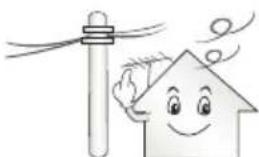
30BHIHnAHTeHa NOBHnHa 3hAxOaTncr Ha DoCTaHi BiDcTaHi BIDiHn JxNBHeHH, 06 BOHa He TopKanacix, y BuNaKy naIHn. IHaKeIe MOnke npu3BeCTn DO ypaXeHH eEnkTpnuHM ctpyMOM.
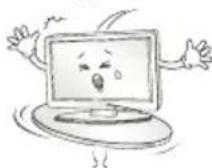
He BCTaHOBnIOte Bupi6 Ha HeCTIKNX nonuKax a6o noxunx nobepxHax.KpIM TORO,He BCTaHOBnIOte Bupi6 y Micx i3 Bi6paicio a6o Micx,aki He NiTpmyIOb Ioro NobHCIO. Ihakwe Bupi6 Moke BnactN upeBepHyTncr, Ypez 0o MoxHa TpaBMyBaTNCa6o NookoDHTn Ioro.
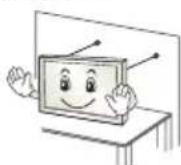
y pa3i BCTaHOBHeHH TeneBi3OpHa NiICTaBky Notpi6Ho BxHTu BiNObiDnHex 3axoDIB, uO6 Bin He BnAB. IhaKwe Bnpio MoKe nepeBepHyTcA, 10 MoKE npn3BecTu Do TpaBM.
Uo6 npnkpinTH Bpi6 do CTHn, nID'EDHaIe Do no Noro 3aHb0i naHeni CTanapTHN KPOHHTeH VESA (npOdaCTbcra OKpEmo). Uo6 TeneB1Op He BnAB, HadiHO 3akpinTB HAcTIHHN KPOHHTeH (npOdaCTbcra OKpeMo).
Bukopctobyte Nue TiaKeccyapn /doatkobi npnaDra,aki Bka3aHO Bpu6Hukom.
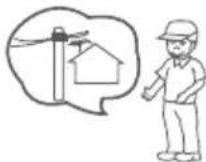
ypa3i BCTaHOBHeHH aHTeHH 3BepHITbCn DO KBaIiFikOBaHOI OcO6n, nTTO, uo6 yHNKHyTN noKeXi a60 ypaKeHH eNEkTPnHm CTpyMOM.
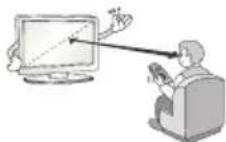
ДиВИТСЯ TeleBi3Op peKOMeHdycIbI BiIcTaHI,ЯКа ZOHaIMeHJIe B 2-7 pa3iB nepeBnUyE diarOHaJIb ekpaHa. TpNBAIIr TEJIepeRJIa MOnke npN3BecTn Do pO3ФOKycBaHHa 30py.
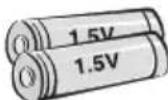
BukopncToByte Nnse 6Taapei Bka3aHOro Tny. IHaKHe MoXHa NOwKOJTN NybT DnCTaHcuiHoro KepyBaHHa.
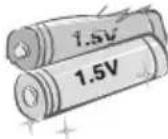
He BnKOpNCTOByTe OndHocHo HOBi Ta CTapi 6aTapei. Ie MoKe npn3BecTNO ix neperpiBaHHI i BNtikAHHa i HIX eNeKTpOliTy.
06epiraTe 6ataeB iD hAmipHoro HarpibaHn, 3OKpema B iD npMoro coHrHOrO IpomHH, BiKpTOrO BOrHIO Ta 06irpiBaHIB.
HEBCTABLITHe nepe3a4xbybani 6aataeB 3apnpii.
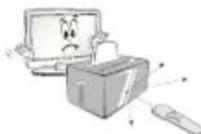
CTeKTe, 106 MIX NpIbTOM DnCTaHuiHoro KepyBaHHa Ta HOrO ceHCopom Ha BnPo6i He 6yNo nepeuKoJ.
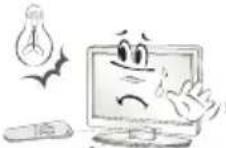
CnHnIyNbTa DnCTaHuiHOrO KepyBaHHa MoKe nepepNBaTnca COHaHm Cbitnom a60 IHWM NtYxHm Cbitnom. Y TaKOMy pa3i 3aTeMHITb KIMHAty.
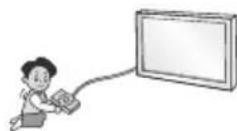
IiD'cHnyuOu 3OBHIuHi npucTpoi, Taki kI rpoBi BiDeOpnctabKn, BnKOpNCTOBynte Ka6JIIOCTaTHbOoi DOBXHH. IHaKUe Bnpi6 MoKe BnactN u nepeBepHyTuC, Upe3 10 MoXHa TpaBMyBaTuC a6o NooKoNDTu NOr.
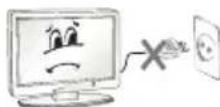
He BMnkaIte Ta He BmMkaIte Bnpi6, BCTBIAIOH uTEKepe y po3eTKy i BuMaIOH NOrO (He BkOPNCTOBYte uTEKepe Rk nepemKau).
Le MoXe CnpuHHn MEXaHue NoIKoJxehn a60 ypaXeHHn
eNEKTPuHn CTpyMOM.
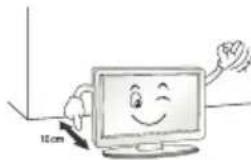
J3a 3anobirHnneperpibAHNO Bnpo6y DotpmyTecb noDaHx HNkue IHCTpyKui 3i BCTaHOBNeHH.
BjDCTaHbMIX BPO6oM i CTHO MAe CTAHOBTn He MeHue 10 cm.
He BCTaHOBIOIe BUIp6 y MiCi 6e3 BeHTnlaui (Ha npKnaD, Ha KHHKKOBy noNIOu a6o B cepBaHT).
He BCTaHOBIOHTe Bpi6 Ha KINIM a6o noyuky.
Cnikkyte,06BENTINJIiHiOTBOPHHe6yNoHaKpTOCKATEPTNHOOu3aHaBicKOIO.
IHaKwMe MoKe BnHnKHyTn NoKxKa.
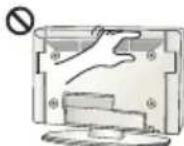
KtO TeneBIOp YbIMKHeHO DOBnYac, He TopKaIteCBAEHTNIAHIX OTBOpIB, OckINbKBOH MoKyTB HarpIBaTcR. He HE BnINBaE Ha YHKIOHaJIbHiCTb YPi o6oui XapAKTePNCIK Bnp6y.
Yac Biyacy ornaaTe Kaeb npncpoIO Ipa3i BnBHeHH noKoJxehb 3noeHHe Bi'edHaite NoIcOpctaiTeCe noclyram CneuiNtda 3amHn NOro iDeHTuHM KaBeem.
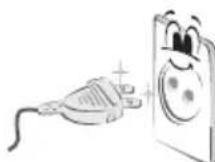
CTeKTe,IO6 HA KOHTaKTax BUNKn i Ha po3eTu i He 36npaBcnn. Lc moKe cnpuHnTn noXeKy.
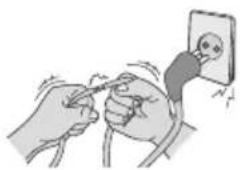
06epiraTe Ka6eIb BID fi3iunHx nMexaHnHex nowkoJKeHb.
CTeXe, 106B HHe nepeKpyuBaBCa, He 3aNnyTBABCa, He TOpKaBCa
roctpux npedMeTIB, He 3aTnCKABcA DBePma i He nekab Ni d Horamu.
Oco6nBuToCteXeTe 3a WtkepaMn, po3eTKaMn Ta Micem niD'EdHaHHa Ka6eIO Do npicTpio.
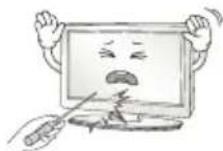
HeHaTnCKaIte Ha NaHEnb npncTroIO naJIbZaMn a6o roCTpMM npEeMetAmu (HirTEM, oniBcEm qypykoIO) i He dpnaTae II.
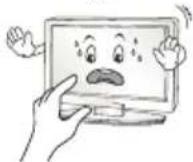
He TopkaiTeca ekpHa Ta He TpuMaTe Ha HbOMy naneCb (nabci) TpuBaIi nepioq yacy. Ie MoKe cnpuHHTu TMMuCobi BnKpNBHeHHa 3o6paKeHHa ekpHi.
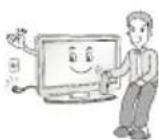
Ypa3i nuuHnH BnO6y Ta Ioro KOMnoHENTB CnoaTky BiD'cHaIte
Ioro BiD eEnKtpomepeki, a Notim npotpiB M'aKO rAnHipKO. He
3actocobyte HAdmipHO iN niD Yac uHsEHH. Lc MoKe cnpuHHTN
No8y NoprrnA 6o 3MHy KObOpy. He po3nnIOte Ha BnPi6 Boy
Ta He npotpaaTe Ioro MOKPO rAnHipKO. Y kOdHomy pa3i He
BnKOpncTOBye 3ac06n DnA yuHsEHH Ckna Ta ABTomO6iIB, 3ac06n
DnA uHsEHH nPomncBOrO npn3NaueHH, a6pa3nBHi 3ac06n DnA
uHsEHH, BicK, 6eH30J, CNPT Ta iHsi 3ac06n, Aki MOKyTB NoKoDHTN
BnPi6 i Ioro ekpan.
HeOpMaHHa iE BUMOn MoKe np3BecTu DO BnHkHeHH NoXeKi, ypaKeHHa eKeTpnuHm CTpyMOM a6o noKoJKeHH Bpu6y (deopmaui, Kop03i nn lamHH).
TOKn npictpi niiklnoeH Do po3etkn 3MiHHoro ctpmy,Ha HbOro
NoCTiHNOdaETbcra XNBleHnHaBt bKIO nepemukau XNBHeHHa npictpoi nepebeDeHO B noLoXeHHN "BMMKHeHO".
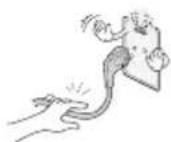
Uo6BID'cHATN Ka6enb, B3bMitb 3a WTeKepiBnMItB Ioro.
KIOO pOToN BCEpeuHI Ka6eIIO KINBEHnHO NsKOJKeHO, MoKe BHNKHyTN NoKExa.
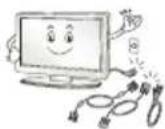
IpepepepeiueeHHaBnpo6y cnooyaTy BmKHiTb KHBneHna. Notim BiE'cHaute Ka6eni KInBneHna, Ka6eni aHTehn Ta Bci Ka6eni, Aki BHKOpNCBOYOTbc dnn iE'cHaHna.
TeneBi3op a60 Ka6enb XnBHeHHa MoKe 6yTu NpO KoJxHo, 1o MoKe np3BeCTn Do BnHKnHeHHa NoKexi YpaxeHHa eJeKtpuHm CTpyMOM.
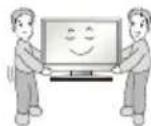
IpeheocbTe Ta p03nakobyTe Bupi6 yDBOX, OckinbKn BiH BaKKn. IHaKHe MoXHa TpaBMyBaTncra.
Kanio BnHnKaC noTpe6a B O6nyroByBaHHi, 3BepaTecra do KbaniikobAHnx Cneuiianictb. O6nyroByBaHHa Heo6xIDHe B pa3i nookdokeHHA BnpOby a60 noTO qactHH, HapnKnad, Ka6eIO XnBleHHa 60BnKN, pO3nTTpINn A60 nOTpanIyHHCTOpOHHX npedmetib y Bnpi6, BnNBy DoUy a60 niDmUeHOI BOON, npuyehn HaneXhoI po60Tu a60 naIHn.
Kuio Bnip6 xoJIOHM Ha doTnK, nicra Ioro BMKAHH MoKe CnoCTepiratna He3Haue HepextiH. Lc 3Bnuhe ABUe, i BOHO He O3HaKOIO HecnpaBHOctI.
LnaheB E BncoKoTeXHOJIrHbM Bnpo60, 1O MiCTNb MInbOnHn NkceiIB. Ha ekpaHIO MoxHa NoaHTN MaJeHbKi YOpHI TOckN Ta/ aOaKpABI KObOpBI ToKu (eepBOHi, 6NaKTHI qN3eneH) 3 KOHeHTpaicio 1 AcTHHa HMaMBoH. He e O3HaKOIO HeCnpaBHOcI Bnpo6y Ta He BnINBaE HaNoro pOboTy i HadiHicTb.
Take ABnue TAKOX CNOCTepiraAeTBcY Bnpo6ax INHux Bnpo6HKnB I He nepe6a4e 3amHy a60 nobephenra rpowei.
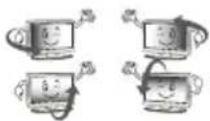
Ackpabicti konip ekpaHa moKytb pi3HnTncra 3aIeXHo BID BaWoRo Micue3haxoJxehn Hn iD qac neperrny (3IbA/cnpaba/Bropi/Bn3y). Ce xapaKtephno IJI eKpaHa. Ye ARIe He NOB'3aHe 3 pO6ToHO BnO6y i He O3HaKOIO HcnpabHocTi.
BiO6paXeHHa CTaTHHOro 306paXeHHa YnpOobK TpNBaIoro Yacy MoKe np3BecTN Do 3aJIINaHHa 306paXeHHa. YHnKaIte TpNBaIoro BiO6paXeHHa H eKpahi TeneBbOpa CTaTHHmX 306paXeHb.
Uytwnym
3Byk notpickyBaHH: 3Byk notpickyBaHH, knn cyTn iD qac nepernaTy tenenporpam a60 BmmKaHH Tenebi3opa, cnpuHneHn TENIOBm CTncEHnM nactMaCn uepe3 3miHy temepaTy Ta BONORoCTi. Lc 3BnuAaHm 3Byk dJa BInpo6iB, y knx Bi6yBaCTbC TENIOBA DeOpmaia. EneKtpnHa cxema rye/naHeNb DzHKHTb: THXN Wym BUnHkae y CxemI, kxa nepemkaCTcb 3 BeNIKOU WBnDKICTHa T npOnyckae CTpym BEnkoI CNIN dJa pOboT npOdykTy. Bin BiDpi3HraCTbCAJexHo Bid BInpo6y. Ue 3Byk He BnNbae Ha po6Oy Ta HadiHnicTB BInpo6y.
He Kopnctyntecn nopriid tenebi3opom npnaadamn, kipauoIOb nD BucokOHO Hnpyro (A-K-OT eektpuHNO nactkoIO dI KOMax). HexTyBaHHaioBmOrOIO MOKe npni3BcTn Do HeCnpabHocTi.
Ipeperla3D-3o6paXeHb (nIwemodeni 3 NiTpMkoO pexmmy 3D)

YBAGA
IiD qac neperrny diTbMn Biede y fopmati 3D 3a HmM Ma e Harnadatn dopocnn. Raio nic qac neperrny 3o6paKeHHy y fopmati 3D dHTnHa Biuy BTomy ouey, rnoBn 6bl yu BtpaTy qTKOci 3opy, nepH iHK npodobkntn neperrn 3D-BMicty, dHTnHa Mae BiINoHTn.
Iiud nepernny BiJeOy fOpMaTI 3D MoXHa BiDuTy DeAKn IINCKOMΦoPT,IKOTrOIOBHN6Ib,3aNaMOpOeHHRA,BTOMy Cn BTPaTy qITKoCTI 3opy.Y TaKOMy pa3i npnnHItb neperrn4 3D-Bideo i BiIDNouHbTe.
- y pa3i neperny 3D-BiJeO ynpoOBx TpNBanoro yacy Bu MoKeTe Biuyu BTomy ouen. Y TakOMy pa3i npnHItb nepern4 3D-BiJeo i BiINOHHte.
BukopncTObyte Nnue 3D-okynpRLG.BiHOMy BnnaKky 3D-Bideo MoKe He BiITBOPOBATnca HajeXHM uHOM.
He BUKOPICOTOBYITE 3D-OKYNIpyn kK 3BuaHHi OKYNIpyn,OKYNIpyn BiD COHcA H3axNCHI OKYNIpyn.
He 36epiraTe 3D-okynapn 3a dyyke Hn3bKoi nn Bucokoi TemnepaTpyn. HexTyBaHHaIeIO BmOrOIO npn3Bede Do ix DeOpmaui.
He BjaarTe 3D-okyIaRn, KOJI nepeCyBaTecr no KIMHati. BOHNMOKytb CTAtn PpUHHO HeaCHOro BNJaDKy U TpaBMvBAHHA.
CTeXTe 3a TmM, uo6 He npaHnTu Ouy dyKkAmu 3D-okyIpIb.
He neperrnaaTe 3D-BMCT, kmo MaTe HanaBn BHaCIOK CBITNOuyTNIBOcTi, XBopiTe Ha eniencio a6o cepeBi 3xAXBOPOBHHA.
Плд�товka

NIPMITKA
Kuio Bnepue BBIMKHyTN TeNeB1Op nCIA NOCTABKN I3 3aBOy, Huiianiaua MoKe TpNBATN KINbKa XBNH.
306paXeHHM OMe XeIIO BiPi3HrTnC BII peaIbHOro BuTnABy BaUoro TeneBtOpa.
EkpaHHe MeHIO TeneB3Opa MoKe IeIIO BiPi3HrTcRa BID 306paXeHOrO y UcbOMy Noci6Hky.
IocTynHMeHTo Ta napaMetpn MOxytb BiDiPI3HrTncb 3aneKHO BID BIKOPnCTOByBaHorO DxKepeNa BXIHORo CnHany Ta Moeni PnCTDOIO.
- y MaH6yTHbOMy Do UboRo TeJeBIOpa MoKyTB 6yTu DOaHI HOBI
KOMnneKeTauia BInpo6y MoKe DeuO BiPi3Hrnc3aIeXHO BId MOJI.
XapakTepeNkBnpo6y a6o 3mictufo nociHka moKe 6ytni 3miHeHO 6e3 nonepeJxehn y 3B'3Ky i3 BdoCKoHaJIeHHaM Bnpo6y.
IINHOPMaHbHO nID'cHaHHKa6eNIB HDMI ta npnCTpoIB USBTOBunHa3OBHIuHbOro 6paMneHnPo3'EmiB He NOBUNHa nepeBnuyBaTu 10 MM,a uHpHnA-18 MM.KeUo USB-Ka6eNb a6o USB-npncTpiH hemOxKnBO BCTaBuNTu B USB-po3'EM TeNeBi3opa, CKOpNCaTaeCk Ka6eNem-NoOBKyBaem, AKNPiTpUmYe Po3'EM USB2.0.
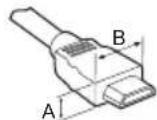
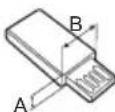
$$ \begin{array}{l} ^ {} A \leq 1 0 M M \ ^ {} \mathrm {B} \leq 1 8 \mathrm {M M} \ \end{array} $$
Bukopctobuyte ceptnphiokobahn kaebnb 1orotunom HDMI.
HexTyBaHHIeIO BIMOrIO MoKe Ipn3BecTn Do NOMNIOK 3'EDHaHHa 60 MoKe He BiO6paKaTuCA 3o6paKeHHa. (PekomeHIOBAHI TUNI Ka6eJIb HDMl)
KoIteJIbI3Op yBIMKHeHO, OIN pa3 HaTNCITb KONKy
HaTnCKaOuH u pyXaOuH KONKaMn, MoXHa HalaWtYBaTn npaMeTpN
MeHO.
TeneBisop 608'3KOBc nIg KpinNT Do CTony, uOb BIn He Bnab Bnepea6o Ha3aD BiN NowTOBxy, He cnpuHNB TpaBM Ta He 6yB nowkOJKeH.
Tun A)
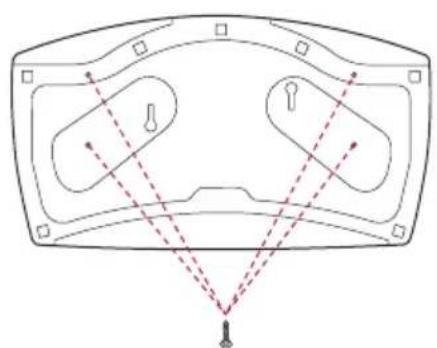
4GBNHTM
(He BXoJtB y KOMnIeKTeIeBi3opa)
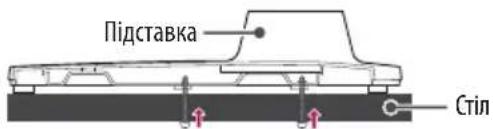

NPMIMITKA
(Doctynno He nra Bcx moenei.)
H3IOIINiDnIeHNHHCCTeM6e3neKNKensington po3TaOoBaHe Ha 3aHI nnHeni TeneBi3opa. DeTaNbHiwe npo BcTaHOBNeHH TaNKOpNCTAHnYuTaeBnOci6Hnky Do CNTeM6e3neKnKensington a6oHaBe6-cainTi http://www.kensington.com.3a DonomoroKabEno CNTeM6e3neKnKensington npnkpinItb TeneBi3opdo cTony.
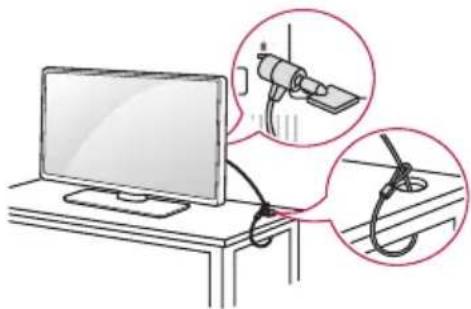
Kpinlennny tenebi3opa do ctiHn
(DoctyHNO He nIa BcIX MoJeIeI.)
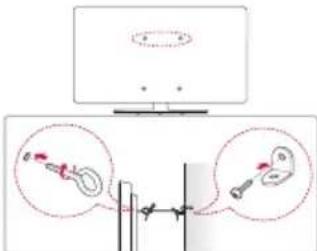
1 HadiHIO BkpyTb TBHTN 3 KInbUaMn a6o 3BnuaHi wypuN 3 KPOHtTeHaMn No3aNy TeLeBizopa.
HaJInHO BkpyTb rBHTn 3 KInbmu a6o 3BnuaHni uypnn 3 KPOHtenuHMn no3aNy TeleBi3opa.
2 PnKpinitb KpOHTeHH Do CTIN 3a DonomoroO wypnIB. KpOHTeHH MaOTb 6yTN PO3TaUOBaHI Ha CTINI npN6n3HO HABnpOTrBnHTiB iKJIbCmH Ha 3aHi nAHeI TeneB10pa.
3 3a donomoroio miHoro shyp npNB'jXiTb TBnHTn 3 KInbuaMn do kponhteinib Ha CTNI. Hyp Ma e HataryBaTcra RopnOHTanbHo, nepneHdkyIapHO do CTIN.

YBARA
CniikkyTe,IO6IITnHeBUNa3NnHaTeNeBisOpIHeBuChynHa HbOMY.

NIPMITKA
CTABTE TENEBI3Op TINbKN Ha CTINKy Ta MiUHy NiDCTABKy a60 IaΦky, RA Ka BITpMaE Bary TeneBI3opa.
KpOHTeHn, Wpynn Ta Whypn Ia KpInneHb He BxOaTb do KOMPNeKty NoCTabKn 3 TB. Akuo BN XoYe Tnpu6aTu ci akceCyapn, 3BepHtbcra Do NokalbHnx NoCTaayhNkib.
PerylIOBaHnKa KyTa TeIeBi3Opa Ila 3pyuHorO neperJy.
(DoctynHO He nla Bcx Moedenei.)
IooBn6paTOnTmAbHe nOJoxeHNe ekpaHa dIy nepeIaNy, noBepTaTe TeneBi3Op Ha 20 rpaDyci npabOpyu a6o IibOpyu.
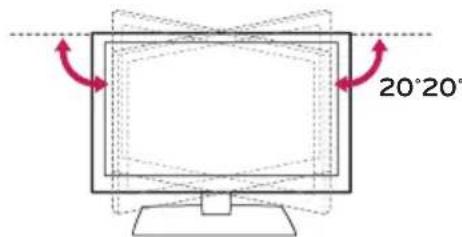

YBARA
Peynnoyn Ky,6yNbte 0epekhi,io6 he npaHnt naIbci. 非pntncny pyky a6o naIbci,MOxHa TpaBMyaTna. 非Bupi6 HaxnnuHn HaTO CNbHO,BIN MOKe Bnactn, cnpuHHnBnNOKODKeHHa 6O TpaBMyaHHa.
KpinlenHHdo ctiHn
06epeXHO npKpinitb HacIHHH KPOHHTeHH, 10 npOdaCTbcg OKpeMo,do 3aHbOi naHeni TeneBizopa,nicra Yoro hAdiHNO 3aKpinitb NOro Ha miuHi CTHI, nepneHnkyIpyHO do nPiNOrn. 3 nTahb KpInneHH TeneBizopa Do IHwix 6yDIBenhIX MATEpiAniIB 3BepHtBCsdo KBAJIphiKOBaHO MaICTpa. KomnaHIG LG paNTb 3aNyATn Do BCTAHOBHeHH TeneBizopa Ha CTHI KBAJIphiKOBaHO Cneuaianicta.PekomeHdyEMo BVKnOpNCTOByBATn KPOHTeHH HAcTHHHORo KpINNeHH LG.KpOHTeHH HAcTHHHORo KpINNeHH LG Do3BOJAEnerKO iN'EDHyBaTN KaBenI Ta nepeCyBaTN Bnpi6. JAKU O H Be BVKnOpNCTOByTE KPOHTeHH HAcTHHHORo KpINNeHH LG, BVKnOpNCToByTe KPOHTeHH, AKN HAIDHO KpINNTb npNCTpi I Do CTHN, 3a6e3neuyuOn DoCTaTHBo NPocTopy Dn iN'EDHaHH Do 3OBHIhIX pncTpoB.CnpeWu iN'EDHaIte yci KaBenI, a ToDi BCTAHOBIOITe KPOHTeHH HAcTHHHORo KpINNeHH.
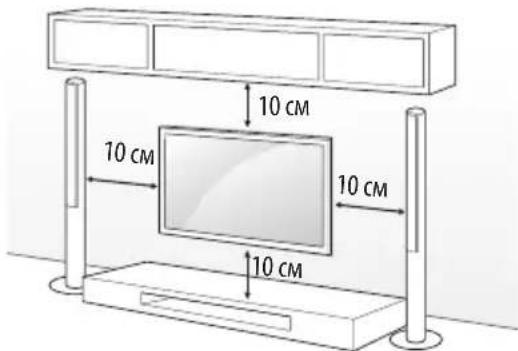
BnKOpNCbOByTe TlIbKn rBnHTn Ta HactiHHi KpOHJTeHN CTaHdApTy VESA.CtAndapTHi po3mipn Ha6opib IInr HactiHHOro KpinneHHOnncAHO B TaJIuNci HIXue.
Приладя,як He BXODuTb y KOMnIeKt (насticHHN KpoHwTeH)
| Мо德尔 | 43UW76** 32/43LW64** 43UW95** | 49/55UW76** 49/55UW96** |
| VESA (A x B) (MM) 200 x 200 300 x 300 | ||
| Стандартний ГИNT | M6 M6 | |
| КльбICTь ВИNTiВ 4 | 4 | |
| Настиний Крочтейн | LSW240B MSW240 | LSW350B MSW240 |
| Мо德尔 65UW96** | 75UW34** | |
| VESA (A x B) (MM) 300 x 300 600 x 400 | ||
| Стандартний ГИNT | M6 M6 | |
| КльбICTь ВИNTiВ 4 | 4 | |
| Настиний Крочтейн | LSW350B LSW640B |
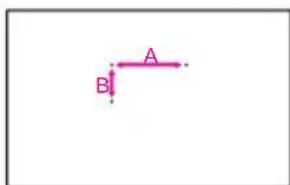

YBAGA
- Iepu HIX BCTaHOBIOBaTn TeneBI3Op HA CTiHy, 3HIMITb 13 HbOro nIDCTaBky, BIKOHyOuN KpOKN 3 II BCTaHOBJIeHHy Y 3BOPOTOMy nopAky.

IPMMITKA
BCTAHOBNIQUKPOHHTeINHACTIHNO KpINHeHH, BKNKOpNCTOByTe KneiKy CTpiKy a60 3axnchy KpnKy, kI iDoaHbC. KneiKa CTpiKa a60 3axncha KpnKz 3axnctTb OTBip BiHaKoPiueHH Nnny i 6pydy. (Ntse JkUO CTpiKz H KpnKz DoaHObc)
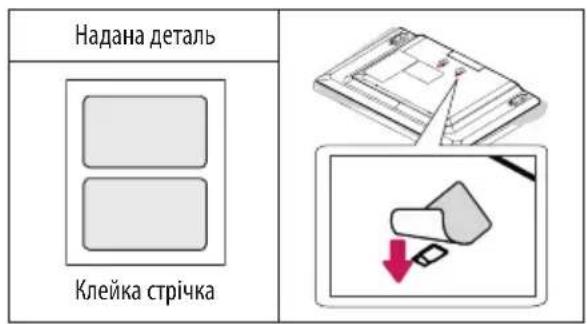
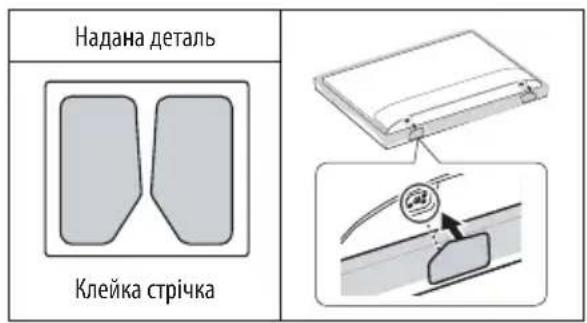
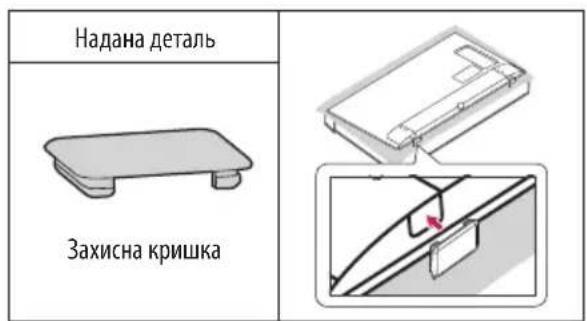
- y BnnaKy BCTaHOBHeHH npucTPOHO HA KPOHHTeH HAcTHHOro KpInneHHpeKOMeHDoBAHO 3a DOnOMoROO CTpiKu 3aKneITn OTBip IaNCTabKn Ha npucTPOi, uO6 3anO6IRTu NtpanJAAHHU B Hboro nIky i Komax. (3aJIexKHO BiM MoJeni)
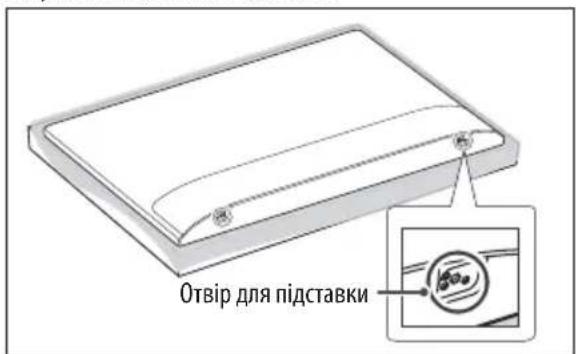
3'εdHaHn (NobidomleHn)
Do tenebi3opa moKHa nIeHyBATn p3Hi 3OBHUnH npCTpoi; uo6 Bb6paTn 3OBHIuHn npCTpri, cnId 3MiHHTn peXMM BXIDHO rHany. DeTaIbHiE npO nIeEDHaHHa 3OBHUnBO npCTPOIO uHTaTe B IHcTpykii 3 BnKOpNCtAHn KxHOrO npCTPOIO.
Docynhi taKi 3OBHIHINpIcTpoi: npnMaui BnCOKoi qITKocTi, DVDnporpaBai, BiDeoMarHITofOHH, ayDiocNCTeMM, USB-hakonuYbai,IK, irpoBi npIcTpoi Ta iHsi 3OBHIHINpIcTpoi.

NIPMITKA
CnociiNdHaHH30BHIHbO npncIpoMOKe 6yTu Deio iHMM 3aJIeXHO BiM oMei.
PiEeHyBAtn 30BHiHpiPcTpoIdo TeneBi3Opa MoXHa He 3BaXaOHu Ha npAOK po3'EMiB TeneBi3Opa.
UO63aunycbTu TeneBizhi nporpamHa DVD-nporpaBa a60 BiJeomarHITofoh,pi'd'EnHaiTe Ka6enb BxIHHO CnHany Do npucptpoio 3ancy, a npucptpi -do TeneBizopa. DetalbHiue npo 3aunc YHTaTE B Noci6Hkny KopncTyBaay ni'd'EnHaHO rnpctpoio.
- IHTpykui3eknnyatauiyntaB NOcHNUKy KopNCTyBaTa 30BHuihboTO pNCTPOIO.
PiEHyOuIrPOBn npCTpiI do TeneBi3opa, BKNOPNCOTByTe Kaeb, AKn IdoaTbCBA KOMNNEKTI 3 irPOBm npCTpOcM.
y pexmikomn'tepa moxytb cnoctepiraTcH ymm, 10 noB'ra3HO 3 hanaHTyBaHHM po3dInbHOi 3daTHOCTi, BEptkaknbHOi qactOTN, KOHTpACTHOCTi Y RCKpaBOCTi. Y Takomy pa3i Bn6epitb dny CnHany KOMn'tePA iHwY po3dInbHy 3dathictb, 3minHt b qactOTy OHOBHeHH a6o BiDperynHte RCKpaBICTb i KOHTpACTHicTB y MeHIO "305PAXEHH", 106 306paXeHH CTano YITKMM.
YpeXMI KOMNIOTEpa DeAki HanaaHTyBaHHPO3dINbHOI 3aTHOCTI MOKytB He CnpaOBOByaTN HaLeXHM YHOM 3aLExHO BID BiDeOKapTn.
KaHnHa Nk BiTbOpOeTBcBA MICT ULTRA HD,3aNekHO BID eKTHBHOCTI NK 306paKeHHA 60 3ByK MoKe IpeepBaTuCA. (3aNekHO BiM Ond MoDi)
Piδ'εdHaHnHaHTeHn
3a donomoroio ka6enIO nn nepeaqi paioactoTHoro CnHany nID'cHaIte TeneB1Opo No HactHHoro rH3da nn aHTeH (75Ω).
Дляпд'снаннгДBoxixiNbWe TeneB3OpIB BnKOpNCTOByTe po3ranyKByBaCnHany.
Kuio 306paXeHHn H3bKOJAKOCTI, Dna Ioro nOKpaueHHBCTaHOBITPiCUNIOBAu CnHany.
Kuio nieCnHaHO aHTeHy iKaICTb 3o6paKeHHa noraHa, cnpMyte II B CTOpOHy 3 HaleXHM npHOMOM CnHajy.
Ka6eIb aHTeHn i nepTeBOpBuC uRHaNy He eoDaIoTbcA.
Пдгимвануадioформатцфрбогтөнэ:МPG, Dolby Digital, Dolby Digital Plus, HE-AAC
Y Tnx Micx, B AKnx He NiTpmyetbCMAOBnEHHA ULTRA HD, TeneBisOp He MoKe OtpmyBaTu HAnpMy CmHAn ULTRA HD. (3aHexHo BiM oMei)
Пд'еданна сунтунковоьаHTehn
(Tinbkn nmaoenei i3 niTpumkoO cyuTHNKOBORo MOBneHHa)
IiD'cHnAte TeneBizop Do rH3da cynyTHNKOBoa aHTeHN 3a DonOMorIO Ka6eIO dna nepeDaqi cynyTHNKOBOro paiouactoTHoro cHany (75Ω).
Пд'эннг мodyл CI
(3aIeKHO BID MoEJI)
Ja3Mory neperJraTn 3akoobaHi (nlaTHi) KaHAn y pexmI UΦpOBOrMOBHeHH.
Moynb cTaNapThoro iHepcmy M6yTN BCTaHOBneHo y rH3di nJa Kapr PCMCIy npabunbHomy Hanpamky. Akuo Moynb He BCTaHOBNEHO HaneKHM YHOM, Ye MOKe npu3BeCTn Do noUKoJxHe TenebiOpa Yn rH3da nJa Kapr PCMCIa.
- Raio nica niknoueHHa + CAM Telebi3op He BiO6paXaHi BiJeO, Hi ayDIO, cIi 3BepHyTncd o onepatopa noCnyHa3eMHoro/ka6bHoro/CynyTHNKOBOro MOBHeHH.
3'€ʌHaHHa USB
JaKi USB-KoHcHTpaTopMoKyb He npaIobatn. JaIoo USB- npictpi, nIKIOueHn 3a DonomorOo USB-KoHcHTpaTopa, He BnBJIeHO, nIKIOUHTb NOrO 6e3nocepEnhbo Do p03'Emy USB Ha teLeBi3opi.
Hanaштуваимь вибedingня 3Byky uepe3 ryuHOMOBci
(3aIeXHb BID MoDeni)
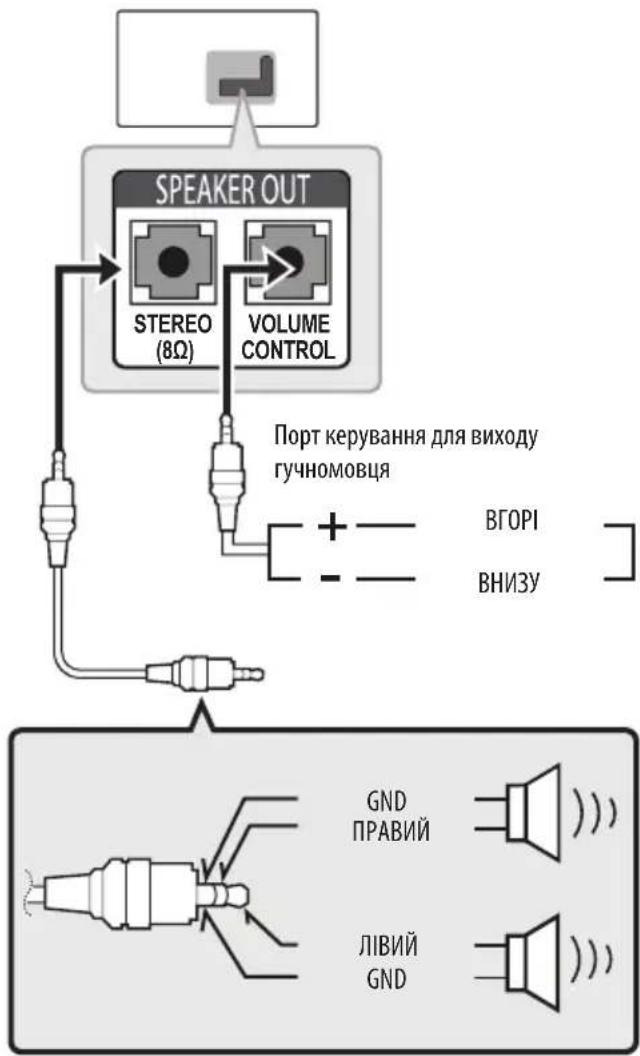
PIMMITKA
BukopncToByte nme i3-NonapHm CTpeoWTekepom 3,5 MM.
He nie'cnHynte raphityp a6o habyuHnKn do po3'Emy dna nie'edHaHHa 30BHiHbOro ryHOMOBua.
Cnctema npTy KepyBaHHr ryuHicTIO
XapaKTepeNtKn Ka6eIIO
(XXMBNEHH)YBIMKHeHH Ta BUMKHeHH XNBHeHH TeneBi3opa.
ENPERGYKSAVHGCKpaBOCTI 306paXeHHa3 METOIO 3MeHweHHcNOXKBaHH eEKeTPOeHeprii.
Oly6i00MnBn6paHy dInaHky 3o6paKeHH, MoKHa nepeRnHyTu Ha BeCb ekpaH.
INBRAIa DxkepeNa BxIHNOrO CnHany.
TV/RAD 6ipKaHaany paio-,TelemOBnEHn a6o uΦpOBOrO MOBnEHn.
KhONK3 uHΦpAMn BBeJeHHa uHΦp.
LIST DocTyn do 36pepekehix KaHanib abo cnncky nporpaM.
(IIpo6in) BBeHeHH npo6iY bTEKCTHa eKpaH.
Q.VIEW NObepHeHHa do nonepedHbO ra KaHaNy.
B
+PerynIOBAAHPIIBRAyHocti.
SMART Doctyn Do MeHIO TOnOBHe MeHIO.
APP BiööpaşkènHЯ icToTii nonepeHix ceaHcIB.
MUTE BIMKHeHH3ByKy.
Ppeperj36epexekhen nporpaam a60 kahanib.
PAGE:epexid no nonepeHboro Hn HactynHoro ekpaHa.
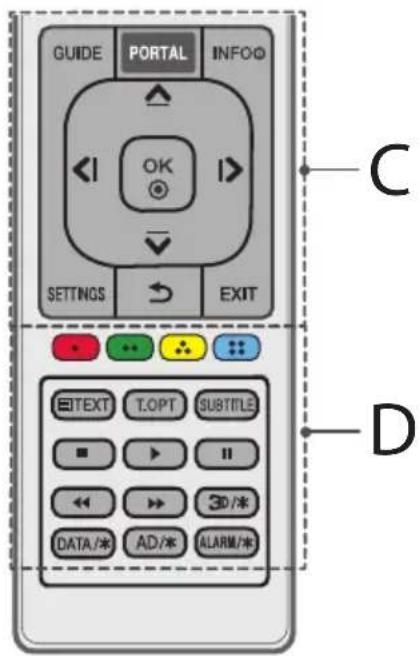
C
GUIDE Buknuk DoBiDnHka nporpaM.
PORTAL BiO6paKeHHI BnDaneHHIHTepaKTUBHOro MeHIO rToTeHIO.
INFO ① Nperjiai nfoopmaui noTouHoi nporpaMn Ta ekpaHa. Habiraui HkOnKn (Bropy/DoH3y/nibopy/Npabopy) NpeMeiueHHnyHKTaMm MeHIO Ta napaMetpamn.
OK Bn6ip nyHKty nnapaMeTp a MeHTo Ta niTBePdKeHHBn6opy.
SETTINGIocTyndoWBuDKHXHaJauTByAHB.
(BACK) NopheHHa do nonepeHboro pibha.
EXIT Buxid 3 ekpaHHoro MeHIO Ta NOBepHeHHa do peXmMy nepernay TeennporpaM.
D
Konbopoi KhonKn Doctyn Do neBnX cyHKui y deKnx MeHIO.
BnroToBHeNo 3a JiuEn3iEo KOMnaHii Dolby Laboratories.
Dolby ta em6nema 3 noDbHmM "D" - ToproBebHi Mapkn KOMnaHii Dolby Laboratories.
HOMI
«HDMI, HDMI High-Definition Multimedia Interface Ta norotn HDMI e TopriBeHMMu MapkAmu a6o 3apeCtpoBaHMMu TopriBeHMMu MapkAmu HDMI Licensing, LLC B CUSA Ta iHux KpaIIhax.»

dtshD
For DTS patents, see http://patents.dts.com. Manufactured under license from DTS Licensing Limited. DTS, DTS-HD, the Symbol, & DTS or DTS-HD and the Symbol together are registered trademarks of DTS, Inc. © DTS, Inc. All Rights Reserved.
YcyHeHH HeCnpaBHOCTeH
Длвскнань рботи ппстю можна онови Всрсю nporpaHOrO 3a6e3neueHH.КорсчуBauebi notpi6Ho nepekoHaTnC8 lo do cymicHcTi CBORO o6laHaHH i3 nporpaHm 3a6e3neueHHM LGE.Якso notpi6Ho,3BepHtbcra do LGI i 3aBaHTaxTe nepebipeHy Bepciio nporpaHOrO 3a6e3neueHH 3riHdo i3 BkazibKam Bi LGE.
HeBdaetbcKepyBaTnTeJIeBI3Opom3aDonOMoroIOnybTa DuctaHuiHOro KepyBaHH.
- Ipebeipte cencop nybTa dntaHnHOro KepyBaHHa Bnpo6i Ta cnpo6yute pa3.
- UcyhIte 6yIb-jAki nepeKoDm MIX NylbTOM DnCTaHuiHoro KepyBaHHra TeJeBi3Opom.
IpebeipTe pecypc 6atapen Taix HaneXHe po3TaayBaHHo , ).
Hemaé 306paXeHHa Ta 3ByKy.
- Ipebeipte, uBupio yBIMKHeo.
- Ipebeipte nii'ecnHaHHa Ka6eIIO KINBHeHHa do po3ETn Ha CTiHi.
- IpepeipTe, nI cnpaBHa po3eTKa, nID'cHabWn Do Hei Hsi npicTpoi.
TeneBi3op pantoBO BmNkAeTbCA.
- Nepebipte HanaaTyBaHHpeKIMy ynpabHnHxKnBHeHHM. MoKe Bi6yBaTncb 36iinodaui KnBHeHH.
IpeBipte, ybIMKHeo fHKui ABTom. OiyBaHHa (3anexHo BiD moJe) / TaMep cHy/BumKHeHHx KNBHeHHa 3a TaMepom yHaJauTByBaHHx TaMepn.
KyUO yBIMKHeHn TeNeBi3Op He OTPmYc CnHaNy,BIN ABTomaTHNO BUMKHeTbCayepe3 15 XBmH 6e3iJaIbHoCTi.
y pa3i ni4'epsilonHnno p03'Emy PC (HDMI) BiO6paXaETbcnobidomJIeHHra "Hemaecunhany" a6o "HenpabInbHn foOpmatcunhany".
BIMKHTb iyBMKHITb TeneBi3Op 3a donomoroIO npIbTa DnCTAHUIHORO KepyBaHHA.
3HOByPi'cHaHteKa6eHbHDMI.
- Ipepe3aBaTaXe KOMn'IOTe 3 yBIMKHeHm TeIeBi3OpOM.
Texhichi xapaKTepeNCTnKn
BezdpoToBmMoynb:TexHiCyHxapaKTePncTnKn
OckinbKn B p3Hnx KpaiaHax BnKOpNCTOBYIObCa p3Hi diana3OHn KaHaiB, KopNCTyBaH He MoKe 3MiHHTu Hn HanaHTyBaTn po6Ouy YaCTOTy. Cey Bnpi6 HanaIToBaHO BiNobiDHO Do Tabnui periohanbHex YaCTOT.
- Cey npicptpi cnid BCTaHOBNTi BUKOPcTOByBaTu Ha BiCTaHIOHAHmEnwe 20 cm BiD npCToPO TaTina.
(Tinbkn UW761*, UW961*, UW950*, UW341*)
- CtanhapT "IEEE802.11ac" niiTpmyetbce He y BCix KpaHax.
(Tinbkn LW641*)

- Safety and Reference
- Safety instructions
- WARNING
- CAUTION
- Generated Sound
- Viewing 3D imaging (Only 3D models)
- Preparing
- NOTE
- Separate purchase
- Lifting and moving the TV
- Using the button
- Basic functions
- Adjusting the menu
- Mounting on a table
- Attaching the TV to a desk
- Using the kensington security system
- Securing the TV to a wall
- Adjusting the angle of the TV to suit view
- Mounting on a wall
- Connections (notifications)
- Antenna connection
- Satellite dish connection
- CI module connection
- USB connection
- Speaker Output Setup
- Method of Volume control port
- Network Setup
- Wired network connection
- Depending on model)
- Other connections
- Remote control
- A
- B
- C
- D
- Licenses
- Open source software notice information
- Troubleshooting
- Specifications
- Wireless module specification
- HDMI-PC supported Mode
- 3D supported mode (Only 3D models)
- jali jaiall gall
- Kensington
- 42
- Aδειες χρήσος
- PYKOBODCTBO NOIb3OBATEJIa
- PykoBoDCTBO NO TEXHnKe 6e30paCHOCTN
- ПразвILA NOTEXHnKe 6e30napCHOCTN
- NPEdUnPExKDeHNE!
- BHIMAHHE!
- 3Bykn, n3daBaemble yCTpoiCTBOM
- PIMMEUHNE
- 3aKpeHne TeneBn3opa Ha cTeHe
- BHUMAHNE!
- PerynilpoBka yrna 063opa
- TeJeBn30pa
- KpenenneHa cTeHe
- PpHnAdIeXHoCTn, npNo6peTaembIe OTdIeNbHO (KPOHtEIN DnHaCteHHoro KpenneHna)
- ПИМЕЧАНЕ
- PoioknIOUcHne USB
- Повлочене ВсшнхДиHamNKOB KaydnoBbIXOу
- I PUNMEYAHNE
- YnpabneHne rpoMkoctbU Ope3 npT
- YBeOmIeHne O nporpaMMHom o6ecpeHnC OTKpbITbIM ICXoHbIM KOdOM
- YcTpaHHe HeNCnPaBHOCTeI
- TexHnueckme xapaKTepeNCTnKN
- IopdepxnBaembIe pexmbi HDMILcnp. npucTabka
- PoiDepKInBaemblpe peximbl RGB- INk npncTabka
- ПовдерхиВаembie рекимblHDMI-нК
- I IPNMEYAHNE
- CbeHnO nokluoynn K KomnoeHTHomy pa3bemy
- Yetkili Servisler
- YBAGA
- Uytwnym
- Ipeperla3D-3o6paXeHb (nIwemodeni 3 NiTpMkoO pexmmy 3D)
- Плд�товka
- NIPMITKA
- NPMIMITKA
- Kpinlennny tenebi3opa do ctiHn
- YBARA
- PerylIOBaHnKa KyTa TeIeBi3Opa Ila 3pyuHorO neperJy.
- KpinlenHHdo ctiHn
- IPMMITKA
- 3'εdHaHn (NobidomleHn)
- Piδ'εdHaHnHaHTeHn
- Пд'еданна сунтунковоьаHTehn
- Пд'эннг мodyл CI
- 3'€ʌHaHHa USB
- Hanaштуваимь вибedingня 3Byky uepe3 ryuHOMOBci
- PIMMITKA
- Cnctema npTy KepyBaHHr ryuHicTIO
- YcyHeHH HeCnpaBHOCTeH
- Texhichi xapaKTepeNCTnKn
Brand : LG
Model : 43UW950H
Category : Television