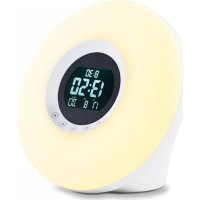
CK 1718 - Light therapy ADE - Free user manual and instructions
Find the device manual for free CK 1718 ADE in PDF.

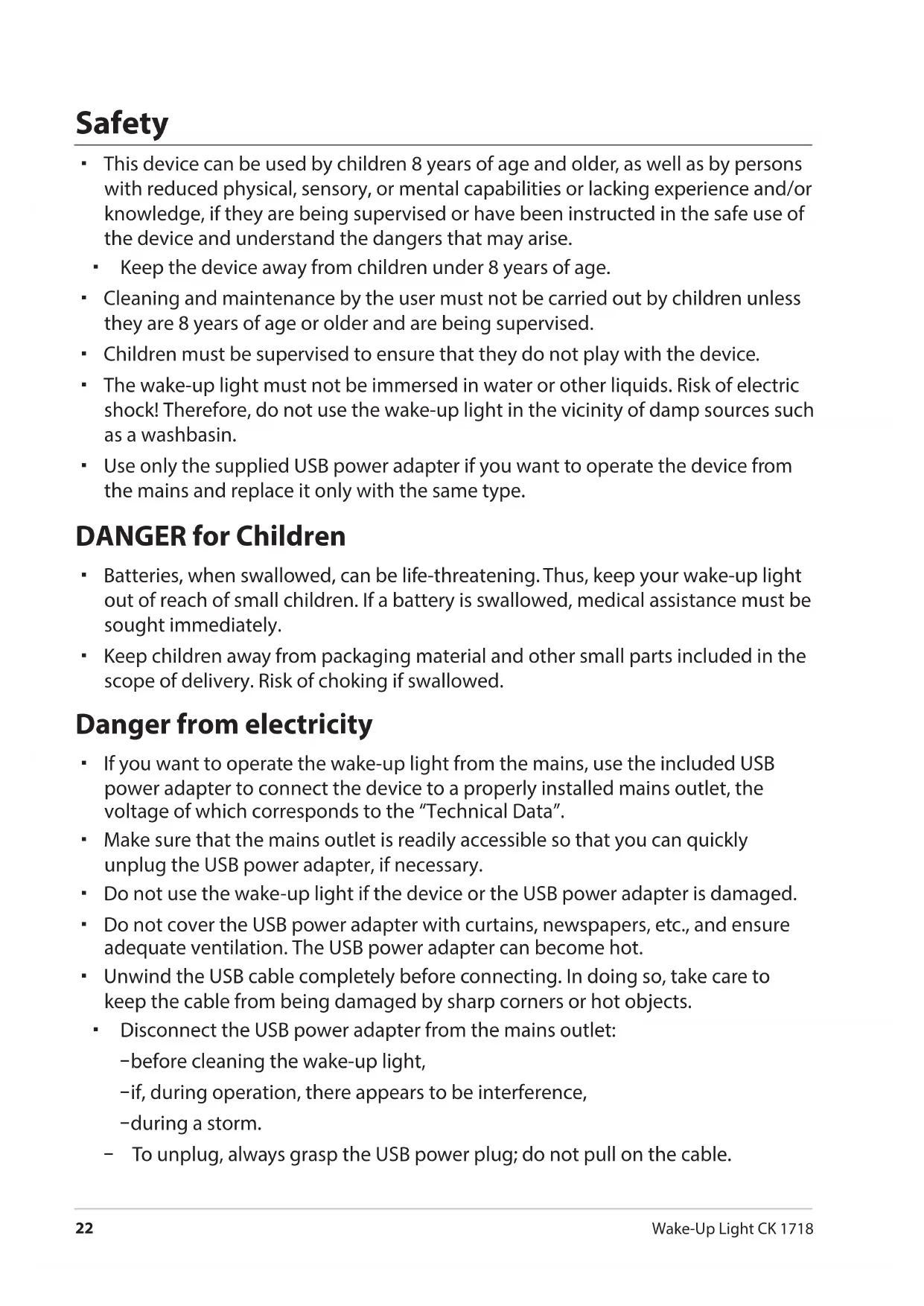


| Product type | Lighted radio alarm clock (Wake-Up Light) for light therapy |
| Brand | ADE |
| Model | CK 1718 |
| Dimensions (W x H x D) | 170 × 124 × 160 mm |
| Weight | Approximately 500 g (estimated) |
| Power supply | 2 LR6 (AA) 1.5 V batteries or USB cable 5 V / 1 A (USB power adapter included) |
| Power consumption | Max. 5 W |
| Radio frequency range | FM: 87.5 – 108 MHz |
| Audio power | 1 W RMS |
| Display | LED backlit adjustable to 4 levels |
| Alarm function | Sunrise simulation over 30 min, 6 nature sounds, buzzer or radio, adjustable volume, snooze 8 min |
| Ambient lighting | 7 adjustable colors (C1 to C7) + slow fade (C8), adjustable light intensity |
| Automatic sleep mode | Timer 15, 30, 45 or 60 min to turn off light and/or radio |
| Display backlight | Permanent on mains power, temporary (8 s) on batteries |
| Perpetual calendar | Displays date and day in multiple languages |
| Maintenance and cleaning | Unplug the adapter, wipe with a slightly damp cloth. Do not immerse. |
| Safety | Keep out of reach of children under 8 years, do not expose to moisture, use only the provided adapter. |
| Spare parts and repairability | No spare parts provided. Repairs exclusively by a specialized workshop. |
| Warranty | 2 years, material or manufacturing defects, return to retailer with proof of purchase. |
| Package contents | Wake-Up Light, 2 LR6 batteries, USB cable, USB power adapter, instruction manual |
Frequently Asked Questions - CK 1718 ADE
User questions about CK 1718 ADE
0 question about this device. Answer the ones you know or ask your own.
Ask a new question about this device
Download the instructions for your Light therapy in PDF format for free! Find your manual CK 1718 - ADE and take your electronic device back in hand. On this page are published all the documents necessary for the use of your device. CK 1718 by ADE.
USER MANUAL CK 1718 ADE
Wake-Up Light | Wake-Up Light
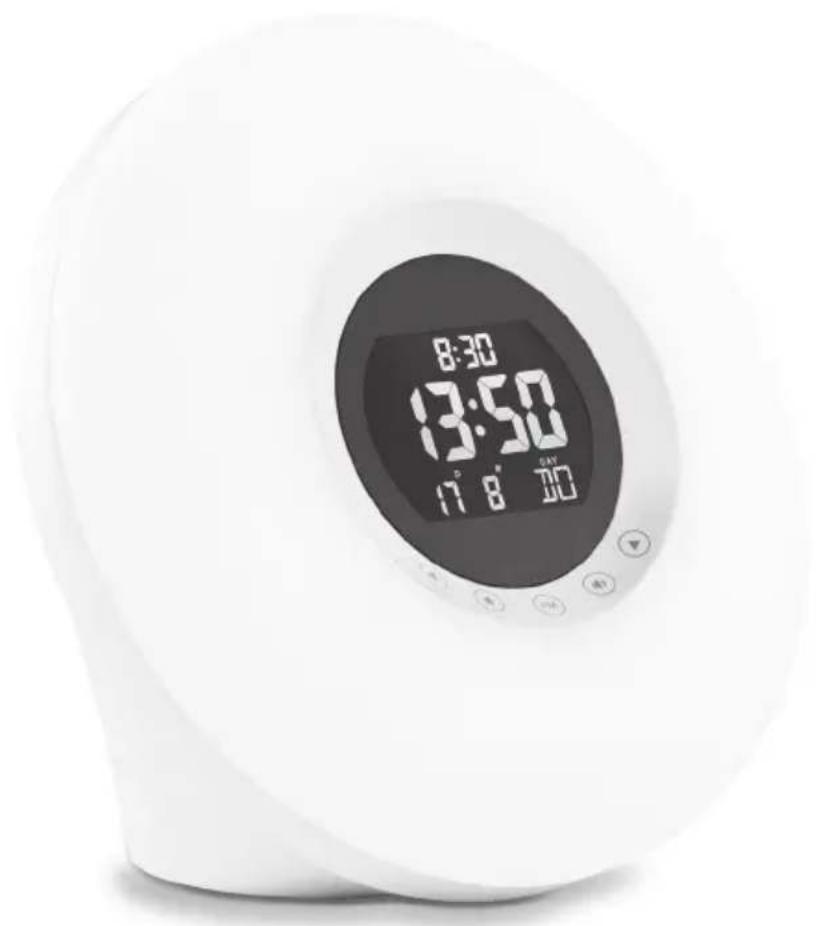
Bedienungsanleitung
CK1718
User manual | Instruetiones de operation | Mode d'emploi
Istruzioni per l'uso | Instrukcja obslugi

22143 Hamburg, Germany
You have chosen to purchase a high-quality product from the ADE brand, which combines intelligent functions with an exceptional design. The wealth of experience of the ADE brand ensures a high technical standard and proven quality for a good start to the day.
We wish you many wonderful moments!
Your ADE Team
General information
About this manual

This operating manual describes how to safely use and care for your products. Keep this operating manual in a safe place in case you would like to refer to it later. If you pass this item on to someone else, pass on this manual as well.
Failure to observe the recommendations in this operating manual can lead to injuries or damage to your product.
Explanation of symbols

This symbol, combined with the word DANGER, warns against serious injury.

This symbol, combined with the word WARNING, warns against moderate and mild injuries.

This symbol, combined with the word NOTE, warns against material damage.

This symbol signifies additional information and general advice.
Table of Contents
General information 20
Intended Use 22
Safety 22
Scope of Delivery 24
This is what the wake-up light offers. 24
Technical Data 25
Overview 26
Start-up 29
Battery operation. 29
Operation via USB 29
Setting the time. 29
Radio operation 30
Listening to the radio 30
Improving radio reception. 30
Light functions 31
Lighting and mood light 31
Display illumination 31
Using the sleptimer (auto-off) 31
Alarm 32
General information. 32
Setting alarm time and making further settings 32
Activate alarm 34
Beingawakened. 34
Cleaning 35
Fault/Remedy. 35
Declaration of Conformity 35
Warranty 36
Disposal 36
Safety
- This device can be used by children 8 years of age and older, as well as by persons with reduced physical, sensory, or mental capabilities or lacking experience and/or knowledge, if they are being supervised or have been instructed in the safe use of the device and understand the dangers that may arise.
- Keep the device away from children under 8 years of age.
- Cleaning and maintenance by the user must not be carried out by children unless they are 8 years of age or older and are being supervised.
- Children must be supervised to ensure that they do not play with the device.
- The wake-up light must not be immersed in water or other liquids. Risk of electric shock! Therefore, do not use the wake-up light in the vicinity of damp sources such as a washbasin.
- Use only the supplied USB power adapter if you want to operate the device from the mains and replace it only with the same type.
DANGER for Children
- Batteries, when swallowed, can be life-threatening. Thus, keep your wake-up light out of reach of small children. If a battery is swallowed, medical assistance must be sought immediately.
- Keep children away from packaging material and other small parts included in the scope of delivery. Risk of choking if swallowed.
Danger from electricity
- If you want to operate the wake-up light from the mains, use the included USB power adapter to connect the device to a properly installed mains outlet, the voltage of which corresponds to the "Technical Data".
- Make sure that the mains outlet is readily accessible so that you can quickly unplug the USB power adapter, if necessary.
- Do not use the wake-up light if the device or the USB power adapter is damaged.
- Do not cover the USB power adapter with curtains, newspapers, etc., and ensure adequate ventilation. The USB power adapter can become hot.
-
Unwind the USB cable completely before connecting. In doing so, take care to keep the cable from being damaged by sharp corners or hot objects.
-
Disconnect the USB power adapter from the mains outlet:
-before cleaning the wake-up light,
-if, during operation, there appears to be interference,
-during a storm.
-
To unplug, always grasp the USB power plug; do not pull on the cable.
-
Do not make any modifications to the item. Only allow repairs to be carried out at a specialist workshop, since inexpertly repaired devices can present hazards to the user.
If the USB cable or the USB power adapter is damaged, these parts must be disposed of and replaced with items of the same type.
Risk of injuries
Attention: Risk of explosion if batteries are improperly used. Batteries must not be recharged, reactivated by other means, dismantled, thrown into fire, or short-circuited.
Avoid contact of the battery fluid with skin, eyes, and mucosa. If you do come into contact with the fluid, you must immediately flush the affected areas thoroughly with clean water and promptly see a doctor.
Note on material damage
Protect the wake-up light from moisture, dust, shocks, extreme temperatures and direct sunlight. Place the device only in a dry indoor area.
Remove the batteries from the wake-up light when they are depleted or when the device is not used for a long time. You will thus avoid damage that may result from the leakage of battery acid.
Do not expose the batteries to any extreme conditions, e.g. by storing them on heaters or under direct sunlight. Increased risk of leakage!
Clean the battery and device contacts, as needed, before inserting the battery.
Always exchange all of the batteries at the same time.
- Only insert batteries of the same type; do not use different types or used and new batteries with each other.
Do not make any modifications to the device. Only allow repairs to be carried out at a specialist workshop and pay attention to the guarantee conditions.
- Do not connect the wire antenna to any other antenna. In addition, do not try to connect the device to your house antenna.
The wake-up light has feet at its bottom. Since furniture surfaces are made of various materials and are treated with various care products, it cannot be completely ruled out that some of these substances contain ingredients that attack and soften the feet of the device. If necessary, place a non-slip pad underneath the device.
Never use harsh, scouring or abrasive cleaning agents or the like to clean the device. Doing so may scratch the surfaces.
- This device is designed to receive FM radio stations and display the date.
- The device offers various alarm sources, sunrise and moonrise simulations before acoustic alarm.
- In addition, the device has a mood lighting in a variety of colours and light intensities.
- The wake-up light is designed exclusively for private use in dry indoor environments.
Scope of Delivery
- Wake-up light
- 2x batteries LR6 (AA)/1.5 V
USB cable
USB power adapter - Operating Manual
This is what the wake-up light offers
- Natural and gentle awakening with light with gradually increasing brightness
Sunrise simulation 30 minutes before the acoustic alarm - Alarm clock with alarm by preset transmitting radio station or 6 natural sounds with adjustable volume and snooze function
FM radio reception (FM) with automatic station search - Mood lighting in 7 different colours with adjustable light intensity (also suitable as bedside light or reading lamp)
- Adjustable sleep timer for lighting and/or radio
LED display with four brightness levels
Operation via push buttons and sensor touch
Perpetual calendar with date and day display in numerous languages
Technical Data
Model: Wake-Up Light CK 1718
Battery:
2x LR6 (AA), 1.5 V
Input voltage 5 V/1 A (USB)
USB power adapter: Input voltage: 230V 50 / 60~Hz 400mA
Output voltage: 5 V/1A (USB)
Max. power consumption: approx. 5 W
Frequency range: 87.5 -108 MHz
Audio output power: 1 W RMS
Dimensions: 170× 124× 160mm
Distributor: Waagen-Schmitt GmbH
Neuer Höltigbaum 15
22143 Hamburg, Germany
Our products are constantly being developed and improved. For this reason, design and technical modifications are possible at any time.
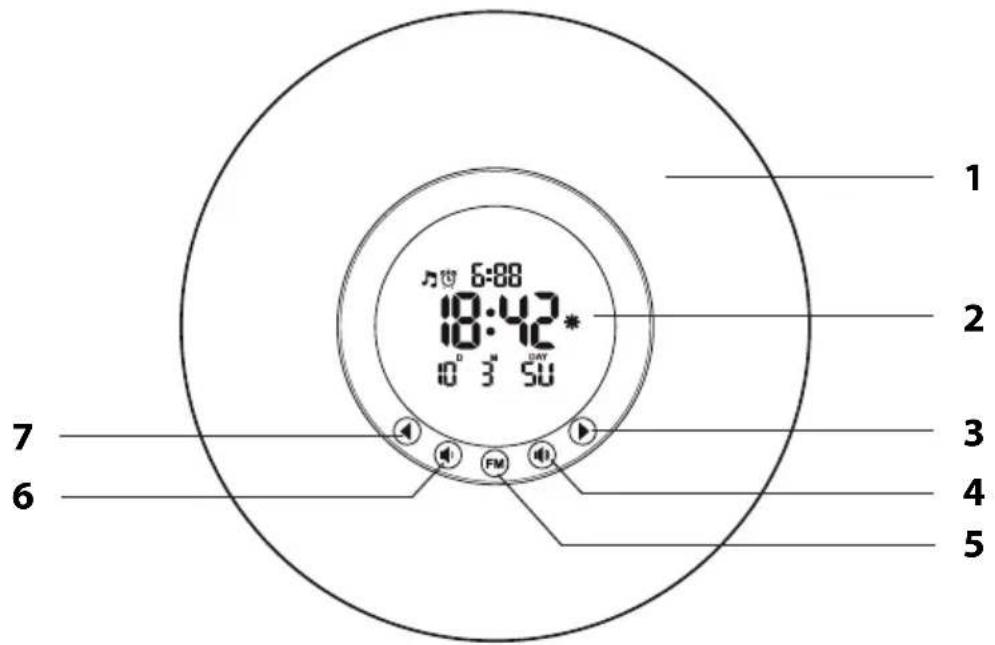
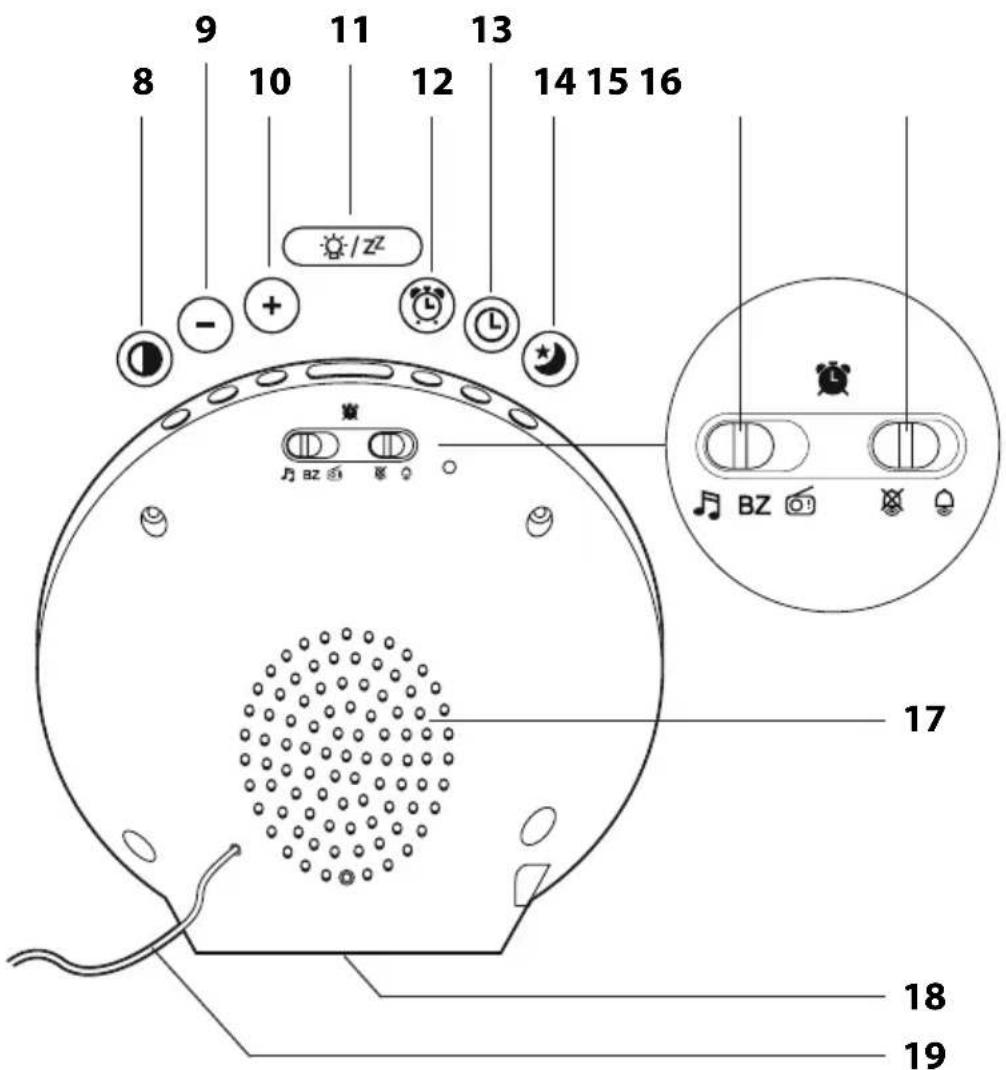
1 Lamp body
2 Display
3 Call up the next stored radio station
4 Increase the volume
5 - Turn the radio on and off
- Start station search
6 Decrease the volume
7 Call up the previous stored radio station
8 Set the display brightness
9 Decrease values displayed (in setting mode)
10 Increase values displayed (in setting mode)
11·Turn lighting on and off
- Snooze function
12 Call up setting mode for alarm settings
13 Call up setting mode for time and date setting
14 Turn sleep timer on and off
15 Select alarm source
16 Switching the alarm function on/off
17 Speaker
18 Battery compartment
19 FM dipole antenna for FM radio reception
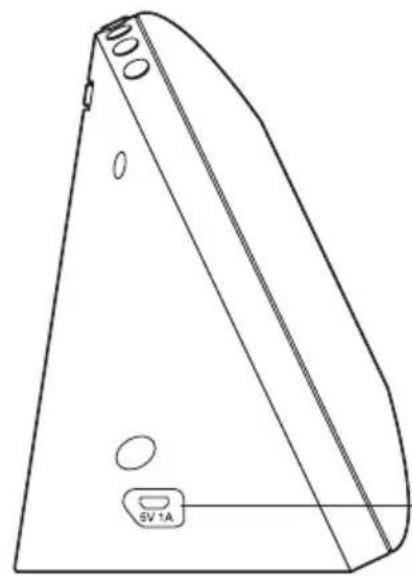
20
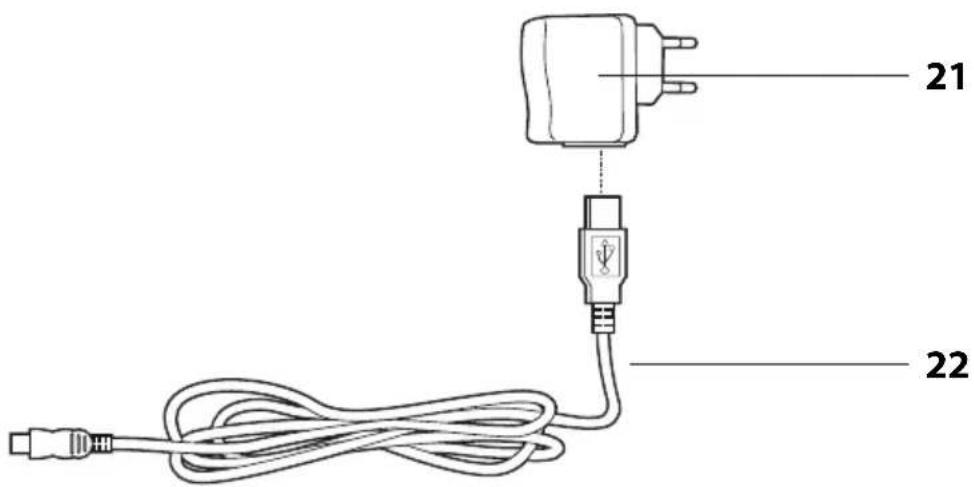
20 Connection socket for USB cable
21 USB power adapter
22 USB cable
Not depicted:
- Operating Manual
2 batteries LR6 (AA), 1.5 V
To operate the device, you can use either two batteries LR6 (AA)/1.5 V or the USB interface.
Battery operation

In battery-only operation, only few functions are available.
- Push the locking tab of the battery compartment towards the battery compartment cover and remove it.
- Insert the 2 batteries as indicated at the bottom of the battery compartment. Pay attention to the correct polarity of the batteries (+/-) .
- Put the battery compartment cover back in place.
Operation via USB
- Use one end of the USB cable to plug into the 5V1A connection socket.
- Use the other end to plug into the USB connection socket (for example, your PC), or use the included USB power adapter to plug the device into a mains outlet.
Setting the time
As soon as the device is powered, beeps will sound and the display will show "0:00". When the device is connected to a USB power source, all colours will be shown briefly in succession.

If there is more than approx. 30 seconds between two pushes of a button, the setting process automatically ends and you will have to repeat it.
- Press and hold down the button until "24 Hr" or "12 Hr" appears on the display.
- Use the or button to set the desired frame format.

-
If you select the 12-hour time format, morning hours are marked with "AM" and afternoon hours with "PM" in the display.
-
Press and hold down the or button to speed up the progress of the displayed values.
-
Press again to confirm the setting.
The hour will flash in the display.
- Use the or button to set the current hour.
- Press again to confirm the setting.
The minute will flash in the display.
- Carry out the following settings:
-Minutes
-Date format (Day/Month or Month/Day)
-Year
-Month
-Day
-Language of the weekday abbreviation "DAY"
- Finally, press to finish the process.
Radio operation
Listening to the radio
- Unwind the dipole antenna completely.
- Press the FM button to turn on the radio.
" is shown on the display.
- After switching on for the first time, press and hold down the FM button for a few seconds until the automatic search is started.
- If a sufficiently strong station is found, it will be played back briefly and its memory space will be displayed, for example, "P01". After that, the search will be resumed automatically until the entire frequency range has been covered. Then, the first station found and stored will be played back.
- Use the 1 or 2 button to switch to the previous or next stored radio station.
- Use the (volume down) or volume up) button to set the desired volume.
- Tap FM again briefly to switch off the radio.
Improving radio reception
- Try receiving the radio station on a different frequency by starting a new search.
Try different dipole antenna positions. - Relocate the device, if necessary.
Lighting and mood light
- Press to switch on white lighting.
- Use the or button to set the desired brightness ("L 00" to "L 18").
- Press again to switch to the coloured mood light.
- Use to select the desired colour ("C 1" to "C 8"). At "C 8", a slow and constant light change takes place from colours "C 1" to "C 7".
- Use the or button to set the desired brightness of the selected colour ("L 00" to "L 05").
- Press to switch off lighting.
Display illumination

If you use a battery-only operation, only short-term display lighting will be available as a light function. Press to illuminate the display for approx. 8 seconds.
When the device is powered via the USB cable, the display will be permanently lit.
-Press ① repeatedly to select the different brightness levels for the display.

The display brightness can only be adjusted when no light or white light is switched on. In coloured light ("C 1" to "C 8"), it does not work.
Using the sleptimer (auto-off)
After a set time, lighting or radio or both will switch off automatically depending on what functions are enabled.
- Switch on the radio or light or both.
- Press the button repeatedly to select the desired time value. You can choose between 15 - 30 - 45 - 60 minutes and "OFF".
After the set time has elapsed, the device switches off automatically.

If the timer is active, flashes in the display.
- If you want to disable the function again, select "OFF" instead of a time value.
- While the timer is running, you can always check how long it will take the device to switch off automatically by pressing. Note the display.
General information
- You can use three different alarm sources to wake up:
-Natural sounds
-Buzzer Bz
-Radio
-
The alarm sources have adjustable volume (except for buzzer).
-
The light will switch on 30 minutes before the set alarm time to simulate a sunrise. Alternatively, you can wake up to a coloured mood light.
- You can adjust manually the brightness of the sunrise simulation and/or the mood light.
Setting alarm time and making further settings

- If there is more than approx. 30 seconds between two pushes of a button, the setting process automatically ends and you will have to repeat it.
- Press and hold down the + or button to speed up the progress of the displayed values.
- If you do not want an additional wake-up light, select "L 00" as the brightness level for the following light settings.
The device must be in the normal clock mode (no radio playback).
- Use the left BZ slide switch on the back of the device to select the desired alarm source.
- Press and hold the button for a few seconds until the hour indication of the alarm time flashes.
- Use the or button to set the desired wake-up hour.
- Press to confirm the setting.
The wake-up minute will flash on the display.
- Use the or button to set the desired wake-up minute.
- Press to confirm the setting.
The subsequent procedure depends on the selected alarm source.
A) You have chosen natural sounds:
- Use the button to select the desired natural sound: 1 - Murmuring, 2 - Bird call 3 - Rain, 4 - Frog, 5 - Jungle, 6 - Twittering
- Press to confirm the setting.
- Use the or button to set the desired alarm volume ("L 00" to "L 15").
- Press to confirm the setting.
- Use the or button to set the desired wake-up light colour ("1" for white or "2" for coloured)
-
Press to confirm the setting. If you have selected "1": -Set the desired brightness when awakening ("L 00" to "L 18"). If you have selected "2": -Set the desired colour when awakening ("C 1" to "C 8"). -Press. -Set the desired brightness when awakening ("L 00" to "L 05").
-
Press to complete the settings.
B) You have chosen Bz buzzer:
- Use the button to set the desired wake-up light colour ("1" for white or "2" for coloured)
-
Press to confirm the setting. If you have selected "1" (white): -Set the desired brightness when awakening ("L 00" to "L 18"). If you have selected "2" (coloured): -Set the desired colour when awakening ("C 1" to "C 8"). -Set the desired brightness when awakening ("L 00" to "L 05").
-
Press to complete the settings.
C) You have chosen radio:

The last played back radio station will be used as the radio alarm source.
- Use the or button to set the desired alarm volume ("L 00" to "L 15").
- Use the or button to set the desired wake-up light colour ("1" for white or "2" for coloured)
- Press to confirm the setting.
If you have selected "1" (white):
-Set the desired brightness when awakening ("L 00" to "L 18").
If you have selected "2" (coloured):
-Set the desired colour when awakening ("C 1" to "C 8").
-Press to confirm the setting.
- Set the desired brightness when awakening ("L 00" to "L 05").
- Press to complete the settings.
Activate alarm
-Set the right slide switch on the back of the device to
The alarm function is now active.
The display will show the alarm symbols and for the natural sounds alarm source) or (for the radio alarm source).

If you use the slide switch to change the alarm source when the alarm function is enabled, it will be played back briefly for approx. 3 seconds.
Being awakened
At the set time, you will wake up to the selected alarm source, and the alarm sound will be getting louder with increasing alarm time.
In addition, the wake-up light will switch on 30 minutes before the alarm according to your settings, with its brightness gradually increasing.
Interrupting the alarm for 24 hours
- Press one of these + - buttons to stop the alarm and switch off lighting.
After 24 hours, the alarm will be triggered again.
Auto-stop function
If you do not press any button, the alarm and light will switch off automatically in 30 minutes (buzzer: 2 minutes). After 24 hours, the alarm will be triggered again.
Repeat alarm (snoopze function)
-Press once when the alarm signal sounds.
The alarm signal will be muted and ^2 will appear flashing on the display. After 8 minutes, the device switches on again and wakes you up again.
This procedure can be repeated multiple times.
Turning the alarm off completely
-Set the right slide switch on the back of the device to
The alarm symbol will disappear from the display and the alarm function will be disabled.
Cleaning
- Disconnect the USB power adapter from the base station.
- Wipe clean the device with a slightly damp cloth, if necessary.
Fault/Remedy
| Fault Possible Cause | |
| Some functions are not available. | • Operate the device via the supplied USB cable to be able to use all functions. |
| The wake-up light will go on immediately after setting and enabling an alarm time. | • The alarm time is within the next 30 minutes. No fault. As a remedy, set “L 00” as the brightness level when awakening, if necessary (light function is disabled). |
Declaration of Conformity
Waagen-Schmitt GmbH hereby declares that the wake-up light CK 1718 complies with EU directives 2014/53/EU and 2011/65/EU.
The full text of the EU conformity declaration is available via the following Internet address: www.ade-germany.de/doc
This declaration loses its validity if any modification is made to the item that has not been agreed with us in advance.
Hamburg, may 2021
Waagen-Schmitt GmbH

Warranty
The company Waagen-Schmitt GmbH guarantees for 2 years from the purchase date the cost-free rectification of defects on the basis of material or fabrication errors through repair or exchange.
In the event of a warranty claim, please return the product with the proof of purchase (stipulating the reason for claim) to your dealer.
Disposal
Disposing of the packaging

Dispose of the packaging with similar materials. Put cardboard with waste paper, films with recyclable materials.
Disposing of the product
Dispose of the product in accordance with the regulations that apply in your country.
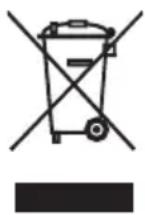
Devices must not be disposed of in normal household waste
At the end of its life, the product must be disposed of in an appropriate way. In this way, valuable materials contained in the device will be recycled and the burden on the environment avoided. Hand in the old device at a collection point for electronic waste or at a recycling depot.
For more information, contact your local waste disposal firm or your local administrative body.

Recyclable and disposable batteries do not belong in household waste
All batteries must be handed in at a collection point in your community, suburb, or at the retailer. Such batteries can thus be disposed of in an environmentally friendly way.
;Estimada/o cliente!
Chere cliente, cher client,
- Bedienungsanleitung
- General information
- About this manual
- Explanation of symbols
- Table of Contents
- Safety
- DANGER for Children
- Danger from electricity
- Risk of injuries
- Note on material damage
- Scope of Delivery
- This is what the wake-up light offers
- Technical Data
- Battery operation
- Operation via USB
- Setting the time
- Radio operation
- Listening to the radio
- Improving radio reception
- Lighting and mood light
- Display illumination
- Using the sleptimer (auto-off)
- Setting alarm time and making further settings
- A) You have chosen natural sounds:
- B) You have chosen Bz buzzer:
- C) You have chosen radio:
- Activate alarm
- Being awakened
- Interrupting the alarm for 24 hours
- Auto-stop function
- Repeat alarm (snoopze function)
- Turning the alarm off completely
- Cleaning
- Fault/Remedy
- Declaration of Conformity
- Warranty
- Disposal
- Disposing of the packaging
- Disposing of the product
- Devices must not be disposed of in normal household waste
- Recyclable and disposable batteries do not belong in household waste
- ;Estimada/o cliente!
- Chere cliente, cher client,
Brand : ADE
Model : CK 1718
Category : Light therapy