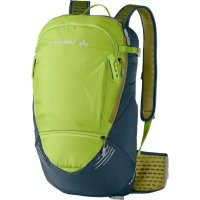
Hyper 14+3 - Bag Vaude - Free user manual and instructions
Find the device manual for free Hyper 14+3 Vaude in PDF.


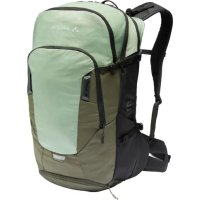
| Product type | Backpack |
| Brand | Vaude |
| Model | Hyper 14+3 |
| Total volume | 14 L + 3 L expandable (17 L max) |
| Estimated dimensions | 45 x 25 x 15 cm |
| Estimated weight | 600 g |
| Power supply | None (non-electric backpack) |
| Hydration system | Compartment with tube outlet, velcro or hook attachment |
| Helmet holder | Hook supports, straps or net depending on variant |
| Rain cover | Integrated in a zippered compartment at the bottom, with cutouts for waist belt |
| Volume extension | Approximately +3 L for main compartment |
| Tool compartment | Front of the bag, with pump loop |
| Rear light mount | Strap or cutout on the lower part, clip compatible |
| Map pocket | Front outer pocket |
| Moab interior compartment | Triple access, separated from main compartment |
| Shoulder strap length adjustment | F.L.A.S.H. system with velcro and size indicators |
| Carry adjustment | Adjustable shoulder straps, load lifter straps and hip belt |
| Protection attachment | Side compression straps for attaching protectors |
| Care and cleaning | Hand wash with mild soap, air dry, avoid bleach |
| Spare parts and repairability | Not specified, rain cover included |
| General information | VAUDE bicycle backpack, Bike collection |
Frequently Asked Questions - Hyper 14+3 Vaude
User questions about Hyper 14+3 Vaude
0 question about this device. Answer the ones you know or ask your own.
Ask a new question about this device
Download the instructions for your Bag in PDF format for free! Find your manual Hyper 14+3 - Vaude and take your electronic device back in hand. On this page are published all the documents necessary for the use of your device. Hyper 14+3 by Vaude.
USER MANUAL Hyper 14+3 Vaude
bike hardWare backpacks
deuTsch....1
ENGLISH....9
Français....17
iTaliano....25
español....33
中文....41
INHALT
natural_image
Simple line drawing of a bag with a rope tied around it (no text or symbols)natural_image
Simple line drawing of a container with a lid and handle (no text or symbols)natural_image
Line drawing of a backpack with straps and straps (no text or symbols)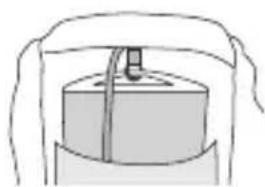
natural_image
Simple line drawing of a cylindrical object with a handle, no text or symbols present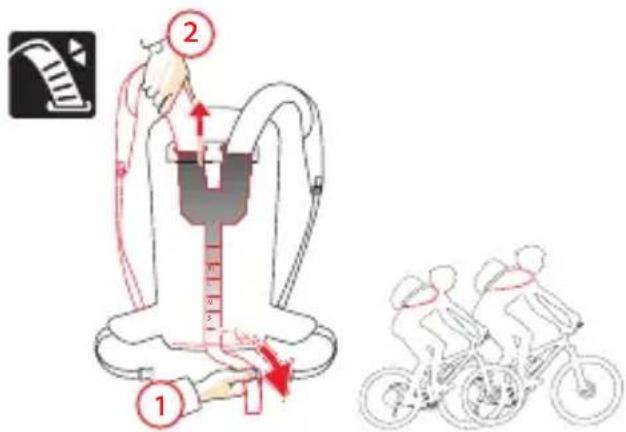
DEUTSCH
natural_image
Line drawing of a mechanical device with a textured base and label '2' (no text or symbols on the diagram itself)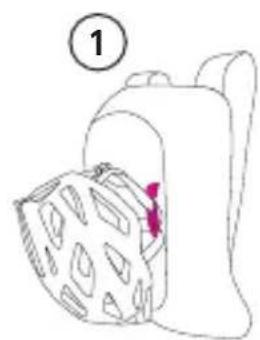
natural_image
Simple line drawing of a bag with patterned cover and a numbered label (1) in the top left corner, no text or symbols present.DEUTSCH
natural_image
Line drawing of a folded garment with a pink zipper (no text or symbols)DEUTSCH
natural_image
Line drawings of two different types of backpacks, one open and one closed, with no text or symbols present.General Instructions 9
How to pack your backpack correctly....9
Hydration system....10
F.L.A.S.H. strap length adjustment .....11
Carrying system settings and adjustment....12
Features ....13
Helmet carriers....13
Features....13
Blinker holder....14
Tool compartment / Pump compartment .....14
Rain cover....15
Volume expansion 15
Map compartment / Inner compartment Moab....16
Securing protective gear....16
GENERAL INSTRUCTIONS HOW TO PACK YOUR BACKPACK CORRECTLY
The rule of thumb is to make sure the loaded pack's center of gravity lies directly above your own. Heavy items should therefore be packed as close to your back as possible.
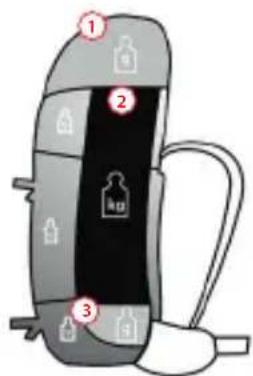
- Lid Compartment: small, lightweight items of gear that need to be close at hand, e.g. mobile phones, GPS, compass.
ENGLISH

HYDRATION SYSTEM
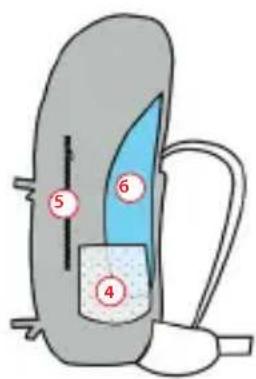
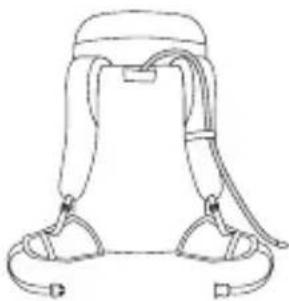
Hydration tube port with top lid closure
natural_image
Simple line drawing of a bag with a rope strap (no text or symbols)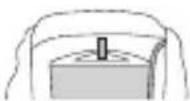
Hydration bladder attachment: velcro
Hydration tube port with front zip closure
natural_image
Line drawing of a backpack with straps and straps (no text or symbols)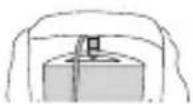
Hydration bladder attachment: hook
-
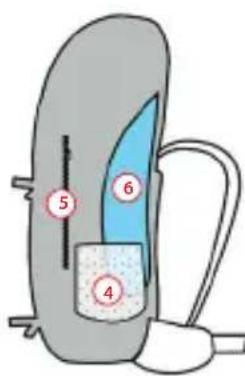
Main Compartment: Lighter items such as clothing should be packed at the bottom, top and on the sides. Heavier items such as climbing equipment (carabiners, wedges, quickdraws), the tent, tinned food or water supplies should be packed in the middle, close in to your back.
-
Bottom Compartment: This is the best place to store lightweight, bulky items that would take up too much room in the main compartment (sleeping bag, dirty laundry bag).
-
Outer Pockets and Mesh Pockets: Room for smaller items (rain jacket, cap, tissues, gloves etc.). Each side should weigh about the same.
-
Map Pocket: Flat outer pocket for easy access to maps, climbing topos and hiking guides.
-
Hydration System: The pocket for the hydration bladder always lies close to your back so that it doesn't offset your center of gravity. The hydration tube port in backpacks with top lids is located underneath the top lid closure. In backpacks with front zip closures, the hydration tube port is found above the shoulder straps.
f.l.a.s.h. straP lenGth adJustment
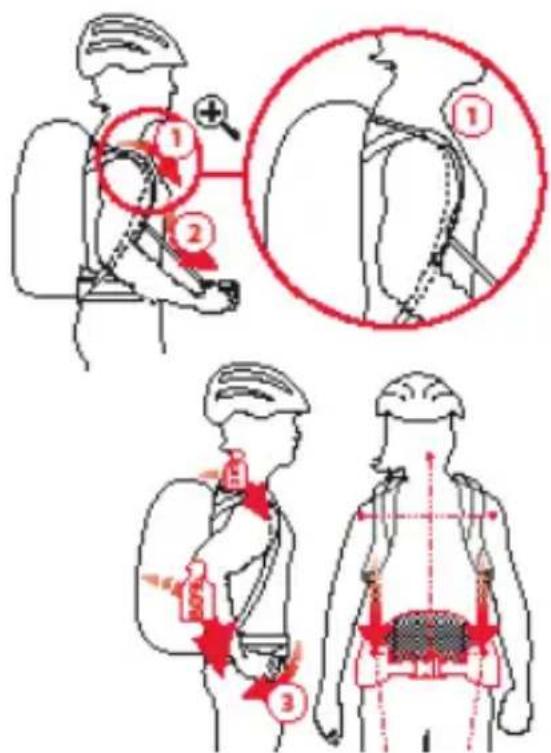
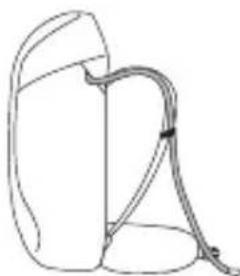
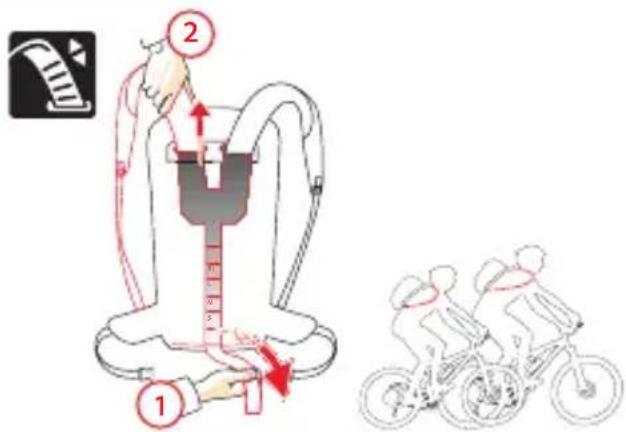
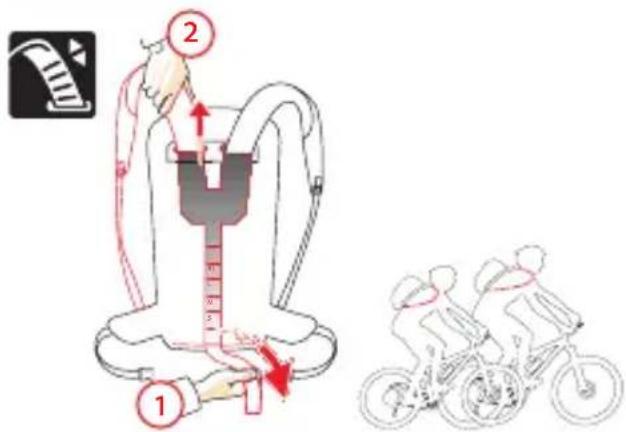
Some VAUDE Bike backpacks are equipped with the F.L.A.S.H. strap length adjustment system. Every person has an individual back length and shape, and this strap system can be adjusted to optimally fi t any upper body proportions: the backpack fi ts as if it were custom tailored.

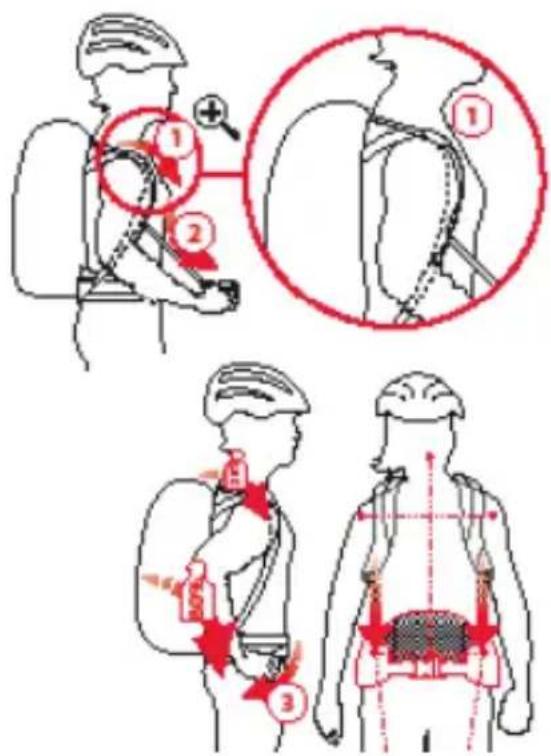
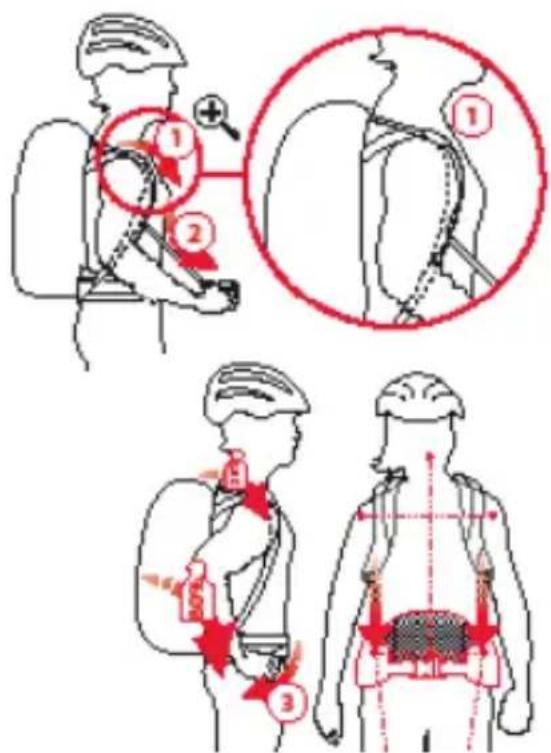
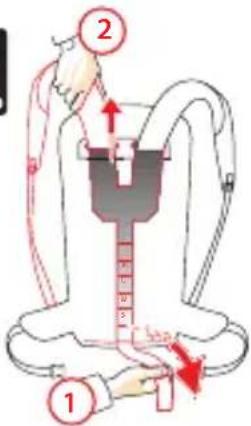
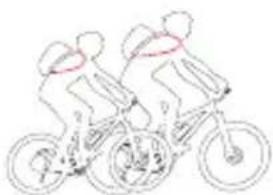
For an optimal fit, the end of the shoulder strap should be just below the chest (see figure).
adJustment: You can adjust the length of the shoulder straps quickly and conveniently to any body size using the Velcro strip at the rear of the back system. By opening the Velcro, you release the shoulder strap lock (1). Pull out the shoulder strap or push it in to adjust its length (2). When the shoulder straps are the ideal length, close the Velcro again. Mark the position on the outer side of the Velcro to correct the shoulder strap length in future.
Quick Guide


ENGLISH
carrYinG sYstem settinGs and adJustment
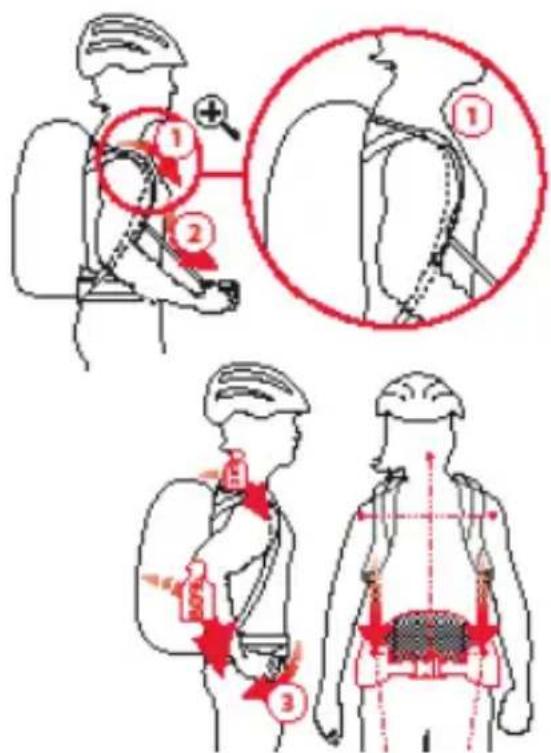
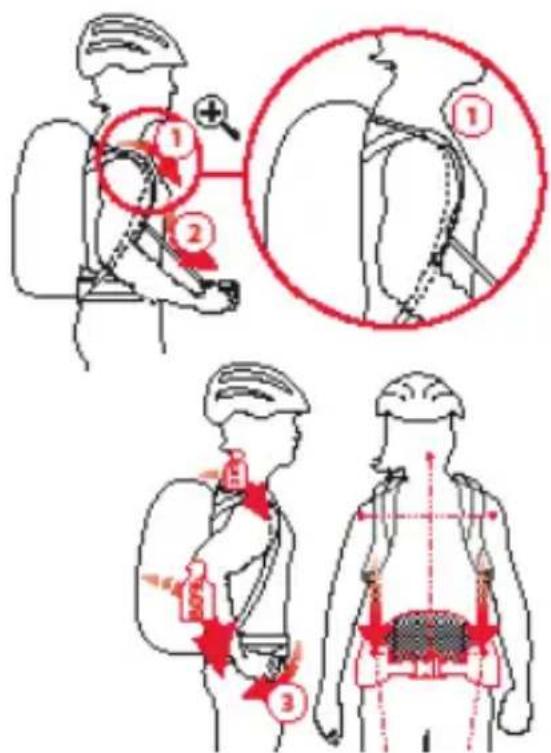
If your VAUDE Bike backpack is equipped with strap length adjustment, adjust it first.
Shoulder the packed backpack and adjust as follows:
-
Gently tighten the shoulder straps and load adjustment straps (1 and 2). The ladder-lock buckles and the load adjustment straps must be positioned between your collar bone and the bony prominence at the top of your shoulder blade.
-
Lift your shoulders, then close and pull the hip belt to create a snug fit (3). The hip belt must ride on the upper edge of your pelvic bone. Your hips should bear approx. 80% of the load.
-
Loosen the shoulder straps until all of the weight is resting on your hips. Gently tighten the shoulder straps again to stabilize the backpack on your shoulders.
FEATURES
HELMET CARRIERS
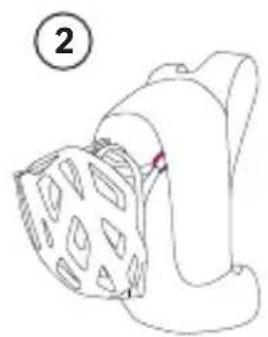
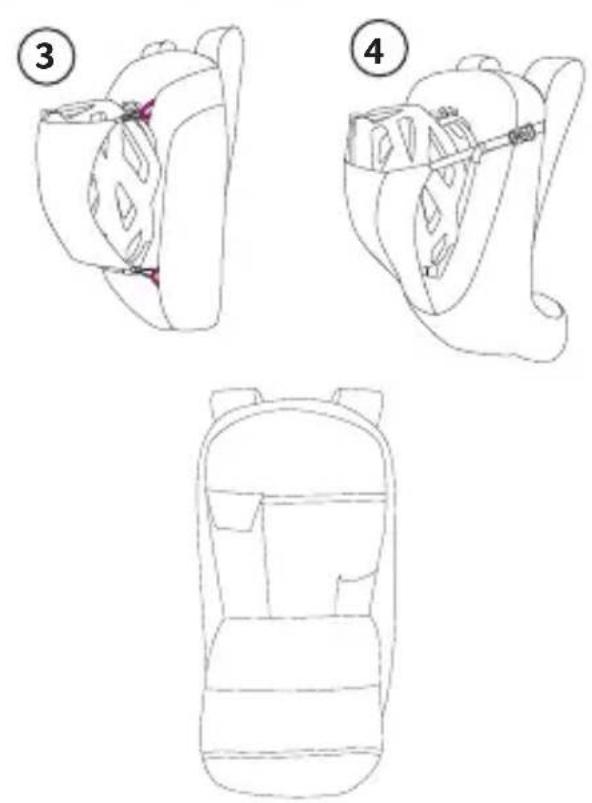
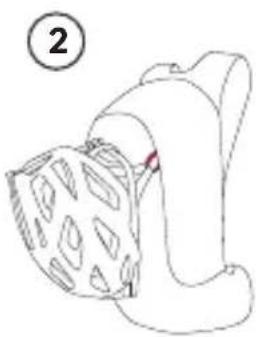
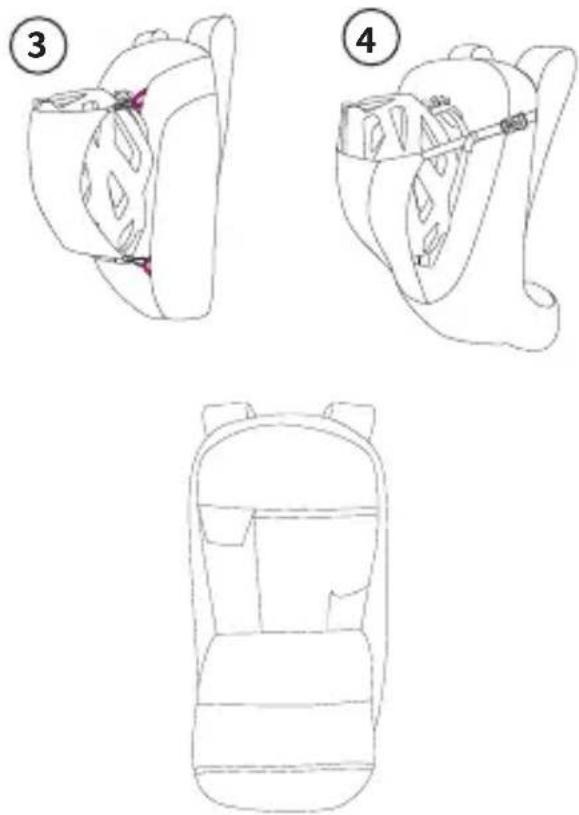
Every VAUDE Bike backpack is equipped with a helmet carrier. We use a few different systems.
Variant 1: Brackets with hooks allow you to hook the helmet chin band to the backpack, or you can loop the straps behind the brackets and close them.

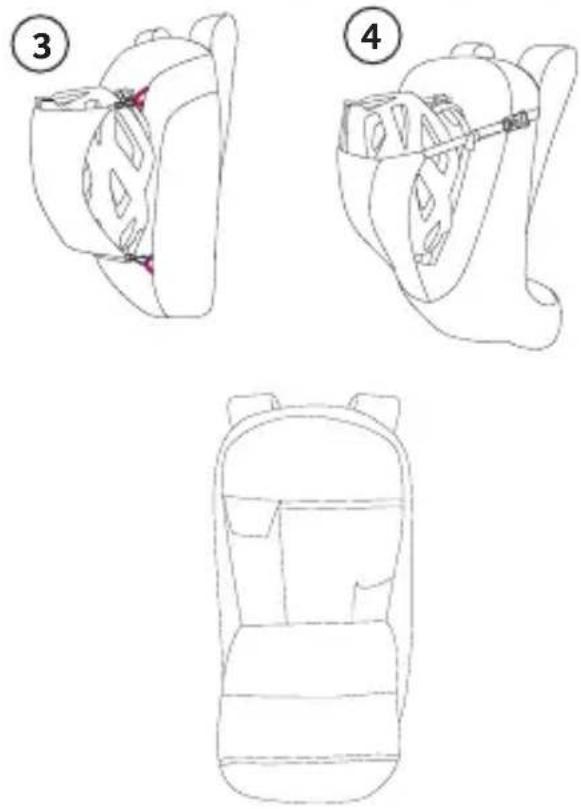
Variant 2: Use the two loops on the upper section of the backpack as the helmet carrier. To do this, simply open the helmet chin band, thread each side through a loop and close the chin band again.
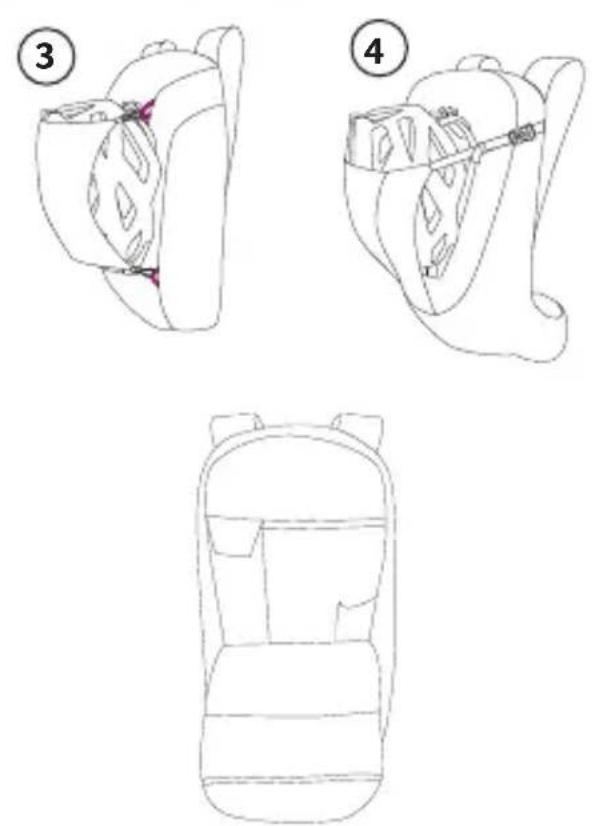
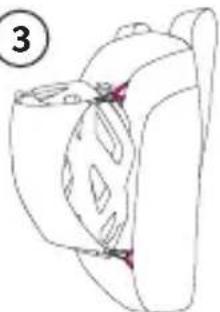
Variant 3: Fasten the helmet net included to the two loops on both the upper and lower sections of the backpack. To do this, place the helmet on the backpack, place the net on top of it and put the plastic hooks through the loops.
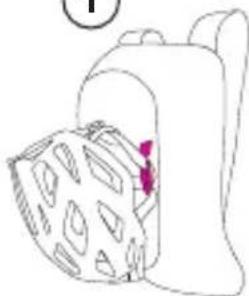
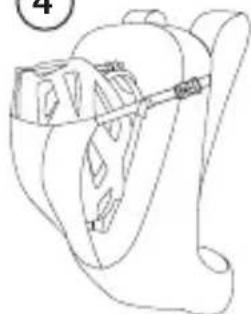
Variant 4: Integrated helmet straps provide room for cross country and full face helmets. To use them, re-
QUICK GUIDE

natural_image
Line drawing of a person's head and shoulders with a patterned garment, no text or symbols present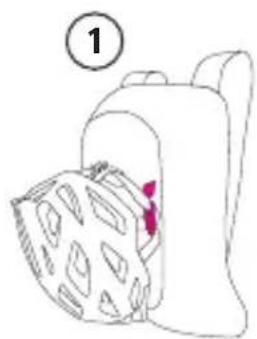
natural_image
Simple line drawing of a backpack with a patterned blanket and a numbered label (1) in the top left corner.ENGLISH
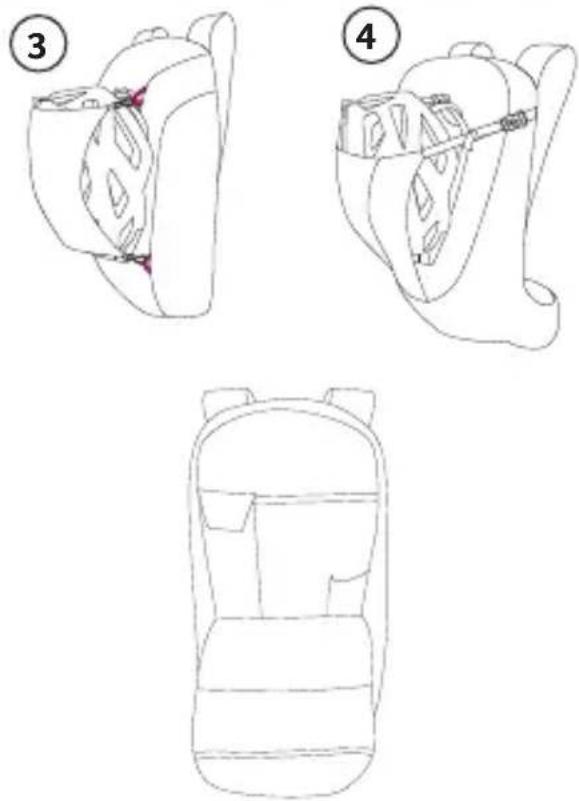
lease the two buckles on the upper section of the back-pack, push the helmet into the pocket and close the buckles again. For full face helmets, simply loop the straps and buckles through the chin guard, close them again and pull them tight.
Blinker holder
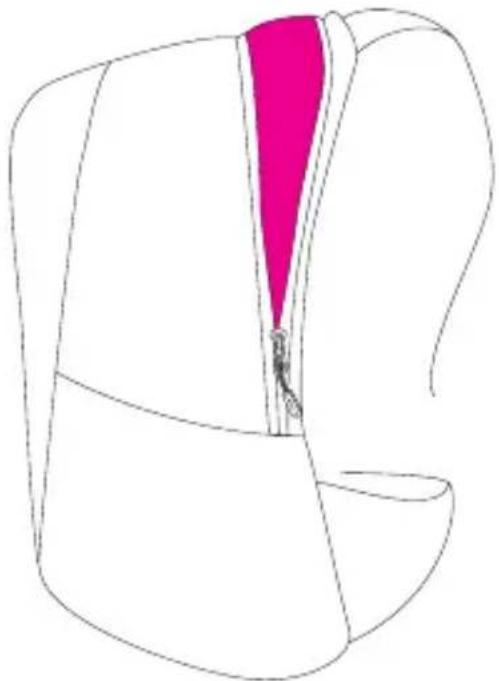
Every VAUDE Bike backpack is equipped with a blinker holder in the lower section. You can either clip the blinker to the attached piece of webbing or a cutout in the material. There is also a piece of webbing for this on the lower section of the rain cover.
tool comPartment / PumP comPartment
Some VAUDE Bike backpacks are equipped with extra tool compartments. Applied to the front of the back-pack, they provide you with quick, convenient access to key tools. An extra loop even keeps larger pumps firmly in place.
rain coVer
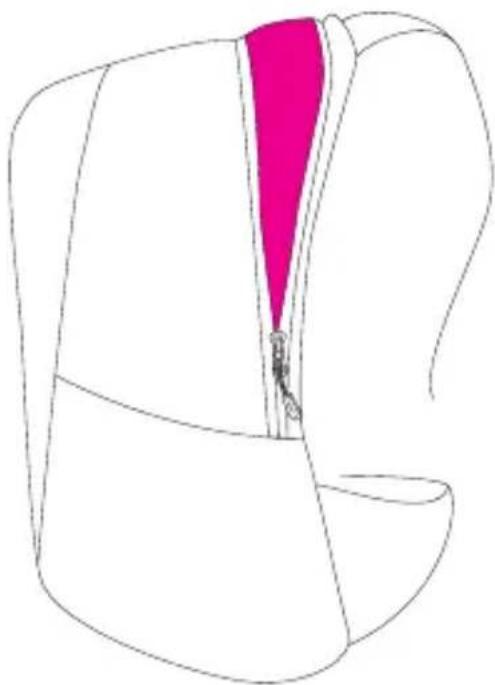
Every VAUDE Bike backpack is equipped with a rain cover. It is located in a zip compartment under the floor of the backpack. To allow the rain cover to enclose the backpack as completely as possible, it has small cutouts on the bottom for the carrier system hip fins.
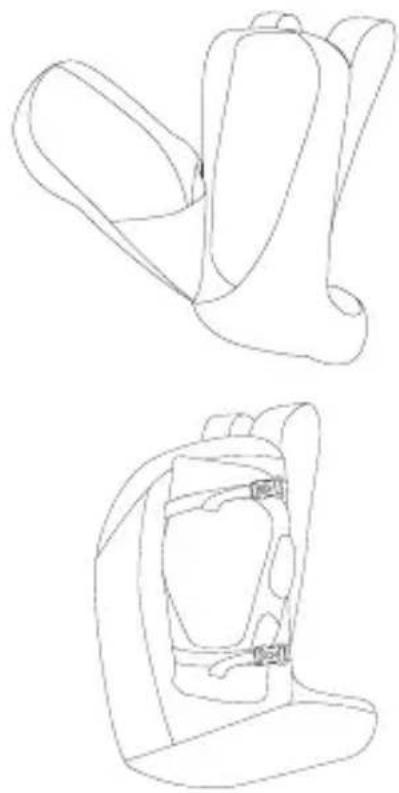
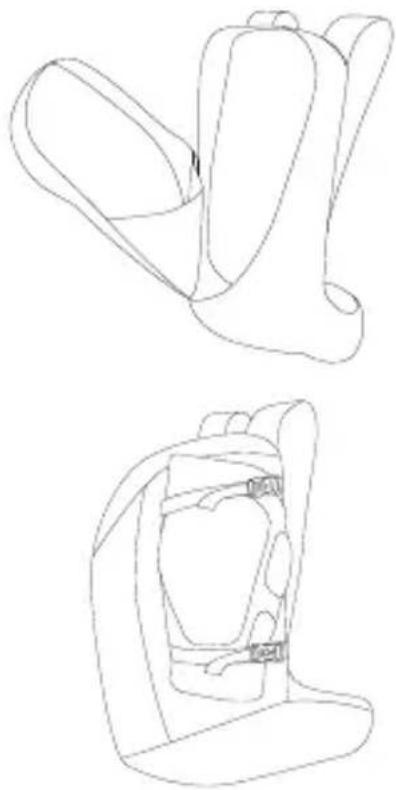
Volume exPansion
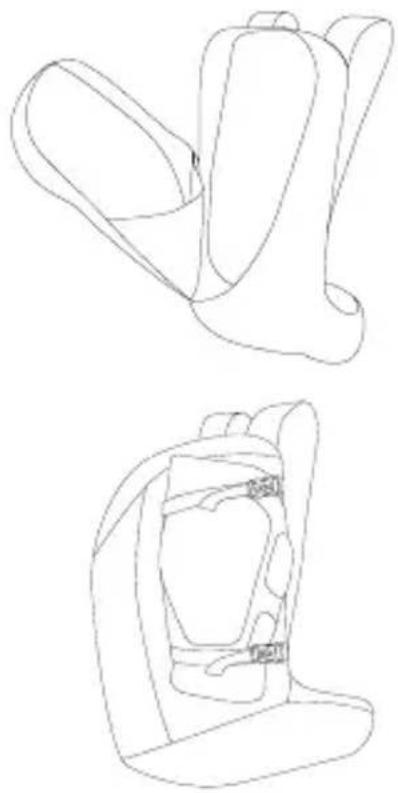
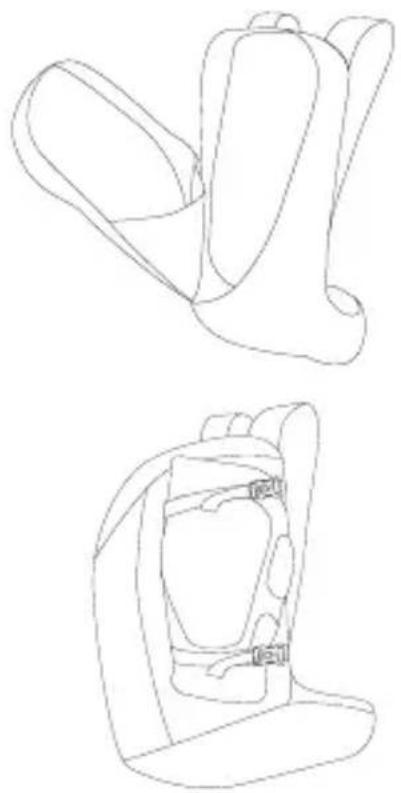
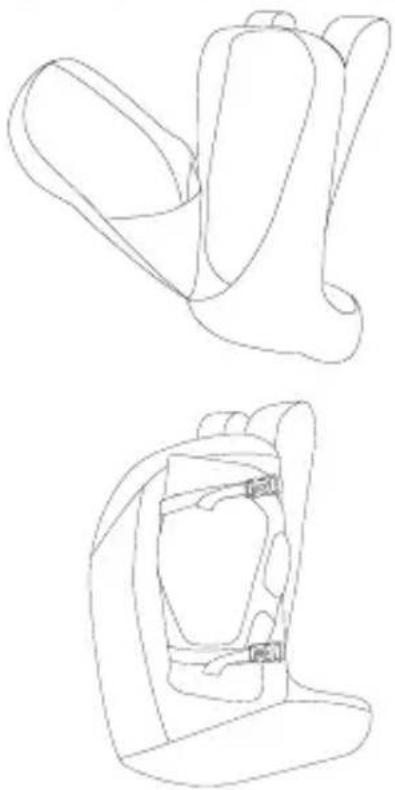
Some VAUDE Bike backpacks have a volume expansion function that enlarges the backpack by approx. 3-5 l.
natural_image
Line drawing of a backpack with a pink vertical stripe inserted into the pocket (no text or symbols)ENGLISH
natural_image
Line drawings of two different types of car seat designs, one closed and one open, with no text or symbols present.maP comPartment / inner comPartment moaB
The touring backpacks in the VAUDE Bike collection are equipped with an easy-access map compartment at the front. Use it to store your maps securely.
The backpacks in the Moab series have an extra 3-way inner compartment. In it, you can stow key pieces of equipment separately from the main compartment.
securinG ProtectiveGear
With some of the All Mountain backpacks in the VAUDE Bike collection, you can use the compression straps at the sides to secure your protective gear.

SOMMAIRE
Réglage de base 17
natural_image
Line drawing of a bag with a rope tied around its neck (no text or symbols)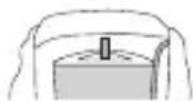
natural_image
Line drawing of a backpack with straps and straps (no text or symbols)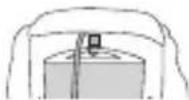
FRANÇAIS
natural_image
Line drawing of a hand holding a cushioned object, no text or symbols present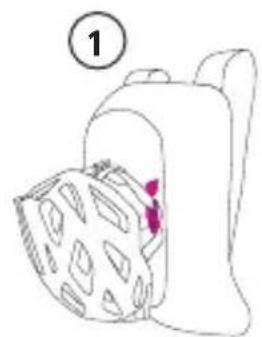
natural_image
Simple line drawing of a backpack with patterned cushion and a numbered label (1) in the top left corner, no text or symbols present.FRANÇAIS
natural_image
Line drawing of a folded garment with a pink zipper (no text or symbols)FRANÇAIS
natural_image
Line drawings of two car seat designs, one open and one closed, both without any text or symbols.natural_image
Line drawing of a backpack with straps and feet (no text or symbols)
natural_image
Simple line drawing of a bag with a rope, no text or symbols present
ITALIANO
natural_image
Line drawing of a person inserting a bag into a chair (no text or symbols)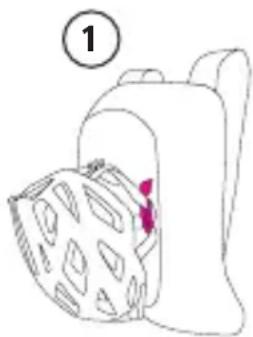
natural_image
Simple line drawing of a bag with patterned lid and a numbered label (1) in the top left corner, no text or symbols present.ITALIANO
natural_image
Line drawing of a backpack with a pink vertical stripe on the chest (no text or symbols)ITALIANO
natural_image
Line drawings of two different types of backpacks, one open and one closed, with no text or symbols present.scomParto Per maPPe / scomParto interno moaB
natural_image
Simple line drawing of a bag with a rope tied around it (no text or symbols)natural_image
Line drawing of a backpack with straps and straps (no text or symbols)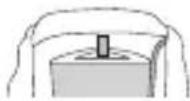
ITALIANO
natural_image
Line drawing of a mechanical component with a textured base and a numbered label (2) in the top left corner.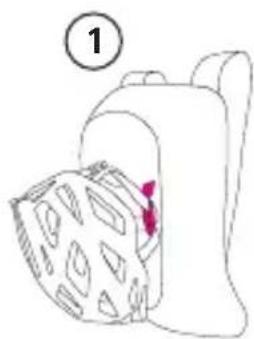
natural_image
Simple line drawing of a backpack with a patterned blanket and a red tag, no text or symbols present.ESPAÑOL
natural_image
Line drawing of a backpack with a pink vertical stripe inserted into the pocket (no text or symbols)ESPAÑOL
natural_image
Line drawings of two different car seat designs, one open and one closed, both without any text or symbols.Bolsillo Para maPas / Bolsillo interior moaB
natural_image
Line drawing of two cyclists in motion, no text or symbols present如水袋、洗衣袋。
德语
Quick Guide

Video

料钩挂在规定的搭环上。
natural_image
Line drawing of a mechanical component with a textured surface and a red mark (no text or symbols)1
natural_image
Simple line drawing of a bag with patterned lid and handle, no text or symbols present3
natural_image
Simple line drawing of a mechanical component with no text or symbols4
natural_image
Line drawing of a helmet with a belt and seatbelt (no text or symbols)工具格层 / 打气筒格层
natural_image
Line drawing of a backpack with front panel and side panels (no text or symbols)德语
natural_image
Line drawing of a backpack with a pink vertical stripe on the chest (no text or symbols)容量扩增
natural_image
Line drawings of two different backpacks, one open and one closed, with no text or symbols present.