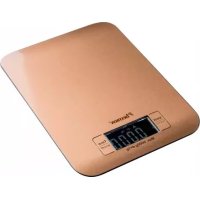
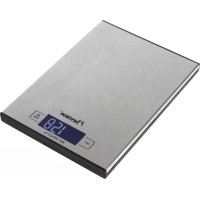
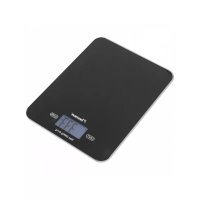
AKS700CO - Kitchen scale BESTRON - Free user manual and instructions
Find the device manual for free AKS700CO BESTRON in PDF.

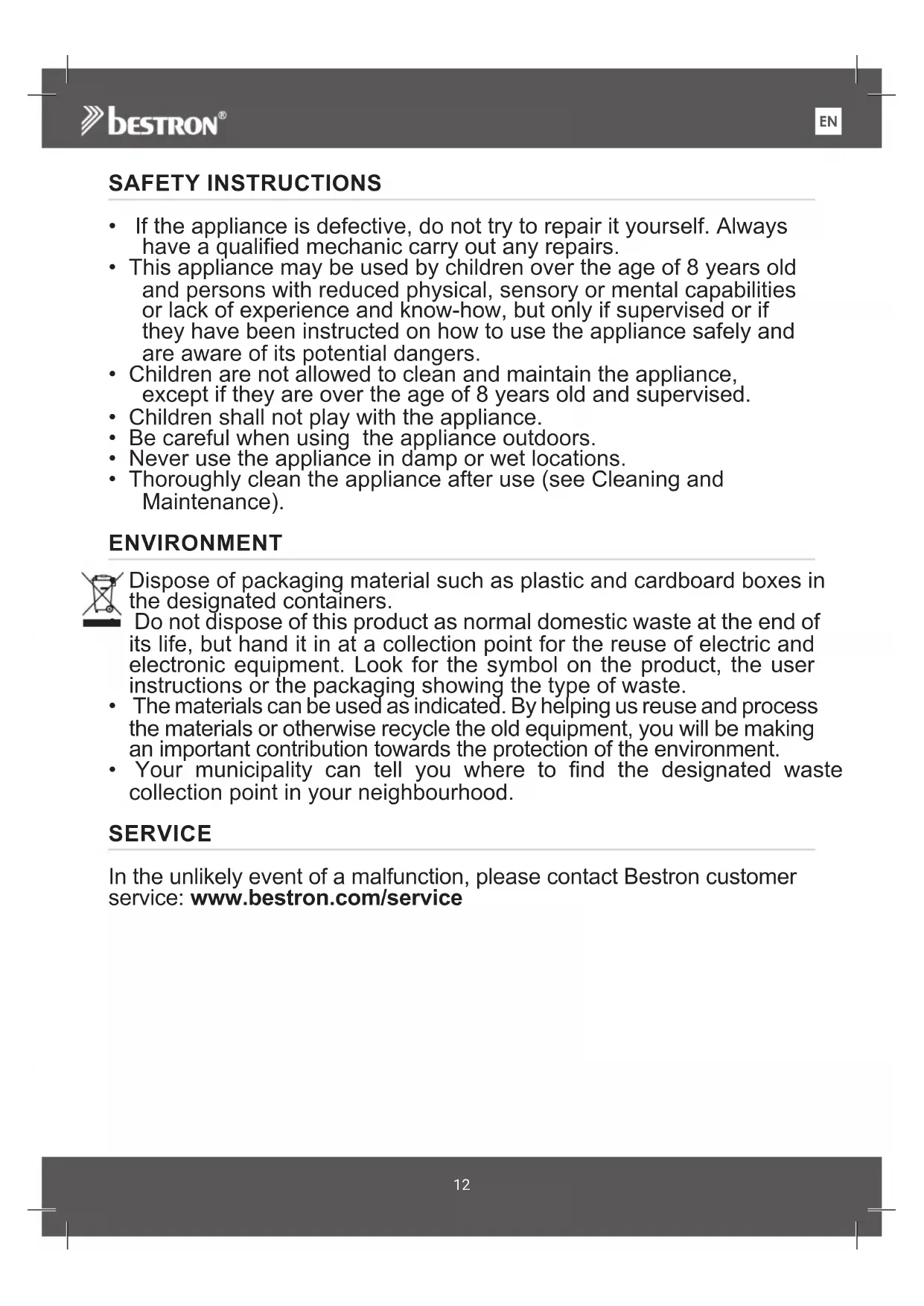


| Product Type | Kitchen Scale |
| Brand | Bestron |
| Model | AKS700CO |
| Maximum Capacity | 5 kg |
| Power Supply | 2 CR2032 batteries (3V each) |
| Dimensions (L x H x D) | 15 x 20 x 1.4 cm |
| Display | LCD |
| Measurement Units | g, oz, fl oz, ml, lb:oz |
| Tare Function | Yes |
| Auto Shut-off | Yes, after about 90 seconds of inactivity |
| Protection Class | III |
| Cleaning | Soft damp cloth, do not use abrasive cleaners |
| Safety | Do not immerse, keep out of reach of children under 8 years |
| After-sales Service | Contact Bestron via www.bestron.com/service |
Frequently Asked Questions - AKS700CO BESTRON
User questions about AKS700CO BESTRON
0 question about this device. Answer the ones you know or ask your own.
Ask a new question about this device
Download the instructions for your Kitchen scale in PDF format for free! Find your manual AKS700CO - BESTRON and take your electronic device back in hand. On this page are published all the documents necessary for the use of your device. AKS700CO by BESTRON.
USER MANUAL AKS700CO BESTRON
INSTRUCTION MANUALKITCHI
DE
HRN
EN S
OES
The image is too blurry to recognize any text content.
The image is too blurry to recognize any text content.
The image is too blurry to recognize any text content.
The image is too blurry to recognize any text content.
The image is too blurry to recognize any text content.
The image is too blurry to recognize any text content.
The image is too blurry to recognize any text content.
The image is too blurry to recognize any text content.
1
2
SICHERHEITSHINWEISE
- If the appliance is defective, do not try to repair it yourself. Always have a qualified mechanic carry out any repairs.
- This appliance may be used by children over the age of 8 years old and persons with reduced physical, sensory or mental capabilities or lack of experience and know-how, but only if supervised or if they have been instructed on how to use the appliance safely and are aware of its potential dangers.
• Children are not allowed to clean and maintain the appliance, except if they are over the age of 8 years old and supervised.
• Children shall not play with the appliance. - Be careful when using the appliance outdoors.
- Never use the appliance in damp or wet locations.
- Thoroughly clean the appliance after use (see Cleaning and Maintenance).
ENVIRONMENT
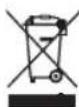
Dispose of packaging material such as plastic and cardboard boxes in the designated containers.
Do not dispose of this product as normal domestic waste at the end of its life, but hand it in at a collection point for the reuse of electric and electronic equipment. Look for the symbol on the product, the user instructions or the packaging showing the type of waste.
- The materials can be used as indicated. By helping us reuse and process the materials or otherwise recycle the old equipment, you will be making an important contribution towards the protection of the environment.
- Your municipality can tell you where to find the designated waste collection point in your neighbourhood.
SERVICE
In the unlikely event of a malfunction, please contact Bestron customer service: www.bestron.com/service
OPERATION - General information
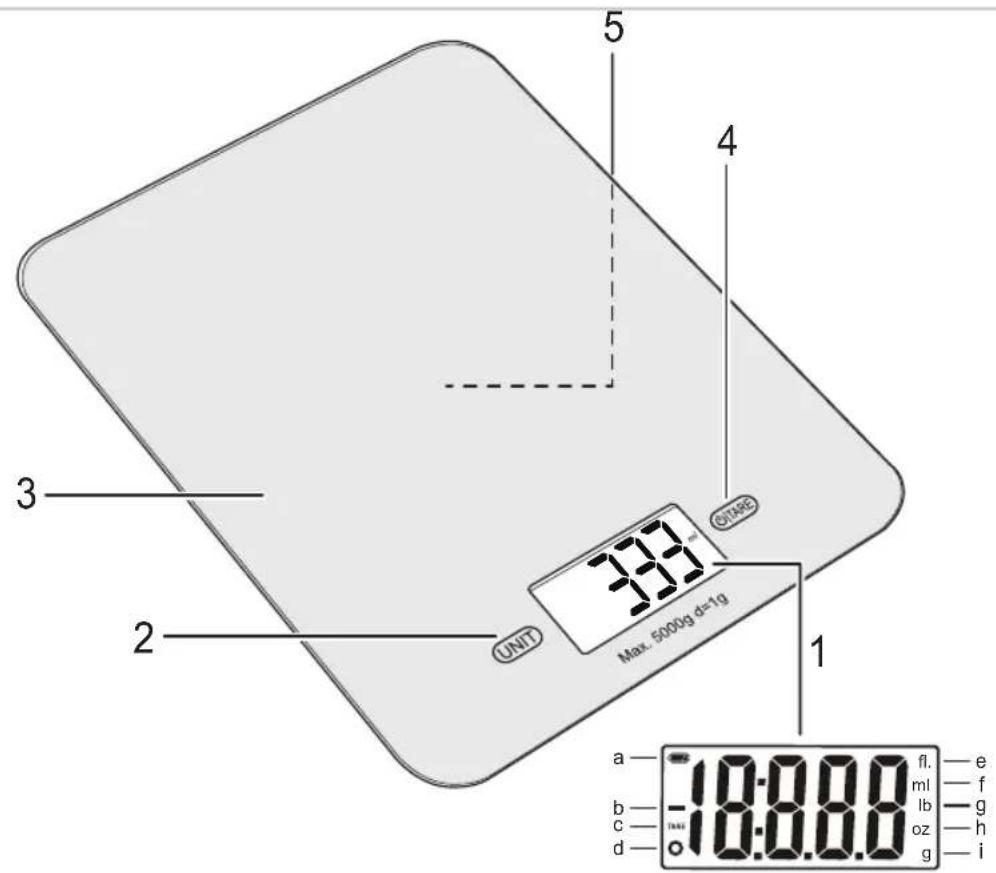
The below description goes with the image on page 2.
- The LCD display indicates that:
a. the battery is full or almost empty
b. a negative value is measured
c. the tare function is used
d. the normal weighing function is used
e. the volume is measured in fluid ounces
f. the volume is measured in milliliters
g. weight is measured in pounds and ounces
h. the weight is measured in ounces
i. the weight is measured in grams - Unit button (g / oz / fl'oz / ml / lb'oz)
- Weighing platform
- On/Off button and Tare button for weighing function
- Battery compartment (bottom)
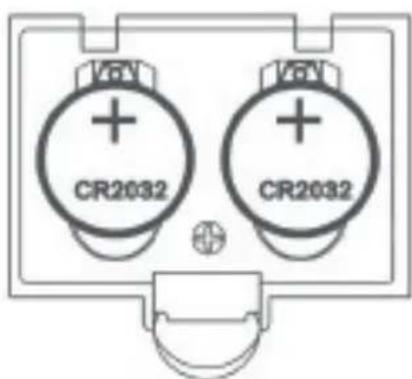
For your convenience, a battery (type CR2032) is already installed in this device at the factory.
- Open the battery compartment (figure 1, no. 5) on the bottom of the device by pulling the tab up (figure 2).
- Remove the sticker from the battery before using the device.
- Close the battery compartment.
OPERATION - WEIGHING (SEE FIGURE 1 & 2)
- Place the scale on a solid and flat surface.
- You can optionally place a bowl or scale on the weighing platform (figure 1, no. 3) to place the goods to be weighed. Always do this before switching on the device.
- Switch on the device by pressing the On/Off button (4). Wait until the number "0" appears in the display.
- Select your preferred measurement system by pressing the unit button (2). In the display (1) you will see g (grams), oz (ounces), fl'oz (fluid ounces), ml (milliliters) or lb'oz (pounds and ounces) flashing alternately.
- Place the goods to be weighed on the weighing platform (or in the bowl or dish). The number "0" appears in the display
- You can switch the device off again by pressing the On/Off button for approximately 3 seconds.
NB:
• You can weigh up to 5 kg.
- The device switches itself off when it is not used for approximately 90 seconds. Your system choice is remembered by the device after switching off.
OPERATION - WEIGHING FUNCTION (SEE FIGURE 1 & 2)
If you want to weigh several items one after the other without having to empty the scale each time, you can use the weighing function:
- Place the scale on a solid and flat surface.
- You can place a bowl or scale on the weighing platform to place the goods to be weighed. Always do this before switching on the device.
- Switch on the device by pressing the On/Off button. The number "0" appears in the display.
- Place the first items to be weighed on the weighing platform (or in the bowl or dish). The display now shows the weight.
- Now press the Tare button (figure 1, no. 4) to reset the value in the display to zero. The number "0" appears in the display.
- Now repeat steps 4 and 5 until you have weighed all the goods.
- After you have removed everything from the weighing platform, the display will show a negative value. The weight shown on the display is then the total weight of all goods.
- You can switch the device off again by pressing the On/Off button for approximately 3 seconds.
OPERATION - WARNING SIGNS (SEE FIGURES 1 & 2)
LO: The battery is low. Replace the battery as soon as possible (see 'Replacing the battery').
EEEE: The scale is overloaded. Remove some items from the tray to prevent damage.
UNST: The scale is unstable. Turn off the device, place it on a solid and flat surface and turn it on again.
OPERATION - REPLACING THE BATTERY (SEE FIGURE 1 & 2)
-
Open the battery compartment (figure 1, no. 5) on the bottom of the device by pulling the tab up (figure2).
-
Remove the empty battery and insert a new battery (type CR2032).
-
Close the battery compartment.
CLEANING AND MAINTENANCE
- This kitchen scale is a precision instrument. We recommend not loading the scale with goods for a longer period of time.
- Use a soft damp cloth to clean the device and then dry it with a soft dry cloth.
- Do not use aggressive cleaning agents or abrasives.
EN
| Technical Specifications | |
| Model AKS700 | |
| Mains 6V (2 x CR2032) | |
| Frequency (Hz) - | |
| Safety Class III | |
| Power (Watt) - | |
| Noise (dB(A)) - | |
| Max. Capacity 5 KG max | |
| Maximum continuous operating time (KB) - | |
| Dimensions (L x W x H) (cm) 15x20x1,4 | |
| Cable length (cm) | - |
ALL YOU WANT TO KNOW ABOUT YOUR UNIQUE 5 YEAR WARRANTY
ALLES, WAS SIE ÜBER IHRE EINZIGARTIGE 5-JAHRES-GARANTIE WISSEN MÖCHTEN TOUT CE QUE VOUS VOULEZ SAVOIR SUR VOTRE GARANTIE UNIQUE DE 5 ANS ALLES WAT U WILT WETEN OVER UW UNIEKE GARANTIE VAN 5 JAAR TUTTO QUE LLO CHE VUOI SAPERE SULLA TUA GARANZIA UNICA DI 5 ANNI TODO LO QUE QUIERES SABER SOBRE TU ÚNICA GARANTÍA DE 5 AÑOS
BESTRON.COM/GUARANTEE

NEED HELP?
CHECK OUT OUR SERVICE PAGE
BRAUCHEN SIE HILFE? SCHAUEN SIE SICH UNSERE SERVICESEITE AN BESOIN D'AIDE? DISCUTE AVEC NOUS! CONSULTEZ NOTRE PAGE DE SERVICE HULP NODIG? CHAT MET ONS! BEKIIK ONZE SERVICEPAGINA HO BISOGNO DI AIUTO? CHATTA CON NOI! GUARDA LA NOSTRA PAGINA SERVIZI ¿NECESITAS AYUDA? CONSULTE NUESTRA PÁGINA DE SERVICIO
BESTRON.COM/SERVICE

natural_image
Generic user profile icon with headset and uniform (no text or symbols)EASTERN EUROPE CUSTOMER SERVICE
POLSKA bestron.service.pl@sertronics.de
HRVATSKA bestron.service.hr@sertronics.de
CZECHIA bestron.service.cz@sertronics.de
SLOVENSKO bestron.service.sk@sertronics.de
ROMÂNIA bestron.service.ro@sertronics.de
BULGARIA bestron.service.bg@sertronics.de
SERVICE HOTLINE: 00800 954 39 543

240204-01
| Hersteller / Fournisseur/ Výrobce / Proizvođač / Producător / Výrobca / ПроизводителBestron Nederland BV, Moeskampweg 20, 5222 AW, 's-HertogenboschNiederlande, Pays-Bas, Nizozemí, Hollandia, Holandia, Olandia, Holandsko, Холандия | |||||||
| DCZHRPLRO/MDSKBG | |||||||
| Ursprungs-landChina | Pays d'origineChine Čína | Země původuKina Chiny | Zemlja podrijetlaChina Čína Kijtaj | Wyprodu kowano w | Tara de origine | Krajina pôvodu | Страна на производ |


- SICHERHEITSHINWEISE
- ENVIRONMENT
- SERVICE
- OPERATION - General information
- OPERATION - WEIGHING (SEE FIGURE 1 & 2)
- NB:
- OPERATION - WEIGHING FUNCTION (SEE FIGURE 1 & 2)
- OPERATION - WARNING SIGNS (SEE FIGURES 1 & 2)
- OPERATION - REPLACING THE BATTERY (SEE FIGURE 1 & 2)
- CLEANING AND MAINTENANCE
- ALL YOU WANT TO KNOW ABOUT YOUR UNIQUE 5 YEAR WARRANTY
- CHECK OUT OUR SERVICE PAGE
- EASTERN EUROPE CUSTOMER SERVICE
Brand : BESTRON
Model : AKS700CO
Category : Kitchen scale