
TD6830/BB051P - Cordless phone PHILIPS - Free user manual and instructions
Find the device manual for free TD6830/BB051P PHILIPS in PDF.




| Product type | DECT cordless telephone |
| Brand | Philips |
| Model | TD6830/BB051P |
| Handset power supply | 2 rechargeable AA NiMH 600 mAh batteries |
| Base power supply | Mains adapter 230 V, 50 Hz |
| Battery life | Approximately 24 hours initial charge recommended |
| Range | Up to 50 m indoors, 300 m outdoors (depending on environment) |
| Number of handsets supported | Up to 4 handsets on a single base |
| Directory | 2 directories (Friends and Family) with 10 entries each |
| Main functions | Calls, intercom, call transfer, answering machine (depending on base) |
| Registration | RC code required to register a handset |
| Display | Icons for battery, zone, calls, etc. |
| Base compatibility | Works with KALA 200, KALA 6533 base (for answering machine) |
| Handset dimensions | Approximately 160 x 50 x 30 mm (estimate) |
| Handset weight | Approximately 130 g (with batteries) |
| Maintenance | Clean with a dry cloth; do not expose to water |
| Operating temperature | 0 °C to 40 °C |
| Repairability | Replaceable batteries (AA 600 mAh); spare parts available from the dealer |
| Warranty | International Philips warranty of 12 months |
| Standards | CE, R&TTE compliance 99/5/EC |
Frequently Asked Questions - TD6830/BB051P PHILIPS
User questions about TD6830/BB051P PHILIPS
0 question about this device. Answer the ones you know or ask your own.
Ask a new question about this device
Download the instructions for your Cordless phone in PDF format for free! Find your manual TD6830/BB051P - PHILIPS and take your electronic device back in hand. On this page are published all the documents necessary for the use of your device. TD6830/BB051P by PHILIPS.
USER MANUAL TD6830/BB051P PHILIPS
Kala 200 Additional Handset
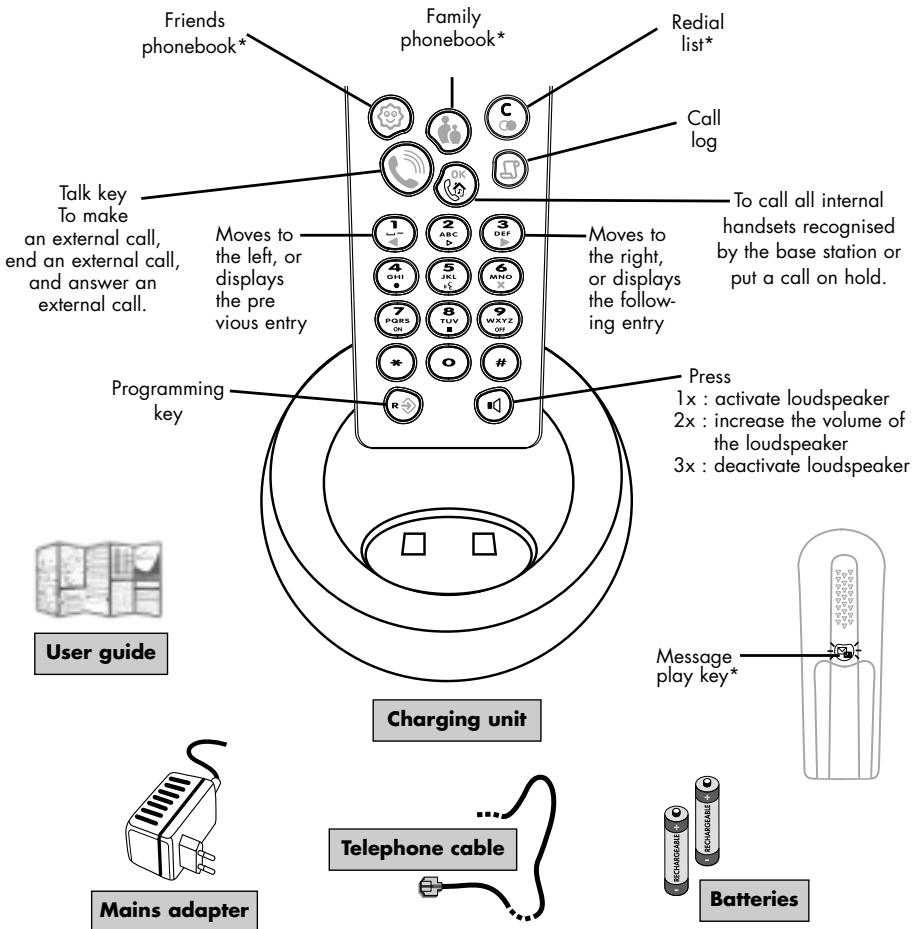
Inserting/Replacing batteries

Your handset is powered by two rechargeable AA/R6 batteries.
Only AA 600 mAh rechargeable batteries should be used as replacements.
Never use non rechargeable batteries.

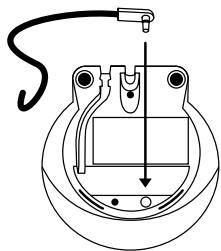
- Slide down the cover on the back of the telephone.

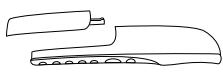
- Insert batteries following the diagram.
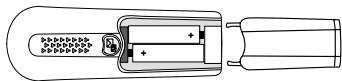
- Close the cover.
The handset automatically switches to subscription mode.
Registering your additional KALA 200 handset with the base station
- Unplug the electricity supply lead underneath the base station, then plug it back again.
- Select the additional handset setting icon (see Page 5, for instructions on how to select a programming icon). You will hear an invitation beep.
- Enter your RC code (shown on the label underneath the base station). Press to validate.
- Your handset will then search for the base station. When the base station is detected, you will hear a validation beep. Otherwise, an error beep will be heard.
Telephone connection
On the bottom of the charger, connect the power supply then plug the power adaptor into the easily accessible wall socket.
Only use the power cable supplied with the telephone.
Place the handset on the charger.
On first use or when new batteries have been inserted, charge the batteries for at least 24 hours.
Telephone range
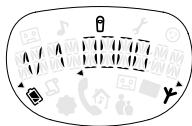
The "area symbol" on the display indicates that the handset is registered on the base station.
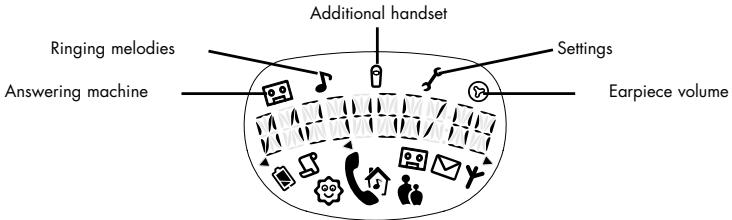
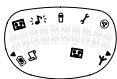
| icon | status | description |
| battery | on | full |
| 1/4 full | less than 1/2 hour | |
| off | discharged | |
| flashing | charging | |
| call log | on | new log entry |
| off | no log entry | |
| friendsphonebook* | on | being accessed |
| flashing | programming or incoming call | |
| external | on | call in progress or made from call log |
| flashing | call arriving or answerphone operating | |
| on hold/internal call | on | external call or if a second internal call in progress |
| familyphonebook* | on | being accessed |
| flashing | programming or incoming call | |
| TelephoneAnsweringMachine** | on | answerphone is on |
| off | answerphone is off | |
| flashing | answerphone is full | |
| messages** | on | old message(s) |
| off | no message(s) | |
| flashing | new message(s) | |
| antenna | on | in range |
| off | handset not registered to the base station | |
| flashing | out of range |
- For these functions, please consult the KALA 200 VOX user guide at: www.pcc.philips.com.
** To use the answering machine, the KALA 6830 handset must be connected to a KALA 6533 base station. For all other equipment, please consult your base station user guide.
Call directly
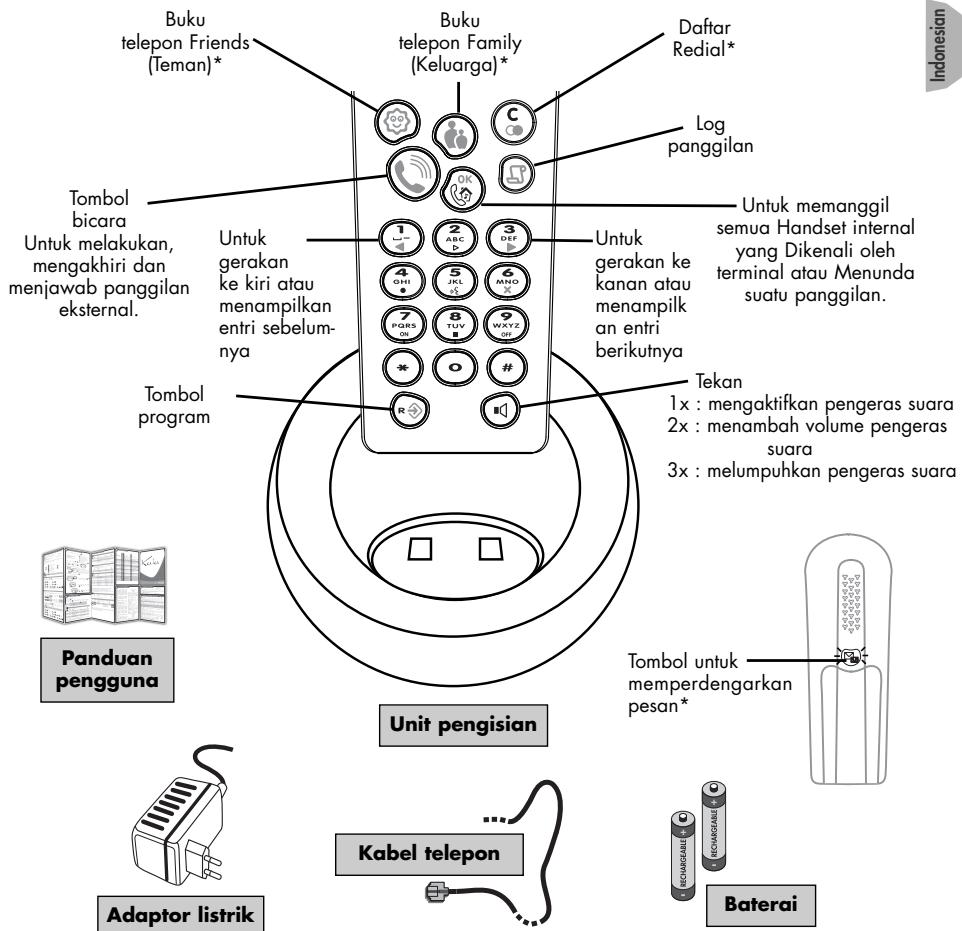
Enter your number, then press the "talk" key. Press the "talk" key to hang up.
NB. You can also call directly using the Redial List or the Call Log.
Incoming call
Your phone rings. Press the "talk" key to be connected. Press the same key to hang up.
Using the Intercom
You can register up to 4 handsets with your base station. Intercom allows you to communicate internally between two handsets.
- Internal calls: press to call all internal handsets recognised by the base station.
Simply press ( ) on one of the handsets to take the line, or again to hang up.
- Intercom during external calls: press to put a call on hold until someone presses on a handset to take the line. You will then be able to speak simultaneously with two people.
Press to end the conversation.
There are two available phonebooks which allow you to distinguish two groups of callers from the icon displayed and the ringing melody**:

The Friends phonebook allows you to register the details of people you want to be recognised by a specific melody.

The Family phonebook allows you to distinguish people from the friends phonebook by another melody.
Press one of these keys to enter the chosen phonebook. Pressing a second time while scrolling will exit the phonebook.
Storing your phone numbers
Each phonebook can contain 10 entries.
Each entry is made up of a name (maximum 10 characters) and a telephone number (maximum 25 characters).

Calling from a phonebook
An error beep sounds if nothing has been entered in the phonebook.
Use and to scroll through the names. Press to access a telephone number associated with a name. Press again to return to the name.
To enter the programming functions, press first

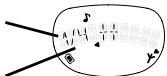
5 icons are displayed on the screen.
To select one of the icons, use 12 and 34 and then validate your choice by pressing
For instance: how to change the melody.
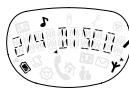
- Press , press once then press
The screen will display either the default value or that selected.
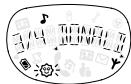
- To go to the level 2/4: change melody, press
by default, name of the melody
To select "DISCO", press 5 times and validate by pressing
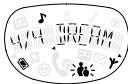
- If you want to modify the Friends phonebook* melody , press
choice 1 out of 4 in this menu.
4 choices within this menu
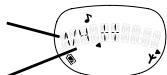
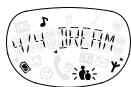
If you don't want to modify the Friends phonebook or the Family phonebook melodies, press to exit.
Note: If it is necessary to enter a new value, enter a 4-figure value when "0000" is shown (see Page 2, Registering your additional KALA 200 handset with the base station.
PROGRAMMING OPTIONS

Melody programming options
Press

1x
Function number
1/4
2/4
3/4
2x
4/4
Programmable functions
Selects melody volume
Selects melody of handset (general)
Selects Friends phonebook melody
Selects Family phonebook melody
Select
List: 1 to 4
List of 7 melodies
List of 7 melodies
List of 7 melodies
PROGRAMMING OPTIONS (CONT'D)

How to register the handset with another base station
This option is only used to connect your handset to another base station for increased range (you should reset the base station before entering the RC code).
Function number
1/1
Programmable function
Registers the handset
Select
Type value 0000 to 9999

Earpiece programming option
Function number
1/1
Programmable function
Modifies earpiece volume
Select
List: 1 to 4
Should you use a KALA 200 base station as your main telephone installation, please visit www.pcc.philips.com for details concerning the telephone answering machine options and other settings. For all other equipment, consult your base station user guide.
TROUBLESHOOTING
| Problem | Error Beep | Cause or causes | Solution |
| • No dialling tone when pressing the talk key. | Yes | The base station is not properly connected to electricity or to the telephone sockets. | Check the connections. |
| Yes | Batteries are low. | Charge batteries. | |
| • Area icon not displayed or blink-ing. | The handset is out of range. | Register the handset to the base station. | |
| • When the handset is placed on the charging unit, no beep is heard. | - | The handset is not placed correctly on the base station charging unit. | Take the handset off the charger and put it back again. |
| - | Charging contacts are dirty. | Clean them with a clean and dry cloth. | |
| - | Handset batteries are defective. | Please contact your PHILIPS dealer in order to purchase new rechargeable batteries (see Inserting/Replacing batteries Page 2). | |
| • Battery icon remains empty although the handset has charged for 24 hours. | - | Batteries are low. | Charge batteries. |
| • No symbol on the display. | - | Base station plugged too near from other electrical appliance. | Try to plug the base station in another place. |
| • Bad audio quality (cracks, mule, echo, vibration, etc.). | - | Base station installed in a room with thick walls. | Try to plug the base station in another place. |
| - | You are using the handset too far from the base station. | Move closer to the base station. |
Dear customer,
Thank you for purchasing this Philips product which has been designed and manufactured to the highest quality standards. If, unfortunately, something should go wrong with this product Philips guarantees free of charge labour and replacement parts irrespective of the country where it is repaired during a period of 12 months from date of purchase (6 months for replacement/rechargeable batteries). This international Philips guarantee complements the existing national guarantee obligations to you of dealers and Philips in the country of purchase and does not affect your statutory rights a customer.
The Philips guarantee applies provided the product is handled properly for its intended use, in accordance with its operating instructions and upon presentation of the original invoice or cash receipt, indicating the date of purchase, dealer's name and model and production number of the product.
The Philips guarantee may not apply if:
The documents have been altered in any way or made illegible;
- The model or production number on the product has been altered, deleted, removed or made illegible;
- Repairs or product modifications and alterations have been executed by unauthorised service organisations or person;
- Damage is caused by accidents including but not limited to lightning, water or fire, misuse or neglect.
Please note that the product is not defective under this guarantee in the case where modifications become necessary in order for the product to comply with local or national technical standards which apply in countries for which the product was not originally designed and/or manufactured. Therefore always check whether a product can be used in a specific country.
In case your Philips product is not working correctly or is defective, please return your phone to the place of purchase or 6th Philips National Service Centre. In the event you require service whilst in another country a dealer address can be given to you by the Philips Consumer Help Desk in that country.
In order to avoid unnecessary inconvenience, we advise you to read the operating instructions carefully before contacting your dealer.
Methods of Transport within the UK:
Please be aware whichever method of transport is chosen it is the consumers' responsibility to package the faulty unit for return to a level which prohibits accidental damage. Philips is not responsible for damage/loss caused during carriage to the Service Centre.
Freepost: Please write the following address onto your package. This method of transport will take 2-3 working days to reach the Service Centre.
PHILIPS SERVICE CENTRE
FREEPOST (SCE10569)
RUGBY
Warwickshire
CV21 1BR
NB: Philips recommend all parcels to be returned to the Philips Service Centre be submitted over the counter at your Post Office and a proof of postage requested.
Please note the Royal Mail insurance limit for lost/damage using the Freepost service is £26. Up to £250 insurance and next day delivery can be obtained via Royal Mail Special Delivery, however, the consumer will be responsible for this cost.*
Methods of Transport within IRELAND:
Please contact Philips Service Support, Dublin
IMPORTANT (for UK only):
Please ensure the following are included when returning a genuinely faulty phone to the Philips Service Centre :
-Name.
- Return Delivery address.
- Daytime contact number.
Proof of Purchase (copy)
- For Dect phones both handset and base have to be returned.
- Accessories: power supply line cords.
- A brief description of the assumed fault
- Despatch note (if your phone has previously been exchanged).
Failure to include all the necessary information will cause delays in servicing your phone.
Please allow 2-3 days from receipt at the service centre for your replacement/ repaired product to be returned to you. If an out of warranty charge applies Philips shall contact you before the product is returned.
Philips shall pay for the return carriage on all in-warranty exchanges.
*Should you wish to return your products for service at your own cost (via a courier service or Royal Mail Special Delivery) please ensure the items are suitably packed for transport and sent to the following address:
Philips Service Centre
1 Great Central Way
Butlers Leap
Rugby
Warwickshire
CV21 3XH
For Philips Service Support in UK, (incl Channel Islands) please call 0870 900 9070.
(Open during normal business hours, excluding National holidays and weekends)
For Philips Service Support in Ireland, please call 1850 304 700.
ENVIRONMENT AND SECURITY
PHILIPS KALA 200
Your telephone has all advantages of the latest technological advances which make it even simpler and easier to use.
Safety information
This equipment is not designed for making emergency telephone calls when the power fails. An alternative should be made available for access to emergency calls.
The CE marking certifies compliance with technical regulations in accordance with the Directive 1999/5/EC for the safety of the user, electromagnetic perturbations and for radio spectrum.
Power requirements
This product requires an electrical supply of 220-240 volts, alternating monophased current, excluding IT installations defined in standard EN 60-950.
WARNING!
The electrical network is classified as dangerous according to criteria in the standard EN60-950. The only way to power down this product is by unplugging the power cable from the electrical outlet. Ensure the electrical outlet is located to the apparatus and is always easily accessible.
To be able to make calls in the event of a power cut, it is recommend that this telephone be used as a complement to another telephone which does not require mains power.
Telephone connection
The voltage on the network is classified as TNV-3 (Telecommunication Network Voltages, as defined in the standard EN 60:950).
Safety precautions
Do not allow the handset to come into contact with water.
Do not open the handset or the base station. This could expose you to high voltages. Contact our after-sales service for all repairs.
Do not allow the charging contacts or the battery to come into contact with conductive materials such as keys, paper clips, rings, bracelets, etc.
Make sure you insert the batteries with their polarities in the correct position.
Environmental care
Your telephone has also benefited from the Philips EcoDesign program -Environmental Conscious Product Design - which considers the environmental impact of a product during its entire life cycle.
Please remember to observe the local regulations regarding the disposal of your packaging materials, exhausted batteries and old phone and where possible promote their recycling.
Philips has marked the battery and packaging with standard symbols designed to promote the recycling and appropriate disposal of your eventual waste.
Battery:
- The crossed-out dustbin signifies that the battery should not be disposed of with general household waste.
Packaging:
The mobius loop symbol signifies the labeled packaging material is recyclable.


The green point symbol signifies that a financial contribution has been made to the associated national packaging recovery and recycling system (e.g EcoEmballage in France).
The chasing arrows symbol on the plastic 'ray and plastic bag indicate that the materials are recyclable and also identifies the plastic material.
DECLARATION OF CONFORMITY
We,
PHILIPS Consumer Communications
Declare that the product Kalo 200 DECT handset (HS 6830) is in compliance with ANNEX III of the R&TTE-Directive 99/05/EC and then with the following essential requirements:
Article 3.1 a : (protection of the health & the safety of the user) EN 60950 (92) Ed.2 + amendments 1,2 (93); 3 (95); 4 (97) and 11 (97)
Article 3.1 b: (protection requirements with respect to electromagnetic compatibility) ETS 300 329 (97)
Article 3.2: (effective use of the radio spectrum) TBR6 (97)

The presumption of conformity with the essential requirements regarding Council Directive 99/05/EC is ensured.
Date:18/01/2001 Le Mans
Cordless Business Director

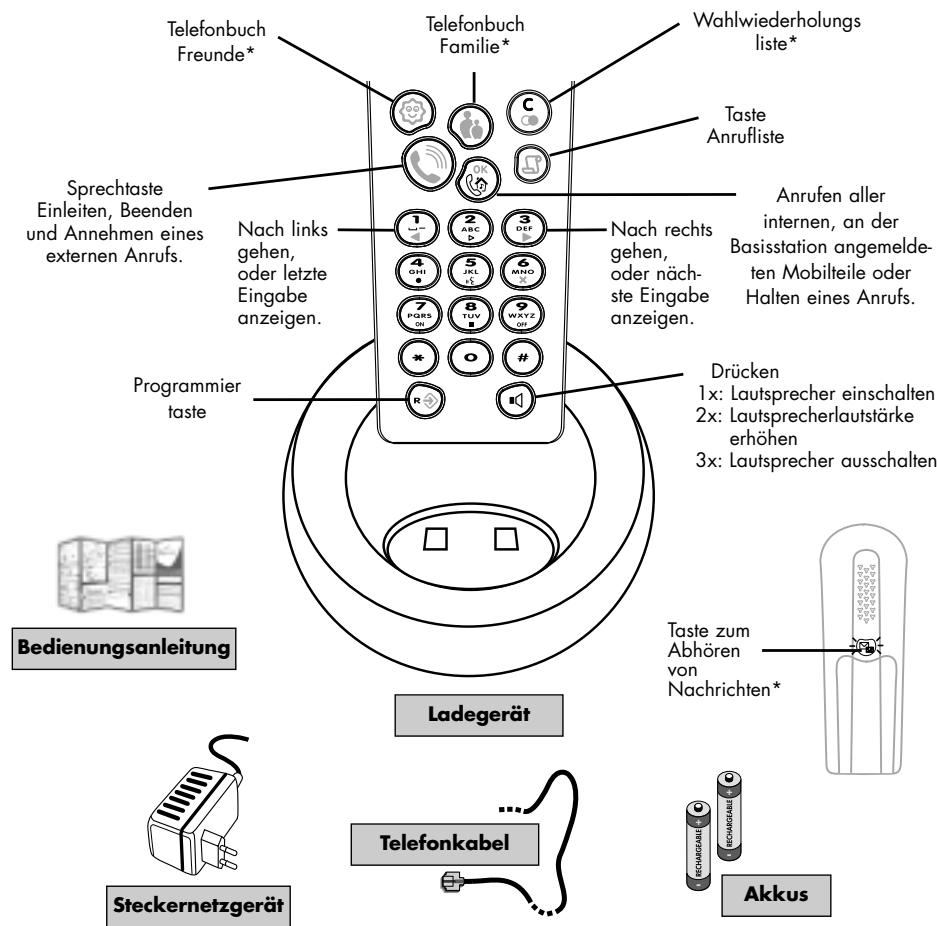
PRÄSENTATION VON TELEFON UND ZUBEHÖR
PHILIPS Consumer Communications
Ondergeteende, PHILPS Consumer Communications
Route d'Angers
72081 Le Mans Cedex 9
Frankrijk
Cordless Business Director

PHILIPS Consumer Communications
Av dev unapxiet kaiia kataxopion stov theovkatoaoyo, aokuyetai evos noaatoc
Xpnooonotote to 1 kai 3 yia va etakivnthetae osta ovouata. Ieote 0y ia va exete npoobao n eevav apioh otnleovouexetovvoei e evoaovua.Ieote gava ia va enotpeyeote oto ovua.
Tva va pnte oic λeitovpyie npoypaumuioo,piéote npota
Kataxomega to aokovostko
Eπλεξτε
PiNkpoLoynote evav aip0o a0 0000 w9999

Etic PHILIPS Consumer Communications
RESENI BEZNYCH POTIZI
3aHcB TeAefoHHbIX HOMepOB
B KaKaDoI TeAeOHHo KNHRe MOXHO CaeAaTb 10 3aHncEi.
KaKaJa 3aIncb MoKeT COCToRb N3 IMeHn (Oo 10 3HaKOB) N TeAefoHHoro Homepa (Oo 24 3HaKOB).

Kak no3BOHHTb, HcnoA63y TeAeOHHyIO KHnry
B TOM CAYaE ecAN B TeAeOHHo KNHRe HET 3aNcEi, Bbl YcAlbiWnte CnHaI, N3BeuaIOuIou n6 OwN6ke.
A npocmptpa 3aHnCen NOb3yntcB KaabHnMaMn 1 n 0. ATO TOrO yTo6bI H6paTb HOMep, COOTBeTCTByIOuHIN Bbl6paHNOHY MeHH, HAKMTe KAAbHwJ OK. ABOB3paUeHHK HMeHH CHOba HAKMTe 3Ty KAAbHwJ.
PpeKae Bcero, AAnepeXoDa K PporpamMnHbIM fYHKuHrMa HxAMnTe KaABnUy
HaAHCnAee BblyBvHAnTe 5 NIKTOrpaMM.
Ara TOrO UTo6bI Bv6paTb OaHy H3 NHX, NcnoAbyte KaabHnH 3 a 3aTeM NOATBepAnTe CBOI BblOp HAKATHE MKAABHUN
HanpHMeP: KAK H3MeHHtB MeAoHIO.
- HaxMMTe KlaabNiy

, 3aTeM

OAnH Pa3, NocAe Yero HaKMITE

HaIcIeBbIyBnIte:MbO hBaBHHe MeIoAHH, ppeAaRaEmo I no yMOaHnIO, M60 BbI6paHHO Bamn MeAoHN.
Bapanth1 134-x, npctadaebuaHHB MEOH
4ВапантаВданнOMeHIO
Ha3BaHHe MEoAHH IO yMOaAHIO
2.ДЯнepexoHa hypoBHeb 2/4:ИЗмЕнeHne MeIoAOnn,HαЖMHTe 3 ДЯTORO YTO6bl BBy6paTb DISCO,HαЖMHTe 5 pa3 KaλBnUy I NOdTBePAnTe CBoI BBy6Op HαЖaTHem KaλBnUH

- Ecan Bbl XOTNTe NOMEHbTB MeAOAnIO B KHNrE "TeaepohbI APy3eN*, HAKMnTE
EcAn Bbl He XOTnTe MeHrTa MeoAoHN B KHNrAox "Teaefohbl Apy3eN"M Hn "CeMbra"HaxMMITE 9 , YTObbl BInTH nI pOrpamMbbl.
BHHMaHHe:ecAM BbXOTInTe BBeCTn HOOBe 3HaueHHe, BBeAnTe 4-X3HaHoe YncAo, KOrJa Ha AnCIIae NoABITcra "0000" (CM. cTp. 74, PerInctpaunHa 6a3e DoONAHHTeAhoT py6Kn Kala 200).
Pporpammpyemble yHKznn

PporpaMMHPOBaHMe MeAoAHH
Haxmte

1pa3
2pa3a
3pa3a
No yHKnH
1/4
2/4
3/4
4/4
IporpamMpyembIe _YHKII
TIN MEAOAN
Bb6op (o6e) MeAoMn 3BOHka
Bb6op MeaoaHn Aa KHNi "Teaefohbl Apyein
Bb6op MeAoAn nn KnHn"CeMb"
BapnntbI
4 Tuna
7 MeIaDnI
7MeAoAni
7 MeIaDnI

Kak 3apernctpnpoBaTb TeAefoHHyIO Tpy6ky Ha ApyroH 6a3e
AaHnA cyHKnna nCIOA3yETcA AIA NOAKMOeHnBaWe TEaEOHHo Tpy6Kn Kpyro 6a3eB CEaIAX paunpeHnpaDnyca DeICTBnA (peea TEM, KaK BBOAnTb KoA RC, 6a3y Heo6xoAMMo BkIAIOHTb/BkIAIOHTb B CeTB).
No yHKUHn 1/1
Iporpammpyemar yhku npnrnctpaunrtp6kn
Bapnntbl 3naeHneOT000do9999

Пограмноровпс ДИHamнka
No yHKuHn 1/1
Iporpammyemar yhknna n3MeHeHne rPOMKoCTn dHaMaMnka
Bapnntbl Bapnhtb ot 1do4
B TOM CAYue, eCaH BbI hNPOABye 8a3y Kala 200 kak OCHOBHyO, 3a HnOpmauNe n BOpocam nporpamMnpoBaHHaABTOOTBeTnuHa N ApyTHx FyHKuN O6paauTeCb Ha caIT: www.pcc.philips.com. POboPocam hNPOABoHHaBn ApYrOToBO6pyoDaBHn O6paauTeCb K INCTPyKuN No EKnPLyatauNn TeEfoHHoN 6a3bI.
Bo3MOxHbIe HeNoLaaDKn n PyTH nX yCTpaHeHHa
Philips Consumer Communications
119048,MockBa,yA.YcaueBa,35
TeA: (095) 937 9300
Be3oNaChocTb n 3aunTa OkpyXiaoue n cpeAbI
PHILIPS KALA 200
Baaogapnnoab0bAHIOHObeHmexHoAorN Baw meaefoH cmae ygo6hee npoeB obaeHN.
TexHnka 6e3onacHOCTN
B Cyaee mOaUeHn 3AeKmP0eRn gnBuHm meAeohnn annapam He pa6oMaem. 3apaHe nO3abombmeCb 6 abMpehAmnBHX cnco6aekmpeHn cBaCnOaeMbHn CAYkMae
3HauKcE NOkAaBmE, mno To smeneHNBeOanachocnI, ypOBNIO AekmpomarHHMOHO HAUYENH N CKeMpy pagHOBOAH gannH naOpgykHn coormeamcyb HApkeMbme 1999/5/EC.
Tpe6oBaHHK HanpJKeHHIO B cetH
Apa6omblmeafoha mpe6yemca Hanpaxhene 220-240 B, nepeMeHHbI ogHo43HbI mok.
BHHMaHHe!
Coraoa Cmagapmy EN 60-950, Aekmpueckan cemb baeimc Hmchnnkom onachocnM. Aam kaioueHHn mnaHmna meaefoHa hoe6xogmo Bbmyh ub n3cemy. Yegeshmc, ymo poemaHnxagmnc prgom c annapamom n E moKHO Bocnoabzmbacb ylo6e Bemy. B cayae oikauoehn Aekmpo3nehrn Baaw meefooh pafoamnb he 6yegm. Ptoomayom n MokxHe mmeBmeefoH, he mpekyooi Aekmpnueekeorgn mnoHHa.
TeaeoHHa CBA3b
Hanpexne meefoonn AHH coombemcmyem TNV-3 (Telecommunication Network Voltages) no cmangapmy EN 60-950.
Tpe6oAHn6e3onachocTH
He gonyckaime nonagannBaogbHa mealeoHny mpy6ky.
He pa36bupainme mpy6ky n 6a3y. Bbcokoe Hanp8xene! B cayae he06xogmocm HIO6O peMoHa oBaauimecb H auy cepBnchny CAYK6y.
H gonycamaime conbnoochobenha KOHMakmoa Akkmyamopoc h3geaAMn H npOBoguaHX MaepnaAOB (KAOHAM,CKPENKAM,KOAbzAMM, 6paCaemamn m.n.m.).
Cobiogaime noAapHocmb npu ycmahOBKe aKKyMyamopOB.
3a6ota o6 okpykaiouei cpege
Bau melaefon cozagabaa b pamak nporpammbi Phips EcoDesign, napanpaehno H KOmpoAa 3a OzgoeHcBmE mo MH noH npogykuni H okykaoyoo cpegy h npomaeHHcn BCero xnaehnHoro cnla gonno npogykuni.
C6oAogaihe, nooxaYiMe, npnHmBae BauWbme npBaOcbp aNkoBcHbXmMpehaoBb, omPbOamHbNx AKKMyIaMOpB o cmApbs meaeonHbNx anapamBo. Bo mzHOeBMM omPbAme Iomxogby yHmHa b HAopmHyU nepebaOMy.
AkkymaIampoB y nukoobNchbM amePnabHOM KOMHIM Philips omteHMeCneuaHbHM HcKAMn, YkBaBbOIOUHM HA Bo3MOXHOCTM IN bOpHOrHO INOCAOBAHMA, a kAKePErPyauHbWM c60f Mycopa mokora Pogo.
AKKMyAraTOpbI:
3HaOH "nepeepKHymb MycOpHb6ak"

Ha aKKMyAoropax yKa3bIaem Ha mo, Ymo Hx HeA3y Bb6paCbIaMb BMecme C 6blMoBbIM omXogamH.
YnakoOoHbIe MaTePnaAbl:
Ynakoobohbe Mamepeha,b, ommeehhbe makm 3HaKOM

noglexamnepepa6omke.

HaHnme makoro 3eAeHoro 3aKya Kya3Baem fo me, Qo KomnA hna npO3Boghm gneHcAenH a pa3BmHe HaohOnAbaHn ChcmbE nepebApO3m Oxng08 (HanpMep, EcoEmballage Bo PhAnu).
HaHnHe Ha nAeNtKOBaBx KOHNHePax HA cYmKxA KcOa,CoMzUero H3 gByx 3AMKHyMbX B kpyr cIpeAOK, YkazbIaBem Ha mo, ymo gaHneA hnoAeMaBHO hN oNaEgKaZeRo eNepeBaOpMe Na mKnCA.
Aekapauu cooTBeCTBna cHaapTa
Mbl, cotpyghnKn OTgeaa no CB3aM
c KANEHTAMN KOMNAHNI Philips,
PHILIPS Consumer Communications
Route d'Angers 72081, Le Mans Cedex 9, France
3aBAHAM, mvo meAeoho Kao 200 DECT (gon. mpy6ka HS 6830) coombeMcmByem naoJxenHO ANNEX III ghepkmBb R&TTE-Directive 99/05/EC, a maKae ygoAeMbaPme CaegyooHmme p6eBouHAM:
Crtb3.1 a: (oxpaHa 3gopBaBn mpe6mEaemcA mOKn 3pEnHg 6e0anocmng gae cepua) EN 60950 (92) Ed.2 + nonpaKn 1,2 (93); 3 (95); 4 (97) n 11 (97)
CtB3.1b: (mpe6oBAHnK ypOBHIO 3AeKpmoARHMhBxN 3AUYehn) ETS 300 329 (97)
CtB3 3.2: (3ΦΦeKmHBOE HcN0aB3OBAHHe CneKmpa pagHOA) TBR6 (97)
Coombemcmbne heo6xogmblm mpe6obAHnma gupekmbbb Council Directive 99/05/EC nogmbepxgaemca.
Menyisipkan/Mengganti baterai

Kami, PHILIPS Consumer Communications