
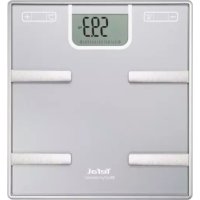
Tendancy PP6000A9 - Kitchen scale TEFAL - Free user manual and instructions
Find the device manual for free Tendancy PP6000A9 TEFAL in PDF.



| Brand | Tefal |
| Model | Tendancy PP6000A9 |
| Product type | Electronic scale |
| Maximum capacity | 160 kg |
| Precision | 100 g |
| Number of user memories | 4 |
| Automatic recognition | Yes |
| Display | Graphic screen for weight deviation tracking |
| VISIO CONTROL® light indicator | Green (loss), Orange (stable), Red (gain) |
| Power supply | Batteries (2 x AAA or CR2032) |
| Platform material | Tempered glass |
| Dimensions (L x l x H) | 30 x 30 x 2 cm |
| Net weight | 2 kg |
| Cleaning | Soft dry cloth, avoid abrasive products |
| Usage precautions | Weighing on a hard flat surface, on an empty stomach and at a fixed time |
| Memory deletion | Last weight or complete memory via buttons |
| Special messages | Load >160 kg, remote memory, incorrect press |
| Included accessories | User manual |
Frequently Asked Questions - Tendancy PP6000A9 TEFAL
User questions about Tendancy PP6000A9 TEFAL
0 question about this device. Answer the ones you know or ask your own.
Ask a new question about this device
Download the instructions for your Kitchen scale in PDF format for free! Find your manual Tendancy PP6000A9 - TEFAL and take your electronic device back in hand. On this page are published all the documents necessary for the use of your device. Tendancy PP6000A9 by TEFAL.
USER MANUAL Tendancy PP6000A9 TEFAL
flowchart
graph TD
    A["Before Questioning"] --> B{Error Correction}
    B --> C["Step 1: Err = 0.0 kg"]
    C --> D["Step 2: Error = 53.1 kg"]
    D --> E["End"]
flowchart
graph TD
    A["Raw Material Input"] --> B["Add Battery"]
    B --> C{Reactions}
    C -->|Yes| D["Add Fuel"]
    C -->|No| E["Add Gas"]
    D --> F["Output: 10 kg"]
    E --> G["Output: 160 kg"]
    F --> H["Final Product: 100g Max"]
I
II
III
1
2
3
Description
Pèse-personne
The various illustrations are given simply to illustrate the features of Tendency glass and are not the strict reflection of reality.
Description
Bathroom scales
- Four personal memory keys
- Weight variation monitoring screen
- Weight display screen
- Weight loss indicator light
- Weight gain indicator light
- Weight stable indicator light
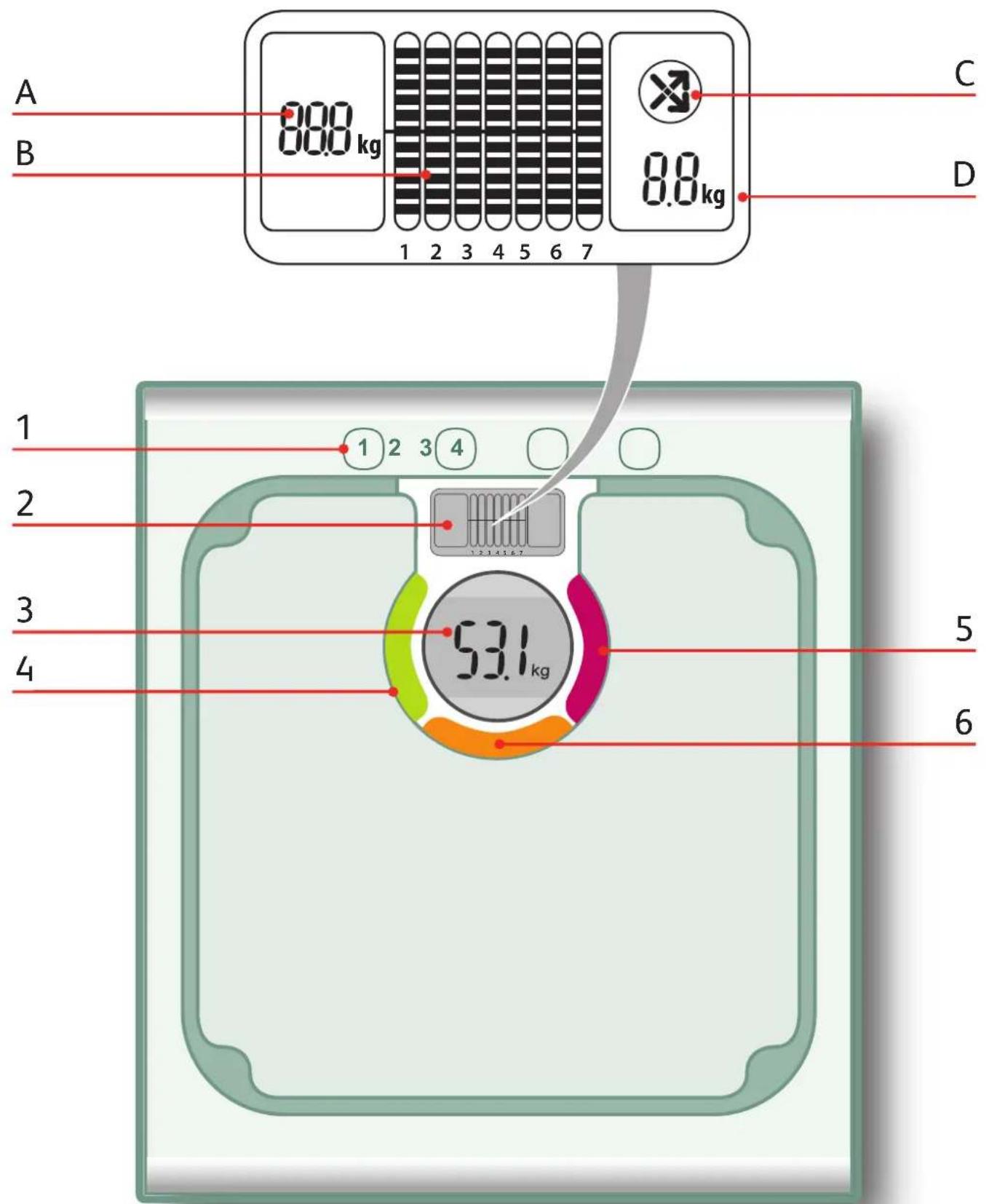
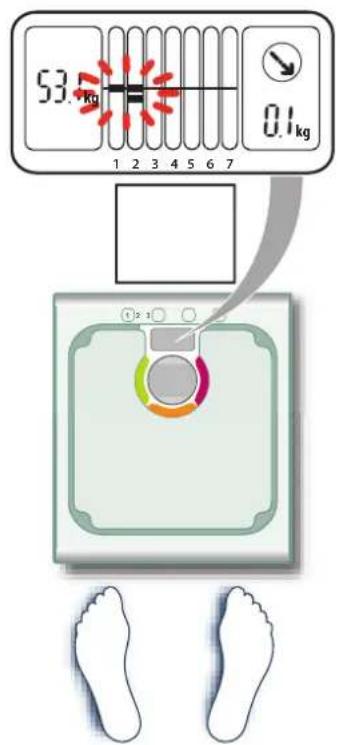
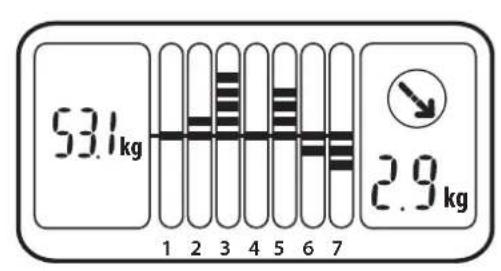
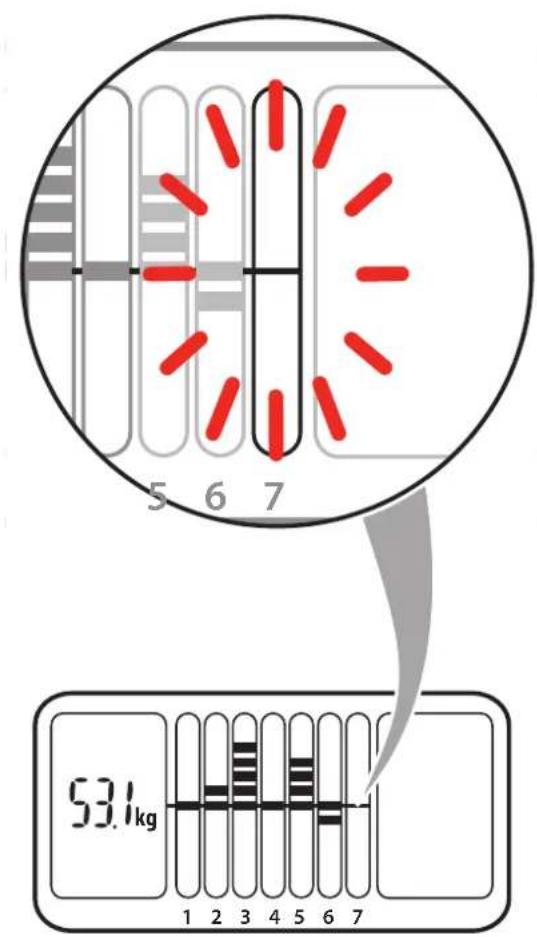
Weight variation monitoring screen
A. Reference weight
B. Weight variation graph
C. Weight trend arrow
D. Difference between the reference weight and the day's weight
–Easy monitoring, in the twinkling of an eye
More than just daily observation of your weight, this device allows monitoring over time.
Using a reference weight, over and beyond the natural changes your weight undergoes as a result of your daily activities (hydration, lifestyle, etc.), you can use the graph to monitor the real development of your weight.
Precautions for use
To be fully satisfied with this appliance, you must use it in the following conditions:
– always weigh yourself in the same conditions, preferably once a week first thing in the morning, so as not to be affected by the weight fluctuations during the day related to the meals, digestion and physical activity,
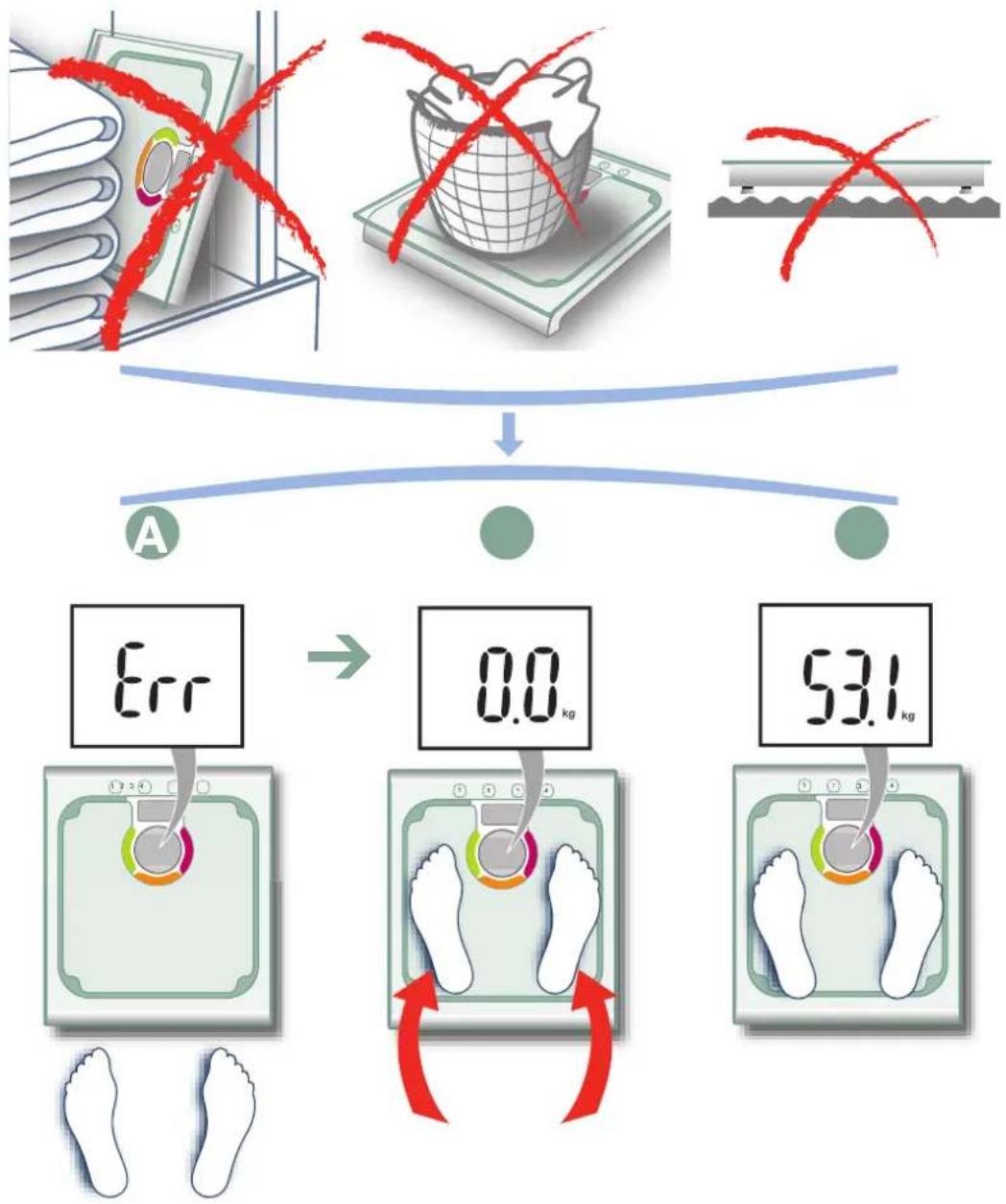
– always weigh on a hard, flat floor. Do not weigh on a carpet or rug,
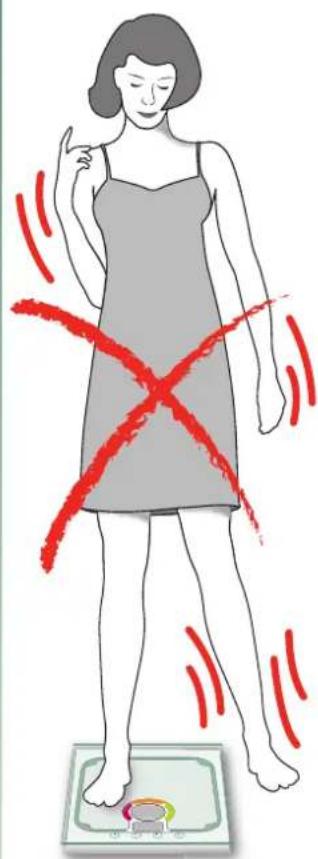
– do not move the scales when using the memory keys.
How the scales work
Automatic user recognition system
Your scales have an automatic user recognition system.
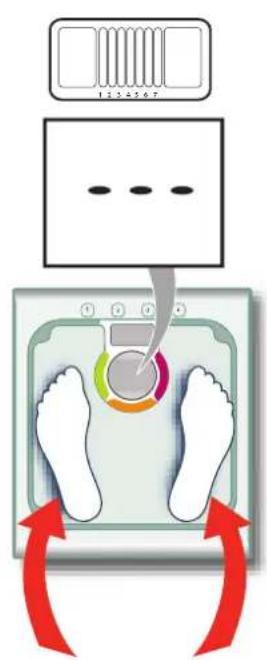
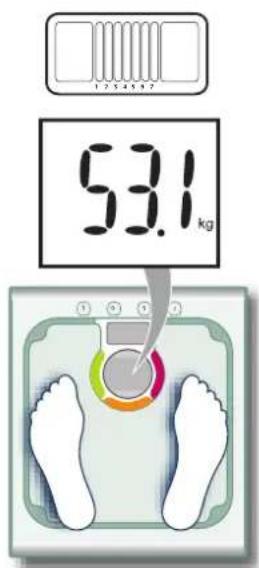
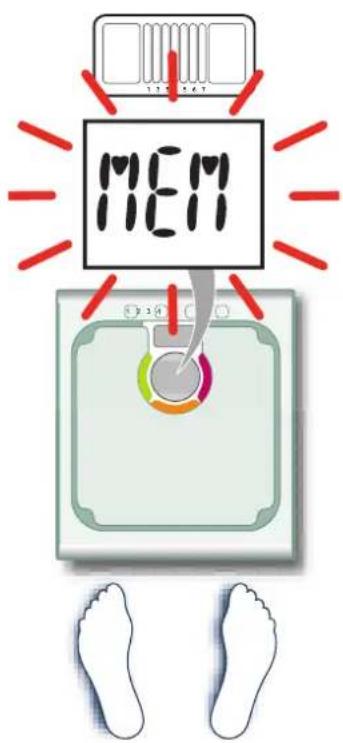
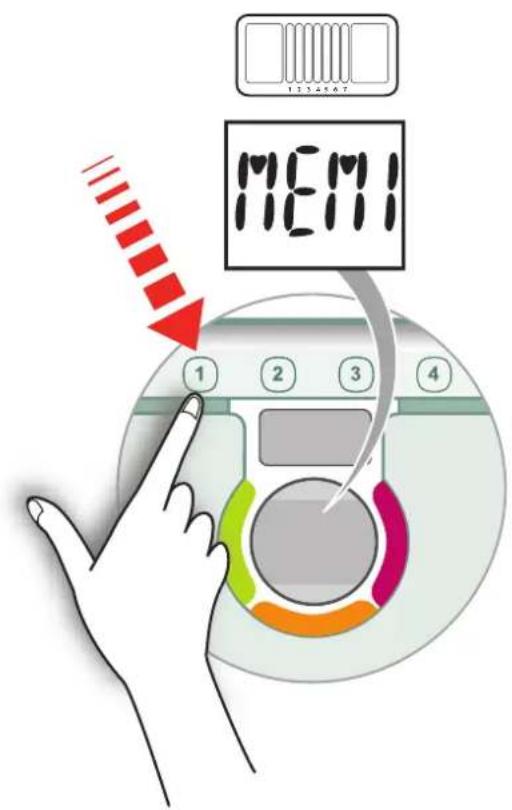
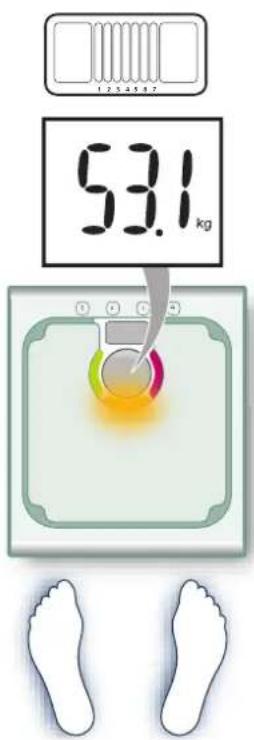
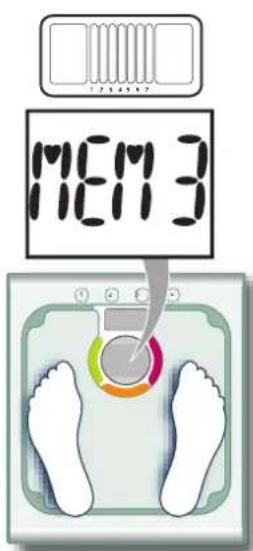
The first time you use it, you must choose your memory number – sequence I.
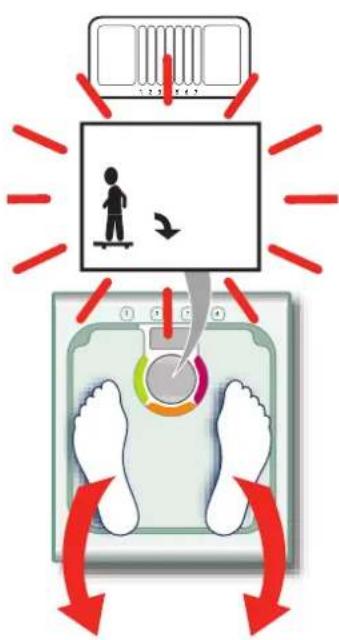
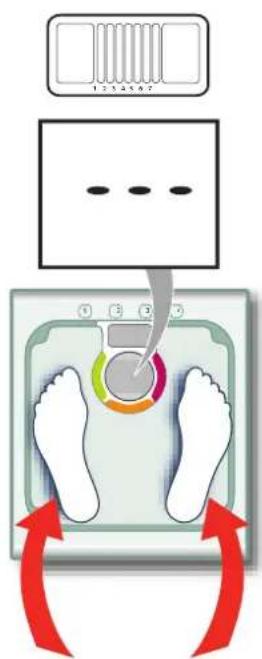
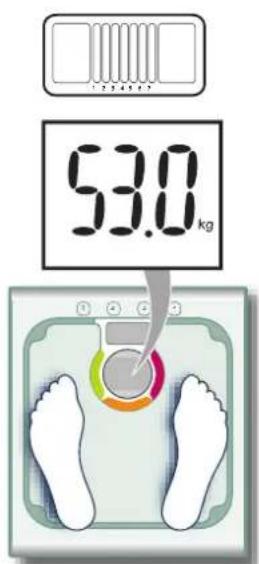
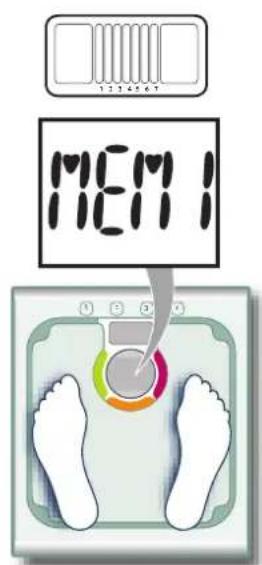
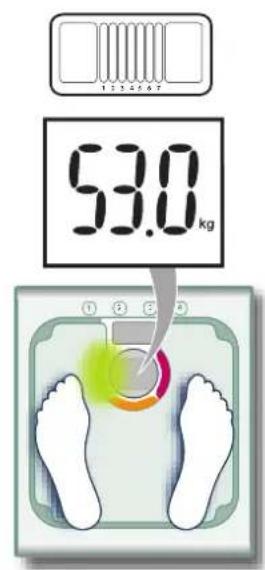
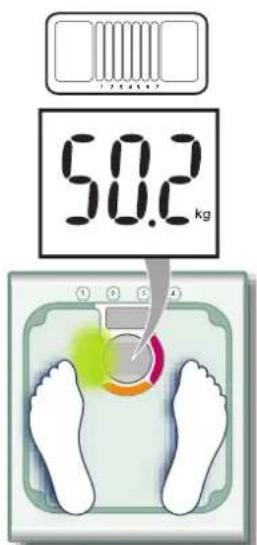
On subsequent occasions, you are automatically recognised by the scales – sequence II.
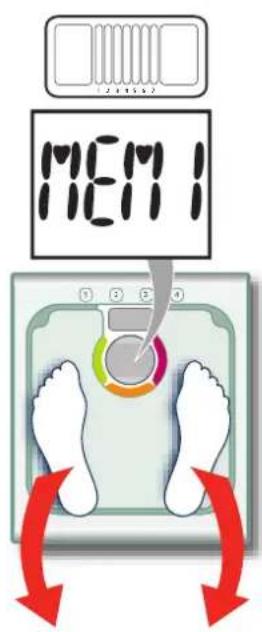
In the case where 2 users have similar weights or if your weight differential is unusually great, the scales ask you to reconfirm your memory number. To do so, after getting off the board, press the key that corresponds to your memory number.
Attention: to make sure you do not mistake your memory number, the scales deny you access to memories that are too far removed from yours – see page 31 “Special messages”.
If all the memories are used and you wish to register yourself, you must first delete an existing memory – see section “Complete memory erasure” page 30.
Attention, when the batteries are changed, the information stored in the memory is lost.
Visio CONTROL® indicator light
VISIO CONTROL ^® is a light display which provides a simple and quick means of keeping a check on changes in your weight, compared to the previous weighing.
At each weighing, VISIO CONTROL ^® shows you the progress of your weight:
GB
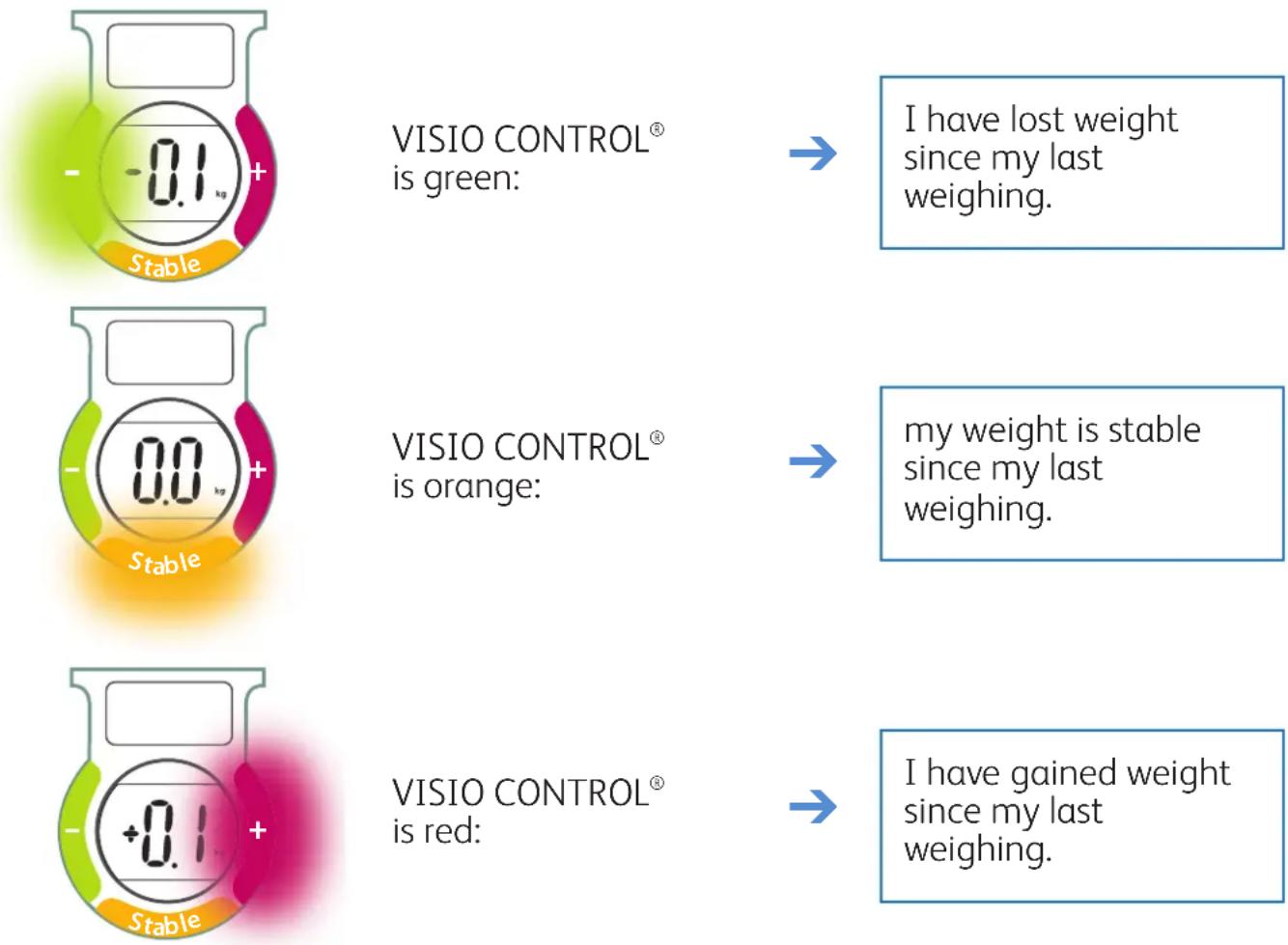
VISIO CONTROL® is green:
I have lost weight since my last weighing.
VISIO CONTROL® is orange:
my weight is stable since my last weighing.
VISIO CONTROL ^® is red:
I have gained weight since my last weighing.
When using for the first time, VISIO CONTROL ^® comes on orange, which indicate its initialisation.
Weight variation monitoring graph
To monitor your weight over time more accurately, Tendency glass displays the history of your weight changes over 7 successive weighings.
When using for the first time, your weight is recorded as the reference weight (A - page 3).
Then, each time you weigh yourself, the difference between the day's weight and the reference weight is recorded on the graph (B - page 3).
The arrow (point C – page 3) indicates the trend of your weight change:
– arrow up, you are gaining weight compared to your reference weight,
–arrow down, you are losing weight compared to your reference weight.
Point D - page 3 indicates, compared to your reference weight, your evolution in kg.
When your weight varies significantly, in order to monitor it as well as possible, we recommend you reset your memory – see paragraph “Complete memory erasure” below.
Complete memory erasure
When you want to reset your memory to change your reference weight, you must delete the information in memory.
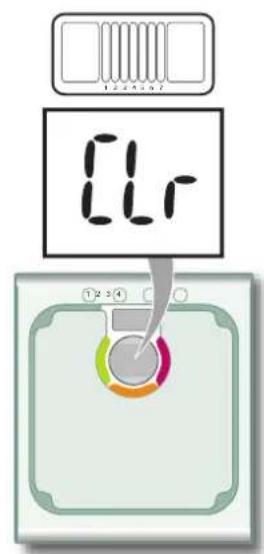
Clear your own memory – Sequence III fig 1:
– step on the platform, you are recognized
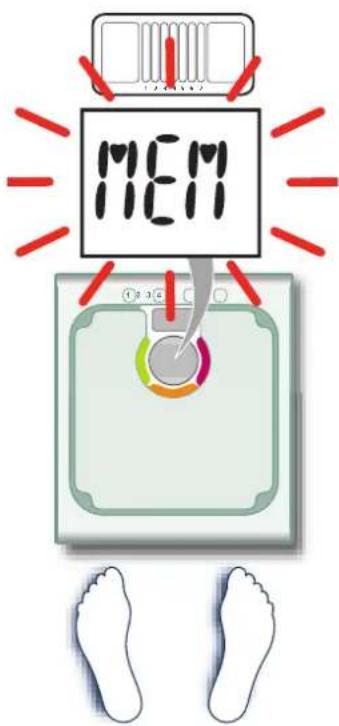
- step off the platform, wait a few seconds and then press the corresponding memory key and hold the key down until the message "Clr" appears,
– to register in memory, repeat from Sequence I.
A complete memory erasure means the reference weight is reset in the graph.
- When all the memories are occupied by other users, you must delete the information in memory in order to register yourself.
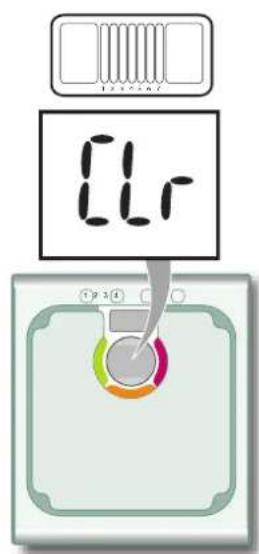
Clear a memory that is not your own – Sequence III fig 2:
– step on the platform, you are not recognized,
- step off the platform, wait a few seconds and then press the key for the memory you want to clear and hold the key down until the message “Clr” appears
– to register in memory, repeat from Sequence I.
Clearing your last weighing
If you wish, you can erase part of your graph, and delete the last weighing(s) recorded.
-
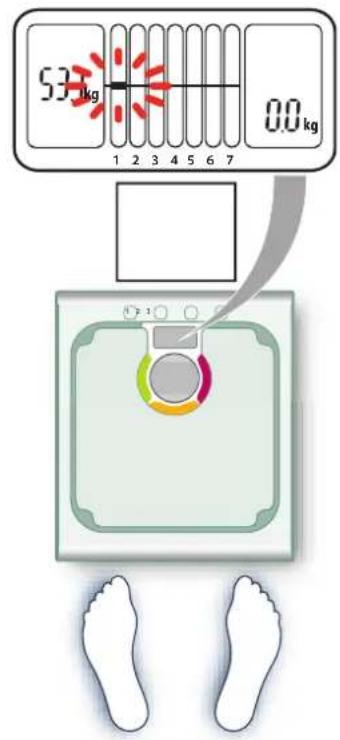
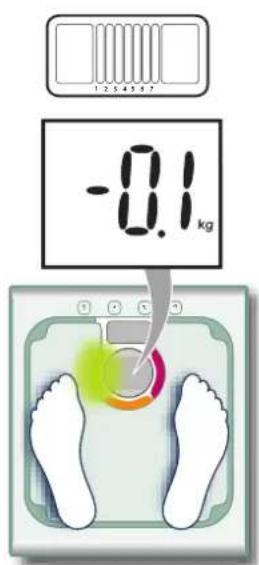
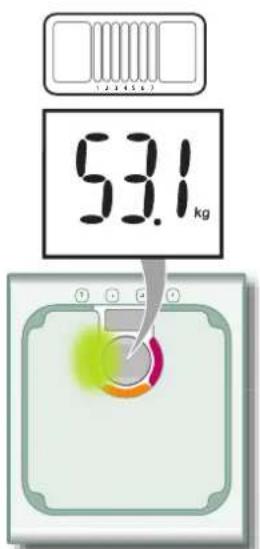
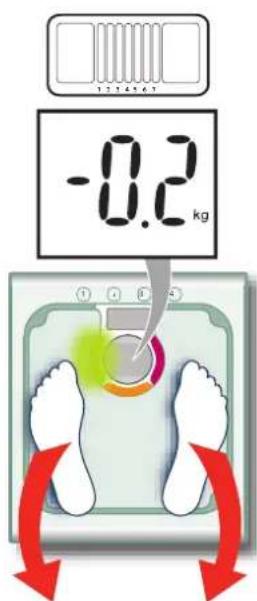
Step on the platform, you are recognized - Sequence III fig 3,
– the scales tells you your weight difference, VISIO CONTROL ^® shows you your progress,
– the graph is built up as far as the last weight recorded,
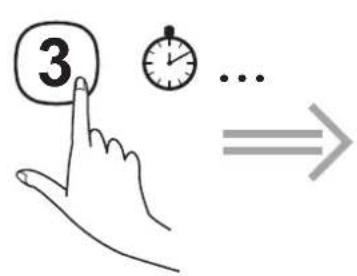
– step off the platform and then press the corresponding memory key and hold. The last weighing is cleared,
– by keeping your finger on the memory key, you can erase the history column by column, from right to left, -
you can choose to delete your entire memory or just a few weighings: to do this, release the memory key as soon as the information you want to delete has disappeared,
- if you erased the entire memory, the "Clr" message confirms that the memory is empty.
Special messages
| Messages/Actions/Situations Solutions | |
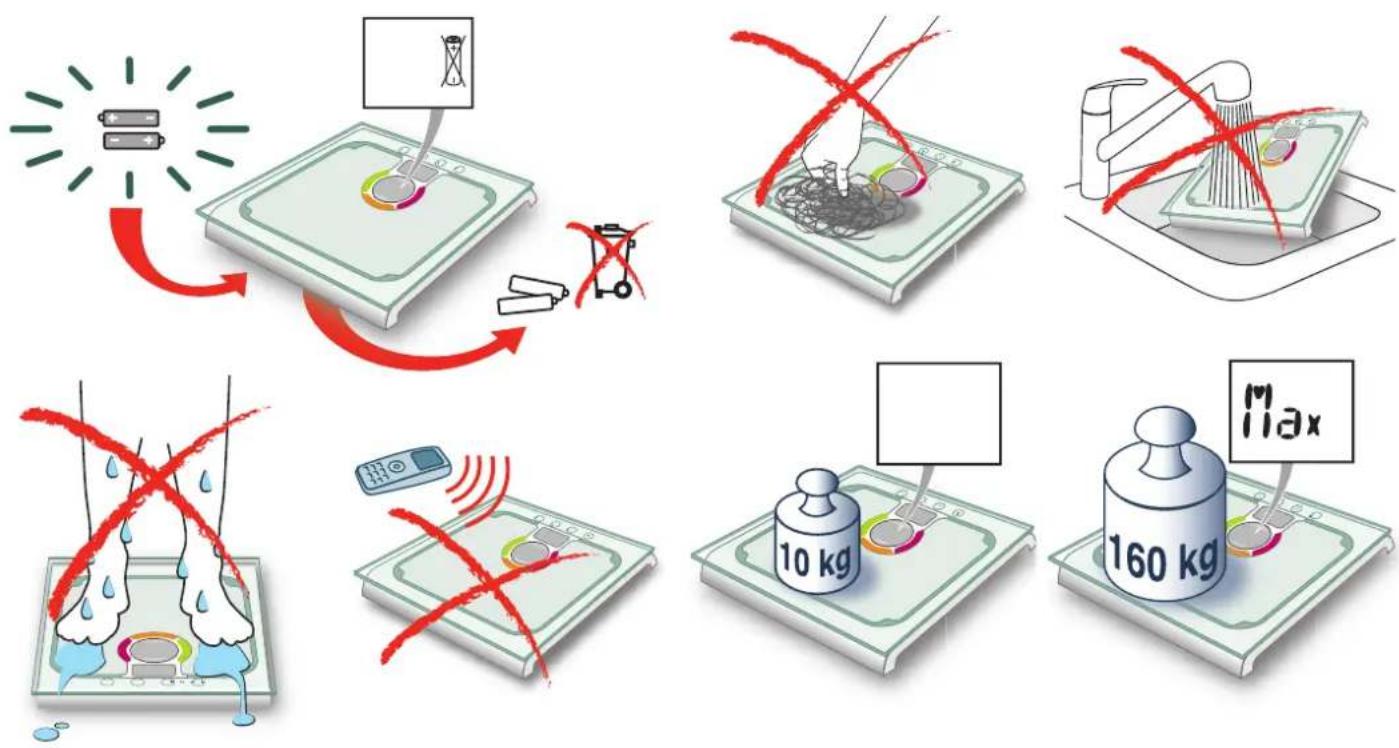
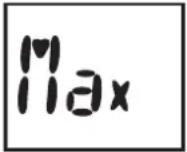 | The load exceeds the maximum capacity of 160 kg.→Do not exceed the maximum load. |
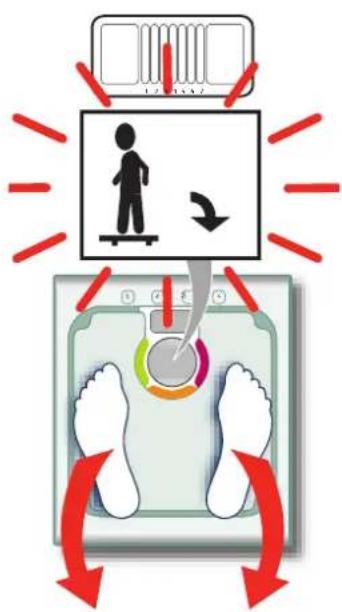
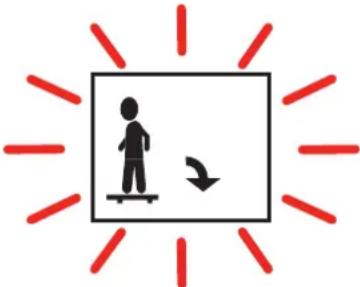 | The appliance needs you to step off the platform to continue the sequence.→Step off the platform. |
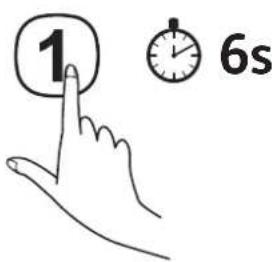
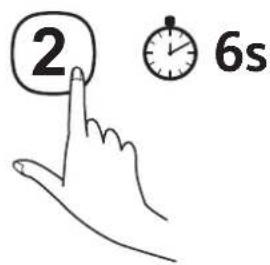
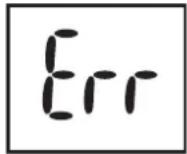 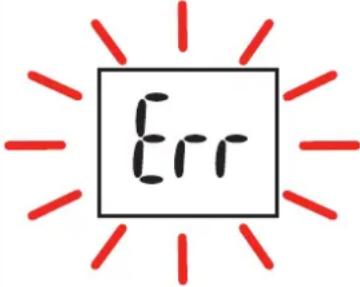  | See page 2.OrThe memory you have selected is occupied and the weight registered is very different from yours.→Select your right memory number.→If you want to erase this memory and use it, hold the memory key down for 6 seconds until the display changes from the message “Err” to the message “Clr”.Then reweigh yourself to register yourself. |

You press a memory key and the appliance does not react.
1) Tendency glass detects something other than your finger pressing.
→ Make sure:
– that you are pressing with just one finger,
– that you are not leaning on the platform.
– that are not pinching it,
– that Tendency glass is placed on the ground.
or
2) You have pressed the key too briefly.
→ Keep the key pressed for 2 seconds.
Environment protection first!
① Your appliance contains valuable materials which can be recovered or recycled.
Leave it at a local civic waste collection point.
- I
- II
- III
- Description
- Pèse-personne
- Bathroom scales
- Weight variation monitoring screen
- –Easy monitoring, in the twinkling of an eye
- Precautions for use
- How the scales work
- Automatic user recognition system
- Visio CONTROL® indicator light
- Weight variation monitoring graph
- Complete memory erasure
- Clearing your last weighing
- Special messages
- Environment protection first!
Brand : TEFAL
Model : Tendancy PP6000A9
Category : Kitchen scale