
DLA44000 - Mobile phone audio accessory PHILIPS - Free user manual and instructions
Find the device manual for free DLA44000 PHILIPS in PDF.



| Product type | FM transmitter for iPhone/iPod |
| Brand | Philips |
| Model | DLA44000 (TransDock) |
| Compatibility | iPhone, iPhone 3G, iPod (except iPod 3G) |
| Dimensions (approx.) | 10 × 5 × 3 cm |
| Weight (approx.) | 50 g |
| Power supply | 12-16 V DC, <300 mA (cigarette lighter socket) |
| FM frequency range | 88.1 to 107.9 MHz (0.1 MHz step) |
| Main functions | FM audio broadcast, iPhone charging, IntelliTune technology, OLED display, 4 programmable presets, mono/stereo modes |
| Care and cleaning | Clean with a dry cloth. Do not use liquids. |
| Safety | Do not expose to water or weather. Do not disassemble or repair yourself. Keep away from heat sources. |
| Spare parts and repairability | Not user serviceable. Contact Philips service in case of failure. |
| General information | Compliant with R&TTE directive 1999/5/EC. Class II. Use in vehicle. |
| Warranty | See website www.philips.com/welcome |
Frequently Asked Questions - DLA44000 PHILIPS
User questions about DLA44000 PHILIPS
0 question about this device. Answer the ones you know or ask your own.
Ask a new question about this device
Download the instructions for your Mobile phone audio accessory in PDF format for free! Find your manual DLA44000 - PHILIPS and take your electronic device back in hand. On this page are published all the documents necessary for the use of your device. DLA44000 by PHILIPS.
USER MANUAL DLA44000 PHILIPS
natural_image
Smartphone connected to a stand with a digital camera displaying '88.5' and 'PHILIPS' logo (no readable text on device)www.philips.com/support
EN TransDock micro 3
FR TransDock micro 17
DE TransDock micro 31
ES TransDock micro 45
NL TransDock micro 59
IT TransDock micro 73
PT TransDock micro 87
SV TransDock micro 101
EL TransDock micro 115
PL TransDock micro 129
RU TransDock micro 143
CS TransDock micro 157
HU TransDock micro 171
TR TransDock micro 185
FN TransDock micro 199
Table of Contents
Important information 4
Your Philips TransDock micro 5
What's in the box 6
Getting started 7
Using Philips TransDock micro 8
Settings and features 9
Getting the best sound quality 11
Warranty and service 12
Technical data 12
Frequently asked questions 13
EC Declaration of Conformity 14
Important information
Take time to read this manual before you use your Philips TransDock micro (DLA44000/10). It contains important information about operating your Philips TransDock micro DLA44000/10.
© 2008 Philips Consumer Lifestyle.
All rights reserved. Reproduction in whole or in part is prohibited without the written consent of the copyright owner. Trademarks are the property of Koninklijke Philips N.V. or their respective owners. iPod is a trademark of Apple Inc., registered in the U.S. and other countries.
Hereby, Philips, BG P&A, declares that this DLA44000/10 is in compliance with the essential requirements and other relevant provisions of Directive 1999/5/EC.

Note
Audio input limiting threshold is maximum 180 mVSS
Disposal of your old product:
Your product is designed and manufactured with high quality materials and components, which can be recycled and reused.

WEEE logo: When this crossed-out wheeled bin symbol is attached to a product it means the product is covered by the European Directive 2002/96/EC.
Please inform yourself about the local separate collection system for electrical and electronic products.

Warnings
- Do not expose the product to rain or water.
- Keep way from sunlight to prevent heat build-up.
- Do not disassemble or repair.
- Keep away from high voltage devices.
Take the package to your local recycling center.
Your Philips TransDock micro
Congratulations on your purchase and welcome to Philips!
To fully benefit from the support that Philips offers, register your product at www.philips.com/welcome.
Product overview
Your Philips TransDock micro (DLA44000/10) is an FM transmitter that broadcasts your iPhone audio to the FM radio in your car, while simultaneously charging your iPhone. This FM transmitter features IntelliTune™ technology, which scans the airwaves and automatically finds the best stations for transmitting.
Your Philips TransDock micro also features a unique dial-based interface that provides a simple and intuitive way to adjust your FM transmitter's settings and frequencies. Your Philips TransDock micro also comes with the ability to set preset stations for the frequencies you use most.
Philips offers an entire line of products to enhance your iPhone experience.
Product highlights
- Plays iPhone audio over your car stereo
- Charges iPhone
• IntelliTune technology finds the best station for transmitting iPhone audio - Simple and intuitive dial based interface
- Controllable OLED display
• Four programmable presets
• Monaural and stereo listening modes
What's in the box
Included
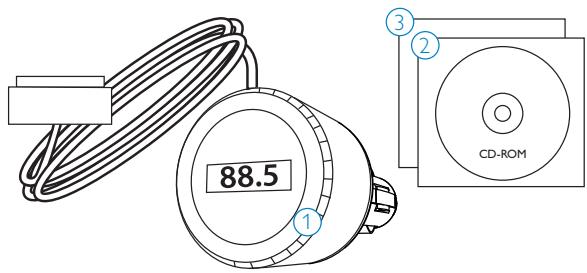
- TransDock micro DLA44000/10
- CD-ROM Manual
- Quick Start Guide
What you will also need
- iPhone
- FM car stereo
- 12V auto power outlet
natural_image
Line drawing of a smartphone with a circular badge labeled '1' (no text or symbols on the device itself)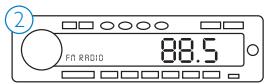
Getting started
Important: Read the safety precautions on page 4 carefully before connecting your PhilipsTransDock micro. This section helps you with the first time installation of your PhilipsTransDock micro.
- Plug your Philips TransDock micro into your auto power outlet
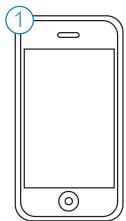
- Connect your iPhone to your Philips TransDock micro by inserting the Connector Cable into the iPhone dock connector. Your iPhone will now begin charging if your car is on.
Note: Your iPhone will automatically pause playback when your Philips TransDock micro is powered off.
- Press the dial on your TransDock micro to activate Intellitune. IntelliTune will automatically find the optimal frequency to broadcast your iPhone over your car's FM stereo.
- Tune your car's FM radio to the frequency displayed on your Philips TransDock micro.
- Click Play on your iPhone to enjoy your music over your car's FM radio.
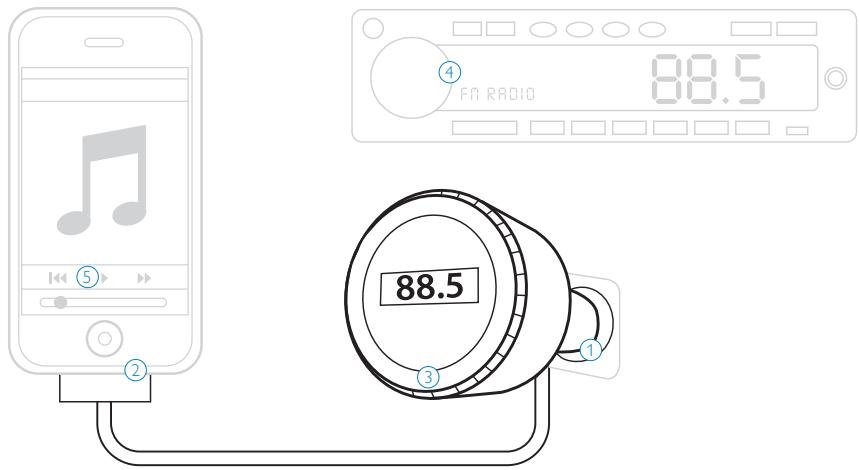
Using Philips TransDock micro
Detailed instructions
- Turn on your car radio and set it to FM radio mode.
- Insert your Philips TransDock micro into your car's power outlet.
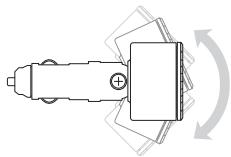
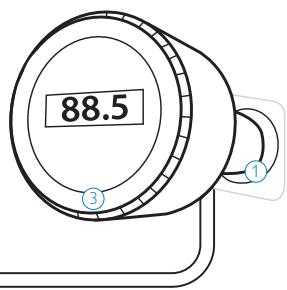
Note: You can also slightly alter the angle of your TransDock micro by tilting the dial head up or down. See drawing below.
natural_image
Pure mechanical component diagram without any text, numbers, or symbols- Plug the Connector Cable into the iPhone dock connector:
- To activate your Philips TransDock micro's IntelliTune feature, press the dial. Your Philips TransDock micro will display the word IntelliTune as it searches for the optimal frequency. This should only take a few seconds. Once the search is complete, the display will instruct you to tune your radio to the frequency found by IntelliTune.
-
Match the FM station on your radio with the corresponding FM frequency shown on your TransDock micro's display. Click Play on your iPhone to enjoy your music over your car's FM radio.
-
To control the overall volume of your music while using your Philips TransDock micro, use the car radio's volume control, not the iPhone volume.
Turning your Philips TransDock micro on and off
Your Philips TransDock micro will turn on and off automatically with your car.
To manually turn your Philips TransDock micro on or off while your car power is on, press and hold the dial for approximately 5 seconds.
Finding empty radio frequencies using IntelliTune
To find an empty frequency using IntelliTune:
- Press the dial on your Philips TransDock micro. This will activate the IntelliTune search. While it is searching, the word IntelliTune will appear on your TransDock micro's display.
- Once IntelliTune finds an empty frequency, it will display "Tune Radio to XXX.X". Then, tune your FM radio to that station and begin enjoying your iPhone music over your car stereo.
Manually finding empty radio frequencies
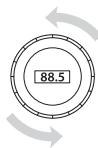
Your Philips TransDock micro also allows you to manually tune the transmitter to desired FM frequencies. Turn your Philips TransDock micro dial to the right to tune to higher stations and left to tune to lower stations.
Tips for manually finding an empty station:
- Be sure to search the entire spectrum of FM frequencies.
- When using scan/seek on your car's radio, if your tuner stops on 101 and then jumps to 103, look in the 102 frequencies for empty stations.
- Try tuning to a strong station, then backing down two frequencies - for example 103.5 to 103.1. You can often find empty frequencies this way.
Note: If that frequency is taken, scan to the next station and try again.
Settings and features
To enter the Settings Menu press and hold your Philips TransDock micro dial until the display flashes "Settings". Then, turn the dial to scroll through the various Settings, and press the dial to enter your desired Setting. Turn the dial to the right or left to view the chosen Settings options, and press the dial to confirm your selection. Once you've made your selection, you will return to the Settings Menu. Press the center button to exit the Settings Menu.
Note: Your Philips TransDock micro will automatically exit the Settings Menu after a few seconds of inactivity.
Preset Store
Preset Store allows you to save up to four preset stations. The default presets are 88.1, 94.9, 100.9, and 107.9.
To store your own preset stations, follow these simple steps:
- Using the dial, tune Philips TransDock micro to the station you'd like to set – turning right to tune to higher stations and left to tune to lower stations.
- Press and hold the dial to enter the Settings Menu.
- Once in the Settings Menu, scroll to Preset Store and press the dial to select. Next, scroll to and select the preset number (SET 1, SET 2, SET 3, or SET 4) and press to select.
- Repeat steps 1-3 to store the remaining presets.
Note: Your new preset will override the preset that was last saved, including the default presets.
Preset Mode
Preset Mode gives you the option to scroll through your presets in Manual Mode.
To turn Preset Mode on, follow these simple steps:
- Press and hold the dial to enter the Settings Menu.
-
Scroll to Preset Mode and press the dial to select. Then choose Preset Mode On and press to select. Now you can scroll through the four presets (P1, P2, P3, P4) in Manual Mode.
-
Leave your Philips TransDock micro on the desired preset and tune your radio to the corresponding frequency to begin broadcasting.
Audio Level
Audio Level gives you the option of selecting the volume output level that fits your particular audio. Turn the dial right or left to select from: Low, Medium or High.
Listening Mode
Listening Mode allows you to choose between Mono and Stereo. Your Philips TransDock micro defaults to Mono for optimal transmitter performance. To learn more about Listening Mode please read Getting the Best Sound Quality.
Brightness Time
Brightness Time allows you to change the length of time that your Philips TransDock micro's display screen stays active. Scroll through to select: Always On, 2 seconds, 5 seconds, 10 seconds, 15 seconds, or 20 seconds
Brightness Level
Brightness Level controls the brightness of the OLED display while your Philips TransDock micro is active. To adjust brightness, turn the dial right for higher intensity and left for lower intensity.
Dim Level
Dim Level controls the brightness of the OLED display while your PhilipsTransDock micro is inactive. Turn the dial right for higher intensity and left for lower intensity or completely off.
Reset Settings
Reset Settings allows you to revert back to the factory settings. To do so, press the dial when on Reset Settings. Your Philips TransDock micro will ask you if you are sure you would like to reset your settings. Press the dial once to accept, or turn right or left to return to the Settings Menu.
Getting the best sound quality
- Use IntelliTune to automatically find the optimal frequency to broadcast your iPhone over your car's FM stereo. Then, tune your car's FM stereo to the frequency displayed on your Philips TransDock micro.
- Choose between Mono and Stereo in Listening Mode: Mono allows for much better transmitter performance, while Stereo allows for the best sonic musical performance.
Note: If static or distortion increases, switch to Mono for the best transmitter performance possible.
- To get the best initial performance from your Philips TransDock micro, it is very important that you set your iPhone EQ to Off and adjust your car's bass and treble controls to 0. Then you can experiment with adding bass and treble to your desired level.
Warranty and service
For warranty information and product support please visit http://www.philips.com/welcome.
Technical data
Compatibility
iPhone
iPhone 3G
All dockable iPods (excluding 3G iPod)
FM Transmitter
Modulation: FM Stereo
Default preset frequencies (MHz): 88.1, 94.9, 100.9, and 107.9
Frequency adjustment: 0.1 MHz per step
Frequency response: 20Hz \~ 15KHz
Frequency range: from 88.1 - 107.9
Tuning
Digitally controlled crystal oscillator
Connector
30-Pin iPhone Dock Connector Cable: Length 48"
Power
Input voltage: 12 – 16 VDC
Input current: <300mA @ DC12V\~16V
Display
OLED display
Frequently asked questions
Here you will find the most frequently asked questions and answers about you're your Philips TransDock micro.
To keep the warranty valid, never try to repair the product yourself. If you encounter problems when you use your TransDock micro, check the following points before you contact Philips. If the problem remains unsolved, go to the Philips website www.philips.com/welcome. When you contact Philips, make sure that your Philips TransDock micro is nearby and the model number and serial number are available.
What do I do if I hear static or distortion when my music is playing?
Use IntelliTune to automatically find the optimal frequency to broadcast your iPhone over your car's FM stereo. Then, tune your car's FM stereo to the frequency displayed on your Philips TransDock micro.
Note: Also try setting the Listening Mode to Mono, which will improve the clarity of your Philips TransDock micro's signal.
What do I do if my radio will only scan/seek to occupied FM stations?
Many car radios default to scan/seek mode for tuning, so they automatically tune to a radio station. Most of these radios can be switched to manual tuning (consult your car or radio manual on how to do this).
What do I do if my music sounds overdriven and distorted?
Be sure that the FM station you're using is still unoccupied as you drive through different areas. FM signals can intrude on an unused frequency.
Be sure to set your iPhone EQ to Off and adjust your car's bass and treble controls to 0. Then you can experiment with adding bass and treble to your desired level.
My iPhone does not appear to be charging when it's connected to Philips TransDock micro?
Make sure your Philips TransDock micro is securely positioned in your car's power outlet.
Note: You may also check to ensure that the connector cable is securely attached to the iPhone dock connector.
If I leave my Philips TransDock micro plugged into my car's power outlet, will it drain my car battery?
Probably not, but it's always a good idea to unplug anything when leaving your car for a long period of time.
Note: Your Philips TransDock micro will continue to draw power from your car's battery as long as a device is attached.
Can I use my Philips TransDock micro with other devices?
No, your Philips TransDock micro is designed specifically for use with an iPhone/iPod.
EC Declaration of Conformity

PHILIPS
AQ95-56F-1040
(report No.)
EC DECLARATION OF CONFORMITY
We, Philips Consumer lifestyle, BU P&A: Building SFF6 (manufacturer's name)
P.O.Box 80002, 5600 JB Eindhoven, The Netherlands (manufacturer's address)
declare under our responsibility that the electrical product:
Philips
(name)
DLA44000 -/10
(type or model)
TransDock Micro II
(product description)
to which this declaration relates is in conformity with the following standards:
EN301 489-1 v 1.5.1
EN301 489-9 ¥1.3.1
EN301 357-1 Y1.3.1
EN301 357-2 ¥1.3.1
EN60065 ed 7.1
(title and/or number and date of issue of the standards)
following the provisions of annex IV of the R&TTE directive 1999/5/EC and is produced by a manufacturing organisation on ISO 9000 level.

Eindhoven, 12/06/2008
(place, date)
K.Rysman
Approbation manager
(signature, name and function)
Made in China


CE0359①
European regulations:
This product has been designed, tested and manufactured according the European R&TTE directive 1999/5/EC
Following this directive, this product can be brought into service in the following states:
This equipment may be operated in the following checked countries under license exemption, For usage details please consult your local authority
√ AT √ BE √ BG √ CH √ CY √ CZ
√ DE √ DK √ EE √ ES √ FI √ FR
√ GB √ GR □ HR √ HU √ IE √ IS
IT LI LT LU LV MK
√ MT √ NL √ NC √ PL √ PT √ RO
√ RU √ SE √ SI √ SK □ TR
Warning! This is a Class II Radio Frequency Device. The frequency range 87.5-108.5 is reserved for other applications in France, Cyprus, Greece, Hungary, Ireland, Italy, Latvia and Poland. This device cannot cause harmful interference while
in use. If interferences occur, please disable its transmitter immediately. The operating frequencies of this device is configured as 88.1-107.9MHz.
Table des matières
© 2008 Philips Consumer Lifestyle.
natural_image
Line drawing of a smartphone with a circular badge labeled '1' (no text or symbols on the device itself)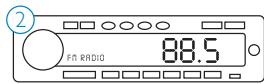
Pour commencer
Utiliser le micro Philips TransDock
natural_image
Pure mechanical component diagram without any text, numbers, or symbolsEC DECLARATION OF CONFORMITY
We, Philips Consumer lifestyle, BU P&A: Building SFF6 (manufacturer's name)
P.O.Box 80002, 5600 JB Eindhoven, The Netherlands (manufacturer's address)
declare under our responsibility that the electrical product:
Philips
(name)
DLA44000 -/10
(type or model)
TransDock Micro II (product description)
to which this declaration relates is in conformity with the following standards:
EN301 489-1 v 1.5.1
EN301 489-9 ¥1.3.1
EN301 357-1 ¥1.3.1
EN301 357-2 ¥1.3.1
EN60065 ed 7.1
(title and/or number and date of issue of the standards)
following the provisions of annex IV of the R&TTE directive 1999/5/EC and is produced by a manufacturing organisation on ISO 9000 level.

Eindhoven, 12/06/2008
(place, date)
K.Rysman
Approbation manager
(signature, name and function)
Fabriqué en Chine.


CE0359①
© 2008 Philips Consumer Lifestyle.
natural_image
Line drawing of a smartphone with a circular badge labeled '1' (no text or symbols on the device itself)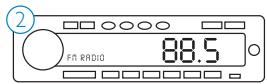
Erste Schritte
natural_image
Pure mechanical component diagram without any text, numbers, or symbolsModulation: FM Stereo
EC DECLARATION OF CONFORMITY
We, Philips Consumer lifestyle, BU P&A: Building SFF6 (manufacturer's name)
P.O.Box 80002, 5600 JB Eindhoven, The Netherlands (manufacturer's address)
declare under our responsibility that the electrical product:
Philips
(name)
DLA44000 -/10
(type or model)
TransDock Micro II (product description)
to which this declaration relates is in conformity with the following standards:
EN301 489-1 v 1.5.1
EN301 489-9 y 1.3.1
EN301 357-1 ¥1.3.1
EN301 357-2 ¥1.3.1
EN60065 ed 7.1
(title and/or number and date of issue of the standards)
following the provisions of annex IV of the R&TTE directive 1999/5/EC and is produced by a manufacturing organisation on ISO 9000 level.

Eindhoven, 12/06/2008
(place, date)
K.Rysman
Approbation manager
(signature, name and function)
Made in China


CE0359①
© 2008 Philips Consumer Lifestyle.
natural_image
Line drawing of a smartphone with a circular badge labeled '1' (no text or symbols on the device itself)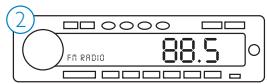
Cómo empezar
natural_image
Technical line drawing of a mechanical component with no visible text or symbolsEC DECLARATION OF CONFORMITY
We, Philips Consumer lifestyle, BU P&A: Building SFF6 (manufacturer's name)
P.O.Box 80002, 5600 JB Eindhoven, The Netherlands (manufacturer's address)
declare under our responsibility that the electrical product:
Philips
(name)
DLA44000 -/10
(type or model)
TransDock Micro II (product description)
to which this declaration relates is in conformity with the following standards:
EN301 489-1 v 1.5.1
EN301 489-9 ¥1.3.1
EN301 357-1 ¥1.3.1
EN301 357-2 ¥1.3.1
EN60065 ed 7.1
(title and/or number and date of issue of the standards)
following the provisions of annex IV of the R&TTE directive 1999/5/EC and is produced by a manufacturing organisation on ISO 9000 level.

Eindhoven, 12/06/2008
(place, date)
K.Rysman
Approbation manager
(signature, name and function)
Fabricado en China


CE0359①
Normativas europeas:
© 2008 Philips Consumer Lifestyle.
natural_image
Line drawing of a smartphone with a circular badge labeled '1' (no text or symbols on the device itself)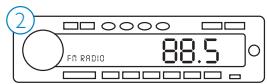
Starten
natural_image
Technical line drawing of a mechanical component with no visible text or symbolsHelderheidsniveau (Brightness Level)
EC DECLARATION OF CONFORMITY
We, Philips Consumer lifestyle, BU P&A: Building SFF6 (manufacturer's name)
P.O.Box 80002, 5600 JB Eindhoven, The Netherlands (manufacturer's address)
declare under our responsibility that the electrical product:
Philips
(name)
DLA44000 -/10
(type or model)
TransDock Micro II (product description)
to which this declaration relates is in conformity with the following standards:
EN301 489-1 v 1.5.1
EN301 489-9 v1.3.1
EN301 357-1 Y 1.3.1
EN301 357-2 ¥1.3.1
EN60065 ed 7.1
(title and/or number and date of issue of the standards)
following the provisions of annex IV of the R&TTE directive 1999/5/EC and is produced by a manufacturing organisation on ISO 9000 level.

Eindhoven, 12/06/2008
(place, date)
K.Rysman
Approbation manager
(signature, name and function)
Made in China


CE0359①
(Frequently Asked Questions) 83
© 2008 Philips Consumer Lifestyle.
natural_image
Line drawing of a smartphone with a circular badge labeled '1' (no text or symbols on the device itself)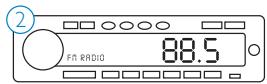
Introduzione
Come usare PhilipsTransDock micro
natural_image
Technical line drawing of a mechanical component with no visible text or symbolsDomande Frequenti (Frequently Asked Questions)
EC DECLARATION OF CONFORMITY
We, Philips Consumer lifestyle, BU P&A: Building SFF6 (manufacturer's name)
P.O.Box 80002, 5600 JB Eindhoven, The Netherlands (manufacturer's address)
declare under our responsibility that the electrical product:
Philips
(name)
DLA44000 -/10
(type or model)
TransDock Micro II (product description)
to which this declaration relates is in conformity with the following standards:
EN301 489-1 v 1.5.1
EN301 489-9 ¥1.3.1
EN301 357-1 ¥1.3.1
EN301 357-2 ¥1.3.1
EN60065 ed 7.1
(title and/or number and date of issue of the standards)
following the provisions of annex IV of the R&TTE directive 1999/5/EC and is produced by a manufacturing organisation on ISO 9000 level.

Eindhoven, 12/06/2008
(place, date)
K.Rysman
Approbation manager
(signature, name and function)
Fabbricato in Cina


CE0359①
Norme europee:
© 2008 Philips Consumer Lifestyle.
natural_image
Line drawing of a smartphone with a circular badge labeled '1' (no text or symbols on the device itself)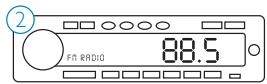
Começar
natural_image
Technical line drawing of a mechanical component with no visible text or symbolsCabo 30-Pin iPhone Dock Connector: comprimento 48"
Energia
EC DECLARATION OF CONFORMITY
We, Philips Consumer lifestyle, BU P&A: Building SFF6 (manufacturer's name)
P.O.Box 80002, 5600 JB Eindhoven, The Netherlands (manufacturer's address)
declare under our responsibility that the electrical product:
Philips (name)
DLA44000 -/10 (type or model)
TransDock Micro II (product description)
to which this declaration relates is in conformity with the following standards:
EN301 489-1 v 1.5.1
EN301 489-9 ¥1.3.1
EN301 357-1 Y 1.3.1
EN301 357-2 ¥1.3.1
EN60065 ed 7.1
(title and/or number and date of issue of the standards)
following the provisions of annex IV of the R&TTE directive 1999/5/EC and is produced by a manufacturing organisation on ISO 9000 level.

Eindhoven, 12/06/2008
(place, date)
K.Rysman
Approbation manager
(signature, name and function)
Fabricado na China


CE0359①
© 2008 Philips Consumer Lifestyle.
natural_image
Line drawing of a smartphone with a circular button labeled '1' on the top left (no text or symbols on the device itself)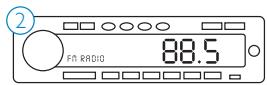
Komma igång
natural_image
Technical line drawing of a mechanical component with no visible text or symbolsEC DECLARATION OF CONFORMITY
We, Philips Consumer lifestyle, BU P&A: Building SFF6 (manufacturer's name)
P.O.Box 80002, 5600 JB Eindhoven, The Netherlands (manufacturer's address)
declare under our responsibility that the electrical product:
Philips
(name)
DLA44000 -/10
(type or model)
TransDock Micro II
(product description)
to which this declaration relates is in conformity with the following standards:
EN301 489-1 v 1.5.1
EN301 489-9 v1.3.1
EN301 357-1 ¥1.3.1
EN301 357-2 ¥1.3.1
EN60065 ed 7.1
(title and/or number and date of issue of the standards)
following the provisions of annex IV of the R&TTE directive 1999/5/EC and is produced by a manufacturing organisation on ISO 9000 level.

Eindhoven, 12/06/2008
(place, date)
K.Rysman
Approbation manager
(signature, name and function)
Tillverkad i Kina


CE0359①
© 2008 Philips Consumer Lifestyle.
natural_image
Line drawing of a smartphone with a circular badge labeled '1' (no text or symbols on the device itself)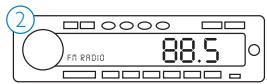
Ξεκινώντας
natural_image
Technical line drawing of a mechanical component with no visible text or symbolsEC DECLARATION OF CONFORMITY
We, Philips Consumer lifestyle, BU P&A: Building SFF6 (manufacturer's name)
P.O.Box 80002, 5600 JB Eindhoven, The Netherlands (manufacturer's address)
declare under our responsibility that the electrical product:
Philips
(name)
DLA44000 -/10
(type or model)
TransDock Micro II
(product description)
to which this declaration relates is in conformity with the following standards:
EN301 489-1 v 1.5.1
EN301 489-9 y 1.3.1
EN301 357-1 ¥1.3.1
EN301 357-2 ¥1.3.1
EN60065 ed 7.1
(title and/or number and date of issue of the standards)
following the provisions of annex IV of the R&TTE directive 1999/5/EC and is produced by a manufacturing organisation on ISO 9000 level.

Eindhoven, 12/06/2008
(place, date)
K.Rysman
Approbation manager
(signature, name and function)
Φτιαγμένο στην Κίνα


CE0359①
© 2008 Philips Consumer Lifestyle.
natural_image
Line drawing of a smartphone with a circular badge labeled '1' (no text or symbols on the device itself)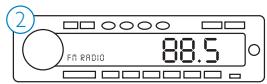
Na początek
natural_image
Pure mechanical diagram of a gear or cam mechanism without any text, numbers, or symbolsEC DECLARATION OF CONFORMITY
We, Philips Consumer lifestyle, BU P&A: Building SFF6
(manufacturer's name)
P.O.Box 80002, 5600 JB Eindhoven, The Netherlands
(manufacturer's address)
declare under our responsibility that the electrical product:
Philips
(name)
DLA44000 -/10
(type or model)
TransDock Micro II
(product description)
to which this declaration relates is in conformity with the following standards:
EN301 489-1 v 1.5.1
EN301 489-9 ¥1.3.1
EN301 357-1 ∨ 1.3.1
EN301 357-2 ¥1.3.1
EN60065 ed 7.1
(title and/or number and date of issue of the standards)
following the provisions of annex IV of the R&TTE directive 1999/5/EC
and is produced by a manufacturing organisation on ISO 9000 level.

Eindhoven, 12/06/2008
(place, date)
K.Rysman
Approbation manager
(signature, name and function)
© 2008 Philips Consumer Lifestyle.
natural_image
Line drawing of a smartphone with a circular badge labeled '1' (no text or symbols on the device itself)
Начало работы
natural_image
Technical line drawing of a mechanical component with no visible text or symbolsEC DECLARATION OF CONFORMITY
We, Philips Consumer lifestyle, BU P&A: Building SFF6 (manufacturer's name)
P.O.Box 80002, 5600 JB Eindhoven, The Netherlands (manufacturer's address)
declare under our responsibility that the electrical product:
Philips
(name)
DLA44000 -/10
(type or model)
TransDock Micro II (product description)
to which this declaration relates is in conformity with the following standards:
EN301 489-1 v 1.5.1
EN301 489-9 y 1.3.1
EN301 357-1 ¥1.3.1
EN301 357-2 ¥1.3.1
EN60065 ed 7.1
(title and/or number and date of issue of the standards)
following the provisions of annex IV of the R&TTE directive 1999/5/EC and is produced by a manufacturing organisation on ISO 9000 level.

Eindhoven, 12/06/2008
(place, date)
K.Rysman
Approbation manager
(signature, name and function)
Сделано в Китае


CE0359①
© 2008 Philips Consumer Lifestyle.
natural_image
Line drawing of a smartphone with a circular badge labeled '1' (no text or symbols on the device itself)
Jak začít
natural_image
Pure mechanical diagram of a gear or cam mechanism without any text, numbers, or symbolsEC DECLARATION OF CONFORMITY
We, Philips Consumer lifestyle, BU P&A: Building SFF6 (manufacturer's name)
P.O.Box 80002, 5600 JB Eindhoven, The Netherlands (manufacturer's address)
declare under our responsibility that the electrical product:
Philips
(name)
DLA44000 -/10
(type or model)
TransDock Micro II (product description)
to which this declaration relates is in conformity with the following standards:
EN301 489-1 v 1.5.1
EN301 489-9 ¥1.3.1
EN301 357-1 ¥1.3.1
EN301 357-2 ¥1.3.1
EN60065 ed 7.1
(title and/or number and date of issue of the standards)
following the provisions of annex IV of the R&TTE directive 1999/5/EC and is produced by a manufacturing organisation on ISO 9000 level.

Eindhoven, 12/06/2008
(place, date)
K.Rysman
Approbation manager
(signature, name and function)
Vyrobeno v Číně


CE0359①
© 2008 Philips Consumer Lifestyle.
natural_image
Line drawing of a smartphone with a button and circular icon labeled '1' (no text or symbols on the device itself)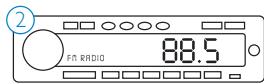
Fogjunk hozzá
natural_image
Technical line drawing of a mechanical component with no visible text or symbolsEC DECLARATION OF CONFORMITY
We, Philips Consumer lifestyle, BU P&A: Building SFF6 (manufacturer's name)
P.O.Box 80002, 5600 JB Eindhoven, The Netherlands (manufacturer's address)
declare under our responsibility that the electrical product:
Philips
(name)
DLA44000 -/10
(type or model)
TransDock Micro II (product description)
to which this declaration relates is in conformity with the following standards:
EN301 489-1 v 1.5.1
EN301 489-9 ¥1.3.1
EN301 357-1 ¥1.3.1
EN301 357-2 ¥1.3.1
EN60065 ed 7.1
(title and/or number and date of issue of the standards)
following the provisions of annex IV of the R&TTE directive 1999/5/EC and is produced by a manufacturing organisation on ISO 9000 level.

Eindhoven, 12/06/2008
(place, date)
K.Rysman
Approbation manager
(signature, name and function)
Készült Kínában


CE0359①
© 2008 Philips Consumer Lifestyle.
natural_image
Line drawing of a smartphone with a circular badge labeled '1' (no text or symbols on the device itself)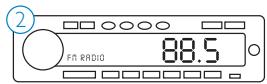
Başlarken
natural_image
Pure mechanical component diagram without any text, numbers, or symbolsEC DECLARATION OF CONFORMITY
We, Philips Consumer lifestyle, BU P&A: Building SFF6 (manufacturer's name)
P.O.Box 80002, 5600 JB Eindhoven, The Netherlands (manufacturer's address)
declare under our responsibility that the electrical product:
Philips
(name)
DLA44000 -/10
(type or model)
TransDock Micro II (product description)
to which this declaration relates is in conformity with the following standards:
EN301 489-1 v 1.5.1
EN301 489-9 ¥1.3.1
EN301 357-1 ¥1.3.1
EN301 357-2 ¥1.3.1
EN60065 ed 7.1
(title and/or number and date of issue of the standards)
following the provisions of annex IV of the R&TTE directive 1999/5/EC and is produced by a manufacturing organisation on ISO 9000 level.

Eindhoven, 12/06/2008
(place, date)
K.Rysman
Approbation manager
(signature, name and function)
Çin'de Üretilmiş


CE0359①
© 2008 Philips Consumer Lifestyle.
natural_image
Line drawing of a smartphone with a circular badge labeled '1' (no text or symbols on the device itself)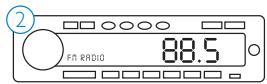
Aloitusohjeet
natural_image
Technical line drawing of a mechanical component with no visible text or symbolsBrightness Time (Valoaika)
EC DECLARATION OF CONFORMITY
We, Philips Consumer lifestyle, BU P&A: Building SFF6 (manufacturer's name)
P.O.Box 80002, 5600 JB Eindhoven, The Netherlands (manufacturer's address)
declare under our responsibility that the electrical product:
Philips (name)
DLA44000 -/10 (type or model)
TransDock Micro II (product description)
to which this declaration relates is in conformity with the following standards:
EN301 489-1 v 1.5.1
EN301 489-9 ¥1.3.1
EN301 357-1 ¥1.3.1
EN301 357-2 ¥1.3.1
EN60065 ed 7.1
(title and/or number and date of issue of the standards)
following the provisions of annex IV of the R&TTE directive 1999/5/EC and is produced by a manufacturing organisation on ISO 9000 level.

Eindhoven, 12/06/2008
(place, date)
K.Rysman
Approbation manager
(signature, name and function)
- www.philips.com/support
- Table of Contents
- Important information
- © 2008 Philips Consumer Lifestyle.
- Note
- Disposal of your old product:
- Warnings
- Your Philips TransDock micro
- Product overview
- Product highlights
- What's in the box
- Included
- What you will also need
- Getting started
- Using Philips TransDock micro
- Detailed instructions
- Turning your Philips TransDock micro on and off
- Finding empty radio frequencies using IntelliTune
- Manually finding empty radio frequencies
- Tips for manually finding an empty station:
- Settings and features
- Preset Store
- Preset Mode
- Audio Level
- Listening Mode
- Brightness Time
- Brightness Level
- Dim Level
- Reset Settings
- Getting the best sound quality
- Warranty and service
- Technical data
- Compatibility
- FM Transmitter
- Tuning
- Connector
- Power
- Display
- Frequently asked questions
- What do I do if I hear static or distortion when my music is playing?
- What do I do if my radio will only scan/seek to occupied FM stations?
- What do I do if my music sounds overdriven and distorted?
- My iPhone does not appear to be charging when it's connected to Philips TransDock micro?
- If I leave my Philips TransDock micro plugged into my car's power outlet, will it drain my car battery?
- Can I use my Philips TransDock micro with other devices?
- EC Declaration of Conformity
- PHILIPS
- Table des matières
- Pour commencer
- Utiliser le micro Philips TransDock
- Erste Schritte
- Cómo empezar
- Starten
- Helderheidsniveau (Brightness Level)
- Introduzione
- Come usare PhilipsTransDock micro
- Domande Frequenti (Frequently Asked Questions)
- Começar
- Energia
- Komma igång
- Ξεκινώντας
- Na początek
- Начало работы
- Jak začít
- Fogjunk hozzá
- Başlarken
- Aloitusohjeet
- Brightness Time (Valoaika)
Brand : PHILIPS
Model : DLA44000
Category : Mobile phone audio accessory