Media Artist - Digital photo frame INTENSO - Free user manual and instructions
Find the device manual for free Media Artist INTENSO in PDF.



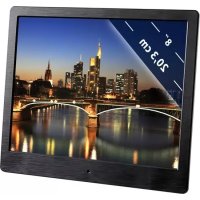
| Product type | Digital photo frame |
| Brand | Intenso |
| Model | Media Artist |
| Screen size | 8 inches (20.32 cm diagonal) |
| Display format | 4:3 |
| Resolution | 800 x 600 pixels |
| Dimensions (W x H x D) | ~184 x 158 x 56 mm |
| Weight | ~310 g |
| Power supply | AC adapter 100-240V AC, 50/60 Hz, output 5V/1.5A DC |
| Power consumption | 5V, 1.5A (7.5W max) |
| Supported image formats | JPEG (up to 9000 x 9000 pixels) |
| Supported audio formats | MP3, WMA |
| Supported video formats | MPEG-1/4, M-JPEG, AVI |
| Supported memory cards | SD, SDHC, MMC |
| USB port | USB Host 2.0 (compatible with USB flash drives) |
| Main functions | Slideshow, calendar, music/video playback, file management, alarm, wake-up, auto-off (Eco) |
| Included accessories | Remote control (battery included), AC adapter (Ktec KSAS7R50500150HE), multilingual user manual |
| Maintenance and cleaning | Use a soft, lint-free cloth without chemicals; do not apply liquid directly to the screen |
| Safety | Do not open the case, avoid water and humidity, do not expose to heat source, use only the supplied adapter |
| Spare parts and repairability | No detachable parts available; repair only by specialists |
| General information | Manual available in multiple languages; hotline: +49 (0) 90 01 50 40 30 (€0.39/min from German landline) |
Frequently Asked Questions - Media Artist INTENSO
User questions about Media Artist INTENSO
0 question about this device. Answer the ones you know or ask your own.
Ask a new question about this device
Download the instructions for your Digital photo frame in PDF format for free! Find your manual Media Artist - INTENSO and take your electronic device back in hand. On this page are published all the documents necessary for the use of your device. Media Artist by INTENSO.
USER MANUAL Media Artist INTENSO
- Secure Digital Card (SD™)
- Secure Digital High Capacity (SDHC™)
Multimedia Card (MMC™)
Operating instructions for Intenso Digital Photo Frame
Please comply with the following instructions to be informed about the different functions of the Intenso digital photo frame.
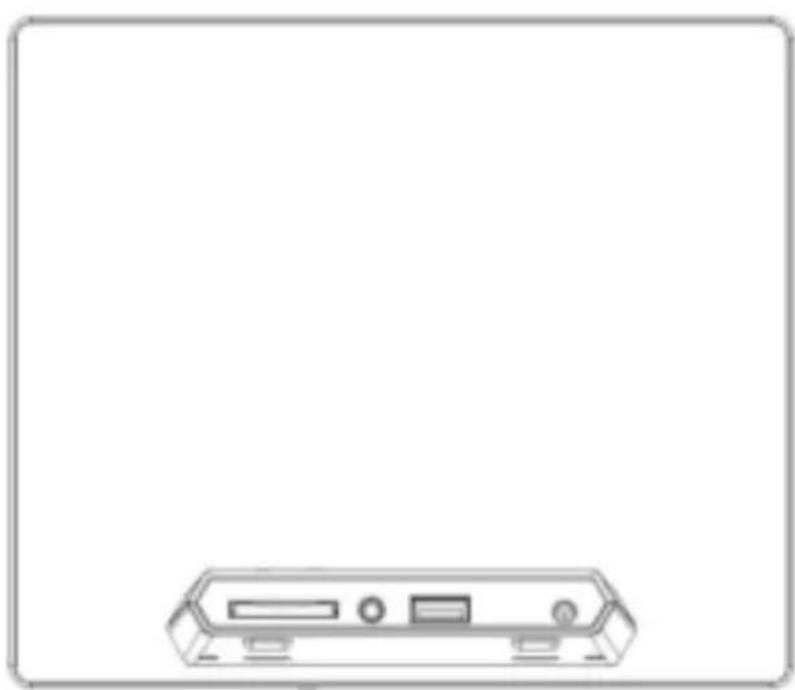
1) Assignment of keys rear of the unit
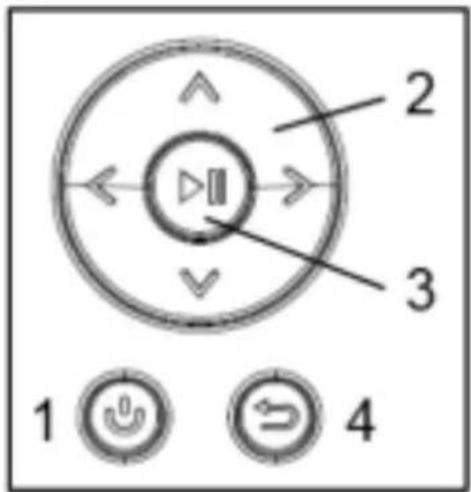
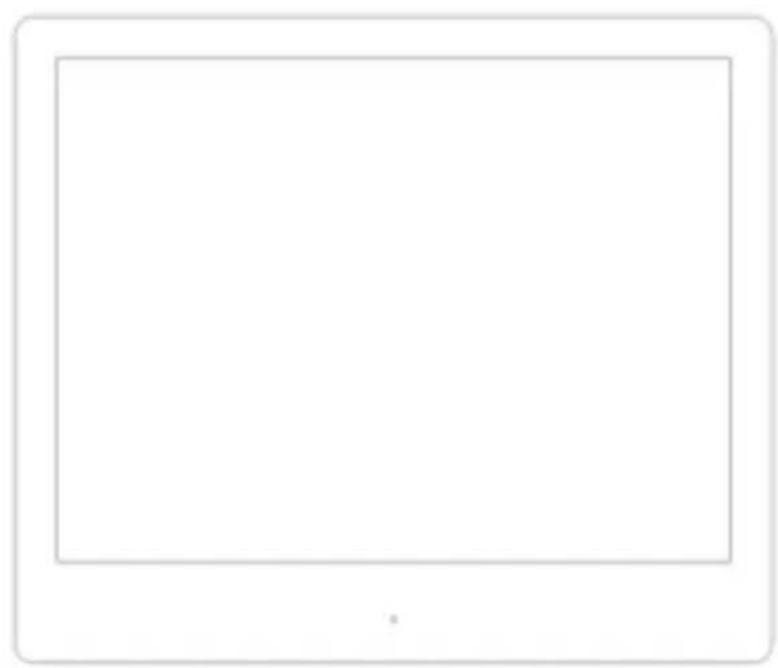
1 Power On / Off
2 Navigation keys
3 Play / Pause / OK key
4 Back key
2) Remote control
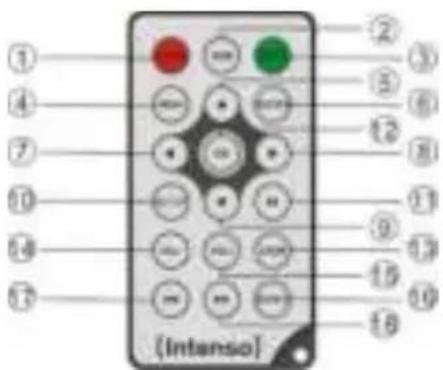
| 1 | POWER | Power On / Off |
| 2 | BGM | Start slide show with background music |
| 3 | MUTE | Muting |
| 4 | MENU | Displaying the starting screen |
| 5 | ▲ | Moves the cursor up |
| 6 | RETURN | Return to superordinate menu |
| 7 | ← | Moves the cursor left |
| 8 | ▶ | Moves the cursor right |
| 9 | ▼ | Moves the cursor down |
| 10 | SETUP | Display of all settings |
| 11 | [▶] | Play/Pause key |
| 12 | OK | Confirming the selected menu item |
| 13 | ZOOM | Enlarge the image in paused slide show |
| 14 | VOL - | Decrease volume |
| 15 | VOL + | Increase volume |
| 16 | ROTATE | Rotating 90° clockwise |
| 17 | ↔ | Previous track |
| 18 | → | Next track |
3) Connect and switch on the digital photo frame
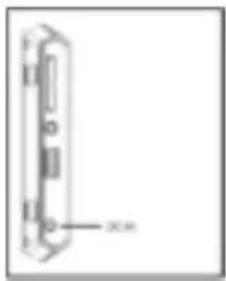
Connect the Power Adapter supplied with the frame (DCIN). Plug the other end of the Adapter into the Socket. The photo frame will now start automatically. Hold down the Power button briefly to turn it off or on again.
Please note:
- The plug must be placed next to the device so to be easily accessible.
Do not open the box of the line adapter. If the box is open, there is danger of life caused by electric shock. The product does not contain parts to be maintained.
Actuate the line adapter only with earthed plugs of AC 100-240V~, 50/60 Hz. If you are not sure about the provision of electricity at the installation point, ask your energy provider. - Use the included line adapter and line connection cable only (Ktec KSAS7R50500150HE).
To interrupt the power supply of your equipment, unplug the adapter. While you are unplugging it, always hold the adapter. Do never pull the cable.
4) Insert memory cards | connect USB data carriers
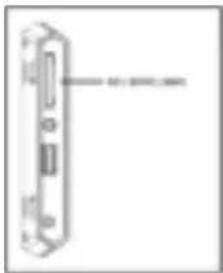
Insert memory cards into the card reader slot with the logo facing away from the display.
Caution: Please do not insert card with force!
The following memory card formats can be used with your digital photo frame:
- Secure Digital Card (SD™)
- Secure Digital High Capacity (SDHCT™)
Multimedia Card (MMC™)
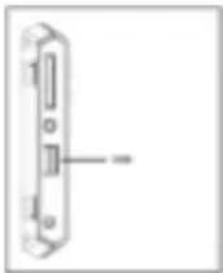
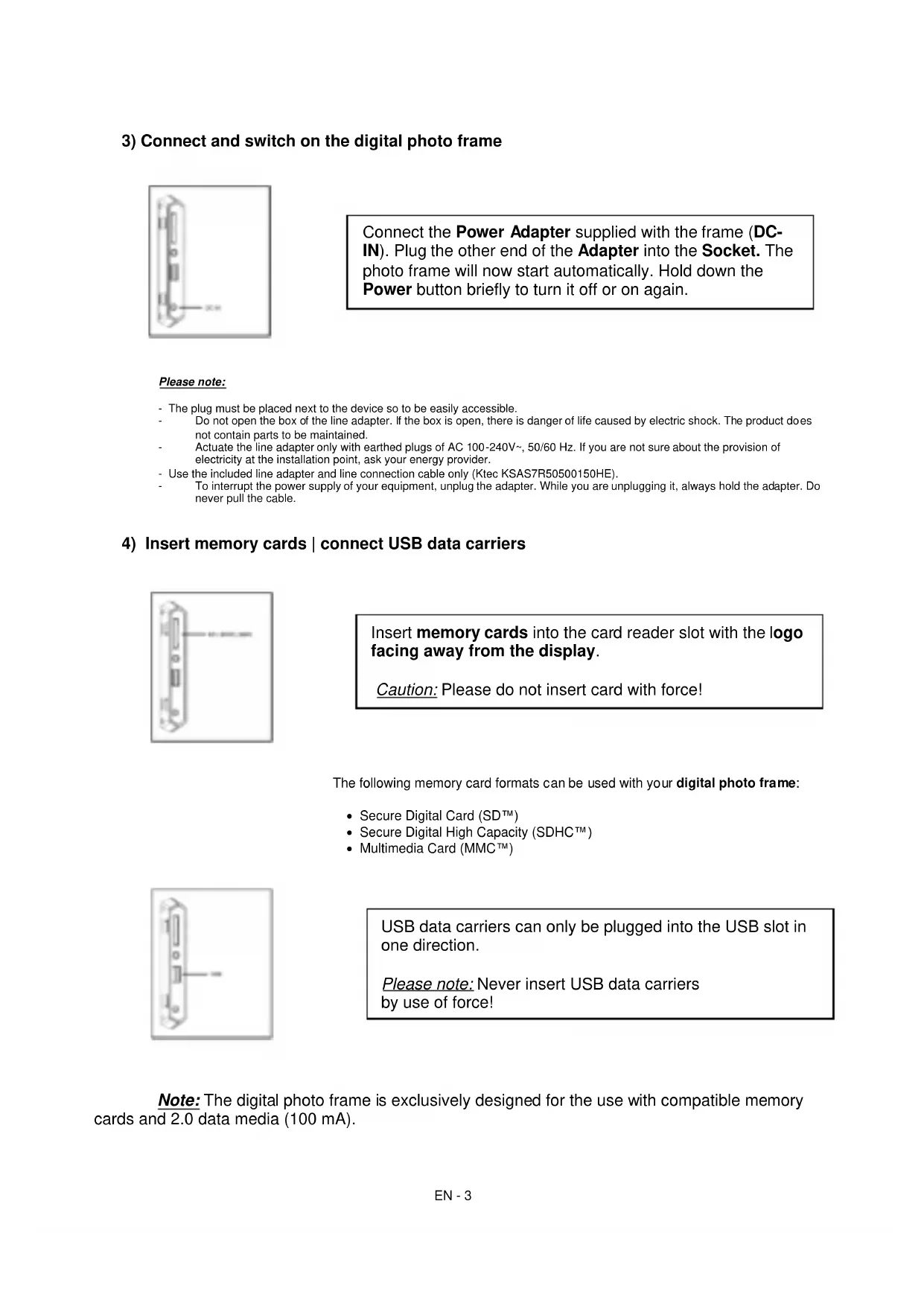
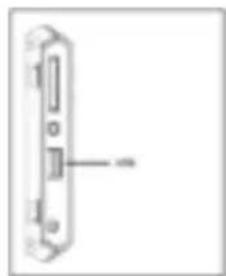
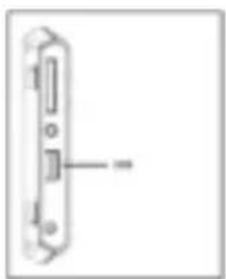
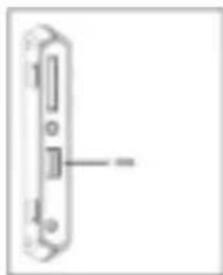
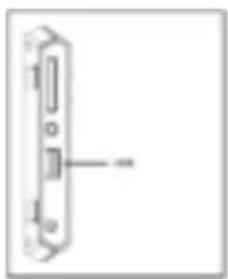
USB data carriers can only be plugged into the USB slot in one direction.
Please note: Never insert USB data carriers by use of force!
Note: The digital photo frame is exclusively designed for the use with compatible memory cards and 2.0 data media (100 mA).
5) General handling
Note: This device has an Eco Function. If it is activated (please open the settings for activation or deactivation), it automatically shuts down 4 hours after the last input. This function is already activated in the condition on delivery due to legal requirements.
a) Main menu
After starting up, the main menu appears.
In the main menu you can choose between multiple functions of the digital photo frame and the menu item settings. Press the cursor keys on the remote or the cursor keys on the unit to select a menu item. Confirm your selection with the Play / Pause / OK key on the remote or the OK key on the unit.
b) Selection of storage media
The RETURN key on the remote or the Menu key on the unit leads from the main menu to the selection of connected storage media. In this menu you can, if provided, choose between memory card and USB storage device. Confirm your selection with the OK key on the remote or the OK key on the unit. You then get back to the main menu automatically.
c) Displaying photos
If you already have inserted a storage medium with saved photos, the unit will automatically start a slide show of your photos. If no storage medium is inserted, the unit will start a slide show of pre-installed sample images (these cannot be changed). Press the menu key to get back to the main menu.
You can also start the slide show manually. To do that, navigate to the photo function in the main menu. Confirm your selection with the OK key on the remote or the Play / Pause key on the unit. The slide show will be started now. Alternatively you can press the Slideshow key on the remote to start a slide show from any other function directly.
Press the RETURN key on the remote or the RETURN key on the unit to leave the slide show and to call up the image preview menu. You can now navigate to a photo, confirm your selection with the OK key on the remote or the OK key on the unit and continue the slide show from this point directly. You can reach the respective super ordinate file folder by pressing the RETURN key in the image preview menu again. This is how you navigate easily between the various folders of your storage medium.
Functions during the slide show:
- You can switch a photo forward or back by pressing the cursor keys on the remote or the cursor keys on the unit right or left.
- You can stop a slide show by pressing the OK key on the remote or the Play / Pause key on the unit. The slide show is continued if you press the key again.
d) Calendar
Navigate to the calendar function in the main menu and confirm your selection with the OK key on the remote or the OK key on the unit.
In the calendar mode you can see the current time, the current calendar sheet and (with inserted storage medium with supported photo files) a slide show.
You can change the month and the year for the displayed calendar sheet by pressing the cursor keys on the remote or the cursor keys on the unit.
e) Playing music files
Navigate to the music function in the main menu and confirm your selection with the OK key on the remote or the OK key on the unit.
All supported music files (MP3 and WMA) will now be displayed. Navigate to a music file now and confirm your selection with the OK key on the remote or the OK key on the unit to play the selected file.
Functions during playback of a song:
- You can stop and continue the music by pressing the Play/Pause key on the remote or the OK key on the unit.
- You can set the volume with Vol-/Vol+ keys on the remote.
- Press the cursor keys on the remote right or left or keep pressing the cursor keys on the unit to fast-forward or rewind.
- Press the double arrow keys [ , ] on the remote or the cursor keys on the unit to jump to the next or previous track.
f) Playing video files
Navigate to the video function in the main menu and confirm your selection with the OK key on the remote or the OK key on the unit.
All supported video files (MPEG-1/4, M-JPEG and AVI) will now be displayed. Navigate to a video file now and confirm your selection with the OK key on the remote or the OK key on the unit to play the selected video file.
Functions during playback of a video
You can stop and continue the video playback by pressing the Play/Pause key on the remote or the OK key on the unit.
- You can set the volume with Vol-/Vol+ keys on the remote.
- Press the cursor keys on the remote or keep pressing the cursor keys on the unit right or left to fast-forward or rewind.
- Press the double arrow keys [ 山 山 山 ] on the remote or the cursor keys on the unit to jump to the next or previous file.
g) File system
Navigate to the file function in the main menu and confirm your selection with the OK key on the remote or the OK key on the unit.
Now all folders and files of the selected storage medium will be displayed. Navigate to a subfolder using the cursor keys on the remote or the unit and confirm your selection with the OK key on the remote or the OK key on the unit. Now all files and folders within the selected folder will be displayed. You can go back to the superordinate folder by pressing the RETURN key on the remote or the RETURN key on the unit.
In order to open a file directly from the file system, navigate to the desired file and confirm your selection with the OK key on the remote or the Play / Pause key on the unit. The file will now be played.
In order to delete a file or an entire folder from the selected storage medium, navigate to the desired file and then press the right cursor key on the remote. You can now see a dialogue field, in which you have to confirm the deletion to prevent accidental deletion. Press the OK key and the selected file or the selected folder will be deleted. Press the Menu / RETURN key to get back to the file overview.
h) Changing the settings
Navigate to the settings function in the main menu and confirm your selection with the OK key on the remote or the OK key on the unit.
You now have the following setting options: Photo settings, calendar settings, and system settings. Navigate to the desired menu item and confirm your selection with the OK key on the remote or the OK key on the unit. Now all setting options will be displayed. You can navigate through the individual setting options with the Up / Down cursor keys on the remote or the cursor keys on the unit. You can customise the settings using the Left/Right cursor keys on the remote. To customise the settings without the remote please press the OK key on the unit. Now you can change the settings by pressing the cursor keys. Please confirm your selection with the RETURN key on the unit.
| Setting options | Description | |
| Photo Setup | Display Mode | Choose between slide show and thumbnail. |
| Music | Activation and deactivation of background music during a slide show (if supported music files are provided on the storage media). | |
| Photo Mode | Choose between original and full screen. | |
| Interval | Setting of display duration of individual slides during the slide show. | |
| Slideshow Show Repeat | Choose between a one-time display of an image or endless loop. | |
| Slideshow Effect | Select a specific transition effect or a random selection of transition effects. | |
| Slideshow Mode | Choose between displaying a single photo, or two, three, or four photos simultaneously. |
| Play Mode | Choose between displaying the images in the order of storage on the medium or a random order. | ||
| Calendar settings | Date | Setting the current date. | |
| Set time format | Setting the time format: 12 (AM / PM) hours or 24 hours. | ||
| Time | Setting the current time. | ||
| Alarm Status | Activate / deactivate the alarm. | ||
| Alarm Time | Setting the desired alarm time. | ||
| Alarm Ring volume | Set the desired volume (low, medium and high). | ||
| Alarm Frequency | Set the desired alarm repetition (every day, Monday to Friday, weekends, once). | ||
| Video Setup | Display Mode | Choose between original and full screen. | |
| Play Mode | Select the playback mode (once, repeat all, repeat track). | ||
| Music Setup | Play Mode | Once | All tracks will be played once. |
| Repeat track | Selected track will be repeated in endless loop. | ||
| Repeat all | All tracks will be repeated in endless loop. | ||
| Random | Selected track will be played in random order. | ||
| Show Spectrum | Select whether the spectrum should be faded in or out during music playback. | ||
| System settings | Language | Select the desired language. | |
| Brightness | Select the desired display brightness. | ||
| Contrast | Select the desired display contrast. | ||
| Saturation | Select the desired display chroma. | ||
| Hue | Change the display colouring. | ||
| Auto on | Activate/Deactivate automatic activation. | ||
| Turn on time | Select the automatic activation time. | ||
| Auto off | Activate/Deactivate automatic deactivation. | ||
| Turn off time | Select the automatic deactivation time. | ||
| Frequency | Set the frequency of automatic activation (every day, Monday to Friday, weekends, once). | ||
| Eco | If you activate this function, the device will automatically shut down 4 hours after the last input. If you wish to use this device for an extended period of time, please deactivate this function. | ||
| Default settings | Restore to factory settings. | ||
| Version | The current version number will be displayed | ||
| Update | Should a Firmware update be available on www.intenso.de, then you can install it in this menu item. | ||
| Autostart Mode | Select the function that will start upon unit activation (photo, music, video, and calendar). | ||
6) Product Specifications
| Display | Digital TFT LCD Display size: 8 inch (20,32 cm diagonal viewable image) Display modus: 4:3 Resolution: 800 x 600 Pixel |
| Power supply | Input: 100~240V AC, 50/60Hz Output: 5V 1.5A DC |
| USB port | USB Host 2.0 (High Speed) Supports USB storage mediums |
| Memory cards supported | • Secure Digital Card (SD™) • Secure Digital High Capacity (SDHCTM) • Multimedia Card (MMC™) |
| Picture size supported | JPEG, max. resolution: 9000*9000 pixels |
| Operating temperature | 0°C ~ +40°C |
| Dimensions | ~184*158*56 mm |
| Weight | ~310 gr. |
| Accessory | Remote control (incl. battery), Power supply (Ktec KSAS7R50500150HE), multi-lingual operating instruction. |
You need help?
Simply call our Technical Service Hotline at:
+49 (0) 900 1 50 40 30 for 0.39 €/Min. with calls from the German telephone network. Different rates may apply to calls from mobile phones.
Enjoy Intenso's digital photo frame!
Service and Maintenance
Care
- In order to prevent danger from electric current do neither remove screws nor the case of the weather station.
- Do not operate this device near water. Do not expose the device to rain and moisture. Do not put any objects which store water or other fluids near the device.
- Do not install the picture near heaters, ovens or other heat issuing devices.
- Do not open the case. Do not try to repair the device yourself but have it repaired by qualified personnel only.
- Avoid using the device on sandy areas.
- Fully insert the power supply plug into the opening of the Intenso weather station. This will prevent electrostatic charge.
- Correctly and safely connect all ports.
- Do not push onto the display. Protect the display from direct sunlight.
- The picture frame only plays compatible data formats.
- Images may be protected by the rights of third persons. The play back without licence may infringe copyrights.
- When in operation, do not touch the Intenso weather station with metal objects.
- Avoid operating the device on pillows, sofas or other objects which support the development of heat as there is danger of overheating of the device.
- Do not remove memory cards during read operation. This may cause system crash or data loss.
- Do not switch off the device during an ongoing slide show.
- Do not wrap up the device directly after longer use. Ensure sufficient enough cooling. Otherwise, there is danger of overheating.
- In order to ensure a better service, changes of the operating instructions may be necessary.
Maintenance of the device
The device must be switched off.
Never spray or apply a fluid directly onto the display or case.
Cleaning the displays / case / frame
Carefully wipe the case, frame and LCD display with a soft cloth free from lint and chemicals. Only use cleaning agents which are specifically designed for LCD displays.
Disposal of electrical waste

Devices marked with this symbol are subject to the EG Directive 2002/96/EG.
All electrical appliances and old appliances must be disposed off separately from the household waste and are to be returned to the state authorities designed for that purpose.
By correctly disposing of electrical old appliances environmental damage may be prevented.
(Intenso)*
49377 Vechta
Germany
www. interesdo.de

(Intenso) Warranty conditions

Dear Intenso customer,
Thank you for opting for a high-quality Intenso product. All Intenso products are subject to constant quality inspections and the legal warranty period applies, of course, from the date of purchase. Please be sure therefore to save the sales receipt as proof of purchase.
Warranty conditions
The warranty only covers material and production defects. Intenso GmbH is not liable for the loss of data in units sent to us. The free of charge warranty service covers the repair or replacement of defective parts. Please understand that we cannot render any warranty services, e.g. in case of:
Misuse or improper handling, installation or use
- Damages, scratches or wear
- Modifications, manipulation or repairs by third parties
- Damages through force majeure or transport
Your Intenso GmbH
CLAIM PROCEDURE
In case of a claim, please proceed as follows:
- Only returns accompanied with all accessories and sales receipt are accepted.
- In addition, a RMA number is absolutely required for return shipments. You can request this RMA number via e-mail or through the service hotline.
- Please package the product including all accessories and the sales receipt safe for transport. Please stamp the package.
- Please affix the RMA number clearly visible on the outside of the package.
Please send to the following service address:
INTENSO GMBH
Service Hotline: +49 (0) 900 - 150 40 30
Service Center (your RMA-No.)
(0.39 €/min. from the landline in Germany. Usual costs apply.)
Email support@intenso.de
D-49377 Vechta
- Secure Digital Card (SD™)
- Secure Digital High Capacity (SDHC™)
Multimedia Card (MMC™)
- Secure Digital Card (SD™)
- Secure Digital High Capacity (SDHC™)
Multimedia Card (MMC™)
Service Center (Votre referrerce RMA)
Service Hotline: +49 (0) 900-1504030
- Secure Digital Card (SD™)
- Secure Digital High Capacity (SDHC™)
Multimedia Card (MMC™)
- Secure Digital Card (SD™)
- Secure Digital High Capacity (SDHC™)
Multimedia Card (MMC™)
Service Center (Seu N° ADM)
- Secure Digital Card (SD™)
- Secure Digital High Capacity (SDHC™)
Multimedia Card (MMCTM)
Service Center (Twjnr RMA)
BHumaHue: He BCTabnIte KapTy c cnNo!
LcnpoBa foToopamKa noDnepKnaeT cneDyUOuNe fOpMaBk KapTb naRTN:
- Secure Digital Card (SD™)
- Secure Digital High Capacity (SDHC™)
Multimedia Card (MMC™)
HocnteIb namrTn USB moKet BCTaBnTbcB rHe3do USB TONbKO ODNOM HapabNeHN.
BHumaHue: He npimehyTe cnny npn BCTabHeHH HocnteJnaMrtu USB!
Bhumaue: Lnpoobar oToopamka npedymotpeHa TOnbKO dny NCNo3OBAHn C COBmecTmbIMn KapTamn Namrtn HocnteJMyn Namrtn USB 2 (100mA).
5) O6uHn npaDOK DeicTBn
Примechанe: Дадноусгостви IMeET Функцю 3К. Пpr eеakTNBaCn (ДЯяakTNBaCn JI6O OTKIQUeHЯ Функци 3Ко пepeДNTe B MeHIO HAcTpoiKu) ycTpoiCTBO aBTOMaTNUeCKN BbIKIouaTeCЯчe34 уacnocne nocneJHero BBOda daHHbIX.CorIacHO napameTpam npOn3BODInTeJIФункци 3Ко уkeakTNBnPoBaHa B ycTpoiCTBe B COOTBEcTbIN C npaBnJaMn, yctahOBJIeHHbIMN 3aKOHOM.
a) TnaBHOe MeHIO
PocJIe BkJIoueHn IONBJIaTeCra rnaBHOe MeHIO.
B rnaHOM MeH y Bac eCTb Ha BbIbop pa3JnUHbIe cyHKuIN cUΦpOBo ΦOTopAMKn I NyHKT MeHIO "HaCtpoKn".ДЯ TOTO YTO6bI BbIbpaTb ONpeJeHHbI NyHKT MeHIO, HaxIMaTe Ha KONKn CO CTpeJIkAmn, HaxOJaUneCsHa NylbTe DnCTaHcUHOHOrO ynpaBHeNn, IIN Ha ycTpoiCTBe.ПоТВердte CBOB BbIbop KONKoi "Play / Pause / OK", HaxOJaUeCSHa NpIbTe DnCTaHcUHOHOrO ynpaBHeNn IIN Ha ycTpoiCTBe.
b) Bb6op HocnteI INHΦopMaun
KhoNka "RETURN", HaxoJaaerHa npIbTe dInCTaHIOHOrO ynpaBneHn, nN KhoNka "Menu", HaxoJaaerHa yctpoiCTBe, BbIBODNT Bac n3 rnaBHoro MeHIO K BbIbOpy npncOeINHeHHbIX HocnteJe HfOpMaun. B daHHOM MeHIO Bbl moXeTe BblpaTb KapTy NaMrtu nn HocnteJIb HfOpMaun C pa3bemom USB. POnTBepDnte CBOB Bbl6op KhoNkoj "OK", HaxoJaeicra Ha npIbTe dInCTaHIOHOrO ynpaBneHn, nN KhoNkoj "OK", HaxoJaeicra Ha yctpoiCTBe. NocJIe 3tOro Bbl aBTOMaTHueckn ChOba nonadaete B rnaBHOe MeHIO.
c) ΠokaΦoTOrpaΦn
Ecni Bby yke BCTaBnHn HOCHTeNb NamrC 3aHncaHHbIMn FOOTORpaqHnMn, TO yCTPOIcTBO aBTOMaTHueCKn HaunHaet nx noka3. Ecni HocHTeNb NamrN He BCTaBHe, To yCTPOIcTBO HaunHaet noka3 3apaHee NHCtAIInpoBaHHbIX O6pa3OuB N3O6paXeHn (OHn HE MOYr 6bITb N3MeHeHb). IINr TORo YTO6bl IONactb B rnaBHOe MeHIO, HAKMITE Ha KhoNky "Menu".
Bb mokeTe 3anyCTntb cnaI-woy TaKKe BpyHyIO. IJIa 3TOr BOiDnTe B rNaBHOM MeHO B cyHKUIO FOTo. NODTBePdNTe CBOI BB6Op KHNKOJ "OK", HaxOJaUeICs Ha Nylte DnCTaHcNoHHOro ynpabJeHn, IIN KHNKOJ "Play / Pause", HaxOJaUeICs Ha yCTpoiCtBE. PpN 3Tom 3anycKaETc CnaI-woy. IJIra TORO UTo6bl 3anyCTntb cnaI-woy HenocpeDCTBeHHO n3 IIOboI dpyroI cyHKUIn, Bbl mokeTe aIbTepeHaTNBHO TaKKe HaxaTb Ha KHNky "Slideshow", HaxOJaUyOcR Ha npIbTe DnCTaHcNoHHOro ynpabJeHn.
Дя.TOrOчTo6bI BbIITn n3 peKIMa cnaI-d-woy n BbI3BaTb MeHIO npedBapnteBHoro npocmoTa n3o6paXeHn, HaxMITE Ha KhoNky "RETURN", HaxOJaUyOcra Ha Nylte DnCTaHcNoHHoro ynpabJIeHn, IIN KHOKNy "Menu", HaxOJaUyOcra Ha yCTpoiCtBe. TeNepb Bbl MOxTe nepeHTn K kakO-JnIbO φOTorpaΦn, NOdTBepdntb CBOI BbI6op KhoNkoi "OK", HaxOJaUeICrHa NylTe DnCTaHcNoHHoro ynpabJIeHn, IIN KHOKNoI"Play /Pause", HaxOJaUeICrHa YcTPOJCTBe, IN pOdoJnxHTb cnaI-D-woy HenOpceDCTBeHNO C 3TOrO MecTa. NOBTOPbIM hAxKaTneM Ha KhoNky "RETURN" npHaxOJXeHn B MeHIO npedBapnteBHoro npocMoTa n3o6paXeHn Bbl nonaIaeT b nanKy φaIIIOB 6OJee BBICOKoro nopArdka. TAKIM o6pa3OM, Bbl MoXeTe ocuIeCTBJIaTb HabNraCuIIO no pa3JIuHbIM nankam BaWero HocHTeRn HHΦopMauzn.
HaKaTHeMa KhoNk Co CTepeKoB BnpaBO Nn BNeBO, HaxOJaUeCg Ha NylbTe DnCTaHcNoHHoro UnpaBJIeHn, Nn Ha KhoNk Co CTepeKo, HaxOJaUeCg Ha yctpoIcTBe, Bbl MoKeTe nepeTn K cNeDyUoSe n nn npdeBldUeF φotorpaΦn.
HaKaTnEM Ha KhoNky OK",HaxoJyUocHa NyIbTe DnCTaHNoHHoro ynpabHeHna KaONky "OK",HaxoJyUocHa ycTpoIcTBe,Bbl ocTaHaBnBaete cnaId-woy. PpnoBTOPHOM Haxatm CnaId-woy npoDOnKaeTcra.
d) KaJIeHДapb
Ipeennte B rnaBHOM MeHIO K cyHKun KaJeHapb I NOITBepNTe CBOB Bbl6op KhoNkoj "OK", HaxoJauecna Ha NylbTe DnCTaHcNOHoro ynpabNeHn, INN KhoNkoJ "OK", HaxoJauecna Ha yctpoiCTbe.
B pexnme kaneHapra Bam noka3bBAOTc Tekyuee BpeM, Tekyuaa KaeneHapna CTpaHnca, a TaKke (npn Hauuyn BCTabneHHoro HocnteN yHΦopMaun c paIamn fotorpaan B noDepxnuBaem oopMate) ocUyecTBnEeTc NOkA3 cnaIDOB.
KhoNkamn co cTpeNkamn, HaxOJaIzMmCra Ha nyIbTe IInCTaHcUHOHHoro ynpabNeHnHa YcTpoiCTBe, Bbl MoKeTe n3MeHntb Meecu n roD ha OTo6paKaemOn KaJeHndapHoN CTpaHnCe.
e) Bocnpoun3BeDeHne My3bIkaJIbHbIx paIIOB
Ipeennte B rnaBHom MeHo K cyHKun My3bika n NOdTBePdTe CBOB BbI6op KhoKoJ "OK", HaxoJaueiCra Ha npIbTe DnCTaHcIOHOrO ynpabJIeHn, JIN KhoKoJ "OK", HaxoJaueiCra Ha yCTpoiCTBe.
Tenepb Bam 6ydyT noka3aHbI BCE NOdepxNBAeMbIe My3bikAbHbIe paIbI (MP3 u WMA).
Tnra TOrO yTo6bl BocnpOn3BecTN BbIbpaHHbIe paI, nepeiDnte K KaKOMy-ln6o
My3bikAbHomy paIny I NOdTBePdTe CBOI Bb6Op KHOKNo "OK", HaxoJauecra Ha npJIbTe
DnCTAHIOHOrO ynpabHeHna, IIIN KHOKNo "OK", HaxoJauecra Ha yCTpoIcTBe.
Функи, BBIOJHЯJOUneCBA BpEmaBOCPpon3BedeHnIpeCHN:
HaxaTneM Ha KONky npOnrpBbAHHra / na3bl, HaxOJaUyIOcHa Nylte DnCTaHNoHHoro ynpabIeHna, nHa Ha KONky "OK", HaxOJaUyIOcHa yCTpoIcTB, Bbl MoKeTe OCTaHOBTb BOCpOuN3BeDeHne My3bIKn InpoDOnXHTb erO CHOBA.
- TpomKocTb 3Byka Bbl MoKeTe HAcTpOuTB KHOIpKaMn "Vol-" n "Vol+", HaxoJaUIMmCra Ha nyIbTe DnCTaHcUOHOrO ynpaBHeHH.
- npoKpyTk Bnepei Ha3aHaXmMaIe Ha KhONKn Co CTePJIkAmn BnpBO N BHeBO, HaxOJaUeecr Ha NyIbTe IncTaHcIOHHOrO ynpabJIeHn, INy UdepJINBaIte HaxKaTbIMN KHONKn CO CTePJIkAMn, HaxOJaUeecr Ha YCTpOJCTBe.
-Дя Вьбopa сеюшей Ии npedbyшey 3aHn HaxIMaTe Ha KhoNk C DBOHbIMN CTpeKamn [«,»], HaxOJaIeCra Ha NylbTe DnCTaHcIOHOrO ynpabJIeHn IJN KOPOTKO HaxImaTe Ha KHONK CO CTpeKamn, HaxOJaIeCra Ha yCTPOIcTBe.
f) Bocnpo3BeDHeBnDeoopaJIOB
Ipeennte B rnaBHOM MeHIO K cyHKunn Bndeo N NOtBepDnte CBOB BbI6op KHONKo "OK", HaxoJaueiCra Ha npIbTe DnCTaHcNHOHOrO ynpabJIeHnA, IIN KhoNko "OK", HaxoJaueiCra Ha yCTPOICTBE.
Tenepb Bam 6byt noka3aHbI Bce noepxHaembIe BndeoopaJIbI (MPEG-1/4, M-JPEG n AVI). Ira toro yto6bl Bocnpon3BecTN Bbl6paHHbI BndeoopaII, nepeiDITE K KaKOMy-Jn60
paIny n noTBePnte CBOB BB6op KHOJKOl "OK", HaxOJaSeIcR Ha NylbTe DnCTaHcNOHORO
ynpabHeHna, IIN KHOJKOI "OK", HaxOJaSeIcR Ha YCTpoIcTBe.
HaxaTneM Ha KONky npOnrpBbAHHra / na3by, HaxOJaUyocHa NyIbTe DnCTaHcNHOYnpabJIeHna, nn Ha KONky "OK", HaxOJaUyocHa yCTpoiCTbe, Bbl MoKeTe OCTaHOBTb BOCpOn3BeDeHne BnDeo-paJNa n npOdoJXHTb erO CHOBA.
- TpomKocTb 3Byka Bbl MoKeTe HAcTpOnTb KHOpKamn "Vol-" n "Vol+", HaxoJaUIMmCra Ha nyIbTe DnCTaHUnOHHO ynpabJeHn.
-Для npokpyTk n Bnepei Ha3aHaKImaIe Ha KONK Co CTePJIKAmN BnpBO n BNEBO, HaxOJaUeecr Ha NylbTe InCTaHcIOHHOro ynpaBJeHn, IIn ydepXuBaIte HaxaTbIMn KHONk CO CTePJIkAMn, HaxOJaUeecr Ha YCTPOINCTBe.
-Дя Вьбopa сеушей Ииnpdbyuшey 3aHnCn HaxmMaTe Ha KONKc C DBOHbIMN CTpeJkamn [14,1], HaxOJaUncsHa NylbTe DnCTaHNoHHOr O ynpaBHeHnЯ IIN KOpOTko HaxImaTe Ha KONKn CO CTpeJkAmn, HaxOJaUncsHa YcTpoIcTBe.
g)Фаиловая систema
Ipeennte B rnaBHOM MeHIO K cyHKUN "paJIbI" n NOtBepnTe CBOB BB6Op KHOKNOJ "OK", HaxoJaueicra Ha Nylte DnCTaHcNOHOrO ynpabJeHnHa YCTpOnCTBe.
Tenepb Bam noka3bIBAIOCTBce nankn n faJIbI BbIbpaHoro HocHTeJI NHOpMaun. C NOMOuK KOHONK CO CTpeKNAM, HaxoJauXcra Ha nyIbTe DnCTaHcNHOHor O npabJeHHa NnHa yCTPOICTBE, IpeEiNTe K JeaemOn NOpanKe i NOdTBePdnte CBOB Bb6Op KHONKO "OK", HaxoJauecra Ha NyIbTe DnCTaHcNHOHor O npabJeHHa NnHa yCTPOICTBE. Teepb Bam noka3bIBAIOCTBce nankn n faJIbI, HaxoJauXecra BHyTpN BbIbpaHHO nnKn. HaxaTneM Ha KhoNKy RETURN" (BO3Bpat), HaxoJauYIOcra Ha nyIbTe DnCTaHcNHOHor O npabJeHHa NnKhoNKy BO3Bpata, HaxoJauYIOcra Ha yCTPOICTBE, Bbl ChOba BepHeTecb Ha3ad Ha 6nHexnn 60Jee BBICOKn faiNoBBi yPoBeHb.
ДяТOrO yTo6bI OTKpbITb KaKo-Лn60 FaaJH HenocpeDCTBeHHO n3 FaJIOBOu CnCTeMbI, IpeeJNTe K JKeJaEMOMy Faay N NOdTBepdnte CBOB BblOp KHONKO "OK", HaxOJaUeCra Ha nyJIbTe DnCTaHcUNOHHOу npabJIeHnR, nII KHNKO "Play / Pause", HaxOJaUeCra Ha yCTpoNCTBe. Tenepb Faan Bydet BOCpOn3BODHTbcr.
ДяТоучTOбы ydaJIntb kakOJIb60ФaIл nIIN BcIO nanky n3 BbIbpaHoro HocTeJIa HHΦopMaunn, nepeiDInTe K 3TOMyФaIny, a 3aTeM haxMITE Ha KhONky co cTppeKoI BnpaBO, haxOJaUyIOc Ha nIbTe dNCTaHcNoHHO ynpabNeHn. NocIe 3TOrO Bam 6ydet NOKa3aHO dHaNoROboe none, B KOtOpOM Bbl DoJXHbI NOdTBepdntb npoucecc ydaJeHn, YTO6bl npedOTbPaTNTb HepeDnHaMepeHnoe ydaJeHne. Tenepb npu haxaTmHa KhONky "OK" BbIbpaHHb IФaII NII M BbIbpaHHa nAnKa ydaJeTc. ДЯТоучTO6bl ChOBa BepHyTbcr B 0630pФaIINOB, haxMITE Ha KhoNkY "Menu / RETURN".
YXOD INIPOΦNIAKTNUECKN OCMOTP
yxo
- Yto6bI u36exKaTb uMnyJbcoB Toka, Ha ydaJnTe Ha BuHTb HN Kopnyc.
He nCnoJIb3yIte daHbI np6Op B6JIn3n BObl. He noDaBaTe np6Op BnnaHIO doJxraBnKHOCTn. He cTabe T B6JIn3n np6Opa npedMeTbI, KOToPbIE HAKaJIINBAIoT BoDy IIN dpYrNe BnDbI XnIDKOcTei.
He yctaHabnBaIte daHHyO foTOpamky B6Jn3n oToJIeHn, neey nJIn dpyrnx np6opOB, n3nyauoix tenNo.
He otKpbBaIe Kopnyc. He nbTaIeTcB peMOHTnpoBaT np6Op cam. PpeOCTaBte 3TO npocceccnoHaJAM. - 136e9aTe nCnONb3OBAHnHa MeCtax C neckOM.
BcTaBbTe BnIky dIy noKIOUeyHn 6Noka nITAHn B OTBepCTne LΦ nonHOctbIO. TOnbKO taK MoXHO 36exKaTb 3JIeKTOpOCTaTNHeCKORO 3apra. - BbInOpHnIe Tbe CcnoDcoEaHHeHn npaBnIbHo nHaJeKHO.
He hanaBnBaIte Ha dncnne. 3aunuaTe nCnneoTcNbHbIX cOnHehbx nyuei. - ΦΟΤΟραΜΚΑ BOCΠΝΟΥΙΝΤ ΜΟΥΙΚΟ COΒΜΕCTΗΜΙβε φορΜαΤΑλ.
- ΦOTorpaФиMOrIy 6bIb 3aUHHeHb npabAMn TpeTbx JnC. BocnpOn3BeDeHne foTOrpaФи 6e3 nueH3nn MoKet 6bITb HapUHeHem ABTopcKnx npab.
He npikacaiTecb K LΦ BO Bpemra60tI MeaJIINuecknIMnpedMeTaMn. - 136eraaTe nCnoB3OBAHnHa noDyUkax, DnBaHax nnDpyRnx npedMeTax 6bIta, KoTOpBie NoDepKXBauT pa3BUTne TENJa, Tak KAK cyuEcTByeT onaChocTh nepepeBaHn npubopa.
He n3BlekaTe KapTbI pAmrTu BO Bpemr YTeHnA Kapr. 3To MoXeT npUBeCTu B C6oM B CnCTeMe n noTepe daHHbIX. - He BbIKJUoyaIte npu6Op BO Bpemr BocPOn3BeDeHnI.
He ynapobbainpnp6op henocepctbeHHo nocJe dInteIbHoro nCnoJIb3OBaHn. OecneyTe DOCTaTOHoe oxnaKeHne.B INOM cnyae cyueCTbyet onaCHOCT nepepeBaHn.
-Дяобсneyehнлушero cepBica Bo3MOxHbI n3MeHHeNn HnCTpyKuIN no O6cnyXnBaHHIO.
PpOΦnIaKTHueckn OcMToT npIbopa
PINBOPDJIKENbITbBbIKIOUeH.
HINKOrDAHE BpI3rAIn HE HAHOCITE KINKOCTB PRAMO HA DnCJIEN IIN KOPNUC.
Ynctka nncnner / Kopnyca / pamkn
PpOtpnTe Kopnyc, pAMky n Dncnnnei LCD ocToPOxHO mRkoH, HEBOPCnCToH n CBO6oHOn OT XUMKAtOB TKAHbU. NcNoB3yIte OuchnteJIbHbIe cpeCTBa, CneuaJIbHo npedHa3HaueHHBe dna DCnner LCD.
YtunnaCnA CtapbIX 3JekTpnp6opOB
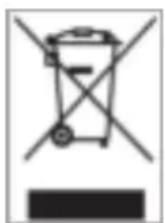
O6o3HaueHHbI DaHHbIM CmBOLOM np6Opbl DOJXHbI COOTBeTCTBOBaTb EBponeNCKOINpeKTNBE 2002/96/EC.
Bce 3neKtpnpn6obpy n CTapbIe 3neKtpnpn6obpy dOnJHbI yTINIm3npoBaTcR OTeJIbHO OT DomaHero Mycopa Ypeep3 npedyCMOTpeHHbI e IIN 3TORO rOcydapCTBOM NYHKtI.
HaIeKaaayytnn3aun 3neKtponpnp6oB n cTapbix 3neKtponpnp6oB cnYknt npdeOTbpaueHnO HaHeceHn BpeDa Okpykaioue CpeDe.
(Intenso)*
49377 Vechta
Germany
www. intero.co.de

(Intenso) YCIOBRA TAPAHIN

YBaKaembI KIneHTbKOMnAHH Intensol
Bonbue cnafo, TTo BbI peunnn npnoepctn Bbcokkaeehhyo npodykno KOMNAHIN Intenso. B oTHoueHH BCen npoduknn KOMNAHIN Intenso npoobntc perynapnb KOHTpOB KaecCTBa. Pasymeetc, TTo C MOMENTa npnopeTeHN DeHCTByET yCTAHOBNEHb 3AKOHOM rapaHTN Hb CPOK. NoTomy, noKaanyIcTa, coxpaHae TKe KAK NOdTBePckdHne NOKyIKH.
YcnoBnra rapaHTm
Ipeoctabnene rapaHTn paonpoctpaHaretc TOnbKO Ha 6paK Maepmna H npOH3BODCTBEHHble depekTB. Komnna I Intenso GmbH He Hecet OTBeTCTBeHHOCTb 3a noTePio daHHbx HA npHCnAHbIX yCTpoHCTbax. BeCnnnatoe npoctabne Hne rapaHTn paonpoctpaHaretc Ha peMOHT HnH 3ameHy 6paKOBaHHbx Detanei. Noxanynta, OTHecITcB C NOHMahmE K TOMy, YTO Mbl HE MOXEM npedoctabt b rapaHTIO B TAKHX cnyarX, KaK, HanpHMeP:
3NOyMbIUNENHoe HnHnHepaBnBHOe OpaueHHe, yCTaHObKa HnH MCnonb30BaHHe
NOBpexdeHs, yapntheHm H3HO
H3MeHeHr, BMEUATenbCTBa HnH pMoHT, OCyueCTBneHHbIe TpeTbHM NuaAMt
- NOBpeXdHnB B pe3yIbTaTe fOpC-MaKOpHbIX 06CToRrTeJIbCTB HmTpaHCnpTHpOBkH
Bawa komnahan Intenso GmbH
DEHCTBnA Pn NPEBRAEHN PEKNAUIN
B cnyuae npedbnae Hn peknamaun deiictbyite TaHm 6pa30m
- Haaq npHHMaetc Tolbko npodykua CO BCEMM npHHaedekHOCTAMN KACCOBBM YekOM
2.ObaTeBbIM yCnoBHeM dI B03BpaueHn npOdyKuHn ABnAETcH oMeP RMA 3TOT Hmep RMA Bbl MoKeTe 3anpoCHtNo 3neKtpoHHn noHT He Hrnn ropaeH nHHn cepBCHoro 6cnyKBHAAH - Noxanyicta, ynakyite npodykuho, knooyar BCE npHADNEHOCTN KACCOBBH YEK, HaeHHO dIra TpaHcnpTupOBKn. Ha nocbny doHNO 6bITb HAKNEeHO DOCTATOHoe KOINHecTB O NOYTOBbx Mapok.
- HaheciTe, noXaIyHCTa, YETKO HOMeR RMA C BHeUHeH CTOpObH.
OTnpabte, noKanyHCTa, no TAKOMy apecy
INTENSO GMBH
Topnayan mnnn cepenchoo o6cnnybaHH.
+49(0) 900-1504030
Cepenchbuiyertp(BawNoRMA)
(0.39 ebpO/MMHN B HEMeKoN CTaHNOHApHOI CETH
UeHbHa C8R3b MO6n1bHbIX onepATopOB MoryT OTN48tbcR.)