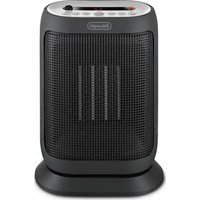
HFX60V20 - Heating DELONGHI - Free user manual and instructions
Find the device manual for free HFX60V20 DELONGHI in PDF.


User questions about HFX60V20 DELONGHI
0 question about this device. Answer the ones you know or ask your own.
Ask a new question about this device
Download the instructions for your Heating in PDF format for free! Find your manual HFX60V20 - DELONGHI and take your electronic device back in hand. On this page are published all the documents necessary for the use of your device. HFX60V20 by DELONGHI.
USER MANUAL HFX60V20 DELONGHI
Instructions for use. Keep these instructions
Visit www.delonghi.com for a list of service centers near you.
ELECTRIC CHARACTERISTICS
120V 60Hz1500W

page 4 page 10

MISES EN GARDE IMPORTANTES
When using any electrical appliance, some basic safety precautions should always be observed to reduce the risk of fire, electric shock, and/or injury to persons. Read all instructions carefully before using the appliance. Specifically:

Danger!
Failure to observe the warning may result in life threatening injury by electric shock.
- The appliance must not be placed immediately under a fixed power socket.
- Do not use the appliance outdoors.
- Do not operate any heater with a damaged cord or plug or after the heater malfunctions, has been dropped or damaged in any manner. Return heater to authorized service facility for examination, electrical or mechanical adjustment, or repair.
- This heater is not intended for use in bathrooms, laundry areas and similar indoor locations. Never locate heater where it may fall into a bath tub or other water container.
- If the power cable is damaged, stop using the product. Power cable must be replaced by the manufacturer, an authorised service centre or a qualified electrician in order to eliminate all risk.
- Do not use this heater in the immediate surroundings of a bath, a shower and sinks or a swimming pool.
- Do not insert or allow foreign objects to enter any ventilation or exhaust
opening as this may cause an electric shock, fire, or damage the heater.
- CAUTION: to prevent electric shock match wide blade of plug to wide slot, then fully insert.
- CAUTION: In order to avoid a hazard due to inadvertent resetting of thermal cutout, this appliance must not be supplied through an external switching device, such as a timer, or connected to a circuit that is regulatory switched on and off by the utility.
- This heater may include an visual alarm to warn that parts of the heater are getting excessively hot. If the alarm flashes, immediately turn the heater off and inspect for any objects on or adjacent to the heater that may cause high temperatures. DO NOT OPERATE THE HEATER WITH THE ALARM FLASHING.
- If you intend to fix your appliance to the wall, make sure that the switch or other control devices are not within reach of persons in the bath or shower.
! Important!
Failure to observe the warning could result in injury or damage to the appliance.
-
The appliance is not intended for use by persons (including children) with reduced physical, sensory or mental capabilities, or lack of experience and knowledge, unless they have been given supervision or instruction concerning use of the appliance by a person responsible for their safety. Children should be supervised to ensure that they do not play with the appliance.
-
CAUTION — Some parts of this product can become very hot and cause burns.
Extreme caution is necessary when any heater is used by or near children and whenever the heater is left operating and unattended. - Always disconnect the plug from the power outlet when the appliance is not in use.
- Do not wrap the cord around the appliance immediately after use.
- The internal parts of the appliance can become very hot or produce sparks during operation. Do not use the appliance in areas where gasoline, paints, or other flammable liquids are used or stored.
- Use this heater only as described in this manual. Any other use not recommended by the manufacturer may cause fire, electric shock, or injury to persons.
- To prevent overload and blown fuses, be sure that no other appliance is plugged into the same outlet (receptacle) or into another outlet (receptacle) wired into the same circuit.
- Make sure that the plug is fully inserted into the outlet. Wall outlets may deteriorate with time, so check the plug periodically for signs of overheating or deformation. If the outlet has deteriorated, stop using it and have it repaired.
- Do not use the appliance in small rooms when they are occupied by persons that are not capable of
leaving the room, unless constant supervision is provided.

Danger of burns!!
Failure to observe the warning could result in burns or scalds.
- WARNING: To avoid overheating, never under
any circumstances cover the appliance during operation as this would lead to a dangerous rise in temperature, and risk of fire.
- Do not use the appliance on soft surfaces, such as beds, where the openings may become blocked.
- This heater is hot when in use. To prevent burns, do not let bare skin touch hot surfaces. Use handle when moving this heater. To prevent burns, do not touch hot surfaces with bare skin. Use the handle when moving the appliance. Keep all flammable materials, such as furniture, pillows, bedding, paper, clothing, and curtains at least 90cm (3 feet) from the front and top of the appliance also avoid contact with the sides and back.
- Do not run cord under carpeting. Do not cover cord with throw rugs, runners, or the like. Arrange cord away from traffic area and where it will not be tripped over.
- It is normal for the heater's plug and cord to feel warm to the touch. A plug or cord which becomes hot tothe touch or becomes distorted in shape may be a result of a worn electrical outlet. Worn outlets or receptacles should be replaced prior to further use of the heater. Plugging heater into a

worn outlet /receptacle/ may result in overheating of the power cord or fire.
- WARNING: Do not cover the appliance while it is functioning in order to avoid overheating which may cause risk of fire.
Symbol meaning
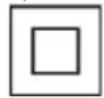
This symbol indicates: (If provided) Class II equipment

Please note:
This symbol indicates recommendations and important information for the user.
- If your appliance is equipped with a polythene tape used as carry handle, remove it before connecting appliance to the outlet.
- Always use the appliance in an upright position.
- To disconnect heater, turn controls to off, then remove plug from outlet.
- Connect to properly polarized outlets only.
- This heater is not intended for use with an extension cord or outlet strip. Plug the cord directly into an appropriate wall receptable.
- Check that neither the appliance nor the power cable have been damaged in any way during transportation.
- Makes sure that no pieces of polystyrene or other packaging material have been left on the appliance. It may be necessary to pass over the appliance with a vacuum cleaner.
- When switching on the appliance for the first time, allow it to run at full power for at least two hours to get rid of the unpleasant smell. Make sure that the room in which the appliance
is located is well ventilated during this operation. It is normal for the appliance to emit small cracking sounds when you turn it on.
- Do not use the appliance in rooms with a floor area of less than 4mq (43 square feet).
- Before putting the appliance away, make sure it is completely off and unplugged from the outlet. Wrap the cable around the base.
Do not store in dusty atmospheres.
- Do not rest anything on the appliance.
- Do not obstruct the air intake and outlet grilles (danger of overheating).
- Do not place the heater near a bed because objects such as pillows or blankets can fall off the bed and be ignited by the heater.
- This appliance is not intended for use at altitudes exceeding 2000m (6561 feet).
- A tip over safety device turns the appliance off if it falls over or is positioned inappropriately in such a way as to jeopardise safety. The appliance emits a beep and a dot flashes on the display. The appliance resumes operation a few seconds after being placed in an upright position again. See troubleshooting session.
SAVE THESE INSTRUCTIONS
THIS PRODUCT IS FOR HOUSEHOLD USE ONLY
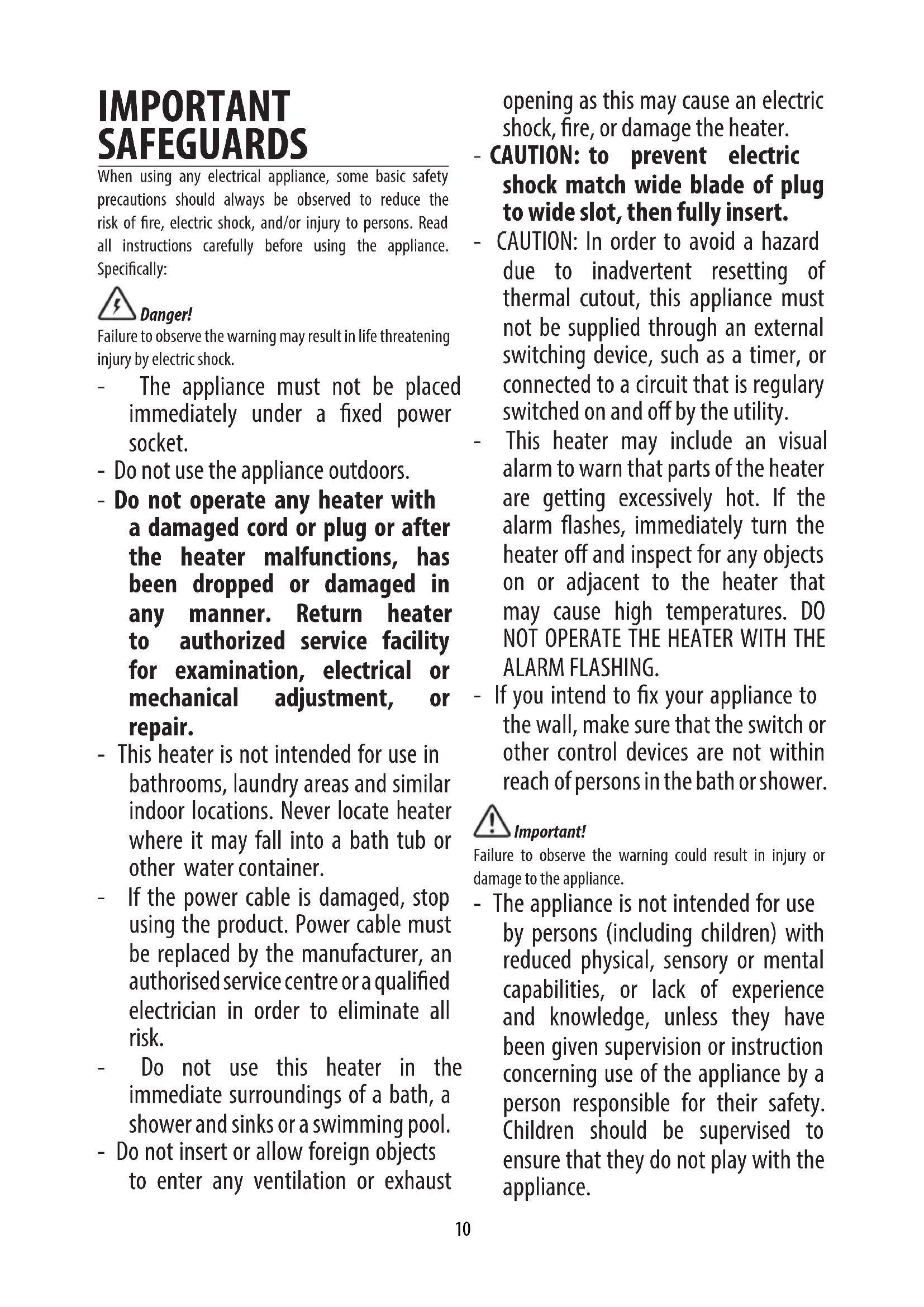
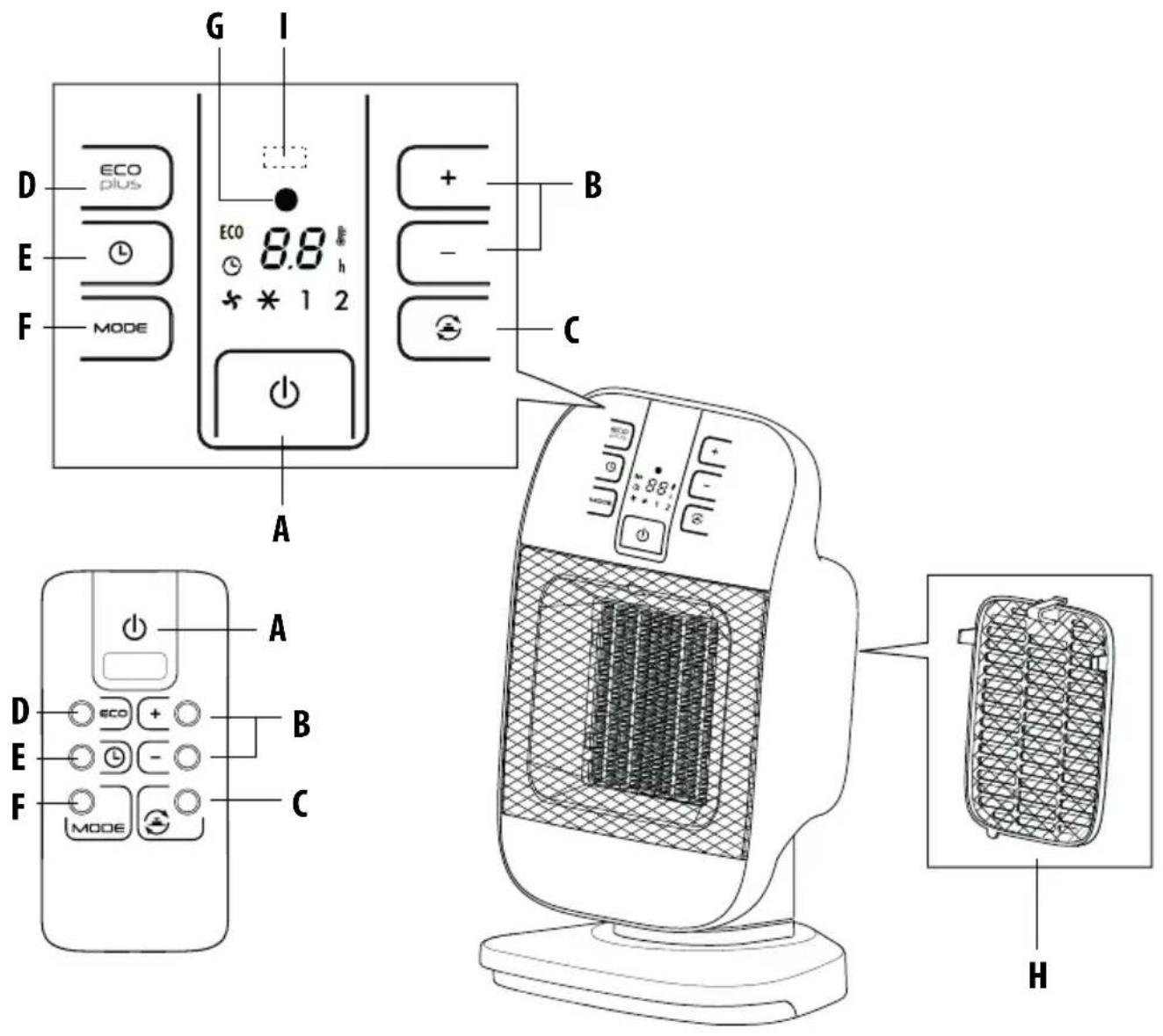
DESCRIPTION
A ON/STAND-BY button
B +/- Adjustment buttons
C Oscillation button
D "ECO PLUS" function button
E Timer button
F MODE button (for selecting the operating mode)
G Power indicator light
H Back cover with filter
Receiver for remote control
USE
Installation
The appliance can be used on any horizontal surface.
Do not overload the electrical circuit. Avoid using the same socket for other appliances.
Electrical connection
Before plugging the appliance into the outlet, check that the power supply corresponds to the value indicated on the rating plate and that the power supply is adequate for the load.
Operation and use
-
Connect the appliance to the power outlet.
-
The appliance emits a beep and the power indicator light (G) also comes on and remains lit while power to the appliance is on. The appliance goes into STAND-BY.
-
Press the ON/STAND-BY button (A) to turn on the appliance. It will begin to heat with the predefined settings.
-
Press the MODE button (F) to select one of the following functions available:
- Ventilation
In this operating mode only the fan operates, so the appliance does not heat the room.
- Anti-freeze
In this operating mode the appliance keeps the room at a temperature of 7^ (45^) to prevent freezing temperatures.
Heating 1 and Heating 2
In this operating mode you can set the desired temperature by pressing the + and - adjustment buttons (B).
Heating 1 (minimum power level):
The appliance operates at the minimum power, reducing noise and energy consumption to the minimum.
Heating 2 (maximum power level):
The appliance operates at the maximum power for rapid heating of the room.
ECO PLUS function
In this operating mode the appliance will automatically set the power level to guarantee the best comfort reducing the energy consumption. In this operating mode the unit may switch the heating power level from maximum to minimum and viceversa, several times in an hour. When using the ECO PLUS function, the maximum temperature setting is 26^ (79^) . To activate this function, press the ECO PLUS button (D).
Swivel button
If you want the appliance to distribute the airflow over a larger area, press the oscillation button (C)
The appliance will then oscillate right and left. To stop the oscillation in the desired position, just press oscillation button (C) again.
Turn the appliance off
To turn off the appliance press button ON/STAND-BY (A). The display could show the count down for about 6 seconds. To completely turn off the appliance, remove the plug from the socket.

Please note: The display can show the temperature
in both ^ F and ^ C . To change the temperature scale, press and hold the + key for few seconds, then release. Please be informed that as this is not a precision device, the showed temperature not necessary corresponds to the real one.
24-HOUR DIGITAL TIMER
This function can be activated from any operating mode.
Delayed switch-on: with the appliance in the STAND-BY position, press the timer button (E) L.
The display shows the symbol 念 and the time remaining before switch-on.
To set the timer, use the + and - adjustment buttons (B), then wait a few seconds for the programming to be set.
The display returns to show 已 for stand-by and the symbol to indicate you have set the timer.
When the programmed time has been reached, the appliance turns on with the same settings it had during the previous operation.
Delayed shut-off: With the appliance on, press the timer button (E) . The display shows the symbol and the time remaining before shut-off.
To set the timer, use the + and - adjustment buttons (B),
then wait a few seconds for the programming to be set. The display returns to show the current settings and the symbol to indicate you have set the timer.
When the programmed time as been reached the appliance shuts off automatically.
If you want to go back to operation without the timer, press the timer button (E) twice.
The timer symbol disappears from the display.
Using the remote control
The remote control functions correspond to those on the control panel. See the section "Operation and Use" on the previous page for a description of the functions.
Important! This product contains a button battery. If swallowed, it could cause severe injury or death in just 2 hours. Seek medical attention immediately.
Inserting or replacing the batteries
- The remote control is provided with a lithium battery CR2032. To let the appliance function, remove the battery cover strip, by pulling it.
- To replace the batteries, remove the battery cover by rotating it. Replace the respect the right polarity
- Replace the cover rotating it towards the position
- Old batteries must be removed and disposed off in accordance with current legislation as they are harmful to the environment.
WARNING:
- This product Contains a button battery. If swallowed, it could cause severe injury or death in just 2 hours. Seek medical attention immediately.
- WARNING: Chemical Burn Hazard. Keep batteries away from children.
- Even used batteries may cause injury.
- Do not dispose of batteries in fire. Batteries may explode or leak.
SAFETY FUNCTIONS
- Safety device: the appliance is fitted with a safety device that switches it off in the event of accidental overheating (e.g. obstruction of air intake and outlet
grilles, motor turning slowly or not at all).
To reset, unplug the appliance from the outlet for a few minutes, remove the cause of overheating, then plug in again. If the appliance doesn't work please contact our toll free number for assistance.
- Tip-over safety device: a tip-over safety device turns the appliance off if it falls over or is positioned inappropriately in such a way as to jeopardize safety.
The appliance emits a beep and a dot flashes on the display. The appliance resumes operation a few seconds after being placed in an upright position again.
TROUBLESHOOTING
In case PF is displayed and a warning sound is emitted, there is a fault on the temperature sensor. If the problem persists contact the Service Center.
If the appliance shuts off unexpectedly:
- Check that the appliance is receiving power.
- Check that the appliance is in the vertical position and on a flat surface, as the safety tip-over switch may have been tripped.
- Check the temperature set and the timer: the appliance may be off because the set temperature has been reached or the time set on the timer has elapsed.
MAINTENANCE
- Before carrying out any maintenance, always unplug from the outlet.
- During the season when the appliance is in use, clean the air intake and outlet grilles regularly using a vacuum cleaner.
- Never use abrasive powders or solvents to clean the appliance.
- The dust filter which retains impurities in the air, It is integrated in the removable back cover. To clean the filter, remove the grille by pulling outward. Blow it lightly, then replace it into the appliance.
NOTE: This equipment has been tested and found to comply with the limits for a Class B digital device, pursuant to Part 15 of the FCC Rules. These limits are designed to provide reasonable protection against harmful interference in a residential installation. This equipment generates, uses and can radiate radio frequency energy and, if not installed and used in accordance with the instructions, may cause harmful interference to radio communications. However, there is no guarantee that interference will not occur in a particular installation. If this equipment does cause harmful interference to radio or television reception, which can be determined by turning the equipment off and on, the user is encouraged to try to correct the interference by
one or more of the following measures:
- Reorient or relocate the receiving antenna.
- Increase the separation between the equipment and receiver.
-
Connect the equipment into an outlet on a circuit different from that to which the receiver is connected.
-
Consult the dealer or an experienced radio/TV technician for help.
Modifications not approved by the party responsible for compliance could void user's authority to operate the equipment.
CANICES-3B/NMB-3B
TROUBLESHOOTING
| PROBLEM CAUSE SOLUTION | ||
| PFdisplay | Temperature sensor is not working properly | The product needs to be serviced, contact our toll free number for assistance |
| Product doesn't turn on Check that the plug is connected to the outletAuto-start is onRoom temperature reaches the set temperature | Plug is connected to the outletAuto-start is onRoom temperature reaches the set temperature | Plug inWait till time elapsed or press the button (E) twice to cancel the auto-start and push the button (A)Use the "+" button to increase the set temperature |
| A green dot is flashing and unit is off | The tip-over switch has been activated | Make sure the appliance is standing upright on a flat surface, if the problem persists contact our toll free number to assist you |
| The display shows "Ht" blinking | The internal temperature is too high. The air intake or outlet grille is obstructed | Check the appliance is correctly positioned respecting the minum distances from the wall, or objects, as indicated on the instruction manual, if not, position the appliance correctlyRemove the obstructionDisconnect the plug from the outlet and let the appliance cool down. After few minutes plug the appliance again. If the appliance doesn't work please contact the De longhi toll free number |
Register Now
www.delonghi.com/register