ManualGo.com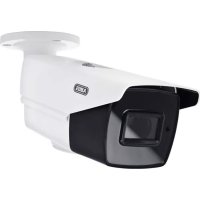
HDCC68550 - Uncategorized ABUS - Free user manual and instructions
Find the device manual for free HDCC68550 ABUS in PDF.

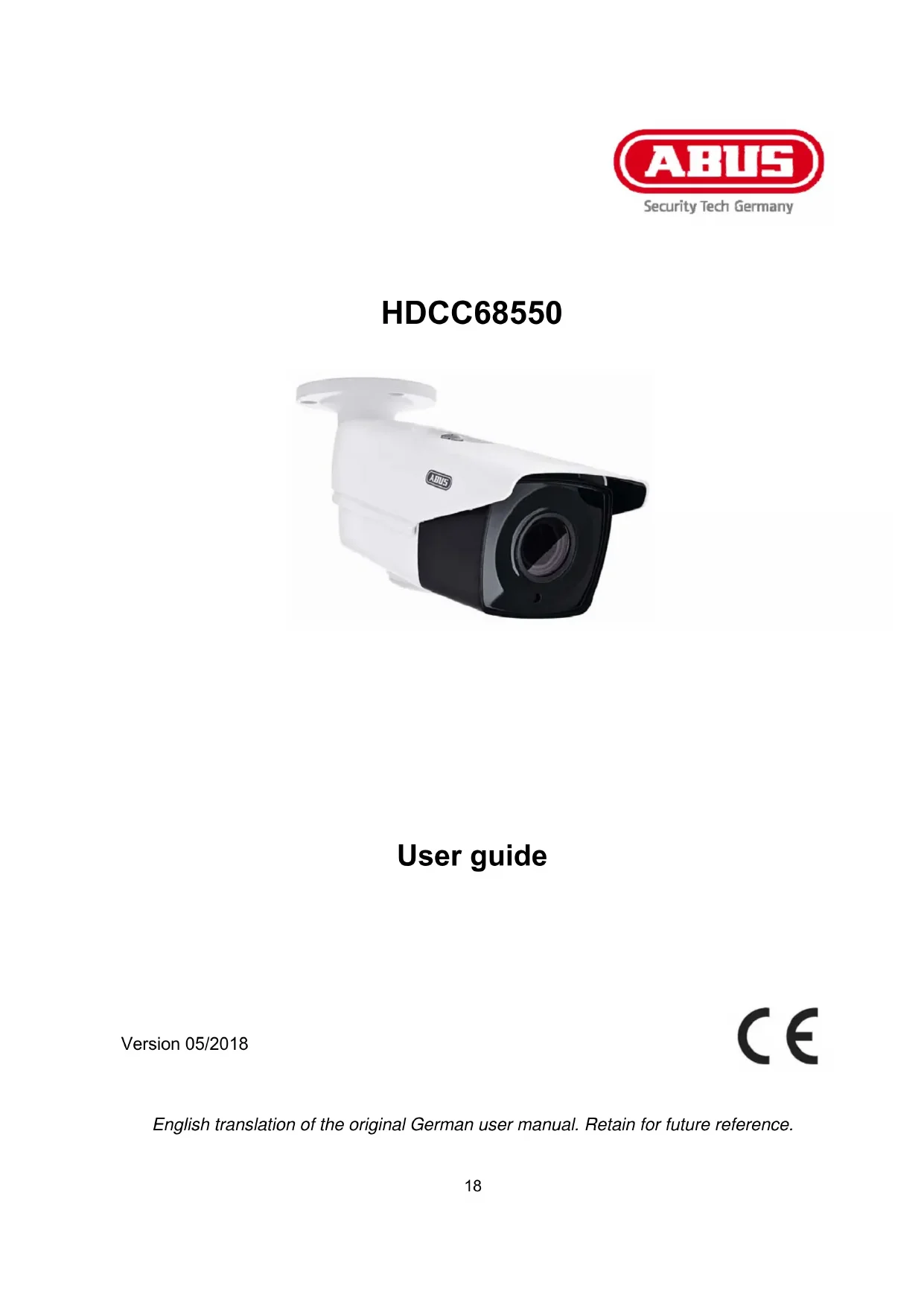


Download the instructions for your Uncategorized in PDF format for free! Find your manual HDCC68550 - ABUS and take your electronic device back in hand. On this page are published all the documents necessary for the use of your device. HDCC68550 by ABUS.
USER MANUAL HDCC68550 ABUS
These user manual contains important information for installation and operation. This should be also noted when this product is passed on to a third party. Therefore look after these operating instructions for future reference! A list of contents with the corresponding page number can be found in the index on page 22.
English translation of the original German user manual. Retain for future reference.19
Dear customer, Thank you for purchasing this product. The device complies with the requirements of the following EU directives: EMC Directive 2014/30/EU and the RoHS Directive 2011/65/EU. To ensure this condition is maintained and that safe operation is guaranteed, it is your obligation to observe this user guide. Please read the entire user guide carefully before putting the product into operation, and pay attention to all operating instructions and safety information. All company names and product descriptions are trademarks of the corresponding owner. All rights reserved.
In the event of questions, please contact your local maintenance specialist or dealer.
Disclaimer This user guide has been produced with the greatest of care. Should you discover any omissions or inaccuracies however, please inform us in writing at the address provided on the back of the manual. ABUS Security-Center GmbH & Co. KG assumes no liability for technical and typographical errors, and reserves the right to make changes to the product and user manuals at any time and without prior notice. ABUS Security-Center GmbH is not liable or responsible for direct or indirect damage resulting from the equipment, performance and use of this product. No guarantee is made for the contents of this document.20
lish Explanation of symbols
The triangular high voltage symbol is used to warn of the risk of injury or health hazards (e.g. caused by electric shock). The triangular warning symbol indicates important notes in this user guide which must be observed. This symbol indicates special tips and notes on the operation of the unit.
All guarantee claims are invalid in the event of damage caused by non-compliance with this user guide. We cannot be held liable for resulting damage. We cannot be held liable for material or personal damage caused by improper operation or non-compliance with the safety information. All guarantee claims are void in such cases.
The following safety information and hazard notes are not only intended to protect your health, but also to protect the device from damage. Please read the following points carefully: There are no components inside the product that require servicing. Dismantling the product invalidates the CE certification and the guarantee/warranty. The product may be damaged if it is dropped, even from a low height. Install the device so that the image sensor is not subjected to direct sunlight. Pay attention to the installation instructions in the corresponding section of this user manual. The device is designed for indoor and outdoor use (IP67). Avoid the following adverse conditions during operation: Moisture or excess humidity Extreme heat or cold Direct sunlight Dust, flammable gases, vapours, or solvents Strong vibrations Strong magnetic fields (e.g. next to machines or loudspeakers) The camera must not be installed on unstable surfaces. General safety information: Do not leave packaging material lying around. Plastic bags, sheeting, polystyrene packaging, etc., can pose a danger to children if played with. The video surveillance camera contains small parts which could be swallowed and must be kept out of the reach of children for safety reasons. Do not insert any objects into the device through the openings. Only use replacement devices and accessories that are approved by the manufacturer. Do not connect any non-compatible products. Please pay attention to the safety information and user manuals for the other connected devices. Check the device for damage before putting it into operation. Do not put the device into operation if you identify any damage. Adhere to the normal voltage limits specified in the technical data. Higher voltages could destroy the device and pose a health risk (electric shock).21
lish Safety information
1. Power supply: Note the information provided on the type plate for supply voltage and power
Avoid overloading electrical sockets, extension cables and adapters, as this can result in fires or electric shocks.
Only use a damp cloth to clean the device. Do not use corrosive cleaning materials. Disconnect the device from the power supply before cleaning. Warnings Observe all safety and operating instructions before putting the device into operation for the first time.
1. Observe the following information to avoid damage to the power cable and plug:
Do not pull the cable when disconnecting the device from the power – always take hold of the plug. Ensure that the power cable is positioned as far away as possible from any heating equipment, as this could otherwise melt the plastic coating.
2. Follow these instructions. Non-compliance with these instructions could lead to an electric shock.
Never open the housing or power supply unit. Do not insert any metallic or flammable objects into the device. Use surge protection to prevent damage caused by overvoltage (e.g. in electrical storms).
3. Disconnect defective devices from the power immediately and contact your specialist dealer.
When installing the device in an existing video surveillance system, ensure that all devices have been disconnected from the power supply and low-voltage circuit.
If in doubt, have a specialist technician carry out assembly, installation and connection of the device. Improper or unprofessional work on the mains network or domestic installations puts both you and others at risk. Connect the installations so that the mains power circuit and low-voltage circuit always run separately from each other. They should not be connected at any point or become connected as a result of a malfunction.
Unpacking the device Handle the device with extreme care when unpacking it.
If the original packaging has been damaged, inspect the device. If the device shows signs of damage, return it in the original packaging and inform the delivery service.22
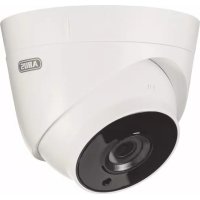
This camera is designed for both daytime and night-time use. It provides video images in full HD resolution. The output signal is provided in HD-TVI format. This allows the use of a conventional coaxial cable for signal transmission. It is used for video surveillance in conjunction with a recording device. The device is designed for indoor and outdoor use.
2. Scope of delivery
3. Features and functions
4K resolution: 3840 x 2160 @ 12.5 fps (HDCC68550) Transmission via conventional CCTV infrastructure (up to 500 m via RG59 cable) Motor-controlled Vario lens, 2.8–12 mm IR LEDs for night vision DNR for noise-free images True WDR function to compensate for image contrasts (120 dB) Weatherproof camera housing and mount with internal cable routing (IP67) On-screen display for camera configuration (control via DVR via coaxial cable)24
1 Camera mount 2 Adjustable sun shield 3 Lens 4 Infrared LEDs 5 Joystick for controlling the on-screen display (OSD), including zoom/focus functions 6 Two-pin power supply connection – polarity does not need to be observed 7 HD-TVI video output (BNC, labelled 'TVI') 8 Additional connection for a video output (BNC, labelled “CVBS”)
5. Mounting / Installation
5.1. Mounting the camera
IMPORTANT! The camera must be disconnected from the power supply during installation.
Use the accompanying drilling template for drilling the mounting holes. An opening is provided on the base plate of the mount for cabling at the side. Use screw anchors and screws that are appropriate to the surface to fix the camera in place. Cabling can be at the side or hidden in the ceiling or wall.
Orientation of the camera, as described below, can now be performed. At this point, an analogue test monitor may be connected to the camera (for test purposes only). The monitor is connected either to the connecting cable on the camera or to the underside of the camera using the supplied adapter. Tighten the fixing screws again after orienting the camera.26
lish 5.2. Orientation of the camera The camera module can be oriented in three axes.
#1: Fixing screw (pivot, 360°) #2: Fixing screw (tilt, 90°) #3: Fixing screw (rotation, 360°) After orienting the camera, the zoom and focus settings can be applied using the joystick on the underside of the camera or the analogue HD digital recorder controls.
The IR range is strongly dependent on the environmental conditions. If the area in the camera's field of view reflects poorly or if there are no objects within the max. illumination range, the brightness of the video image at night may be too low. This will result in poor usability of the video image. In addition, when installing the camera it must be ensured that no objects are located in close proximity to the camera's field of view (e.g. roof gutter or wall). These objects can reflect back the IR light, resulting in circular fading on the video image in the opposite direction to the object.
IMPORTANT! Before starting installation, ensure that the power supply voltage and the rated voltage of the camera are identical. The cameras require a 12 V DC or 24 V AC power supply. The polarity of the DC voltage supply does not need to be observed! 5.4. Connecting the video cable In order to transmit the HD-TVI video signal from the camera to a recorder, an RG59 type coaxial cable with BNC connector (male) must be connected to the connection labelled 'TVI'. The cable length to the next device must not exceed 500 m.
To ensure optimum quality of the HD-TVI signal transmission, it is important that the cable is neither kinked nor crushed at any point, and that its radius is adequate (min. bending radius 6 cm). Damage to the cable or porosity as a result of ageing can have a negative impact on the quality of the signal or image (e.g. shadowing around the edges).
6.1. Opening the on-screen display This camera's on-screen display can be opened either using the joystick on the underside or via the ABUS HD-TVI DVR. Please consult the user manual for the ABUS HD-TVI DVR. 6.2. Description of the on-screen display Pressing the on-screen display control button opens the on-screen display. This on-screen display allows you to adjust a number of detailed settings.
Function Description Video Format Video resolution setting Options: 8 megapixel @ 15 frames per second 8 megapixel @ 12.5 frames per second 5 megapixel @ 20 frames per second 4 megapixel @ 25 frames per second 4 megapixel @ 30 frames per second 2 megapixel @ 25 frames per second 2 megapixel @ 30 frames per second
Language Setting for the language of the on-screen display For this camera model, English is currently the only available language. Settings Advanced camera settings Press the ENTER button to open the advanced camera settings menu. Save&Exit Save and exit the menu28
Exposure This menu item allows you to adjust general exposure settings, e.g. whether the camera should process high contrasts or whether the camera requires special settings for night vision. Function Description Brightness (1~10): Picture brightness setting Exposure Mode Global: General automatic exposure setting without WDR function BLC: Automatic exposure setting with backlight compensation. The BLC function enhances the image display in the event of medium image contrast levels. WDR: Automatic exposure setting with WDR function (wide dynamic range). The WDR function enables improved display of high image contrasts. This function also has a four-step setting for adjusting to the respective contrast conditions. HLC: This function reduces overexposure caused by very bright light sources. AGC Automatic gain control. As the setting is increased, the video image appears lighter in poor lighting conditions, although the higher the setting the higher the image noise. Off: Deactivated Low: Low Medium: Medium High: High Slow Shutter (Off~X4): Continuous exposure setting. Longer exposure times for each image make the resulting image lighter. However, this results in a reduction in the frame rate (the longer the exposure time, the lower the frame rate). Off: deactivated X2/X4: Exposure time increased by a factor of x Back Return to previous menu screen Save&Exit Save and exit the menu29
lish White Balance This menu item allows you to adjust the white balance settings. Function Description Auto Automatic white balance manual, handbook, guide, instructions Manual white balance R Gain: Gain factor for proportion of red in image B Gain: Gain factor for proportion of blue in image Back: Return to previous menu screen Save&Exit: Save and exit the menu
DAY NIGHT This menu item allows you to set the mode for day/night switching. Function Description Auto Automatic activation/deactivation of day mode or night mode. The integrated photo sensor controls the switchover according to the lighting level. IR Light: On: IR LEDs activated in night mode Off: IR LEDs deactivated in night mode Smart IR: Function for reducing overexposure of IR light with close objects On: Function activated Off: Function deactivated D->N Threshold (1–9): Switching threshold from day to night mode N->D Threshold (1–9): Switching threshold from night to day mode Back: Return to previous menu screen Colour The camera stays in colour mode permanently. The infrared cut filter is constantly in front of the lens, and the IR LEDs are constantly off. B&W The camera stays in black/white mode permanently. The infrared cut filter is constantly separated from the lens. The IR LEDs are switched on and off automatically by the photo sensor.
Video Settings This menu item allows you to adjust general image settings, such as contrast or video image mirroring. Function Description Contrast (0~10): Image contrast setting Sharpness (0~10): This function allows image sharpness perception to be adjusted electronically. Saturation (0~10): Saturation of the video image 3DNR (0~10): Noise reduction function setting. The higher the value set, the more noise will be removed from the video image by the software.30
lish Mirror Mirroring of the video image Off: Deactivated HV: Horizontal and vertical image mirroring (standard) V: Vertical image mirroring H: Horizontal image mirroring Defog (0–4): Function for improving the contrast. A higher value increases the image noise. RETURN Return to previous menu screen
Factory Default (Reset) Function Description Factory Default Reset all camera settings in the main menu to the factory settings Ok: Confirm process Cancel: Cancel process
Save&Exit Function Description Save&Exit Save all settings and exit the on-screen display31
7. Maintenance and cleaning
7.1. Maintenance Regularly check the technical safety of the product, e.g. check the housing for damage. If it appears to no longer be possible to operate the product safely, stop using it and secure it to prevent unintentional use. It is likely that safe operation is no longer possible in the event that: the device shows signs of visible damage, the device no longer works correctly
Please note: You do not need to perform any maintenance on the product. There are no components to service and nothing inside the product to check. Never open it. 7.2. Cleaning Clean the product with a clean, dry cloth. The cloth can be dampened with lukewarm water to remove stubborn dirt.
Do not allow any liquids to enter the device. Do not use any chemical cleaning products, as they could damage the surface of the housing and screen (discolouration).
Important: EU Directive 2002/96/EC regulates the proper return, treatment and recycling of used electronic devices. This symbol means that, in the interest of environmental protection, the device must be disposed of separately from household or industrial waste at the end of its lifespan in accordance with applicable local legal guidelines. Used devices can be disposed of at official recycling centres in your country. Obey local regulations when disposing of material. Further details on returns (also for non-EU countries) can be obtained from your local authority. Separate collection and recycling conserve natural resources and ensure that all the provisions for protecting health and the environment are observed when recycling the product.32
More technical information on each individual camera is available via the product search at www.abus.com.
The IR range is strongly dependent on the environmental conditions. If the area in the camera's field of view reflects poorly or if there are no objects within the max. illumination range, the brightness of the video image at night may be too low. This will result in poor usability of the video image. In addition, when installing the camera it must be ensured that no objects are located in close proximity to the camera's field of view (e.g. roof gutter or wall). These objects can reflect back the IR light, resulting in circular fading on the video image in the opposite direction to the object.33
© Copyright 02/2018 by ABUS Security-Center