ManualGo.com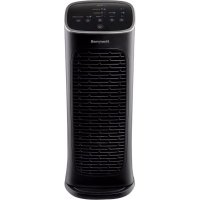
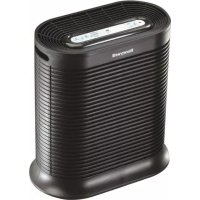
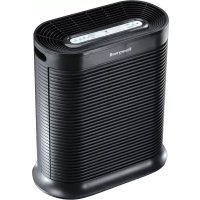
HFD280B - Air purifier HONEYWELL - Free user manual and instructions
Find the device manual for free HFD280B HONEYWELL in PDF.



Download the instructions for your Air purifier in PDF format for free! Find your manual HFD280B - HONEYWELL and take your electronic device back in hand. On this page are published all the documents necessary for the use of your device. HFD280B by HONEYWELL.
USER MANUAL HFD280B HONEYWELL
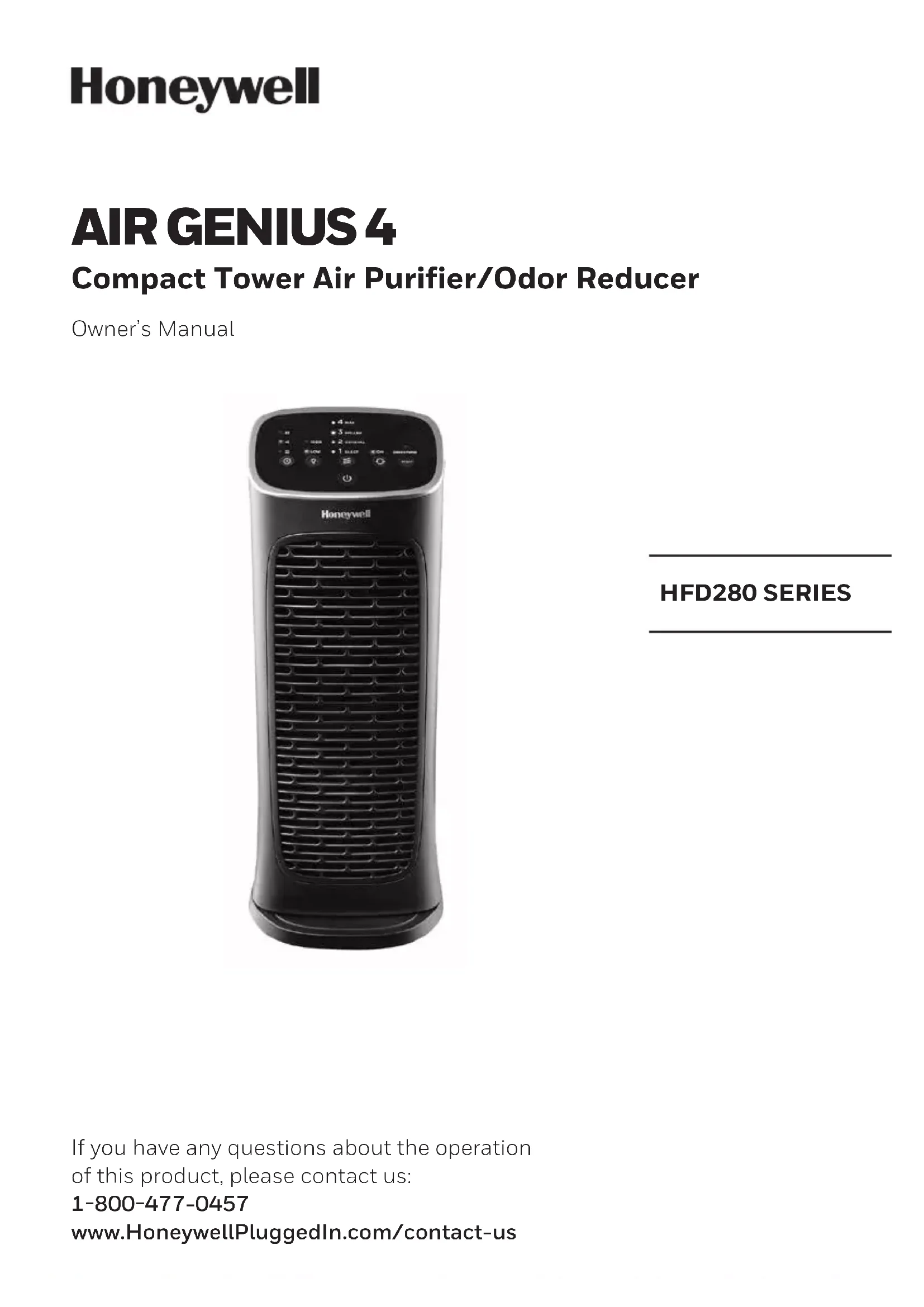
AIR GENIUS 4 Compact Tower Air Purifier/Odor Reducer Owner’s Manual HFD280 SERIES If you have any questions about the operation of this product, please contact us: 1800477-0457 www.HoneywellPluggedIn.com/contact-us2
When using electrical appliances, basic precautions should always be followed to reduce the risk of fire, electric shock, and injury to persons, including the following:
1. Read all instructions before operating the Air
2. Place Air Purifier where it is not easily
3. Always turn the Air Purifier controls to the
OFF position and unplug from the wall outlet when not in use.
4. To disconnect the Air Purifier, press the
Power button to turn the unit OFF, grip the plug and pull it from the wall outlet. NEVER pull by the cord.
5. DO NOT use any product with a damaged
cord or plug or if product malfunctions, is dropped or damaged in any manner. Keep the cord away from heated surfaces.
6. DO NOT use Air Purifier outdoors.
7. NEVER use Air Purifier unless it is fully
8. DO NOT run power cord under carpets, and
do not cover with throw rugs. Arrange cord such that it will not be tripped over.
9. DO NOT use Air Purifier where combustible
gases or vapors are present.
10. DO NOT expose the Air Purifier to rain, or
use near water, in a bathroom, laundry area or other damp location.
11. The Air Purifier must be used in its upright
12. DO NOT allow foreign objects to enter
ventilation or exhaust opening as this may cause electric shock or damage to the Air Purifier. DO NOT block air outlets or intakes.
13. Place Air Purifier near the outlet and avoid
using an extension cord.
14. This appliance has a polarized plug (one
blade is wider than the other). To reduce the risk of shock, this plug is intended to fit only one way in a polarized outlet. If the plug does not fit fully in the outlet, reverse the plug. If it still does not fit, contact a qualified electrician. DO NOT attempt to defeat this safety feature.
15. A loose fit between the AC outlet (receptacle)
and plug may cause overheating and a distortion of the plug. Contact a qualified electrician to replace loose or worn outlet.
17. ALWAYS disconnect power supply before
18. Keep out of reach of children and pets.
19. Filters may be harmful if ingested. Avoid
breathing dust when changing filters. SAVE THESE INSTRUCTIONS. NOTE: For FCC compliance information, please see last page of this manual.
The washable mesh pre-filter came installed in your Air Purifier and removes larger airborne particles from the air that passes through the filter. You may use this washable mesh pre-filter, or you have the choice to use the Optional Odor & VOC Reducing
Pre-Filter PreFilter that is packed in a bag that came with the Air Purifier. In addition to capturing larger airborne particles, the
Pre-Filter PreFilter will also trap common household odors and gases. If you choose to use the
Pre-Filter PreFilter, you must remove the installed washable mesh pre-filter then insert the
Pre-Filter PreFilter. Note: the
Pre-Filter PreFilter cannot be washed and should be replaced every 3 months for optimum performance. NOTE: Please only use one pre-filter in your Air Purifier at a time. You will need to choose whether you want to use the permanent washable pre-filter or the replaceable Odor & VOC Reducing
Pre-Filter PreFilter. Both are included with your Air Purifier at the time of purchase.
HOW YOUR AIR PURIFIER WORKS
This model Air Purifier incorporates a 3-stage cleaning system to clean the air that passes through the filters in the unit (Fig. 1). Stage 1: Washable or OdorReducing PreFilter (your choice) attaches to the rear grille. Captures larger airborne particles and traps odors and VOCs (when used with Optional
Pre-Filter PreFilter). Stage 2: Permanent Washable ifD® Filter. Captures the following microscopic airborne particles: dust, pollen, pet dander, dust mite debris and smoke. Stage 3: Electronic Ionizer boosts the cleaning power. Front Grille (air intake is at the rear grille and output is from the front grille) Installed Washable PreFilter OPTIONAL: OdorReducing PreFilter
Pre-Filter (packed in plastic bag) Permanent Washable ifD® Filter Rear Grille 3-Stage Cleaning System Washable or Odor-Reducing Pre-FilterifD® FilterIonizer FieldCleaner Air Room Air
SET-UP Select a firm, level and flat location. For best airflow, locate the unit 6 inches from any wall or furniture. When operating, large volumes of air are drawn toward the Air Purifier. Surrounding areas should be cleaned and/ or vacuumed frequently to prevent build-up of dust and other particles. This may also help prolong the life of the filter. If the unit is placed on a light colored carpet, a small mat or rug should be used underneath to prevent staining. This is especially important in homes with contamination from smoking or fireplaces. ENERGY STAR The energy efficiency of this ENERGY STAR certified model is measured based on a ratio between the model’s CADR for Smoke and the electrical energy it consumes, or CADR/ Watt. OPERATION Ensure the Air Purifier is plugged into a working electrical outlet. Press the power button once. The unit will start at the “General Cleaning” level and remain on this setting until another cleaning level is chosen (Fig. 2). Press the button to select a different cleaning level. Portable Air Purifier are more effective in rooms where all doors and windows are closed. It is recommended that you run your Air Purifier while you are at home for cleaning the air. If desired or conditions warrant, you may run your Air Purifier 24 hours a day.
CONTROLS THAT DO THE THINKING FOR YOU HFD280 Series Cleaning Level Button – Once you have pressed the Power Button, use the Cleaning Level Button to select the desired air cleaning level. Your Air Purifier will start on the General Cleaning setting each time you turn the Air Purifier on. Continue to press the button to cycle through cleaning levels to reach the desired setting. Here is a handy reference to help get the most out of your air purifier’s performance:
Best for power cleaning the air when unpleasant odors are noticeable, your room is particularly dusty, or you can sense that airborne particles are present. This setting provides the fastest air cleaning of all the settings and can circulate the air frequently in the room.
This setting is best for fighting airborne pollen during high pollen season, particularly in the spring and fall to help reduce airborne pollen.
Best for General Cleaning. Use this setting to help reduce airborne dust and smoke particles, like those from cooking or tobacco smoke.
Best for ultra quiet operation, perfect for nighttime use when sleeping. Oscillate Button – To help circulate fresher, cleaner air through the room, this unit has an oscillation feature. To turn Oscillation on, simply press the Oscillation button once. To turn Oscillation off, press the button again. Auto-off Timer Button – Push the button if you would like your Air Purifier to run and then automatically shut-off after a certain amount of time (choose from between 2, 4 and 8 hours). This is convenient if you would like your Air Purifier to run during the night but then shut-off automatically in the morning (choose the 8 hour setting). RESET
Max Cleaning Setting Pollen Reduction Setting General Cleaning Setting Sleep/Quiet Setting Auto-off Timer Light Dimmer Button Power Button Check Filters Reset Button Oscillation Button Cleaning Level Button CHECK FILTERS GENERAL SLEEPLOW HIGH6 CONTROLS THAT DO THE THINKING FOR YOU (CONTINUED) Dimmer Button – Allows you to adjust the brightness of the LED display on the control panel. You may wish to adjust the brightness depending on the room where the unit is placed.
- The unit always turns on with brightness on HIGH
- The LED lights cannot be turned completely off
- Press the button once and LED display will dim to Low setting
- Pressing the button a 2nd time will turn the LED light brightness back to HIGH. Check Filters Button – When it is time to check and clean the filters, an indicator light will illuminate. When this light comes on, you will need to clean the primary ifD® filter and clean or replace the pre-filter. (See Filter Cleaning instructions on pages 67). It is recommended that you periodically check the filters. Depending on operating conditions, the filters should be cleaned every 3 months. If you have chosen to use the Odor & VOC Reducing
Pre-Filter PreFilter, it is NOT washable and should be replaced after 3 months. After you have cleaned or replaced the filters, you will need to RESET the Electronic Filter Check. To RESET the Electronic Filter Check: After the ifD® filter and pre-filter have been cleaned/replaced and re-installed in the unit, plug the unit into the power outlet with the unit still in POWER OFF mode, press and hold the CHECK FILTERS RESET button for 3 seconds. The CHECK FILTERS red LED will flash twice and shut off indicating the filter check has been reset. The red LED will no longer be illuminated. The cleaning intervals are intended as guidelines only. Performance of any filter media is dependent upon the concentration of airborne particles going through the system. High concentrations of airborne particles such as dust, pet dander and smoke particles will reduce the useful performance of the filter and they may need to be cleaned more frequently.
BREATHING DUST WHEN CLEANING OR CHANGING FILTERS. The ifD® filter comes installed inside the Air Purifier.
- Turn-off the Air Purifier. Wait 60 seconds and unplug the unit before removing the grille.
- Press down on the tab on the rear grille and pull the grille down and toward you. Remove the grille.
- With one hand, hold the Air Purifier steady and use other hand to grasp ifD® filter by the molded plastic handle at top and pull out (Fig. 3).
- To place the ifD® filter back into the Air Purifier housing, insert at bottom and ensure it is pushed in as far as it can go, then push in from the top. You will hear an audible “click”.
- Return the rear grille to the purifier housing. You will hear an audible “click” when the grille is installed correctly.
REMOVING THE FILTERS (CONTINUED) The Permanent Washable Mesh PreFilter is attached to the inside of the rear grille.
- To remove pre-filter, take the rear grille off and place it on a flat surface as shown in (Fig. 4).
- Gently squeeze the flexible plastic frame of the mesh pre-filter to release it from the holding tabs.
- To re-insert the mesh pre-filter, line up the notches on the pre-filter with the plastic holding tabs on the inside of the rear grille and gently squeeze frame to secure it under the plastic tabs on both sides. NOTE: If the Odor Reducing
Pre-Filter PreFilter is used in lieu of the Permanent Washable Mesh PreFilter, it will need to be replaced approximately every 3 months and should be installed in the same location when the washable mesh pre-filter is removed. It should be tucked under the tabs on the sides of the rear grille to secure it in place. CLEANING THE ifD® FILTER
WARNING: FILTERS MAY BE HARMFUL IF INGESTED. AVOID
BREATHING DUST WHEN CHANGING FILTERS. The ifD® filter should be cleaned approximately every 3 months. Turn the power off and unplug the air purifier. After removing the ifD® filter from the air purifier, follow the steps below to clean the ifD® filter.
- Rinse the filter with clean tap water (Fig. 5)
- If the filter still appears dirty, proceed to “Washing,” otherwise proceed to “Drying.” Washing:
- Remove the ifD® filter from the unit.
- Fill a sink with lukewarm water and add a few drops of mild dish soap.
- Gently swish the filter in the soap solution to clean.
- Soak the filter for 23 minutes. Do not leave for an extended period of time.
- Rinse the filter with clean tap water (Fig. 5) and proceed to “Drying”. Note that the filter may still be discolored even after washing. This is acceptable and will not affect performance. Drying:
- Shake the filter to remove any excess water.
- Place the filter with the honeycomb side down on a plush towel.
- Allow the ifD® filter to dry for a few hours or overnight.
- When the ifD® filter is completely dry, place back into the air purifier. CAUTION:
- Never place a wet ifD® filter in your air purifier.
- The ifD® filter is NOT dishwasher safe. Do not place the ifD® filter in a dishwasher or subject it to other extreme hot water conditions.
- Do not use any solvents, strong cleaning agents or flammable liquids to clean the ifD® filter.
The Mesh PreFilter helps capture large airborne particles that enter the rear grille. This pre-filter can be periodically removed and shaken or vacuumed clean. Alternatively, it can be rinsed by hand under warm water to clean (Fig. 6). Let the pre-filter air dry completely before inserting back into the grille (Fig. 7). If you need to replace this item, please call 18004770457 or visit your local retailer.
WARNING: FILTERS MAY BE HARMFUL IF INGESTED. AVOID
BREATHING DUST WHEN CLEANING OR CHANGING FILTERS. OPTIONAL: Changing the Odor Reducing PreFilter If you have chosen to use the Odor Reducing
Pre-Filter PreFilter that came with your air purifier, it will lose its effectiveness for odor adsorption over time and will need to be replaced. To purchase additional
Pre-Filter PreFilters, see Accessories and Replacement Filters section below. If using the Odo r Reducing PreFilter, it is recommended that you store the original washable pre-filter in the event that you decide to use it in the future. To insert it into the unit, simply place securely into the rear grille in lieu of standard pre-filter as shown in (Fig. 7). NOTE: The Odor Reducing Pre-Filter is not washable.
CLEANING AND STORAGE
We recommend that you clean the Air Purifier at least once every 3 months and before extended storage. Use only a dry cloth to wipe the external surfaces of the air purifier. DO NOT USE WATER, WAX, POLISH, OR ANY CHEMICAL SOLUTION.
ACCESSORIES AND REPLACEMENT FILTERS
There is an optional pre-filter that can be purchased and used with this air purifier that will help reduce common household odors and VOCs. This Odor & VOC Reducing PreFilter
Pre-Filter (HRFK2) can be used in lieu of the Permanent Washable PreFilter that is supplied with the air purifier. The optional
Pre-Filter pre-filter should be replaced every 3 months for optimum odor and VOC reduction performance. To help ensure stated product performance, use only Certified Honeywell Replacement Filters. You may purchase Honeywell replacement Odor & VOC Reducing PreFilter
Pre-Filter at the store where you purchased your Air Purifier or they can be ordered directly from www.HoneywellPluggedIn.com. Odor & VOC Reducing PreFilter
Pre-Filter : Model HRFK2 (2 pack) If you have any questions about your ifD® filter or the Washable Mesh PreFilter (HFD280BPF), call Consumer Relations at 18004770457.
Washable Mesh PreFilter (or Optional Odor Reducing
Pre-Filter PreFilter) Rear Grille9
FREQUENTLY ASKED QUESTIONS
My Filter Check Light has not come on but when I checked my filter, it was really dirty. In conditions where smoke, pets, or air with a lot of airborne particles are present it is possible that the filter could be dirty sooner than indicated by the Check Filters light. The Check Filters light on your unit runs on a timer and if there are more airborne particles in your air than in an average home, your filter could require cleaning sooner than indicated on the display. The indicator is intended to be used as a guideline and individual environmental conditions will vary. My unit will not turn on. The Air Purifier has safety features to ensure that the unit is ready for operation. Check to make sure that the ifD® filter and rear grille are installed correctly. When properly installed, you will hear an audible “click” when you re-install both the ifD® filter and the rear grille. If your Air Purifier still won’t turn on, contact Consumer Relations at 18004770457. My Air Purifier is starting to make noise and the air output is less. What’s wrong? The filters may be dirty. High amounts of airborne particle build-up can block the pores in the filter and stop the air from moving through it. The filter and pre-filter should be cleaned. How long should I run my Air Purifier? It is recommended that you run your Air Purifier when you are at home to help clean the air. This unit will be more effective when doors and windows are closed. If desired or conditions warrant, you may run your Air Purifier 24 hours a day. Can I wash my Odor & VOC Reducing
Pre-Filter PreFilter? No. Washing the Odor & VOC Reducing
Pre-Filter PreFilter will destroy it. You can, however, wash the framed mesh permanent pre-filter. How do I use the additional pre-filter that is packed in the plastic bag? Your Air Purifier came with an installed washable mesh pre-filter that helps capture the larger airborne particles before they reach the ifD® filter. If you would like the additional benefit of odor & VOC reduction, you may replace the washable mesh pre-filter with the Odor & VOC Reducing
Pre-Filter PreFilter that was packed in a plastic bag with the cleaner. You must first remove the washable mesh pre-filter that came in your Air Purifier and replace it with the
Pre-Filter PreFilter. This pre-filter is not washable and should be replaced every 3 months for optimum performance. How does the electronic filter check work? The filter check LED will illuminate when it is time to check the filters after 3 months of continuous operation of the Air Purifier. After the filters have been cleaned, you should reset the Electronic Filter Check. See instructions on page 6. IMPORTANT NOTE The ionizing process used by the Air Purifier produces small amount of ozone as a byproduct. The Air Purifier complies with the U.S. Government limits for acceptable levels of ozone (less than 50 parts per billion by volume of air circulating through the product.) This Air Purifier complies with the US Federal Government ozone emissions limit. ARB CERTIFIED. This product complies with the maximum allowable concentration of ozone of 0.050 parts per million by volume (ppmv) in a 24-hour period. The Health Canada Guideline 2010 recommends that the maximum exposure limit, based on an averaging time of 8 hours, is 0.020 ppmv or less when tested in a sealed, controlled room approximately 30 m³.10 5 YEAR LIMITEDWARRANTY You should first read all instructions before attempting to use this product. A. This 5 year limited warranty applies to repair or replacement of product found to be defective in material or workmanship. This warranty does not apply to damage resulting from commercial, abusive, unreasonable use or supplemental damage. Defects that are the result of normal wear and tear will not be considered manufacturing defects under this warranty. HELEN OF TROY IS NOT LIABLE FOR INCIDENTAL OR CONSEQUENTIAL DAMAGES OF ANY NATURE. ANY IMPLIED WARRANTY OF MERCHANTABILITY OR FITNESS FOR A PARTICULAR PURPOSE ON THIS PRODUCT IS LIMITED IN DURATION TO THE DURATION OF THIS WARRANTY. Some jurisdictions do not allow the exclusion or limitation of incidental or consequential damages or limitations on how long an implied warranty lasts, so the above limitations or exclusions may not apply to you. This warranty gives you specific legal rights, and you also may have other rights which vary from jurisdiction to jurisdiction. This warranty applies only to the original purchaser of this product from the original date of purchase. B. At its option, Helen of Troy will repair or replace this product if it is found to be defective in material or workmanship. C. This warranty does not cover damage resulting from any unauthorized attempts to repair or from any use not in accordance with the instruction manual. D. This warranty does not cover the ifD® filters or pre-filters except for material or workmanship defects. Please go to www.HoneywellPluggedIn.com/warranty-registration to register your product and receive product information updates and new promotional offers. CONSUMER RELATIONS Questions or comments Call us toll-free at: 18004770457 Or visit our website at: www.HoneywellPluggedIn.com/contact-us Please be sure to specify the model number. NOTE: IF YOU EXPERIENCE A PROBLEM, PLEASE CONTACT CONSUMER RELATIONS FIRST OR SEE YOUR WARRANTY. DO NOT RETURN THE PRODUCT TO THE ORIGINAL PLACE OF PURCHASE. DO NOT ATTEMPT TO OPEN THE MOTOR HOUSING YOURSELF, DOING SO MAY VOID YOUR WARRANTY AND CAUSE DAMAGE TO THE PRODUCT OR PERSONAL INJURY.11 AIR GENIUS 4 Purificateur d’air/réducteur d’odeurs compact à colonne Guide d’utilisation